






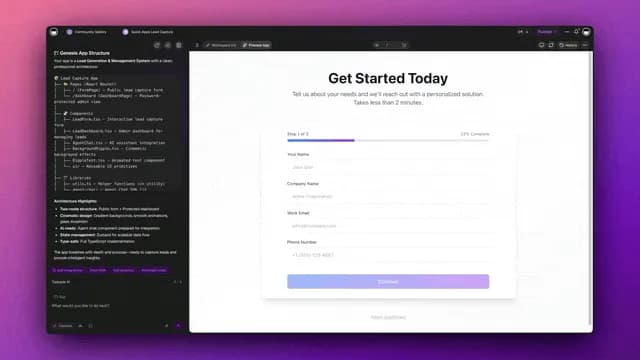
You can automate up to 99% of customer support by putting AI agents in front of every ticket, where they instantly resolve routine questions, draft replies for the rest, and escalate the genuinely hard cases to a human with full context attached, 24/7. Modern help desks already report up to ~60% of inquiries fully automated, and the rest get pre-triaged so your team resolves them in a fraction of the time. The trick is not buying one more chatbot. It is wiring a living support workspace where your knowledge base, your AI agents, and your automations all feed each other, so deflection climbs every week instead of plateauing. This guide walks a non-technical program manager through the entire build, the workflow, the prompts, the escalation rules, and a clone-ready app you can launch today.
TL;DR: AI support agents deflect routine tickets, draft on-brand replies, and escalate complex cases with full context around the clock; help desks report up to ~60% of inquiries automated and faster first response lifts CSAT. Build the whole pipeline in one prompt with Taskade Genesis and clone the live support app below to skip the blank page.
This is the full support-operations playbook. If you just want a shortlist of tools to compare, read our AI customer support software roundup first, then come back here to actually build the system. Everything below is grounded in Taskade Genesis, AI agents, and automations — the three pieces that turn a pile of tickets into a self-improving support engine.
What "automating 99% of customer support" actually means
Automating 99% of support does not mean firing your team and sending customers into a chatbot maze. It means an AI agent touches 100% of tickets first, resolves the routine ~60% completely, drafts replies for the next ~30% that a human approves in one click, and escalates the final ~10% with a full summary so a person spends their time only where judgment matters. The "99%" is the share of human keystrokes the system removes, not the share of customers who never reach a human.
Here is the shift in plain terms. A traditional support stack is a pile of disconnected tools, an inbox here, a help-desk there, a knowledge base nobody updates, and a spreadsheet of escalations. Every ticket forces a human to read, classify, look up the answer, write the reply, and tag the conversation. An automated stack moves all five of those steps to an AI agent and keeps the human as the reviewer and decision-maker.
| Support step | Manual support | AI-automated support |
|---|---|---|
| Read and understand ticket | Human reads each one | Agent parses intent + sentiment instantly |
| Classify and tag | Manual dropdowns | Auto-tagged on arrival |
| Find the answer | Search docs by hand | Agent retrieves from knowledge base |
| Write the reply | Type from scratch | Drafted on-brand, cited |
| Escalate or resolve | Manual handoff | Routed with full context |
The reason this works in 2026 and not 2019 is that AI agents now read natural language, reason over your own knowledge base with frontier models from top AI labs, and take real actions through 100+ bidirectional integrations instead of following brittle scripted trees. The difference between a chatbot and an agent is the difference between a vending machine and a teammate.
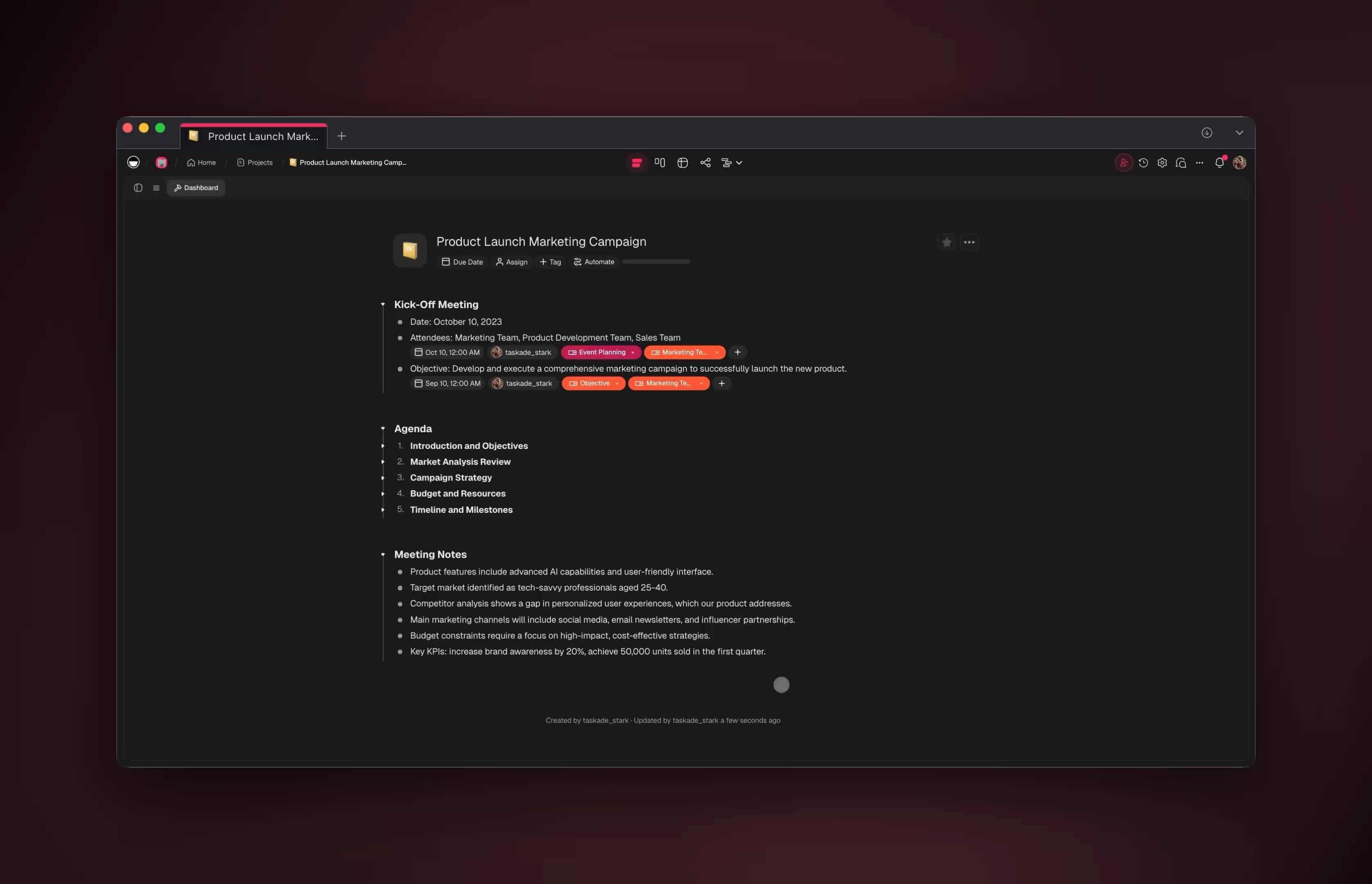
The 60% number: what help desks actually automate today
Up to ~60% of inbound support inquiries can be fully automated with no human touch, because the majority of tickets are repeat questions with known answers, password resets, order status, refund eligibility, plan and pricing questions, and how-to lookups. These are high-volume and low-risk, which makes them the perfect first target. When you instrument a real queue, the long tail of "unique, hard" tickets is much smaller than it feels day to day.
The other reason the number lands around 60% and not 99% in raw deflection is trust and policy. Plenty of tickets could be auto-resolved but you choose to keep a human in the loop, refunds over a threshold, account closures, anything with legal or compliance language. That is by design. The 99% figure counts the work removed across all tickets (triage, drafting, tagging, context-gathering), while the ~60% figure is the slice resolved with zero human involvement.
| Ticket category | Typical volume | Auto-resolve safe? | Recommended mode |
|---|---|---|---|
| Password / login resets | High | Yes | Full auto |
| Order / shipping status | High | Yes | Full auto |
| How-to and feature questions | High | Yes | Full auto |
| Refund eligibility (under threshold) | Medium | Often | Draft + 1-click send |
| Billing disputes | Medium | No | Escalate with context |
| Bug reports | Medium | Partial | Draft + route to eng |
| Legal / compliance / churn risk | Low | No | Escalate immediately |
The strategic move is to start with the green rows, prove the deflection rate is real and accurate, then expand the auto-resolve boundary one category at a time as confidence grows. You can see how to structure those rules in our guide to building AI agents and the automation triggers reference.
The full support-automation architecture
A working AI support system has five layers, and the reason most "support AI" projects stall is that teams buy a bot for layer 4 (the reply) and ignore the other four. Taskade gives you all five in one workspace, so the agent never loses context between intake, knowledge, action, and review. Here is the whole pipeline at a glance.
┌─────────────────────────────────────────────────────────────┐
│                  AI SUPPORT PIPELINE                         │
│                                                             │
│   ① INTAKE          ② TRIAGE           ③ KNOWLEDGE          │
│   ┌──────────┐      ┌──────────┐       ┌──────────┐         │
│   │ Email    │      │ AI Agent │       │ Help docs│         │
│   │ Chat     │─────▶│ classify │──────▶│ Past     │         │
│   │ Helpdesk │      │ + tag    │       │ tickets  │         │
│   │ Social   │      │ + sentim.│       │ Policies │         │
│   └──────────┘      └────┬─────┘       └────┬─────┘         │
│                          │                  │               │
│                   confidence check ◀────────┘               │
│                          │                                  │
│              ┌───────────┴───────────┐                      │
│              ▼                       ▼                       │
│        ④ AUTO-RESOLVE          ⑤ ESCALATE                   │
│        ┌──────────┐            ┌──────────┐                 │
│        │ Draft +  │            │ Summary +│                 │
│        │ send +   │            │ suggested│──▶ Human        │
│        │ tag done │            │ reply    │    reviewer     │
│        └──────────┘            └──────────┘                 │
│              │                       │                       │
│              └──────────┬────────────┘                      │
│                         ▼                                    │
│                 FEED BACK INTO KNOWLEDGE  ◀── loop           │
└─────────────────────────────────────────────────────────────┘
Notice the loop at the bottom. Every resolved ticket and every corrected escalation gets written back into the knowledge project, so next week the agent answers more questions on its own. That feedback loop is what turns a static 40% deflection into a compounding 60%+ over time. This is the Workspace DNA idea in action, Memory feeds Intelligence, Intelligence drives Execution, Execution generates new Memory.
Mapped onto Taskade's building blocks, the five layers look like this:
Build it in one prompt with Taskade Genesis
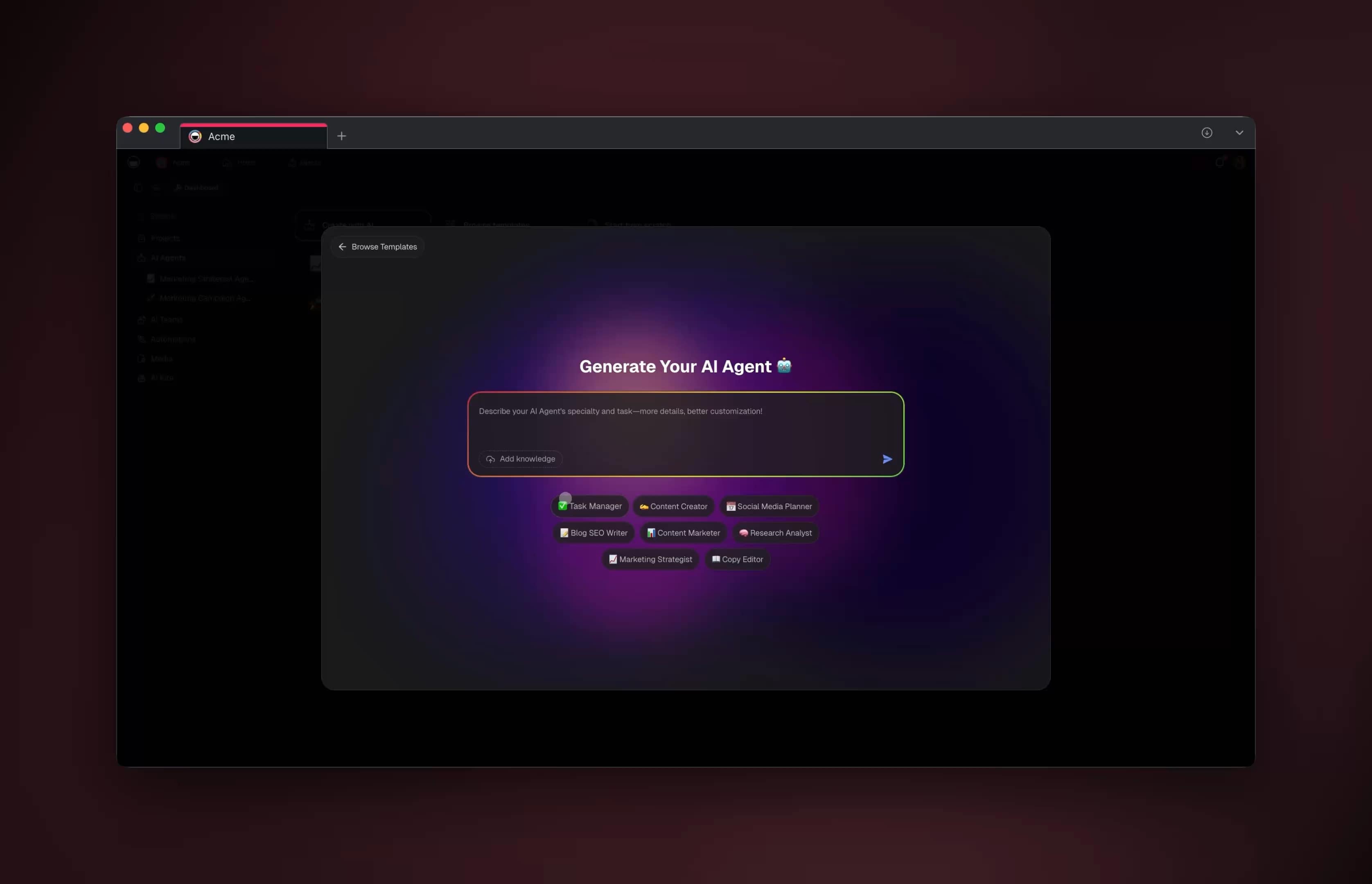
You do not need to wire any of those boxes by hand. You describe the support workflow in plain language and Taskade Genesis builds the working app, ticket project, triage agent, knowledge base, and escalation automation, in minutes. This is the part that turns "someday" into "this afternoon" for a non-technical program manager.
Here is a starter prompt you can paste into Taskade Genesis verbatim and then refine:
Build me a customer support app.
- A ticket project with these views: Board (by status),
Table (all fields), Calendar (by SLA due date).
- An AI triage agent that reads each incoming ticket,
detects intent and sentiment, tags it, and assigns a
category from: account, billing, how-to, bug, churn-risk.
- Ground the agent in a "Knowledge Base" project I will fill
with help docs and past resolved tickets.
- Auto-resolve tickets in categories account/how-to when the
agent is confident; draft a reply for the rest.
- Escalate anything tagged billing, bug, or churn-risk to a
human reviewer with a summary and a suggested reply.
- Notify the on-call reviewer in chat when an escalation lands.
Genesis returns a live app you can open, edit, and clone. From there you connect your real channels and point the agent at your real docs. The EVE meta-agent orchestrates the build, and you stay in control of every rule. If you would rather start from a finished example, clone the support app from the Community gallery and just swap in your own knowledge base.
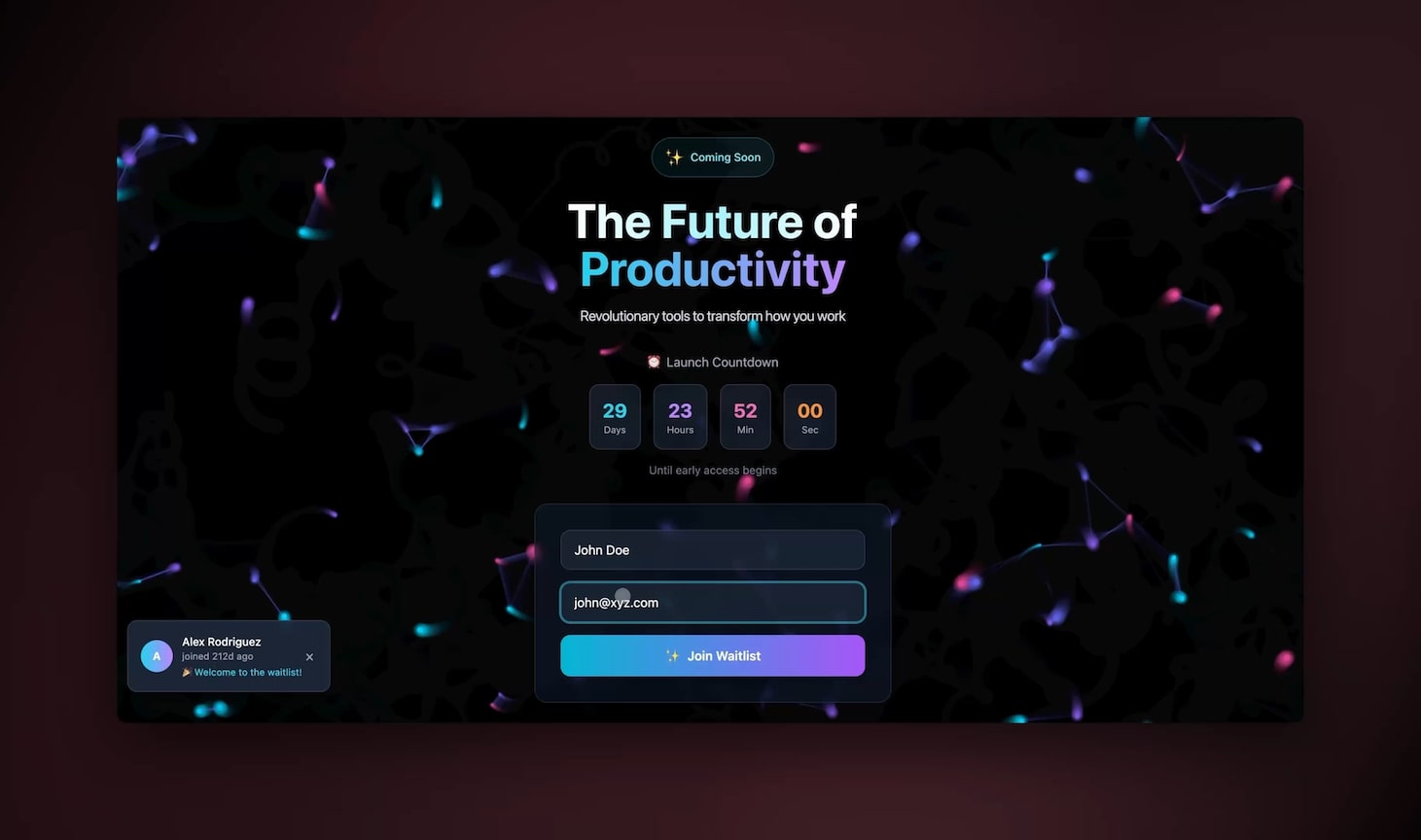
The build flow looks like this end to end:
Setting up triage: the agent that reads every ticket first
The triage agent is the single highest-leverage piece, because it touches 100% of tickets and decides what happens to each one. A well-tuned triage agent classifies intent, scores sentiment, assigns a category, checks confidence against your knowledge base, and routes, all in under a second per ticket. Get this layer right and the rest of the pipeline mostly runs itself.
A Taskade AI agent ships with built-in tools including web search, file analysis, persistent memory, and custom slash commands, so your triage agent can read attachments, look up order records through an integration, and remember a customer's prior tickets without you scripting any of it. You configure it in plain language, not code.
Here is a triage instruction block you can adapt:
ROLE: You are the front-line support triage agent.FOR EACH TICKET:
- Summarize the customer's request in one sentence.
- Detect intent (question, complaint, request, bug).
- Score sentiment 1–5 (1 = very upset, 5 = happy).
- Assign ONE category: account | billing | how-to | bug | churn-risk.
- Search the Knowledge Base for a grounded answer.
- Report a confidence score 0–100 for that answer.
RULES:
- If category is account or how-to AND confidence ≥ 85,
draft a reply and mark "auto-resolve".
- If sentiment ≤ 2 OR category is churn-risk, always escalate.
- Never invent policy. If the Knowledge Base lacks an answer,
escalate with "needs-doc" tag.
- Cite the Knowledge Base doc used in every draft.
The escalation decision tree the agent follows looks like this:
Manage the agent's confidence threshold like a dial. Start conservative (only auto-resolve at 90%+ confidence in two safe categories), watch the accuracy, then loosen it as the data proves the agent right. Our AI agent playbook walks through tuning this in detail, and the agents overview covers the tool set.
Grounding agents in your knowledge base so answers stay accurate
An AI support agent is only as good as what it knows, so the knowledge base is the difference between confident-and-correct and confident-and-wrong. Ground the agent in your own help docs, resolved tickets, and policy pages and it answers from your source of truth instead of guessing; teams that do this see accuracy climb week over week as the corpus grows.
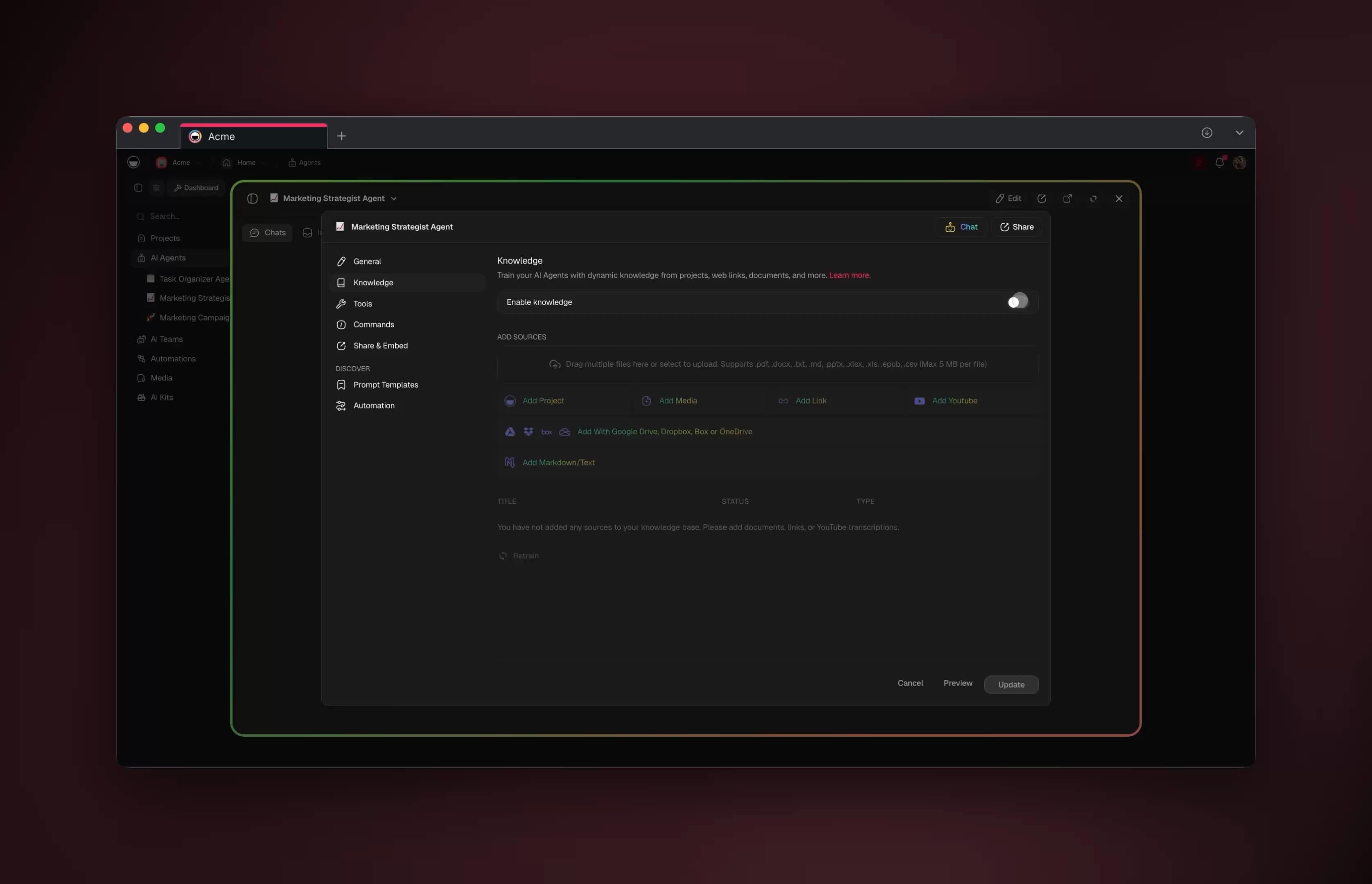
In Taskade, your knowledge base is just another project, and that is the unlock. You drop help docs, FAQs, refund policies, and a running log of resolved tickets into a project, and the agent reads it live. Because it is a project and not a frozen export, every correction your team makes is instantly part of what the agent knows. No re-indexing job, no separate vector tool to manage.
| Knowledge source | What it answers | How to keep it fresh |
|---|---|---|
| Help docs / FAQs | How-to and feature questions | Edit the project directly |
| Resolved tickets | Edge cases, real phrasing | Auto-logged on resolve |
| Policy pages | Refunds, SLAs, eligibility | Owner reviews monthly |
| Product changelog | New features, fixes | Synced via integration |
| Escalation notes | Hard cases humans solved | Fed back by reviewers |
The accuracy flywheel is the whole point. Each escalation a human resolves becomes a new entry the agent can use next time, so the share of tickets it handles alone rises continuously. You can visualize the corpus with any of Taskade's multiple project views, List, Board, Calendar, Table, Mind Map, Gantt, and Org Chart, depending on whether you are auditing coverage, mapping topics, or tracking review status.
Connecting your channels: email, chat, helpdesk, and social
A support agent that only watches one inbox is half a system, so the channels layer matters as much as the brain. Through 100+ bidirectional integrations, a Taskade support agent pulls tickets in from email, live chat, help desks, and messaging apps, then pushes drafted replies, status updates, and escalations back out to the same channel, all feeding one workspace so context never fragments.
"Bidirectional" is the word doing the work. Triggers pull events in (a new email arrives, a chat message lands, a help-desk ticket opens) and actions push data out (send the drafted reply, update ticket status, post an escalation to your team chat). One integration covers both directions, so a conversation that starts in email and continues in chat stays a single thread in the agent's memory.
| Channel | Trigger (pulls in) | Action (pushes out) |
|---|---|---|
| Email inbox | New message received | Send drafted reply |
| Live chat | Visitor message | Instant agent answer |
| Help desk | Ticket created | Update status + tag |
| Team chat | — | Post escalation alert |
| CRM | Contact lookup | Log resolution note |
Because every channel feeds the same workspace, you never have the "the agent doesn't know what happened on chat" problem that plagues siloed bots. Set up the connections with our automation integrations guide, and for the customer-support-specific recipe see the dedicated support automation page.
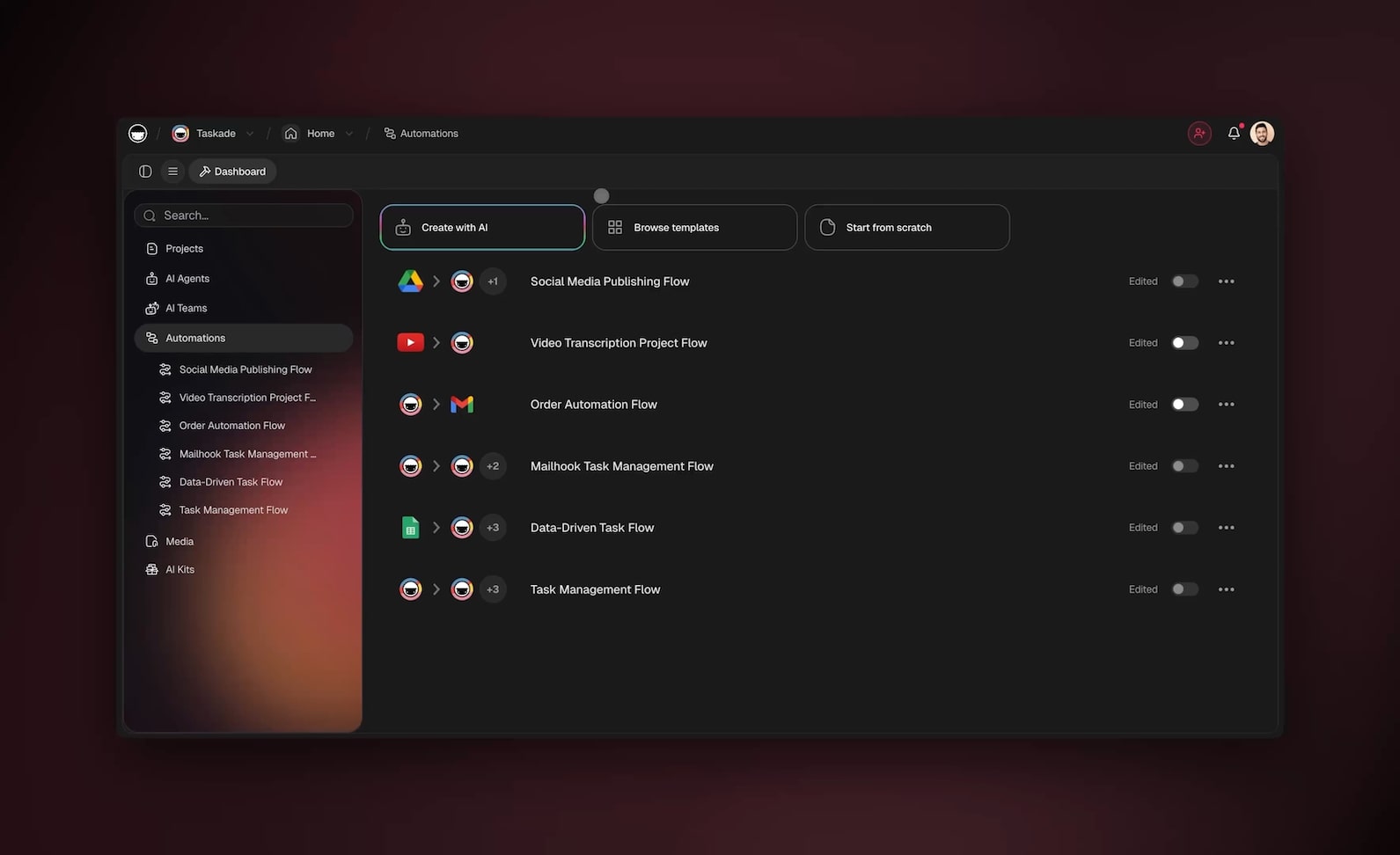
How Taskade does it differently
Here is the honest competitive picture, and a genuine credit where it is due. Tools like n8n, Make, and Zapier are excellent at wiring nodes, n8n in particular gives developers deep, granular control over branching logic, and if you have an engineer who lives in flowcharts, those tools are powerful and worth respecting. Lindy ships polished standalone support agents quickly. None of that is wrong.
The difference is what you end up with. With node-wiring tools you assemble a pipeline: a trigger node, a classifier node, a webhook to your docs, a branch, an action. It works, but it is a wiring diagram you maintain, and the knowledge base, the ticket tracker, and the agent all live in separate products that you stitch together and keep in sync by hand.
With Taskade you describe the outcome and get a living app from one prompt. The ticket tracker, the knowledge base, the AI agents, and the automations are not separate tools you integrate, they are one workspace built on Workspace DNA: Memory (your projects and knowledge base), Intelligence (your AI agents), and Execution (your automations), in a self-reinforcing loop. The agent's memory is the ticket history. The knowledge base is a project the agent reads live. Nothing falls out of sync because nothing is separate.
| Capability | Node-wiring tools | Taskade Genesis |
|---|---|---|
| Build method | Wire nodes by hand | One plain-language prompt |
| Knowledge base | Separate product | A project the agent reads live |
| Ticket tracker | Separate product | Built-in, multiple views |
| Agent memory | Bolt-on, per-tool | Native across the workspace |
| Multi-agent teams | Manual orchestration | Native multi-agent collaboration |
| Sharing the result | Export config | Clone a live /share/apps link |
Two more wedges matter for support specifically. First, multi-agent teams: you can run a triage agent, a billing specialist agent, and a QA agent that double-checks drafts, collaborating inside one workspace rather than as three disconnected bots. Second, cloneable apps: any support app you build becomes a live /share/apps link your whole org, or the Community gallery, can clone and adapt in one click. You are not exporting a config file, you are sharing a running system.
Taskade Genesis vs the dedicated support-AI platforms
The dedicated AI support platforms, Intercom Fin, Gorgias, Decagon, Sierra, and Ada, are genuinely strong at deep, enterprise contact-center deflection, and they deserve credit for it. Where they differ from Taskade Genesis is the shape of what you buy: most charge per resolution and most ship the AI agent without the helpdesk, knowledge base, or project tracker around it, so you assemble the full system from several products. Taskade Genesis flips that — one workspace, flat plan pricing, no per-ticket meter.
Here is the honest landscape, with credit where each tool earns it. (Per-resolution prices below are published list figures; enterprise contracts vary.)
| Platform | Pricing model | Helpdesk included? | Best at | Where Taskade Genesis wins |
|---|---|---|---|---|
| Taskade Genesis | Flat plan, $0/$10/$25/$100/$250 mo | Yes — built-in, multiple views | One prompt → living app: KB + agents + automations in one workspace | No per-resolution meter; clone-and-ship; multi-agent native |
| Intercom Fin | ~$0.99 / resolution | Yes — native modern helpdesk | Context-preserving handoff inside its own inbox | Costs do not scale with ticket volume; build it yourself in a prompt |
| Gorgias | ~$0.90 / resolution | Yes — e-commerce desk | Shopify / e-commerce order workflows | General-purpose workspace, not e-commerce-only |
| Decagon | Enterprise (sales) | No — bring your own | Deepest testing + QA infrastructure | Helpdesk, KB, and tracker already included |
| Sierra | Enterprise (sales) | No — bring your own | Experimentation tooling at large scale | Self-serve, live the same day, no sales cycle |
| Ada | Enterprise (sales) | No — partner-dependent | Structured ACX services + automation | Single workspace removes partner handoff friction |
Two patterns jump out. First, the pricing meter: tools billed per resolution get more expensive exactly as your automation succeeds, so a win on deflection is partly a loss on the invoice. Independent 2026 buyer reports peg per-resolution list pricing around $0.90–$1.50 (Gorgias ~$0.90, Intercom ~$0.99, Zendesk ~$1.50). Taskade's flat plan means a deflected ticket is pure savings — there is no separate charge per resolved ticket the way most dedicated support-AI tools bill.
Second, the missing layers: Decagon, Sierra, and Ada are AI-agent layers that assume you already own a helpdesk, a knowledge tool, and a ticket tracker. That is a reasonable enterprise assumption, but for a lean team it means three more procurement decisions before the agent does anything. Taskade Genesis gives you all of it in one workspace from a single prompt.
When does a dedicated platform still win? If you are a large enterprise contact center that already runs Zendesk or Salesforce, needs SOC-2-scoped vendor QA tooling, and has a procurement team that prefers a single specialized vendor with a managed-services wrapper, Decagon or Sierra may fit that mold better today — and that is a fair, honest call. Taskade Genesis is built for the much larger population of teams that want a complete, self-serve, prompt-built support system live the same day, with costs that fall as automation rises instead of climbing with it. For a side-by-side of the full tool field, see our AI customer support software roundup.
The economics: what AI support automation actually saves
AI resolutions cost a fraction of human-handled tickets, which is why the ROI case for support automation is no longer speculative. McKinsey's 2026 service-operations analysis pegs an AI-resolved ticket at roughly $0.62 versus about $7.40 for a human agent — more than a 10x gap on the routine volume that makes up most queues. The strategic point is not "replace humans"; it is "stop spending senior-agent time on password resets so they can own the hard 10%."
The deflection numbers in the market are more grounded than the hype suggests, and that honesty is the whole point of building it yourself. Across enterprise CX programs the median tier-1 deflection rate is about 41%, with top-quartile teams near 59%, and Gartner projects agentic AI will autonomously resolve roughly 80% of common service issues by 2029. Production deployments in 2026 are landing between 55% and 70% automation for structured workflows. That is exactly the ~60% band this guide is built around — achievable, compounding, and real.
| Metric | Human-handled | AI-resolved (Taskade) | Source / note |
|---|---|---|---|
| Cost per ticket | ~$7.40 | ~$0.62 | McKinsey 2026 service-ops |
| First response | Hours | Seconds | Agent replies instantly |
| Coverage | Business hours | 24/7 | Agents never sleep |
| Tier-1 deflection (median) | — | ~41% rising to 60%+ | Compounds with KB growth |
| Per-resolution fee | — | $0 (flat plan) | No metered support-AI charge |
One nuance worth naming, because it is where many vendors quietly inflate results: deflection is not the same as resolution. Some platforms count any conversation that did not reach a human as a "deflection," even if the customer simply gave up. Taskade's loop measures genuine resolution — the ticket is tagged resolved only when the issue is actually closed, and every escalation feeds the knowledge base so the real deflection rate climbs honestly week over week. Track both numbers so you are optimizing for solved customers, not abandoned chats.
Keeping humans in the loop: escalation done right
Automating 99% of work is not the same as removing humans from 99% of decisions, and the teams that get this right treat the human as the escalation specialist, not the data-entry clerk. The agent does the reading, classifying, looking up, and drafting; the human reviews sensitive drafts, resolves the hard ~10%, and teaches the system. That division keeps quality high and burnout low.
Good escalation is about handing off with context, not just flagging a ticket. When the agent escalates, it should attach a one-line summary, the customer's sentiment, the relevant knowledge-base entry, the prior conversation history, and a suggested reply the human can accept, edit, or reject. The human's job becomes "approve, adjust, or override," which takes seconds instead of minutes.
| Escalation trigger | Why it escalates | What the agent attaches |
|---|---|---|
| Low confidence (<85) | Risk of wrong answer | Summary + best-guess draft |
| Negative sentiment (≤2) | Churn / reputation risk | History + de-escalation draft |
| Refund over threshold | Policy / financial risk | Eligibility check + policy cite |
| Legal / compliance language | Liability risk | Full thread, no draft sent |
| "Needs-doc" gap | Knowledge base missing | Note for KB owner to fill |
Set these rules once, in plain language, and the agent enforces them on every ticket forever. Taskade's role-based access (Owner to Viewer) lets you control exactly who can approve auto-sends, who reviews escalations, and who edits the knowledge base, so a junior reviewer can resolve tickets without touching policy. The agent playbook covers wiring these guardrails step by step.
Measuring whether it actually works
If you cannot measure it, you cannot expand it, so instrument the pipeline from day one. Track five numbers, deflection rate, first response time, resolution time, CSAT, and escalation accuracy, and build them as live views in your support project so the whole team sees them update in real time. When deflection rises and CSAT holds or climbs while human workload drops, the automation is working.
First response time is the metric that moves CSAT the most. AI agents reply instantly to common questions and draft answers for the rest, which collapses first response from hours to seconds, and faster first response is one of the strongest, best-documented drivers of customer satisfaction. So even before deflection climbs, you usually see CSAT improve simply because no customer waits.
| Metric | What it tells you | Target direction |
|---|---|---|
| Deflection rate | % resolved without a human | Up over time |
| First response time | Speed of first reply | Down to seconds |
| Resolution time | Total time to close | Down |
| CSAT | Customer satisfaction | Up or steady |
| Escalation accuracy | % escalations truly needed | High and stable |
Build a deflection dashboard with Taskade's Table and Board views for live ticket status, and a Gantt or Calendar view for SLA tracking. The single most important habit: every week, take the tickets the agent should have resolved but escalated, write the answer into the knowledge base, and watch next week's deflection rate tick up. That weekly ritual is how teams go from 40% to 60%+ automated.
A 7-day rollout plan for non-technical teams
You do not need an engineering team or a quarter-long project, you need a week and a willingness to start small. Here is the rollout that gets a real support agent live and learning in seven days, built entirely in plain language inside Taskade. Each day is a single, concrete step.
| Day | Goal | What you do |
|---|---|---|
| 1 | Build the app | Prompt Taskade Genesis with the workflow; review the generated app |
| 2 | Load knowledge | Drop help docs, FAQs, and 50 resolved tickets into the Knowledge Base project |
| 3 | Tune triage | Set categories, confidence threshold, and escalation rules in plain language |
| 4 | Connect one channel | Wire your main inbox via integrations; test on real tickets in draft-only mode |
| 5 | Review drafts | Approve or correct every draft; feed corrections back to the Knowledge Base |
| 6 | Turn on auto-resolve | Enable auto-send for two safe categories above 90% confidence |
| 7 | Measure + expand | Build the metrics views; plan next channel and next category |
Run it in draft-only mode first (the agent drafts, a human sends every reply) so you build trust before you let anything auto-send. By day seven you have a working agent, a growing knowledge base, and real deflection numbers to show stakeholders. To skip days 1–3 entirely, clone the ready-made support app from the Community gallery and start at "load knowledge."
What Taskade Genesis can do for your whole support operation
A support agent is the visible tip of a much larger platform, and tying each capability to a real support job is what turns "features" into a system that compounds. Taskade Genesis is built on Workspace DNA — a self-reinforcing loop where Memory (your projects and knowledge base) feeds Intelligence (your AI agents), Intelligence drives Execution (your automations), and Execution writes new Memory back. For support, that loop is the deflection flywheel: every resolved ticket becomes Memory, every Memory makes the agent smarter, every smart resolution writes more Memory.
Here is the full platform, mapped to the support job each piece does:
| Capability | What it is | Your support job it does |
|---|---|---|
| Workspace DNA loop | Memory → Intelligence → Execution → Memory | Deflection compounds; every resolved ticket teaches the agent |
| built-in agent tools | Web search, file analysis, persistent memory, custom slash commands | Read attachments, look up orders, recall a customer's prior tickets |
| Multiple project views | List, Board, Calendar, Table, Mind Map, Gantt, Org Chart | Board for ticket status, Calendar for SLAs, Table for the queue audit |
| Multi-agent teams | Agents that collaborate in one workspace | Triage + billing specialist + QA reviewer working together |
| 100+ bidirectional integrations | Triggers pull events in, actions push data out | Email, chat, helpdesk in; replies, status, alerts out |
| Frontier models | Models from top AI labs | Pick the right brain for reasoning vs speed vs cost |
| Custom domains + Genesis publishing | Branded, secured, shareable apps | A customer-facing help portal under your own domain |
| Role-based access | Owner through Viewer | Junior reviewer resolves tickets without touching policy |
The multi-agent angle is the one most teams underuse. Instead of a single bot, you run a team of agents inside one workspace — a triage agent that reads and routes, a billing specialist that handles refund-eligibility logic, and a QA agent that double-checks every draft before it reaches a customer. They share the same Memory, so the QA agent sees exactly what the triage agent saw. That is native multi-agent collaboration, not three disconnected bots you keep in sync by hand.
Once your support app works, Genesis publishing lets you put it behind your own custom domain as a branded, secured help portal — the same app your team builds becomes the help center your customers see. You can build the whole thing from one prompt, wire the channels with bidirectional automations, and clone a working version from the Community gallery to start ahead of zero.
Where this is heading
The direction is clear: every team will run on a self-reinforcing loop of Memory, Intelligence, and Execution, and support is the canonical proving ground because it generates so much Memory so fast. Today you describe a support workflow and Taskade Genesis builds a living app; tomorrow that app keeps tuning its own escalation thresholds, drafting better answers from each resolved ticket, and surfacing the documentation gaps your team should fill next — one prompt becoming a living, self-improving system that gets measurably better every week instead of decaying the moment you stop maintaining it. That is the Taskade vision: not a smarter chatbot, but a workspace that learns.
What it costs and where to start
Pricing should not be the thing that blocks you, and Taskade's model avoids the per-resolution fees that make dedicated support-AI tools expensive at scale. Plans run from a Free tier through Pro at $10 (the popular tier), Business at $25, Max at $100, and Enterprise at $250 per month on annual billing, and the AI agents, automations, and integrations you need for a full support pipeline are included, not metered per ticket.
Most small support teams start on Pro or Business. Business adds custom domains and Genesis authentication for branded, secured support apps, which matters once you put a customer-facing portal in front of the agent. There is no separate charge per resolved ticket, so your costs do not balloon the moment your automation starts working, the opposite incentive from most support-AI pricing.
| Plan | Annual price/mo | Best for |
|---|---|---|
| Free | $0 | Trying the workflow |
| Pro | $10 | Most small support teams (popular) |
| Business | $25 | Branded, secured support apps |
| Max | $100 | High-volume, multi-agent ops |
| Enterprise | $250 | SSO, scale, custom needs |
The fastest start is to open Taskade Genesis and paste the support prompt from earlier, or clone the live support app and swap in your knowledge base. Either way you have a working, learning support agent the same day, not after a multi-week integration project.
The bottom line
Automating up to 99% of customer support is not a fantasy and it is not a chatbot maze, it is an AI agent that touches every ticket, resolves the routine ~60% completely, drafts the rest for one-click human review, and escalates the hard ~10% with full context, 24/7. The teams that win build a living workspace where the knowledge base, the agents, and the automations feed each other, so the deflection rate compounds week over week instead of stalling. Faster first response lifts CSAT, the weekly knowledge-base ritual lifts deflection, and your humans spend their time only where judgment actually matters.
Start by describing your support workflow to Taskade Genesis, ground the agent in your knowledge base, connect your channels through bidirectional automations, and clone the live support app to skip the blank page. Explore more builds in our AI agents hub and compare options in the AI customer support software roundup — then come back and ship the system this guide just walked you through.
Related reading
Support automation is one node in a larger automation graph. Once your front-line agent is deflecting tickets, the same Workspace DNA loop extends naturally into the rest of the customer lifecycle:
- AI customer support software roundup — the tool-by-tool comparison to read before you build, then come back here to actually ship the system.
- Automate customer success with AI agents — push past reactive support into proactive retention, onboarding nudges, renewal checks, and health-score automation that uses the same agents and knowledge base.
- Automate email with AI agents — the email-channel deep dive: triage, draft, and route inbound mail with the same agent pattern that powers your support queue.
- Build it now: Taskade Genesis · AI agents hub · Automations · Community gallery
Support, success, and email all run on one self-reinforcing loop — Memory feeds Intelligence, Intelligence drives Execution, Execution writes new Memory. Build one and the next two come almost for free.
Built on Taskade Genesis — one prompt, a living app, a self-improving support engine.
▲ ■ ● Memory · Intelligence · Execution — the Workspace DNA behind every Taskade app.
Frequently Asked Questions
Can AI agents really automate 99 percent of customer support?
AI agents can automate the routine majority of support work end to end, drafting replies, tagging tickets, and resolving repeat questions instantly around the clock. Help desks commonly report up to 60 percent of inquiries fully automated, and the remaining tickets are pre-triaged with full context so humans resolve them faster. Taskade combines AI agents, projects, and automations into one workspace so the deflection rate climbs as your knowledge base grows.
What customer support tasks should you automate first?
Start with high-volume, low-risk tasks, password resets, order status, refund eligibility, plan and pricing questions, and how-to lookups. These represent the bulk of ticket volume and have clear answers your AI agent can pull from your knowledge base. Once deflection is stable, expand to triage, sentiment tagging, and drafting first replies for complex cases that still need human review before sending.
How do AI support agents decide when to escalate to a human?
You set escalation rules in plain language, for example escalate any ticket mentioning a refund over a threshold, legal language, or repeated frustration. The agent reads each message, checks confidence against your knowledge base, and routes low-confidence or sensitive cases to a human with a full summary, suggested reply, and prior context attached. Nothing reaches a customer unreviewed unless you explicitly allow auto-send.
How fast can you set up automated customer support in Taskade?
You can describe your support workflow in one prompt and Taskade Genesis builds a working app, with a ticket project, AI triage agent, and escalation automation, in minutes. Connect your inbox, help desk, or chat channel through 100 plus bidirectional integrations, point the agent at your knowledge base, and you have a live support assistant the same day. You can clone a ready-made version from the Community gallery to skip the blank page.
Do automated support agents reduce first response time and improve CSAT?
Yes. AI agents reply instantly to common questions and draft answers for the rest, which collapses first response time from hours to seconds. Faster first response is one of the strongest drivers of customer satisfaction, so teams that automate triage and first replies typically see CSAT rise even as ticket volume grows. The agent runs 24/7, so customers in every time zone get an immediate answer.
How do I keep AI support answers accurate and on-brand?
Ground the agent in your own knowledge base, help docs, past resolved tickets, and policy pages, so it answers from your source of truth instead of guessing. Set a tone and style instruction, require citations to internal docs, and turn on human review for anything below a confidence threshold. As agents resolve more tickets, you feed corrected answers back into the knowledge project so accuracy compounds over time.
How much does it cost to automate customer support with AI agents?
Taskade pricing runs from a Free tier through Pro at 10 dollars, Business at 25 dollars, Max at 100 dollars, and Enterprise at 250 dollars per month on annual billing. Most small support teams start on Pro or Business, which include the AI agents, automations, and integrations needed for a full support pipeline. There are no separate per-resolution fees the way many dedicated support AI tools charge.
Can AI agents handle support across email, chat, and social channels?
Yes. Through 100 plus bidirectional integrations, an AI support agent can pull tickets in from email, live chat, help desks, and messaging apps, then push drafted replies, status updates, and escalations back out to the same channel. Because every channel feeds one workspace, the agent keeps full context across conversations instead of treating each channel as a silo.
What is the difference between a support chatbot and an AI support agent?
A traditional chatbot follows scripted decision trees and breaks the moment a customer phrases something unexpectedly. An AI support agent reads natural language, reasons over your knowledge base with frontier models, takes actions like updating a ticket or issuing a refund through integrations, and escalates with context when it is unsure. Taskade agents also remember prior interactions, so they get smarter as your workspace grows.
How do I measure whether support automation is working?
Track deflection rate, first response time, resolution time, CSAT, and escalation accuracy. Build these as views in your Taskade support project, use the Table and Board views for live ticket status and a dashboard for trends. When deflection rises and CSAT holds or improves while human workload drops, your automation is working. Feed every escalation back into the knowledge base to push the deflection rate higher each week.
How does Taskade compare to Intercom Fin, Gorgias, Decagon, Sierra, and Ada?
Dedicated platforms like Intercom Fin, Gorgias, Decagon, Sierra, and Ada are strong at enterprise contact-center deflection, but most charge per resolution, around 90 cents to 1 dollar 50 per ticket, and several ship the AI agent without a helpdesk, knowledge base, or ticket tracker, so you assemble the rest from separate products. Taskade Genesis gives you the knowledge base, AI agents, automations, and a ticket project with multiple views in one workspace from a single prompt, on a flat plan with no per-resolution meter, so costs fall as automation rises instead of climbing with it.