






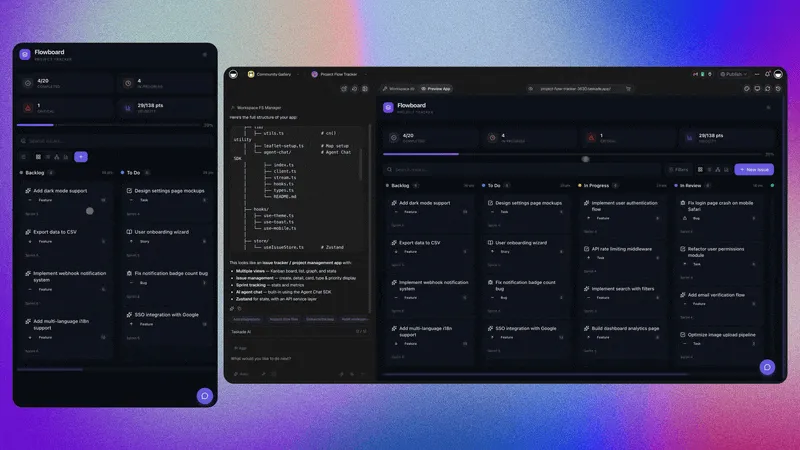
Project managers spend over 54 percent of their week on status updates, meetings, and coordination instead of actually moving projects forward, and AI agents can automate nearly all of it. You can hand off task creation from meeting notes, status roll-ups across teams, deadline nudges, dependency tracking, and resource balancing to agents that run around the clock. With Taskade Genesis, you describe the project management system you want in plain English and get a living app where the board, the AI agents, and the automations are already wired together, so the coordination layer that eats your week runs on autopilot while you own strategy.
TL;DR: Project managers lose over 54 percent of their week to status and coordination. AI agents automate 99 percent of it, task creation, roll-ups, deadline nudges, and dependency tracking, across all project views. Build yours with Taskade Genesis, or clone the live automated PM app below and start in minutes.
What does it mean to automate 99% of project management?
Automating project management means handing the repetitive coordination work, the 54 percent of a PM's week spent on status updates and meetings, to AI agents that run continuously, while the human keeps the remaining 1 percent that needs judgment: strategy, stakeholder calls, and the final go or no-go. It is not about removing the project manager. It is about removing the manual data shuffling that buries them.
A traditional project manager's day is a loop of asking people for updates, copying those updates into a tracker, reformatting them for a status report, noticing a deadline is slipping, and pinging someone about it. Every one of those steps is rule-based and high-frequency, which is exactly the profile of work an AI agent handles best. The agent watches the project, reads the updates, writes the roll-up, and sends the nudge, then does it again the next hour without being asked.
The "99 percent" framing is deliberate. You will not, and should not, automate the strategic conversation about whether to cut scope or push a date. But you can automate everything that feeds that conversation, so when you walk into it, the data is already current, the risks are already flagged, and the report is already written.
| Project management work | Manual time per week | After AI automation | Who owns it |
|---|---|---|---|
| Collecting status updates | 6-8 hours | Near zero | Agent |
| Writing status reports | 3-5 hours | Near zero | Agent |
| Creating tasks from notes | 4-6 hours | Near zero | Agent |
| Chasing deadlines | 2-4 hours | Near zero | Agent |
| Strategy and stakeholder calls | 4-6 hours | 4-6 hours | Human |
The numbers vary by team, but the pattern is universal: the bottom row is where a project manager creates value, and the top four rows are where they actually spend their time. Automation flips that ratio.
Why project managers lose half their week to coordination
Surveys across the industry put project-manager coordination overhead above 54 percent of working hours, and a large share of that is simply moving information from one place to another. A status update lives in someone's head, then in a chat message, then in a spreadsheet, then in a slide. Each hop is a manual copy, and each copy is a chance for the data to go stale.
The reason this work resists traditional tools is that most project management software is a passive container. A board or a Gantt chart shows you the state of the project, but it does not go get the state for you. Somebody still has to ask the developer if the API is done, type the answer into a card, and update the percentage. The software is a filing cabinet, not an assistant.
AI agents change the equation because they are active. An agent can read the standup channel, infer that "the API is done" means a specific task should move to Done, update the card, recompute the dependent dates, and flag that a downstream task can now start. The information moves itself, and the project manager reviews exceptions instead of typing every update.
The shift is not speculative, it is where the entire category is investing. The global market for AI in project management is projected to reach $52.62 billion by 2030 at a 46.3 percent compound annual growth rate, and 44 percent of project practitioners report that AI lets them finish more projects with the same headcount. Both numbers point at the same lever: every hour an agent spends moving information is an hour the human spends on the decisions that actually need a person.
┌─────────────────────────────────────────────────────────────┐
│              THE PROJECT MANAGER COORDINATION TAX            │
├─────────────────────────────────────────────────────────────┤
│                                                             │
│   Update lives in     →   Manual copy   →   Goes stale      │
│   someone's head                                            │
│       │                                                     │
│       ▼                                                     │
│   Chat message        →   Manual copy   →   Goes stale      │
│       │                                                     │
│       ▼                                                     │
│   Spreadsheet cell    →   Manual copy   →   Goes stale      │
│       │                                                     │
│       ▼                                                     │
│   Status slide        →   Manual copy   →   Goes stale      │
│       │                                                     │
│       ▼                                                     │
│   Stakeholder sees    →   Already outdated by the meeting   │
│                                                             │
│   ──────────────────────────────────────────────────────   │
│   WITH AI AGENTS: the information moves itself, end to end  │
└─────────────────────────────────────────────────────────────┘
This is the core insight of the automation lens on project management. The agents-focused companion guide, AI agents for project management, looks at the agents themselves, how they reason and what tools they carry. This guide is about the plumbing: the triggers, the schedules, and the flows that keep those agents fed and firing without you touching them.
The five project management tasks worth automating first
Five high-frequency tasks account for the majority of a project manager's coordination time, and automating them in order, task creation, status roll-ups, deadline nudges, dependency tracking, and resource balancing, recovers most of the lost week within the first month. Start at the top because each one is lower-judgment and lower-risk than the next.
Here is the priority order, why each one matters, and the trigger that drives it:
| # | Task to automate | Frequency | Trigger | Risk if automated |
|---|---|---|---|---|
| 1 | Task creation from notes | Every meeting | New meeting note added | Low |
| 2 | Status roll-ups | Daily / weekly | Schedule or board change | Low |
| 3 | Deadline nudges | Daily | Due date approaching | Low |
| 4 | Dependency tracking | On every move | Task status changes | Medium |
| 5 | Resource balancing | Weekly | Workload threshold crossed | Medium |
The sequence is not arbitrary. Task creation and status roll-ups are pure data transformation, the agent reads input and writes output, with almost no chance of doing harm. Deadline nudges add a small human-facing action (a message), so they come next. Dependency tracking and resource balancing involve the agent making a recommendation that affects the plan, so you automate those last, after you trust the simpler flows.
Each stage hands clean data to the next, so by the time it reaches you, the only thing left is the exception, the dependency that genuinely needs a human call, the resource conflict that needs a negotiation. You can build all five with the automation flow editor, and you can start by creating the project itself from a prompt.
Automation 1: Turn meeting notes into tasks
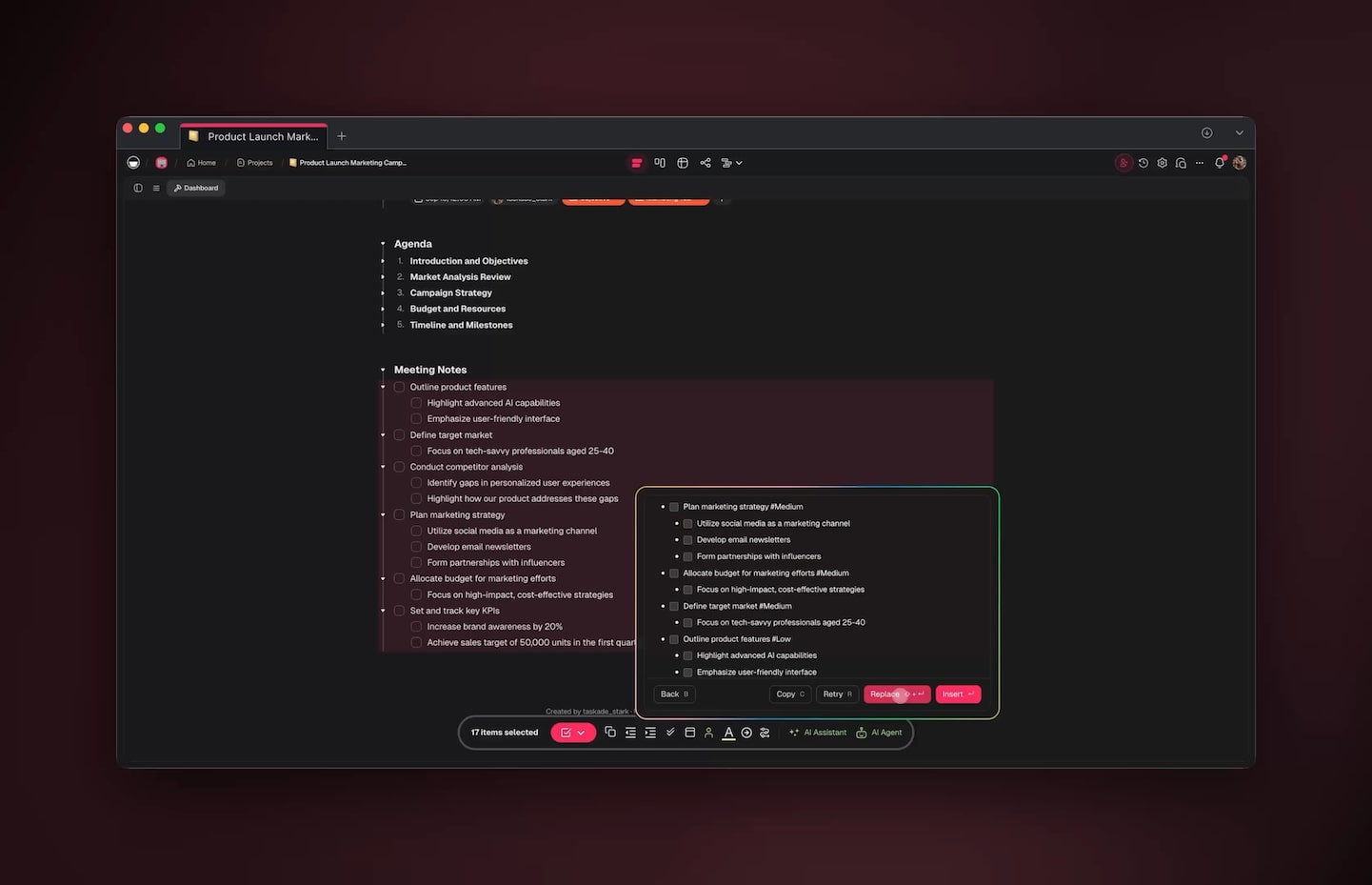
An AI agent can read raw meeting notes and produce a clean, assigned, dated task list in seconds, eliminating the 4 to 6 hours a week project managers spend transcribing decisions into trackers. Drop the notes into a project, and the agent extracts every action item, infers an owner from context, sets a due date from any mentioned timeframe, and creates the cards.
The magic is in the inference. A line like "Sarah will get the mockups to the dev team by Friday" becomes a task titled "Deliver mockups to dev team," assigned to Sarah, due this Friday, with a dependency note that the dev work is blocked until it lands. You did not type any of that. The agent read the sentence the way a sharp coordinator would.
Because Taskade's views share one data source, the moment the agent creates that task it appears on the Board, the Calendar, the Table, and the Gantt timeline at once. You automate the creation in one place and every team member sees it in their preferred view.
Automation 2: Roll up status without asking anyone
A status roll-up agent can compile a complete project report on a schedule, reading the current state of every task and writing a stakeholder-ready summary, which removes the 3 to 5 hours a week PMs spend assembling reports by hand. It runs every morning at 8 a.m. or every Friday at noon, whatever cadence you set, and the report is waiting before anyone asks.
The agent does more than dump task counts. It reads which tasks moved, which slipped, which are blocked, and writes a narrative: "Sprint is 78 percent complete, two tasks slipped to next week because the design review ran long, and the payment integration is now the critical-path risk." That is a human-quality summary, generated without a human.
| Roll-up element | Manual approach | Automated agent |
|---|---|---|
| Gather task states | Ask each lead, wait | Reads board instantly |
| Identify slippage | Compare to last week by memory | Computes the delta |
| Write the narrative | 30-45 minutes of typing | Generated in seconds |
| Distribute | Copy, paste, send | Posted to channel automatically |
| Frequency | When you remember | Every schedule, no misses |
Automation 3: Chase deadlines before they slip
A deadline agent scans every due date each morning and messages the owner of anything due within 48 hours, eliminating the 2 to 4 hours a week a project manager spends manually tracking and nudging. It does not just send a generic reminder, it reads the task, names the deliverable, and tells the owner exactly what is due and when.
The win is consistency. A human PM forgets to check on a busy day, or hesitates to nag a senior colleague. The agent never forgets and never hesitates, so nothing slips through because someone was heads-down. You set the lead time once, 48 hours, 24 hours, end of day, and the nudge fires on schedule for every task forever.
Automation 4: Track dependencies so the plan re-baselines itself
A dependency agent watches task status and, the moment one task completes or slips, recomputes the start dates of everything downstream and redraws the Gantt timeline, removing the manual re-baselining that eats an afternoon every time a date moves. When "Deliver mockups" finishes early, the agent pulls the dependent "Build UI" task forward and tells you the project just gained two days.
This is medium-judgment work, which is why you automate it after the simpler flows. The agent proposes the new dates and surfaces any conflict, the critical path slipped, two tasks now collide, but it leaves the resolution call to you. The math is automated, the decision stays human.
Automation 5: Balance workload across the team
A resource agent watches each person's open task load and flags when someone crosses a threshold, so you rebalance before a teammate is buried, replacing the weekly spreadsheet audit most PMs never quite get to. It reads assignments across every project, not just one, so it catches the developer who looks fine on your board but is drowning across three others.
Resource balancing is the last automation you turn on because it touches people, and people need a human in the loop. The agent recommends a reassignment, you approve it. Over time you learn which recommendations you always accept and can let those run automatically, tightening the loop as trust grows.
How Taskade does it differently from n8n, Zapier, Make, and Lindy
The honest difference is this: n8n, Zapier, Make, and Lindy are excellent at wiring two apps together, but they hand you a blank canvas of triggers and actions to assemble, while Taskade Genesis ships a complete, living project management app from a single prompt with the board, the agents, and the automations already connected. That is a wedge, not an attack, those tools are genuinely powerful, and Zapier in particular has the deepest catalog of app connectors anywhere.
Where the gap opens is the unit of work. In a node-wiring tool, your project board lives in one app, your AI lives in another, and your automation platform sits in the middle stitching them together. You maintain three systems and the glue between them. When something breaks, you debug the glue. The PM app is not the thing you built; it is an emergent property of plumbing you have to keep healthy.
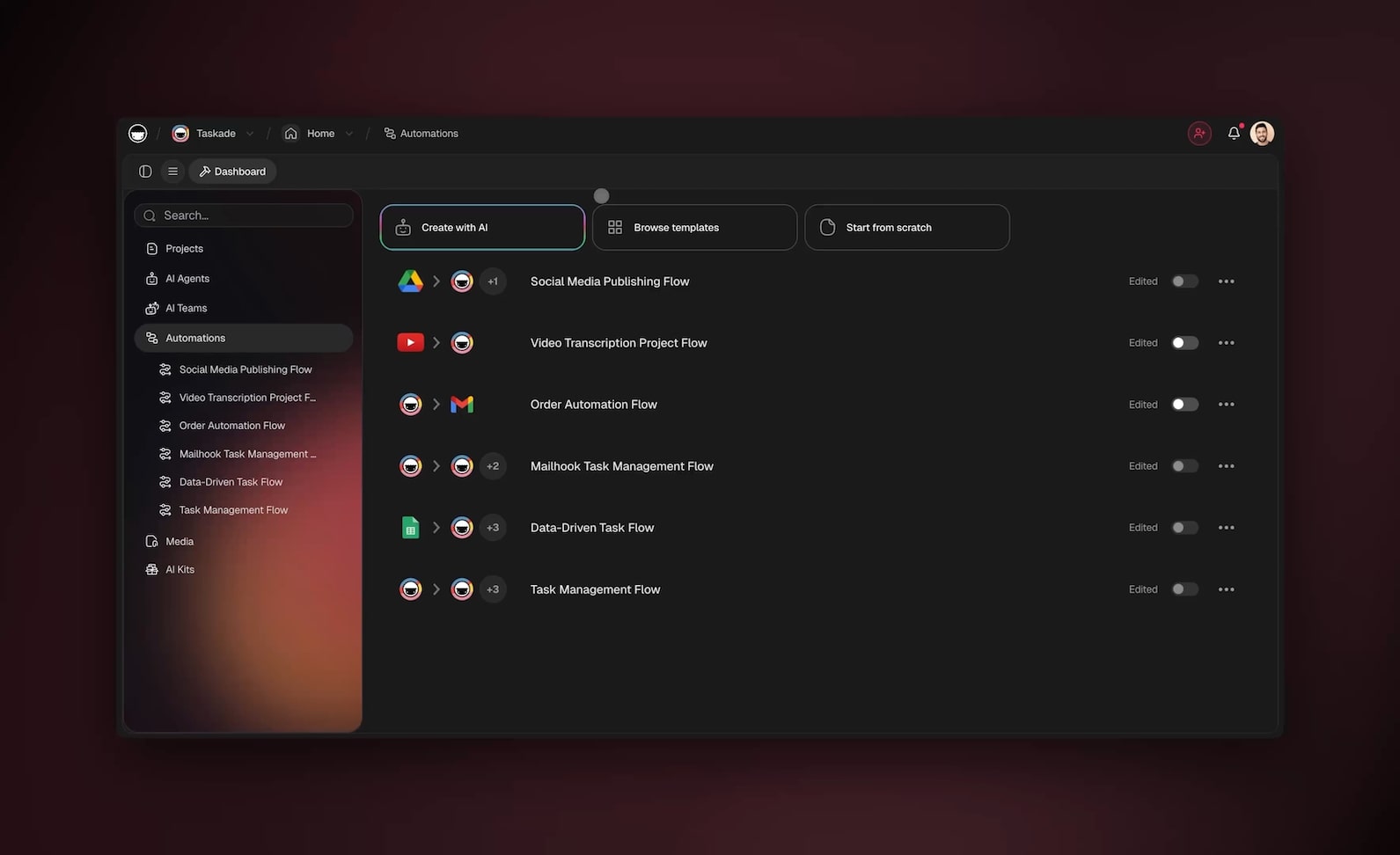
Taskade collapses that into one system through what we call Workspace DNA: Memory lives in your Projects, Intelligence lives in your AI agents, and Execution lives in your Automations. They are not three apps you connected; they are three expressions of one workspace. An agent reads the project because it is the same workspace. An automation updates the board because it is the same workspace. There is no glue to maintain.
The other half of the wedge is what you start from. A node-wiring tool starts you at an empty workflow. Taskade Genesis starts you at a working app generated from your prompt, and every app can be published and cloned by one click. You do not assemble a PM system from scratch; you describe it, or you clone one that already works, and then you customize.
| Capability | n8n / Zapier / Make | Lindy | Taskade Genesis |
|---|---|---|---|
| App connectors | 100s | Dozens | 100+ bidirectional |
| Build a PM app from a prompt | No | Partial | Yes |
| Board + agents + automations unified | No | No | Yes |
| Multiple project views built in | No | No | Yes |
| Cloneable public apps | No | No | Yes |
| Multi-agent teams | Limited | Yes | Yes |
Lindy deserves credit here, it is genuinely good at autonomous agent workflows, which is why it earns its own column. The distinction is that Lindy automates around your tools, while Taskade is the tool, the project, the agents, and the automation in one fabric.
Taskade Genesis vs Asana, ClickUp, Monday, Notion, and Motion
The honest landscape in 2026 is that Asana AI, ClickUp Brain, Monday AI, Notion AI, and Motion all bolt AI features onto a project board you still have to build and maintain by hand, while Taskade Genesis generates the entire board, agent team, and automation layer from a single prompt as one living app. They are good products, and each wins at something specific. The wedge is the unit of work: they add intelligence to a static container, Taskade ships the container, the intelligence, and the execution already wired together.
The market is moving fast in this direction. The global market for AI in project management is projected to reach $52.62 billion by 2030 at a 46.3 percent compound annual growth rate, and 44 percent of project practitioners say AI lets them finish more projects with the same headcount. The reason is exactly the coordination tax above, the half-week of status-shuffling that AI agents erase.
Here is how the five leading AI-enabled PM tools stack up against Taskade Genesis on the dimensions that decide whether you actually reclaim that week:
| Capability | Asana AI | ClickUp Brain | Monday AI | Notion AI | Motion | Taskade Genesis |
|---|---|---|---|---|---|---|
| Build the whole app from one prompt | No | No | No | No | No | Yes |
| AI agents as autonomous teammates | Yes (add-on) | Yes (add-on) | Partial | Limited | Limited | Yes, native |
| Multi-agent teams that hand off | No | Limited | No | No | No | Yes |
| Project views included | 4-5 | 6+ | 5-6 | Flexible blocks | Calendar-first | Multiple, unified |
| Auto-schedule and re-plan the calendar | Partial | Partial | No | No | Best-in-class | Yes, via agents |
| Bidirectional integrations | Many | Many | Many | Fewer | Fewer | 100+ |
| AI included in base price | Tiered | $5/seat add-on | Tiered | Tiered | Included | Included |
| Publish and clone the app | No | No | No | Templates only | No | Yes, one click |
A few honest callouts so this reads as a map, not an attack. Motion is genuinely the best in the category at one thing, an auto-scheduling calendar that re-plans your day around priorities and deadlines automatically. If your single biggest pain is a personal calendar that never stays current, Motion solves that elegantly. ClickUp packs the deepest single-platform feature surface, and ClickUp Brain centralizes drafting, scheduling, and automation, though it is a $5-per-seat add-on on top of paid plans. Asana is the safe enterprise choice for 500-to-1,000-plus-person organizations that need structured workflows and reporting. Monday shines for agencies that live in colorful visual boards their clients can read at a glance. Notion is the most flexible canvas if you want to shape every block yourself.
Where every one of them shares the same ceiling is the build model. You still assemble the project, then turn on AI features inside it. Taskade Genesis inverts that: you describe the outcome, and the board, the AI agents, and the automations arrive already connected, then you publish the whole app for anyone to clone. That is the difference between adding an engine to a car you built and describing the car you want and driving it off the lot.
Building the multi-agent project team that runs itself
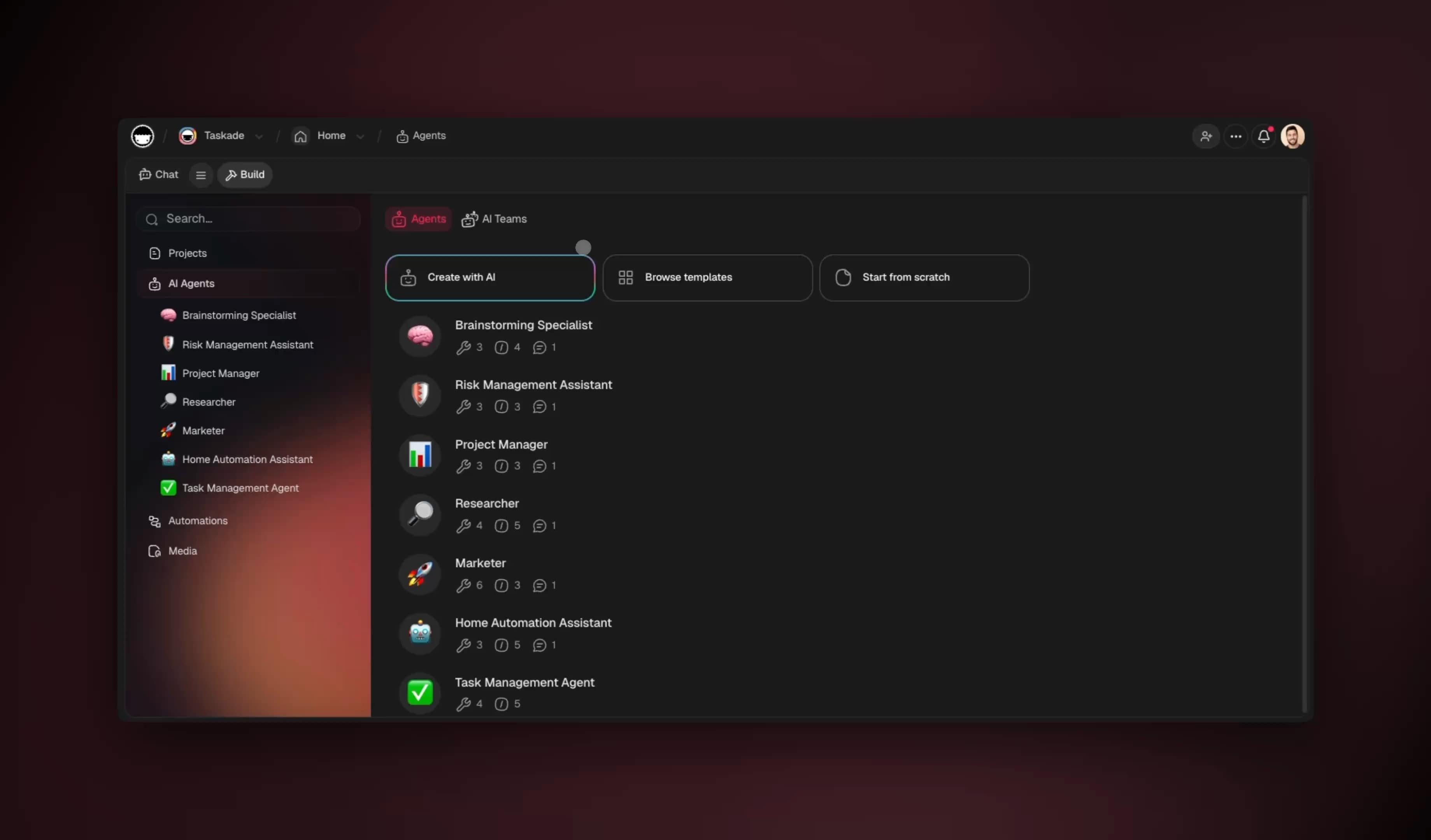
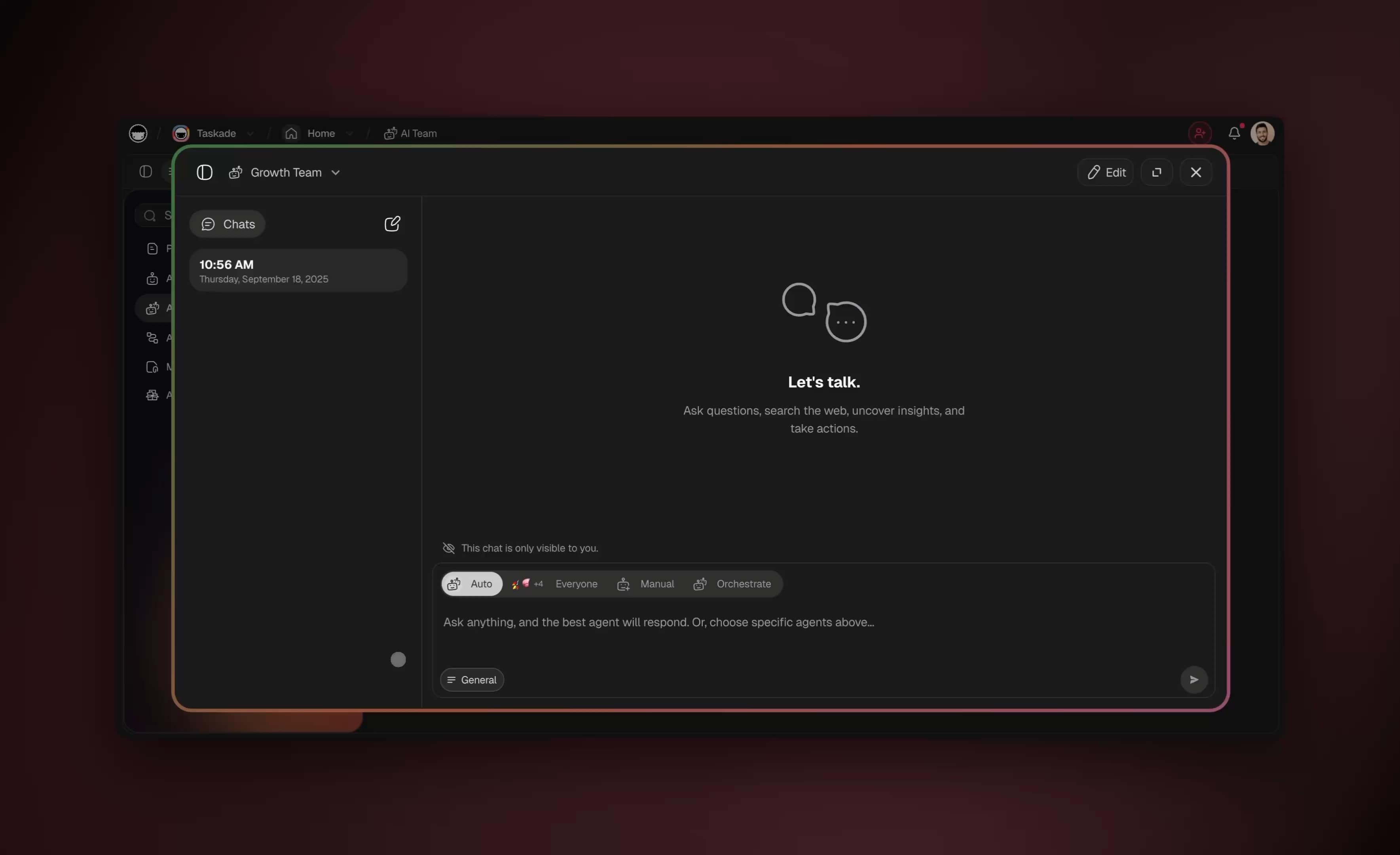
The most powerful automated project management setups use not one agent but a team of specialized agents, each owning a slice of the coordination work and handing off to the next, and Taskade supports multi-agent teams natively with built-in tools per agent. A single generalist agent can do a lot, but a coordinated team mirrors how a real PMO actually works.
Picture four agents on your project. The Intake Agent reads incoming notes and emails and creates tasks. The Status Agent compiles roll-ups and writes reports. The Deadline Agent watches due dates and sends nudges. The Risk Agent scans for blocked tasks and slipping critical-path items and escalates them to you. Each one is described in plain English, runs on the model best suited to its job, and collaborates with the others.
Each agent carries up to built-in tools, web search, file analysis, custom slash commands, persistent memory, and more, and runs on your choice of the frontier models from top AI labs. You can give the Status Agent a fast model for quick summaries and the Risk Agent a more capable model for nuanced judgment about what truly needs escalation. You can build this team in Taskade or clone a community app that already has it wired.
| Agent | Job | Best-fit model profile | Tools used |
|---|---|---|---|
| Intake | Notes to tasks | Fast, structured | File analysis, memory |
| Status | Reports and roll-ups | Balanced | Web search, slash commands |
| Deadline | Nudges and reminders | Fast | Memory, scheduling |
| Risk | Escalation and flags | Most capable | Reasoning, web search |
The handoffs are what make a team outperform a single agent. A generalist agent has to context-switch between extracting tasks, writing prose, checking dates, and judging risk on every run, which dilutes each job. A specialized team lets each agent stay sharp on one slice and pass clean, finished work to the next, exactly how a real program management office divides labor across a coordinator, a reporter, and a risk lead.
┌──────────────── THE SELF-RUNNING PMO ──────────────────┐
│                                                        │
│   INTAKE AGENT      reads notes  →  creates tasks      │
│        │  (clean task list)                            │
│        ▼                                               │
│   STATUS AGENT      reads board  →  writes roll-up     │
│        │  (current narrative)                          │
│        ▼                                               │
│   DEADLINE AGENT    reads dates  →  sends nudges       │
│        │  (slips flagged)                              │
│        ▼                                               │
│   RISK AGENT        reads path   →  escalates only     │
│        │  (real risks only)                            │
│        ▼                                               │
│   PROGRAM MANAGER   makes the call  ◄── the human 1%   │
└────────────────────────────────────────────────────────┘
Automating across all project views
Because Taskade's project views, List, Board, Calendar, Table, Mind Map, Gantt, and Org Chart, all read from one shared data layer, a single automation updates every view at once, and your team members each work in the view that fits their role. Timeline scheduling lives inside the Gantt view, so dependency and date automations surface there automatically.
This matters more than it sounds. In most stacks, a Kanban board and a Gantt chart are separate tools with separate data, so an automation that updates one leaves the other stale. In Taskade, the developer working in List view, the PM watching the Gantt, and the executive scanning the Calendar are all looking at the same tasks. The agent that moves a card to Done moves it everywhere.
| View | Who uses it | What automation drives there |
|---|---|---|
| List | Individual contributors | Task creation, status changes |
| Board | Teams running sprints | Card movement, WIP limits |
| Calendar | Schedule-focused roles | Deadline nudges, date shifts |
| Table | Data-oriented PMs | Bulk field updates, filters |
| Mind Map | Planning and scoping | Structure from brainstorm notes |
| Gantt | Program managers | Dependency tracking, timeline shifts |
| Org Chart | Resource managers | Assignment and ownership balancing |
The dependency automation is worth a closer look. When the Intake Agent marks the "Deliver mockups" task as done, the dependency tracker recomputes the start date of every downstream task and the Gantt timeline redraws itself, no manual re-baselining. The critical path updates live, and the Risk Agent re-evaluates whether the project is still on track.
┌──────────────────── DEPENDENCY CASCADE ─────────────────────┐
│                                                             │
│  Task: Deliver mockups   [DONE] ◄── agent marks complete   │
│         │                                                   │
│         ▼ (dependency tracker fires)                        │
│  Task: Build UI          [READY] ◄── unblocked, date set   │
│         │                                                   │
│         ▼                                                   │
│  Task: QA pass           [WAITING] ◄── date recomputed     │
│         │                                                   │
│         ▼                                                   │
│  Gantt timeline redraws  +  Risk Agent re-checks path      │
│         │                                                   │
│         ▼                                                   │
│  PM notified ONLY if critical path slipped                 │
└─────────────────────────────────────────────────────────────┘
Connecting your automated project to the tools you already use
Taskade connects to 100+ integrations bidirectionally, meaning triggers pull events in from your other tools and actions push updates back out, so your automated project management does not live in a silo. A pull request merged in your code host can create a task; a task marked done can post to your team chat; a calendar event can spawn a prep checklist.
Bidirectional is the operative word. A one-way integration can only listen or only send. Taskade's connectors do both, so a single automated project becomes the hub that other tools feed into and read from. The Intake Agent can pull from your email and your chat; the Status Agent can push the roll-up to your messaging channel and your shared drive.
| Integration direction | Example trigger (pull in) | Example action (push out) |
|---|---|---|
| Code host | PR merged creates a task | Task done posts a comment |
| Team chat | Message creates a task | Roll-up posted to channel |
| Calendar | Event creates a prep checklist | Deadline writes a calendar block |
| Inbound email creates intake task | Status digest emailed weekly | |
| Forms | Submission creates a request task | Approval triggers a reply |
Setting these up does not require code. You pick the connector, choose the trigger or action, and the flow editor wires it into your existing agents. Because everything shares the Taskade workspace, the integration data is immediately available to every agent and every view.
What Taskade Genesis can do for project management
Taskade Genesis is a full platform, not a single feature, and every part of it maps directly onto a piece of project-management work you would otherwise do by hand. The engine underneath is Workspace DNA, a self-reinforcing loop where Memory, Intelligence, and Execution feed each other so the system gets more useful the longer your project runs. Here is the whole capability set, tied to this guide's use case.
The loop is the key idea. Your Projects are Memory, every task, note, and decision the project has ever held. Your AI agents are Intelligence, reading that memory to reason about status, risk, and next steps. Your Automations are Execution, acting on that intelligence to create tasks, send nudges, and update the board. And every action writes new memory, so the next cycle is smarter. A static board has no loop, it only stores. Taskade closes the circuit.
Here is each capability of the platform and the exact project-management job it does:
| Capability | What it is | What it does for your project |
|---|---|---|
| Workspace DNA loop | Memory + Intelligence + Execution, self-reinforcing | The board, agents, and automations stay in sync with no glue |
| built-in agent tools | Web search, file analysis, slash commands, persistent memory, and more | Each agent can read notes, fetch context, and act without setup |
| Multiple project views | List, Board, Calendar, Table, Mind Map, Gantt, Org Chart | One automation updates every view at once |
| Multi-agent teams | Specialized agents that hand off to each other | Intake, Status, Deadline, and Risk agents run a PMO for you |
| 100+ bidirectional integrations | Triggers pull events in, actions push updates out | Your project becomes the hub your whole stack feeds |
| Frontier models | Pick the best model per agent or per task | Fast model for summaries, capable model for risk judgment |
| Custom domains + app publishing | Ship the app on your own URL, publish to the community | Deploy a governed PM system, or clone a proven one |
Notice that none of these are abstract. Persistent memory means the Status Agent remembers last week's roll-up, so it can compute the delta instead of starting cold. Multi-agent teams mean you do not overload one generalist, you give each slice of coordination to a specialist. Multiple unified views mean the developer in List and the executive in Calendar never see different truths. The platform is built so that the automation you write once propagates everywhere automatically.
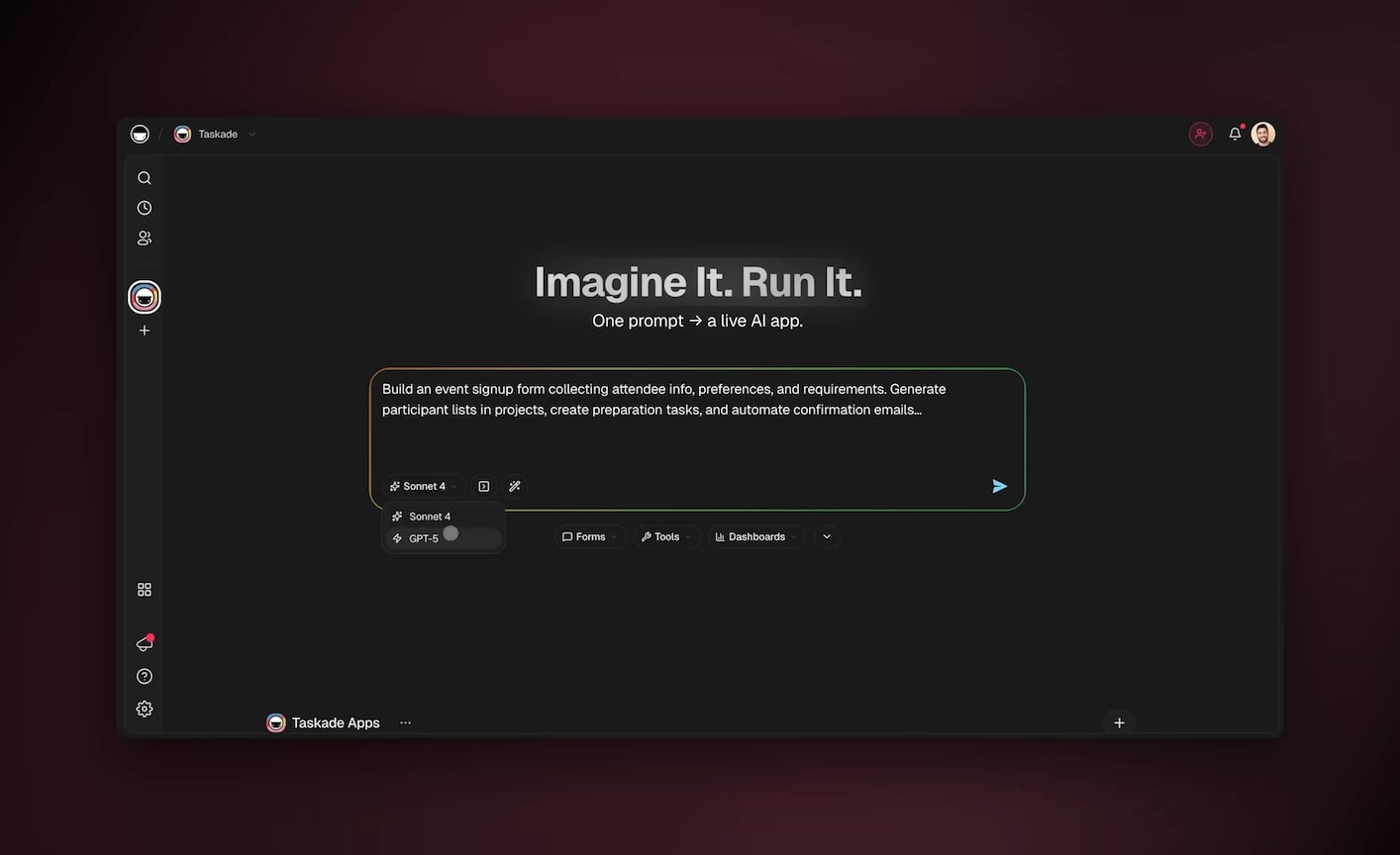
For program managers running a portfolio, the publishing layer is the multiplier. You build one automated project, prove it works, then publish it as a Genesis app on a custom domain. Every new project starts as a clone of that proven system, not a blank board, so your best automated workflow becomes the default for the whole organization. That is how a single program manager automates an entire portfolio for the price of one Business seat.
This capability set is also why the related-work lens matters. If you want the agent-design view of the same problem, read AI agents for project management. To extend the same loop beyond the project board into the broader business, see how to automate operations and how to automate reporting and dashboards, both of which run on the identical Memory-Intelligence-Execution fabric.
A step-by-step blueprint to automate your first project this week
You can stand up a fully automated project management system in a single week by building one automation per day in priority order, and the whole thing starts from one prompt to Taskade Genesis. Here is the day-by-day plan that takes a non-technical program manager from zero to a self-running project.
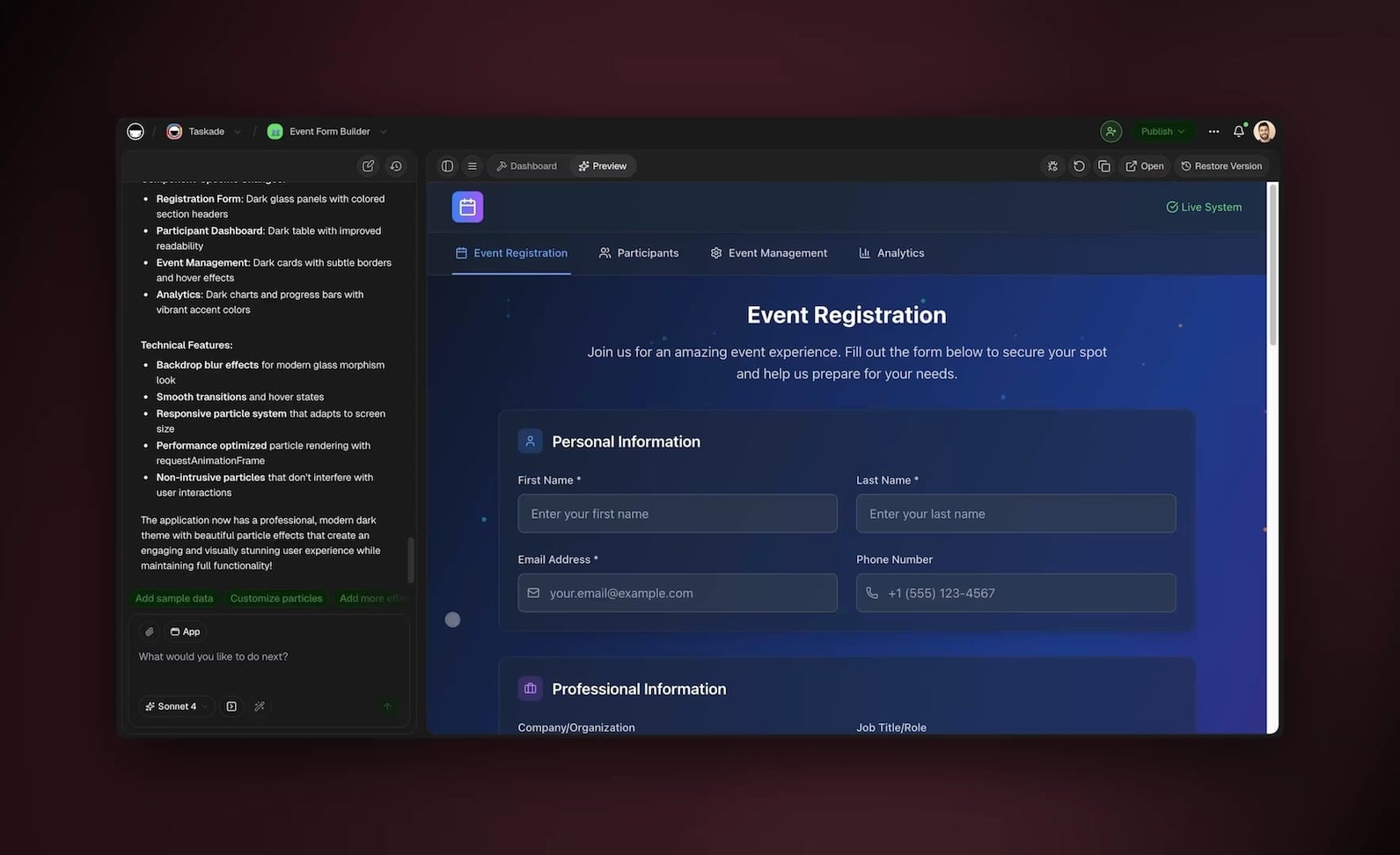
Day 1, generate the app. Describe your project to Taskade Genesis in plain English: "A project management app for a software rollout with a sprint board, a Gantt timeline, and a team of agents that handle status and deadlines." You get a working app, not a blank board. Start here.
Day 2, add the Intake Agent. Create an agent whose job is to read incoming notes and create tasks. Test it by pasting a real meeting transcript and watching it populate the board.
Day 3, add status roll-ups. Build an automation on a daily schedule that runs your Status Agent and posts the report to your team channel.
Day 4, add deadline nudges. Add a Deadline Agent that scans due dates each morning and messages owners about anything due in 48 hours.
Day 5, turn on dependency tracking. Wire the dependency automation so that completing a task recomputes downstream dates across the Gantt view automatically.
Day 6, connect your integrations. Add the 100+ bidirectional connectors you need, code host, chat, calendar, so events flow in and out.
Day 7, review and publish. Confirm the agents are firing, then publish the app so your team, or anyone, can clone it.
| Day | Build | Time | Outcome |
|---|---|---|---|
| 1 | Generate app from prompt | 15 min | Working PM app |
| 2 | Intake Agent | 20 min | Notes become tasks |
| 3 | Status roll-up | 20 min | Reports write themselves |
| 4 | Deadline nudges | 15 min | No missed dates |
| 5 | Dependency tracking | 20 min | Timeline self-updates |
| 6 | Integrations | 30 min | Connected to your stack |
| 7 | Review and publish | 15 min | Cloneable, live system |
Governance, permissions, and keeping a human in the loop
Automating 99 percent of the work does not mean removing oversight, Taskade's role-based access control, from Owner down to Viewer, lets you decide exactly who can edit agents, change automations, or just read reports, so your automated project stays governed. The human-in-the-loop is a design choice, not an afterthought.
The right pattern is to let agents do the work and escalate the exceptions. Your Risk Agent does not change the plan; it flags the risk and waits for your call. Your Status Agent does not decide to cut scope; it reports that scope is at risk. The agents handle the volume; you handle the decisions. That is what keeps the 1 percent firmly human.
| Role | Can edit agents | Can edit automations | Can view reports |
|---|---|---|---|
| Owner | Yes | Yes | Yes |
| Editor | Limited | Limited | Yes |
| Checker | No | No | Yes |
| Viewer | No | No | Yes |
Business and Enterprise plans add custom domains, single sign-on, and Genesis authentication, so an IT program manager can deploy an automated PM system that satisfies the security team. Your automated project data carries the same permissions as everything else in the workspace, no separate access model to manage.
Common mistakes when automating project management
The biggest mistake is automating judgment instead of busywork, trying to let an agent decide whether to cut scope rather than letting it surface the data for that decision. Automate the inputs to decisions, not the decisions themselves. Here are the traps to avoid.
| Mistake | Why it fails | The fix |
|---|---|---|
| Automating decisions, not data | Agents lack stakeholder context | Automate inputs, keep the call human |
| Automating everything on day one | Too much to debug at once | One automation per day, in priority order |
| No exception escalation | Silent failures pile up | Always route exceptions to a human |
| Over-trusting roll-up narratives | Agents can misread ambiguous notes | Spot-check the first week of reports |
| Ignoring permissions | Anyone can break the automations | Lock editing to the Owner role |
The teams that succeed treat automation as a ratchet. They add one flow, watch it for a few days, trust it, then add the next. By the end of a month they have a system that runs the coordination layer end to end, and they spend their week on the work that actually needed a project manager.
Where this is heading
The endpoint Taskade is building toward is simple: every team runs on a self-reinforcing loop of Memory, Intelligence, and Execution, where one prompt becomes a living, self-improving app that gets better the longer it runs. Today you automate task creation, roll-ups, and deadline nudges one flow at a time. The direction of travel is a project system that learns its own patterns, proposes the next automation before you ask, and tightens the loop on every cycle.
The bolt-on AI tools are converging on smarter features inside the same static container. Taskade is converging on the container disappearing entirely, the project, the agents, and the automations becoming one fabric you describe in a sentence and refine in conversation. A program manager will not configure a PM tool, they will tell their workspace what outcome they want, and the workspace will assemble, run, and improve the system that delivers it.
That is the through-line from this guide. Start by automating five tasks this week. End with a workspace that runs the coordination layer for an entire portfolio and keeps improving on its own.
Frequently Asked Questions
Can AI agents really automate project management?
Yes. AI agents can automate the bulk of project management busywork, including turning meeting notes into tasks, rolling up status across teams, sending deadline nudges, tracking dependencies, and rebalancing workloads. Taskade agents run 24/7 with built-in tools and connect to 100+ integrations, so the coordination layer that consumes over half a project manager's week runs on autopilot while the human owns strategy and stakeholder decisions.
How much time do project managers spend on status updates?
Industry surveys consistently show project managers spend over 54 percent of their week on status updates, meetings, and coordination rather than planning or delivery. Automating status roll-ups, deadline reminders, and task creation with AI agents recovers most of that time. Teams report cutting status-meeting hours by half within the first month of routing roll-ups through automated agents.
What is the difference between automating PM with AI agents and using Zapier or Make?
Zapier, Make, n8n, and Lindy connect apps by wiring nodes and require you to design every branch by hand. Taskade Genesis ships a complete project management app from one prompt, with the project board, AI agents, and automations already wired together through Workspace DNA. You describe the outcome and get a working system, not a blank canvas of triggers and actions to assemble.
Which project management tasks should I automate first?
Start with the highest-frequency, lowest-judgment tasks, status roll-ups, deadline nudges, and task creation from meeting notes. These three consume the most project-manager time and carry the least risk if automated. Once those run cleanly, layer in dependency tracking, resource balancing, and risk flagging. Taskade lets you add each automation incrementally without rebuilding your project.
Do I need to know how to code to automate project management?
No. Taskade Genesis builds your project management app from a plain-English prompt, and you configure automations through a visual flow editor with no scripting required. AI agents are described in natural language, not programmed. Non-technical program managers ship working automated systems the same day they start, without writing a single line of code.
How many project views does Taskade support for managing automated projects?
Taskade supports multiple project views, List, Board, Calendar, Table, Mind Map, Gantt, and Org Chart. Every view reads from the same underlying data, so an automation that creates a task makes it appear instantly in all seven. Timeline scheduling lives inside the Gantt view. This means you automate once and your whole team sees the result in whichever view they prefer.
What AI models power Taskade project management agents?
Taskade agents run on frontier models from top AI labs, and you can pick the best model per agent or per task. A summarizer can use a fast model while a planning agent uses a more capable one. This multi-model flexibility means your automated project management runs on the right intelligence for each job without locking you into a single provider.
How much does it cost to automate project management with Taskade?
Taskade has a Free plan to start, then Pro at 10 dollars a month billed annually (the most popular plan), Business at 25 dollars a month billed annually, Max at 100 dollars a month billed annually, and Enterprise at 250 dollars a month billed annually. Automations, AI agents, and all project views are available across paid tiers, so a single program manager can automate an entire portfolio for the price of one Business seat.
Can I share or clone an automated project management app?
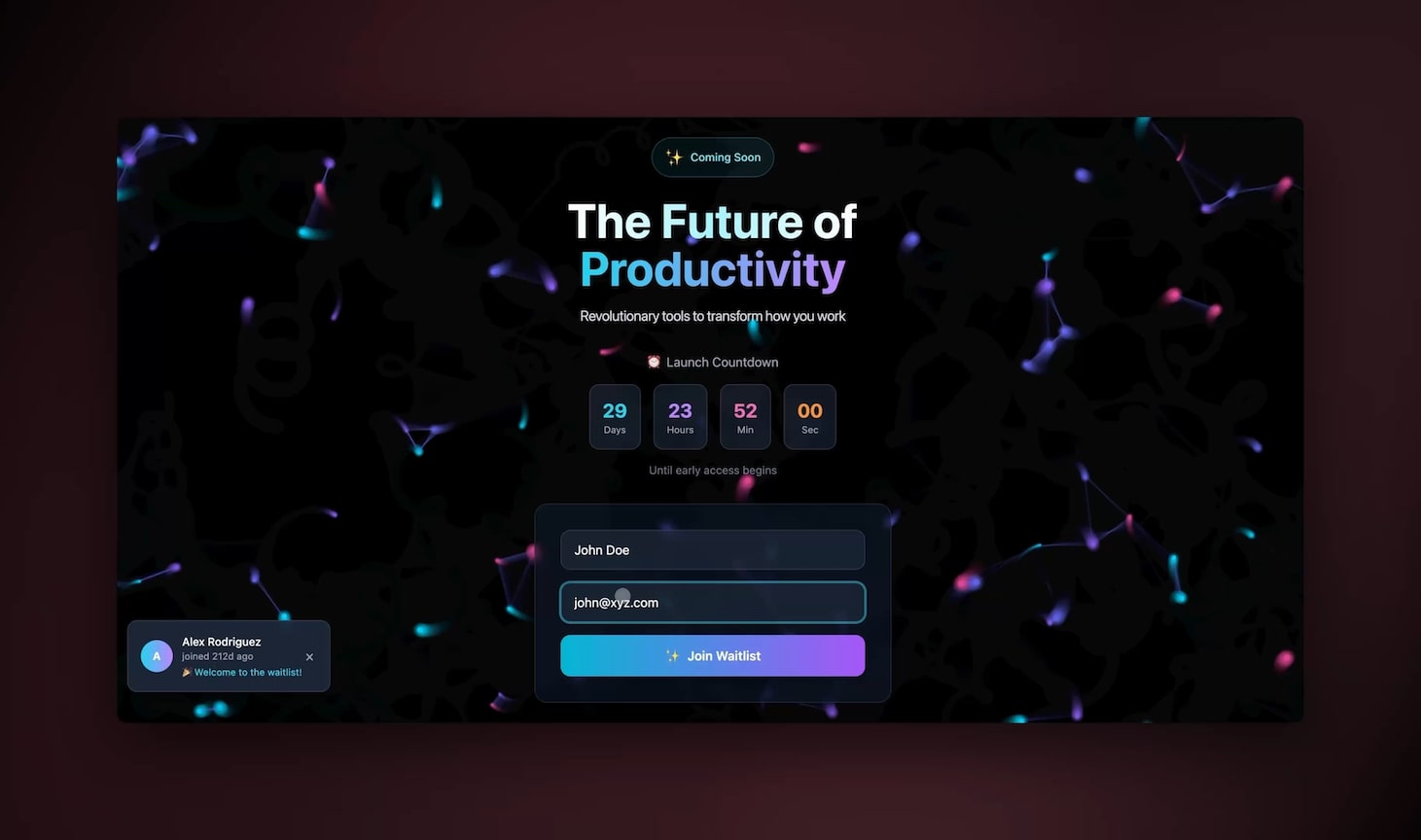
Yes. Every Taskade Genesis app can be published to a public URL and cloned by anyone with one click. You can clone the live project-automation app in this guide, customize it for your team, and have a working automated PM system in minutes. Cloneable apps mean you start from a proven template instead of a blank project.
Is automated project management secure for enterprise teams?
Yes. Taskade uses role-based access control from Owner down to Viewer, so you control exactly who can edit automations, view reports, or manage agents. Business and Enterprise plans add custom domains, single sign-on, and Genesis authentication. Your automated project data stays governed by the same permissions as the rest of your workspace.
How does Taskade compare to Asana AI, ClickUp Brain, Monday AI, and Motion?
Asana AI, ClickUp Brain, Monday AI, Notion AI, and Motion all add AI features to a project board you still build and maintain by hand. Motion leads on auto-scheduling calendars, ClickUp Brain has the deepest single-platform feature set as a paid add-on, and Asana suits large enterprises. Taskade Genesis is different in kind, it generates the entire board, multi-agent team, and automation layer from one prompt as a living app you can publish and clone, with all project views, agent tools, and 100+ integrations included.
Conclusion: reclaim the half of your week the coordination tax steals
Project managers lose over 54 percent of their week to status updates, meetings, and the manual movement of information, and almost all of it is automatable. AI agents turn meeting notes into tasks, write status reports on a schedule, chase deadlines, track dependencies across all project views, and balance workloads, while you keep the strategic 1 percent that genuinely needs human judgment.
The difference between Taskade and the node-wiring tools is the unit you start from. You do not assemble a PM system out of triggers and actions; you describe it to Taskade Genesis and get a living app where Memory, Intelligence, and Execution are one fabric, or you clone a working one from the community and customize it. Then you add your agents and wire your automations one day at a time.
Start by cloning the live app at the top of this guide, or read the companion AI agents for project management guide for the agent-design lens. When you are ready to extend the same loop past the project board, automate operations for the wider business and automate reporting and dashboards so the numbers update themselves. Your reclaimed half-week is one prompt away.
▲ ■ ● Built with Taskade Workspace DNA, Memory, Intelligence, and Execution working as one. Start automating your projects.