






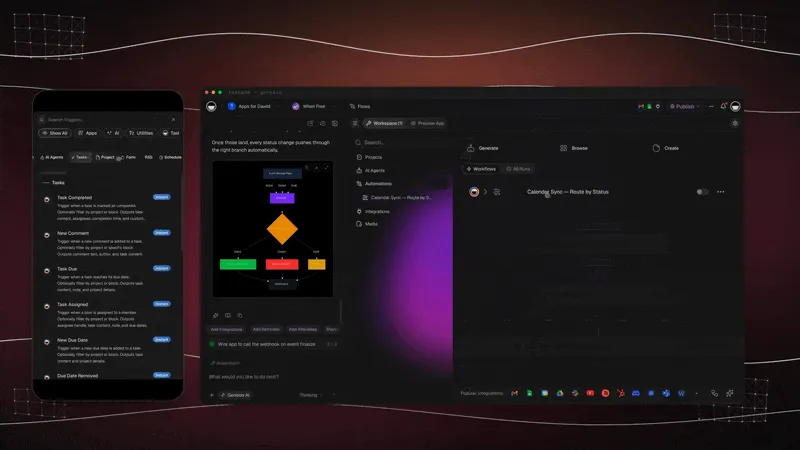
TL;DR: You can set up AI web scraping with no code. In Taskade Genesis, an automation reads a webpage on a schedule, an AI agent pulls the exact fields you describe in plain English, and the clean rows land in a table you can sort and filter. No selectors, no scripts, no broken scrapers. 150,000+ apps have been built on Taskade Genesis since launch.
┌────────────────────────────────────────────────────────────────┐
│  Competitor Price Watch  ›  Automation builder                 │
├────────────────────────────────────────────────────────────────┤
│  ① Trigger   Schedule — every weekday, 9:00 AM                  │
│  ② Action    Scrape Webpage  →  store.example.com/pricing       │
│  ③ Agent     Ask Agent (Structured Output)                     │
│              "Pull: plan name, monthly price, seats included"  │
│  ④ Action    Insert Row → Table view  (Pricing Tracker)       │
├────────────────────────────────────────────────────────────────┤
│  Last run: today 9:00 AM  ✓ 4 rows written   [ Run now ]      │
└────────────────────────────────────────────────────────────────┘
Most people who need data off a website do one of two things: copy and paste it by hand every week, or hire someone to write a scraper that breaks the moment the site changes its layout. Both are slow, and both fall apart at scale.
There is a third way now. You describe the data you want in plain English, point an AI agent at the page, and let it read the content the way a person would. No selectors. No XPath. No script to babysit. When the site moves a button or renames a column, the agent still finds the price, because it understands meaning, not a fixed HTML path.
This guide shows a non-coder how to set up AI web scraping in Taskade Genesis: an agent plus an automation that pulls structured data on a schedule and drops it into a table you can actually use. We will build a price tracker, then show how the same pattern captures leads from a chatbot.
What is AI web scraping, and how is it different?
AI web scraping uses a language model to read a page and extract the fields you describe, instead of targeting fixed HTML elements with selectors. A traditional scraper says "grab the text inside div.price-tag." An AI agent reads the whole page and answers "what is the price?" The result is a scraper that bends instead of breaks when a site changes.
That difference matters because websites change constantly. Selector-based scrapers are brittle by design: one renamed class or moved element and the whole job returns blanks. An AI agent reads content by meaning, so small layout changes rarely stop it. You spend your time on what the data is for, not on patching scripts.
Here is how the two approaches stack up for someone without an engineering team.
| What you do | Selector-based scraper | AI web scraping in Taskade |
|---|---|---|
| Tell it what to grab | Write CSS/XPath selectors | Describe fields in plain English |
| When the site changes | Often breaks, returns blanks | Usually keeps working |
| Schedule the run | Wire up cron + a server | Add a Schedule trigger, no server |
| Where data lands | A CSV you import somewhere | Straight into a table view |
| Maintenance | Ongoing script fixes | Tweak the prompt if needed |
| Who can build it | A developer | Anyone who can write a sentence |
How do you set up an AI scraper with no code?
You build two pieces: an automation that fetches a page on a schedule, and an AI agent step that turns that page into structured rows. In Taskade Genesis you open the Automations tab, pick a Schedule trigger, add a Scrape Webpage action, hand the result to an Ask Agent step with Structured Output, and write each result into a table. The whole thing takes minutes, and it runs on its own after that.
Let me walk through the price tracker from the ASCII mockup above, step by step.
Step 1: Create the automation and set the schedule
Open the Automations tab and choose Create automation. Add a Schedule trigger and pick your cadence: every weekday at 9 a.m., once a week on Monday, whatever fits the data. This is the heartbeat of your scraper. Everything else hangs off it.
Step 2: Add the Scrape Webpage action
Click Add Step and choose Scrape Webpage. Paste the target URL, for example a competitor's pricing page. This step fetches the page and returns its URL, title, and content, which become inputs for the next step. No selectors here. You are just handing the page over.
Step 3: Let an agent pull the fields you want
Add an Ask Agent step and turn on Structured Output. In the prompt, reference the scraped content and describe exactly what to pull:
Read the page content and return one row per plan with: plan name, monthly price, and seats included.
Define the output fields (plan name, price, seats) as text fields. The agent reads the page and returns clean, structured values, not a wall of text. This is the part that replaces a developer writing parsing logic.
Step 4: Write the rows into a table
Add an Insert Row action and map each agent field to a column in your Taskade table, or push it to Google Sheets if that is where your team lives. Save changes and toggle the automation on. From now on, every weekday at 9 a.m. your table refreshes itself with the latest prices.
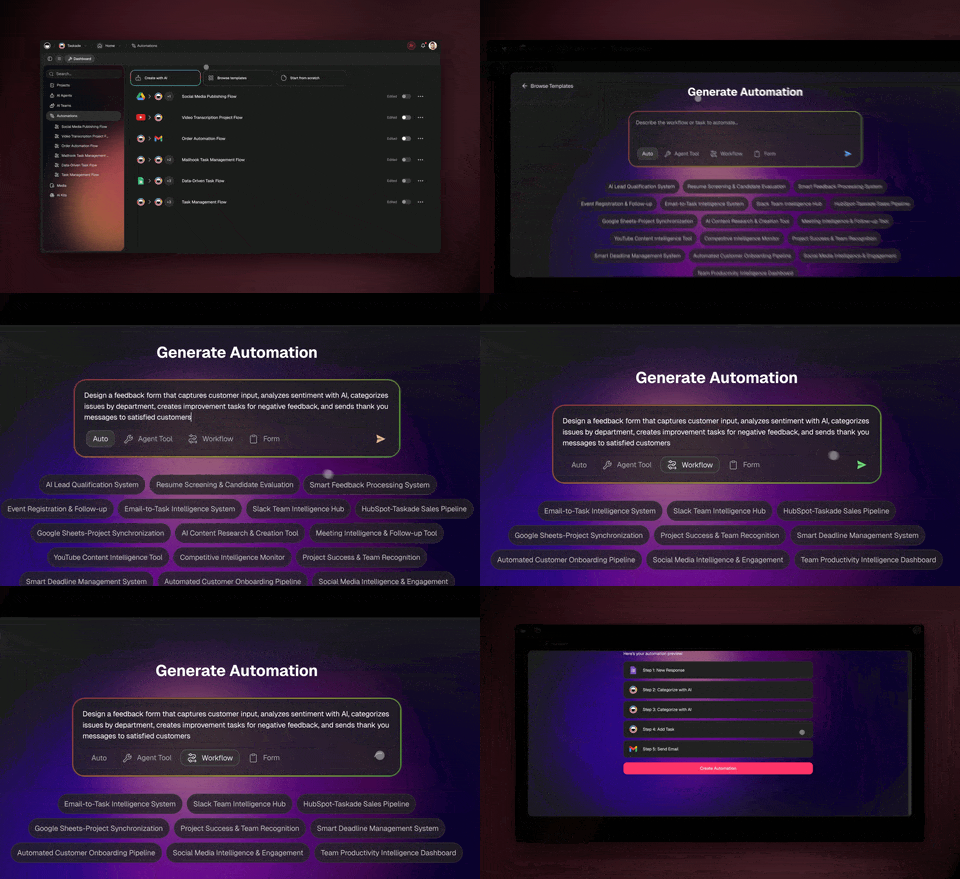
That is the entire build. Four steps, no code, and a living table that updates while you sleep. If you want a deeper walkthrough of stitching steps together, the AI workflow builder guide covers the same pattern for any data source.
See it run: clone a working data app
The fastest way to understand the pattern is to clone one and watch it work. The Community Gallery is full of live, cloneable apps built on exactly this trigger-scrape-agent-table loop. Open one, hit clone, swap in your own URL, and you have a working scraper in under a minute.
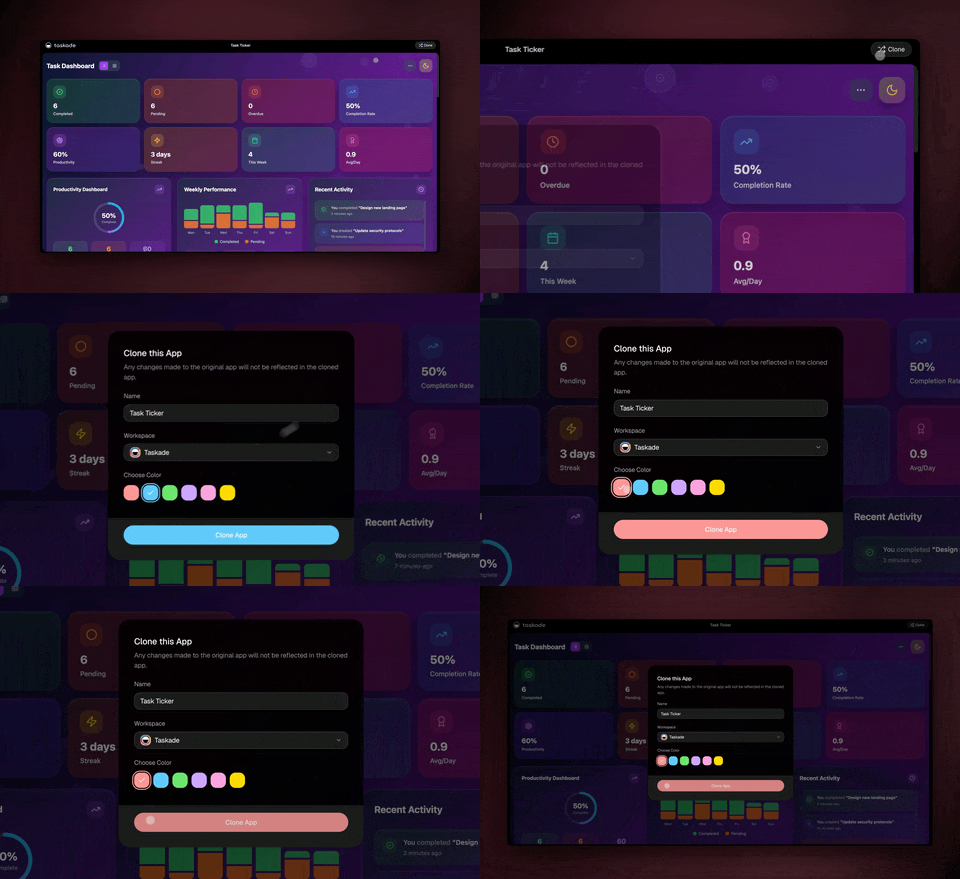
Because the app comes with the automation, the agent, and the table already wired together, you are editing a finished scraper instead of starting from a blank page. That is the difference between a template and a living app: one shows you what to build, the other already runs.
What happens after the data lands?
Once data is in a Taskade table, it is a living database, not a static export. You can sort and filter it, switch to a Board or Calendar to plan around it, let an agent score or summarize each row, or fire another automation when a value crosses a threshold. The scrape is the start of a workflow, not the end of one.
This is where Taskade pulls ahead of a standalone scraper. A scraper hands you a CSV and walks away. In Taskade the data, the agents, and the actions all sit in the same workspace, so the next step is always one click away.
Here is a sample of what the price tracker looks like after a few runs, sitting in a table view.
| Plan | Monthly price | Seats | Pulled |
|---|---|---|---|
| Starter | $12 | 1 | Today 9:00 AM |
| Team | $29 | 5 | Today 9:00 AM |
| Business | $59 | 20 | Today 9:00 AM |
| Enterprise | Custom | Unlimited | Today 9:00 AM |
You did not type any of those rows. The agent read the page and wrote them. Tomorrow it does it again, and if a price moves, you see the change without lifting a finger. From here you can switch to any of Taskade's project views (List, Board, Calendar, Table, Mind Map, Gantt, Org Chart) to work with the same data however suits the task.
Turn conversations into data too
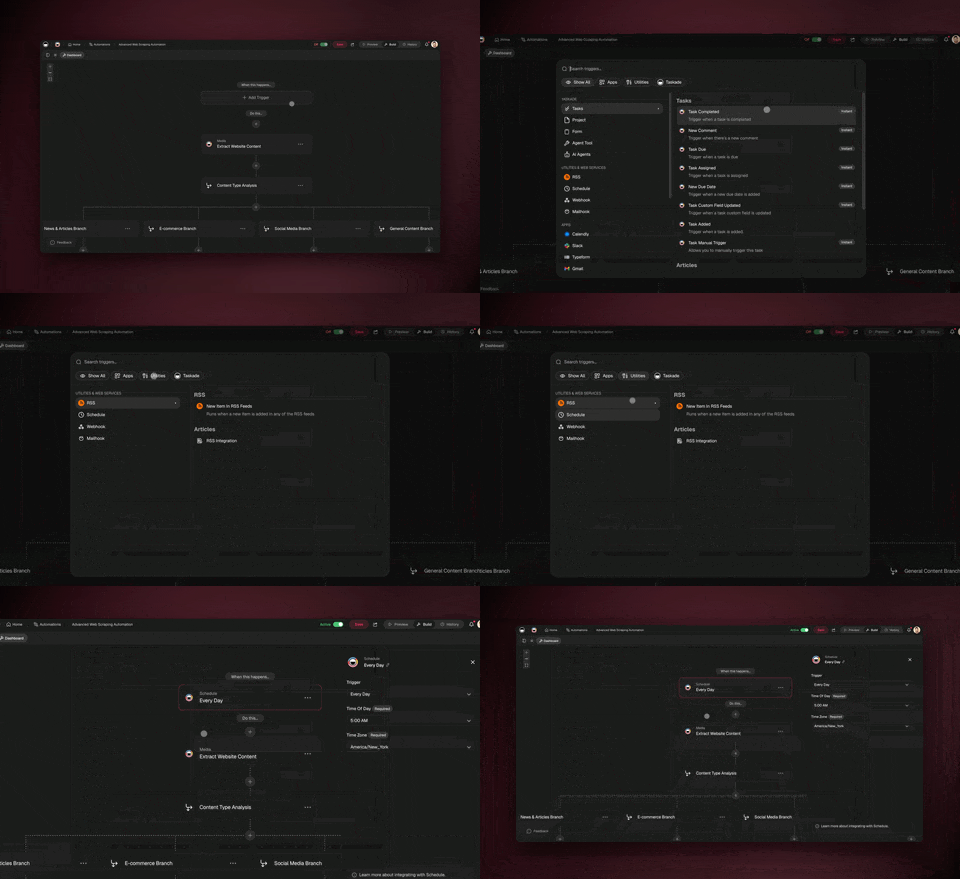
The same pattern captures structured data from chats, not just pages. You can embed a Taskade agent on your website, and when a visitor's chat ends, an automation reads the conversation and extracts the details that came up, then writes a clean row to a sheet. A website visitor becomes a follow-up-ready lead automatically.
Taskade's help center documents this with an insurance example: an agent trained on your product answers visitor questions, and when the chat closes, the automation pulls the visitor's name, contact, and the type of coverage they asked about into Google Sheets. The setup mirrors the scraper almost exactly.
The build is short. Create an agent, add your product knowledge (PDFs, links, or text), turn on public access, and grab the share link to embed. Then build an automation: trigger on Public Chat Ended, add an Ask Agent step with Structured Output that reads the conversation, define your fields, and write a row to a sheet. The result is a quiet machine that turns every conversation into a record.
How the pieces fit: agent, automation, table
Three building blocks do all the work, and they are the same three behind almost everything in Taskade. The agent is the reader, the automation is the schedule and the plumbing, and the table is the home for the data. Understanding how they hand off to each other is what lets you build any scraper, not just the ones in this post.
| Building block | Its job in a scrape | What it replaces |
|---|---|---|
| AI agent | Reads the page or chat, returns structured fields | A developer writing parsing logic |
| Automation | Runs on a schedule, fetches the source, moves data | A cron job on a server |
| Table view | Stores rows as a living, filterable database | A CSV file you have to manage |
| Integrations | Push rows to Sheets, email, or the next tool | Glue scripts between apps |
Taskade's agents come with built-in tools, so the same agent that reads a page can also search the web, run calculations, or call another step. Automations run as reliable, durable workflows that branch, loop, filter, wait from minutes to days, and resume from the step that failed instead of starting over. And everything connects through 100+ bidirectional integrations, where triggers pull events in and actions push data out, with native Shopify and Stripe support.
If you want to start from the automation side instead of the agent side, the automation hub walks through triggers and actions, and the data agents collection has prebuilt agents tuned for pulling and structuring information.
Frequently Asked Questions
Can I scrape multiple pages in one automation?
Yes. You can loop a list of URLs through the same Scrape Webpage and Ask Agent steps, so one automation covers a whole set of pages, such as every product in a catalog. Because automations support looping and waiting, you can also pace the requests to stay polite to the source site. Each result writes its own row into your table.
How often can the scraper run?
As often as your schedule allows. A Schedule trigger can run on a fixed cadence such as hourly, daily, or weekly, and you choose the time and day. For data that changes a lot, run it daily. For slower data, weekly is plenty. The automation does not care whether anyone is logged in; it runs on its own.
What if the agent grabs the wrong field?
Tweak the prompt, not the code. Because you describe fields in plain English, fixing a miss is a one-line edit, such as adding "the price in USD, not the crossed-out original price." Turning on Structured Output and naming each field tightly also keeps results clean. You are coaching a reader, not rewriting a parser.
Can I get an email or alert when the scrape finishes?
Yes. Add a Send Email or notification step at the end of the automation and drop in the agent's summary. You can also add a condition so the alert only fires when something changed, such as a price dropping. This turns a passive table into an active watcher that tells you when it matters.
Does this work for data behind a login?
It works best on public pages. For sources that require a login, lean on a connected integration where Taskade has an authenticated path, rather than trying to scrape a gated page. For anything sensitive, check the site's terms and use an official integration or API where one exists.
Can a Taskade agent read PDFs and documents too?
Yes. Agents accept PDFs, links, YouTube videos, and text as knowledge, and they can analyze files as part of their built-in tools. So the same extraction pattern that reads a webpage can also pull fields out of an uploaded document or a file dropped into a project, then write the results to a table.
How is this different from buying a scraping tool?
A dedicated scraping tool gives you the extraction and stops there. Taskade gives you the extraction plus the database, the agents that act on the data, the automations that schedule it, and the integrations that move it onward, all in one workspace. You are not stitching five tools together; you are building inside one.
Is my scraped data private?
Your data lives in your workspace under role-based access from Owner to Viewer. You decide who can see each project and table. Scraped data is treated like any other content in your workspace, so the same sharing controls and version history apply to it.
Build your first AI scraper today
You do not need to be a developer to get clean, scheduled data off the web. Describe the fields you want, point an agent at the page, set a schedule, and let it run. The brittle script you would have maintained forever is replaced by a sentence and a table that fills itself.
This is the Workspace DNA loop in action: ▲ ■ ● Memory (the table that holds your data) feeds Intelligence (the agent that reads and structures it), and Intelligence triggers Execution (the automation that runs on schedule and acts on what it finds). Each run adds to the memory, and the loop tightens over time.
Start free in Taskade Genesis, clone a working data app from the Community Gallery, or browse the data agents collection to grab one that is already tuned for the job.