






Updated June 2026. AI grant writing software should not hand you a draft and walk away. Generate the proposal in Taskade Genesis, then run it as a live app, need statement, budget, deadlines, reviewer assignments, and reporting in one workspace. Grantable leads on grant-specific drafting, Instrumentl on funder discovery, and GrantWatch on database breadth. But only Taskade Genesis turns the draft into a tracker you keep from first submission to final report. Try Taskade Genesis free →
Try It Live: A Grant Tool You Can Actually Run
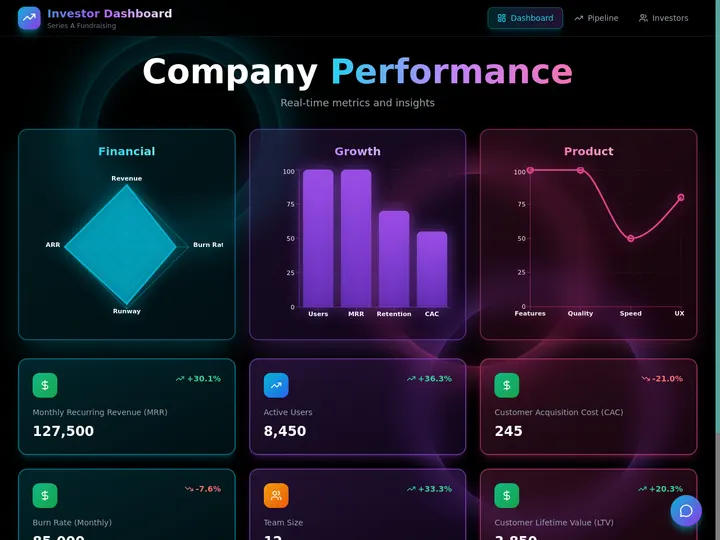
Every other tool on this list hands you a draft or a database and stops. This one keeps going. The app below was built from a single prompt in Taskade Genesis: it generates the grant draft, then tracks it as a live application, deadlines, reviewer assignments, submission status, and post-award reporting on a board your whole team can see. Click it, clone it, and watch a grant proposal stop being a static document.
Watch a live tracker app built from one prompt:

This is the difference the rest of the article is about. A grant tool that gives you a draft is a writing assistant. A grant tool that gives you a running pipeline is leverage. Clone this app and track your next grant from draft to award →
The Evolution of Grant Software: From Paper Application to Living App
Grant software has moved through five eras, and 2026 is the start of the sixth. It began as a paper application you mailed to a foundation and waited months to hear back. It became a PDF you emailed. It became an online portal where funders collected submissions. It became a discovery database that matched you to open opportunities. It became an AI writer that drafts the narrative for you. And now, with Taskade Genesis, it becomes a living app, the draft and the tracker around it, generated from one prompt. Each era kept the previous one's job and added a new one. The pattern is consistent: the work got faster, but it stayed a document. The 2026 shift is the first time the output stops being a file and starts being a running system you own.
Here is the whole arc, era by era:
Read the same arc as a milestone table, what changed, and what each era still left on the table:
| Era | What you produced | What you got back | What it still couldn't do |
|---|---|---|---|
| 1990s — Paper | A mailed application | A letter, months later | No tracking, no reuse |
| 2000s — PDF + email | A digital document | An acknowledgment | Rebuild for every funder |
| 2010–15 — Funder portals | An online submission | A confirmation receipt | Portal lives in their system |
| 2016–22 — Discovery DB | A matched opportunity (Instrumentl, GrantWatch) | A deadline alert | Still no draft, no pipeline |
| 2023–25 — AI drafting | A generated narrative (Grantable, Granter.ai) | A faster first draft | Still a document, still siloed |
| 2026 — Living app | A grant app (Taskade Genesis) | A tracked pipeline you own | — (this is the frontier) |
The plain-English takeaway: every era made grants easier to find or faster to write. Only the 2026 era makes the grant do work after you submit it. That is the whole reason Taskade Genesis tops this list. It is built for the era the rest of the category is still catching up to. For the conceptual deep-dive on how prompt-to-app generation works, see our Genesis Loop and Taskade Genesis overview explainers.
What Is the Best AI Grant Writing Software in 2026?
Taskade Genesis is the best AI grant writing software in 2026 because it closes the loop between writing the proposal and winning the award. Type your nonprofit or research project, the funder, and the program, and Taskade Genesis generates a complete grant draft, need statement, narrative, goals, budget, and outcomes. Then runs it as a live app with a deadline tracker, reviewer assignments, and a reporting schedule. Every other tool on this list hands you a draft or a database; Taskade Genesis hands you a system you keep, track, and reuse for the next funder.
The plain-English version: the grant that used to take a writer for the narrative, a finance person for the budget, and an ops lead to chase deadlines gets generated and tracked to awarded in an afternoon. Taskade's first self-serve Enterprise customer — an IT program manager with no engineering team — built a production field-service dashboard on Taskade Genesis and put it this way: "What I accomplished in a few weeks would have taken a team of 40+ people 18 months in a Fortune 500." He didn't generate a file. He generated the app that runs the work.
Generate the Draft vs. Run the System: Why a Document Isn't Enough
A grant writer gives you a better draft. An app generator gives you the thing the draft was for, a funded program. That is the whole gap. Six of the seven tools below hand you a static draft or a database of opportunities locked inside their portal. You still have to submit it, track deadlines by refreshing a calendar, and rebuild it from scratch for the next funder. Taskade Genesis takes the same prompt and returns a working grant app, need statement, budget, deadlines, and reviewer status. That your whole team opens, edits, and reuses the same afternoon.
Here is the path a grant actually travels when the tool doesn't stop at the draft:
Most tools on this list live in the first two boxes. Taskade Genesis is the only one that carries the grant all the way to the last one, a tracked award, not a submitted file.
Side by side, the month after you submit looks like this:
  A DRAFT GENERATOR                       AN APP GENERATOR (Taskade Genesis)
  ──────────────────────                  ──────────────────────────
  [ you ] write a grant draft             [ you ] write a grant draft
      │                                       │
      ▼                                       ▼
  export a PDF / portal entry             a live grant app
      │                                       │
      ▼                                       ├─ deadlines on a Calendar
  submit it and wait                      ├─ status: drafted → submitted → awarded
      │                                       ├─ agent nudges before each deadline
      ▼                                       ▼
  track deadlines in a spreadsheet        clone it → reuse for the next funder
  (rebuild it next grant)                 (your whole pipeline in one workspace)
The left column is where six of these tools end. The right column is where the program actually gets funded.
Why Tracking After You Submit Is the Whole Game
The grant you can see is the grant you can win. Nonprofit operations research consistently shows that missed deadlines and incomplete post-award reporting are among the top reasons funding falls through, not weak writing. A static draft goes dark the instant you submit it. A live grant app does the opposite: it tells you which deadlines are coming, which reviewer still owes a section, and when a reporting milestone is due, and an agent can act on that signal automatically.
That is the difference between a tool that hands you a draft and one that hands you a system. Every tool on this list can produce a good first narrative in 2026; AI made drafting a near-solved problem. The unsolved problem, the one that actually protects funding, is everything that happens after you submit. Taskade Genesis is built around that second half: the deadline tracking, the reporting agent, and the reusable pipeline. The drafting is table stakes. The follow-through is the product.
How We Ranked
We ranked 7 AI grant writing tools on six criteria that matter to the person who has to win the funding, not just draft it:
- Drafting quality, how complete and funder-ready the first draft is from a single brief.
- Funder discovery, can the tool find open grants and match them to your organization.
- Output you keep, a static draft, a portal entry, or a live app you own and reuse.
- Deadline & reporting tracking, can you track submissions and post-award reporting after you apply.
- Collaboration & data privacy, team roles, reviewer assignments, and who controls the data.
- Pricing, free-tier generosity and cost at the annual price.
Scored against those six criteria, here is how the field stacks up at a glance, the column that separates the leader from the pack is "Output you keep":
| Tool | Drafting | Discovery | Output you keep | Tracking | Price value |
|---|---|---|---|---|---|
| Taskade Genesis | Excellent | Via web search | Live app | Full + agent | Excellent (free) |
| Grantable | Excellent | Funder + 990 | Document | Pipeline | Fair |
| Instrumentl | Basic (match) | Excellent | Tracker | Deadlines | Low (high floor) |
| GrantWatch | None | Excellent (DB) | Listings | Saved grants | Good |
| Granter.ai | Excellent | Monitoring | Document | Post-award | Fair |
| Submittable | Basic | Intake forms | Portal entry | Workflow | Low (custom) |
| Candid Foundation Directory | None | Excellent (funders) | Research | Saved lists | Low (high floor) |
The grid tells the story before you read a word of the reviews: most tools earn "Excellent" on either drafting or discovery, then drop to "Document," "Listings," or "Portal entry" on output, except the one that hands you a live app.
The 7 Best AI Grant Writing Software
1. Taskade Genesis: Best Overall: Generate the Grant, Then Run It
Taskade Genesis is the only tool on this list that generates a grant proposal and runs it as a live app. Describe your nonprofit or research project, the funder, and the program in one prompt, and Taskade Genesis drafts a complete grant, need statement, project narrative, goals and objectives, budget table, and expected outcomes, tuned to nonprofit or research formats. Then, in one more click, that same artifact becomes a working app: a deadline tracker on a Calendar, reviewer assignments on a Board, submission status in a Table, and a reporting schedule for after the award.
That is the structural gap in the whole category. Every competitor stops at a draft, a database, or a submission portal locked in their system. Taskade Genesis carries the grant all the way to the award and keeps the system around it. The proposal that used to take a writer, a finance lead, and a deadline chaser gets generated and tracked to awarded in an afternoon.
One workspace covers every grant type. Taskade Genesis drafts nonprofit program grants, foundation and corporate giving applications, and research grants for agencies like the NIH, NSF, and SBIR. Then keeps every application in one tracker. It runs on 15+ frontier models from OpenAI, Anthropic, and open-weight providers, so the narrative reads in your voice, not a template. The workspace ships multiple project views (List, Board, Calendar, Table, Mind Map, Gantt, Org Chart, with Timeline inside Gantt) so you can see deadlines on a Calendar and reviewer load on a Board. A role model (Owner to Viewer) gives writers, program staff, and reviewers exactly the right surface. And 100+ bidirectional integrations wire your CRM, document storage, and reporting tools around the work. Brand the app with your logo and a custom domain on Business and above, and the grant tracker stops looking like a template and starts looking like your own program dashboard.
Taskade Genesis also generates the proposal scaffolding through Taskade's broader proposal hub, which covers grant proposals alongside business and freelance ones. But grant writing is where the live tracker matters most, because grants live or die by deadlines and reporting.
Best for: Nonprofits, research teams, and grant writers who want the proposal to get funded and stay compliant, not just read well.
Strengths: Only tool that turns the grant into a tracked, reusable app; full need-statement-to-outcomes drafting; live deadline tracker, reviewer assignments, and reporting agent; team roles and data ownership; generous free tier.
Weaknesses: Funder discovery runs through web search and your own research rather than a dedicated 990 database; the grant-specific template library is younger than Grantable's.
Pricing: Free (Free Forever plan), Pro $10/mo (the Popular tier), Business $25/mo, Max $100/mo, Enterprise $250/mo, all annual billing.
The catch: Honest one, for deep funder prospecting with 990 data you may still pair Taskade Genesis with a discovery database. Everything around drafting and tracking, though, is built in.
Verdict: The clear winner for anyone who wants a grant to get funded and reported on time, not just to read well in a portal.
2. Grantable: Best Grant-Specific AI Drafting
Grantable is the grant-writing specialist. It is an AI workspace for the entire grant lifecycle, with grant-specific AI skills for proposal writing, RFP analysis, boilerplate creation, and funder research. Its standout strength is persistent organizational context, your profile, past proposals, and funder relationships stay available to the AI, so each new draft starts stronger than the last. It also pairs 990-based funder search with AI fit-scoring, and a free tier covers discovery and AI chat.
Best for: Nonprofits and grant writers whose entire job is drafting and managing grant applications.
Strengths: Deep grant-specific AI; persistent memory of past applications; integrated 990 funder search and fit-scoring; free discovery tier; lifecycle pipeline view.
Weaknesses: Output lives as a document inside Grantable's editor, not a reusable app you own; grant-only, no general project or program workspace; paid plans climb with usage.
Pricing: Free tier for discovery and chat; paid plans from around $50/mo, with discounts for nonprofits under $500K budget.
The catch: Brilliant at grant drafting and memory. But the result is a document in their editor, not a live tracker app you clone and run your whole program from.
Verdict: Best if grant drafting is your entire job and you want AI that remembers every past application.
3. Instrumentl: Best Funder Discovery and Deadline Tracking
Instrumentl is the discovery-and-tracking benchmark. It excels at finding open grant opportunities and managing deadlines, matching your organization to thousands of public and private funders with 990 data and alerts. Its AI features focus on matching opportunities rather than writing the proposal, so it is the tool a development team uses to find the right grants and never miss a deadline. For organizations whose bottleneck is prospecting, the discovery depth is genuinely strong.
Best for: Development teams that need to find the right grants and track deadlines across a large pipeline.
Strengths: Excellent funder discovery and matching; deadline and submission tracking; 990-based prospect research; strong reporting on your grant pipeline.
Weaknesses: AI helps match, not write. You still draft the proposal elsewhere; pricing has a high floor; built for discovery, not drafting.
Pricing: From around $179/mo, with Standard, Pro, and Advanced tiers running roughly $299 to $899/mo billed annually.
The catch: It finds and tracks grants brilliantly, but it won't draft the need statement or budget for you. That work happens in another tool.
Verdict: Best if your bottleneck is finding grants and tracking deadlines, not writing the narrative.
4. GrantWatch: Best Grant Database Breadth
GrantWatch is the broad-database benchmark. It lists roughly 10,000 active grant opportunities across federal, state, local, foundation, and corporate sources, with the same flat pricing for everyone regardless of organization size. In 2026 it added AI tools for discovery and writing assistance. For a small nonprofit that mainly needs a wide, affordable funding search, the database breadth at a flat annual price is a real advantage over per-seat platforms.
Best for: Small nonprofits and individuals who want a broad, affordable grant search in one place.
Strengths: About 10,000 active listings; flat equity pricing for everyone; new AI discovery and writing assist; limited free listings to browse.
Weaknesses: A directory first, drafting help is thin; no live pipeline app you own; reporting and tracking are basic.
Pricing: $249/year (best value), $100/quarter, $49/month, or $22/week, same access on every tier.
The catch: It is a discovery database with light AI assist, great for finding grants, but you still write and track them somewhere else.
Verdict: Best if you want a wide, affordable funding search without per-seat math.
5. Granter.ai: Best Full-Cycle Drafting With Post-Award Support
Granter.ai is the full-cycle drafting entrant. It generates complete grant applications, then evaluates each draft against official criteria so you can strengthen it before submission. It also runs automatic eligibility checks, 24/7 grant monitoring to surface matching opportunities, and post-approval support, milestone tracking, reporting management, and documentation handling to keep you compliant after the award. For teams that want one tool from eligibility check to final report, the end-to-end coverage is genuinely broad.
Best for: Companies and nonprofits that want AI to draft, check, and manage a grant through post-award reporting.
Strengths: Generates full applications; scores drafts against funder criteria; automatic eligibility checks; 24/7 opportunity monitoring; post-approval reporting and milestone tracking.
Weaknesses: Output is a document and a managed workflow, not a workspace app you own and clone; pricing is less transparent than flat-rate tools.
Pricing: Paid plans from roughly $57/mo, rising with usage and team size.
The catch: Strong end-to-end, but the work stays inside Granter.ai's flow. There's no live app you brand, own, and reuse across your wider program.
Verdict: Best if you want one tool from eligibility check through post-award reporting.
6. Submittable: Best Application Intake and Reviewer Workflows
Submittable is the application-management benchmark. But from the funder's side. It powers flexible application forms and reviewer workflows, so foundations and grantmakers can collect, score, and manage incoming submissions at scale. For an organization that runs a grant program rather than applies to one, the intake forms and reviewer routing are best-in-class, and large funders rely on it for structured, auditable review cycles.
Best for: Foundations and grantmakers managing incoming applications and reviewer workflows at scale.
Strengths: Flexible application forms; strong reviewer routing and scoring; structured intake and reporting; trusted by large funders.
Weaknesses: Built for the grantmaker, not the applicant drafting a proposal; no AI drafting of your own application; custom, often high pricing.
Pricing: Custom quotes only; small foundations typically start around $10,000/year and scale with applicant volume.
The catch: It's a grants-management platform for funders, if you're the one applying, it doesn't draft your proposal or track your submissions.
Verdict: Best for foundations and grantmakers collecting and reviewing applications, not applicants writing them.
7. Candid Foundation Directory: Best Funder Prospect Research
Candid Foundation Directory is the prospect-research standard. Operated by Candid (the merger of GuideStar and Foundation Center), it indexes 304,000 funder profiles and 29 million grants with 990 data, giving histories, and contact details. It is the tool development teams use to research which foundations actually fund work like theirs before they write a word. For deep funder due diligence, the dataset is unmatched, and Candid's free search tier makes a slice of it accessible to any registered user.
Best for: Development teams doing deep funder prospect research before drafting.
Strengths: 304,000 funder profiles and 29 million grants; 990-based giving histories; standard for foundation due diligence; free search tier for registered users.
Weaknesses: Research only, no drafting and no submission tracking; premium tiers have a high floor for small nonprofits.
Pricing: Free Candid search for registered users; Premium from $1,199/year, Ultimate $1,699/year.
The catch: It tells you who to apply to, brilliantly. But it won't write the proposal or track the deadline once you do.
Verdict: Best for serious foundation prospect research before you start drafting.
Comparison Table: Output, Tracking, and the Annual-Pricing Wedge
Feature matrices hide the one thing that actually decides the buy: what you walk away with. This table strips it down to the columns the rest of the category quietly skips, what you get (a draft, a database, or a live app), whether you can track deadlines and reporting after you submit, and the annual price. This is where Taskade Genesis is the only green row.
| Tool | Output you keep | Track after submitting | Drafting + discovery | Live cloneable app | Price (annual) |
|---|---|---|---|---|---|
| Taskade Genesis | Live app (draft + tracker) | Yes — deadlines + reporting agent | Draft + web-search discovery | Yes — clone it | Free / $10 / $25 |
| Grantable | Document in their editor | Pipeline status | Draft + 990 discovery | No | Free + ~$50/mo |
| Instrumentl | Opportunity tracker | Deadline tracking | Match only + discovery | No | ~$179–$899/mo |
| GrantWatch | Saved listings | Saved grants | Light assist + DB | No | $249/year |
| Granter.ai | Document + workflow | Post-award reporting | Draft + monitoring | No | From ~$57/mo |
| Submittable | Portal entry (funder-side) | Reviewer workflow | Intake forms | No | Custom (from ~$10k/yr) |
| Candid Foundation Directory | Research lists | Saved funder lists | Discovery only | No | Free + $1,199/year |
Read the rows top to bottom and the wedge is obvious: a draft or a database is where the others finish, and where Taskade Genesis is just getting started. On price, Taskade Genesis starts Free, then Pro $10 (the Popular tier), Business $25, Max $100, and Enterprise $250, and every paid tier ships a live app with a custom domain. The discovery platforms climb fast (Instrumentl into the hundreds per month, Candid past $1,000/year), and Submittable runs into five figures for funders. You are not paying for a prettier draft. You are paying for a grant that tracks itself from draft to award.
Full Feature Matrix: Seven Tools, Eight Columns
This is the detailed grid the buyer's-guide pages bury or skip. It scores all seven tools on the eight capabilities that decide a grant workflow, AI drafting, funder discovery, deadline tracking, reviewer collaboration, post-award reporting, a follow-up agent, a reusable owned app, and a free tier. Taskade Genesis is the only row that is "Yes" straight across the workflow columns.
| Tool | AI draft | Discovery | Deadline tracking | Reviewer collab | Reporting | Follow-up agent | Owned app | Free tier |
|---|---|---|---|---|---|---|---|---|
| Taskade Genesis | Yes | Web search | Yes (multiple views) | Yes (Owner to Viewer) | Yes | Yes (agent) | Yes — clone it | Yes (Free Forever) |
| Grantable | Yes (grant) | Yes (990) | Pipeline | Yes | Partial | No | No | Yes (limited) |
| Instrumentl | Match only | Yes | Yes | Team | Partial | No | No | Trial only |
| GrantWatch | Light assist | Yes (DB) | Saved | No | No | No | No | Limited listings |
| Granter.ai | Yes | Monitoring | Yes | Yes | Yes | Partial | No | Trial only |
| Submittable | No (intake) | No | Workflow | Yes (review) | Yes | No | No | Demo only |
| Candid Foundation Directory | No | Yes | No | No | No | No | No | Free search |
The shape of the grid is the argument. Most tools earn a column of "Yes" on either drafting or discovery, then go blank on tracking, reporting, or, every single one, on owning a reusable app. Taskade Genesis is the only tool that fills the workflow columns, which is exactly where a grant becomes a funded program.
Pricing Matrix: The Annual-Pricing Wedge, Tier by Tier
Most grant-software pages quote a single "starting" price and hide the climb. Here is the honest annual-billing picture across the field, with what you actually keep at each price. Taskade Genesis is the only one with a real free tier and a flat per-workspace climb instead of per-seat or per-applicant math.
| Tool | Free tier | Entry (annual) | Mid tier | Top / Enterprise | What you keep |
|---|---|---|---|---|---|
| Taskade Genesis | Free Forever | Pro $10/mo ★ | Business $25/mo | Max $100 · Enterprise $250 | A live app you own + clone |
| Grantable | Yes (discovery) | ~$50/mo | Rises with usage | Team custom | A grant document |
| Instrumentl | No | ~$179/mo | ~$299–$499/mo | ~$899/mo | An opportunity tracker |
| GrantWatch | Limited listings | $249/year | Same access | Same access | A grant database |
| Granter.ai | No | ~$57/mo | Rises with seats | Custom | A draft + workflow |
| Submittable | No | Custom (~$10k/yr) | Scales with volume | Enterprise custom | A funder intake portal |
| Candid Foundation Directory | Free search | $1,199/year | $1,699/year | Custom | Funder research |
The math is the message. Across the field you pay $50–$899 per month for drafting and discovery, or $1,000s per year for research and intake, and you walk away with a draft or a database. Taskade Genesis starts free, climbs by workspace rather than by seat or applicant, and every paid tier ships a live, brandable, cloneable app. The Pro tier at $10/mo is the Popular ★ pick, and the Business tier at $25/mo adds the custom domain that turns the tracker into your own program dashboard.
Use-Case → Tool Matrix: Pick by What You're Actually Doing
Skip the feature war and start from your job. This matrix maps the most common grant jobs to the tool that fits, and to Taskade Genesis, which does the same job and hands you a live app afterward.
| Your job | Quick pick (specialist) | Taskade Genesis route (live app) |
|---|---|---|
| Draft a nonprofit grant | Grantable (grant memory) | /create → grant draft + tracker |
| Find open grants to apply to | Instrumentl or GrantWatch | Pair with Taskade Genesis to draft + track |
| Research which funders fit | Candid Foundation Directory | Taskade Genesis tracks the shortlist + deadlines |
| Draft + check eligibility | Granter.ai (criteria scoring) | /create → draft + reporting agent |
| Run a grant program (funder) | Submittable (intake) | Taskade Genesis tracks applicants + reviewers |
| Track deadlines + reporting | Instrumentl (pipeline) | Taskade Genesis: draft + deadlines + reporting in one app |
| Apply to research grants (NIH/NSF) | Granter.ai (full-cycle) | /create → research draft + compliance tracker |
The pattern reads in one glance: every row has a perfectly good specialist, and a Taskade Genesis route that does the same job and leaves you with a tracked, reusable app instead of a one-shot draft or a database subscription. That is the whole reason to start on the right-hand column.
Best Tool by Who You Are
If you'd rather pick by who you are than by what you're building, here's the one-line answer for each persona, and where Taskade Genesis fits for each:
| You are | Specialist pick | Why Taskade Genesis still fits |
|---|---|---|
| Small nonprofit | GrantWatch (affordable DB) | Generate, track, and report without per-seat cost |
| Grant writer | Grantable (grant memory) | Every grant in one tracker, draft to award |
| Development director | Instrumentl (pipeline) | Add drafting, reporting, and a reusable app on top |
| Research PI (NIH/NSF) | Granter.ai (full-cycle) | Research draft + compliance and milestone tracking |
| Foundation (grantmaker) | Submittable (intake) | Track applicants and reviewers in your own workspace |
| Prospect researcher | Candid (funder data) | Turn the shortlist into a deadline tracker you own |
| Operator running a whole org | — | The whole point: every workflow as a living app you describe |
Across every persona the specialist pick is a fine tool, and Taskade Genesis is the one that turns that same grant into a system you keep. That bottom row, the operator running a whole org, is where the platform story really lives.
From Draft to Production: What You Can Actually Build
The fastest way to understand the gap is to look at what people ship. These are real outcome shapes, not features, that start from one prompt in Taskade Genesis and end as a running app. Each is the kind of system that used to need a writer, a finance lead, and an ops chaser.
| Outcome you want | What you prompt | What you get to run |
|---|---|---|
| Draft a foundation grant | "Build a grant proposal with need statement, budget, and a submission tracker" | A grant app on multiple views where status moves drafted → awarded |
| Never miss a deadline | "Build a grant calendar that reminds me before every submission and report" | A Calendar app with reminder automations across every funder |
| Apply to a research grant | "Build an NIH-style proposal with aims, budget, and a compliance checklist" | A research grant app with milestones and reporting built in |
| Coordinate reviewers | "Build a reviewer board where each teammate owns a section" | A Board app with reviewer assignments and section status |
| Track post-award reporting | "Build a reporting tracker with milestones and funder deadlines" | A live reporting app that nudges before each milestone is due |
| Manage the whole pipeline | "Build a grant pipeline dashboard that tracks every application to award" | A live pipeline dashboard across your whole portfolio |
Each of these is a clone away. The grant tracker app above is the same idea ready to run, open it, clone it, and swap in your own funders, deadlines, and budget. That single click is the activation event the rest of this category never reaches.
Wiring the workflow end to end, your CRM, document storage, and reporting tools, happens through Taskade's 100+ bidirectional integrations, so the grant isn't an island. Triggers pull funder events in; actions push the submitted application and the report out.
The Full Taskade Genesis Capability: What Grant Software Looks Like When It's Actually a Platform
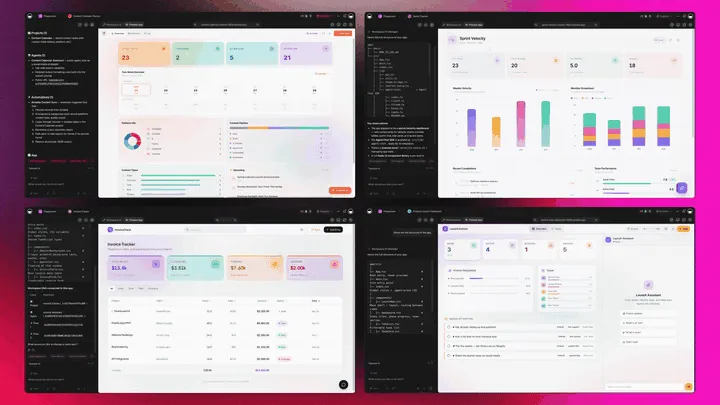
Grant software that's really a platform doesn't just write the proposal. It runs the whole program around it. Taskade Genesis generates the grant as a live web app, then surrounds it with agents that track deadlines, automations that move the application, and a workspace that remembers every award. Here is the capability slice that matters for grants, told in plain language and shown in working product.
Taskade Genesis: Describe an Outcome, Get a Running App
This is the core move. You describe what you want in plain words, "a grant proposal with a need statement, a budget, and a deadline tracker", and Taskade Genesis returns a real, running web app, not a file you download. You can publish it, put it on a custom domain, and let teammates clone it with one click. The grant stops being a document you guard and becomes a program you run.
The loop, drawn out:
That dotted line back to the start is the part no document tool has: every awarded grant feeds the next prompt. Here is what's actually inside a Taskade Genesis grant app, the layers a static draft can never carry:
  A GENESIS GRANT APP (one prompt builds all of this)
  ─────────────────────────────────────────────────────
  ┌─ PROPOSAL ─────────────────────────────────────┐
  │  need statement · narrative · budget · outcomes│   ← the draft everyone else stops at
  ├─ DEADLINE TRACKER ─────────────────────────────┤
  │  submission + report dates on a Calendar       │   ← views: Calendar, Table, Board...
  ├─ REVIEWER BOARD ───────────────────────────────┤
  │  drafted → in review → submitted → AWARDED      │   ← roles, each sees the right surface
  ├─ REPORTING AGENT ──────────────────────────────┤
  │  nudges before each deadline · built-in tools  │   ← the teammate that protects funding
  ├─ AUTOMATION ───────────────────────────────────┤
  │  CRM sync · doc storage · funder reminders     │   ← 100+ bidirectional integrations
  └─ MEMORY ───────────────────────────────────────┘
     every award sharpens the next proposal           ← Workspace DNA, the compounding part
See the same draft-to-award shape running live. This is a grant tracker app, generated from one prompt:
AI Agents v2: built-in tools and a Deadline Teammate
The grant that gets funded is usually the one someone tracked to the deadline. In Taskade, that someone is an agent. AI Agents v2 ship built-in tools, web search, code, file analysis, custom slash commands, plus persistent memory, multi-agent collaboration, public embedding, and multi-model routing. Point one at your grant pipeline and it drafts the narrative, checks the budget math, researches the funder, and nudges your team before each deadline. EVE, the meta-agent, orchestrates the whole team from a single instruction.

Automation: Reliable Workflows That Protect Funding
Behind the grant sits reliable automation, workflows that branch, loop, and filter, and run dependably without you babysitting them. Wire 100+ bidirectional integrations so triggers pull funder events in (a deadline approaching, a document uploaded, a status change in your CRM) and actions push the work out (send a reminder, file the report, post to Slack). For more on building these flows, see our guide to AI workflow tools. The grant isn't an island; it's one node in a workflow that runs itself.
Multiple Project Views: See the Pipeline the Way You Think
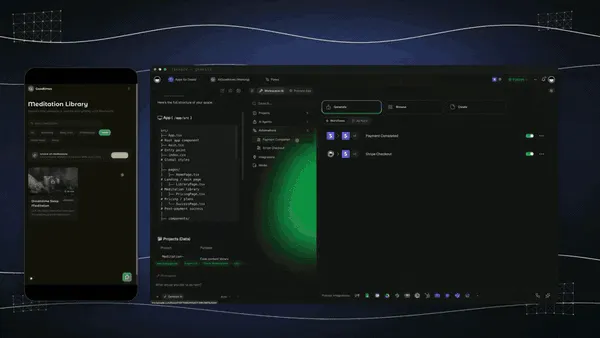
Every grant app comes with multiple project views, List, Board, Calendar, Table, Mind Map, Gantt, and Org Chart (the Timeline lives inside Gantt). See deadlines on a Calendar, watch applications move on a Board, map the program logic on a Mind Map, and track every grant in a Table. Reviewers see only the surface you share; you see the whole pipeline. A static draft gives you none of these.
Workspace DNA: Memory + Intelligence + Execution
The reason the loop compounds is Workspace DNA, the self-reinforcing triad of Memory, Intelligence, and Execution (the ▲ ■ ● signature). Memory remembers your past winning applications and boilerplate; Intelligence drafts the next one in your voice across 15+ frontier models from OpenAI, Anthropic, and open-weight providers (auto-routed, no model-picking required); Execution tracks it to the deadline and the report. Each awarded grant becomes Memory for the next one, the workspace gets smarter every time you win.
A Real Operator Already Runs On This
This isn't a roadmap promise. Taskade's first self-serve Enterprise customer — an IT program manager with no engineering team — built a production field-service dashboard on Taskade Genesis, a real, running app his team uses every day. His take: "What I accomplished in a few weeks would have taken a team of 40+ people 18 months in a Fortune 500." He didn't generate a file. He generated the app that runs the work, and the grant tracker on this page is the same idea, ready for you to clone. Browse more live, cloneable apps in the Community Gallery, or build your own on /ai/apps.
Decision Flowchart: Which Grant Tool for Your Job
The plain-English version: if you want the grant to do work after you submit it, track deadlines, assign reviewers, and protect funding through reporting, every road leads to Taskade Genesis. If you only need to find grants, draft one narrative, or research funders, the specialist tools are fine.
Three Operators, One Platform: How the Same Tool Fits Different Jobs
The clearest way to see the difference is to watch three very different people use the same generator. Each starts with one prompt and ends with a running app, not a folder of drafts.
The Nonprofit Grant Writer
She lives and dies by deadlines. She generates a grant proposal, need statement, narrative, budget, outcomes, for each funder, and keeps every application in one tracker with deadlines, reviewer assignments, and submission status on a Calendar and Table view. Workspace Memory remembers the last winning application, so the next one starts from a stronger draft. When a deadline approaches, the reporting agent nudges her team before anything is missed. The same app clones for the next funder in a click, so she never rebuilds from a blank page. What used to be a Google Doc and a frantic spreadsheet is now a pipeline she actually controls.
The Research Lab
The lab applies to NIH, NSF, and SBIR grants with strict formats and compliance rules. The PI generates a research proposal, specific aims, methodology, budget, and a compliance checklist. Then runs it as an app with milestones and reporting deadlines built in. Automations wire reminders and a reporting schedule so a submission kicks off the post-award tracking without anyone copying dates by hand. Every co-investigator sees their section on a Board, and the whole team tracks the application from drafted to awarded in one workspace instead of a shared drive. Before the specific aims page, most of these proposals still need a related-literature section, see our AI literature review and RRL generator comparison for the tools that find and verify the citations that section rests on.
The Community Foundation
The foundation runs a grant program and also applies for matching funds. They generate a grant tracker that handles both sides, a reviewer board for incoming applications and a pipeline for their own outgoing proposals. Workspace DNA remembers funder requirements and past reports, so each cycle starts ahead of the last. When a board member asks for status, the director shares one live view instead of digging through email. One platform, one one-prompt start, the whole grant program in a workspace they own.
The thread across all three: same platform, same one-prompt start, three completely different jobs, and in every case the output is a living app the operator owns, not a draft locked in a vendor's editor.
How AI Grant Writing Software Works: A Quick Primer
AI grant writing software turns a brief about your organization and a funder into a structured first draft, then helps you manage the application to submission. The drafting step uses large language models to generate the need statement, narrative, budget framing, and outcomes in a funder-appropriate format. The management step tracks deadlines, reviewer assignments, and post-award reporting. Most tools do one half well; Taskade Genesis does both, and turns the result into a live app you own.
For the broader context on AI teammates that do this kind of work, see what are AI agents, and for the generation engine behind it, the Genesis Loop. For grant proposals specifically alongside other proposal types, see our AI proposal generators guide.
The Bottom Line: Generate the Grant, Then Run It
The best AI grant writing software in 2026 is the one that doesn't stop at the draft. Grantable writes a strong grant-specific narrative, Instrumentl finds the funders, GrantWatch casts the widest net, Granter.ai covers the full cycle, Submittable runs the funder's intake, and Candid powers prospect research, and every one of them is a genuinely good tool for its slice of the job. But each hands you a draft, a database, or a portal, then leaves the deadlines, the reviewers, and the reporting to a spreadsheet.
Taskade Genesis is the one that closes the loop. One prompt generates the need statement, budget, and outcomes. Then runs them as a live tracker app for deadlines, submissions, and post-award reporting, with reliable automation workflows and a tool-equipped agent that protects funding after you apply. It starts free, climbs by workspace instead of by seat, and every paid tier ships an app you own and clone. Clone a live grant tracker app, swap in your funders and deadlines, and run every grant from draft to award in one workspace.
Generate the grant. Then run it. That's the whole difference. ▲ ■ ●
Start free on Taskade Genesis →
Frequently Asked Questions
What is the best AI grant writing software in 2026?
Taskade Genesis is the best AI grant writing software in 2026 because it generates the grant draft and then runs it as a live tracker app for deadlines and submissions. Most tools stop at a draft or a database. Taskade Genesis turns one prompt into a need statement, narrative, budget, and outcomes, plus a grant tracker with reviewer assignments and reporting. Pricing starts free, then Pro $10/mo and Business $25/mo, all annual billing.
Is there free AI grant writing software?
Yes. Taskade Genesis has a Free Forever plan that generates grant drafts and keeps the live tracker app you build, with no export paywall. Grantable offers a free tier for funder discovery and AI chat, and GrantWatch shows limited free listings. With Taskade Genesis the grant draft you generate on the free plan is yours to send, clone, and track for every funder.
Can AI write a grant proposal?
Yes. Taskade Genesis drafts a complete grant proposal from a prompt describing your nonprofit or research project and the funder. It produces the need statement, project narrative, goals, budget, and outcomes section. Granter.ai and Grantboost also generate full drafts. AI handles the first draft well, but a human should always verify facts, figures, and funder requirements before submitting.
How do I find grants to apply for?
Discovery tools match your organization to open opportunities. Instrumentl, GrantWatch, and Candid Foundation Directory index thousands of public and private funders with 990 data and deadline alerts. GrantWatch lists about 10,000 active grants at $249 per year. Candid covers 304,000 funder profiles. Once you find a grant, Taskade Genesis drafts the proposal and tracks it to award.
How do I track grant deadlines and submissions?
Taskade Genesis runs a live grant tracker app where every application sits on a Calendar, Table, or Board view with deadlines, reviewer assignments, and submission status. Reliable automation workflows send deadline reminders and reporting nudges automatically. Instrumentl and Submittable also manage deadlines, but Taskade Genesis lets you generate the draft and track it in one workspace you own.
Does AI grant writing software include need statement and budget sections?
Yes. Taskade Genesis generates the full grant structure from one prompt, including the need statement, project narrative, goals and objectives, budget table, and expected outcomes. Grantable and Granter.ai also produce structured sections aligned to common funder formats. The Taskade Genesis version becomes a live app, so you reuse the structure across every funder instead of rewriting from scratch.
What is the difference between nonprofit and research grants?
Nonprofit grants fund programs, operations, and community impact, usually from foundations and corporate giving. Research grants fund scientific studies from agencies like the NIH, NSF, and SBIR, with strict formats and compliance rules. Taskade Genesis handles both by tailoring the draft to the funder you describe, then tracking deadlines and reporting for either type in one workspace.
Is my grant data private in Taskade Genesis?
Yes. Taskade Genesis keeps your grant drafts, budgets, and funder notes in a workspace you own, with role-based access from Owner to Viewer. You control who sees each application and reviewer. Business and Enterprise plans add custom domains and single sign-on. Your data is not used to train public models and stays inside your workspace.
How accurate is AI grant writing?
AI grant writing is accurate for structure, tone, and first drafts, but it should never be submitted unchecked. Taskade Genesis runs on 15+ frontier models from OpenAI, Anthropic, and open-weight providers, so the draft reads in your voice. Always verify budget figures, eligibility, statistics, and funder requirements yourself. Treat AI as a drafting teammate, not a final authority on facts.
Can I collaborate with a team on grant applications?
Yes. Taskade Genesis supports real-time collaboration with a role model, so writers, program staff, and reviewers each see the right surface. Assign sections, leave comments, and track reviewer status on a Board. Grantable and Submittable also offer team workflows. With Taskade Genesis the whole team works inside the same live grant tracker app, not scattered documents.
Can I report on awarded grants?
Yes. After an award, Taskade Genesis tracks reporting deadlines, milestones, and outcomes in the same workspace where you wrote the proposal. Reliable automation workflows send reporting reminders so nothing is missed. Granter.ai and Submittable also handle post-award reporting. Taskade Genesis keeps the original draft, the budget, and the reporting schedule connected, so funder reports start from the work you already did.
Can I clone a grant tracker app instead of building it from scratch?
Yes. You can clone a live Taskade Genesis tracker app from the Community Gallery in one click, then swap in your own funders, deadlines, and budget. Cloning a working app is faster than starting from a blank document and gives you the deadline and reporting automations already wired up. Pricing tools vary widely: GrantWatch is $249 per year, Grantable starts around $50 per month, and Taskade Genesis starts free. Start free at /create and run every grant from draft to award.