
Definition: Vibe coding is AI-powered software development where you describe what you want in natural language and an AI model turns that intent into working code or a fully deployed application, shifting the human's role from writing syntax to directing intent and reviewing output.
The term was coined by AI researcher Andrej Karpathy in February 2025 and named Collins Dictionary Word of the Year for 2025. What began as a solo-developer experiment in early 2025 matured through 2026 into a mainstream way that teams and non-developers ship software. Instead of writing syntax line by line, the builder communicates intent through conversation, and large language models translate that intent into functional software.
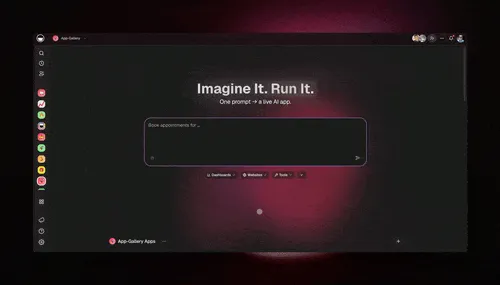
TL;DR: Vibe coding lets anyone build software through natural language. Taskade Genesis is the leading team-based vibe coding platform: turn one prompt into a live app with built-in AI agents, 100+ integrations, and flat team pricing instead of per-seat fees. Start building →
What Is Vibe Coding?
Vibe coding refers to the practice of building software by describing what you want rather than specifying how to build it. The person provides high-level direction (the "vibe"), and an AI model handles implementation details such as architecture, syntax, data structures, and deployment configuration. The iterative loop works through natural conversation: you describe, the AI builds, you review and refine, and the AI adjusts.
Andrej Karpathy, the former head of AI at Tesla and a founding member of OpenAI, introduced the term in a post on X (formerly Twitter) on February 2, 2025. He described his own workflow: "I just see things, say things, run things, and copy-paste things, and it mostly works." The concept resonated immediately. Within weeks, "vibe coding" entered mainstream technology vocabulary. By March 2025, Merriam-Webster added it to their "slang and trending" category. In November 2025, Collins Dictionary selected it as their Word of the Year, defining it as "a style of programming that relies on AI tools to generate code, with the programmer providing instructions and guidance using natural or informal language rather than writing code manually."
The philosophy behind vibe coding is straightforward: if AI can generate working code faster and more reliably than manual coding for a given task, the human's role shifts from writing code to directing intent, evaluating output, and iterating on results. This is a fundamental change in the relationship between people and software creation.
The Rise of Vibe Coding
The vibe coding movement did not emerge in isolation. It represents the convergence of several trends that accelerated between 2023 and 2026.
Key milestones:
- 2023: GitHub Copilot reaches 1 million paid users, proving that developers will adopt AI code completion at scale
- February 2025: Andrej Karpathy coins "vibe coding" in his now-viral post, describing a workflow where he barely reads the code the AI writes
- Winter 2025: Y Combinator reports that 25% of startups in their Winter 2025 batch have codebases that are 95% AI-generated (reported by TechCrunch)
- March 2025: Merriam-Webster adds "vibe coding" to their slang and trending words section
- November 2025: Collins Dictionary names "vibe coding" their Word of the Year for 2025
- 2026: The vibe coding tools market reaches an estimated $4.7 billion, with projections of $12.3 billion by 2027 and $37 billion by 2032
The numbers tell a clear story about adoption. According to recent surveys, 92% of US-based developers use AI coding tools daily, and 82% of developers globally use them on a weekly basis. At companies like Google and Microsoft, approximately 30% of new code is now AI-generated. Boris Cherny, Head of Claude Code at Anthropic, stated on Lenny's Podcast in February 2026: "I think today coding is practically solved for me, and I think it will be the case for everyone regardless of domain."
Anthropic demonstrated this claim concretely: their team built the Cowork desktop application in just 10 days using Claude Code. Claude Code now authors 4% of all public GitHub commits, with internal projections reaching 20% by the end of 2026. This is not a niche trend. It is a structural shift in how software gets made.
How Vibe Coding Works
The vibe coding workflow follows a consistent pattern regardless of which tool you use.
Step 1: Describe your intent. You tell the AI what you want to build in plain language. This can be as high-level as "I need a customer feedback tracker" or as specific as "Build a form that collects a 1-5 star rating, a text comment, and an email address, then sends a Slack notification for any rating below 3."
Step 2: AI generates the solution. The large language model interprets your description and produces working code or, in the case of platforms like Taskade Genesis, a fully deployed application. The AI draws on its training data (millions of code examples, design patterns, and architectural best practices) to select the appropriate technologies and structures.
Step 3: Review and iterate. You examine the output and provide feedback in natural language. "Make the dashboard charts bigger." "Add a date filter." "Send an email summary every Friday." The AI adjusts the implementation based on your direction. This conversational loop continues until the application matches your requirements.
Step 4: Deploy and extend. Once satisfied, you deploy the result. Depending on the tool, this might mean pushing code to a repository, or, with platforms like Taskade Genesis, the application is already live the moment it is built.
The critical insight is that prompt engineering matters in vibe coding. The quality of your natural language description directly affects the quality of the output. Clear, specific prompts produce better results than vague ones. Over time, practitioners develop an intuition for how to communicate with AI tools effectively, a skill that is arguably more transferable than knowledge of any single programming language.
Vibe Coding vs. Traditional Coding vs. No-Code
Understanding where vibe coding fits requires comparing it to the two established paradigms it draws from and disrupts.
| Feature | Traditional Coding | No-Code | Vibe Coding |
|---|---|---|---|
| Input method | Write code in a programming language | Drag-and-drop visual builder | Describe in natural language |
| Technical skill required | High (years of training) | Low to medium | Low (clear communication) |
| Flexibility | Unlimited | Limited by platform templates | High (AI can generate anything) |
| Speed to first version | Weeks to months | Days to weeks | Minutes to hours |
| Iteration speed | Slow (code changes, testing) | Medium (visual adjustments) | Fast (conversational refinement) |
| Maintenance burden | High (manual updates) | Medium (platform-dependent) | Low to medium (AI-assisted) |
| Scalability | Full control | Platform-limited | Tool-dependent |
| Team collaboration | Git workflows, code review | Platform sharing | Varies by tool |
| Cost model for teams | Per-seat license fees | Per-seat platform fees | Flat team pricing (Taskade Genesis) |
Traditional coding gives you maximum control but demands deep expertise and significant time investment. No-code platforms lower the barrier but constrain you to pre-built components and templates. Vibe coding occupies a new position: it offers the flexibility of traditional coding with the accessibility of no-code, because the AI handles the translation between human intent and machine implementation.
For a deeper comparison, see Vibe Coding vs. No-Code vs. Low-Code.
Popular Vibe Coding Tools in 2026
The vibe coding ecosystem has expanded rapidly. Here are the major categories and tools as of 2026.
Developer-Focused Tools
Cursor is an AI-native code editor built on VS Code that integrates large language models directly into the coding workflow. Developers write prompts alongside their code, and the AI generates, edits, and refactors based on the full codebase context. Best for professional developers who want AI acceleration while maintaining full code ownership. Cursor uses per-seat pricing, so cost scales with team size. For alternatives, see Best Cursor Alternatives.
Claude Code is Anthropic's terminal-based AI coding agent. It operates at the command line, understanding entire project structures and making multi-file changes autonomously. Claude Code represents the most advanced form of developer-focused vibe coding, handling complex architectural decisions and large-scale refactoring. Boris Cherny's team uses it to build production software at Anthropic.
GitHub Copilot pioneered AI code completion and has evolved into a more capable assistant with chat-based code generation, pull request summaries, and workspace-aware suggestions.
Application Builders
Bolt.new generates full-stack web applications from prompts and deploys them instantly via StackBlitz. It targets developers and technical users who want rapid prototyping with the ability to export and customize the generated code. Bolt.new is also priced per seat. See Best Bolt.new Alternatives.
Lovable (formerly GPT Engineer) focuses on generating production-ready frontend applications from natural language descriptions. It integrates with Supabase for backend services and GitHub for version control.
Replit Agent combines a cloud IDE with an AI agent that can build, debug, and deploy applications. It is particularly popular among students and hobbyists for its accessible browser-based interface.
Team-Oriented Platforms
Taskade Genesis takes a fundamentally different approach. Instead of generating code files, Taskade Genesis creates deployed, living applications inside a collaborative workspace. One prompt produces a working app with a smart database, AI agents, automations, file management, and enterprise security, all connected to your team's existing workspace data. Taskade Genesis is vibe coding designed for teams from the ground up, which is a critical distinction covered in the next section.
For a full comparison, see Best Vibe Coding Tools 2026.
Vibe Coding for Teams
Most vibe coding tools were designed for individual developers working alone. A solo developer opens Cursor or Bolt, describes what they want, and gets a result. But real business software is rarely built, maintained, or used by one person.
This is the gap that no major vibe coding platform has addressed until now. Team-based vibe coding means that the entire lifecycle of an AI-generated application happens within a shared workspace where multiple people can contribute, review, extend, and operate the result together.
Here is what team-based vibe coding looks like in practice with Taskade Genesis:
Shared context. When someone on your team builds an app, it exists in the same workspace as your projects, documents, and data. Other team members can see it, use it, and understand the business context behind it. There is no "knowledge silo" where one person holds all the information about how an internal tool works.
Collaborative iteration. Multiple team members can refine an app through conversation. A product manager describes the initial concept, a designer adjusts the visual layout, and an operations lead adds specific workflow requirements, all working on the same living application without writing code.
Built-in agents and automations. Applications built with Taskade Genesis are not static. They come with AI agents that can answer questions, process data, and take actions on behalf of the team. They include automations that trigger workflows across your existing tools. This is what Workspace DNA means in practice: Memory (your projects and data) feeds Intelligence (AI agents), Intelligence triggers Execution (automations), and Execution creates new Memory, a self-reinforcing loop.
Deployment without DevOps. Taskade Genesis apps are live the moment they are created. They can be published to custom domains, protected with passwords, or shared through the Community Gallery. No server configuration, no CI/CD pipeline, no deployment scripts.
Economics that scale. Taskade Genesis uses flat team pricing: one plan covers your team instead of charging per person. Developer-focused tools like Cursor and Bolt bill each seat individually, so a ten-person team pays ten license fees. Taskade Genesis treats team collaboration as the default, not an add-on. Paid plans start at $10/month billed annually. See pricing for current plans.
For more on this approach, see Vibe Coding for Teams and Vibe Coding for Non-Developers.
Real-World Vibe Coding Examples
The most revealing signal about vibe coding's potential is what non-developers are building when given the tools. Claude Code's user base provides striking examples of latent demand:
- Genome analysis: A biologist used vibe coding to build a tool that processes and visualizes genomic data, replacing weeks of custom script development
- MRI analysis: A medical researcher described what they needed from brain scan data, and an AI tool produced a working analysis pipeline
- Wedding photo organization: A non-technical user built an application to sort, tag, and share thousands of wedding photos with guests
- Tomato plant monitoring: A hobby gardener created a sensor dashboard that tracks soil moisture, sunlight, and growth patterns
None of these people would describe themselves as developers. They had problems, described them in plain language, and received working solutions. This is the true promise of vibe coding: not faster software development, but the elimination of software development as a bottleneck.
Business use cases with Taskade Genesis:
- Client onboarding portals: Describe your intake process and Taskade Genesis builds forms, automated follow-ups, project setup, and team notifications
- Internal dashboards: "Show me our sales pipeline with deal stages, revenue forecasts, and team performance" produces a live dashboard connected to your workspace data
- Customer feedback systems: A restaurant owner described wanting to "get alerts for bad reviews" and received a complete system with QR codes, rating forms, Slack integration, and analytics
- Event management: "I need attendees to register, select sessions, and get reminders" produces a full event management application with calendar integration
- Knowledge bases: Teams build searchable, AI-powered documentation portals that employees can query in natural language
For more examples, see What Is Vibe Coding?.
Benefits and Limitations
Benefits
Democratization of software creation. The most significant benefit is that vibe coding removes programming skill as a prerequisite for building software. Anyone who can clearly describe a problem can now build a solution.
Dramatic speed improvements. What previously took weeks or months of development can be accomplished in minutes or hours. Y Combinator's data (25% of W25 startups with 95% AI-generated codebases) demonstrates that this speed advantage applies at the startup level, not just for simple prototypes.
Lower costs. Eliminating the need for specialized development talent for many use cases reduces the cost of building internal tools, MVPs, and business applications substantially.
Faster iteration cycles. Changing requirements no longer means expensive refactoring. Describe the change you want in natural language, and the AI adjusts the implementation.
Focus on business logic. Teams spend their energy on what the software should do rather than how it should be technically implemented.
Limitations
Security concerns. Research indicates that approximately 45% of AI-generated code contains security vulnerabilities. For applications handling sensitive data, vibe-coded software requires the same security review as any other code. Team-based platforms like Taskade Genesis mitigate this risk by generating applications within a managed environment with built-in security controls rather than producing raw code.
Quality ceiling for complex systems. While vibe coding excels at building standard business applications, highly specialized systems (real-time trading platforms, safety-critical embedded software, custom database engines) still require deep technical expertise.
Debugging opacity. When AI-generated code fails, diagnosing the problem can be difficult for non-technical users. Developer-focused tools like Cursor and Claude Code make debugging easier because the user can read the code. Application-level tools like Taskade Genesis abstract this away by managing the infrastructure themselves.
Prompt skill matters. The quality of the output depends heavily on the quality of the input. Vague or contradictory descriptions produce poor results. This is a learnable skill, but it is a skill nonetheless.
Vendor dependency. Applications built through vibe coding platforms are tied to those platforms. This applies equally to no-code tools and, to a lesser extent, to developer tools that generate exportable code.
The Future of Vibe Coding
The trajectory of vibe coding points toward several developments that will reshape software creation over the next three to five years.
Market growth. The vibe coding tools market is estimated at $4.7 billion in 2026, projected to reach $12.3 billion by 2027 and $37 billion by 2032. This growth rate reflects both expanding adoption and increasing capability of the tools.
VibeOps. Just as DevOps emerged to bridge development and operations, a new discipline is forming around operating AI-generated applications at scale. VibeOps encompasses the practices, tools, and organizational structures needed to manage, monitor, and maintain vibe-coded software across teams and business units.
Team adoption becomes standard. Early vibe coding was a solo activity. The next phase is organizational adoption, where teams build, share, and maintain AI-generated applications collaboratively. Platforms that support multi-user workflows, shared context, and role-based access will drive this shift.
AI agents as co-builders. The line between "building an app" and "instructing an AI agent" is blurring. In platforms like Taskade Genesis, the applications you build come with embedded AI agents that continue to evolve and respond to new instructions after deployment. The app is not finished when you stop building. It continues learning.
Code becomes optional output. For developers, vibe coding accelerates traditional coding. For everyone else, vibe coding tools like Taskade Genesis skip code entirely and create living software: deployed applications with AI agents, automations, and data built in. If coding is practically solved, as Anthropic's Boris Cherny argues, then the question shifts: is code even the right output for most use cases?
Getting Started with Vibe Coding
You can start vibe coding with Taskade Genesis in minutes. No coding experience is required.
Step 1: Open Taskade Genesis. Navigate to your Taskade workspace and open the Taskade Genesis app builder. If you do not have a workspace yet, create one at taskade.com.
Step 2: Describe your application. Write a natural language description of what you want. Be specific about who will use it and what they need to accomplish. For example: "Build a project intake form for our marketing team. It should collect the project name, deadline, budget range, and a brief description. When someone submits a form, notify the team lead in Slack and create a new project in our workspace."
Step 3: Review the generated app. Taskade Genesis will produce a working application. Explore its features, test the workflows, and identify what needs adjustment.
Step 4: Refine through conversation. Tell Taskade Genesis what to change. "Add a priority dropdown with Low, Medium, High, and Urgent options." "Make the form mobile-friendly." "Add an approval step before the project is created." Each instruction refines the application.
Step 5: Deploy and share. Publish your app to a custom domain, share it with your team, protect it with a password, or list it in the Community Gallery for others to discover and use.
Step 6: Add agents and automations. Enhance your app with AI agents that can answer questions about your data and automations that trigger actions across your tools. This is where Taskade Genesis goes beyond other vibe coding tools. Your app is not just an interface, it is an intelligent system connected to your Workspace DNA.
For prompt engineering tips specific to app generation, see the AI Prompts wiki page.
Frequently Asked Questions About Vibe Coding
What is vibe coding?
Vibe coding is a style of software development where you describe what you want in natural language and AI generates the working code or application. The term was coined by Andrej Karpathy in February 2025 and was named Collins Dictionary Word of the Year for 2025. Instead of writing code manually, you communicate your intent through conversation and the AI handles the technical implementation.
Who invented vibe coding?
Andrej Karpathy, the former head of AI at Tesla and a founding member of OpenAI, coined the term "vibe coding" in a post on X (formerly Twitter) on February 2, 2025. He described a workflow where he would "see things, say things, run things, and copy-paste things" without manually writing traditional code.
Is vibe coding real programming?
Vibe coding produces real, functional software. The output is working code or a deployed application. However, the process differs from traditional programming because the human provides intent and direction rather than writing syntax. Whether it qualifies as "real programming" depends on your definition: if programming means solving problems with software, then yes. If it means manually writing code, then vibe coding is a distinct practice.
What tools do you need for vibe coding?
The tools depend on your use case. Developers use Cursor, Claude Code, or GitHub Copilot for AI-assisted code generation. Non-technical users and teams use application builders like Taskade Genesis, Bolt.new, or Lovable that produce deployed applications from natural language descriptions. Taskade Genesis is particularly suited for teams because it includes built-in collaboration, AI agents, and automations.
Can non-developers use vibe coding?
Yes. Vibe coding's defining characteristic is that it does not require programming knowledge. Non-developers have used vibe coding tools to build genome analysis pipelines, MRI data processing tools, event management systems, and business dashboards. The skill required is the ability to clearly describe what you want, not the ability to write code.
How is vibe coding different from no-code?
No-code platforms use drag-and-drop visual builders with pre-built templates and components. Vibe coding uses natural language and AI generation, which offers greater flexibility because the AI can create novel solutions rather than assembling pre-built parts. No-code constrains you to what the platform offers; vibe coding can generate anything the underlying AI model can produce.
Is vibe coding safe and secure?
Security is a legitimate concern. Research suggests that approximately 45% of AI-generated code contains vulnerabilities. For raw code generation tools, this means security review is essential. Platform-based vibe coding tools like Taskade Genesis mitigate this risk by generating applications within managed environments with built-in security controls, enterprise-grade infrastructure, and role-based access.
What is team-based vibe coding?
Team-based vibe coding is the practice of building AI-generated applications within a shared workspace where multiple people can collaborate on creation, refinement, and operation. Unlike solo vibe coding tools, team-based platforms like Taskade Genesis allow product managers, designers, and operations leads to contribute to the same application without writing code, with all context shared through the workspace.
How much does vibe coding cost?
Costs vary by tool and approach. Developer tools like Cursor and Bolt.new use per-seat pricing, so cost rises with team size. Taskade Genesis uses flat team pricing, with paid plans that start at $10/month billed annually, so a whole team shares one plan. Free tiers are available on most platforms for individual experimentation. See pricing for current Taskade plans.
Will vibe coding replace developers?
Vibe coding changes what developers do, not whether they are needed. Routine code generation becomes automated, which means developers focus more on architecture, system design, security review, and complex problem-solving. The Y Combinator data (25% of startups with 95% AI-generated codebases) shows that even startup teams still have human developers directing the process. The role evolves from writing code to directing AI and evaluating output.
What is the vibe coding market size?
The vibe coding tools market is estimated at $4.7 billion in 2026, with projections reaching $12.3 billion by 2027 and $37 billion by 2032. This growth reflects increasing adoption across both developer and non-developer segments, with team-based platforms representing the fastest-growing category.
Can you build production apps with vibe coding?
Yes. Y Combinator reported that 25% of startups in their Winter 2025 batch have codebases that are 95% AI-generated, and these are production applications serving real users. Anthropic built their Cowork desktop application in 10 days using Claude Code. With Taskade Genesis, teams build and deploy production business applications daily, complete with databases, AI agents, automations, and custom domains.
Related Concepts
- App Builder: How Taskade Genesis builds applications from prompts
- One Prompt, One App: How a single prompt becomes a working app
- Conversational Development: Building software through back-and-forth chat
- No-Code App Builder: Building without code using visual and AI tools
- Build Your First App: A step-by-step first Taskade Genesis build
- AI Website Builder: Generating websites with natural language
- Large Language Models: The AI technology powering vibe coding
- Prompt Engineering: Writing effective prompts for AI systems
- AI Agents: Autonomous AI workers that enhance vibe-coded applications
- Automation: Workflow automation for living software
- Workspace DNA: Memory, Intelligence, and Execution working together
- Start building: Turn your first prompt into a live app