







If you’re a student, you probably are always on the lookout for ways to improve your productivity. Outliner apps are tools that help you to outline your thoughts via software. Read on to find out more about how outliners can help you increase your productivity including our list of the best outliners out there!
TL;DR: The best outliner apps for students combine hierarchical note-taking with AI, collaboration, and multiple views. Taskade leads with project views, built-in AI agents for summarization and research, plus free real-time collaboration for group projects. Try Taskade free →
What is an Outliner App?
Outliner apps(1) are powerful tools that allow you to create outlines for different ideas and projects. Starting a new project or complex task may seem daunting at first, and this is where an outliner software comes in handy.
An outliner is a type of software that helps you condense your thoughts by organizing text hierarchically in a tree-like structure. Using hierarchies helps you to break down larger tasks into smaller, less-scary steps. When using an outliner, you can open and close sections in your outline in order to keep things neat and organized.
Think of the outlining process as creating the blueprint first before laying down the bricks for your building. Contrary to mind mapping, outlining is much harder to do on paper as compared to an app because you’re limited by space on paper. However, outlining using software gives you plenty of real estate to work with.
If you’re looking for a different method of taking notes, do consider trying out mind mapping to organize your thoughts and ideas. If you're a productivity nut, take it a step further and use the best mind mapping apps to boost your productivity!
How Can Students Use Outliner Software?
Outlining is a skill that is essential for students to master. This makes outliner software almost a must-have for modern students. Check out some of the ways that students can use outliner software below.
Project work
As a student, it’s inevitable that you’ll be faced with school projects that require planning and collaboration. Projects can be made simpler when they’re broken down into smaller tasks. As such, if you’re a student, you can use an outliner software to outline the skeleton of your project to make sure that you have your bases covered.
Essays
As a student, you definitely will be required to write a lot of essays. Before you even start writing those lengthy assignments, you most definitely need to organize your thoughts with an outline. There’s nothing worse than realizing that you don’t have enough content to meet your target word count.
Fortunately for you, outliner apps are powerful tools to help you with your writing process. Outline your thoughts in a hierarchical manner when planning your essay so that you can have a smoother writing process.
Revision
School is synonymous with overloading your brain with information from all the modules that you’re taking. However, this can be made simpler if you make use of an outlining tool to write down notes to structure your thoughts.
Throughout the semester, students will be exposed to a wide range of subjects, each with their own set of dense concepts to learn (memorize). Therefore, using an advanced productivity tool such as Taskade can help you absorb information better.
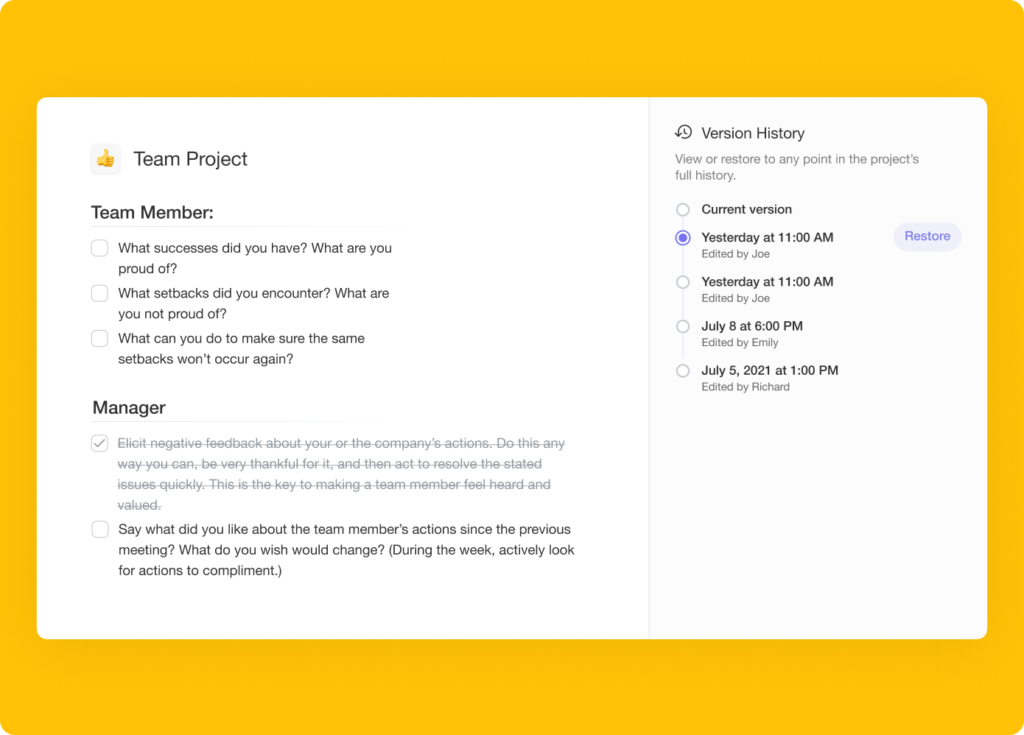
Additionally, if you accidentally deleted your notes, Taskade supports revision history through our project history and version restore function. This allows you to restore backups effortlessly!
This is because Taskade allows you to switch between views so that you can infer your data in multiple ways. Try Taskade for free today and revise the smarter way!
Best Outliner Apps for Students
1. Taskade
Taskade is an AI-powered online productivity and collaboration tool create by John Xie, Dionis Loire, and Stan Chang in 2017. The Y Combinator-backed startup aims to help remote teams and individuals get work done faster and smarter.
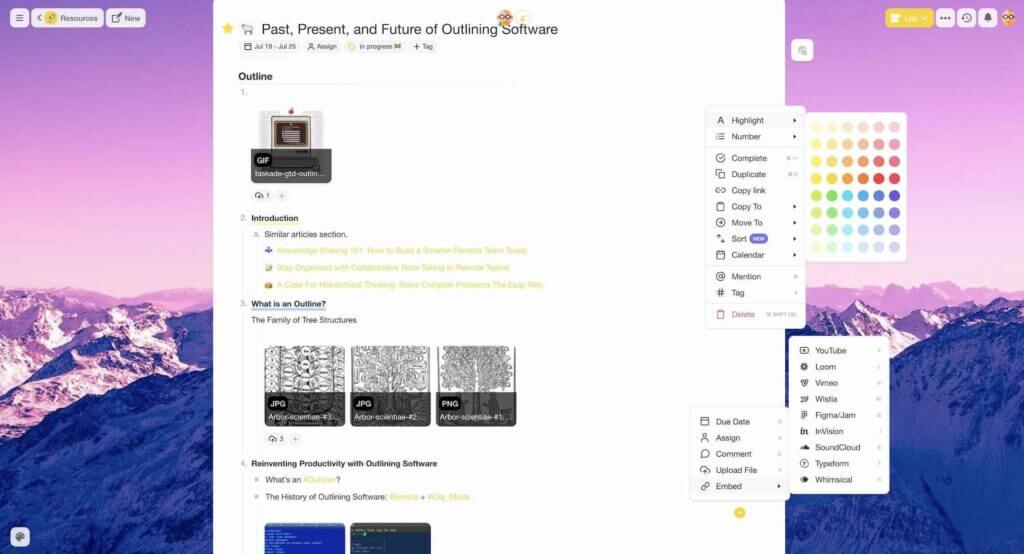
Taskade turns the chaos of everyday commitments into a hierarchy of cascading tasks. By breaking complex problems into smaller chunks, you and your team can focus on the work that matters, one step at a time. And the best part?
Taskade is the only outliner that syncs everything in real-time!
Once you get the hang of it, outlining using Taskade is highly efficient and productive. And with Taskade AI, planning and structuring documents is even easier.
Outlining in Taskade is simple. All you need to do is add a few lines of text inside any of your projects and indent sub-tasks or lower-level elements with the ⌨️ Tab key.
Every outline you create can be formatted and customized to give it a unique flavor. You can choose from several different bullet styles, checklists, headings, or a mix of all of those elements, and add finishing touches with beautiful highlight colors.
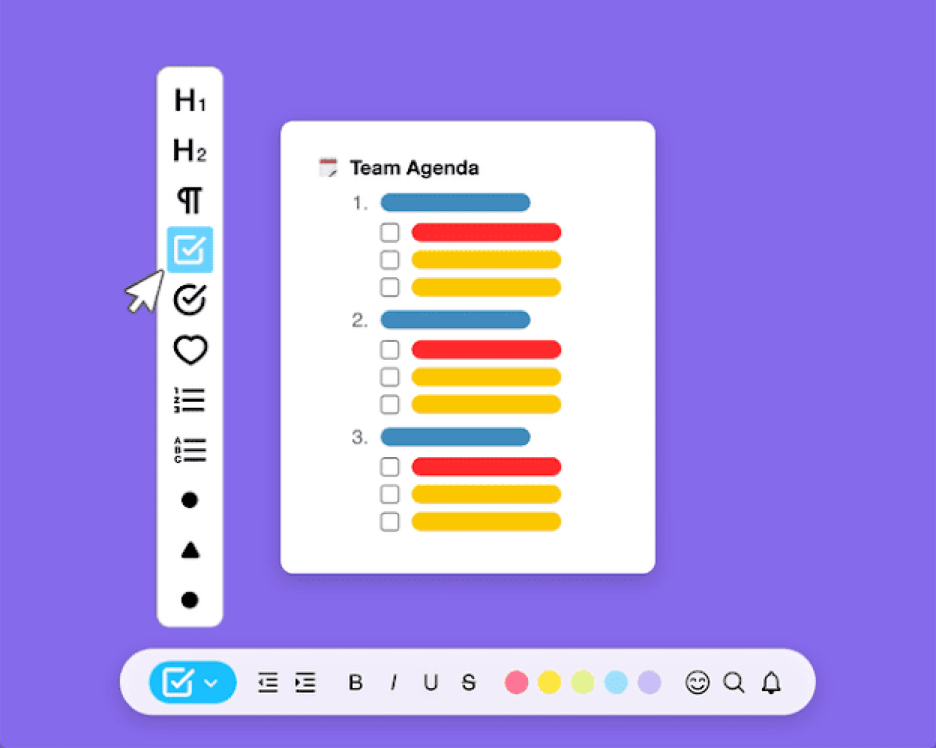
Taskade projects are stored in a tree-structured database, which means they’re designed to be organized hierarchically from the moment you open the editor. This also allows you to transform them in several ways without losing context.
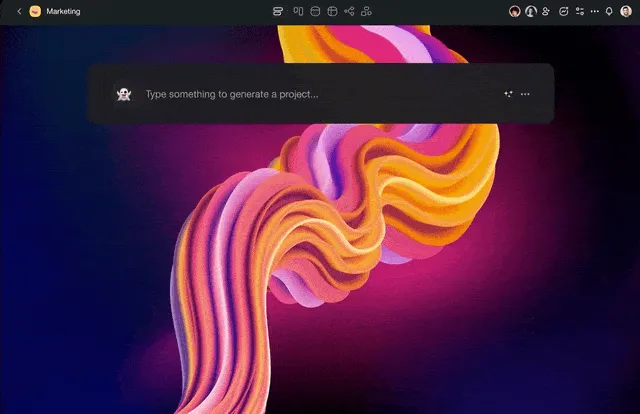
Outline and write smarter with Taskade AI! 🤖
🌟 Key Features of Taskade
Fold/Unfold. Fold (collapse) a parent task/bullet element to hide its subtasks. Indent outline elements with ⌨️ Tab and unfold lists with ⌨️ Shift+Tab.
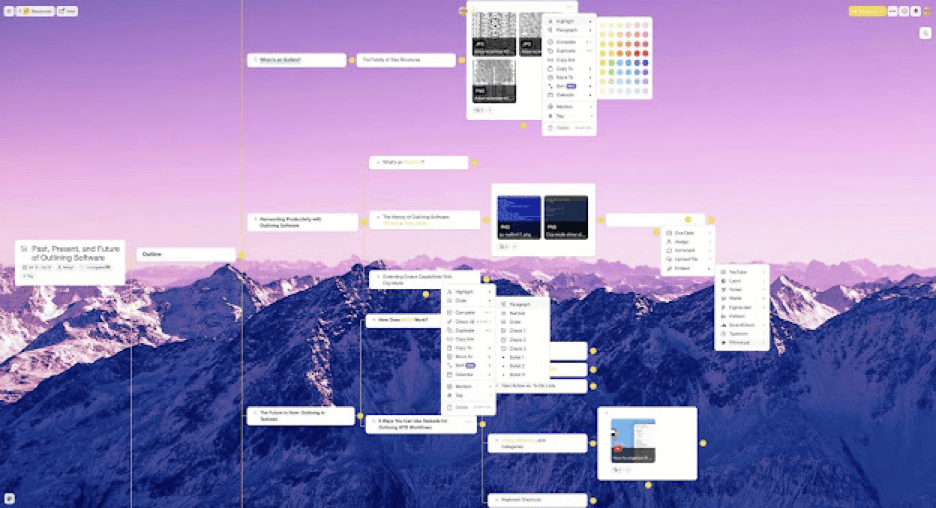
Project Views. Visualize your projects in several different ways. Cycle between the List, Mind Map, Org Chart, and Board views to work the way you want.
Real-time Communication. Chat and video conference with your team for free while collaborating in real-time on the same page.
Zoom In, Zoom Out. Get a bird’s-eye view of the workflow by zooming out on all project views, or zoom in to focus on a specific area.
500+ Templates. Choose from 500+ templates across 26 categories to improve your productivity and workflows. Customize existing templates or create new ones across your workspaces.
Multi-Select. Select and format multiple blocks or bulk assign them as tasks to other team members. You can also copy, paste, or indent selected blocks.
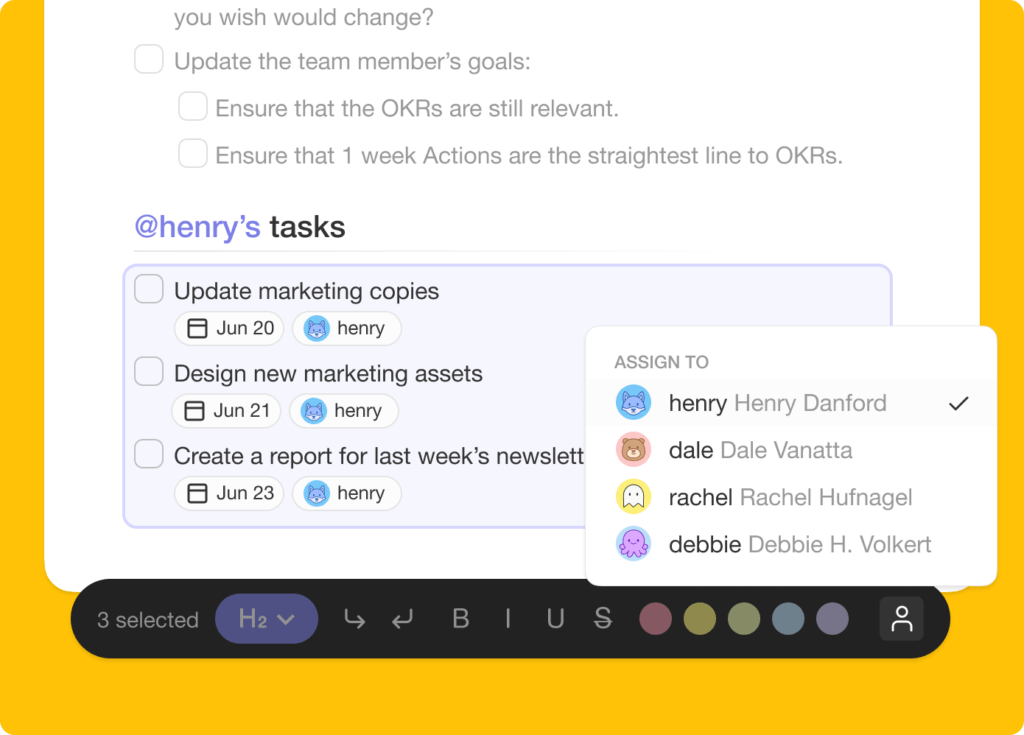
Customize Sub-Tasks. Customize the format of your sub-tasks at individual levels. Choose from headings, numbered lists, shapes, and more.
Deep Linking. Use internal links and create connections between outlines in your workspaces. Use the @mention functionality to quickly select link destinations.
Recurring Tasks. Add due dates with start and end times to tasks within your project and set them to repeat daily, weekly, monthly, or even yearly.
Move Tasks. Move and copy selected tasks to other projects across any workspace. You’ll receive a pop-up notification on completion.
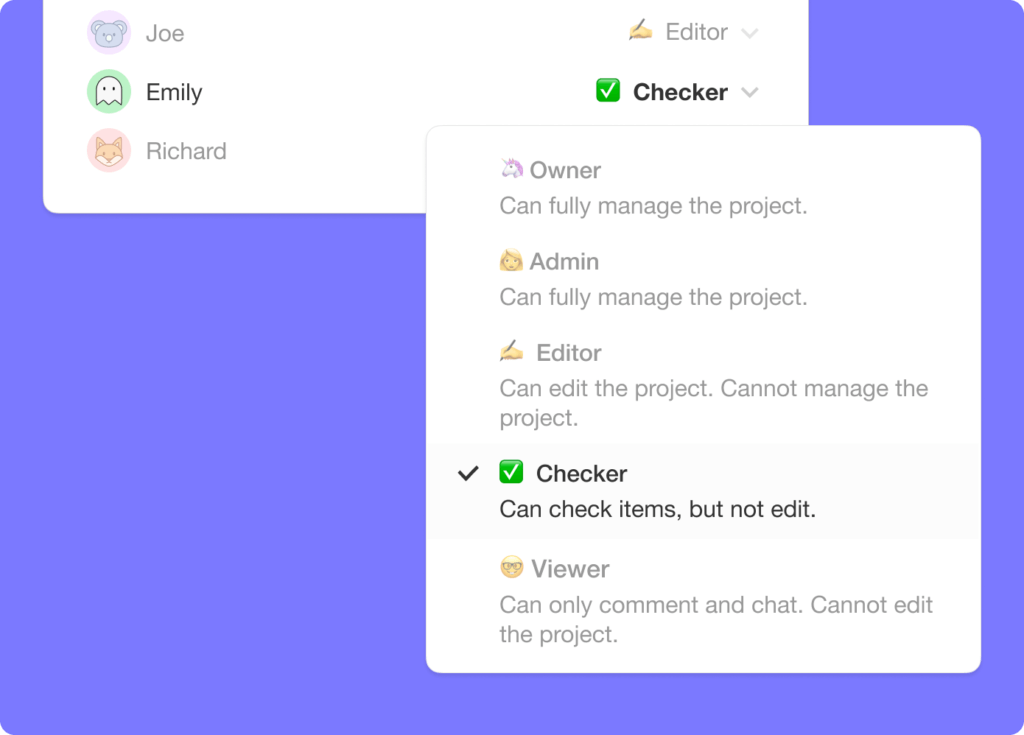
User Roles & Permissions. Manage collaborators and assign user roles/editing privileges (Owner to Viewer).
Sort Tasks. Sort sub-tasks/children elements by completed/uncompleted stats or the due date. Task sorting can be accessed from a convenient pop-up menu.
Search. Search within projects or globally across workspaces and subspaces. Instantly browse and jump between projects anywhere in the Taskade.
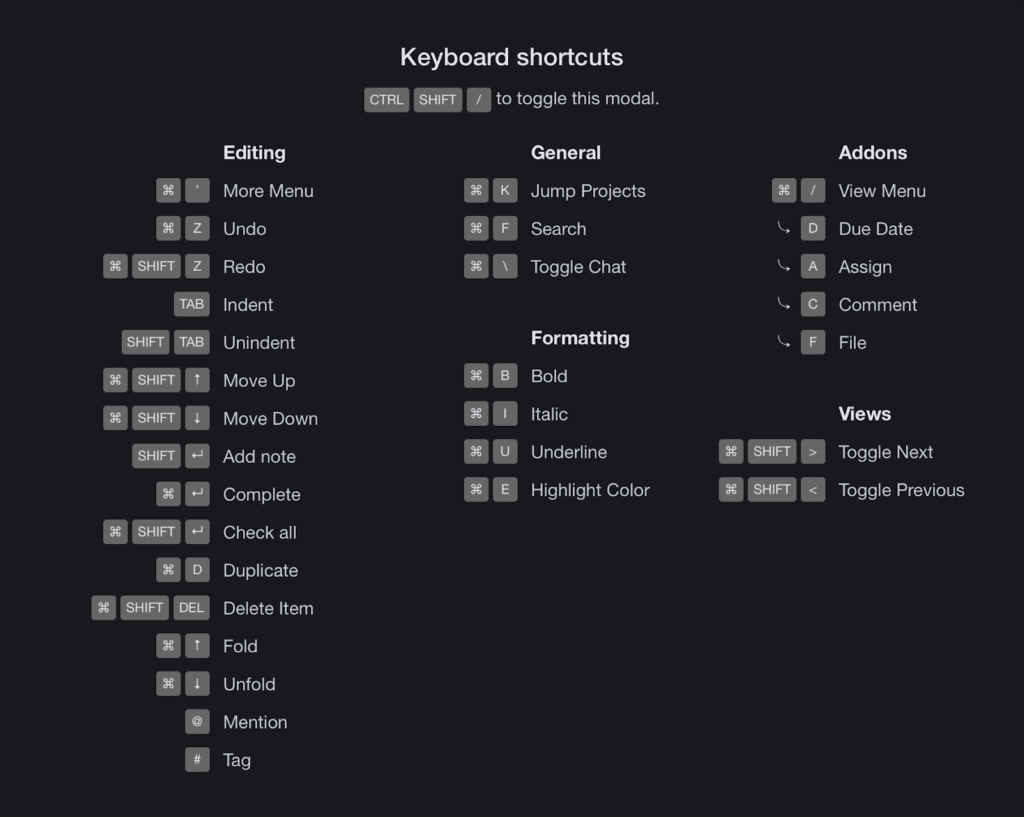
Keyboard Shortcuts. Navigate projects, create content blocks, reorder elements, and complete tasks using a set of handy keyboard shortcuts.
Team Calendar. Aggregate all tasks and projects in a shared calendar. The Taskade calendar integrates with Google (two-way), Apple, and Outlook.
Reorder Tasks. Lists in Taskade aren’t set in stone. Reorder tasks and find them a new home with intuitive drag-and-drop mechanics.
Project History. See all the changes made by you and other collaborators. Click on the entries to navigate to the edited items within the project.
Version History. Taskade saves snapshots of your project so that you can restore a previous version of your project with a single click.
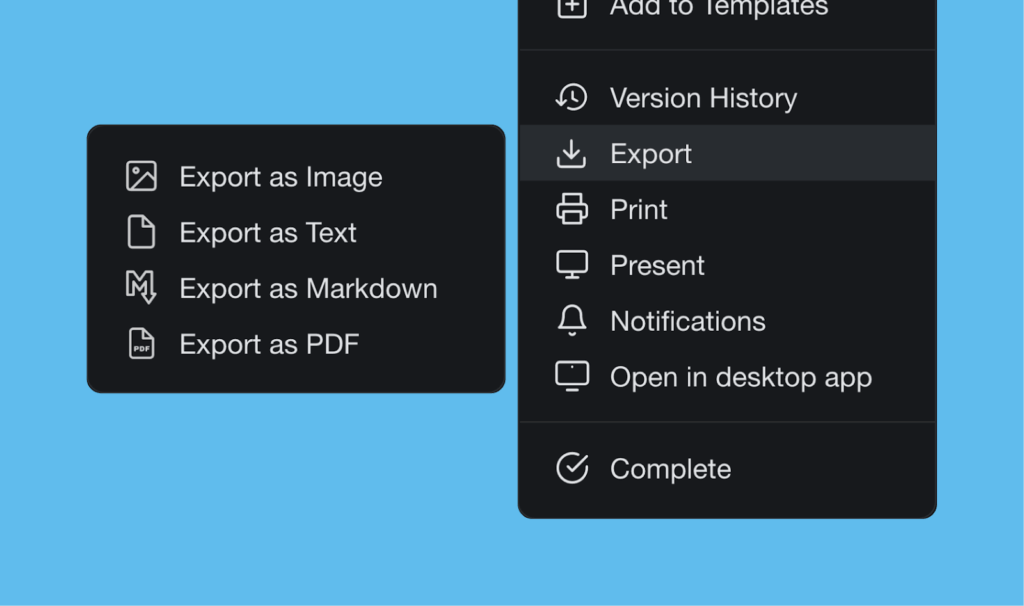
- Export and Print. You can export your projects as plain text or markdown files. Attach them to emails, presentations, or for print.
Cloud File Upload. Share files directly from Google Drive, Dropbox, Instagram, and Box in your projects with our integrations.
Breakdown Larger Tasks. Organize your thoughts with Taskade’s unlimited hierarchy to break down large projects into tasks.
Quick Search. Use CMD / CTRL + K to jump between any projects within Taskade web and apps.
And much more!
Taskade Pros
Free-forever plan is loaded with features
Real-time collaboration within the same project
Multiple board views including a Mind Map view
Free built-in video call and chat function in each project
Customizable templates to give you a headstart
Work and chat in the same window, in the same app
Frequent updates based on user/your feedback and suggestions
Tabbed workflow for working with multiple Projects
How Much Does Taskade Cost?
Taskade offers a free plan with AI credits included. Paid plans start at $10/month (Pro, billed annually, 10 users included), with Business at $25/month billed annually. Visit the pricing page for a full breakdown of plans and AI features.
2. Workflowy
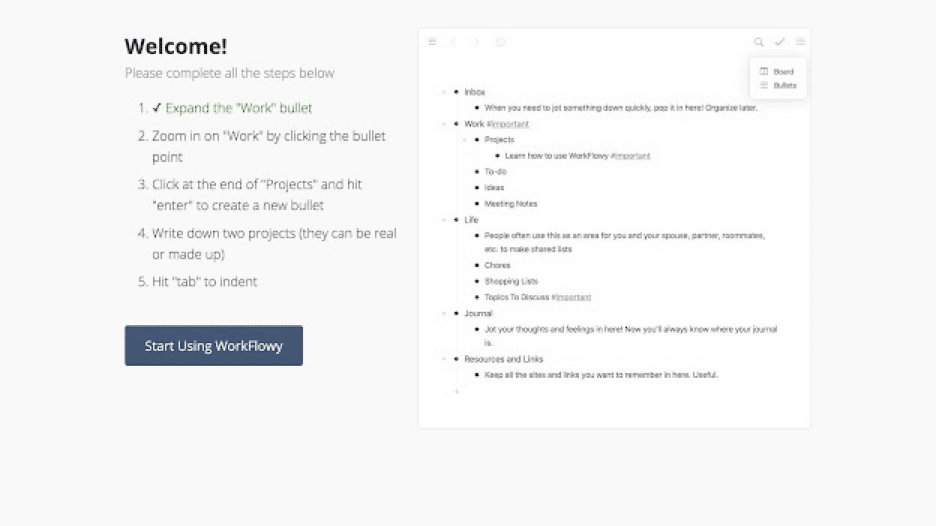
Workflowy is streamlined outlining software that lets you map out all kinds of projects. The app offers a minimalist, distraction-free outliner environment. You can use Workflow in a web browser or get it for Windows, Mac, Linux, and mobile devices.
Like Taskade, Workflowy was nurtured under Y Combinator’s wings and was designed to address the everyday project management problems. Workflowy uses a hierarchical data structure that accentuates the flexibility of ordinary lists.
Features of Workflowy
Infinite nested lists (in Workflowy Pro)
Filtering features
Color-coded tags and highlighting (beta)
Multi-factor authentication
Outline backup to Dropbox
A selection of themes and fonts
Outline sharing and collaboration
How Much Does Workflowy Cost?
🟢 Basic/Free
🔵 Workflowy Pro ($4.08 billed annually)
See why Taskade is the best free Workflowy alternative.
3. Dynalist
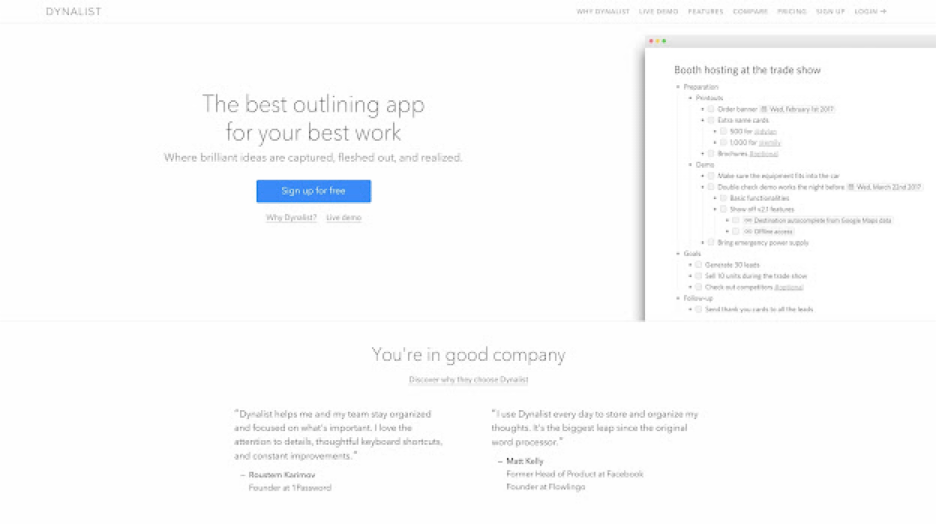
Another piece of distraction-free outlining software for personal and business use. Previously called Omniflow, Dynalist evolved into a lightweight outliner and a note-taking app for “logical thinkers.” It’s a solid choice for focused work sessions.
Dynalist Select Features
Markdown formatting
Color-coded labels and tags
List sorting options
Google Calendar sync
File and item finder
Internal cross-linking
A selection of themes and fonts
How Much Does Dynalist Cost?
🟢 Free
🔵 Pro ($7.99/$9.99 annually/monthly)
See why Taskade is the best free Dynalist alternative.
4. Roam Research
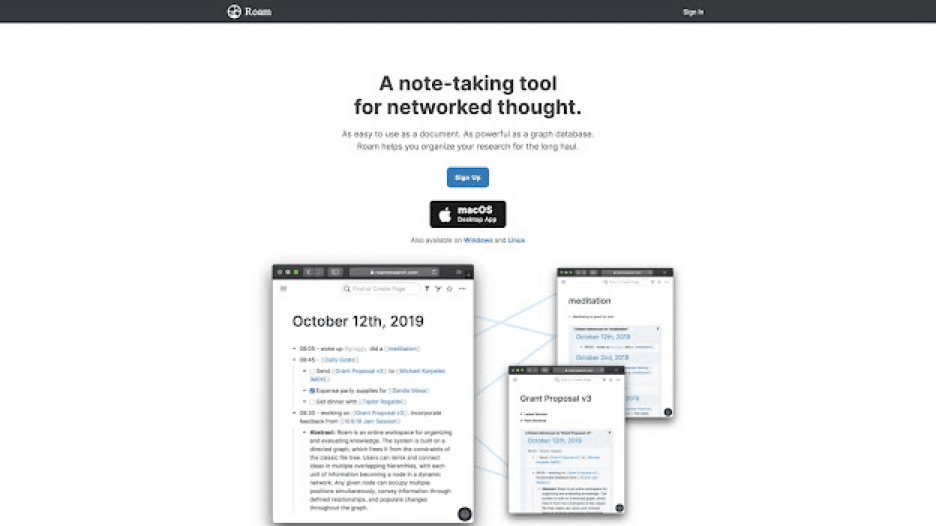
Roam Research is a note-taking tool designed for heavy-duty research, brainstorming, and knowledge management. Like other outliners on our list, Roam packs a simple, distraction-free UI that’s perfect for metacognition or “thinking about thinking.”
🌟 Rome Research Select Features
Bi-directional linking
Markdown support
The Daily Note and The Graph
Task management features
Theme customization via CSS
Search, tags, and filtering options
💸 Roam Research Pricing
🟢 Pro ($15/month or $165/year)
🔵 Believer ($500/5 years)
See why Taskade is the best free Roam Research alternative
5. Obsidian
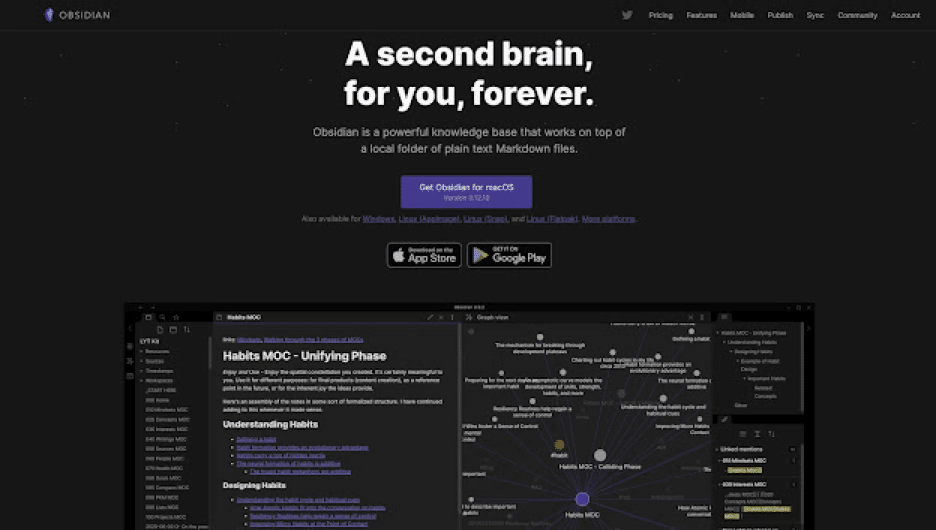
A note-taking, brainstorming, and outlining platform designed to act as a knowledge base or a digital “second brain.” Obsidian can be used with local folders or external/proprietary sync. The app is based on plain text Markdown files.
🌟 Obsidian Select Features
Markdown support
Cross-linking and graph view
Multiple resizable UI panes
Official and community plugins
Pre-made UI themes
Proprietary and external sync
Bi-directional linking
How Much Does Obsidian Cost?
🟢 Free for personal use
🔵 Catalyst ($25/50/100 one-time purchase)
🟣 Commercial ($50/year per user)
Ready for commercial use
Priority support
See why Taskade is one of the best Obsidian alternatives.
📊 Outliner Apps for Students Comparison (2026)
| Feature | Taskade | Workflowy | Dynalist | Roam Research | Obsidian |
|---|---|---|---|---|---|
| AI Integration | Built-in (15+ frontier models) | None | None | None | Via plugins |
| Project Views | 8 (List, Board, Calendar, Table, Mind Map, Gantt, Org Chart) | 1 (List) | 1 (List) | 1 (Document) | 1 (Document) |
| Real-Time Collaboration | Yes (free) | Limited | Limited | No | No |
| Mind Map View | Yes | No | No | Graph view | Via plugin |
| Mobile App | iOS + Android | iOS + Android | iOS + Android | No native app | iOS + Android |
| Templates | 1,000+ | Limited | None | Limited | Community plugins |
| Free Plan | Yes | Limited (250 bullets/mo) | Yes | No ($15/mo) | Yes (personal) |
| Starting Price | Free | $4.08/mo | $7.99/mo | $15/mo | Free (sync $8/mo) |
| Best For | All-in-one study tool | Minimalist outlining | Power outliners | Research | Local-first notes |
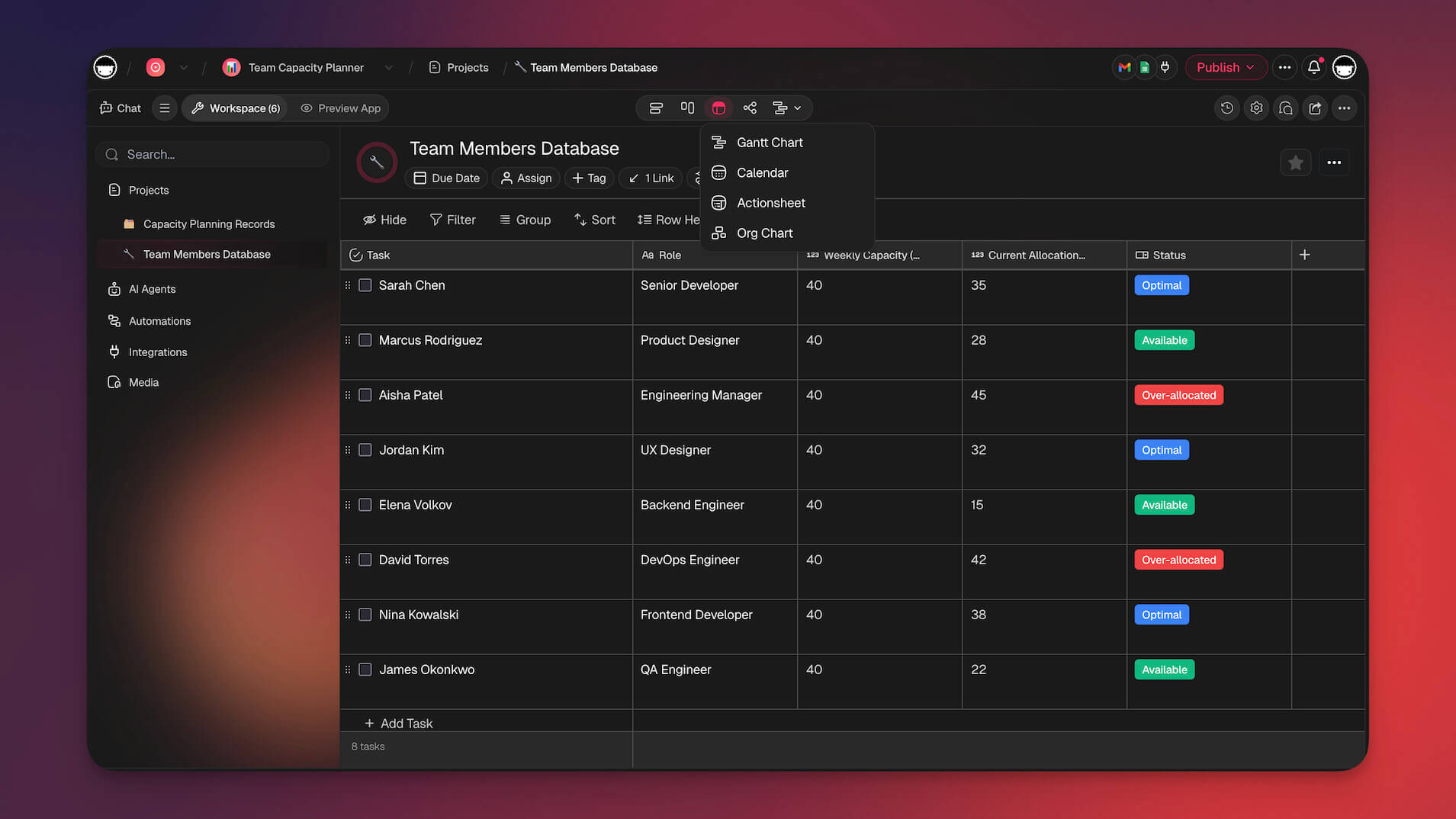
Taskade's AI agents can summarize lecture notes, generate study outlines, and help with research. Build custom study tools with Taskade Genesis or explore templates for every academic need. Collaborate with classmates in real time and automate your study workflows.
How Workspace DNA Helps Students Work Smarter
Traditional outliners store your notes, but they do not actively help you learn. Taskade is built on Workspace DNA — a self-reinforcing loop of Memory + Intelligence + Execution designed for exactly this kind of knowledge work.
Memory means your lecture notes, essay drafts, and research live as structured projects viewable across 8 formats (List, Board, Calendar, Table, Mind Map, Gantt, Org Chart). Switch from an outline to a mind map to see how concepts connect, or use the board view to track assignment progress. Intelligence is the AI agents layer — 15+ frontier models from OpenAI, Anthropic, and Google with built-in tools that can summarize readings, generate study outlines, quiz you on your notes, and surface relevant material from across your workspace. Execution triggers automations with 100+ integrations that handle the administrative side of studying — deadline reminders, calendar syncing, and multi-step review workflows that run without manual intervention.
For students who want tools built for their specific courses or study methods, Taskade Genesis lets you describe what you need in plain language and get a fully deployed study app in minutes. With 150,000+ apps already built, students are creating custom flashcard generators, thesis trackers, and group project dashboards. Explore the Taskade community for ready-made study tools or browse templates to get started.
How Workspace DNA Powers Student Outlining
Taskade's Workspace DNA architecture — Memory + Intelligence + Execution — transforms how students organize academic work. The Memory layer stores your lecture notes, essays, and research as structured projects across multiple views (List, Board, Calendar, Table, Mind Map, Gantt, Org Chart). The Intelligence layer deploys AI agents that summarize readings, generate study outlines, create practice questions, and surface related notes across your courses. The Execution layer triggers automations — assignment deadline reminders, study session scheduling, and Google Calendar sync — keeping your academic life organized without manual effort. This self-reinforcing loop means every note you take feeds back into a smarter study system. Learn more about structured knowledge systems in our personal knowledge management guide and hierarchical note-taking guide.
Agentic AI and Vibe Coding for Students
AI agents with built-in tools, custom tool schemas, and persistent memory are transforming how students study. Deploy agents that auto-generate lecture outlines, summarize textbook chapters into key points, create flashcard-style review questions from your notes, and identify knowledge gaps before exams — all without leaving your workspace.
Vibe coding with Taskade Genesis lets students build custom study tools without any programming knowledge. Describe what you need in plain language — "build me a study planner with spaced repetition, progress tracking, and mind map visualization" — and Genesis creates a deployed app in minutes. With 150,000+ apps already built, students are creating exam prep dashboards, collaborative research organizers, and Cornell note-taking systems. Explore the ultimate guide to Taskade Genesis or start building.
Taskade Student Pricing (2026)
| Plan | Price | Student-Relevant Features |
|---|---|---|
| Free | $0 | Unlimited outlines, AI credits, 1,000+ templates, real-time collaboration |
| Pro | $10/mo (annual, 10 users) | Perfect for study groups — 10 users, custom branding, guest sharing |
| Business | $25/mo (annual) | SSO, expanded storage, advanced security |
| Enterprise | Custom | Unlimited everything, dedicated support |
Frequently Asked Questions About Outliner Apps for Students
What is an outliner?
An outliner is a type of software that helps you condense your thoughts by organizing text hierarchically in a tree-like structure. Using hierarchies helps you to break down larger tasks into smaller, less-scary steps.
How do I use an outliner?
A project outliner is a powerful tool that lets you organize information in a hierarchical way. Its core functionality is similar to that of a bulleted list you’re probably familiar with after years of using word processors like Microsoft’s Word.
Why should I use an outline
Outlining is the process of creating hierarchies to contain whatever you’re thinking or working on. You should use an outline to break complex processes into smaller, more manageable bits.
Is Taskade an outliner
Taskade is a modern project outliner and task management app that helps teams plan, work, and chat using one unified platform. And, in case you’re wondering, everything syncs in real-time!
🔗 Resources
