






Whether you’re moonlighting on your first novel, turning out haikus for a living, or just need some help with a quarterly report, we have your back. In today’s article, we compare some of the best outliner apps for writers, complete with a breakdown of key features and more.
TL;DR: Writers need outliners that support infinite nesting, drag-and-drop reordering, and keyboard-first workflows. Taskade stands out with AI agents that generate outlines, expand bullet points into prose, and restructure content — plus 7 project views and real-time collaboration. Try Taskade free →
So, without further ado, let’s dive in. 🚀
🤔 Outliner App vs. A Writing App
Everybody is a writer these days. We post on social media, tweet, blog, and send an average of 40 emails each day. The bulk of that writing happens in text processors, email clients, web forms, or what we can collectively call WYSIWYG (What You See Is What You Get) editors.
Most writing apps support content organization with headings, subheadings, and bulleted lists. You can break a document into sections or a book into chapters, but that's pretty much it.
Outliners, on the other hand, organize documents into a "tree structure," which is a visual representation of a hierarchical system and the relationships between its elements.
Outline elements are called "nodes." Each child node is connected to a parent node with a branch (we're talking about tree structures after all) that stems from a root node. The root node acts as the "trunk" of a tree structure and sits at the top of the hierarchy.
🟤 Root Node
The topmost node in an outline
It has no parent node
🟡 Parent Node
A node with one or more children
Connected to the root node with a branch
🟢 Child Node
An outline element with one parent node
Created by "indenting" or moving nodes to the right
Connected to parent nodes with branches
Here's an outline and a mind map using the same data (click to zoom in). 👇
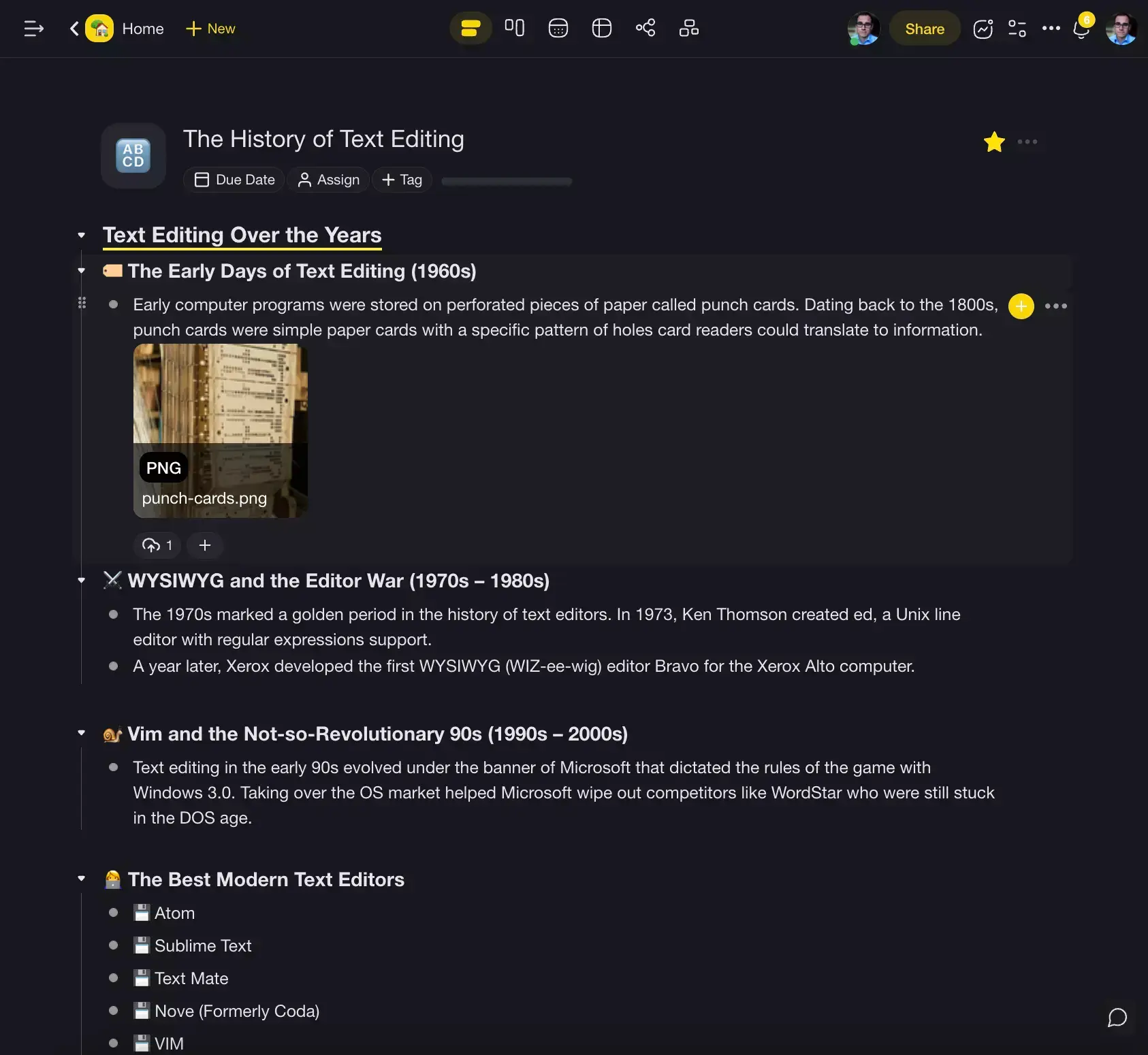
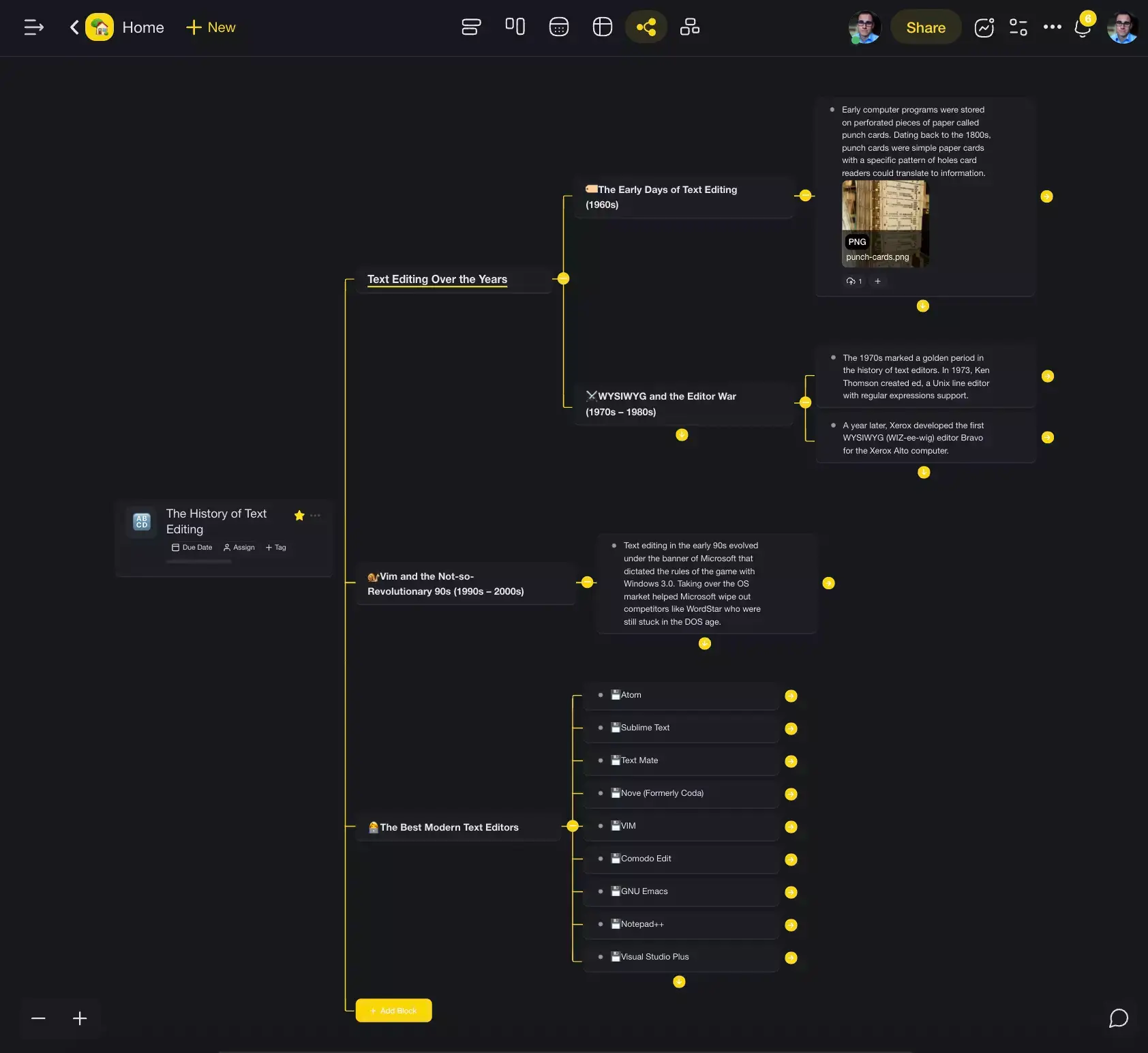
The hierarchical organization of information makes outliners excellent planning and ideation tools. You can freely manipulate the composition of the outline elements by reordering, indenting, and folding elements as you're typing, usually with convenient key combinations.
Another key difference between a writing app and an outliner is the UI. Instead of unsightly ribbons, most outliners come with a bare-bones interface. The outline is always in focus and vertical guide lines help understand the relationship between individual hierarchy levels.
💻 Why Do Writers Need an Outliner App?
Writing is a personal activity. Chances are you already have a favorite set of tools and small rituals that help you stay sane and keep the ball rolling when the writer's block hits. Heck, you probably even have your favorite coffee beans, but we're not getting into that.
The main reason why you might want to throw another tool into the mix is the power to organize almost anything. A novel is organized into chapters, a poem breaks down into stanzas, and a screenplay has clear-cut acts, and an outliner will help plan and make sense of all that.
Unless you're Stephen King and can wing in 9 times out of 10, you need to plan your work, organize your drafts, and create a structure that will hold your musings together.

Before you ask: Yes, you can use a bulleted list instead. But bullets are only good for short documents with a simple structure. When your outline starts to grow (writers are a creative bunch), trying to connect the dots (pun not intended) is a nightmare.
But a typical outliner has a few more tricks up its sleeve.
Imagine you're writing the next chapter of your novel. You're in a state of flow, pumping out sentence after sentence. But a particularly witty plot twist pops up. Should you stop to take a note and lose momentum or wait until the session is over and forget what you wanted to write?
Indenting and outdenting nodes in an outliner allows you to branch off a train of thought in an instant. You simply press ⌨️ Tab to create a new child node, write down your thoughts, hit Enter, and press ⌨️ Shift + Tab to go back without taking your hands off the keyboard.
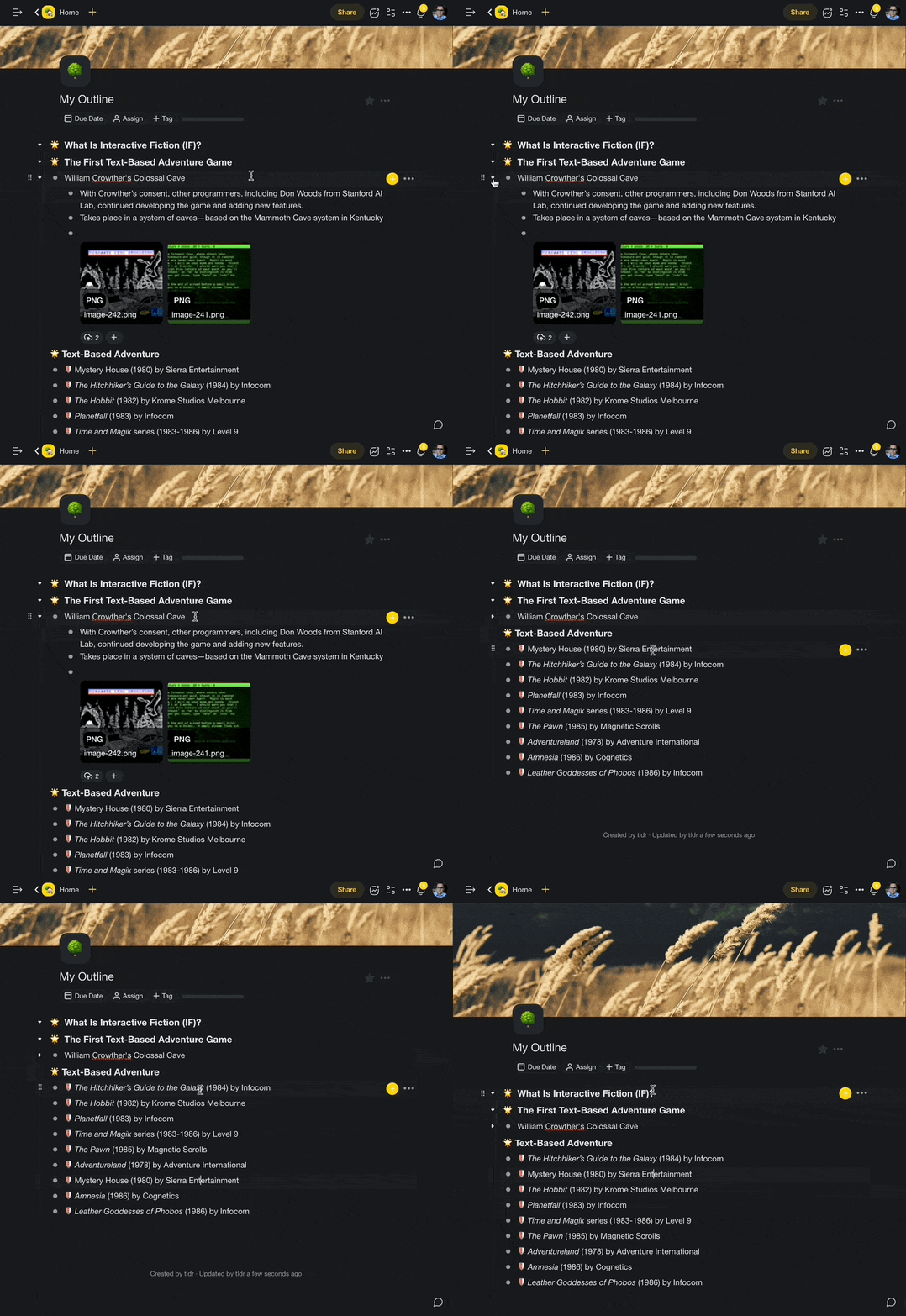
A typical outlining workflow using keyboard shortcuts
"Ok, but what about really long drafts?"
This is where folding and unfolding comes into play. When you want to focus on a part of your outline, you can simply “fold” a parent node to hide its contents. You can do this selectively or fold several hierarchy levels at once so the rest of the outline doesn't clutter your screen.
Finally, many outliners support Markdown syntax or let you export outlines to .md files. This allows you to transfer your outlines between different apps. Your outlines will look the same regardless of where you open them, with only minor differences between Markdown flavors.
🏆 8 Best Outliner Apps for Writers
You know the basics. Now it's time to answer the questions of the day:
"What is the best app for authors?".
Here's a list of the best overall outliner apps for writers. Each entry includes screenshots, a table with key features, and other details that will help you pick the tool that's compatible with your unique workflow.
Taskade
Taskade is a modern AI-powered outliner and a project management platform for individuals and teams. It's fast, lightweight, and reliable, with real-time, unlimited synchronization across all your devices. Taskade works on Mac, Windows, iOS, Android, Linux, and in a web browser.
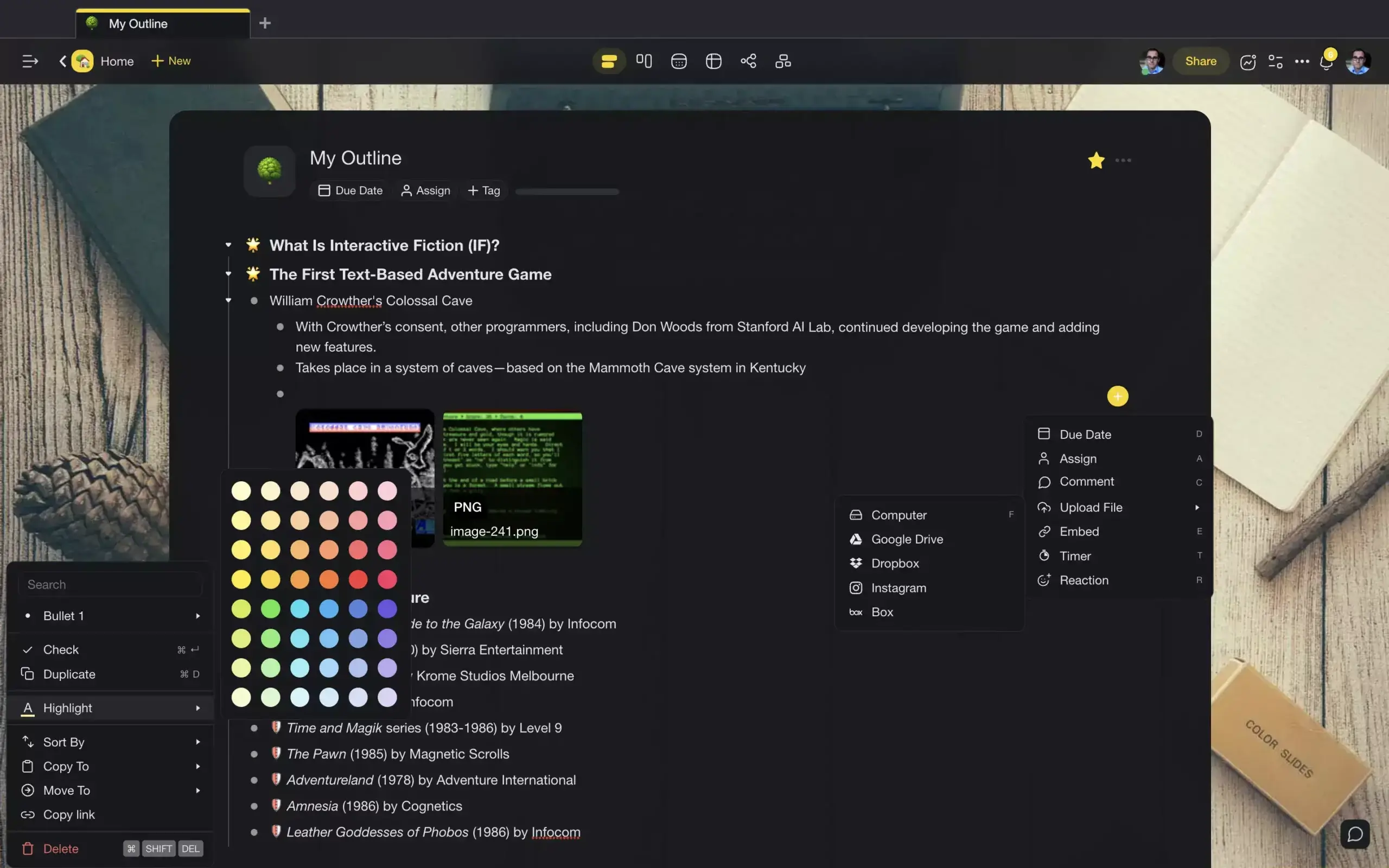
Every outline in Taskade is a living document built on top of a tree hierarchy. You can create infinite, nested hierarchy levels, drag & drop nodes, and tailor everything to your liking. The user interface (UI) is clean and minimalist, with all the features at the tips of your fingertips.
The UI is organized into two panes, with navigation buttons on the left (only visible in the Dashboard view) and the writing space in the center. There's also a third pane for chat and calls, but you can hide it if you want to focus on writing and outlining.
And here's the best part.
Let's say you came across a brilliant idea. You've fleshed out the details, maybe even wrote a few paragraphs, but you don't know where to take it. Taskade AI will help you turn those initial thoughts into a well-structured document, ready for action or further development.
Of course, Taskade comes with all the traditional features you expect from a writing tool: keyboard shortcuts, markdown support (in import/export, comments, and chat), cross-linking, and version history. You also get 100+ templates for every occasion.
Take your writing to the next level with Taskade AI 🤖
| 🤖 AI Features | AI Chat, AI Assistant, Custom AI Agents, Workflow Generator, and more. |
|---|---|
| 🗂️ Content Organization | Workspaces, folders and tags |
| ⚡️ Markdown Support | ✅ |
| ⌨️ Keyboard Shortcuts | ✅ |
| 👩💻 Collaboration | Comments, chat, and video calls |
| 🔗 Internal Linking Feature | ✅ |
| ✅ Task Management | ✅ |
| 📑 Outlining Templates | 1000+ customizable templates |
| 🔄 Version History | ✅ |
| 🌓 Dark Mode | ✅ |
Dynalist
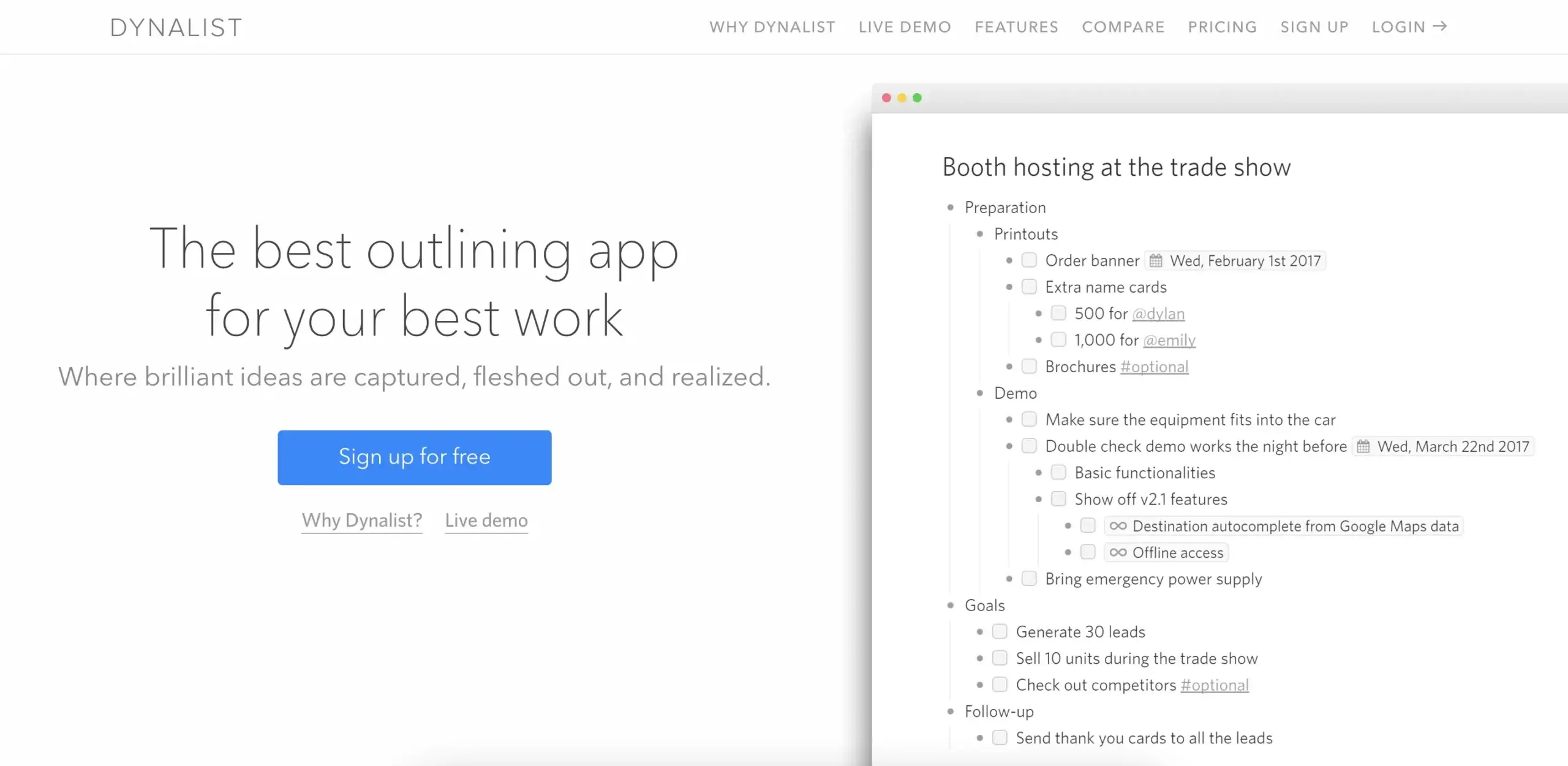
Dynalist is one of those tools where utter simplicity is a good thing. Everything about the app is almost ascetic, from its bare-bones user interface to a no-nonsense selection of features. And while the development has stalled a little, it's still an interesting tool nonetheless.
Dynalist's UI is divided into two sections—a navigation pane on the left and the outline editor in the center. Documents are organized into Folders, but you can also use Tags to filter your musings; a Folder can hold individual documents, research notes, or chapters of your book.
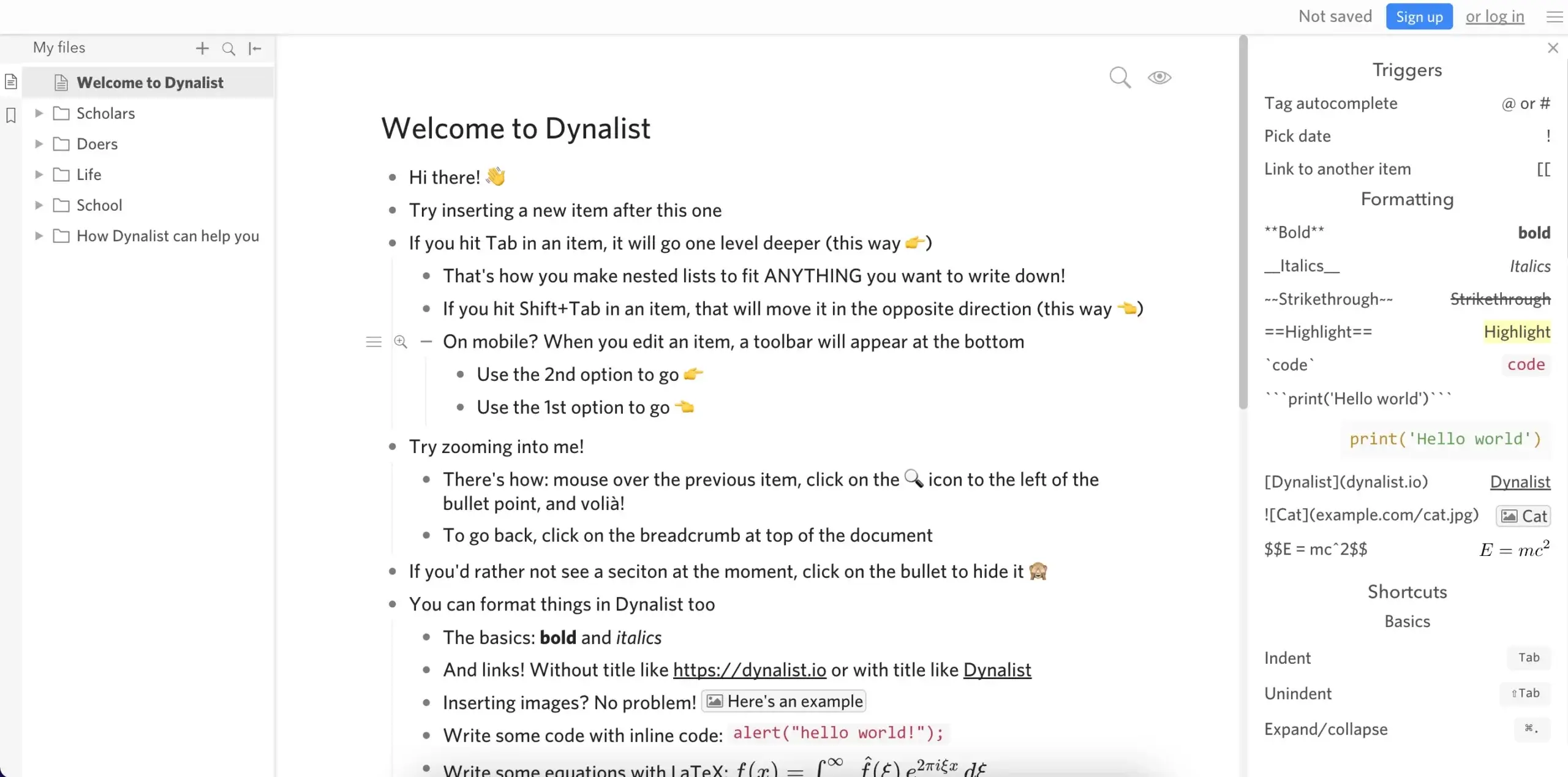
An outline in Dynalist
Outlining in Dynalist is on par with other apps in the category. Key combinations, drag & drop reordering, and bulk-select editing speed up the work, and you can edit some of the shortcuts to tailor the outlining experience.
The basic version of Dynalist is free and allows you to create unlimited items and documents, which should be enough to handle most outlining tasks. Unfortunately, some of the staple features like version history and file uploads are locked behind the paid plan.
| 🗂️ Content Organization | Folders and tags |
|---|---|
| 🤖 Markdown Support | ✅ |
| ⌨️ Keyboard Shortcuts | ✅ |
| 👩💻 Collaboration | ✅ |
| 🔗 Internal Linking Feature | ✅ |
| ✅ Task Management | ✅ |
| 📑 Outlining Templates | ❌ |
| 🔄 Version History | Paid |
| 🌓 Dark Mode | ✅ |
Workflowy
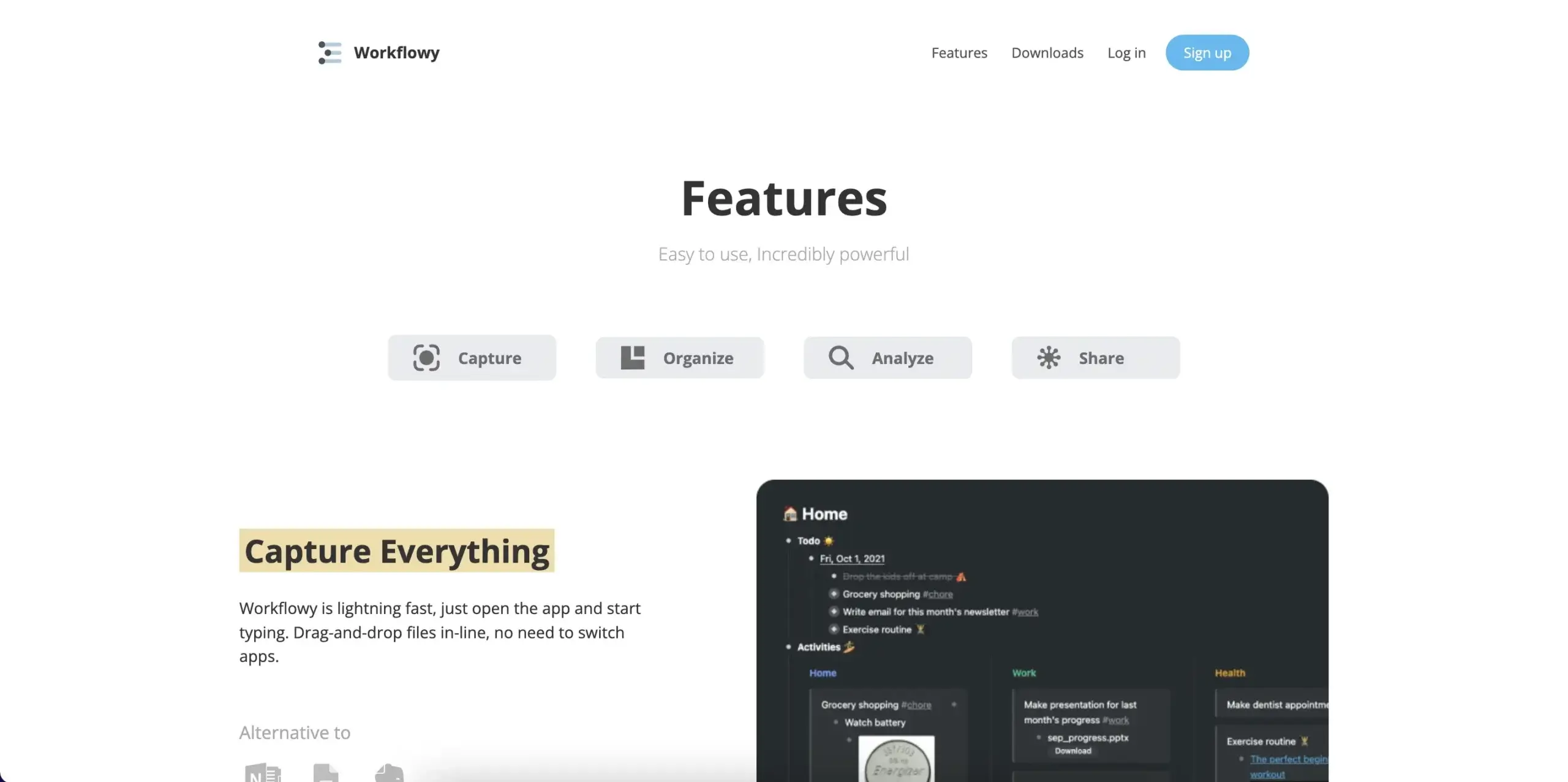
Workflowy is an outlining old-timer, at least in internet years. After 12 years on the market, it has matured into a competent writing companion, with infinite nested hierarchies, keyboard shortcuts, and internal links in the package. But let's dig a little deeper.
Apart from the standard lineup of outlining features, Workflowy comes with a few extras. You can create Kanban boards—a Kanban-style editorial calendar is a nice touch—add tags to notes, upload files and images, and share outlines with users and guests.
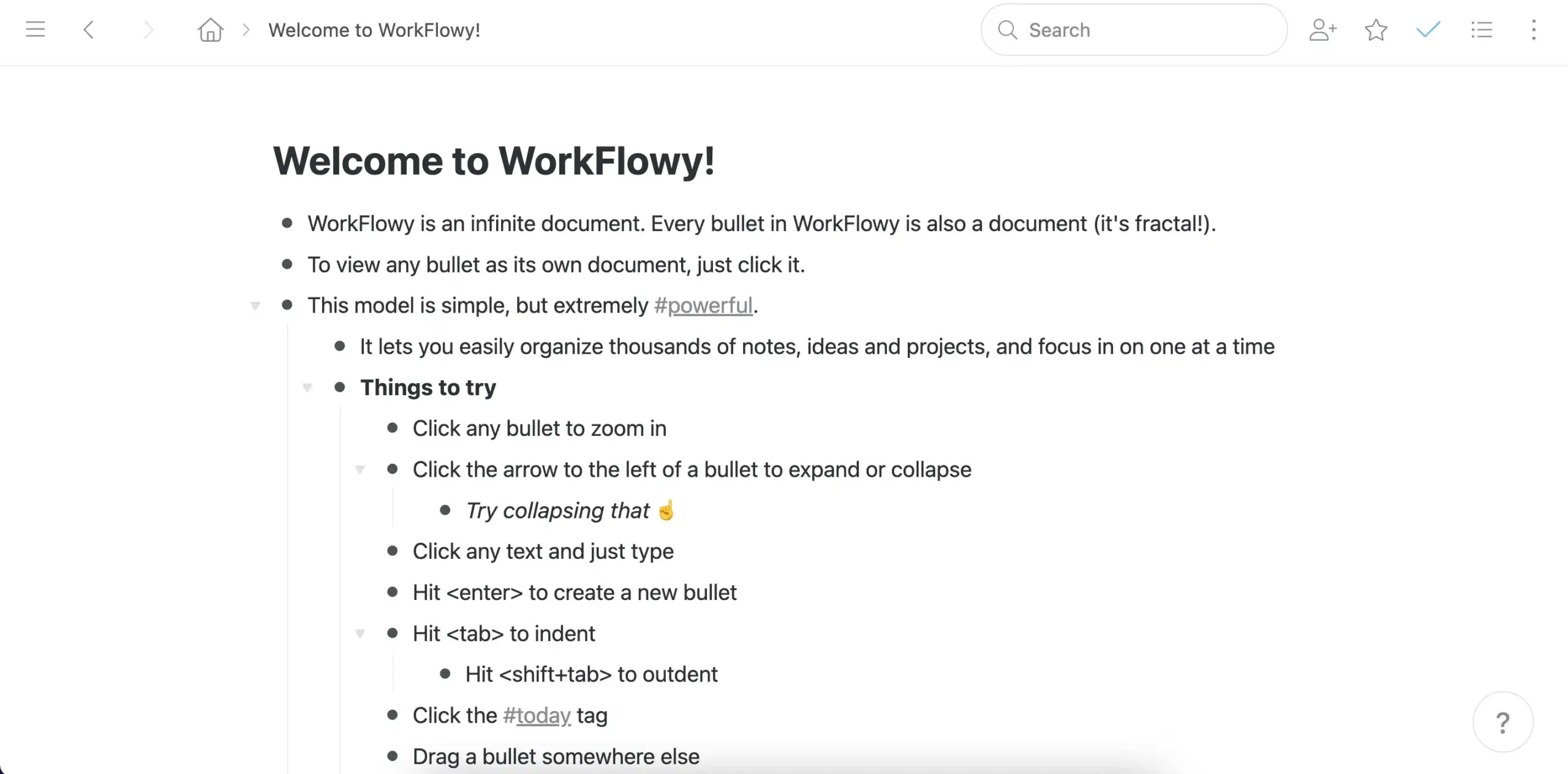
An outline in Workflowy
The free plan gives you access to all features, but with a few restrictions including a 100MB file upload cap and limited sharing options. The number of outline bullets is also limited, which may be a deal-breaker if you're dreaming of “infinite” hierarchies.
| 🗂️ Content Organization | Tags |
|---|---|
| 🤖 Markdown Support | ❌ |
| ⌨️ Keyboard Shortcuts | ✅ |
| 👩💻 Collaboration | ✅ |
| 🔗 Internal Linking Feature | ✅ |
| ✅ Task Management | ✅ |
| 📑 Outlining Templates | ✅ |
| 🔄 Version History | ❌ |
| 🌓 Dark Mode | ✅ |
Obsidian
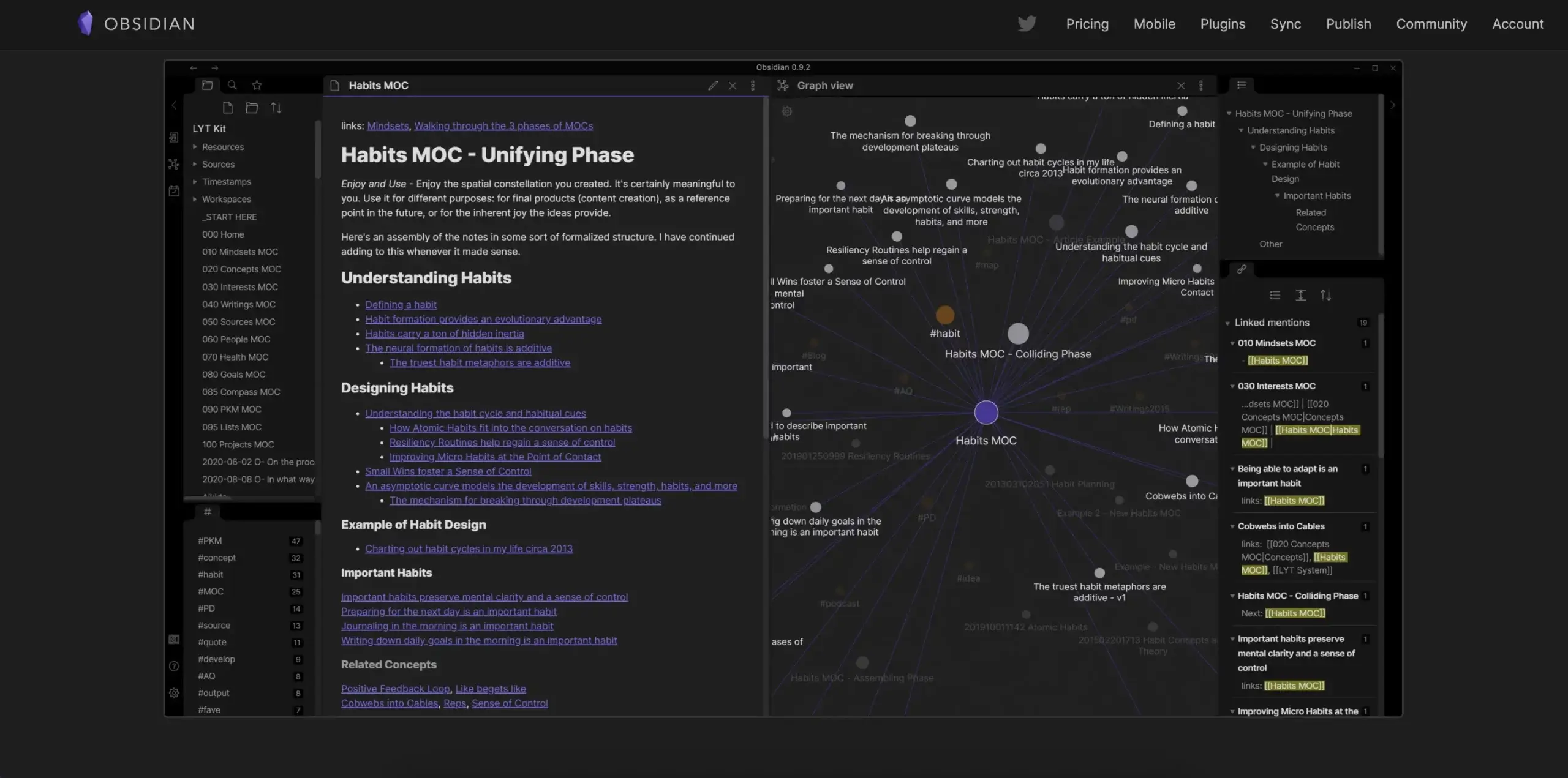
Launched in 2020, Obsidian set out to become a catch-all knowledge base tool. The app is built around local Markdown files and the concept of linking notes in a graph database similar to Roam. "Ok, but does it support outlining?" Well, technically it does, but it's complicated.
While Obsidian lets you selectively fold bullets and headings, its outlining features are rather limited. The reason why it's on our list is that it lets you install plugins created by other users, including an outlining plugin that adds the ability to drag & drop nodes, among other things.
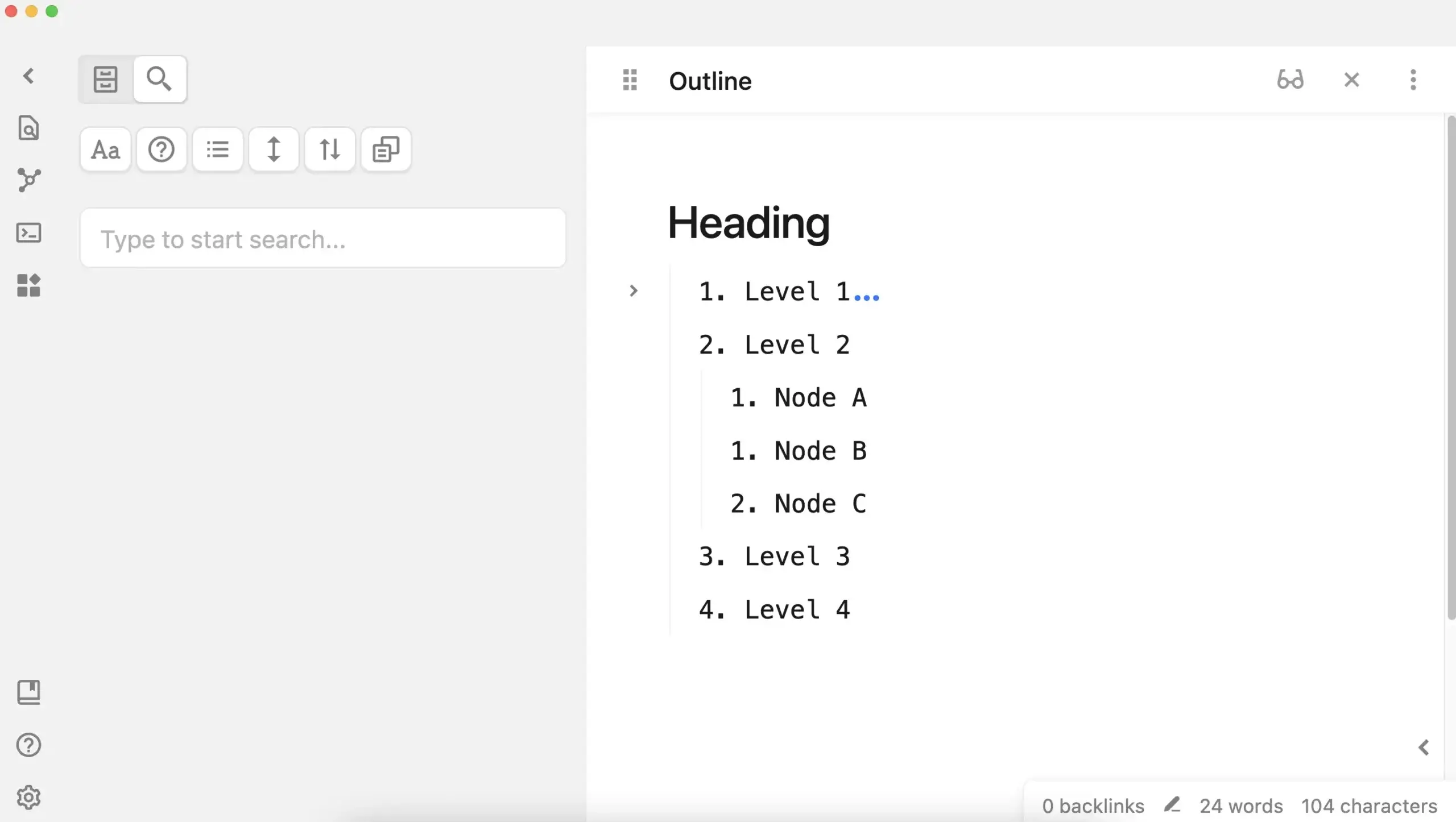
An outline in Obsidian
If you're a privacy freak, you'll like Obsidian's Vault, which is a local folder that stores all your notes as .md files. But if you want the ultimate convenience and security of cloud backup, you're left with two choices—a third-party cloud solution or proprietary sync at $8 per month.
| 🗂️ Content Organization | Folders and tags |
|---|---|
| 🤖 Markdown Support | ✅ |
| ⌨️ Keyboard Shortcuts | ✅ |
| 👩💻 Collaboration | ❌ |
| 🔗 Internal Linking Feature | ✅ |
| ✅ Task Management | ❌ |
| 📑 Outlining Templates | ❌ |
| 🔄 Version History | ❌ |
| 🌓 Dark Mode | ✅ |
Roam Research
Like Obsidian, Roam Research runs on Markdown files under the hood. But in this case, notes are stored online rather than in a local database. You get the same minimalist outlining experience, albeit with somewhat limited formatting options.
A database consists of pages listed in a separate, foldable pane of the user interface. You can quickly link pages together and switch to a Graph view that provides a high-level overview of the hierarchy. The Graph isn't as useful for outlining since it only shows page-level relationships.
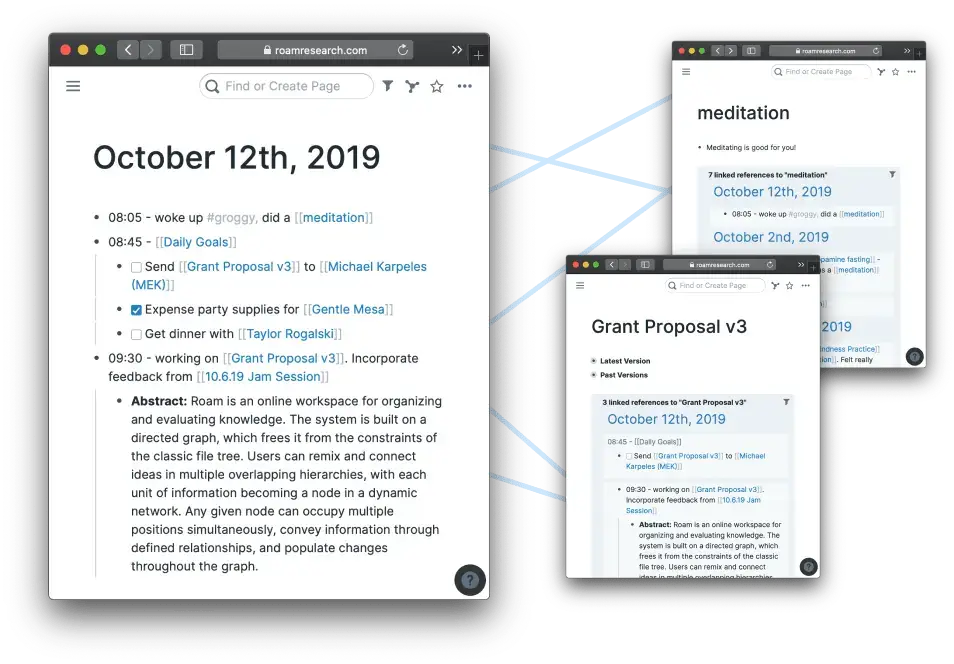
An outline in Roam Research
The outlining experience is what’d expect. Vertical lines help identify same-level parent nodes, you can selectively fold and unfold items, and there's even a simple sharing feature. Roam comes with pre-defined keyboard shortcuts but you can add your own hotkeys if you like.
Is Roam Research a good outliner for a writer? Yes, as long as you're willing to part with $15 every single month, which is much more expensive than any other tool on our list. There's also a 5-year Believer subscription that comes at an eye-watering $500.
| 🗂️ Content Organization | Folders and tags |
|---|---|
| 🤖 Markdown Support | ✅ |
| ⌨️ Keyboard Shortcuts | ✅ |
| 👩💻 Collaboration | ❌ |
| 🔗 Internal Linking Feature | ✅ |
| ✅ Task Management | ❌ |
| 📑 Outlining Templates | ✅ |
| 🔄 Version History | ❌ |
| 🌓 Dark Mode | ✅ |
OmniOutliner
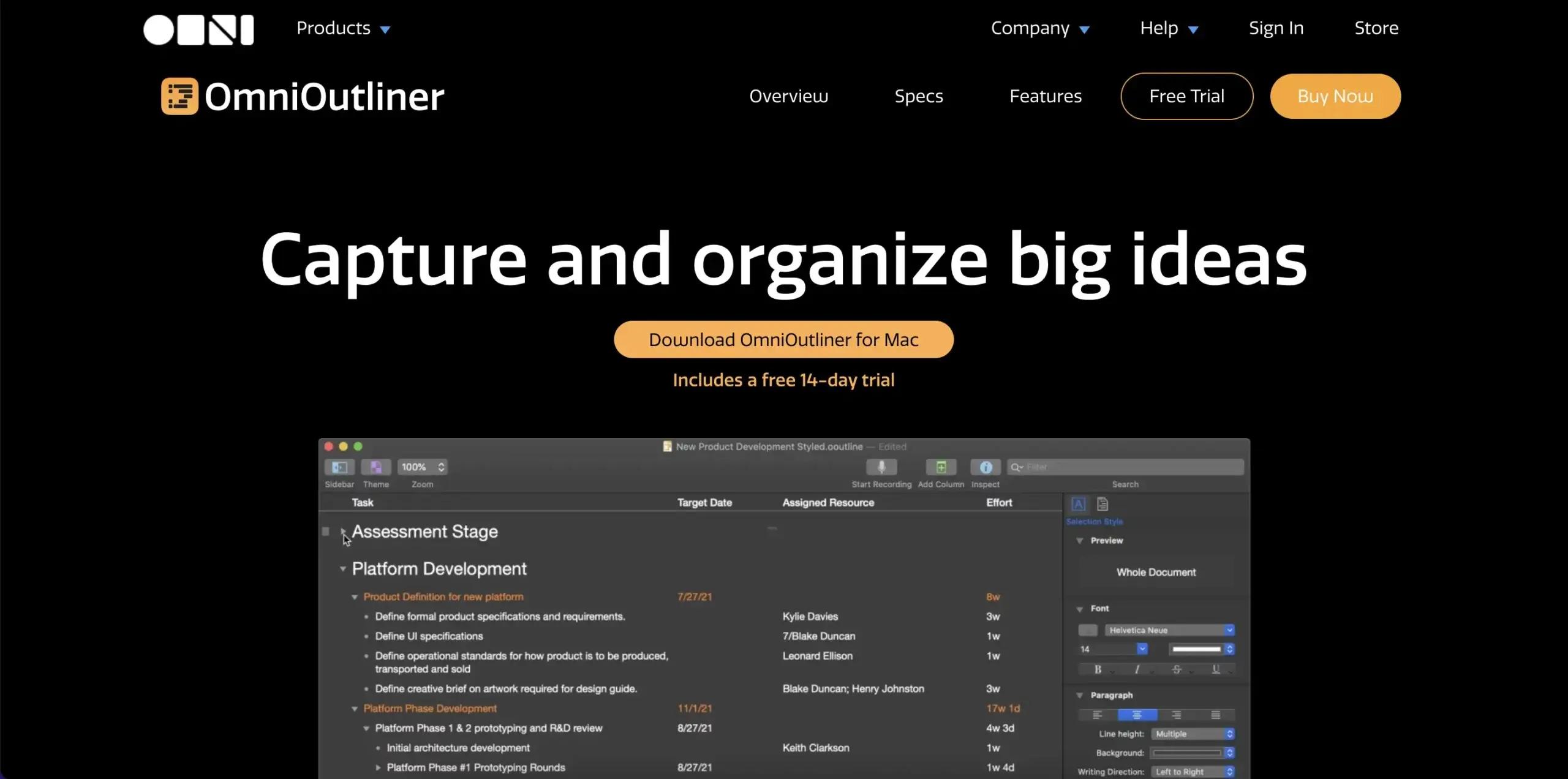
OmniOutliner is a part of a larger suite of apps by a Seattle-based developer Omni Group. It's an advanced outlining tool for brainstorming, organizing, and creating high-level hierarchical lists. Like Workflowy, it's also one of the older tools on our list with 20+ years (!) on the market.
The UI is simple and intuitive, with three foldable panes for navigation, writing, and text formatting. There's a word counter at the bottom that also gives you the number of rows and characters in the outline. You can organize your outlines into folders, subfolders, and tags.
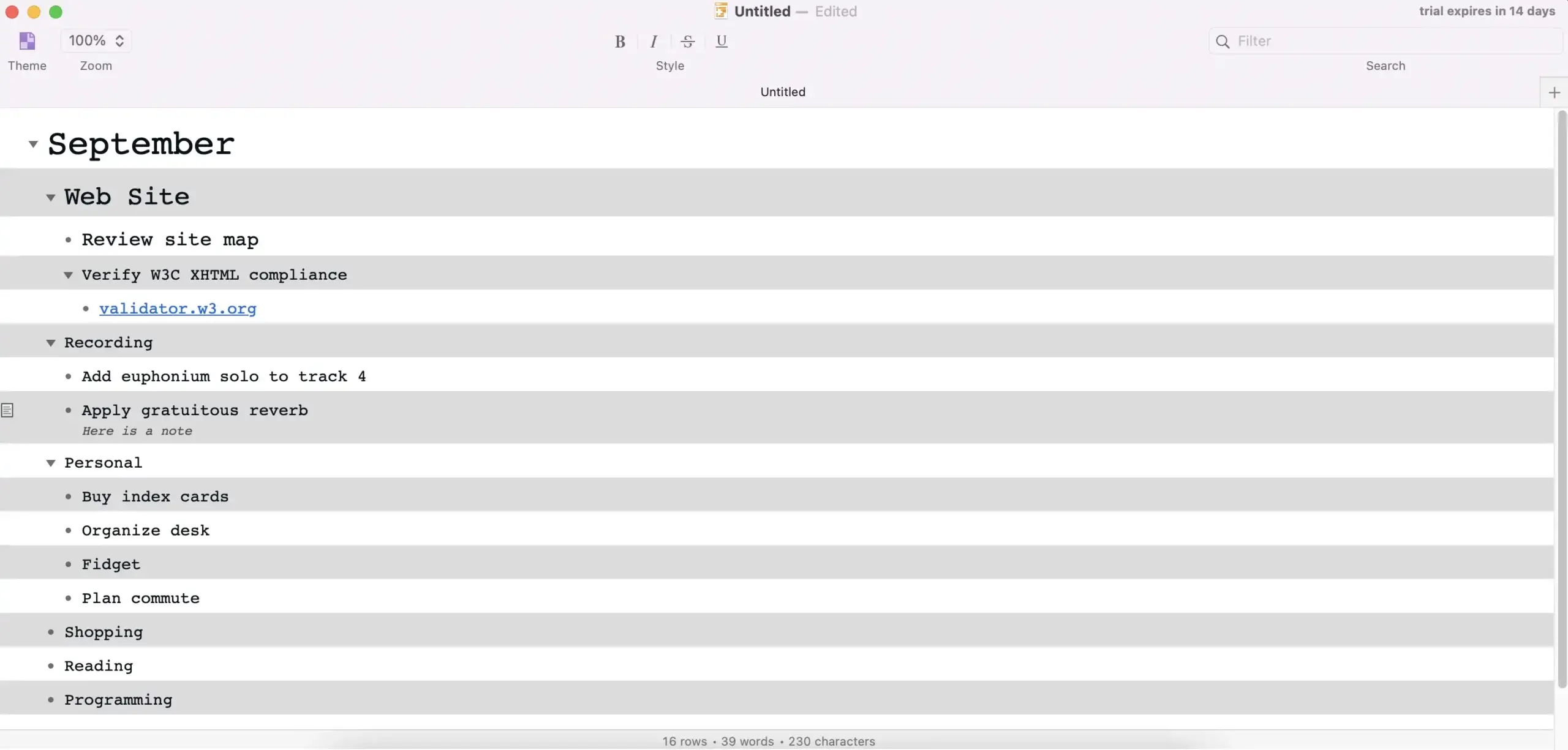
An outline in OmniOutliner
While OmniOutliner uses a proprietary file format, it does offer generous exporting options. The most popular choices like .txt, .docx, .csv, and .pdf are all there, so you can pack your notes and move to a different app with no issues.
| 🗂️ Content Organization | Folders, subfolders, and tags |
|---|---|
| 🤖 Markdown Support | ❌ |
| ⌨️ Keyboard Shortcuts | ✅ |
| 👩💻 Collaboration | ❌ |
| 🔗 Internal Linking Feature | ❌ |
| ✅ Task Management | ❌ |
| 📑 Outlining Templates | ❌ |
| 🔄 Version History | ❌ |
| 🌓 Dark Mode | ✅ |
Notion
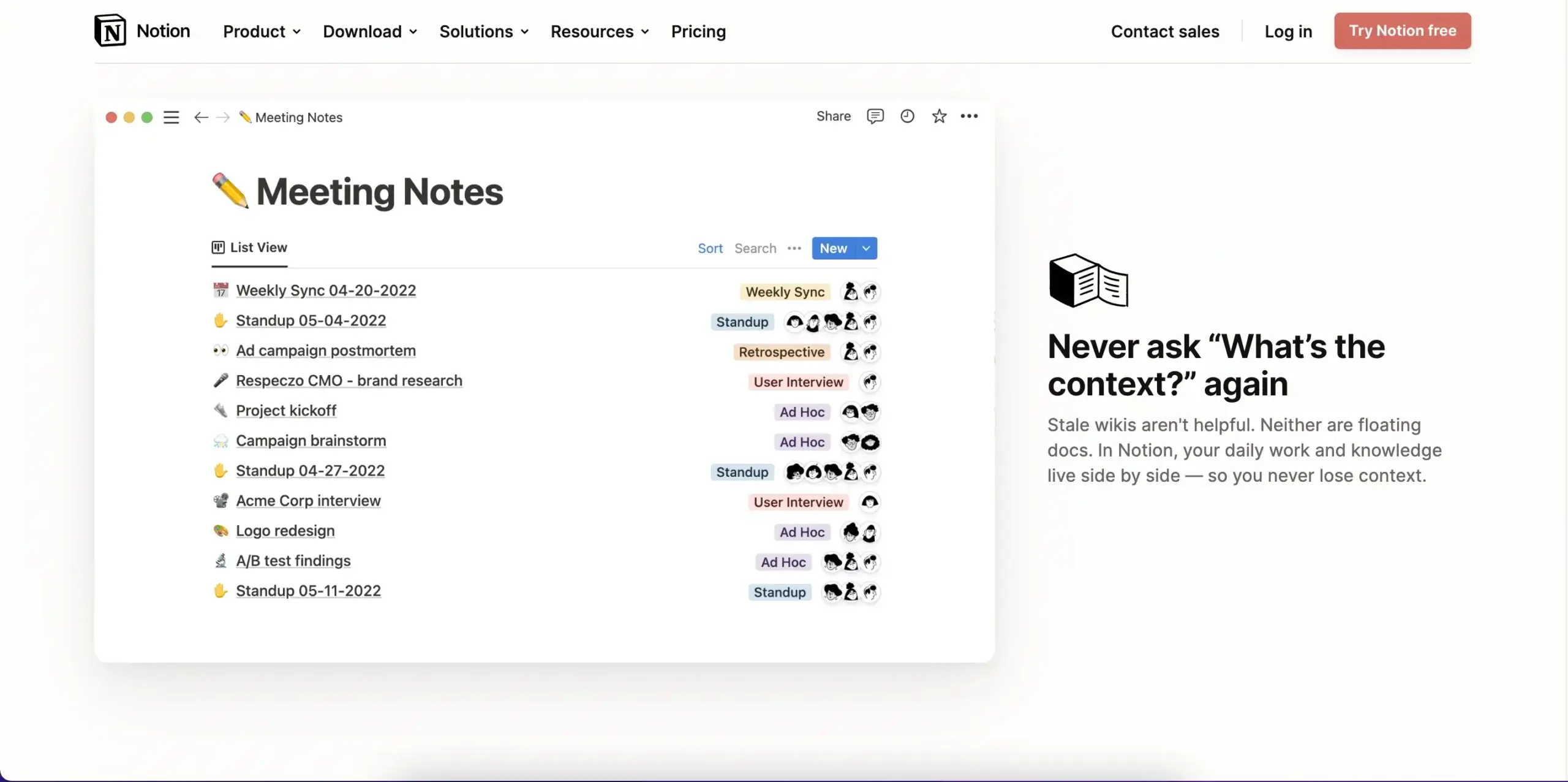
A note-taking app, project management platform, or an outliner? Notion tries to be it all, and it manages to keep up with dedicated outlining tools, at least in some areas. That’s as long as you’re willing to put in the time to create an outlining workflow from scratch.
Notion is built on pages organized into databases and outlining is an integral part of the writing process. You can use foldable bulleted lists and headings—numbered lists can’t be folded—drag & drop outline elements, and bulk-select hierarchy levels to reorder them.
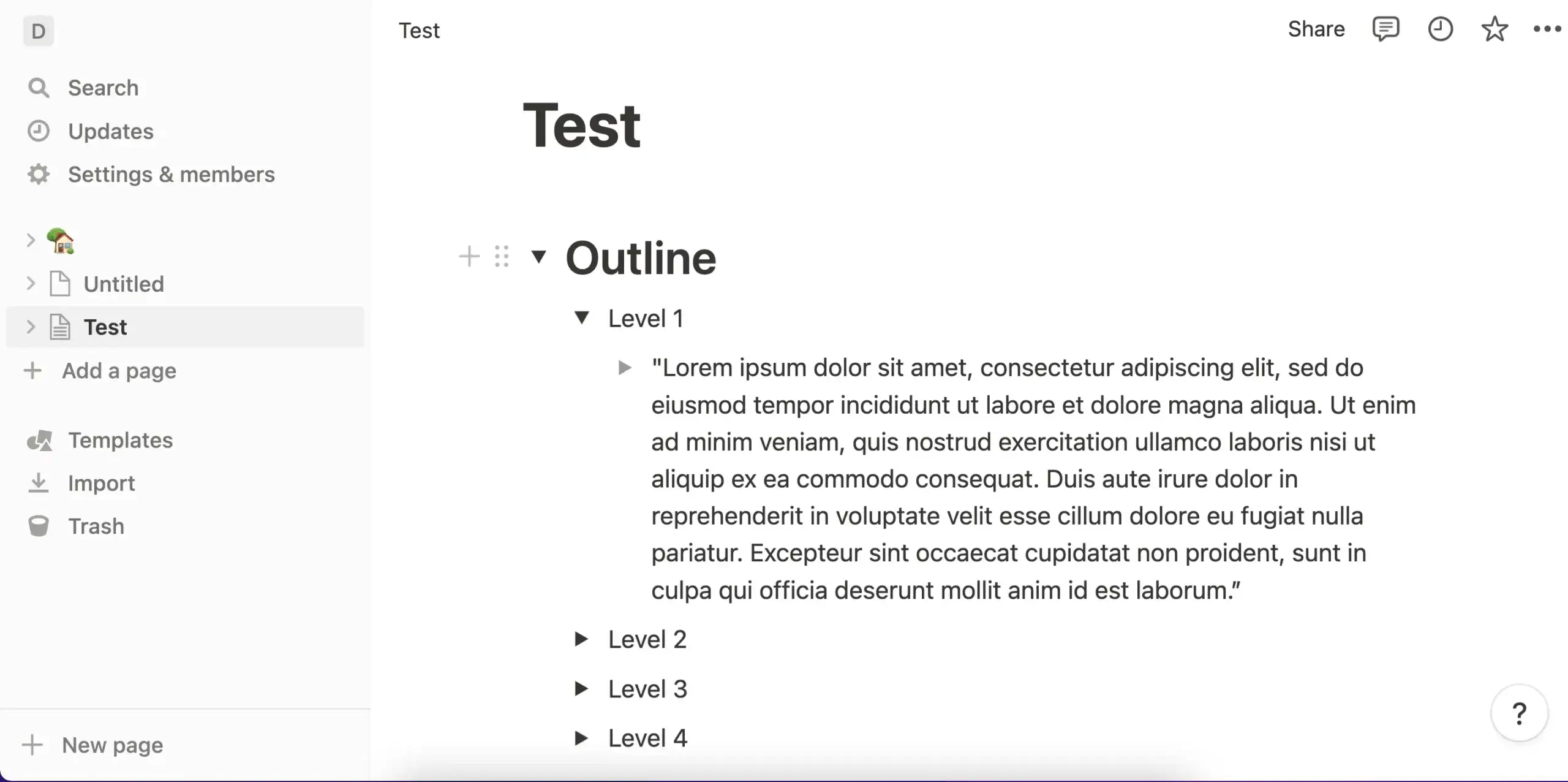
An outline in Notion
A Notion page lets you combine all kinds of content, including images, videos, bookmarks, and embeds. That makes it a trusty note-taking and research companion since you’re not limited to text as it’s the case with more streamlined outliners.
| 🗂️ Content Organization | Pages and databases |
|---|---|
| 🤖 Markdown Support | ✅ |
| ⌨️ Keyboard Shortcuts | ✅ |
| 👩💻 Collaboration | ✅ |
| 🔗 Internal Linking Feature | ✅ |
| ✅ Task Management | Limited |
| 📑 Outlining Templates | ✅ |
| 🔄 Version History | ✅ |
| 🌓 Dark Mode | ✅ |
Microsoft Word
Before you cry “heresy!”, hear us out. Microsoft’s flagship word processor is not a conventional outliner, at least not in pedigree. But it goes above and beyond to make outlining a not-so-daunting possibility, and that’s a good start considering its other merits.
Word automatically compiles an outline of your document based on headings and subheadings it detects. The outline mode can be turned on and off as it is displayed in a separate pane. You can manually fold and unfold headings, increase or decrease indentations, and add new levels.
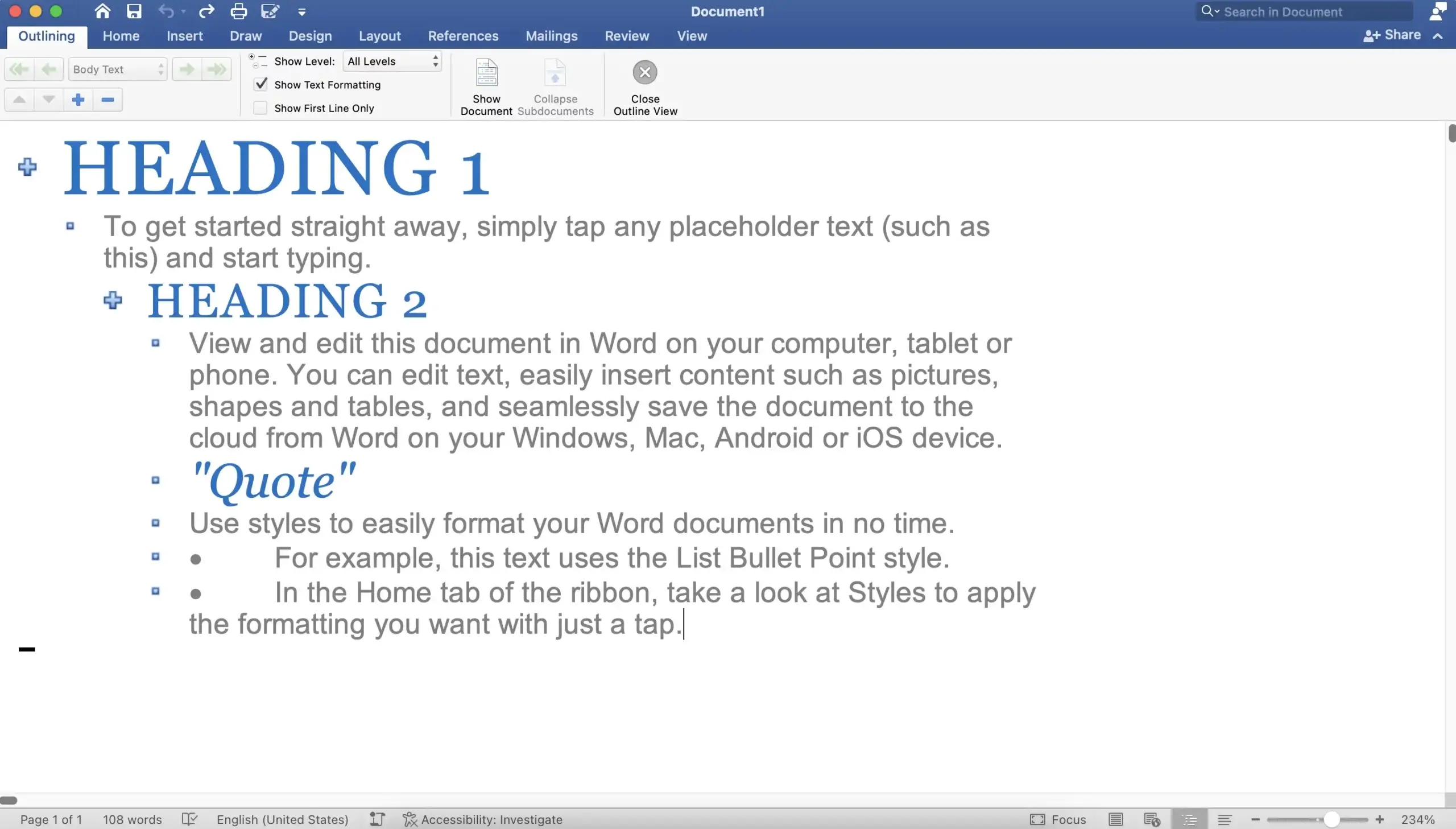
An outline in Microsoft Word
Of course, Word's Outline mode is just the frosting on a very large cake. The app packs a ton of extra functionality, including endless text formatting options, focus mode, document statistics, advanced citations, and a room clipboard, which should make your writer's heart beat faster.
| 🗂️ Content Organization | Documents |
|---|---|
| 🤖 Markdown Support | ❌ |
| ⌨️ Keyboard Shortcuts | ✅ |
| 👩💻 Collaboration | ✅ |
| 🔗 Internal Linking Feature | ❌ |
| ✅ Task Management | ❌ |
| 📑 Outlining Templates | ❌ |
| 🔄 Version History | ✅ |
| 🌓 Dark Mode | ✅ |
📊 Outliner Apps for Writers: Quick Comparison (2026)
| App | AI Features | Collaboration | Markdown | Views | Free Plan | Starting Price |
|---|---|---|---|---|---|---|
| Taskade | Built-in (11+ models, custom agents) | Real-time co-editing, chat, video | Import/export | 7 views | Yes | $6/mo |
| Dynalist | None | Basic sharing | Yes | 1 (List) | Yes | $7.99/mo |
| Workflowy | None | Basic sharing | No | 1 (List) | Limited | $4.08/mo |
| Obsidian | Via plugins | None | Yes | 1 (Document) | Yes (personal) | Free |
| Roam Research | None | None | Yes | 1 (Document) | No | $15/mo |
| OmniOutliner | None | None | No | 1 (Outline) | No | $4.99/mo |
| Notion | Notion AI (add-on) | Yes | Yes | 4 views | Yes | $10/mo |
| Microsoft Word | Copilot (add-on) | Yes | No | 2 (Document, Outline) | No | $6.99/mo |
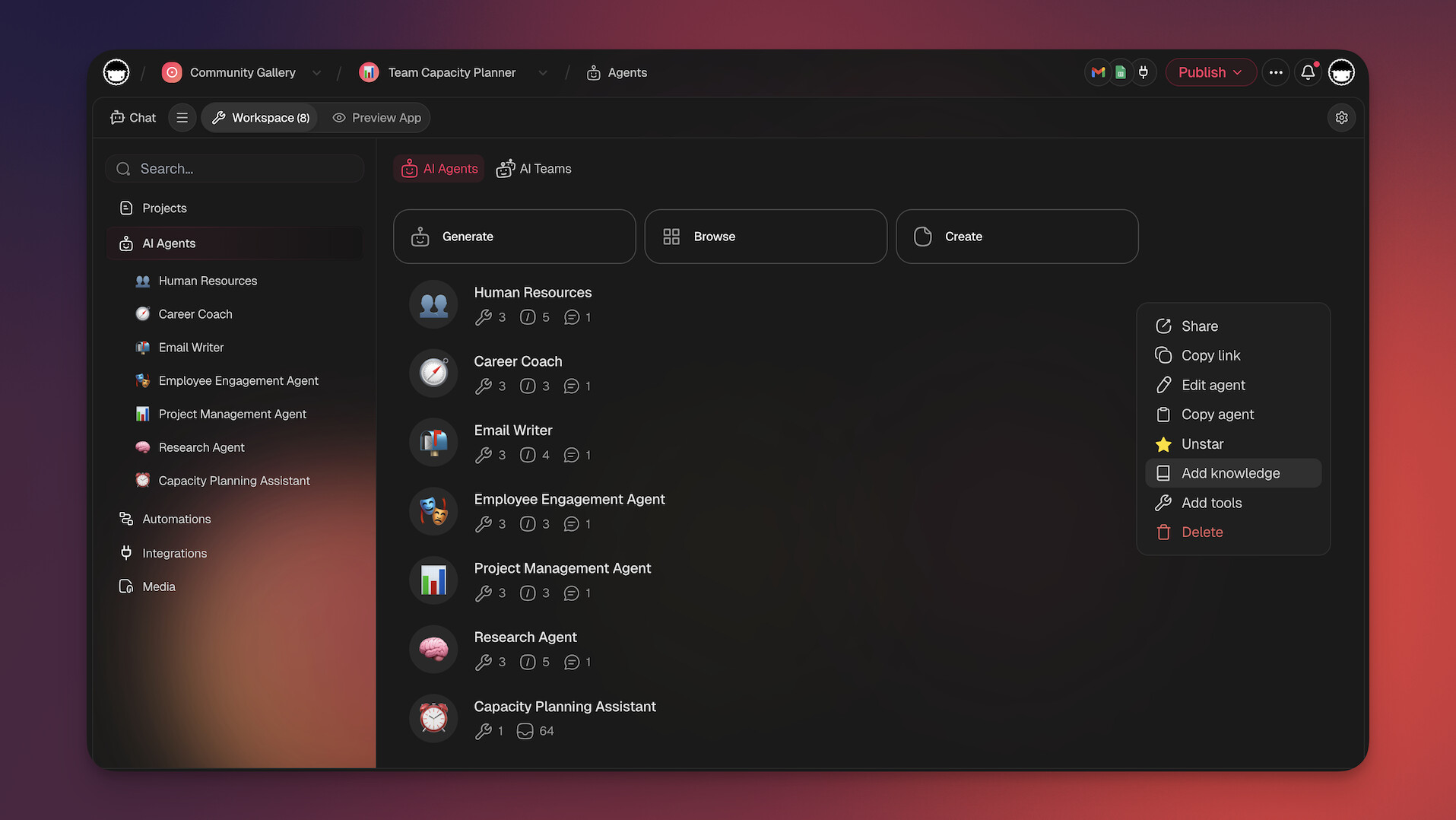
Taskade's AI agents can draft content from outlines, restructure chapters, and research topics without leaving the editor. Build custom writing tools with Taskade Genesis, explore writing templates, or join the Taskade community to share your work. Connect your writing workflow with 100+ automations.
How Workspace DNA Transforms the Writing Process
Most outliners help you organize words. Taskade's Workspace DNA — a self-reinforcing loop of Memory + Intelligence + Execution — turns your writing environment into an active creative partner.
Memory means every outline, draft, and research note lives as a structured project viewable across 8 formats (List, Board, Calendar, Table, Mind Map, Gantt, Org Chart). Plot your novel's structure in outline view, switch to a mind map to visualize character arcs, or use the board view as a digital corkboard for scene cards. Intelligence is the AI agents layer — 11+ frontier models from OpenAI, Anthropic, and Google with 22+ built-in tools that can draft prose from outline points, suggest structural reorganization, research topics, and maintain consistency across a long manuscript. Execution triggers automations with 100+ integrations that handle the administrative side of writing — deadline tracking, editor notifications, and multi-step publishing workflows.
For writers who want tools built for their specific genre or workflow, Taskade Genesis lets you describe your ideal writing app in plain language and get a fully deployed tool in minutes. With 150,000+ apps already built, writers are creating custom story planners, editorial calendars, and manuscript trackers. Explore the Taskade community for inspiration or browse writing templates to get started.
Agentic AI and Vibe Coding for Writers
AI agents with 22+ built-in tools, MCP connectors, and persistent memory are transforming how writers work. Deploy agents that generate initial outlines from a brief description, expand bullet points into draft prose, restructure chapters for better narrative flow, research topics to fill content gaps, and maintain continuity across long-form projects. Agents remember your writing style and preferences across sessions, becoming better collaborators over time.
Vibe coding with Taskade Genesis lets writers build custom tools without programming knowledge. Describe your ideal writing app in plain language — "build me a novel planner with character tracking, chapter outlines, and word count goals" — and Genesis deploys it as a live app. With 150,000+ apps already built, writers create everything from screenplay formatters to Building a Second Brain systems. Explore the ultimate guide to Taskade Genesis or start building.
👋 Parting Words
Distraction-free writing or more advanced features? Solitary outlining or real-time collaboration? If you're not ready to make compromises, try Taskade. Our free plan comes with all the features you need to get work done so you can focus on telling great stories, wherever you are.
Sign up to supercharge your writing with Taskade AI 🤖
Frequently Asked Questions About Outliner Apps
What is an outliner app?
An outliner app is a software tool designed to help with organizing thoughts, tasks, and information hierarchically. Outliners like Taskade allow you to create nested lists where you can break down main topics into subtopics and further details. Some also offer rich text formatting, collaboration features, and cloud sync, which make it easier to manage projects, write detailed notes, and collaborate with others in real-time.
How do you use an outliner?
Using an outliner involves organizing information hierarchically to break down complex topics into manageable parts. Start by creating a main topic or heading, then add subtopics or indented points beneath it. This structure helps in visualizing the relationships between different pieces of information. You can use outliners for note-taking, project planning, brainstorming, and even writing.
What does "outliner" mean?
The term "outliner" refers to a tool or method used to organize information in a structured, hierarchical format. An outliner allows you to create main topics and then break them down into subtopics and finer details, which makes complex information easier to navigate and understand. This approach is commonly used in note-taking, project planning, writing, and other tasks that involve organizing information in a logical sequence.
