



Taskadetaskade
PricingLoginSign up for free →Sign up for free →
Loved by 1M+ users·Hosting 100K+ apps·Deploying 500K+ AI agents·Running 1M+ automations·Backed by Y Combinator
TaskadeAboutPressPricingFeaturesIntegrationsChangelogContact us
GalleryProductivityKitsVideosReviewsLearnHelpDocsFAQ
VibeVibe AppsVibe AgentsVibe CodingVibe Workflows
Vibe MarketingVibe DashboardsVibe CRMVibe AutomationVibe PaymentsVibe DesignVibe SEOVibe Tracking
Community
FeaturedQuick AppsTools
DashboardsWebsitesWorkflowsProjectsFormsCreators
DownloadsAndroidiOSMac
WindowsChromeFirefoxEdge
Compare
vs Cursorvs Boltvs Lovable
vs V0vs Windsurfvs Replitvs Emergentvs Devinvs Claude Codevs ChatGPTvs Claudevs Perplexityvs GitHub Copilotvs Figma AIvs Notionvs ClickUpvs Asanavs Mondayvs Trellovs Jiravs Linearvs Todoistvs Evernotevs Obsidianvs Airtablevs Basecampvs Mirovs Slackvs Bubblevs Retoolvs Webflowvs Framervs Softrvs Glidevs FlutterFlowvs Base44vs Adalovs Durablevs Gammavs Squarespacevs WordPressvs UI Bakeryvs Zapiervs Makevs n8nvs Jaspervs Copy.aivs Writervs Rytrvs Manusvs Crewvs Lindyvs Relevance AIvs Wrikevs Smartsheetvs Monday Magicvs Codavs TickTickvs Any.dovs Thingsvs OmniFocusvs MeisterTaskvs Teamworkvs Workfrontvs Bitrix24vs Process Streetvs Toggl Planvs Motionvs Momentumvs Habiticavs Zenkitvs Google Docsvs Google Keepvs Google Tasksvs Microsoft Teamsvs Dropbox Papervs Quipvs Roam Researchvs Logseqvs Memvs WorkFlowyvs Dynalistvs XMindvs Whimsicalvs Zoomvs Remember The Milkvs Wunderlist
Genesis AIVideo GuideApp BuilderVibe Coding
Agent BuilderDashboard BuilderCRM BuilderWebsite BuilderForm BuilderWorkflow AutomationWorkflow BuilderBusiness-in-a-BoxAI for MarketingAI for Developers
AI Agents
FeaturedProject ManagementProductivity
MarketingTranslatorContentWorkflowResearchPersonalSalesSocial MediaTo-Do ListCRMTask AutomationCoachingCreativityTask ManagementBrandingFinanceLearning and DevelopmentBusinessCommunity ManagementMeetingsAnalyticsDigital AdvertisingContent CurationKnowledge ManagementProduct DevelopmentPublic RelationsProgrammingHuman ResourcesE-CommerceEducationLegalEmailSEODeveloperVideo ProductionDesignFlowchartDataPromptNonprofitAssistantsTeamsCustomer ServiceTrainingTravel PlanningUML DiagramER DiagramMath TutorLanguage LearningCode ReviewerLogo DesignerUI WireframeFitness CoachAll Categories
Automations
FeaturedBusiness-in-a-BoxInvestor Operations
Education & LearningHealthcare & ClinicsStripeSalesContentMarketingEmailCustomer SupportHubSpotProject ManagementAgentic WorkflowsBooking & SchedulingCalendarReportsSlackWebsiteFormTaskWeb ScrapingWeb SearchChatGPTText to ActionYoutubeLinkedInTwitterGitHubDiscordMicrosoft TeamsWebflowRSS & Content FeedsGoogle WorkspaceManufacturing & OperationsAI Agent TeamsMulti-Agent AutomationAgentic AutomationAll Categories
Wiki
GenesisAI AgentsAutomation
ProjectsLiving DNAPlatformIntegrationsProductivityMethodsProject ManagementAgileScrumAI ConceptsCommunityTerminologyFeatures
Templates
FeaturedChatGPTTable
PersonalProject ManagementSalesFlowchartTask ManagementEngineeringEducationDesignTo-Do ListMarketingMind MapGantt ChartOrganizationalPlanningMeetingsTeam ManagementStrategyGamingProductionProduct ManagementStartupRemote WorkY CombinatorRoadmapCustomer ServiceLegalEmailBudgetsContentConsultingE-CommerceStandard Operating Procedure (SOP)Human ResourcesProgrammingMaintenanceCoachingSocial MediaHow-TosResearchMusicTrip PlanningCRMBooking SystemAll Categories
Generators
AI SoftwareNo-Code AI AppAI App
AI WebsiteAI DashboardAI FormAI AgentClient PortalAI WorkspaceAI ProductivityAI To-Do ListAI WorkflowsAI EducationAI Mind MapsAI FlowchartAI Scrum Project ManagementAI Agile Project ManagementAI MarketingAI Project ManagementAI Social Media ManagementAI BloggingAI Agency WorkflowsAI ContentAI Software DevelopmentAI MeetingAI PersonasAI OutlineAI SalesAI ProgrammingAI DesignAI FreelancingAI ResumeAI Human ResourceAI SOPAI E-CommerceAI EmailAI Public RelationsAI InfluencersAI Content CreatorsAI Customer ServiceAI BusinessAI PromptsAI Tool BuilderAI SEOAI Gantt ChartAI CalendarsAI BoardAI TableAI ResearchAI LegalAI ProposalAI Video ProductionAI Health and WellnessAI WritingAI PublishingAI NonprofitAI DataAI Event PlanningAI Game DevelopmentAI Project Management AgentAI Productivity AgentAI Marketing AgentAI Personal AgentAI Business and Work AgentAI Education and Learning AgentAI Task Management AgentAI Customer Relations AgentAI Programming AgentAI SchemaAI Business PlanAI Pitch DeckAI InvoiceAI Lesson PlanAI Social Media CalendarAI API DocumentationAI Database SchemaAll Categories
Converters
AI Featured ConvertersAI PDF ConvertersAI CSV Converters
AI Markdown ConvertersAI Prompt to App ConvertersAI Data to Dashboard ConvertersAI Workflow to App ConvertersAI Idea to App ConvertersAI Flowcharts ConvertersAI Mind Map ConvertersAI Text ConvertersAI Youtube ConvertersAI Knowledge ConvertersAI Spreadsheet ConvertersAI Email ConvertersAI Web Page ConvertersAI Video ConvertersAI Coding ConvertersAI Task ConvertersAI Kanban Board ConvertersAI Notes ConvertersAI Education ConvertersAI Language TranslatorsAI Business → Backend App ConvertersAI File → App ConvertersAI SOP → Workflow App ConvertersAI Portal → App ConvertersAI Form → App ConvertersAI Schedule → Booking App ConvertersAI Metrics → Dashboard ConvertersAI Game → Playable App ConvertersAI Catalog → Directory App ConvertersAI Creative → Studio App ConvertersAI Agent → Agent App ConvertersAI Audio ConvertersAI DOCX ConvertersAI EPUB ConvertersAI Image ConvertersAI Resume & Career ConvertersAI Presentation ConvertersAI PDF to Spreadsheet ConvertersAI PDF to Database ConvertersAI PDF to Quiz ConvertersAI Image to Notes ConvertersAI Audio to Notes ConvertersAI Email to Tasks ConvertersAI CSV to Dashboard ConvertersAI YouTube to Flashcards ConvertersURL to NotesAll Categories
Prompts
Blog WritingBrandingPersonal Finance
Human ResourcesPublic RelationsTeam CollaborationProduct ManagementSupportAgencyReal EstateMarketingCodingResearchSalesAdvertisingSocial MediaCopywritingContentProject ManagementWebsite CreationDesignStrategyE-commerceEngineeringSEOEducationEmail MarketingUX/UIProductivityInfluencer MarketingAnalyticsEntrepreneurshipLegalVibe Coding PromptAll Categories
Blog
What Doraemon Taught Me About Building AI Agents (2026)The Customer Who Wrote Our Documentation (2026)One Week, Forty People: The First Enterprise Self-Close on Taskade Genesis (2026)
The Frontend Playground Era: Why Lovable, v0, Bolt, and Cursor Are Not the Workspace (2026)Training AI Agents Like Employees: The Reinforcement Loop Most Operators Miss (2026)Fifty Years of Computing Primitives: File to Task (2026)Memory Reanimation Protocol: Why AI Agents Forget and How to Fix It (2026)From Roles to Workflows: How AI-First Companies Redraw the Org Chart (2026)From VisiCalc to Spreadsheet-of-Thought: 47 Years of Giving Non-Engineers Power (2026)History of cPanel & WHM: From a Teenager's Bedroom to the AI Infrastructure Era (2026)The 27-Year Accident: Widrow, Hoff, and the Sigmoid That Wasn't (2026)Bring Your Own Agent (BYOA): The $1M-Per-Employee Era Just Started (2026)Doug Engelbart's 1968 Demo Was Taskade — We Just Finished It (2026)The Genesis Equation: P × A mod Ω (2026)The Execution Layer: Why the Chatbot Era Is Already Over (2026)How to Win With AI in 2026: The Workflow-First Operator's PlaybookSoftware That Runs Itself: The Taskade Genesis Thesis (2026)The Origin of Taskade Genesis: Why We Built the Execution Layer for Ideas (2026)The Micro App Economy: 150,000 Apps In, What the Category Looks Like Now (2026)
AIAutomationProductivityProject ManagementRemote WorkStartupsKnowledge ManagementCollaborative WorkUpdates
Changelog
Play-to-Learn Onboarding & Announcements (Apr 20, 2026)Smarter Model Lineup & Memory Graph (Apr 17, 2026)Export URL Action & Shareable App Kits (Apr 15, 2026)
Guided Onboarding for Cloned Apps (Apr 14, 2026)Markdown Export, MCP Auth & Ask Questions (Apr 14, 2026)GitHub Export to Existing Repo & Run Details (Apr 13, 2026)MCP Server Hotfix & Credit Adjustments (Apr 10, 2026)
Wiki
GenesisAI AgentsAutomation
ProjectsLiving DNAPlatformIntegrationsProductivityMethodsProject ManagementAgileScrumAI ConceptsCommunityTerminologyFeatures
© 2026 Taskade.
PrivacyTermsSecurity
Made withTaskade AIforBuilders
Blog›Product Updates›AI Chat (Beta), Bulk AI…

AI Chat (Beta), Bulk AI Summary, Smart Search, Drag to Move Tasks & Projects, and More!

Hi Taskaders 👋 We’re back with another exciting update to make our platform work faster and smarter for you and your team. Give it a try and let us know what ...

March 27, 2023·Updated April 6, 2026·5 min read·John Xie·Updates·#ai-chat#task-management
On this page (10)
🤖 💬 AI Chat Is Now in Beta!🤖 Summarize Multiple Items With Taskade AI🪄 AI Assistant Keyboard Shortcut🧠 Smart Search Filters✅ Drag to Move Tasks to Other Projects🗂️ Drag to Move Projects to Folders & Workspaces⚙️ New Workspace & Folder Settings⌨️ New Keyboard Shortcuts Menu⚡️ Other ImprovementsFrequently Asked Questions

Hi Taskaders 👋

We’re back with another exciting update to make our platform work faster and smarter for you and your team. Give it a try and let us know what you think!

TL;DR: AI Chat (Beta), bulk AI summary, and Smart Search shipped in March 2023 marked Taskade's leap into conversational AI. Today Taskade ships multi-agent chat, spans 7 project views, 11+ frontier AI models from OpenAI, Anthropic, and Google, and 100+ integrations — and Taskade Genesis turns any prompt into a living app.

Then → Now: AI Chat Beta + bulk summary + Smart Search (2023) → today's multi-agent chat and multi-layer search, Automations, and thousands of starter templates.

Chat 2023 H1 Today (2026)
Conversation AI Chat Beta (single bot) Multi-agent chat + team chat
Bulk actions Bulk AI summary Bulk AI commands + Automations loop
Search Smart Search filters Multi-layer search + semantic search
Drag & drop Tasks + projects across folders All 7 views incl. Board, Table
question pull tasks + notes context ChatGPT-powered answer User AI Chat Beta Project Context
   Smart Search (March 2023)            Multi-layer search (2026)
 ┌────────────────────────────┐       ┌──────────────────────────────────┐
 │  query: "launch"           │       │  query: "launch checklist"       │
 │                            │       │                                  │
 │  filter:                   │       │  layers:                         │
 │   • project                │       │   • full-text (BM25)             │
 │   • task                   │   →   │   • semantic HNSW (1536-dim)     │
 │   • comment                │       │   • file content OCR             │
 │   • workspace              │       │                                  │
 │   • folder                 │       │  filters: project · task · file  │
 │                            │       │           · agent · automation   │
 └────────────────────────────┘       └──────────────────────────────────┘

The same Smart Search backbone now powers semantic search across files and agents, and AI Agents v2 can call it as one of their 22+ built-in tools. Try a multi-agent chat in Taskade Genesis or browse community apps that use it.
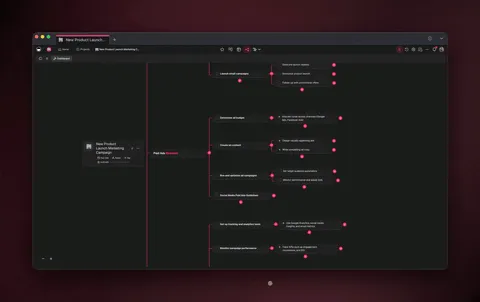
Document chat

🤖 💬 AI Chat Is Now in Beta!

Get READY to revolutionize the way you work with Taskade. Here is a sneak peek of our new Taskade AI Chat Assistant powered by OpenAI's ChatGPT. 

Click here to gain early access and tweet "@Taskade AI Chat" for an exclusive beta!
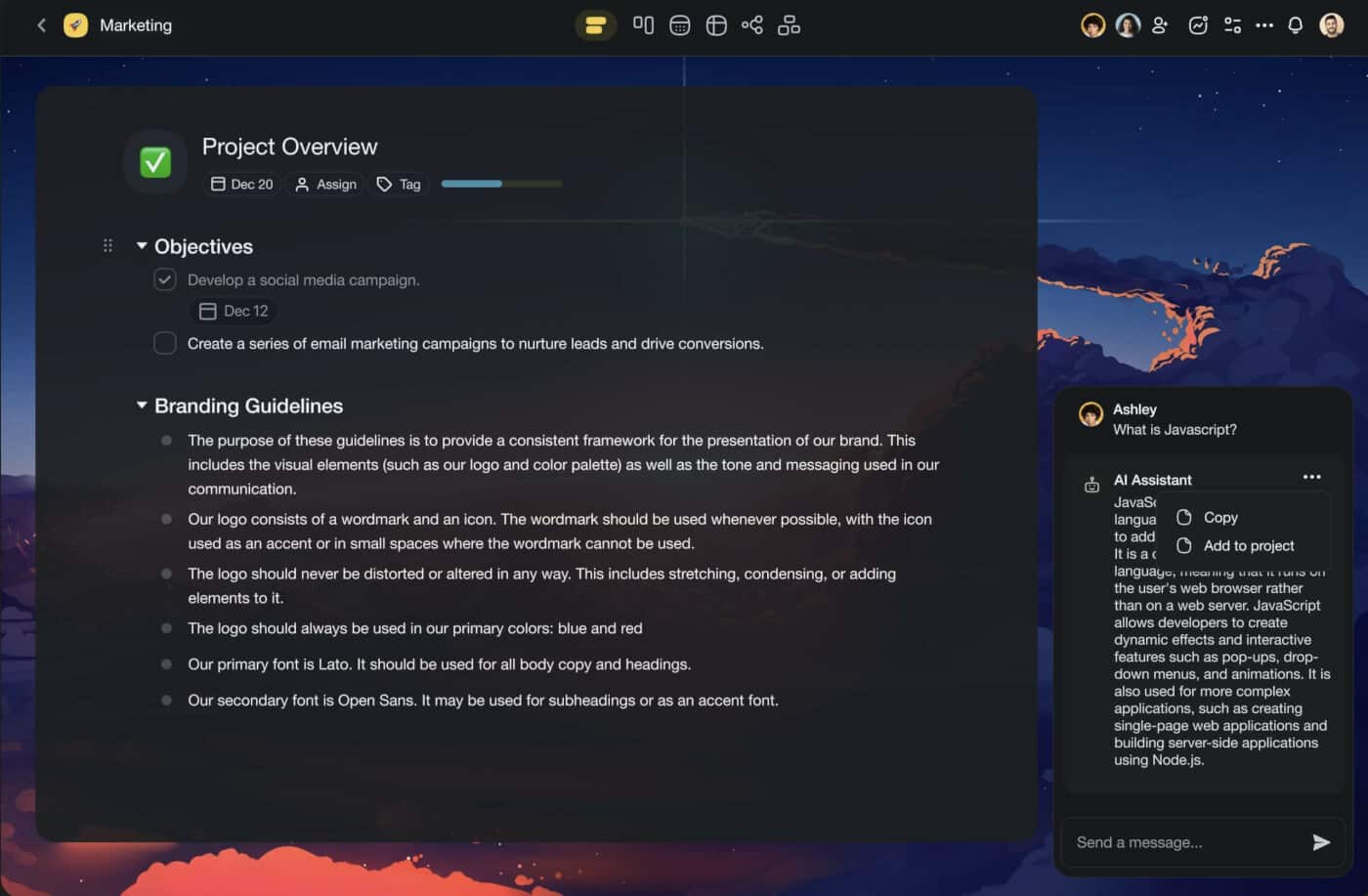
Taskade AI chat user interface.

Taskade AI runs on ChatGPT API (GPT 3.5 Turbo), which means that your answers will be generated faster and with higher accuracy. GPT 4.0 will be available soon, so stay tuned!

🤖 Summarize Multiple Items With Taskade AI

You can now select multiple tasks and notes to instantly generate AI-powered summaries using the bottom multi-select toolbar. Learn more.
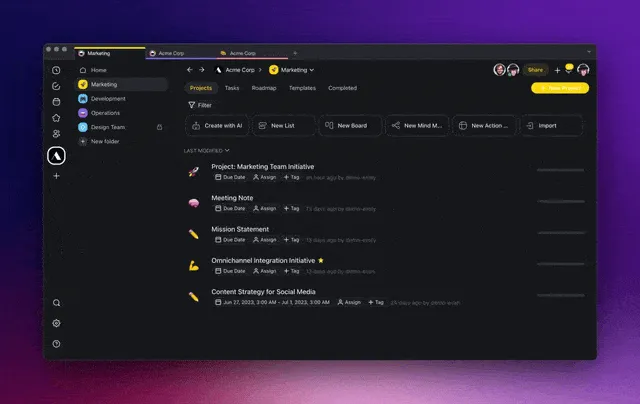
Taskade AI summarize.

🪄 AI Assistant Keyboard Shortcut

All AI commands are now available in the Taskade AI assistant menu. Simply type /assistant for all commands or select AI Assistant from task add-ons. Learn more.
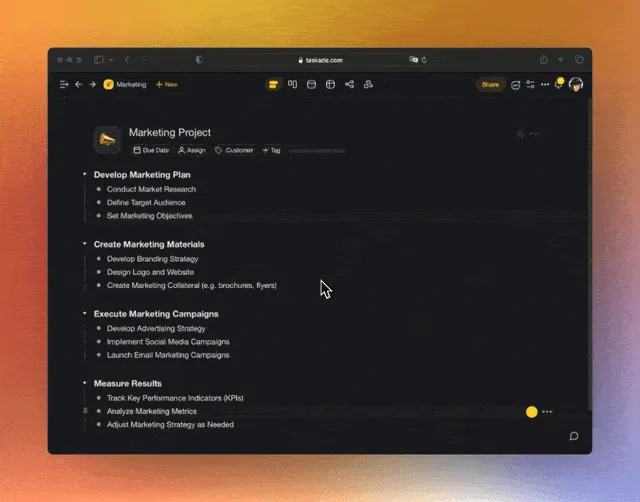
Taskade AI assistant shortcut.

🧠 Smart Search Filters

The Search feature has just gotten better with new search filters designed to help you find your tasks, notes, and projects faster than ever before. Filter search results by project, task, comment, workspace, and folder. Learn more.
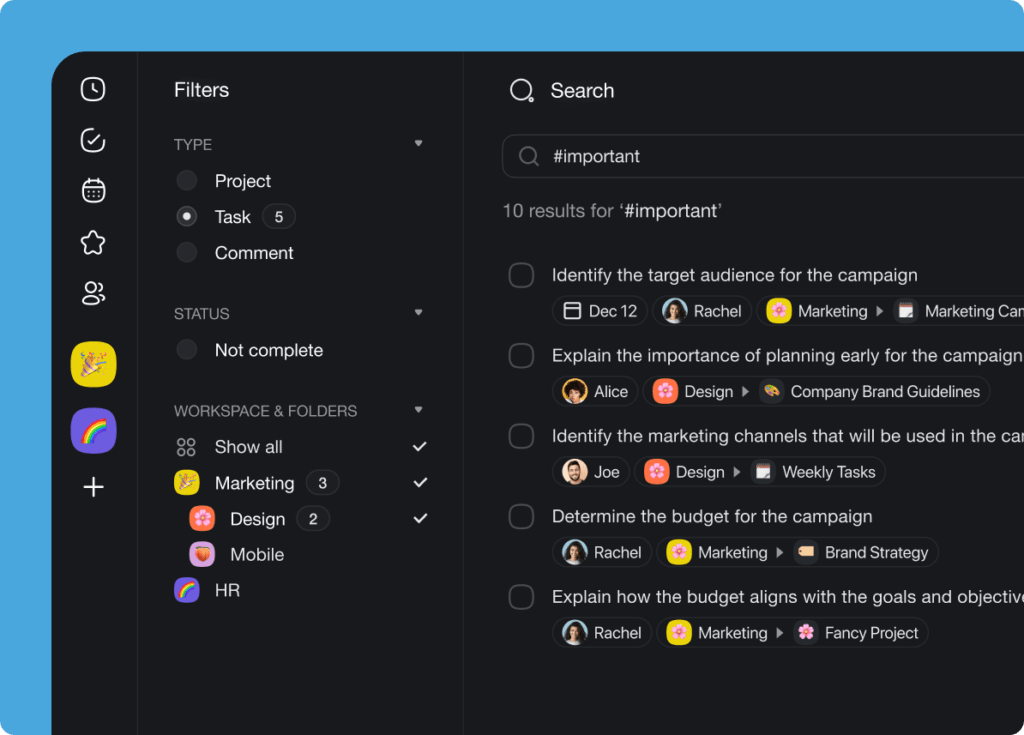
Smart search filters.

✅ Drag to Move Tasks to Other Projects

Reorganizing tasks inside projects is now easier with task drag-and-drop. Move tasks between workspaces and folders simply by dragging them to the sidebar menu. Learn more.
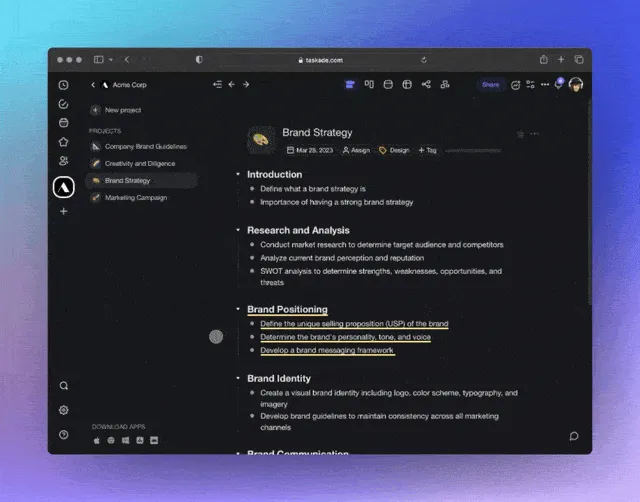
Drag and drop interface for moving tasks between projects.

🗂️ Drag to Move Projects to Folders & Workspaces

Time for spring-cleaning? Move projects between workspaces and folders simply by dragging them to the sidebar menu from your dashboard. Learn more.
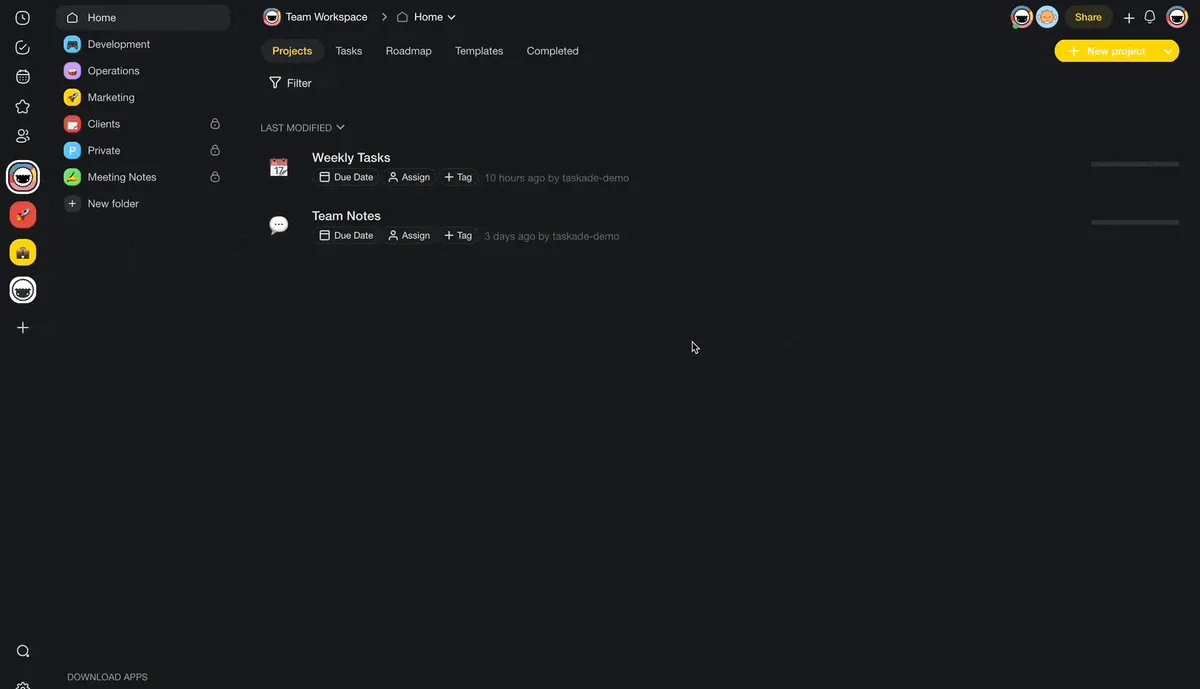
Drag and drop interface for moving projects between workspaces and folders.

⚙️ New Workspace & Folder Settings

We have introduced three new folder and workspace settings that will make your project and team management experience even better. Learn more.

Here’s how they work:

  1. Enable hide completed: Hide completed tasks for every project in a folder. 

  2. Hide chat: Hide the chat box by default for all project members. This setting gives you a minimalist, distraction-free workspace to support deep focus.

  3. Disable share link: Restrict access to a project via email invitations only to ensure that only authorized team members can see the document.
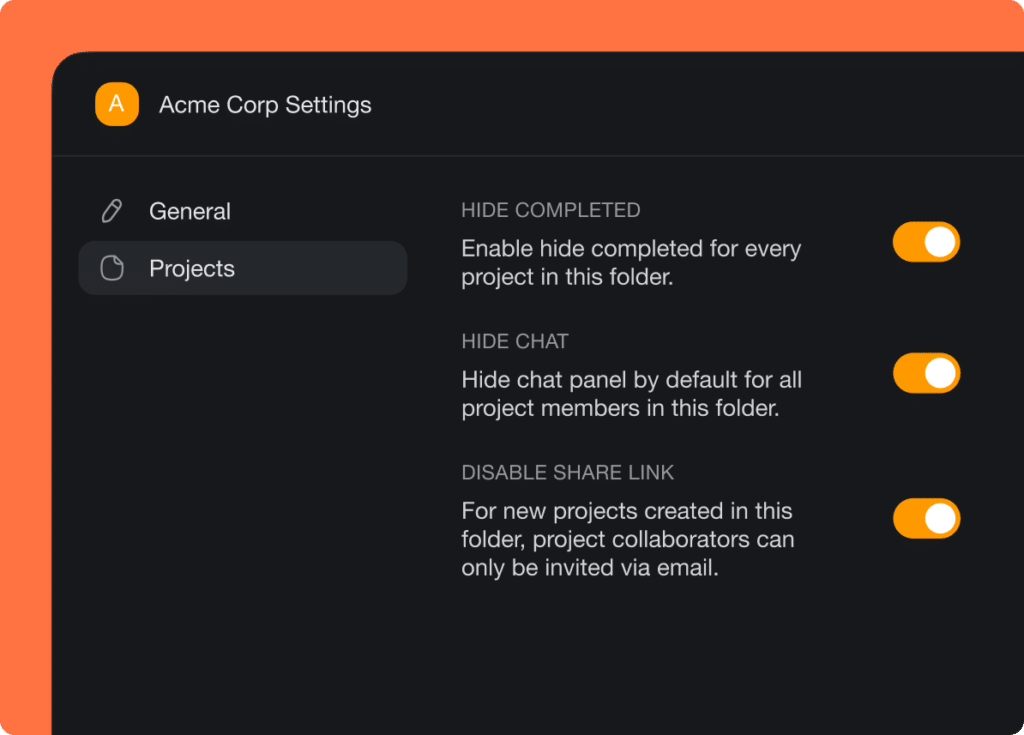
Workspace and folder settings menu.

⌨️ New Keyboard Shortcuts Menu

New, better keyboard shortcuts are here. Navigate projects, edit tasks, move items around, and use add-ons, all without taking your hands off the keyboard! Learn more.
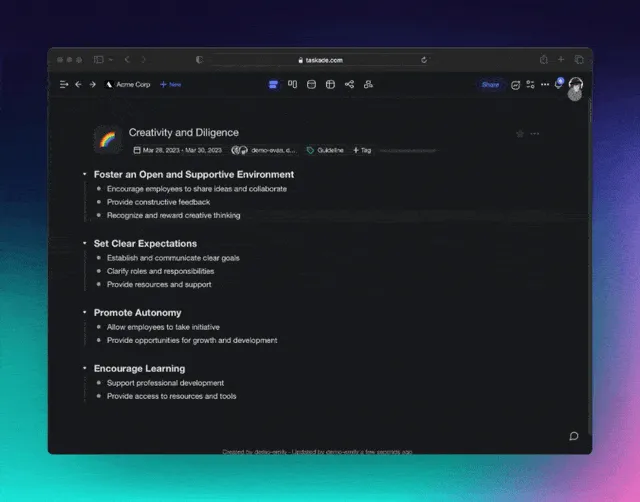
Keyboard shortcuts menu.

️

⚡️ Other Improvements

  • New: Performance improvements throughout the web and desktop app

  • New: Attachments are now copied over when moving a task across projects, including assignees, embeds, due dates, and more

  • New: Workspace Owners can now delete any folders inside

  • New: Workspace Owners can now join any folders inside

  • New: Invite multiple members at a time to your project

  • New: Added Google People Import support in preparation for bulk invite

  • New: Added Import from Todoist with CSV import support

  • New: Added Import from Workflowy with OPML import support

  • New: Added Import from Dynalist with OPML import support

  • Improved Import from Markdown with wider support increased size limit

  • Updated new workspace tags to Critical, High, In Progress, Medium, Low

  • Update profile dropdown menu with account Global Notifications page

  • Improved Recent and Shared with me with more up-to-date results

  • Fixed: Issue causing user to be unable to invite previous members

  • Fixed: Template add-ons and attachments not updating in real-time

  • Various bug fixes and performance improvements


Have any questions? Visit our Help Center or let us know. 😊

— Team Taskade 🐑

Frequently Asked Questions

What AI model powers Taskade's AI Chat?

Taskade AI Chat is powered by OpenAI's frontier large language models, delivering fast and accurate responses. The platform continuously upgrades to the latest available models to provide the best possible AI assistance.

Can I summarize multiple tasks at once with Taskade AI?

Yes. Select multiple tasks or notes using the multi-select toolbar, then choose the summarize command. Taskade AI processes all selected items and generates a consolidated summary, saving you time when reviewing large amounts of content.

How do Smart Search filters work in Taskade?

Smart Search filters let you narrow results by project, task, comment, workspace, and folder. Type your query and apply filters to find exactly what you're looking for across your entire Taskade workspace — including tasks, notes, and conversations.

Can I drag and drop tasks between projects in Taskade?

Yes. Drag tasks from the project editor to the sidebar menu to move them between projects, workspaces, and folders. The same drag-and-drop interaction works for moving entire projects between workspaces and folders from your dashboard.

0%

On this page

🤖 💬 AI Chat Is Now in Beta!🤖 Summarize Multiple Items With Taskade AI🪄 AI Assistant Keyboard Shortcut🧠 Smart Search Filters✅ Drag to Move Tasks to Other Projects🗂️ Drag to Move Projects to Folders & Workspaces⚙️ New Workspace & Folder Settings⌨️ New Keyboard Shortcuts Menu⚡️ Other ImprovementsFrequently Asked Questions

Related Articles

/static_images/Five new Taskade Genesis App Kits — pre-wired to Stripe, Shopify, Slack, and 100+ integrations
April 19, 2026Product Updates

Deploy Agents, Launch Shops, Automate Payments: 5 New App Kits (April 2026)

Five new Taskade Genesis App Kits you can clone and remix for free. Pre-wired to Stripe, Shopify, Slack, and 100+ integr...

/static_images/150,000 Genesis apps milestone — App Kits launch, 6 new integrations, persistent agent memory
April 15, 2026Product Updates

Genesis Apps Are Live: 150K Built, App Kits, and 6 New Integrations (April 2026)

150,000 Genesis apps have been built since Phase 5 launch. App Kits shipped, 6 new integrations live (Linear, Monday.com...

/static_images/Taskade Genesis Phase 5 launch: persistent agent memory, 100+ integrations, and one-click publishing
April 14, 2026Product Updates

Taskade Genesis Phase 5: Agent Memory, Connect Tools & Automate (April 2026)

Phase 5 of Taskade Genesis: persistent agent memory stored as real Projects, 100+ integrations live, and one-click publi...

/static_images/Taskade Creators Page redesign showing builder profiles and leaderboard rankings
April 10, 2026Product Updates

Fresh Look, Better Experience: Creators Page, Media Folders, Auto Top-Up & More (2026)

Refreshed creators page with leaderboard rankings, cleaner app kit UI, media browser with folders, auto top-up credits, ...

/static_images/Taskade Genesis CRM for sales teams, invoice generator, and client portal app highlights
April 9, 2026Product Updates

Taskade Genesis App Highlights: CRM, Invoice Generator & Client Portal (April 2026)

Three Taskade Genesis apps you can clone today — a CRM for sales teams, an invoice generator with AI follow-ups, and a c...

/static_images/Three Taskade Genesis business-in-a-box apps: sales CRM, Shopify-style storefront, and analytics dashboard
April 8, 2026Product Updates

Taskade Genesis: CRM, Storefront & Analytics Dashboard (April 2026)

Three business-in-a-box apps this week: a sales CRM with pipeline tracking, a storefront with cart and checkout, and a l...

View All Articles
AI Chat, Bulk Summary & Smart Search (2023) | Taskade Blog