






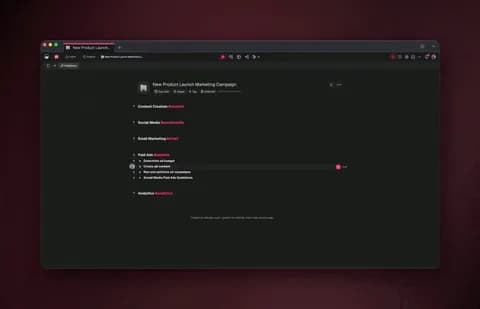
TL;DR: The best Lindy alternative depends on the job. Lindy itself is excellent for a polished AI assistant focused on meetings, email, and CRM. But if you want AI agents, automations, and a real app in one place, built by describing the outcome instead of training an assistant task by task, Taskade Genesis is the strongest pick. It ships AI agents with built-in tools, 100+ bidirectional integrations, and a live, shareable app. 150,000+ apps have been built on it since launch.
Lindy earned its following for a reason: a genuinely slick AI assistant experience, voice interaction, and a sharp focus on the daily grind, meeting notes, email drafting, and CRM updates. If you want a personal assistant that quietly handles those tasks, it is one of the best tools on the market.
The reason people start shopping for Lindy alternatives is usually one of four: they want agents that work as a team rather than a single assistant, they need durable multi-step automations that survive a failure, they want broader integrations than an assistant-first tool covers, and at the end of it all they want an app they can hand to a teammate or a customer, not just an assistant acting on their behalf.
This guide compares the 9 best Lindy alternatives in 2026 across pricing, AI, integrations, and what you actually ship. We lead with capability, keep the competitor comparisons honest, and tell you which tool fits which job.
The shift in 2026: describe the outcome, not the task
The biggest change in AI tooling is altitude. The first wave of AI assistants, Lindy among them, asks you to set up tasks: pick a trigger, define what the assistant should do, refine it, repeat. That is powerful, and for personal-assistant work it is exactly right.
The new generation asks a different question: what do you want to happen? You describe the destination in plain English, and the system figures out the route, the agents, the steps, the integrations, even the app around it.
Both approaches earn their place below. The wedge Taskade Genesis is built on is the right one for most teams who care about the result more than the setup, and it is why an AI-first app builder now belongs at the top of any Lindy alternatives list.
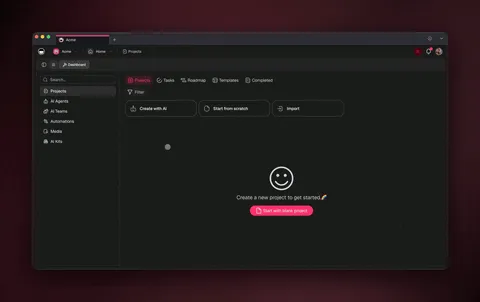
Lindy alternatives at a glance
| Tool | Best for | AI agents | Builds a full app? | No infra | Starting price |
|---|---|---|---|---|---|
| Taskade Genesis | Agents + automations + apps in one | ✅ Native | ✅ Yes | ✅ | Free / $10/mo |
| Lindy | Polished AI assistant (email, CRM, meetings) | ✅ Assistant | ❌ | ✅ | Free / credits |
| Zapier | Largest app library, simplest | ⚠️ Add-on | ❌ | ✅ | Free / per-task |
| Make | Visual scenario canvas, low price | ⚠️ Modules | ❌ | ✅ | Free / ~$9/mo |
| n8n | Cheapest at scale, full control | ⚠️ Nodes | ❌ | ❌ self-host | Free / ~€24/mo |
| Relay.app | Human-in-the-loop AI workflows | ✅ Built-in | ❌ | ✅ | Free / per-step |
| Bardeen | Browser-based AI automations | ✅ Agent | ❌ | ✅ | Free / Pro |
| Gumloop | AI workflow canvas for data tasks | ✅ Built-in | ❌ | ✅ | Free / credits |
| Microsoft Copilot Studio | AI agents inside Microsoft 365 | ✅ Copilot | ❌ | ✅ | Per-user |
Prices are starting points on annual billing and change often, always confirm on each vendor's pricing page. Taskade Genesis pricing is canonical on the pricing page.
1. Taskade Genesis: best for AI agents, automations, and apps in one
Best for: non-developers and operators who want to describe a result and get a working app, not train an assistant task by task.
Pricing: Free to start · Pro $10/mo (10 users) · Business $25/mo · Max $100/mo · Enterprise $250/mo (annual).
Taskade Genesis is the Lindy alternative that outputs living software. You describe what you want in natural language and it builds the agents, the automation, the integrations, and a real app with a database and a shareable URL, no assistant to train task by task, no canvas to wire, no server to manage.
Where Lindy stops at an assistant that acts on your behalf, Taskade Genesis keeps going. The whole platform is one self-reinforcing loop, Memory + Intelligence + Execution. That a single-assistant model doesn't have:
What you actually get versus a pure AI assistant:
- AI agents with built-in tools that reason over your data, make decisions, and run multi-step work, routing across 15+ frontier models from OpenAI, Anthropic, Google, and open-weight providers. Agents can collaborate as a team in orchestration mode, research, draft, review, hand off.
- 100+ bidirectional integrations, triggers pull events in, actions push data out, including native Shopify and Stripe for commerce workflows.
- Reliable, durable automation workflows that branch, loop, filter, wait for minutes or days, and resume from the step that failed.
- A real app layer: Projects with multiple views (List, Board, Calendar, Table, Mind Map, Gantt, Org Chart), custom domains, and built-in sign-in for published apps.
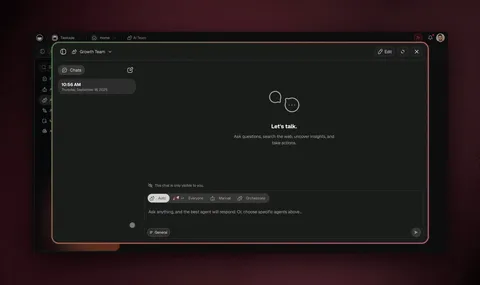
This is not a hypothetical. David, an IT program manager with no engineering team, shipped a production project dashboard, Customers, Jobs, Invoices, and Team, entirely from prompts in Taskade Genesis. A personal assistant could draft his emails; an app builder gave his whole team a place to work. You can clone a live working app in about 30 seconds and run it in your own workspace. See it in action on the AI workflow builder and the automation hub.
Honest tradeoff: if all you want is a single, voice-driven assistant that handles your inbox and meeting notes, Lindy's focused experience is faster to adopt than a full app platform. Taskade Genesis is for teams who want to build, not just delegate.
2. Lindy: best polished AI assistant (and when to stay)
Best for: individuals who want a slick, voice-capable AI assistant focused on email, CRM, and meeting notes.
Pricing: Free tier · paid plans use task-credit pricing that scales with assistant actions.
Lindy is genuinely good at what it set out to do. The assistant UX is one of the cleanest in the category, voice interaction is well-executed, and the focus on meetings, email drafting, and CRM updates means it solves real daily friction out of the box. For a solo operator who lives in their inbox and calendar, it can feel like having a capable chief of staff.
Tradeoff: Lindy is assistant-first, not app-first. It acts on your behalf, but you don't end up with a shareable app, a multi-agent team, or a 100-integration automation layer. As work scales from "help me with this task" to "give my team a system," that ceiling shows up.
When Lindy is still the right call: if your core need is a personal AI assistant for email, meeting notes, and light CRM work, and you value a voice-driven, polished single-assistant experience over building software, Lindy is a strong, focused choice. Pick the tool that matches the altitude of your problem.
3. Zapier: best for the largest app library
Best for: connecting the widest range of apps with the gentlest learning curve.
Pricing: Free tier · paid plans bill per task, scaling with volume.
Zapier is the most established name in automation and connects thousands of apps, more out-of-the-box integrations than almost anyone. It has added AI features (agents and a build-by-chat canvas), and for simple trigger → action automations it is the fastest tool to get running.
Tradeoff: per-task pricing adds up quickly on high-volume, multi-step workflows, and Zapier stops at automation. There is no app or AI agent team to ship at the end. See our deeper Zapier alternatives comparison.
4. Make: best visual scenario builder
Best for: people who want a low-cost visual canvas to design flows module by module.
Pricing: Free tier · paid plans from ~$9/mo with operations-based pricing.
Make (formerly Integromat) has a genuinely beautiful scenario builder, a low entry price, and thousands of connected apps. If you enjoy designing flows visually and want fine-grained control over each branch, Make is one of the best tools on the market.
Tradeoff: complex scenarios get hard to debug, operations pricing climbs at scale, and like Zapier it ends in an automation, not an app. See our full Make.com alternatives breakdown.
5. n8n: best for cost-efficient complex workflows
Best for: technical teams who want control and the lowest cost on complex, high-volume flows.
Pricing: Community Edition free to self-host · n8n Cloud from ~€24/mo.
n8n is a fair-code (source-available) platform you can self-host. Its killer feature is per-execution pricing: a 2-step run and a 200-step run each count as one execution, which makes complex workflows dramatically cheaper than per-task or per-credit tools once you can run it.
| Pricing model | A 10-step flow run 1,000× counts as… |
|---|---|
| n8n (per execution) | ~1,000 executions |
| Zapier (per task) | ~10,000 tasks |
| Lindy / credit tools (per action) | scales with each assistant action |
Tradeoff: self-hosting means Docker, servers, and ongoing DevOps. If you would rather skip infrastructure entirely, see the n8n alternatives breakdown.
6. Relay.app: best for human-in-the-loop AI workflows
Best for: teams who want AI in their automations but with a human approval step before anything sends.
Pricing: Free tier · paid plans bill per step.
Relay.app blends automation with AI and a clean "ask a human first" pattern, an agent drafts, a person approves, then the workflow continues. For sensitive tasks like outbound email or CRM changes, that approval gate is a real advantage over a fully autonomous assistant.
Tradeoff: a younger ecosystem and smaller connector catalog than the incumbents, and it stops at workflows rather than shipping an app.
7. Bardeen: best browser-based AI automations
Best for: people who want AI automations that act inside the browser, on the pages they already use.
Pricing: Free tier · Pro plans for heavier usage.
Bardeen runs automations from a browser extension, scraping pages and triggering actions across the web apps you have open. It has added an AI agent layer, and for browser-centric scraping and data-entry tasks it is fast and tactile.
Tradeoff: the browser-first model is great for on-page tasks but less suited to server-side, always-on workflows or to building a standalone app.
8. Gumloop: best AI workflow canvas for data tasks
Best for: operators who want a visual AI canvas for scraping, enrichment, and content tasks.
Pricing: Free tier · credit-based paid plans.
Gumloop is an AI-native workflow builder where each node is an AI step, extract, summarize, classify, enrich. For repeatable data and content pipelines, it turns prompts into reusable flows without code.
Tradeoff: it is focused on data and content automations rather than app-building, and credit pricing scales with how much AI work you run.
9. Microsoft Copilot Studio: best for Microsoft 365 shops
Best for: organizations standardized on Microsoft 365 that want AI agents inside their existing stack.
Pricing: Per-user and message-pack pricing · included with some Microsoft licenses.
Copilot Studio lets you build custom AI agents that live inside Teams, Outlook, and the rest of Microsoft 365, with deep access to your organization's data. If your company already runs on Microsoft, it is the path of least resistance for AI agents.
Tradeoff: the experience is strongest inside the Microsoft world and can feel heavy or costly outside it.
How to choose a Lindy alternative
Match the tool to the job with this quick decision tree:
What do you actually need?
│
├─ A shareable APP + agent team (not just an assistant)
│     └─► Taskade Genesis  ── describe it, ship it
│
├─ A polished personal AI assistant (email, CRM, meetings)
│     └─► Lindy (stay) ── focused, voice-driven
│
├─ Just move data between apps
│     ├─ Most app integrations, easiest ........ Zapier
│     ├─ Cheapest on complex flows (self-host) .. n8n
│     └─ Strong visual canvas, low price ........ Make
│
├─ AI workflows with a human in the loop
│     ├─ Approval gates ......................... Relay.app
│     ├─ Browser-based actions .................. Bardeen
│     └─ AI data/content canvas ................. Gumloop
│
└─ Microsoft 365 shop
      └─ AI agents inside Teams/Outlook ........ Copilot Studio
The deeper question in 2026 is altitude. If you want a focused assistant for daily tasks, Lindy is excellent. If you want to move data, Zapier, Make, and n8n are all great. If you would rather describe the outcome and get an automation and an AI agent team and a working app, that is exactly what Taskade Genesis was built to do.
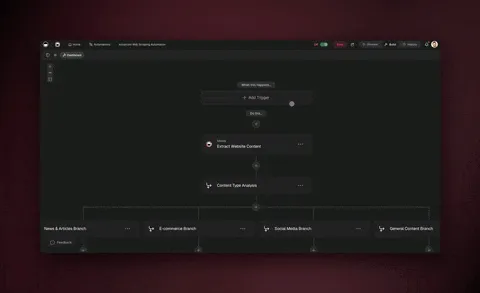
What Taskade Genesis can do that an AI assistant can't
An AI assistant acts on your behalf. Taskade Genesis lets you build software. Here's the full capability set in one place:
| Capability | What it means for you |
|---|---|
| One-prompt apps | Describe an app; get a live, deployed one with a database and UI |
| AI agents (built-in tools) | Agents that search the web, run code, analyze files, and act |
| Multi-agent collaboration | Agents work as a team — research, draft, review, hand off |
| 15+ frontier models | OpenAI, Anthropic, Google + open-weight, routed automatically |
| 100+ bidirectional integrations | Triggers pull events in; actions push data out (native Shopify + Stripe) |
| Durable automations | Branch, loop, filter, wait days, resume from the failed step |
| Multiple project views | List, Board, Calendar, Table, Mind Map, Gantt, Org Chart |
| Publish & share | Custom domains, built-in sign-in, Community Gallery |
| Persistent memory | Workspace DNA so your apps and agents compound over time |
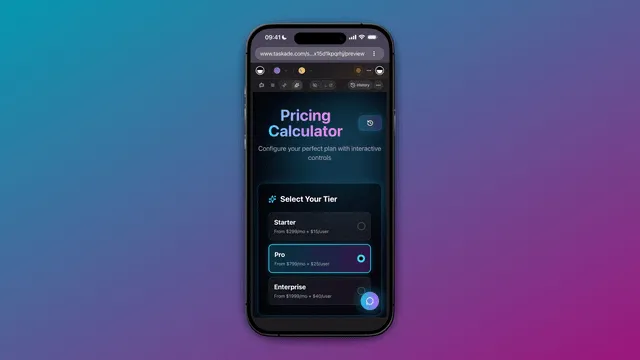
Most AI assistant tools automate tasks. Taskade Genesis automates the outcome, and then gives you the app, the agent team, and the memory around it.
Frequently asked questions
What is the best Lindy alternative in 2026?
It depends on the job. Lindy itself is excellent for a polished AI assistant, Zapier is easiest for the widest app library, and Make has a strong visual canvas. For teams who want AI agents and automations and a real app in one place, built by describing the outcome instead of training an assistant task by task, Taskade Genesis is the strongest pick, starting free.
Is there a Lindy alternative with built-in AI agents?
Yes. Taskade Genesis includes AI agents with built-in tools that reason over your data and run multi-step work, across 15+ frontier models, and can collaborate as a team in orchestration mode. Relay and Bardeen also build AI into automation, while Zapier and Make layer AI onto their canvases.
Can a Lindy alternative build a complete app, not just run assistant tasks?
Most AI assistant tools only act on your behalf. Taskade Genesis combines AI agents, durable automation workflows, databases, and a full app UI into living software you build from one prompt, 150,000+ apps built since launch, each with a shareable URL.
Do I need to know how to code to replace Lindy?
No. Taskade Genesis, Zapier, Make, and Relay are all no-code. The difference is altitude, Taskade Genesis lets you describe the result and assembles the agents, the automation, and the app for you, while n8n adds a code option for developers.
Which Lindy alternative is best for email, CRM, and meetings?
Lindy is strong on its home turf of email, CRM, and meeting notes. Among alternatives, Taskade Genesis connects email, calendar, and CRM tools as part of 100+ bidirectional integrations, and AI agents can reason over those events and act, plus you end up with an app, not just an assistant.
What's the cheapest way to replace Lindy?
n8n Community Edition is free to self-host (with server upkeep). Among managed cloud tools, Taskade Genesis starts free, with Pro from $10/month on annual billing. Relay and Bardeen also have free tiers for lighter usage.
Ready to build instead of delegate? Start free with Taskade Genesis, describe what you want, and watch it build the agents, connect your tools, and ship a live app.
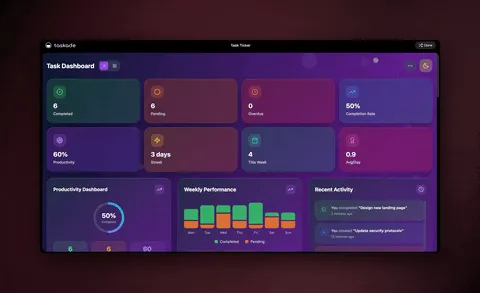
Explore the automation library, meet your AI agents, browse cloneable apps, or compare more tools in our Make.com alternatives, Zapier alternatives, and n8n alternatives guides.
▲ ■ ● Memory, Intelligence, Execution, describe the outcome, and Taskade Genesis remembers your data, reasons over it, and runs the work. That's the difference between an assistant that acts for you and a living app your whole team can use.