






TL;DR: AI agent kits are ready-made Taskade Genesis apps you clone in one click, a self-learning Knowledge Kit, daily reminders, hands-off social posting, SEO, reports, and a blog generator. Each pairs a project, an AI agent with built-in tools, and reliable automations. Fork a live one, change a few fields. Start free. 150,000+ apps built.
Most "AI agent" guides hand you a blank canvas and a list of steps. You read for twenty minutes, build for an hour, and hope the wiring holds. AI agent kits flip that. Each kit is a live, working app, a project, an AI agent, and the automations that run it, already assembled for one outcome. You clone it into your workspace in about 30 seconds and change a few fields.
That is the difference David, an IT program manager with zero engineers, used to ship a production project dashboard. He did not build the agent. He cloned a kit, pointed it at his data, and pressed go.
This roundup walks through seven AI agent and automation kits you can clone today in Taskade Genesis, each with the exact outcome it delivers and a one-click clone path. No code, no canvas to wire, describe the result, or fork a kit that already does it.
What is an AI agent kit?
An AI agent kit is a ready-made Taskade Genesis app that bundles three things into one cloneable unit: a project (your data), an AI agent with built-in tools (the brain that reasons and acts), and one or more reliable automation workflows (the execution). You do not assemble these yourself. You fork a live version and adjust it.
That bundle maps directly onto Taskade's Workspace DNA loop, Memory, Intelligence, Execution, which is why a kit keeps working after you clone it instead of falling apart:
┌─────────────────────────────────────────────────────────────┐
│  Taskade Genesis · AI Agent Kit                         ⌄ ⊕  │
├──────────────────┬──────────────────────────────────────────┤
│  KIT CONTENTS    │   ⚙  Automation · "Refresh Knowledge"     │
│                  │   ─────────────────────────────────────   │
│  ▲ Memory        │   Trigger   Every day · 07:00 · PST       │
│   └ Knowledge    │   Step 1    Pull new items from RSS feed  │
│     Hub project  │   Step 2    Add to Knowledge Hub project  │
│                  │   Step 3    Train agent on new sources    │
│  ■ Intelligence  │   Step 4    Notify via Slack  ✓           │
│   └ Research     │   ─────────────────────────────────────   │
│     Agent        │   Status    ● Active   ·   Last run ✓     │
│     34 tools     │                                           │
│                  │   🤖 Research Agent                        │
│  ● Execution     │   "I answer from 412 sources and counting"│
│   └ 1 automation │   Models: 15+ frontier · auto-routed      │
├──────────────────┴──────────────────────────────────────────┤
│  [ Clone this kit ]   [ Customize ]   [ Publish app ]        │
└─────────────────────────────────────────────────────────────┘
Because the three pieces are connected, the kit compounds. Memory feeds Intelligence, Intelligence triggers Execution, Execution writes new Memory, a self-reinforcing loop a flat template or a one-off automation can't match.
How do you clone a kit?
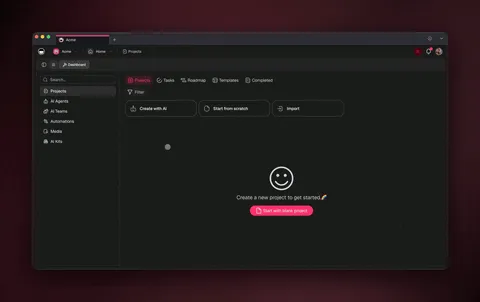
Cloning a kit takes one click and about 30 seconds. Open any kit in the Community Gallery or on a share link, press clone, and a full working copy lands in your workspace, the project, the agent, and every automation, wired and ready. From there you change three things, and only three:
| You change | Example | Why |
|---|---|---|
| The source | Point the project at your data or feed | The kit runs on your content |
| The schedule | Set the trigger time and timezone | Reminders and posts fire when you want |
| The message | Edit the Slack or email text | It sounds like your team |
Everything else, the agent's tools, the automation logic, the integrations, already works. Here is the clone-to-running path end to end:
The 7 AI agent kits to clone
Here is the full lineup at a glance, then a section on each with the outcome and a clone link.
| # | Kit | What it does for you | Best for |
|---|---|---|---|
| 1 | AI Agent Knowledge Kit | An assistant that teaches itself from RSS feeds | Research, support, curators |
| 2 | Daily To-Do Reminder | A morning summary of open tasks, sent automatically | Any team that drops follow-ups |
| 3 | Social Posting | Publishes posts on their due date, hands-free | Solo marketers, social managers |
| 4 | SEO Entity | An agent that maps and tracks topic coverage | Content and SEO teams |
| 5 | Productivity Report | A recurring digest of what got done | Managers, founders, leads |
| 6 | Daily Blog Generator | A fresh draft in your queue every day | Content marketers, solo founders |
| 7 | Content Workflow | Research → draft → review → publish, as a team | Marketing teams |
1. AI Agent Knowledge Kit: a self-learning assistant
Outcome: an AI agent that gets sharper every day without you lifting a finger. The Knowledge Kit combines a Knowledge Hub project, an automation that pulls fresh articles from RSS feeds on a schedule, and an agent that trains on everything it collects. As new sources accumulate, the agent answers your questions with more precision and more domain depth.
You clone the kit, paste in the RSS feeds you care about, and set the refresh interval. Optional Slack or Gmail alerts ping you when new knowledge lands. From then on the agent quietly evolves into a living knowledge base, perfect for research teams, support staff, and content curators who need an assistant that never goes stale.
This is Workspace DNA at its purest: the project is Memory, the agent is Intelligence, the RSS automation is Execution, and each run makes the next answer better. Browse more agent ideas in the AI agents hub and the content-agent category.
2. Daily To-Do Reminder: never drop a follow-up
Outcome: a clean summary of every open task lands in Slack or your inbox each morning, automatically. The Daily To-Do Reminder runs on an "Every Day" trigger at a time and timezone you choose. It finds the uncompleted tasks in a project you pick, formats them into a readable list, and sends them on their way.
The kit filters for tasks where the completion field is empty, so you only see open work, not the things you already finished. Want to surface only urgent items? Add a priority filter and the reminder shows just your high-priority tasks. Set it up once and the manual check-ins disappear. It is the simplest kit on this list and one of the most loved, because accountability becomes automatic.
3. Social Posting: publish on a schedule, hands-free
Outcome: your posts publish themselves the moment they are due. The Social Posting kit uses a "Task Due" trigger: you keep a Table-view project where each row holds a post's content and a due date. When a post hits its time, the automation publishes it to X (Twitter) and flips a status field to "Posted" so you always know what shipped.
The kit demonstrates X out of the box, with options to extend to Facebook Pages and WordPress through additional actions. Pair it with a content agent and the agent drafts the copy while the automation ships it, a two-part team that keeps your presence consistent without a human pressing publish at 9am. This is the bridge between an AI agent that writes and an automation that delivers.
4. SEO Entity: map and track topic coverage
Outcome: an agent that knows which topics you cover, which you've missed, and what to write next. The SEO Entity kit pairs a research-capable agent (web search is one of its built-in tools) with a project that catalogs your target entities and keywords. The agent fills gaps, flags thin coverage, and keeps a running map of your content footprint.
Clone it, feed it your site's topics, and let it surface the next high-value piece on a recurring schedule. Because the agent has persistent memory, it builds on last week's analysis instead of starting cold every run. Explore related setups in the marketing automation library and the content-curation agents.
5. Productivity Report: a digest of what got done
Outcome: a recurring report that summarizes completed work, sent to your team or your inbox. The Productivity Report kit runs a scheduled automation that scans a project for finished tasks, asks an agent to summarize the wins and themes, and delivers a tidy digest, daily, weekly, or whatever cadence fits.
It turns "what did we ship this week?" from a Friday scramble into an automatic email. Managers, founders, and team leads use it to stay informed without asking for status updates. The agent does the summarizing; the automation handles the schedule and delivery. See how durable automation workflows chain steps like this together.
6. Daily Blog Generator: a fresh draft every day
Outcome: a new blog draft sitting in your queue every morning. The Daily Blog Generator kit runs a scheduled automation that prompts a writing agent to draft a post on a topic from your content pipeline, then drops the draft into a project for review. You wake up to a starting point, not a blank page.
Routing across 15+ frontier models, the agent can match your tone, pull in research, and structure the piece. You edit and publish, the hard part of staring at an empty document is gone. Combine it with the Social Posting kit above and a single content engine writes, schedules, and ships. Start one from a prompt at the AI workflow builder.
7. Content Workflow: a multi-agent content team
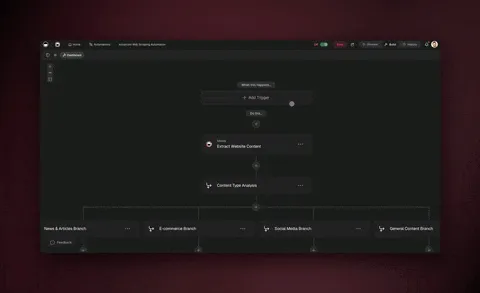
Outcome: research, drafting, review, and publishing run as a coordinated team. The Content Workflow kit uses multiple agents in orchestration mode, one researches, one drafts, one reviews, with automations handling the hand-offs and the publish step. It is the most powerful kit here because it shows agents collaborating, not just running alone.
This is the kit to clone when one agent isn't enough. The agents share context through persistent memory, so the reviewer sees what the researcher found, and the whole team improves as your workspace fills with past work. It pairs naturally with the app builder when you want to wrap the workflow in a shareable app.
See it live, then clone it
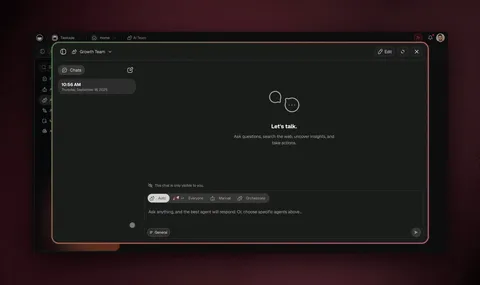
Below is a real, cloneable Content Workflow kit running in Taskade Genesis, three projects, two AI agents, and two automations, exactly the orchestration pattern from kit #7. Click around the live preview, then fork it into your own workspace.
Note: the embedded share app loads on the live site (it 404s on a local dev preview. That's expected, not a bug).
Once you've explored it, clone it to make it yours, then point the agents at your topics and the automations at your channels. Cloning is free and takes about 30 seconds. Browse the full Community Gallery for thousands more cloneable kits and apps.
How the kits compare
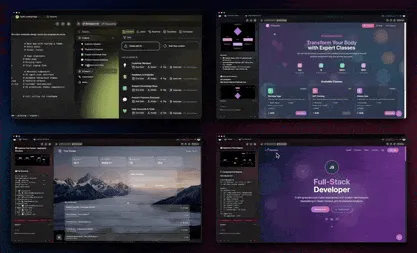
Every kit follows the same shape, a project, an agent, automations. But they differ in how many agents collaborate and how often they run. Pick by the outcome you need, not the moving parts.
| Kit | Agents | Automation cadence | Outcome you get |
|---|---|---|---|
| Knowledge Kit | 1 | Scheduled (RSS pull) | A self-learning assistant |
| Daily To-Do Reminder | 0–1 | Daily trigger | A morning open-task summary |
| Social Posting | 1 | On task due | Hands-free publishing |
| SEO Entity | 1 | Scheduled | A live topic-coverage map |
| Productivity Report | 1 | Recurring | A done-work digest |
| Daily Blog Generator | 1 | Daily | A fresh draft in your queue |
| Content Workflow | 2+ | Per hand-off | A coordinated content team |
The decision is simple: if you want one job done on a schedule, any single-agent kit works. If you want several specialists to split a job and hand it off, reach for the Content Workflow.
What outcome do you need?
│
├─ Stay current automatically ............ Knowledge Kit
├─ Never miss open tasks ................. Daily To-Do Reminder
├─ Post without pressing publish ......... Social Posting
├─ Know what to write next ............... SEO Entity
├─ Report on what got done ............... Productivity Report
├─ Wake up to a fresh draft .............. Daily Blog Generator
└─ Run a whole content team .............. Content Workflow
What makes a Taskade kit different from a template
A template is a starting layout, empty fields you fill in. A Taskade kit is living software: the AI agent reasons and acts, the automation runs on its own, and the integrations move data in both directions. Here is the capability set every kit inherits:
| Capability | What it means for you |
|---|---|
| One-prompt apps | Describe a kit and Taskade Genesis builds a live one |
| AI agents (built-in tools) | Agents that search, run code, analyze files, and act |
| Multi-agent collaboration | Agents split a job, review each other, hand off |
| 15+ frontier models | OpenAI, Anthropic, Google, open-weight — auto-routed |
| 100+ bidirectional integrations | Triggers pull events in; actions push data out |
| Durable automations | Branch, loop, filter, wait days, resume from failure |
| Multiple project views | List, Board, Calendar, Table, Mind Map, Gantt, Org Chart |
| Persistent memory | Workspace DNA so agents compound over time |
| Publish anything | Custom domains, built-in sign-in, Community Gallery |
Native Shopify and Stripe actions mean a kit can react to real orders and payments, not just internal tasks. And because every kit is itself a Taskade Genesis app, you can publish your customized version, give it a custom domain, and even list it in the gallery for others to clone, your kit becomes someone else's starting point.
If a kit on this list isn't quite right, you don't have to settle. Open the Taskade Genesis builder, describe the kit you want in plain English, and it assembles one for you, agent, automation, and app together. The seven kits above are popular starting points, not a ceiling.
Cloneable app kits vs. workflow templates: what's the real difference?
A cloneable app kit gives you a running app, agent, automations, and a real UI already wired and live. That you fork in about 30 seconds and use immediately. A workflow template gives you a starting layout you still have to wire: connect each app with OAuth, map the fields, pick a trigger, and test. The biggest template galleries solve discovery brilliantly; what they hand you is a blueprint, not a working product. That gap, wired-and-running vs. wire-it-yourself, is the differentiated angle behind every kit on this list.
The template-gallery space is genuinely strong, and credit where it's due. n8n ships 4,000+ expert templates and a community library of thousands of AI workflows, with deep node-level control and self-hosting for technical teams. Zapier has the largest connector ecosystem in automation, 8,000+ app integrations. So if a tool exists, Zapier probably reaches it. Gumloop and Relevance AI bring polished AI-native canvases and tidy prebuilt agent templates for sales and research. These are excellent platforms, and for many teams a template gallery is exactly the right tool.
The difference is what you hold after you pick one. A template is a recipe; a Taskade Genesis kit is the cooked meal. Here is the honest side-by-side:
| What you compare | Workflow-template galleries | Taskade Genesis app kits |
|---|---|---|
| What you get | A blueprint to wire (steps + connections) | A live, running app — agent + automations + UI |
| Time to first run | Minutes to hours of OAuth + field mapping (n8n's first AI agent can take a few hours; even a simple Zap is a 5–15 min wiring job) | About 30 seconds — clone and go |
| Template depth | Outstanding — n8n 4,000+, Zapier thousands, Make 2,500+ | Thousands of cloneable apps in the Community Gallery; 150,000+ apps built |
| Connector reach | Zapier's 8,000+ is the widest in the category | 100+ bidirectional integrations — triggers pull in, actions push out |
| The UI | You build or bolt one on separately | A real interface ships inside the kit |
| Agents | Often a single AI step in the flow | AI agents with built-in tools, plus multi-agent orchestration |
| Memory | Per-run or add-on vector store | Workspace DNA — agents compound across runs |
| Best for | Technical teams who want node-level control | Operators who want the outcome running today |
The takeaway isn't "templates are worse." It's that they answer a different question. A gallery answers "what could I build?" A kit answers "what's running in my workspace right now?" If you want the deepest node-level control and self-hosting, a template platform like n8n is a strong call, compare the trade-offs in our n8n alternative and Zapier alternative write-ups. If you want the outcome live today, clone a kit. For more on durable, hands-off execution, see the automation library.
Frequently Asked Questions
What is an AI agent kit in Taskade?
An AI agent kit is a ready-made Taskade Genesis app you clone in one click. Each kit bundles a project, an AI agent with built-in tools, and reliable automation workflows wired for a specific outcome. You fork a live working version and change a few fields, no building from scratch.
Do I need to code to use a kit?
No. Every kit is no-code. You clone a live app, point it at your data, and set the schedule and message. Taskade Genesis handles the agent, the automation, and the integrations. If you can fill in a form, you can run any kit on this list.
What is the AI Agent Knowledge Kit?
The Knowledge Kit is a self-learning setup: a Knowledge Hub project, an RSS-powered automation that pulls fresh sources on a schedule, and an agent that trains on everything it collects. The result is an assistant that sharpens over time, with optional Slack or Gmail alerts.
How does the Daily To-Do Reminder work?
A daily trigger runs at a time and timezone you set. The automation finds uncompleted tasks in a project, formats them into a list, and sends them to Slack or email. It filters for open work only, and you can add a priority filter for urgent items.
Can I automate social media posting?
Yes. The Social Posting kit publishes to X (Twitter) when a post hits its due date, with options to extend to Facebook Pages and WordPress. Each row in a Table-view project holds the content and date, and a status field marks what shipped.
How many kits can I clone?
As many as you want. The Community Gallery has thousands of cloneable apps, and 150,000+ apps have been built on Taskade Genesis since launch. Cloning is free, takes about 30 seconds, and you can run multiple kits side by side.
Can the agents in a kit work as a team?
Yes. Taskade Genesis supports multi-agent collaboration and orchestration mode, where agents split a job, research, draft, review, and hand off to each other while sharing context through persistent memory.
How much do kits cost?
Cloning is free. Taskade Genesis starts free, then Pro $10/mo (10 users, popular), Business $25/mo, Max $100/mo, and Enterprise $250/mo on annual billing. Test every kit on the free plan first.
Ready to clone your first kit? Start free with Taskade Genesis, browse the Community Gallery, explore the AI agents hub, or wire your own outcome in the automation library. Describe what you want, fork a kit, and let the agents run the work.
▲ ■ ● Memory, Intelligence, Execution, a kit isn't a tutorial you build, it's a living app you clone. Taskade Genesis remembers your data, reasons over it, and runs the work, so every kit gets smarter the longer it runs.