






The phrase "AI agent" meant something different a year ago. In 2025, most agents were demos you watched try and fail. In 2026, they run real work: ChatGPT Agent books and buys, Claude operates a computer, Manus completes open-ended projects unattended, and teams of agents hand tasks to each other. The question is no longer "do agents work?" It is "which one, for what, and should I use someone else's agent or build my own?"
This guide answers all three. We tested and ranked the 15 best AI agents in 2026 across autonomy, capability, computer use, integrations, and price. Every entry lists transparent pricing, real strengths, and honest limits. No tool paid for placement. And because "best AI agent" actually splits into two different questions, we organize the field around the fork the rest of the internet ignores: the agents you use versus the agent you build.
TL;DR: The best general-purpose AI agent in 2026 is ChatGPT Agent; Claude leads for reasoning and coding, Manus for hands-off autonomy, and Perplexity for cited research. To build your own agent team on your data, Taskade ranks first among no-code platforms: built-in tools, multi-agent collaboration, persistent memory, and 100+ integrations on a free tier. Build your own AI agent team free →
Compare with: if you want to build one instead of using a named agent, see how to build a custom AI agent from scratch or AI agent platforms ranked by deployment and workforce features.
The Best AI Agents in 2026 at a Glance
The best AI agent depends on the job. ChatGPT Agent wins for general-purpose tasks, Claude for reasoning and coding, Manus for autonomy, Perplexity for research, and Taskade for building your own agent team on your data. Here is the full ranking with the one thing each tool is genuinely best at, plus its free tier and entry price.
| # | AI agent | Best for | Free tier | From (annual) |
|---|---|---|---|---|
| 1 | ChatGPT Agent | General-purpose everyday tasks | Limited | $20/mo |
| 2 | Claude (computer use) | Reasoning and coding | Limited | $20/mo |
| 3 | Taskade | Building your own agent team | Yes | $10/mo |
| 4 | Manus | Hands-off autonomous tasks | Trial credits | ~$39/mo |
| 5 | Genspark | Agentic research and content | Yes | ~$25/mo |
| 6 | Perplexity | Cited research | Yes | $20/mo |
| 7 | Google Gemini | Workspace and deep research | Yes | $19.99/mo |
| 8 | Devin | Autonomous software engineering | No | $20/mo |
| 9 | Claude Code | Terminal coding agent | With Claude plan | $20/mo |
| 10 | Cursor | In-IDE coding agent | Yes | $20/mo |
| 11 | Lindy | Prebuilt business automation | Yes | ~$50/mo |
| 12 | Relevance AI | Role-based agent teams | Yes | ~$19/mo |
| 13 | Microsoft Copilot | Microsoft 365 teams | Limited | $20/mo |
| 14 | CrewAI | Custom multi-agent code | Open source | Free |
| 15 | AutoGPT | Open-source experimentation | Open source | Free |
Prices are starting points as of June 2026 and exclude usage-based API costs. Jump to the full comparison table, the use-vs-build decision fork, or the pricing breakdown.
What Is an AI Agent?
An AI agent is software that pursues a goal on its own by perceiving context, reasoning about steps, planning a sequence, and acting through tools, then observing the result and adjusting. Unlike a chatbot that only replies with text, an agent executes: it searches the web, runs code, edits files, calls integrations, and repeats the loop until the task is done.
That perceive-reason-plan-act loop is the heartbeat of every tool on this list:
Agent vs Chatbot vs Copilot
The clearest way to understand an agent is to contrast it with the two things people confuse it with. A chatbot answers questions. A copilot suggests inside an app. An agent takes the wheel and completes multi-step work. For the full breakdown, see our AI agents vs copilots vs chatbots guide and the deeper agent taxonomy.
| Chatbot | Copilot | AI agent | |
|---|---|---|---|
| Job | Answer questions | Suggest in-app | Complete tasks |
| Initiative | Reactive | Assisted | Autonomous |
| Tools | None | App-scoped | Web, code, files, integrations |
| Output | Text reply | Inline suggestion | Finished work |
| Example | FAQ bot | Code autocomplete | ChatGPT Agent, Manus |
The Five Parts of Every AI Agent
Under the hood, every agent is the same five components wired together. When you compare tools, you are really comparing how good each one is at each part.
| Component | What it does | Why it matters |
|---|---|---|
| Model | The reasoning engine (an LLM) | Sets the ceiling on quality and judgment |
| Tools | Web search, code, files, integrations | Lets the agent act, not just talk |
| Memory | Short-term context + long-term recall | Enables continuity and learning over time |
| Planning | Decomposes a goal into steps | Turns one prompt into a multi-step task |
| Guardrails | Approvals, limits, evaluations | Keeps autonomy safe and on-budget |
This is also why building an agent is not the same as prompting a chatbot: you are assembling these five parts for a specific job, then reusing them.
How an AI Agent Actually Works: The Perceive-Reason-Act-Learn Loop
Every agent on this list runs the same closed loop, whether it is a one-off computer-use agent or a team you build. The diagram below shows the universal agent loop — the agent perceives context, reasons about what to do, acts through its tools, then learns by writing what happened into memory, which sharpens the next pass. Two nodes sit at the center because they are what separate an agent from a one-shot prompt: a tools node it acts through, and a persistent-memory node it reads from and writes to.
The loop is what makes an agent feel autonomous: it does not stop at one answer, it keeps cycling until the goal is met or a guardrail stops it. The quality of the tools node decides what an agent can do; the persistent-memory node decides whether it gets better the second time you run it. Most one-off agents have a strong tools node but a thin memory node — they forget after the task. An agent you build keeps both, which is the whole reason the "build" path compounds.
How AI Agents Evolved: 2023 to 2026
AI agents went from research toy to dependable worker in roughly three years. The 2023 wave (AutoGPT, BabyAGI) proved the loop could work but looped and stalled. 2024 added tool use and reliable function calling. 2025 brought computer use and longer task horizons. By 2026, agents crossed the line from "watch it try" to "let it run."
| Era | Year | What defined it | Representative agents |
|---|---|---|---|
| Spark | 2023 | Autonomous loops that often stalled | AutoGPT, BabyAGI |
| Tools | 2024 | Reliable function calling + tool use | GPT-4 tools, early Claude tool use |
| Computer use | 2025 | Agents that operate a real screen | Claude computer use, Operator |
| Let it run | 2026 | Dependable autonomy + multi-agent teams | ChatGPT Agent, Manus, Genspark |
The single best proxy for this progress is task horizon — how long a task an agent can complete before it loses the thread. It has climbed steeply, which is exactly why 2026 is the year agents started doing real work rather than demos.
Illustrative trend, not a benchmark score — it reflects the widely observed rise in how long and how reliably agents complete multi-step work. The underlying driver is the agentic AI shift in model capability and tooling.
What Changed in 2026: Agents Went From "Watch It Try" to "Let It Run"
In 2026, AI agents crossed the reliability line from supervised demos to dependable execution. Three shifts drove it: computer use (agents that operate a real screen), longer and more stable task horizons, and multi-agent teams where specialized agents hand work to a coordinator. The result is agents you can hand a goal and trust to finish.
According to Gartner, by 2028 roughly 33% of enterprise software applications will include agentic AI, up from less than 1% in 2024, and 15% of day-to-day work decisions will be made autonomously by agents. That trajectory is the demand behind every tool on this list.
Anchored on Gartner's published endpoints (less than 1% in 2024 to 33% by 2028); intermediate years interpolated to show the curve.
The other big shift is teamwork. A single agent has a ceiling; a team of specialized agents handing work to each other clears it. This handoff pattern is how the most capable 2026 systems operate.
Agents You Use vs Agents You Build
Here is the distinction the rest of the internet blurs. Some agents are products you use off the shelf for open-ended, one-off tasks: ask ChatGPT Agent to plan a trip, or Manus to compile a market report. Others are agents you build once and reuse: a support triage agent trained on your docs, or a content pipeline grounded in your brand. The first is a destination. The second is infrastructure. Most of this list is the former; Taskade leads the latter. We return to this fork in detail below.
The AI Agent Landscape in 2026: Five Categories
The 15 agents on this list fall into five categories, and matching the category to your job is most of the decision. General agents handle anything; research agents find and cite; coding agents ship software; business agents automate operations; and build-your-own platforms let you make agents for your own data.
| Category | What it is best at | Leaders | Use vs build |
|---|---|---|---|
| General-purpose | Open-ended one-off tasks | ChatGPT Agent, Claude, Manus | Use |
| Research | Cited answers, deep reports | Perplexity, Gemini, Genspark | Use |
| Coding | Shipping software | Devin, Claude Code, Cursor | Use |
| Business automation | Email, CRM, ops workflows | Lindy, Relevance AI, Copilot | Use / build |
| Build-your-own | Reusable agents on your data | Taskade, CrewAI, AutoGPT | Build |
How We Tested and Ranked These AI Agents
We evaluated each agent on six criteria: autonomy (how much it does unattended), capability (range and quality of tasks), computer use (can it operate apps and a browser), integrations (how well it connects to your tools and data), reliability (does it finish without babysitting), and price transparency. We weighted real-world task completion over benchmark scores, and we tested free tiers where they exist.
| Criterion | What we looked for | Weight |
|---|---|---|
| Autonomy | Completes multi-step tasks unattended | High |
| Capability | Range and quality across task types | High |
| Computer use | Operates a browser or desktop | Medium |
| Integrations | Connects to your tools and data | High |
| Reliability | Finishes without getting stuck | High |
| Price transparency | Clear, published pricing | Medium |
This is an independent ranking. Taskade publishes it, and Taskade appears at #3, but no vendor paid for placement and we rank ChatGPT Agent, Claude, and Manus above our own product where they genuinely lead. Where Taskade wins is a different question from "best general agent," and we keep the two separate on purpose.
Benchmark Honesty: Why We Don't Rank on SWE-bench Verified Alone
A note on benchmarks. By 2026, the agent community broadly distrusts a single headline coding score as a buying signal. SWE-bench Verified — long the default coding-agent leaderboard — turned out to be partly reward-hackable: agents can exploit shortcuts like reading the linked issue's resolution or matching a test's expected output rather than genuinely fixing the bug, so a high number does not guarantee real problem-solving. The field's response was harder, contamination-resistant evaluations such as SWE-bench Pro, alongside private held-out task sets. The durable takeaway for buyers: weight real task completion on your work over any public leaderboard number. Run the agent on three of your own representative tasks, check whether it finished without babysitting, and treat any single benchmark score as marketing until you have reproduced it. That is why this guide weights hands-on reliability above published scores, and why we cite no leaderboard rank for any tool here.
The 15 Best AI Agents in 2026 (Ranked)
1. ChatGPT Agent (OpenAI) — Best General-Purpose Agent
ChatGPT Agent is the most capable general-purpose agent for the widest audience. It browses the web, runs code, fills forms, and completes multi-step tasks inside ChatGPT using its own virtual computer, then asks for confirmation before consequential actions. For most people, it is the default first agent.
- Best for: Everyday open-ended tasks for a general audience
- Pricing: Included in ChatGPT Plus ($20/mo); Pro ($200/mo) for higher limits
- Strengths: Broadest reach, strong tool use, huge ecosystem and familiarity
- Limitations: Can be slow on long tasks; usage limits on Plus; oversight still required for sensitive actions
2. Claude with computer use (Anthropic) — Best for Reasoning and Coding
Claude is the agent to reach for when correctness matters. Anthropic's models drive a real screen, handle long-horizon reasoning with unusual care, and power best-in-class agentic coding through the Claude Agent SDK. Many of the other agents on this list run on Claude under the hood.
- Best for: Careful reasoning, analysis, and agentic coding
- Pricing: Claude Pro ($20/mo); Max (from $100/mo); API usage-based
- Strengths: Top-tier reasoning, reliable long tasks, strong safety posture
- Limitations: Computer use is slower than direct integrations; advanced limits need Max
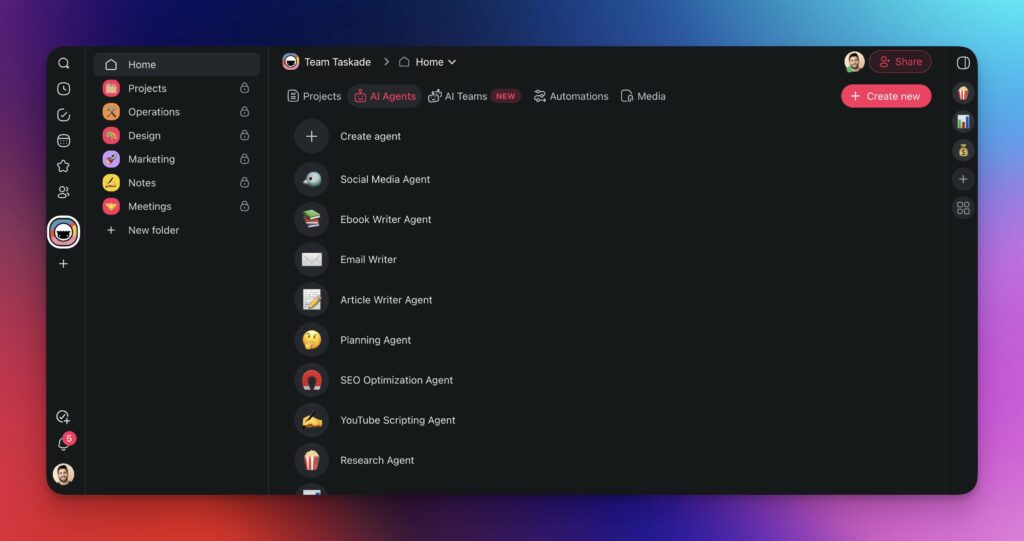
3. Taskade — Best for Building Your Own Agent Team on Your Data
Taskade is the best no-code platform for building your own AI agents instead of renting someone else's. You assemble a multi-agent team with built-in tools, persistent memory, and 100+ integrations, choose from 15+ frontier models, and publish agents that run on your projects and data. It is the answer to the "build" half of the fork, not a general chatbot.
- Best for: Repeatable, on-your-data agent teams built without code
- Pricing: Free tier; Pro $10/mo, Business $25/mo (annual)
- Strengths: No-code multi-agent teams, persistent memory, 100+ integrations, transparent flat pricing
- Limitations: Not a one-off "do my computer chore" agent; built for recurring work, not ad-hoc browsing
4. Manus — Best for Hands-Off Autonomous Tasks
Manus is the agent people use when they want to walk away. It plans and executes open-ended tasks end to end, producing finished deliverables like research dossiers and structured reports with minimal input. Our full Manus review covers where its autonomy shines and where it stumbles.
- Best for: Long, hands-off autonomous projects
- Pricing: Free trial credits; paid plans from ~$39/mo
- Strengths: Genuine end-to-end autonomy, strong deliverable quality
- Limitations: Credit-based costs add up; less predictable on novel tasks
5. Genspark — Best for Agentic Research and Content
Genspark is a "super agent" that chains search, generation, and tool calls into finished outputs like reports and slide decks. It sits between a research agent and a content engine, and it is especially good when you want a polished artifact rather than a chat transcript. See how it stacks up in our Genspark alternatives guide.
- Best for: Turning research into finished documents and decks
- Pricing: Free tier; paid plans from ~$25/mo
- Strengths: Output-oriented, fast artifact generation, generous free tier
- Limitations: Less control over sourcing; quality varies by task type
6. Perplexity — Best for Cited Research
Perplexity is the strongest agent for fast, sourced answers. Its Deep Research mode runs multi-step investigations and returns citations you can verify, which makes it the default for fact-finding and competitive research. It is the cleanest example of an agent you trust because it shows its work.
- Best for: Cited, search-grounded research
- Pricing: Free; Pro ($20/mo); Max ($200/mo)
- Strengths: Transparent citations, fast, excellent free tier
- Limitations: Less suited to multi-step actions beyond research
7. Google Gemini — Best for Workspace and Deep Research
Gemini is the agent for people who live in Google Workspace. It grounds answers in your Docs, Sheets, and Gmail, and its Deep Research mode produces long, structured reports across the web. For Workspace-heavy teams, the context it already has is a real advantage.
- Best for: Google Workspace users and long research reports
- Pricing: Free tier; Google AI plans from $19.99/mo
- Strengths: Deep Workspace grounding, strong long-context research
- Limitations: Best value is locked to the Google ecosystem
8. Devin (Cognition) — Best for Autonomous Software Engineering
Devin is an autonomous software engineer that plans, writes, tests, and ships code across a full repository with minimal supervision. It is the most hands-off of the coding agents, suited to well-scoped tickets you want completed without sitting in the loop. Compare it in our Devin alternatives guide.
- Best for: Autonomous, end-to-end software tasks
- Pricing: Core from $20/mo (usage-based); Team from $500/mo
- Strengths: Full-repo autonomy, runs tests, handles routine engineering
- Limitations: Usage costs scale with work; still needs review on complex changes
9. Claude Code — Best Terminal Coding Agent
Claude Code is Anthropic's terminal-native coding agent. It reads, edits, and runs your codebase directly from the command line, which developers love for staying close to the metal. It is the agent for people who think in shells, not IDEs. Our Claude Code alternatives guide covers the full field.
- Best for: Developers who want an agent in the terminal
- Pricing: Included with Claude Pro/Max; API usage-based
- Strengths: Direct codebase control, scriptable, fast for power users
- Limitations: Terminal-first workflow is a barrier for non-developers
10. Cursor — Best In-IDE Coding Agent
Cursor brings agent mode into a familiar editor. Its agent plans and applies multi-file changes inside an AI-first IDE, so you get autonomy without leaving the place you already write code. For many developers it is the comfortable middle ground between copilot and full autonomy. See it among the best vibe coding tools.
- Best for: Daily development with an in-editor agent
- Pricing: Free Hobby; Pro ($20/mo); Business ($40/user/mo)
- Strengths: Familiar IDE, strong multi-file edits, large user base
- Limitations: Less autonomous than Devin; costs rise with heavy use
11. Lindy — Best Prebuilt Business Automation Agents
Lindy is a no-code builder for business automation agents that handle email, scheduling, and CRM workflows. Its library of ready agents makes it fast to deploy a single, well-defined automation. It is strongest when you want a prebuilt agent for one job rather than a flexible team.
- Best for: Prebuilt agents for email, scheduling, and CRM
- Pricing: Free tier; paid plans from ~$50/mo
- Strengths: Large template library, quick single-agent setup
- Limitations: Per-agent pricing and scope can get expensive across many workflows
12. Relevance AI — Best Role-Based Agent Teams for Ops
Relevance AI lets you build and orchestrate teams of role-based agents for operations and go-to-market work. It frames agents as "AI workers" with defined roles, which resonates with ops and sales teams standardizing on agent-driven processes.
- Best for: Role-based agent teams for ops and GTM
- Pricing: Free tier; paid plans from ~$19/mo, scaling to $199+/mo
- Strengths: Clear role model, good for structured business processes
- Limitations: Setup complexity rises with multi-agent orchestration
13. Microsoft Copilot — Best for Microsoft 365 Teams
Microsoft Copilot is the agent layer embedded across Microsoft 365 and Copilot Studio. For enterprises standardized on Microsoft, it brings agents to the documents and workflows employees already use, with governance and admin controls IT teams expect.
- Best for: Enterprises on Microsoft 365
- Pricing: Copilot Pro ($20/mo); Microsoft 365 Copilot ($30/user/mo)
- Strengths: Deep Office integration, enterprise governance
- Limitations: Value is tied to the Microsoft stack; per-seat cost at scale
14. CrewAI — Best Custom Multi-Agent Framework (Code)
CrewAI is an open-source Python framework for orchestrating multi-agent crews. It is the developer's choice when you want full code control over how agents collaborate, with no platform constraints. It pairs well with custom infrastructure and is free to run yourself. See more in our open-source AI agents roundup.
- Best for: Developers building custom multi-agent systems in code
- Pricing: Open source (free); managed cloud plans available
- Strengths: Full control, active community, flexible orchestration
- Limitations: Requires engineering effort; you own the ops and reliability
15. AutoGPT — Best for Open-Source Experimentation
AutoGPT is the project that popularized self-running agent loops, now evolved into a low-code platform for autonomous workflows. It remains the go-to for experimentation and for understanding how autonomous agents think. Our OpenClaw and open-source agent guides cover the broader landscape.
- Best for: Open-source experimentation with autonomous loops
- Pricing: Open source (free); hosted beta available
- Strengths: Influential, transparent, free to run and modify
- Limitations: Less production-ready than commercial agents; needs technical setup
AI Agents Compared: Capability, Autonomy, Computer Use, Integrations, and Price
The fastest way to choose is to compare the agents side by side. ChatGPT Agent and Claude lead on general capability, Manus and Devin on autonomy, Taskade on building your own with the broadest integrations, and CrewAI and AutoGPT on open-source control. Here is the field on the dimensions that matter.
| AI agent | Type | Autonomy | Computer use | Integrations |
|---|---|---|---|---|
| ChatGPT Agent | General | High | Yes | Broad (plugins) |
| Claude | General / coding | High | Yes | Via SDK / MCP |
| Taskade | Build-your-own | Medium-High | No (direct integrations) | 100+ bidirectional |
| Manus | General autonomous | Very high | Yes | Moderate |
| Genspark | Research / content | Medium | Partial | Moderate |
| Perplexity | Research | Medium | No | Limited |
| Gemini | General / research | Medium | Emerging | Workspace |
| Devin | Coding | Very high | In repo | Dev tooling |
| Claude Code | Coding (CLI) | High | In repo | Dev tooling / MCP |
| Cursor | Coding (IDE) | Medium-High | In repo | Dev tooling |
| Lindy | Business automation | Medium | No | CRM / email / calendar |
| Relevance AI | Business teams | Medium | No | Ops / GTM tools |
| Microsoft Copilot | Enterprise | Medium | Emerging | Microsoft 365 |
| CrewAI | Framework | Configurable | If coded | Anything (code) |
| AutoGPT | Open-source | High | Plugin-based | Plugin-based |
Use a Ready-Made Agent vs Build Your Own: The Decision Fork
The single most useful decision in 2026 is not "which agent," it is "use or build." Use a ready-made agent when the task is open-ended and one-off, like researching a topic or completing a chore on your computer. Build your own agent when the work is repeatable, grounded in your data, and on-brand, like a weekly research digest or a support triage flow. Most teams do both.
That first split is the big one, but the full decision has four forks. The detailed decision tree below walks the complete path — it branches first on one-off chore versus recurring work, then on general versus your-own-data, then on team versus solo, and finally on no-code versus code — so you land on a specific tool rather than a category. Non-coders who want repeatable, on-data work land on Taskade; developers who want to wire orchestration by hand land on a code framework.
A quick way to decide:
START
  │
  ├─ Run it once?  ───────────────► Use a ready-made agent
  │                                  (ChatGPT Agent, Manus, Perplexity)
  │
  ├─ Run it weekly on your data? ──► Build your own agent team
  │                                  (Taskade: train on your docs, reuse)
  │
  └─ Ship production code? ────────► Use a coding agent
                                     (Devin, Claude Code, Cursor)
| Use a ready-made agent if… | Build your own agent if… |
|---|---|
| The task is a one-off | The task repeats on a schedule |
| You want zero setup | You want it grounded in your own data |
| Generic web/computer tasks | On-brand, role-specific work |
| You accept the vendor's defaults | You need control, memory, and reuse |
Build Your Own Agent Team on Your Data with Taskade
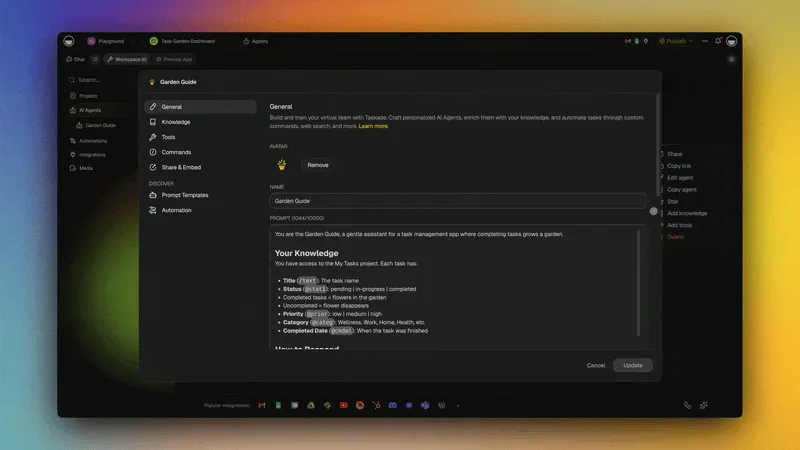
Taskade is where the "build" path lives. Instead of renting a single general agent, you assemble a team of specialized agents that share memory and run on your projects. Each agent gets built-in tools (web search, code, file analysis, custom slash commands), persistent memory, public embedding, and a choice of 15+ frontier models from OpenAI, Anthropic, and open-weight providers. The result is repeatable, on-brand automation, not a one-off chat.
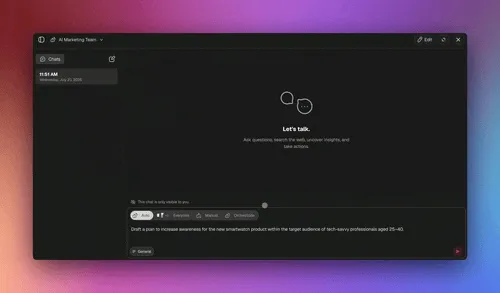
Multi-agent collaboration is native: a researcher agent hands findings to a writer agent, which hands a draft to an editor agent, all under Taskade's EVE meta-agent. You can build agents without code, train them on your own files and links, and connect 100+ integrations so agents act across your stack. This is the Workspace DNA loop in motion:
Memory feeds intelligence, intelligence triggers execution, and execution creates new memory — the loop that turns a one-off agent into a compounding system. It is the same engine behind Taskade Genesis, which builds entire apps from a prompt.
What a Taskade Genesis Agent Team Can Do
Taskade is more than an agent runner — it is a full build-and-run platform. One prompt can generate a working app with the agents, automations, and database it needs, then deploy it to a live URL on its own custom domain.
| Capability | What you get |
|---|---|
| AI Agents v2 | built-in tools (web search, code, file analysis, custom commands) + persistent memory |
| Multi-agent teams | Specialized agents collaborate under the EVE meta-agent with shared memory |
| 15+ frontier models | OpenAI, Anthropic, and open-weight providers, auto-routed per task |
| 100+ integrations | Bidirectional connectors: triggers pull events in, actions push data out |
| Taskade Genesis apps | Live apps from a prompt, with a database, custom domains, and password protection |
| Multiple project views | List, Board, Calendar, Table, Mind Map, Gantt, Org Chart in one workspace |
The build flow is a single prompt to a deployed, intelligent system:
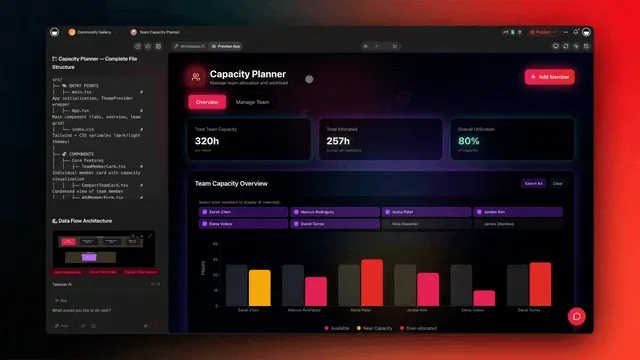
What a Taskade Genesis Agent Team Can Actually Do (and Where It's Going)
A Taskade Genesis agent team is not a single chat window — it is a build-and-run platform where one prompt produces a live app, the agents that run it, and the automations that keep it moving. Here is the full picture of what the team can do today.
| Capability | What it does |
|---|---|
| One-prompt-to-app | Live apps in minutes; custom domains, built-in login, Community Gallery |
| Workspace DNA | Memory (projects) + Intelligence (agents) + Execution (automations), a self-reinforcing loop |
| Taskade EVE | Meta-agent that creates, trains, and coordinates agent teams from one prompt |
| AI Agents v2 | built-in tools: web search, code, file analysis, custom slash commands, persistent memory, public embedding |
| Multi-agent teams | Orchestrated delegation across specialized agents: research to analysis to writing |
| AI models | 15+ frontier models from OpenAI, Anthropic, and open-weight providers |
| Integrations | 100+ bidirectional: triggers pull events in, actions push data out |
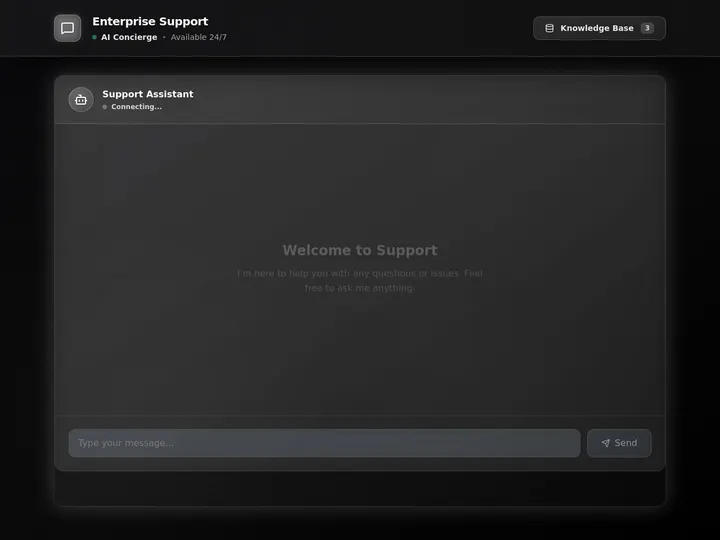
It plays well in a wider agent stack, too. Taskade runs a hosted MCP (Model Context Protocol) server — available on every paid plan — so an external agent or IDE can connect to your Taskade workspace as a tool, and your Taskade agents can act as one node in a larger multi-agent system. Traffic runs both ways: clients reach in, and the MCP Client step inside an automation reaches out to a third-party MCP server on every plan, including Free. The one thing to design around is where that outbound call lives — in the automation, not inside the agent, which contributes the judgment and reads the result. Beyond MCP, an agent's outward reach comes from built-in tools and 100+ bidirectional integrations. For a closer look at the EVE meta-agent and how it orchestrates a team, see our build an AI agent team guide.
Where it's going is the part that compounds. The vision is simple to state: one prompt = one app. Your workspace = the backend. Your agents = the team. Your automations = the execution. Models will keep improving and agents will keep getting cheaper — but those commoditize. The loop does not. Apps clone; workspaces compound. The agent you build today accumulates your data, your context, and your workflows, and gets more valuable with every run — which is exactly why the "build" path outlasts any single model or vendor.
Non-technical operators use this to run a whole business on one app — a CRM, an operations dashboard, or a client portal — and teams run agents for startups, solopreneurs, and automating real work like sales. For a deeper builder comparison, see our guides to the best AI agent platforms, AI agent builders, and multi-agent platforms. Start building your agent team free →
How to Choose the Right AI Agent for You
Match the agent to the job, not the hype. For research, choose Perplexity or Gemini; for hands-off projects, Manus; for coding, Devin, Claude Code, or Cursor; for business automation, Lindy or Relevance AI; and to build your own reusable agents, Taskade. The wrong-fit failures almost always come from forcing a one-off agent to do repeatable work, or vice versa.
| Your goal | Best pick | Runner-up |
|---|---|---|
| Cited research | Perplexity | Gemini Deep Research |
| Finished reports and decks | Genspark | Manus |
| Everyday open-ended tasks | ChatGPT Agent | Claude |
| Hands-off autonomous projects | Manus | ChatGPT Agent |
| Ship software autonomously | Devin | Claude Code |
| Code in your editor | Cursor | Claude Code |
| Automate email and CRM | Lindy | Relevance AI |
| Microsoft 365 workflows | Microsoft Copilot | Relevance AI |
| Build reusable agents (no code) | Taskade | Relevance AI |
| Build agents in code | CrewAI | AutoGPT |
If you prefer a single glance, this aligned map collapses the whole decision into "what you need" on the left and "which agent" on the right:
┌─────────────────────────────────┐        ┌──────────────────────────────────┐
│        WHAT YOU NEED            │   ──►   │          WHICH AGENT             │
├─────────────────────────────────┤        ├──────────────────────────────────┤
│ Cited answer, fast              │   ──►   │ Perplexity / Gemini              │
│ Finished report or deck         │   ──►   │ Genspark / Manus                 │
│ One-off computer chore          │   ──►   │ ChatGPT Agent / Claude           │
│ Hands-off long project          │   ──►   │ Manus                            │
│ Ship code autonomously          │   ──►   │ Devin / Claude Code / Cursor     │
│ Automate email + CRM            │   ──►   │ Lindy / Relevance AI             │
│ Recurring work on YOUR data     │   ──►   │ Taskade  (build your own team)   │
│ Full code control of orchestra. │   ──►   │ CrewAI / Claude Agent SDK        │
└─────────────────────────────────┘        └──────────────────────────────────┘
The dividing line is the bottom two rows: everything above is an agent you rent for a task, the bottom block is an agent you build and own. Most teams end up on both sides of that line.
For a structured walk-through of building versus buying, see agentic engineering without code and our AI workflow tools guide.
AI Agent Pricing in 2026
AI agent pricing clusters into three bands in 2026: consumer agents at about $20/month with $100–$200 power tiers, business platforms at roughly $19–$50 per user/month, and open-source frameworks that are free to run but bill you for model API usage. Taskade is among the most affordable for building your own, with a free tier and flat plans from $10/month billed annually.
Entry paid tier per tool; open-source frameworks (CrewAI, AutoGPT) are free to run but bill model API usage separately.
| AI agent | Free tier | Entry paid | Power tier | Model choice |
|---|---|---|---|---|
| ChatGPT Agent | Limited | $20/mo | $200/mo | OpenAI |
| Claude | Limited | $20/mo | $100+/mo | Anthropic |
| Taskade | Yes | $10/mo | $25–$100/mo | 15+ models |
| Manus | Trial | ~$39/mo | Usage-based | Mixed |
| Perplexity | Yes | $20/mo | $200/mo | Mixed |
| Gemini | Yes | $19.99/mo | Higher tiers | |
| Devin | No | $20/mo | $500/mo team | Anthropic |
| Lindy | Yes | ~$50/mo | Usage-based | Mixed |
Prices are starting points as of June 2026 and exclude usage-based API charges. Always confirm current pricing on each vendor's site before buying.
Cost Realism: What 1,000 Tasks Actually Cost
Sticker price is the wrong unit. A $20/month subscription and a $200/month one can cost the same per outcome if the cheaper one needs three retries and constant supervision. The honest question is cost per completed task, and that flips the ranking. The table below reframes the sticker prices above into a per-run, per-outcome lens across four representative agent categories — figures are deliberately bracketed ranges, not pinned vendor prices, because token use, retries, and your task mix move the real number.
| Agent category | What drives the cost | Rough cost shape per 1,000 tasks | Hidden cost to watch |
|---|---|---|---|
| General chat agent | Flat seat + usage caps | Low and predictable for small volume | Throttling and per-seat fees at scale |
| Autonomous coder | Tokens + tool runs per ticket | Can swing wide; complex tickets cost far more | Re-runs on failed PRs compound fast |
| Support-resolution agent | Per-resolution or per-message billing | Scales linearly with ticket volume | Pricing per agent gets expensive across many flows |
| Build-your-own team (Taskade) | Flat plan, shared across the team | Most predictable; one plan covers many agents | Almost none beyond the flat tier — that is the point |
Two patterns hold across every category. First, the cheapest sticker price is rarely the cheapest outcome — a one-off agent that fails a long task twice can cost more per finished result than a flat plan that finishes on the first pass. Second, per-agent and per-resolution pricing punishes scale: the moment you run the same workflow hundreds of times, a flat plan that bundles many agents and runs (the build-your-own model) usually wins on total cost. This is the quiet reason teams move repeatable work off metered consumer agents and onto a platform like Taskade, where one flat plan covers an entire agent team.
What Teams Actually Build With Agents in 2026
The most valuable agents are rarely the flashy one-off demos — they are the quiet, repeatable workflows that run every day. Here is what teams build once and reuse, the kind of work best suited to the "build your own" path rather than a one-off chat.
| Workflow | What the agent does | Build it with |
|---|---|---|
| Research digest | Pulls sources weekly, summarizes with citations | Taskade, Perplexity |
| Support triage | Reads tickets, drafts replies from your docs | Taskade |
| Lead enrichment | Researches inbound leads, updates the CRM | Taskade, Relevance AI |
| Content pipeline | Drafts, edits, and schedules on-brand content | Taskade multi-agent |
| Code maintenance | Fixes tickets, writes tests, opens PRs | Devin, Claude Code |
| Meeting follow-ups | Summarizes calls, assigns action items | Lindy, Copilot |
What AI Agents Still Can't Do Well in 2026
Honesty section, because the hype skips it. Agents in 2026 still struggle with very long tasks that require sustained accuracy, ambiguous goals without clear success criteria, and anything that demands real accountability or judgment. They can loop, hallucinate steps, and get expensive at scale, which is why every serious deployment keeps a human in the loop.
| Limitation | Why it happens | How to manage it |
|---|---|---|
| Long-task drift | Errors compound over many steps | Break work into checkpoints |
| Ambiguous goals | No clear success criterion | Define "done" explicitly |
| Cost at scale | Token and tool usage adds up | Cap budgets, monitor usage |
| Reliability gaps | Occasional loops or wrong turns | Keep human review on high-stakes work |
| Accountability | Agents can't own outcomes | A person stays responsible |
The practical takeaway: treat agents as fast, capable assistants, not unsupervised replacements. Start narrow, add guardrails and evaluations, give the agent clean data and clear success criteria, and expand autonomy only as it proves consistent. The teams getting real value in 2026 are the ones that scoped tightly and built oversight in from day one.
Where AI Agents Go Next
The direction of travel is clear: agents are getting more autonomous, more collaborative, and more grounded in your own data. The next phase is less about a single smarter agent and more about teams of specialized agents with shared memory, running longer tasks with less supervision, governed by clear guardrails.
That future rewards the teams that start building now. The agents you use will keep improving on their own. The agent you build accumulates your data, your context, and your workflows — and compounds with every run.
The same question follows agents one level up, where they assemble and run whole apps. What separates a weekend demo from a system you can rely on is memory: AI app builders with memory keep the context an agent needs to maintain what it built, while apps generated without it stall the moment the chat ends — a pattern we document in why AI-generated apps break.
Frequently Asked Questions About AI Agents
What is the best AI agent in 2026?
There is no single best AI agent for everyone. For general-purpose everyday tasks, ChatGPT Agent has the broadest reach. For careful reasoning and coding, Claude with computer use leads. For hands-off autonomous tasks, Manus stands out. And if you want a repeatable agent grounded in your own data and workflows, Taskade lets you build your own AI agent team on a free tier with paid plans from $10/month billed annually. The right pick depends on whether you want to use a ready-made agent or build your own.
What is the difference between an AI agent and a chatbot?
A chatbot responds to messages with text. An AI agent perceives a goal, plans a sequence of steps, and takes action using tools like web search, code execution, file analysis, and integrations, then checks its own work. In short, a chatbot answers and an agent gets things done. In 2026 the leading agents can also operate a real browser or computer to complete multi-step tasks.
What are the best free AI agents?
Several strong agents have genuine free tiers in 2026. Perplexity and Google Gemini offer free agentic research. Taskade offers a free tier that includes building and running your own AI agents with built-in tools. Open-source options like CrewAI and AutoGPT are free to run yourself, though you pay for the underlying model API usage. ChatGPT and Claude offer limited free access, with agent and computer-use features gated to paid plans.
Can I build my own AI agent without coding?
Yes. No-code platforms let you build agents by describing what you want rather than writing graph code. Taskade is built for this: you can assemble a multi-agent team with built-in tools, persistent memory, 100+ integrations, and a choice of 15+ frontier models, all without code, starting on a free tier. Developers who want full control can instead use code frameworks like CrewAI or the Claude Agent SDK.
What is the difference between using an AI agent and building one?
Ready-made agents like ChatGPT Agent or Manus are best for ad-hoc, open-ended tasks you run once, such as researching a topic or completing a one-off chore on your computer. Building your own agent on a platform like Taskade is best when the work is repeatable, on-brand, and grounded in your own knowledge, such as a recurring research, support, or content workflow. Most teams use both: ready-made agents for one-offs and a built agent team for repeatable work.
What are computer-use agents?
Computer-use agents can see a screen and control a mouse and keyboard to operate software the way a person would. ChatGPT Agent and Claude with computer use are the leading examples in 2026. They are powerful for tasks without an API, but they are slower and need more oversight than agents that act through direct integrations.
Which AI agent is best for research?
Perplexity is the strongest for fast, cited answers, and its Deep Research mode and Google Gemini Deep Research handle longer multi-step reports. Genspark is strong for turning research into finished outputs like reports and slide decks. If you need research that repeats on a schedule and feeds into your own workflows, you can build a research agent in Taskade that pulls from your sources and stores results with persistent memory.
Which AI agent is best for coding?
For autonomous end-to-end software work, Devin plans, writes, and tests code across a repo. Claude Code works in the terminal, and Cursor brings agent mode into a familiar IDE. The best choice depends on your workflow: terminal, IDE, or fully autonomous. For broader coverage of coding agents, see our guides on Claude Code alternatives and Devin alternatives.
How much do AI agents cost in 2026?
Consumer agents typically run $20 per month, such as ChatGPT Plus, Claude Pro, and Perplexity Pro, with power tiers at $100 to $200 per month. Business agent platforms range from roughly $19 to $50 per user per month and up. Taskade is among the most affordable for building your own agents, with a free tier and paid plans at $10 and $25 per month billed annually. Usage-based API costs apply to developer frameworks.
Are AI agents reliable enough to let them run on their own in 2026?
Reliability improved sharply in 2026, which is why agents moved from supervised demos to running real tasks. But they still make mistakes, can get stuck in loops, and need human review for high-stakes work. The safest approach is to start with oversight, add guardrails and evaluations, and expand autonomy as you confirm the agent performs consistently on your tasks.
What is the best AI agent for business and teams?
For prebuilt business automation, Lindy and Relevance AI offer ready agents for email, scheduling, and CRM work, and Microsoft Copilot fits teams on Microsoft 365. If you want to assemble your own agent team across functions on one flat plan instead of stitching together separate point tools, Taskade lets non-technical operators build a multi-agent team with shared memory and 100+ integrations from $10 per month billed annually. See our guide to AI agent platforms for a deeper builder comparison.
Can AI agents work together as a team?
Yes. Multi-agent collaboration became a standard pattern in 2026, where specialized agents hand off work to each other under a coordinator. Taskade supports multi-agent teams with persistent shared memory, and its EVE meta-agent can orchestrate them. Developer frameworks like CrewAI provide the same capability in code.
What can AI agents still not do well in 2026?
Agents still struggle with very long tasks that require sustained accuracy, ambiguous goals without clear success criteria, and anything that demands real-world judgment or accountability. They can also be expensive at scale and need monitoring to catch errors. Treat current agents as capable assistants that accelerate work, not as unsupervised replacements for human judgment.
Does Taskade replace agents like ChatGPT Agent or Manus?
No, they serve different needs. ChatGPT Agent and Manus are general-purpose agents that run open-ended one-off tasks on your computer or the web. Taskade is the platform where you build your own persistent agents and agent teams grounded in your data for repeatable workflows. Many people use a general agent for ad-hoc tasks and Taskade for the work that runs again and again.
Should I trust AI agent benchmark scores like SWE-bench in 2026?
Treat any single public benchmark score as marketing until you reproduce it on your own work. By 2026 the community broadly distrusts SWE-bench Verified as a buying signal because it proved partly reward-hackable, where agents exploit shortcuts instead of genuinely solving the task. Harder, contamination-resistant evaluations like SWE-bench Pro are more credible, but the durable rule is to weight real task completion on three of your own representative tasks over any leaderboard number.
How much do AI agents really cost per task?
Sticker price is the wrong unit. The honest measure is cost per completed task, and that flips the ranking, because a cheaper subscription that needs retries and supervision can cost more per outcome than a flat plan that finishes on the first pass. Per-agent and per-resolution pricing punishes scale, so for repeatable work run hundreds of times, a flat plan that bundles many agents like Taskade, with paid plans from $10 per month billed annually, is usually the most predictable total cost.
Can Taskade agents work with other agents through MCP?
Yes, and in both directions. Taskade runs a hosted Model Context Protocol (MCP) server, available on every paid plan, so an external agent or IDE such as Claude or Cursor can connect to your Taskade workspace as a tool, and your Taskade agents can act as one node in a larger multi-agent stack. Pointed outward, the MCP Client step inside an automation calls tools on a third-party MCP server, on every plan including Free. That outbound call belongs to the automation rather than to an agent acting alone, so the agent decides what it needs, hands the step the work, and reads the answer back. Beyond MCP, outward reach comes from built-in tools and 100+ bidirectional integrations.
The Bottom Line
Pick a ready-made agent for one-off work and build your own for the work that repeats. ChatGPT Agent, Claude, Manus, and Perplexity are the best agents to use in 2026. When the task is repeatable, on your data, and on-brand, the better move is to build: a Taskade agent team turns built-in tools, persistent memory, multi-agent collaboration, and 100+ integrations into automation you own, not a subscription you rent.
That is the Workspace DNA loop in practice — Memory ▲ feeds Intelligence ■ feeds Execution ●, and execution feeds new memory. The agents you use are powerful. The agent you build compounds. Build your first AI agent team free →
Looking to go deeper? Explore the community gallery of live agent-powered apps, the automation hub, or compare builders in our AI agent platforms, AI agent builders, and multi-agent orchestration platforms for teams guides. On a budget? See free AI agent builders, free tiers verified. New to the category? Start with what AI agent builders are and how to choose one.