







TL;DR: The best Logseq alternatives in 2026 are Taskade (AI-native outlining with backlinks, multiple views, and agents), Obsidian (local-first Markdown with a graph view), Roam Research (block-based networked thought), and Workflowy (minimalist outliner). Logseq, founded by Tienson Qin in 2018, remains an open-source local-first outliner. For AI that organizes your notes, try Taskade.
What is Logseq?
Logseq is an open-sourced outliner note-taking application. Tienson Qin founded the app in 2018 with the aim of helping users create a knowledge base filled with interconnected notes.
We would classify Logseq as an app that helps you create a second brain. If that is something that you're looking for, here's our list of the best second-brain apps in the market today.
What's different for Logseq is that it is a tool that places high importance on user privacy. If privacy is something that you're focused on, then Logseq is a top alternative note-taking app that you should consider.
You can use Logseq to take notes and manage tasks. As a result, there are many alternatives to Logseq depending on your use case. However, today we will be focusing only on the best alternatives to Logseq.
But first, let's learn more about what Logseq has to offer.
What Are Some Benefits of Logseq?
Compared to its direct competitors such as Obsidian and Roam Research, Logseq is a free alternative that you can use to keep your notes organized.
Your Data, Your Rules
On Logseq, you get to choose where you want to store your notes. Unlike Obsidian which only allows users to store notes offline, Logseq gives you an added option of cloud storage.
By default, notes are stored offline in your local machine and will be synced automatically when you go online.
Customizable Task Management and Note-Taking
Logseq allows you to dictate how in-depth you want your task management and note-taking system to be. If you're a beginner, you can use it for simple to-do lists and notes.
However, the learning curve can get steep fairly quickly the more functions you add to your workflow. The beauty of this lies in you having full control of how you want to use Logseq.
Be it simple tasks and notes, to complex projects and an interlinked web of knowledge, the choice is yours.
It's Free To Use
Price shouldn't be the main factor when choosing software. But in the case of Logseq, it is an open-source note-taking app. This means that you can choose to either use it for free or contribute an amount, your call.
Creating a Web of Knowledge
One of the things that Logseq does well is the ability to link your notes with each other via bi-directional links. What's more, you can also attach aliases to your notes to take your organization skills up a notch.
Linking your notes together helps you to create connections between related pieces of information. To take this further, Logseq has a knowledge graph view which gives you an overview of all your notes and how they relate to each other.
This makes it a powerful knowledge base to help keep your notes organized.
Editing PDF On Logseq
It's hard finding a text editor that can edit PDFs. This is because PDFs were not made to allow people to copy or edit text from them. However, Logseq has a feature to help with this.
On Logseq, you can easily copy and paste from your PDF files while adding notes to your PDFs easily. This handy feature gives Logseq the potential to become the ultimate personal knowledge base apps out there.
What Are The Disadvantages of Logseq?
As a new kid on the block, it's inevitable that there are a few shortcomings that come with Logseq.
No collaboration features
Despite having some neat features, Logseq currently does not support any form of collaboration. This means that you'll have to look elsewhere if you're trying to get work done together with your team.
No Mobile App
When it comes to a to-do application, one of the things that you need is a mobile app to help you organize tasks on all your devices regardless of where you are.
Unfortunately, Logseq does not have a mobile application for now. You'll have to look for alternative software that have mobile apps instead.
For now, Logseq should work for you if you're fine with task management on just your desktop device.
Performance Issues
Heavy note-takers will find that Logseq tends to load slower the more notes you create. Even though files are stored locally on your device, performance can take a hit.
What's more, the more notes you have, the longer it will take for the knowledge graph to load up. Just food for thought.
Before we dive into the top 5 list of best Logseq alternatives, here's a list of the best outliner apps if you're specifically looking for an alternative outliner tool.
The 5 Best Logseq Alternatives
Taskade
Imagine an application that allows you to take detailed notes with infinite hierarchies, organize and manage projects and tasks, and even collaborate via built-in video chat with your team, and more, via an all-in-one unified workspace. Well, look no further because Taskade is the perfect solution for you.
Taskade is a Y Combinator-backed supercharged online productivity app that both individuals and teams can use to collaborate on projects in real-time. With Taskade, remote teams and individuals can get work done faster and smarter.
Automate repetitive workflows, Get a headstart on your projects and find a suitable structure for your notes via Taskade’s versatile collection of templates. Simply choose from a wide variety of templates and add them to your projects to get started instantly!
Looking for the best obsidian alternative? Taskade is the best bet for modern knowledge workers. Get started instantly for free today.
Key Features of Taskade
Taskade is stacked with features to help you take notes and manage your to-do lists and projects. Designed for remote teams, Taskade lets you get work done from anywhere.
Here's a table containing some of Taskade's key features.
| 🗂️ Content Organization | Workspaces, folders and tags |
|---|---|
| 🤖 Markdown Support | ✅ |
| ⌨️ Keyboard Shortcuts | ✅ |
| 👩💻 Collaboration | Comments, chat, and unlimited video calls |
| 🔗 Internal Linking Feature | ✅ |
| ✅ Task Management | ✅ |
| 📑 Outlining Templates | 300+ customizable templates |
| 🔄 Version History | Free 7-day version history |
| 🌓 Dark Mode | ✅ |
What Are Some Pros Of Taskade?
Free-forever plan is loaded with features
Real-time collaboration within the same project
Free built-in video call and chat function in each project
Customizable templates to give you a headstart
Work and chat in the same window, in the same app
Frequent updates based on user feedback and suggestions
Tabbed workflow for working with multiple Projects
What Are Some Cons Of Taskade?
- No Gantt view (yet)
How Much Does Taskade Cost?
Taskade Free Plan
Unlimited Tasks & Projects
Unlimited Members & Guests
Unlimited Folders & Teams
Templates, Calendar, Repeat Tasks
Real-time Collaboration
Built-in Free Chat and Video Call
Taskade Pro - $10/month billed annually
Everything in Free, plus:
Version History
Advanced Permission
Cloud Upload Integration
2-Way Calendar Integration
Roam Research
What is Roam Research?
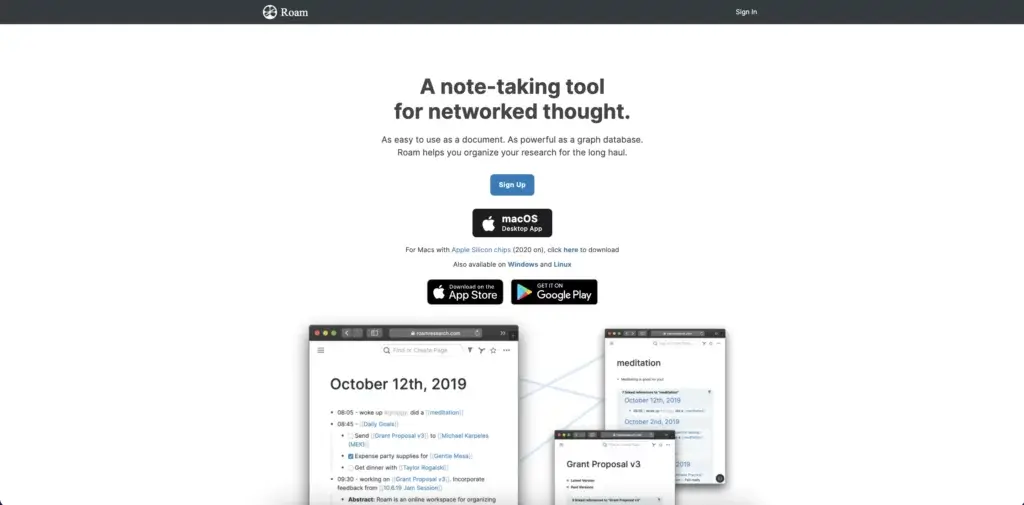
Roam Research is a note-taking software that excels when it comes to creating a web of linked information.
Although Roam excels as a personal knowledge management tool, it offers only basic collaborative features and also has a steep learning curve.
Roam lets you create a web of interlinked notes. This unique feature makes it one of the best note-taking apps of 2022.
Features of Roam Research
Bi-directional linking
Markdown support
The Daily Note and The Graph
Task management features
Theme customization via CSS
Search, tags, and filtering options
How Much Does Roam Research Cost?
Pro ($15/month billed annually)
3 private or public roam graphs
Unlimited editors/viewers
API access
Believer ($500/5 years as a one-time payment)
Priority access to new features
Priority support
Obsidian
What is Obsidian?
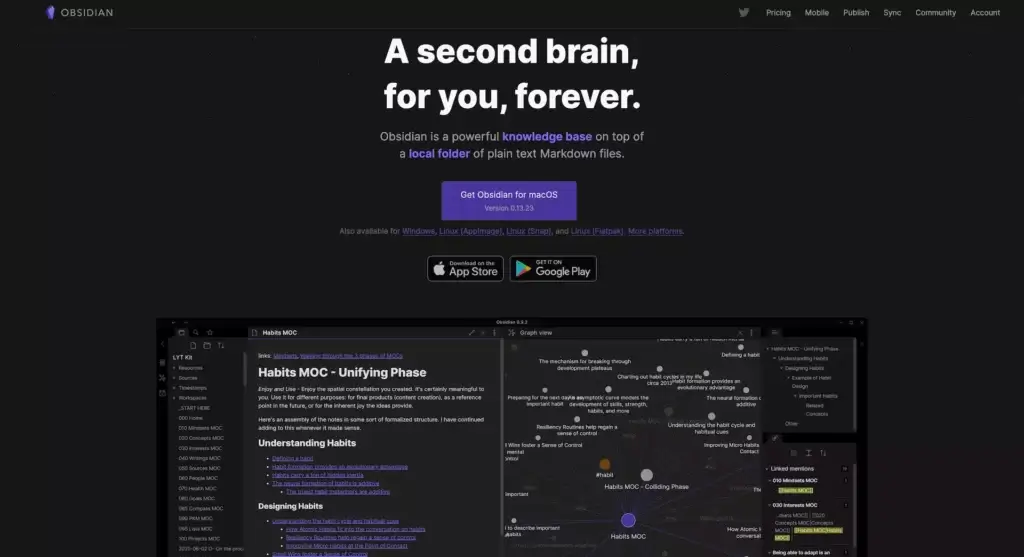
Obsidian is a note-taking software that works as a second-brain application for knowledge management. It's ability to create a web of interconnected notes makes it one of the best note-taking apps out there today.
Created by Erica Xu and Shida Li during the quarantine period of Covid-19 in 2020, the outliner tool has gained traction with over 50,000 members in their Discord community, all while still remaining as a two-man team.
Features of Obsidian
Markdown support
Cross-linking and graph view
Multiple resizable UI panes
Official and community plugins
Pre-made UI themes
Proprietary and external sync
Bi-directional linking
How Much Does Obsidian Cost?
Free for personal use
Doesn’t require an account
Plugins and API
Catalyst ($25/50/100 one-time purchase)
Support the development process
Access to insider builds
Commercial ($50/year per user)
Ready for commercial use
Priority support
Sync Add-On ($8/month billed annually)
End-to-end encryption
Built-in version history
Priority email support
Publish Add-On ($16/month billed annually)
Selective notes publishing
Graph view and outline
Priority email support
Evernote
What is Evernote?
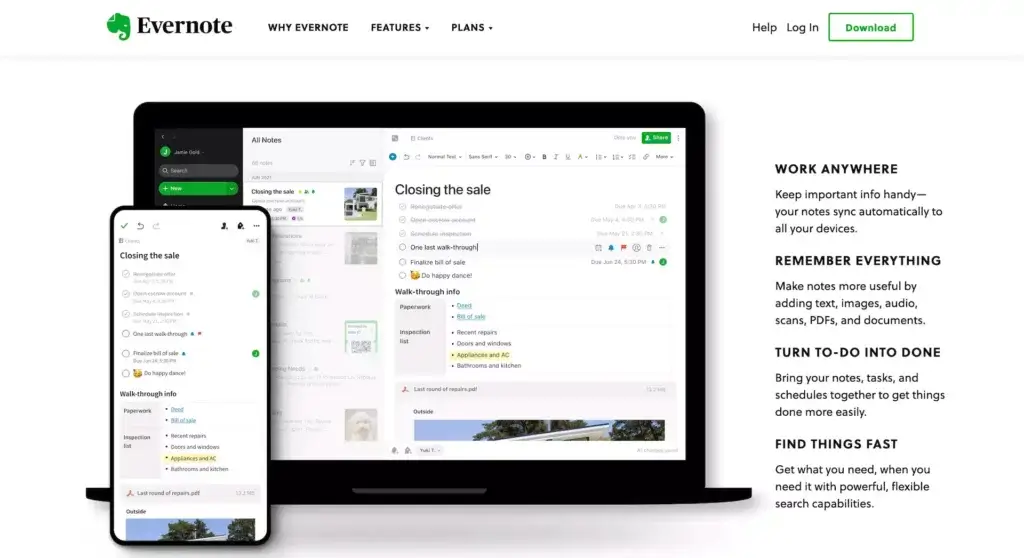
Evernote is a digital note-taking app that Russian engineer Stepan Pachikov created to help people organize their thoughts and store information.
Evernote pioneered digital note-taking and remains one of the most popular note-taking apps today. If you’re interested in a more in-depth discussion on Evernote’s history from day 1 to what it is today, check out our review of Evernote’s history!
Features of Evernote
Notes organized in notebooks
Built-in search function
Web clipper extension
Handwriting recognition
How Much Does Evernote Cost?
Free
Cross-device sync (2 devices)
60 MB of storage for notes/month
Task management
Search and tagging
Uploading attachments
Personal ($7.99/month)
Unlimited synchronization
10 GB of storage for notes/month
Google Calendar integration
Due dates and reminders
Offline access
PDF and image search with OCR
Customizable templates
PDF annotation
Professional ($9.99/month)
20 GB of storage for notes/month
Personalized Home screen
Assigning and tracking tasks
Location-based search
Export notes to PDF
Integration with 3rd part services
Teams ($14.99/month per user)
Integration with business apps
Admin dashboard
Custom onboarding
20 GB of storage +2 GB per user
Workflowy
What is Workflowy?
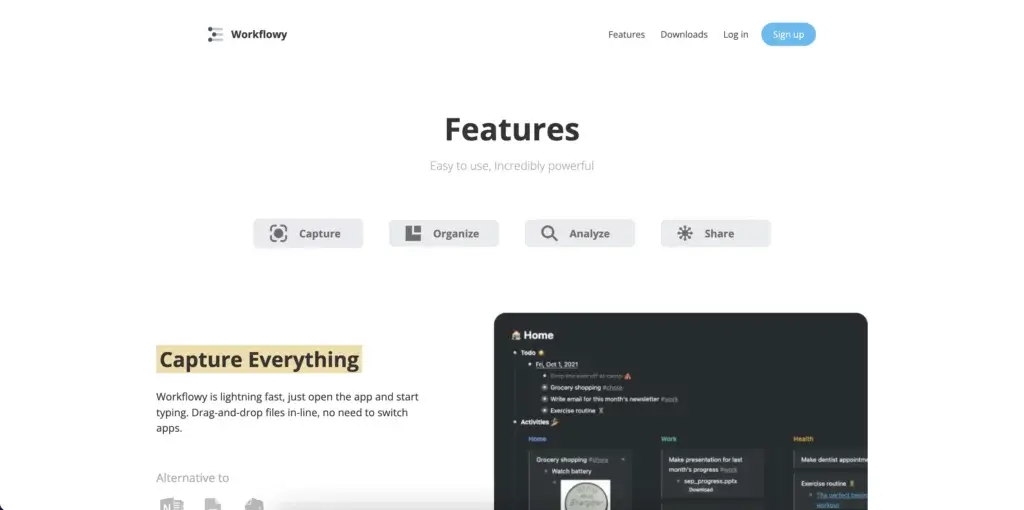
Workflowy is streamlined outlining software that lets you map out all kinds of projects. The outliner app offers a minimalist, distraction-free outliner environment. You can use Workflowy in a web browser or get it for Windows, Mac, Linux, and mobile devices.
Like Taskade, Workflowy was nurtured under Y Combinator’s wings and was designed to address everyday project management problems. Workflowy uses a hierarchical tree structure that accentuates the flexibility of ordinary lists.
Workflowy's ease of use gives it a spot in our list of the best note-taking apps of 2022.
Features of Workflowy
Infinite nested lists (in Workflowy Pro)
Filtering features
Color-coded tags and highlighting (beta)
Multi-factor authentication
Outline backup to Dropbox
A selection of themes and fonts
Outline sharing and collaboration
How Much Does Workflowy Cost?
Basic/Free
All features included
Limited to 250 bullets/month
File upload limited to 100 MB
Only basic sharing
Workflowy Pro ($4.08 billed annually)
Unlimited bullets
Unlimited file uploads
Advanced sharing features
Backup to Dropbox
Premium support
Frequently Asked Questions
What are the best Logseq alternatives in 2026?
Top Logseq alternatives include: 1) Taskade — AI-native workspace combining outlining, backlinking, and multiple project views with autonomous AI agents that can organize and generate content, 2) Obsidian — local-first Markdown editor with bidirectional links, graph view, and extensive plugins, 3) Roam Research — the original block-based networked-thought tool with powerful query features, 4) Workflowy — minimalist infinite-nesting outliner focused on simplicity, 5) Tana — newer tool with supertags and structured data on top of an outliner. Taskade is strongest for users who want AI assistance alongside outlining — its agents can research, summarize, and build knowledge structures autonomously.
Why do people look for alternatives to Logseq?
Common reasons users consider switching from Logseq: 1) Limited collaboration — Logseq is designed for solo use; real-time team editing isn't a core feature, 2) Performance — large graphs can slow down the app, especially the browser version, 3) Steep learning curve — block-based referencing and queries require time to master, 4) Mobile experience — Logseq's mobile app is functional but less polished than competitors, 5) No built-in AI agents — while Logseq has community plugins, it lacks native AI that can autonomously organize or generate content. Users often want a tool that keeps Logseq's outlining depth while adding collaboration, AI, and a smoother cross-platform experience.
What is Logseq best used for?
Logseq excels in three use cases: 1) Daily journaling with linked references — its journal-first approach makes it easy to capture daily thoughts and automatically link them to relevant topics, 2) Zettelkasten-style knowledge management — block-level referencing lets you build an atomic, interconnected knowledge base where every idea is reusable, 3) Technical documentation — developers and researchers use Logseq for code snippets, research notes, and project documentation with local Markdown/Org-mode files and full data ownership. Logseq is less suited for team collaboration, visual project management, or workflows that need boards, calendars, or Gantt views.
Is Logseq or Obsidian better for knowledge management?
Both are excellent but differ in fundamental approach. Logseq is block-based and journal-first — every bullet point is a referenceable unit, making it better for daily capture, atomic notes, and Zettelkasten workflows. Obsidian is document-based — you write in Markdown files with bidirectional links between pages, making it better for long-form writing and research notes. Logseq is open-source; Obsidian is free but proprietary. Both store files locally. For users who want AI-powered knowledge management with real-time team collaboration and multiple views beyond just text, Taskade offers an AI-native alternative that combines outlining depth with autonomous agents.
🐑 Conclusion
Despite being a new kid on the block, Logseq has some pretty neat features to help you build a second brain. However, there are still a few nits such not having collaboration features and the lack of a mobile app.
If you're looking for solid software to help you build a second brain collaboratively and manage projects at the same time, then Taskade is your best bet.
Sign up and build a better second brain with Taskade AI! 🤖
🤖 Custom AI Agents: Automatically organize and all your notes, documents, and emails with teams of AI agents working in the background.
🪄 AI Generator: Structure notes, projects, documents, reports, articles, and lists of tasks using natural-language prompts.
✏️ AI Assistant: Facilitate research and writing with the help of pre-defined and custom /AI commands available in the project editor.
🗂️ AI Prompt Templates Library: Access prompts templates available anywhere in Taskade and designed for a variety of use cases.
💬 AI Chat: Engage in knowledge-driven discussions or ask for information on-the-go to speed up the learning process.
📄 Media Q&A: Analyze documents and notes to ensure that your knowledge management efforts are aligned with your goals.
And much more...
