






Hi Taskaders,
We’ve got an early gift for you! 🎁
Work smarter with AI Teams in shared project chats, turn agent replies into action, track tasks with new table presets, and connect with Microsoft Teams, Google Calendar, and Discord. Let’s dive in!
TL;DR: Taskade brings AI Teams into shared project chats as a virtual roundtable, turns agent replies into structured projects with multiple views, adds Table View presets, and launches Microsoft Teams and Discord integrations. Try it free →
Chat with AI Teams in Projects
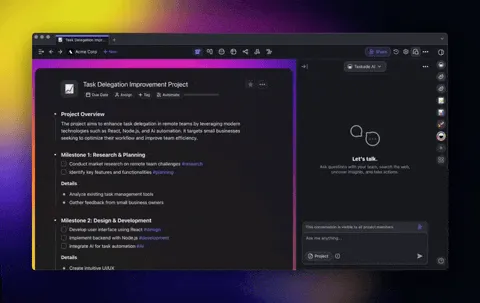
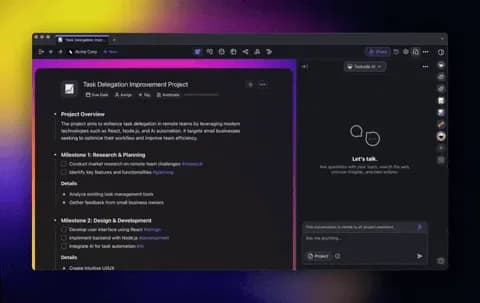
Collaborate with AI Teams like a virtual roundtable! Group AI agents together to work with you in shared project chats. Let Taskade pick the best agent for the job or get input from all of them for well-rounded insights. Learn more.
Why it’s helpful:
Get the best response for every task, automatically
Collaborate seamlessly with human teammates and AI
Combine unique expertise from different agents (tools, knowledge, etc.)
Turn Chats into Actionable Projects
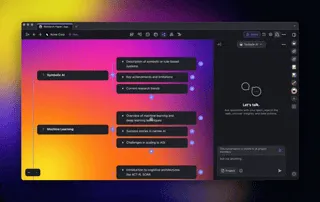
Instantly transform agent replies into fully-structured Taskade projects. Brainstorm, plan, and execute in real-time using Task Lists, Mind Maps, Org Charts, Boards, or Tables—all with persistent data across views! Learn more.
Why this matters:
Flexible Views: Switch between lists, maps, boards, tables, and more
Real-Time Collaboration: Work with your team live with AI Agents
Consistent Data: Your data stays organized across every view
Use it for:
Brainstorming: Turn ideas into visual Mind Maps
Meetings: Organize notes into progress Boards
Planning: Build collaborative workflows for any project
Track Progress and Time in Table View
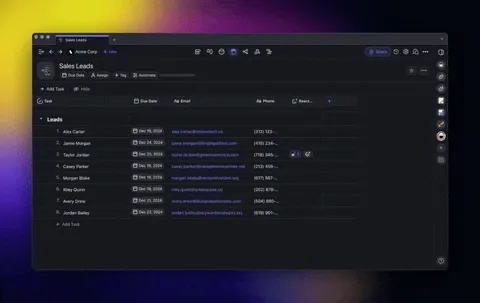
Stay on track with Progress and Estimate tables. See the status of every task and plan your timelines with ease! Learn more.
Use cases:
Keeping track of task progress
Setting realistic deadlines with time estimates
Toggle Agent Tools in Project Chat
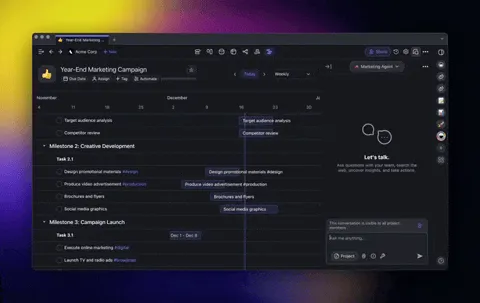
Easily enable or disable tools like Web Search or Taskade Actions directly in project chat. Stay flexible and adapt your workflow on the go. Learn more.
Use cases:
Activate Web Search for live data during research.
Disable external tools to focus on internal project management.
Automate with Smarter Webhooks
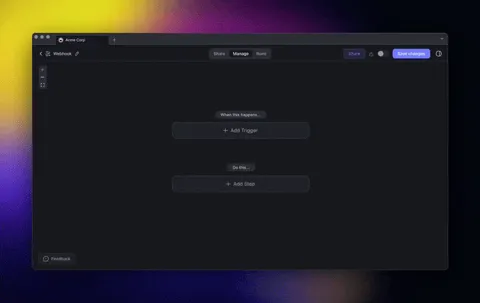
Webhooks now include the entire payload in their responses, enabling you to access and extract all incoming data. Learn more.
Use cases:
Automate data workflows with richer webhook payloads
Use AI Agents to analyze and process payloads on your behalf
Connect with Microsoft Teams and Discord
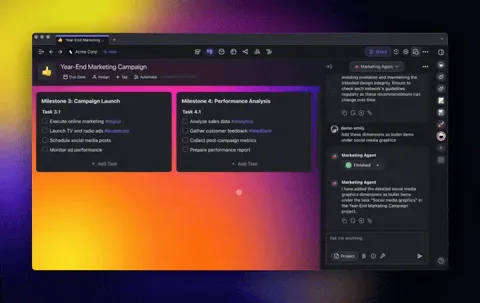
Connect your Taskade AI Agents and Automations with Microsoft Teams, Google Calendar, and Discord to supercharge your productivity! Learn more.
Ideas to try:
Send project updates to Microsoft Teams channels
Automate community updates with Discord triggers
Schedule meetings and reminders with Google Calendar
Other Improvements
New: Import PowerPoint, Excel, EPUB, DOCS, CSV, PDF, and More: Convert presentations, spreadsheets, and eBooks into Taskade projects, train AI Agents, and automate workflows
-
Chat with AI Teams in Projects: Collaborate with AI agents like a virtual roundtable in project chats
Turn Chats into Actionable Projects: Transform agent replies into Taskade projects with Task Lists, Mind Maps, Boards, and more
Toggle Agent Tools in Project Chat: Easily enable or disable tools like Web Search or Taskade Actions directly in project chat
New AI Automation Enhancements:
New Track Progress and Time in Table View: Automate workflows with triggers for customer support, feedback collection, CRM updates, and follow-up management after Agent conversations end
New Microsoft Teams Integration:
Create Channels: Set up new team channels automatically.
Send Channel Messages: Share updates in team channels.
Send Chat Messages: Post directly in chat threads
New Discord Integration: Automate messages and updates
New Google Calendar Integration: Schedule events instantly and set reminders to keep your team on track
Enhanced Webhook Automation: Easily automate tasks and gain better insights with more detailed data from your integrations
New: Taskade's Public API (TaskOS): TaskOS is your developer toolkit to build, deploy, and manage AI Agents. Build smarter workflows, connect with tools you love, and bring your ideas to life—all powered by Taskade!
New: Fine-Tuned Agent Tool Controls: Gain granular control over your AI Agents by customizing their tools to fit specific tasks
New: Enhanced Google Workspace Automations: Seamlessly integrate Google Docs, Google Drive, Google Calendar, and Google Sheets into your Taskade automation workflows and agent tools
New: Autonomous Taskade Actions Now Live! Let your AI Agents edit, create tasks, schedule due dates, prioritize projects, and more
New: Embed Canva, Google Docs, and More: Seamlessly integrate designs, documents, and multimedia directly into Taskade projects
Improved Table View with progress tracking and estimated time fields
Fixed various bugs for stability and performance
⚡️ TLDR: Watch Video Summary
In a hurry? Check our latest video summary for a step-by-step guide to the new changes:
🤖 Help us build Taskade AI
-
New Automation Loop: Set up actions to repeat automatically, checking conditions like task completion until it's done
New Facebook and WhatsApp for Business Integration
Updates to AI Agents and Taskade Mobile
Join Our Weekly Live Webinar & Q&A
We host live webinars every Thursday at 4 pm Pacific (PST) on LinkedIn, YouTube, and Twitter / 𝕏.
Missed a session? Watch past streams!
Excited for you to explore the latest updates—dive in and share your feedback! We're always here for your questions via our Help Center and Feedback Forum.
Let's make this the most productive year yet with Taskade! 🚀
— Team Taskade 🐑
P.S. Love Taskade? Share your experience on our testimonials page to get featured, or dive into our Affiliate Partnership program today!

Frequently Asked Questions
How do AI Teams work in Taskade project chats?
AI Teams bring multiple specialized agents into your shared project chat as a virtual roundtable. Taskade can automatically pick the best agent for each question, or you can get input from all agents for well-rounded insights. Agents combine unique expertise, tools, and knowledge while collaborating seamlessly with human teammates in real time.
Can I turn AI agent responses into Taskade projects?
Yes. Any agent reply can be instantly transformed into a fully structured project with Task Lists, Mind Maps, Org Charts, Boards, or Tables. Data persists across all views, so you can brainstorm in a mind map and switch to a table without losing information. This bridges the gap between AI conversation and actionable project execution.
Does Taskade integrate with Microsoft Teams and Discord?
Yes. Taskade integrates with both Microsoft Teams and Discord for automated team communication. You can sync updates, send notifications, and trigger workflows between platforms. Google Calendar integration is also available for scheduling meetings and syncing events directly from your Taskade projects.
What table view presets does Taskade offer?
Taskade Table View includes presets for common workflows like task tracking, CRM management, and sprint planning. Custom columns support Status, Priority, Type, and other fields. Tables also support automation triggers, custom field tracking, and AI Agent analysis for intelligent data management.