






Hi Taskaders 🎉
We've worked hard to make Taskade work better for you! Here's what's new:
TL;DR: October 2021 shipped the Pomodoro timer, the redesigned Kanban Board view, and bulk due-date editing — primitives that now power scheduled Automations, recurring tasks, and 7 project views inside Taskade Genesis.
Then → Now: 2021's Kanban, timer, and bulk due dates evolved into today's Board view plus Automations with reliable scheduling and Agents that monitor task deadlines for you.
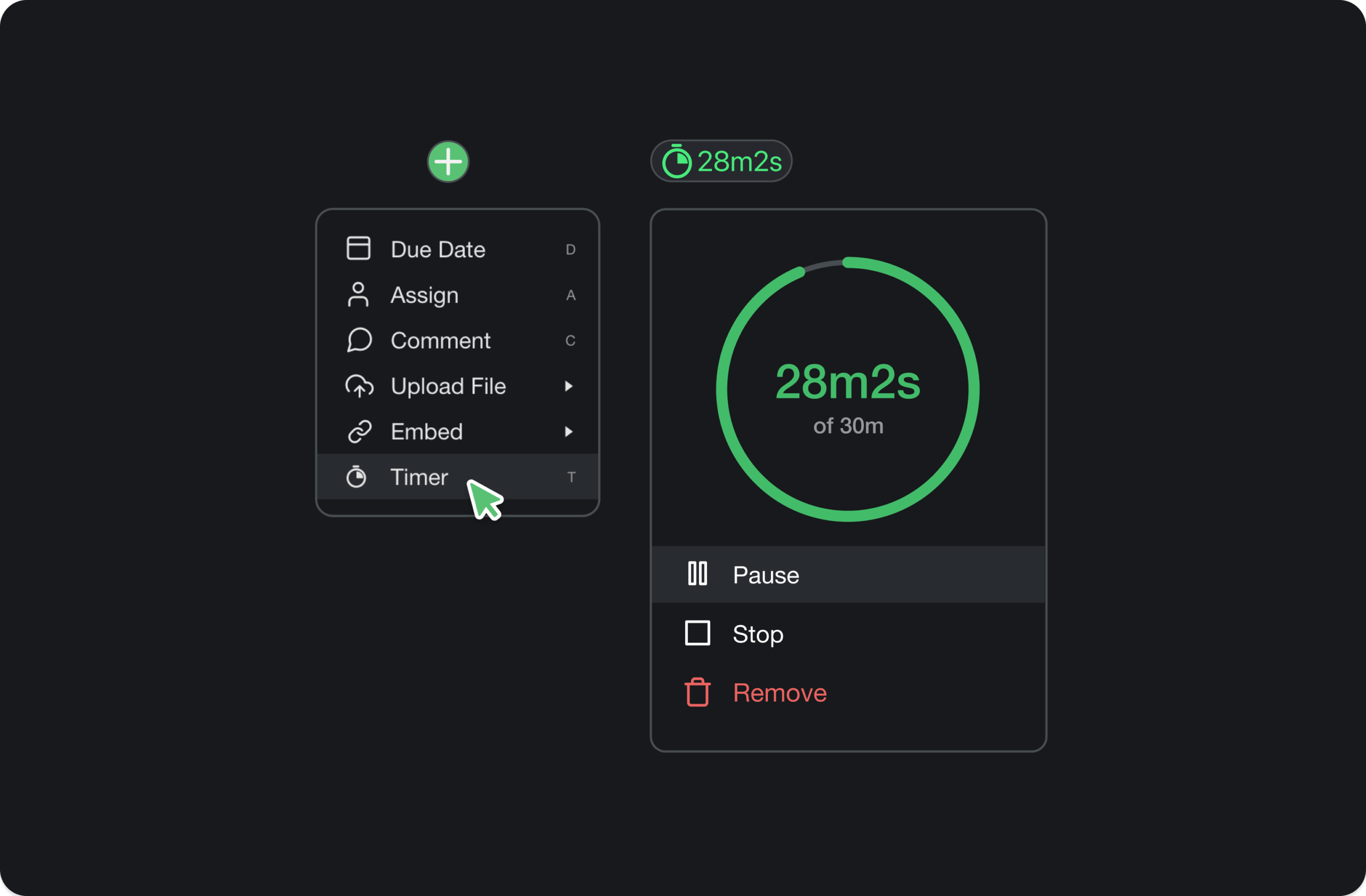
⚡️ Timer Addon
Countdown timer is here! Add a timer to urgent tasks and get work done.

⚡️ New Kanban Board View
Our board view has improved drag-n-drop reordering and keyboard shortcuts!

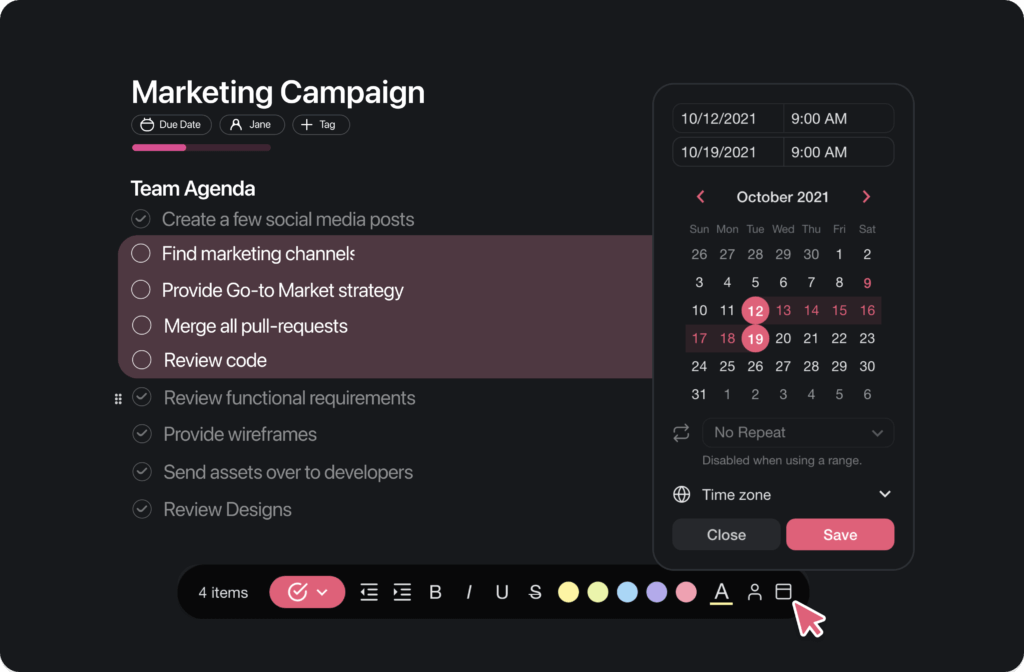
⚡️ Bulk Due Dates
Select multiple tasks and add due dates in bulk instantly!
📊 Board / Kanban: 2021 H2 vs Today
| Board / Kanban | 2021 H2 | Today (2026) |
|---|---|---|
| Board view | First Kanban Board shipped v4.1 (Sep 2021) | Board view plus multiple other views |
| Timer | Countdown timer add-on | Timer add-on + Automation schedule triggers |
| Bulk due dates | Multi-select Shift+Click | Bulk assign + recurring tasks |
| File upload | Google Drive, Dropbox | Google Drive, Dropbox + 100+ integrations |
A Pomodoro inside a project — then and now
   2021 timer add-on              2026 scheduled Automation
   ┌──────────────────┐           ┌─────────────────────────┐
   │  ⏱  25:00  start  │           │  cron: every Mon 09:00  │
   │  task: Write blog│           │  ──▶ create task        │
   └──────────────────┘           │  ──▶ assign agent       │
            │                     │  ──▶ Slack notify team  │
            ▼                     │  ──▶ end after 8 weeks  │
       ding! done                 └─────────────────────────┘
Hub & spoke
- Hubs: Taskade Genesis · Automations · AI Agents · Templates · Community Gallery
- Spokes: Learn — Pomodoro timer · Learn — Board view · Learn — recurring tasks · Learn — schedule trigger · Learn — bulk assign
- Related: Cloud upload + repeating tasks · Repeat tasks + copy/paste
🎉 Other Improvements
- Added new templates to project creator
- Added autoscroll to the new Board View
- Drag to reorder tasks improved for larger projects
- Upload files from Google Drive and Dropbox
- Various keyboard shortcut improvements
- Performance improvements
| Thanks again for supporting Taskade, and as always, don’t hesitate to reach out or visit our help center if you need help. We’re here for you! 😊 — Team Taskade 🐑 |
|---|
Frequently Asked Questions
Does Taskade have a countdown timer for tasks?
Yes. Taskade's Timer Add-on lets you attach a countdown timer to any task for time-boxing work sessions. Set a custom duration, start the timer, and track time spent on individual tasks. It supports Pomodoro-style intervals and is ideal for maintaining focus during deep work.
What is the Kanban Board View in Taskade?
The Board View organizes project tasks as cards in vertical columns, following the Kanban methodology. Drag and drop cards between columns to update task status, use keyboard shortcuts for faster navigation, and collapse or expand columns to focus on specific workflow stages.
Can I add due dates to multiple tasks at once in Taskade?
Yes. Select multiple tasks using Shift+Click or keyboard shortcuts, then add a due date to all selected items simultaneously. Bulk due date assignment saves time when planning sprints, scheduling weekly tasks, or setting deadlines for an entire project at once.
Can I upload files from cloud storage in Taskade?
Yes. Taskade supports direct file uploads from Google Drive and Dropbox. Attach documents, images, and other files to tasks, comments, or chat messages without downloading them locally first — keeping your workflow streamlined and your files organized.