






Hi Taskaders 🎉
We've worked hard to make Taskade work better for you! Here's what's new:
TL;DR: October 2021 added direct uploads from Google Drive, Dropbox, Instagram, and Box plus custom recurring intervals — primitives that today power agent knowledge sources, scheduled Automations, and 100+ integrations feeding Taskade Genesis apps.
Then → Now: 2021's cloud uploads from Drive, Dropbox, and Instagram evolved into today's 100+ integrations plus AI Agents that read files directly and Automations that move data between every tool you use.
⚡️ Cloud Upload
You can now share files directly from Google Drive, Dropbox, Instagram, and Box in project tasks, chats, and comments with our new cloud integration!
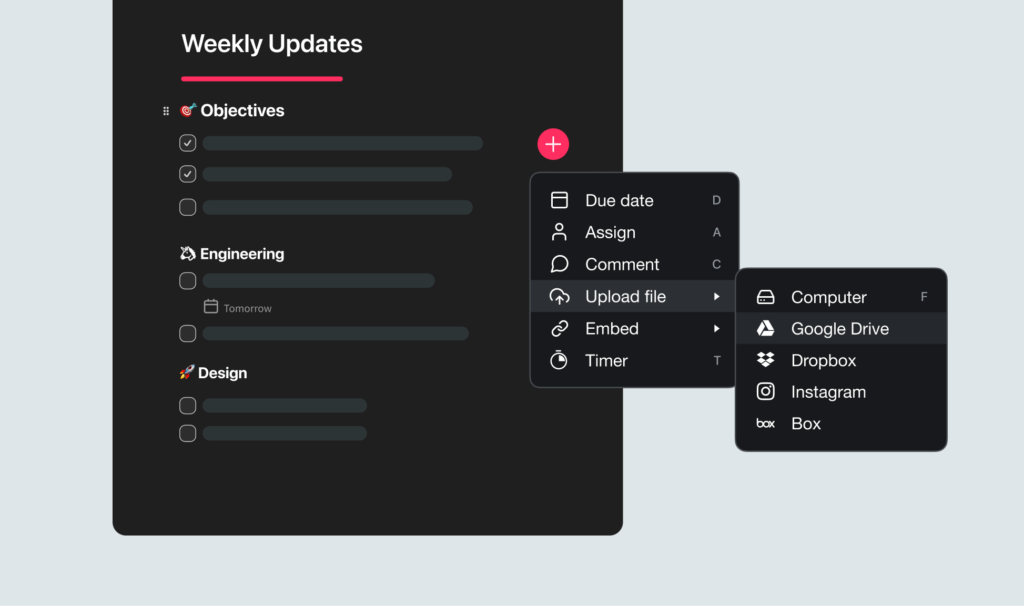
Taskade Cloud Upload
⚡️ Custom Repeating Tasks
Select custom repeat intervals for your tasks by Day, Week, Month, or Year.
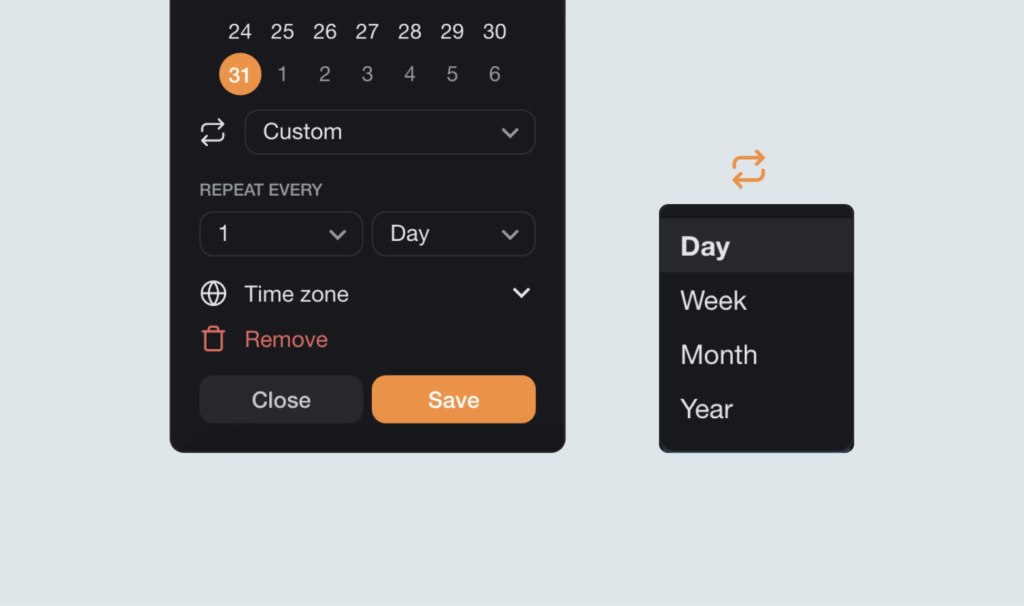
Taskade Recurring Task
⚡️ Project Banners
Set a banner for each project or select none to stay focused.
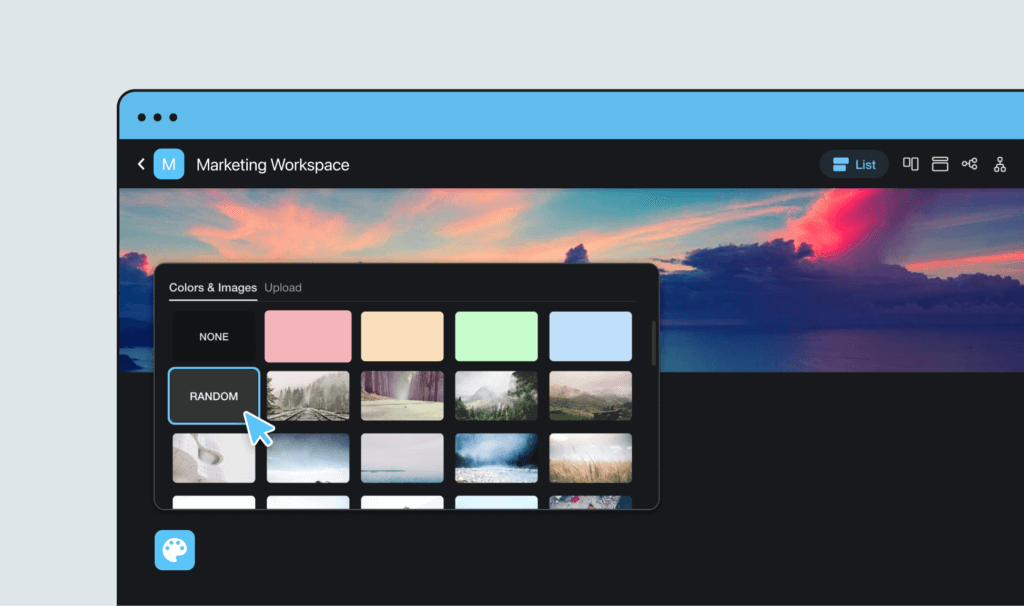
Taskade Background
📊 Upload Sources: 2021 H2 vs Today
| Upload sources | 2021 H2 | Today (2026) |
|---|---|---|
| Cloud storage | Google Drive, Dropbox, Instagram, Box | 100+ integrations including OneDrive, Box |
| Recurring tasks | Custom Day/Week/Month/Year intervals | Recurring tasks + scheduled automations |
| Knowledge | Files attached to tasks | Agent knowledge sources reading every file with AI |
| Customization | Project banners | Banners + custom domains on Genesis apps |
From file attach to Workspace DNA
   2021                       2024                       2026
   ┌─────────────┐           ┌──────────────┐           ┌────────────────┐
   │ pick file   │  ───▶     │ agent reads  │  ───▶     │ Genesis builds │
   │ Drive/Drop  │           │ + indexes    │           │ live app from  │
   └─────────────┘           └──────────────┘           │ your files     │
        │                          │                    └────────────────┘
        ▼                          ▼                            │
   inline preview              ask anything                     ▼
                                                       publish to domain
Hub & spoke
- Hubs: Taskade Genesis · AI Agents · Automations · Integrations · Community Gallery
- Spokes: Learn — Google Drive · Learn — Dropbox · Learn — OneDrive · Learn — agent knowledge · Learn — recurring tasks
- Related: Repeat tasks + copy/paste · Google Drive automations
🎉 Other Improvements
- Taskade for Desktop:
- Tabs now re-open automatically when you restart the app
- Window size and position is remembered on restart
- Performance improvements
- Added default templates to empty workspaces
- Added ability to show or hide the workspace sidebar
- Various bug fixes
Related Reading:
| Thanks again for supporting Taskade, and as always, don’t hesitate to reach out or visit our help center if you need help. We’re here for you! 😊 — Team Taskade 🐑 P.S. Want to help us improve Taskade? You can also suggest a feature. |
|---|
Frequently Asked Questions
Can I upload files from Google Drive and Dropbox to Taskade?
Yes. Taskade integrates with Google Drive, Dropbox, Instagram, and Box for direct file uploads. Attach cloud files to project tasks, chat messages, or comments without downloading them first — the integration pulls files directly from your connected cloud storage account.
How do custom repeating tasks work in Taskade?
Set custom repeat intervals for any task by Day, Week, Month, or Year. When a recurring task is completed, Taskade automatically creates the next occurrence based on your configured interval. You can also set an end date or repeat count to limit how many times the task recurs.
Can I add banners to Taskade projects?
Yes. Taskade projects support customizable banners at the top of the editor. Open Project Settings to select a banner image or choose none for a minimal, distraction-free layout. Banners add visual identity to projects and help distinguish different workspaces at a glance.
Does the Taskade desktop app remember window position?
Yes. The Taskade desktop app remembers your window size and position between restarts. It also automatically re-opens your previously active tabs, so you can pick up exactly where you left off without manually navigating back to your projects.