






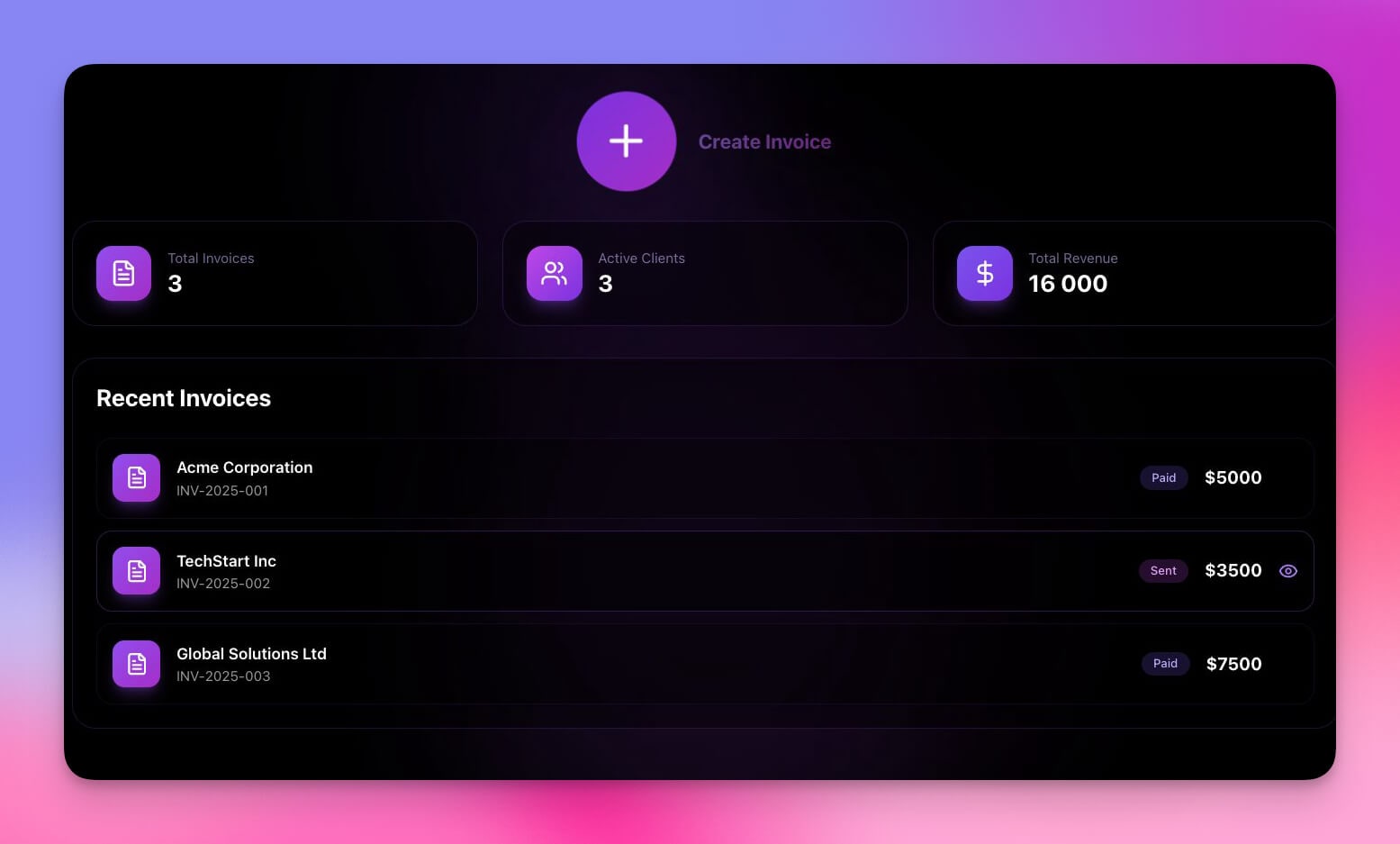
Hey builder! 👋
Welcome to Taskade Genesis App Highlights — your weekly showcase of complete, working apps built by the community.
Finance teams lose money in ways that are completely invisible. Invoices sit unpaid because no one remembered to follow up. Meetings drain budgets without anyone calculating the actual cost. Subscriptions auto-renew for software no one uses anymore. These aren't dramatic losses — they're slow, silent leaks that compound over time and erode profitability without triggering any alarms.
This week's theme is Finance Automation 💰 — the operational backbone of sustainable business. We're featuring three powerful solutions that solve invoicing chaos, reveal hidden meeting costs, and prevent subscription waste. Each one is a complete business-in-a-box solution that includes UI, data structure, AI agents, and automations ready to use.
These aren't static templates — they're living, intelligent systems that think, learn, and execute. Clone any app in one click, customize it to your workflow, and deploy it instantly. No code required.
At a glance — what's inside each app:
| App | Use Case | Key Automation | Clone Link |
|---|---|---|---|
| 💸 Invoice Generator | Client billing, payment tracking | Auto reminders + cash flow dashboard | Clone → |
| 🔢 Meeting Cost Calculator | Meeting ROI, budget visibility | Real-time cost tracking + weekly reports | Clone → |
| 🔐 License Manager | SaaS spend, subscription tracking | Renewal alerts + utilization monitoring | Clone → |
💸 Invoice Generator
Manual invoice creation is time-consuming, error-prone, and completely unscalable. Each invoice takes 15-20 minutes of focused work — fill in client details, calculate line item totals, export to PDF, email it off, and hope you remember to follow up in two weeks. Payment tracking lives in scattered email threads and mental notes, with no clear visibility into which invoices are paid, pending, or dangerously overdue. The system "works" when you're managing 5-10 clients, but it's built on heroic manual effort, not sustainable process.
Overview
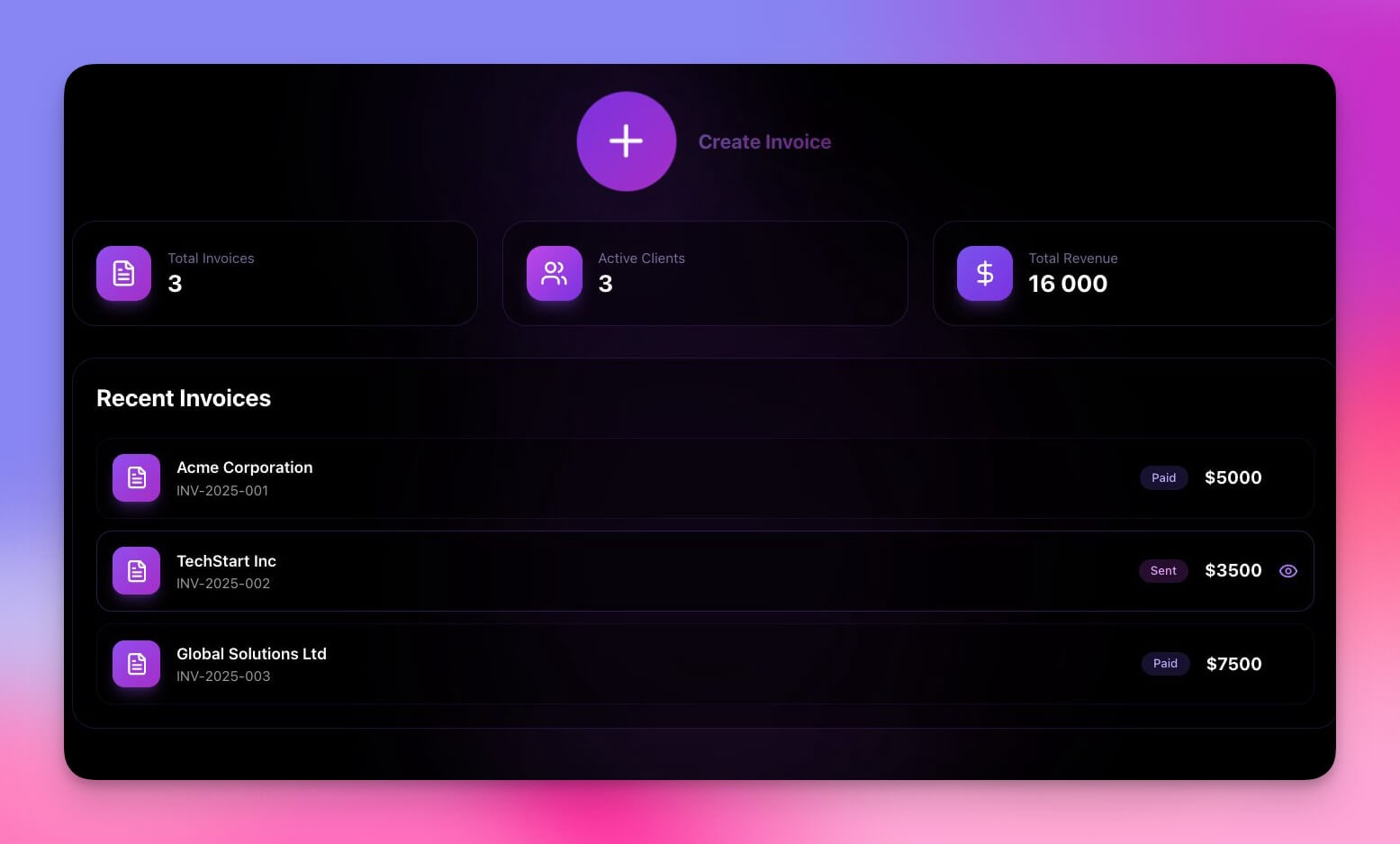
The Invoice Generator is a complete invoicing and payment tracking system designed to help freelancers, agencies, and service businesses manage client billing without manual spreadsheets or expensive accounting software. If you've ever lost track of an unpaid invoice or spent hours creating PDFs manually, this app solves it.
What's Inside
┌─────────────────────────────────────────────────────┐
│               INVOICE GENERATOR                      │
├─────────────────────────────────────────────────────┤
│                                                     │
│  📄 Create Invoice    ──►  Branded PDF with logo,   │
│                            line items, terms        │
│          │                                          │
│          ▼                                          │
│  📤 Send to Client    ──►  Email with PDF attached  │
│          │                                          │
│          ▼                                          │
│  💳 Track Payment     ──►  🟢 Paid  🟡 Pending     │
│     Status                 🔴 Overdue               │
│          │                                          │
│          ▼                                          │
│  🔔 Auto Reminders    ──►  7-day + overdue alerts   │
│          │                                          │
│          ▼                                          │
│  📊 Cash Flow         ──►  Real-time dashboard      │
│     Dashboard              with income trends       │
└─────────────────────────────────────────────────────┘
📄 Branded PDF Generation
Create professional invoices with your company branding in seconds. The app includes fields for your logo, brand colors, payment terms, line items, and custom notes. No more fighting with Word templates or design tools.
💳 Payment Status Tracking
Visual status indicators show exactly which invoices are paid (green), pending (yellow), or overdue (red) at a glance. Track payment dates, amounts, and methods. Filter by status or generate reports showing cash flow over time.
🔔 Auto-Payment Reminders
Never manually chase late payments again. Automation templates send reminder notifications when invoices are pending for 7+ days or become overdue. Customize reminder timing and escalation to match your payment terms.
📊 Cash Flow Dashboard
See your financial health in real-time with aggregate views showing total outstanding balance, income trends, and payment velocity. Identify patterns like clients who consistently pay late or months with higher-than-usual outstanding amounts.
⚡ Automation Workflows
| Trigger | Action | Timing |
|---|---|---|
| Invoice ready | Generate branded PDF | Immediately |
| Invoice pending 7+ days | Send payment reminder | Automated |
| Payment received | Update cash flow dashboard | Immediately |
| Invoice over $5,000 | Flag for special attention | Immediately |
| Recurring schedule | Create new invoice | Monthly/custom |
Who It's For
Freelancers managing 10-100+ client invoices across different projects.
Small agencies invoicing retainer clients and project-based work.
Consultants tracking milestone payments and retainer billing.
Service businesses with recurring invoicing needs and multiple clients.
Key Benefits
✅ Generate branded PDFs in seconds — No more manual Word docs or design tools
✅ Never miss a late payment reminder — Automated alerts keep cash flowing
✅ See cash flow without spreadsheet math — Real-time dashboard shows what's outstanding
✅ Reduce manual invoicing time by 80% — Automate creation, tracking, and follow-up
🔢 Meeting Cost Calculator
Teams have absolutely no idea what meetings actually cost in real dollars. That innocent-looking 30-minute "quick sync" with 8 people at an average hourly rate of $100? You just burned $400 in organizational capital. The problem isn't that meetings are inherently wasteful — it's that cost is completely invisible. Without visibility, there's no accountability. Teams that would never approve a $500 expense report will casually schedule recurring meetings that cost $2,000 per month without even calculating the number.
The hidden math most teams never do:
| Meeting Type | Attendees | Duration | Avg Rate | Cost per Meeting | Monthly (4x) |
|---|---|---|---|---|---|
| Daily standup | 8 | 15 min | $75/hr | $150 | $3,000 |
| Weekly sync | 12 | 60 min | $85/hr | $1,020 | $4,080 |
| All-hands | 50 | 30 min | $80/hr | $2,000 | $2,000 |
| Sprint retro | 6 | 45 min | $90/hr | $405 | $810 |
| Total | $9,890/mo |
Overview
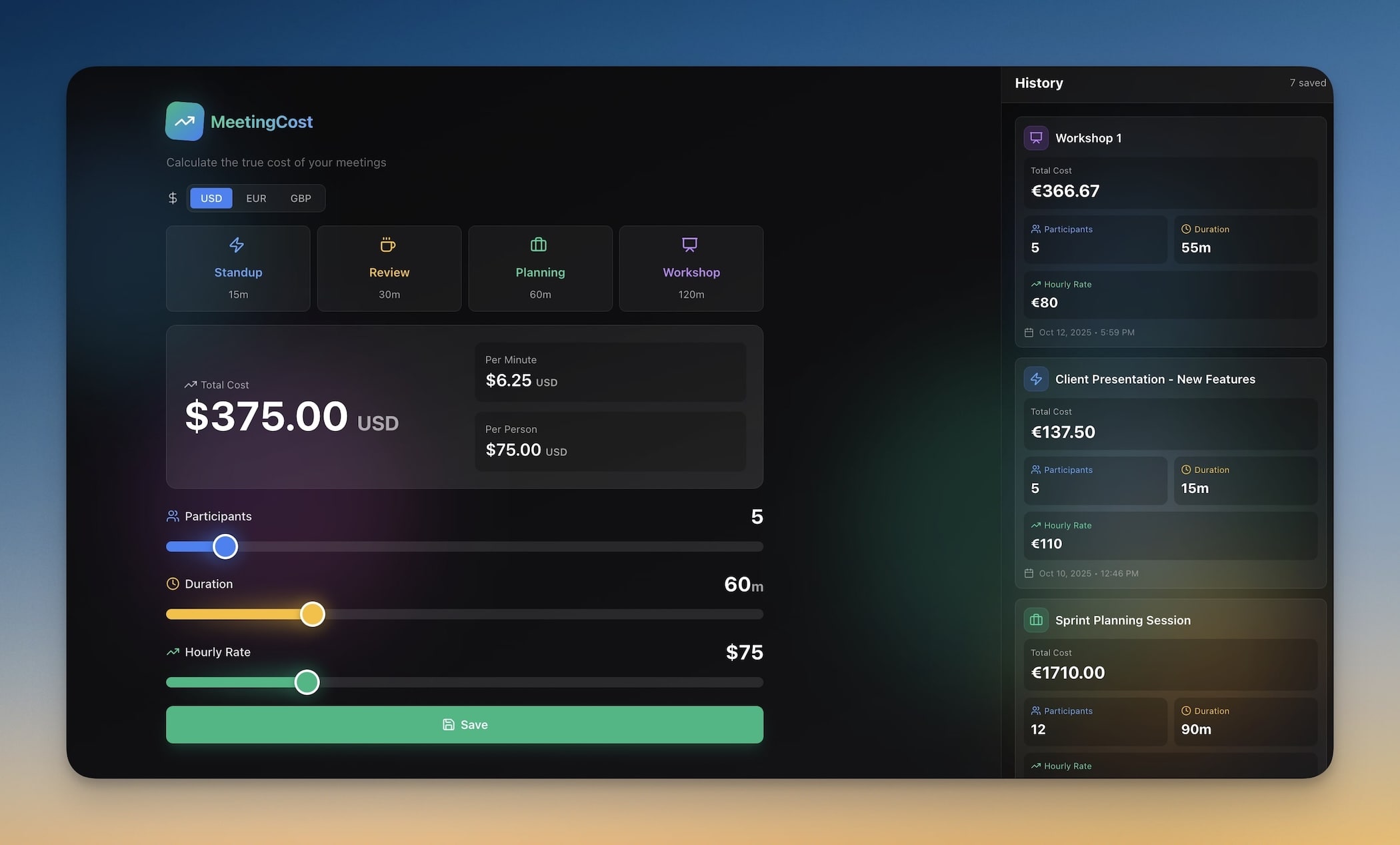
The Meeting Cost Calculator is a financial visibility tool designed to help teams track the real dollar cost of meetings by connecting salary data with calendar time. If your team struggles with meeting bloat or you've ever wondered what all those standups actually cost, this app quantifies it.
What's Inside
  ┌──────────────┐     ┌──────────────┐
  │ Team Salary  │     │   Meeting    │
  │  Database    │     │    Log       │
  │              │     │              │
  │ Name   $/hr  │     │ Meeting  Dur │
  │ ────   ────  │     │ ───────  ─── │
  │ Alice  $95   │     │ Standup  15m │
  │ Bob    $85   │     │ Sprint   60m │
  │ Carol  $110  │     │ Review   45m │
  └──────┬───────┘     └──────┬───────┘
         │                    │
         └────────┬───────────┘
                  ▼
         ┌──────────────┐
         │  Cost Engine │
         │  ──────────  │
         │  Σ (rate ×   │
         │   duration × │
         │   attendees) │
         └──────┬───────┘
                │
       ┌────────┼────────┐
       ▼        ▼        ▼
  ┌────────┐ ┌───────┐ ┌────────┐
  │  Cost  │ │Weekly │ │  Flag  │
  │Insights│ │Report │ │ >$500  │
  │Dashboard│ │  AI   │ │Meetings│
  └────────┘ └───────┘ └────────┘
💸 Real-Time Cost Tracking
Log meetings with attendee list, duration, and calculated costs displayed instantly. The app calculates total cost by multiplying each attendee's hourly rate by meeting duration and summing across all participants.
👥 Team Salary Database
Store hourly rates and annual salaries for team members in a central database. Use blended rates for teams, actual salaries for precise tracking, or estimated market rates for benchmarking. Update rates once and all meeting costs recalculate automatically.
📊 Cost Insights Dashboard
Visual analytics show your highest-cost meetings, cost trends over time, and cumulative spend by week or month. Identify patterns like recurring meetings that consume disproportionate budget.
📈 Weekly Cost Reports
An AI agent generates weekly analysis reports showing:
- Total meeting cost for the week
- Highest-cost individual meetings
- Cost trends compared to previous weeks
- Recommendations for meetings to cut or redesign
- Projected monthly and quarterly meeting overhead
⚡ Automation Workflows
| Trigger | Action | Timing |
|---|---|---|
| Meeting created | Calculate and log cost | Immediately |
| End of week | Generate cost summary report | Weekly |
| Meeting cost > $500 | Flag for organizer review | Immediately |
| Recurring cost > budget | Alert team lead | Immediately |
| End of month | Create cost dashboard for leadership | Monthly |
Who It's For
Engineering teams monitoring meeting bloat and protecting maker time.
Agencies tracking client-facing meeting costs for billing or profitability analysis.
Companies scaling rapidly and controlling overhead as headcount grows.
Operations teams optimizing calendar efficiency and reducing waste.
Key Benefits
✅ Reveal hidden meeting costs — See the actual dollar amount each meeting consumes
✅ Justify cutting unnecessary meetings — Replace intuition with financial data
✅ Reduce meeting time by 20-30% — Cost visibility drives immediate behavior change
✅ Create calendar accountability — Teams think twice before scheduling $1,000 meetings
🔐 License Manager
The average company operates with 100+ active SaaS subscriptions, and 30-40% of that software spend is pure waste on unused or duplicate licenses. Subscriptions are approved by different departments, paid on different cards, and operate on different renewal cycles. There's no central system of record showing what software exists, what it costs, who uses it, and when renewals occur. Subscriptions auto-renew silently because no one remembers they exist until the charge appears on a credit card statement — and by then it's too late.
Overview
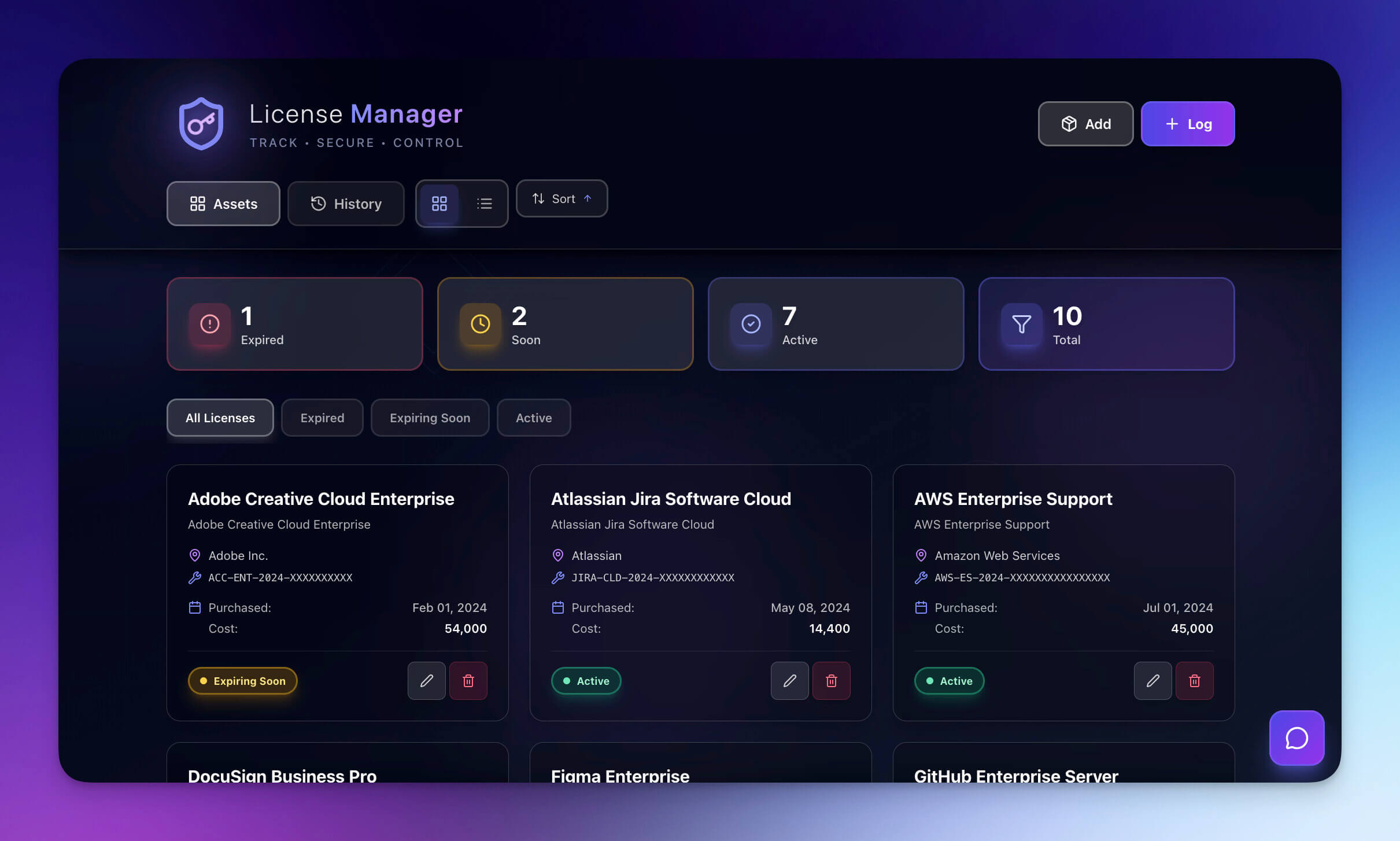
The License Manager is a subscription inventory and cost tracking system designed to help finance teams, operations managers, and growing companies eliminate SaaS waste, prevent forgotten renewals, and gain visibility into software spend across the entire organization.
What's Inside
How the License Manager catches waste before it happens:
┌──────────────────────────────────────────────────┐
│              LICENSE INVENTORY                     │
│                                                   │
│  Tool         Seats  Used   Cost/yr   Renewal     │
│  ──────────   ─────  ────   ───────   ────────    │
│  Figma          25    18    $3,000    Mar 15  ⚠️  │
│  Slack          50    47    $8,400    Apr 01      │
│  Notion         30    12    $2,880    Apr 22  🔴  │
│  Zoom           50    50    $6,000    May 10      │
│  HubSpot        10     4    $9,600    Jun 01  🔴  │
│                                                   │
│  ⚠️ = Renewal in 30 days                          │
│  🔴 = Under 50% utilization                       │
│                                                   │
│  Total Annual Spend: $29,880                      │
│  Potential Savings:   $8,160  (27%)               │
└──────────────────────────────────────────────────┘
📋 License Inventory Database
Central repository for all software subscriptions with fields for vendor name, license type, cost, billing cycle (monthly/annual), renewal date, number of seats, active users, department owner, and contract terms. Finally see everything you're paying for in one place.
⏰ Renewal Alert System
Never get surprised by unexpected auto-renewals again. The app sends automated notifications 30, 14, and 7 days before renewal dates. Review each subscription before it charges and cancel or negotiate terms if needed.
💵 Cost Tracking & Forecasting
Aggregate views show total annual software spend, cost per department, monthly vs. annual breakdown, and projected costs for upcoming quarters. Identify your most expensive tools and evaluate whether they're delivering proportional value.
👥 User & Seat Utilization
Track how many licenses are allocated vs. actively used for each tool. Identify "ghost licenses" — seats you're paying for but no one uses. Flag low-usage tools (under 30% utilization) for consolidation or cancellation.
📊 Spend Dashboard & Reports
| Metric | What It Shows | Why It Matters |
|---|---|---|
| Total annual spend | Sum of all subscription costs | Budget baseline |
| Cost by department | Spend breakdown per team | Accountability |
| Renewal calendar | Upcoming charges by month | Cash flow planning |
| Utilization rate | Allocated vs. active seats | Waste detection |
| Duplicate detection | Overlapping tool categories | Consolidation targets |
| Cost per active user | True cost of each tool | ROI benchmarking |
⚡ Automation Workflows
| Trigger | Action | Timing |
|---|---|---|
| Renewal approaching | Create reminder task | 30 days before |
| End of month | Send cost summary to finance | Monthly |
| Utilization < 25% | Flag license for review | Immediately |
| New subscription added | Alert procurement approvers | Immediately |
| End of quarter | Generate spend report for leadership | Quarterly |
Genesis License Manager vs. Traditional SaaS Management
| Feature | Spreadsheet | Zylo / Torii | Genesis App |
|---|---|---|---|
| Central inventory | Manual entry | ✅ Auto-discover | ✅ Structured DB |
| Renewal alerts | Calendar reminders | ✅ | ✅ Multi-stage |
| Utilization tracking | ❌ | ✅ | ✅ |
| AI recommendations | ❌ | Limited | ✅ Built-in agent |
| Cost forecasting | Manual formulas | ✅ | ✅ |
| Setup time | Hours | Weeks + sales call | Minutes |
| Pricing | Free | $3-10K+/year | ✅ No extra cost |
| Customization | Full (manual) | Limited | ✅ Full + automations |
Who It's For
CFOs and finance teams managing software budgets and controlling costs.
Operations teams reducing SaaS waste and enforcing procurement policies.
IT departments tracking enterprise software licenses and renewals.
Growing companies with 10+ software subscriptions and expanding headcount.
Key Benefits
✅ Prevent forgotten auto-renewals — Alerts catch renewals before charges occur, saving thousands
✅ Eliminate duplicate subscriptions — Central visibility prevents redundant tool purchases
✅ See exact software spend at a glance — No more hunting through credit card statements
✅ Make data-driven consolidation decisions — Identify underutilized tools and negotiate or cancel
🚀 Why Genesis Apps Are Different
These aren't just templates you fill in manually. They're complete, working systems built with Taskade's Workspace DNA:
🧠 Memory (Projects)
Every app includes a structured database that stores your data — invoices, meeting costs, subscriptions, payment status. Data persists, searchable, and accessible across your entire workspace.
🤖 Intelligence (AI Agents)
Pre-configured AI agents provide smart assistance:
- Answer questions about your financial data
- Suggest next actions and priorities
- Draft payment reminders and status updates
- Analyze spending patterns and cost trends
⚡ Execution (Automations)
Built-in workflow automation keeps things moving:
- Trigger actions when payment status changes
- Send notifications at the right time
- Create reminders and alerts automatically
- Generate reports on schedule
No code required. No complicated setup. Just clone, customize, and deploy.
🎯 Get Started
Each app is ready to use in under 5 minutes:
- Clone the app — Click any clone link above to copy it to your workspace
- Customize the structure — Adjust fields, views, and workflows to match your needs
- Train the AI agents — Add your own instructions and financial data
- Enable automations — Turn on the workflows you want to use
- Share with your team — Invite collaborators and start tracking finances
✨ Want to be featured next week?
Publish your app to the community and send us your link. We're always looking for innovative solutions built by the Taskade community.
▶ Explore More Apps | Start Building →
Related Reading
- Genesis App Highlights: Dashboards — CRM, team capacity & project portal apps
- 3 Booking Apps You Can Clone Today — Classes, appointments & event portals
- Ultimate Guide to Taskade Genesis 2026 — Complete Genesis feature reference
- 10 AI Finance Workspaces for Founders — More finance app examples
- What Are AI Agents? — AI agents explained with use cases
- Best AI App Builders 2026 — App builder tools ranked
Frequently Asked Questions
What are the three finance apps in this article?
Invoice Generator (branded PDFs, payment tracking, auto reminders), Meeting Cost Calculator (real-time cost tracking, team salaries, weekly reports), and License Manager (subscription inventory, renewal alerts, cost forecasting). All three are complete Genesis apps ready to clone and customize.
How is a Genesis finance app different from spreadsheets or QuickBooks?
Genesis apps are complete working systems with live data, AI agents, and automations — not static spreadsheets or complex accounting software. They include structured databases, intelligent assistance that analyzes spending patterns, and workflow automation that sends reminders and generates reports automatically. No per-user fees, no learning curve.
Can I customize these finance apps after cloning?
Yes. Clone any app, then modify the layout, add custom fields, adjust automations, train AI agents with your data, and publish your customized version back to the community.
How does the Invoice Generator track payment status?
Visual status indicators show which invoices are paid (green), pending (yellow), or overdue (red) at a glance. The app tracks payment dates, amounts, and methods. Automations send reminder notifications when invoices are pending 7+ days or become overdue, so you never manually chase late payments.
How does the Meeting Cost Calculator work?
It multiplies each attendee's hourly rate by meeting duration and sums across all participants to show the real dollar cost. Store team salary data in a central database, and the app calculates costs automatically. An AI agent generates weekly reports showing total meeting spend, highest-cost meetings, and cost trends.
How does the License Manager prevent subscription waste?
The License Manager tracks all subscriptions, renewal dates, and costs in one place. Automated alerts fire 30, 14, and 7 days before renewal dates so you can review, cancel, or negotiate before charges occur. Seat utilization tracking identifies ghost licenses — seats you're paying for but no one uses.
Can I track multiple currencies in the Invoice Generator?
Yes. The Invoice Generator is fully customizable, so you can add currency fields, convert exchange rates, and track payments in multiple currencies. Use AI agents to calculate totals automatically.
How do I clone a Genesis app?
Click the clone link on any app, and it will be copied to your Taskade workspace. From there, you can modify the structure, adjust fields, train AI agents with your data, and make it your own in minutes.
What is Workspace DNA and how does it apply to finance apps?
Workspace DNA is Taskade's three-pillar architecture: Memory (structured data for invoices, costs, and subscriptions), Intelligence (AI agents that analyze spending patterns and suggest actions), and Execution (automations that send reminders, generate reports, and flag anomalies). Every Genesis finance app includes all three pillars.
Do I need coding skills to use these finance apps?
No. All Genesis apps are no-code solutions. Clone, customize through the visual interface, train AI agents with natural language, and deploy without writing any code.
See you next week 👋
Stay connected: Reddit | FB Group | Tutorials | YouTube | Taskade Blog
— Dawid Bednarski, Taskade
One prompt. One app. One living workspace.
Projects remember. Agents learn. Work flows.