






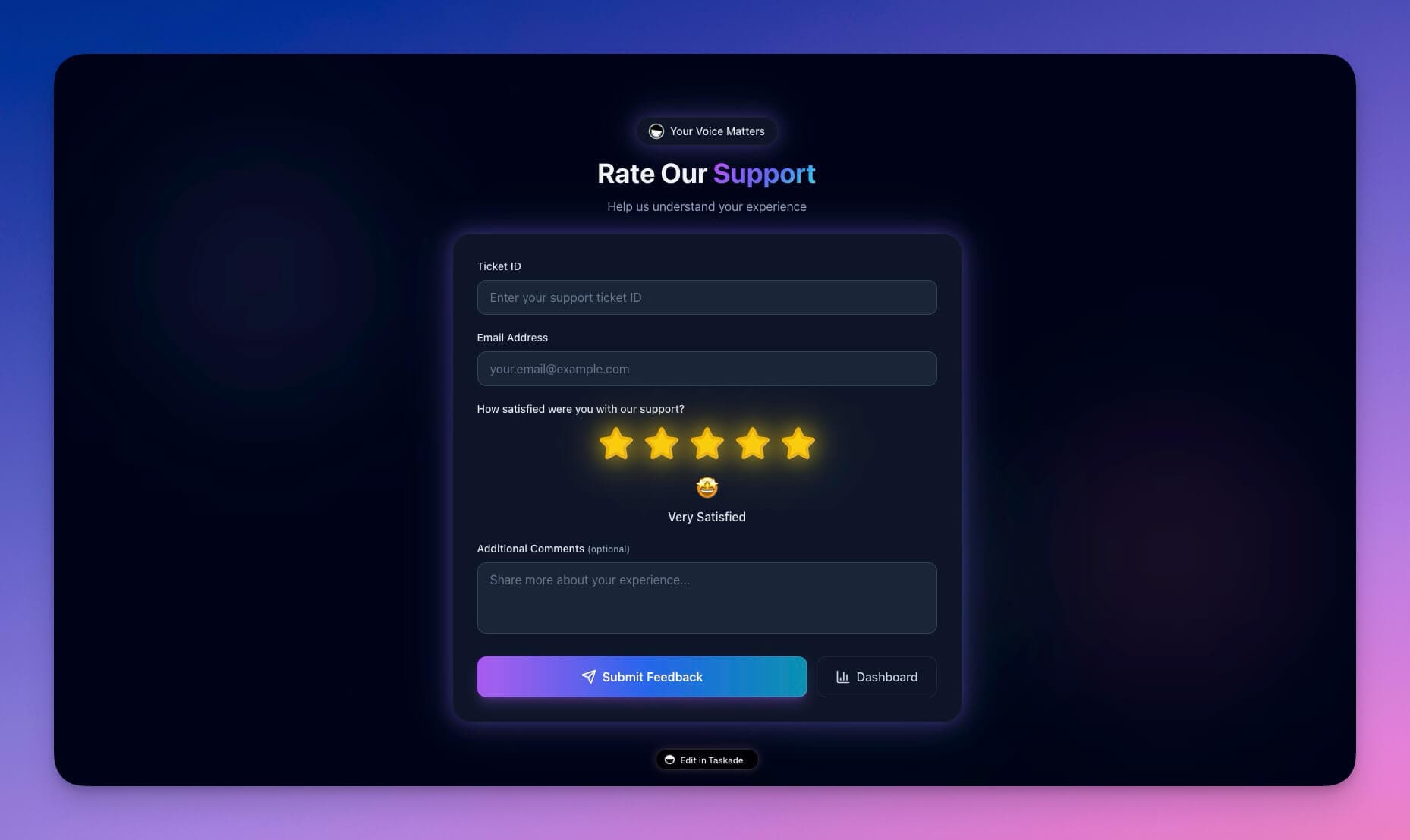
Support quality makes or breaks businesses. A 5% increase in customer retention can boost profits by 25-95%, yet most support teams operate blind — answering tickets without visibility into response times, satisfaction trends, or recurring issues.
TL;DR: Taskade Genesis builds a complete support rating dashboard — CSAT tracking, SLA monitoring, automated ticket routing, and AI-powered insights — from a single prompt in about 15 minutes. No code, no enterprise contracts. Plans start free. Clone the Support Dashboard →
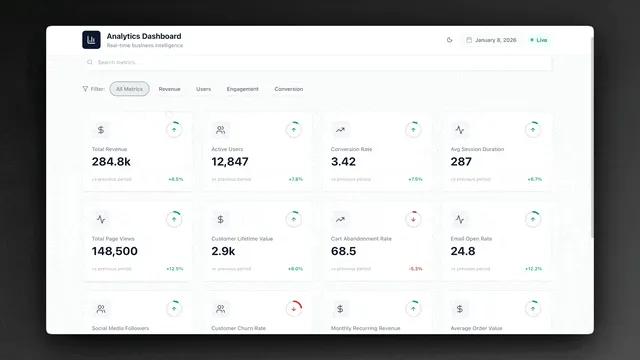
This tutorial walks through building the Support Rating Dashboard from scratch, then compares the approach against Zendesk, Intercom, and Freshdesk so you can decide which path fits your team.
What We Are Building
A support dashboard that tracks the full lifecycle of every customer interaction:
- Ticket creation, assignment, and resolution tracking
- Customer satisfaction (CSAT) ratings with automated surveys
- First-response time and resolution time measurement
- Recurring issue identification and trend analysis
- Team performance leaderboards and SLA compliance
Time: ~15 minutes
Skills needed: None — describe what you want, Taskade Genesis builds it
Why Support Dashboards Matter in 2026
Support teams without dashboards rely on gut feeling. That leads to missed SLAs, invisible bottlenecks, and customer churn that nobody notices until revenue drops.
| Problem | Impact | Dashboard Solution |
|---|---|---|
| No response time tracking | Customers wait hours without anyone noticing | Real-time SLA alerts with breach notifications |
| No satisfaction measurement | Silent churn — unhappy customers leave without feedback | Automated CSAT surveys after every resolution |
| No issue categorization | Same problems repeat because patterns are invisible | AI-powered category analysis and trend surfacing |
| No team visibility | Top performers go unrecognized, struggling agents get no help | Agent leaderboards with performance metrics |
| Manual reporting | Hours spent compiling weekly reports instead of helping customers | AI-generated reports with one-click export |
Taskade Genesis vs Zendesk vs Intercom vs Freshdesk
Before building, here is how Taskade Genesis compares to the three most popular support platforms.
| Feature | Taskade Genesis | Zendesk | Intercom | Freshdesk |
|---|---|---|---|---|
| Starting price | Free (paid from $10/mo) | $55/agent/mo | $39/seat/mo | $15/agent/mo |
| Setup time | ~15 minutes | 2-6 weeks | 1-3 weeks | 1-2 weeks |
| AI agents included | Yes (built-in tools) | Add-on ($50+/mo) | Add-on (Fin AI) | Add-on (Freddy AI) |
| Automation workflows | Built-in with 100+ integrations | Separate triggers/automations | Custom bots (paid) | Scenario automations |
| Custom dashboards | Prompt-generated, fully editable | Explore analytics (Enterprise) | Custom reports (paid) | Analytics (Pro+) |
| Permission tiers | Owner to Viewer | Role-based (varies by plan) | Role-based (3 levels) | Role-based (varies) |
| Project views | List, Board, Calendar, Table, Mind Map, Gantt, Org Chart | Views and macros | Inbox views | Views and filters |
| AI model access | Frontier models from top AI labs | OpenAI-based | OpenAI-based | Proprietary |
| No-code customization | Yes — conversational editing | Limited without developer | Limited without developer | Limited without developer |
| Public embedding | Yes — embed dashboard or agent | Widget only | Widget only | Widget only |
Zendesk and Intercom are powerful for large enterprise deployments with dedicated support engineering teams. Freshdesk offers a solid mid-tier option. Taskade Genesis is the fastest path for teams that need a working support system today without weeks of configuration.
Step 1: The Prompt
Open Taskade Genesis and enter this prompt (or customize it for your team):
Build a support rating dashboard with:TICKETS:
- Tickets table: subject, customer email, status (open, in progress, resolved), priority (low, medium, high, urgent), assignee, category
- Created date, first response time, resolution time
- Customer satisfaction rating (1-5) after resolution
METRICS:
- Average first response time
- Average resolution time
- CSAT score (average rating)
- Tickets by status
- Tickets by category
- Agent performance
VIEWS:
- Dashboard with key metrics
- Ticket queue by status
- My tickets view
- Agent leaderboard
- CSAT trends
AUTOMATION:
- Assign tickets based on category
- Escalate urgent tickets immediately
- Send satisfaction survey after resolution
- Alert if SLA breached
INTELLIGENCE:
- AI that suggests ticket categories
- Identifies common issues
- Drafts response templates
Genesis reads the prompt and generates the entire application — database schema, views, AI agents, and automation workflows — in one pass.
Step 2: Generated Schema
Genesis creates a structured ticket database with calculated fields for SLA compliance.
Tickets Table
| Field | Type | Purpose |
|---|---|---|
| subject | Text | Issue title |
| description | Long text | Full details |
| customer_email | Contact info | |
| status | Select | Open, In Progress, Resolved |
| priority | Select | Low, Medium, High, Urgent |
| category | Select | Technical, Billing, Feature, Bug, Other |
| assignee | User | Team member |
| created_at | Date | Submission timestamp |
| first_response | Date | First reply timestamp |
| resolved_at | Date | Closure timestamp |
| rating | Number (1-5) | Customer satisfaction |
| rating_comment | Text | Feedback text |
Calculated Fields
| Metric | Formula | SLA Threshold |
|---|---|---|
| First Response Time | first_response - created_at (hours) | 4 hours |
| Resolution Time | resolved_at - created_at (hours) | 24 hours |
| SLA Status | Breached if first_response > 4h | Auto-flagged |
These calculated fields power the dashboard metrics and SLA monitoring. The AI agent uses them to generate trend reports and flag anomalies.
Step 3: Sample Tickets and Live Metrics
We added test data to validate the dashboard immediately:
| Subject | Priority | Status | Category | Response Time | Rating |
|---|---|---|---|---|---|
| Can't login | High | Resolved | Technical | 2h | 5 |
| Billing question | Medium | Resolved | Billing | 3h | 4 |
| Feature request | Low | Resolved | Feature | 8h | 3 |
| App crashes on iOS | Urgent | In Progress | Bug | 30min | -- |
| Password reset loop | High | Resolved | Technical | 1h | 5 |
| Invoice not received | Medium | Open | Billing | -- | -- |
The dashboard immediately calculated:
- Open tickets: 1
- In Progress: 1
- Average first response time: 2.9h
- CSAT score: 4.25 (from resolved tickets with ratings)
- SLA compliance: 83% (1 breach on Feature request at 8h)
Step 4: Setting Up Automations

Taskade automations eliminate manual ticket management. Each rule fires automatically based on triggers.
Ticket Routing
TRIGGER: New ticket created
CONDITIONS:
  IF category = Technical -> Assign to Tech Team
  IF category = Billing -> Assign to Billing Team
  IF priority = Urgent -> Notify manager immediately
SLA Alerts
TRIGGER: Ticket age > 4 hours AND status = Open
ACTIONS:
  Send alert to assigned agent
  Copy manager on urgent tickets
  Update SLA Status to "Breached"
  Log breach in SLA report
Satisfaction Survey
TRIGGER: Ticket status changed to "Resolved"
ACTIONS:
  Wait 24 hours
  Send CSAT survey to customer email
  Log survey sent timestamp
  IF rating < 3 -> Alert team lead for follow-up
Escalation Workflow
TRIGGER: Ticket priority = Urgent AND no response in 1 hour
ACTIONS:
  Reassign to senior agent
  Send Slack alert to support channel
  Add to escalation dashboard
These workflows connect to 100+ integrations including Slack, email, and CRM tools like Salesforce.
Step 5: Testing the AI Agent
The built-in AI agent analyzes ticket data and provides actionable insights using frontier models from top AI labs.
Query: "What are our most common issues?"
Response: "Technical issues represent 45% of tickets this month, primarily login problems (12 tickets). Billing questions are second at 30%. Recommendation: create a self-service password reset flow to reduce Technical ticket volume by an estimated 20%."
Query: "Who's performing best?"
Response: "Sarah has the highest CSAT at 4.8 with 45 resolved tickets this month. Tom has the fastest average response time at 1.2 hours. Both are within SLA compliance at 100%."
Query: "Draft a response for password reset"
Response: "Hi [Customer], I understand you are having trouble logging in. Let me help you reset your password. Please click the link below to set a new password: [Reset Link]. If you continue to experience issues, I will escalate this to our technical team immediately."
The agent maintains persistent memory across conversations, so it learns your team's patterns, response templates, and escalation preferences over time.
Step 6: Dashboard Views
The generated dashboard provides multiple views for different roles on your team. Taskade supports multiple project views — List, Board, Calendar, Table, Mind Map, Gantt, and Org Chart.
Main Dashboard
- Tickets by status (open / in progress / resolved)
- CSAT trend chart showing satisfaction over time
- Response time trends with SLA threshold markers
- Top categories with volume breakdowns
Agent Leaderboard
| Agent | Tickets Resolved | Avg CSAT | Avg Response Time | SLA Compliance |
|---|---|---|---|---|
| Sarah | 45 | 4.8 | 1.5h | 100% |
| Tom | 38 | 4.3 | 1.2h | 97% |
| Alex | 32 | 4.1 | 2.8h | 89% |
| Jordan | 28 | 4.5 | 2.1h | 93% |
CSAT Analysis
- Scores over time (weekly and monthly trends)
- Scores by category (identify weak spots)
- Low-rating drill-down (tickets rated 1-2 with full context)
- Comment analysis (AI-extracted themes from feedback text)
Role-Based Access for Support Teams
Different team members need different access levels. Taskade's permission system keeps data secure.
| Role | Permission Level | Dashboard Access |
|---|---|---|
| Support Director | Owner | Full dashboard + settings + automations |
| Team Lead | Editor (workspace-wide) | All tickets + reports + agent management |
| Support Agent | Editor (own queue) | Own tickets + team metrics |
| QA Reviewer | Checker | All tickets (read) + add review notes |
| Stakeholder | Viewer | Aggregated metrics only (no customer data) |
This structure keeps customer PII protected while giving stakeholders the metrics they need for decision-making.
The Final Dashboard
After 15 minutes of setup:
- Complete ticket system with priorities, categories, and SLA tracking
- CSAT tracking with automated post-resolution surveys
- SLA monitoring with breach alerts and escalation paths
- Team performance leaderboard with individual metrics
- AI assistant for insights, trend analysis, and response drafting
- Automated routing with category-based assignment and urgent escalation
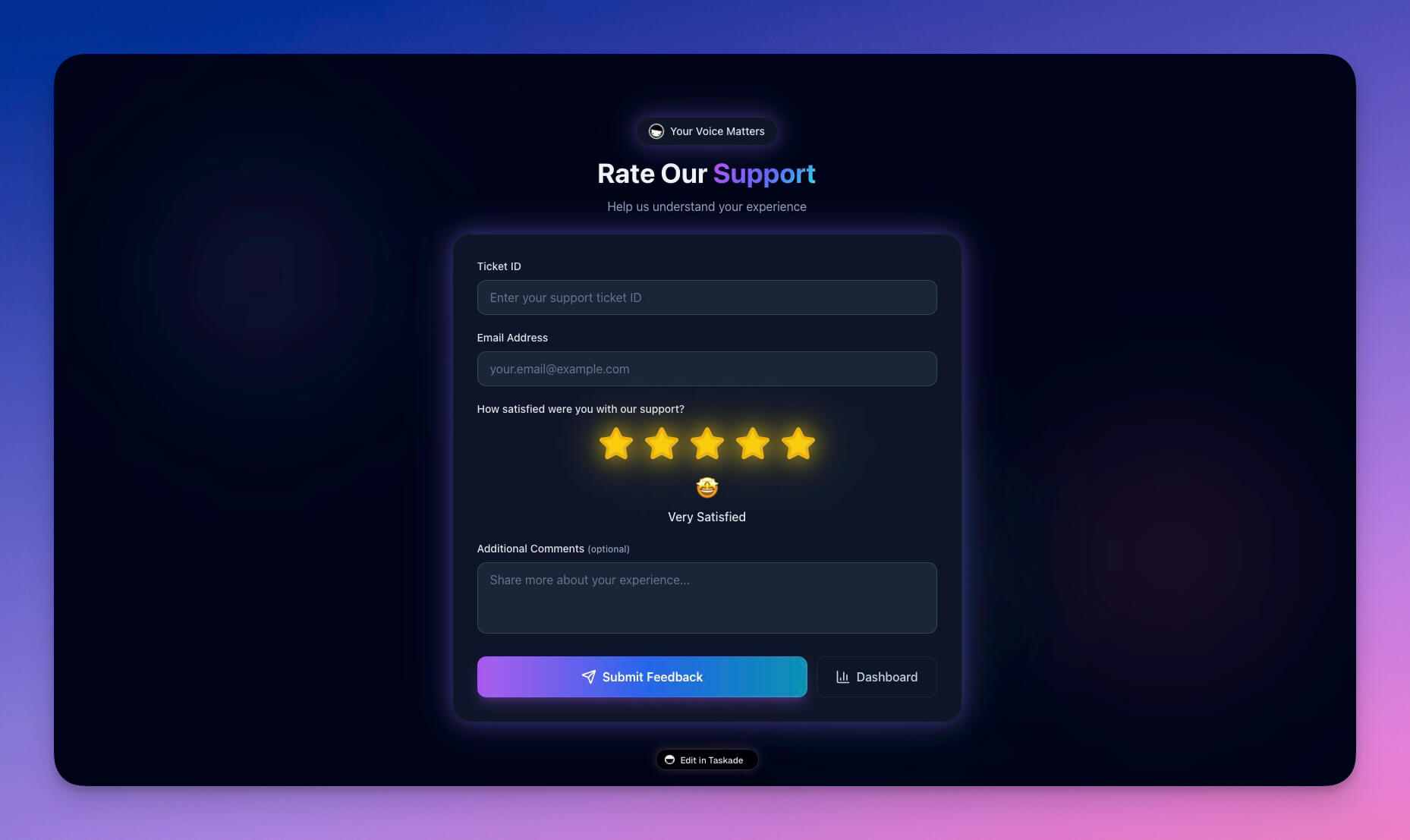
Clone Support Rating Dashboard →
When to Choose Zendesk, Intercom, or Freshdesk Instead
Taskade Genesis is not a replacement for every support scenario. Here is when each platform makes more sense:
| Scenario | Best Choice | Why |
|---|---|---|
| Enterprise with 100+ agents and complex routing | Zendesk | Mature enterprise features, phone/chat channels, extensive API ecosystem |
| Sales-led support with revenue attribution | Intercom | Product tours, in-app messaging, lead qualification built in |
| Budget-conscious mid-size team wanting a traditional helpdesk | Freshdesk | Lower per-agent pricing than Zendesk, solid out-of-box experience |
| Small team needing a dashboard today without weeks of setup | Taskade Genesis | 15-minute setup, AI-native, no per-agent pricing, workspace-integrated |
| Startup validating support processes before committing to enterprise tools | Taskade Genesis | Free tier, rapid iteration, easy to customize as needs evolve |
Customization Ideas
Extend your support system after the initial build:
- Knowledge base — self-service articles that AI agents reference when answering tickets
- Canned responses — pre-built templates for common issues, accessible via slash commands
- Customer history — past tickets per customer with lifetime CSAT trends
- Multi-channel — connect to Slack, email, and 100+ integrations
- NPS tracking — add Net Promoter Score alongside CSAT for broader satisfaction measurement
- SLA tiers — different response time targets for different customer plans
Build Your Own Support Dashboard
- Open Taskade Genesis and click "Create App"
- Customize the prompt above for your team's categories and SLA targets
- Add your support categories and priority levels
- Configure automations for routing and escalation
- Invite your team with appropriate permissions
- Start tracking support quality
Learn more: Create Your First App →
Resources
Clone the template:
Related templates:
Learn Taskade:
- Custom AI Agents — Build agents with persistent memory
- Automations & Workflows — Set up triggers and actions
- Workspace DNA — Memory + Intelligence + Execution
More tutorials:
- How We Built the Finance Dashboard
- How to Build a Room Booking Dashboard
- How to Build a Nonprofit Hub
Explore Taskade AI:
- AI App Builder — Build complete applications from a prompt
- AI Agent Builder — Create support agents with built-in tools
- Browse Community Apps — Clone and customize real apps
Build with Genesis:
- Browse All Generator Templates — Apps, dashboards, websites, and more
- Browse Agent Templates — AI agents for every use case
- Explore Templates — Clone and customize

Frequently Asked Questions
How do I build a customer support dashboard with AI?
With Taskade Genesis, describe your support needs in a prompt — ticket tracking, CSAT ratings, response time measurement, issue categorization, and team performance reports. Genesis generates a complete support dashboard in about 15 minutes with databases for ticket management, AI agents for automated routing, and workflows for escalation alerts.
What metrics should a support rating dashboard track?
A good support dashboard tracks ticket volume, resolution time, customer satisfaction (CSAT) scores, first-response time, recurring issue categories, and individual agent performance. Taskade Genesis dashboards include AI agents powered by frontier models that automatically analyze these metrics and surface trends across multiple project views.
Can AI agents help with customer support ticket routing?
Yes. Taskade AI agents can automatically categorize incoming tickets, route them to the right team member, suggest responses based on past resolutions, escalate high-priority issues, and generate weekly performance reports. Agents have built-in tools and persistent memory, so they learn your support patterns over time.
How do I control who can view support data and customer information?
Taskade uses a permission system (Owner to Viewer) for granular access control. Support managers get full dashboard access, agents see their own ticket queues, and stakeholders get view-only access to aggregated metrics.
How does Taskade Genesis compare to Zendesk for support dashboards?
Zendesk starts at $55 per agent per month (Suite Team) and requires weeks of configuration. Taskade Genesis builds a working support dashboard from a single prompt in about 15 minutes. Genesis includes AI agents, automated workflows, and 100+ integrations — all within your workspace. For teams that need a lightweight, AI-native support system, Genesis delivers faster at a fraction of the cost.
What is a CSAT score and how do I track it?
CSAT (Customer Satisfaction) measures how happy customers are with a support interaction, typically on a 1-5 scale. In a Taskade Genesis support dashboard, CSAT surveys are sent automatically after ticket resolution. AI agents analyze scores by category, agent, and time period to surface trends and flag drops in satisfaction.
Can I automate SLA monitoring in a support dashboard?
Yes. Taskade Genesis automates SLA monitoring by setting triggers for ticket age thresholds. When a ticket exceeds the SLA window (e.g., 4 hours without a response), the system alerts the assigned agent, notifies the manager, and marks the ticket as breached — all without manual monitoring.
What integrations does Taskade support for customer support workflows?
Taskade connects to 100+ integrations across 10 categories including Slack, email providers, CRM tools like Salesforce, and communication platforms. Support dashboards can route alerts to Slack channels, sync tickets with email, and push data to external reporting tools through automation workflows.
Is Taskade Genesis suitable for small support teams?
Absolutely. Taskade Genesis is ideal for small teams because it eliminates the setup complexity and per-agent pricing of enterprise tools. A solo founder or 3-person support team can build a complete CSAT dashboard, automated routing, and SLA monitoring in 15 minutes. Plans start at Free, with Pro from $10/month billed annually.
How do AI agents learn my team's support patterns?
Taskade AI agents use persistent memory to store context from every interaction. As your team resolves tickets, agents learn which categories map to which team members, which responses work best for common issues, and which escalation paths are most effective. This memory persists across sessions and improves routing accuracy over time.