







If you’re reading this, you’re probably looking for hacks to improve your productivity (who isn’t…). After all, there are only 24 hours in a day so it makes sense to optimize your work as much as possible. In this article, we dig into powerful productivity tips that will help you do just that.
💡 Disclaimer: Improving productivity is a life-long exercise. While we sometimes refer to the tips below as “hacks,” you should think of them as incremental tweaks. Take your time to introduce them gradually, A/B test different strategies, and see what works for you.
TL;DR: The best productivity hacks include prioritizing tasks (Eisenhower Matrix), building momentum with micro-breaks, time batching, and minimizing distractions. Taskade integrates all of these with multiple project views, AI agents, and a built-in Pomodoro timer. Get started free -->
With that out of the way, let’s start with some basic stuff.
🤔 What Is Productivity?
Productivity is the measure of how effective you are doing what you’re supposed to do. Being productive means that you can complete tasks quickly and efficiently (without procrastinating too much) while maintaining focus and motivation throughout the process.
Sounds simple, right?
Well, as you probably know by now that it’s not.
The tricky thing about productivity is that it doesn’t exist in a vacuum. You can’t say you’re productive without first overcoming some of the typical obstacles we’re all facing:
⏰ Poor time management
🤹 Notorious multitasking
🗑 Inefficient workflow organization
🤯 Trouble with focusing on tasks
🐇 Not tracking your time
❌ Setting unrealistic goals
Putting it all together, productivity is not only the ability to do your job quickly and effectively. It’s also the aggregate of strategies and techniques (more on that below) that make it all possible. Of course, putting in all that effort comes with a pretty significant ROI.
📈 What’s the Benefit of Becoming More Productive?
Productivity is one of the most universal aspects of life. We all have chores, work duties, and personal obligations we need to deal with daily. The specs may differ from person to person, but the endgame is the same for everybody—to get stuff done on time.
Mastering the fine art of productivity will help you make incremental improvements across all those areas. It will also make it easier to direct your momentum toward impactful tasks, carve out more time for personal pursuits, and relax after work once you’ve finally cleared your to-dos.
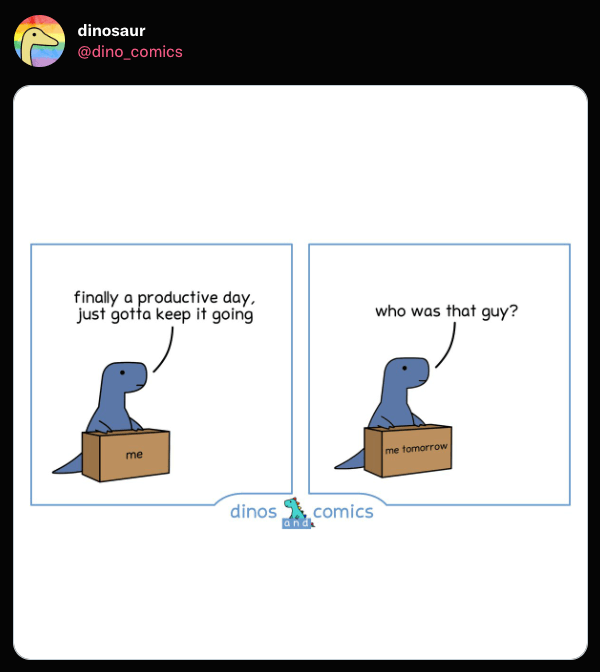
A word of caution before you go any further. Productivity is not just about being “busy”; it’s about prioritizing meaningful work that makes the biggest impact in the grand scheme of things.
Here are a few productivity hacks that’ll help you do just that.
Productivity Methods at a Glance
| Method | Best For | Time Investment | Difficulty |
|---|---|---|---|
| Eisenhower Matrix | Prioritizing by urgency/importance | 10 min daily | Easy |
| Pomodoro Technique | Sustained deep focus | 25 min blocks | Easy |
| Time Batching | Reducing context switching | 15 min planning | Medium |
| GTD (Getting Things Done) | Complex multi-project workflows | 30 min weekly review | Medium |
| Eat the Frog | Overcoming procrastination | Flexible | Easy |
| AI Task Automation | Eliminating repetitive work | 1 min per prompt | Easy |

🤘 Best Productivity Hacks for 2026
1. Learn How to Prioritize Tasks
Are you constantly juggling five, ten, or fifteen tasks and never seem to complete more than a handful? You’re not alone. Task prioritization is one of the prerequisites for ramping up your productivity, so you should learn how to do that the right way.
The best way to organize your workflow is to use one of the popular prioritization frameworks. These powerful strategies will help you decide what’s urgent and what can be safely backlogged until you have some time to spare. Some of the best prioritization frameworks include:
🔵 The Kano model
🟠 MoSCoW
🟡 RICE (Reach, Impact, Confidence, Effort)
🟢 The ICE Scoring Model
Of course, you also need to be realistic about your workload. Even the best framework won’t help if you constantly bite off more than you can chew. Instead, start with the three most important tasks in a day, see if you can clear that first, and work your way up from there.
2. Build a Momentum
We’ve all been there. The project deadline is just around the corner and everybody puts in extra hours to catch up. Naturally, you feel compelled to follow suit. But while it's tempting to stay glued to the screen, taking regular, short breaks is much more beneficial.
"Multilevel path analysis results showed that relaxation, socialization, and cognitive microbreaks were related to increased positive affect at work which, in turn, predicted greater sales performance. However, breaks for nutrition-intake (having snacks and drinks) did not show significant effects."
“Daily Micro-Breaks and Job Performance,” Journal of Applied Psychology"(1)
You may think that you are too busy to take breaks. But hitting pause can actually improve your concentration and creativity. The key is to create the right momentum that’ll help you get stuff done without risking burnout. So, relax, take a break, and come back to fight another day hour.
3. Set Goals and Measure Progress
Setting goals is a set piece of the productivity game. After all, if you don’t have a reliable way of telling how productive you are, you can’t correct course if needed.
So, why don't you try Taskade? 🐑
Taskade is an AI-powered to-do list app and a productivity platform for teams and individuals. It includes everything you need to plan, manage, and execute tasks and projects in a holistic, distraction-free way. All that in a minimalist and beautiful package.
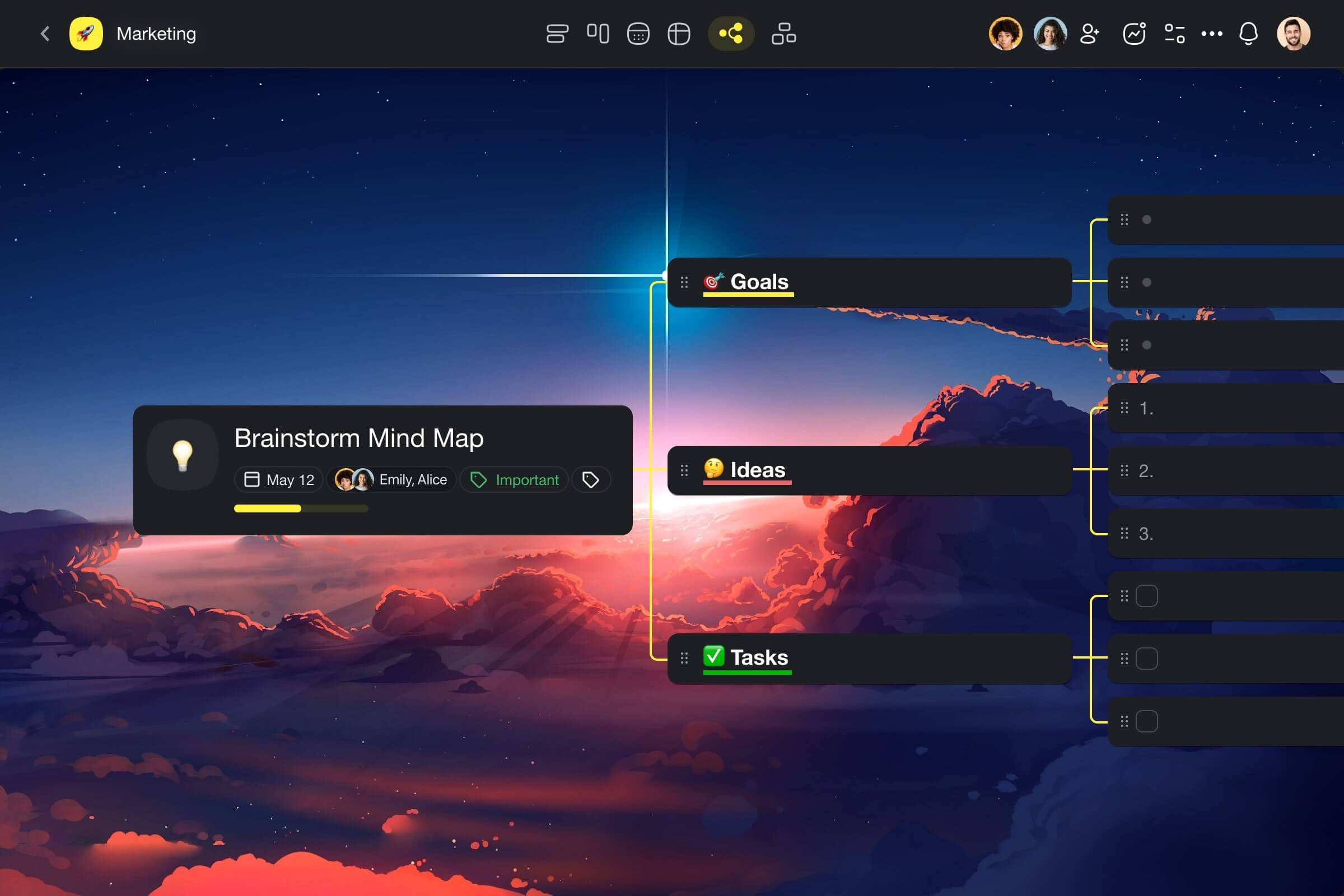
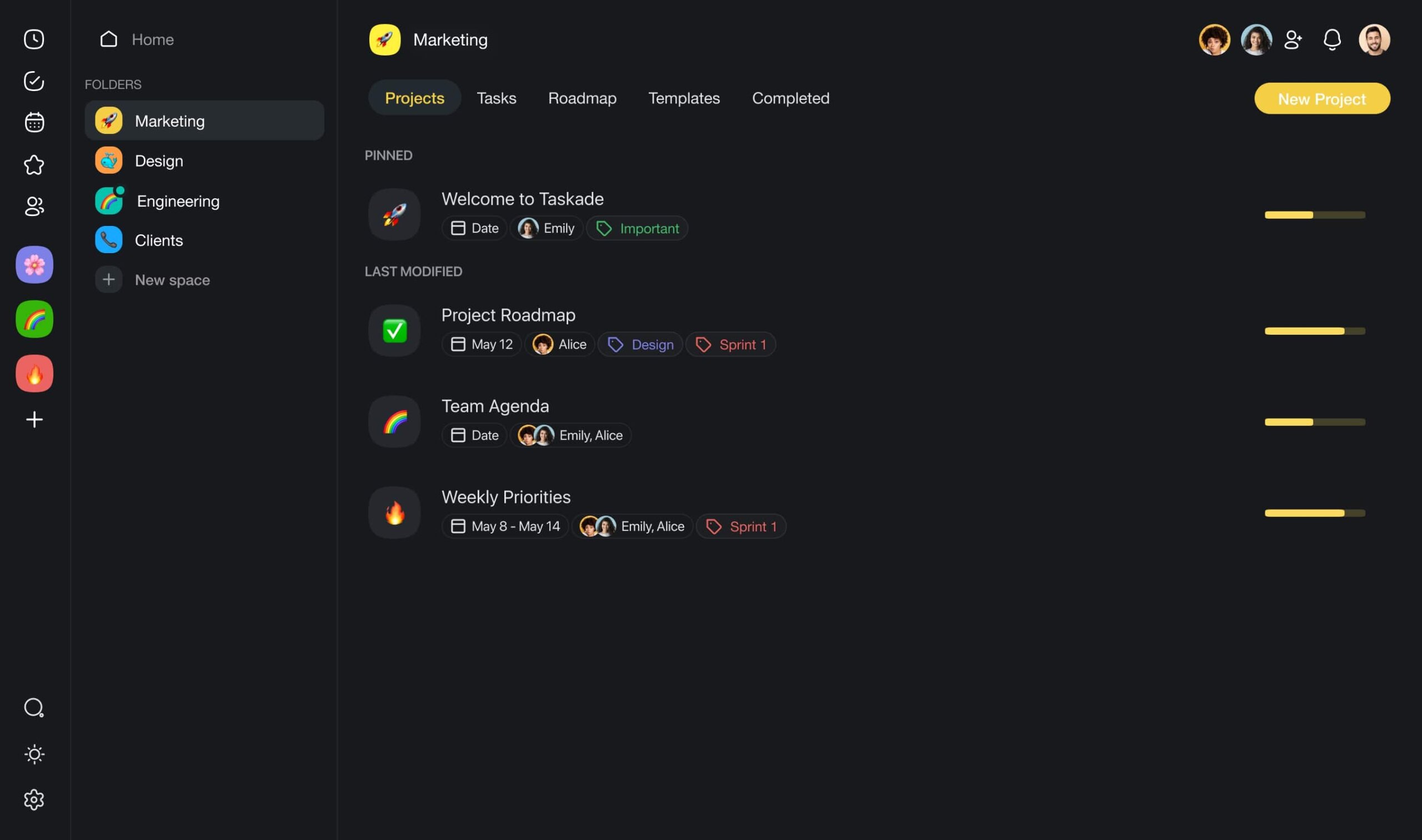
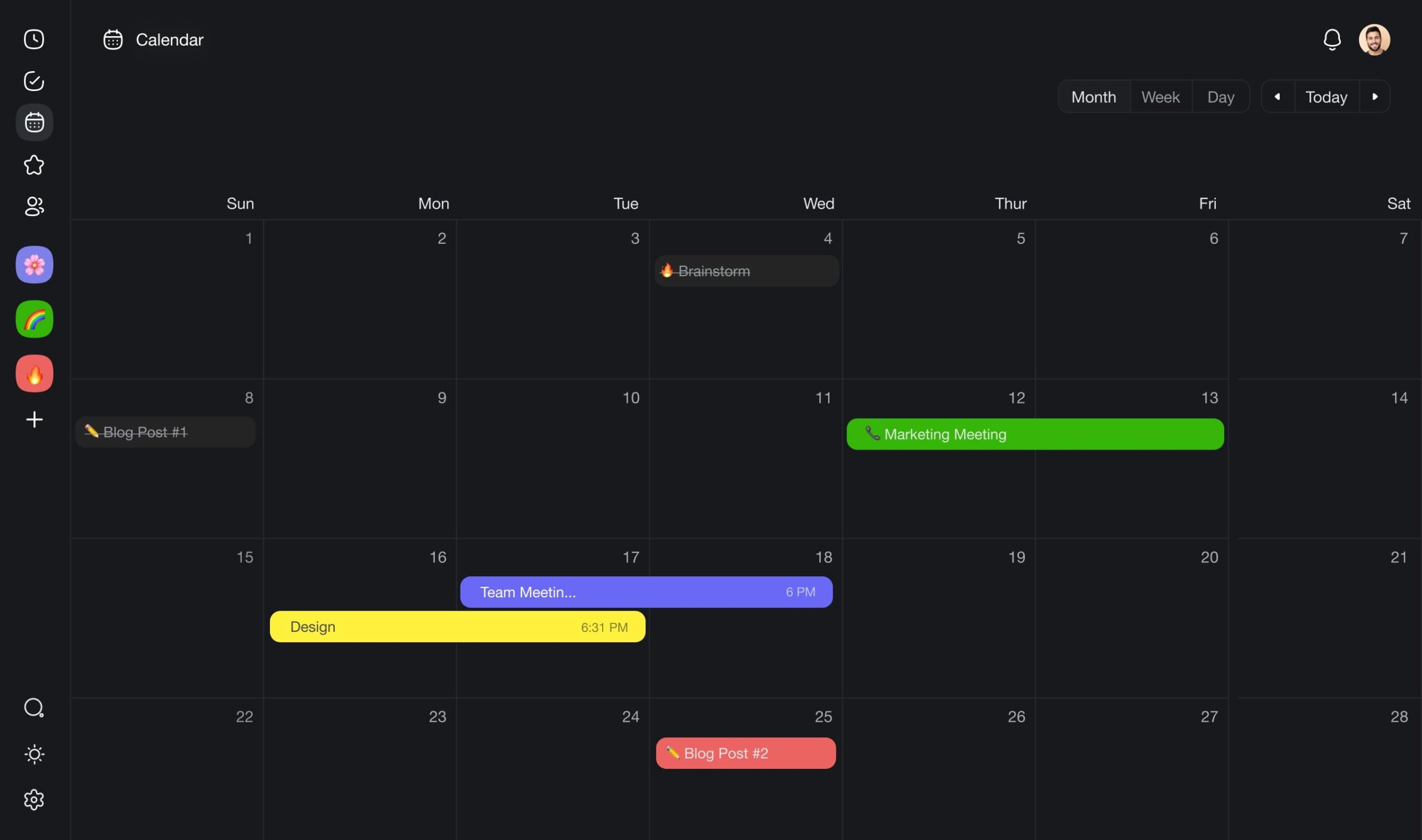
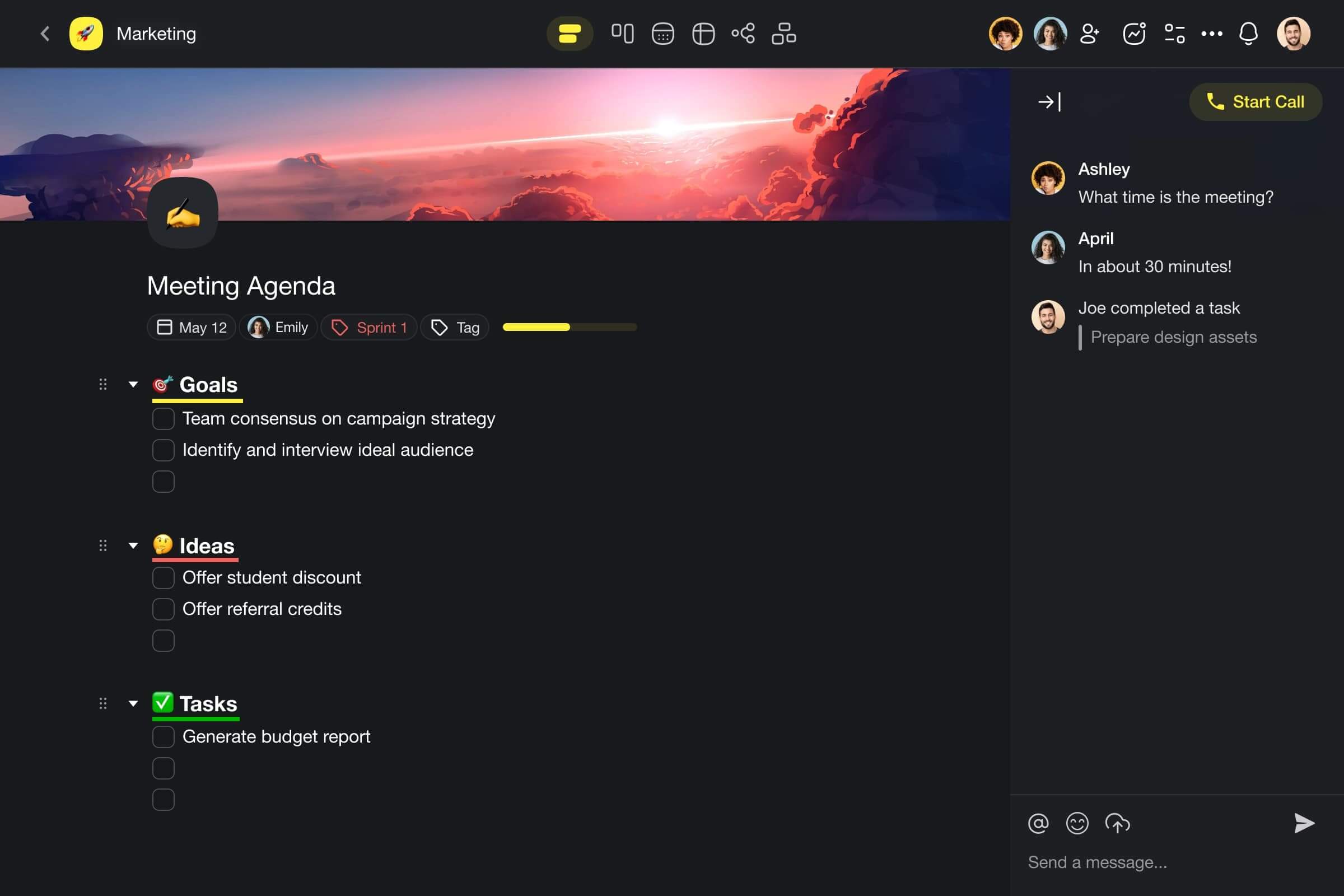
But who wants to spend time on planning when there's work to do?
Taskade allows you to create, train, and deploy a team of your own AI agents, each with a unique personality, knowledge, and skills. Agents automate routine tasks, speed up workflows, and even analyze data, so you can sit back and enjoy your coffee.
Supercharge productivity with Taskade AI! 🤖
Taskade packs all the features you need to tackle your projects:
🤖 Set smart goals and automate your tasks with Taskade AI
🎰 Add unlimited tasks and sub-tasks, even in the free plan
🏷 Organize your tasks with #hashtags
🌐 Access to-dos on desktop, mobile, and in a web browser
↕️ Fold and unfold lists to focus on the things that matter
⌨️ Build momentum with powerful keyboard shortcuts
🖼 Use 100+ free templates for work and personal projects
🎨 Customize your lists with colors, different bullet types, and more
🔔 Receive custom notifications for due and recurring tasks
And much more!
And now, back to our list. 👇
4. Identify Your Most Productive Time of Day
If you are like most people, there's probably a time of day when your body performs at its best. This is called a chronotype. Some of us—the so-called night owls—are the most productive late at night. Early birds, on the other hand, prefer to get into gear before the sun’s up.
"Peak performance differs significantly between early and late chronotypes i.e. ‘larks’ and ‘owls’ in simple and complex measures of cognitive and physical performance. Early chronotypes perform at their best earlier in the day compared to late chronotypes. Late chronotypes have significantly higher daytime sleepiness compared to early chronotypes and perform worse in the morning across all cognitive and physical measures."
“The Effects of Time of Day and Chronotype on Cognitive and Physical Performance in Healthy Volunteers"(2)
The best way to determine when you’re most productive is to track your productivity throughout the week (see the previous step) and analyze your daily routine:
⏰ When do you typically get up?
🧩 Do you prefer completing the most difficult tasks first thing in the morning?
🦉 How often do you work late into the night?
Don't get too obsessed about productivity stories from around the web. There’s no one-size-fits-all so you shouldn’t compare yourself to other people. Instead, make small changes, check your performance throughout the day, and optimize your schedule accordingly.
5. Group Similar Tasks Into Batches
Chances are your daily workload includes routine tasks like replying to emails, writing reports, running meetings, or reading newsletters. Many people tend to mix those tasks throughout the day. But it’s much more effective to batch similar activities and deal with them in one go.
This strategy is called task bundling or task batching and it helps identify similar tasks and group them together. Once you’ve done that, you need to allocate the best time of the day for those tasks and wrap them inside time-restricted blocks in your calendar.
Some examples of tasks that can be lumped together include:
📨 Sending and replying to emails
📚 Personal and professional development
💰 Paying bills and budgeting
📑 Researching and outlining documents
You should only batch tasks that share a similar workflow context, e.g. the tools you will use in the process, the people you collaborate with, or the place where you need to complete them.
Batching similar tasks will let you reclaim the time you’d normally waste jumping between different activities throughout the day. It will also give you a powerful sense of accomplishment once you’re done with a whole block of tasks that used to occupy your entire workday.
6. Minimize Distractions
A distraction-free working environment is a huge perk, especially when you’re working remotely. The problem is that distractions come in many flavors. Some like phone notifications are pretty obvious, but others like an unergonomic workspace may be much more difficult to spot.
The bad news is that it’s nearly impossible to optimize your workflow completely. But you should make your best to identify and reduce as many of the common distractions as possible.
📵 Keep your phone out of sight and in the DND mode at work.
🎧 Use headphones or earbuds instead of speakers to block background noise.
🍅 Use focus boosting strategies like the Pomodoro technique.
🍪 Limit snacking to actual breaks and don’t eat at your desk.
✋ Use dedicated apps or browser extensions to block distracting websites.
🚧 Separate work and personal space as much as possible.
Of course, there are many other common-sense methods for overcoming distractions. Read How to Reduce Context Switching and Reach Flow State to learn more.
7. Organize Your Workspace
Your workspace is a reflection of the way you think and work, at least to some extent. And despite what some creative types tell you, a messy desk is rarely a sign of productivity. For most of us, a cluttered desk/digital workspace is a major distraction in its own right.
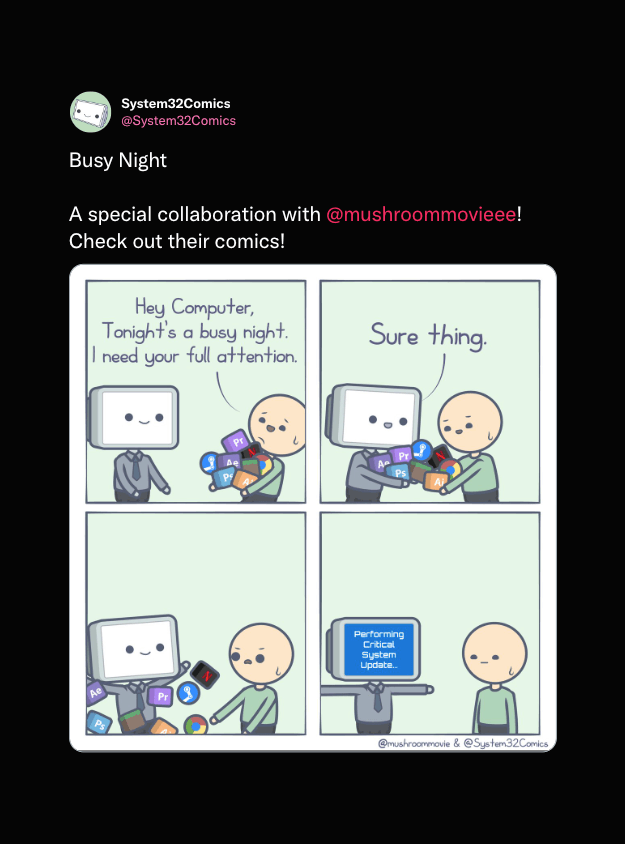
According to a 2021 report by Elastic, 1 in 5 US office workers believe searching for files and documents is a major productivity killer.(3) Another report by IDC showed that employees waste an average of 2.5 hours every day looking for information.(4)
If you have a really cluttered workspace, try cleaning it out every week. It may seem like a lot of work, but it’s well worth the effort. You should also extend this to your digital workspace and regularly clean your inbox, cloud storage, and local drives to keep things organized.
8. Partition Your Goals and Objectives
It doesn’t matter how productive you think you are if you don’t have a set of clear goals. Deadlines, milestones, and project checkpoints will all give you something to aim for. They’ll also help you build momentum and make sure you’re making progress and not moving backward.
The only problem?
Big, ambitious objectives can be overwhelming, especially if they’re too general. Add “write a book in 12 months” to your to-do, and you’re likely to give up or lose focus before you get there. Instead, you should use the power of outlining to break complex projects into bite-sized chunks.
Here’s how outlining works in Taskade:
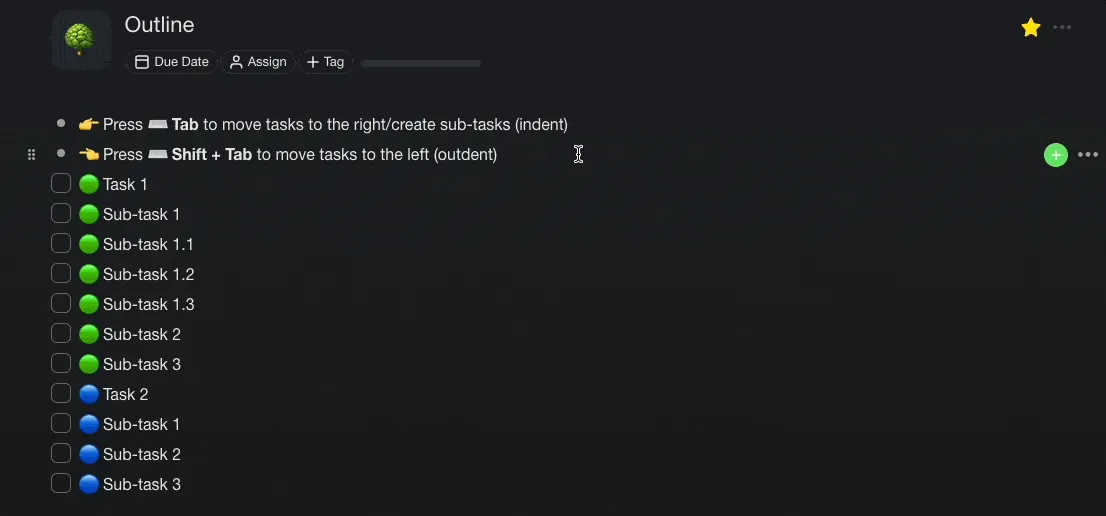
You can adapt this strategy to almost any type of project. Whether you’re working on a quarterly report, a business plan, or just want to organize your day, be sure to break complex tasks into sub-tasks or stepping stones you can complete one by one.
👋 Parting Words
Improving your productivity is a marathon, not a sprint. Focus on small, incremental changes, A/B-test your routines, and try a few different strategies to see what works for you.
Here’s a breakdown of all the productivity tips we covered in this article:
✅ Learn How to Prioritize Tasks
🏃♀️ Create the Right Momentum
🎯 Set Goals and Measure Progress
☀️ Identify Your Most Productive Time of Day
🗂 Group Similar Tasks Into Batches
👾 Identify and Deal with Distractions
🧹 Organize Your Workspace
🍰 Partition Your Goals and Objectives
And that's it! 👋
🔗 Resources
https://www.elastic.co/pdf/unified-search-for-finding-workplace-content
https://www.ibm.com/support/pages/cognitive-university-watson-systems-smartseller
🧬 Build Your Productivity System with Genesis
Ready to take your productivity to the next level? Clone these AI-powered tools built with Taskade Genesis:
| App | What It Does | Clone |
|---|---|---|
| Study/Work Timer + Music | Pomodoro timer with ambient sounds for focus | Clone → |
| Minimalistic ToDo App | Clean, distraction-free task management | Clone → |
| Time Tracker | Log hours and boost productivity awareness | Clone → |
| Neon Task Dashboard | Visual task board with progress tracking | Clone → |
| Motivation Map Studio | Visualize goals and track motivation | Clone → |
🔍 Explore All Community Apps →
Your living workspace includes:
- 🤖 Custom AI Agents — The intelligence layer
- 🧠 Projects & Memory — The database layer
- ⚡️ 100+ Integrations — The automation layer
Get started:
- Create Your First App → — Step-by-step tutorial
- Learn Workspace DNA → — Understand the architecture
Read more:

Frequently Asked Questions
What are the best productivity tips for getting more done each day?
The most impactful productivity tips include starting your day with the hardest task (eat the frog), time-blocking your schedule into focused work sessions, eliminating multitasking in favor of single-tasking, taking regular breaks to prevent burnout, and using a trusted system to capture all tasks. Pair these habits with a project management tool like Taskade to organize, prioritize, and track your work across multiple views.
How can I stay focused and avoid distractions while working?
To maintain focus, batch similar tasks together, turn off non-essential notifications during deep work sessions, use the Pomodoro Technique (25 minutes focused work, 5 minutes rest), and create a dedicated workspace free from interruptions. Consolidating your tools into a single platform like Taskade reduces app-switching, which research shows costs over 23 minutes of refocus time per interruption.
What productivity methods actually work according to research?
Research-backed productivity methods include the Pomodoro Technique (timeboxing for sustained focus), the Eisenhower Matrix (prioritizing by urgency and importance), Getting Things Done or GTD (systematic task capture and processing), time blocking (dedicating specific hours to specific work), and the two-minute rule (completing quick tasks immediately). The best approach is to experiment with multiple methods and combine what works for your workflow.
How can AI tools improve personal productivity?
AI tools boost productivity by automating repetitive work, generating task breakdowns from high-level goals, organizing information intelligently, and providing smart recommendations. Taskade integrates frontier AI models from top AI labs with AI agents that can create project structures, summarize documents, automate workflows, and assist with brainstorming — freeing you to focus on high-value creative and strategic work.