






The Pomodoro Technique: Complete Guide to Focused Productivity (2026)
Master the Pomodoro Technique with this complete guide. Learn how timed focus sessions backed by science boost productivity, plus alternative timing intervals and AI-powered workflows.
On this page (20)
As the old proverb goes: “When life gives you tomatoes, make passata.” Learning how to use the Pomodoro technique timer will help do just that. Francesco Cirillo’s method is one of the classic productivity methods that will help master your attention span and focus on getting work done.
In today’s article, we unpack Cirillo’s methodology and explain how to set up and use the Pomodoro technique timer in Taskade. So, what do you say we start with some basics?
🍅 What Is the Pomodoro Technique?
The Pomodoro Technique came to life in the 80s at Guido Carli International University in Rome. A brainchild of an economics student Francesco Cirillo, the technique got its name from a simple, tomato-shaped kitchen timer. Here's a Pomodoro timer for reference. 👇
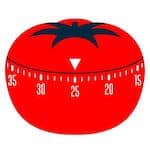
As Cirillo would recount years later, he discovered that the secret sauce of getting things done is to work in short bursts. That's how the unimposing timer became his accountability buddy.
💬 “[...] I made a bet with myself, as helpful as it was humiliating: “Can you study – really study - for 10 minutes?” I needed objective validation, a Time Tutor, and I found one in a kitchen timer shaped like a pomodoro (the Italian for tomato) – in other words, I found my “Pomodoro.”—Francesco Cirillo_, Effective Organizing: The Pomodoro Technique(1)_
Long story short, the small red object proved an invaluable study companion. The simple trick of breaking work into a series of super-focused sessions allowed Cirillo to fend off distractions, maximize his attention span, and get more done.
Who knew that a simple tomato timer could trigger a butterfly effect, eventually leading to the creation of one of the most popular time management techniques out there.
Cirillo went on to develop his idea and built a methodology around it. The Pomodoro Technique eventually gained traction and became a darling of productivity enthusiasts.
Who Should Use the Pomodoro Technique Timer?
The Pomodoro Technique is a great tool for work that requires concentration and is typically delivered in short bursts. It also works reasonably well with beefier projects partitioned into tasks.
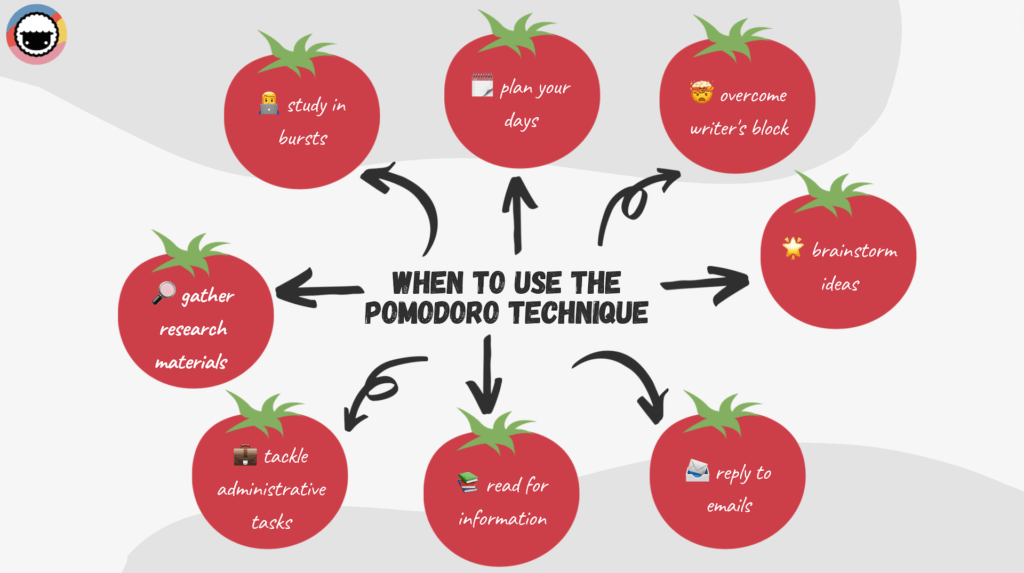
For instance, if you’re a writer, the Pomodoro Technique timer will help you silence the inner critic and get words on the page much quicker. You won’t create your magnum opus in 25 minutes. But with each interval, you will type out actual words on the page (no kidding) with minimal friction.
You can use the Pomodoro Technique for:
👨💻 Studying in bursts
✍️ Focusing on a single task
🔎 Gathering research materials
💼 Tackling administrative tasks
📚 Reading for information
📨 Replying to emails
🌟 Brainstorming ideas
🤯 Overcoming writer’s block
🗓️ Planning your workday
And much more...
The Pomodoro technique is a stand-alone tool but it can be successfully used in tandem with other systems like Cal Newport’s Deep Work or David Allen’s GTD. It’s equally useful for personal projects and professional commitments.
Why Is the Pomodoro Technique So Effective?
According to Parkinson's law, work expands to fill the time allotted for its completion. In other words, the more time you have to finish a task, the more time it’s going to take.
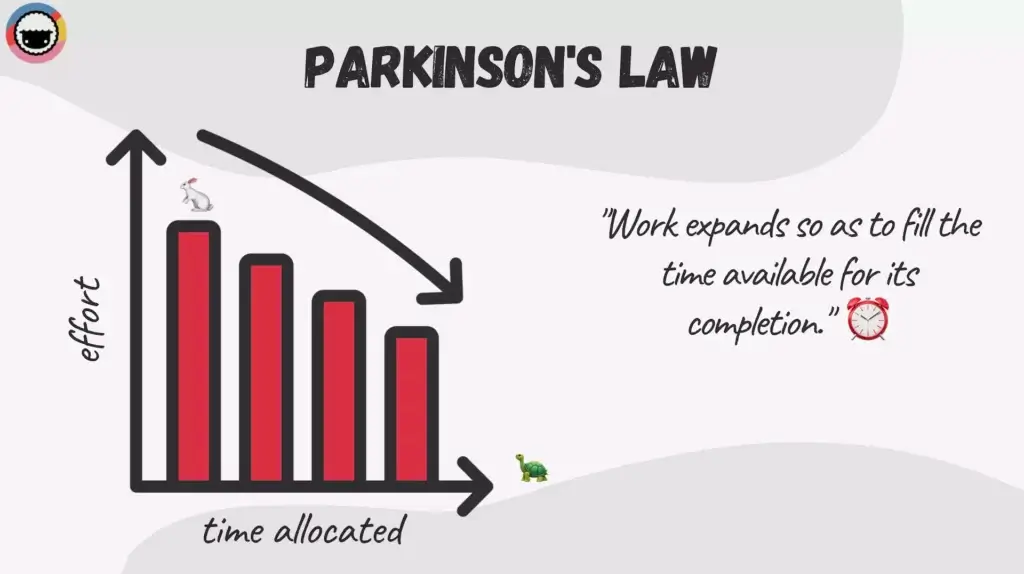
The Pomodoro Technique helps fix (if only indirectly) poor time management by imposing a time limit on deliverables. It also helps you become more mindful of how you spend your time and learn to treat every passing minute with respect.
But that’s not all.
The Pomodoro technique compels you to stay focused long enough to get work done but not long enough to start slacking. When 25 minutes is all you have, procrastination suddenly becomes a rather unattractive proposition.
Finally, the Pomodoro Technique takes a preemptive approach to procrastination. Instead of allowing random bouts of procrastination in an hour-long work session, you intentionally schedule five minutes of “do what you like” every 25 minutes.
These regular breaks help to refresh your mind in 25-minute blocks. This makes the Pomodoro Technique one of the most effective time management methods out there.
📝 How to Use the Pomodoro Technique Effectively?
Pomodoro in Four Simple Steps
The Pomodoro technique is super simple. In fact, it’s so simple you already have everything you need to get started. Your basic setup should include a pen & paper combo and, of course, a timer.
In case you're wondering, it doesn’t have to resemble a tomato.
While Cirillo recommends a physical timer to minimize distractions, you can go with whatever tool you have at your disposal. And that’s probably your smartphone.
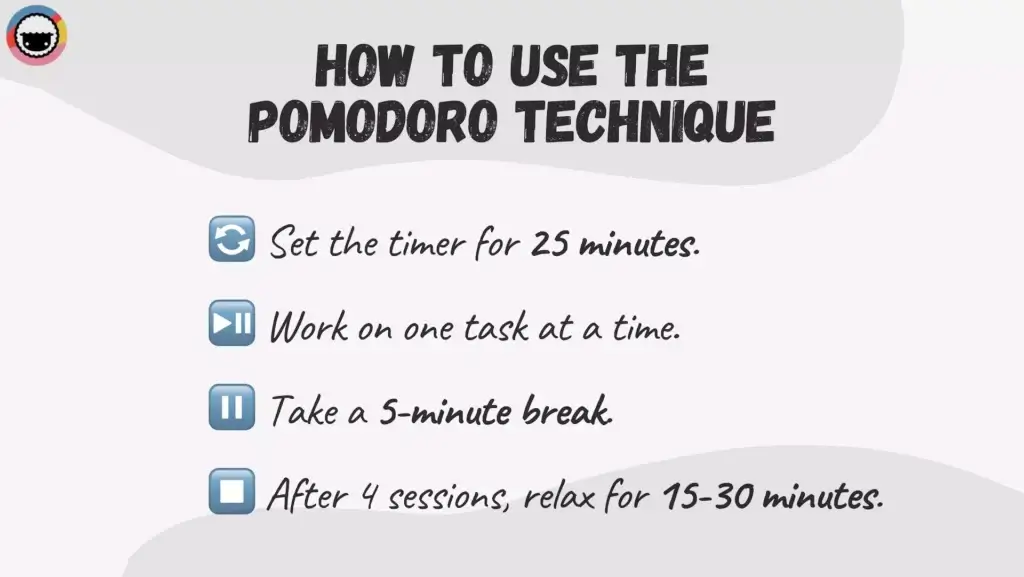
The method breaks down into four steps. 👇
🔄 Set the timer for 25 minutes: A typical Pomodoro session should consist of 25-minute intervals of work and a 5-minute break. Keep in mind that this is the “recommended” duration and you may tweak this time period within reason.
⏩ Work on one task at a time: This is very important. Make sure to focus on one task from your to-do list and keep at it until the timer goes off. You shouldn't start another task/project before completing the current Pomodoro session.
⏯ Take a 5-minute break: After a 25-minute segment, take a 5-minute break to rest and prepare for the next session. You shouldn’t engage in work-related activities or work on any cognitively demanding tasks during the break.
⏹ Finish with a longer break: After four sessions, you can relax for 15-30 minutes. Don’t worry if you don’t finish the task/project during the first four Pomodoros. It’s the small steps that matter.
Of course, using two separate tools for projects and time tracking can be distracting. The good news is Taskade lets you do both at the same time, in one app.
🐑 Using The Pomodoro Technique Timer in Taskade
To add a timer in Taskade, open the Add-On menu by clicking on the ➕ icon next to a task or use the ⌨️ ⌘/CTRL + / keyboard shortcut. With the Add-On menu open, click on the timer icon or press the T key to add a new timer. Check this short video to see how it works. 👇
All that’s left is to set the desired time, press ⌨️ Enter↵, and the timer will start counting down. You can quickly Pause, Stop, or Reset the countdown at any point by clicking on the timer icon. Hit ⏸ to take a break and ▶️ to resume.
Once the countdown ends, all members of the Project will receive a notification alerting them the time’s up. You can read more about the new timer function here. ⏰
🤔 Frequently Asked (Pomodoro) Questions (FAQ)
To make adopting the Pomodoro Technique easier, we’ve compiled a list of frequently asked questions that’ll help you make the most of your sessions.
“What do you do in the 5-minute Pomodoro break?”
The short answer is: relax. When that timer goes off, you should stop whatever you’re doing and let your mind rest for a spell. Avoid mentally challenging activities. Instead, move around a bit and make sure you’re alert and prepared for the next session.
“What if I get distracted during a Pomodoro session?”
That's an excellent question. Ideally, you should remove any distractions from your workspace before starting a Pomodoro. If you still fall for an occasional diversion, apply Cirillo’s inform–negotiate–call back strategy explained at the end of this section.*
“How long should Pomodoro breaks be?”
Traditionally, a Pomodoro should include 25 minutes of work and a 5-minute break. But hey, they’re not set in stone. Feel free to experiment and modify your Pomodoros, e.g. to accommodate longer, 30 or even 50-minute long work sessions. Remember to balance it out with longer breaks.
“What happens if I finish a task early?”
Tasks aren’t created equal and you may end up with some time left in a Pomodoro. Cirillo recommends that you use the extra minutes for overlearning. Review the work you’ve done, take notes, and find room for improvement.
*“What does inform–negotiate–call back mean?”
Every distraction that doesn’t require immediate intervention should be dealt with after a Pomodoro is completed. Follow these steps to quickly deal with interruptions.
💬 Inform. Let coworkers/friends/family know you’re busy. Be firm but polite. Resist the urge to interrupt your Pomodoro unless it’s an emergency. Most interruptions are not.
🤝 Negotiate. Set a realistic deadline for addressing the request. This is especially important for repeating interruptions. Proof your calendar by setting recurring reminders.
📲 Call back. Always deliver on your promise and call back or email/text the person who needed your help. Building credibility will help you reduce unnecessary follow-ups.
Any distractions that don’t call for haggling skills, like watching Netflix or doing the laundry, should end up on your to-do list. But only if they’re genuinely important (Netflix is not)!
🤯 Common Pomodoro Technique Problems
The Pomodoro Technique isn’t perfect. Although it’d probably be more accurate to say that Pomodoro users aren’t perfect and do make mistakes.
Here are a few common Pomodoro mistakes you should keep an eye for. 👇
Not breaking big tasks into smaller ones
One of the key arguments of Pomodoro naysayers is that you can’t use the technique with big, multi-level projects. While that’s true (to some extent), you can pair a Pomodoro timer with the outlining technique to partition big projects (rocks) into manageable tasks (pebbles).

Not sure where to start? You can use the List view in Taskade to outline all kinds of projects and break them into a series of hierarchical steps. And the best part? Taskade lets you add Pomodoro timers directly to your outlines and track time for each task/step in the process.
Not stopping when the time’s up
There’s a reason we’ve been clocking in more hours since the pandemic started. It’s tempting to check “one more to-do” or work for “a couple of minutes” to finish a task. It’s equally tempting to keep working well past the 25-minute mark.

This is a huge no-no. A Pomodoro is sacred which means you should stop working the moment the timer goes off. Your goal is to focus on a task for 25 minutes and then let your brain rest. Overdoing it defeats the purpose and exposes you to distractions.
Neglecting other aspects of productivity
We hate to break it to you, but the Pomodoro Technique is not the productivity panacea. While it’ll help you improve your focus and time management, it won’t fix years of bad workplace habits in 25 minutes. That’s simply not possible.

To reap the benefits of the method, make sure to address other aspects of your workflow that need your attention. That could include small things like cleaning up your desk, improving team communication, or learning how to prioritize work.
Giving in to perfectionism
One of the reasons many people don’t find success with the Pomodoro Technique is because of what’s called the first-draft syndrome. Instead of getting work done, they hesitate expecting perfection to waft from everything they deliver in 25 minutes.

The Pomodoro Technique is so powerful because it compels you to create value without the burden of self-criticism. There’s no word count you have to hit to consider a Pomodoro successful. As long as you get stuff done, you’re making progress.
📊 Does the Pomodoro Technique Actually Work? What Research Says
The Pomodoro Technique is one of the most widely used productivity methods — but does the science back it up? The short answer: yes, with nuance.
    Pomodoro Timing Intervals: Which Ratio Works Best?

┌────────────────────────────────────────────────────┐
│  Method          Work    Break    Best For          │
│  ─────────────── ─────── ─────── ────────────────── │
│  Classic Pomodoro 25 min  5 min   Beginners, study  │
│  Extended         50 min  10 min  Deep work         │
│  DeskTime Optimal 52 min  17 min  Knowledge workers │
│  90-Minute Block  90 min  20 min  Creative work     │
│  Flowtime         Varies  Varies  Flow-state seekers│
└────────────────────────────────────────────────────┘

Source: DeskTime tracked 5.5M daily records and found
the most productive 10% of workers averaged 52 minutes
of work followed by 17 minutes of rest.(2)
| Research Finding | Source |
|---|---|
| Procrastination decreases when tasks are broken into short, concrete actions | Pychyl, T. (2013), Carleton University(3) |
| It takes 23 minutes to refocus after an interruption — Pomodoro prevents this | Mark, G. (2008), UC Irvine(4) |
| The most productive workers work 52 min on, 17 min off | DeskTime (2014)(2) |
| Brief diversions dramatically improve focus on prolonged tasks | Ariga, A. & Lleras, A. (2011), University of Illinois(5) |
| "Attention residue" from switching tasks reduces performance on the next task | Leroy, S. (2009), University of Minnesota(6) |
| People who plan specific implementation intentions are 2-3x more likely to follow through | Gollwitzer, P. (1999)(7) |
The research shows that the Pomodoro Technique works because it addresses three core productivity challenges: it prevents attention residue by creating clean task boundaries, reduces procrastination by making tasks feel small and achievable, and enforces recovery to prevent the cognitive fatigue that leads to context switching.
That said, the classic 25/5 split isn't optimal for everyone. If you find yourself consistently hitting flow state and resenting the timer, consider switching to the Flowtime Technique — a flexible alternative that lets your natural focus dictate session length.
👌 Build Your Pomodoro Workflow with Taskade AI
Whether you prefer classic 25-minute Pomodoros or longer Flowtime sessions, Taskade has the tools to support your workflow in a single living workspace. Use the built-in countdown timer, break projects into tasks with AI Agents, and prioritize with the Eisenhower Matrix — all in one place.
Clone These Pomodoro & Timer Apps
| App | What It Does | Link |
|---|---|---|
| Study/Work Timer + Music | Pomodoro timer with ambient sounds for focused study sessions | Clone → |
| Breathe Circle | Guided breathing exercises for your 5-minute Pomodoro breaks | Clone → |
| Mood Tracker | Log energy levels across Pomodoro cycles to find your Peak hours | Clone → |
| Minimalistic ToDo | Clean task list for your Pomodoro sprint queue | Clone → |
Taskade AI Features for Pomodoro Users
🤖 Custom AI Agents: Automate task breakdowns so every Pomodoro sprint has a clear, actionable focus.
🪄 AI Generator: Turn project descriptions into structured sprint-ready task lists in seconds.
✏️ AI Assistant: Refine and clarify tasks between sprints so your next Pomodoro starts with zero ambiguity.
🗂️ Prompt Templates: Pre-built workflows for daily planning, weekly reviews, and sprint retrospectives.
💬 AI Chat: Quick Q&A during breaks — unblock yourself without losing momentum.
📄 Media Q&A: Summarize meeting recordings and documents so you can jump straight into focused work.
Sign up for free and start your first Pomodoro with Taskade AI! 🤖
Popular Pomodoro Timing Variations
The classic 25/5 split works for most people, but research and user experimentation have produced several popular alternatives:
| Variation | Work | Short Break | Long Break | Best For |
|---|---|---|---|---|
| Classic Pomodoro | 25 min | 5 min | 15–30 min | Beginners, administrative tasks, email processing |
| Extended Pomodoro | 50 min | 10 min | 30 min | Writing, coding, design — tasks that need ramp-up time |
| 52/17 Rule | 52 min | 17 min | — | Based on DeskTime's study of most productive workers |
| 90-Minute Block | 90 min | 20–30 min | — | Matches natural ultradian rhythm cycles |
| Flowtime Hybrid | Variable | Variable | — | Let natural focus dictate length; see the Flowtime Technique |
Start with the classic 25/5 and adjust based on what you learn about your own attention patterns. The Taskade timer supports custom durations so you can experiment easily.
Frequently Asked Questions About the Pomodoro Technique
Is the Pomodoro Technique effective for studying?
Yes. The Pomodoro Technique is particularly effective for studying because it breaks long study sessions into manageable chunks, reducing cognitive fatigue. Research by Tim Pychyl at Carleton University shows that breaking tasks into small, concrete actions significantly reduces procrastination — which is the biggest enemy of effective studying.(3) Start with 25-minute study sprints, take 5-minute breaks, and you'll cover more material with better retention than marathon study sessions.
Is the Pomodoro Technique good for ADHD?
The Pomodoro Technique can help people with ADHD, but it's not a perfect fit for everyone. The structured timer provides external accountability that ADHD brains often need. However, the rigid 25-minute cutoff can be frustrating during hyperfocus episodes. Many people with ADHD find the Flowtime Technique — which preserves the timer concept but lets you work for as long as focus lasts — to be a better match for neurodivergent brains.
What is the best Pomodoro timer length?
The classic 25/5 split works well for beginners, but research suggests longer intervals may be more productive for experienced practitioners. A DeskTime study of 5.5 million records found the most productive workers averaged 52 minutes of work followed by 17 minutes of rest.(2) Experiment with these alternatives: 30/6 for moderate tasks, 50/10 for deep work, or 90/20 for creative work that requires sustained focus.
How is the Pomodoro Technique different from the Flowtime Technique?
The key difference is structure vs. flexibility. Pomodoro uses fixed intervals (25 min work / 5 min break) with mandatory stopping, while the Flowtime Technique lets you work until your focus naturally fades and take breaks proportional to your work session. Pomodoro is better for beginners and people who need external structure. Flowtime is better for experienced focus practitioners who don't want artificial interruptions during flow state. Both can be used with Taskade's built-in countdown timer.
Can you use the Pomodoro Technique with other productivity methods?
Absolutely. The Pomodoro Technique pairs well with most other productivity systems. Use the Eisenhower Matrix to decide what to work on, then use Pomodoro to decide how long to work on it. Combine with GTD (Getting Things Done) to process your inbox in timed sprints. Or use it alongside deep work blocks to maintain structure during long focus sessions.
🔗 Resources
Cirillo, F. (2006). The Pomodoro Technique. friend.ucsd.edu/reasonableexpectations/downloads/Cirillo%20--%20Pomodoro%20Technique.pdf
DeskTime. (2014). The secret of the 10% most productive people. https://desktime.com/blog/17-52-ratio-most-productive-people
Pychyl, T. A. (2013). Solving the Procrastination Puzzle. Tarcher/Penguin.
Mark, G., Gudith, D., & Klocke, U. (2008). The cost of interrupted work: more speed and stress. Proceedings of CHI 2008.
Ariga, A., & Lleras, A. (2011). Brief and rare mental "breaks" keep you focused. Cognition, 118(3), 439-443.
Leroy, S. (2009). Why is it so hard to do my work? The challenge of attention residue. Organizational Behavior and Human Decision Processes, 109(2), 168-181.
Gollwitzer, P. M. (1999). Implementation intentions: Strong effects of simple plans. American Psychologist, 54(7), 493-503.