






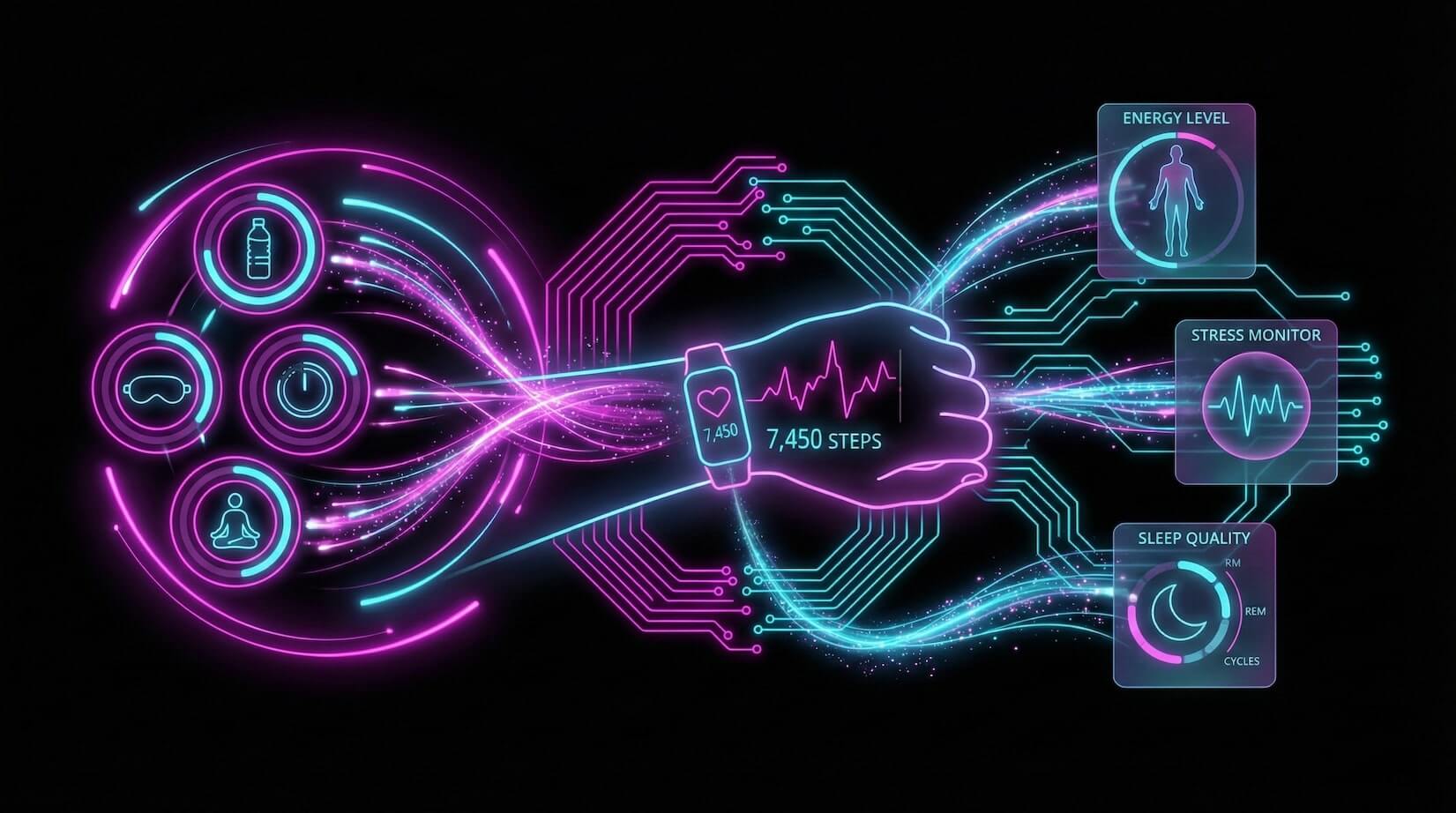
Wellness is a practice, not a product.
But most health apps treat it like a checklist — log this, count that, forget about it tomorrow. Apps like MyFitnessPal track calories. Headspace guides meditation. Apple Health aggregates device data. None of them connect the dots across your entire wellness routine.
TL;DR: Taskade Genesis builds complete AI wellness systems — habit tracking, mood
monitoring, fitness logging, and personalized coaching — from a single prompt.
One workspace replaces 5-8 separate health apps. Try it free →
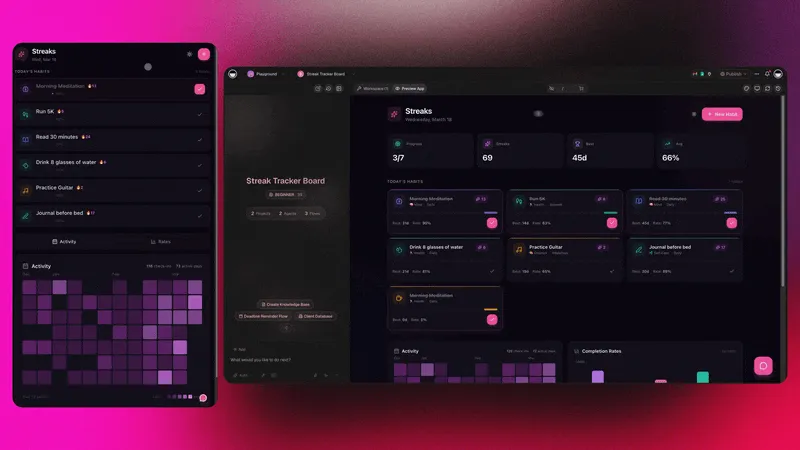
Taskade Genesis creates living wellness systems. One prompt builds a complete health workspace with habit data (Projects), AI coaches (Agents), and automated reminders (Automations).
The Habit Success Formula:
- Tracking alone: ~20% success rate
- Tracking + reminders: ~45% success rate
- Tracking + reminders + AI coaching: 70%+ success rate
Genesis gives you all three in one system.
Why Dedicated Health Apps Fall Short
Most people use 3-5 separate wellness apps. A calorie counter. A meditation timer. A workout tracker. A mood journal. A sleep logger. None of them talk to each other, and none of them learn from the combined picture.
| Limitation | Dedicated Health Apps | Taskade Genesis Wellness |
|---|---|---|
| Data silos | Each app stores separately | One unified wellness database |
| No cross-domain insights | Calories do not know about sleep | AI agent sees the full picture |
| Passive tracking | Log and forget | AI coaching + automated reminders |
| Fixed features | What the developer built | Custom to your exact routine |
| No team access | Solo use only | 7-tier sharing (trainer, therapist, partner) |
| Monthly cost (combined) | $30-60/mo for 4-5 apps | Free / $10-$25/mo for everything |
This is the difference between using tools and building a system. Workspace DNA — Memory, Intelligence, and Execution — creates a wellness operating system that learns and adapts.
Wellness Tool Comparison: Genesis vs Popular Health Apps
| Feature | Taskade Genesis | MyFitnessPal | Headspace | Apple Health |
|---|---|---|---|---|
| Habit tracking | Unlimited custom habits | Food/exercise only | Meditation only | Device-sourced only |
| AI coaching | 34 tools, persistent memory | Basic suggestions | Guided audio | No AI coaching |
| Automated reminders | 100+ integrations | Push notifications | Push notifications | Push notifications |
| Mood tracking | Custom mood databases | No | Mood check-in | No |
| Cross-domain analysis | AI sees all wellness data | Calories only | Sessions only | Aggregated metrics |
| Team/coach sharing | 7-tier RBAC | No | No | Limited |
| Custom workflows | Yes (automations) | No | No | Shortcuts only |
| Pricing (annual) | Free / $10-$25/mo | Free / $10/mo | Free / $13/mo | Free (device required) |
| Living system | Yes | No | No | No |
Quick Reference: All 8 Wellness Workspaces
| # | Workspace | Function | Best For | Clone |
|---|---|---|---|---|
| 1 | Mood Tracker | Emotional patterns | Mental health, therapy | Clone → |
| 2 | Push Up Fitness App | Exercise tracking | Fitness, challenges | Clone → |
| 3 | Breathe Circle | Guided breathing | Stress relief, mindfulness | Clone → |
| 4 | Book Reading Tracker | Reading habits | Learners, habit builders | Clone → |
| 5 | Motivation Map Studio | Goal visualization | Coaches, goal setters | Clone → |
| 6 | Study/Work Timer | Focus sessions | Deep work, productivity | Clone → |
| 7 | Personal Expense Tracker | Financial wellness | Budget, financial health | Clone → |
| 8 | Minimalistic ToDo | Daily routines | Morning routines, habits | Clone → |
Here are 8 AI wellness workspaces you can clone for better habits.
1. Mood Tracker
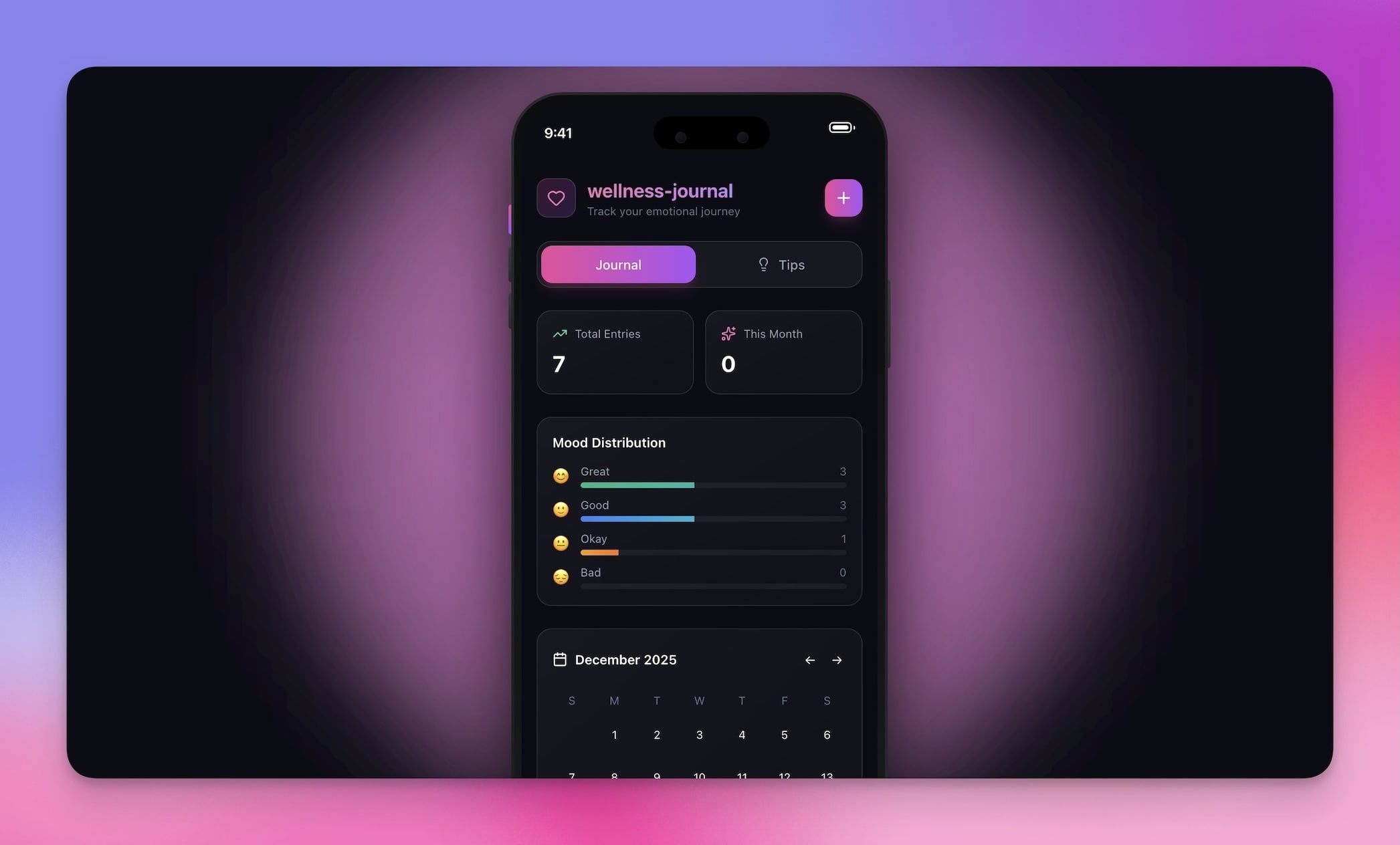
The Mood Tracker workspace logs emotional patterns with visual entries and AI-powered insights. Unlike basic mood apps that just record a smiley face, this system uses AI agents to identify triggers, spot patterns across weeks, and suggest evidence-based coping strategies.
Best for: Mental health awareness, therapy support, self-reflection
Features:
- Mood entry form with customizable scales and tags
- Pattern visualization across Calendar and Table views
- AI-driven trend analysis that identifies mood triggers
- Journal integration for contextual notes alongside mood scores
- Automated weekly summaries for therapy session prep
How it compares: Apps like Daylio and Moodfit offer basic mood logging. This Genesis workspace connects mood data to your habits, sleep, and activity patterns — the AI coach sees the full picture, not just the emotion.
2. Push Up Fitness App
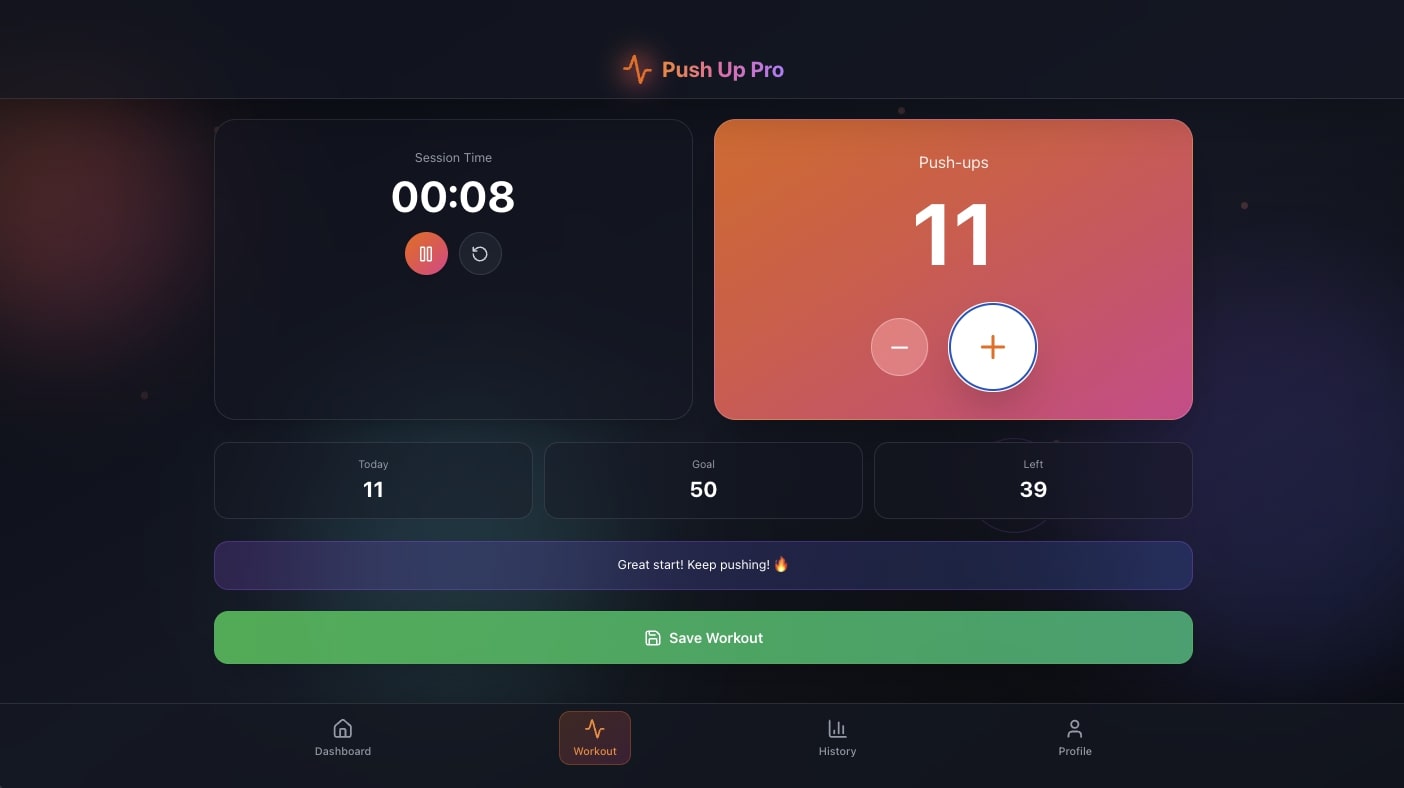
A focused fitness tracker for bodyweight exercise challenges. The AI agent tracks your rep history, adjusts difficulty based on progress, and sends encouragement through automated workflows.
Best for: Fitness beginners, challenge participants, home workouts
Features:
- Rep counting with session timestamps
- Progress tracking with streak visualization
- AI-powered goal adjustment based on your improvement curve
- Achievement milestones with automated celebration alerts
- Board view for tracking challenge phases (Week 1, Week 2, etc.)
3. Breathe Circle
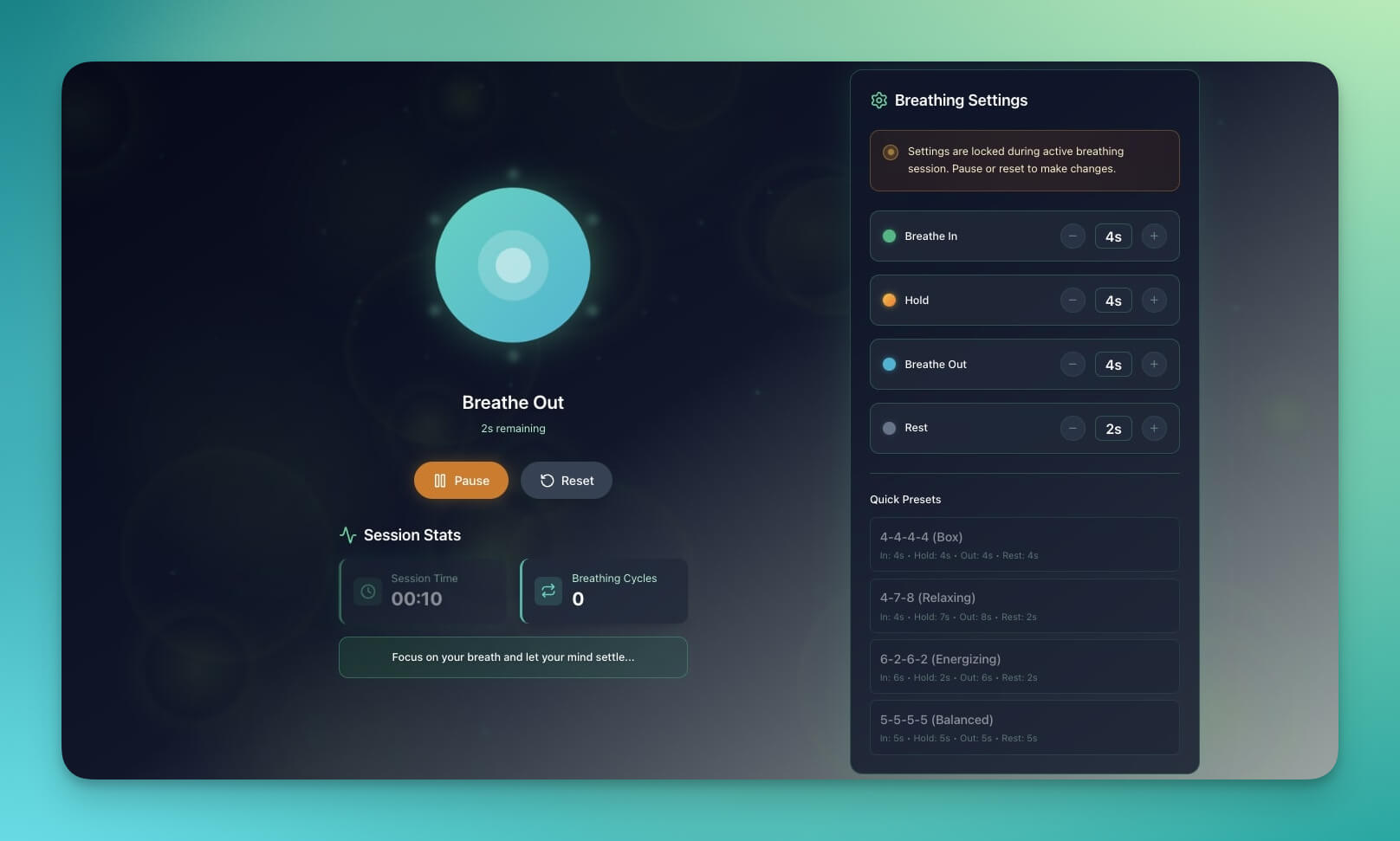
Guided breathing exercises with visual cues and session tracking. The AI agent recommends breathing patterns based on your stress levels and time of day.
Best for: Stress relief, meditation practice, anxiety management
Features:
- Breathing animations with customizable inhale/exhale ratios
- Timer settings for 1-minute to 20-minute sessions
- Session history with mood-before and mood-after tracking
- AI recommendations based on time of day and stress patterns
- Automated reminders at your preferred breathing times
How it compares: Headspace offers pre-recorded breathing guides. Breathe Circle adapts to your patterns and connects to your broader wellness data through Workspace DNA.
4. Book Reading Tracker
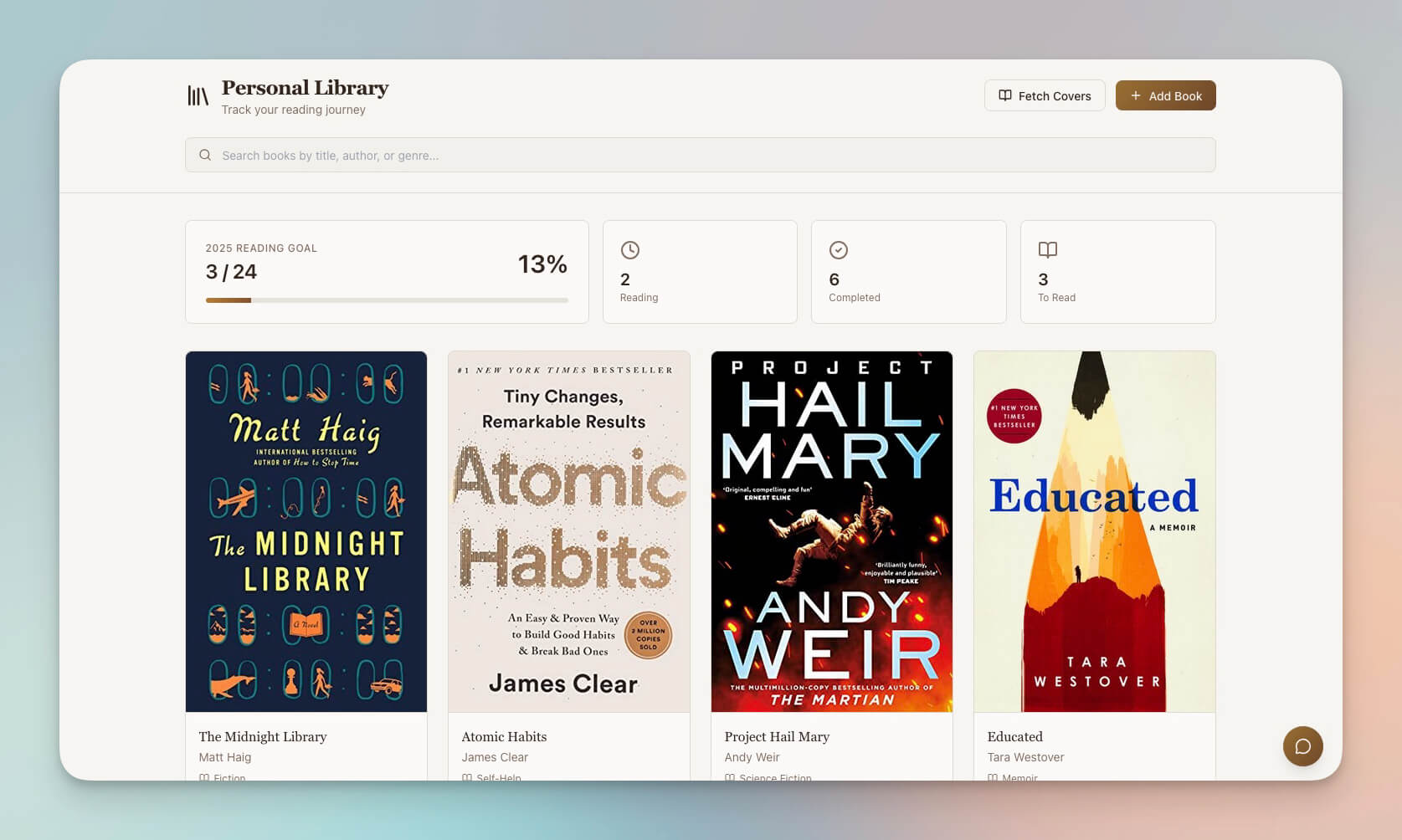
Track reading habits as part of your mental wellness routine. Research consistently links regular reading to reduced stress, improved empathy, and better sleep quality. The AI agent suggests books based on your reading patterns and wellness goals.
Best for: Reading challenges, lifelong learners, habit builders
Features:
- Reading log with page tracking and time-per-session
- Note capture and quote highlighting per book
- AI-powered book recommendations based on your interests
- Goal setting with progress visualization across List and Table views
- Automated reading reminders at your preferred time
5. Motivation Map Studio
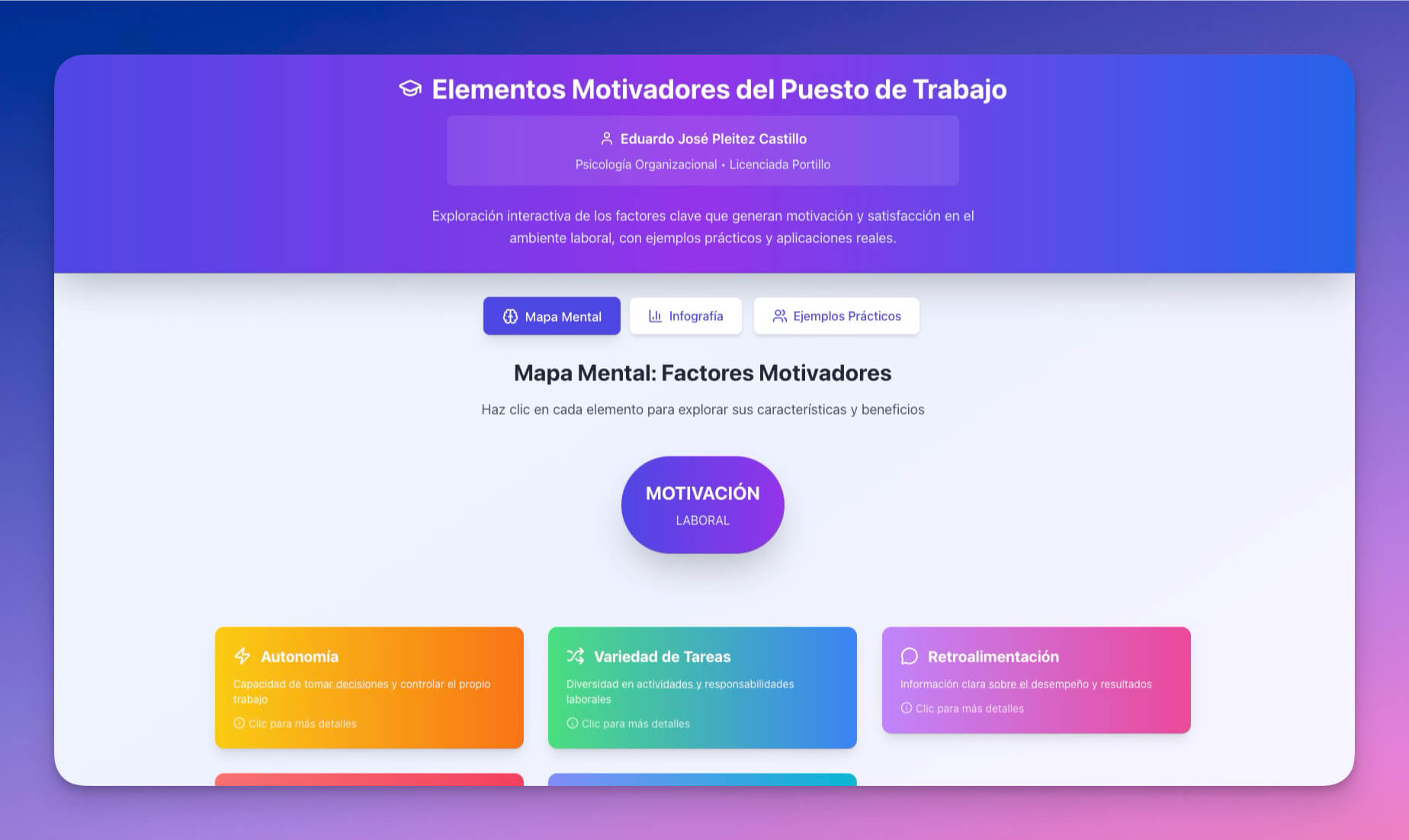
Visualize wellness goals and motivations using Mind Map and Board views. The AI agent helps break large goals ("get healthier") into measurable daily actions with accountability tracking.
Best for: Goal setting, life coaches, personal development
Features:
- Goal mapping with hierarchical breakdown (vision to daily tasks)
- Motivation tracking with energy and commitment scores
- Visual boards for affirmations and progress photos
- AI-generated milestones based on goal complexity
- Progress review with automated weekly check-ins
6. Study/Work Timer and Music Player

Focused work sessions with ambient sounds for flow states. Productivity is a pillar of mental wellness — this timer uses the Pomodoro technique with AI-optimized break intervals based on your focus patterns.
Best for: Deep work, focus sessions, productivity wellness
Features:
- Pomodoro timer with customizable work/break ratios
- Ambient music and sound selection for concentration
- Break reminders with stretch or breathing suggestions
- Session tracking with daily/weekly focus analytics
- AI agent that identifies your most productive hours from persistent memory
7. Personal Expense Tracker
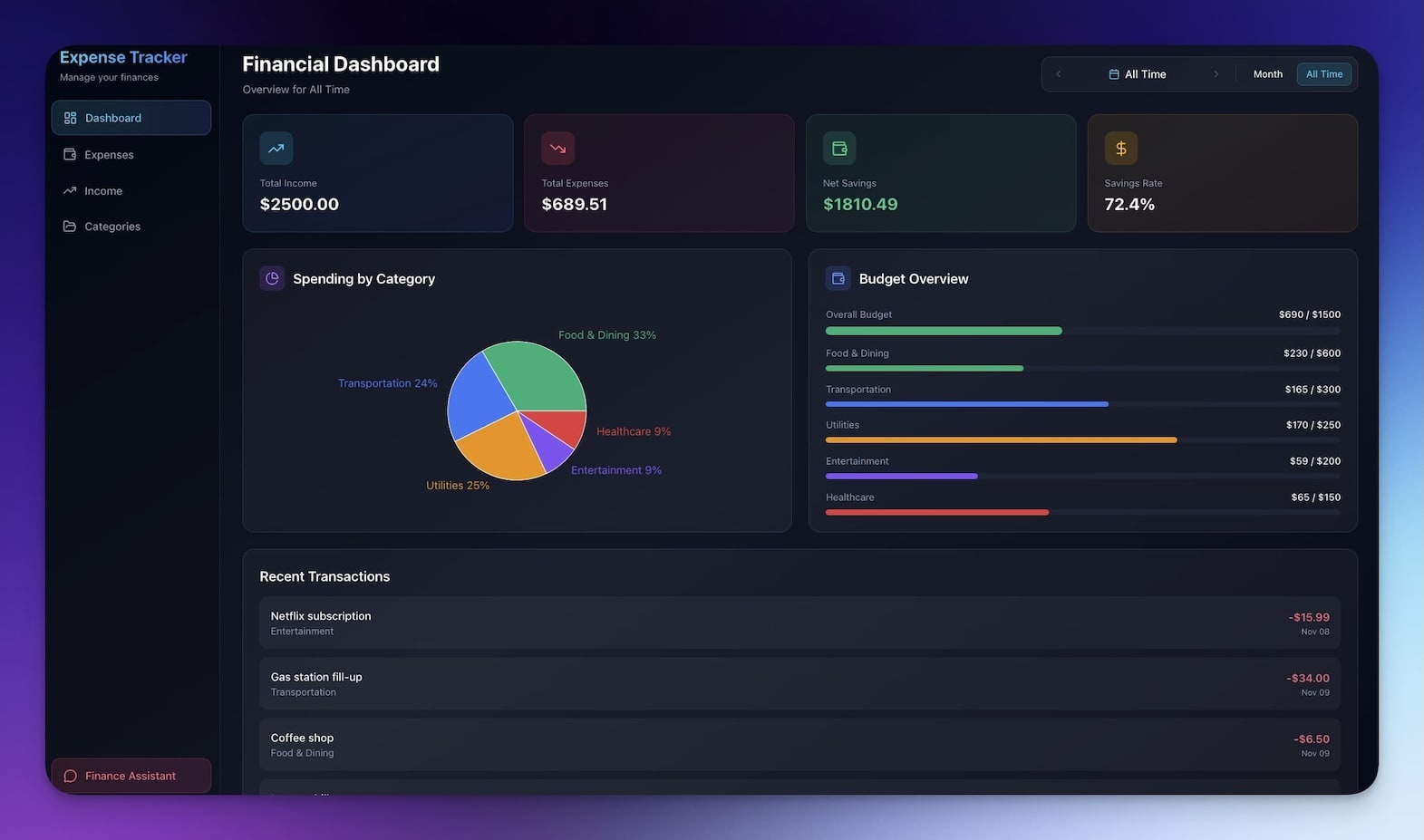
Financial wellness is health. This expense tracker goes beyond budgeting — the AI agent identifies spending patterns that affect your stress levels and suggests healthier financial habits.
Best for: Budget mindfulness, financial health, spending awareness
Features:
- Expense logging with category tags and receipt notes
- Trend visualization across daily, weekly, and monthly periods
- AI-powered spending pattern analysis (impulse vs. planned)
- Budget alerts via automated workflows when categories exceed limits
- Table view for detailed transaction filtering
Clone Personal Expense Tracker →
8. Minimalistic ToDo App
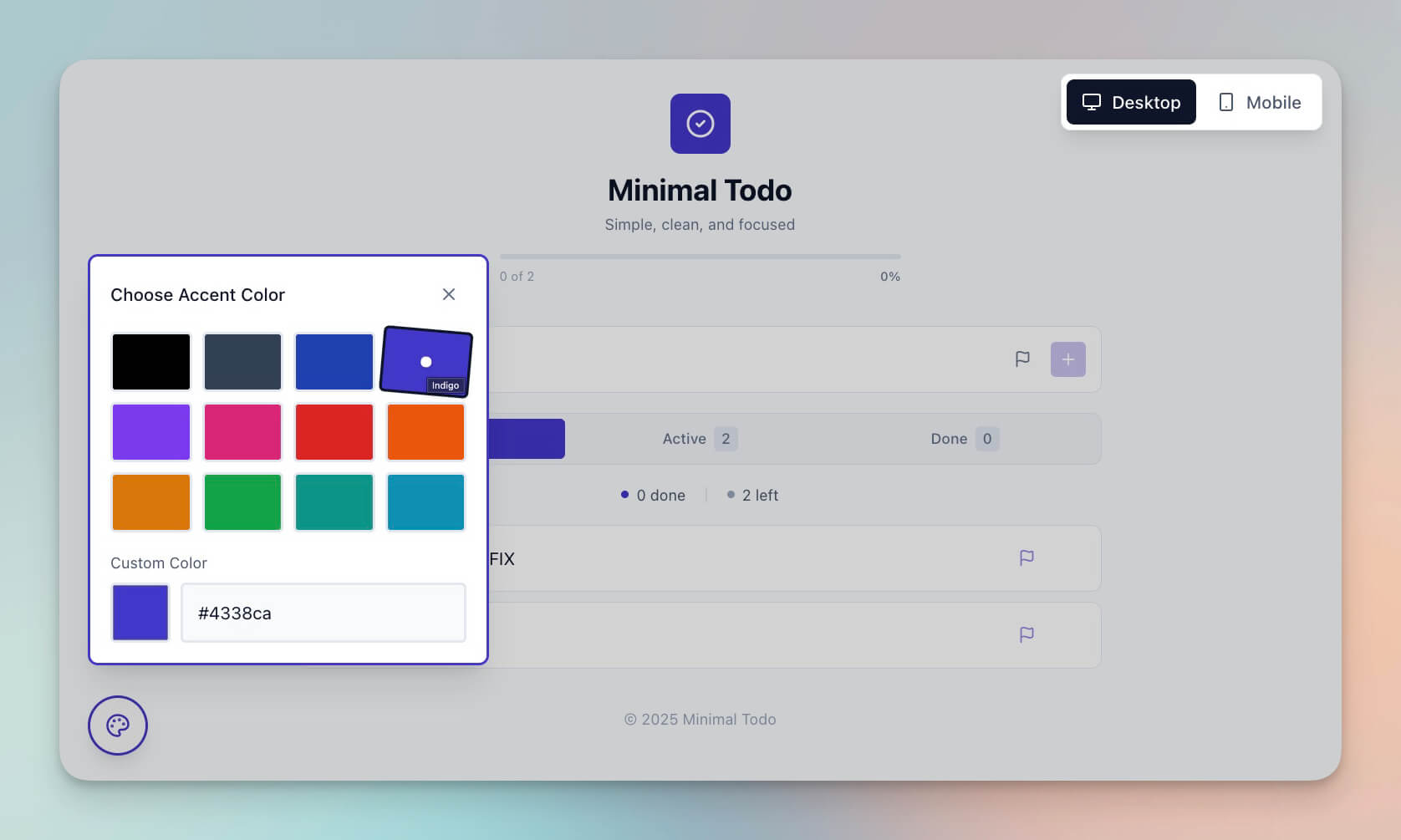
Simple task management designed for daily wellness routines. The minimalist interface reduces decision fatigue — the AI agent suggests routine order based on energy levels and past completion patterns.
Best for: Morning routines, daily habits, simple tracking
Features:
- Clean interface with zero-distraction design
- Task management with completion tracking and streaks
- AI-powered routine optimization based on your patterns
- Minimal cognitive load — focus on doing, not organizing
- Automated daily reset that prepares tomorrow's routine
The Wellness Architecture: How Workspace DNA Powers Health Systems
Static apps do not create lasting change. The best wellness tools adapt, remind, and support. Genesis wellness workspaces are living systems powered by Workspace DNA:
| Layer | Wellness Function | Example |
|---|---|---|
| Memory (Projects) | Stores all habit data, mood logs, fitness records | 30-day mood history with trigger tags |
| Intelligence (AI Agents) | Analyzes patterns, coaches, suggests adjustments | "Your mood drops on days you skip morning exercise" |
| Execution (Automations) | Sends reminders, celebrates streaks, generates reports | Morning routine reminder at 6:30 AM via Slack |
This is why a Genesis wellness system outperforms dedicated apps. MyFitnessPal cannot see your mood data. Headspace cannot adjust based on your exercise patterns. Apple Health aggregates but does not coach. Genesis sees everything and acts on it.
Wellness Automations You Can Set Up
Connect your workspace to healthy habits through 100+ integrations:
- Morning reminders to start wellness routines via Slack or email
- Mood check-ins at regular intervals with AI follow-up questions
- Progress celebrations when habit streaks hit milestones (7 days, 30 days, 90 days)
- Weekly summaries of habit completion with AI-generated insights
- Goal adjustments automatically suggested based on completion patterns
- Therapist/coach updates sent to shared workspaces on a schedule
Learn more: Automation Triggers →
Build Your Custom Wellness System
Create a wellness workspace tailored to your exact needs:
- Open Taskade Genesis and click "Create App"
- Describe your system (e.g., "Build a daily wellness tracker with mood logging, habit checkboxes, exercise tracking, and an AI coach that sends morning encouragement and weekly progress summaries")
- Use "Enhance Prompt" to refine — the AI expands your brief into a detailed wellness spec
- Genesis creates the workspace with Projects, Agents, and Automations
- Configure your reminder schedule and notification channels
- Build healthy habits with AI support
Learn more: Create Your First App →
Start Building Your Wellness System
Ready to replace your fragmented health app stack with one living system?
Resources:
- Explore Community Apps — Clone wellness tools built by the community
- Create Your First App — Step-by-step Genesis tutorial
- Workspace DNA — Understand the Memory + Intelligence + Execution architecture
- AI Agents Guide — Configure your AI wellness coach
- Automation Triggers — Set up reminders and check-ins
Your living wellness system includes:
- Custom AI Agents with 34 built-in tools and persistent memory for coaching
- Projects & Memory with 7 views (List, Board, Calendar, Table, Mind Map, Gantt, Org Chart)
- 100+ Integrations for reminders, notifications, and data sync
Read more:
- 10 Personal AI Workspaces (Second Brain)
- 12 AI Tools Built with Taskade Genesis
- Build Your First AI App: 12 Beginner Examples
- The Origin of Living Software
- AI Workspace Builder: Turn Lists Into Live Software
- 8 AI Creator Hubs for Content
Explore Taskade AI:
- AI Second Brain — Build your personal knowledge system
- AI App Builder — Build complete apps from one prompt
- AI Workspace — Create intelligent workspaces
Build with Genesis:
- Browse All Generator Templates — Apps, dashboards, websites, and more
- Browse Agent Templates — AI agents for every use case
- Explore Community Apps — Clone and customize

Frequently Asked Questions
How can AI help with habit tracking and wellness?
AI transforms habit tracking from passive logging into active coaching. Taskade Genesis wellness workspaces combine habit data (Projects), AI coaches (Agents with 34 built-in tools), and automated reminders (Automations with 100+ integrations) into one system. Research shows tracking plus reminders plus AI coaching achieves over 70% habit success rates compared to 20% with tracking alone.
What types of health and wellness apps can I build with Genesis?
You can build mood trackers, fitness apps, guided breathing exercises, reading trackers, goal visualization tools, focus timers, expense trackers for financial wellness, and daily routine managers. Each workspace includes AI agents powered by 15+ frontier models from OpenAI, Anthropic, and Google that provide personalized coaching.
Can AI agents act as personal wellness coaches?
Yes. Taskade AI agents can be configured as wellness coaches with persistent memory. They remember your habits, track patterns over time, provide encouragement, suggest adjustments, and send automated check-ins. Agents have 34 built-in tools and can be customized with specific wellness knowledge and coaching strategies.
How do I keep my health data private in a shared workspace?
Taskade offers a 7-tier permission system (Owner, Maintainer, Editor, Commenter, Collaborator, Participant, Viewer) so you control exactly who sees your wellness data. Personal health workspaces can remain completely private while you share other workspaces with coaches or accountability partners at controlled access levels.
How does Taskade Genesis compare to MyFitnessPal for health tracking?
MyFitnessPal focuses narrowly on calorie counting and macronutrient tracking. Taskade Genesis builds holistic wellness systems — mood tracking, habit streaks, fitness logging, sleep patterns, and financial wellness — all connected through AI agents that see the full picture. Genesis replaces 5-8 separate health apps with one living system.
Is Taskade Genesis better than Headspace for wellness?
Headspace is a guided meditation app with pre-recorded sessions. Taskade Genesis builds personalized wellness systems where AI agents create custom meditation reminders, track mood patterns across time, and automate check-ins. Genesis is the operating system for your entire wellness routine, while Headspace handles one slice of it.
Can I connect my wellness workspace to Apple Health or wearables?
Taskade Genesis supports 100+ integrations including webhook triggers that can receive data from health APIs and wearable platforms. You can set up automated workflows to pull activity data, log it in your wellness dashboard, and trigger AI agent analysis on the incoming health metrics.
How much does it cost to build a wellness app with Taskade?
Taskade offers a Free plan to get started. Paid plans include Pro at $10/month for up to 10 users and Business at $25/month for unlimited seats (annual billing). All plans include the Genesis AI app builder, AI wellness agents, and automation workflows.
What is Workspace DNA and how does it improve habit tracking?
Workspace DNA is Taskade's architecture where Memory (habit logs in Projects), Intelligence (AI coaching Agents), and Execution (automated reminders and check-ins) form a self-reinforcing loop. Your habit data feeds the AI coach, the coach triggers personalized reminders, and the reminders create new habit data.
Can I share wellness workspaces with a personal trainer or therapist?
Yes. Using Taskade's 7-tier role-based access, you can grant a trainer or therapist Viewer or Commenter access to specific wellness workspaces while keeping other data private. They can see your progress, leave notes, and track your patterns without editing your personal logs.