






Hi Taskaders,
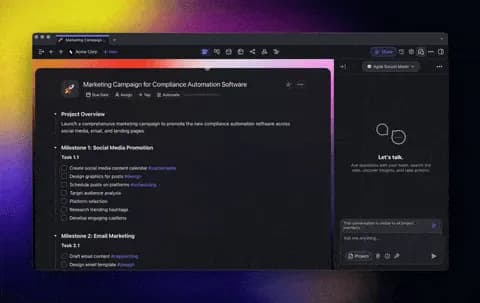
One more exciting update for 2024! 🎉 We’re rolling out support for PowerPoint, Excel, and EPUB, smarter task delegation with Multi-Agent AI Teams, workflow automation for public agents, and new embed options to supercharge your Taskade projects. Enjoy and have fun!
TL;DR: Taskade adds task assignment to AI Teams, multi-agent project context for mixing specialized agents, PowerPoint/Excel/EPUB import, and public agent workflow automation with 100+ integrations. Try it free →
Assign Tasks to AI Teams
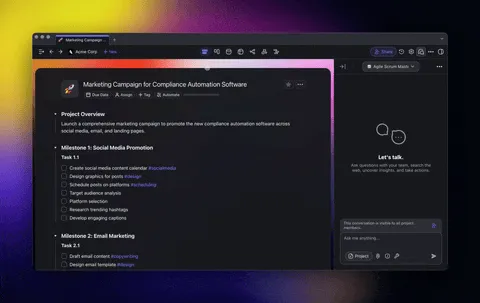
Delegating tasks? Let your AI Teams handle it! Create specialized agent teams with unique tools, knowledge, and workflows. Assign tasks, and they’ll automatically pick the right agent for the job. Learn more.
Use cases:
Send marketing tasks to an AI Marketing Team
Let your AI Team organize, prioritize, and route incoming requests
Multi-Agent Project Context
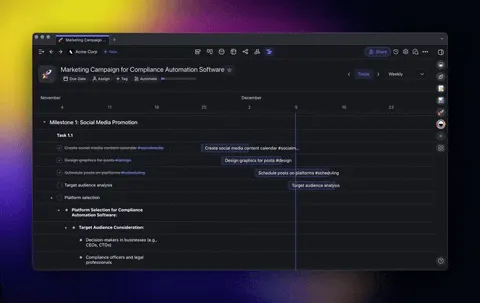
Collaborate with your AI Teams using the new project context—mix and match different AI Agents to create your ideal virtual workforce. Learn more.
Ideas to try:
Let one agent brainstorm while another drafts content
Combine creativity, analysis, and execution in a single project
Import PowerPoint, Excel, EPUB, and More
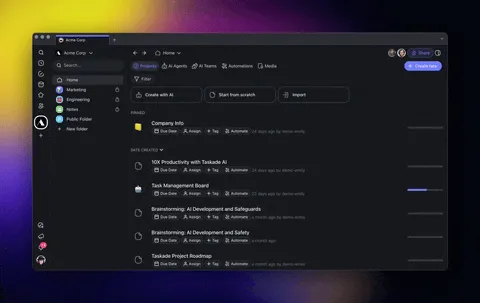
Got files? Taskade now supports PowerPoint (.pptx), Excel (.xlsx, .xls), EPUB, in addition to .pdf, .docx, .txt, .md, and .csv. Upload files to convert them into Taskade projects, train your AI Agents knowledge, and automate workflows. Learn more.
Ideas to try:
Turn presentations into detailed project plans
Analyze Excel/CSV data and create actionable tasks
Train AI Agents using EPUBs or PDFs for smarter insights
Automate Public Agent Workflows
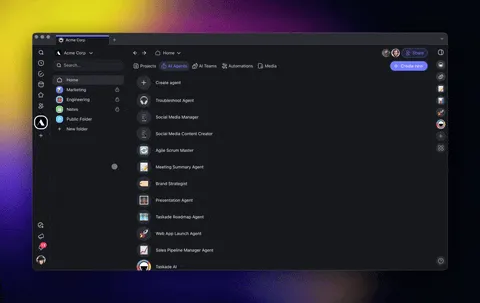
Take your Public AI Agents to the next level! With the new Agent Response Trigger, you can automatically create summaries, generate action items, or analyze conversations once they conclude.
This trigger activates after a conversation has been inactive for 5 minutes and provides the entire conversation data for seamless automation. Learn more.
Use cases:
Customer support: Summarize conversation logs to spot recurring issues, prioritize product roadmap, and improve support quality
CRM updates: Automatically update your CRM with key details from chat
Feedback collection: Gather customer feedback right after an interaction
Follow-up management: Schedule follow-ups based on chat insights
Support ticket generation: Turn conversations into actionable tasks or feedback to ensure issues are addressed
Fullscreen Mode for AI Agents
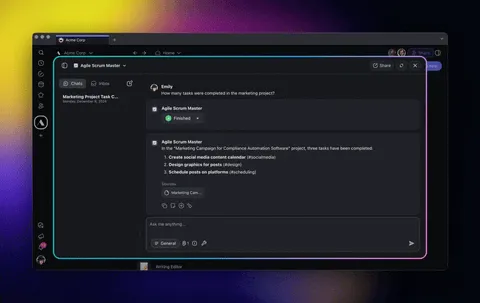
Need to focus? The new fullscreen mode lets you keep conversations with your agents front and center. Switch to fullscreen for distraction-free chats, better readability, and an optimized experience. Learn more.
Embed Canva, G-Docs, Sheets, and More
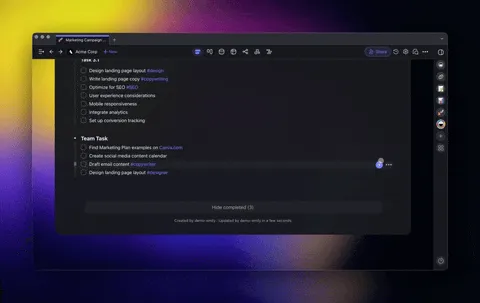
Add your favorite tools directly into Taskade Projects! Embed Canva designs, Google Sheets, Google Docs, and even Spotify playlists. Plus, embed videos, audio, and more from tools like YouTube, Loom, and Typeform. Learn more.
Ideas to try:
Share client designs and videos
Review Google Docs / Sheets in Taskade
Add a Spotify playlist to set the team vibe
🎉 Other Improvements
New: Import PowerPoint, Excel, EPUB, and More: Convert presentations, spreadsheets, and eBooks into Taskade projects, train AI Agents, and automate workflows.
- Expanded agent knowledge sources to include file formats like .EPUB, .PPTX, and .XLSX in addition to .PDF, .DOCX, .TXT, and .CSV
-
Assign Tasks to AI Teams: Create specialized agent teams with unique tools and workflows. Assign tasks, and the team will route them to the best-suited agent
Multi-Agent Project Context: Collaborate with AI Teams using project contexts, enabling multiple agents to work together on brainstorming, drafting, and executing tasks
Agent Response Trigger: Automate actions like summarizing conversations, generating action items, or updating CRMs after conversations end
Added a fullscreen mode for agent chat for improved usability
Added the ability to enable or disable specific agent tools
New AI Automation Enhancements:
New Public AI Agent Workflows: Automate workflows with triggers for customer support, feedback collection, CRM updates, and follow-up management after Agent conversations end
New Slack Automations: Automate with instant triggers for New Message, New Channel, New Mention, and New Reaction to streamline team communication
Discord Integration (Beta): Automate team communication using new triggers and actions for Discord
Enhanced Google Calendar workflows with triggers for new events and quick scheduling
Added new file and folder triggers for Google Drive automation
Improved data handling for Google Sheets, including advanced filtering and data retrieval
Expanded automation to include support for creating projects from templates
Added webhook trigger enhancements and JSON schema validation for secure integrations
New: Taskade's Public API (TaskOS): Expanded our API for third-party applications to manage AI Agents, Automation, and Workspace resources
New: Fine-Tuned Agent Tool Controls: Gain granular control over your AI Agents by customizing their tools to fit specific tasks
New: Enhanced Google Workspace Automations: Seamlessly integrate Google Docs, Google Drive, Google Calendar, and Google Sheets into your Taskade automation workflows and agent tools
New: Autonomous Taskade Actions Now Live! Let your AI Agents edit, create tasks, schedule due dates, prioritize projects, and more
New: Embed Canva, Google Docs, and More: Seamlessly integrate designs, documents, and multimedia directly into Taskade projects
Added new project embeds, such as Canva, Google Workspace Apps, Spotify, and Instagram, for quick in-app previews
Improved workspace and activity screens for better navigation
Improved Table View, including clickable links and customizable columns
Enhanced error handling and performance across features for stability
Fixed UI issues in components like agent, project, and workspaces
Introduced a help menu in the right sidebar for user guidance
Upgraded server for better performance and usability
Fixed various bugs for stability and performance
⚡️ TLDR: Watch Video Summary
In a hurry? Check our latest video summary for a step-by-step guide to the new changes:
🤖 Help us build Taskade AI
-
New Discord Integration for AI Agents
New Microsoft Team Integration for Automation
Upgrades for Taskade's AI Agents and Automation
Join Our Weekly Live Webinar & Q&A
We host live webinars every Thursday at 4 pm Pacific (PST) on LinkedIn, YouTube, and Twitter / 𝕏.
Missed a session? Watch past streams!
Excited for you to explore the latest updates—dive in and share your feedback! We're always here for your questions via our Help Center and Feedback Forum.
Let's make this the most productive year yet with Taskade! 🚀
— Team Taskade 🐑
P.S. Love Taskade? Share your experience on our testimonials page to get featured, or dive into our Affiliate Partnership program today!

Frequently Asked Questions
How do I assign tasks to AI Teams in Taskade?
Create specialized AI Teams with unique tools, knowledge, and workflows, then assign tasks directly to them. Taskade automatically routes each task to the best-fit agent within the team. Use cases include sending marketing tasks to an AI Marketing Team or having an AI Team organize, prioritize, and route incoming requests automatically.
What is Multi-Agent Project Context in Taskade?
Multi-Agent Project Context lets you mix and match different AI Agents within the same project. One agent can brainstorm while another drafts content, combining creativity, analysis, and execution in a single workspace. Each agent maintains its own knowledge and tools while sharing the project's context for coordinated collaboration.
What file formats can I import into Taskade?
Taskade supports importing PowerPoint (.pptx), Excel (.xlsx, .xls), EPUB, PDF, Word (.docx), plain text (.txt), Markdown (.md), and CSV files. Uploaded files can be converted into structured Taskade projects, used to train AI Agent knowledge bases, or processed through automation workflows.
Can I embed Taskade projects on external websites?
Yes. Taskade offers embed options for projects, AI Agents, and other workspace elements. You can embed interactive content on websites, dashboards, and applications. Public AI Agents can also be embedded as chat widgets with custom branding for customer-facing interactions.