

TL;DR: Taskade Genesis ships a live app with AI agents and durable automations across 100+ integrations. Gumloop is a visual node canvas for data pipelines, with Free at 5,000 credits a month and Pro from $37/mo. Taskade is Free Forever. Pro is $10/mo billed annually for 10 seats. Try Taskade Genesis free →
See the alternative working: clone in 60 seconds
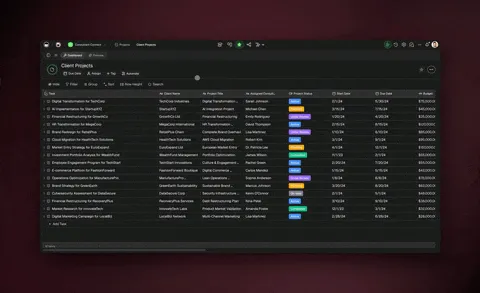
No signup, no credit card.
| Capability | Gumloop | Taskade Genesis |
|---|---|---|
| Pricing (starting) | Free 5k credits/mo; Pro from $37/mo | $0 Free · $10/mo Pro billed annually (10 seats) |
| Cloneable live demo | ❌ | ✅ |
| Built-in AI agents | Gumloop Agents scoped to workflows | ✅ built-in tools |
| Automation engine | Credit-metered node canvas | ✅ Durable runtime, 100+ integrations |
| Workspace DNA loop | ❌ | ✅ ▲ Memory · ■ Intelligence · ● Execution |
Overall winner: ✅ Taskade Genesis, for any team whose goal is shipping a deployed app that people open, with agents and automations included on flat pricing. Gumloop remains the stronger pick when the job is a precise, node-by-node data pipeline and web-scraping is the headline requirement.
Table of Contents
- Quick Comparison Table
- The core difference in 2026
- What is Taskade Genesis?
- What is Gumloop?
- Key differences
- Choose Gumloop if
- Why teams choose Taskade
- Pricing and total cost of ownership
- Frequently asked questions
- The workshop, not just the pipeline
The core difference in 2026
Gumloop is a node-based AI automation builder. You lay out a workflow on a visual canvas, connect nodes for scraping, files, models, and business apps, and the automation runs in the background. It is a focused, well-built tool for people who think in pipelines. Taskade Genesis is a different shape: you describe what you want, and it returns a deployed application with AI agents, real-time data, automation workflows, and team collaboration already wired into one workspace.
Put simply, Gumloop asks "what workflow should run?" while Taskade Genesis asks "what app should exist?" Gumloop produces an automation that moves data from A to B. Taskade Genesis produces a working app that a person opens, plus the agents and automations that keep it useful after launch. Both automate. Only one of them hands you a front door your team and customers can walk through.
The second difference is the meter. Gumloop prices in credits: every workflow run consumes them, and advanced-model steps consume more. Taskade Genesis bundles apps, agents, automations, project views, and collaboration into a flat subscription, so the cost of iterating is predictable rather than pay-per-run.
What is Taskade Genesis?
Taskade Genesis is the AI app builder inside the Taskade workspace. It is built on Workspace DNA: Memory (Projects), Intelligence (AI Agents), and Execution (Automations), a self-reinforcing loop where what your team does becomes the substrate the agents reason over. Founded by John Xie, Dionis Loire, and Stan Chang in 2017, Taskade is a Y Combinator-backed platform with over a million users and a public Community Gallery of apps anyone can clone.
A single prompt to Taskade Genesis can produce a customer support portal, an ops dashboard, a CRM, a knowledge base, a form-driven intake system, or an internal tool. Each one arrives with built-in AI agents, automations, custom domains (Business and above), password protection (Pro and above), and the option to add GenesisAuth email sign-in for the people who use it. There is no deploy step to run, no infrastructure to maintain, and no per-run credit meter on the automations that keep the app working.
Taskade Genesis is for everyone: founders, marketers, ops, product managers, customer success, and engineers who want to skip the plumbing and focus on the idea.
What is Gumloop?
Gumloop (gumloop.com) is a no-code AI automation platform built around a drag-and-drop node canvas. It was founded in 2023 in Vancouver as AgentHub by McGill classmates Max Brodeur-Urbas and Rahul Behal, went through Y Combinator's Winter 2024 batch, and renamed to Gumloop later that year. It has earned a reputation as one of the cleanest visual automation builders in the category, and it is frequently framed as an AI-native alternative to Zapier.
Gumloop at a glance (July 2026): no-code AI automation on a visual node canvas. More than 100 workflow nodes across AI processing, web scraping, files and PDFs, notifications, data enrichment, browser actions, and business apps. Reported to have raised a $50M Series B led by Benchmark in 2026, on top of an early First Round Capital seed and a 2025 Series A.
What Gumloop does well, in its own terms:
- Node canvas: a precise drag-and-drop builder. Nodes snap to a grid, connections route automatically, and a right-hand inspector configures whichever node you click.
- Data operations: batch document processing, web scraping, PDF handling, and data enrichment are first-class, with dedicated nodes for each.
- Subflows: any workflow can become a reusable node dropped into other workflows, which keeps repeated logic consistent.
- Gumloop Agents and Gummie: agents that run inside workflows for tasks like support triage, plus an assistant that builds workflows from a plain-language description.
- Enterprise controls: the top tier adds role-based access control, SCIM and SAML, audit logs, custom data retention, and virtual private cloud.
Gumloop is, on its own terms, an excellent tool. The question for a team choosing between the two is not "is Gumloop a good automation builder," it is "do we want a workflow that runs in the background, or a deployed app with agents and automations that people open?"
Key differences
What comes out at the end
Gumloop produces an automation. You build a pipeline on the canvas, run it, and it moves and transforms data. There is no application for an end user to open. Taskade Genesis produces a deployed app: a real interface with a shareable URL, backed by your projects as the data layer, agents as the intelligence layer, and automations as the execution layer. If your deliverable is "a thing my team or customers use," that gap matters.
The pricing meter
Gumloop charges credits per workflow run, and advanced-model steps cost more credits than standard ones. Heavy scraping jobs, large batch runs, and frequent model calls draw down the allowance, which is why the credit slider scales from 20,000 up toward 1.5 million. Taskade Genesis is a flat subscription that includes the whole workspace, so iterating on an app does not add to a per-run bill. AI credit packs exist in Taskade for heavy generation work, but they are additive capacity, not the base price of running your automations.
Agents that live where the work is
Gumloop Agents run inside the workflow they belong to. Taskade's AI Agents v2 are first-class workspace teammates with persistent memory, custom tools, and a large built-in toolset (web search, file analysis, code execution, image generation, and more). They share one workspace memory across every app and automation, and they can be embedded publicly inside a deployed Taskade Genesis app so your customers can use them directly.
Integrations and automation reach
Both platforms automate. Gumloop documents more than 100 nodes and is purpose-built for scraping and data-ops pipelines. Taskade includes durable automations across 100+ bidirectional integrations: triggers pull external events in (Slack messages, Gmail, Sheets rows, Calendly events, webhooks), and actions push data out (Stripe checkouts, Shopify orders, Notion syncs, Salesforce updates, GitHub pull requests). The reach is comparable. The difference is that Taskade's automations sit in the same workspace as your projects, agents, and deployed apps rather than in a standalone canvas.
Collaboration and the workspace around it
Gumloop Pro includes unlimited seats on a shared workspace, which is a real strength for a small team. Taskade is workspace-native in a broader sense: real-time multiplayer editing, comments, chat, video calls, role-based access, and multiple project views (List, Board, Table, Mind Map, Docs (Beta), Gantt Chart, Calendar, Actionsheet, and Org Chart) sit alongside the app builder. Timeline is part of the Gantt view rather than a separate view.
Choose Gumloop if
Honest comparison beats a hatchet job. There are real cases where Gumloop is the better call:
- Your core need is a precise data pipeline. Web scraping, batch document processing, PDF extraction, and data enrichment are what Gumloop is built for, with dedicated nodes for each. If most of your work is "pull this data, structure it, and route it," the node canvas is a genuinely good fit.
- You want fine-grained, node-by-node control. Gumloop's visual builder is one of the cleanest in the category, and technical automators who like to configure each step exactly will feel at home. Subflows let you package repeated logic into reusable nodes.
- You need automation-specific enterprise governance. Gumloop's top tier layers on role-based access control, SCIM and SAML, audit logs, custom data retention, and virtual private cloud around its automation runtime.
If those describe your primary use case, Gumloop is a strong choice and worth trying on its own terms.
Why teams choose Taskade
Teams choose Taskade Genesis when the deliverable is an app people open, not a background pipeline. One flat subscription includes the deployed app, the AI agents, the automations across 100+ integrations, the project views, and real-time collaboration, so the cost of building and iterating stays predictable instead of metered per run. Workspace DNA ties Memory, Intelligence, and Execution into one loop, so the workspace gets more useful the longer you use it. The comparison table above is the fastest way to see where each platform leads.
Pricing and total cost of ownership
| Plan | Taskade Genesis | Gumloop |
|---|---|---|
| Free | Free Forever, full app builder access (3 Genesis apps), milestone credits, not monthly | 5,000 credits/mo, 1 seat, 1 active trigger, 2 concurrent runs |
| Entry | Pro $10/month billed annually, 10 seats, unlimited apps | Pro from $37/month, 20,000+ credits, unlimited seats |
| Mid | Business $25/month billed annually, higher AI capacity, custom domains | Pro credit slider scales up (105k, 250k, 625k credits) at higher prices |
| High end | Max $100/month billed annually, maximum AI generation capacity | Pro credit slider up toward 1.5M credits/mo |
| Enterprise | $250/month billed annually, custom SLA | Custom pricing, RBAC, SCIM/SAML, audit logs, VPC |
Monthly billing for Taskade is Pro $20, Business $50, Max $200, and Enterprise $500, with annual billing a uniform 50 percent lower. Gumloop takes 20 percent off for annual commitment.
The headline math is about shape, not just number. Taskade Pro is $10 per month billed annually for 10 seats, and that price covers the deployed apps, agents, automations, project views, and collaboration, with iteration included. Gumloop Pro starts at $37 per month with unlimited seats, but the value you draw is metered in credits, so a scraping-heavy or advanced-model-heavy month climbs the credit slider. For a team that mostly runs data pipelines, Gumloop's per-run model can be perfectly reasonable. For a team building and iterating on apps that people use, Taskade's flat model removes the meter from the day-to-day.
Frequently asked questions
How does Taskade Genesis compare to Gumloop in 2026?
Gumloop is a no-code AI automation builder. You assemble workflows by connecting nodes on a visual canvas, and it is especially strong at web scraping, document processing, and data enrichment. The output is an automation that runs in the background. Taskade Genesis turns a prompt into a deployed application with AI agents, automations, and 100+ bidirectional integrations in one workspace. Gumloop meters every workflow run in credits. Taskade bundles the whole workspace into a flat subscription.
How much does Gumloop cost in 2026?
Gumloop Free includes 5,000 credits per month, 1 seat, 1 active trigger, and 2 concurrent runs. Pro starts at $37 per month for 20,000 or more credits with unlimited seats, and the credit allowance scales up a slider toward 1.5 million credits at higher prices. Enterprise is custom priced and adds role-based access control, SCIM and SAML, audit logs, and virtual private cloud. Annual billing takes 20 percent off. Credits are consumed per run, and advanced-model steps cost more than standard ones.
Is Gumloop's credit model a good fit for teams?
It depends on how you run. Pro at $37 per month includes unlimited seats, which is generous for a small team, but the value is metered in credits, so heavy scraping, large batch jobs, and frequent advanced-model steps consume the allowance faster. Taskade Genesis uses a flat subscription that bundles apps, agents, automations, views, and collaboration. Pro is $10 per month billed annually for 10 seats. AI credit packs in Taskade are additive capacity, not the price of running your automations.
Does Gumloop build full apps or just workflows?
Gumloop builds automations. You wire nodes together to scrape a site, process files, call a model, and push the result into a CRM or spreadsheet. The workflow runs in the background, and there is no front-end app for an end user to open. Taskade Genesis builds a deployed application from a prompt: interface, data model, agents, and automations connected together, running at a shareable URL, with GenesisAuth email sign-in on every plan and custom domains on Business and above.
Does Taskade Genesis include workflow automations and integrations?
Yes. Taskade includes durable automations with 100+ bidirectional integrations across Slack, Gmail, Stripe, HubSpot, Salesforce, Notion, Shopify, Google Sheets, GitHub, and more. Triggers pull events in. Actions push data out. Gumloop documents more than 100 nodes and automates well too, so the reach is comparable. The difference is that Taskade's automations live in the same workspace as your projects, agents, and deployed apps.
Does Gumloop include AI agents?
Yes. Gumloop ships Gumloop Agents that run inside workflows for tasks like support triage, plus an assistant called Gummie that builds workflows from a description. Those agents are scoped to the automations they belong to. Taskade ships AI Agents v2 as workspace teammates with persistent memory, custom tools, a large built-in toolset, and public embedding inside a deployed Taskade Genesis app.
Which AI models does Taskade Genesis use compared to Gumloop?
Taskade routes work across 15+ frontier models from OpenAI, Anthropic, and open-weight providers. Auto is the default and selects a model for each request. Gumloop lets you pick the model per node, and the credit cost of a step depends on which model you choose: standard steps cost fewer credits than advanced ones.
What does Gumloop do better than Taskade Genesis?
Gumloop's strengths are its visual node canvas with fine-grained step control, a deep data-operations toolkit for scraping, batch documents, and enrichment, subflows that turn any workflow into a reusable node, and enterprise automation governance on its top tier (RBAC, SCIM and SAML, audit logs, and VPC).
Can I use Gumloop and Taskade Genesis together?
Yes. Many teams use Gumloop for heavy data-extraction and enrichment pipelines where a precise canvas is the right tool, and use Taskade Genesis to ship the internal tools, dashboards, portals, and customer-facing apps that people open, with agents and automations included. Gumloop can push results into tools Taskade also connects to.
How big is Gumloop as of 2026?
Gumloop was founded in 2023 in Vancouver as AgentHub by Max Brodeur-Urbas and Rahul Behal, went through Y Combinator's Winter 2024 batch, and renamed to Gumloop in 2024. After a First Round Capital seed and a 2025 Series A, Gumloop raised a $50 million Series B led by Benchmark in 2026. It is often positioned as an AI-native alternative to Zapier.
The workshop, not just the pipeline
Gumloop gives technical automators a precise canvas for building data pipelines. Taskade Genesis gives everyone, engineers and non-engineers alike, a workshop where the apps come out finished, hosted, and ready for the people who use them, with agents and automations running underneath. Memory feeds Intelligence, Intelligence drives Execution, and Execution writes back into Memory: ▲ Memory, ■ Intelligence, ● Execution.
Explore Taskade Genesis
- Inbound lead SLA workspace: Clone a live automation workspace
- AI App Builder: full apps from one prompt
- AI Agent Platform: digital teammates that work around the clock
- Workflow Automation: AI-powered business automation
- AI Website Builder: sites in seconds
- Vibe Coding: natural-language app creation
Learn the Taskade Genesis architecture
- The Workspace DNA explainer: how Memory, Intelligence, and Execution work together
- Your first Taskade Genesis app: 5-minute tutorial
- Custom AI Agents: the Intelligence pillar
- Projects and databases: the Memory pillar
- Automations and workflows: the Execution pillar
Related reading
- Best AI automation tools in 2026: category overview
- Best Zapier alternatives in 2026: where AI-native automation is heading
- Agentic process automation explained: agents that run workflows
- The AI workflow generator: turn a description into a workflow
- Best AI agent builders in 2026: compared with deeper analysis
- How Workspace DNA works: the architecture
- The build-without-permission manifesto: why we built it this way
- The origin of living software: the future of apps
- Taskade vs Simular: Sai operates desktop software, Taskade Genesis ships a cloud app