







An Obsidian alternative is a note app that gives you linked notes and a personal knowledge base without Obsidian's trade-offs: paid sync, plugin upkeep and solo-first design. This guide compares the 11 best Obsidian alternatives of 2026 on the free plan, storage model, sync, AI and price.
TL;DR: Logseq and Anytype are the closest free, local-first Obsidian alternatives. Capacities and Tana add structure, Heptabase adds a visual canvas, and Notion suits teams. Taskade fits when you want linked notes, real-time teamwork and AI agents in one place. Obsidian itself stays free, and Sync costs $4 a month billed yearly. See Taskade plans
Quick answer: what is the best Obsidian alternative in 2026?
The best Obsidian alternative depends on what you want to change. Logseq keeps local Markdown files and adds an outliner. Anytype keeps local-first storage and adds encryption and objects. Capacities and Tana add structure. Notion and Taskade add teamwork, and Taskade also adds tasks and AI agents that work from your notes.
| If you want to... | Pick | Why |
|---|---|---|
| Keep free, local Markdown files | Logseq | Open source, outliner, backlinks, graph view |
| Keep local-first storage with encryption | Anytype | Local-first, end-to-end encrypted, free plan |
| Treat notes as typed objects | Capacities | Books, people and ideas as object types |
| Share notes with a team | Notion | Shared pages, wikis and databases |
| Research on a visual canvas | Heptabase | Whiteboards of note cards |
| Turn linked notes into tasks and agents | Taskade | Notes, backlinks, tasks and AI agents in one project |
| Study with flashcards | RemNote | Notes that become spaced-repetition cards |
What is Obsidian, and why do people look for alternatives?
Obsidian is a free note app that stores every note as a plain Markdown file in a folder on your device, called a vault. You link notes with double brackets, see the links in a graph view, and add features from a large library of community plugins. Shida Li and Erica Xu, who built Dynalist first, launched it in 2020.
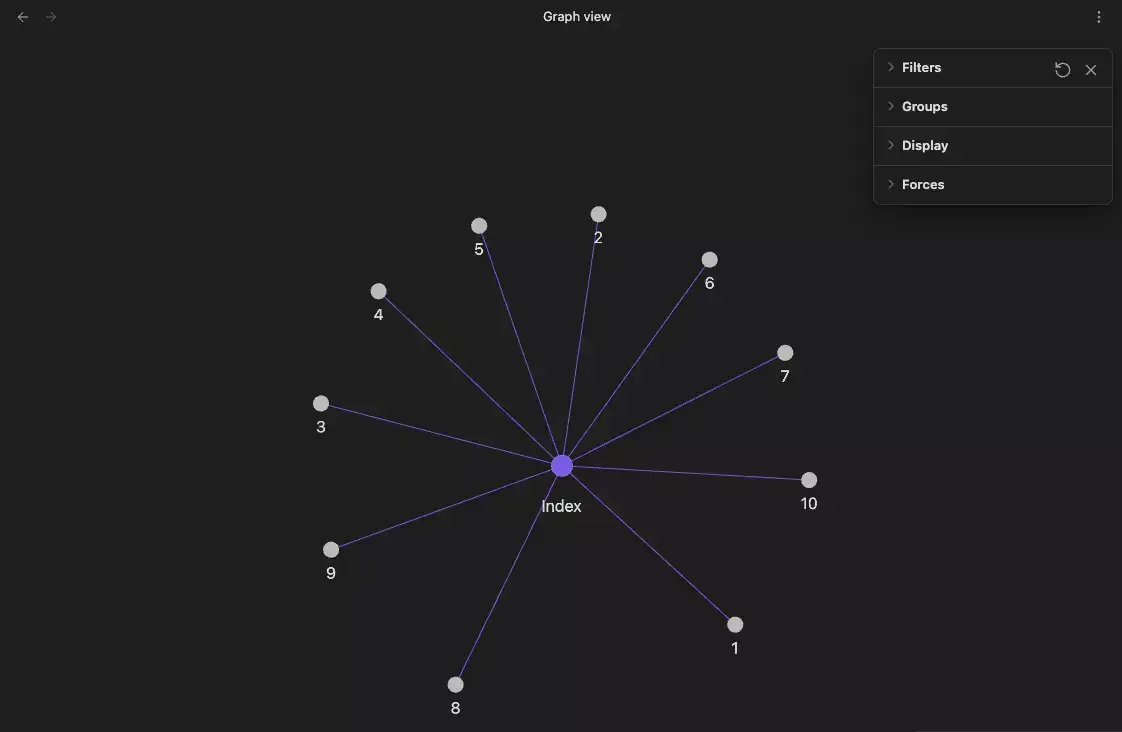
Obsidian has three real strengths that any alternative has to beat:
- It is free. Obsidian's pricing page says the app is free without limits, with no sign-up required.
- Your notes are files. Any text editor can open a vault, so there is no lock-in if you leave.
- Plugins and Bases. Community plugins add almost any feature, and Bases (2025) adds table, board and calendar views of your notes without a plugin.
Many Obsidian users also pair a vault with an AI coding agent such as Claude Code, with a CLAUDE.md file that explains the vault's folders and rules. That setup works because the notes are plain files, but it takes manual setup. The history of Obsidian covers how the app and this workflow grew.
People still leave for four reasons. Sync between devices is a paid add-on. There is no real-time co-editing, although Sync lets you share a vault. Power features depend on plugins that need upkeep. And notes do not turn into assigned tasks or automated work on their own.
How we picked these 11 apps
We picked apps that support linked notes or a structured knowledge base, which is the job people use Obsidian for. We read each vendor's pricing page on 2026-10-19 and recorded the free plan and the cheapest paid plan. We did not run timed tests, so this list compares published plans and features, not speed.
Earlier versions of this list included Evernote, Workflowy, Dynalist, Miro and XMind. They are good tools, but they are not Obsidian-style knowledge bases, so they moved to the "Other options" section.
At a glance: 11 Obsidian alternatives compared
| # | App | Best for | Free plan | Cheapest paid (checked 2026-10-19) |
|---|---|---|---|---|
| 1 | Taskade | Linked notes with teamwork and AI agents | Yes, no AI credits to start | Pro $10/mo billed yearly |
| 2 | Logseq | Free open-source outliner notes | Yes, the app is free | Open Collective backer $5/mo (optional) |
| 3 | Anytype | Local-first and encrypted | Yes, 100 MB remote storage | Plus $4/mo billed yearly |
| 4 | Capacities | Notes as objects | Yes, Basic | Pro $9.99/mo billed yearly |
| 5 | Notion | Team wikis and databases | Yes, for 1 person | Plus $10/member/mo yearly |
| 6 | Tana | Structured notes and meeting notes | Yes, 50 AI queries | Pro early-bird $20/user/mo yearly |
| 7 | Heptabase | A visual canvas for research | No | Pro $8.99/mo billed yearly |
| 8 | Joplin | Open-source Markdown notebooks | Yes, the app is free | Cloud Basic 2.40 EUR/mo yearly |
| 9 | Reflect | Minimal daily notes on a Mac | Yes, on Mac | Paid subscription on iPhone and iPad |
| 10 | RemNote | Study notes with flashcards | Yes | Pro $8/mo billed yearly |
| 11 | Roam Research | Linked daily notes in outlines | No, 31-day trial | $165/yr or $15/mo |
1. Taskade: Best for Linked Notes With Teamwork and AI Agents
Taskade is an AI workspace where each note is a project you can link to others with backlinks, then open as a list, a board or a mind map. A team edits the same notes in real time. Taskade AI drafts and restructures notes, and Free starts with no AI credits.
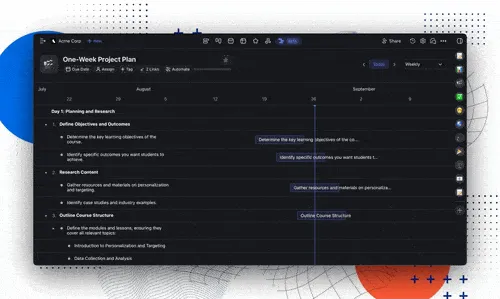
Best for: people and teams who want a shared knowledge base where notes turn into tasks.
Strengths:
- Backlinks across a shared workspace. Type
@and a project name to link notes, and the links respect each person's access. - Agents that answer from your notes. Add projects as agent knowledge and a custom AI agent answers from them.
Watch out for:
- Taskade needs a live connection. Unlike Obsidian, it has no offline editing mode.
- Notes live in Taskade's cloud, not as Markdown files in a folder you control.
Price (checked 2026-10-19): Free for 2 members, unlimited projects, 3 Taskade Genesis apps and 1 agent, with no starting AI credits. Pro is $10 a month billed annually ($20 monthly) for up to 10 people. Source: Taskade pricing.
2. Logseq: Best Free Open-Source Outliner
Logseq is a free, open-source outliner that stores pages as local Markdown files, with backlinks, block references, a graph view and daily journal pages. It feels like Obsidian crossed with Roam Research: every line is a block you can link to, fold or move. It runs on desktop and mobile.

Best for: people who think in outlines and want free, local, open-source notes.
Strengths:
- Free and open source. The full app costs nothing, and the code is public.
- Block-level links. Reference or embed any single bullet in another page, which Obsidian does only at the heading or block-ID level.
Watch out for:
- Logseq is moving to a new database version, so features and the mobile app change often.
- The plugin library is much smaller than Obsidian's.
Price (checked 2026-10-19): Free. You can back the project on Open Collective for $5 a month, which gives early access to new builds. See the best Logseq alternatives if Logseq is also on your shortlist.
3. Anytype: Best for Local-First, Encrypted Notes
Anytype is a local-first workspace where notes, tasks and pages are objects you link and query. Data lives on your devices first and syncs with end-to-end encryption, and you can self-host the sync. Its docs include a guide to migrate from Obsidian, so a vault is a supported starting point.
Best for: people who want Obsidian's ownership of data with a more structured, app-like interface.
Strengths:
- Private by design. Local-first storage and end-to-end encrypted sync, with self-hosting that needs no membership.
- Objects and relations. Give a note a type, such as a book or a person, and filter by its fields.
Watch out for:
- The object model takes time to learn if you only want plain notes.
- Free remote storage is 100 MB, so files and images fill it fast.
Price (checked 2026-10-19): Free with 100 MB of remote storage and 10 shared channels. Plus is $4 a month billed yearly with 1 GB of storage. Pro is $8 a month billed yearly. Source: anytype.io/pricing.
4. Capacities: Best for Notes as Objects
Capacities organizes notes as objects, such as books, people, meetings and ideas, each with its own fields and pages. You link objects as you write, and daily notes catch quick thoughts. The free Basic plan includes unlimited spaces, objects and blocks with sync, and the company states that the core product will remain free.
Best for: readers, researchers and writers who collect sources and people.
Strengths:
- Structure without setup. Object types give notes fields and views with no plugin.
- A generous free plan. Basic includes unlimited objects, sync across devices, and import and export.
Watch out for:
- Notes live in Capacities' cloud, not as plain files in your own folder.
- The AI assistant, tasks and calendar are on Pro, not Basic.
Price (checked 2026-10-19): Basic is free. Pro is $9.99 a month billed yearly ($11.99 monthly), with the AI assistant, task management and calendar features. Source: capacities.io/pricing.
5. Notion: Best for Team Wikis and Databases
Notion is a cloud workspace of pages and databases, so a set of notes can become a team wiki, a project tracker or a reading list with filters and views. It imports Markdown files, so a vault's notes can move over as pages. It suits teams far better than Obsidian does.
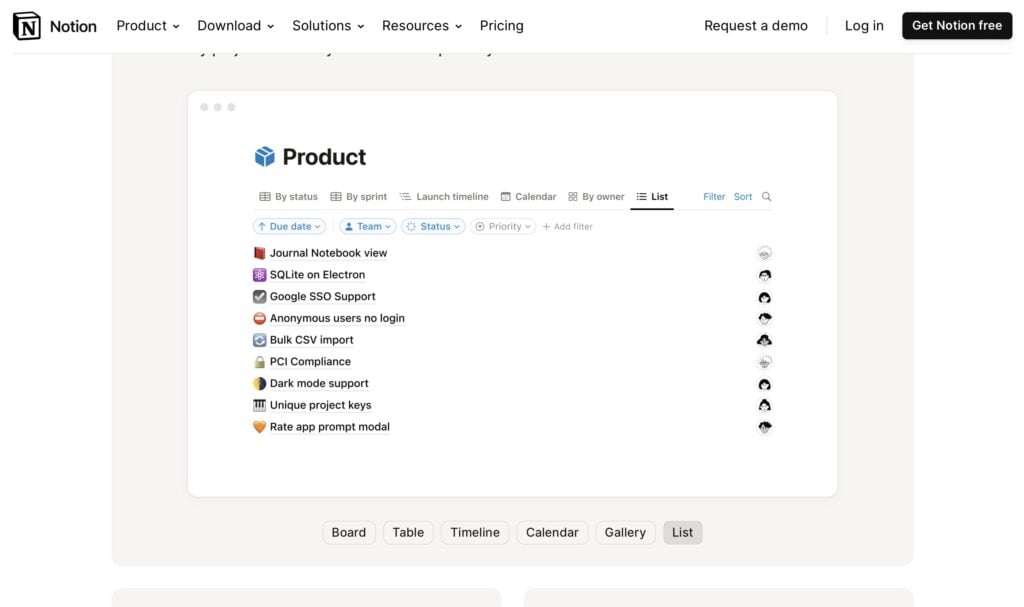
Best for: teams that share knowledge and want databases next to their docs.
Strengths:
- Teamwork first. Real-time editing, comments, permissions and shared wikis are built in.
- Databases. Turn notes into rows you can filter and show as a table, a board or a calendar.
Watch out for:
- Notion is cloud-based. Offline use is on its plans, but your notes are not files you hold in your own folder.
- Full Notion AI is on the Business plan. Free and Plus get a trial.
Price (checked 2026-10-19): Free for 1 person. Plus is $10 per member a month billed yearly ($12 monthly). Business, with full Notion AI, is $20 per member a month billed yearly. Source: notion.com/pricing. For the full head-to-head, read Notion vs Obsidian.
6. Tana: Best for Structured Notes and Meeting Notes
Tana is an outliner where any note can carry a supertag, such as "meeting" or "task", that adds fields and turns notes into a database you can query. In 2026 Tana sells itself first as a meeting-notes tool, with AI transcripts and summaries, on top of its structured notes.
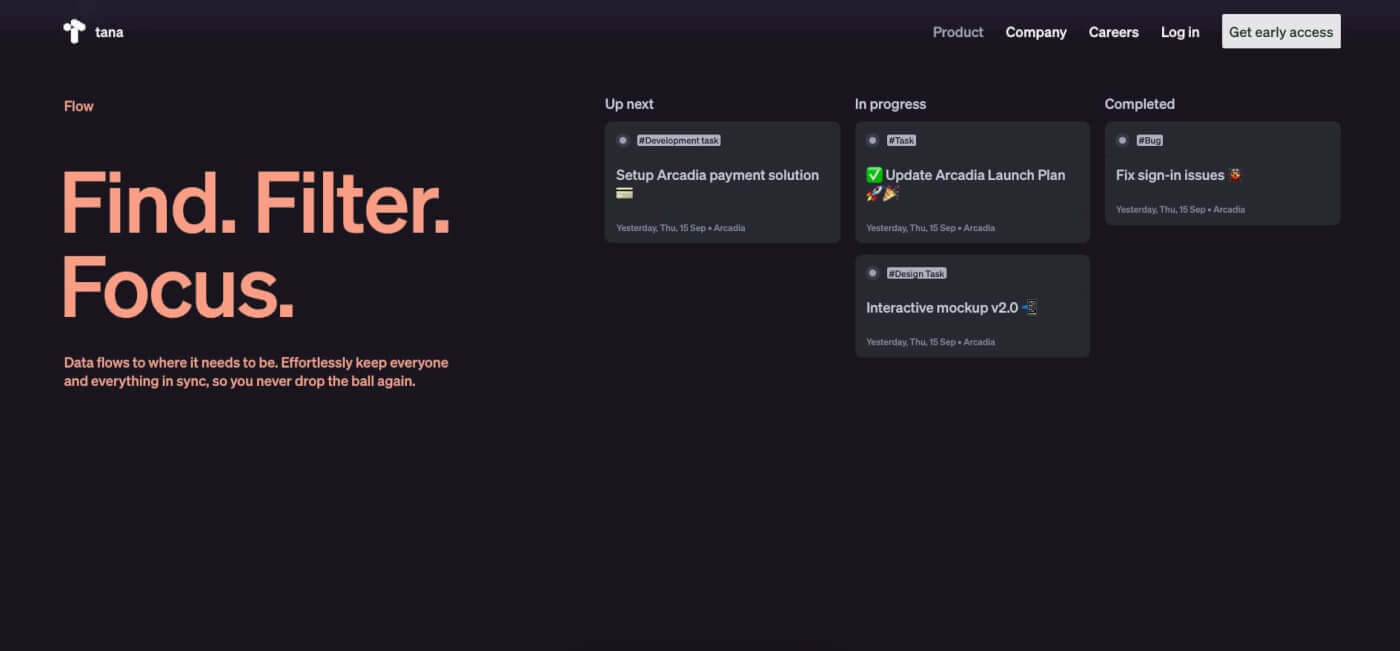
Best for: power users who want a structured, queryable note graph and AI meeting notes.
Strengths:
- Supertags. Tag a note and it gains fields, views and queries with no setup.
- Meeting notes. The free plan covers 5 meetings a month with AI transcripts and summaries.
Watch out for:
- Tana is cloud-based, and its model takes time to learn.
- Pro is priced per user and costs more than most note apps.
Price (checked 2026-10-19): Free with 5 meetings a month and 50 AI queries. Pro is $20 per user a month billed yearly at the early-bird price (listed as down from $30). Source: tana.inc/pricing.
7. Heptabase: Best Visual Canvas for Research
Heptabase is built around whiteboards where each note is a card you can place, group and connect. It suits research: read a source, write cards, and arrange them on a board until the structure is clear. It is the strongest alternative to Obsidian Canvas for people who think visually.
Best for: students, researchers and writers who map ideas before they write.
Strengths:
- Whiteboards first. Cards, connections and sections make a map of your thinking.
- Research tools. Read and highlight sources, then turn highlights into cards.
Watch out for:
- The pricing page shows no free plan.
- It is less suited to quick daily notes or a team wiki.
Price (checked 2026-10-19): Pro is $8.99 a month billed yearly, with AI credits included. Premium is $17.99 a month billed yearly. Source: heptabase.com/pricing.
8. Joplin: Best Open-Source Markdown Notebooks
Joplin is a free, open-source note app with notebooks, tags and Markdown notes on Windows, Mac, Linux, Android and iOS. It encrypts notes end to end and syncs through Joplin Cloud, Dropbox or OneDrive. It suits people who like Obsidian's Markdown but want notebooks and simpler sync.
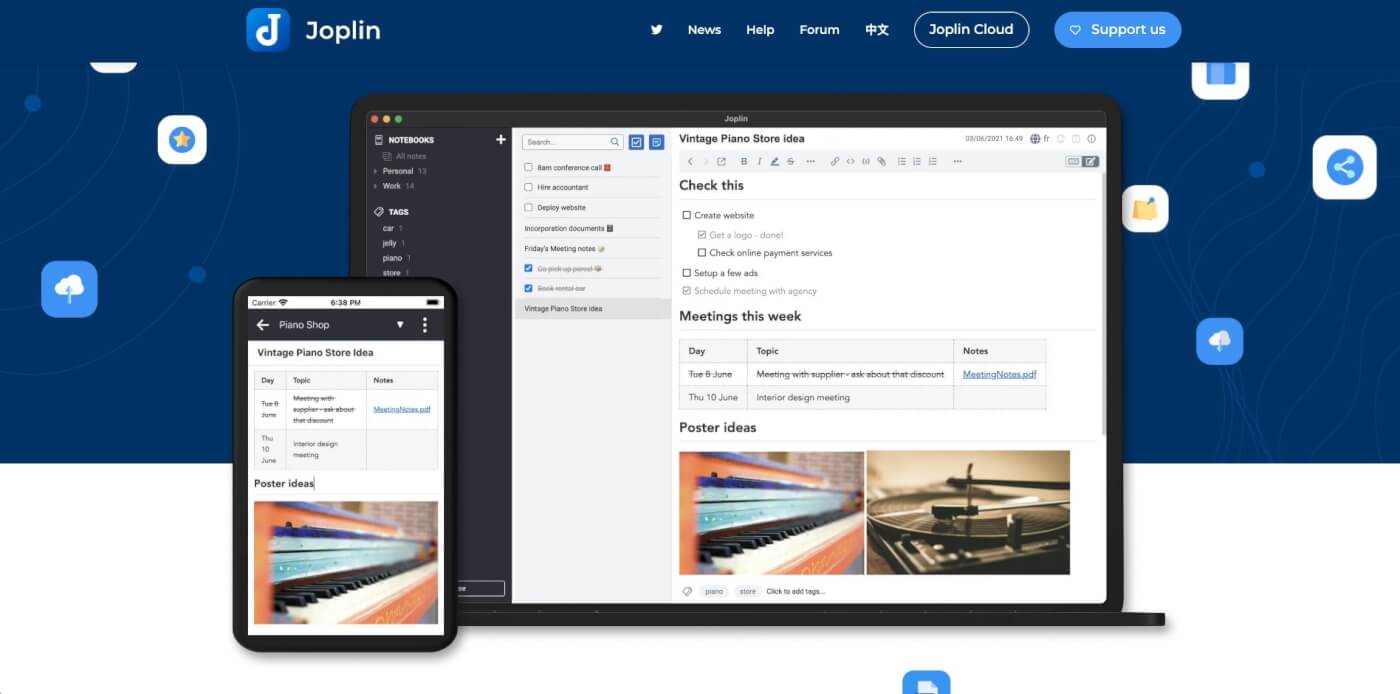
Best for: people who want open source, encryption and a notebook layout.
Strengths:
- Your choice of sync. Use Joplin Cloud, or a storage service you already have.
- Open format. Joplin's site states that notes are saved in an open format.
Watch out for:
- There is no graph view or block references, so linked thinking is weaker than in Obsidian.
- Joplin Cloud has no free tier, only a 14-day trial.
Price (checked 2026-10-19): The app is free. Joplin Cloud Basic is 2.40 EUR a month billed yearly (28.69 EUR a year) or 2.99 EUR monthly, with 2 GB of storage. Source: joplinapp.org/plans.
9. Reflect: Best for Minimal Daily Notes on a Mac
Reflect relaunched as Reflect Open, an open-source note app with daily notes, backlinks and local Markdown files. It is free on the Mac and paid on iPhone and iPad. You sync through iCloud Drive or Git, and AI features use your own API key, billed by your AI provider.
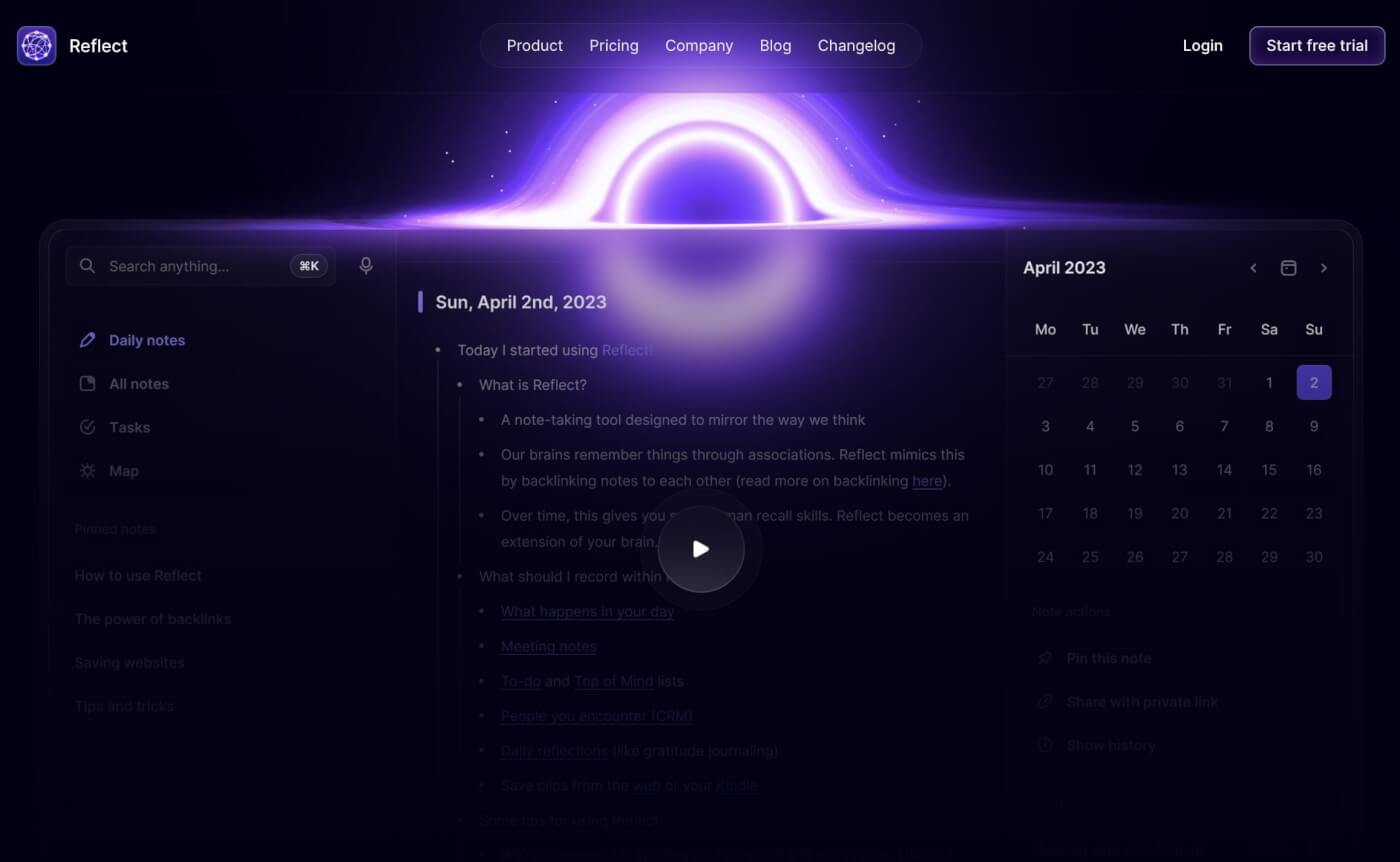
Best for: Mac users who want a calm daily-notes app with Obsidian-style files.
Strengths:
- Local Markdown files. Like Obsidian, your notes stay as files you own.
- Free on Mac. The Mac app needs no subscription.
Watch out for:
- The mobile apps are paid, and there is no Windows or Android app.
- AI needs your own key and a separate bill from the AI provider.
Price (checked 2026-10-19): Free on Mac. A paid subscription unlocks the iPhone and iPad app. The older Reflect Classic is still maintained. Source: reflect.app.
10. RemNote: Best for Study Notes With Flashcards
RemNote is a note app for students where any note can become a flashcard with spaced repetition. You write linked notes in an outline, mark facts to study, and RemNote schedules reviews. It also annotates PDFs, so lecture slides and readings live next to your notes.
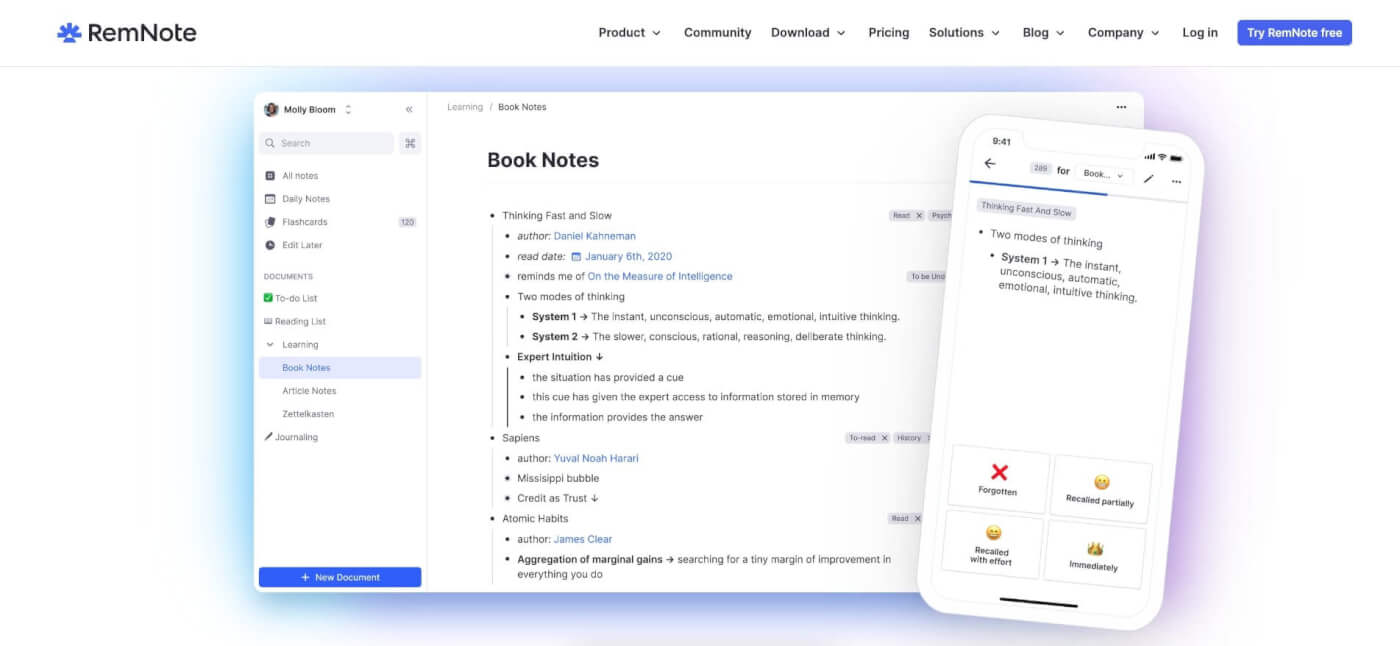
Best for: students and learners who want notes and flashcards in one place.
Strengths:
- Notes become flashcards. Spaced repetition is built in, with no plugin.
- PDF study tools. Annotate a PDF and link highlights to notes.
Watch out for:
- RemNote is built for study, so it is less suited to a general knowledge base or a team.
- The free plan limits annotated PDFs.
Price (checked 2026-10-19): Free with unlimited notes and flashcards. Pro is $8 a month billed yearly ($96 a year). Source: remnote.com/pricing.
11. Roam Research: Best for Linked Daily Notes
Roam Research made block-based linked notes popular: daily notes pages, backlinks and block references in an outline. Many Obsidian and Logseq features started as answers to Roam. It still suits people who write every day on one daily page and let links build the structure.
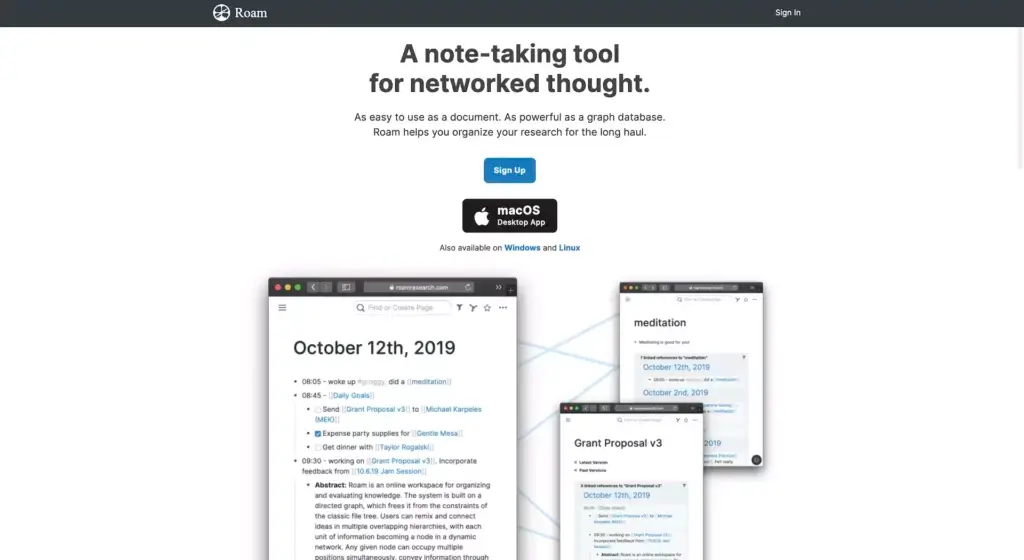
Best for: daily writers and researchers who think in linked outlines.
Strengths:
- Daily notes first. Every day starts with a fresh page, and links do the sorting.
- Block references. Reuse any bullet anywhere, and edits show everywhere it appears.
Watch out for:
- There is no free plan, only a 31-day trial.
- It costs more than most alternatives on this list.
Price (checked 2026-10-19): $15 a month or $165 a year. Source: roamresearch.com. See the Roam Research alternatives for more picks in this style.
Other options
Workflowy and Dynalist are fast outliners without a graph view. Evernote suits web clips and scanned documents, and our Evernote alternatives guide covers it. Miro and XMind are whiteboard and mind map tools rather than note bases. Microsoft OneNote is a free notebook app with no backlinks.
Best free Obsidian alternative
The best free Obsidian alternative is Logseq, because it keeps free, local Markdown files and adds an outliner. Anytype is the best free pick for encryption, Capacities for structure, and Joplin for open-source notebooks. The difference between them is sync and storage, not the editor.
| App | Free plan | Local files | Free sync |
|---|---|---|---|
| Obsidian | Free without limits | Yes, Markdown | No (paid Sync, or your own) |
| Logseq | Free, open source | Yes, Markdown | No (your own) |
| Anytype | Free, 100 MB remote | Local-first | Yes, encrypted |
| Capacities | Basic, unlimited objects | No, cloud | Yes |
| Joplin | Free, open source | Yes, open format | Yes, with Dropbox or OneDrive |
| Taskade | Free, unlimited projects | No, cloud | Yes |
Which Obsidian alternatives import a vault?
An Obsidian vault is a folder of Markdown files, so any app that imports Markdown can read your notes. Notion and Taskade import .md files, Anytype has a migration guide for Obsidian, and Logseq and Joplin work with Markdown too. What breaks in most moves is links, attachments and plugin data.
| App | How a vault comes in | What to fix after |
|---|---|---|
| Taskade | Drag .md files into Import with AI |
Re-link wikilinks with backlinks, re-attach images |
| Notion | Import, Text and Markdown | Rebuild links between pages |
| Anytype | Its Obsidian migration guide | Check object types and relations |
| Logseq | Copy Markdown files into a graph folder | Outline format and block syntax |
| Joplin | Import a Markdown folder | Notebooks and tags |
How to move your notes out of Obsidian
Moving out of Obsidian takes three steps: find your vault folder, import its Markdown files into the new app, then repair links and attachments. Because the notes are already Markdown, there is no export step. Plugins, themes and custom CSS do not move, only your content.
OBSIDIAN VAULT                         AFTER IMPORT INTO TASKADE
my-vault/                              Workspace
  Projects/                              Folder: Projects
    launch-plan.md   ---- .md ---->        Project: launch-plan  (headings, tasks kept)
  Areas/                                 Folder: Areas
    reading.md       ---- .md ---->        Project: reading
  attachments/       --- not moved --->  re-upload the images you need
  [[wikilinks]]      --- plain text -->  re-link with @ backlinks
To move a vault into Taskade:
- In Obsidian, open File ➡ Open Vault and choose Reveal vault in system explorer.
- In Taskade, click the arrow next to New Project and choose Import.
- Drag the
.mdfiles into the Import with AI tab, then click Create Project. - Re-link related notes with
@backlinks, and re-attach the images you still need.
The Obsidian import guide lists what transfers cleanly and what needs a touch-up, and the Logseq import guide covers a Logseq graph.
When to stay with Obsidian
Stay with Obsidian if you want notes as local files, offline use everywhere, and a plugin for almost any idea. No app on this list beats all three at once. If the only problem is sync, Obsidian Sync at $4 a month billed yearly costs less than switching tools and rebuilding your links.
| Stay with Obsidian if you... | Switch if you... |
|---|---|
| Want every note as a local Markdown file | Want a team to edit the same notes live |
| Work offline often | Want notes to turn into assigned tasks |
| Rely on plugins such as Dataview or Excalidraw | Are tired of plugin upkeep |
| Write mostly alone | Want flashcards, objects or a canvas built in |
Obsidian alternative by job
Pick by the job your notes do. A student, a researcher and a team lead each need a different tool, and the right one for you is the one that matches your week.
| Job | Best pick | Runner-up |
|---|---|---|
| A free linked second brain | Logseq | Obsidian |
| Private, encrypted notes | Anytype | Joplin |
| A reading and research library | Capacities | Heptabase |
| Study notes and exam prep | RemNote | Logseq |
| A team wiki | Notion | Taskade |
| Meeting notes that turn into tasks | Taskade | Tana |
| Visual research boards | Heptabase | Taskade Mind Map view |
For more ways to organize knowledge, see the AI second brain tools, the best AI outliners, the PARA method and our guide to connected thoughts and learning.
Limitations: when Taskade is not the right fit
Taskade is not the right pick if you want notes as local Markdown files, offline editing, or a plugin library. It needs a live connection, and notes live in Taskade's cloud. Wikilinks also arrive as plain text when you import a vault. Taskade AI uses AI credits, and Free starts with none: you earn credits with referrals and invites, or buy a credit pack.
| You need | Better fit | Why |
|---|---|---|
| Notes as local Markdown files | Obsidian or Logseq | Files in your own folder |
| Offline editing everywhere | Obsidian or Joplin | Local-first apps |
| A large plugin library | Obsidian | Thousands of community plugins |
| Spaced-repetition flashcards | RemNote | Built for study |
| End-to-end encrypted notes | Anytype or Joplin | Encryption on the free plan |
Why we built Taskade differently
Most note apps stop at the note. In Taskade the linked note is the start of the work: the same project holds the notes, the tasks, the owners and the dates, and an AI agent reads it to draft the next step. A team edits it together, so a personal knowledge base can grow into a shared one.
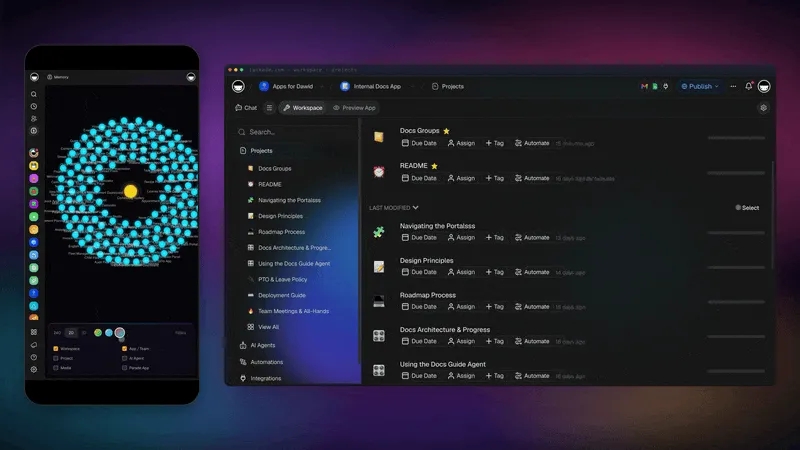
Three parts make this work, and we call them Workspace DNA. Memory: your projects keep every note, link and file, and the memory graph shows how they connect. Intelligence: AI agents read those projects and answer from them. Execution: automations with 100+ integrations move the work along, with triggers that pull events in and actions that push data out.
When a knowledge base grows into a process, Taskade Genesis takes the next step:
| What you do | What you get |
|---|---|
| Describe the app in one prompt on /create | A live app, such as a reading tracker, a research dashboard or a team wiki portal, with its own database |
| Add an AI agent | An agent with your knowledge and tools, inside the app or on its own |
| Add an automation | 100+ integrations: triggers pull events in, actions push data out |
| Ask Taskade EVE in chat | Taskade EVE builds and edits the app for you |
| Clone a kit from the Community Gallery | A ready-made app, such as Team Wiki Portal, to change and share by link, or put on a custom domain (Pro and up) |
Free covers 3 Taskade Genesis apps, 1 agent and 2 members, and it starts with no AI credits. Pro is $10 a month billed annually. Compare every plan on the pricing page.
▲ Memory ■ Intelligence ● Execution. Import your Obsidian vault into Taskade
Related reading
Frequently asked questions
What is the best alternative to Obsidian?
Logseq is the closest alternative for people who want free, local Markdown notes with links. Anytype is best for local-first, encrypted notes, Capacities for notes as objects, Notion for teams, and Heptabase for a visual canvas. Taskade is best when you want linked notes, real-time teamwork and AI agents in one shared workspace.
What is the best free Obsidian alternative?
Logseq is the best free Obsidian alternative because the app is free, open source and stores notes as local Markdown files. Anytype, Capacities, Joplin and RemNote also have free plans. Taskade is free for 2 members with unlimited projects, and its Free plan starts with no AI credits.
Is there an open-source Obsidian alternative?
Yes. Logseq and Joplin are open source and free. Logseq is an outliner with backlinks and a graph view. Joplin is a notebook app with Markdown notes, end-to-end encryption and sync through Joplin Cloud, Dropbox or OneDrive. Obsidian itself is free but not open source.
Is Obsidian free?
Yes. Obsidian's pricing page says the app is free without limits and needs no sign-up. You pay only for optional services: Sync, Publish, or a commercial license, which is optional.
How much does Obsidian Sync cost?
Obsidian Sync costs $4 per user a month billed annually, or $5 billed monthly. Obsidian Publish costs $8 per site a month billed annually, or $10 monthly. We checked both prices on obsidian.md on 2026-10-19.
Obsidian vs Logseq: which is better?
Obsidian is better for long-form notes, a large plugin library and a polished desktop app. Logseq is better if you think in outlines and daily journal pages, and it is open source. Both store notes as local Markdown files and use double-bracket links.
Is Notion better than Obsidian?
Notion is better for teams that share docs, wikis and databases in the cloud. Obsidian is better for private notes stored as files on your own device, with plugins and offline use. Many people use Obsidian for personal notes and Notion or Taskade for shared team work.
What is a good Obsidian alternative for teams?
Notion and Taskade are the strongest Obsidian alternatives for teams. Notion suits shared wikis and databases. Taskade suits teams whose notes turn into tasks, with real-time editing, role-based access from Owner to Viewer, and AI agents that answer from shared projects.
What is an Obsidian Canvas alternative?
Heptabase is the strongest Obsidian Canvas alternative, built around whiteboards of note cards for research. Taskade's Mind Map view is another option when the canvas has to become a plan, because the same project opens as a mind map, a list or a board.
Can I import my Obsidian vault into Taskade?
Yes. Open your vault folder and drag the Markdown files into the Import with AI tab on a new Taskade project. Each note becomes a project with headings, lists and checkboxes kept. Double-bracket wikilinks arrive as plain text, so you re-link them with Taskade backlinks, and attachments need a re-upload.