







In 2019, the digital note-taking landscape witnessed a shift. Roam Research burst onto the scene, introducing a novel way to visualize and connect thoughts. Fast forward four years, the ecosystem is shifting, with many new Roam Research Alternatives pushing the boundaries.
TL;DR: The best Roam Research alternatives in 2026 are Taskade (AI-native outlining with bidirectional links, multiple views, and agents), Obsidian (local-first Markdown with a graph view), and Logseq (open-source block referencing). Roam popularized networked thought in 2019, but newer tools add AI and lower pricing. We compare the top alternatives below. Try Taskade free.
In today's article, we compare some of the best alternatives to Roam Research, each with its unique flair and set of features. Whether you're a productivity ninja or just dipping your toes in, there's a good chance one of these apps might just become your ultimate note-taking tool.
🗒️ What Is Roam Research?
At a glance, Roam Research looks (and works) like any other note-taking app out there. It offers a (seemingly) minimalist interface and basic text formatting options using the Markdown syntax. But what makes it stand out is its ability to create bi-directional internal links between notes.
Imagine jotting down a thought about, say, "Renaissance Art." Later on, when you're diving deep into "Leonardo da Vinci," you simply link back to that initial note. Once you've connected several associated notes, you can navigate your growing knowledge base jumping between them.
The final piece of the puzzle is the knowledge graph, which is essentially a visual, interactive representation of all your notes and the internal links between them. It's like having a bird's-eye view of your thoughts, interwoven in a tapestry of interconnected ideas.
All that makes Roam Research a great tool for personal knowledge management (PKM) strategies like the Linking Your Thinking system or the Zettelkasten method.
But who exactly is this note-taking app for? Let's find out. 👇
🤔 Who Is Roam Research Best Suited For?
Roam Research is primarily a note-taking tool, and it does a decent job offering a simple, distraction-free editor without the bells and whistles. If you need a straightforward writing environment and the ability to organize your notes, then Roam should work for you just fine.
You can use Roma Research for:
Conducting research
Outlining documents and projects
Capturing reading notes
Mapping out ideas
Breaking down complex problems
And more...
However, if you're after more complex use cases than that, say a simple task manager, you'll have to DIY your workflows from scratch. And even then, you'll probably still miss many of the advanced features offered by other tools out of the box like recurring tasks or progress tracking.
There are a few more Roam limitations you should keep in mind.
👎 What Are The Disadvantages of Roam Research?
Lack Of Communication Features
The flow of information is key for effective team collaboration in a project management setting. While Roam offers some basic graph sharing, it doesn't really support full-blown collaborative features that many other dedicated platforms include. Roam falls short here.
Steep Learning Curve
Roam's user interface seems inviting enough, but there is a rather steep learning curve once you take a peek under the surface. Small editor inconveniences aside, the expectations to treat all your notes as part of a larger whole may be a bit overwhelming to note-taking beginners.
Loss of Momentum
Roam's best years are long gone, and the vibrant community engagement that used to be one of its high points seems to be waning. The Roam team is still rolling up new updates and patch ing the app, but the rate of innovation has slowed down a bit over the last two years.
High Price Point
At $15 a month or $165 a year, Roam is on the expensive end of the note-taking landscape. And even if that price point is on par with other top-of-the-line tools, it seems steep considering the features and functionalities it offers in comparison, especially if you're on a tight budget.
"Ok, so what are my options?"
We've rolled up our sleeves and rounded up 7 best second-brain apps (we'll explain that in a bit) that give Roam a run for its money and might just surprise you with their capabilities.
Curious? Let's dive in! 🔎
🏆 The 5 Best Roam Research Alternatives
Taskade
Imagine an app that allows you to take detailed notes with infinite, nested hierarchies, organize and manage projects and tasks, and even work together with others in real time. Now add a dash of AI magic with an AI chat and a smart writing assistant on top. Voilà! Meet Taskade.
Taskade is a Y-Combinator-backed tool that combines the simplicity of the best outliner apps, the utility of a note-taking app, and the power of a collaboration platform.
Each note in Taskade is a living document contained in a structured, tree-shaped database. That means you can transform your notes in many different ways. Start with a simple list of items and transition smoothly to a mind map or a Kanban board, without losing context.
But there is one more thing that sets Taskade apart. Imagine if your notes could think alongside you. With AI at its core, Taskade is more than just another note-taking app.
The AI Assistant "lives" in every note you create in Taskade. It can help you structure your writing, brainstorm and develop ideas, and even check your grammar and spelling. It's like having a personal writing coach, creative director, and your own editor available 24/7.
Here's what else you're getting in the package. 👇
Key Features of Taskade
Taskade is stacked with features to help you take notes and manage your to-do lists and projects. Designed for remote teams, Taskade lets you get work done from anywhere.
Here's a table containing some of Taskade's key features.
| 🤖 AI Support | AI chat, writing assistant, project generator |
|---|---|
| 🔗 Internal Linking Feature | ✅ |
| 🗂️ Content Organization | workspaces, folders, and tags |
| 👩💻 Collaboration | Comments, chat, and video calls |
| 🤖 Markdown Support | ✅ |
| ⌨️ Keyboard Shortcuts | ✅ |
| ✅ Task Management | ✅ |
| 📑 Outlining Templates | 600+ customizable templates |
| 🔄 Version History | Free 7-day version history |
| 🌓 Dark Mode | ✅ |
What Are Some Pros Of Taskade?
AI-powered writing assistant, chat, and project generator
Outlining feature with unlimited nested hierarchies
Bi-directional backlinks for connecting your notes
Real-time collaboration within the same project
Dynamic workflows including lists, boards, and mind maps
600+ customizable templates to give you a head start
Advanced integrations through Zapier
Free built-in videoconferencing and chat features in every project
Frequent updates based on user feedback and suggestions
Tabbed workflow for working with multiple notes
Multi-factor authentication
What Are Some Cons Of Taskade?
- Offline mode is only available on mobile devices.
How Much Does Taskade Cost?
Taskade Free Plan
Unlimited Tasks & Projects
Unlimited Members & Guests
Unlimited Folders & Teams
Templates, Calendar, Repeat Tasks
Real-time Collaboration
Built-in Free Chat and Video Call
Taskade Pro ($10/month billed annually)
Everything in Free, plus:
Version History
Advanced Permission
Cloud Upload Integration
2-Way Calendar Integration
Want to learn more? Check how AI is changing how people take notes next.
Obsidian
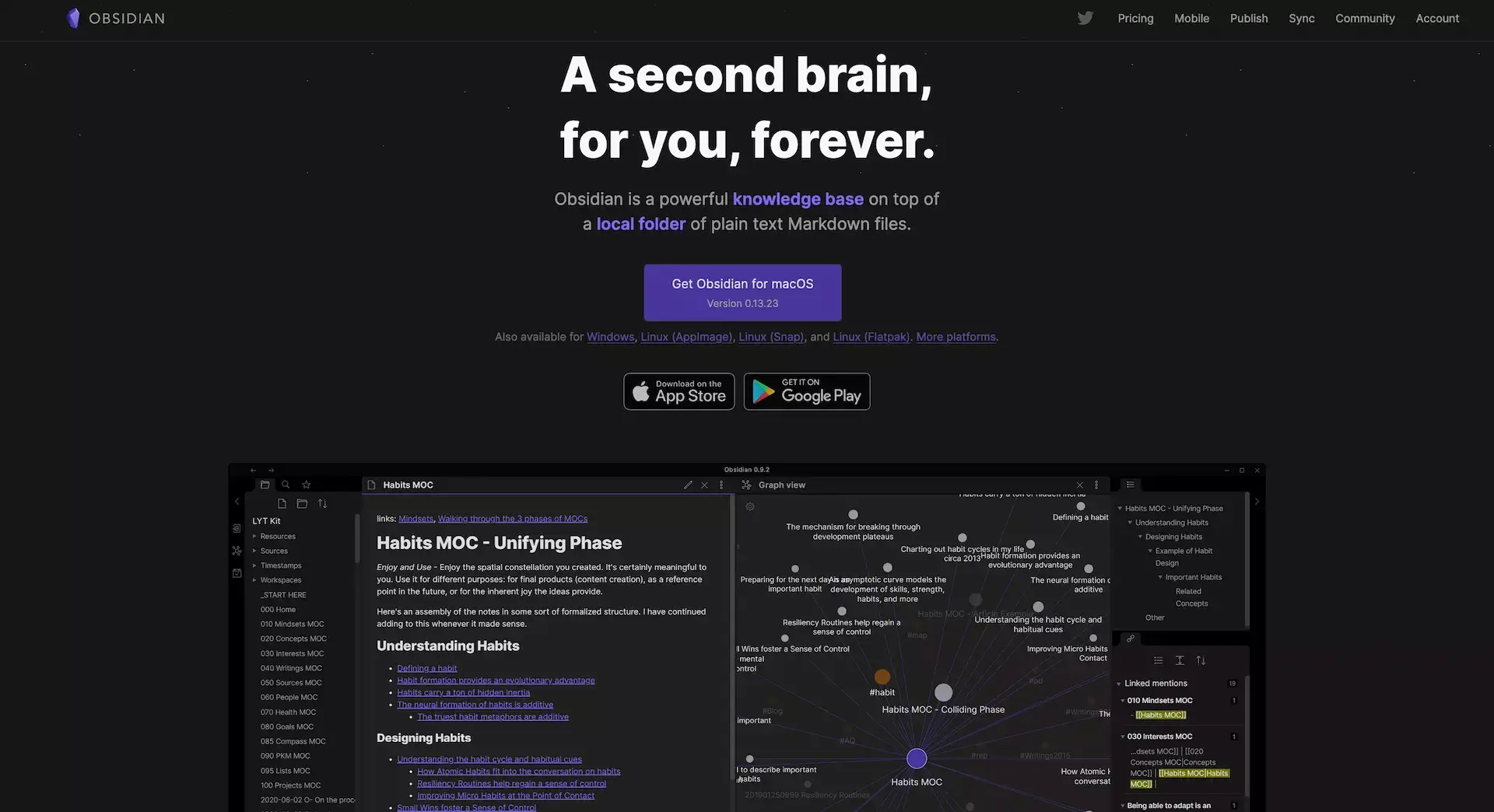
What Is Obsidian?
Obsidian is a note-taking software designed for knowledge management. Its core feature allows users to interlink and connect notes, creating a structured network of information.
The software was developed by Erica Xu and Shida Li in 2020 amidst the Covid-19 quarantine. As of now, the platform has a community of over 50,000 members on Discord, and it's noteworthy that the entire project has been managed by this two-person team.
Features of Obsidian
Markdown support
Backlinks and graph view
Multiple resizable UI panes
Official and community plugins
Customizable themes
Proprietary and external sync (paid extra)
How Much Does Obsidian Cost?
Free for personal use
Doesn’t require an account
Plugins and API
Catalyst ($25/50/100 one-time purchase)
Support the development process
Access to insider builds
Commercial ($50/year per user)
Ready for commercial use
Priority support
Sync Add-On ($8/month billed annually)
End-to-end encryption
Built-in version history
Priority email support
Publish Add-On ($16/month billed annually)
Selective notes publishing
Graph view and outline
Logseq
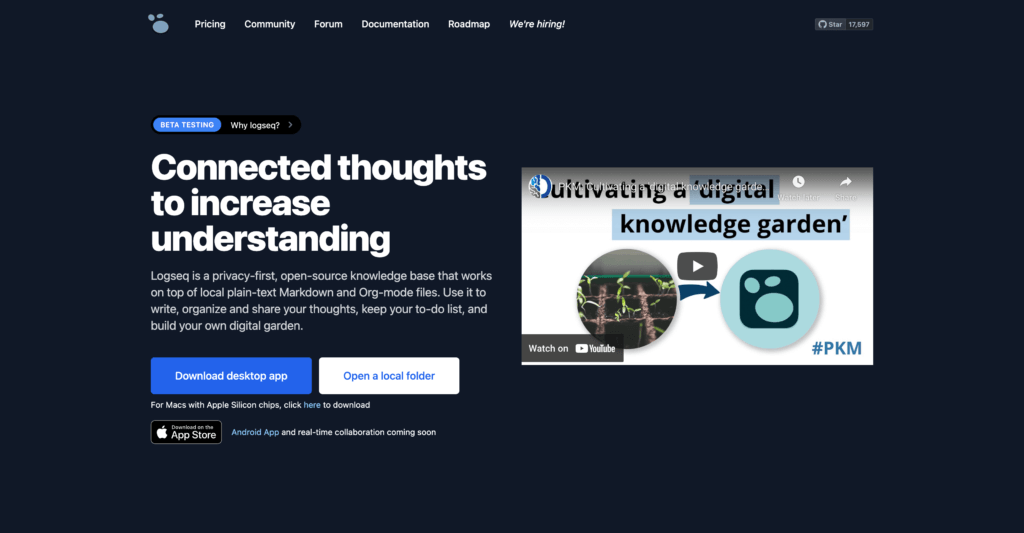
What is Logseq
Logseq is an open-sourced outliner note-taking application. Tienson Qin founded the app in 2018 with the aim of helping users create a knowledge base filled with interconnected notes.
We would classify Logseq as an app that helps you create a second brain. If that is something that you're looking for, here's our list of the best second-brain apps in the market today.
What's different for Logseq is that it is a tool that places high importance on user privacy. If privacy is something that you're focused on, then Logseq is a top alternative note-taking app that you should consider.
You can use Logseq to take notes and manage tasks. As a result, there are many alternatives to Logseq depending on your use case. However, today we will be focusing only on the best alternatives to Logseq.
But first, let's learn more about what Logseq has to offer.
Features of Logseq
Compared to similar apps such as Obsidian and Roam Research, Logseq is a free alternative that you can use to keep your notes organized.
Markdown support
Bi-directional linking
Search and filter
Mobile app
Customizable templates
How Much Does Logseq Cost?
Logseq is completely free to use. Users can choose to donate if they wish.
Looking for the best Logseq alternative? Taskade is the best bet for modern knowledge workers. Get started instantly for free today.
Workflowy
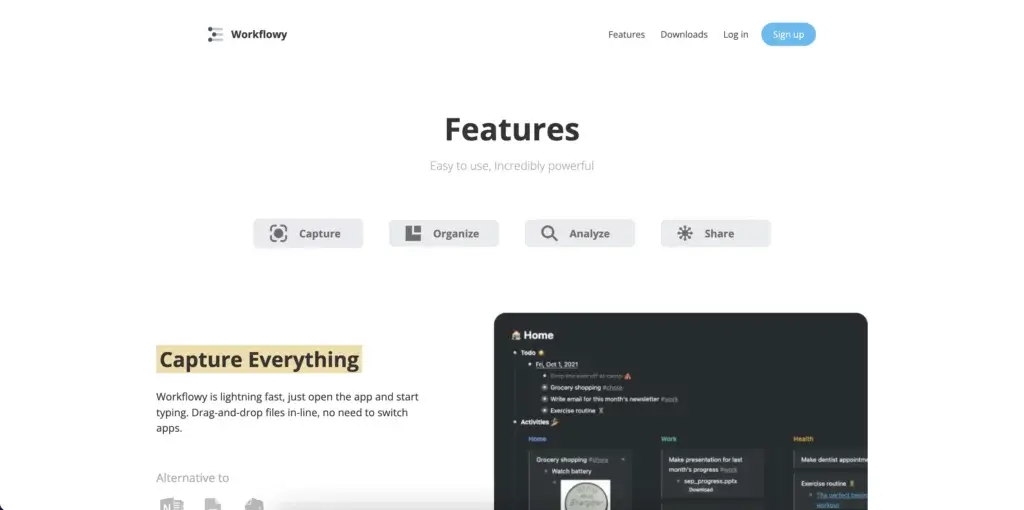
What Is Workflowy?
Workflowy is streamlined outlining software that lets you map out all kinds of projects. The outliner app offers a minimalist, distraction-free outliner environment. You can use Workflowy in a web browser or get it for Windows, Mac, Linux, and mobile devices.
Like Taskade, Workflowy was nurtured under Y Combinator’s wings and was designed to address everyday project management problems. Workflowy uses a hierarchical tree structure that accentuates the flexibility of ordinary lists.
Workflowy's ease of use gives it a spot in our list of the best note-taking apps of 2022.
Features of Workflowy
Infinite nested lists (in Workflowy Pro)
Filtering features
Color-coded tags and highlighting (beta)
Multi-factor authentication
Outline backup to Dropbox
A selection of themes and fonts
Outline sharing and collaboration
How Much Does Workflowy Cost?
Basic/Free
All features included
Limited to 250 bullets/month
File upload limited to 100 MB
Only basic sharing
Workflowy Pro ($4.08 billed annually)
Unlimited bullets
Unlimited file uploads
Advanced sharing features
Backup to Dropbox
Premium support
Evernote
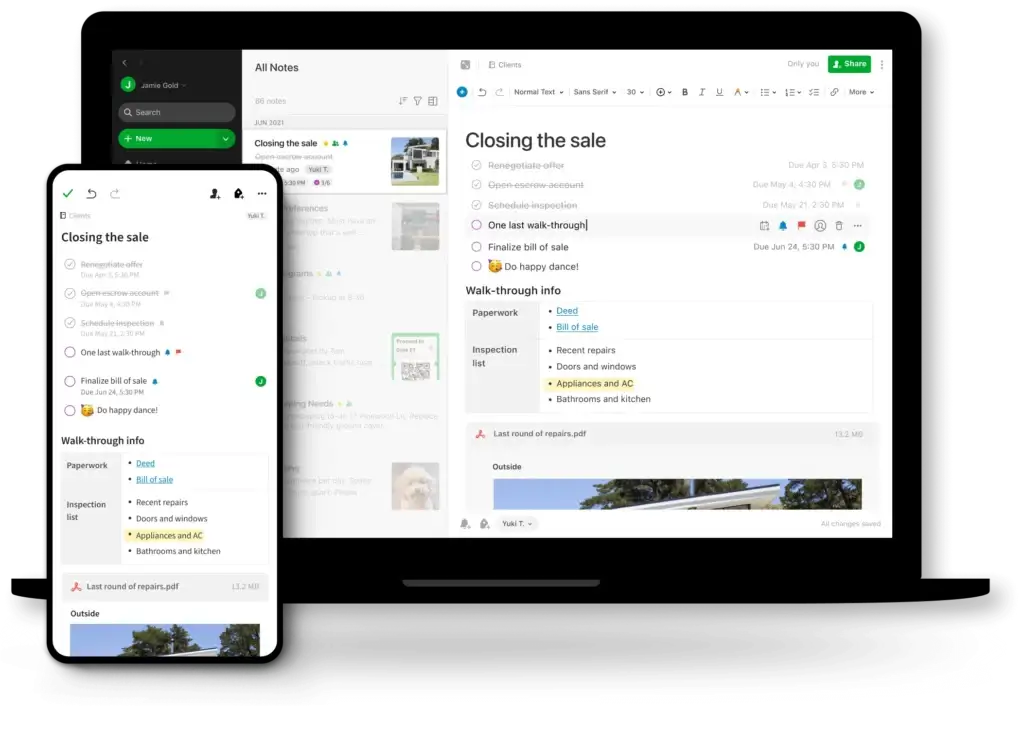
What Is Evernote?
Evernote is a digital note-taking app that was created by Russian engineer Stepan Pachikov to help people organize their thoughts and store information. The app pioneered digital note-taking and remains one of the most popular note-taking apps today. With Evernote, users can create and save notes, tasks, web pages, and more in one centralized location.
If you’re interested in a more in-depth discussion on Evernote’s history from day 1 to what it is today, check out our review of Evernote’s history!
Features of Evernote
Notes organized in notebooks
Built-in search function
Web clipper extension
Handwriting recognition
How Much Does Evernote Cost?
Free
Cross-device sync (2 devices)
60 MB of storage for notes/month
Task management
Search and tagging
Uploading attachments
Personal ($7.99/month)
10GB of storage
Offline access
PDF and image search
Professional ($9.99/month)
20GB or storage
Task management features
Personalized home screen
Teams ($14.99/month per user)
- Best suited for team use
RemNote
What Is RemNote?
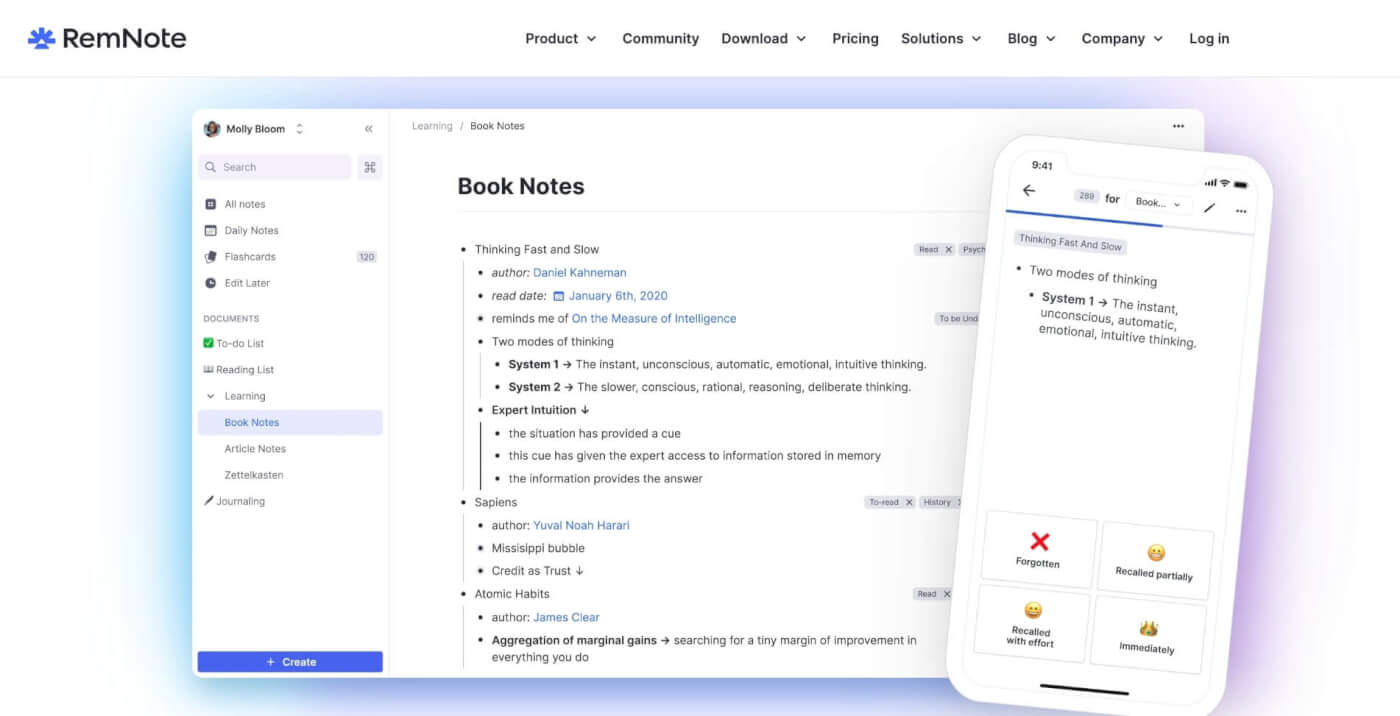
RemNote is a unique blend of a note-taking platform and a spaced repetition system, designed to facilitate more efficient learning and retention. As you draft notes in RemNote, you have the ability to seamlessly weave in flashcards, bridging the gap between taking notes and learning.
This fusion of note-taking and active recall tools positions RemNote as a valuable resource for students, professionals, and lifelong learners. By marrying these two methods, you can ensure not only that you're capturing important information, but also boosting long-term retention.
Features of RemNote
Integrated spaced repetition
Hierarchical note organization
Active recall tools
Knowledge graph
Portals
Dark mode
How Much Does RemNote Cost?
Free
Unlimited flashcards
3 Annotated PDFs
Multi-device sync
Limited file upload
Pro ($8/month billed annually or 6$ billed monthly)
Unlimited PDF annotation
Unlimited tables & templates
Collaboration
Unlimited file uploads
Tana
What Is Tana?
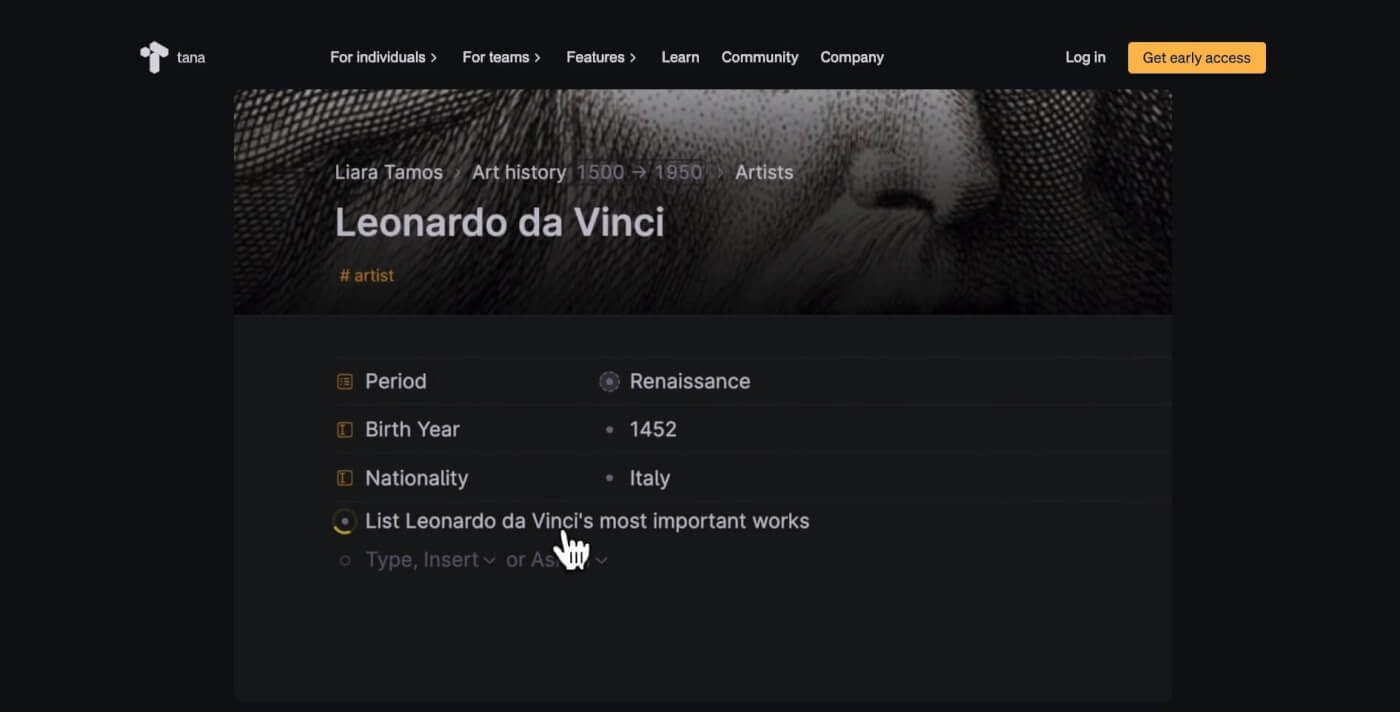
Tana is a newcomer to the note-taking space branded as "an intelligent all-in-one workspace." Similar to Rome, Tana offers a simple note-taking interface, a knowledge graph, and internal links that make it a competent note-taking and second brain tool for personal and work use.
The interface comprises a navigation pane on the left and an editor in the center. The latter comes with a set of core note-taking features including outlining, foldable nodes, nested pages, and a drag-and-drop interface. You can also choose from several views, from lists to tables.
Features of Tana
Integrated spaced repetition
Hierarchical note organization
Active recall tools
Knowledge graph
Portals
Dark mode
How Much Does Tana Cost?
Invite-Only Early Access
👋 Parting Words
Roam Research is an effective personal knowledge management tool that can be used by note-takers, researchers, and students. It is designed to excel in linking information together and forming a web of interconnected nodes. However, it has a steep learning curve and lacks collaboration features.
It is important that you consider all other options when choosing a productivity tool to help with organizing information. Alternative software such as Taskade can help you organize content alongside other features to help you improve your productivity levels.
Although Roam Research is a powerful tool for personal knowledge management, it's essential to weigh the pros and cons of this tool against your specific needs, and consider alternative options.
Ready for a smarter Roam alternative? Try Taskade AI! 🤖
🤖 Custom AI Agents: Deploy teams of custom AI agents to supercharge your note-taking and knowledge management workflows.
🪄 AI Generator: Describe what you're working on and watch AI bring it to life. Upload documents for more tailored results.
✏️ AI Assistant: Leverage the power of GPT-5 built into the project editor to take smarter notes, generate content, and edit documents.
🗂️ AI Prompt Templates Library: Explore hundreds of AI prompts designed to support personal and business workflows.
💬 AI Chat: Discuss and refine ideas with the help of Taskade AI. Ask questions and ask for solutions using a conversational interface.
📄 Media Q&A: Analyze documents, spreadsheets, notes, books, articles, and other resources to summarize or extract key insights.
🧬 Your Second Brain, Alive
What if your notes could think? Taskade Genesis goes beyond note-taking — build AI agents trained on your knowledge that answer questions, execute tasks, and evolve with you. It's vibe coding: describe your ideal second brain, Taskade builds it as living software. Browse AI apps in our community.
And much more...
Frequently Asked Questions about Roam Research Alternatives
Can I get Roam Research for free?
No, Roam Research does not offer a free plan. There is a free trial available, but it is a paid service with a subscription model.
Is Roam Research better than Notion?
Notion is far more versatile and covers more use cases than Roam Research. However, Taskade surpasses both with advanced AI, multiple project views, and superior collaboration tools.
Is Roam better than Obsidian?
All in all, we recommend Obsidian over Roam Research for its flexibility, local storage, and extensive plugin ecosystem. However, Taskade offers even more with its AI-driven tools and versatile project views.
What is roam research?
Roam Research is a note-taking and knowledge management tool designed to help users create a network of interlinked notes, making it easier to organize and connect ideas.
What is Roam Research best used for?
Roam Research is best used for creating and managing interconnected notes, research projects, personal knowledge management, and writing, as it allows for easy linking and referencing of information. Taskade offers similar capabilities with added AI and project management features for enhanced productivity.
