







A second brain is a trusted place outside your head for notes, ideas and files, and AI makes it easier to keep and use. This guide shows you how to build one with AI in four steps, in about an hour. It works with Taskade, and the method also works in other apps, which the guide covers near the end.
TL;DR: A second brain is a trusted place outside your head for notes, ideas and files. To build one with AI, capture everything in one inbox, sort it with the PARA method, connect an AI agent that answers from your notes, and run a 15-minute weekly review. Taskade is free to start, and Pro is $10 a month billed yearly. Copy the free second brain template
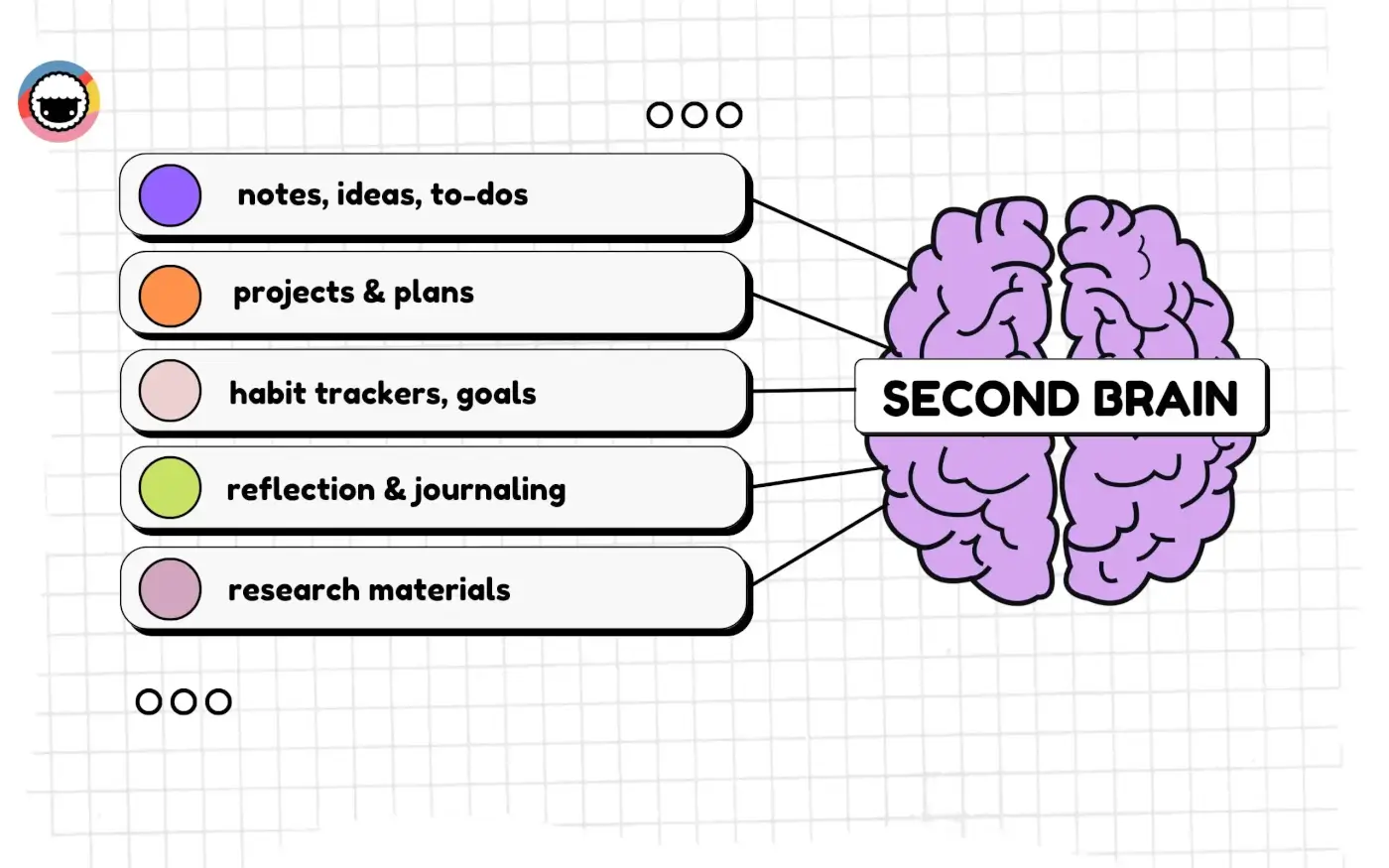
Quick Answer: What Is a Second Brain?
A second brain is a digital system that stores what you learn, think and plan, so you can find it and reuse it later. Tiago Forte popularized the idea in his book Building a Second Brain (2022). His method has two parts: the CODE workflow for what you do with notes, and the PARA structure for where they go.
Forte's own Building a Second Brain overview explains the full method. The short version fits in one table:
| Part | What it means | Where AI helps |
|---|---|---|
| Capture | Save what resonates: notes, links, files, ideas | Turns PDFs, pages and videos into notes |
| Organize | File it by where you will use it (PARA) | Suggests a folder for each note |
| Distill | Shorten it to the key points | Summarizes long sources in seconds |
| Express | Use it in your own work | Drafts from your notes and answers questions |
For the book itself, read our Building a Second Brain summary and review. For the folder system, read the PARA method guide.
What AI Changes in a Second Brain (and What It Does Not)
AI changes how you find and reuse your notes, not why you keep them. An AI agent finds notes by meaning instead of exact words, summarizes long sources, and answers questions with links to the notes it used. It does not decide what matters to you. You still choose what to capture and where it goes.
| Job | Without AI | With AI |
|---|---|---|
| Find a note | Remember the right keyword | Ask a question in plain words |
| Read a long PDF | Highlight it by hand | Get a summary, then read the key parts |
| Connect ideas | Add links by hand | Ask what you saved on a topic across projects |
| Start a draft | A blank page | A first outline from your own notes |
| Decide what matters | You | Still you |
Research on "cognitive offloading" shows why a second brain helps at all: when people store information outside their head, they free working memory for the task in front of them (Risko and Gilbert, Trends in Cognitive Sciences, 2016). AI adds a faster way back to what you stored.
Step 1: Capture Everything in One Inbox
The first step of a second brain is one inbox that catches everything, so you never wonder where you saved something. Create a single Inbox project and send every note, link, file and idea there first. Sort later. Capture speed matters more than tidy filing, because a slow system is a system you stop using.
- Create an Inbox project. In Taskade, click New project and name it "0 Inbox".
- Import what you already have. Bring your notes over from Evernote, Notion or Obsidian. Put the import in Archives, not in the inbox, and pull items out only when you need them.
- Pick one capture point per device. The mobile app on your phone, the browser extension on the web, and the desktop app at your desk.
- Capture in short notes. One idea per note makes later linking easy.
+----------------------------------------------------+
|  WHAT TO CAPTURE                WHAT TO SKIP       |
|----------------------------------------------------|
|  Ideas you want to reuse        Whole articles     |
|  Quotes that surprised you      Things you can     |
|  Meeting decisions                Google in 5 sec  |
|  Project files and links        Duplicates         |
|  Questions to answer later      Every email        |
+----------------------------------------------------+
A good capture rule from Forte: keep what resonates. If a passage made you stop, save it with one line on why it mattered.
Step 2: Organize It With PARA
The second step is to sort the inbox into four folders with the PARA method: Projects (goals with a deadline), Areas (ongoing responsibilities), Resources (topics you care about) and Archives (anything inactive). Sort by where you will use a note next, not by topic. Our PARA method guide covers the details and a printable summary.
- Create four folders. Name them 1 Projects, 2 Areas, 3 Resources and 4 Archives.
- Create one project per goal. "Launch the website by June 30" is a project.
- Create one project per area. "Health", "Finances" and "Team" are areas.
- Link related notes. Type
@and a project name to link a Resources note to the project that uses it (link projects with @mentions). - Move notes during review. Use Copy or Move on the project menu (copy, duplicate or move a project).
See your ideas as a map. Switch any project to Mind Map view to see a topic as a web of ideas, and ask the AI to expand a branch. The same notes show as a list or a board, so a brainstorm in Resources becomes a plan in Projects without copy and paste.
| PARA folder | Test question | Example notes |
|---|---|---|
| Projects | Does it serve a goal with a deadline? | Launch plan, client brief, draft outline |
| Areas | Do I keep it up with no end date? | Budget notes, health log, team rituals |
| Resources | Will I reuse it on a topic I care about? | Book notes, research, recipes |
| Archives | Is it inactive? | Finished projects, old imports |
Step 3: Connect an AI Agent to Your Notes
The third step is an AI agent that reads your folders and answers questions from them. In Taskade, you add projects, files, web pages and YouTube videos to an agent's Knowledge tab. The agent reads those sources on every message, answers from them, and shows which sources it used. Connected projects stay current as you edit them.
- Create a custom agent. Open Agents, create an agent, and name it "Second Brain".
- Add knowledge. On the Knowledge tab, add your Projects and Resources folders, plus any PDFs or links (agent knowledge and memory).
- Ask it questions. Try "What did I save about pricing?" or "Summarize my notes on the launch."
- Ask it to suggest a home. "Which PARA folder should each inbox note go in, and why?" The agent suggests. You move each note yourself.
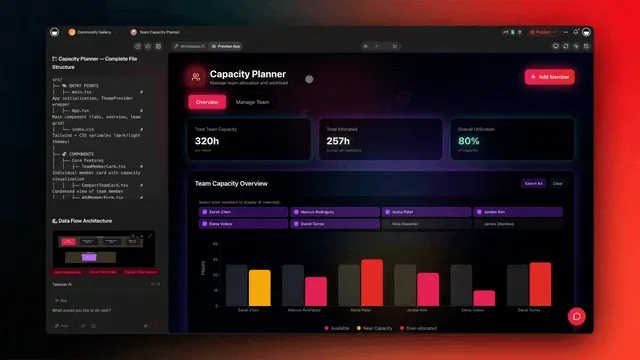
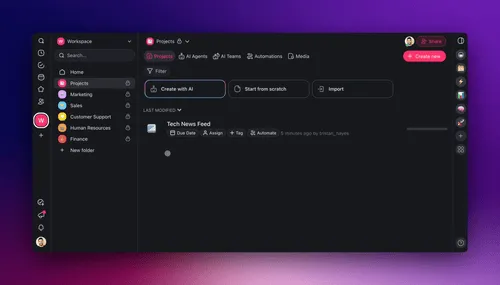
You can also chat with Taskade EVE, the workspace assistant, to create projects and agents for you (Taskade EVE). For the idea behind grounded answers, see the wiki entry on agent knowledge.
Step 4: Automate a Weekly Review
The fourth step is a weekly review that an automation prepares for you. A scheduled automation runs once a week, asks your agent to summarize the new notes in your Inbox and suggest a folder for each one, and adds that summary as a task. You read it, approve each move, and archive what is done.
- Add a trigger. Create an automation with the Schedule trigger set to every Friday at 4 pm.
- Add an Agent step. Use the Agent action with the prompt: "List the notes added to 0 Inbox this week and suggest a PARA folder for each."
- Add the result as a task. Use the Add Task action to post the agent's answer in a Weekly Review project.
- Keep the agent current. Add a nightly Add Project to Agent Knowledge step so the agent always reads your latest notes.
- Review and decide. Open the task, move each note you agree with, and archive finished projects.

| Review step | Who does it | Time |
|---|---|---|
| Summarize new Inbox notes | The automation and agent | 0 minutes for you |
| Suggest a folder for each note | The agent | 0 minutes for you |
| Approve and move notes | You | 5 to 10 minutes |
| Archive finished projects | You | 2 minutes |
| Update next week's projects | You | 3 to 5 minutes |
Distill and Express: Turn Notes Into Output
A second brain pays off only when notes turn into work: a draft, a decision, a plan or a talk. Forte calls these last two CODE steps Distill and Express. Distill shrinks a note to its key points in layers. Express means you use the notes in something you make. AI helps most with Distill, and you lead Express.
Forte's Progressive Summarization technique distills a note in four layers. You add each layer only when you open the note again for a real reason, never all at once.
| Layer | What you do | What AI can do |
|---|---|---|
| 1. Capture | Save the passage that felt useful | Turn a PDF, page or video into a note |
| 2. Bold | Bold the key phrases | Suggest the three most important lines |
| 3. Highlight | Highlight the best of the bold parts | Nothing better than you here |
| 4. Summary | Write a short summary in your own words at the top | Draft the summary, which you rewrite |
To Express, ask your agent for a first draft that uses only your notes: "Write a one-page brief on our onboarding problem from my Resources notes." Then edit it. The draft keeps your sources, and you keep the judgment.
Common Second Brain Mistakes (and the Fix)
Most second brains fail for five reasons: too many tools, too much capture, too many tags, no review, and no output. Each one makes the system slower than your memory, so you stop using it. The table pairs each mistake with a fix you can make today.
| Mistake | What happens | Fix |
|---|---|---|
| Starting in three apps at once | You never know where a note is | Pick one home for 30 days |
| Saving whole articles | The inbox fills with text you never read | Save the passage and one line on why |
| A tag for everything | Filing takes longer than reading | Use the four PARA folders and few tags |
| No weekly review | The inbox overflows and trust drops | Book 15 minutes every Friday |
| No output | The system becomes a museum | Ship one thing from your notes each month |
YOUR FIRST 30 DAYSWeek 1   Capture only. One Inbox. No sorting.
Week 2   Make the 4 PARA folders. Sort the Inbox once.
Week 3   Connect an AI agent. Ask it 5 real questions.
Week 4   Automate the Friday review. Ship one output.
Rule: start with one project, not your whole life.
Start From a Template
The fastest start is a template that already has the inbox and the PARA folders in place. Taskade's free Building a Second Brain template sets up the folders, and the personal knowledge base template gives you a structure for Resources. Clone one, then add your own notes.
| Template | What it gives you | Best for |
|---|---|---|
| Building a Second Brain | Inbox and PARA folders | A full setup in one click |
| Personal knowledge base | Topics and reference pages | A Resources library |
Turn your second brain into a live app
A second brain can also run as an app. In Taskade Genesis, one prompt builds a live app with its own database, such as a reading tracker, a research portal or a team wiki, and Taskade EVE edits it with you in chat. AI agents with knowledge and tools work inside the app or on their own, and automations with 100+ integrations pull new items in and push results out.
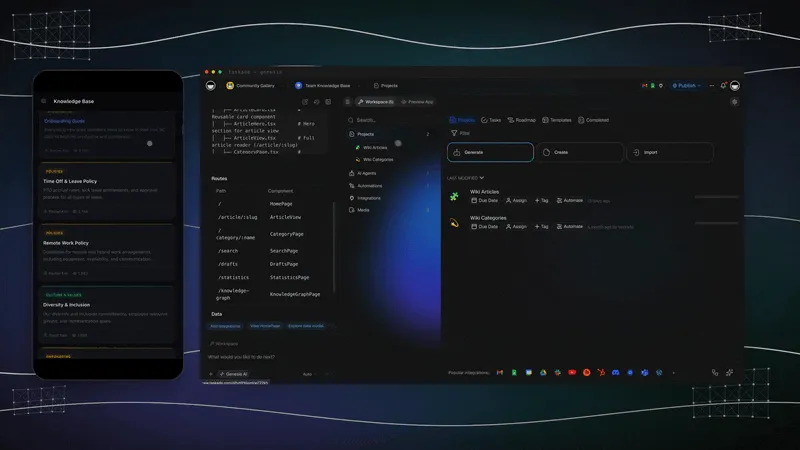
This is Workspace DNA: your projects are the memory, your agents are the intelligence, and your automations are the execution. You can clone a ready-made kit from the Community Gallery, share it with a link, and add a custom domain on Pro and up.
Taskade's Free plan has unlimited projects, 3 Taskade Genesis apps and 1 AI agent. It starts with no AI credits: you earn credits through referrals and invites, or buy a credit pack. Pro is $10 a month billed yearly and adds 50,000 AI credits a month. See plans and prices.
Other Ways to Build an AI Second Brain
You can build an AI second brain in other tools too, and some fit certain people better. Notion suits teams who already live in it, Obsidian suits private notes stored on your own device, Gemini Notebook suits research grounded in a set of sources, and Forte Labs sells its own course. Prices below were checked on 2026-10-19.
| Option | Best when | Free tier | Cost for full AI |
|---|---|---|---|
| Notion with a PARA template | Your team already uses Notion | Yes, 1 person, AI trial | Business $20/member/mo billed yearly |
| Obsidian with AI plugins | You want local Markdown files | Free without limits | Community plugins, Sync $4/user/mo yearly |
| Gemini Notebook, formerly NotebookLM | Research across many PDFs | 100 notebooks, 50 sources each | More with Google AI plans |
| Forte Labs course "The AI Second Brain" | You want the creator's own course | Free Second Brain Quickstart Guide | No price on the page |
| Taskade | Notes that turn into tasks, agents and automations | Unlimited projects, 1 agent | Pro $10/mo billed yearly |
- Notion: the full Notion AI set (Notion Agent, AI Meeting Notes and Enterprise Search) is on the Business plan. Free and Plus get a trial (notion.com/pricing).
- Obsidian: the app is free, and Obsidian sells no first-party AI. AI comes from community plugins that you install and maintain (obsidian.md/pricing).
- Gemini Notebook: Google's research notebook answers only from the sources you upload. The Standard tier is free (Gemini Notebook help).
For a full comparison with eleven apps, read the best AI second brain apps. For the wider practice, see the personal knowledge management guide and the wiki entry on the second brain.
Limitations: When Taskade Is Not the Right Fit
Taskade is not the right home for every second brain. If you want plain Markdown files on your own device with no account, Obsidian or Logseq fit better. If your main job is research across a large set of PDFs, Gemini Notebook is built for it. If you want a private diary, a journaling app is simpler.
| If you want | Pick | Why |
|---|---|---|
| Local Markdown files, offline first | Obsidian or Logseq | Your notes stay as files on your device |
| Research grounded in many PDFs | Gemini Notebook | Built to answer from uploaded sources |
| A private daily journal | A journaling app | Fewer features, more privacy controls |
| Long-form linked research | A Zettelkasten setup | Links between notes carry the value |
Apps You Can Clone
These apps from the Community Gallery show second brain jobs as working tools. Clone one into your workspace to see how it is built, then change it.
| App | What it does | Clone |
|---|---|---|
| Research Chat Bot | An agent that answers research questions from saved sources | Open the app |
| Live Testimonial Portal | Collects and organizes feedback in one place | Open the app |
Find more in the Community Gallery, or build your own with AI agents and automations.
Frequently Asked Questions
How do I build a second brain with AI?
Build it in four steps. Capture everything in one inbox. Sort it into Projects, Areas, Resources and Archives with the PARA method. Connect an AI agent that reads your notes and answers from them. Then automate a weekly review that summarizes what is new, while you decide where each note goes.
What is a second brain?
A second brain is a trusted digital place outside your head where you keep notes, ideas, files and tasks so you can find and reuse them. Tiago Forte popularized the term in his book Building a Second Brain, published in 2022. Any notes app can hold one if you capture, organize and review it on a routine.
What is the CODE method?
CODE is Tiago Forte's four-step workflow for a second brain: Capture what resonates, Organize it by project, Distill it to the key points, and Express it in your own work. PARA is the folder structure for the Organize step. AI helps most with Distill, because it can summarize long notes and sources.
Can AI build my second brain for me?
AI can do much of the busy work, but you still decide what to keep. An AI agent can summarize sources, answer questions from your notes, suggest where a note belongs and draft from your material. You choose what to capture, approve where it goes, and review it each week. A second brain reflects your judgment.
Which app is best for an AI second brain?
It depends on the job. Obsidian suits private linked notes on your device, Notion suits team docs and databases, Gemini Notebook suits research grounded in your sources, and Taskade suits notes that turn into tasks, AI agents and automations. Our guide to the best AI second brain apps compares eleven options with prices.
How long does it take to set up a second brain?
The first setup takes about an hour: 15 minutes to create an inbox and the four PARA folders, 15 minutes to import existing notes, and 30 minutes to connect an AI agent and schedule a weekly review. After that, the system grows with a 15-minute review each week.
Can I use the PARA method with AI?
Yes. PARA gives your notes four clear homes, and AI makes them easier to use. Add your Projects and Resources folders to an AI agent as knowledge, then ask it questions or ask which folder an inbox note belongs in. The agent suggests a home, and you move the note yourself.
How often should I review my second brain?
Review it once a week for about 15 minutes: empty the inbox, file new notes, and update active projects. Once a month, archive finished projects and check your areas. A scheduled automation can prepare a summary of the week's new notes before your review starts.
Can I build a second brain for free?
Yes. Taskade's Free plan has unlimited projects and 1 AI agent. It starts with no AI credits: you earn credits through referrals and invites, or buy a credit pack. Pro is $10 a month billed yearly and adds 50,000 AI credits a month. Obsidian and Gemini Notebook also have free tiers.
Can a team share one second brain?
Yes. A team second brain works like a shared wiki: one inbox, shared project and area folders, and an AI agent that answers from everyone's notes. In Taskade, role-based access from Owner to Viewer lets you share a folder without sharing your whole workspace. Pro covers up to 10 members. See building a second brain for your team.
Can AI build a mind map of my ideas automatically?
Yes. In Taskade, switch any project to Mind Map view and ask the AI to expand a node or to map a topic from a short prompt. The same notes then show as a list, a board or a table without any copy and paste, so a brainstorm turns into a plan.
How do I capture notes quickly into my second brain?
Use one capture point and keep it close: the mobile app, the browser extension, or the desktop app. Add everything to a single Inbox project and sort it later. Capture fast and decide during the weekly review, because sorting at capture time slows you down and you stop capturing.
Related Reading
- The PARA Method: the folder system, with a printable summary
- Building a Second Brain Summary and Review: the book in five minutes
- Best AI Second Brain Apps: eleven apps with prices
- Linking Your Thinking: how connected notes improve recall
- The Zettelkasten Method: linked notes for research
- Taskade home: build your workspace
Sources
- Risko, E. F., and Gilbert, S. J. (2016). Cognitive Offloading. Trends in Cognitive Sciences, 20(9), 676-688.
- Forte, T. (2022). Building a Second Brain: A Proven Method to Organize Your Digital Life and Unlock Your Creative Potential. Atria Books.
- Forte, T. (2023). The PARA Method: Simplify, Organize, and Master Your Digital Life. Simon Element.
- Forte, T. Progressive Summarization: A Practical Technique for Designing Discoverable Notes. Forte Labs.
The Bottom Line
A second brain with AI is four habits: capture in one inbox, sort with PARA, ask an AI agent that reads your notes, and review once a week. The AI saves the busy work. You keep the judgment. Start with the free template today, and let the system grow from your real projects.
▲ ■ ● Memory, Intelligence, Execution: your notes are the memory, your AI agent reads them, and your weekly automation keeps them moving.