






From WWII Spitfires through Toyota’s just-in-time manufacturing to software development, Kanban has been everywhere. For over 80 years, the framework has redefined productivity and changed the way we get things done. In today’s article, we take a look at some of the best Kanban software for your team.
TL;DR: The best Kanban board apps in 2026 are Taskade (AI agents and automations across multiple views), Trello (simple visual boards), Asana, ClickUp, and Monday.com. Kanban traces back to Toyota's 1940s just-in-time system and now powers dev, marketing, and agency teams. We compare 20 apps on features and pricing below. Start free with Taskade.
While you can rock Kanban with a simple analog setup, adopting a digital workflow will help you make the most out of the method. So, why don’t you take a look at our list of the best Kanban apps in the wild and take your pick?
📌 What Is Kanban and What Can You Use It For?
“The slower but consistent tortoise causes less waste and is more desirable than the speedy hare that races ahead and then stops occasionally to doze. The Toyota Production System can be realized only when all the workers become tortoises.”
Taiichi Ohno, Father of the Toyota Production System
Who Is the Father of Kanban?
The history of Kanban started back in the 1940s with Taiichi Ōno, an employee of a Japanese automaker Toyota. Facing the economic slump that hit Japan after WWII, Ōno looked for ways to curb wasteful practices and improve overall productivity at the company.
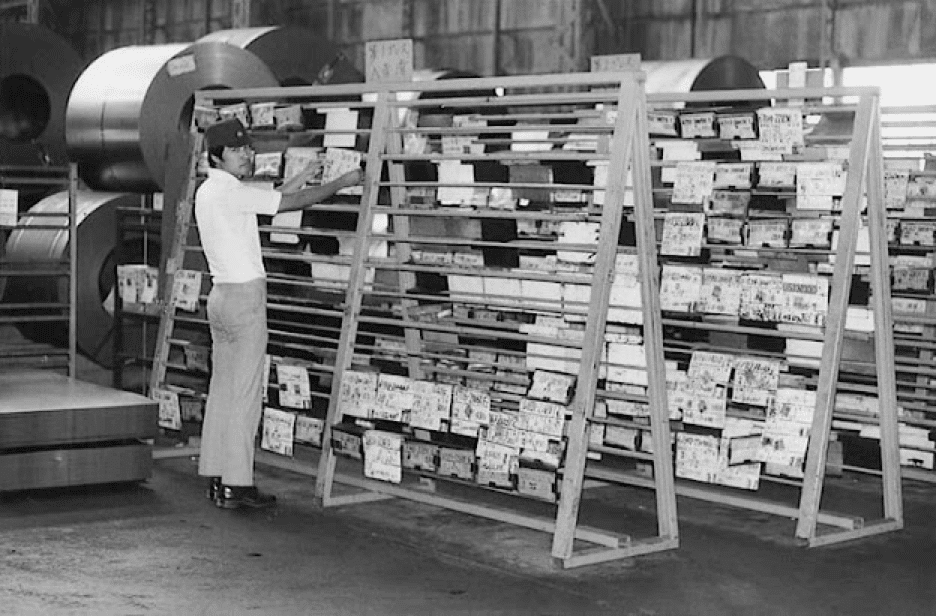
Kanban Storage Area, image by Toyota Global(1)
Long story short, Ōno came up with a set of improvements that would later become the Toyota Production System (TPS). One of the key elements of the overhaul was “Kanban,” a system of cards meant to optimize the process of restocking raw materials.
What Is Kanban for Software Development?
After years of successful application in manufacturing, Kanban caught the attention of white collars. If Taiichi Ōno was the father of Kanban for big-scale production, David J. Anderson is the father of Kanban for software development and knowledge work.
Similar to the original concept, the Kanban Method is a process of gradual workflow improvement. It helps software development teams manage projects and tasks by visualizing workflows as a board, with cards and columns representing tasks and steps in a process.
And this is when digital Kanban boards come into play.
What Are the Benefits of Kanban Board Apps?
Compared to the analog corkboard-style workflow, digital Kanban gives software development teams much more control over the process. It also makes Kanban perfectly useful as a collaboration tool for a fully remote team which can easily access and modify boards on the go.
One of the key features of Kanban is breaking down project tasks into smaller actionable task cards. This makes the Kanban methodology a go-to for agile teams.
Other key features of Kanban apps include:
⚡️ Real-time synchronization and cloud backup
⚡️ Visual aids like icons and color-coded tags
⚡️ User-friendly UI and drag-and-drop editing
⚡️ Collaboration features (video conferencing, chat)
⚡️ Integrations with business-grade apps and tools
⚡️ Real-time progress tracking and project overview
⚡️ Analytics, reporting, and administration tools
⚡️ Security features like encryption and 2FA
⚡️ And more...
A Kanban framework coupled with the best Kanban software will help you bring order to the most complex projects. Your team will always know what needs to be done, how to prioritize work, and what tasks should end up on the back-burner.
🌟 Compare the Best Kanban Apps In 2026
Finding the best Kanban tools for your team can be a time-consuming task. And since Kanban is all about saving time and resources… we’ve done the heavy lifting for you! Here are 16 awesome Kanban task management tools for your team. 👇
Taskade
Trello
Kanban Tool
KanbanFlow
MIRO
Notion
Zenkit
Todoist
Workflowy
ClickUp
Wrike
Airtable
Jira
Kanbanize
Kanban Zone
Bitrix24
Whimsical
Wrike
TickTick
Asana
Quick Comparison Table
| Tool | AI Features | Starting Price | Collaboration | Board Views |
|---|---|---|---|---|
| Taskade | AI agents, AI task generation, Genesis app builder, frontier models | Free / $10/mo (billed annually) | Real-time co-editing, video calls, chat | Multiple (List, Board, Calendar, Table, Mind Map, Gantt, Org Chart) |
| Trello | Butler automation | Free / $5/mo | Comments, voting, mentions | Board, Calendar, Timeline, Table, Map |
| ClickUp | ClickUp Brain AI | Free / $5/mo yearly | Comments, chat, docs | Board, List, Calendar, Gantt, Timeline, Map |
| Asana | AI smart suggestions | Free / $10.99/mo | Comments, forms, approvals | Board, List, Calendar, Timeline, Gantt |
| Monday.com | Monday AI | Free / $8/mo | Mentions, updates, docs | Board, Table, Calendar, Timeline, Gantt, Chart |
| Notion | Notion AI (add-on) | Free / $4/mo | Real-time co-editing | Board, List, Calendar, Table, Timeline, Gallery |
| Jira | Atlassian Intelligence | Free / $7/mo | Comments, mentions | Board, Backlog, Timeline, Calendar |
| Miro | Miro AI (beta) | Free / $20/mo | Infinite canvas, video | Board, Canvas |
| Kanban Tool | None | Free / $5/mo | Comments, notifications | Board |
| KanbanFlow | None | Free / $5/mo | Collaboration | Board |
| Zenkit | None | Free / $9/mo | Collaboration | Board, List, Table, Calendar, Mind Map |
| Todoist | AI suggestions | Free / $3/mo | Comments, sharing | Board, List, Calendar |
| Workflowy | None | Free / $4.08/mo | Shared outlines | Board (Fractal), List |
| Wrike | AI task prioritization | Free / $9.80/mo | Comments, live edits | Board, Table, Gantt, Calendar |
| Airtable | AI field types | Free / $10/mo | Real-time co-editing | Board, Grid, Calendar, Gallery, Gantt |
| Kanbanize | None | Custom | Collaboration | Board |
| Kanban Zone | None | $5/mo | Collaboration | Board |
| Bitrix24 | Smart suggestions | Free / $35/mo | Chat, video, calls | Board, List, Calendar, Gantt |
| Whimsical | None | Free / $10/mo | Canvas collaboration | Board, Canvas |
| TickTick | None | Free / $3.99/mo | List sharing | Board, List, Calendar |
Taskade
If project management is magic, Taskade is an archmage. With instant synchronization, powerful AI features, and real-time collaboration, Taskade is one of the best Kanban tools and team collaboration platforms on the market.

To build a Kanban workflow in Taskade, simply create a new Project (click here to learn how) and select the Board view. All that’s left is to populate the digital whiteboard with as many boards and cards as you like. You can also pick one of the 1000+ free templates to get started quickly.
Don't want to waste time setting things up?
Tap into the power of the 🪄 AI Generator and let Taskade AI do the heavy lifting. Create complete Kanban frameworks, structure documents, generate tasks, and plan all kinds of projects in seconds, all based on natural-language prompts. So you can focus on the work that really matters.
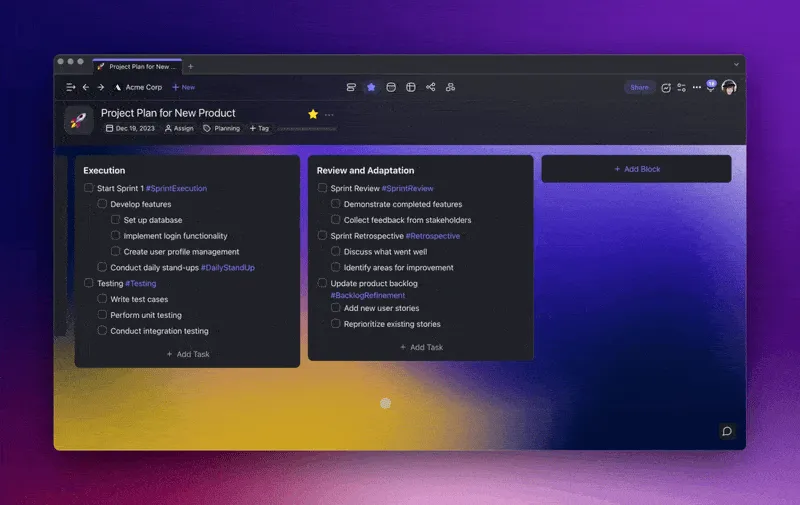
Taskade's AI Block Generator lets you quickly develop Kanban workflows.
Of course, every Kanban board in Taskade can be customized and tailored to your teams’ needs. That includes color-coded tags, different types of to-do lists, formatting options, and even emojis. Because Kanban doesn’t have to be boring!
Supercharge Kanban workflows with Taskade AI! 🐑
Taskade Kanban Features at a Glance 👀
Powerful AI Integration. Uses frontier AI models from top AI labs to streamline your Taskade workflow (check the video below to learn more).
Drag-and-Drop Navigation. Reorder cards/columns, prioritize tasks, and move elements of your Kanban workflows by dragging them across the screen.
Board Cross-Linking. Connect boards with hyperlinks to quickly navigate between tasks, cards/columns, content blocks, and individual projects.
Free Video Conferencing. Video conference and chat with your team in real-time, in the same window, without leaving the app.
Customize the Workflow. Customize columns/cards and individual tasks. Pick checkbox styles, apply colors, or add emojis anywhere you like.
Zoom In, Zoom Out. Get a bird’s-eye view of the workflow by zooming out on all project views. Zoom in to see all the details, down to a single task dependency.
Keyboard Shortcuts. Format lists, reorder elements, and complete tasks without taking your hands off of the keyboard!
Undo/Redo. Undo any edits to the workflow like you’d in a text editor. Reverse changes even when collaborating with other team members.
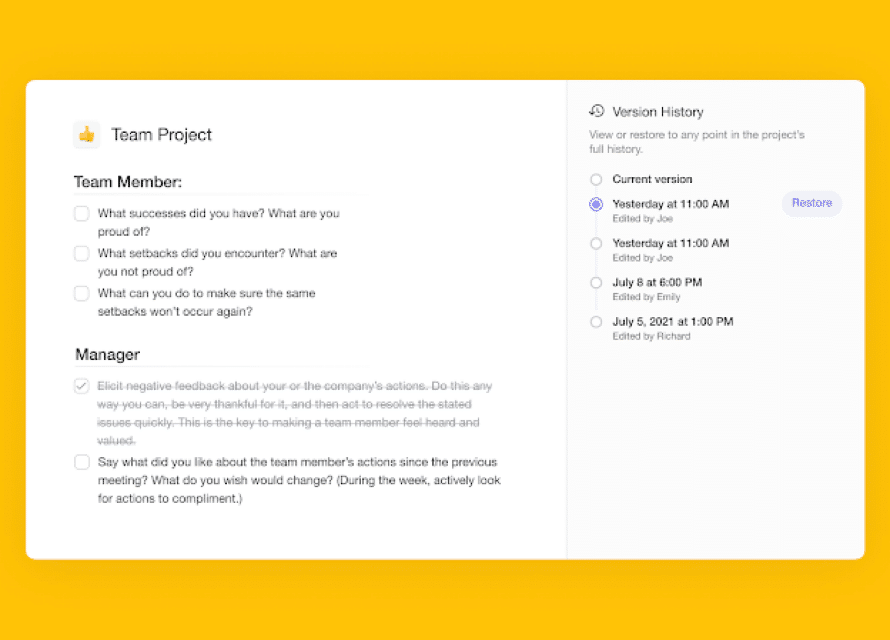
Project and Version History. See all changes made by you and your team members. If you encounter any issues, simply restore a project snapshot with a single click.
Copy Tasks/Sub-Tasks. Copy column/card elements directly to other boards in a shared workspace, subspace, or project. Receive a notification on completion.
Multi-Select. Modify or bulk assign many board elements at once. Select several tasks and task dependencies to copy, paste or reorder.
Folding/Unfold Lists. Create high-level nested lists. Fold and unfold lists to hide or display task dependencies manually or with the ⌨️ Ctrl/⌘+↑keyboard shortcut.
Sort Columns/Cards. Organize tasks and sub-tasks in a column by due dates, status, and name. Define sorting details inside a convenient pop-up menu.
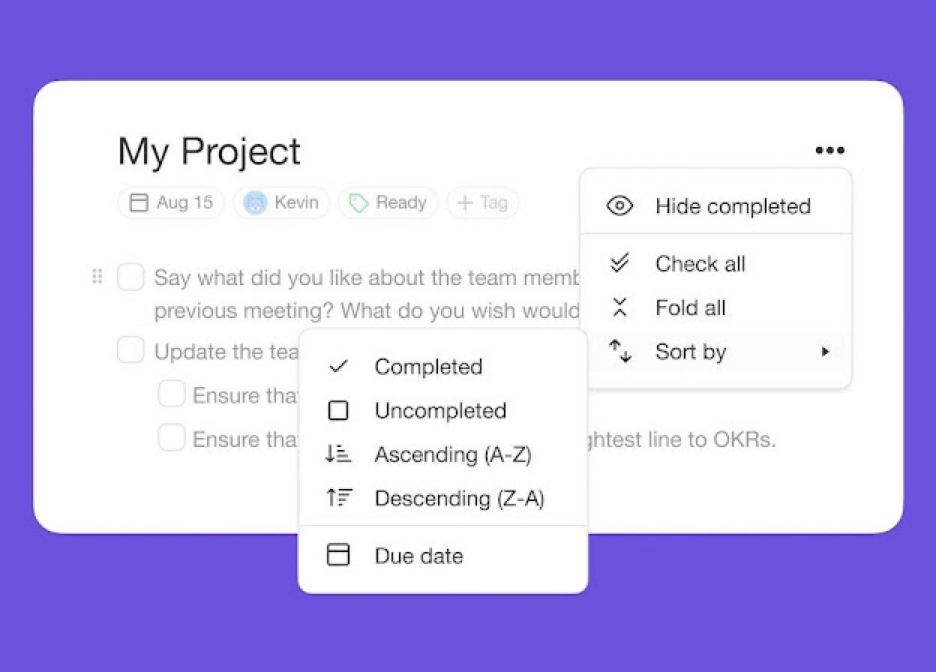
Drag-and-Drop Uploads. Drag-and-drop documents, images, video, and other files to upload. Add attachments to chat or anywhere in the project space.
#Tags. Organize your workspaces with color-coded tags and filter projects with clickable hashtags. Add #tags anywhere inside a workflow.
Recurring Tasks. Create recurring items with custom due dates, start and end times, and intervals. Set to repeat daily, weekly, monthly, or yearly.
Project and Global Search. Search inside workspaces, projects, boards, and cards. Click on search results to quickly jump between items.
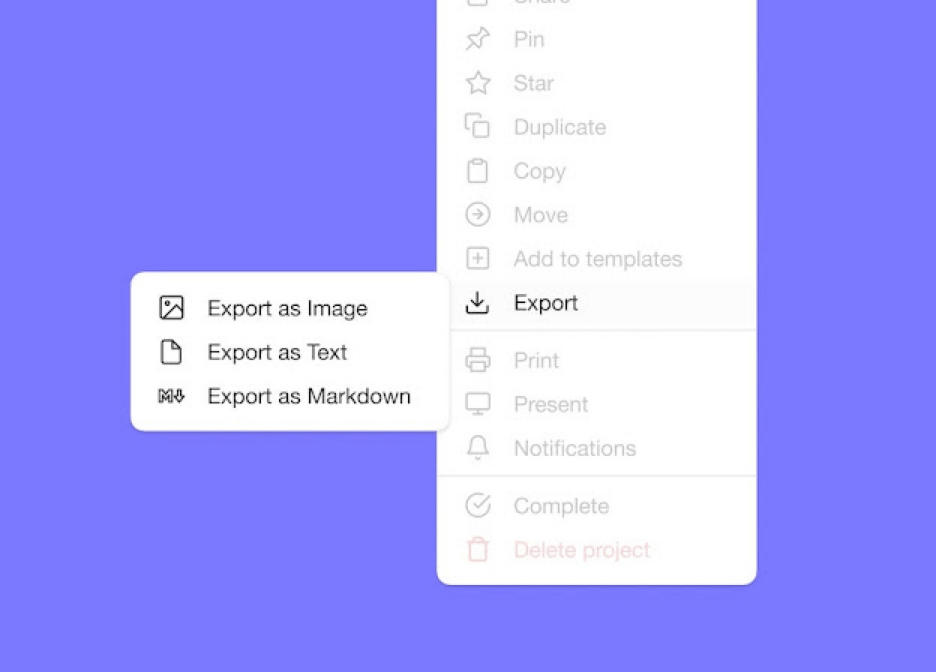
User Roles & Permissions. Define user roles and editing privileges with a system (Owner to Viewer) for all team members.
Export Boards. Export your shared Kanban boards as images. Use exported files for emails and presentations or print them out.
Shared Calendar and Roadmap. Track progress in a shared calendar and on an interactive Roadmap. Sync with Google, Apple, and Outlook calendars.
Assign Tasks. Assign to-dos and notify team members with @mention. Receive email notifications whenever somebody mentions you in a project.
Taskade Pricing 💵
🟢 Free
AI-powered Kanban boards with multiple project views (List, Board, Calendar, Table, Mind Map, Gantt, Org Chart)
AI task generation and automation triggers
Real-time collaboration and video calls
🟣 Pro ($10/month billed annually)
Everything in the Free plan +
10 users included
Advanced AI agents and automation workflows
Full access to all project views and integrations
🟡 Business ($25/month billed annually)
Everything in the Pro plan +
Advanced admin controls and permissions
Priority support and onboarding
🟤 Enterprise (custom)
Everything in the Business plan +
Dedicated account management
Custom contracts and SLAs
Visit Taskade's pricing page for a full breakdown of plans and AI features.
Trello
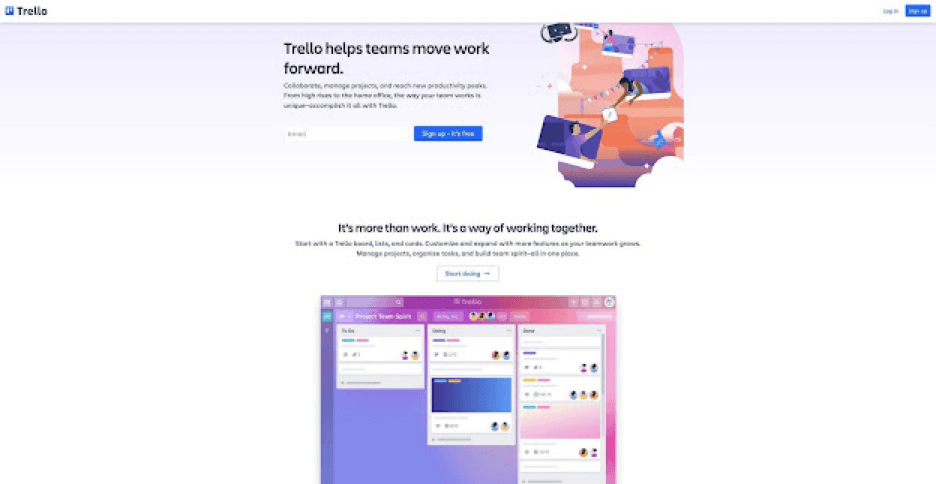
When it comes to Kanban tools, Trello needs no introduction. The task management app offers a solid visual-first productivity environment for teams and individuals. Built around the concept of boards and cards, Trello brings native support for the Kanban flow.
You can think of Trello as a fully-featured digital corkboard—although the developers compare it to a digital whiteboard—where your team can “pin” colorful cards with tasks to track. Trello is one of the best Kanban board apps to help project managers manage complex projects.
Trello Kanban Features at a Glance 👀
Drag-and-drop editing
Color-coded labels and tags
Support for attachments
Comments and voting
Calendar and Timeline
Built-in automation via Butler
Trello Pricing 💵
🟢 Free
Unlimited cards (up to 10 boards)
Unlimited storage (up to 10 MB per file)
50 automations per month
Activity log, assign, and due dates
2-factor authentication and templates
🔵 Standard ($5/month billed annually)
Everything in the Free plan +
Unlimited boards and custom fields
1,000 automations per month
🟣 Premium ($10/month billed annually)
Everything in the Standard plan +
Unlimited automations
Dashboard and Timeline views
Table, Calendar, and Map views
Admin and security features
Basic data export
Priority support
🟡 Enterprise ($17.50 per user/month billed annually)
Everything in the Premium Plan +
Organization-wide permissions
Extended permissions
See how Trello compares to Taskade (click). 👈
Kanban Tool
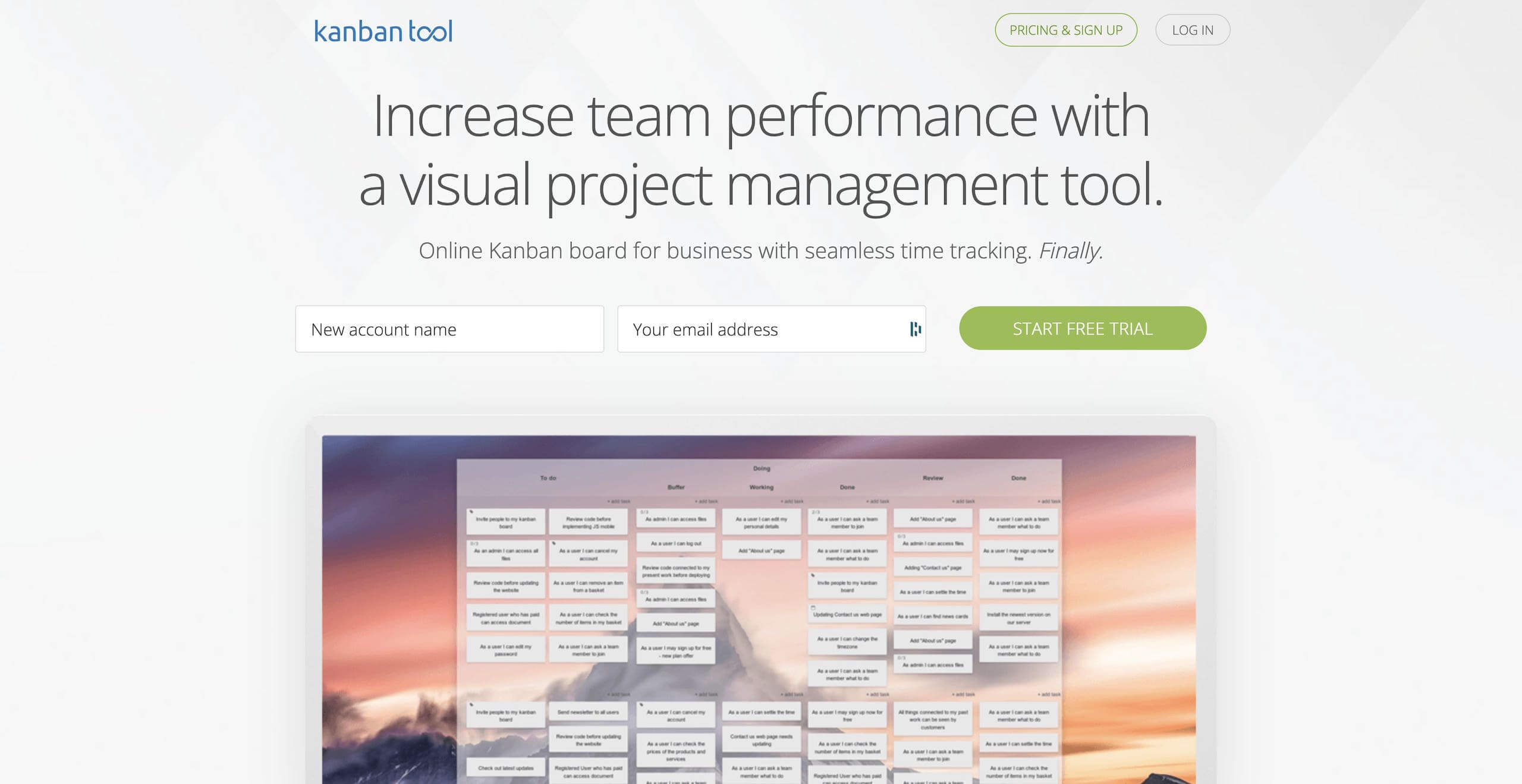
Kanban Tool is a web-based project management tool (one of the oldest) built around the principles of Kanban and a visual flow. With a rich set of collaboration features, it’s a solid choice for agile teams of all sizes, especially those working remotely across time zones.
Kanban Tool Features at a Glance 👀
Real-time collaboration
Comments and notifications
Cycle time tracking and reports
Visual customization
Changelog and analytics
Integrations and export
Kanban Tool Pricing 💵
🟢 Free
Limited to 2 boards
Limited to 2 free users
No support for attachments
🔵 Team ($5 per user/month)
Everything in the Free plan +
Unlimited boards
Unlimited file attachments
🟣 Enterprise ($9 per user/month)
Everything in the Team plan +
Time tracking and reporting
Kanban automation
User groups management
KanbanFlow
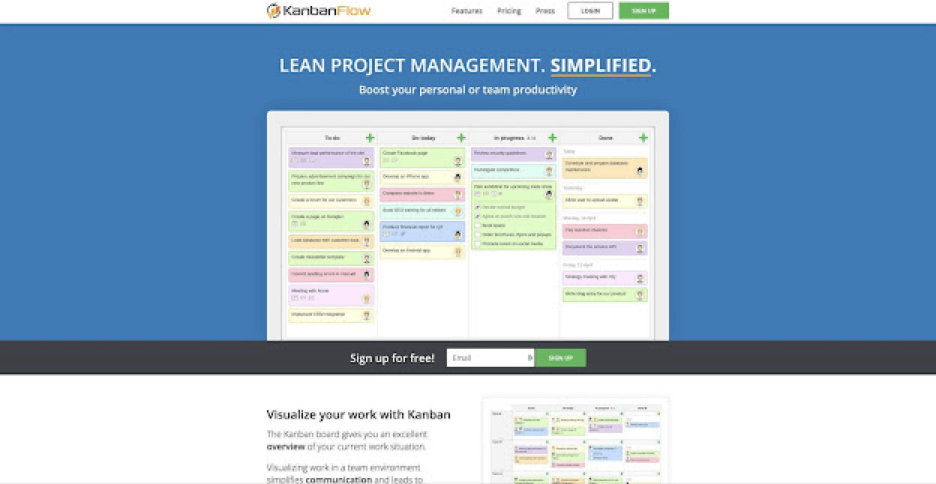
KanbanFlow is a user-friendly Kanban app for agile teams looking for an intuitive, customizable, and flexible Lean experience. Don’t let the colorful visuals fool you. KanbanFlow comes packed with powerful Kanban key features that’ll help you and your team get more done with fewer issues.
KanbanFlow Features at a Glance 👀
Real-time collaboration
WIP limits and swimlanes
Sub-tasks and collapsible columns
Documents and file attachments
Search and filtering options
Analytics and reporting
KanbanFlow Pricing 💵
🟢 Free
Unlimited users
Unlimited boards and tasks lists
Recurring tasks
WIMP limits, subtasks, filters
🔵 Premium ($5 per user/month)
Everything in the Free plan +
Analytics and time tracking
Search, revision history, and integrations
Advanced security features
Priority support
And more...
MIRO
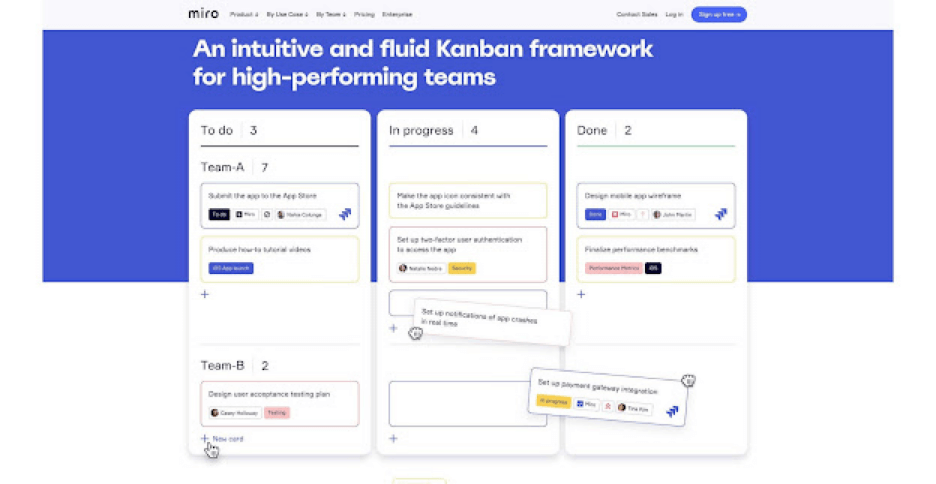
Miro is an “infinitely zoomable canvas and web whiteboard” that offers a range of tools designed to improve team collaboration. Miro includes a fully-fledged Kanban mode, drag-and-drop navigation, and a catalog of customizable templates for quick startup.
Miro Features at a Glance 👀
Real-time Kanban collaboration
200+ customizable templates
Infinite zoomable canvas
Sticky notes, shapes, drawings, and more
Screen sharing and presentation mode
Video conferencing, chat, and comments
Miro Pricing 💵
🟢 Free
3 editable boards
Built-in templates
Basic integrations
🔵 Team ($20/month billed annually)
Everything in the Free plan +
Unlimited boards and visitors
Custom templates
Projects and private boards
🟣 Business ($16/month per user billed annually)
Everything in the Team plan +
Smart diagraming and unlimited guests
Advanced security features
🟡 Enterprise (custom)
Everything in the Business plan +
Enterprise-grade security
Data governance
Centralized account management
Premium support
And more…
See how Miro compares to Taskade. 👈
Notion
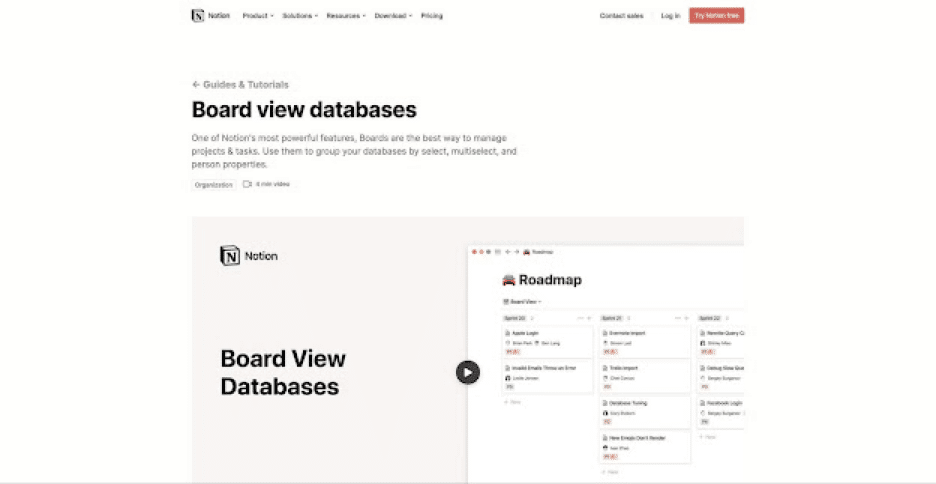
Notion is an all-in-one workspace for personal and team projects. The platform offers a highly customizable Kanban flow fit for engineering, creative, HR, sales, and marketing projects of all shapes and sizes. All in all, a noteworthy collaboration solution for productivity enthusiasts.
Notion Features at a Glance 👀
Integrations and templates
Real-time collaboration
Embed with 500+ tools
Simple interface
Drag-and-drop organization
Multiple project views
Notion Pricing 💵
🟢 Personal/Free
Unlimited pages & blocks
5 guests editors
Cross-platform sync
🔵 Personal Pro ($4 per month)
Everything in the Personal plan +
Unlimited file uploads and guests
Access to version history
🟡 Team ($20/month)
Everything in the Personal plan+
Unlimited team members
Collaboration tools
Advanced permissions
Admin toolkit
🟤 Enterprise (custom pricing)
Everything in the Team plan +
SAM/SSO + advanced security
Dedicated manager
Custom contract
See how Notion compares to Taskade. 👈
Zenkit
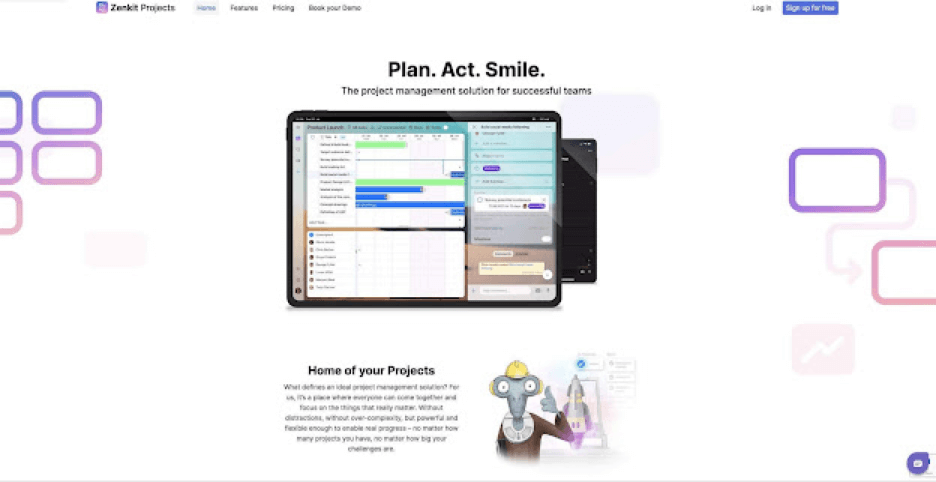
Among popular Kanban tools, Zenkit offers a completely new approach to Kanban boards. Instead of displaying projects in one, prescriptive way, Zenkit lets you tweak and customize everything, making it a complete Kanban solution.
Zenkit Features at a Glance 👀
Real-time collaboration
Integration with 1000 services
Swimlanes and rows
Track tasks and collaborators
Customizable board views
Global Kanban task overview
Zenkit Pricing 💵
🟢 Personal
Limited to 3 projects
Limited to 3 members
1 GB for file storage
1 global Kanban board
🔵 Plus ($9/month per user)
Everything in the Personal plan +
Up to 50 members
6 GB for file storage
10 global Kanban boards
Advanced security options
Recurring tasks, Gantt, and customization
Priority support
And more…
🟡 Business ($25/month per user)
Everything in the Pus plan+
Up to 300 members
50 GB for file storage
100 global Kanban boards
SSO (SAML) and user group management
Advanced Gantt features
And more…
🟤 Enterprise (custom pricing)
Everything in the Business plan +
Custom API limits
Dedicated success management
Identification management
Todoist
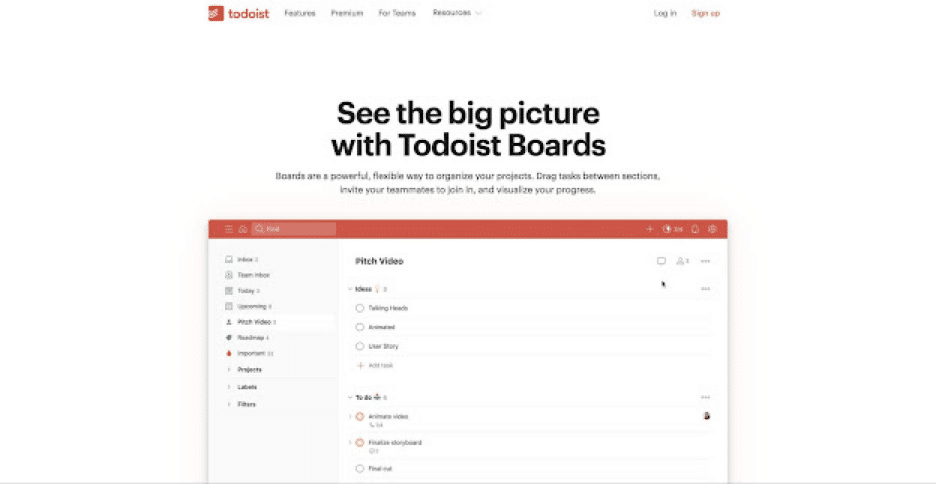
Todoist allows you to share lists, assign tasks, and integrate with Twist for a convenient team chat. With an excellent board view and a strong set of project management features, Todoist remains one of the best task management apps in the wild.
Todoist Features at a Glance 👀
Reminders and recurring due dates
Sections and sub-tasks
Task priority settings
Delegating tasks
Task notifications
Board view, labels, filters, and themes
Email and calendar integrations
Activity history and progress tracking
Todoist Pricing 💵
🟢 Free
Up to 5 projects and collaborators
5MB for file uploads
Activity history (1 week)
3 filters
🔵 Pro ($3/4 per user billed annually/monthly)
Up to 300 projects and 25 collaborators
100MB for file uploads
150 filters and unlimited activity history
Reminders, themes, and automatic backup
🟣 Business ($5/6 per user billed annually/monthly)
Everything in the Pro plan +
Up to 500 projects and 50 collaborators
Team inbox, admin tools, and roles
Team billing and priority support
See how Todoist compares to Taskade. 👈
Workflowy
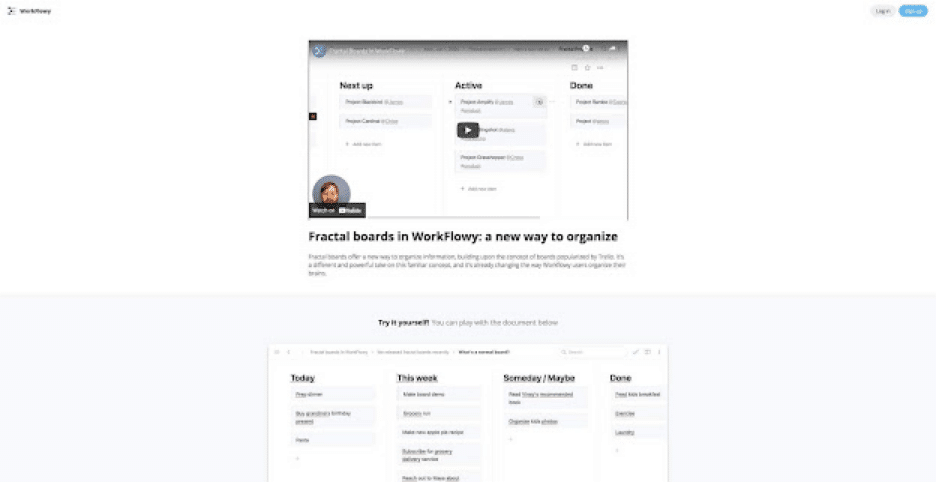
Workflowy is streamlined outlining software that lets you map out all kinds of projects. The app offers a minimalist, distraction-free board workflow called Fractal boards. You can use Workflowy in a web browser or get it for Windows, Mac, Linux, and mobile.
Workflowy Features at a Glance 👀
Infinite nested lists (in Workflowy Pro)
Filtering features
Color-coded tags and highlighting (beta)
Multi-factor authentication
Outline backup to Dropbox
A selection of themes and fonts
Outline sharing and collaboration
Workflowy Pricing 💵
🟢 Basic/Free
All features included
Limited to 250 bullets/month
File upload limited to 100MB
Only basic sharing
🔵 Workflowy Pro ($4.08 billed annually)
Unlimited bullets
Unlimited file uploads
Advanced sharing features
Backup to Dropbox
Premium support
See how Workflowy compares to Taskade. 👈
ClickUp
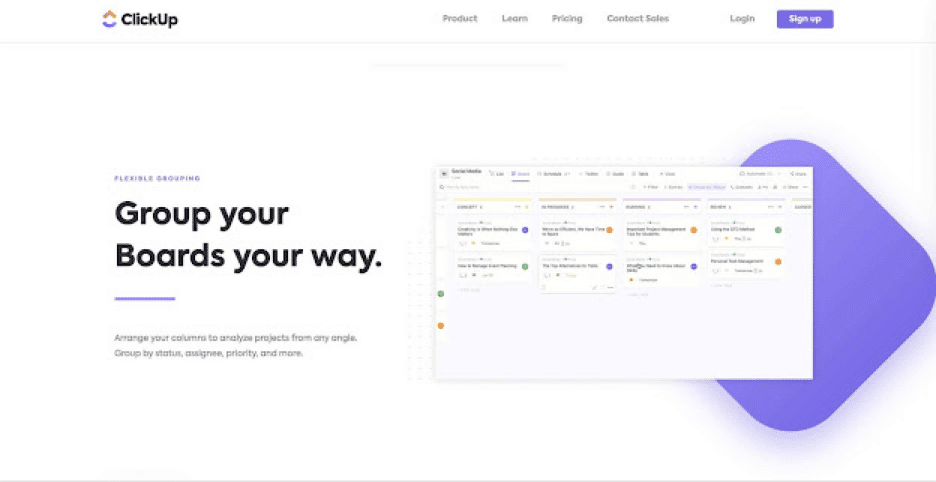
A shared to-do list, team calendar, mind map... when it comes to project management, ClickUp is many things. It’s also one of the best board apps you can get. ClickUp’s Board view is an aesthetic, powerful, and surprisingly complete Kanban experience.
ClickUp Kanban Features at a Glance 👀
Collaboration features
Unified workflow overview
Drag-and-drop editing
Board columns grouping
Bulk card editing
Board sorting and filters
ClickUp Pricing 💵
🟢 Free
100 MB for file storage
Unlimited tasks
Limited to 5 spaces
Two-factor authentication
🔵 Unlimited ($9/month per user or $5/month yearly)
Everything in the Free plan +
Unlimited storage and integrations
Guest viewers and editing privileges
Custom fields, Goals, and Portfolios
List, Board, and Calendar views
🟣 Business ($19/month per user or $9/month yearly)
Everything in the Unlimited plan +
Time tracking and exporting
Google Single Sign-On
Full access to automation
Map and Timeline views
🟡 Enterprise (custom)
Everything in the Business plan +
Single Sign-On (SSO) and SAML
Custom roles and permissions
Priority support and onboarding
And more...
Looking for the best ClickUp alternatives? 👈
Wrike
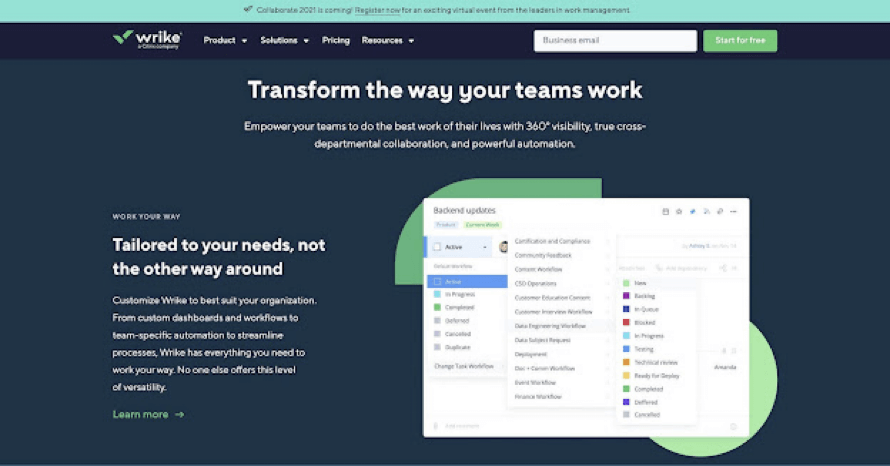
Wrike lets you build flexible Kanban workflows backed by AI data insights and process automation. The app offers real-time collaboration and communication features, complete with comments, notifications, live edits, and reporting.
Wrike Kanban Features at a Glance 👀
Task sorting and filtering
Custom Kanban workflows
Customizable dashboards
Built-in Kanban templates
Time tracking features
Team communication via integrations
Wrike Pricing 💵
🟢 Free
Unlimited users,
Task/sub-task organization
Cloud storage integrations
2 GB of storage space
Web, desktop, and mobile
🔵 Professional ($9.80/month per user)
Everything in the Free plan +
5-200 team members
1-2GB of storage per user
Additional integrations (MS Project, Excel, RSS)
🟣Business ($24.80/month per user)
Everything in the Professional plan +
Custom fields and workflows
Branding and time tracking
User roles and permissions
Automations and real-time reporting
5 GB of storage per user
🟡 Enterprise (custom)
Single Sign-On (SSO)
Two-Factor Authentication (2FA)
Custom roles and permissions
More automations
10GB of storage per user
See how Wrike compares to Taskade (click). 👈
Airtable
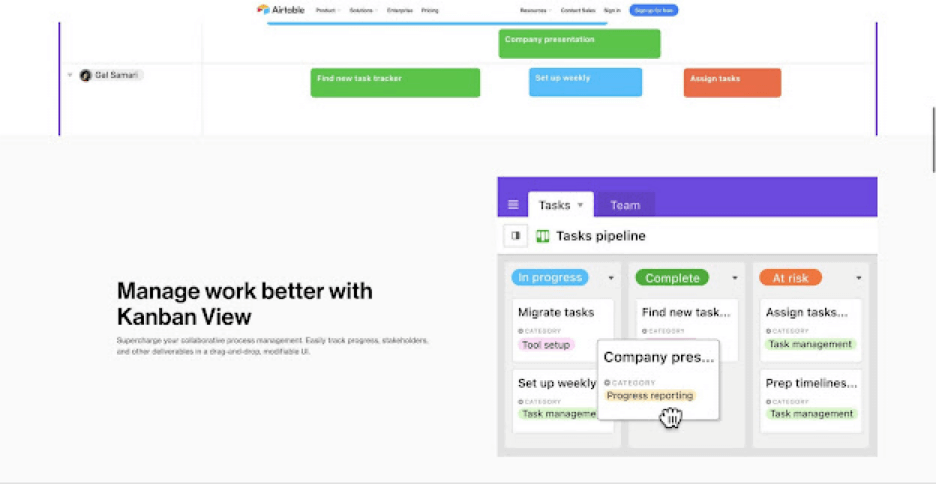
Airtable is another project management platform that makes great use of its Kanban view. Get a fine selection of Kanban features, a user-friendly interface, and powerful collaboration and communication tools to top it off.
Airtable Kanban Features at a Glance 👀
Drag-and-drop board editing
Customizable cards
Task sorting and filtering
Collapsible stacks
Built-in Kanban templates
Integrations
Airtable Pricing 💵
🟢 Free
Unlimited bases (databases)
Limited to 1,200 records per base
2 GB for attachments per base
Real-time collaboration
🔵 Plus ($10/month per seat annually)
Everything in the Free plan+
Limited to 5,000 records per base
5GB for attachments
6-month version history
1 synced table per base
Automatic table syncing
🟣 Pro ($20/month per seat annually)
Everything in the Plus plan +
Unlimited apps (extensions)
Limited to 50,000 records per base
20 GB for attachments
1-year version history
Editing permissions
🟡 Enterprise (custom)
Everything in the Pro plan +
Admin panel
SAML single sign-on
3-year version history
100 GB for attachments
100,000 records per base
And more...
See how Airtable compares to Taskade. 👈
Jira
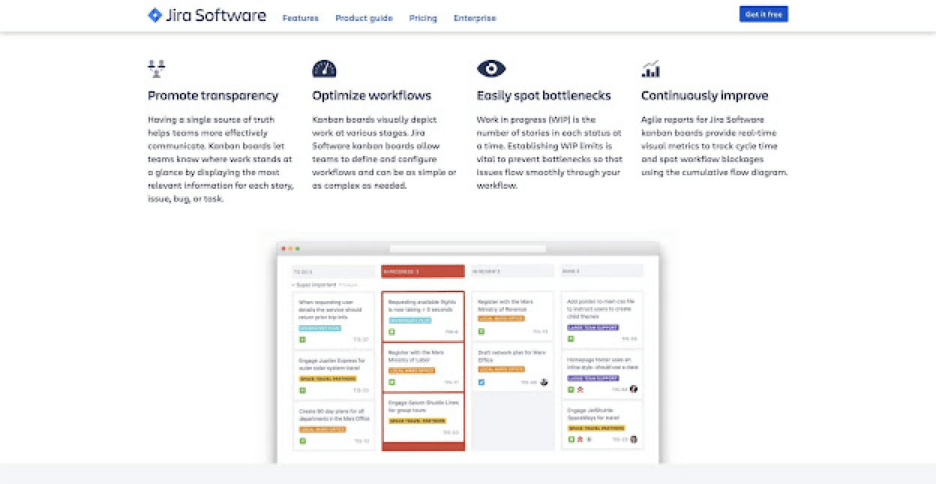
Jira is an enterprise-grade project management solution built for agile teams. The platform comes with a Kanban board view that supports all the usual Kanban features like WIP limits, swimlane, backlog, and user stories. It’s an older sibling of Trello.
Jira Kanban Features at a Glance 👀
Supports Scrum and Kanban boards
Real-time insights and reporting
Customizable workflows (views)
Progress tracking and reporting
Search and filtering options
Customizable Kanban template
Issue tracking
Jira Pricing 💵
🟢 Free
Limited to 10 users
Backlog and reporting
Automation and integration
2 GB for file storage
Basic security features
🔵 Standard ($7/month per user, depends on team size)
Everything in the Free plan +
Project roles and advanced permissions
Extended security features (with additional subscription)
250 GB for file storage and extended support
🟣 Premium ($14/month per user, depends on team size)
Everything in the Standard plan +
Unlimited storage
Global automation for multiple projects
Project archiving and capacity planning
Advanced security features (with additional subscription)
24/7 premium support and 99.9% uptime SLA
🟡 Enterprise (custom)
Everything in the Premium plan +
Advanced security features included
24/7 enterprise support
Per-user licensing
See how Jira compares to Taskade. 👈
Kanbanize
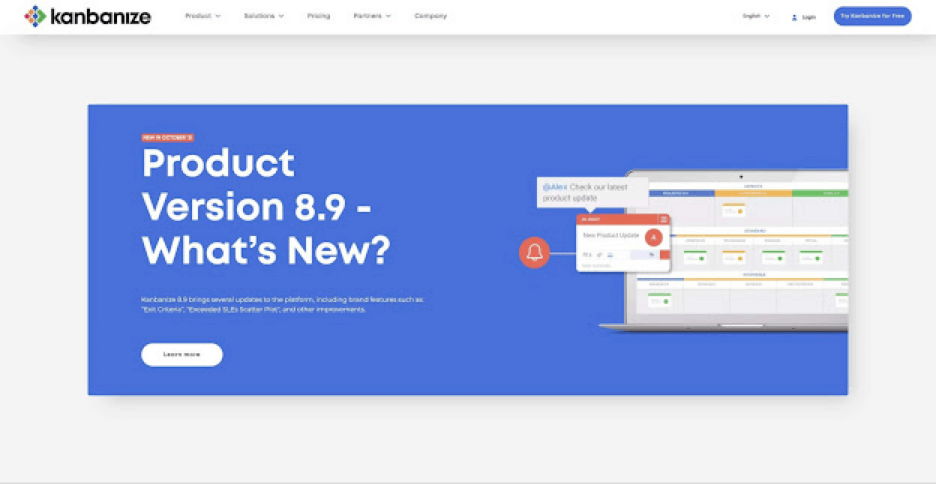
Kanbanize is another web-based board app designed for product development, project management, and software development teams. The app comes with everything your need to create multi-level workflows with excellent visibility.
Kanbanize Features at a Glance 👀
Drag-and-drop workflow
iOS and Android apps
Board/card filtering
Kanban templates
Custom card fields
Email notifications
Cumulative flow diagrams
Kanbanize Pricing 💵
🟢 Standard (flexible pricing, depends on users/add-ons)
Unlimited boards
Unlimited workspaces
Up to 1000 users
Analytics and integrations
User roles and permissions
File attachments
And more...
🔵 Enterprise (flexible pricing, depends on users/add-ons)
Everything in the Standard plan +
Dedicated cloud instance and IP whitelisting
Priority support and onboarding
File storage limited to 1 TB
Kanban Zone
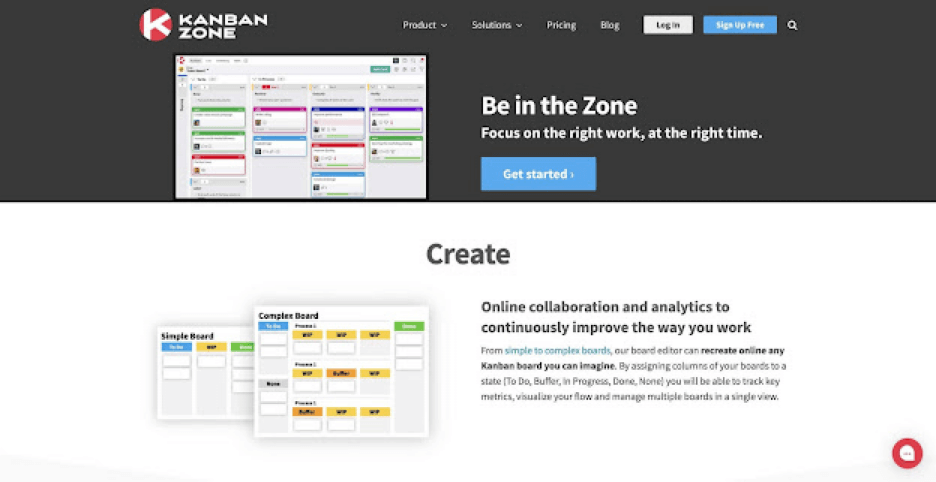
Kanban Zone is a visual-first project management platform for individuals, small businesses, and the corporate. The app strikes a balance between powerful features and ease of use for a great Kanban experience. Works on web, desktop, and mobile.
Kanban Zone Features at a Glance 👀
Communication and collaboration
KPI and milestone tracking
Linking boards and cards
Custom card fields
Voting and recurring cards
Kanban templates
Kanban Zone Pricing 💵
🟢 Personal ($5 monthly or $6/month yearly)
1 administrator
1 collaborator
5 boards
Unlimited viewers
Limited templates
Email support
🔵 Startup ($18.5/month or $15/month yearly)
Everything in the Personal plan +
5 collaborators
10 boards
Extended templates
Phone support
🟣 Enterprise ($8.75/month per user or $7/month yearly)
Everything in the Startup plan +
Unlimited administrators
Unlimited collaborators
Unlimited boards
Access to all templates
Priority support
Bitrix24
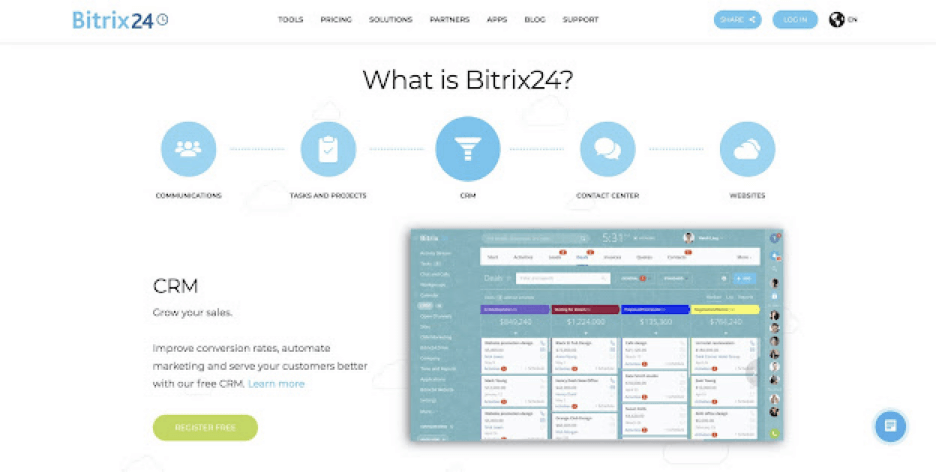
Bitrix24 covers all the basic bases of a digital Kanban and throws team communication and collaboration features into the package. The interesting bit about Bitrix24 is that you can self-host the platform and run it on your own servers.
Bitrix24 Kanban Features at a Glance 👀
Search and filtering
Board customization
Reminders and time tracking
Chat, video, and calls
Drag-and-drop navigation
Smart Kanban suggestions
Bitrix24 Pricing 💵
🟢 Free
Unlimited users
5 GB of storage
Chat and calls (limited to 12 users)
Calendar and Feed
🔵 Basic ($49/month per 5 users or $35 yearly )
Everything in the Free plan +
24 GB of storage and version history
Templates (size capped at 2 MB)
Analytics and reports
And more…
🟣 Standard ($99/month or $70 yearly up to 50 users)
Everything in the Basic plan +
100 GB of storage
Extended customer support
Advanced admin features
🟤 Professional ($199/month or $140 yearly, unlimited users)
Everything in the Standard plan +
1,024 GB of storage
Automation features
Extended customer support
See how Bitrix24 compares to Taskade (click). 👈
Whimsical
Whimsical is a piece of software that allows users to collaborate visually online by using a drag-and-drop style interface. The digital collaboration tool encourages visual collaboration and ideation mainly via the use of mind maps, wireframes, documents, and flowcharts.
On Whimsical, agile teams can collaborate on brainstorming sessions in real-time and also organize projects by using a Kanban board.
Whimsical Kanban Features at a Glance 👀
Search and filtering
Template design
Infinite canvas design
Board customization
Drag-and-drop navigation
Whimsical Pricing 💵
🟢 Starter Plan (free)
Limited to 2 workspaces with up to 1000 items per workspace
Up to 10 guests on your files and folders
🔵 Pro Plan ($10 per editor/month)
Unlimited boards
Unlimited shared files
Up to 10 editor and commenter guests
🟤 Organization Plan (starts at $20 monthly per active user)
SCIM and SAML SSO
Guaranteed a 99.9% uptime.
The Organization Plan
Wrike (Extended Review)
Note: Wrike also appears earlier in this list. This extended review provides additional details on the platform’s history and features.
Wrike is a collaborative work management platform that was founded in 2006 by Andrew Filev, with an Enterprise platform released in December 2013. Wrike helps empower teams’ project management and collaboration tasks with its minimalist and simple interface.
There are reportedly over 20,000 companies across 140 countries that have integrated Wrike into their processes.
Wrike Kanban Features at a Glance 👀
Search and filtering
Templates
Create customized workflows
Board customization
Calendar sync
Cumulative flow diagrams
Issue tracking
Wrike Pricing 💵
🟢 Free
Board view
Table view
Active task limitations apply
🔵 Professional ($9.80 user/month)
2-25 users
Unlimited projects
Unlimited tasks & subtasks
20 free collaborators
Automation
And more...
🟣 Business ($24.80 user/month)
5-200 users
Folder structure & nested projects
AI task prioritization
Extended cloud storage
User groups & permissions
AI task prioritization
And more...
TickTick
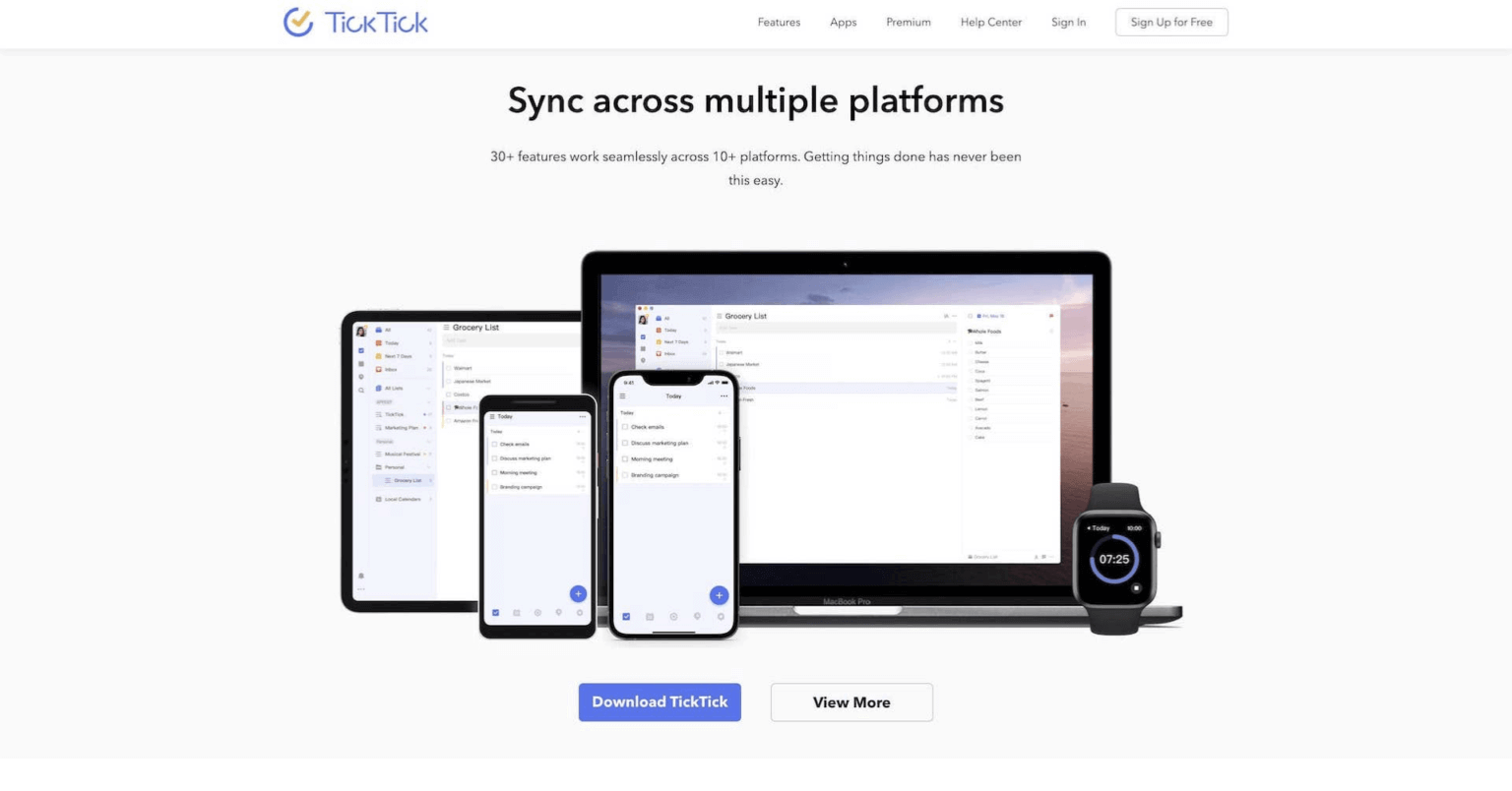
TickTick is a task management tool that was founded by Appest Inc in 2013. Appest Inc originally created an app on Android called GTasks. TickTick was then created based on GTasks with added features to help with productivity such as cross-platform synchronization.
In 2013, TickTick was launched on web browsers, Android, and iOS. The task management app then made its way to Windows and Mac three years later.
TickTick Kanban Features at a Glance 👀
Search and filtering
Simple interface
Setting due dates
Task activity
Calendar sync
Kanban on mobile
TickTick Pricing 💵
🟢 Free
limited to 9 lists
99 tasks and 19 subtasks per list
🔵 Premium ($35.99/month or $3.99/month)
Calendar functionality
Customizable filters
Project changelog
Progress tracking
And more...
Asana
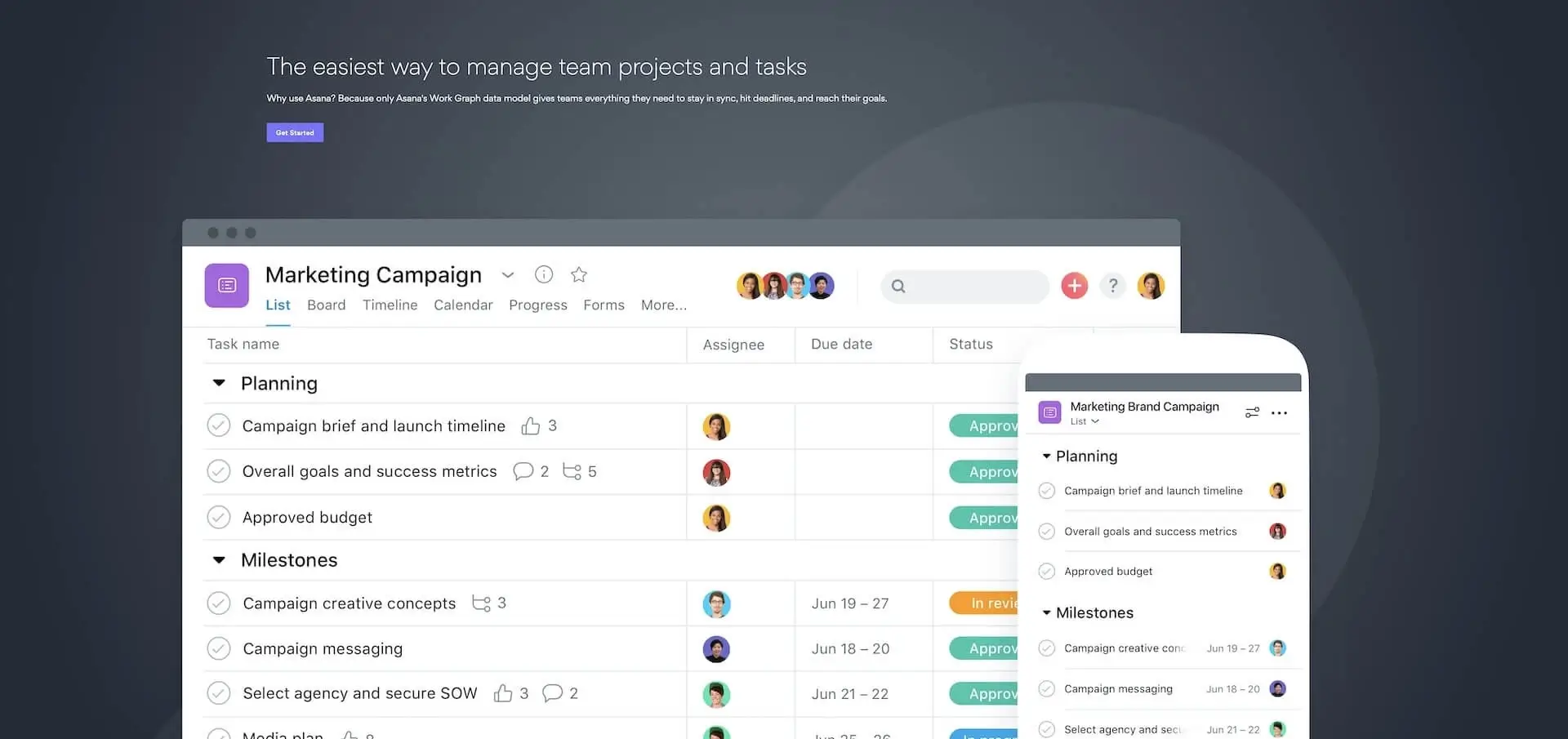
Asana is a collaboration and project management software aimed at helping teams get more work done.
It was first created at Facebook as a tool to help people collaborate on projects more efficiently. Codenamed ‘Tasks’, the tool was created by Dustin Moskovitz, who was a co-founder at Facebook, and Justin Rosenstein, an ex-engineer at Facebook.
The goal at Asana is to reduce reliance on traditional emails and sync-ups. Instead, the company wants to provide a common space where users can manage projects and find all the information they need to get work done.
Asana Kanban Features at a Glance 👀
Search and filtering
Drag and drop interface
Customizable workflows
Multiple project views
Task automation
Asana Pricing 💵
🟢 Basic (free)
Unlimited tasks
Unlimited projects
Unlimited file uploads (up to 100MB/file)
Up to 15 team memberes
🟣 Business ($10.99 per user/month billed annually)
Reporting and advanced search
Unlimited guest users
Task templates
Admin Dashboards
And more...
🔵 Premium ($24.99 per user/month billed annually)
Advanced reporting
Time tracking
Advanced integrations with Salesforce, Tableau, and others
And that’s it!
⚡️ Ready to Pick the Best Kanban App Around?
The Kanban method is one of the most unassuming yet powerful and flexible project management tools around. So, why wait any longer? Pick the best Kanban app for the job and start reaping the benefits of digital boards today.
⚡️ Real-time synchronization and cloud backup
⚡️ Visual improvements like color-coded tags
⚡️ User-friendly UI and drag-and-drop editing
⚡️ Collaboration features (video conferencing, chat)
⚡️ Natural, keyboard-friendly editing with shortcuts
⚡️ Integrations with business-grade apps and tools
⚡️ Real-time progress tracking and project overview
⚡️ Analytics, reporting, and administration tools
Are you still on the fence?
🧬 Build Your Own Kanban System
What if you could build a custom Kanban board tailored exactly to your workflow? With Taskade Genesis, you can create AI-powered project boards — complete with automations and AI agents trained on your knowledge — using a single prompt. It's called vibe coding: describe your ideal workflow, and Taskade builds it as living software. Browse ready-made AI apps.
Sign up for a free Taskade account today!
P.S. We are! 🐑
🧬 Build Your Own AI-Powered Kanban System with Genesis
Skip the setup. With Taskade Genesis, describe your ideal kanban workflow in plain language and get a fully functional, AI-powered project management app — complete with custom boards, automation workflows, and AI agents that manage tasks for you. Browse community-built apps for inspiration or start from scratch.
- Create a Custom Kanban App — Build your own AI-powered kanban board in seconds
- Browse Community Apps — Discover ready-made project management apps
- Explore Automations — Automate your kanban workflows with AI
📚 Related Reading
- Best AI App Builders in 2026 — Compare the top platforms for building AI-powered applications
- Best AI Productivity Tools in 2026 — Discover AI tools that supercharge your workflow
- Best Free Project Management Software — Compare free PM tools for teams

🔗 Resources
Frequently Asked Questions
What is a Kanban board app and who should use one?
A Kanban board app is a digital tool that visualizes work as cards moving across columns (typically To Do, In Progress, Done). It's based on Toyota's just-in-time manufacturing system from the 1940s. Kanban apps suit any team that needs to track workflow visually — software developers, marketing teams, freelancers, agencies, and even personal task management. The visual nature makes bottlenecks immediately obvious and limits work-in-progress to prevent overload.
What are the best Kanban board apps in 2026?
Top Kanban apps include Taskade (AI-powered boards with multiple project views, AI agents, and real-time collaboration), Trello (simple card-based boards with Power-Ups), Asana (enterprise project management with board view), Monday.com (customizable workflows), ClickUp (feature-rich with multiple views), and Jira (developer-focused with agile sprint boards). Taskade stands out by combining Kanban boards with AI agents that can automate task creation, prioritization, and status updates.
How does Kanban differ from Scrum for project management?
Kanban is a continuous flow system — work items move through stages without fixed time boundaries. Scrum uses fixed-length sprints (usually 2 weeks) with defined ceremonies (standups, retrospectives, planning). Kanban limits work-in-progress per column; Scrum limits work per sprint. Kanban is better for ongoing operations and support teams; Scrum suits feature development with clear release cycles. Many teams use a hybrid 'Scrumban' approach combining elements of both.
What features should you look for in a Kanban board app?
Essential features include: customizable columns and swimlanes, drag-and-drop card management, WIP (work-in-progress) limits, due dates and assignees, file attachments, activity logs, and team collaboration. Advanced features to look for include multiple views (switching between Board, List, Calendar, Gantt), automation rules, AI-powered task suggestions, integrations with other tools, and mobile apps for on-the-go access.
Which kanban tool has the best AI features?
Taskade leads with the most comprehensive AI integration for kanban boards — AI task generation, AI agents that can manage and update boards, multiple project views including kanban, and the ability to build complete project management apps via Genesis. ClickUp has ClickUp Brain for AI-powered task management, Monday has Monday AI for workflow automation, and Asana has AI-powered smart suggestions.
Can AI create kanban boards automatically?
Yes. Taskade AI can generate complete kanban boards from a single prompt, including columns, tasks, subtasks, and assignees. AI agents can then manage the board — moving tasks between columns, updating due dates, and sending notifications. With Taskade Genesis, you can build entire project management applications with custom kanban boards.
What is the best free kanban board app?
Taskade offers the most capable free kanban board with AI features, multiple project views, real-time collaboration, and automation triggers. Trello also has a generous free tier with unlimited boards. For simple personal kanban, Todoist and Notion offer basic board views for free.
How many project views should a good kanban tool support?
The best kanban tools offer multiple views beyond just boards. Taskade leads with project views — List, Board (kanban), Calendar, Table, Mind Map, Gantt, and Org Chart — all syncing the same data. This lets teams brainstorm in mind map view, execute in kanban view, and track deadlines in Gantt view.