






TL;DR: Todoist is a clean personal task manager but lacks AI agents, multiple views, and deep collaboration. The best alternative in 2026 is Taskade — 7 project views, AI agents, 100+ integrations, starting at $6/month vs Todoist Pro's $5/month with limited AI. Try Taskade free →
Quick Comparison: Top Todoist Alternatives in 2026
| Tool | AI Features | Free Tier | Price (Paid) | Platforms | Best For |
|---|---|---|---|---|---|
| Taskade | AI agents, AI assistant, automations, 11+ frontier models | Yes (unlimited tasks) | Starter $6/mo, Pro $16/mo (10 users), Business $40/mo | Web, Mac, Windows, Linux, iOS, Android | Teams wanting AI-powered task management with agents and automations |
| TickTick | None | Yes (limited) | Premium $27.99/yr | Web, Mac, Windows, iOS, Android | Personal productivity with Pomodoro and habit tracking |
| Things 3 | None | No | $49.99 (Mac), $9.99 (iOS) | Mac, iOS, iPadOS, watchOS | Apple users wanting a polished GTD-style task manager |
| Microsoft To Do | Basic (My Day suggestions) | Yes | Free (with Microsoft account) | Web, Windows, Mac, iOS, Android | Microsoft 365 users needing simple task lists |
| Google Tasks | None | Yes | Free (with Google account) | Web (Gmail/Calendar), iOS, Android | Google Workspace users needing lightweight task tracking |
| Any.do | Basic AI suggestions | Yes (limited) | Premium $5.99/mo | Web, iOS, Android, Chrome | Personal users wanting a simple, calendar-integrated to-do app |
What Is Todoist?
Todoist is a task management software that was developed by its parent company, Doist. Amir Salihefendic is the founder of Doist, and he developed Todoist in 2007. The main aim of developing Todoist was to help people stay on top of their tasks by organizing them via a simple task management system.
Todoist is completely bootstrapped. Salihefendic has declined any sort of funding and acquisition in order to stay in control of the company. Instead of having an exit strategy which is quite a common practice for startups, his goal is to create a product that can help users.
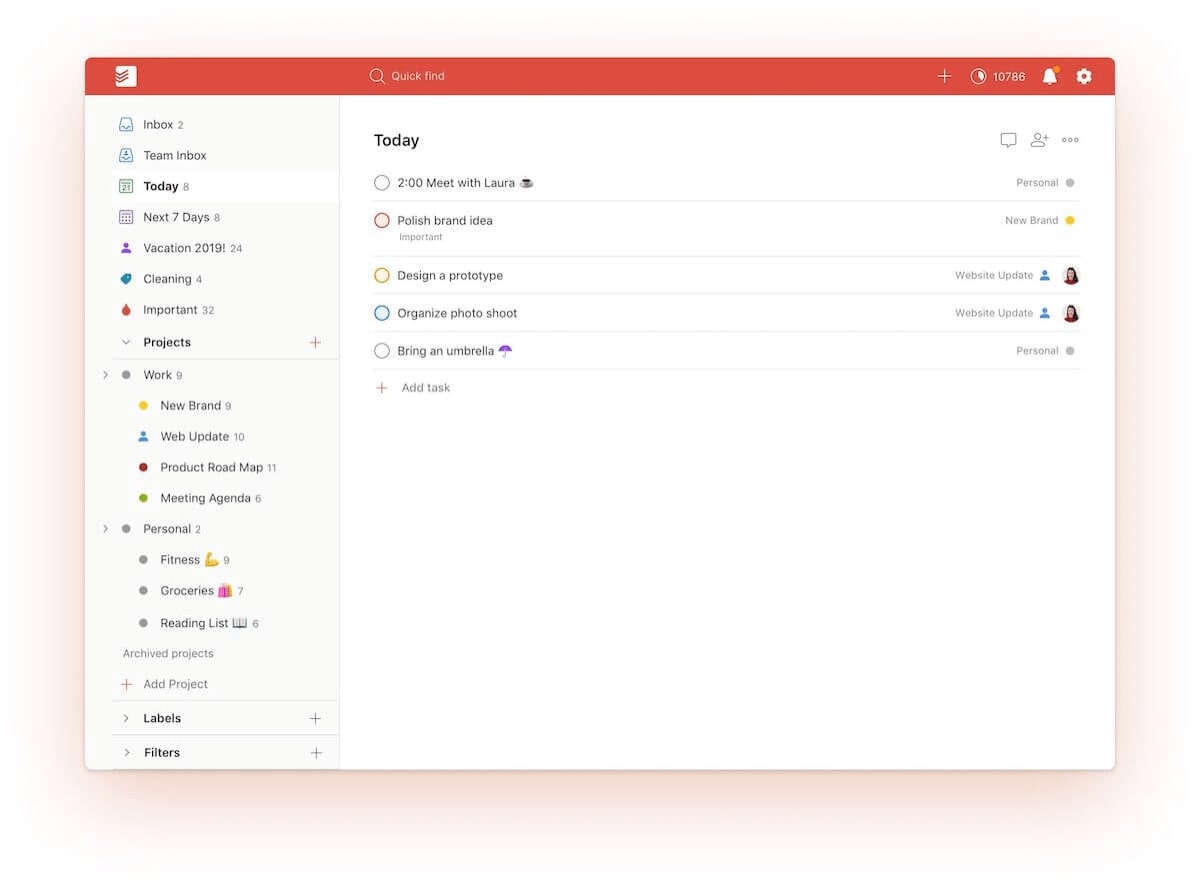
Since its launch in 2007, Todoist has seen steady growth. The software had around 2 million users in 2014, and over 5 million users as of today.
The software is lightweight with simple features to make it intuitive and fast. In Todoist, you can create tasks that are then housed under projects, or in an inbox. You can create sub-projects within projects and break up big tasks into smaller sub-tasks to help organize your work.
It’s no surprise that people have been trying to find the best alternative to this popular productivity tool. Although Todoist can get the job done for simple to-do lists and smaller projects, there are other tools available that offer even more features at a competitive price.
If you’re in the market for alternative software to help with your productivity, then you’re in luck. Here’s an updated list of some of the best free alternatives to Todoist.
Features of Todoist
Todoist is a simple task management software that allows you to stay on top of your day by organizing your work with the help of a to-do list. Todoist has a light user interface with features that are geared to help you make better to-do lists.
You use Todoist by creating tasks, which are then organized in projects or your Todoist inbox. You can create multiple projects to break down your tasks into different facets such as for work and for home. If you want to take your organizational skills up a notch, you can create sections within your projects to organize your tasks in groups.
When adding tasks, you can set due dates and assign them to folders without having to manually click them by using commands. Color-coding tasks based on priority and automating recurring tasks help you save more time on your tasks.
Todoist helps you visualize your tasks by offering a Kanban board view that you can toggle to. However, this is the only alternative view that Todoist offers. Taskade on the other hand offers 8 different views (List, Board, Calendar, Table, Mind Map, Gantt, and Org Chart) for you to visualize your to-do lists and projects.
There are plenty of external apps that Todoist can integrate with. One of the uses of this is to integrate with a third-party email app so that you can reply to your emails via Todoist and check it off your to-do list at the same time. Thought of converting emails into tasks? Todoist does that as well.
As a simple to-do list, Todoist keeps it simple and doesn't overwhelm you with a lot of features. It is also available on every major platform so that you can update and manage your to-do list items wherever you are.
What Is Todoist Good For?
Todoist is a highly effective tool for those looking to enhance their productivity and organizational skills. One of its primary strengths lies in its ability to simplify task management. Whether you're planning a personal project, managing daily tasks, or coordinating a team effort, Todoist offers a user-friendly interface that makes tracking and completing tasks straightforward and efficient.
For individual users, Todoist serves as a personal assistant, helping to keep track of various to-dos. You can easily set up daily tasks, recurring reminders, and project deadlines. Its intuitive design allows you to categorize tasks into projects, set priorities, and even delegate tasks if needed. This level of organization is invaluable for anyone trying to stay on top of a busy schedule or manage complex projects.
In a team environment, Todoist shines by enhancing collaboration. Teams can share projects, assign tasks to members, and track progress in real-time. This collaborative aspect ensures that everyone is on the same page and that work is evenly distributed, promoting efficiency and productivity in a group setting. Furthermore, Todoist integrates with various other tools and platforms, making it a versatile choice for both personal and professional use.
While Todoist is a powerful tool, it's important to note that it is just one of many productivity tools available.
What Are Some Limitations of Todoist?
While Todoist is a highly effective tool for task management and organization, like any software, it has its limitations. Understanding these limitations can help users make an informed decision when choosing the right productivity tool for their needs.
Limited Customization and Visualization Options: Todoist primarily focuses on list-based task management, which might not cater to users who prefer more visual or customizable interfaces. Unlike Taskade, which offers mind maps, customizable templates, and visual project roadmaps, Todoist's approach is more straightforward and list-oriented. This can be a limitation for users who need more dynamic visualization tools to manage projects and workflows.
Basic Collaboration Features: While Todoist does support team collaboration, its features in this area are relatively basic compared to some of its competitors. For instance, Taskade provides more in-depth collaborative features like real-time editing, video conferencing, and team chat. These features foster a more integrated and interactive team environment, which might be lacking in Todoist.
Lack of Advanced Project Management Features: Todoist is excellent for managing daily tasks and personal projects but may fall short for more complex project management needs. It lacks advanced features such as Gantt charts, project timelines, and resource allocation tools that are often essential in larger, more complex projects. Tools like Taskade or other specialized project management software might be better suited for these requirements.
Limited AI Integration: Unlike some newer tools in the market, Todoist doesn't offer AI-powered features for project management. As AI technology becomes more prevalent in productivity software, offering features like predictive task management, AI-driven analytics, and automated workflow optimization, Todoist's lack of AI integration might be seen as a limitation for users seeking cutting-edge technology in their productivity tools.
Subscription Model for Premium Features: Todoist operates on a freemium model, where basic features are free, but more advanced features require a subscription. This can be a limitation for users or teams looking for a comprehensive set of features without additional costs. Taskade, in contrast, offers a more generous array of features in its free version, which might be more appealing for users on a tight budget.
While Todoist is a robust tool for basic task management and organization, its limitations in customization, advanced collaboration, complex project management, AI integration, and the freemium model might lead users to consider other productivity tools in the market.
How Much Does Todoist Cost?
Todoist offers its software in three different tiers which is the Free Plan, Pro Plan, and Business Plan. Additionally, nonprofit organizations qualify for discounts on Todoist plans.
Todoist Free Plan
Todoist Pro Plan - $5 per month per user
Todoist Business Plan - $8 per month per user
Criteria for Choosing a Todoist Alternative
When considering alternatives to Todoist, users should keep several criteria in mind to ensure they select a tool that best fits their needs. The right choice depends on individual or team requirements, work style, and the specific features they value in a productivity tool. Here are some key criteria to consider:
Customization and Flexibility: Look for a tool that offers high customization options to tailor the workspace according to your specific needs. Flexibility in organizing tasks, projects, and workflows is crucial. Tools like Taskade offer customizable templates and various visualization options like mind maps and project roadmaps, which might be more suited for users who prefer a visually oriented approach.
Collaboration Features: If teamwork is a significant component of your workflow, consider a tool with robust collaboration features. This includes real-time editing, team chat, video conferencing, and task delegation. The ability to seamlessly collaborate within the same platform can significantly enhance team productivity and communication.
Integration with Other Tools: The ability to integrate with other applications and services is essential for a streamlined workflow. Look for a tool that can easily connect with other software you use, such as email clients, calendar apps, file storage services, and communication platforms.
Project Management Capabilities: If your work involves managing complex projects, choose a tool that offers advanced project management features. This might include Gantt charts, time tracking, resource allocation, and progress tracking. These features are particularly important for teams that need to monitor project timelines and milestones closely.
AI-Powered Features: For those seeking cutting-edge technology, consider a tool with AI-powered features. AI can offer predictive insights, automate task creation and scheduling, and provide analytics to optimize workflows. Tools that incorporate AI can help in making more informed decisions and improving overall efficiency.
Ease of Use and Learning Curve: The ease of adopting a new tool is crucial. A user-friendly interface and a gentle learning curve ensure that you can quickly adapt to the new system without significant downtime or training requirements.
Pricing and Value for Money: Finally, consider the cost of the tool and the features offered at each pricing tier. Assess whether the tool provides value for money, especially if you're looking for a solution for a team or enterprise. Some tools offer more generous features in their free versions, while others might require a subscription for advanced features.
By evaluating these criteria, users can make a more informed decision when selecting a Todoist alternative that aligns with their specific needs and preferences.
The 20 Best Todoist Alternatives in 2026
Taskade

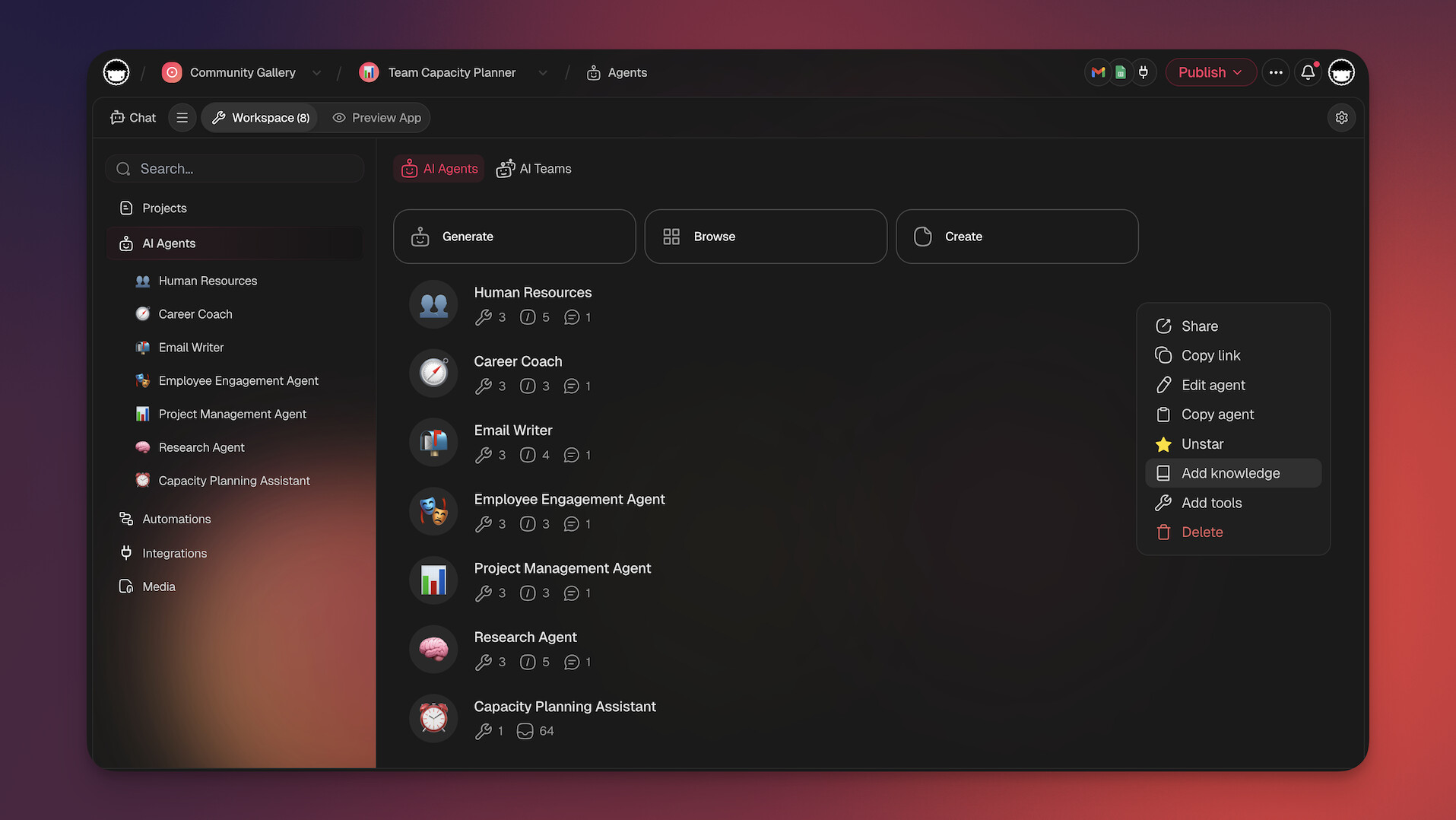
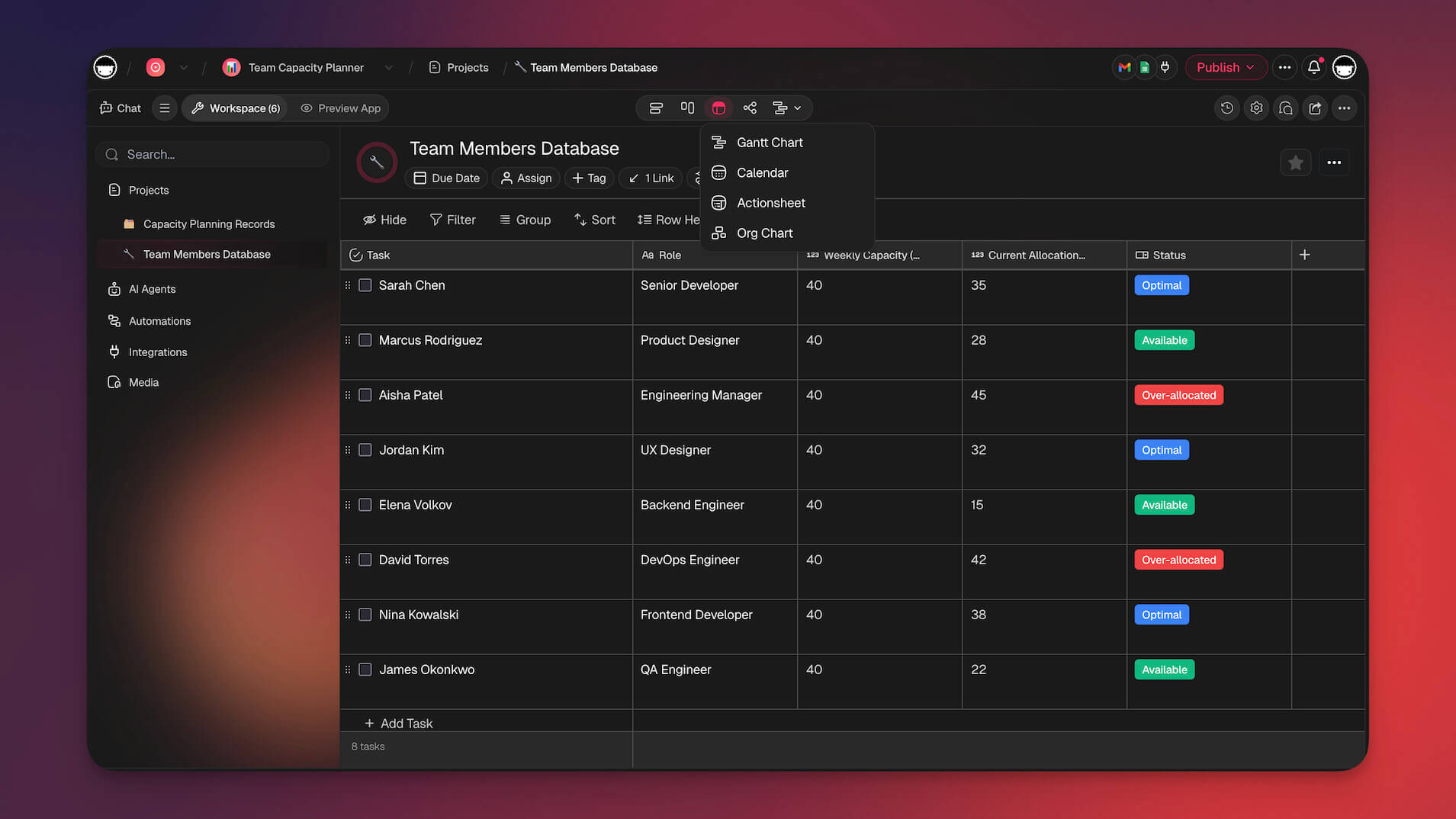
Taskade is the best Todoist alternative in 2026 for teams and individuals who want AI-native task and project management. Built on the Workspace DNA architecture — where Memory (projects and knowledge) feeds Intelligence (AI agents), Intelligence triggers Execution (automations), and Execution creates Memory — Taskade delivers a self-reinforcing productivity loop that traditional task managers cannot match.
Unlike Todoist's assistive AI, Taskade offers fully autonomous AI agents with 22+ built-in tools, custom tool schemas, and MCP connectors. These agents research, plan, write, and execute tasks on your behalf across your entire workspace. Pair them with 100+ integrations spanning communication, CRM, payments, development, and more — and you have a platform that doesn't just organize work but actively does the work.
With Taskade Genesis, you can go even further: describe your ideal task management system in a single prompt and watch it come alive as a deployed, intelligent app — complete with custom dashboards, automations, and AI agents. Browse thousands of ready-made apps in the Community Gallery or build your own from scratch.
Why Taskade Is the Best Todoist Alternative
Autonomous AI Agents: Deploy AI agents with 22+ built-in tools, custom tool schemas, and persistent memory to automate research, planning, and execution across your workspace.
11+ Frontier AI Models: Access models from OpenAI, Anthropic, and Google — choose the right model for each task, from content generation to data analysis.
7 Project Views: Visualize work in List, Board, Calendar, Table, Mind Map, Gantt, and Org Chart views — Todoist offers only list and board.
Workspace DNA Architecture: Memory feeds Intelligence, Intelligence triggers Execution, Execution creates Memory — a self-reinforcing productivity loop.
100+ Integrations: Connect with Slack, Gmail, Stripe, GitHub, Shopify, and more — with built-in automation workflows (no separate Zapier subscription needed).
Real-Time Collaboration: Co-edit tasks, documents, and mind maps with your team in real time, plus built-in video conferencing and screen sharing.
Taskade Genesis: Build custom AI-powered productivity apps from a single prompt — dashboards, portals, forms, and workflows deployed instantly.
Competitive Pricing: Free tier with unlimited tasks, Starter at $6/month, Pro at $16/month (10 users included), Business at $40/month.
Taskade's Best Features
AI-Powered Task Management: Automate routine tasks, get smart suggestions, and let AI agents handle repetitive workflows autonomously.
Custom AI Agent Builder: Create specialized agents with custom tool schemas, slash commands, and MCP connectors for domain-specific automation.
Dynamic Task Scheduling: Plan and adjust schedules with flexible tools, recurring tasks, and AI-assisted prioritization.
Real-Time Progress Tracking: Monitor project progress across all 7 views with automated status updates and notifications.
Mind Mapping: Brainstorm and plan projects visually, then convert mind maps into actionable task lists.
Kanban Boards: Get a clear overview of workflows and task statuses with drag-and-drop board views.
Prioritization Tools: Prioritize tasks with customizable labels, priority markers, and AI-driven recommendations.
Collaborative Workspace: Shared workspaces with real-time editing, team chat, and synchronized planning across all devices.
Template Library: Access thousands of templates to kickstart projects and maintain consistency.
Cross-Platform Sync: Available on Web, Mac, Windows, Linux, iOS, and Android with seamless sync across all devices.
Interested to find out more about Taskade? Check out our full list of AI-powered features.
TickTick
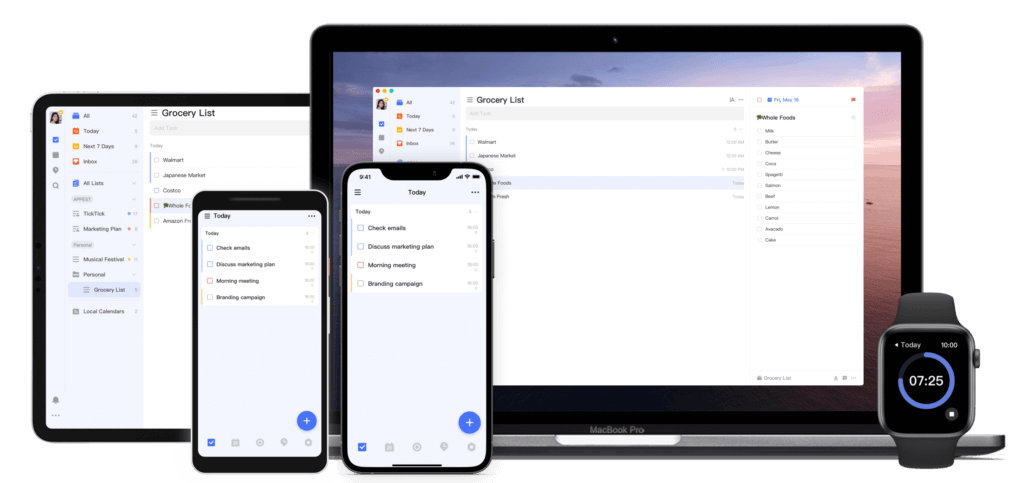
TickTick is a task management application that offers a comprehensive suite of tools for users aiming to organize their daily activities and boost productivity. It provides a diverse range of features, from standard to-do lists to Pomodoro timers and habit trackers.
In the vast realm of productivity tools, choosing the right app often comes down to individual needs and preferences. TickTick stands out as solid Todoist alternative, offering a balance between simplicity for the casual user and in-depth features for the more advanced planner.
So, who is Tick Tick for? Its simple interface combined with a competent set of features makes it a sound choice for personal and professional task management needs. Whether you're handling personal errands or coordinating projects, it should work for your use cases just fine.
Features of TickTick
TickTick has a light build which makes it user-friendly. It is not loaded on features which means that beginners can get started on using the tool quickly.
On TickTick, you can create to-do lists and set reminders to make sure that you get your work done. You can organize tasks by storing them within folders and organize them further by using tags. Recurring tasks can also be set to repeat so that you won't have to keep on recreating them.
The gamification of tasks on TickTick gives you an added incentive to get your tasks done on time. Completing tasks on time gives you a higher achievement score. If a task is delayed, the reverse will occur.
Desktop and web versions of TickTick allow you to toggle between the default list view to a kanban view. In the kanban view, you can drag and drop tasks between columns in a similar way to the calendar view. The kanban view in TickTick has simple features such as due dates, prioritizing tasks, and viewing task activity.
TickTick's best feature is probably its calendar view. In this view, you are able to drag tasks around the calendar and use time blocking to organize your tasks. Unassigned tasks can also be dragged into the calendar to automatically give it a due date. However, the calendar view is only available for premium accounts, which means that you will have to pay to get access.
A minor but neat feature that TickTick has is that you have the ability to visualize how much of a task has been completed via a task progress bar. One of the reasons that make Taskade the best free alternative to TickTick is that you can check off and hide completed tasks in addition to having a progress bar for your whole project.
If you’re a fan of the Pomodoro Timer, TickTick has a built-in Pomodoro Timer in its settings, which means that you can easily get started on this useful productivity method.
You can also collaborate on TickTick by inviting other users to your tasks or by creating a shared task list. However, this feature is very limited as the free version only allows you to collaborate with one other user.
How Much Does TickTick Cost?
TickTick has a straightforward pricing strategy as it only has two plans available, the Free Plan, and the Premium Plan.
TickTick Free Plan
TickTick Premium Plan - $27.99 per user per month
Things 3
Things 3 finds its roots with the German-based company, Cultured Code, which was founded in 2008. The app was developed as a response to the growing demand for intuitive and effective task management tools, especially for the Apple user base.
Things 3 is the next iteration of Culture Code's app developed exclusively for the Apple ecosystem, including macOS, iOS, and watchOS. With a minimalist and esthetic design, the app offers a fine blend of simplicity and task management features.
Features of Things 3
Things 3 is structured around a series of views that help segregate and manage tasks. The Inbox acts as a catch-all for tasks or ideas, meant to be organized later. The Today and Upcoming views, on the other hand, provide a snapshot of immediate tasks and a forward-looking perspective. The Anytime and Someday views work best for tasks without fixed deadlines.
Things 3 has also something to show in the project management department. You can create Projects with multiple nested to-do items, each with its own checklist and notes. Projects can be further broken down into headings that make it easier to group related tasks.
And speaking of organization, Things 3 offers tags for classifying tasks, making them searchable and sortable. The Quick Find feature enables rapid navigation to any project, area, or tagged item. There's also the Magic Plus button that streamlines the task creation process.
How Much Does Things 3 Cost?
$49.99 for MacOS
$9.99 for iOS
$19.99 for iPadOS
Evernote
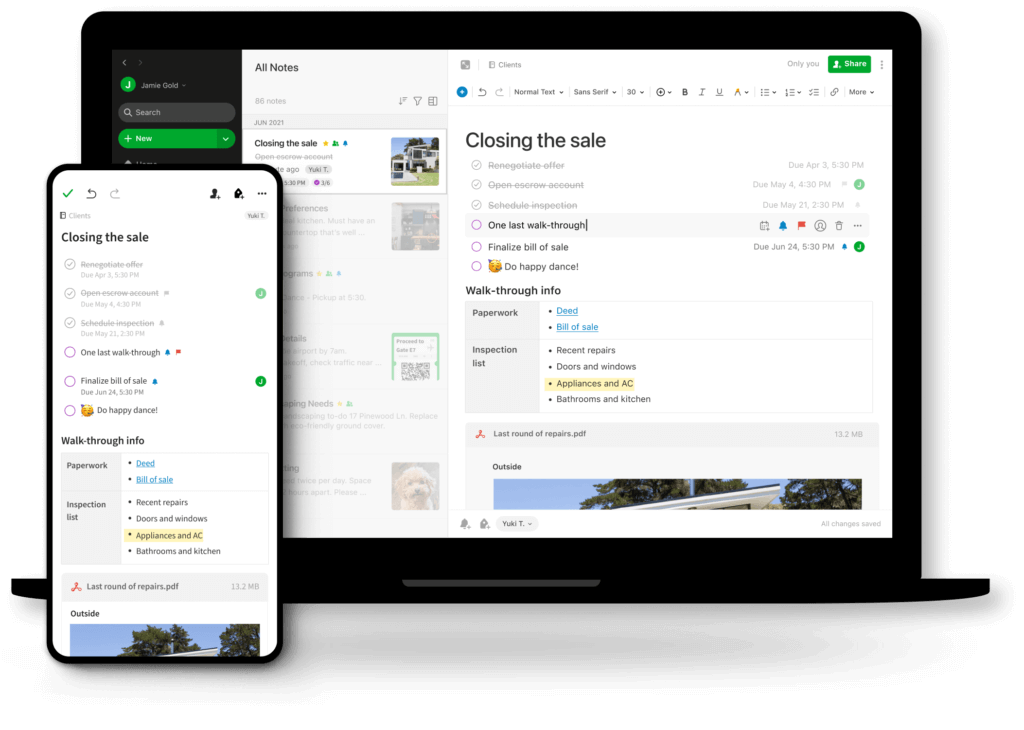
Evernote is a digital note-taking application that was founded by Russian engineer Stepan Pachikov. Pachikov was fascinated by the way that humans store information, which made him create Evernote to help people organize their thoughts and store more information.
Pachikov started working on an Evernote prototype in 2002. He worked on it for 6 years before feeling confident enough to beta launch the product to a limited audience. After its launch, Evernote grew exponentially and had more than 10 million users by the end of 2011.
Evernote may have pioneered digital note-taking but it is unfortunately facing an uphill battle. If you're looking for more alternative note-taking apps to Evernote, we've got you covered.
While Evernote doesn't belong to the family of task management apps (at least not in the traditional sense), it does offer a handful of interesting task management features.
Features of Evernote
In essence, Evernote is best described as a digital notebook with added features. Evernote’s concept is simple, you create notes which are then stored inside notebooks. You can add tags to your notes in order to keep them organized.
However, this can get pretty clunky especially if you’re a heavy note-taker. This is where Evernote’s built-in search function comes into play; allowing you to search for notes using keywords and phrases.
Evernote is also known for its Web Clipper feature. You can download an extension that allows you to clip parts or even entire web pages and paste them into Evernote. Clipped web pages can then be highlighted to emphasize key points, and will also remain stored in the app until you delete them.
You can use Evernote’s templates to get you started on tasks that require more structure such as creating a story dashboard or even a monthly calendar to get yourself organized. This can be a helpful feature to help you kickstart your projects.
An interesting thing that Pachikov did with Evernote is that he implemented a feature to recognize handwritten notes. This was a page he took from a tool he created called ‘Calligrapher’ in his earlier days which recognized handwritten input on devices. In Evernote, handwritten notes can be captured via an in-app camera.
If you’re big on keeping organized, you can utilize widgets to reduce clutter and sync your notes between multiple devices using Evernote's mobile app. However, this will require you to upgrade your free account to get the full benefits of those features.
How Much Does Evernote Cost?
Evernote offers its software in 4 different plans.
Evernote Free Plan
Evernote Personal Plan - $7.99 per user per month
Evernote Professional Plan - $9.99 per user per month
Evernote Team Plan - $14.99 per user per month
Remember the Milk
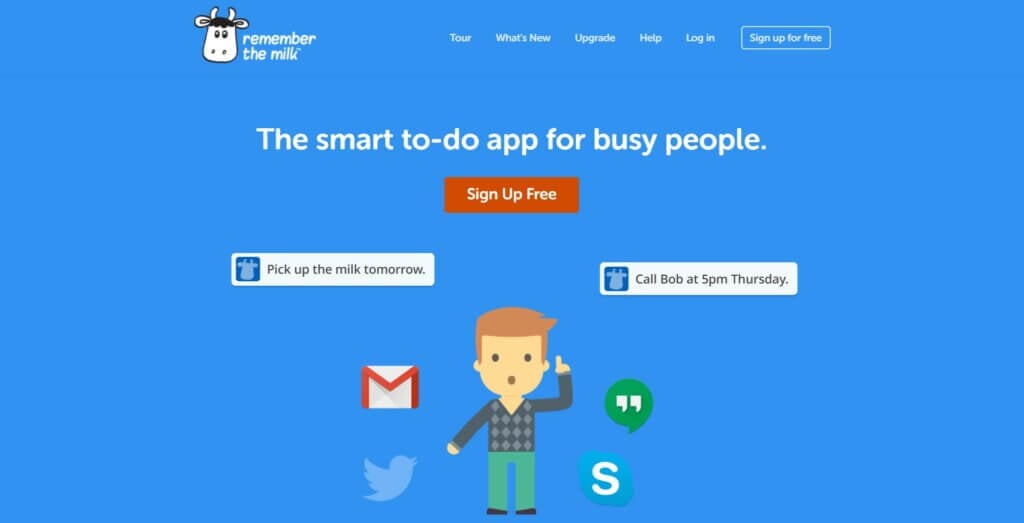
Remember The Milk is an online to-do list application. It was created to help people manage their time better by organizing their tasks and to-do lists.
Remember The Milk was founded in 2004 by Emily Boyd and Omar Kilani. The pair were inspired by Gmail and created Remember The Milk to help other people organize their tasks.
After being developed for a year, Remember The Milk was launched in 2005. The task management tool quickly grew in popularity and today, they have over 6 million users.
With Remember The Milk, users can set to-do lists via a web browser, or via mobile with Android or iOS. Part of its charm comes from it being a simple task management tool without being overloaded with features.
Being a simple tool to use, Remember The Milk works best for people who are looking for a simple to-do list app to organize their tasks. Alternatively, Remember The Milk is also frequently compared to Todoist as both tools have somewhat similar features.
Features of Remember the Milk
Remember The Milk is light on features and is easy to use. The dashboard feels similar to a Gmail dashboard, giving it a sense of familiarity for regular Gmail users. Clicking on ‘Add a task’ gets you started on adding your first task, which you can then organize by adding tags or putting it in a list.
You can also set the start and end dates for your task. For recurring tasks, there is an option for you to repeat tasks to help you save time. Remember The Milk also has a priority feature, which lets you organize your tasks in order of priority so that you can get the most important tasks out of the way first.
Although Remember The Milk does not offer multiple board views, you can change your task view to show you the tasks that you have for the current day, the day after, or tasks remaining for the current week.
Generally, Remember The Milk is only a to-do list application. It is a good way for you to get started with creating to-do lists and using an app to help organize the simpler aspects of your life. You can also share your to-do lists with 2 other users. This works best for simple collaboration on tasks such as a shared grocery list.
However, Taskade is a better free alternative to Remember The Milk because Taskade offers unlimited projects and tasks for free. With Taskade, you can create unlimited to-do lists and collaborate with as many people as you want on the app, making it a better alternative to Remember The Milk.
How Much Does Remember the Milk Cost?
Remember The Milk offers its product in two versions:
Remember The Milk Free Plan
Remember The Milk Pro Plan - $39.99 per user per year
nTask
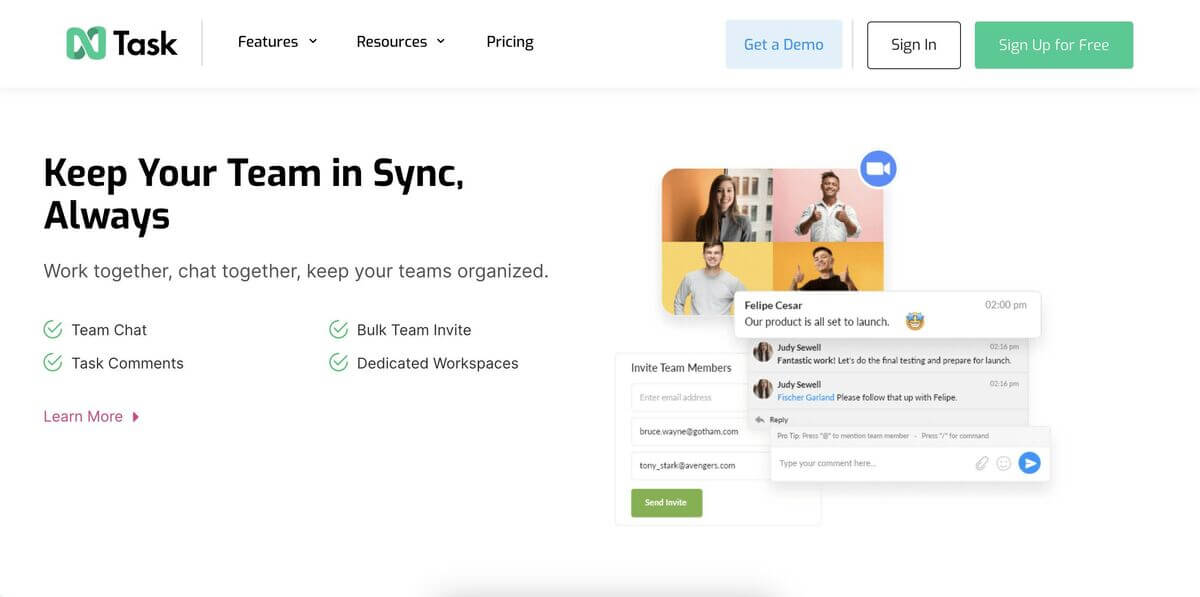
Founded by Fawad Ansari and officially launched in 2016, nTask is a holistic task and project management platform developed for individual users and teams. The app works as a centralized location where users can manage, organize, and track tasks and projects.
nTask packs a lineup of core productivity features from simple task creation and scheduling to assignments and advanced tracking. It also comes with a collaboration component that allows teams to communicate, share documents, and update the status of tasks in real time.
The app caters to a range of professional and personal project needs. Besides task and project management, nTask integrates other modules like time tracking, issue tracking, and meeting management, aiming to offer a more comprehensive approach to organizational needs.
Features of nTask
At its core, nTask centers around task and project management. Users can create, assign, and schedule tasks, set priorities, and monitor progress through different stages. Projects can be broken down into smaller tasks, and milestones can be set to track larger goals.
On the team collaborations front, nTask offers essential communication features like commenting, attachments, and meeting scheduling. The meeting management module ensures that teams can schedule, prepare agendas for, and follow up on meetings in one place.
There are a handful of extras too, including a risk and issue tracking which makes it easier to identify potential problems, allocate risk levels, and come up with mitigation strategies. nTask also offers reporting tools and visual insights into tasks, projects, and team performance.
How Much Does nTask Cost?
Premium ($3/month per user billed annually)
Business ($20/month billed annually)
Enterprise (custom pricing)
Any.do
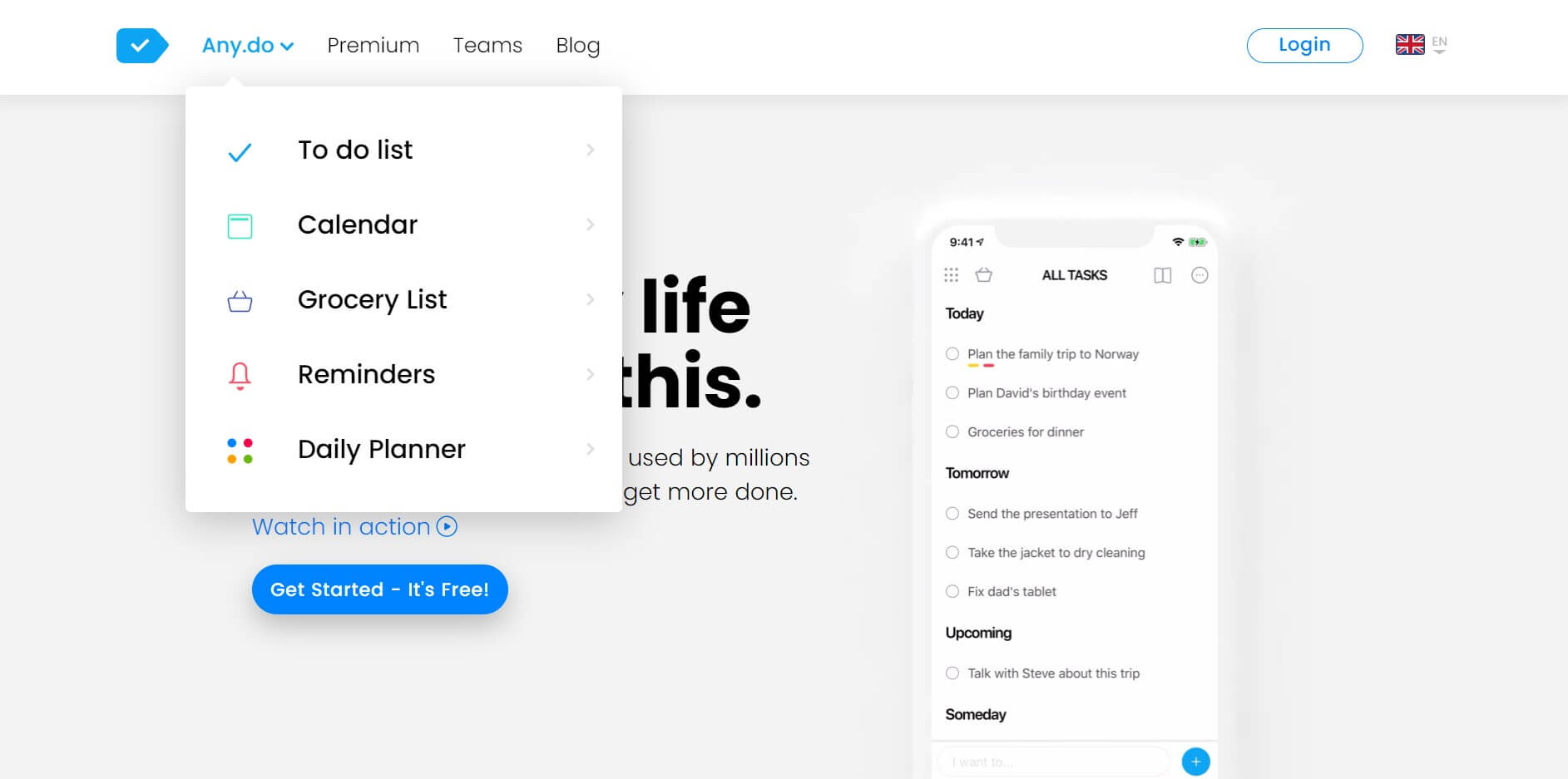
Any.do is a task management software that was founded in 2011 by Omer Perchik, Yoni Lindenfeld, and Itay Kahana. The first iteration of Any.do was an Android app known as Taskos.
After receiving $1 million in funding from angel investors in 2011, Any.do experienced a surge in growth, with over 500,000 users downloading the app within the first month of launch. Two years later, they had over 7 million users and by the end of 2020, Any.do crossed over 30 million users. This makes Any.do one of the most popular to-do list apps today.
On Any.do, users can manage their tasks by creating to-do lists and breaking down larger tasks into smaller subtasks. Unlike Remember The Milk which requires users to upgrade to access the subtasks feature, Any.do offers this feature for free.
The desktop home view is broken down into three sections which are a menu on the left, a task block in the middle, and a calendar block on the right.
Being available across most devices, Any.do gives you the ability to add and check tasks on the go. Additionally, you can integrate Any.do with your device calendar. This would then show all of your daily tasks on your device calendar, ensuring that you’re always on top of your day.
There is synergy between Any.do’s to-do list functionality and its calendar view, which allows users to easily toggle between the two views and keep track of things. With a simple build, Any.do is easy to use and is used by a large number of users due to its ease of use.
As a simple to-do list app, Any.do would suffice if you’re looking for software to help organize simple tasks. You can also collaborate with other users on your to-do lists on Any.do. However, although Any.do is good as a simple task management tool, it lacks features that are required when working on more complex tasks.
Features of Any.do
Any.do is light on features, and that is by design. Being light on features makes it a simple to-do list software to use with minimal onboarding required.
On Any.do, you can create to-do lists and further organize your tasks into subtasks. Doing this helps you to break down complex tasks into smaller actionable subtasks to prevent you from feeling overwhelmed.
Your tasks and calendar are closely knitted together on Any.do. Once you’ve created a task and integrated your preferred digital calendar app, you will be able to see all of your daily and weekly tasks on your calendar.
If you upgraded your plan to a premium version, you will get access to advanced recurring tasks, which allows you to set a task to repeat at customizable intervals. Taskade would be a better free alternative to Any.do because Taskade allows you to set recurring tasks even on a free plan.
Any.do is available on most devices and this gives you the ability to be in complete control of your schedule. You can choose to be notified of certain key tasks throughout your day. Any.do’s seamless integration of its task lists with calendars makes it a unique tool to have in your arsenal.
Once you have created a few tasks, you can change your task list view to show you the tasks you have for the day, a weekly view, and even a monthly view. This lets you estimate the workload that you’ll have in store for you.
You can also collaborate with other users on a shared task list. Once a list has been shared, you can then assign tasks and add comments to communicate via the app. This would be ideal if you’re working together on something simple such as a shopping list or planning simple events.
As expected, Any.do works across multiple platforms and offers a competent mobile app.
How Much Does Any.do Cost?
Any.do has two pricing plans available.
Any.do Free Plan
Any.do Premium Plan - $5.99 per user per month
Google Keep
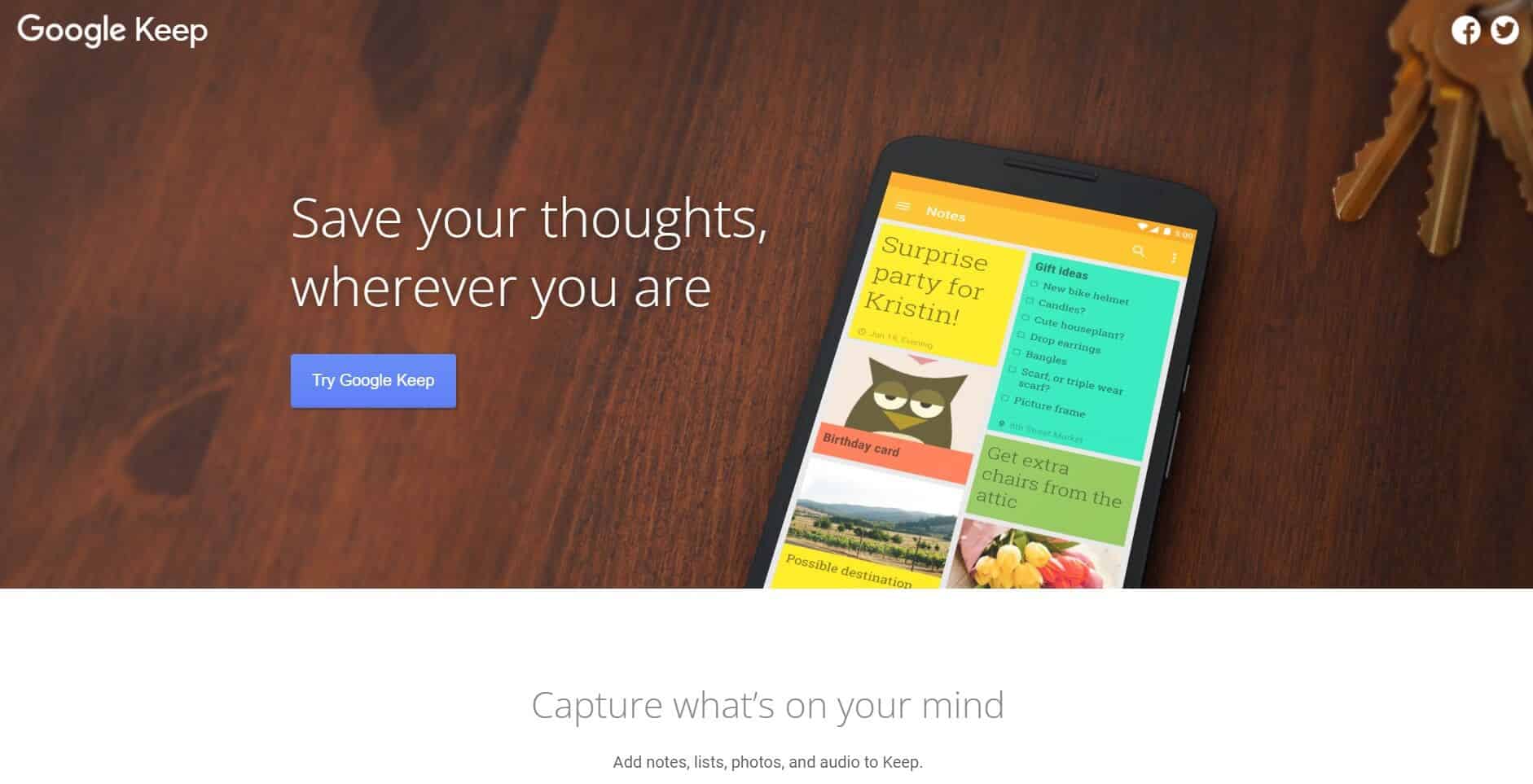
Google Keep is of the more traditional task management apps on our list. When it was first released in 2013, Google Keep was given good reviews due to its lean design and excellent user experience. This meant that it was a simple note-taking tool that was also quick.
It was only later in 2016 that Google Keep started to get mixed reviews. Part of these reviews came from users that found it hard to take long-form notes with the inability to format notes and change workspace views on Google Keep. Generally, good reviews for Google Keep come from it being a note-taking app that is simple and accessible.
Users can choose between a list view or grid view on their board. Notes can also be color-coded or customized with an in-built background. Important notes can be pinned to the top and Google Keep’s lean design makes it an intuitive note-taking app to use.
You can also collaborate on Google Keep to take simple notes together or share to-do lists with other users. The only prerequisite to this is that other users must also sign in to their Google account to use Google Keep, regardless if you're using it in a web browser or as a mobile app.
In 2021, Google discontinued Google Keep’s Chrome app. However, the popular note-taking tool can still be accessed via web browsers and other apps.
Features of Google Keep
Besides customizing backgrounds, Google Keep does have a few useful tricks up its sleeve that make it a worthy alternative to Todoist. However, the software is only equipped with barebones features to keep things simple.
You can transcribe voice recordings into your notes on Google Keep. To do this, record your voice using the app and your voice will automatically be transcribed in real-time. This is a useful feature to have if you get a sudden hit of inspiration while being unable to type out your notes.
If you enjoy drawing, you can add doodles to your notes. Simply draw and save your doodles on your notes within Google Keep. If you prefer to express your thoughts via drawings, then this feature will come in handy for you.
Google Keep does not have formatting options and this makes it hard for you to take long-form and detailed notes. However, you can transfer your notes into Google Docs easily. Although it takes an extra step to transfer notes from Google Keep to Google Docs, you should be able to continue your long-form note-taking process.
You can organize your notes via labels and also use Google Keep’s search function to locate specific notes. However, if you’re a heavy note-taker, your Google Keep home page will get messier as you take more notes. Unlike Taskade which is more robust, Google Keep does not have the organizational features that Taskade offers.
Being a simple note-taking tool, Google Keep offers a basic collaboration feature. Simply click on your note and add a collaborator to start taking notes together in real-time. However, this will only work for simple notes. This is because Google Keep lacks a built-in chat feature, making it harder for you and your team to align on ideas.
How Much Does Google Keep Cost?
Google Keep is completely free to use.
Trello
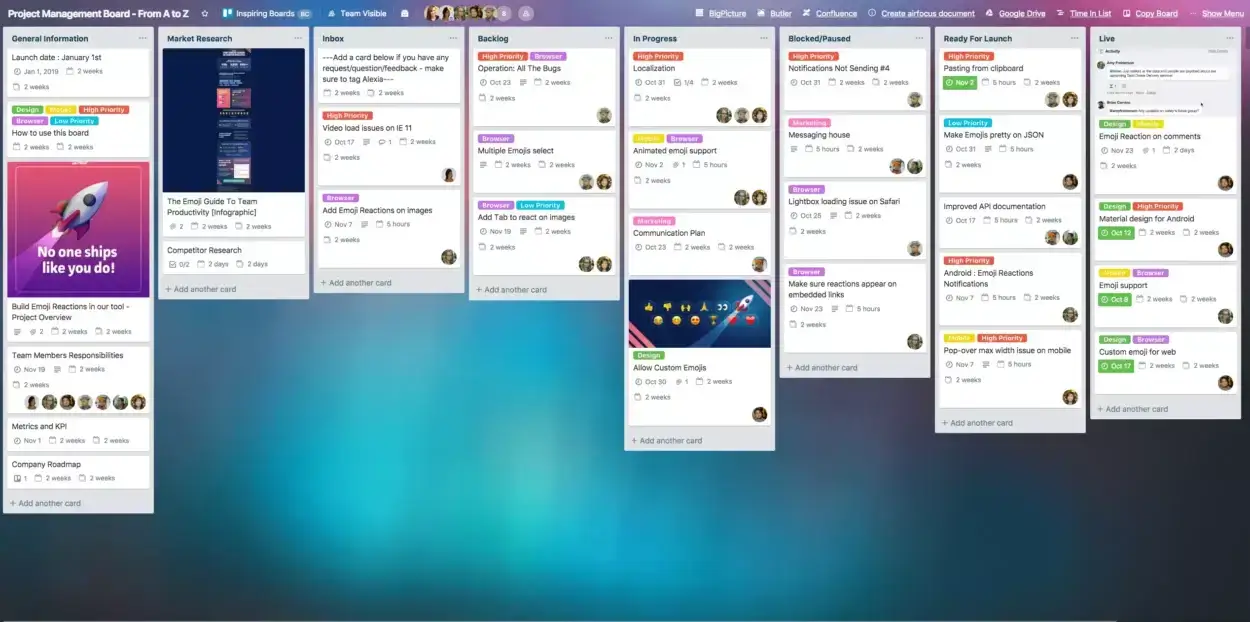
Trello is a web-based Kanban board project management application that was founded in 2014 by Joel Spolsky and Michael Pryor. It was originally codenamed “Trellis” and was subsequently renamed Trello.
Spolski and Pryor created a prototype of Trello in 2011 and they soon became pioneers of the online Kanban board movement.
After years of steady growth and a 2017 acquisition by Atlassian, Trello is still one of the most popular options for project management software today.
Features of Trello
Trello is a project management software that enables users to manage tasks, organize, and share them across teams. Users create Trello cards representing different tasks and then use the drag-and-drop interface to place these on a Trello board.
Although Trello offers multiple project views, these are locked behind a paywall and you would have to purchase a premium subscription to get access to multiple views. With a free or standard plan, you are limited to the default Kanban view.
How Much Does Trello Cost?
Trello has three pricing tiers available.
Trello Free Plan
Trello Standard Plan - $5 per user per month
Trello Premium Plan - $ 10 per user per month
ClickUp
ClickUp is a project management software that was founded by Alex Yurkowski and Zeb Evans in 2017. It is usually used by individuals and teams to organize projects and tasks.
ClickUp quickly gained popularity when it was released to the market and today, it is a company that is valued at around $4 billion. Recently in 2021, ClickUp raised $400 million in a Series C funding round. It is also reported that ClickUp has around 4 million users using its platform. What makes this company so popular amongst other similar tools in the market?
Part of ClickUp’s popularity comes from it wanting to be the only productivity tool that users will ever need. Although there are limitations to ClickUp which will be covered in the coming sections below, ClickUp does offer a customizable approach to project management.
This means that individuals and teams of all sizes are able to use ClickUp to increase their productivity. You can use ClickUp to create and monitor personal and group projects, making it a versatile tool to have in your arsenal.
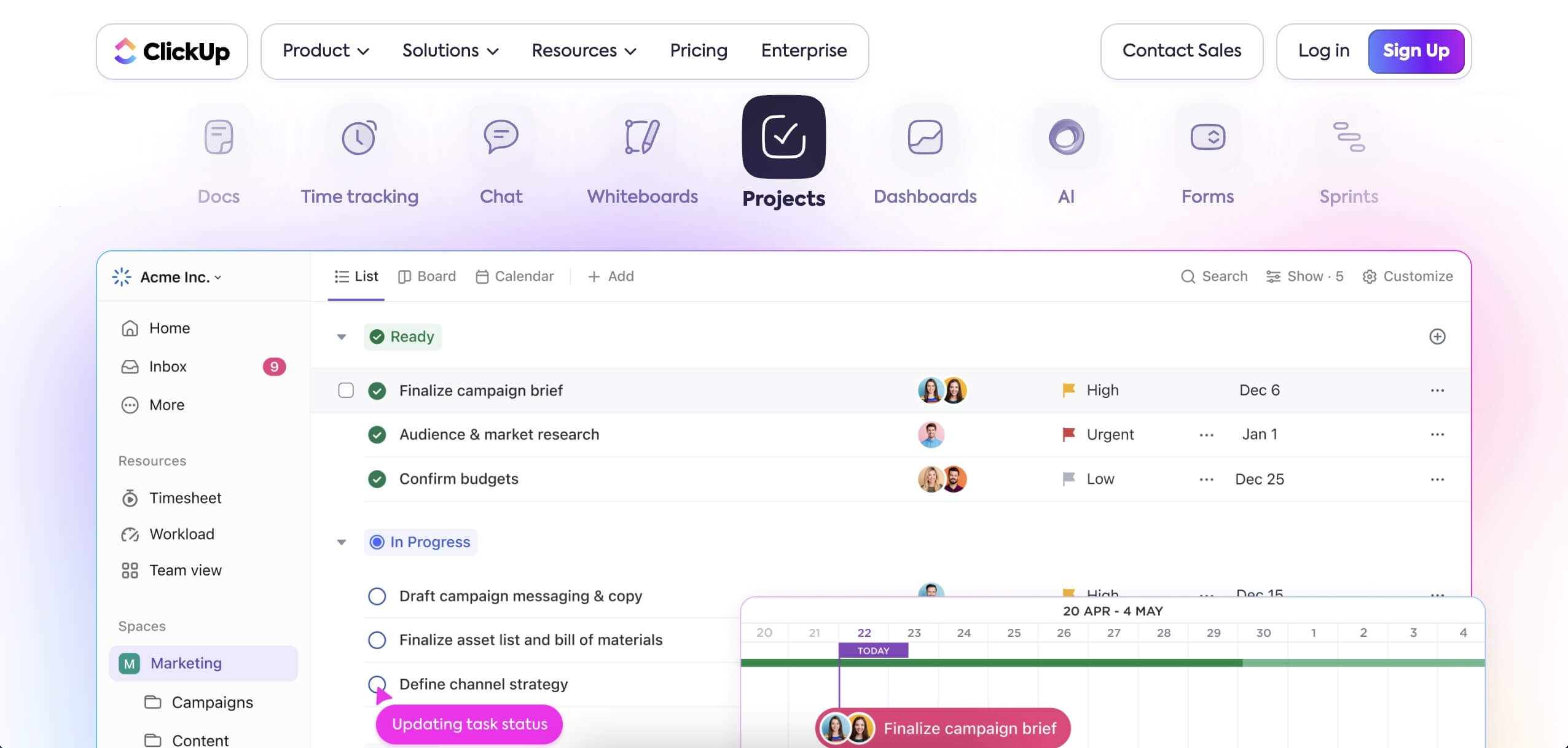
On ClickUp, your Workspace represents your business and is further divided into Spaces that break down your business into its functions such as ‘Finance’ or ‘Marketing’. Within these spaces, Folders containing Tasks and Lists are housed within them.
After creating projects, you can assign tasks to your team members with specific due dates to ensure that your project flows as smoothly as possible. Check out some of ClickUp’s features below.
Be sure to check our list of best ClickUp alternatives next.
Features of ClickUp
ClickUp is loaded with features to help you better manage your projects. Similar to Taskade, ClickUp offers multiple views for you to choose from including a List view, Board view, Calendar view, Gantt view, and more.
The List and Board views can get pretty clunky if you have multiple tasks going on at the same time. If you’re keeping track of multiple tasks and projects at the same time, the Calendar view might be a better option for you. The main idea is to let you choose the view that best fits your requirements.
After creating a task on ClickUp, you will be able to add notes, drag and drop files related to the task, and break down the task further into actionable subtasks. Tasks can be assigned to multiple people, and you can also assign people to be ‘Watchers’ on certain tasks. This means that they will receive notifications when there are updates for those tasks.
Once you get started on a task, you can set the status of the task to keep everyone on your team aligned on the progress of each task and subtask. For example, you can set the status of a task to ‘Doing’ whilst having a few subtasks ‘Closed’ to state that you’re midway through said task.
Communication is essential to the success of team projects. ClickUp offers a comments section on each task to allow you to leave comments and chat with your teammates. You will get an email notification when you’re assigned a task or when there’s a comment on your project, ensuring that you stay updated every step of the way.
Comments can also be turned into an actionable task and assigned to your team members. This allows you to quickly assign suggested changes or additional tasks for your project. Assigned tasks can then be resolved, which gives you a notification so that you can keep track of your team’s progress.
ClickUp also integrates with thousands of other apps so that you can work on your project using your favorite tools. Although it might be a hassle to choose from the many integrations that are available, this can be a useful feature for you if you already know exactly what tools you need for your projects.
How Much Does ClickUp Cost?
ClickUp offers its software in a few different packages.
ClickUp Free Forever Plan
ClickUp Unlimited Plan - $5 per user per month
ClickUp Business Plan - $12 per user per month
ClickUp Business Plus Plan - $19 per user per month
Asana
Asana is a collaboration and project management software aimed at helping teams get more work done.
It was first created at Facebook as a tool to help people collaborate on projects more efficiently. Codenamed ‘Tasks’, the tool was created by Dustin Moskovitz, who was a co-founder at Facebook, and Justin Rosenstein, an ex-engineer at Facebook.
‘Tasks’ was created because Moskovitz and Rosenstein both realized that it took more time to plan and coordinate work than actually getting work done. The duo left Facebook to co-found Asana in 2008 when they found out that this was a common problem that affected everyone else and not just Facebook employees.
Mark Zuckerberg was an early investor in Asana, and the company had steadily increased its popularity over time. In 2018, Asana raised $125 million in a Series D and Series E funding round to help the company expand globally.
The goal at Asana is to reduce reliance on traditional emails and sync-ups. Instead, the company wants to provide a common space where users can manage projects and find all the information they need to get work done.
Essentially, Asana wants to reduce the need for emails and meetings so that people can spend more time getting actual work done.
Features of Asana
Being a project management software, Asana is equipped with a multitude of features to help you get more work done.
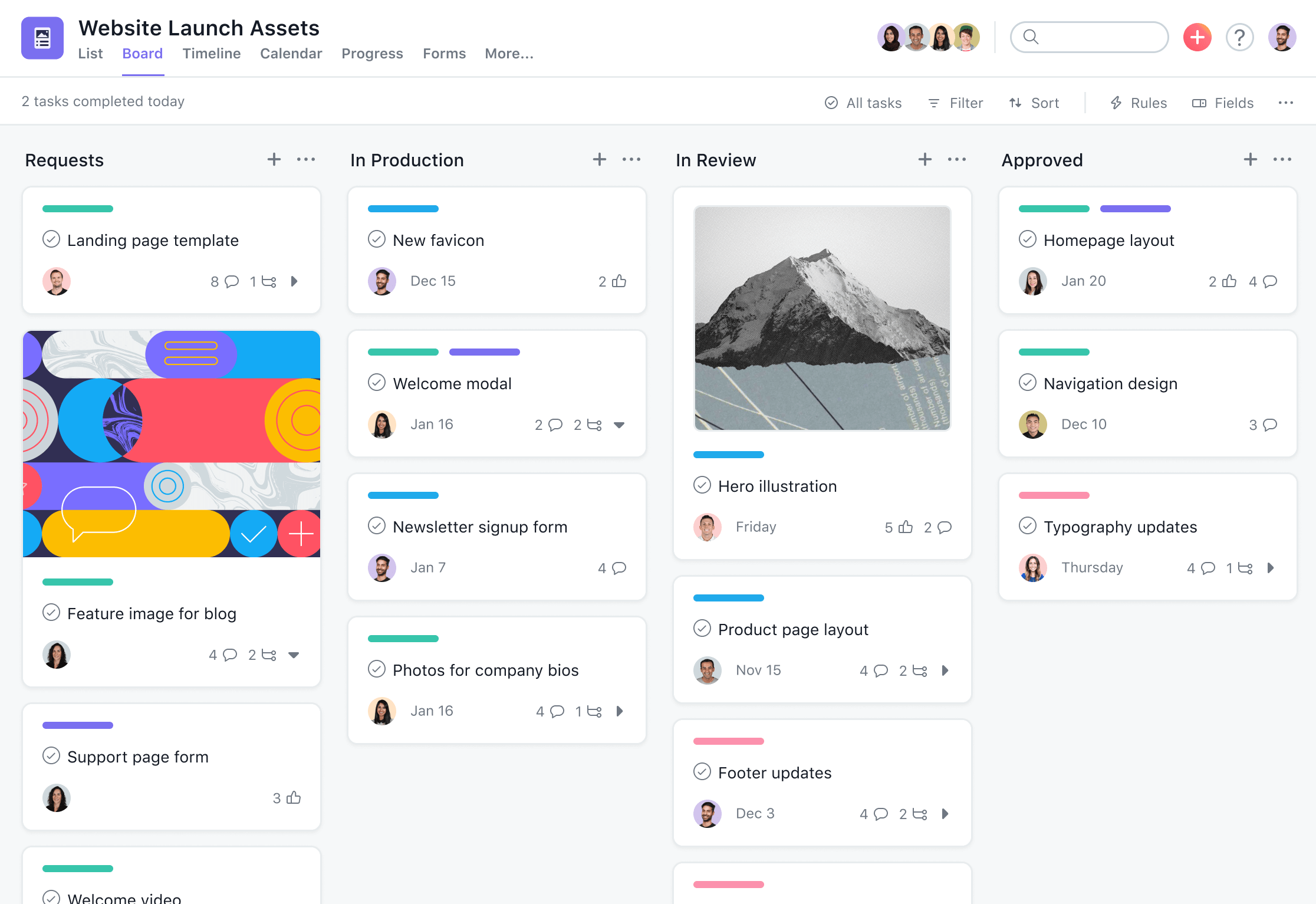
On Asana, you can create projects and break them down into detailed tasks to help your team visualize the roadmap. Each project workspace comes with a list view to detail the steps needed for the project, conversations to support team communications, a calendar to view the team’s tasks, a project progress view for status updates, and also files to share documents within the team.
Within each task, you can assign it to individual members and set deadlines. Add more information into the task description to hopefully prevent the need to have more meetings to align the deliverables.
If the task is dependent on another task being done first, you can set task dependencies on Asana so that your project flows seamlessly. Additionally, Asana has an approval feature for tasks so that you can approve, request changes, or reject tasks.
Communication in Asana is done mostly within its conversations feature. You can send messages to team conversations to update the whole team working on the same project. Team members can choose to follow conversation threads to stay updated, and also create tasks to move things forward from the chat.
Asana collaborated with Vimeo to launch a video messaging feature. With this feature, you can record video messages and embed them in your workspace to send messages to your team members. Video messages in Asana are also automatically transcribed to help you be more productive.
Asana also integrates with many apps including cloud storage solutions such as Dropbox and Google Drive. This enables you to share information from your preferred storage app.
How Much Does Asana Cost?
Asana comes in 4 different pricing tiers which include Asana Basic, Premium, Business, and Enterprise.
Asana Basic Plan
Asana Premium Plan - $10.99 per user per month
Asana Business Plan - $24.99 per user per month
Asana Enterprise plan - Contact sales
Looking for a free Asana alternative? Find out why Taskade is your best bet.
What Is Notion?
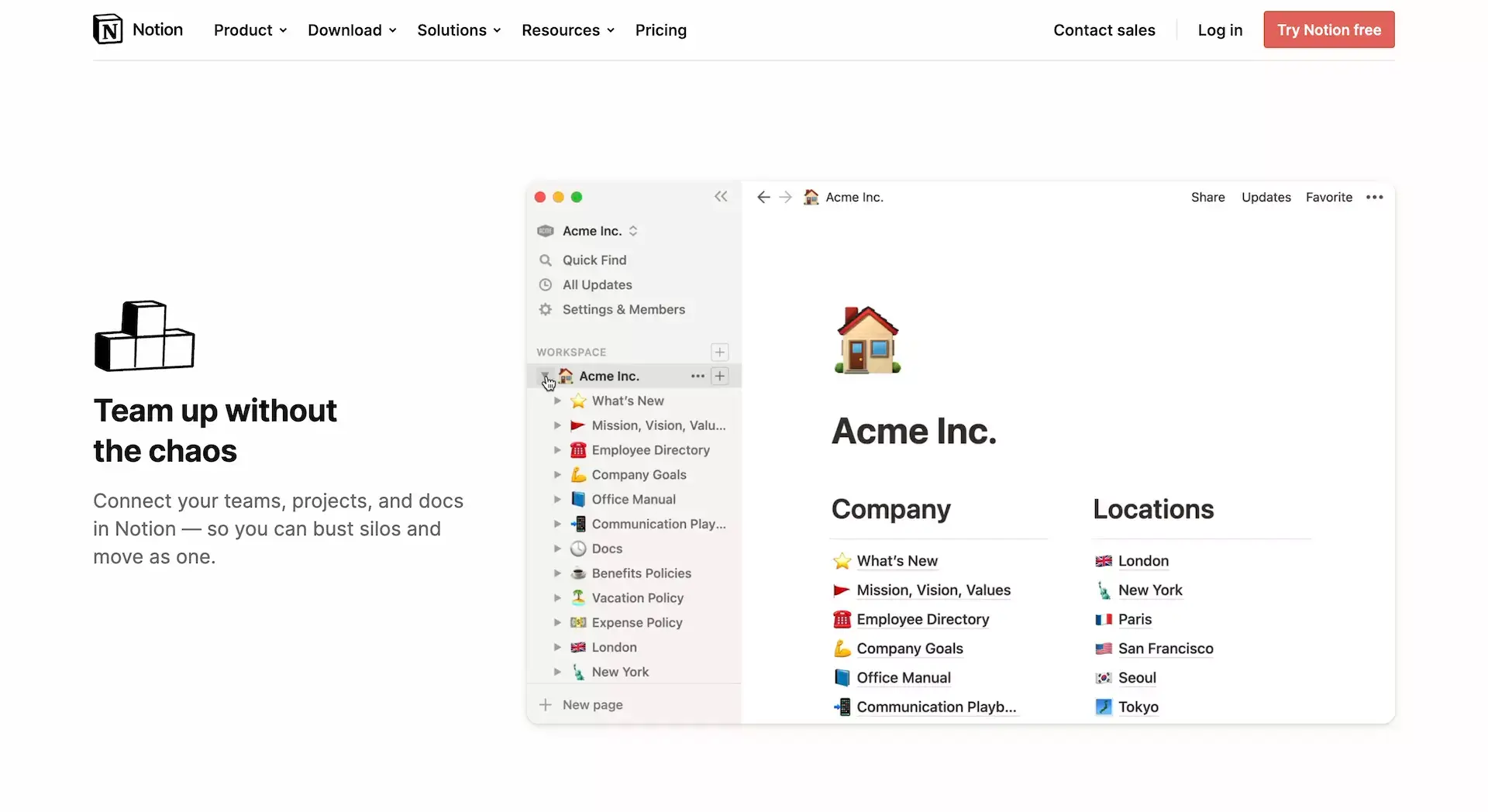
Notion was founded in 2013 by Ivan Zhao. It is an all-in-one app that allows you to take notes and manage projects to improve your productivity. Notion was released to the public in 2015 with the goal of ending the need of having multiple productivity tools by being an all-in-one app.
However, it wasn't all smooth sailing for Notion. After its original release in 2015, Notion was unfortunately faced with failure. This came mainly from the fact that its original build was simply not reliable enough, leading to regular crashes.
Faced with this predicament, Zhao and his co-founder Simon Last would relocate to Japan in an attempt to rebuild Notion - a move that turned out to be a blessing for the team. Rebuilding the app proved beneficial to Notion, as the team became more engrossed in making sure that the software didn't fail as it did before.
Today, Notion’s team is famous for making several design iterations to ensure that each feature is tested to the best of its ability before it is rolled out to the public.
Having been on the brink of failure, Notion capitalized on its previous shortcomings and made it into one of its strengths. Be sure to check out our piece on the complete history of Notion if you're interested to learn more about this tool.
Features of Notion
Notion as a software attempts to be a jack of all trades. It combines multiple tools such as project management, to-do lists, note-taking, wiki creation, and more into one unified software. Notion’s main goal is to increase your productivity by reducing the number of apps you need to get your work done.
Notion is heavy on features and also supports integrations with other apps such as Google Drive, Trello, Slack, and more. When using Notion, you create content on pages by filling up blocks with content.
Although Notion does have a steep learning curve due to it having a lot of features, it can be a useful tool to help you and your team get work done. Having multiple features also means that Notion is flexible, meaning that you can use it for just about anything.
However, this comes at a cost as users have voiced out that Notion can be complicated to use at times.
How Much Does Notion Cost?
Notion offers its software at four different tiers including the free personal plan, personal pro, team, and enterprise plan.
Notion Free Plan
Notion Personal Pro Plan - $4 per month
Notion Team Plan - $8 per month
Notion Enterprise Plan - Contact Sales
MeisterTask
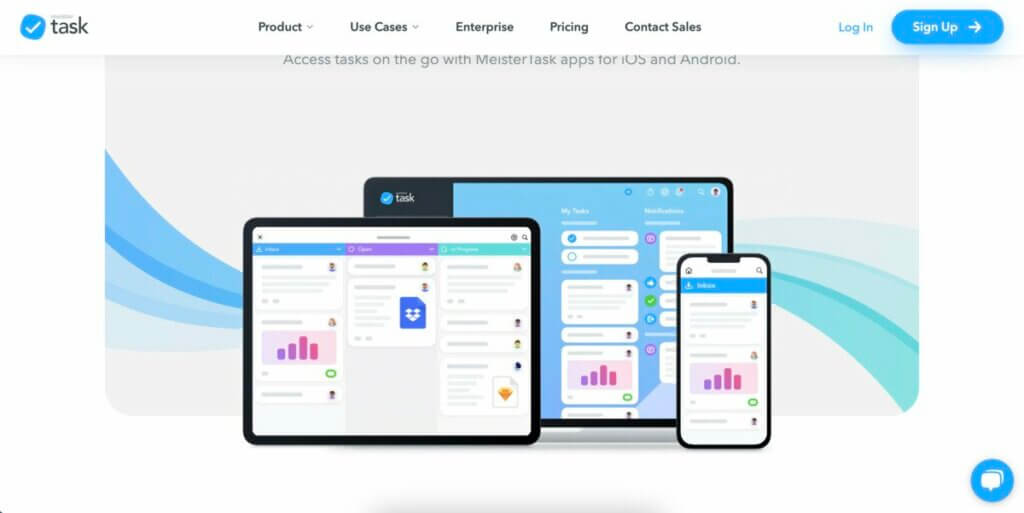
MeisterTask is a web-based task and project management tool designed to facilitate team collaboration and streamline workflows. It was introduced by MeisterLabs, the same company behind the mind mapping tool MindMeister and the note-taking app MeisterNote.
The application was co-founded by Michael Hollauf and Till Vollmer, with its official release in 2015. Building on the experience of developing their mind mapping tool, MeisterLabs set out to create a platform where these mind maps could be translated into actionable tasks.
Over the years, MeisterTask has seen several updates, each aiming to improve its usability and add features in response to user feedback and changing market demands. The app is known for its intuitive interface and flexible project boards that offer good customization options.
Features of MeisterTask
MeisterTask is structured around a Kanban-style board system, which provides a visual representation of tasks as they progress through different stages. Each task can be detailed with descriptions, attachments, tags, and custom fields, providing a bird's-eye view of the workflow.
To foster effective team collaboration, MeisterTask offers features such as real-time communication, task assignment, and role-based access. Team members can leave comments on tasks, mention colleagues, and get instant notifications on updates. The platform also supports integrations with popular tools such as Slack and GitHub, among others.
Customizable backgrounds and dashboard widgets make it really easy to personalize workflows. There's also a built-in time tracking feature, enabling individuals and teams to log hours spent on specific tasks. Comprehensive reporting and analytics tools provide insights into project performance and team productivity, aiding in informed decision-making and planning.
How Much Does MeisterTask Cost?
Basic Plan (free)
Pro ($11/month per user billed annually)
Business ($22.50/month per use billed annually)
Enterprise (custom pricing)
JIRA
JIRA, developed by Atlassian, is a popular project management tool, especially favored in software development for its issue and project tracking capabilities.
Best features:
Highly customizable workflows to suit various project types, especially software development.
Robust issue tracking and agile project management features.
Integration with numerous development tools and platforms.
Detailed reporting and analytics for tracking project progress and team performance.
JIRA limitations:
Steep learning curve, particularly for users not familiar with software development.
Can be overly complex for simple project management needs.
Configuration and customization can be time-consuming.
Wrike
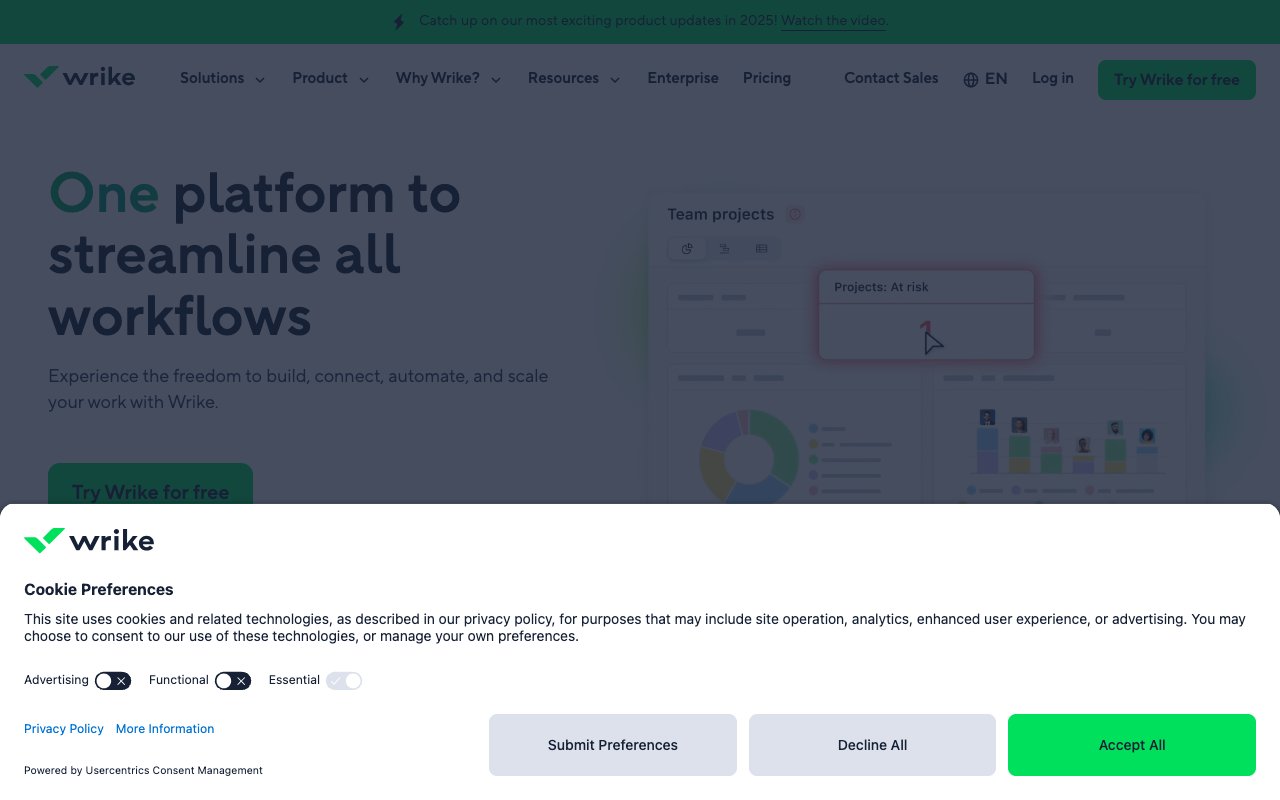
Wrike is a versatile, cloud-based project management tool designed for teams to collaborate, plan, and track projects efficiently.
Best features:
Advanced project planning features with interactive Gantt charts and time tracking.
Real-time collaboration tools, including document editing and shared workflows.
Customizable dashboards and reporting for project insights and analysis.
Strong integration capabilities with a wide range of third-party applications.
Wrike limitations:
Interface can be overwhelming due to the abundance of features.
Some essential features are available only in premium plans.
Might require training for team members to fully utilize its capabilities.
Monday.com
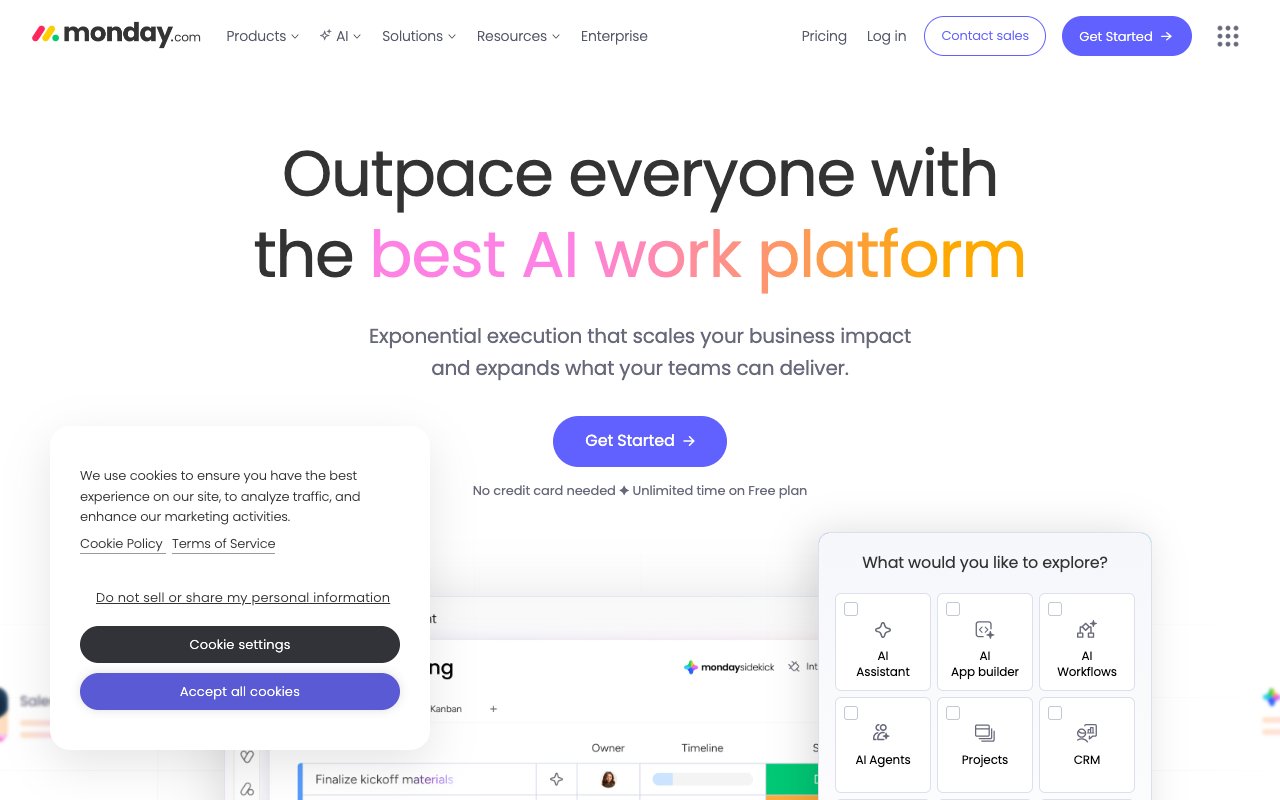
Monday.com is a visually intuitive and customizable project management tool, known for its ease of use and flexibility, catering to various types of teams and projects.
Best features:
Highly visual and intuitive interface, making project tracking more engaging.
Customizable workflows and templates to suit different project needs.
Strong integration capabilities with other tools, enhancing workflow continuity.
Collaboration features like file sharing, communication tools, and timeline views.
Monday.com limitations:
Can become expensive as you add more team members and features.
Some advanced features require a learning curve to fully utilize.
The highly visual interface might not appeal to users who prefer simpler, list-based tools.
Microsoft To-Do
Microsoft To-Do is a task management tool designed for personal and professional use. It offers a simple and intuitive interface that integrates seamlessly with other Microsoft products, making it a great choice for users in the Microsoft ecosystem.
Best features:
Integration with Microsoft Office tools, including Outlook for synchronized task management.
Smart daily planning features with the "My Day" option to organize daily tasks efficiently.
Simple and user-friendly interface, ideal for straightforward task tracking.
Cross-platform availability ensures access across various devices.
Microsoft To-Do limitations:
Limited features for complex project management or team collaboration.
Fewer customization options compared to some other task management tools.
Reliant on integration with other Microsoft products for full functionality.
Teamwork
Teamwork is a comprehensive project management tool that focuses on enhancing team collaboration and streamlining workflows. It's well-suited for agencies, service providers, and teams that manage multiple client projects.
Best features:
Advanced project management features including time tracking, Gantt charts, and workload management.
Robust collaboration tools for team communication and file sharing.
High degree of customization for dashboards, workflows, and task templates.
Comprehensive reporting tools for project performance and team productivity insights.
Teamwork limitations:
Can be overwhelming due to its extensive features, potentially steep learning curve for new users.
Higher cost, particularly for small teams or individuals.
Some users report the mobile app is less intuitive than the web version.
Zenkit
Zenkit is a versatile project management and collaboration tool that offers a range of viewing options for tasks and projects, such as Kanban, list, calendar, and mind map views.
Best features:
Multiple view options for tasks, including Kanban, list, and mind map formats.
Strong collaboration features, including team chat and task delegation.
Integration capabilities with various third-party apps and services.
Customizable fields and filters for personalized project tracking.
Zenkit limitations:
The interface may be overwhelming for new users with multiple views and features.
Some advanced features are only available in higher-tier plans.
Mobile app experience may lack some functionalities available on the desktop version.
Smartsheet
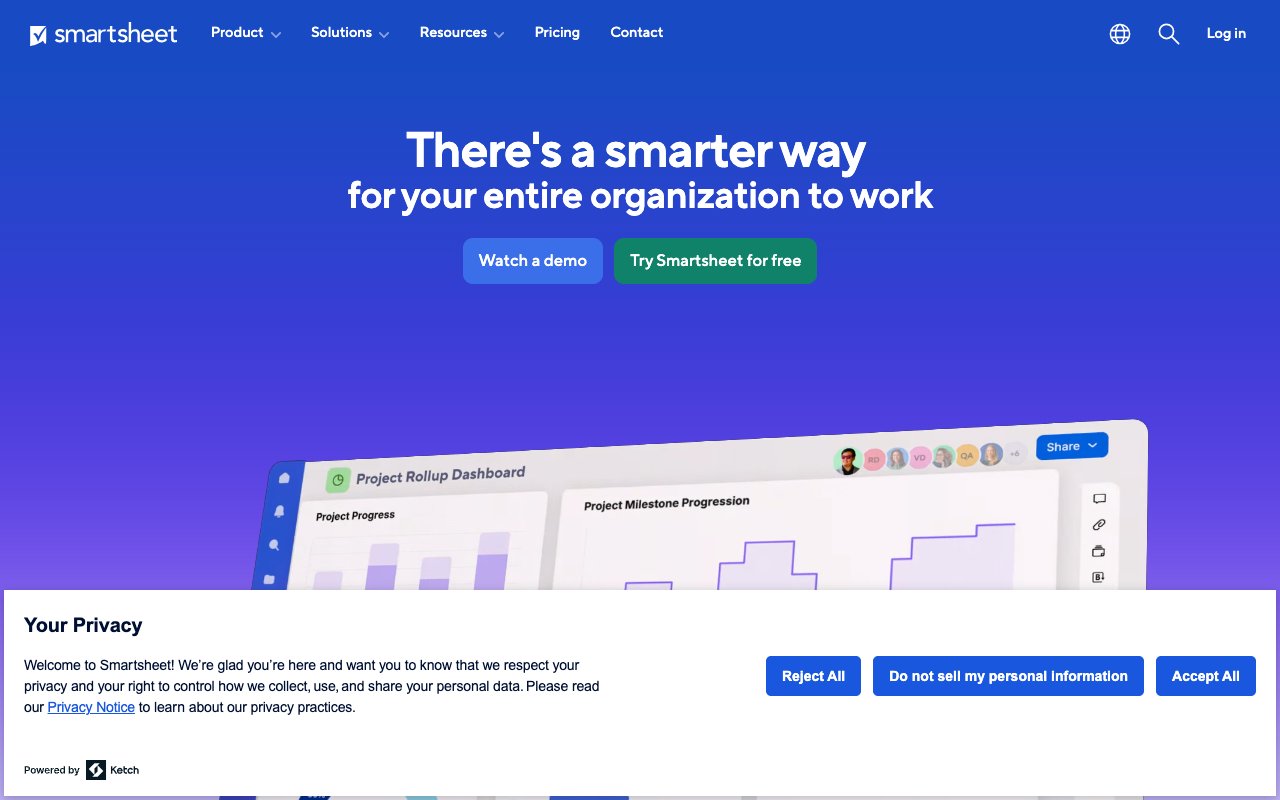
Smartsheet is a powerful project management tool that combines the best of spreadsheet-based design with advanced project management features. It's particularly effective for managing complex projects and large-scale collaborations.
Best features:
Spreadsheet-like interface familiar to Excel users, making it easy to adapt.
Comprehensive project management tools, including Gantt charts and automated workflows.
Robust integration with popular tools like Microsoft Office, Google Workspace, and Salesforce.
Scalable solution for both small teams and large enterprises.
Smartsheet limitations:
The spreadsheet-like interface may not appeal to those looking for a more visual tool.
Can be expensive, especially for advanced features and larger teams.
The learning curve might be steep for users not familiar with spreadsheet functionalities.
Why Taskade Is the Best Free Todoist Alternative
If you’re looking for an alternative to Todoist, here’s why you should consider Taskade. It stands out in the productivity tool landscape, offering a more dynamic and collaborative approach to managing tasks and projects — powered by 11+ frontier models from OpenAI, Anthropic, and Google.
It’s not just about ticking off to-do lists; it’s about empowering teams with a flexible platform that caters to various work styles, whether it’s through Kanban boards, lists, mind maps, or any of the 7 project views. This adaptability makes Taskade an excellent choice for teams seeking efficiency and customization in their workflow.
With autonomous AI agents, 100+ integrations, and the Workspace DNA architecture (Memory + Intelligence + Execution), Taskade doesn’t just help you organize work — it actively does the work. And with Taskade Genesis, you can build your own AI-powered productivity app from a single prompt.
Sign up for free and embrace smart task management with Taskade AI.
Custom AI Agents: Build your own team of autonomous AI agents with 22+ built-in tools, custom tool schemas, and MCP connectors — each designed to automate research, planning, and execution.
AI Generator: Create comprehensive workflows, task lists, documents, and more with a simple natural-language interface powered by 11+ frontier models from OpenAI, Anthropic, and Google.
AI Assistant: Use frontier AI models to accelerate and refine creative tasks — from brainstorming and outlining to content generation and editing.
AI Prompt Templates Library: Hit a creative block? Dive into our extensive collection of AI-generated prompt templates to get back on track.
AI Chat: Transform obstacles into opportunities. Initiate a dialogue with AI to discover new ideas and solutions.
Media Q&A: Upload .pdf, .docx, .txt, and .csv files to Taskade AI, and ask away. Summarize and extract key insights in seconds.
Beyond Task Management: Build Your Own Productivity App
Ready to go beyond alternatives? Taskade Genesis lets you create your own AI-powered task management system — custom dashboards, automations, and workflows — with a single prompt. It’s vibe coding: describe your ideal productivity system and watch it come alive as living software. Browse ready-made AI apps or connect 100+ integrations.

Frequently Asked Questions
What is the best Todoist alternative in 2026?
Taskade is the best Todoist alternative in 2026 for teams that want AI-powered task management. It combines to-do lists with AI agents, 7 project views (List, Board, Calendar, Gantt, and more), and 100+ integrations starting at $6/month.
Is Todoist still worth using in 2026?
Todoist remains a solid personal task manager with clean design and natural language input. Its AI assistant (launched 2025) adds smart scheduling. However, it lacks the AI agents, multiple views, and collaboration depth of platforms like Taskade.
How much does Todoist cost?
Todoist offers a free tier (5 active projects, 5 collaborators), Pro at $5/month (300 projects, reminders, AI assistant), and Business at $8/user/month (team features, admin controls). Compare with Taskade Starter at $6/month with AI agents included.
Can I use Todoist for team collaboration?
Todoist Business ($8/user/month) supports team workspaces, shared projects, and admin controls. However, collaboration is limited to task assignment and comments. Taskade offers real-time co-editing, AI agents, and 7 project views for richer team collaboration.
What is Todoist AI assistant?
Todoist's AI assistant (2025) helps with smart task scheduling, natural language due dates, and task breakdown suggestions. It's included in Pro and Business plans. Unlike Taskade's autonomous AI agents, Todoist's AI is assistive rather than agentic.
Is TickTick better than Todoist?
TickTick offers more built-in features than Todoist (Pomodoro timer, habit tracker, calendar view) at a similar price. Todoist has a cleaner interface and better natural language input. For AI-powered task management beyond both, Taskade adds agents and automations.
Does Todoist integrate with other apps?
Todoist integrates with 80+ apps including Google Calendar, Slack, Gmail, and Zapier. Taskade offers 100+ direct integrations plus built-in automation workflows, eliminating the need for separate Zapier subscriptions.
What company makes Todoist?
Todoist is made by Doist, a fully remote company founded by Amir Salihefendic in 2007. Doist also makes the team communication app Twist. The company is bootstrapped with no venture capital funding.