



Taskadetaskade
PricingLoginSign up for free →Sign up for free →
Loved by 1M+ users·Hosting 100K+ apps·Deploying 500K+ AI agents·Running 1M+ automations·Backed by Y Combinator
TaskadePricingFeaturesContact usIntegrationsMCP ServerDeveloper APIChangelogPressLearnAbout
GalleryProductivityKitsVideosReviewsFAQ
VibeVibe AppsVibe AgentsVibe CodingVibe WorkflowsVibe Marketing
Vibe DashboardsVibe CRMVibe AutomationVibe PaymentsVibe DesignVibe SEOVibe Tracking
Community
FeaturedQuick AppsToolsDashboardsWebsites
WorkflowsProjectsFormsCreators
DownloadsAndroidiOSMacWindows
ChromeFirefoxEdge
Compare
vs Cursorvs Boltvs Lovablevs V0vs Windsurf
vs Replitvs Emergentvs Devinvs Claude Codevs ChatGPTvs Claudevs Perplexityvs GitHub Copilotvs Figma AIvs Notionvs ClickUpvs Asanavs Mondayvs Trellovs Jiravs Linearvs Todoistvs Evernotevs Obsidianvs Airtablevs Basecampvs Mirovs Slackvs Bubblevs Retoolvs Webflowvs Framervs Softrvs Glidevs FlutterFlowvs Base44vs Adalovs Durablevs Gammavs Squarespacevs WordPressvs UI Bakeryvs Zapiervs Makevs n8nvs Jaspervs Copy.aivs Writervs Rytrvs Manusvs Crewvs Lindyvs Relevance AIvs Wrikevs Smartsheetvs Monday Magicvs Codavs TickTickvs Any.dovs Thingsvs OmniFocusvs MeisterTaskvs Teamworkvs Workfrontvs Bitrix24vs Process Streetvs Toggl Planvs Motionvs Momentumvs Habiticavs Zenkitvs Google Docsvs Google Keepvs Google Tasksvs Microsoft Teamsvs Dropbox Papervs Quipvs Roam Researchvs Logseqvs Memvs WorkFlowyvs Dynalistvs XMindvs Whimsicalvs Zoomvs Remember The Milkvs Wunderlist
Genesis AIVideo GuideApp BuilderVibe CodingAgent BuilderDashboard Builder
CRM BuilderWebsite BuilderForm BuilderWorkflow AutomationWorkflow BuilderBusiness-in-a-BoxAI for MarketingAI for Developers
AI Agents
FeaturedProject ManagementProductivityMarketingTranslator
ContentWorkflowResearchPersonalSalesSocial MediaTo-Do ListCRMTask AutomationCoachingCreativityTask ManagementBrandingFinanceLearning and DevelopmentBusinessCommunity ManagementMeetingsAnalyticsDigital AdvertisingContent CurationKnowledge ManagementProduct DevelopmentPublic RelationsProgrammingHuman ResourcesE-CommerceEducationLegalEmailSEODeveloperVideo ProductionDesignFlowchartDataPromptNonprofitAssistantsTeamsCustomer ServiceTrainingTravel PlanningUML DiagramER DiagramMath TutorLanguage LearningCode ReviewerLogo DesignerUI WireframeFitness CoachAI Lead EnrichmentFounder OSAI SDR AgentBookkeepingRecruitingWebsite MonitoringAll Categories
Automations
FeaturedBusiness-in-a-BoxInvestor OperationsEducation & LearningHealthcare & Clinics
Real EstateStripeSalesE-commerceContentMarketingEmailCustomer SupportHubSpotProject ManagementAgentic WorkflowsBooking & SchedulingCalendarReportsSlackWebsiteFormTaskWeb ScrapingWeb SearchChatGPTText to ActionYoutubeLinkedInTwitterGitHubDiscordMicrosoft TeamsWebflowRSS & Content FeedsGoogle WorkspaceManufacturing & OperationsAI Agent TeamsMulti-Agent AutomationNotion AutomationsAgentic AutomationProposalBookkeeping & ExpensesClient OnboardingAll Categories
Wiki
Taskade GenesisAI AgentsAutomation
ProjectsLiving DNAAutonomous Workspaces, Agents & AppsQuantum AI & Taskade Genesis QuantumPlatformIntegrationsProductivityMethodsProject ManagementAgileScrumAI ConceptsCommunityTerminologyFeatures
Templates
FeaturedChatGPTTablePersonalProject Management
SalesFlowchartTask ManagementEngineeringEducationDesignTo-Do ListMarketingMind MapGantt ChartOrganizationalPlanningMeetingsTeam ManagementStrategyGamingProductionProduct ManagementStartupRemote WorkY CombinatorRoadmapCustomer ServiceLegalEmailBudgetsContentConsultingE-CommerceStandard Operating Procedure (SOP)Human ResourcesProgrammingMaintenanceCoachingSocial MediaHow-TosResearchMusicTrip PlanningCRMClient OnboardingEmployee OnboardingSOPBug TrackerRecruitment TrackerFormSales PipelineContent CalendarMarketing PlanProduct RoadmapBusiness PlanSWOT Analysis30-60-90 Day PlanInterviewNotion AlternativeKPI TemplatesStrategic Plan TemplatesMeeting Agenda TemplatesInvoiceRisk RegisterIT Asset ManagementKanban BoardChange ManagementCommunication PlanRFPScope of WorkStatement of WorkHelpdeskKnowledge BaseCreative BriefGoal SettingExecutive SummaryGap AnalysisBooking SystemEvent ManagementPortfolio TrackerCustomer Onboarding PortalsClient PortalAgency OperationsFinance TrackingAll Categories
Generators
AI SoftwareNo-Code AI AppAI AppAI WebsiteAI Dashboard
AI FormAI AgentClient PortalAI WorkspaceAI ProductivityAI To-Do ListAI WorkflowsAI EducationAI Mind MapsAI FlowchartAI Scrum Project ManagementAI Agile Project ManagementAI MarketingAI Project ManagementAI Social Media ManagementAI BloggingAI Agency WorkflowsAI ContentAI Software DevelopmentAI MeetingAI PersonasAI OutlineAI SalesAI ProgrammingAI DesignAI FreelancingAI ResumeAI Human ResourceAI SOPAI E-CommerceAI EmailAI Public RelationsAI InfluencersAI Content CreatorsAI Customer ServiceAI BusinessAI PromptsAI Tool BuilderAI SEOAI Gantt ChartAI CalendarsAI BoardAI TableAI ResearchAI LegalAI ProposalAI Video ProductionAI Health and WellnessAI WritingAI PublishingAI NonprofitAI DataAI Event PlanningAI Game DevelopmentAI Project Management AgentAI Productivity AgentAI Marketing AgentAI Personal AgentAI Business and Work AgentAI Education and Learning AgentAI Task Management AgentAI Customer Relations AgentAI Programming AgentAI SchemaAI Business PlanAI Pitch DeckAI InvoiceAI Lesson PlanAI Social Media CalendarAI API DocumentationAI Database SchemaAI Marketing PlanAI Sales PipelineAI Course BuilderInternal ToolsBooking SystemReal Estate CRMInventory ManagementAll Categories
Converters
AI Featured ConvertersAI PDF ConvertersAI CSV ConvertersAI Markdown ConvertersAI Prompt to App Converters
AI Data to Dashboard ConvertersAI Workflow to App ConvertersAI Idea to App ConvertersAI Flowcharts ConvertersAI Mind Map ConvertersAI Text ConvertersAI Youtube ConvertersAI Knowledge ConvertersAI Spreadsheet ConvertersAI Email ConvertersAI Web Page ConvertersAI Video ConvertersAI Coding ConvertersAI Task ConvertersAI Kanban Board ConvertersAI Notes ConvertersAI Education ConvertersAI Language TranslatorsAI Business → Backend App ConvertersAI File → App ConvertersAI SOP → Workflow App ConvertersAI Portal → App ConvertersAI Form → App ConvertersAI Schedule → Booking App ConvertersAI Metrics → Dashboard ConvertersAI Game → Playable App ConvertersAI Catalog → Directory App ConvertersAI Creative → Studio App ConvertersAI Agent → Agent App ConvertersAI Audio ConvertersAI DOCX ConvertersAI EPUB ConvertersAI Image ConvertersAI Resume & Career ConvertersAI Presentation ConvertersAI PDF to Spreadsheet ConvertersAI PDF to Database ConvertersAI PDF to Quiz ConvertersAI Image to Notes ConvertersAI Audio to Notes ConvertersAI Email to Tasks ConvertersAI CSV to Dashboard ConvertersAI YouTube to Flashcards ConvertersURL to NotesVideo → SummaryAI Receipts to Expense Tracker ConvertersAI Docs to Knowledge Base ConvertersAI Form to Client Portal ConvertersSpreadsheet to CRMAll Categories
Prompts
Blog WritingBrandingPersonal Finance
Human ResourcesPublic RelationsTeam CollaborationProduct ManagementSupportAgencyReal EstateMarketingCodingResearchSalesAdvertisingSocial MediaCopywritingContentProject ManagementWebsite CreationDesignStrategyE-commerceEngineeringSEOEducationEmail MarketingUX/UIProductivityInfluencer MarketingAnalyticsEntrepreneurshipLegalVibe Coding PromptCRMCustomer SupportRecruitingAll Categories
Blog
What Are Claude Skills? 2026 Beginner GuideHow to Build a Team of AI Agents (No Code): A 2026 Step-by-Step PlaybookWhat Is an AI Agent Harness? 2026 Guide
AI Agents for Project Management in 2026: Build the PM Agent Team (Live Demo)9 Best AI Event Management Software in 2026What Is AI Slop? The Term Flooding Open Source, Search, and Trust (2026)9 Best AI Inventory Management Software in 2026Claude Fable 5 & Mythos 5 Explained: Benchmarks, Pricing & the Catch (2026)The Killer App Theory: What VisiCalc, Netscape, and ChatGPT Tell Us About the Next Rupture (2026)10 Best AI Recruiting Software in 2026 (ATS Compared)25 n8n Use Cases for 2026 — and the Faster Way to Ship Each OneDORA Metrics Explained (2026): The Four Keys, Benchmarks, and How to Build a Dashboard11 Best AI Schedule Generators 2026 (Work Shifts, Study Plans, Employee Rosters)OpenAI Codex Sites Explained: What It Is, Who Can Use It & the Open Alternative (2026)Best OpenAI Codex Alternatives in 2026 (For Coders AND Non-Coders)
AIAutomationProductivityProject ManagementRemote WorkStartupsKnowledge ManagementCollaborative WorkUpdates
Changelog
Guided Onboarding & Smoother Credit Top-Ups (Jun 9, 2026)Service CRM Starter & New Automation Actions (Jun 9, 2026)Private-by-Default Apps & Reliable CSV (Jun 5, 2026)
Table View Multi-Select & Bulk Delete (Jun 4, 2026)Currency Fields & a Sharper Taskade EVE (Jun 3, 2026)Stronger Sign-In & Simpler Custom Domains (Jun 2, 2026)Custom Domains, Secured Faster (May 29, 2026)
Wiki
Taskade GenesisAI AgentsAutomation
ProjectsLiving DNAAutonomous Workspaces, Agents & AppsQuantum AI & Taskade Genesis QuantumPlatformIntegrationsProductivityMethodsProject ManagementAgileScrumAI ConceptsCommunityTerminologyFeatures
Prompts
Blog WritingBrandingPersonal Finance
Human ResourcesPublic RelationsTeam CollaborationProduct ManagementSupportAgencyReal EstateMarketingCodingResearchSalesAdvertisingSocial MediaCopywritingContentProject ManagementWebsite CreationDesignStrategyE-commerceEngineeringSEOEducationEmail MarketingUX/UIProductivityInfluencer MarketingAnalyticsEntrepreneurshipLegalVibe Coding PromptCRMCustomer SupportRecruitingAll Categories
© 2026 Taskade.
PrivacyTermsSecurity
Made withTaskade AIforBuilders
BlogProduct UpdatesAutopilot Beta, CSV to…

Autopilot Beta, CSV to Tables, Enhanced Forms, Gmail Automation, DALL·E 3 & More

Big news: Taskade Autopilot is now live. With a single prompt, generate your entire AI workforce — agents, projects, and automa...

🤖 Autopilot Beta, CSV to Tables, Enhanced Forms, Gmail Automation, DALL·E 3 & More
May 22, 2025Updated January 18, 20267 min readJohn XieUpdates
On this page (10)
⚡️ Introducing Taskade Autopilot (Beta)📥 Convert CSVs into AI Tables📩 Capture Contacts with AI Forms⚙️ Automate Projects in One Click📎 Automate Gmail & File Attachments🪄 Generate Images with DALL·E 3✨ Try the Top AI Kits of the Week!🧩 Other Improvements🚀 Join the CommunityFrequently Asked Questions

Big news: Taskade Autopilot is now live. With a single prompt, generate your entire AI workforce — agents, projects, and automations, fully wired up and ready to execute.

That’s not all. We’ve also added major upgrades to the Table View, CSV import, AI Forms, project automation, Gmail & Google Workspace integrations, and more!

Let’s break it down 👇

TL;DR: Taskade Autopilot generates your entire AI workforce — agents, projects, and automations — from a single prompt. This update also adds CSV-to-table import, Gmail attachment automation, DALL-E 3 image generation, and enhanced AI forms with 100+ integrations. Try it free →

⚡️ Introducing Taskade Autopilot (Beta)
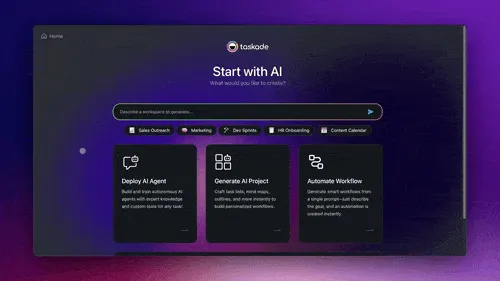
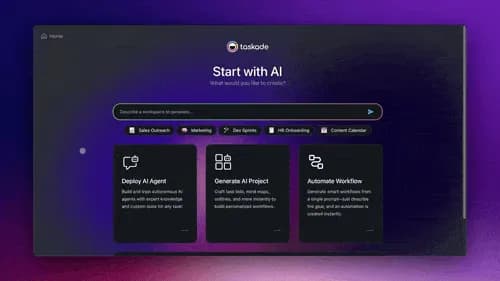
Taskade interface showing AI agents, projects, and automations being created automatically from a single user prompt in a workspace.

Build your AI workforce in seconds. One prompt generates a team of AI agents, projects, and automation flows, fully connected in a unified workspace. Learn more.

  • Structured projects: Generate real, actionable projects that drive progress.

  • Collaborative AI agents: Create agents that plan, delegate, and execute together.

  • 24/7 automation workflows: Build and run always-on, connected workflows.

👉 How to use: Go to taskade.com/create > Launch Autopilot


📥 Convert CSVs into AI Tables
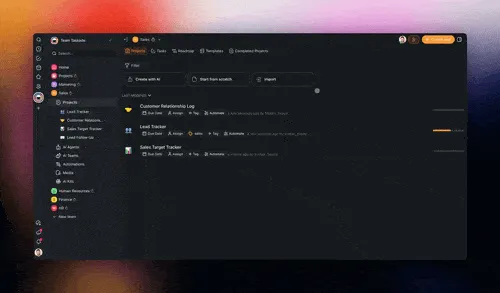
User importing a CSV file into Taskade and converting it into a dynamic table with mapped custom fields and built-in automation support.

Import any spreadsheets and bring your data into Taskade. Upload a CSV file and instantly turn it into an AI table, with column data mapped to custom fields. Learn more.

  • Flexible, dynamic tables: Built to adapt and easy to update.

  • Match columns to custom fields: Your data falls right into place.

  • Automation and AI Agents ready: Use AI to organize, sort, and analyze data.

👉 How to use: Go to Workspace > ➕ Create new > Import > CSV


📩 Capture Contacts with AI Forms
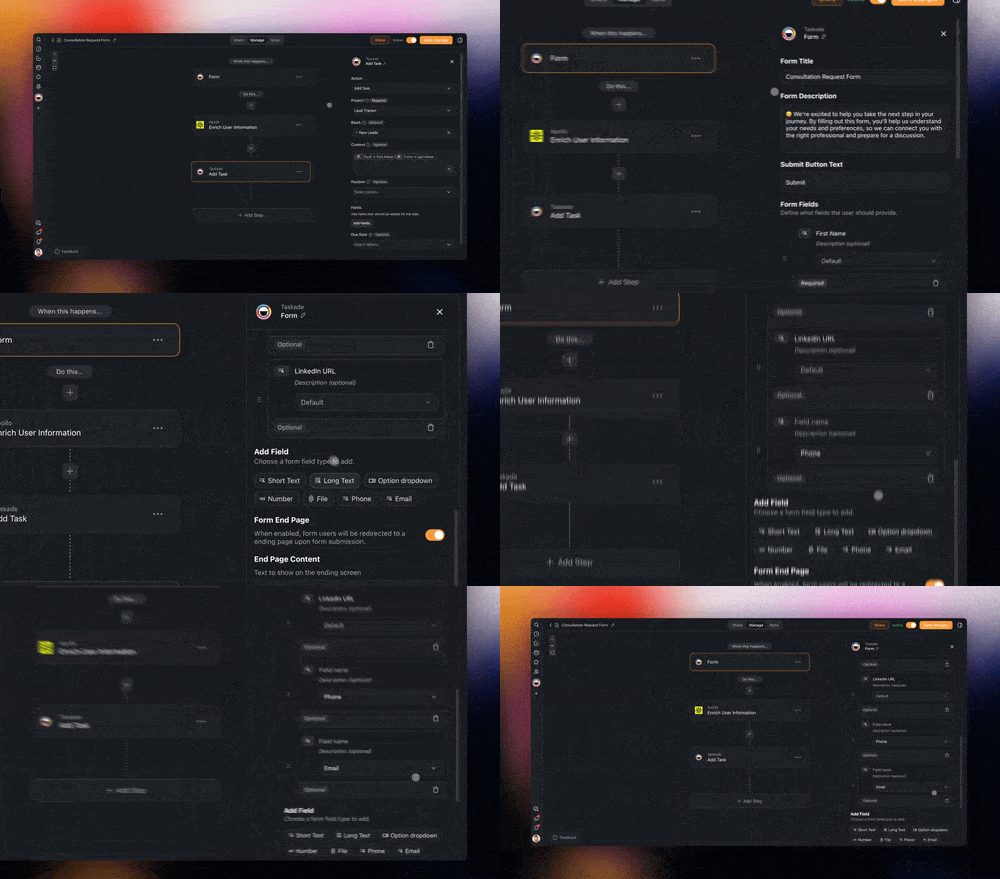
![AI Form in Taskade collecting email addresses and international phone numbers.

](/static_images/blog/new-form-fields.gif)

AI Forms now support emails and phone numbers with international formatting. A small change that opens the door to better follow-up. Learn more.

  • Capture more context: Add phone and email fields.

  • Collect leads or sign-ups: Gather contact info at scale.

  • Data for automations: Use form inputs in downstream actions.

👉 How to use: Go to Automations > ➕ Add Trigger > Add Field


⚙️ Automate Projects in One Click
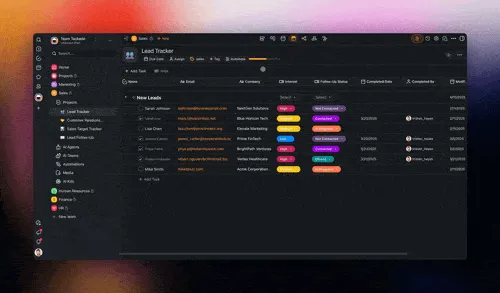
Taskade project view where a user adds triggers and actions to automate workflows directly within the project interface.

The new Automate Menu inside projects now includes both triggers & actions. This lets you quickly set up project-based automations right where you work. Learn more.

  • Create automations faster: Set up new flows without leaving projects.

  • Ready to use: Triggers and actions link to the current project for you.

  • Easier to maintain: Projects include backlinks to your new automations.

👉 How to use: Go to Project > Automate > Pick Action/Trigger


📎 Automate Gmail & File Attachments
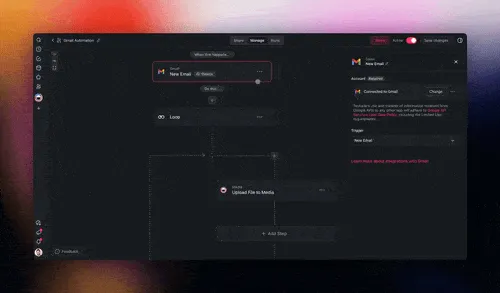
Incoming Gmail message in Taskade being processed to extract multiple attachments.

Want to automate incoming emails with attachments? Capture docs, reports, or resources with the improved Gmail integration to keep momentum. Learn more.

  • Handle multiple attachments: Capture everything in one go.

  • Categorize with AI: Let AI analyze files automatically.

  • Better replies, faster: Automate responses with full context.

👉 How to use: Go to Automations > ➕ Add Step > Gmail (requires a loop).


🪄 Generate Images with DALL·E 3
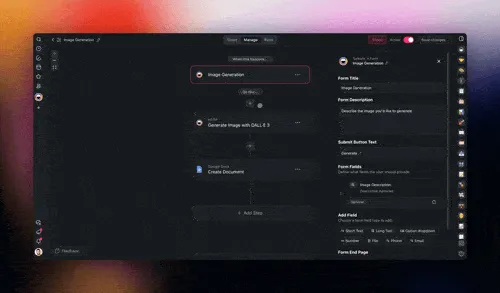
User entering a text prompt in Taskade to generate an AI-created image using DALL·E 3 for blog posts and social media content.

Generate beautiful visuals for blogs, social media, YouTube, and more with the all-new DALL·E 3 automation action. Just write a prompt and watch the magic. Learn more.

  • Use as Agent Tool: Create images on demand with your agents.

  • Simplify content creation: Generate assets for docs, posts, and slides.

  • Boost your socials: Use DALL·E 3 in LinkedIn, Facebook, and X automations.

👉 How to use: Go to Automations > ➕ Add Step > Enter your OpenAI API key.


✨ Try the Top AI Kits of the Week!

Get started with these ready-to-use AI Kits with one-click install. Learn more.

  1. 📅 Automated Facebook Page Posting Kit → Automate Facebook Page posts.

  2. 📥 AI Customer Feedback Kit → Convert feedback emails into tasks.

  3. 🤝 New Hire Onboarding Kit → Simplify employee onboarding.

  4. 🚀 AI Marketing Launch Kit → Boost marketing campaign execution.

  5. 🍿 YouTube Video to Blog post → Turn YouTube videos into blog content.


🧩 Other Improvements

  • New: Taskade Autopilot (Beta) is live! Instantly build your AI workforce — agents, projects, and automations — in one unified workspace, all from a single prompt.

    • Want early access? Try it now on Twitter / X, LinkedIn, FB Group and Reddit.

    • Multi-Agent Collaboration: Agents that plan, delegate, and act together.

    • Built-In Autonomy: Always-on workflows that learn and improve.

    • Instant Setup: No templates — prompt and launch your AI team!

  • New: AI Agent Enhancements

    • New: Conversation starter support

    • New: Copy link popup for agent actions

    • New: Sidebar dropdown for switching agents

    • Improved: Agent panel dropdown consistent with edit screen

    • Improved: Added confirmation when disabling agent public access

    • Improved: Overflow fix for create project modal from agent chat

    • Improved: UI now supports conversation starters with drag-and-drop

  • New: AI Automation Enhancements

    • New: Date field added to Forms

    • New: Form fields now support phone, email, and URL validation

    • New: GitHub triggers for new comments and issue comments

    • New: Gmail trigger now supports attachments

    • New: Stripe automation (beta): search invoices, create refunds, more

    • New: Onboarding automation tour

    • New: HTTP Request preset for image generation (DALL·E 3)

    • New: Add plain text to media action

    • New: New presets for Ask AI actions

    • Improved: Better error reporting, dropdown handling, and styling for automation UI

    • Improved: RSS feed trigger testing UI and timeout handling

    • Improved: Categorize with AI now searchable

    • Improved: Form output scrollability and truncation

    • Fixed: RSS pubDate bug, duplicate action keying, removed deprecated Extract Data with AI

  • New: Taskade AI Assistant Tools

    • New: Web Search, Site Scraper, and Taskade Actions now available in-agent

    • Improved: AI assistant tools panel, updated with version info

    • Fixed: Paywall and UI integration improvements

  • New: Workspace & Generator Enhancements

    • New: Generate entire workspace with AI Agents and automation flows

    • Improved: Generator modal UI, prompt filtering, and structured output support

    • Fixed: Workspace creation from onboarding now supports automation

  • New: Table View Upgrades

    • New: Table View per-project config

    • New: Legacy assignees and due dates shown

    • Improved: Column menu drag fix, filter/group enhancements

    • Improved: Select filter support

  • New: Editor & Web UI Updates

    • New: Create project dropdown

    • New: Tabs for space navigation

    • Improved: Navigation to projects/tasks/roadmap

    • Improved: Gantt chart due date removal

    • Improved: Truncate long team names

    • Improved: Folder tooltips, My Tasks panel behavior

    • Fixed: Header menu pointer bug

  • New: Forms Enhancements

    • New: Support for localized titles

    • New: Phone field in production

    • Improved: Styling and validation for email/phone/number fields

    • Improved: Publish modal now supports affiliate toggles

  • New: CSV Import Improvements

    • New: Import CSV with number fields, select options, and default views

    • Fixed: Max row limits, column exclusion bugs, overflow options

  • New: AI Kit & Templates Improvements

    • New: Creation bar pills for kits

    • Improved: Kit modal behavior, styling fixes for Safari/mobile

    • Fixed: Public kit scrolling and text overflow

  • Improved: Backend & Stability Enhancements

    • Improved: Mailhook policy, Pulsar job, SES schema fixes

    • Improved: Smoother onboarding UI and referrals in automation share modals

    • Improved: Error handling in email, automation, and webhook flows

    • Improved: Cache busting, URL validation for media links and webpages

    • Improved: Normalized analytics paths

    • Fixed: Table view header drag, agent team paywalls, legacy feature flags

    • Fixed: Admin tools and permissions management

Check out all the latest updates on our Changelog Forum.


🚀 Join the Community

Join us every Friday at 9 AM (US PT) for our weekly Taskade Live Stream, featuring demos, advanced use cases, and live Q&A with the Taskade team.

  • 📺 Missed a session? Watch all past episodes on our YouTube channel.

  • 🎥 Latest episode: 🤖 Agentic AI Teams Demo, Google Forms & Email Automation

  • 🤝 Connect with us: Forum | Official Subreddit | Facebook Group | X (Twitter)

  • 🤔 Have questions? Explore the Help Center, FAQ, Product Updates, or API Docs.

Need help with something else? Contact us — we're here to help!

— Team Taskade 🐑


Thanks for being on this journey with us.

Taskade is building more than just automation — we’re building an intelligent execution layer for your work. Where agents don’t just assist, but collaborate, delegate, and act on your behalf.

This is just the beginning. With Taskade Autopilot, one prompt creates your entire AI workforce — agents, projects, and automations, all working in sync. Your second brain, running on autopilot.

We’re just getting started.

John Xie, Co-founder & CEO, Taskade

Co-founder & CEO, Taskade

— Team Taskade 🐑

Taskade AI banner.

Frequently Asked Questions

What is Taskade Autopilot?

Taskade Autopilot generates your entire AI workforce from a single prompt. One description creates a team of AI Agents, structured Projects, and connected Automation workflows — fully wired and ready to execute in a unified workspace. It's the fastest way to go from idea to a complete, working system without any manual setup.

Can I import CSV spreadsheets into Taskade?

Yes. Taskade lets you upload any CSV file and instantly convert it into a dynamic AI-powered table. Column data is automatically mapped to custom fields, and the resulting table supports sorting, filtering, automation triggers, and AI Agent analysis. Go to your workspace, click Create New, then Import CSV.

How does Gmail automation work in Taskade?

Taskade's Gmail integration lets you automate incoming emails with attachments. The system captures documents, reports, and resources from email, then routes them through automation workflows. You can categorize attachments with AI, trigger follow-up actions, and automate responses with full context — all without leaving Taskade.

Can Taskade AI Agents generate images with DALL-E 3?

Yes. Taskade includes a DALL-E 3 automation action that generates images from text prompts. You can use it as an Agent Tool for on-demand image creation, integrate it into content workflows for blog posts and social media, or add it to automation sequences for LinkedIn, Facebook, and X posts. Requires an OpenAI API key.

0%

On this page

⚡️ Introducing Taskade Autopilot (Beta)📥 Convert CSVs into AI Tables📩 Capture Contacts with AI Forms⚙️ Automate Projects in One Click📎 Automate Gmail & File Attachments🪄 Generate Images with DALL·E 3✨ Try the Top AI Kits of the Week!🧩 Other Improvements🚀 Join the CommunityFrequently Asked Questions

Related Articles

A whole-business operations dashboard built with Taskade Genesis — every job, asset, and status on one screen, the way a real field-service crew runs the day
June 7, 2026Product Updates

Run Your Whole Business in One App with Taskade Genesis (June 2026)

A concrete crew, a solo realtor, a wellness clinic — each runs the whole business on one app they built by describing it...

Describe a job and Taskade Genesis generates the workflow, assembles an agent team, and runs it across 100+ integrations on autopilot
June 3, 2026Product Updates

Taskade Genesis: Generate Workflows, Deploy Agent Teams, Automate (June 2026)

Describe a job and Taskade Genesis builds the workflow, assembles an agent team, and runs it across 100+ integrations 24...

Taskade Genesis app kits arrive pre-wired to 100+ bidirectional integrations — the connector grid behind every Ops, Founder, Marketing, Sales, and Support kit
May 21, 2026Product Updates

Taskade Genesis: New App Kits, Agents, and Workflows (May 21 2026)

Five business stacks. Twenty-four app kits. Clone any one free — every kit ships with Workspace DNA: memory, agents, and...

Multi-Agent Workspace — Taskade Genesis three-layer architecture: Memory (Projects), Intelligence (Agents), Execution (Workflows)
May 16, 2026Product Updates

Multi-Agent Workspace: Memory, Agents, Workflows (May 16 2026)

Three layers, one workspace. Memory remembers. Intelligence thinks. Execution ships. The Multi-Agent Workspace is live —...

Taskade Genesis integrations grid — 100+ bidirectional connectors composing apps, agents, and automations (May 2026)
May 11, 2026Product Updates

Clone Apps. Add Login. Run Agents. Automate Flows. (May 2026)

Clone 8 production apps in 60 seconds, add Sign-In to any published app, run anything from one chat with / and @, ship n...

Taskade DNA knowledge graph at /memory — Workspace Memory, Agent Workflows, and Stripe-powered App Payments shipping in May 2026
May 3, 2026Product Updates

Workspace Memory, Agent Workflows, App Payments (May 2026)

DNA Knowledge Graph at /memory, agents wired to 34 built-in tools and 100+ integrations, Stripe checkout inside Taskade ...

View All Articles
Autopilot: AI Workforce + Gmail Automation (2025) | Taskade Blog