






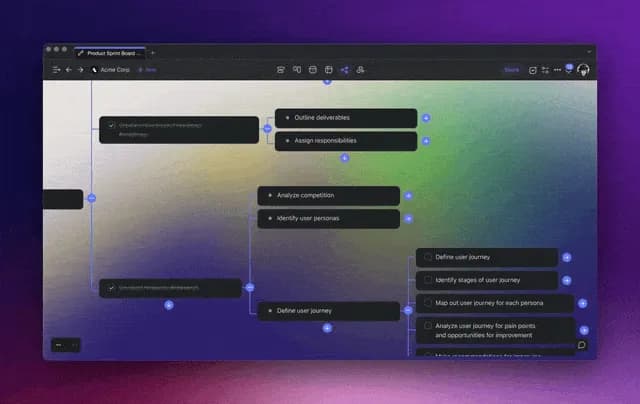
Hi Taskaders,
This update enhances security for your projects, supercharges your brainstorming sessions, and streamlines the project management experience in Taskade. Have fun!
TL;DR: Password-protected links and Publish Links shipped in June 2023 marked Taskade's shift toward shareable, secure publishing. Today Taskade ships custom domains, password protection, and the Community Gallery, spans multiple project views, 15+ frontier AI models from OpenAI, Anthropic, and Google, and 100+ integrations — and Taskade Genesis turns any prompt into a living app.
Then → Now: Password-protect + publish links (2023) → today's custom domains, password protection, and the Community Gallery, plus AI Agents v2.
| Publishing | 2023 H1 | Today (2026) |
|---|---|---|
| Privacy | Password-protect shared links | Password share + custom domains |
| Public | Read-only publish links | Publish a project + Genesis publishing |
| Gallery | (none) | Community App Gallery for cloning |
| My Tasks | Task Detail panel | My Tasks across multiple views + Autopilot |
🔐 The Publishing Pipeline, Then and Now
In June 2023, "publish" meant a read-only URL with a password. Three years later, the same gesture can push a full Taskade Genesis app to a custom domain with password protection, analytics, and a Community Gallery listing.
  2023                              2026
  ────                              ────  [ Draft ]                         [ Draft in workspace ]
     │                                    │
     ├─ add password 🔒                    ├─ AI review + agent QA
     │                                    │
     ▼                                    ▼
  [ Read-only link ]                 [ Publish pipeline ]
     │                                    │
     ▼                             ┌──────┴───────────┐
  Share URL                        ▼                  ▼
                             [ Custom domain ]  [ Community ]
                                    │                  │
                                    ▼                  ▼
                             SSL + password     Cloneable by all
                                    │
                                    ▼
                              Built-in analytics
Modern equivalents: Publish a project • Password share • Custom domains • Community Gallery • My Tasks • Taskade Autopilot • Taskade Genesis • AI Agents v2 • Automations • Templates • Integrations.
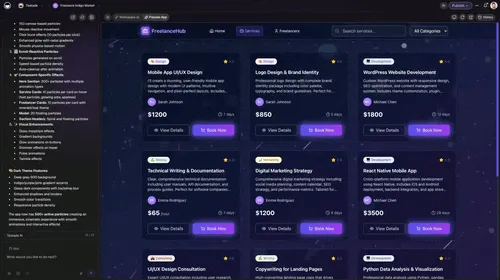
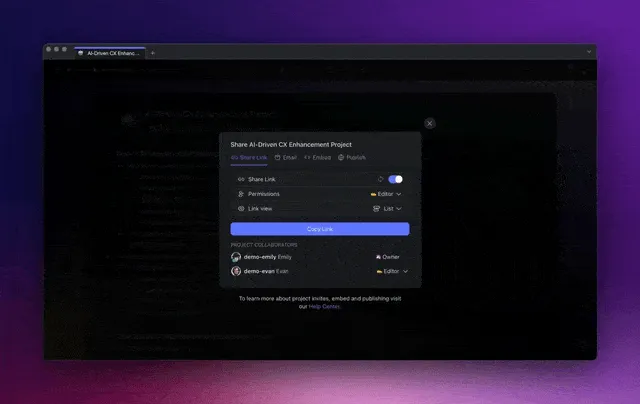
🔐 Password-Protect Links
You can now add password protection when sharing projects for an additional layer of security and to limit project re-sharing. Try it in the Share menu. Learn more...
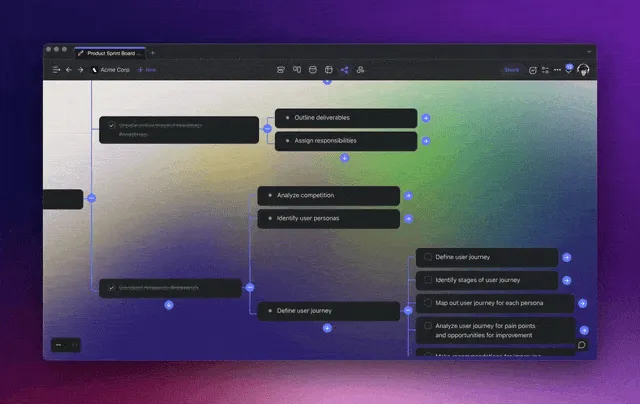
💭 Generate Questions in Mind Map View
Generate a list of questions, brainstorm fresh ideas, or break nodes into subtasks from a single node selection. Unleash your imagination in your future brainstorming sessions. Learn more...
✅ My Tasks Panel
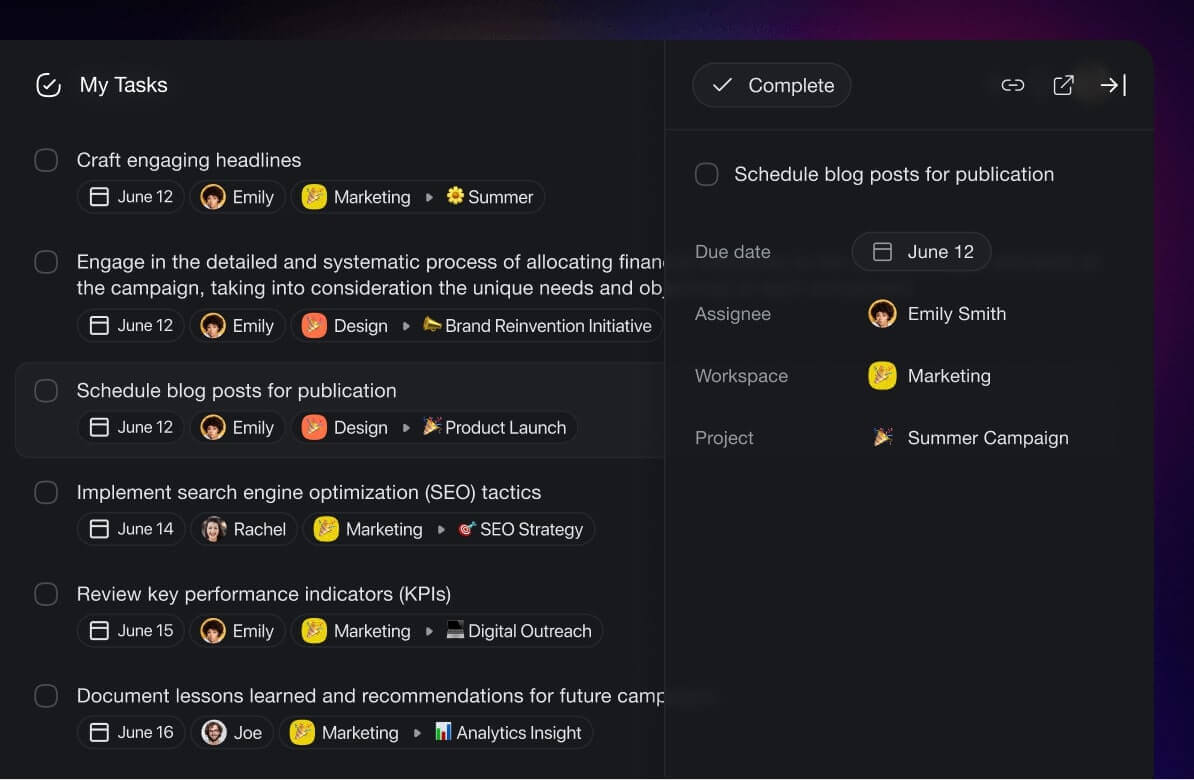
Click on any task in the My Tasks screen to open the new Task Detail panel. Look up task details, or reschedule and reassign tasks with ease, all from your current screen, for a faster, more streamlined project management experience. Learn more...
🌐 Publish Projects and Templates
You can now share public, read-only links for your projects and templates. This makes the sharing and publishing process simpler and more secure. We're working on other customization options that will give you better control of your published projects, so stay tuned! Learn more...
🌟 Other Improvements
New: AI brainstorm and subtask commands are now accessible in a Mind Map drop-down
New: AI Assistant now supports Replace in all commands
New: AI usage meter is now live to help you track AI credits usage
New: Audio and camera buttons added to chat and comment sections for enhanced asynchronous communication
Improved: Search functionality with better task labeling, count aggregation, and restored #hashtag and @mention search
Improved: "Upcoming" section in My Tasks now includes today's tasks
Improved: Text Replacement — Enhancements now keep formatting and attachments intact while replacing and inserting multiple sub-tasks
Improved: Workspace settings now include a Security tab for all projects
Improved: Onboarding now includes download links for mobile / desktop apps
Improved: Improved Chat user experience
Improved: Embed project customizations
Improved: Localization and translations for international users
Improved: Workspace and project invites user experience
Fixed: Safari browser animation issue
Various bug fixes and performance improvements
Thank you for being part of this journey. Stay tuned for more exciting updates!
Do you have any questions? Visit our Help Center or let us know. 😊
— Team Taskade 🐑
P.S. Love Taskade? Partner with us and join our Affiliate Partnership program today.
Frequently Asked Questions
Can I password-protect shared projects in Taskade?
Yes. When sharing a project via link, you can set a password in the Share menu. Anyone accessing the link will need to enter the password first, adding an extra layer of security and preventing unauthorized re-sharing.
How do I generate questions from a mind map node in Taskade?
Select a node in Mind Map view and use the AI generate command. Taskade AI creates a list of related questions, brainstorm ideas, or sub-tasks branching from that node — perfect for exploring topics and expanding your thinking during brainstorming sessions.
What is the My Tasks panel in Taskade?
My Tasks is a centralized view of all tasks assigned to you across every workspace. Click any task to open the Task Detail panel, where you can view details, reschedule due dates, and reassign tasks without leaving the My Tasks screen.
Can I publish read-only links for Taskade projects?
Yes. Taskade lets you publish public, read-only links for projects and templates. This makes it easy to share documentation, guides, or project plans externally without giving editing access to viewers.