







Ask a normal database for "documents about reducing customer churn" and it shrugs, unless those exact words appear, it finds nothing. Ask a vector database the same thing and it returns the doc titled "stopping subscribers from canceling," because it matches meaning, not letters. That shift, from matching strings to matching meaning, is the quiet engine under RAG, semantic search, and AI agent memory.
But vector databases are also the most over-adopted tool in AI. Half the teams running one didn't need it. This guide explains how they actually work, when you genuinely need one, and how the major options compare in 2026, vendor-neutral, with the honest "you might not need this" parts the vendor blogs leave out.
TL;DR: A vector database stores embeddings (numeric meaning-vectors) and finds the most similar ones fast using approximate nearest neighbor (ANN) search. You need one when you have millions of vectors, want low-latency semantic retrieval, or need metadata filtering at scale, below that, pgvector or keyword search is usually enough. The 2026 default is hybrid search (keyword + vector). Taskade gives you the retrieval outcome, agents that recall your data, without running a vector DB at all.
What Is a Vector Database?
A vector database stores embeddings and finds the most similar ones to a query in milliseconds. An embedding is a list of numbers, often hundreds or thousands of them. That captures the meaning of a piece of text, an image, or audio. The database's whole job is to take a query embedding and return the stored embeddings closest to it, ranked by similarity. That's it. Everything else is optimization.
Before you read another word, the most useful question: do you even need one? Most teams reach for a dedicated vector DB far too early.
Keep that flowchart in mind. We'll earn each branch, and the rest of this guide assumes you landed on "yes, I need semantic retrieval" and want to understand what's happening under the hood.
Embeddings, Intuitively: Turning Meaning Into Coordinates
An embedding turns a piece of content into a point in space, positioned so that similar meanings land near each other. The idea goes back to word2vec (Mikolov et al., 2013), which learned word vectors from a 1.6-billion-word dataset in under a day and revealed something startling: meaning had become arithmetic.
THE FAMOUS EXAMPLE (word2vec, 2013)
  vector("king")  - vector("man")    + vector("woman") ≈ vector("queen")
  vector("Paris") - vector("France") + vector("Italy") ≈ vector("Rome")  Meaning becomes geometry. Similar things sit near each other in a
  space of hundreds or thousands of dimensions; analogies become
  straight-line moves through that space.
Modern embedding models are far more powerful than word2vec, but the principle is unchanged: text in, a vector out, with closeness in the space meaning closeness in meaning. The number of dimensions (384, 768, 1,536, and up) is set by the model you choose, more dimensions can capture more nuance at the cost of storage and compute. This is the same machinery that powers how LLMs work internally and what makes generative AI able to "understand" a query at all.
Similarity Search: Cosine vs. Euclidean vs. Dot-Product
To find "similar" vectors, you need a way to measure distance, and the metric you pick changes the results. The three common choices each answer a slightly different question, and using the wrong one quietly degrades your search quality.
| Metric | Intuition | Best for | Watch out for |
|---|---|---|---|
| Cosine similarity | angle between vectors | text embeddings (the default) | ignores magnitude |
| Euclidean (L2) | straight-line distance | when magnitude matters | sensitive to scale |
| Dot-product | angle × magnitude | normalized vectors, speed | unnormalized vectors skew it |
For most text-embedding use cases, cosine is correct: two documents about the same topic point the same direction even if one is longer. Pick the metric your embedding model recommends, many are trained for cosine or dot-product specifically.
Why Brute Force Breaks: and What "Approximate" Buys You
Comparing a query to every stored vector (brute force, or a FLAT index) is perfectly accurate and perfectly unscalable. At a few thousand vectors it's instant; at ten million it's a latency disaster. Approximate nearest neighbor (ANN) search fixes this by giving up a sliver of accuracy. It might occasionally miss the single closest match, in exchange for returning excellent matches in milliseconds across millions or billions of vectors.
| ANN index | How it works | Build speed | Query speed | Memory |
|---|---|---|---|---|
| HNSW | multi-layer proximity graph | slower | very fast | high |
| IVFFlat | cluster, then search nearest clusters | fast | fast | medium |
| DiskANN | graph stored on SSD | medium | fast | low (disk) |
| FLAT (brute force) | compare against all | none | slow at scale | low |
How HNSW Works: The Index Behind Almost Everything
HNSW (Hierarchical Navigable Small World) is the dominant ANN index, and it works like zooming in on a map. It builds a multi-layer graph where the top layer is sparse (a few long-range hops) and lower layers get denser. A search starts at the top, greedily moves toward nodes closer to the query, drops a layer, and repeats, reaching the right neighborhood in logarithmic time.
HNSW was introduced by Malkov and Yashunin in 2016 and remains the default in nearly every vector DB because its logarithmic search scales gracefully. Alternatives exist, IVF for faster builds, DiskANN to keep memory low, and quantization to shrink vectors (Qdrant reports vector quantization cutting RAM by up to 97%). But HNSW is the workhorse.
Hybrid Search Is the 2026 Default
Pure vector search has a blind spot: exact strings. Ask for error code "ERR-4012" or a product SKU and semantic similarity can sail right past the exact match. Hybrid search fixes this by running keyword search (BM25) and vector search in parallel, then fusing the two ranked lists.
Weaviate's hybrid search offers two fusion algorithms, rankedFusion and relativeScoreFusion, with the latter the default since v1.24. The takeaway: in 2026, "vector search" almost always means hybrid search. Pure vector is the exception, not the rule.
When You Do NOT Need a Dedicated Vector Database
The most valuable section in any vector-DB guide is the one that talks you out of one. A dedicated vector database is operational overhead, another service to deploy, monitor, scale, and pay for. Often a far simpler tool wins.
| Scenario | Better choice | Why |
|---|---|---|
| Fewer than ~100k chunks | pgvector / in-memory | a dedicated DB is overkill |
| Exact-match lookups | keyword / SQL | vectors add nothing |
| Only structured filters | regular database | no semantic need |
| Prototype / MVP | pgvector | ship now, migrate later if needed |
pgvector deserves special mention. As of v0.8.3 it supports HNSW and IVFFlat indexes and six distance functions; the standard vector type stores up to 16,000 dimensions, with HNSW/IVFFlat indexing limited to 2,000 (4,000 with halfvec). It keeps your vectors next to your relational data in Postgres you already run, no new service. For a huge share of teams, pgvector is the correct answer, and a dedicated vector DB is a problem they don't have yet.
A Neutral 2026 Vector Database Comparison
When you genuinely need a dedicated vector DB, the field has matured into a handful of strong options. They differ less in raw capability than in operating model and where they shine. Here's the honest landscape.
| Database | Model | Language | Hybrid search | Filtering approach |
|---|---|---|---|---|
| Pinecone | fully managed | — | yes | metadata |
| Chroma | open-source (Apache 2.0) | Rust | vector + hybrid + full-text | metadata |
| Qdrant | open-source + cloud | Rust | yes | single-pass during HNSW |
| Weaviate | open-source + cloud | Go | BM25 + vector fusion | metadata |
| Milvus | open-source + cloud | Go / C++ | yes | metadata |
| pgvector | Postgres extension | C | via Postgres full-text | SQL WHERE |
A few grounded specifics, all current as of mid-2026: Pinecone is fully managed and built to search billions of items in milliseconds. Qdrant (Rust) does metadata filtering during HNSW traversal, a single-pass approach that avoids the pre-filter/post-filter trade-off. Milvus (Go/C++) is Kubernetes-native and built for billion-scale with GPU acceleration. Chroma (Apache 2.0, Rust) is the simplest to start with, running embedded or client-server. The "best" one is whichever matches your scale, ops budget, and stack, not whichever has the loudest benchmark.
How to choose: a 5-question checklist
| Question | If yes | Recommended path |
|---|---|---|
| Already running Postgres? | minimize new infra | pgvector |
| Millions of vectors + sub-100ms? | scale + latency matter | Qdrant / Pinecone / Milvus |
| No infra team? | want managed ops | Pinecone or a managed cloud |
| Open-source / self-host required? | control + cost | Qdrant / Weaviate / Milvus / Chroma |
| Heavy metadata filtering? | filtering is core | Qdrant (single-pass) |
Where Vector DBs Sit in the AI Agent Stack
A vector database is infrastructure, not an application. It's the retrieval layer that RAG, agent memory, and knowledge-graph agents are built on top of. It feeds relevant context into the model's window so the answer is grounded in your data instead of the model's training set.
This is why vector search shows up everywhere in the agent world: it's the memory layer of the agent stack. RAG uses it to ground answers, AI agent memory uses it to recall the past, and knowledge-graph agents layer structure on top. Get the retrieval layer right and everything above it improves.
The Retrieval Outcome Without the Database: How Taskade Handles It
Here's the honest framing the vendor blogs won't give you: most teams don't want a vector database. They want the outcome a vector database enables. They want an assistant that recalls the right context from their data, not a new piece of infrastructure to shard and tune.
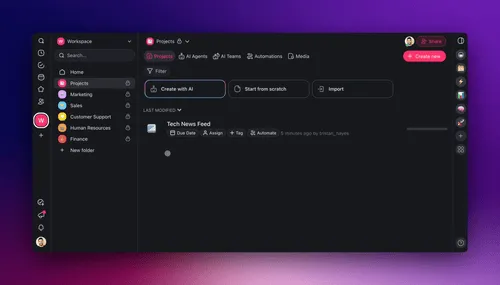
That's the gap Taskade fills. Your data lives in Taskade projects, structured records with custom fields, and you connect a project to an AI agent as its knowledge. From there, the agent searches and reasons over that knowledge automatically, grounded in your real information plus live web search. There's no vector store to stand up, no chunking pipeline to build, no index to tune. Agents also keep persistent memory across sessions, so they retain context instead of starting cold each time.
To be clear and accurate: Taskade isn't a vector database, and it doesn't sell one. It implements the retrieval standard for you so the relevant facts surface in context when an agent needs them. If you're building infrastructure, learn the machinery above. If you want the result, agents and apps that remember and retrieve over your workspace. That's what Taskade Genesis builds from a prompt.
Frequently Asked Questions About Vector Databases
What is a vector database in simple terms?
It stores embeddings, lists of numbers that capture meaning, and finds the most similar ones to a query fast. Instead of matching keywords, it matches meaning, which powers semantic search, RAG, and agent memory. It uses approximate nearest neighbor search to return the closest vectors in milliseconds across millions of items.
What is the difference between a vector database and a regular database?
A regular database finds exact matches and filters structured fields; a vector database finds the most similar items by meaning, ranked by distance. Regular databases answer "find rows matching X"; vector databases answer "find things like X." Modern systems often combine both via hybrid search.
Do I really need a vector database, or is pgvector enough?
Most teams don't need a dedicated one. Under a few hundred thousand chunks, pgvector or keyword search is usually enough and far simpler to run. Reach for a dedicated vector DB at millions of vectors, sub-100ms latency needs, or heavy filtering. Want the outcome without running anything? A platform like Taskade manages retrieval for you.
What is the difference between cosine similarity, euclidean distance, and dot-product?
They're three distance measures. Cosine uses the angle and ignores magnitude (the default for text). Euclidean (L2) is straight-line distance, sensitive to magnitude. Dot-product mixes angle and magnitude and is fast on normalized vectors. For most text embeddings, cosine is correct.
What is approximate nearest neighbor (ANN) search and why is it approximate?
It finds vectors very close to a query without checking every one, trading a sliver of accuracy for huge speed gains, milliseconds across millions of vectors. The dominant ANN algorithm is HNSW, a multi-layer navigable graph with logarithmic search.
How does HNSW indexing actually work?
It builds a multi-layer graph; search starts at a sparse top layer, hops toward nearer nodes, drops through denser layers, and collects the closest matches at the bottom. That layered descent gives logarithmic complexity. It was introduced by Malkov and Yashunin in 2016 (arXiv:1603.09320).
What is hybrid search and why is it the default in 2026?
It combines keyword (BM25) and vector search and fuses the results. It's the default because pure vector search misses exact matches like codes and names, while keyword search misses meaning. Fusing both (e.g. Weaviate's relativeScoreFusion, default since v1.24) gives precise and semantic results.
What is the best vector database in 2026?
There's no single best. pgvector wins when you already run Postgres; Pinecone for fully managed scaling; Qdrant for filtering; Milvus for billion-scale; Weaviate for hybrid; Chroma for simplicity. Match the tool to your scale, ops budget, and stack.
Is pgvector a real vector database or just an extension?
It's an extension that makes Postgres a production-grade vector database. As of v0.8.3 it supports HNSW and IVFFlat indexes and six distance functions; the vector type stores up to 16,000 dimensions (indexes limited to 2,000, or 4,000 with halfvec). Keeping vectors beside relational data makes it a smart first choice before adopting a dedicated DB.
How do vector databases relate to RAG and AI agent memory?
They're the retrieval layer underneath both. RAG embeds documents, stores vectors, and retrieves relevant chunks to ground an answer; agent memory uses the same machinery to recall facts and past interactions. The vector DB is infrastructure; RAG and memory are built on it. In the agent stack, it sits in the memory layer.
How many dimensions should my embeddings have?
It's set by your embedding model, not a free choice. Common models output 384, 768, 1,536, or more; higher dimensions capture more nuance at higher storage and compute cost. pgvector stores up to 16,000 dimensions and indexes up to 2,000 (4,000 with halfvec). Choose the model first; its dimension count follows.
Can a vector database replace keyword search?
Not entirely, and you usually shouldn't try. Vector search nails meaning but can miss exact strings like SKUs and error codes, which keyword search handles. That's why hybrid search is the 2026 default, vectors for relevance, keywords for precision, fused together.
The trick with vector databases is knowing they're a means, not an end. The end is a system that finds the right thing by meaning, and increasingly, the smartest path to that end is not running the database yourself. Learn the machinery so you understand your options. Then choose the simplest thing that gets you the retrieval outcome you actually need.
That's the memory layer of the stack: Memory stores and retrieves, Intelligence reasons over it, Execution acts, on a loop. ▲ ■ ●
Want retrieval over your data without running a vector DB? Build it in Taskade Genesis, give your agents project knowledge, and explore what others built.