







When Markdown launched in 2004, it instantly became a darling of bloggers and tech enthusiasts. It also laid the foundation for future no-code tools. Almost two decades later, this “humane” markup language (more on that in a bit) is more relevant than ever. Want to know how it all started? Buckle up and let’s take a look back at the fascinating history of Markdown.
TL;DR: Markdown is the lightweight markup language John Gruber created in 2004 (with contributions from Aaron Swartz) to let writers format plain text that converts cleanly to HTML. Its readable syntax, # for headings and * for emphasis, made it a prelude to today's no-code movement. Write in Markdown across every view in Taskade.
When Was Markdown Created?
John Gruber released Markdown on March 9, 2004, on his blog Daring Fireball, with Aaron Swartz as its main beta tester. The last official version, Markdown 1.0.1, followed on December 17, 2004. CommonMark started in 2014 to standardize the syntax, and GitHub published a formal spec for GitHub Flavored Markdown in 2017.
| Date | Milestone |
|---|---|
| 2002 | Aaron Swartz publishes atx, "the true structured text format" |
| March 9, 2004 | John Gruber releases Markdown |
| December 17, 2004 | Markdown 1.0.1, the last official release |
| September 2014 | "Standard Markdown" is renamed CommonMark after Gruber objects |
| March 2016 | RFC 7763 registers the text/markdown media type |
| March 14, 2017 | GitHub publishes the formal GitHub Flavored Markdown spec |

💡Calling all productivity historians… The history of Markdown is an important chapter in the evolution of online productivity. Learn more from these articles:
⚡️ History of Web Browsers: Tim Berners-Lee and WorldWideWeb
🌊 Google Wave’s Failure is a Lesson for Modern Collaboration Tools
What comes after Markdown? Markdown gave writers structured simplicity. Taskade Genesis takes markdown further — type a prompt and get a living app with AI agents, automations, and real-time collaboration built in. Build your first app →
🔡 What Is Markdown Anyway?
Markup languages are text-encoding systems that use tags and other symbols—this can include “*” or “#” characters—to determine how text should be displayed when processed by the computer. And just like HTML, Markup belongs to that ilk.
Here's how HTML syntax looks like—difficult to write and read:
<ol>
  <li>Task 1</li>
  <li>Task 2</li>
  <li>Task 3
    <ol>
      <li>Sub-task 1</li>
      <li>Sub-task 2</li>
    </ol>
  </li>
  <li>Task 4</li>
</ol>
The key difference is that Markdown is a lightweight or “humane” markup language. This means that it has a much simpler syntax than its older siblings. And since it doesn’t use brackets and tags, you can read Markdown as easily as regular text.
Here's Markdown syntax for comparison—clean and simple:
1. Task 1
2. Task 2
3. Task 3
	1. Sub-task 1
	2. Sub-task 2
4. Task 4
Markdown is also the sweet spot between the simplicity of WYSIWYG editors (What You See Is What You Get)—think Google Docs or Microsoft Word—and the flexibility of HTML and CSS. It’s the best tool for anybody who wants to write for the web.
Markdown is also super simple to use. You don’t need to spend hours reading documentation or learning how to decipher source code. Whether you’re an aspiring blogger or an avid Redditor, you can learn the basics of Markdown in a jiffy.
👨💻 From Plain Text Emails to Markdown
John Gruber and _Daring Fireball_
Back in the early 2000s, writing for the web was… confusing. The blogging scene was still in its infancy and platforms like WordPress and TypePad didn’t have much to offer in terms of functionality. If you wanted to talk the talk, you had to learn some HTML.
And then came John Gruber. An early blogger and UI designer, Gruber was heavily involved in the tech scene, primarily through his blog Daring Fireball. While he loved to write and publish online, he didn’t like the idea of formatting everything using HTML.

John Gruber via Daring Fireball(1)
💬 “I knew HTML so I had no problem writing. And I had no problem with that technically, but eventually it grew tiresome, and it just felt like I was making work for myself, and I really thought that [HTML] made it hard to proofread my work. So what I was doing for all of my proofreading was previewing in the browser or [the text editor’s] built-in HTML rendering thing and previewing it there.”
—Writing Workflows: Beyond Word Processing(2)
Inspired by the aesthetics of plain text email communication, Gruber started working on Markdown in the early 2000s. His overarching goal was to pluck the process of creating digital documents from programmers and give it back to writers.
But Gruber’s implementation was by no means original.
Was There Lightweight Markup Before Markdown?
The idea to “annotate” text so the input can be easily read without any interpreting software is much older than Markdown. In fact, the markup seed, so to speak, was sown by plain text email conventions that precede modern computers.
💬 “While Markdown’s syntax has been influenced by several existing text-to-HTML filters, the single biggest source of inspiration for Markdown’s syntax is the format of plain text email.”
—John Gruber, “Markdown” via Daring Fireball blog(3)
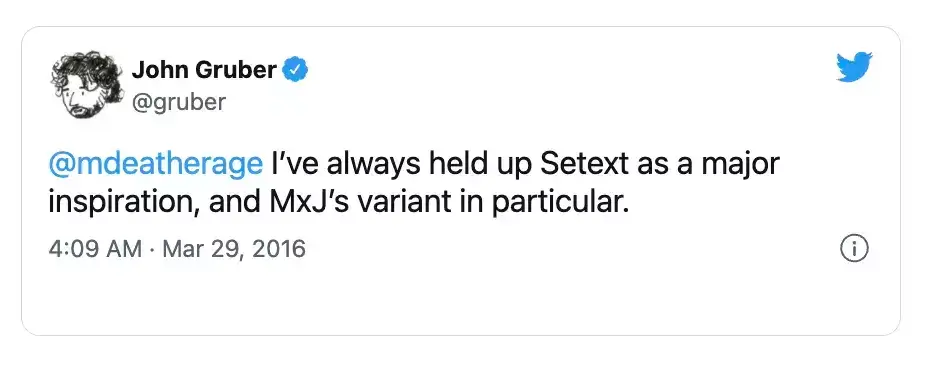
Before Markdown, other lightweight markup languages borrowed from those conventions, each with its own take on syntax and formatting. Just like the 1991 setext (Structure Enhanced Text Format). Here's a small sample of setext syntax:
Title
=====Subhead
bold
italics
Created by Ian Feldman to power his Macintosh newsletter TidBITS, setext uses—or rather used since it’s mostly obsolete—.ex and .ETX files and sported a straightforward syntax. setext was also a major inspiration for Gruber’s own markup language.(4)
But markup syntax isn’t just about bold and *italics*. In 1994, Ward Cunningham created WikiWikiWeb or C2, the original wiki that came before Wikipedia. According to the officla page, C2 is “an incomplete and casually written history of programming ideas.”(5)
Cunningham’s C2 is both a piece of software and the actual site that hosts the collaborative wiki. The original implementation used simplified text markup with a focus on links between pages and very limited text formatting options.
''Italicized text'''''Strong emphasized'''
'''Strong ''italic text'':-) '''
- Bullet point
Another contribution to the plain text scene was StructuredText (1996). Although it was the first markup that introduced clear text indentations, it lacked specification and documentation. That was later fixed by David Goodger’s reStructuredText in 2001.(6)
+------------------------+------------+----------+
| Header row, column 1   | Header 2   | Header 3 |
+========================+============+==========+
| body row 1, column 1   | column 2   | column 3 |
+------------------------+------------+----------+
| body row 2             |                       |
+------------------------+-----------------------+
All early lightweight markup languages proved an invaluable inspiration for Gruber’s syntax. But there was one more event that set the stage for Markdown.
Aaron Swartz and atx Structured Text
Aaron Swartz who sadly passed away in 2013 was a man of many talents. A skilled programmer and a political activist, Swartz contributed to many Internet milestones, including the development of RSS 1.0, Creative Commons, and Reddit.(7)

Aaron Swartz via Open Society Archives(8)
Like Gruber, Swartz’s love for words pitted him against the same challenge other web writers faced at the time. As an early blogger, he wanted a user-friendly way of formatting text that’d be more natural and intuitive than using HTML tags.
💬 “I’m sick of bringing my writing down to the level of the computer. Why should I have to cover everything in annoying pointy brackets just so it knows what I mean? We’ve had well-standardized conventions for computer processed text for the past decade; it’s time for a text format that acknowledges them, instead of inventing its own way of doing things.“
—Aaron Swartz, “atx, the true structured text format”(9)
Inspired by the previous lightweight markup languages, Swartz came up with his own syntax—atx or “the true structured text.” As he explained in the atx launch post, the overarching goal of atx was to “write as you do in email.”
This_is_ emphasis!Bold text!
Time to write |code|
``Double quoting''
`Single quoting'
--- (en-dash)
-- (em-dash)
Swartz’s atx syntax was based on TeX encoding, reST syntax, as well as plain-text email conventions. He redefined formatting rules, including the use of lists, links, and H1-H6 headings that were now set off by a corresponding number of “#” characters.
At some point, Gruber and Swartz communicated and the latter became Markdown’s “sole beta-tester.” Swartz provided feedback on the syntax and even wrote html2text, a free conversion tool for turning HTML into Markdown.(10)
Is Swartz the co-creator of Markdown, as credited by Wikipedia? According to Gruber, he’s not, but he played an “instrumental” role in shaping its syntax.
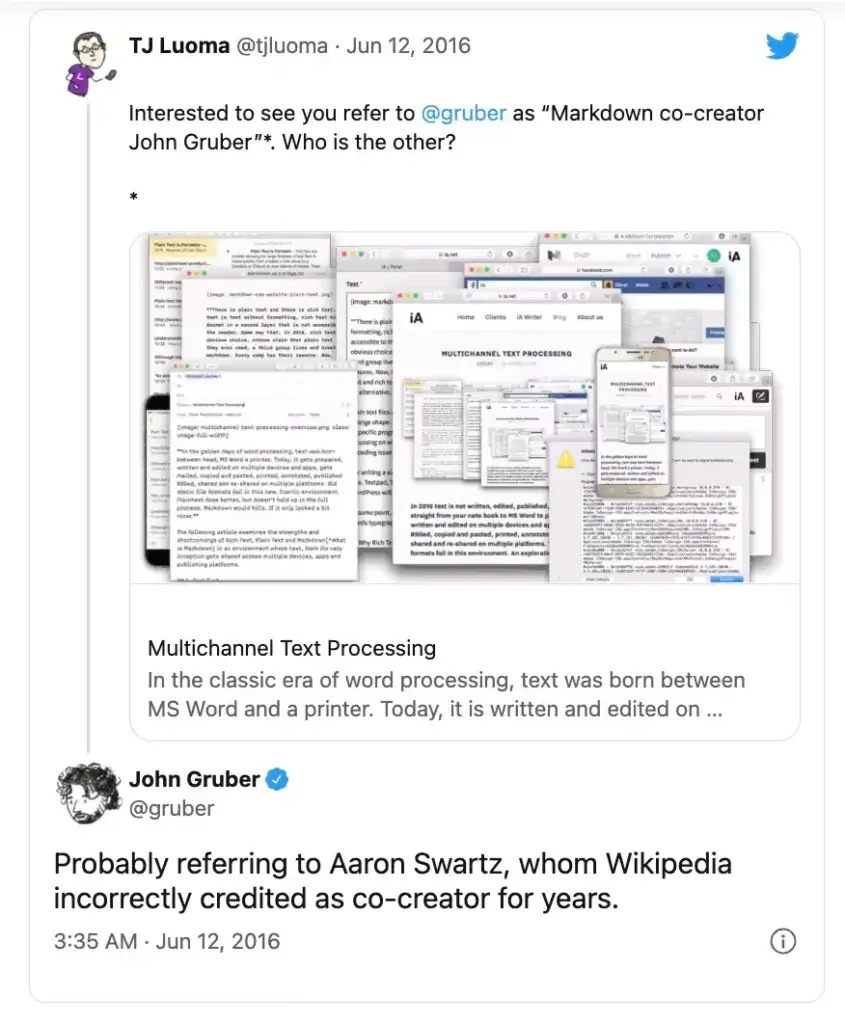
While Gruber didn’t elaborate on the relationship, he wrote in a follow-up tweet: “I should write about it, but it’s painful. More or less: Aaron was my sounding board, my muse.”
Atwood, MacFarlane, and Markup Standardization
As Markdown was gaining traction across the web, more sites and apps started implementing it. It wasn’t long before communities like GitHub, Reddit, and Stack Exchange came up with their own Markdown “flavors”, as intended by Gruber.
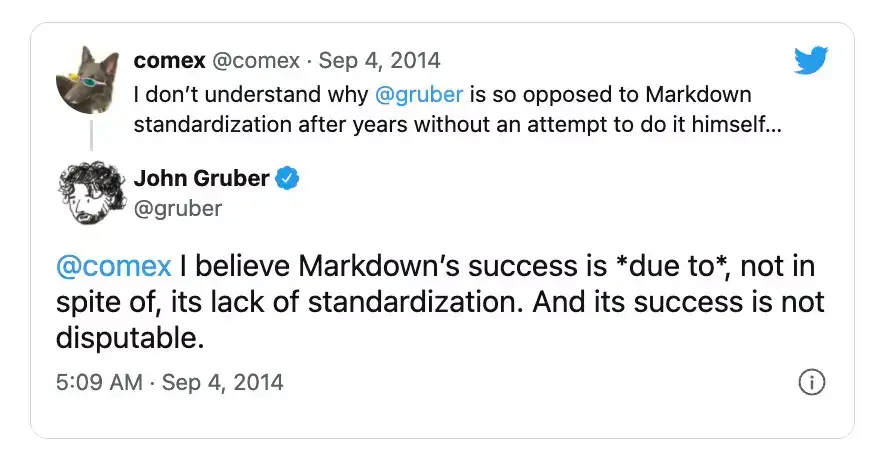
But all that innovation caused ambiguity and confusion. While Markdown flavors added more formatting flexibility—tables, code, embeds—they also bumped the learning curve. That made it increasingly difficult to navigate the ecosystem.
In 2014, a group of Markdown enthusiasts—most notably, the group included a philosophy professor John MacFarlane and Discourse co-founder Jeff Atwood—began standardization efforts meant to bring all the implementations under one roof.(11)
💡 Markdown Trivia: In the early days of Markdown, MacFarlane developed Pandoc, an open-source tool for converting markup syntax into popular formats like .docx and .pdf. He’s also the creator of Babelmark that compares markdown implementations.(12)
Atwood, MacFarlane, and other members who represented Reddit, GitHub, Meteor, and Stack Overflow, set out to work. The efforts culminated with StandardMark, “standard, unambiguous syntax specification for Markdown.” But the success was short-lived.
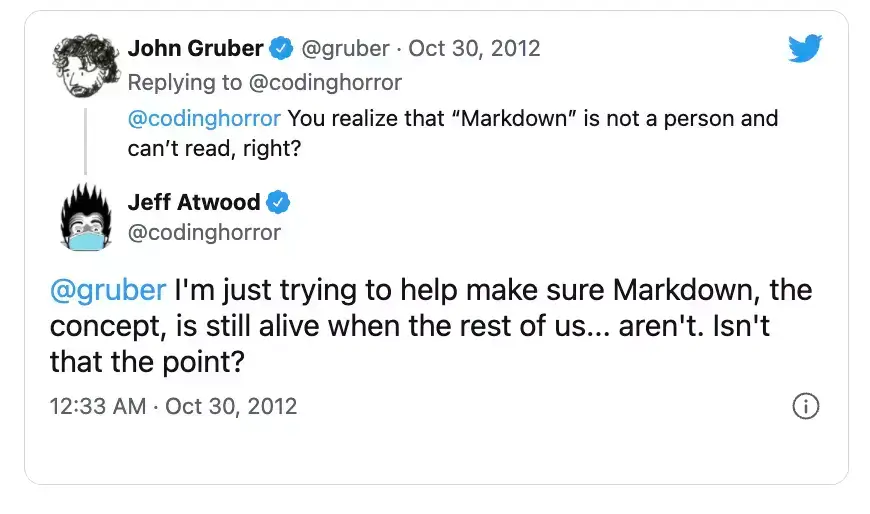
Gruber didn’t like the idea of standardizing Markdown. Not only did he refuse to participate in the project, but he also forced StandardMark to change its name. Following Gruber’s intervention, standardmarkdown.com became CommonMark.org.(13)
💬 “It's almost at the point where John Gruber, the very person who brought us Markdown, is the biggest obstacle preventing Markdown from moving forward and maturing. It saddens me greatly to see such negligent open source code parenting. Why work against the community when you can work with it? It doesn't have to be this way. And it shouldn't be.”
—Jeff Atwood via Coding Horror(14)
The feud between the two sides dragged on, and CommonMark continued its efforts without Gruber’s patronage. That didn’t stop Markdown from achieving cult status, though, and after almost 20 years, it’s still a wildly popular writing tool.
👍 What Are the Benefits of Using Markdown?
One of the chief benefits of Markdown is its universality. You can copy a piece of Markdown syntax between several editors, and you’ll always get the same output on all of them. Now, try that with a WYSIWYG editor, and you’re up for a surprise.
Markdown is also very user-friendly. It gives writers, bloggers, and forum dwellers more flexibility than WYSIWYG without the hassle of learning HTML tags; you can get familiar with the basic Markdown syntax in 5 minutes straight! ⏱️
💬 “Markdown is the lingua franca of online writers and ### README files everywhere. Its popularity is second only to actual plain text where people lay out things with tabs and spaces, eschewing any sort of secondary HTML conversion.”
Joshua Kehn, "Markdown and Standards"(15)
But there’s more to Markdown than meets the eye:
🐇 Blazing fast. Juggling keyboard and mouse to find and *click* on the right formatting option is anything but efficient. Markdown lets you keep your fingers on the keyboard and apply formatting as you go. Plus, many editors blend in universal keyboard shortcuts so you get the best of both worlds.
🪶 Featherweight. Saving documents in many popular file formats can take megabytes of space. And all that bloatedness comes at a price (we’re looking at you, .docx). Why wrestle with incompatible, proprietary formats when you can work with lightweight and universal plain text files like a boss?
🧘♂️ Distraction-free. Markdown originates from the old days when typing wasn’t stifled by the overabundance of formatting options. It doesn’t spoil the fun of writing with clunky ribbons, drop-down lists, and tangles of options nobody needs. Plain text is, for all intents and purposes, the essence of writing.
⚡️ Powerful and flexible. Markdown is simple and straightforward. But that doesn’t mean it lacks oomph. Markdown was designed to fill the niche between “big” markup languages like HTML and WYSIWYG editors. Whether you’re into tables, lists, to-dos, or cross-linking, you’ll feel right at home.
🐑 Taskade Markdown Cheat Sheet
“Taskade and Markdown?” Yes, you read that right! You can use Markdown syntax in Taskade to format chat messages and project comments. Simply wrap your messages in markup elements and improve the clarity of team conversations. 😎

Taskade lets you import Markdown documents and generate new projects in an instant. You can also easily export existing Projects as .txt and .md files.
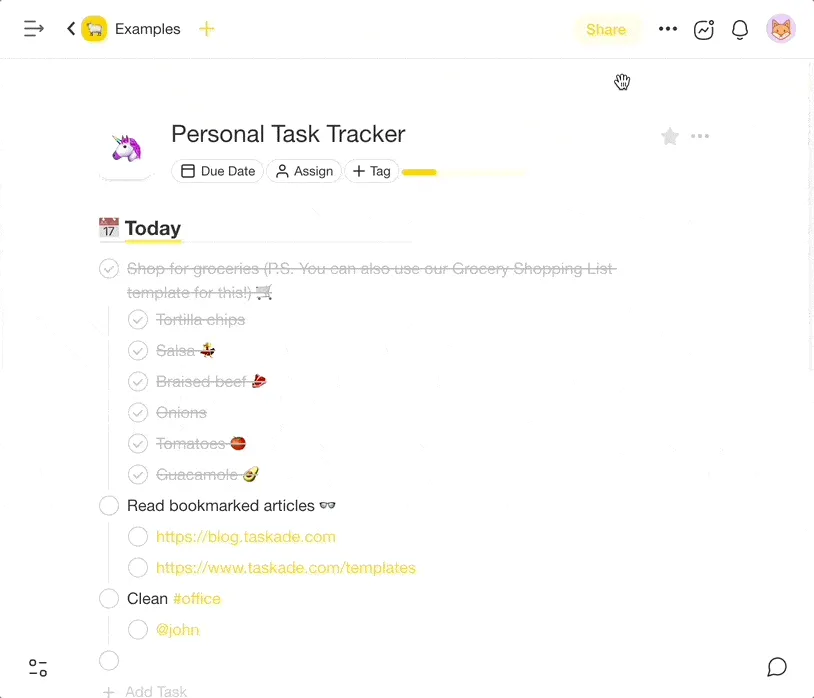
Want to make the most of markup support in Taskade? Grab this Markdown cheat sheet to boost productivity and improve the quality of strategic conversations! 👇
| Markdown Feature | How it looks | Remarks |
|---|---|---|
| Bold |  |
bold |
| Italic | 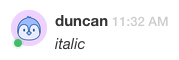 |
_italic_ |
| Underline |  |
Double underline __test__ |
| Block quote | 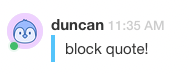 |
> block quote |
| Strikethrough |  |
|
| Inline code | 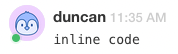 |
```inline code``` |
| Code block | 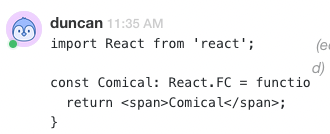 |
```code block``` |
| Workspace links | 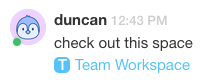 |
check out this space"workspace link" |
| Project links |  |
visit this project "project link" |
And that's it!
👋 Parting Words
The history of Markdown is far from over and we’re likely to see more Markdown flavors popping up in the near future. If you're an avid blogger, a productivity enthusiast, or just like the minimalist aesthetics of plain text, you should give Markdown a chance.
Don’t have a Taskade account? Sign up for free or drop by our live demo page to test things out. You can also check the pricing page to choose the best plan for your needs.
Frequently Asked Questions About the History of Markdown
Who invented Markdown?
Markdown was invented by John Gruber in 2004. He developed it in collaboration with Aaron Swartz. The goal was to create a simple, human-readable syntax for writing on the internet, something that would make it easier to convert plain text into HTML. Markdown's simplicity and readability have made it a popular choice for content creators and developers alike.
Is Markdown still relevant?
Yes, Markdown is still very relevant. It remains a popular choice for writing documentation, blog posts, and even formatting text in various applications. Its simplicity and ease of use make it suitable for both technical and non-technical users. Platforms like GitHub, Reddit, and many blogging tools continue to support Markdown, ensuring its ongoing relevance.
Why is Markdown popular?
Markdown is popular because it is simple and easy to learn. Its plain text format is readable without rendering, which makes it accessible to anyone. Additionally, it can be easily converted to HTML, making it versatile for web publishing. The lightweight syntax speeds up writing and editing processes, which is why many developers, writers, and bloggers prefer it.
Is Markdown future proof?
Markdown has proven to be remarkably enduring and adaptable, which suggests that it is future-proof. Its simplicity and wide adoption ensure that it will continue to be supported and used in various platforms. While new formats and tools may emerge, Markdown's straightforward syntax and cross-platform compatibility will likely keep it relevant for years to come.
🔗 Resources
