







If you built a website between 2001 and 2015, you saw this screen. An orange header bar. A grid of square icons arranged by category — Files, Databases, Domains, Email, Security, Software, Metrics. A search box that never quite found what you wanted. A login page at port 2083 that was either your first taste of being a webmaster or a familiar friend you met fifty times a year.
That was cPanel — the control panel that quietly ran more of the early web than any other piece of software you could name. It was born in 1996, in a teenager's bedroom in Wilmington, Delaware. It grew up with Perl and phpBB and Fantastico. It got acquired by private equity in 2018, triggered a full-scale hosting revolt in 2019, and now — in 2026 — it's still technically alive, still charging partners yearly rate hikes, still running behind the curtain of a shrinking slice of the web.
But the truth is simpler than the obituary some people are trying to write. cPanel didn't die. It got absorbed. The entire category it invented — give a non-specialist a visual panel for a complex running system — is the exact pattern that now defines AI infrastructure in 2026.
This is the complete, 30-year history of cPanel and WHM: from Nick Koston's Speed Hosting side-project, through the Oakley price hike and the CentOS 8 crisis, to the post-cPanel era where one prompt replaces the entire LAMP stack.
TL;DR: cPanel was created in March 1996 by teenager J. Nick Koston as the control panel for Speed Hosting. It dominated shared web hosting for nearly three decades, powering tens of millions of sites — until Oakley Capital's June 27, 2019 per-account price hike triggered a mass exodus to CyberPanel, HestiaCP, and DirectAdmin. In 2026, only 2.1% of sites with a detectable panel still run cPanel. The category it invented — a visual panel for complex running systems — now lives on in Taskade Genesis as AI-native workspace infrastructure. Start building →

🗺️ cPanel at a Glance: The Complete Evolution (1996 → 2026)
🧩 What Is cPanel?
cPanel is a web-based control panel for Linux hosting. It gives an end user a point-and-click interface for tasks that used to require a shell: uploading files, creating databases, setting up email accounts, installing SSL, and restoring backups. It shipped on March 21, 1996 and has been in continuous development ever since.
The software has two sides that are usually discussed together:
| Layer | Port | Who uses it | Does what |
|---|---|---|---|
| cPanel | :2083 |
End user (the "account" owner) | Files, MySQL databases, email accounts, subdomains, SSL, backups for one hosting account |
| WHM (Web Host Manager) | :2087 |
Reseller or root admin | Creates, suspends, terminates, and bills many cPanel accounts from one dashboard |
cPanel is the room. WHM is the building management system above the rooms. Together they are the 30-year mental model for "give a non-sysadmin a visual handle on a complex running system" — the exact pattern now being reinvented for AI apps.
📜 The Origin Story: A Delaware Bedroom, 1996
Most histories of cPanel skip the part that matters most. They list the release date and move on. But the story of why cPanel exists at all is buried in a 2000s Web Hosting Magazine interview and a handful of old hosting-forum threads.
J. Nick Koston built the first version of cPanel as a teenager, in his parents' home in Wilmington, Delaware. "My parents had always owned their own businesses," Koston told Web Hosting Magazine in the profile titled "Nick Koston: The Man Behind the Curtain." The entrepreneurial bug was familial. He did almost everything himself with help from a couple of friends. And — this is the detail nobody mentions in 2026 — for the first five years cPanel didn't make any money. Koston subsidized the project with freelance sysadmin work, eventually including a stint at BurstNET as a staff engineer while he moonlighted on the panel.
Two Koston quotes from that same Ping! Zine profile land differently now than they did in 2011:
"Oh, I really didn't think it was going to grow this much. I really didn't ever think it was going to go beyond ten or fifteen users."
"We helped make web hosting affordable to pretty much everyone." — Nick Koston, Ping! Zine Special Edition, 2011
Read those two sentences back-to-back. The guy who expected 15 users built the platform that made hosting democratic — which is precisely the thing the 2019 pricing would later try to unwind.
The precursor was a placeholder consulting/software shell Koston ran called DarkORB — a name he picked as a young teen "because it sounded cool." In his own words:
"I was 14 and really wasn't concerned about separation of whatever. I thought DarkORB was a cool name!" — Nick Koston on his pre-cPanel consulting company
DarkORB was the storefront for his freelance work and his smaller utilities. It got eclipsed by cPanel itself within a couple of years.
The first version of cPanel was written in Perl and designed as the admin UI for Speed Hosting, a small web-hosting company Koston had a stake in. Speed Hosting merged with Webking, and the combined entity moved its servers to a now-defunct facility called Virtual Development Inc. (VDI). There was a signed agreement: cPanel was exclusive to customers hosted at VDI.
When Koston left for college, something fractured. He and a collaborator named William Jensen signed an agreement to split the codebase. VDI's branch was renamed WebPanel. Koston kept cPanel and kept coding on it. Without a lead programmer, WebPanel went dormant and VDI eventually abandoned it. Koston joined BurstNET, left BurstNET to go full-time on cPanel, and by the end of the 1990s he had the field nearly to himself.
┌─ 1996–1999 Timeline ──────────────────────────────────────────────────┐
│                                                                        │
│  1996 ──────── cPanel 1.0 ships (Perl, Linux, for Speed Hosting)      │
│                                                                        │
│  1996–97 ───── Speed Hosting → Webking merger                         │
│                                                                        │
│  1997–98 ───── Servers move to VDI                                    │
│                                                                        │
│  1998 ──────── Koston leaves for college                              │
│                 Fork: VDI's branch = "WebPanel" (abandoned)           │
│                 Koston's branch = cPanel (continues)                  │
│                                                                        │
│  1999 ──────── cPanel 3 ships                                         │
│                 ▲ First version with WHM (Web Host Manager)           │
│                 ▲ Auto-upgrade system                                 │
│                 ▲ Carlos Rego of WizardsHosting designs the           │
│                   iconic orange icon-grid default theme               │
│                                                                        │
└────────────────────────────────────────────────────────────────────────┘
The Birth of WHM (1999)
The pivotal moment for cPanel as a platform — not just a panel — was cPanel 3 in 1999. It shipped with two features that would define the shared-hosting industry for the next 20 years:
- Automatic upgrade. Hosts could enroll their servers in an update stream, and cPanel would patch itself. This mattered because shared hosting companies had dozens or hundreds of servers and couldn't babysit every one.
- Web Host Manager (WHM). The reseller and root-level admin UI. This is the thing that turned cPanel from a single-account control panel into a full multi-tenant hosting stack. WHM meant you could resell — you could buy one server, install cPanel, and start selling hundreds of $5/month hosting accounts with no custom software.
Koston has admitted the original cPanel 3 UI was "buggy and did not have a good user interface." The theme that eventually defined cPanel's look — the orange header, the icon grid, the category sections — was designed by Carlos Rego of WizardsHosting and contributed back to cPanel. That theme is what an entire generation of developers means when they say "cPanel."
The 1996–2000 Competitive Landscape
Early cPanel had almost no competition. The main alternatives were:
| Tool | First release | Notes |
|---|---|---|
| cPanel | March 1996 | Perl, Linux, icon-grid, WHM in 1999 |
| VDI's WebPanel | ~1998 | Fork of cPanel. Abandoned within a year. |
| Webmin | October 1997 | By Jamie Cameron. Open source. Still alive in 2026. |
| Alabanza | Late 1990s | Hosting automation platform. Now defunct. |
| Plesk | 2000–2001 | Dmitry Simonenko, Novosibirsk. Would become the main rival. |
cPanel had a three-year head start on Plesk, which turned out to be the most important three years in the history of Linux shared hosting.
🏆 The Shared Hosting Golden Age (2000–2010)
cPanel won the 2000s because three structural advantages compounded.
Why cPanel Won
Pre-2019 licensing was the kind of deal that rarely survives a private-equity buyer — unlimited accounts for a flat monthly fee:
| License type | Pre-2019 price | Account limit |
|---|---|---|
| Solo | $15/month | 1 |
| VPS | $20/month or $200/year | Unlimited |
| Dedicated | $45/month or $425/year | Unlimited |
A reseller could stack a thousand cPanel accounts on one dedicated license at zero marginal cost. That is exactly how budget shared hosting worked — and it is exactly what made cPanel the 2000s equivalent of a utility.
The Big-Box Hosts
By the mid-2000s, cPanel was effectively the default on every major shared-hosting brand:
| Host | Acquired by | Year | Panel |
|---|---|---|---|
| Bluehost | EIG | 2010 | cPanel |
| HostGator | EIG | 2012 ($299.8M) | cPanel |
| HostMonster | EIG | 2010 | cPanel |
| A Small Orange | EIG | 2012 | cPanel |
| iPage | EIG | 2010 | cPanel |
| Arvixe | EIG | 2014 | cPanel |
| DreamHost | — | — | Custom + cPanel on some plans |
| SiteGround | — | — | cPanel (until 2019–2020) |
| A2 Hosting | — | — | cPanel |
| InMotion | — | — | cPanel |
| GoDaddy (Linux) | — | — | cPanel (and later custom) |
Endurance International Group (EIG) — now rebranded Newfold Digital — operates 80+ hosting brands, almost all cPanel-based. When a single PE-backed conglomerate is both the biggest buyer of cPanel licenses and the biggest seller of cPanel hosting, the power dynamics between the two companies get interesting fast. That tension is exactly what exploded in 2019.
The Enkompass Detour (2008–2014)
cPanel tried to break into Windows hosting with Enkompass, a Windows Server 2008 port of the panel. It never worked. Development stalled by 2012 and Enkompass was declared end-of-life in February 2014, having never dented Plesk's Windows dominance. It remains the one major "cPanel tried and failed" story of the company's first 25 years.
🎨 The Anatomy of cPanel: What You Actually Saw
If you're old enough to have logged into a cPanel account in the 2005–2015 era, this layout is burned into your visual cortex. If you're not — this is what replaced "SSH into a Linux box" for a generation of webmasters.
┌──────────────────────────────────────────────────────────────────────────────┐
│  cPanel                                                          [Q] [user] │
├──┬───────────────────────────────────────────────────────────────────────────┤
│  │                                                                          │
│▣▣│  ┌─ FILES ──────────────────────────────────────────────────────── [-] ┐  │
│  │  │  [📁] File Manager    [🖼] Images      [🔒] Dir Privacy  [📊] Disk │  │
│▣▣│  │  [🌐] Web Disk        [🚚] FTP Accts   [⏰] Backup       [🧙] Wiz │  │
│  │  │  [⑂ ] Git Version     [📂] Restore     [⎈ ] JetBackup            │  │
│  │  └────────────────────────────────────────────────────────────────────┘  │
│  │  ┌─ DATABASES ──────────────────────────────────────────────── [-] ┐     │
│  │  │  [⊞ ] phpMyAdmin      [🛢] MySQL DBs    [🧙] MySQL Wizard     │     │
│  │  │  [🌐] Remote MySQL    [🐘] PostgreSQL                         │     │
│  │  └────────────────────────────────────────────────────────────────┘     │
│  │  ┌─ DOMAINS ────────────────────────────────────────────────── [-] ┐     │
│  │  │  [🌐] Site Publisher   [.com] Domains    [+] Addon Domains     │     │
│  │  │  [sub] Subdomains      [↔ ] Aliases      [→ ] Redirects        │     │
│  │  │  [DNS] Zone Editor     [⟳ ] Dynamic DNS                        │     │
│  │  └────────────────────────────────────────────────────────────────┘     │
│  │  ┌─ EMAIL ──────────────────────────────────────────────────── [-] ┐     │
│  │  │  [✉ ] Accounts  [→ ] Forwarders  [🛡] Auth  [🚫] Spam         │     │
│  │  └────────────────────────────────────────────────────────────────┘     │
│  │  ┌─ SECURITY ───────────────────────────────────────────────── [-] ┐     │
│  │  │  [🔐] SSL/TLS   [🔑] SSH   [🛡] ModSec  [🔑] API Tokens      │     │
│  │  └────────────────────────────────────────────────────────────────┘     │
│  │  ┌─ SOFTWARE ───────────────────────────────────────────────── [-] ┐     │
│  │  │  [PHP] Version   [🚂] Passenger  [WP] WordPress  [⑂] Git      │     │
│  │  └────────────────────────────────────────────────────────────────┘     │
│  │  ┌─ METRICS ────────────────────────────────────────────────── [-] ┐     │
│  │  │  [📊] Visitors   [📈] Bandwidth  [📉] Errors  [📊] CPU       │     │
│  │  └────────────────────────────────────────────────────────────────┘     │
└──┴───────────────────────────────────────────────────────────────────────────┘
There are seven canonical sections — Files, Databases, Domains, Email, Security, Software, Metrics. Each one hides a real piece of Unix sysadmin work behind a clickable icon. This layout is the thing generations of developers mean when they say "I learned web hosting through cPanel."
The visual style became its own meme in developer culture:
"Why is cPanel so ugly? It's weird seeing phrases like Cloudflare and Ruby on Rails in an interface that looks like it was made in '98." — Quinn Rohlf (@qrohlf), April 26, 2013
That tweet is a dozen years old. The icon grid barely changed.
The High-School Generation
An entire generation of developers — Bronx Science, Stuyvesant, thousands of high-school CS-club kids around the country — learned web development by:
- Buying a cheap shared hosting account (often HostGator or a free cPanel host you found on a WHT thread at 2 AM)
- Logging in at
yourdomain.com/cpanelon port 2083 - Clicking File Manager to upload a PHP file
- Clicking Fantastico to install WordPress in one click
- Clicking phpMyAdmin to figure out why your SQL query didn't work
- Clicking SSL/TLS to install a cert before it was free
- Clicking Cron Jobs to schedule a newsletter script
- Getting a DDoS attack and learning about mod_security
The canonical Hacker News comment (id=28457470) from 2021 captures the era exactly:
"Hunting around for free cPanel hosting was essentially my part time job when I was 12–18. Many of them required certain forum activity too, so it could get time consuming." — depaya, Hacker News
Read the replies to that comment and a pattern emerges — the nostalgia tone is warm, not bitter. From the same threads:
"I remember CPanel and having to set up Wordpress installations or using it to create MySQL databases and install phpmyadmin + setup FTP accounts so I could deploy PHP applications I had written myself. I got into programming during this era to create a website for my uncle's store… This thread is a giant bucket of nostalgia for me and I'm not even 30 yet." — edgyquant, Hacker News, 2021
"Our 'SaaS' was cpanel which automagically installed these (they were THIS close to 'serverless', if they only knew). By 2010, people barely knew what MovableType was." — alganet, Hacker News, 2024
That last quote is the whole thing. Fantastico + cPanel in 2006 was the SaaS auto-deploy pattern that Heroku would "reinvent" in 2010 and Vercel would polish in 2017. The primitives were already there. Nobody called them that.
cPanel's icon-grid was the "Hello World" of self-hosted web dev from roughly 2003 to 2015. Before GitHub Pages, before Vercel, before one-click Heroku deploys, this is how you put something on the internet. You uploaded a PHP file via File Manager and hit refresh.

The full-circle moment is that we now have a generation of developers who grew up on cPanel and are building the AI-native workspace platforms that are slowly replacing it. The instinct to give someone a visual panel over a complex running system didn't die — it just moved up the stack.
For the longer version of that personal arc, see From Web Hosting to AI Infrastructure and From Bronx Science to Taskade Genesis.
🥊 cPanel vs Plesk: The 20-Year Rivalry
Plesk was the only real competitor cPanel had for the whole of the 2000s and 2010s. The story of that rivalry — and how it ended — is the story of the whole shared-hosting industry.
| cPanel | Plesk | |
|---|---|---|
| Created | March 1996 | 2000–2001 |
| Founder | J. Nick Koston (Wilmington, DE) | Dmitry Simonenko (Novosibirsk, Russia) |
| Original stack | Perl, Linux-only | PHP, Linux + Windows |
| UI signature | Orange header, icon grid | Blue-gray header, card layout |
| Default market | North American shared hosting | European + Windows hosting |
| First commercial parent | cPanel, L.L.C. (Houston, TX) | SWsoft (acquired July 2003) |
| Major rebrand | Stayed as cPanel | SWsoft → Parallels (Jan 2008) → Odin → Plesk |
| PE acquisition | Oakley Capital — August 2018 | Oakley Capital — May 2017 |
| Current parent (2026) | WebPros (CVC Capital Partners) | WebPros (CVC Capital Partners) |
The rivalry ended in the most anticlimactic way possible: Oakley Capital acquired Plesk in May 2017, then acquired cPanel in August 2018, and merged them under the same holding company (WebPros BV). The two products still exist as separate brands but they share a parent, a pricing strategy, and an executive team.
By 2020, CVC Capital Partners' Fund VII bought WebPros off Oakley. Oakley publicly reported a 6.7x money multiple and roughly 140% IRR on Fund III in under three years. Read that number again. The 2019 price hike — the event that blew up the community — wasn't a cost-of-operations adjustment. It was a PE value-creation event, executed textbook-style between entry and exit.
💥 The Oakley Acquisition and the 2019 Price Hike
This is the part of the cPanel story that lives on in hosting-community trauma. The arc is short, brutal, and perfectly legible in hindsight.
August 20, 2018: The Acquisition
On August 20, 2018, cPanel L.L.C. announced it had signed an agreement to be acquired by a group led by Oakley Capital, the London-based PE firm that had already bought Plesk in May 2017 and owned SolusVM. The buying vehicle was WebPros BV. Oakley Fund III put a further $50 million into WebPros as part of the deal. The cPanel stake terms weren't disclosed. Koston stayed on as CEO and retained an ownership stake.
The community saw it coming. Under WP Tavern's coverage, commenters spelled out the consolidation concern in real time — these are verbatim from the comment thread, not paraphrases:
"Wow, the same holding company will now control ~95% of the consumer/semi-pro server management software?" — DTI, August 24, 2018
"Yay! More consolidation leading to less competition in the online world! O.o" — Jason, August 24, 2018
"Hope it won't affect innovation in the long run when two of such big systems are in the hands of the same investors." — Richard, August 24, 2018
"The first good thing I thought was yay! — maybe they will come up with a few new cheaper plan options like plesk has done." — DjSteveB, August 24, 2018 (this is the one quote that aged worst)
Every one of those concerns played out within ten months.
June 27, 2019: The Announcement That Broke the Community
Ten months after the Oakley deal closed, cPanel announced an entirely new billing model, effective September 1, 2019. The company moved from per-server to per-account pricing:
| Old license (pre-June 2019) | Price | New tier (post) | Price | Account cap |
|---|---|---|---|---|
| Solo | $15/mo | Solo | $15/mo | 1 |
| VPS (unlimited accounts) | $20/mo | Admin | $20/mo | 5 |
| — | — | Pro | $30/mo | 30 |
| Dedicated (unlimited accounts) | $45/mo | Premier | $45/mo | 100 + $0.20/account over |
The math wasn't subtle. A reseller running 1,000 accounts on a single dedicated license went from $45/mo flat to:
  $45  (base Premier fee)
+ ($0.20 × 900 extra accounts)
= $225/mo→ 500% increase, overnight
At the extreme tail, one operator who had been paying $200/year for unlimited accounts faced $305/month for 1,400 accounts — a 1,730% jump. Some partners reported 800%+ increases. The reseller economics that built shared hosting as an industry were, in one announcement, vaporized.
The Backlash
The response was immediate and loud across every corner of the hosting community:
- The official cPanel forum thread about the change exceeded 22 pages (AwardSpace).
- On WebHostingTalk the thread "Massive cPanel price rises" ballooned past 63 pages within days — WHT's canonical 2019 megathread.
- cPanel.net was DDoSed for days after the announcement. An angry sysadmin with a few thousand open ports can make the internet uncomfortable.
- Web Hosting Talk, r/webhosting, LowEndTalk, and Hacker News threads filled with 800%+ increase stories. The LowEndTalk "New cPanel licensing and pricing structure" thread ran 29+ pages; LowEndTalk thread 158001 was titled bluntly: "Web Hosting Monopoly."
- SonicFast publicly reported an 800%+ price increase and said it was evaluating a move to DirectAdmin (The Register).
- INIZ.COM stopped issuing new licenses during the uncertainty.
The reaction quotes read like a single scream in 50 different voices. A sample, verbatim:
"The most consumer-unfriendly and brutal price increase in the history of this industry." — Artashes, HostingDiscussion.com, June 28, 2019
"Personally I have no issue with the changes to the licence structure or a per account fee. However these prices are just insane, and it's just pure greed on their part." — goatwomble, Whirlpool forums (via BikeGremlin), June 30, 2019
"This is going to hurt and send many hosts under. Looks like I'm learning DirectAdmin and Cyberpanel this weekend." — james150, Whirlpool forums, June 29, 2019
"This is the problem with systems run by a near monopoly. Unfortunately, as hosts, we have played into their hands…" — ughosting, HostingDiscussion.com, June 29, 2019
The defining economic quote, pulled from the Ask HN thread (id=32460814) three years later:
"cPanel makes up 60% of the total cost, and the server is 40%. This makes no economic sense."
And a retrospective that ages well, from a 2025 Hacker News thread on CVC acquiring Namecheap:
"Private equity has been a cancer for the web hosting community." — tchbnl, Hacker News, September 15, 2025
On July 5, 2019, cPanel posted a second blog ostensibly walking things back:
"In the days since our June 27 announcement, we've heard from many partners. The feedback is clear — our analysis of use cases was incomplete."
But the structural change — per-account pricing — stayed in place. The steepest cliffs were smoothed. That was it. Eighteen months later, partners were still processing:
"cPanel is fired at this point and will be removed from my entire network in less than two weeks." — resellermaster, HostingDiscussion.com, January 10, 2021
"Plesk is owned by the same people as cPanel, so given what cPanel did under their orders, should the opportunity arise they could do the same." — ughosting, HostingDiscussion.com, January 10, 2021
The second quote is the punchline of the 2019 era. Hosts who tried to migrate to Plesk discovered that Oakley owned that too.
The Exit (Q1 2020)
Nine months later, in Q1 2020, Oakley Capital agreed to sell WebPros (cPanel + Plesk + SolusVM + WHMCS) to CVC Capital Partners' Fund VII. Oakley reported 6.7x money multiple and ~140% IRR on Fund III in under three years. Oakley Fund IV reinvested $200M as a minority partner alongside CVC.
The 2019 pricing change wasn't an operational mistake. It was the value-creation event that drove the exit multiple. That's not a moral judgment — it's how PE works. The cost was the community's trust.
🌱 The Alternatives Boom (2019–2024)
The 2019 price hike did something the community hadn't managed to do in the previous 20 years of cPanel dominance: it made people actually try alternatives. The main beneficiaries:
| Alternative | Type | Key trait | Status in 2026 |
|---|---|---|---|
| CyberPanel | Free + paid | Built on OpenLiteSpeed; LiteSpeed Enterprise upsell | Growing, popular in budget VPS market |
| aaPanel | Free | Chinese origin, widely used in Asia/Europe | 3.6M installs worldwide (2026) |
| HestiaCP | Open source | Modern fork of VestaCP | Active, polished UI |
| DirectAdmin | Paid | The most common paid-panel migration destination | Still the "cPanel-refugee" default |
| CentOS Web Panel (CWP) | Free | Popular in cheap shared hosting | Active |
| Webmin / Virtualmin | Open source | 1997, Jamie Cameron | Still maintained |
| ISPConfig | Open source | Multi-server management | Niche but stable |
| SPanel | Proprietary | ScalaHosting's panel, built post-2019 | Used in-house and sold |
| CloudPanel | Free | Nginx-based, modern UI | Fast-growing |
| Site Tools | Proprietary | SiteGround's custom panel | Migrated off cPanel 2019–2020 |
| hPanel | Proprietary | Hostinger's custom panel | 49.2% of detected panels (W3Techs 2026) |
The long-term effect is what mattered most: every serious hosting company that had scale started building or evaluating their own panel. SiteGround's Site Tools, Hostinger's hPanel, GoDaddy's custom Linux UI — all of these are companies concluding that the cPanel license math no longer worked at scale, and that the panel was becoming commoditized anyway.
🐧 The CentOS 8 Crisis and AlmaLinux Pivot (2020–2024)
In December 2020, Red Hat announced that CentOS Linux 8 would be discontinued on December 31, 2021, shifting to CentOS Stream. This was existential for cPanel, whose installed base was overwhelmingly CentOS 7 and 8. For a week the hosting world was genuinely uncertain whether there would be a Red-Hat-compatible free Linux left for cPanel to run on.
Three alternatives emerged in rapid succession:
| OS | First stable | Maintainer | Support through |
|---|---|---|---|
| AlmaLinux | March 30, 2021 | CloudLinux (originally) / independent foundation | March 1, 2029 |
| Rocky Linux | June 21, 2021 | Rocky Enterprise Software Foundation | 2029+ |
| CloudLinux OS 8 | Q2 2021 | CloudLinux (commercial) | Commercial lifecycle |
cPanel's engineering team did exactly the right thing. cPanel v94 (Q1 2021) shipped full AlmaLinux support within days of AlmaLinux's GA. cPanel v110 (June 2023) was the final major version to support CentOS 7; CentOS 7 support ended June 30, 2024. The team also shipped the ELevate project — an in-place CentOS 7 → AlmaLinux 8 migration tool built on the AlmaLinux ELevate framework. As of 2024–2026, cPanel officially supports AlmaLinux, Rocky Linux, CloudLinux OS, and Ubuntu.
This is the part of the cPanel story that doesn't get enough credit. The engineering response to a genuine platform-level threat was fast, correct, and technically clean. The company that charged its partners 15%/year rate hikes also kept the lights on through a Red Hat policy change that could have killed the category.
🛡️ Security: The Million-Site XSS
If you run cPanel in production, you've lived through a CVE cycle. The most consequential of the modern era:
CVE-2023-29489 — "XSS in a Million Websites"
Disclosed by Assetnote in April 2023, CVE-2023-29489 was a reflected cross-site scripting vulnerability affecting cPanel versions 110 through 132. The reason it deserved Assetnote's dramatic writeup title ("Finding XSS in a Million Websites") is that cPanel serves its login page on port 2083 for every hosted domain. A single XSS in that endpoint is effectively exploitable against the entire cPanel install base — hundreds of thousands of servers, millions of hosted domains.
The patch shipped quickly. The exposure didn't, because many cPanel installs have auto-update disabled for change-control reasons.
The Annual CVE Cadence
cPanel has had a long CVE history. Notable pre-v62 (2017) issues: CVE-2017-18459/18460/18469 (code execution), 18471/18472/18473 (XSS). The pattern is the pattern of most long-lived admin panels: a broad attack surface, constant patching, and a base that doesn't always update.
The takeaway is not "cPanel is insecure." It's "a 30-year-old codebase with a giant install base and every sysadmin primitive exposed over HTTP is going to keep having CVEs." That's structurally different from newer platforms where the attack surface per user is dramatically smaller.
💸 The 2026 Pricing Reality
cPanel has raised licensing fees every year since 2018. Webhosting.today called it "an annual ritual." Premier went from $45/mo in mid-2019 to $69.99/mo in January 2026.
2025 → 2026 Price Changes (effective January 1, 2026)
| Tier | Accounts | 2025 | 2026 | YoY % |
|---|---|---|---|---|
| Solo | 1 | $26.99 | $29.99 | +11.1% |
| Admin | 5 | $32.99 | $35.99 | +9.1% |
| Pro | 30 | $46.99 | $53.99 | +14.9% |
| Premier | 100 | $65.99 | $69.99 | +6.1% |
| Per-account over 100 | — | $0.45 | $0.49 | +8.9% |
Pro took the hardest hit because that's where most mid-sized shared hosts standardize. 15% YoY on your single largest infrastructure SKU is not a price change you absorb quietly.
🤖 cPanel's AI Era
Starting in cPanel & WHM v120+ (2024), cPanel has shipped an AI Support Agent embedded in the admin UI. Users can ask natural-language questions ("Why is my website slow?") and the agent scans logs, suggests caching and PHP-version changes, and — with approval — applies fixes. The 2025 year-in-review messaging from cPanel's team called 2025 "a landmark year... from stronger security and OS upgrades to AI-powered tools and extended lifecycle support."
cPanel also bundles:
- AI Website Builder (via Sitejet, another WebPros brand)
- AI Writing Assistant (blog / site copy generation)
- AI Image Generator
This is the expected pattern — a long-running admin panel bolts AI helpers onto existing workflows. The helpers are genuinely useful for cPanel's existing install base. What they don't do is change the underlying architecture, which is still "icon grid over LAMP stack." For that, you have to look at what the post-cPanel generation is building.
📉 The Measurable Decline
Multiple independent trackers show the same trend line:
| Source | Metric | 2024 | 2026 | Delta |
|---|---|---|---|---|
| W3Techs | cPanel as % of sites with known panel | ~4% | 2.1% | Down |
| W3Techs | cPanel as % of all websites | ~0.5% | 0.2% | Down |
| PeerSpot | cPanel mindshare | 19.9% (Oct 2024) | 12.1% (Jan 2026) | −7.8pp in 15 months |
| W3Techs | hPanel (Hostinger) as % of detected panels | ~30% | 49.2% | Up |
| W3Techs | Plesk as % of detected panels | ~55% | ~46% | Slight decline |
The most important number is the one that describes the whole shift: over 91% of websites have no detectable commercial control panel. That's the post-cPanel world. Custom hosting dashboards (hPanel, Site Tools, GoDaddy's UI), infrastructure-as-code, and direct-to-edge deployment platforms (Vercel, Netlify, Cloudflare Workers) increasingly deliver hosting without ever exposing a panel at all.
🛰️ The Post-cPanel Developer Generation
If you're a developer in 2026 and you want to put something on the internet, you probably don't think in terms of "control panel" anymore. You think in terms of a deploy pipeline.
| Platform | 2026 share (of all sites) | Sweet spot |
|---|---|---|
| Vercel | ~1.2% | Next.js, React, frontend-first full-stack |
| Netlify | ~0.4% | Astro, Hugo, static-first Jamstack |
| Railway | growing | Containerized backends, databases |
| Render | growing | Docker apps, managed databases |
| Fly.io | growing | Edge containers, Postgres |
| Cloudflare Workers / Pages | large and growing | Edge functions, D1, R2, KV |
| AWS Amplify / Azure Static Web Apps / Google Cloud Run | hyperscaler share | Enterprise, integrated cloud |
In the Ask HN: "Is there still an opportunity for an affordable cPanel alternative?" thread, a Virtualmin maintainer gave the realist take:
"The traditional control panel market is shrinking."
The math in that thread — "cPanel makes up 60% of the total cost, and the server is 40%" — describes the moment the mid-2010s hosting abstraction stopped being free. Once the panel is a bigger cost than the server, small operators start asking what the panel is really for. And for the modern deploy flow, the answer is: not much.
The Post-Panel Category Matrix
Here's how the hosting landscape actually looks in 2026 if you sort by what the user sees rather than what's running underneath:
| Category | Example platforms | Who it's for | Core interface | What you ship |
|---|---|---|---|---|
| Shared-host cPanel | Bluehost, HostGator, A2, InMotion, Namecheap | Static sites, WordPress | Icon grid on port 2083 | PHP sites, MySQL DBs |
| Host-owned panels | Hostinger hPanel, SiteGround Site Tools, GoDaddy | Shared hosting at scale | Custom web UI | WordPress, PHP, static |
| Open-source panels | CyberPanel, HestiaCP, aaPanel, DirectAdmin, Virtualmin | Budget VPS, self-hosters | Web UI you install | Same LAMP stack, cheaper |
| Jamstack / edge | Vercel, Netlify, Cloudflare Pages | Modern devs, Next.js, Astro | Git push + dashboard | Static + edge functions |
| Containers / PaaS | Railway, Render, Fly.io, Heroku | Backend devs | CLI + dashboard | Docker, Postgres, workers |
| Hyperscaler | AWS Amplify, Azure SWA, Google Cloud Run | Enterprise teams | Console + IAC | Anything, at cost |
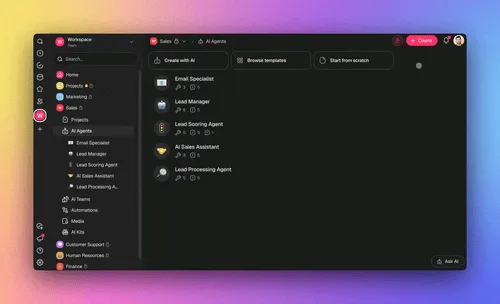
| AI workspaces | Taskade Genesis | Non-developers + AI-first builders | One prompt + chat | Living apps with memory, agents, automations, custom domains |
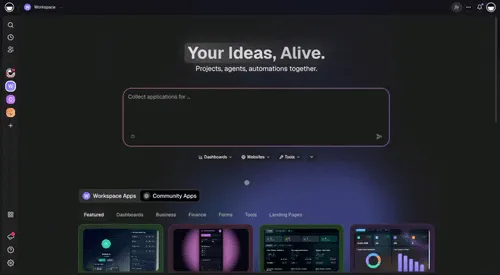
The last row is the category cPanel never had a word for. It isn't a panel replacement — it's a different axis entirely. Instead of "here's a UI for the LAMP stack," it's "describe what you want and the system generates the stack."
🚀 What Comes After the Control Panel? The Workspace Era
Here is the thing the obituary writers miss. The category cPanel invented didn't die. It got absorbed.
The mental model — "give a non-specialist a visual handle on a complex running system" — is the exact pattern now defining AI-native workspace infrastructure. A cPanel account gave you a LAMP stack behind an icon grid. A modern AI workspace gives you a full application stack behind a prompt.
For a deeper personal arc on this shift, see From Web Hosting to AI Infrastructure, The Origin of Living Software, and The Anatomy of a Taskade Genesis App.
The Five Generations of the Abstraction
Each generation did the same thing — absorbed a layer of manual work into the platform. cPanel absorbed Unix shell primitives. Cloud dashboards absorbed cPanel's physical-server assumptions. Vercel and Netlify absorbed the deploy pipeline. AI-native workspaces absorb the entire application layer — you describe what you want, and the system generates the app, the database, the agents, and the automations.
🧬 The cPanel → Taskade Genesis Map
This is the part that makes the arc click. If you learned web hosting through a cPanel account, you already know how to think about a Taskade Genesis workspace. The primitives map almost one-to-one — except the rooms now think.

The Dashboard Metaphor, Reborn
┌──────────────────────────────────────────────────────────────────────────────┐
│  Taskade Space                                    EVE 🤖  [Settings] [Share]│
├──────────────┬───────────────────────────────────────────────────────────────┤
│              │                                                               │
│  🧬 DNA      │  ┌─ PROJECTS (Memory) ───────────────────────────────────┐   │
│  Score: 85   │  │                                                        │   │
│  ██████████░ │  │  [📋] Customer DB    [📊] Pipeline    [📝] Content Cal │   │
│              │  │  [📦] Inventory      [📈] Analytics   [📁] Templates   │   │
│  📚 Projects │  │                                                        │   │
│  (6 active)  │  │  Views: List | Board | Calendar | Table |              │   │
│              │  │  Mind Map | Gantt | Org Chart                          │   │
│  🧠 Agents   │  │                                                        │   │
│  (3 active)  │  └────────────────────────────────────────────────────────┘   │
│              │                                                               │
│  ⚡ Flows    │  ┌─ AGENTS (Intelligence) ───────────────────────────────┐   │
│  (4 active)  │  │                                                        │   │
│              │  │  [🤖] Sales Coach     [🤖] Triage Bot  [🤖] Writer   │   │
│  📁 Media    │  │                                                        │   │
│  (42 files)  │  │  Built-in tools + custom tool schemas                  │   │
│              │  │  Commands: /analyze, /draft-proposal, /score-deal      │   │
│  🌐 App      │  │  Knowledge: Projects + Media + Web + Cloud             │   │
│  (published) │  │  Frontier models from top AI labs                      │   │
│              │  │                                                        │   │
│  ⚙ Settings │  └────────────────────────────────────────────────────────┘   │
│              │                                                               │
│  👥 Members  │  ┌─ AUTOMATIONS (Execution) ─────────────────────────────┐   │
│  (roles)     │  │                                                        │   │
│              │  │  [⚡] New Lead Flow   [⚡] Onboarding  [⚡] Digest    │   │
│              │  │                                                        │   │
│              │  │  21 trigger types (task/schedule/webhook/form/agent)   │   │
│              │  │  30+ core actions + 100+ integration actions           │   │
│              │  │  Branching, looping, filtering, reliable retries       │   │
│              │  │                                                        │   │
│              │  └────────────────────────────────────────────────────────┘   │
│              │                                                               │
│              │  ┌─ APP (Taskade Genesis Interface) ─────────────────────────────┐   │
│              │  │                                                        │   │
│              │  │  Auto-generated React app + live preview               │   │
│              │  │  Built-in OIDC/SSO (Genesis Auth)                      │   │
│              │  │  Custom domains with automatic SSL                     │   │
│              │  │  Publishing: Private | Unlisted | Public Gallery       │   │
│              │  │                                                        │   │
│              │  └────────────────────────────────────────────────────────┘   │
└──────────────┴───────────────────────────────────────────────────────────────┘
The One-to-One Map
Every primitive you knew from cPanel has a successor in Taskade Genesis — and three whole categories (Agents, Automations, App) that cPanel never had a word for:
| cPanel / WHM (1996–2024) | Taskade Genesis (2026) | What changed |
|---|---|---|
| File Manager | Media + Workspace files | Natural-language search and query across any doc |
| MySQL Databases | Projects with multiple views | Not a raw DB — a structured memory with custom fields |
| Domains / DNS Zone Editor | Custom domains | Automatic SSL, no zone-editor surgery |
| Email Accounts (Exim + Dovecot) | Notifications + integrations | Gmail, Slack, Telegram, WhatsApp as first-class |
| Cron Jobs | Automations | Triggers, branching, looping, filters — reliable retries |
| phpMyAdmin | Table view on any Project | Query and edit your data without SQL |
| Fantastico / Softaculous | Genesis app generation from a prompt | Describe what you want — it builds itself |
| SSL/TLS Manager | Automatic SSL (zero-config) | No certbot, no openssl |
WHM createacct |
Create a Workspace Space | Scaffolds Memory + Intelligence + Execution in one pass |
| WHM Packages | Plan tiers | Free · Pro $10 · Business $25 · Enterprise |
| WHM Resellers + ACLs | Role-based access | Owner to Viewer |
| Backup / pkgacct | Workspace export + version history | Clone or restore any app state |
| Metrics (Visitors / CPU) | Workspace analytics + activity | Per-space, per-agent, per-automation |
| (no equivalent) | AI Agents with built-in tools | A thinking layer cPanel never had |
| (no equivalent) | Frontier models from top AI labs | Multi-model routing under one interface |
| (no equivalent) | 100+ bidirectional integrations | Triggers pull data in; actions push data out |
| (no equivalent) | Community Gallery — 150,000+ apps to clone | Remix living apps, not just static sites |
| (no equivalent) | Workspace DNA Score | Memory + Intelligence + Execution, measured |
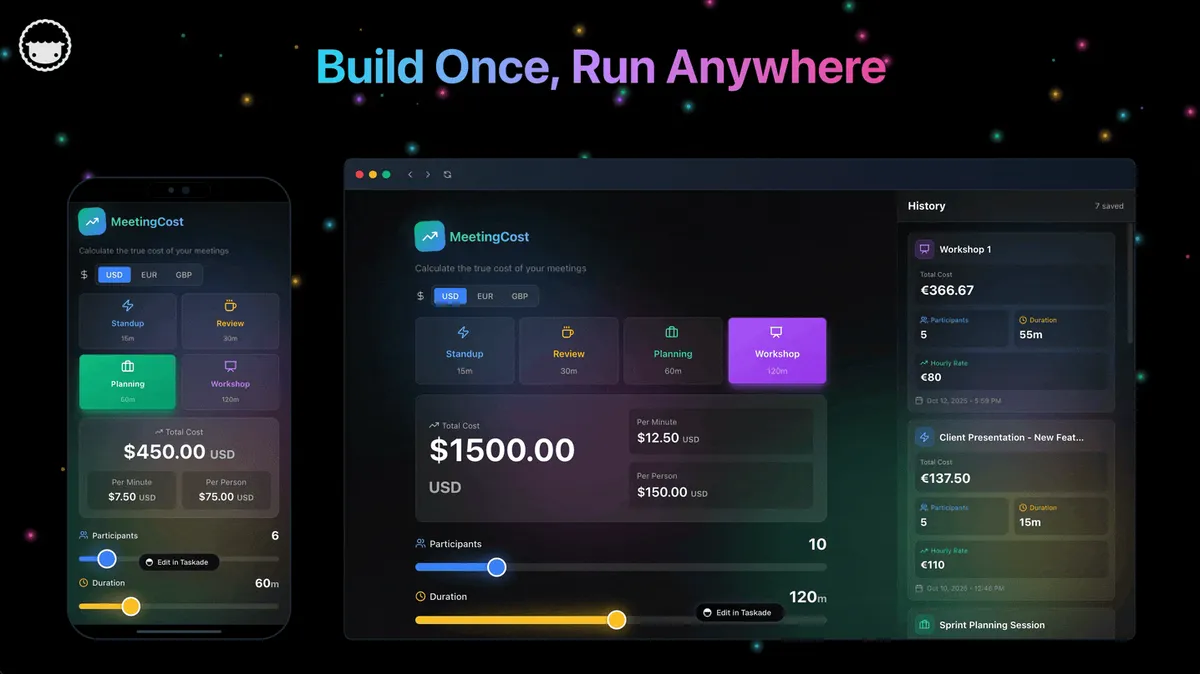
The Self-Reinforcing Loop cPanel Never Had
The deepest difference isn't any single feature — it's that cPanel managed static resources. Your database sat there. Your cron job fired or didn't. Your email bounced or delivered. Nothing learned.
A Taskade Genesis workspace has a feedback loop:
Memory (Projects + Media) replaces the File Manager / MySQL side of cPanel. Your data is structured, schema-aware, and AI-readable from the first prompt. Multiple views per Project — List, Board, Calendar, Table, Mind Map, Gantt, Org Chart — replace what used to require separate BI tools.
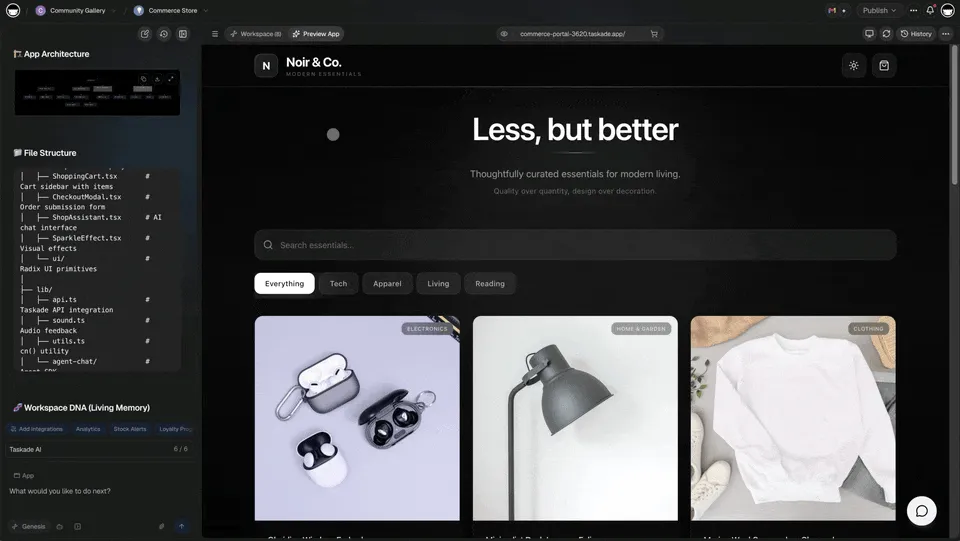
Intelligence (AI Agents) is the category cPanel never had a name for. Agents come with built-in tools, custom slash commands, persistent memory that survives across sessions, and multi-model routing across frontier models from top AI labs. You can publish an agent publicly, embed it on a page, or keep it private to your workspace.

Execution (Automations) replaces cron jobs and shell scripts with visual, reliable workflows. 21 trigger types (task events, schedules, webhooks, forms, agent-initiated), 30+ core actions plus 100+ integration actions (Slack, Gmail, Shopify, Stripe, Notion, Salesforce, GitHub, Google Sheets, and more), plus branching, looping, filtering, and guaranteed-delivery retries. If it breaks at 3 AM, it retries itself — the same invariant that a good cPanel sysadmin used to keep manually.

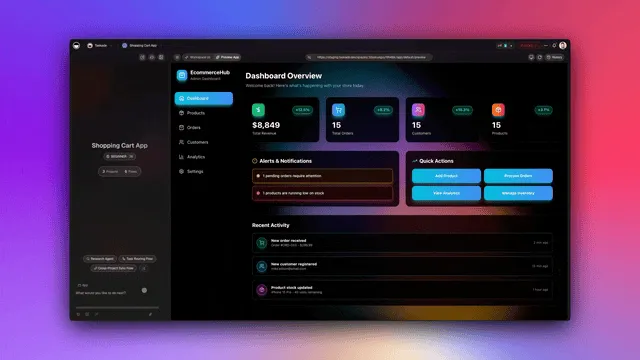
The three layers form a loop: Memory feeds Intelligence, Intelligence triggers Execution, Execution creates Memory. That's the thing cPanel could never be. Static hosting served files. Living infrastructure generates them.
For a longer treatment, read How Workspace DNA Works and The Execution Layer Thesis.
🔄 The Full-Circle Moment: Custom Domains and Reliability
Here's the thing that lands hardest if you lived through the cPanel era.
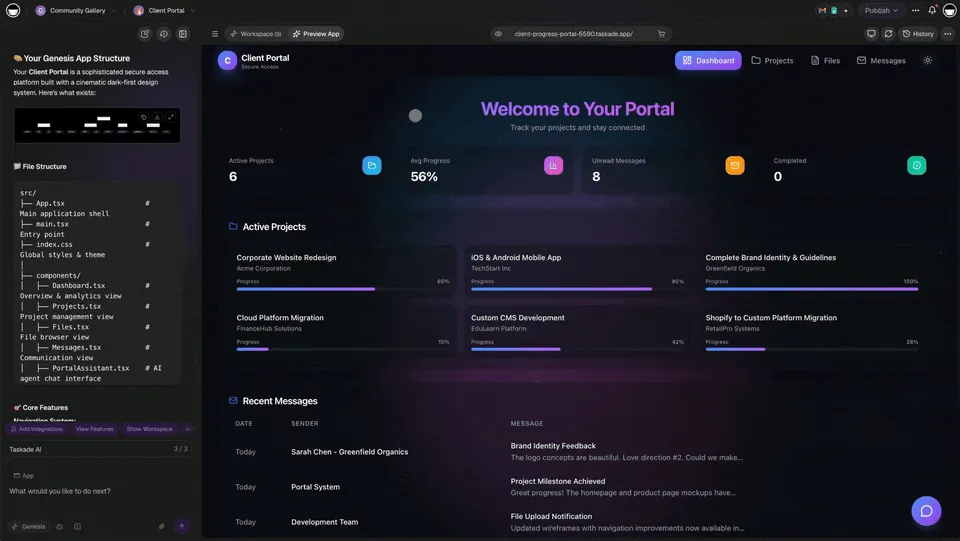
You can now publish a Taskade Genesis app to a custom domain with automatic SSL — the exact hosting capability that used to require a dedicated server, a RAID array, a hand-configured DNS zone, a certbot cron job, and an afternoon of frustration — built into every workspace.
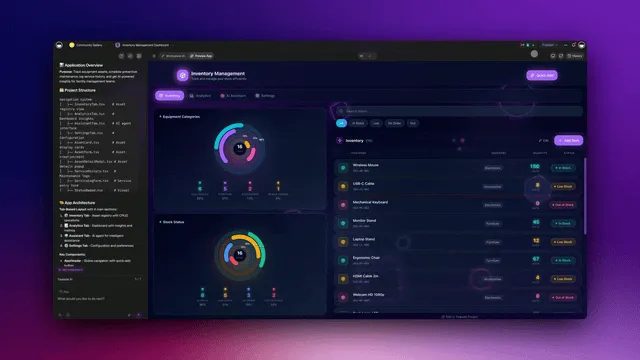
Except the "hosting" now includes:
- AI agents that run while you sleep
- Version history so you can roll back any change
- Branded sign-in (OIDC/SSO) for your users
- Password protection and access control on every published link
- The ability to clone your entire app into any workspace with one click
- Real-time multiplayer editing of the underlying app and data
- Automatic scaling and retries without you thinking about it
| Hosting Reliability Principle | AI Infrastructure Equivalent |
|---|---|
| RAID arrays for data redundancy | Persistent memory across sessions |
| Uptime monitoring and auto-restart | Agent health checks and retry logic |
| Load balancing across servers | Multi-model routing across providers |
| Backup and disaster recovery | Version history and workspace cloning |
| Graceful degradation under load | Concurrent render limits and queue management |
| SSL and access control | Custom domains with OIDC/SSO and roles |
The same instinct that kept a server rack running in Queens now runs Taskade Genesis. The scale changed. The canvas changed. The mission didn't — keep systems alive so the people depending on them can do their work.
💡 Is cPanel Dead? The Honest Answer
Short answer: no, but it's been absorbed.
cPanel still powers hundreds of thousands of shared hosting accounts. It's still the default on Newfold Digital's 80+ brands. The engineering team still ships — the CentOS 7 → AlmaLinux migration was handled well, the v120+ AI tools are genuinely useful for the existing install base, and WebPros' 900,000+ servers under management is not a rounding error.
What changed is where the energy is. The people who would have built on cPanel in 2008 are building on Vercel and Cloudflare in 2024 and on AI-native workspaces in 2026. The share drop from 19.9% to 12.1% in 15 months (PeerSpot) isn't a single event. It's the cumulative effect of hosting's center of gravity moving up the stack.
Every era's infrastructure platform eventually gets absorbed into something higher-level:
None of those layers died. Mainframes still exist. So will cPanel. The category it invented, though — visual panel for a complex running system — moved one level up the abstraction ladder. And the 2026 version of that category is living, AI-native workspaces where one prompt produces an entire app.
🧭 What cPanel Taught the Agent Era
Four lessons from cPanel's 30 years that every AI workspace platform should internalize:
Give people a place, not a command line. cPanel's icon grid onboarded a generation of developers who would never have learned the shell. The 2026 equivalent is a prompt that generates a working app — same principle, higher abstraction.
Invisible reliability is the real product. cPanel won because hosts who deployed it could go to sleep. The 2026 equivalent is workflows that retry themselves, memory that survives a restart, and agents that don't forget their context mid-task. See The Reliability Principle.
Consolidation is a business model, not a future. The Oakley → CVC playbook — roll up the category, raise prices, milk lock-in — works until the ecosystem decides the category can be rebuilt elsewhere. Open source and platform-owned panels (hPanel, Site Tools) emerged exactly because the licensed-panel category became extractable. The 2026 lesson: build in a way where the value stays with the user, not the license.
The new port 2083 is an MCP endpoint. Port 2083 was cPanel's universal entry — one URL, one login, the whole stack behind it. The 2026 equivalent is the Model Context Protocol (MCP) surface. An external AI client (Claude Desktop, Cursor, VS Code) connects to a Taskade workspace over MCP and can read, edit, and extend it the same way a human used to click through File Manager and phpMyAdmin. The pattern is identical — single entry point to a complex running system. The client changed: a human with a browser became an AI agent with a context window.
🧾 The Canonical Timeline
| Date | Event |
|---|---|
| March 21, 1996 | cPanel 1.0 released (Perl, Linux; for Speed Hosting) |
| 1996–1998 | Speed Hosting / Webking merger; servers move to VDI; WebPanel fork |
| 1999 | cPanel 3 — introduces WHM and automatic upgrade; Carlos Rego designs default theme |
| 2000 | Plesk founded by Dmitry Simonenko (Novosibirsk) |
| July 2003 | SWsoft acquires Plesk |
| 2004 | Fantastico launches — one-click WordPress on cPanel |
| January 2008 | SWsoft rebrands as Parallels |
| 2009 | Softaculous launches (would overtake Fantastico) |
| 2010–2012 | EIG rolls up HostMonster (2010), HostGator (2012, $299.8M), others |
| February 2014 | Enkompass (cPanel for Windows) EOL |
| May 2017 | Oakley Capital acquires Plesk |
| August 20, 2018 | Oakley Capital / WebPros acquires cPanel; $50M follow-on into WebPros |
| May 2019 | cPanel–JetApps partnership; JetBackup integration |
| June 27, 2019 | Per-account pricing announced; 22-page forum thread; DDoS on cPanel.net |
| July 5, 2019 | Partial walk-back; structural change retained |
| September 1, 2019 | New per-account pricing takes effect |
| Q1 2020 | CVC Capital Partners (Fund VII) acquires WebPros from Oakley; 6.7x MM, ~140% IRR |
| December 31, 2021 | CentOS 8 EOL |
| March 30, 2021 | AlmaLinux GA; cPanel v94 ships AlmaLinux support |
| April 2023 | CVE-2023-29489 disclosed — XSS exploitable across the entire install base |
| June 30, 2024 | cPanel ends support for CentOS 7 (final major version: v110) |
| 2024–2025 | AI Support Agent ships in cPanel & WHM v120+; AI Website Builder / Writing / Image |
| October 2024 | PeerSpot mindshare 19.9% |
| January 1, 2026 | 7th consecutive annual price hike; Premier $69.99, Pro $53.99 |
| January 2026 | PeerSpot mindshare 12.1% (−7.8pp in 15 months) |
| April 2026 | W3Techs: cPanel on 2.1% of sites with detected panel; 0.2% of all sites |
🔮 Where This Goes Next
The internet is shifting again, quietly but unmistakably. The same pattern that took us from command line → cPanel → cloud dashboard is taking us from cloud dashboard → AI workspace. The primitives are getting absorbed one more level up.
Taskade Genesis is built for that shift. One prompt produces a live app with:
- Memory (multi-view Projects, Media, workspace files)
- Intelligence (AI agents with built-in tools, frontier models, custom commands)
- Execution (Automations across 100+ bidirectional integrations, with retries built in)
- App (auto-generated UI, custom domains, automatic SSL, OIDC/SSO sign-in, publishing)
It's the kind of infrastructure I would have wanted when I was running servers out of a Queens apartment and patching them between classes at Bronx Science. For the full personal arc, read From Web Hosting to AI Infrastructure.
The circle didn't close by accident. It closed because the need never changed. Give people a place to build things. Keep those things alive. Take the complexity off their plate. cPanel did it for the LAMP stack. Taskade Genesis does it for the entire living application.
🧩 The cPanel Account Inside the Fifty-Year Primitive Lineage
cPanel's invention wasn't the software — it was the primitive claim. Before 1996, a hosted customer was a folder path and three config files. After cPanel, a hosted customer was a hosting account — a single atom that composed upward into packages, resellers, and root, and absorbed every new capability (email, SSL, cron, Softaculous) without breaking the mental model.
That's exactly how Unix's file, Mac's icon, the Web's page, and Taskade Genesis's task each won their own eras. One atom, one vocabulary, endless composition.
| Era | Primitive | Vocabulary | Substrate |
|---|---|---|---|
| 1973 | File | open, read, write, close | filesystem |
| 1984 | Icon | point, click, drag, trash | desktop |
| 1991 | Page | GET, POST, link, bookmark | URL namespace |
| 1997 | Account (cPanel) | create, suspend, migrate | /home/<user>/ |
| 2012 | Base (Airtable) | data + logic + interfaces | shared workspace |
| 2018 | Block | drag, nest, convert, link | block tree |
| 2026 | Task (Taskade Genesis) | create, assign, cascade, trigger | workspace |
The cPanel account was the substrate primitive for an era where the unit of deployment was a website. The task is the substrate primitive for an era where the unit of deployment is a living workspace with AI agents and automations. Same pattern, new atom. Read fifty years of computing primitives →
▲ ■ ● The Airtable Parallel — Same Primitive Pattern, Different Era
If cPanel won the hosting era by claiming the account as the atomic unit, Airtable won the database-app era by claiming the base as the atomic unit. Howie Liu's three-layer model — Data + Logic + Interfaces — is the exact same shape as cPanel's three-layer model (Hosting + Email + Files) re-cast for the application era. The packages composed into resellers; the bases compose into workspaces. The vocabulary changes; the pattern doesn't.
Taskade is winning the intelligent-workspace era by claiming the workspace as the atomic unit (Memory + Intelligence + Execution). The pattern is the same — every 15–25 years, a platform wins by claiming the atomic primitive of the new era. (See: history of Airtable for the full Howie Liu / Hyperagent arc.)
| Era | Primitive winner | Three-layer model | What it composed up to |
|---|---|---|---|
| 1997 | cPanel (account) | Hosting + Email + Files | Reseller / WHM root |
| 2012 | Airtable (base) | Data + Logic + Interfaces | Workspace |
| 2026 | Taskade Genesis (workspace) | Memory + Intelligence + Execution | Organization |
The implication for builders: when a primitive wins its era, every adjacent capability either composes into it (cPanel → Softaculous, Airtable → Interfaces, Taskade Genesis → Automations) or stays a separate tool that loses on simplicity. The composable primitive wins the decade.
📚 Related Reading
Connect the dots across the full hosting → AI-infrastructure arc:
- Fifty Years of Computing Primitives: File → Icon → Page → Account → Task — the five-decade lineage that puts the cPanel account primitive in context, and shows what replaces it
- From Web Hosting to AI Infrastructure — personal journey from Queens datacenter racks to full-stack AI workspaces
- Inference-as-a-Service (IaaS): why serving AI models in 2026 runs on shared-hosting economics, and why bring-your-own-key is the control-panel move
- From Bronx Science to Taskade Genesis — the origin story
- The Origin of Living Software
- The Anatomy of a Taskade Genesis App — what's actually inside one
- How Workspace DNA Works
- The Execution Layer Thesis
- Software That Runs Itself
- How a Workspace Becomes a Living System
- What Is an Agent Hosting Platform?
- The Living App Movement
- History of Mermaid.js: Diagrams as Code — adjacent history post
Explore the Taskade Genesis capabilities that replaced the cPanel stack:
- AI App Builder — build complete apps from one prompt
- AI Agents — custom tools, persistent memory, public embedding
- AI Workflow Automation — 100+ integrations, reliable retries
- Community Gallery — 150,000+ apps to clone and remix
- Pricing — Free · Pro $10 · Business $25 · Enterprise
- Quantum Supremacy for App Builders: Why Taskade Genesis Builds in Parallel Branches (2026)
- AI App Builders vs AI Workspace Builders: The Category Split Defining 2026
🧾 Sources
- cPanel — Wikipedia
- Plesk — Wikipedia
- HostGator — Wikipedia
- Web Hosting Magazine — "Nick Koston: The Man Behind the Curtain" (docplayer mirror)
- Oakley Capital — investment in cPanel
- Oakley Capital — sale of WebPros to CVC
- WP Tavern — Oakley Capital to Acquire cPanel
- The Register — cPanel unleashes price hikes (June 28, 2019)
- AwardSpace — cPanel Massive Price Increase
- Bikegremlin — cPanel price rise 2019 and 2021
- HostingAdvice — As cPanel Raises Prices Again
- webhosting.today — 2026 cPanel prices
- Oryon — cPanel Pricing 2025 vs 2026
- Ask HN: cPanel alternative (Aug 2022)
- Hacker News id=28457470 — "free cPanel hosting was my part-time job when I was 14"
- Assetnote — CVE-2023-29489 XSS in a Million Websites
- cPanel ELevate project docs
- WebPros brand portfolio
- W3Techs — cPanel usage statistics
- CommandLinux — Control Panel Market Share 2026
- LowEndTalk — New cPanel licensing and pricing structure
- AIthority — cPanel / JetApps partnership (2019)

Frequently Asked Questions
Who created cPanel and when?
cPanel 1.0 was first released on March 21, 1996. It was created by J. Nick Koston, a teenager working out of his parents' home in Wilmington, Delaware. He built it as the control panel for Speed Hosting, a small hosting company he had a stake in. Koston has said publicly that cPanel did not make any money for the first five years — he subsidized it by freelancing as a sysadmin, including a stint at BurstNET.
What is WHM and how is it different from cPanel?
WHM stands for Web Host Manager. It shipped with cPanel 3 in 1999 and turned cPanel from a single-account UI into a full hosting stack. cPanel runs on port 2083 and lets one end user manage their account — files, databases, email, domains. WHM runs on port 2087 and lets a reseller or root admin create, suspend, terminate, and bill many cPanel accounts from a single dashboard. cPanel is the room you inhabit. WHM is the building management system above it.
What happened with the 2019 cPanel price increase?
On June 27, 2019, ten months after Oakley Capital acquired cPanel, the company moved from per-server licensing to per-account pricing. A dedicated license that had been $45 per month for unlimited accounts became $45 for 100 accounts plus $0.20 per additional account. A reseller running 1,000 accounts went from $45/month to $225/month. Some partners reported 800 to 1,700 percent increases. The cPanel forum thread of complaints exceeded 22 pages and cPanel.net was hit with DDoS attacks for days. The company walked back the tier cliffs on July 5 but the structural change stayed in place.
Is cPanel dead in 2026?
cPanel is not dead — it still powers hundreds of thousands of shared hosting accounts — but its share has measurably declined. W3Techs reports cPanel on roughly 2.1 percent of websites whose panel is known and only 0.2 percent of all websites as of April 2026. PeerSpot mindshare dropped from 19.9 percent in October 2024 to 12.1 percent in January 2026. Developers increasingly deploy through Vercel, Netlify, Railway, Render, Fly.io, Cloudflare Workers, and AI-native workspaces like Taskade Genesis that replace the entire LAMP stack with one prompt.
What replaces cPanel in the AI infrastructure era?
The modern equivalent of a cPanel account is an AI workspace. Taskade Genesis maps one-to-one to the cPanel mental model: the Space is your cPanel account, the workspace is your WHM root, Projects replace MySQL databases, Media replaces File Manager, Agents replace the static application layer, and Automations replace cron jobs. Instead of installing WordPress from Softaculous and hoping it stays patched, you describe what you want and the platform generates a live app with Memory, Intelligence, and Execution baked in.
Who owns cPanel today?
cPanel is owned by WebPros, which was acquired by CVC Capital Partners' Fund VII from Oakley Capital in Q1 2020. Oakley reported a 6.7x money multiple and roughly 140 percent IRR on Fund III in under three years of cPanel ownership. WebPros also owns Plesk, WHMCS, SolusVM, Sitejet, 360 Monitoring, and SocialBee. The portfolio claims 900,000 plus servers, 85 million domains, and 33 million users under management.
What was the biggest cPanel security incident?
CVE-2023-29489, disclosed by Assetnote in April 2023, was a reflected cross-site scripting vulnerability in cPanel versions 110 through 132. Because cPanel serves its login page on port 2083 for every hosted domain, the flaw was exploitable against essentially the entire cPanel install base. Assetnote titled the writeup Finding XSS in a Million Websites for good reason. Many cPanel servers stayed vulnerable long after the patch because auto-updates were disabled.
How did cPanel compare to Plesk historically?
cPanel was Linux-only, Perl-based, and dominant in North American shared hosting. Plesk was created in 2000 by Dimitri Simonenko in Novosibirsk, acquired by SWsoft in July 2003, and rebranded under Parallels in January 2008. Plesk's differentiator was cross-platform support — it ran on both Linux and Windows Server. After Oakley Capital acquired Plesk in May 2017 and cPanel in August 2018, both panels ended up under the same WebPros parent, so the rivalry is now essentially a corporate sibling dynamic.
What are the best cPanel alternatives in 2026?
The main open-source alternatives are CyberPanel (built on OpenLiteSpeed), aaPanel (3.6 million installs), HestiaCP, CentOS Web Panel, Webmin/Virtualmin, and ISPConfig. DirectAdmin is the most common paid-panel migration target. For modern cloud and edge deployment, developers use Vercel, Netlify, Railway, Render, Fly.io, and Cloudflare Workers. For AI-native app building and hosting in one workspace, Taskade Genesis is the 2026 option — one prompt produces a live app with custom domain, automatic SSL, AI agents, and 100 plus integrations.
What does cPanel have to do with AI agents and Taskade Genesis?
The mental model is the same — a single UI that lets a non-specialist manage a complex running system. cPanel gave anyone an icon grid to run a LAMP stack without touching a shell. Taskade Genesis gives anyone a prompt to run a full living application without touching code. The evolution pattern is consistent — Unix shell in the 1990s, cPanel in the 2000s, cloud dashboards in the 2010s, AI workspaces in the 2020s. Each generation removed a layer of manual work. Taskade Genesis adds what cPanel never could — the rooms think, remember, and act on their own.
Why did hosting companies like SiteGround leave cPanel?
In 2019 and 2020 SiteGround built its own proprietary Site Tools panel and migrated its customers off cPanel. The economics broke after the June 2019 per-account pricing change, and SiteGround's scale meant the license bill was becoming a meaningful percentage of revenue. Hostinger built hPanel, GoDaddy uses a custom UI, and many newer hosts either build their own or deploy open-source panels. The top-tier shops concluded that the cPanel license math no longer worked at scale.
Can I migrate my cPanel WordPress site to Taskade Genesis?
Yes — with a different approach. You do not do a file-level import the way cPanel's Transfer Tool moves a WordPress install between servers. Instead, describe the site you want (a portfolio, a CMS, a client portal, a dashboard) in a prompt, and Taskade Genesis generates a live app with structured databases, AI agents, automations, and a custom domain. For content migration, Genesis apps can ingest data from Google Sheets, Airtable, Notion, CSV, or direct API imports via 100+ integrations. For full-fidelity recreations, cloning an existing app from the Community Gallery of 150,000+ living apps is often faster than a straight migration. Taskade Genesis is free to start, with Pro plans from $10/month billed annually.
What is the new port 2083? How does MCP fit into the cPanel mental model?
In the cPanel era, port 2083 was the universal entry point — a browser, a login, and the entire stack behind it. In the 2026 AI workspace era, the equivalent entry point is an MCP (Model Context Protocol) endpoint. External AI clients like Claude Desktop, Cursor, and VS Code connect to a Taskade workspace through MCP and can read, edit, and extend it as if it were a control panel for a living system. The same pattern — give a single point of access to a complex running system — but the client is now an AI agent, not a human clicking icons.