






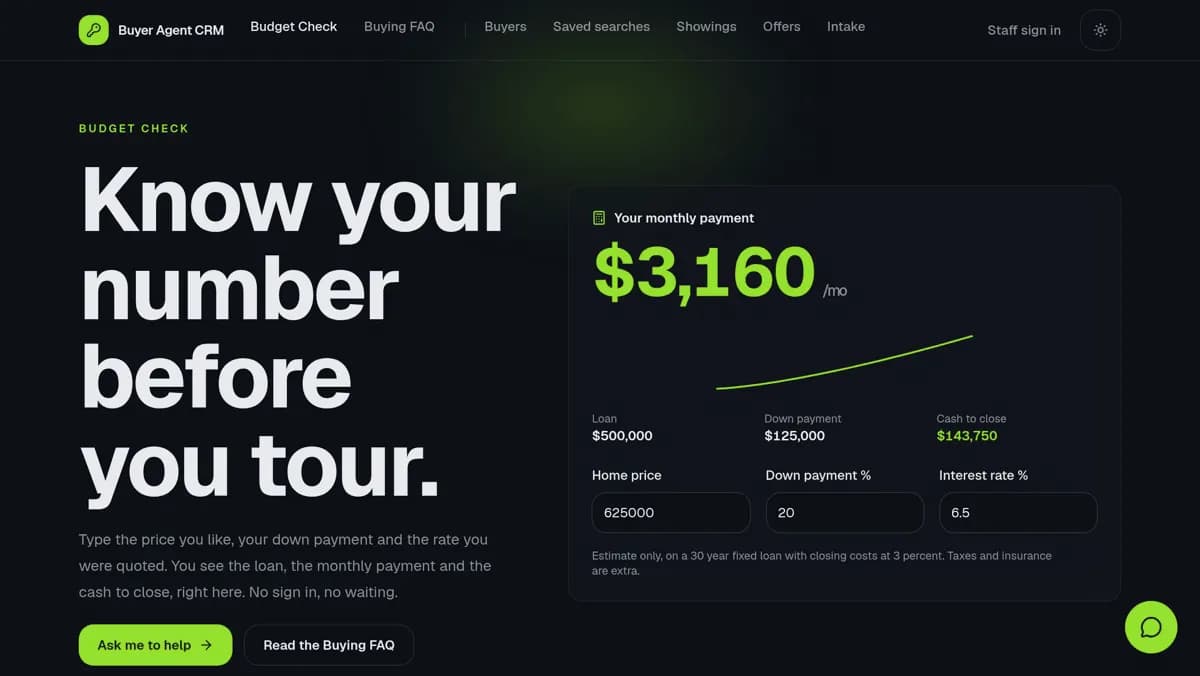
A generic CRM makes every business rename "deals" to fit its world: a recruiter tracks placements, a gym tracks trial passes, and a venture fund tracks capital calls. This guide gives 12 industries a CRM template of their own, and each one is a live app with the right stages, an AI agent and follow-up automations, so you start from your own pipeline.
TL;DR: Start your CRM from one built for your industry. This guide lists 12 CRM templates from the Taskade App Factory, from real estate and recruiting to gyms, nonprofits and venture funds, plus the general CRM kit cloned more than 2,000 times. Each one has stages, an AI agent and follow-up automations. Browse CRM kits
Every kit in this list comes from the official Taskade account or a Taskade team member. Each one is a Taskade Genesis app: a set of projects that holds your records, an AI agent that reads them, and automations that act on them. If you want to compare the platforms that build a CRM with AI, read AI CRM builders compared. This post is about the templates themselves.
What Is an Industry CRM Template?
An industry CRM template is a ready customer tracker whose stages, fields and pages match one kind of business. A buyer agent tracks pre-approval and showings, a recruiter tracks submissions and placement fees, and a nonprofit tracks gifts and thank-yous. The templates below are live Taskade Genesis apps that you clone, rename and run, not static spreadsheets.
Every CRM follows the same shape. A lead comes in, it moves through stages that only your industry uses, it closes, and the follow-up keeps the relationship alive for the next deal. The stages in the middle are what make a template fit or not fit.
In a Taskade CRM, each box is a stage in a project. The AI agent reads the records at every stage, and the automations move the follow-up along: a Monday digest of stale leads, a thank-you draft after a gift, or a reminder before a deposit is due.
Start Here: A General CRM
Neon CRM Dashboard is the most cloned of the 16 kits in this guide and one of the most cloned kits in the CRMs category of the Taskade App Factory, with 2,031 clones on November 17, 2026. It tracks clients and deals in one place. You filter clients by stage, from lead to closed, and see follow-ups, active deals and pipeline value. It ships with 2 projects, 1 AI agent (CRM Assistant) and 2 automations, and sample clients show how it works.
If your industry is not on the list below, start here and rename the stages. Try the live app in the window below, then clone it.
Three more general CRM kits in the CRM kits category:
- Sales Pipeline Workflow (667 clones): pipeline value, hot leads, and qualified and closed deals at a glance, with 2 AI agents for sales help and proposals.
- Client Connect Dashboard (121 clones): contacts, deals and every call and email in one place, with a weekly pipeline health report.
- DealFlow CRM (81 clones): every sales deal from first contact to close, with a stale deal alert and a Sales Coach agent.

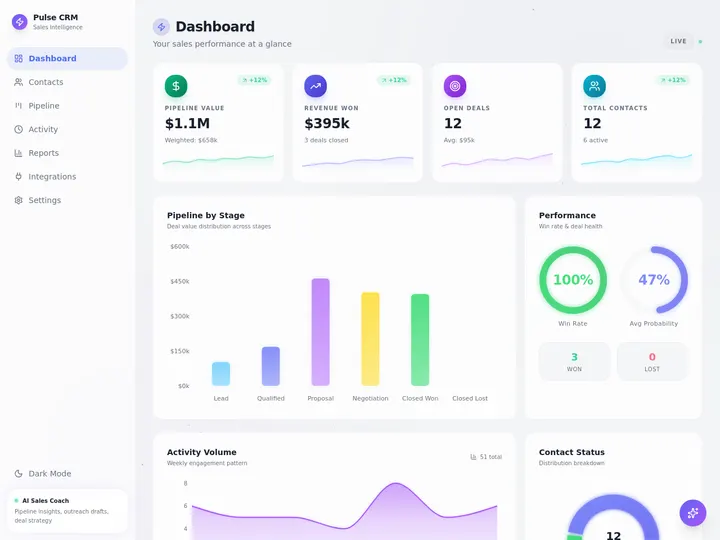
Clone counts were read from the App Factory on November 17, 2026.
Quick Reference: 12 CRM Templates by Industry
The 12 industry CRM templates below cover property, services, local business and capital. Each row lists the stages the kit tracks and what ships inside it, so you can pick one in under a minute. Every kit is free to clone.
| # | CRM template | Industry | Stages it tracks | Inside (projects / agents / automations) |
|---|---|---|---|---|
| 1 | Buyer Agent CRM | Buyer agents | First call, pre-approval, searches, showings, offers, closing | 6 / 1 / 3 |
| 2 | Real Estate Wholesaler Lead CRM | Investors and wholesalers | Seller lead, follow-up, under contract, cash buyer match | 6 / 2 / 5 |
| 3 | Landlord Lead Pipeline | Property managers | Owner inquiry to signed agreement | 5 / 2 / 3 |
| 4 | Commercial Real Estate Deal CRM | Commercial brokers | Requirements, key dates, signed deal, fee | 5 / 1 / 3 |
| 5 | Agency Client CRM | Agencies | Retainer hours, last activity, renewal, health | 3 / 1 / 3 |
| 6 | Recruiter Candidate CRM | Recruiters | Application, stage, submission, placement fee | 8 / 2 / 4 |
| 7 | Event Planner CRM | Event planners | Inquiry, venue shortlist, proposal, deposit, booked | 6 / 1 / 3 |
| 8 | Donor CRM | Small nonprofits | Gift, thank-you, repeat gift, lapsed | 4 / 2 / 4 |
| 9 | Gym Tour and Trial CRM | Gyms and studios | Trial pass, tour, join or lost reason | 6 / 1 / 3 |
| 10 | Subcontractor Bid Log and Pipeline CRM | Contractors and subs | Bid invite, bid or pass, won or lost | 3 / 1 / 3 |
| 11 | Founder Follow-up CRM | Founders | Intro, follow-up date, deal stage, won | 6 / 2 / 3 |
| 12 | LP Relations CRM | Emerging venture funds | Commitment, capital call, payment, letter, meeting | 10 / 3 / 5 |
The counts come from each kit page in the App Factory. Browse more property kits and agency kits in the same gallery.
Real Estate and Property
Four of the 12 CRM templates serve real estate: buyer agents, investors, property managers and commercial brokers. Each one tracks a different deal. A buyer agent tracks a person, an investor tracks a house, a property manager tracks an owner, and a commercial broker tracks a space requirement.
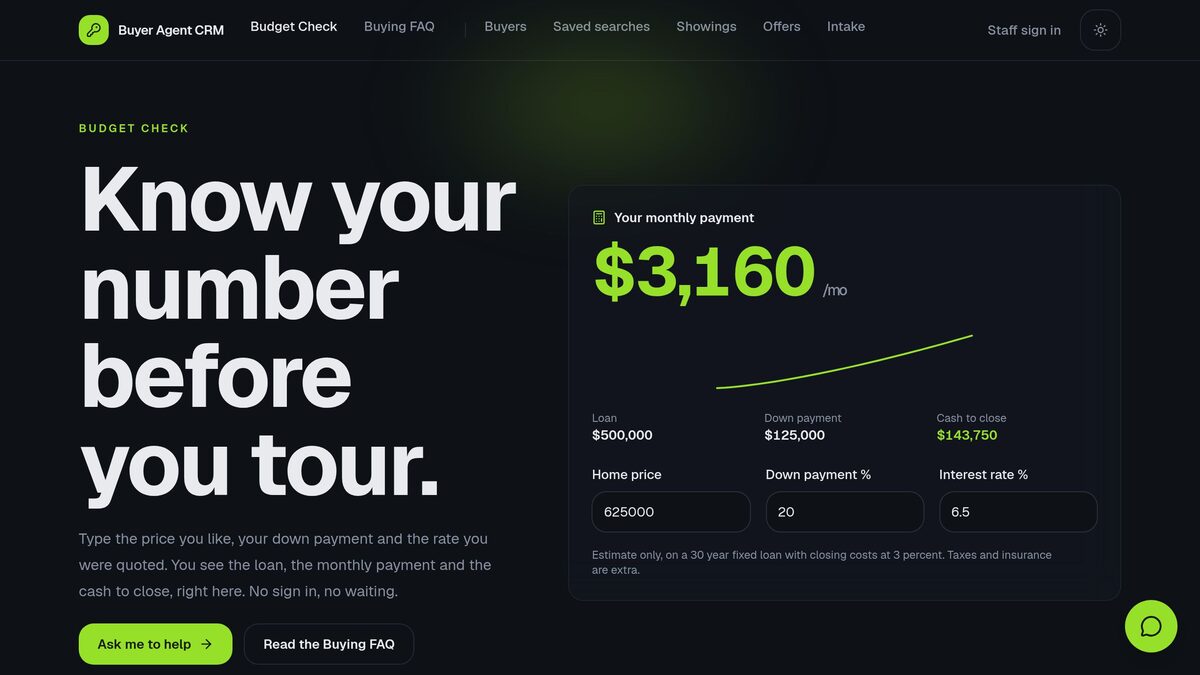
1. Buyer Agent CRM: buyer agents
Best for: a buyer agent or a small buyer team that wants every home buyer in one place, from first call to closing.
The stages it tracks: first call, pre-approval date, saved searches, showings, offers and closing. A budget check page lets a buyer work out a monthly payment before a tour, with no sign-in.
Inside: 6 projects, 1 AI agent (Lockbox) and 3 automations: a Monday touch and letter check, a key dates email when an offer is accepted, and a draft offer text when a buyer loves a showing.
Make it yours: add your own buyer intake questions, set the showing stages to match your market, and edit the budget defaults on the public page.
For a full walk through a real estate setup, read the guide to a free real estate CRM.
2. Real Estate Wholesaler Lead CRM: investors and wholesalers
Best for: a cash home buyer or wholesaler who gets seller leads from a website and needs a desk for follow-ups and buyers.
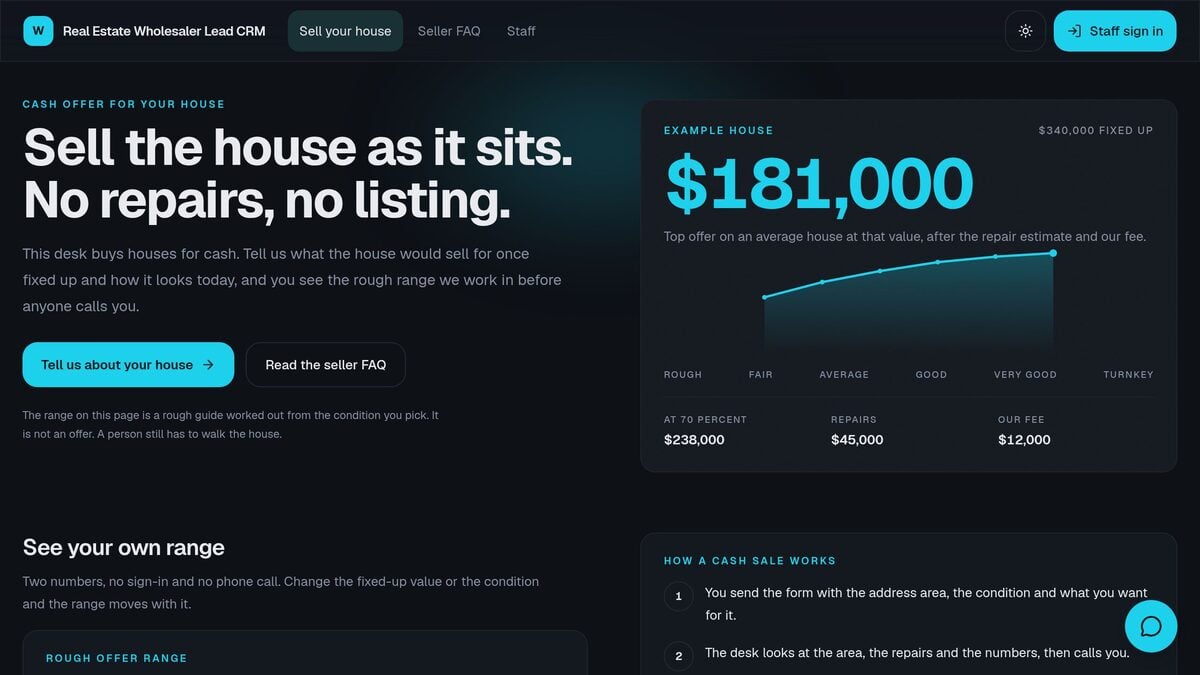
The stages it tracks: seller lead, follow-up due, under contract and cash buyer match. A public seller page shows a rough offer range from the fixed-up value and the condition, with a form for sellers.
Inside: 6 projects, 2 AI agents (Deed Desk and Deed) and 5 automations, such as follow-ups due today, a weekly stale lead report and a buyer match when a property goes under contract.
Make it yours: set your own repair estimates and fee in the offer range, and add the areas you buy in.
Investors who hold rentals can read the real estate investor CRM guide for a property-first setup.
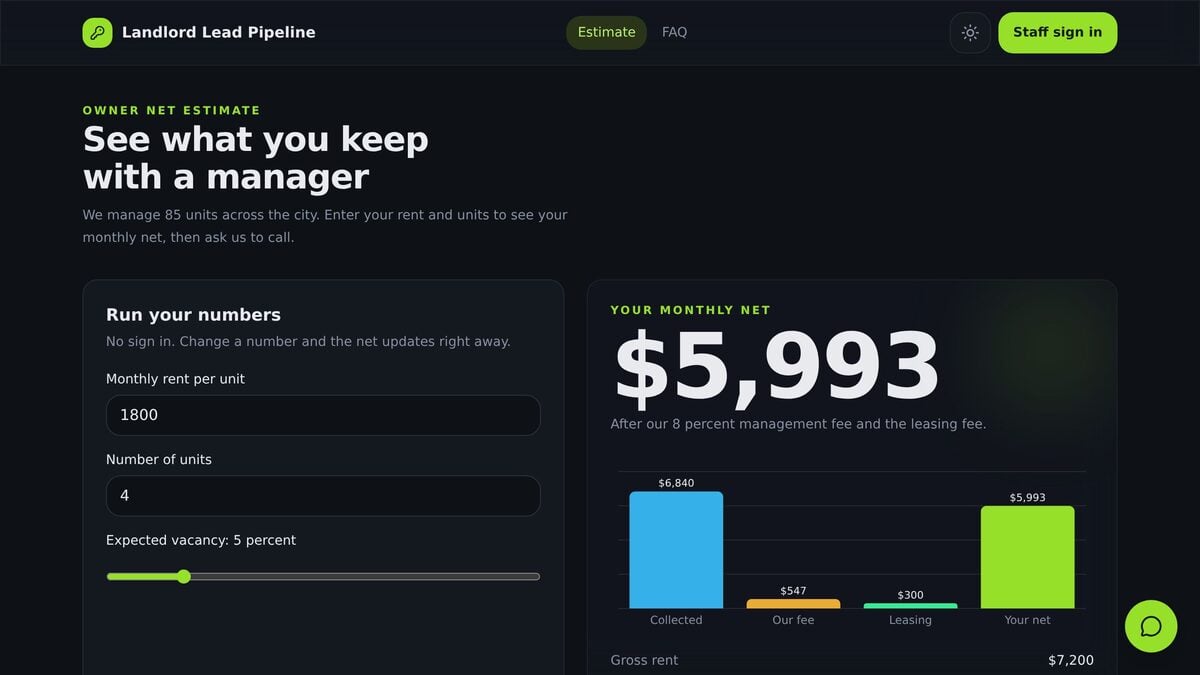
3. Landlord Lead Pipeline: property managers
Best for: a property management company that wins new rental owners and wants a clear pipeline from first call to signed agreement.
The stages it tracks: owner inquiry, first call and signed management agreement. A public page shows an owner the net rent after your management and leasing fees, which gives the first call a number to talk about.
Inside: 5 projects, 2 AI agents (Keyring Desk and Keyring) and 3 automations: a new owner inquiry alert, an onboarding step when an owner signs, and a weekly owner review.
Make it yours: enter your own management fee and leasing fee in the estimate, and add the documents you collect at onboarding.
The pipeline fits a company that grows by owner referrals, because each signed owner can lead to the next inquiry.
4. Commercial Real Estate Deal CRM: commercial brokers
Best for: a commercial broker who represents tenants and buyers and needs to track requirements, key dates and the fee on each deal.
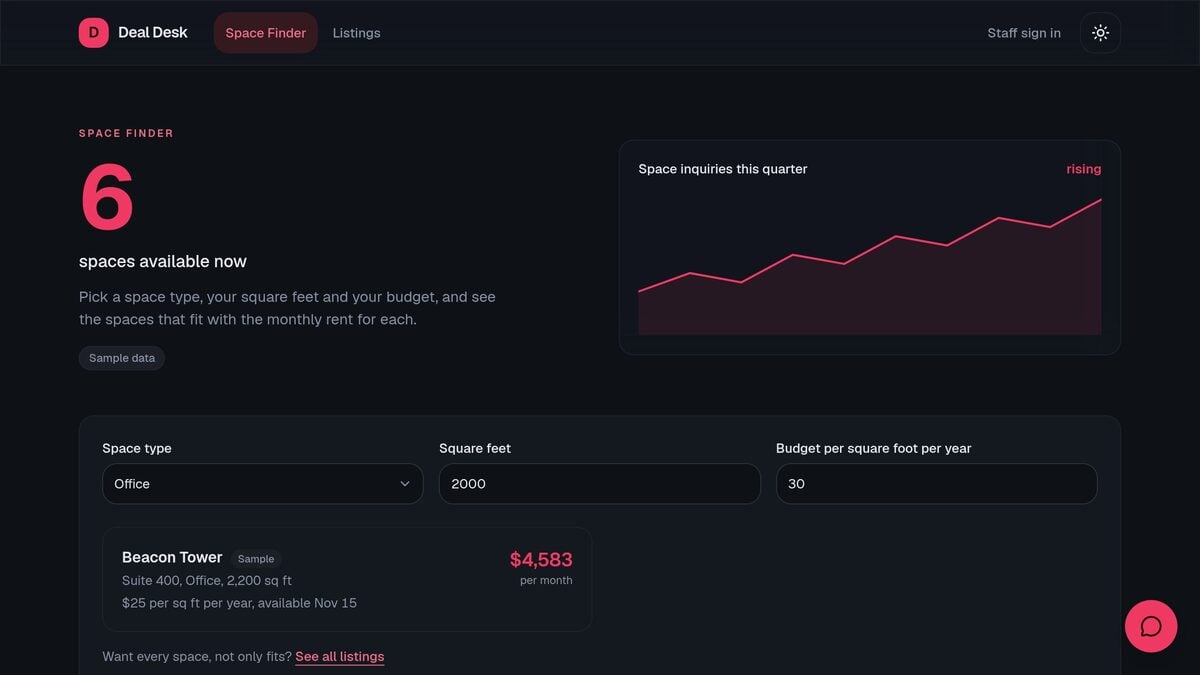
The stages it tracks: tenant or buyer requirement, key dates, and signed deal with its fee. A public space finder lets a visitor enter a space type, square feet and a budget, and see the spaces that fit.
Inside: 5 projects, 1 AI agent (Square Foot) and 3 automations: a space request alert, a Monday deal desk digest and a fee email when a deal is signed.
Make it yours: load your own listings into the space finder, and add the key dates your leases use, such as option and expiry dates.
This kit comes from a Taskade team member, and it ships with sample listings so the space finder works on the first visit.
Services and Agencies
Three CRM templates serve service businesses: agencies with retainers, recruiters and event planners. In each one, the deal is a relationship with a client, and the CRM tracks the work and the money that the relationship brings in.
5. Agency Client CRM: agencies with retainers
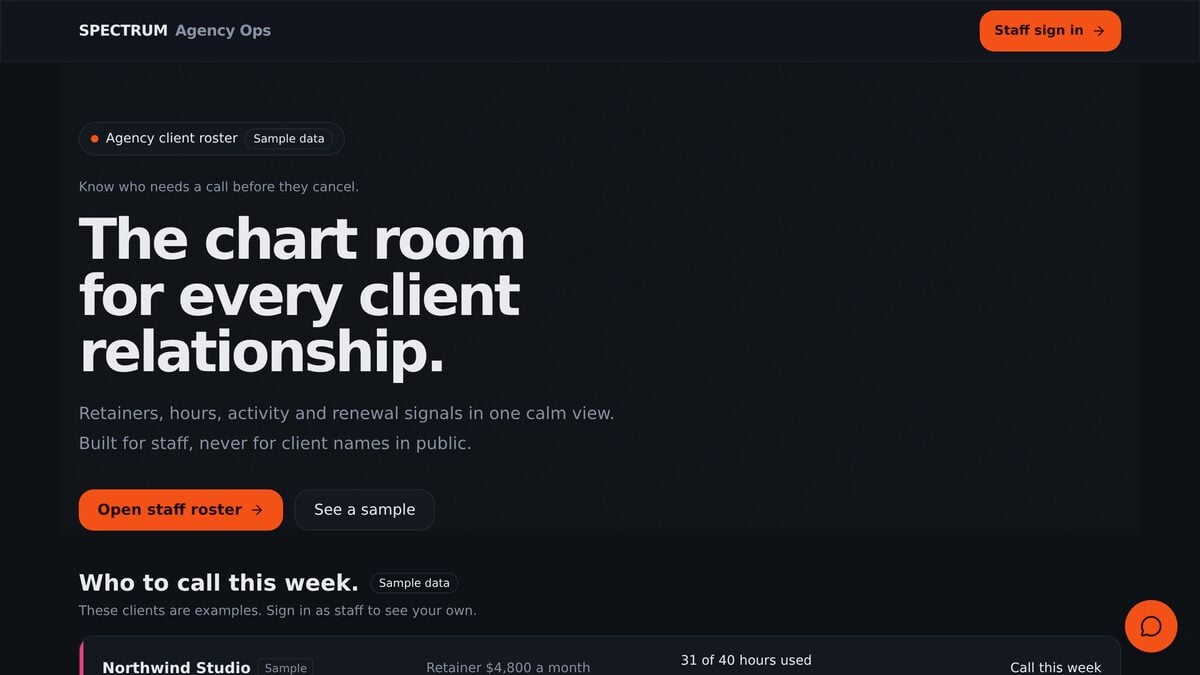
Best for: a marketing, design or development agency that bills monthly retainers and wants to know which client needs a call before they cancel.
The stages it tracks: every client on one screen with retainer hours, last activity, renewal date and a health color. The staff view sorts the clients you need to call this week to the top.
Inside: 3 projects, 1 AI agent (Roster) and 3 automations: an alert when time entries pass the retainer, a Monday client health call list and a monthly client hours billing summary.
Make it yours: set your own retainer sizes and health rules, and log time entries against each client.
The kit fits an agency that loses more revenue to quiet churn than to lost pitches, because it puts renewal risk first.
6. Recruiter Candidate CRM: recruiters
Best for: an independent recruiter or a small agency that places a few people a month and earns a fee per placement.
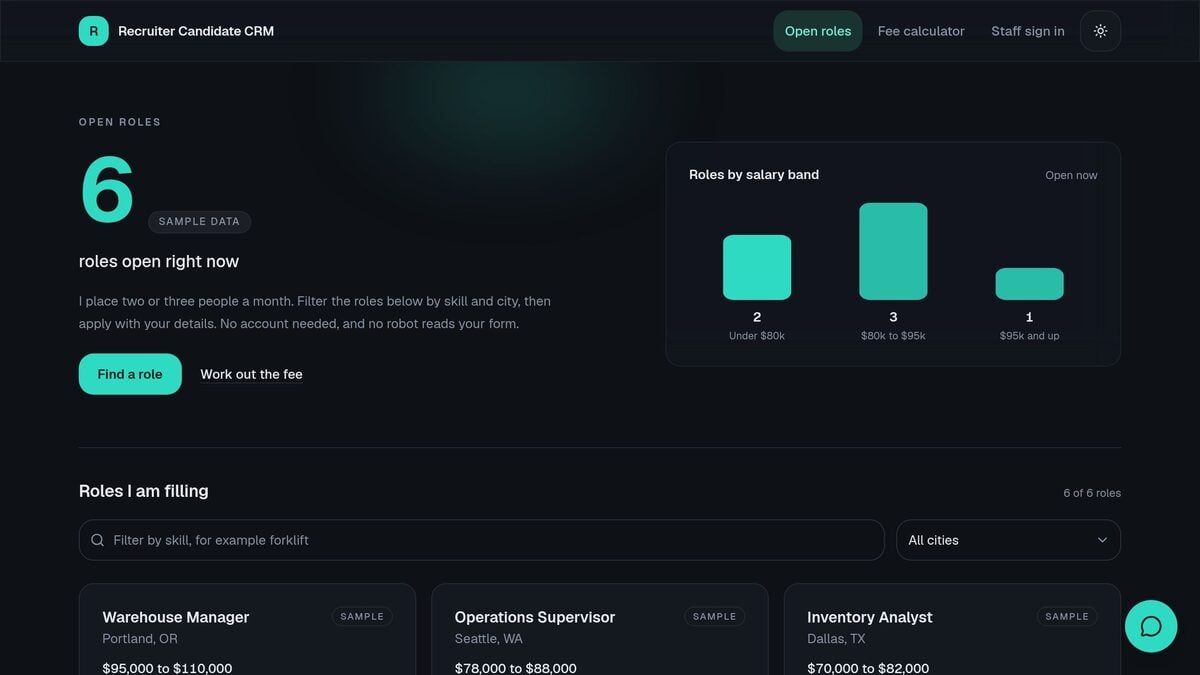
The stages it tracks: application, candidate stage, submission to a client, follow-up and placement with its fee. A public open roles page lets candidates filter roles by skill and city and apply with a form, and a fee calculator works out the placement fee.
Inside: 8 projects, 2 AI agents (Shortlist Desk and Shortlist) and 4 automations, such as a score for each new application, a submission note for the client and follow-ups due each weekday.
Make it yours: replace the sample roles with your open roles, and set your own fee percentage.
For more hiring workflows, see these AI recruiting pipeline templates.
7. Event Planner CRM: event planners
Best for: an event planner or a small events company that turns inquiries into booked events and loses money when a proposal goes quiet.
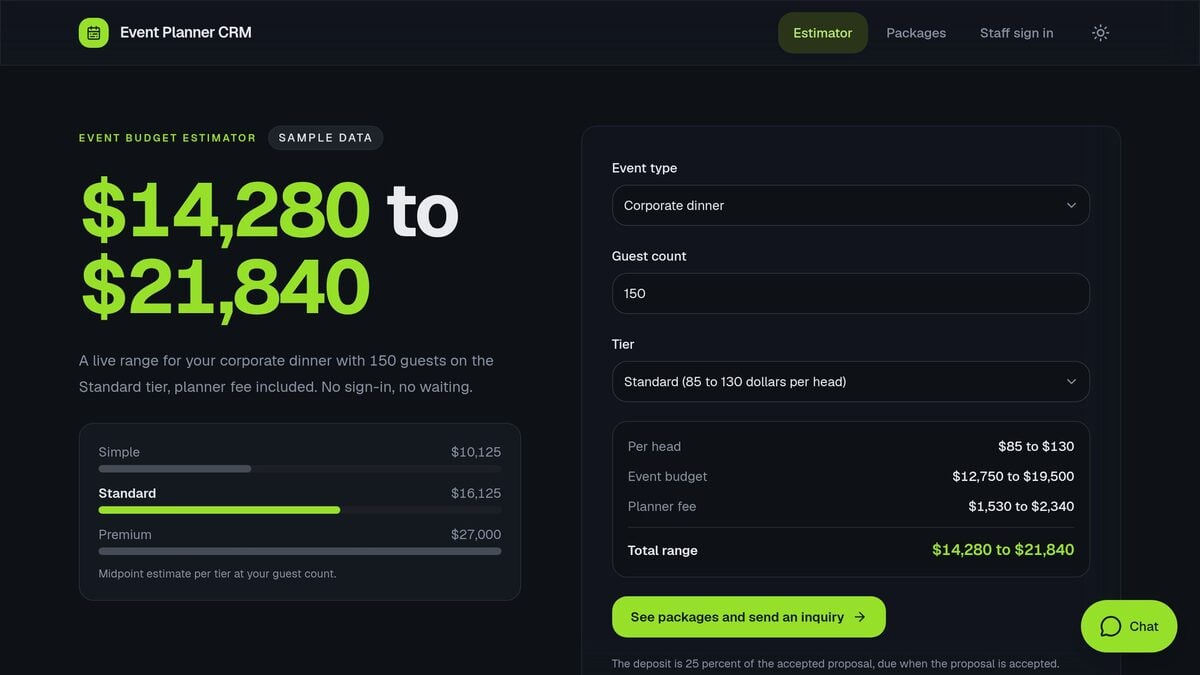
The stages it tracks: inquiry, venue shortlist, proposal, deposit and booked. A public event budget estimator gives a visitor a price range for an event type, a guest count and a tier, then leads to your packages.
Inside: 6 projects, 1 AI agent (Clipboard) and 3 automations: a stale leads Monday digest, a proposal follow-up draft and a deposit due alert.
Make it yours: set your own per-head prices and planner fee in the estimator, and rename the tiers to match your packages.
For a founder-hosted event workflow, read the event CRM for founder dinners.
Community and Local Business
Three CRM templates serve community and local businesses: nonprofits, gyms and construction subcontractors. These teams are small, and the CRM has to work for a person who does the job and the paperwork on the same day.
8. Donor CRM: small nonprofits
Best for: a small nonprofit with one development person, or none, that wants more donors to give a second time.
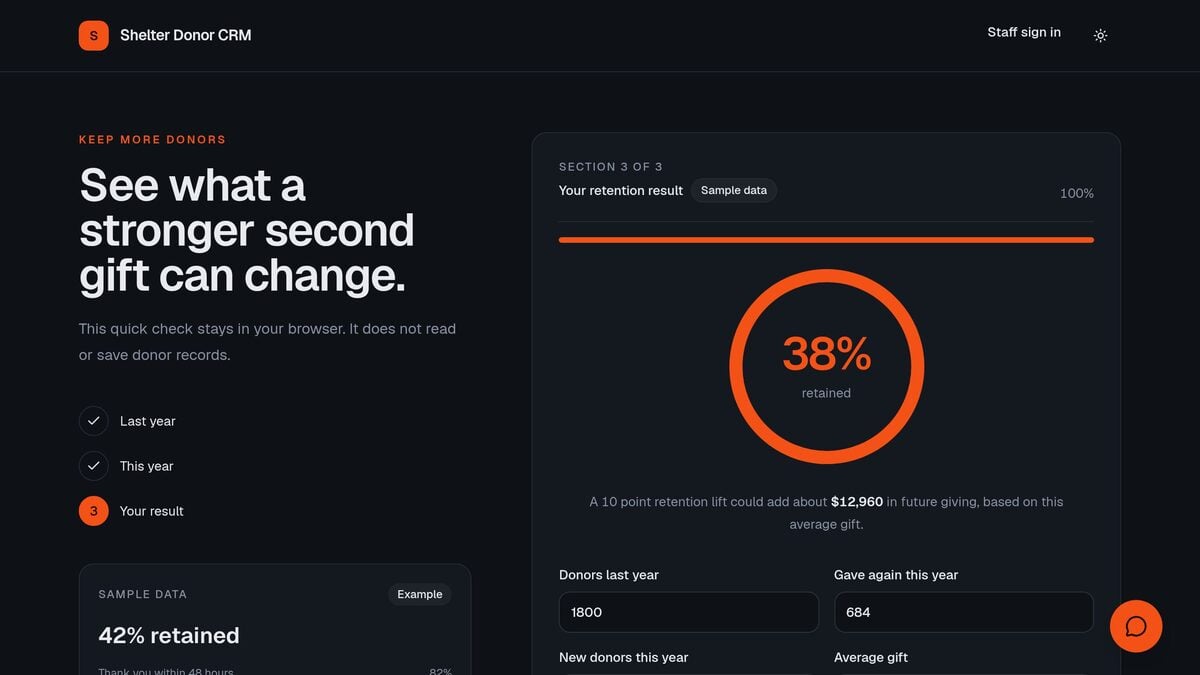
The stages it tracks: first gift, thank-you, repeat gift and lapsed donor. A public retention check works out what share of last year's donors gave again. That check runs in the browser and does not read or save donor records.
Inside: 4 projects, 2 AI agents and 4 automations, such as a daily lapsed donor review, a weekday thank-you reminder and a thank-you draft for each new gift.
Make it yours: import your donor list, set the gift levels you report on, and edit the thank-you voice of the agent.
For a deeper nonprofit setup, read the nonprofit donor CRM guide.
9. Gym Tour and Trial CRM: gyms and studios
Best for: a gym, a fitness studio or a martial arts school that sells memberships through free trial passes and tours.
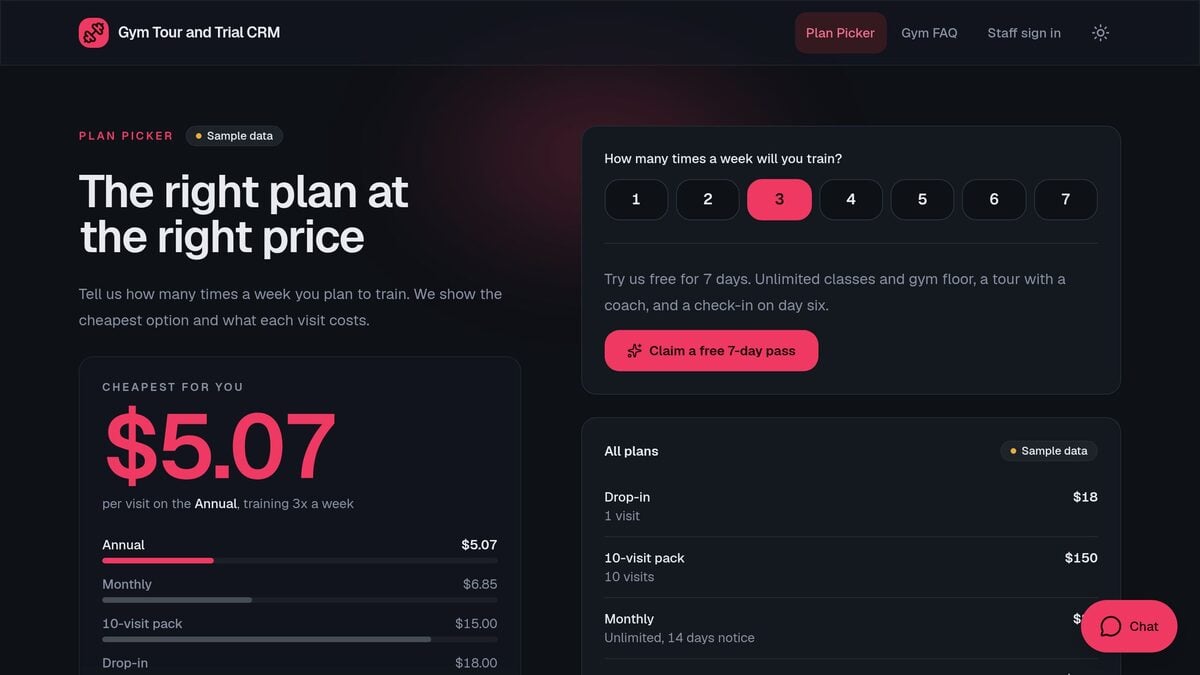
The stages it tracks: trial pass, tour, join or lost reason, so you see your join rate and why people leave. A public plan picker shows a visitor the cheapest plan for how often they train and lets them claim a free pass.
Inside: 6 projects, 1 AI agent (Spotter) and 3 automations: Friday weekly recap email, No-show reschedule text, and Ending soon follow-up drafts.
Make it yours: enter your own plans and prices in the plan picker, and set the trial length you offer.
The lost reasons are the most useful field: after a month, they show if price, schedule or the tour itself loses members.
10. Subcontractor Bid Log and Pipeline CRM: contractors and subs
Best for: a subcontractor or a specialty trade that gets bid invites from general contractors and wants to bid only on the jobs worth the hours.
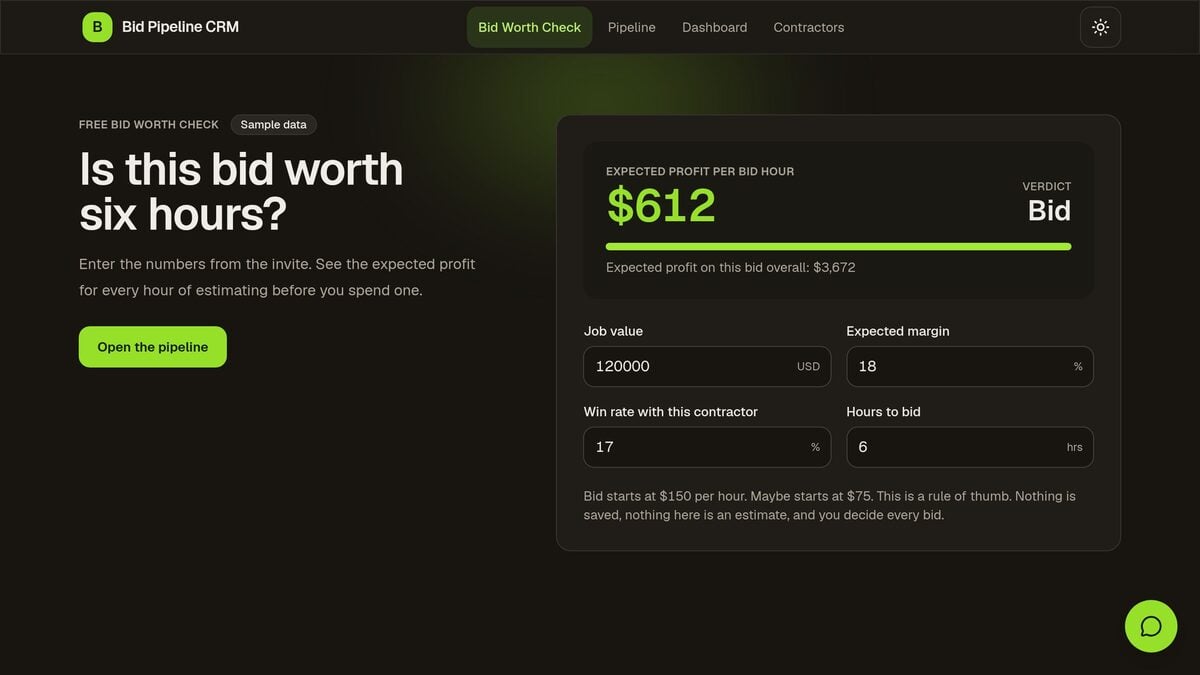
The stages it tracks: bid invite, bid or pass, submitted, and won or lost. A free page shows the expected profit per bid hour and a bid or pass verdict. Estimators track every invite, and the owner sees the win rate by general contractor and job type.
Inside: 3 projects, 1 AI agent (Bid Board) and 3 automations: a win rate note on each new invite, a Monday bid due digest and a monthly win rate report.
Make it yours: set your typical margin and hourly estimating cost, and add the general contractors you bid for.
For more trade software options, see AI construction software.
Founders and Investors
Two CRM templates serve the people who raise money and the people who manage it: startup founders and emerging venture funds. Both run on relationships that take months, so both CRMs center on the next follow-up date.
11. Founder Follow-up CRM: founders
Best for: a founder who sells, hires and raises at the same time and keeps losing track of who to follow up with.
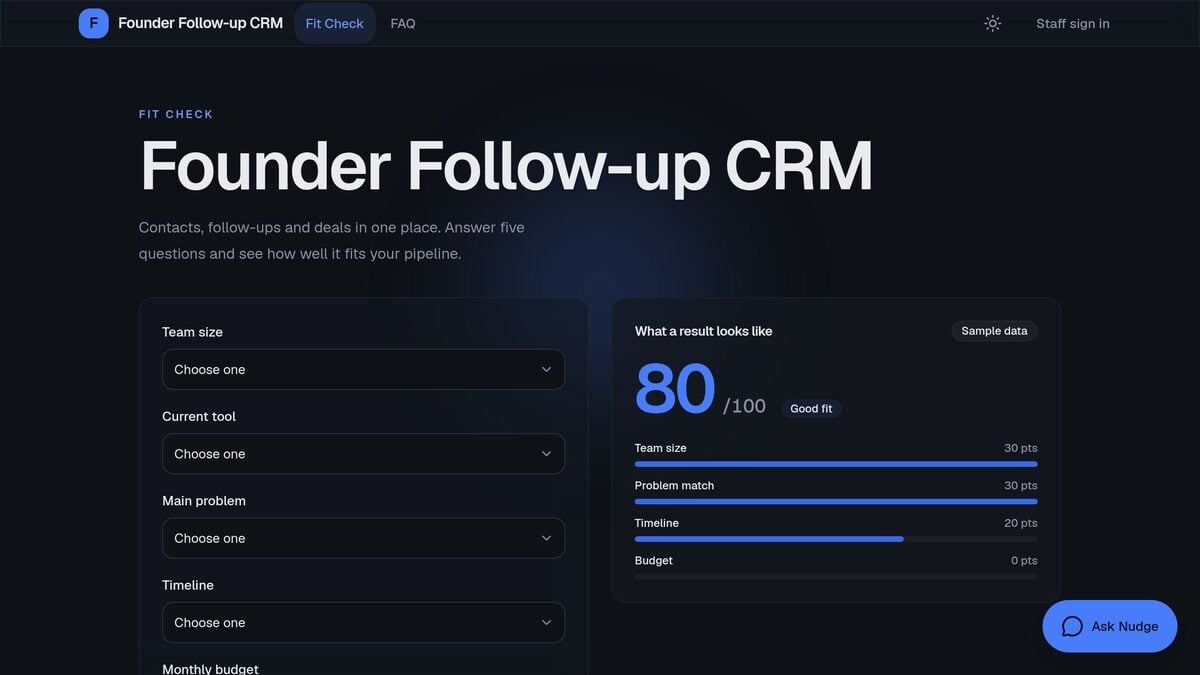
The stages it tracks: intro, next follow-up date, deal stage and won, with a win rate for each intro source. Overdue follow-ups show first, so nothing waits a month by accident.
Inside: 6 projects, 2 AI agents (Nudge and Nudge Private) and 3 automations: a follow-up date set on each touch, a weekday follow-up digest and a thank-you when a deal is won. Google Calendar is a premium integration, so connecting it to add each follow-up to your calendar needs a paid plan.
Make it yours: add your own intro sources, such as investors, customers and advisors, and set the follow-up gap you want.
For fundraising itself, read the AI investor CRM and fundraising tracker.
12. LP Relations CRM: emerging venture funds
Best for: an emerging venture fund or a small fund team that manages limited partners without an investor relations staff.
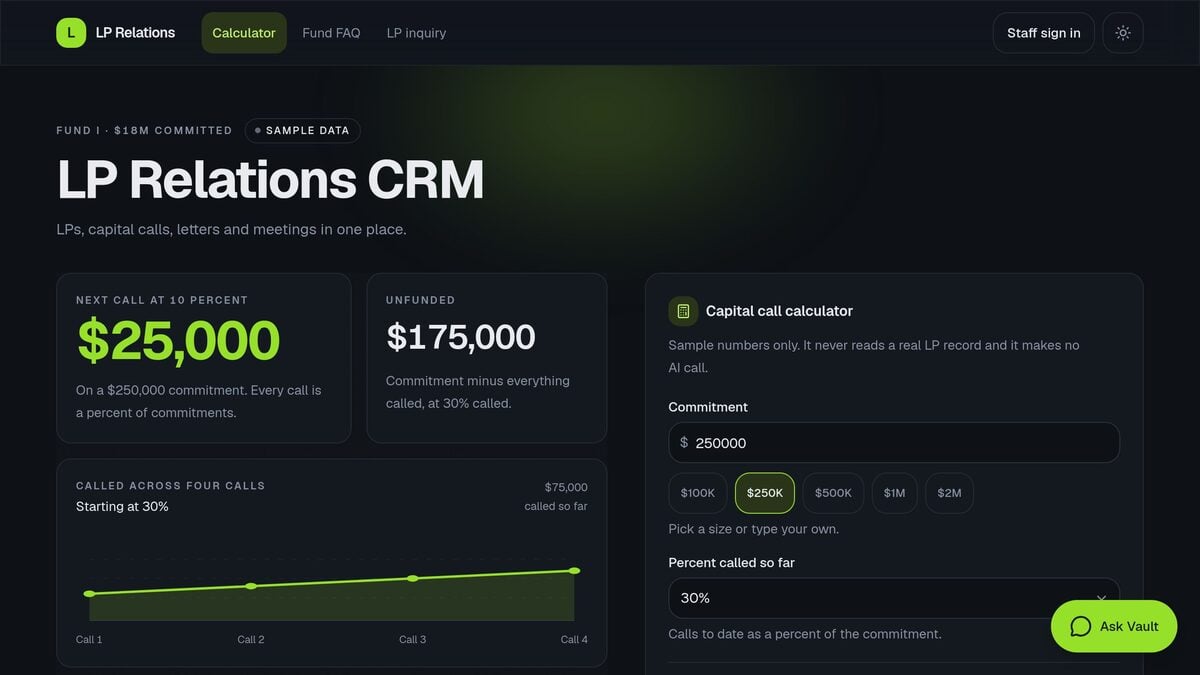
The stages it tracks: LP commitment, capital call, payment, quarterly letter and meeting. A public calculator shows how much of a commitment has been called across calls, with sample numbers only.
Inside: 10 projects, 3 AI agents (Leads Scout, Vault and Vault Desk) and 5 automations, such as a weekly stale leads review, a Monday pulse and a note of the hold date after each meeting.
Make it yours: replace the sample LPs with your own, set your call schedule, and edit the quarterly letter template.
The kit tracks the relationship work. It does not replace your fund administrator or your legal and reporting advisers.
Which CRM Template Fits Your Business?
Pick the CRM template whose stages match the way you earn money, not the one with the most features. Ask what one deal is in your business: a person, a property, a client account, a gift, a membership, a bid or a commitment. Then follow the tree below.
The same lead-to-follow-up shape runs under each one. Only the middle stages change. Here are three of the CRMs side by side:
THE PATH EACH KIT TRACKS (simplified)

REAL ESTATE                     RECRUITING                     NONPROFIT
Buyer Agent CRM                 Recruiter Candidate CRM        Donor CRM
------------------------------  -----------------------------  ---------------------------
First call                      Application                    First gift
  |                               |                              |
Pre-approval date               Candidate stage                Thank-you sent
  |                               |                              |
Saved searches                  Submitted to client            Second gift
  |                               |                              |
Showings                        Follow-up                      Retained donor
  |                               |                              |
Offer                           Placed                         Lapsed donor review
  |                               |                              |
Closing                         Placement fee                  Next appeal
------------------------------  -----------------------------  ---------------------------
1 AI agent, 3 automations       2 AI agents, 4 automations     2 AI agents, 4 automations
Public page: budget check       Public page: open roles        Public page: retention check
If none of the 12 fits, start from Neon CRM Dashboard in the general section above, or describe your CRM in one prompt to the AI CRM app builder in Taskade Genesis.
How to Make an Industry CRM Yours
You make an industry CRM template your own in three moves: clone it, bring in your contacts, and rename the stages. The kit keeps working while you change it, so you can edit one part at a time.
First, clone the kit. Open its page in the App Factory and press Clone to Workspace. The copy lands in your workspace with its projects, its AI agent, its automations and its sample records. A kit copy leaves its webhook and manual automations off, so turn on each one when you are ready.
Second, bring in your contacts. Export your list from your old tool or spreadsheet as a CSV file and upload it in the Import CSV tab. Taskade reads the first row as field names and opens the rows as a table, up to 5,000 rows and 5 MB per file. Then copy the rows into the contacts project of your CRM, and delete the sample records. The Import CSV guide shows each screen. If you start from a spreadsheet and no kit, the Excel to CRM converter turns the sheet into a CRM.
Third, rename the stages and edit the agent. Change the stage names to the words your team uses, then tell the AI agent how you write follow-ups. The CRM guide in Learn Taskade shows how a CRM runs in Taskade and how to set up the Table view, and the CRM agents page has more agent templates.
Some kits have staff pages behind a sign-in. Sign-in confirms who a person is. You match records to the login, and you test it with a second account before you share the app.
Automations run on every plan, including Free, with 10 runs per billing period on Free. Free runs the built-in steps and a few standard integrations, such as HTTP Request and RSS. Gmail, Google Calendar, Slack and text message services are premium integrations, so a kit automation that uses one of them needs a paid plan. The AI agent in each kit uses AI credits. On Free, you earn free AI credits with referrals and invites, and you can upgrade any time.
CRM Templates vs CRM Software
A CRM template in Taskade starts with your industry's stages, an AI agent and automations, and a full CRM suite starts with a deeper sales toolset and a larger ecosystem. The right choice depends on team size and how much you want to change. The table compares a Taskade kit with HubSpot CRM, Salesforce Starter and Pipedrive.
| Need | Taskade template | HubSpot CRM | Salesforce Starter | Pipedrive |
|---|---|---|---|---|
| Industry stages at the start | Yes, one kit for each industry in this list | General sales pipeline, you add stages | General sales pipeline, you add stages | General sales pipeline, you add stages |
| AI agent on your data | Included in each kit | AI features, vary by tier | AI features, vary by edition | AI features, vary by plan |
| Automations | Included in each kit | Automation tools, vary by tier | Automation tools, vary by edition | Automation tools, vary by plan |
| Seats and price to start | Free for 2 members, Pro $10/mo billed annually for up to 10 users | Free tools for up to 2 users, Starter priced per seat | $25 per user per month | From $14 per seat per month, billed annually |
| Data export | CSV and Markdown export on every plan | Export records to a file | Export reports and data | Export records to a file |
HubSpot and Salesforce prices were read on their pricing pages on November 18, 2026. HubSpot listed its Starter seat with a new-customer discount that day, so check the current seat price before you buy. The Pipedrive price is the entry price that Pipedrive listed in October 2026.
Each suite has real strengths. HubSpot offers a large free CRM with marketing and service tools on one contact record. Salesforce has a deep partner and app ecosystem, and it scales to large sales teams with complex territories. Pipedrive is built around one visual sales pipeline and suits a small sales team that wants to focus on deal activity.
A Taskade template is the better start when your process does not look like a classic sales funnel: a gym with trial passes, a nonprofit with gifts, a fund with capital calls. It also fits a team that wants the CRM, its AI agent and its automations in one workspace with the rest of its projects. For a wider list of software, see best AI CRM software, or read how to build a CRM without code.
Frequently Asked Questions
What is a CRM template?
A CRM template is a ready customer tracker with stages, fields and views that fit one kind of business. The templates in this guide are live Taskade Genesis apps with a database, an AI agent and follow-up automations that you clone and change.
Why use a CRM made for my industry?
An industry CRM starts with the right stages and fields. A recruiter tracks candidates, submissions and placement fees. A gym tracks trial passes and joins. You change less before the CRM is useful.
Can I clone these CRM templates for free?
Yes. Each kit in this guide has no price and no PRO badge. On Free you can clone a free kit with several AI agents: the clone completes, every agent comes with it, and the copy counts as one of your 3 Free apps. The kit's automations come with the clone. A kit automation that uses a premium integration, such as Gmail or Google Calendar, needs a paid plan to run. AI agents use AI credits. On Free, you earn free AI credits with referrals and invites, and you can upgrade any time.
Is there a free CRM template for real estate agents?
Yes. The Buyer Agent CRM kit tracks each home buyer from first call to closing, with pre-approval dates, saved searches, showings and offers. For investors, the Real Estate Wholesaler Lead CRM kit adds a seller page with a rough offer range.
Is there a CRM template for recruiters?
Yes. The Recruiter Candidate CRM kit tracks candidates by stage, submissions to clients, follow-ups and placement fees, with a public apply form.
Is there a CRM for a small nonprofit?
Yes. The Donor CRM kit measures donor retention, then tracks every donor, gift, thank-you and lapsed donor in one simple CRM.
Can the AI agent write follow-up emails?
Yes. The AI agent in a CRM kit can draft a follow-up from the deal notes. Each draft uses AI credits, and a Free workspace has none until it earns them with referrals and invites. Read each draft before you send it. Gmail is a premium integration, so sending from your own Gmail account needs a paid plan.
Can I import my contacts from a spreadsheet?
Yes. Export your contacts as a CSV file and upload it in the Import CSV tab. Taskade reads the first row as field names and opens the rows as a table, up to 5,000 rows and 5 MB per file. Then copy the rows into the contacts project of your CRM. Taskade also converts a spreadsheet into a CRM app.
Can my team share one CRM?
Yes. Invite your team with role-based access from Owner to Viewer. The Free plan includes 2 workspace members, and Pro includes up to 10 users for $10 per month billed annually.
What if my industry is not on the list?
Start from a general CRM kit such as Neon CRM Dashboard and rename the stages, or describe your CRM in one prompt and Taskade Genesis builds it. Building from a prompt uses AI credits.
Related Reading
- Coaching CRM without Kajabi fees, a CRM and client portal for coaches
- Logistics CRM, a dispatch and customer CRM for freight and delivery teams
- AI CRM builders compared, the platforms that build a CRM with AI
- Free HubSpot alternative
- Free Salesforce alternative
▲ ■ ● A CRM template works when its stages speak your industry's language. Keep your contacts and deals as Memory, let an AI agent draft the next follow-up as Intelligence, and let automations bring stale deals back to you as Execution. Pick the kit for your business, clone it, and change the stages. Browse every CRM kit