







Hey builder! 👋
Welcome to Taskade Genesis App Highlights — your weekly showcase of complete, working apps built by the community.
Every team needs a central hub to see what's happening, track what matters, and keep work moving forward. But building dashboards from scratch takes weeks of development time, complex integrations, and constant maintenance. That's the problem these apps solve.
This week's theme is Dashboards 📊 — the nerve center of any productive team. We're featuring three powerful solutions that give you instant visibility into your team's capacity, sales pipeline, and client requests. Each one is a complete business-in-a-box solution that includes UI, data structure, AI agents, and automations ready to use.
These aren't static templates — they're living, intelligent systems that think, learn, and execute. Clone any app in one click, customize it to your workflow, and deploy it instantly. No code required.
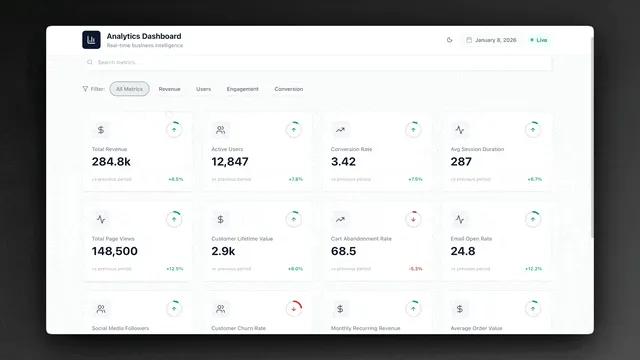
📊 Team Capacity Dashboard
Every team leader faces the same invisible problem: you can't see your team's actual capacity until someone is already overwhelmed or a deadline slips. Traditional project management tools show you tasks and deadlines, but they don't show you the human bottleneck — the distribution of work across your team members. When capacity is invisible, planning becomes guesswork, assignments become unfair, and burnout becomes inevitable. You need a system that makes workload visible, measurable, and manageable before problems emerge.
The challenge intensifies as teams scale and projects multiply. With multiple initiatives running simultaneously, work gets distributed based on availability in the moment rather than strategic capacity planning. High performers end up overloaded because they're the easiest choice for new assignments, while team members with available bandwidth go underutilized because no one knows they have capacity. Without a centralized view of who's working on what and how much capacity each person has left, team leads resort to status meetings, Slack check-ins, and spreadsheet tracking — all of which are outdated the moment they're created. Real-time capacity visibility isn't a luxury; it's the foundation of sustainable team performance.
Overview
The Team Capacity Dashboard is a visual workspace designed to help you plan team workload, track capacity across all members, and identify bottlenecks before they become blockers. If you've ever struggled with uneven work distribution or wondered who has bandwidth for a new project, this app solves it.
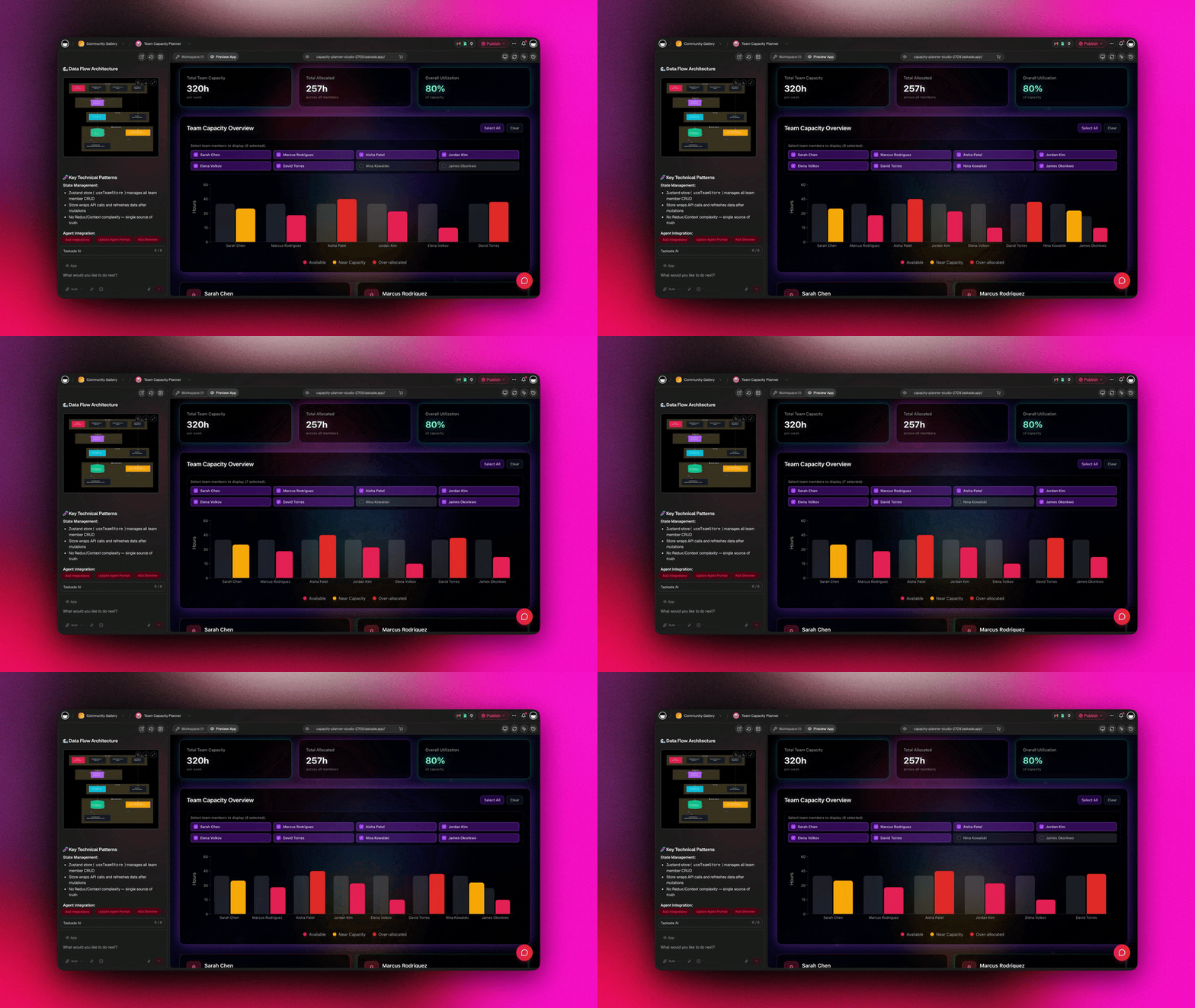
What's Inside
This dashboard transforms capacity planning from spreadsheet chaos into visual clarity. Here's what makes it powerful:
📊 Visual Capacity View
See at a glance who's overloaded and who has room to take on more work. The capacity view shows each team member's workload with color-coded indicators — red for overallocated, yellow for at capacity, green for available. No more guessing or asking around.
🗓️ Weekly Planning Structure
Organize work by owner, week, and priority level. The dashboard breaks down assignments into weekly sprints, making it easy to plan ahead and adjust as priorities shift. Drag and drop tasks between team members to balance the load.
⚡ Automation-Ready Architecture
The app includes built-in automation templates for common workflows:
- Auto-assign tasks based on capacity thresholds
- Send notifications when someone's workload exceeds limits
- Trigger alerts when high-priority items are unassigned
- Generate weekly capacity reports automatically
Who It's For
Team leads who need to balance workloads fairly across the team.
Project managers coordinating multiple projects and deadlines.
Operations teams managing service delivery and client commitments.
Agencies juggling client work across different team members.
Key Benefits
✅ Prevent burnout — Spot overallocation early and rebalance before team members hit their limit
✅ Optimize utilization — Identify team members with available capacity for new work
✅ Improve forecasting — See exactly how much bandwidth exists for new projects
✅ Increase transparency — Everyone can see the team's capacity, not just managers
🧲 Neon CRM Dashboard
Small teams and solo founders face a brutal trade-off when it comes to customer relationship management: invest weeks learning complex enterprise CRM software with dozens of fields you'll never use, or track leads in scattered notes, emails, and spreadsheets where deals fall through the cracks. Enterprise CRMs were built for sales teams of 50+ people with dedicated admins and multi-stage approval workflows — not for lean teams that need to capture a lead, track a conversation, and close a deal without bureaucracy. What growing teams actually need is a system that's powerful enough to manage a real sales pipeline but simple enough to start using in minutes. The gap between "too simple" (spreadsheets) and "too complex" (Salesforce) has left small teams with no good option.
The problem compounds as your pipeline grows. When you're juggling 10 leads, you can remember who you talked to and when to follow up. When you're managing 50+ opportunities across different stages, memory fails and opportunities die from neglect. Leads that should convert sit forgotten in "Contacted" status for weeks because there's no system prompting action. High-value deals get the same attention as low-probability inquiries because there's no scoring or prioritization. Sales becomes reactive instead of strategic — you work on whatever fires an email into your inbox rather than systematically moving your best opportunities through the pipeline. Without structured deal flow and automated follow-up reminders, you're not managing a pipeline; you're hoping prospects remember to buy from you.
Overview
The Neon CRM Dashboard brings sales pipeline management into a sleek, neon-styled interface that turns lead tracking into a visual experience. This isn't just a contact list — it's a complete customer relationship management system with deal stages, follow-up automation, and intelligent lead scoring.

What's Inside
This CRM dashboard gives you everything you need to manage your sales pipeline without complex enterprise software. Here's what sets it apart:
🧲 Structured Lead Capture
Stop storing leads in scattered notes, emails, and spreadsheets. The app captures every lead as structured data with fields for contact info, company details, lead source, deal value, and custom tags. Search, filter, and segment your leads instantly.
📈 Visual Deal Pipeline
Track every deal through customizable stages: New Lead → Contacted → Qualified → Proposal → Negotiation → Closed Won/Lost. Each stage shows deal count and total value, giving you instant visibility into pipeline health. Drag leads between stages as they progress.
📩 Follow-Up Automation
Never let a lead go cold. The app includes automation templates for:
- Send reminder notifications when follow-up is due
- Auto-create tasks when a deal sits too long in one stage
- Notify team members when they're assigned a new lead
- Generate weekly pipeline reports automatically
🎨 Neon UI Design
The dashboard features a distinctive neon aesthetic with glowing accents, dark theme, and smooth animations. It's not just functional — it looks great and makes pipeline management feel less like work.
Who It's For
Solo founders managing their own sales without enterprise CRM overhead.
Small sales teams who need shared visibility into the pipeline.
Freelancers and consultants tracking client relationships and opportunities.
Startups in early-stage customer development and sales.
Key Benefits
✅ Simple data structure — No complex field mappings or confusing setup
✅ Visual pipeline — See deal flow at a glance, spot stuck deals instantly
✅ Smart automation — Keep deals moving with automated follow-up reminders
✅ AI assistance — Get next-step suggestions and deal insights from built-in agents
📬 Project Portal Dashboard
Client-facing teams and internal service organizations share a common nightmare: incoming requests arrive through every possible channel — email, Slack, meetings, phone calls, forms — and there's no single place to see what's been requested, who's working on it, and what status to communicate back. When requests live in email threads, they're invisible to the rest of the team and impossible to prioritize systematically. When they're tracked in spreadsheets, stakeholders have no visibility and send "just checking in" messages that create more work than the original request. The absence of a structured intake and tracking system doesn't just create chaos for the team managing requests; it erodes trust with the people making them. Clients and stakeholders feel ignored when their requests disappear into a black box.
The operational cost of unstructured request management is staggering. Every incoming request triggers a series of manual actions: acknowledge receipt, clarify requirements, assign an owner, communicate status updates, escalate blockers, and notify completion. Without automation, these steps consume hours of coordination time that could be spent on actual delivery. Team members spend more time updating stakeholders than doing the work, while requesters spend more time asking for updates than waiting for work to complete. High-priority requests get buried under low-value asks because there's no triage system to surface what matters. Urgent work gets missed because ownership is unclear. And when teams finally deliver, stakeholders don't know the work is done because there's no automated notification. A structured portal with intake forms, status tracking, and automated updates transforms request chaos into a predictable, transparent system where work flows smoothly and everyone stays informed without constant manual communication.
Overview
The Project Portal Dashboard is your centralized hub for collecting client requests, tracking project status, and keeping stakeholders updated throughout the lifecycle. It's designed for teams that need to manage incoming requests without losing them in email threads or Slack messages.
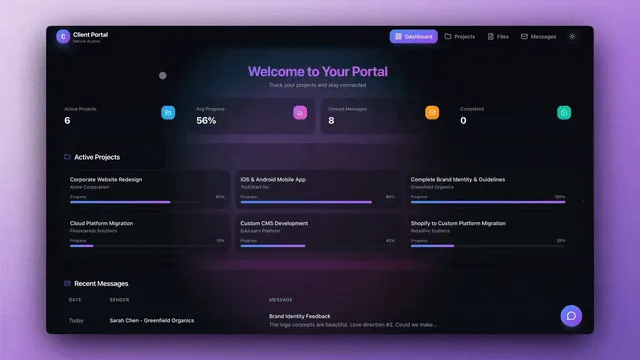
What's Inside
This portal transforms chaotic request management into an organized, transparent system. Here's what makes it essential:
📬 Structured Request Intake
Capture every incoming request with clear ownership, priority level, and status tracking. The intake form collects all the details you need upfront: requester name, project type, deadline, description, attachments, and custom fields. No more back-and-forth to clarify requirements.
🔄 Status Tracking & Updates
Every request flows through defined stages: New → In Review → In Progress → Blocked → Complete. Team members update status as work progresses, and stakeholders see real-time updates without constant check-ins. The dashboard shows request count by status for instant visibility.
🧠 AI-Assisted Triage
The app includes a pre-configured AI agent that helps with request management:
- Analyze incoming requests and suggest priority levels
- Recommend the right team member based on workload and expertise
- Draft initial responses to common request types
- Flag requests that need urgent attention
🔔 Automated Client Updates
Keep clients and stakeholders informed without manual status emails:
- Notify requesters when their project moves to a new stage
- Send automatic updates when work starts, blocks occur, or completes
- Generate weekly progress reports for all active requests
- Alert team members of new assignments
Who It's For
Client services teams managing multiple client requests and projects.
IT departments handling internal support tickets and change requests.
Product teams collecting and prioritizing feature requests.
Agencies coordinating work across different clients and projects.
Key Benefits
✅ Single source of truth — All requests captured in one place, nothing lost
✅ Visibility for everyone — Clients see status, teams see workload
✅ AI assistance — Automated triage and smart recommendations
✅ Zero manual updates — Automations keep everyone informed
🚀 Why Genesis Apps Are Different
These aren't just templates you fill in manually. They're complete, working systems built with Taskade's Workspace DNA:
🧠 Memory (Projects)
Every app includes a structured database that stores your data — leads, tasks, requests, capacity metrics. Data persists, searchable, and accessible across your entire workspace.
🤖 Intelligence (AI Agents)
Pre-configured AI agents provide smart assistance:
- Answer questions about your data
- Suggest next actions and priorities
- Draft responses and communications
- Analyze patterns and insights
⚡ Execution (Automations)
Built-in workflow automation keeps things moving:
- Trigger actions when data changes
- Send notifications at the right time
- Create tasks and assignments automatically
- Connect with 100+ external tools
No code required. No complicated setup. Just clone, customize, and deploy.
🎯 Get Started
Each app is ready to use in under 5 minutes:
- Clone the app — Click any clone link above to copy it to your workspace
- Customize the structure — Adjust fields, views, and workflows to match your needs
- Train the AI agents — Add your own instructions and knowledge
- Enable automations — Turn on the workflows you want to use
- Share with your team — Invite collaborators and start using it
✨ Want to be featured next week?
Publish your app to the community and send us your link. We're always looking for innovative solutions built by the Taskade community.
▶ Explore More Apps | Start Building →
Related Reading
- Best Bubble Alternatives 2026 — No-code app builders compared
- Taskade Genesis vs Bubble — AI code generation vs visual no-code
- Best Monday Alternatives 2026 — Project management tools ranked
- Taskade vs Notion — AI workspace vs all-in-one productivity
- Best Notion Alternatives 2026 — Workspace alternatives compared
Frequently Asked Questions
What are Taskade Genesis App Highlights?
Weekly showcases of complete Genesis apps built by the community. Each app is a business-in-a-box solution with UI, data structure, AI agents, and automations ready to clone and customize.
Can I customize these dashboard apps after cloning?
Yes. Clone any app, then modify the layout, add custom fields, adjust automations, train AI agents with your data, and publish your customized version back to the community.
What is the Team Capacity Dashboard used for?
Plan team workload, track capacity across members, spot bottlenecks early, and balance assignments. Includes visual capacity views, weekly planning, and automation-ready structure for auto-assignment.
How does the Neon CRM Dashboard work?
Capture leads as structured data, track deal stages through your pipeline, automate follow-up reminders, and manage sales process. Built with neon-style UI and includes CRM automations.
What can the Project Portal Dashboard do?
Collect client requests with intake forms, track status and ownership, keep clients updated automatically, and use AI agents to triage and suggest next steps.
Do these apps include AI agents and automations?
Yes. Each dashboard comes with pre-configured AI agents for assistance and automation templates you can enable. Customize agents, add your own workflows, and extend functionality.
How do I clone a Genesis app?
Click the clone link on any app, and it will be copied to your Taskade workspace. From there, you can modify the structure, adjust fields, train AI agents, and make it your own.
Can I share my customized app with others?
Yes. Publish your customized app to the Taskade community to share with others. Apps can be public, secret, or private based on your preferences.
What makes Genesis apps different from templates?
Genesis apps are complete working systems with live data, AI agents, and automations — not just static layouts. They include backend logic, workflow automation, and intelligent assistance built in.
Do I need coding skills to use these apps?
No. All Genesis apps are no-code solutions. Clone, customize through the visual interface, train AI agents with natural language, and deploy without writing any code.
See you next week 👋
Stay connected: Reddit | FB Group | Tutorials | YouTube | Taskade Blog
— Dawid Bednarski, Taskade
One prompt. One app. One living workspace.
Projects remember. Agents learn. Work flows.