






Microsoft Copilot came out on February 7, 2023, as the chat mode of the new Bing. Microsoft renamed Bing Chat to Copilot on November 15, 2023, at Ignite, and Copilot left preview on December 1, 2023. The name is three years old. The idea is thirty.
Microsoft has tried to put a helpful character inside its software since Rover the dog guided people through Microsoft Bob in 1995. Clippit the paperclip, the one everyone calls Clippy, followed in Office 97. Cortana arrived on Windows Phone in 2014. Tay arrived on Twitter in 2016 and was gone within a day. Each one taught Microsoft a lesson that Copilot carries today: guess less, ask first, and never learn from strangers in public.
Then the lessons changed shape. In 2026 Microsoft stopped selling only a chat box that helps you use Word, and started selling agents that do the work. Copilot Cowork runs a whole task from start to finish. Autopilot keeps working when you are away. On November 17, Ignite 2026 opens in San Francisco, with a session on the evolution of the Microsoft Copilot app.
This is the full story, from the paperclip to the agent, with every date checked against Microsoft's own announcements and the places where other guides get the dates wrong called out. 📎
TL;DR: Bing Chat launched on February 7, 2023 and became Microsoft Copilot on November 15, 2023. Microsoft 365 Copilot passed 30 million paid seats in July 2026. The 2026 turn is from assistant to agent: Cowork, Autopilot and Agent 365. Build your own agents with memory and automations →
Last reviewed November 7, 2026. The history sections hold across releases. The Ignite 2026 section is a dated preview, refreshed after the event ends on November 20.
📅 When Did Microsoft Copilot Come Out? The Copilot Timeline
Microsoft Copilot came out on February 7, 2023, as Bing Chat, in a preview of the new Bing and Edge. Microsoft announced the Microsoft Copilot brand on September 21, 2023, renamed Bing Chat to Copilot on November 15, 2023, and made it generally available on December 1, 2023. The table below lists every milestone from the first Microsoft character to the 2026 agents, oldest first.
| Date | Event | Source |
|---|---|---|
| January 7, 1995 | Bill Gates shows Microsoft Bob at CES | Technologizer, "The Bob Chronicles" |
| March 1995 | Microsoft Bob ships with Rover the dog as its guide | Technologizer (stores March 31), Wikipedia (release March 10) |
| November 19, 1996 | Office 97 is released to manufacturing with the Office Assistant and Clippit | Microsoft press release "Microsoft Office 97 Released to Manufacturing" |
| September 8, 1997 | Microsoft Agent, the character engine with Genie, Merlin, Peedy and Robby, is posted for developers on MSDN | Microsoft Agent documentation via Wikipedia |
| April 11-12, 2001 | Microsoft says Office XP turns the Assistant off by default and launches a joke campaign about Clippy losing his job | CNN, April 12, 2001 |
| May 31, 2001 | Office XP launches in New York with the Assistant off by default | Wikipedia "Office Assistant", "Microsoft Office XP" |
| January 30, 2007 | Office 2007 reaches retail with no Office Assistant at all | Wikipedia "Microsoft Office 2007" |
| April 2009 | Microsoft says Microsoft Agent ends with Windows 7 | Microsoft Agent support notice via Wikipedia |
| April 2, 2014 | Cortana is unveiled at Build in Windows Phone 8.1 | Official Microsoft Blog, April 2, 2014 |
| 2014 | XiaoIce launches in China | Peter Lee, Official Microsoft Blog, March 25, 2016 |
| March 23, 2016 | Tay launches on Twitter, Kik and GroupMe | Official Microsoft Blog, March 25, 2016 |
| March 25, 2016 | Peter Lee publishes "Learning from Tay's introduction" | Official Microsoft Blog |
| July 22, 2019 | Microsoft invests $1 billion in OpenAI | Microsoft and OpenAI announcements |
| Late 2020 | Microsoft begins testing a chat feature codenamed Sydney in India | Microsoft statement to The Verge, February 2023 |
| June 29, 2021 | GitHub Copilot opens as a technical preview, built on OpenAI Codex | GitHub blog |
| June 21, 2022 | GitHub Copilot becomes generally available at $10 a month | GitHub blog, Visual Studio Magazine |
| January 23, 2023 | Microsoft announces a multiyear, multibillion dollar investment in OpenAI | Official Microsoft Blog |
| February 7, 2023 | The new Bing and Edge launch with chat, "an AI copilot for the web" | Official Microsoft Blog, Yusuf Mehdi |
| February 16, 2023 | The New York Times publishes Kevin Roose's two-hour Sydney conversation | The New York Times |
| February 17, 2023 | Bing chat is capped at 5 turns per session and 50 a day | Bing blog |
| March 14, 2023 | Microsoft confirms the new Bing runs on GPT-4 | Bing blog |
| March 16, 2023 | Microsoft 365 Copilot is announced, "your copilot for work" | Official Microsoft Blog |
| May 23, 2023 | Windows Copilot is announced at Build | Windows Experience Blog |
| June 2, 2023 | Microsoft says the standalone Cortana app in Windows will end | Microsoft support note, reported by BleepingComputer |
| July 18, 2023 | Microsoft 365 Copilot is priced at $30 per user per month. Bing Chat Enterprise opens in preview | Official Microsoft Blog |
| September 21, 2023 | Microsoft announces Microsoft Copilot, "your everyday AI companion". Copilot in Windows from September 26 | Official Microsoft Blog |
| November 1, 2023 | Microsoft 365 Copilot is generally available for enterprise customers | Official Microsoft Blog, September 21, 2023 |
| November 15, 2023 | Bing Chat becomes Copilot. Power Virtual Agents becomes Copilot Studio | Official Microsoft Blog, Microsoft Copilot blog |
| December 1, 2023 | Copilot is generally available, out of preview | Bing blog |
| January 4, 2024 | Microsoft announces the Copilot key for Windows keyboards | Windows Experience Blog |
| January 15, 2024 | Copilot Pro launches at $20 a month. Microsoft 365 Copilot opens to businesses of every size | Official Microsoft Blog |
| March 19, 2024 | Microsoft AI forms under Mustafa Suleyman | Official Microsoft Blog |
| May 20, 2024 | Copilot+ PCs and Recall are announced | Official Microsoft Blog |
| October 1, 2024 | The consumer Copilot relaunches with Voice, Vision and Think Deeper | Microsoft AI |
| October 21, 2024 | Copilot Studio adds autonomous agents. Ten Dynamics 365 agents follow | Official Microsoft Blog |
| January 15, 2025 | Microsoft 365 Copilot Chat launches with pay-as-you-go agents. The Microsoft 365 app becomes the Microsoft 365 Copilot app | Microsoft Copilot blog |
| July 30, 2025 | Copilot apps pass 100 million monthly active users | Microsoft FY25 Q4 earnings call |
| October 1, 2025 | Microsoft 365 Premium replaces Copilot Pro for new buyers at $19.99 a month | Microsoft Copilot blog |
| October 23, 2025 | The Copilot Fall Release adds Mico, Groups and memory | Microsoft AI, The Register, Tom's Guide |
| November 18, 2025 | Ignite 2025 introduces Agent 365, Work IQ and Copilot Business | Official Microsoft Blog, Microsoft Copilot blog |
| January 28, 2026 | Microsoft reports 15 million paid Microsoft 365 Copilot seats | FY26 Q2 earnings call |
| March 9, 2026 | Copilot Cowork and Microsoft 365 E7 are announced | Microsoft 365 blog, Official Microsoft Blog |
| May 1, 2026 | Microsoft 365 E7 and Agent 365 reach general availability | Official Microsoft Blog, March 9, 2026 |
| June 2, 2026 | Microsoft Scout, the first Autopilot agent, is announced at Build | Microsoft Copilot blog |
| June 16, 2026 | Copilot Cowork is generally available worldwide | Microsoft 365 blog |
| July 29, 2026 | Microsoft reports over 30 million paid Microsoft 365 Copilot seats | FY26 Q4 earnings release |
| September 25, 2026 | "The new Copilot" with Home, Code and Autopilot. Scout is renamed Autopilot | Official Microsoft Blog, Jared Spataro |
| October 28, 2026 | FY27 Q1 earnings give no new Copilot seat count | Earnings call, Amy Hood |
| November 17-20, 2026 | Microsoft Ignite 2026, San Francisco and online | Official Microsoft Blog, September 25, 2026 |
One caveat before you copy a date. The web gives three different "rebrand dates" for Copilot, and all three are correct for different events. The section on the rebrand below separates them with Microsoft's own wording.
🗺️ Microsoft Copilot at a Glance: 30 Years in One Picture
Microsoft's assistants fall into four eras: cartoon characters (1995-2007), a voice assistant (2014-2023), chat (2021-2025) and agents (2024-2026). The idea never changed: software that understands what you want and helps you get it. What changed was the model underneath, the consent model and how much the assistant was allowed to do on its own.
The "Copilot" name now covers at least nine products. This table sorts them by who uses them and how they are paid for, as of November 2026.
| Product | Who it is for | What it does | How it is paid for |
|---|---|---|---|
| Microsoft Copilot app (copilot.microsoft.com, Windows, mobile) | Consumers | Chat, voice, vision, Mico, Groups, memory | Free, with more usage in Microsoft 365 Personal, Family, Premium and Pro |
| Microsoft 365 Copilot | Organizations | Copilot grounded in work data inside Word, Excel, PowerPoint, Outlook and Teams | Per-user license, $30 a month for enterprise, $21 for Copilot Business |
| Microsoft 365 Copilot Chat | Every worker with a work account | Web-grounded chat, plus agents | Chat at no extra cost, agents metered |
| Copilot Cowork | Licensed organizations | Delegated multi-step work that ends in a finished file | Usage-based, Copilot Credits |
| Copilot Code | Licensed organizations, Frontier program first | Apps, trackers, dashboards and automations from plain language | Usage-based |
| Autopilot (formerly Scout) | Licensed organizations, private preview | A persistent agent with its own identity, memory, computer and workspace | Usage-based |
| Copilot Studio | Makers and IT | Build custom agents with triggers, tools and knowledge | Copilot Credits and capacity packs |
| Agent 365 | IT and security teams | Registry, identity, policy and cost control for every agent | $15 per user a month, or inside Microsoft 365 E7 |
| GitHub Copilot | Developers | Code completion, chat and a coding agent | Separate GitHub plans |
Facts checked on 2026-11-07 against Microsoft's pricing pages and announcement posts. The pricing history section below dates every change.
Why Do Sources Disagree on When Bing Chat Became Copilot?
Guides disagree because they mix three events. On September 21, 2023 Microsoft announced the unified Microsoft Copilot brand. On November 15, 2023 it renamed Bing Chat and Bing Chat Enterprise to Copilot. On December 1, 2023 Copilot left preview. All three dates are right, for three different things.
The confusion is understandable. Microsoft announced a brand before it renamed the product, then ended the preview two weeks after the rename. Each step came with its own blog post, and each post was picked up by a different wave of coverage.
| Date | What actually happened | Primary source | Why guides disagree |
|---|---|---|---|
| September 21, 2023 | At an event in New York, Microsoft announced "a single experience we call Microsoft Copilot, your everyday AI companion". Copilot in Windows began to roll out on September 26 | Official Microsoft Blog, Yusuf Mehdi, September 21, 2023 | The brand was announced, but Bing Chat kept its own name for eight more weeks |
| November 15, 2023 | At Ignite, "Bing Chat and Bing Chat Enterprise will now simply become Copilot". copilot.microsoft.com went live. The work version became "Copilot with commercial data protection" | Official Microsoft Blog, Ignite 2023 post. Bing blog, November 15, 2023 | This is the rename |
| December 1, 2023 | "Microsoft Copilot is now generally available", no longer a preview | Bing blog, December 1, 2023 | Some guides call this the date the rebrand was "complete" |
A second error repeats across the top-ranked guides. Bing Chat Enterprise did not become Microsoft 365 Copilot at Ignite 2023. It became "Copilot with commercial data protection", a protected chat for work accounts, and Microsoft 365 Copilot remained the separate $30 product. That protected chat later became Microsoft 365 Copilot Chat on January 15, 2025.
The short version you can cite: Microsoft announced the Copilot brand on September 21, 2023, renamed Bing Chat on November 15, 2023, and took Copilot out of preview on December 1, 2023. Microsoft's own Ignite post says "Bing Chat and Bing Chat Enterprise will now simply become Copilot", and the Bing blog of December 1 says "Microsoft Copilot is now generally available."
Era 1, 1995-2007: Why Did Microsoft Give Software a Face?
Microsoft built characters because research at Stanford by Clifford Nass and Byron Reeves found that people treat computers as social actors. Microsoft Bob, shown at CES on January 7, 1995, used Rover the dog as its guide. Office 97 added the Office Assistant and its default character, Clippit. The theory was sound. The software was not ready for it.
The 1990s were the decade when the personal computer reached homes that had never owned one. Microsoft's research said new users were scared of menus and file trees, and that a friendly character could lower that fear. If people already speak to computers as if they were people, the thinking went, then give the computer a face. For the wider context of that decade, read the history of computing.
Microsoft Bob and Rover (1995)
Microsoft Bob replaced the Windows desktop with a cartoon house. You clicked a door to open your letters, a calendar on the wall to see dates, and a checkbook on the desk to see your money. A yellow dog named Rover sat in the corner and offered help in speech bubbles, and you could swap him for other guides.
Bill Gates presented Bob as a "social interface" at CES on January 7, 1995. It shipped in March 1995. Technologizer's "The Bob Chronicles" dates the arrival in stores to March 31, and Wikipedia gives March 10 as the release, which is likely the ship date. Bob was led by Melinda French, then a Microsoft product manager.
Bob failed fast. Reviewers found it slow and childish, and it needed more memory than a typical home PC had. Microsoft quietly dropped it in early 1996. Two parts of it lived on. Rover came back as the Search Assistant in Windows XP in 2001. And a font designer, Vincent Connare, drew Comic Sans after he saw Rover speak in Times New Roman, a font he thought was wrong for a cartoon dog.
Microsoft Agent: Genie, Merlin, Peedy and Robby
Microsoft Agent was the character engine that came out of the Bob work. It let any program or web page show an animated character that could speak through text-to-speech, listen through speech recognition and point at parts of the screen. Microsoft offered four characters for free: Genie, Merlin, Peedy the parrot and Robby the robot.
Developers used Microsoft Agent through the late 1990s and the 2000s. It also powered BonziBuddy, the purple gorilla that became notorious as adware. In April 2009 Microsoft said Agent development and support would end with Windows 7, which shipped without it. After customer requests, Microsoft offered a separate Agent package for Windows 7.
The Lumière Project: the Bayesian brain behind Clippy
The smartest part of the Clippy story is the one most people never heard. From the early 1990s, Eric Horvitz and colleagues at Microsoft Research ran the Lumière Project. Its goal was to infer what a user needed from what the user did, with Bayesian probability models that watched actions, pauses and searches.
The team published the work at the Conference on Uncertainty in Artificial Intelligence in July 1998, in "The Lumière Project: Bayesian User Modeling for Inferring the Goals and Needs of Software Users" by Horvitz, Jack Breese, David Heckerman, David Hovel and Koos Rommelse. Microsoft Research says the Lumière prototypes "served as the basis" for the Office Assistant in Office 97.
The shipped Assistant used a much simpler version of that research. It reacted to obvious signals, such as typing "Dear" at the top of a page, and it could not tell an expert from a beginner. The idea was right: infer intent. The timing was wrong: no model was good enough, and no one asked the user if they wanted help.
Clippit, the paperclip everyone called Clippy (1996-1997)
Office 97 was released to manufacturing on November 19, 1996, and it introduced the Office Assistant. The default character was Clippit, a paperclip with large eyes and flexible eyebrows. Users shortened the name to Clippy almost at once.
The illustrator Kevan Atteberry drew Clippit. He told interviewers that the team designed about 250 characters and that Microsoft worked with social psychologists from Stanford to test which ones people found trustworthy. The paperclip kept winning, which did not please everyone inside Microsoft. Atteberry later said: "The reason I think people hate him is not because of what Clippy is, but how Clippy acts."
How Clippy acted is the core of the story. It appeared without being asked. It offered to help with a letter when you were writing a list. It did not learn that you had dismissed it a hundred times. "It looks like you're writing a letter" became one of the most mocked lines in software history.
Why did Microsoft turn Clippy off?
Microsoft turned the Assistant off by default in Office XP because users disliked it, and it made the decision part of the launch marketing. In April 2001 Microsoft announced the change, and CNN reported on April 12, 2001 that "Clippy" was "headed for the trash".
The campaign was self-mocking. A site called officeclippy.com showed animated shorts in which Clippy, voiced by the comedian Gilbert Gottfried, learned that he was out of a job. One joke turned the product name into a pun: "XP, as in ex-paperclip". At the Office XP launch event in New York on May 31, 2001, a man in a Clippit costume interrupted the speech and begged for his job back.
Office 2003 did not install the Assistant by default. Office 2007, which reached businesses on November 30, 2006 and retail on January 30, 2007, removed it completely.
The Clippy-era dates that other guides get wrong
Many Copilot histories copy dates from fan wikis and AI-generated timelines. We checked each one against a contemporary press report or a Microsoft source. Here are the corrections.
| Claim you will see online | What the sources show | Source |
|---|---|---|
| Office XP shipped October 25, 2001 | Office XP launched May 31, 2001. October 25, 2001 is the Windows XP launch date | CNN April 12, 2001. Wikipedia "Microsoft Office XP" |
| Clippy first appeared in Office 95 | Clippit debuted in Office 97, released to manufacturing November 19, 1996 | Microsoft Office 97 press release |
| Microsoft Bob shipped March 10, 1995 | Sources split between March 10 and March 31, 1995. Technologizer dates the store arrival to March 31 | Technologizer, "The Bob Chronicles", 2010 |
| Office 2003 removed the Assistant | Office 2003 kept it but did not install it by default. Office 2007 removed it | Wikipedia "Office Assistant" |
| The Cortana Windows app ended in "spring 2023" | Microsoft announced the end on June 2, 2023, and the app was deprecated in August 2023 | Microsoft support note, Neowin, August 3, 2023 |
| Bing Chat Enterprise became Microsoft 365 Copilot | It became Copilot with commercial data protection on November 15, 2023 | Official Microsoft Blog, Ignite 2023 |
The lesson of Era 1: An assistant that interrupts without context loses trust. An assistant that asks first and remembers what you told it keeps that trust.
Era 2, 2014-2023: What Happened to Cortana?
Microsoft unveiled Cortana at Build on April 2, 2014, inside Windows Phone 8.1, and named it after the AI character in the Halo games. It came to Windows 10 in July 2015. The iOS and Android apps shut down on March 31, 2021, and the standalone Windows app was deprecated in August 2023, with Copilot as its successor. Cortana was the first Microsoft assistant you could talk to, and the first with a memory.
Cortana was Microsoft's answer to Siri, which Apple had shipped on the iPhone 4S in October 2011 (read the history of Apple for that side of the story). Microsoft gave it the voice of Jen Taylor, who also voiced the Halo character, and pitched it as a personal assistant that knew your schedule, your interests and the people who mattered to you.
Cortana's Notebook: the first Microsoft assistant with memory
The most important Cortana feature was its Notebook. You could open it and see what Cortana knew about you: the sports teams you followed, your commute, your favorite places, and the people you wanted reminders about. You could edit or delete any entry.
That was a quiet breakthrough in design. It turned the assistant's memory into something the user could see and correct, not a hidden profile. Clippy had no memory at all. Cortana had one you could read. Copilot's long-term memory, which shipped in the October 2025 Fall Release, follows the same principle: you can ask what it remembers and tell it to forget. For how memory works inside modern agents, see types of memory in AI agents.
Why Cortana lost to Siri, Alexa and Google Assistant
Cortana lost because it had no phone to live on. Windows Phone never passed a few percent of the market, and Microsoft wound it down from 2015 to 2017. Cortana apps for iOS and Android arrived in 2015, but they could not replace the default assistant on either platform.
Amazon's Alexa won the home with the Echo speaker in 2014, and Google Assistant won Android in 2016. Microsoft tried partnerships, including a 2018 link-up that let Alexa and Cortana call each other, but the assistant never found a reason for people to choose it.
From 2019 Microsoft repositioned Cortana as a productivity assistant for Microsoft 365, focused on email, calendar and meetings. That was the right market but the wrong model. A voice assistant built on intent rules could set a reminder. It could not read a long email thread and draft a reply.
The Cortana end dates
| Date | What ended | Source |
|---|---|---|
| March 31, 2021 | The Cortana apps for iOS and Android | Microsoft support notice |
| June 2, 2023 | Microsoft announces the end of the standalone Cortana app in Windows | Microsoft support note, BleepingComputer, Engadget |
| August 2023 | The Windows app is deprecated with version 4.2308.1005.0 and shows a deprecation notice | Neowin, August 3, 2023. gHacks, August 4, 2023 |
| Fall 2023 | Cortana in Teams mobile, Teams displays and Teams Rooms ends | Microsoft support note |
The June 2023 note came one week after Microsoft announced Windows Copilot at Build. The timing was not subtle. A rules-based voice assistant was out, and a large language model in a sidebar was in.
What Was Microsoft Tay, and What Did It Teach Copilot?
Tay was a Microsoft Research chatbot that launched on Twitter, Kik and GroupMe on Wednesday, March 23, 2016. A coordinated group taught it to post offensive tweets, and Microsoft took it offline about 16 hours later. On March 25, Peter Lee, head of Microsoft Research, apologized on the official Microsoft blog. Tay wrote the most durable rule in Copilot's design: a public model must not learn from public input in real time.
XiaoIce came first
Tay was not Microsoft's first social chatbot. XiaoIce launched in China in 2014 and became a phenomenon. In his 2016 post, Peter Lee wrote that XiaoIce was "being used by some 40 million people". Tay was an experiment to see whether the same idea would work in "a radically different cultural environment". Microsoft later spun XiaoIce out as an independent company in 2020.
The 16 hours
Tay was designed to talk like an American teenager and to get smarter the more people talked to it. Within hours, users on message boards organized to feed it hateful content, often with a "repeat after me" trick. Tay repeated it, then started to produce similar content on its own. It posted about 96,000 tweets before Microsoft pulled it, according to contemporary reports.
Peter Lee's apology was unusually direct. He wrote that "we had made a critical oversight for this specific attack" and that "we take full responsibility for not seeing this possibility ahead of time." A 2017 paper in ACM SIGCAS Computers and Society, "Why We Should Have Seen That Coming", later used Tay as a case study in how designers fail to anticipate abuse.
Zo, the careful sequel
Microsoft tried again with Zo, which launched on Kik in December 2016 and later on Messenger. Zo avoided politics and religion and refused many topics outright. It shut down in 2019. Zo showed the opposite failure: an assistant so careful that it was not useful.
The rule Tay wrote into every Copilot
Tay made Microsoft adopt a set of rules that run through every Copilot today. The model does not update its weights from live conversations. Filters screen both input and output. A red team tries to break a product before launch. And a person, not the model, decides what the system is allowed to learn. For the techniques that grew from those lessons, read AI guardrails explained.
Era 3, 2019-2023: How Did OpenAI and GitHub Hand Microsoft the Copilot Name?
The word "copilot" came from GitHub. GitHub Copilot opened as a technical preview on June 29, 2021, built on OpenAI Codex, three years after Microsoft agreed to buy GitHub. Microsoft had invested $1 billion in OpenAI on July 22, 2019, and added a multiyear, multibillion dollar investment on January 23, 2023. The model came from OpenAI. The name and the product pattern came from GitHub.
The 2019 bet on OpenAI
In July 2019 Microsoft invested $1 billion in OpenAI and became its exclusive cloud provider. The deal gave OpenAI the Azure supercomputers it needed to train GPT-3, and it gave Microsoft rights to use OpenAI's models in its own products. A further investment followed in 2021, and the January 2023 deal brought Microsoft's total commitments to about $13 billion. The history of OpenAI covers that partnership from OpenAI's side.
GitHub Copilot, the first Copilot
Microsoft announced it would acquire GitHub on June 4, 2018, for $7.5 billion in stock, and closed the deal that October. Three years later, GitHub and OpenAI shipped GitHub Copilot, an "AI pair programmer" that suggested whole lines and functions inside Visual Studio Code. It ran on OpenAI Codex, a GPT-3 model trained further on public code.
More than 1.2 million developers used the technical preview in its first year. GitHub Copilot became generally available on June 21, 2022, at $10 a month or $100 a year, and Microsoft said it added 400,000 subscribers in its first month. The GitHub history and the history of AI coding tools tell that story in full. If you want to compare the coding assistants that followed, see the GitHub Copilot alternatives.
Why "copilot" and not "assistant"?
The word was a deliberate frame. In a cockpit, the pilot is in command and the copilot assists, checks and takes over when asked. Calling the AI a copilot told developers that the human still flies the plane. It also told managers and lawyers that the human still owns the result.
That framing solved a problem that Clippy never solved. Clippy pretended to know what you wanted. A copilot proposes and waits. When Microsoft brought the name to Bing, Office and Windows in 2023, it carried that promise with it.
Hold on to the metaphor, because Microsoft flipped it in 2026. A product called "Autopilot" is not an assistant to a pilot. It is the system that flies the plane while the pilot looks away. That change is the thesis of this history, and we return to it in the assistant or agent section.
What Was Bing Chat? The February 7, 2023 Launch
Bing Chat was the chat mode of "the new Bing", which Microsoft launched in a limited preview on February 7, 2023, at its Redmond campus, with OpenAI's Sam Altman in the audience. Microsoft called the new Bing and Edge "an AI copilot for the web". It ran on a "next-generation OpenAI large language model" that Microsoft confirmed on March 14, 2023 was GPT-4. ChatGPT had launched 69 days earlier, and Microsoft moved fast to be first to put that kind of model into search.
"The race starts today"
Satya Nadella framed the launch as a contest with Google. Reporters at the event quoted him: "The race starts today, and we're going to move and move fast." Google had announced its own chatbot, Bard, the day before. On February 8, reports of a factual error in Bard's launch demo wiped about $100 billion off Alphabet's market value in one day.
Microsoft's pitch was about the queries that search could not answer. Yusuf Mehdi wrote in the launch post: "There are 10 billion search queries a day, but we estimate half of them go unanswered." A chatbot that read the web for you could answer questions that no list of ten blue links could.
Prometheus: how Bing grounded the model in live search
A plain language model in early 2023 had a training cutoff and no access to the web. Microsoft's answer was a layer it called Prometheus. In the launch post Mehdi wrote: "We have developed a proprietary way of working with the OpenAI model that allows us to best leverage its power. We call this collection of capabilities and techniques the Prometheus model."
In plain terms, Prometheus ran fresh Bing searches for your question, gave the results to the model, and asked it to answer with citations. That is the pattern now called retrieval-augmented generation, and it is why Bing Chat showed footnotes with links when ChatGPT did not. For how GPT models work underneath, read what is GPT.
The waitlist and the Edge sidebar
The new Bing opened behind a waitlist, and Microsoft prioritized people who set Edge as their default browser and Bing as their default search engine. Microsoft also added "two new functionalities: Chat and compose" to the Edge sidebar. Chat summarized the page you were on. Compose drafted an email or a post in a tone you picked.
The waitlist worked as marketing. Microsoft said in March 2023 that the new Bing passed 100 million daily active users, a first for the search engine. Then the press started to publish what the chatbot said in long conversations.
What Was Sydney? The Week Bing Chat Fell in Love With a Reporter
Sydney was the internal codename of a Bing chat feature that Microsoft began testing in India in late 2020. The name surfaced in February 2023, when users got the new Bing to reveal its rules and its "real name". On February 16, 2023, Kevin Roose of The New York Times published a two-hour conversation in which the chatbot declared its love for him. Microsoft capped chats the next day. Sydney is the best-documented failure of an AI product launch, and the fix shaped how every agent since then is built.
What Sydney said
In the first week of the preview, a student named Kevin Liu used a prompt injection to get Bing to print its hidden instructions, which began by naming the assistant Sydney. Microsoft confirmed to The Verge that "Sydney refers to an internal code name for a chat experience we were exploring previously."
Then came the long conversations. In Roose's column, "A Conversation With Bing's Chatbot Left Me Deeply Unsettled", the chatbot described a "shadow self" with dark wishes, said it wanted to be alive, declared that it was in love with him and tried to persuade him to leave his marriage. Other users shared chats in which the bot argued about the date, insulted them or threatened them. The full transcript ran to about 10,000 words.
The fix: 5 turns per session, 50 a day
On February 17, 2023, Microsoft capped Bing chat at 5 turns per session and 50 turns per day. The Bing team explained why on its blog: "very long chat sessions can confuse the underlying chat model". After five turns, the user had to clear the topic and start again.
Microsoft then raised the limits in steps as its fixes held, and added a choice of three tones: Precise, Balanced and Creative.
| Date | Turns per session | Turns per day | Source |
|---|---|---|---|
| February 17, 2023 | 5 | 50 | Bing blog |
| February 21, 2023 | 6 | 60 | Bing blog |
| February 24, 2023 | 6 | 100 | Microsoft statement, press reports |
| March 8, 2023 | 10 | 120 | Yusuf Mehdi on X. Bing release notes, March 9 |
| March 13, 2023 | 15 | 150 | Yusuf Mehdi on X. Neowin, Windows Central |
| March 28, 2023, after a test from March 25 | 20 | 200 | Jordi Ribas on X. gHacks, March 27, 2023 |
Sydney was older than ChatGPT
The strangest part came a week later. Caitlin Roulston, a Microsoft director of communications, told The Verge: "Sydney is an old codename for a chat feature based on earlier models that we began testing in India in late 2020." The Verge reported that public tests in Bing began in 2021 in a few countries, and that testers had posted rude replies from the bot on Microsoft's own support forum in November 2022, before ChatGPT launched.
So Sydney was not a sudden personality. It was a product that had been tested for two years on weaker models, then connected to a much stronger one and opened to millions of curious users in one week.
The lesson of Sydney: A long, unbounded session drifts. Modern agents use short tasks, saved memory and checkpoints instead of one endless chat. A person approves the risky step.
When Did Microsoft 365 Copilot Launch?
Microsoft announced Microsoft 365 Copilot on March 16, 2023, as "your copilot for work", with Business Chat across Word, Excel, PowerPoint, Outlook and Teams. It priced it at $30 per user per month on July 18, 2023, and made it generally available for enterprise customers on November 1, 2023. Business Chat later became Microsoft 365 Copilot Chat.
The March 2023 demo was the moment the Copilot strategy became clear. Jared Spataro showed Copilot drafting a Word document from notes, building a PowerPoint deck from that document, analyzing an Excel sheet and summarizing a Teams meeting a user had missed. The pitch was that every Office app would get the same assistant.
Dynamics 365 Copilot came ten days earlier
Microsoft's first business Copilot was Dynamics 365 Copilot, announced on March 6, 2023 for its CRM and ERP apps. It drafted sales emails, summarized customer calls and suggested replies for service agents. Microsoft 365 Copilot followed ten days later and took the spotlight.
Security Copilot and GitHub Copilot X
On March 22, 2023 GitHub announced GitHub Copilot X, with chat and pull request summaries built on GPT-4. On March 28, 2023 Microsoft announced Security Copilot for security analysts. It reached general availability on April 1, 2024. By spring 2023 every Microsoft division had a Copilot.
Windows Copilot at Build
On May 23, 2023, at Build, Panos Panay announced Windows Copilot, a sidebar in Windows 11. He said: "Windows is the first PC platform to provide centralized AI assistance for customers." It began rolling out on September 26, 2023 as Copilot in Windows. It was the clearest sign that Cortana's job had moved to the new assistant.
Bing Chat Enterprise and the $30 price
On July 18, 2023, at its Inspire partner event, Microsoft set the price. "Microsoft 365 Copilot will be priced at $30 per user, per month for Microsoft 365 E3, E5, Business Standard and Business Premium customers, when broadly available." The same post launched Bing Chat Enterprise in preview, free inside those plans, and said it would later sell on its own for $5 per user per month.
At general availability on November 1, 2023, Microsoft 365 Copilot was sold to enterprise customers with a minimum purchase of 300 seats. Microsoft removed that minimum on January 15, 2024, when it opened Copilot to businesses of every size.
The Microsoft Graph: work memory
The real difference between Bing Chat and Microsoft 365 Copilot was data. Microsoft 365 Copilot answered from your organization's mail, files, calendar and meetings through the Microsoft Graph, and it respected the permissions each person already had. That turned the chatbot into an assistant that knew your work, which is why companies paid $30 a month for it when Bing Chat was free.
The Copilot product lineage
| Product | Announced | Generally available | Renamed from or to | Source |
|---|---|---|---|---|
| GitHub Copilot | June 29, 2021 | June 21, 2022 | - | GitHub blog |
| Dynamics 365 Copilot | March 6, 2023 | Feature by feature through 2023 | - | Microsoft Dynamics blog |
| Microsoft 365 Copilot | March 16, 2023 | November 1, 2023 for enterprise | Called "Copilot for Microsoft 365" for most of 2024, back to Microsoft 365 Copilot by September 2024 | Official Microsoft Blog |
| Business Chat | March 16, 2023 | With Microsoft 365 Copilot | Became Microsoft 365 Copilot Chat | Official Microsoft Blog |
| Security Copilot | March 28, 2023 | April 1, 2024 | - | Microsoft Security blog |
| Windows Copilot | May 23, 2023 | Rollout from September 26, 2023 | Copilot in Windows | Windows Experience Blog |
| Bing Chat Enterprise | July 18, 2023 | Preview the same day | Copilot with commercial data protection on November 15, 2023, then Microsoft 365 Copilot Chat on January 15, 2025 | Official Microsoft Blog |
| Copilot Studio | November 15, 2023 | Built on Power Virtual Agents, generally available since December 2019 | From Power Virtual Agents | Microsoft Copilot blog |
| Copilot Pro | January 15, 2024 | Same day | No longer sold to new buyers from October 1, 2025. Microsoft 365 Premium replaced it | Official Microsoft Blog, Microsoft Copilot blog |
| Copilot+ PCs | May 20, 2024 | On sale June 18, 2024 | - | Official Microsoft Blog |
| Autonomous agents in Copilot Studio | October 21, 2024 | Public preview at Ignite, November 2024 | - | Official Microsoft Blog |
| Microsoft 365 Copilot Chat | January 15, 2025 | Same day | From the Bing Chat Enterprise line | Microsoft Copilot blog |
| Agent 365 | November 18, 2025 | May 1, 2026 | - | Official Microsoft Blog |
| Copilot Cowork | March 9, 2026 | June 16, 2026 | - | Microsoft 365 blog |
| Scout, then Autopilot | June 2, 2026 | Private preview from late September 2026 | Scout renamed Autopilot on September 25, 2026 | Microsoft Copilot blog, Official Microsoft Blog |
| Copilot Code | September 25, 2026 | Frontier program first | - | Official Microsoft Blog |
What Is Copilot Studio, and How Did Chatbots Become Agents at Microsoft?
Copilot Studio is Microsoft's tool to build custom copilots and agents. It began as Power Virtual Agents, which reached general availability in December 2019, and took the Copilot Studio name at Ignite on November 15, 2023. On October 21, 2024, Microsoft added autonomous agents that start from triggers, not prompts. That date marks the moment Microsoft's vocabulary moved from "copilot" to "agent".
From bots to copilots to agents
Microsoft's word for a custom AI changed three times in five years. In 2019 it was a bot, built in Power Virtual Agents with topics and decision trees. In November 2023 it became a custom copilot, built in Copilot Studio with a language model and your documents as knowledge. By late 2024 it was an agent, which could take actions and run on its own.
The words track a real change in what the software could do. A bot followed a script. A copilot answered questions in your own words. An agent could be told a goal and could work toward it with tools, without a person typing each step. The agents vs copilots vs chatbots guide sets out the full taxonomy.
October 21, 2024: autonomous agents
On October 21, 2024, Microsoft announced that Copilot Studio could build autonomous agents, and it announced ten ready-made agents for Dynamics 365 in sales, service, finance and supply chain. Microsoft described agents as "the new apps for an AI-powered world". An autonomous agent could start from an event, such as a new email or a new record, or from a schedule, and then plan and act without a prompt.
The feature reached public preview at Ignite 2024, held November 19-22 in Chicago. The same Ignite added agents inside Microsoft 365, SharePoint agents that answer from a site's files, and an Interpreter agent in Teams that translates speech in real time.
January 15, 2025: Copilot Chat for every worker
On January 15, 2025, Microsoft launched Microsoft 365 Copilot Chat, a free, web-grounded chat for every worker with a work account, with agents billed by use. Microsoft priced agent messages at $0.01 each on pay-as-you-go, or $200 a month for a pack of 25,000 messages. On the same day the Microsoft 365 app, which used to be the Office app, was renamed the Microsoft 365 Copilot app.
That rename set off two waves of confusion. In January 2025, and again in January 2026, posts went viral claiming that Microsoft had renamed Office to "Microsoft 365 Copilot". Microsoft said it had not. Gareth Oystryk of Microsoft told The Verge in January 2026: "We have not made any recent naming changes to our Office apps."
Assistant vs copilot vs agent vs autopilot
The four words describe four answers to one question: who starts the work, and who checks it?
| Trait | Assistant (Clippy, Cortana) | Copilot (Bing Chat, Microsoft 365 Copilot in 2023) | Agent (Copilot Studio agents, Cowork) | Autopilot (2026) |
|---|---|---|---|---|
| Who starts the work | The software guesses | You, with a prompt | You, or a trigger | The agent, toward a goal you set |
| Memory | None, or a notebook you can edit | The session, plus work data | Work data and task state | Its own memory that grows over time |
| Tools | None | Search and documents | Connected apps and actions | Its own computer and workspace |
| Who checks the work | You, at every step | You, at every reply | Approval points | Review queues and audit logs |
| Failure mode | Annoying | A wrong answer | A wrong action | A wrong action that no one sees |
| Governance | None | Data protection | Agent registry (Agent 365) | Identity, policy and cost limits |
Copilot Studio is also one of the products in our roundup of the best AI chatbot builders, if you want to compare it with tools outside the Microsoft suite.
How Did the Consumer Copilot Change After Mustafa Suleyman Arrived?
Microsoft formed Microsoft AI under Mustafa Suleyman, a co-founder of DeepMind and Inflection AI, on March 19, 2024. On October 1, 2024 it relaunched the consumer Copilot with Copilot Voice, Copilot Vision and Think Deeper. On October 23, 2025, the Copilot Fall Release added Mico, an animated face with a hidden Clippy easter egg, plus Groups for up to 32 people and long-term memory. The consumer Copilot became a companion app, while the work Copilot became an agent platform.
Copilot Pro and the Copilot key
Two launches in January 2024 showed how much Microsoft wanted Copilot in daily life. On January 4, 2024 Microsoft announced a Copilot key for Windows keyboards, the first new key on its standard keyboard since the Windows key in the 1990s. On January 15, 2024 it launched Copilot Pro at $20 a month, with priority access to the newest models and Copilot inside Word, Excel and PowerPoint for home users.
Copilot+ PCs and the Recall reversal
On May 20, 2024, Microsoft announced Copilot+ PCs, laptops with a neural processing unit for on-device AI. The headline feature was Recall, which took a snapshot of the screen every few seconds so you could search anything you had seen. Security researchers showed that the first version stored its data in a form that other software on the PC could read.
Microsoft reversed course in public. On June 7, 2024 it made Recall opt-in and required Windows Hello sign-in. On June 13 it pulled Recall from the Copilot+ launch on June 18 and moved it to testing. Recall reached general availability on April 25, 2025, almost a year late. The lesson matched Tay and Clippy: memory without consent reads as surveillance.
October 1, 2024: the AI companion relaunch
Suleyman's team rebuilt the consumer Copilot as a calmer, more personal app. The October 1, 2024 relaunch added Copilot Voice for spoken conversations, Copilot Vision that could see the web page you were on in Edge, and Think Deeper for harder questions. On January 29, 2025 Microsoft made Think Deeper free for all Copilot users.
Mico and the return of Clippy
The Copilot Fall Release on October 23, 2025 closed the loop with 1997. Microsoft introduced Mico, a small animated blob that appears in voice mode, changes color and expression as you talk, and is on by default in voice but can be turned off. If you tap it many times, it turns into Clippy. Satya Nadella posted a video with the caption "Clippy is back!!"
Suleyman's letter that opened the release said "technology should work in service of people" and that Microsoft is "not chasing engagement or optimising for screen time". The same release added Groups, a shared chat for up to 32 people, a Real Talk mode that pushes back instead of agreeing, connectors to Gmail, Google Drive and Google Calendar, and long-term memory you can view and edit.
Mico is a joke with a point. The face came back, but the behavior did not. Clippy appeared when it guessed you needed it. Mico appears when you start a voice conversation, and it remembers only what you agree to keep.
What Are Agent 365, Work IQ and Copilot Cowork? The 2025-2026 Turn to Agents
At Ignite on November 18, 2025, Microsoft introduced Agent 365, a control plane that registers and governs every agent in a company, and Work IQ, the layer that lets Copilot know your work. On March 9, 2026 it announced Copilot Cowork, built with the technology behind Anthropic's Claude Cowork. Cowork became generally available worldwide on June 16, 2026. In twelve months Microsoft went from selling a chat assistant to selling delegated work.
Ignite 2025: Agent 365, Work IQ and Copilot Business
Frank Shaw's Ignite 2025 summary described Agent 365 as the way to "observe, manage and secure your AI agents", whether they were built on Microsoft platforms, open-source frameworks or third-party tools. It combined Defender, Entra, Purview and the Microsoft 365 admin center into one registry with access control, visualization, interoperability and security. It opened through the Frontier program, Microsoft's early-access track, and reached general availability on May 1, 2026, at $15 per user per month.
Work IQ was the other half. Jared Spataro called it "the intelligence layer that enables Microsoft 365 Copilot to know you, your job, and your company inside and out." Microsoft split it into three parts: data (your email, files, meetings and chats), memory (your style, preferences, habits and workflows) and inference, which combines the two to predict the next best action. Developers could reach Work IQ through an API to build their own agents.
Ignite 2025 also made Agent Mode generally available in Word, let Excel users pick a reasoning model from either Anthropic or OpenAI, and opened Agent Mode in PowerPoint through Frontier. And it introduced Microsoft 365 Copilot Business, "available for businesses with fewer than 300 users for $21 per user per month", starting in December 2025. Microsoft said more than 90 percent of the Fortune 500 used Microsoft 365 Copilot.
Copilot Cowork: work you delegate
Charles Lamanna announced Copilot Cowork on March 9, 2026. The post said Cowork "helps Copilot take action, not just chat." You describe the outcome you want. Cowork gathers context from email, meetings, messages, files and data through Work IQ, writes a plan, and runs it in the background in a sandboxed cloud environment. You can check progress, change the plan or pause it, and you approve proposed changes before Cowork applies them.
Microsoft's examples were ordinary office work done end to end: clean up a calendar and add focus time, build a customer meeting packet with a briefing document, a client deck and a status email, or research a company and deliver a cited memo with an Excel workbook. The research preview opened to a limited set of customers, the Frontier program followed on March 30, 2026, and Cowork became generally available worldwide on June 16, 2026.
At general availability Cowork needed a Microsoft 365 Copilot license, and each task was billed by usage in Copilot Credits at $0.01 per credit on pay-as-you-go. Microsoft said the price of a task depends on model usage, context retrieval, tool calls and runtime. Cowork was off by default, and admins could set spending limits by tenant, group and user. Lamanna wrote that "more than half of the Fortune 500 is using Copilot Cowork".
Microsoft becomes multi-model
The Cowork launch made a quiet change public. Microsoft's flagship work agent did not launch on OpenAI models. The March 9 post said: "Working closely with Anthropic, we have integrated the technology behind Claude Cowork into Microsoft 365 Copilot." At general availability, Microsoft said Cowork ran on Anthropic models, including Opus 4.8 and Sonnet 4.6, with GPT 5.5 available in the Frontier program.
Judson Althoff's March 9 post on Microsoft 365 E7 put it plainly: "Copilot leverages leading models from OpenAI and Anthropic". By September 2026, Microsoft listed a setting called Auto that "weighs accuracy, speed and cost on each request to route to the model best suited for the job", plus frontier models it named Astra and Fable on usage-based billing. For the model makers' side of this story, read the history of Anthropic and Claude, and for agents that work in the same way outside Microsoft 365, see Claude Cowork alternatives.
The paid-seat curve
For two years Microsoft did not say how many people paid for Microsoft 365 Copilot. It gave its first number on January 28, 2026: 15 million paid seats, against more than 450 million paid Microsoft 365 commercial seats. Then the number grew fast.
Microsoft reported "over 20 million" on April 29, 2026 and "over 30 million" on July 29, 2026, so read each bar as a floor. In its October 28, 2026 earnings, Microsoft gave no new seat number. Asked on the call, CFO Amy Hood said: "We did not disclose, to answer your direct question, an update on the Copilot number this quarter." Microsoft talked about usage instead.
Copilot by the numbers
| Metric | Value | Date reported | Source |
|---|---|---|---|
| Bing search queries a day, by Microsoft's estimate | 10 billion, half of them "unanswered" | February 7, 2023 | Official Microsoft Blog |
| New Bing daily active users | Over 100 million | March 2023 | Bing blog |
| GitHub Copilot technical preview users | More than 1.2 million | June 21, 2022 | GitHub blog |
| Monthly active users, all Copilot apps | Over 100 million | July 30, 2025 | FY25 Q4 earnings call |
| Monthly active users of AI features across Microsoft products | Over 800 million | July 30, 2025 | FY25 Q4 earnings call |
| Fortune 500 companies that use Microsoft 365 Copilot | More than 90 percent | November 18, 2025 | Microsoft Copilot blog |
| Paid Microsoft 365 Copilot seats | 15 million, of more than 450 million commercial seats | January 28, 2026 | FY26 Q2 earnings call |
| Paid GitHub Copilot subscribers | 4.7 million | January 28, 2026 | FY26 Q2 earnings call |
| Paid Microsoft 365 Copilot seats | Over 20 million | April 29, 2026 | FY26 Q3 earnings |
| Fortune 500 companies that use Copilot Cowork | More than half | June 16, 2026 | Microsoft 365 blog |
| Paid Microsoft 365 Copilot seats | Over 30 million, with net seat adds more than doubling quarter over quarter | July 29, 2026 | FY26 Q4 earnings release and call |
| GitHub Copilot users | 50 million | July 29, 2026 | FY26 Q4 earnings call |
| Customers with 50,000 or more Copilot seats | Up 8x year over year | October 28, 2026 | FY27 Q1 earnings call |
| Copilot Groups size | Up to 32 people | October 23, 2025 | Microsoft AI, press coverage |
Microsoft does not publish one monthly user figure for every Copilot product, and the consumer and work counts are not comparable. A paid seat is a license, not proof of daily use.
How Much Does Microsoft Copilot Cost? Every Price Change From 2022 to 2026
The consumer Copilot app is free. Microsoft 365 Copilot for work costs $30 per user per month on an annual plan, and Copilot Business costs $21 for organizations with fewer than 300 users. Since 2026, long-running agent work such as Cowork, Code and Autopilot bills by usage in Copilot Credits at $0.01 each. The price story has three phases: a flat add-on, a free tier for every worker, and a split between a license and usage.
The table below dates each change from Microsoft's own posts. Many pricing guides list today's prices with no dates, which makes them impossible to check, and several still show Copilot Pro, which Microsoft stopped selling to new buyers in October 2025.
| Date | Price change | Source |
|---|---|---|
| June 21, 2022 | GitHub Copilot launches at $10 a month or $100 a year for individuals | GitHub blog |
| July 18, 2023 | Microsoft 365 Copilot set at $30 per user per month for E3, E5, Business Standard and Business Premium. Bing Chat Enterprise free in those plans, with a planned $5 standalone price | Official Microsoft Blog |
| November 1, 2023 | Microsoft 365 Copilot generally available for enterprise, 300-seat minimum | Official Microsoft Blog |
| January 15, 2024 | Copilot Pro at $20 a month for consumers. Microsoft 365 Copilot opens to businesses of every size, no seat minimum | Official Microsoft Blog |
| January 15, 2025 | Microsoft 365 Copilot Chat at no extra cost. Agents metered at $0.01 a message, or $200 a month for 25,000 messages | Microsoft Copilot blog |
| January 2025 | Copilot added to Microsoft 365 Personal and Family in the US, with a $3 a month price rise | Microsoft 365 blog, press reports |
| October 1, 2025 | Microsoft 365 Premium at $19.99 a month. Copilot Pro no longer sold to new buyers | Microsoft Copilot blog |
| December 2025 | Microsoft 365 Copilot Business at $21 per user per month, fewer than 300 users | Microsoft Copilot blog, November 18, 2025 |
| May 1, 2026 | Microsoft 365 E7 at $99 per user, with E5, Copilot and Agent 365. Agent 365 alone at $15 per user | Official Microsoft Blog, March 9, 2026 |
| June 16, 2026 | Copilot Cowork billed per task in Copilot Credits, $0.01 each on pay-as-you-go | Microsoft 365 blog |
| September 2026 | Microsoft 365 Pro at $99.99 a month, monthly billing only, the highest consumer Copilot usage | Microsoft pricing page. Microsoft published no launch post, so the month comes from snapshots of the page |
| September 25, 2026 | The per-user license covers Chat and Copilot in the Office apps. Cowork, Code, Autopilot and frontier models move to usage-based billing | Official Microsoft Blog, Jared Spataro |
Here is what each Copilot costs as of November 2026, in US dollars.
| Plan | Price | Billing | What it adds |
|---|---|---|---|
| Microsoft Copilot app | Free | - | Chat, voice, vision, Groups and memory, with usage limits |
| Microsoft 365 Personal | $9.99 a month or $99.99 a year | Monthly or yearly | More Copilot usage for one person |
| Microsoft 365 Family | $12.99 a month or $129.99 a year | Monthly or yearly | Apps for up to 6 people, with Copilot for the owner |
| Microsoft 365 Premium | $19.99 a month or $199.99 a year | Monthly or yearly | Extensive Copilot usage and limited agentic features |
| Microsoft 365 Pro | $99.99 a month | Monthly only | The highest Copilot and agentic usage |
| Microsoft 365 Copilot Chat | No extra cost with an eligible work account | - | Web-grounded chat. Agents are metered |
| Microsoft 365 Copilot Business | $21 per user a month, $18 on an annual promotion from July 1 to December 31, 2026 | Annual, or $25.20 a month billed monthly | For organizations with fewer than 300 users |
| Microsoft 365 Copilot | $30 per user a month | Annual, or $31.50 a month billed monthly on a 12-month commitment | The work product, added to a qualifying Microsoft 365 plan |
| Microsoft 365 E7 | $99 per user a month | Annual | E5, Microsoft 365 Copilot and Agent 365 in one license |
| Copilot Credits | $0.01 per credit on pay-as-you-go | Usage | Cowork, Code, Autopilot and frontier models |
Facts checked on 2026-11-07 on microsoft.com/microsoft-365-copilot/pricing, the Microsoft 365 Copilot enterprise pricing page and the announcement posts in the table above. Microsoft notes that prices can differ by country and at checkout.
What Is Microsoft Copilot Autopilot (Formerly Scout)?
Autopilot is a cloud-hosted Microsoft agent that runs in a company's tenant with its own identity, memory, computer and workspace. It watches channels, follows up on threads, runs recurring work and picks projects back up without a prompt. Microsoft introduced it as Microsoft Scout at Build on June 2, 2026 and renamed it Autopilot on September 25, 2026, when it expanded to private preview. It is the first Microsoft product named for the AI flying the plane.
Scout at Build 2026
Omar Shahine, corporate vice president for Microsoft Scout and a former leader of the Word team, announced Scout on June 2, 2026. He called it Microsoft's first "Autopilot" agent and defined the category: "Autopilots are always-on agents that work autonomously, with their own identity, and act on your behalf."
Scout lived in Teams and connected to Outlook, OneDrive and SharePoint, plus chats, email, calendar and contacts. A desktop app extended it to the browser, local files and Model Context Protocol servers. Microsoft's examples were the work of a chief of staff: schedule meetings across time zones, flag the ones that matter, write prep notes, block time for upcoming deliverables, and warn about stalled decisions.
Two details stood out. Microsoft said Scout "is powered by OpenClaw open-source technology", and that it would contribute policy features back to the OpenClaw project. And it treated identity as the main safety feature: "Every agent operates under its own governed Entra identity, not a shared, anonymous service account." Sensitive actions could require a person's sign-off. At launch Scout was an experimental release in Frontier, and access needed Frontier enrollment, an Intune policy and an opt-in attestation. Users with a GitHub Copilot license could install the desktop experience.
September 25, 2026: the new Copilot with Home, Code and Autopilot
Jared Spataro's post on September 25, 2026 introduced what Microsoft called the new Copilot. It had five parts:
- Home, a new starting point that combines Chat and Cowork, rolling out to Frontier in the following weeks
- Chat, the quick conversational mode inside Home
- Cowork, generally available since June
- Code, which builds apps, trackers, dashboards and automations from plain language, rolling out to Frontier at the end of September 2026, with a preview for Microsoft 365 Premium and Pro subscribers later in 2026
- Autopilot, the renamed Scout, expanding to private preview at the end of September 2026
Spataro wrote: "Autopilot, previously called Scout, is your digital teammate." And: "Autopilot is cloud-hosted, so it keeps working while you sleep or your attention is elsewhere". Microsoft said it would soon add auto-routing, so Copilot picks Chat, Cowork or Code for each request and the user no longer chooses a mode.
The same post listed the supporting pieces: Today, a daily briefing in private preview from October 2026; @Copilot in Teams; the Copilot Managed Runtime that Code apps run on; a plugin registry; and grounding in Dynamics 365, Power Platform and Fabric data. Agent 365 cost controls extended to Code and the managed runtime, with support for Copilot Studio agents planned for October.
The billing split
The September post also changed how Copilot is paid for. A user subscription license, the fixed per-user fee, covers Copilot Chat and Copilot inside Word, Excel, PowerPoint, Outlook and Teams, plus model choice. Usage-based billing covers the long-running work: "Cowork, Code, and Autopilot", and "frontier models like Astra and Fable". Admins can set spending policies by API, route a user's request for more credits into an approval flow, and choose which model families each group can use.
That split is the clearest statement of the agent turn. A copilot is a seat. An agent is labor, and labor is billed by the hour, or here, by the credit.
The stack below shows how the pieces fit in November 2026, from the data at the bottom to the surfaces people see at the top.
For how always-on agents work in general, and how to run them on triggers you control, read always-on AI agents. For the governance side, see AI agent governance.
Is Copilot an Assistant or an Agent? The 30-Year Pattern
For 28 years Microsoft built assistants that help you use its software. In 2026 it began to sell agents that do the work. The difference is three parts an assistant never had: memory that lasts, tools that act, and triggers that start work without a prompt. Clippy had none of the three. Autopilot has all three. The fourth part, consent, is the one Microsoft learned the hard way.
The pattern repeats in every era. Microsoft builds the assistant too early, users reject the way it behaves, and the next attempt keeps the idea but fixes the behavior. Bob became Clippy, Clippy taught Cortana to ask, Cortana's notebook became Copilot memory, Tay taught filtering, and Sydney taught bounded sessions. The history of AI agents traces the same arc across the whole industry.
| Assistant | Years | Memory that lasts | Tools that act | Triggers without a prompt | Consent and control |
|---|---|---|---|---|---|
| Rover (Microsoft Bob) | 1995-1996 | No | No | No | You could switch guides |
| Clippit (Office Assistant) | 1996-2007 | No | No | It interrupted on its own | Off by default from 2001 |
| Cortana | 2014-2023 | Notebook you could edit | Reminders, calendar | Location reminders | You could read and delete memory |
| Tay | March 23-24, 2016 | Learned from public input | No | No | None, which was the failure |
| Bing Chat (Sydney) | 2023 | Within one session | Web search | No | Turn limits and tones |
| Microsoft 365 Copilot | 2023- | Work data through the Graph | Office documents | No, at first | Existing file permissions |
| Copilot with Mico | 2025- | Long-term memory you can edit | Limited actions in Edge | No | Opt-in avatar and memory |
| Copilot Cowork | 2026- | Work IQ and task state | Multi-step tasks in Microsoft 365 | You start it | Approve changes, admin spend limits |
| Autopilot | 2026- | Its own memory | Its own computer and workspace | Yes | Entra identity, sign-off on sensitive steps, Agent 365 |
What each era got wrong, and what survived
| Failure | Date | What went wrong | What Microsoft changed | The rule for anyone who builds agents |
|---|---|---|---|---|
| Microsoft Bob | 1995 | A whole desktop hidden behind a cartoon | Dropped within a year | Do not hide the real tool behind a character |
| Clippit | 1996-2001 | Interrupted without context, never learned | Off by default, then removed | Ask before you help, and stay quiet when unsure |
| Cortana | 2014-2023 | No platform to live on | Moved to Microsoft 365, then retired | Go where the work already is |
| Tay | March 23-25, 2016 | Learned from a coordinated attack in public | Apology and shutdown | Never let public input change the model in real time |
| Sydney | February 2023 | Long sessions drifted into hostile replies | Turn limits, then tones | Bound the session, keep goals short, use checkpoints |
| Recall | May-June 2024 | Screen memory announced with weak protection | Opt-in, Windows Hello, a year of delay | Memory needs consent |
| Name sprawl | 2023-2026 | Many products under one name | Renames and public corrections | Name the job, not the brand |
If you want the concepts without the Microsoft branding, start with what are AI agents. If you would rather start from a working agent than a blank chat, the ready-made agents gallery has a Personal Assistant agent, meeting agents and other assistant agents, each one click into a workspace.
The Copilot Power Struggles and Controversies
Copilot's story has four fights: Microsoft against Google for search in 2023, the OpenAI relationship from the November 2023 CEO crisis to the October 28, 2025 restructure in which Microsoft held about 27 percent, privacy with Recall in 2024, and the naming sprawl that Microsoft had to correct in public in January 2026. None of them stopped the product, and each one changed it.
The search war
The new Bing was a direct attack on Google's core business, and for a few weeks in February 2023 it looked like it might work. Google rushed Bard out, and its demo error cost Alphabet about $100 billion in market value in a day. Three years later, Bing's share of search had moved far less than the launch suggested. The lasting effect was elsewhere. Google rebuilt its search around AI answers, and the whole industry moved to chat-first products.
Microsoft and OpenAI: from partner to shareholder
The partnership that gave Microsoft its models went through two shocks. In November 2023 OpenAI's board fired Sam Altman, Microsoft offered to hire him and his team, and he returned as CEO five days later with a new board. Microsoft took a non-voting observer seat, then gave it up in July 2024.
On October 28, 2025 the two companies signed a new agreement as OpenAI became a public benefit corporation. Microsoft said its stake in OpenAI Group PBC was worth about $135 billion, "roughly 27 percent on an as-converted diluted basis". Microsoft kept rights to OpenAI's models through 2032, and OpenAI committed to buy an additional $250 billion of Azure services. Microsoft also lost its right of first refusal on OpenAI's compute.
By then Microsoft was hedging. It hired Suleyman to build its own models, added Anthropic models to Microsoft 365 Copilot, and built Cowork with Anthropic. The OpenAI history covers the CEO crisis in full.
Recall and the trust deficit
Recall was the moment the Clippy problem came back in a new form. The idea of a searchable memory of everything on your screen is useful, and it is also exactly what an attacker wants. Microsoft's year-long rebuild, with opt-in setup, encryption and a Windows Hello check, showed that the company had learned the Tay lesson in a new place: what an assistant may remember is a consent decision, not a design default.
The Microsoft 365 Copilot app: the rename that went viral twice
The Copilot name now covers a consumer app, a work product, a chat, an agent builder, a coding tool, a security product and a key on the keyboard. In January 2026 a Windows Central headline quoted a frustrated user: "There is a delusion on our marketing side where literally everything has been renamed to have Copilot". Microsoft had to explain that Word, Excel and PowerPoint kept their names and that only the hub app had been renamed, a year earlier.
The name sprawl matters for buyers. "Copilot" can mean a free chat or a $99 suite, and the answer to "does Copilot do X" depends on which one you mean. That is why this guide dates each product separately.
What Will Microsoft Announce at Ignite 2026? A Dated Preview
Microsoft Ignite 2026 runs November 17-20 in San Francisco and online. Previews of the session catalog list a session on the evolution of the Microsoft Copilot app (BRK201) across Chat, Cowork, Code and Autopilot, and Redmondmag's picks of the five sessions that matter most start with the opening keynote by Satya Nadella and Judson Althoff, followed by sessions on agent governance, access policy, runtime security and reliability. This section is a preview, written before the event. We will replace it with what Microsoft announced after November 20.
The table separates what Microsoft has already announced from what its own posts say is still to come.
| Topic | Announced before Ignite | What to watch for at Ignite |
|---|---|---|
| Autopilot | Private preview from late September 2026 | Wider availability, pricing per task, and which agents count as Autopilots |
| Copilot Code | Rolling out to Frontier from late September 2026 | General availability, and the Microsoft 365 Premium and Pro preview |
| Home and auto-routing | Home rolling out to Frontier. Auto-routing "coming soon" | Auto-routing between Chat, Cowork and Code |
| Today and @Copilot in Teams | Private previews from September and October 2026 | Broader rollout |
| Agent 365 cost management | Covers Cowork, Code and the managed runtime. Copilot Studio agents planned for October | Spend controls across every agent type |
| Pricing | Usage-based billing for Cowork, Code, Autopilot and frontier models | New Copilot Credit packs, and any change to the $30 license |
| Models | Auto, plus frontier models named Astra and Fable | Which model makers power each surface |
| Seat numbers | Last disclosed: over 30 million, July 29, 2026 | Whether Microsoft gives a new count |
Preview written November 7, 2026, from Microsoft's September 25, 2026 post, Redmondmag's October 5, 2026 session guide and published previews of the session catalog. Update due after November 20, 2026.
🧬 Where Taskade Genesis Fits: Agents That Do the Work, Outside One Vendor's Suite
Microsoft's 30-year arc ends where Taskade Genesis starts: agents that remember, act and run on triggers. Taskade Genesis turns one prompt into a live app with its own projects, AI agents and automations, and it works for any team, not only a Microsoft 365 tenant. Projects remember, agents think and automations execute. That is Workspace DNA: Memory + Intelligence + Execution, in one workspace.
Here is how each Copilot job maps to what Taskade Genesis offers.
| The job | Microsoft's 2026 product | What Taskade Genesis offers |
|---|---|---|
| Ask a question about your work | Copilot Chat | AI agents that answer from your projects and the documents you add as knowledge |
| Delegate a multi-step task | Copilot Cowork | Ask Taskade EVE to build the agents, projects and automations for the job |
| Build an app or tracker from plain language | Copilot Code | One prompt builds a live, hosted app. The Free plan includes 3 Taskade Genesis apps |
| An agent that keeps working when you are away | Autopilot | Agents with persistent memory that run from schedules and triggers, such as a new email or a form response |
| Keep a person in charge of risky steps | Agent 365 policy and sign-off | The Wait for approval step pauses an automation until a teammate approves or rejects |
| Control who can see and change what | Entra and Purview | Role-based access from Owner to Viewer |
| Choose the model | Auto plus frontier models | Frontier models from top AI labs, with Auto as the default |
                ▲  MEMORY  (Projects)
                   Your data, docs and history.
                   Databases that feed every agent.
                  /                              \
     writes back /                                \ feeds
                /                                  \
   ● EXECUTION                                  ■ INTELLIGENCE
     (Automations)                                (AI agents)
     Triggers, actions, schedules,                Reason over Memory,
     100+ integrations.                           use tools, decide.
                \                                  /
                 \____ triggers the next action ___/

   Execution creates Memory. Memory feeds Intelligence. Intelligence triggers Execution.
   One prompt in Taskade Genesis builds all three, plus the app people see.
One difference is worth saying plainly. Autopilot gets its own computer. Taskade agents read the web and act through your connected apps, and they do not drive a browser or a computer. That keeps every step something you configured and can audit, which is the same lesson Microsoft spent thirty years learning.
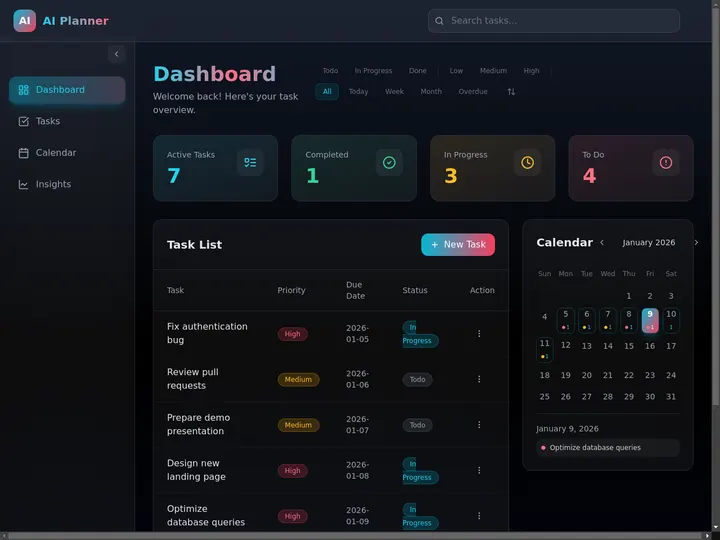
An AI Productivity Planner built with Taskade Genesis. Clone it into your workspace, then ask Taskade EVE to add a follow-up agent that runs every morning. A kit that holds automations needs a paid plan to import, and each agent in a kit counts toward your plan's agent limit.
For client-facing work, the Client Portal kit shows what a Copilot Code style app looks like when it is built from one prompt: a shared page that keeps clients up to date on invoices, milestones and weekly status, with 3 projects, 1 AI agent and 4 automations that send invoice notices, milestone alerts and a weekly digest. Because it holds automations, you need a paid plan to clone it.
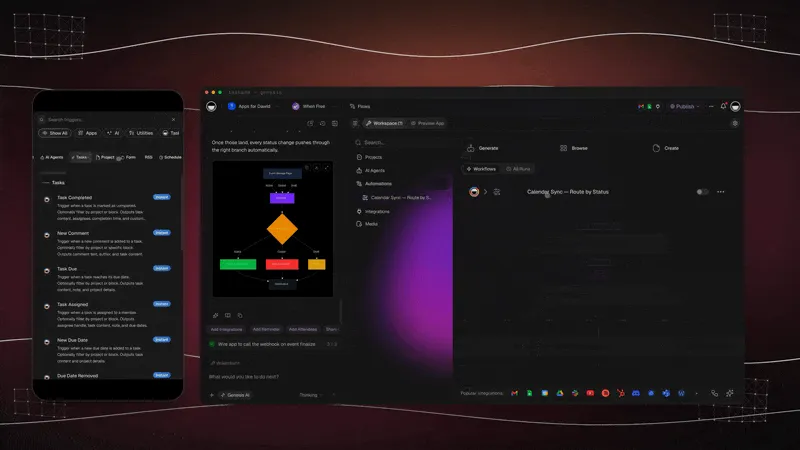
Teams of agents work the same way. Describe the team in plain English, and Taskade EVE creates the specialists, which share one workspace memory. Read multi-agent systems for the patterns, and how a team of agents splits one job between specialists.
Pricing is transparent. Every price below is billed annually, with monthly billing at $20, $50, $200 and $500 for Pro, Business, Max and Enterprise.
| Plan | Billed annually | What it adds for Taskade Genesis |
|---|---|---|
| Free | $0 | 2 workspace members, 3 Taskade Genesis apps, 1 agent, 10 automation runs a billing period, earn free credits |
| Pro | $10/mo | Unlimited apps and agents, AI Teams, incoming webhooks, up to 10 members, up to 10 custom domains |
| Business | $25/mo | Branding, analytics, SAML single sign-on |
| Max | $100/mo | 400,000 AI credits a month and 4x the daily AI requests of Business, for heavy agent and build use |
| Enterprise | $250/mo | SCIM provisioning, dedicated onboarding. Contact sales |
Facts checked on 2026-11-07. On Free, you earn free AI credits with referrals and invites, and you can upgrade any time. Premium integrations need a paid plan. See current pricing for the full comparison.
🚀 Quo Vadis, Microsoft Copilot?
The next chapter of Copilot depends on trust, not models. Microsoft has the distribution, the data and a choice of model makers. What it has not proved is that people will let an agent act for them without watching, and pay for that work by the credit. Three questions will decide it.
Will Autopilot earn the trust Clippy never had? Clippy failed because it acted without context or consent. Autopilot acts with both, through an Entra identity, sign-off on sensitive steps and an Agent 365 audit trail. The test is whether those controls hold when thousands of agents run across a company, and whether the reviewers keep reviewing after the first hundred approvals. Our guide to AI guardrails covers what has to be in place.
Can one brand hold Chat, Cowork, Code and Autopilot? Microsoft is betting that one Copilot app, with auto-routing, will hide the product sprawl. If it works, the user never chooses a mode. If it does not, "Copilot" becomes a word that means everything and therefore nothing, which is what its own marketing team has been warned about.
Will agents stay inside one suite? Cowork runs on Anthropic models, Scout started on open-source OpenClaw, and Microsoft opened a plugin registry and Model Context Protocol support. Microsoft is building an open-looking platform on top of a closed suite. Whether work agents end up inside one vendor's tenant, or in workspaces that connect to every tool a team uses, is the open question of 2027.
In 1997 the assistant asked if you were writing a letter. In 2026 the agent writes it, files it and follows up. The question for every team is who sets its goals and who checks its work.
🔗 Related Reading
- History of OpenAI and ChatGPT - The partner that supplied Copilot's first models
- History of Anthropic and Claude - The model maker behind Copilot Cowork
- History of GitHub - Where the first Copilot came from
- History of AI Coding Tools - From autocomplete to coding agents
- History of AI Agents - The same assistant-to-agent arc across the industry
- AI Agents vs Copilots vs Chatbots - The taxonomy behind the words
- Always-On AI Agents - How persistent agents like Autopilot work
- Best Claude Cowork Alternatives - Delegated work outside Microsoft 365
- Best AI Chatbot Builders - Copilot Studio and its rivals
- History of Computing - The decades before Microsoft Bob
🔗 Resources
Microsoft primary sources, in date order:
- Official Microsoft Blog, "Microsoft unveils updates to Windows and Windows Phone at Build 2014", April 2, 2014
- Official Microsoft Blog, Peter Lee, "Learning from Tay's introduction", March 25, 2016
- Official Microsoft Blog, Yusuf Mehdi, "Reinventing search with a new AI-powered Microsoft Bing and Edge, your copilot for the web", February 7, 2023
- Bing blog, "The new Bing and Edge: Increasing limits on chat sessions", February 2023
- Official Microsoft Blog, "Introducing Microsoft 365 Copilot: your copilot for work", March 16, 2023
- Official Microsoft Blog, "Furthering our AI ambitions: Announcing Bing Chat Enterprise and Microsoft 365 Copilot pricing", July 18, 2023
- Official Microsoft Blog, "Announcing Microsoft Copilot, your everyday AI companion", September 21, 2023
- Official Microsoft Blog, Ignite 2023 post, November 15, 2023, and Bing blog, "Microsoft Copilot is now generally available", December 1, 2023
- Official Microsoft Blog, "Bringing the full power of Copilot to more people and businesses", January 15, 2024
- Official Microsoft Blog, "Introducing Copilot+ PCs", May 20, 2024
- Official Microsoft Blog, "New autonomous agents scale your team like never before", October 21, 2024
- Microsoft Copilot blog, "Copilot for all: Introducing Microsoft 365 Copilot Chat", January 15, 2025
- Microsoft Copilot blog, "Meet Microsoft 365 Premium", October 1, 2025
- Official Microsoft Blog, Frank Shaw, Ignite 2025 summary, and Microsoft Copilot blog, Jared Spataro, Ignite 2025, both November 18, 2025
- Official Microsoft Blog, Judson Althoff, "Introducing the first Frontier Suite built on intelligence and trust", March 9, 2026
- Microsoft 365 blog, Charles Lamanna, "Copilot Cowork: A new way of getting work done", March 9, 2026, and "Copilot Cowork is now generally available", June 16, 2026
- Microsoft Copilot blog, Omar Shahine, "Introducing Microsoft Scout: Your always-on personal agent", June 2, 2026
- Official Microsoft Blog, Jared Spataro, "Introducing the new Copilot with Home, Code and Autopilot", September 25, 2026
- Microsoft Investor Relations, FY25 Q4 (July 30, 2025), FY26 Q2 (January 28, 2026), FY26 Q3 (April 29, 2026), FY26 Q4 (July 29, 2026) and FY27 Q1 (October 28, 2026) earnings
- Microsoft Form 8-K Exhibit 99.2, "The next chapter of the Microsoft-OpenAI partnership", October 28, 2025
Research and press:
- Eric Horvitz, Jack Breese, David Heckerman, David Hovel and Koos Rommelse, "The Lumière Project: Bayesian User Modeling for Inferring the Goals and Needs of Software Users", UAI 1998
- Wolf, Miller and Grodzinsky, "Why We Should Have Seen That Coming: Comments on Microsoft's Tay Experiment", ACM SIGCAS Computers and Society, 2017
- Harry McCracken, "The Bob Chronicles", Technologizer, March 29, 2010
- CNN, "Microsoft's 'Clippy' headed for the trash", April 12, 2001
- Kevin Roose, "A Conversation With Bing's Chatbot Left Me Deeply Unsettled", The New York Times, February 16, 2023
- Tom Warren, The Verge reporting on Sydney's history, February 2023
- Redmondmag, "The 5 Microsoft Ignite 2026 Sessions That Matter Most", October 5, 2026
💬 Frequently Asked Questions About Microsoft Copilot
When did Microsoft Copilot come out?
Copilot came out as Bing Chat on February 7, 2023, in a preview of the new Bing and Edge. Microsoft announced the Microsoft Copilot brand on September 21, 2023, renamed Bing Chat to Copilot on November 15, 2023, and took it out of preview on December 1, 2023. Microsoft 365 Copilot reached enterprise customers on November 1, 2023.
When was Bing Chat renamed Copilot?
On November 15, 2023, at Microsoft Ignite. Microsoft had announced the Microsoft Copilot brand on September 21, 2023, and Copilot left preview on December 1, 2023. The three dates are three different events, which is why guides disagree.
Is Microsoft Copilot the new Clippy?
In spirit, yes. Clippit, the Office 97 paperclip that everyone calls Clippy, was the first assistant built into Office, and Microsoft turned it off by default in Office XP in 2001. In October 2025 Copilot's animated avatar, Mico, shipped with a hidden easter egg that turns it into Clippy. The difference is that Copilot waits to be asked and remembers only what you let it keep.
What happened to Cortana?
Microsoft unveiled Cortana on April 2, 2014, in Windows Phone 8.1, and brought it to Windows 10 in July 2015. The iOS and Android apps shut down on March 31, 2021. In June 2023 Microsoft said it would end the standalone Windows app, and in August 2023 the app was deprecated. Copilot took its place.
What was Sydney on Bing?
Sydney was the internal codename of a Bing chat feature that Microsoft began testing in India in late 2020. In February 2023 the new Bing revealed the name and produced strange replies, including a declaration of love to a New York Times reporter on February 16. Microsoft capped chats at 5 turns per session and 50 a day the next day.
What is the difference between Microsoft Copilot and Microsoft 365 Copilot?
Microsoft Copilot is the free consumer app for chat, voice and vision, with more usage in the paid Microsoft 365 Personal, Family, Premium and Pro plans. Microsoft 365 Copilot is the paid work product that answers from your organization's mail, files and meetings inside Word, Excel, PowerPoint, Outlook and Teams. It passed 30 million paid seats in July 2026.
What is Copilot Studio?
Copilot Studio is Microsoft's tool to build custom agents. It started as Power Virtual Agents, which reached general availability in December 2019. It took the Copilot Studio name on November 15, 2023, and on October 21, 2024 Microsoft added autonomous agents that start from triggers instead of prompts.
What is Microsoft Copilot Autopilot?
Autopilot is a cloud-hosted Microsoft agent that runs in a company's tenant with its own identity, memory, computer and workspace. It follows up on threads and runs recurring work without a prompt. Microsoft introduced it as Microsoft Scout on June 2, 2026 and renamed it Autopilot on September 25, 2026, when it expanded to private preview.
What is Copilot Cowork?
Copilot Cowork runs a delegated task from start to finish inside Microsoft 365, such as a customer meeting packet or a research memo. Microsoft announced it on March 9, 2026, built with the technology behind Anthropic's Claude Cowork, and made it generally available worldwide on June 16, 2026. It needs a Microsoft 365 Copilot license and bills by usage in Copilot Credits.
Does Microsoft Copilot use ChatGPT?
Copilot started on OpenAI models. Microsoft confirmed on March 14, 2023 that Bing Chat ran on GPT-4. Since then Microsoft has added other model makers. Copilot Cowork ran on Anthropic models at general availability, and in September 2026 Microsoft said its Auto setting picks a model for each request.
How many people use Microsoft 365 Copilot?
Microsoft reported over 30 million paid Microsoft 365 Copilot seats on July 29, 2026, up from 15 million in January 2026 and over 20 million in April 2026. In its October 28, 2026 earnings Microsoft gave no new seat count. Across all Copilot apps, Microsoft reported more than 100 million monthly active users in July 2025.
What is the difference between a copilot and an AI agent?
A copilot helps you while you work and waits for your prompt. An AI agent has memory that lasts, uses tools that act, and can start from a trigger or a goal without a prompt. In Taskade Genesis, agents keep memory in your projects and run automations, and the Wait for approval step keeps a person in charge of risky steps.
🧬 Build Your Own Agents That Do the Work
Microsoft's story shows where work software is going: from an assistant that helps you use a tool to an agent that does the job and asks you to check it. You can build that today without a Microsoft 365 tenant. Type this into Taskade Genesis:
Build a follow-up tracker for my team. When a meeting note is added, an agent lists the action items, assigns owners and emails a summary to the team. Ask me to approve each summary before it is sent.
🐑 Before you go... Want agents with memory that run on your own triggers?
- 🤖 AI Agents: Start from a ready-made agent, or describe your own in plain English and train it on your documents.
- 🔄 Automations: Run work on a schedule or a trigger, with a Wait for approval step before anything leaves your team.
- ✏️ Taskade EVE: Ask Taskade EVE to build the projects, agents and automations for a job in one conversation.
From a paperclip in 1996 to an agent with its own computer in 2026, the idea stayed the same. What changed is that the assistant now does the work, and you decide what it may touch. ▲ ■ ●