






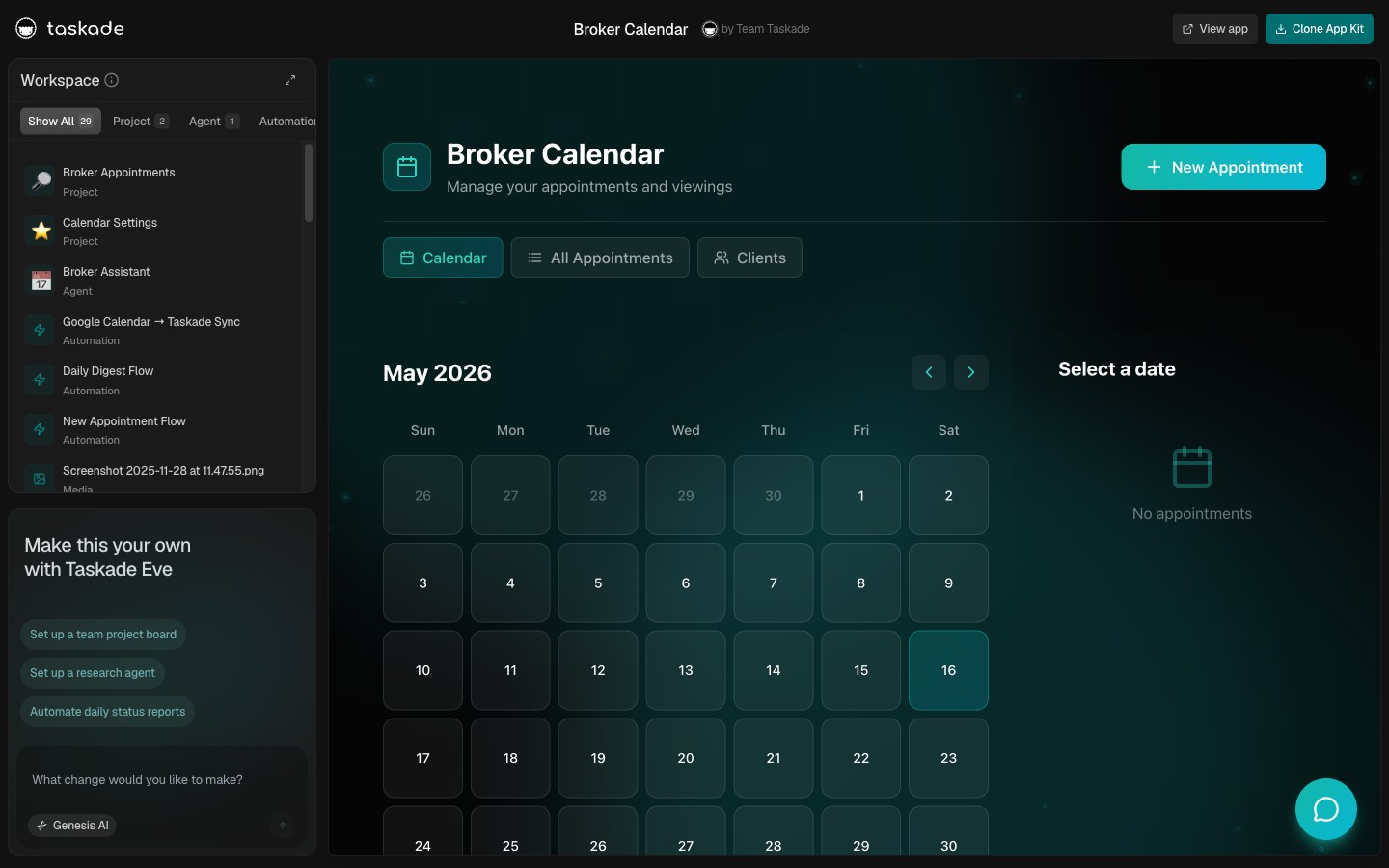
Most real estate CRMs were built for agents, not investors. An agent CRM is people-first: it organizes contacts, MLS listings, and showings, and it charges per seat. An investor CRM is property-first: the record is the deal, and it tracks the numbers that decide whether you buy. This guide shows how to build a property-first investor CRM by describing it to Taskade Genesis, an app you own on a flat plan, with no code. Build yours with AI or clone a working one in a click.
TL;DR: A real estate investor CRM is property-first, it tracks ARV, repair cost, offer, and lead source per deal across a New Lead to Closed pipeline. Purpose-built tools like REsimpli ($149-$599/mo) and REI BlackBook ($97-$297/mo) are powerful but priced per platform; agent CRMs like Follow Up Boss bill per user. With Taskade Genesis you describe your pipeline and own the app on one flat plan, Free to $25/mo. Build it free →

Investor CRM vs Agent CRM: What Is the Difference?
An investor CRM is property-first and an agent CRM is people-first, and that single distinction decides which tool fits you. Investors buy properties, so the deal record is the property and it carries the numbers: after-repair value (ARV), repair estimate, offer, and lead source. Agents represent buyers and sellers, so their record is a person tied to MLS listings and showings, which is why agent tools like Follow Up Boss and Wise Agent bill per user per month.
Pick the wrong category and the friction never goes away. An agent CRM has no clean place to store ARV or rehab math, so investors end up bolting on spreadsheets. A generic contact list has no concept of a deal pipeline, so deals stall in someone's inbox. The table below is the whole distinction at a glance.
| Dimension | Investor CRM (property-first) | Agent CRM (people-first) |
|---|---|---|
| Core record | The property / the deal | The contact / the client |
| Key fields | ARV, repair cost, offer, lead source | Buyer prefs, MLS listings, showings |
| Pipeline | New Lead to Closed (acquisition) | Lead to Listing to Under Contract |
| Pricing model | Often flat per platform | Usually per user per month |
| Examples | REsimpli, REI BlackBook | Follow Up Boss, Wise Agent |
If you are not sure which side you are on, the quick decision box below settles it. Match the row that describes how you make money, and the column tells you which record your CRM should be built around.
   ARE YOU AN INVESTOR OR AN AGENT? PICK YOUR CRM SHAPE
   ---------------------------------------------------------------
   If you ...                          | Then your CRM is ...
   ---------------------------------------------------------------
   Buy and flip / hold property        | INVESTOR (property-first)
   Run the offer numbers (ARV, repair) | INVESTOR (property-first)
   Source distressed / off-market deals| INVESTOR (property-first)
   ---------------------------------------------------------------
   Represent buyers and sellers        | AGENT (people-first)
   Work MLS listings and showings      | AGENT (people-first)
   Earn commission per transaction     | AGENT (people-first)
   ---------------------------------------------------------------
   Most rows on top  ->  build a property-first investor CRM
   Most rows below   ->  use an agent CRM (Follow Up Boss, Wise Agent)
This post is about the investor side. If you want a broader walkthrough of building any CRM with AI, the AI CRM builders guide covers the general pattern, the build a CRM with AI walkthrough shows the step-by-step, and run your whole business in one app shows how a CRM connects to invoicing and a client portal. The same describe-it approach scales to any internal system, which is the theme of AI app builders for business.
You build the whole thing from one prompt, the same way you would describe the system to a new hire.
What Does a Real Estate Investor CRM Track?
A real estate investor CRM tracks one deal record per property, and that record holds the property data, the owner contact, the deal numbers, the lead source, the pipeline stage, and the next follow-up. Everything an investor needs to decide whether to buy lives on the deal, so you never reconcile a spreadsheet against a contact list against a sticky note. The deal is the single source of truth.
Here is what each deal record should hold:
- Property data, the address, type, beds and baths, square footage, and condition notes.
- Owner / seller contact, name, phone, and email, attached to the deal itself.
- The numbers, ARV, repair estimate, your offer, and the spread, so the buy decision is right on the card.
- Lead source, where the deal came from (referral, driving for dollars, list, inbound), so you know which channels pay off.
- Pipeline stage, the current column from New Lead to Closed.
- Follow-up cadence, the next date you plan to follow up, so nothing goes cold.
In Taskade Genesis these fields live in a Table, and the Table is linked to a Board pipeline, so the same deal shows up as a row of numbers and as a card on the board. The diagram below shows everything one deal record carries.
Underneath, these fields form a small relational model. The deal is the center, and the property, owner, numbers, lead source, and follow-ups all link back to it. Because everything is connected data rather than loose tabs, an AI agent can read across the whole model in one pass. The entity diagram below shows how the pieces relate.
Seen as a single record, one deal card reads like this. Everything that decides the buy lives in one place, so you never reconcile a contact list against a spreadsheet against a sticky note.
   +-------------------------------------------------------+
   |  DEAL CARD  ::  142 Maple St                          |
   |  Stage: Offer Made          Source: Driving for $     |
   +-------------------------------------------------------+
   |  Property : SFR, 3bd / 2ba, 1,480 sqft, needs roof    |
   |  Owner    : J. Rivera   (555) 0142   jr@email.com     |
   +-------------------------------------------------------+
   |  ARV ............ $310,000                            |
   |  Repair est ..... $ 42,000                            |
   |  Offer .......... $198,000                            |
   |  Spread ......... $ 70,000   <-- buy decision         |
   +-------------------------------------------------------+
   |  Next follow-up : 2026-07-02   (internal reminder)    |
   +-------------------------------------------------------+
The Canonical Real Estate Investor Pipeline
The standard investor acquisition pipeline runs through six stages: New Lead, Contacted, Appointment Set, Offer Made, Under Contract, and Closed. Each stage is a column on a Board in Taskade Genesis, and a deal card moves left to right as it progresses. You see your whole book at a glance, and the board tells you exactly which deals need attention next.
What matters at each stage is what you record, not just where the card sits. The table below maps each stage to the work and the data behind it.
| Stage | What it means | What you capture |
|---|---|---|
| New Lead | A property just entered your funnel | Address, lead source, basic property data |
| Contacted | You have reached the owner | Owner contact, first-touch notes |
| Appointment Set | A walkthrough or call is booked | Date on the Calendar, condition checklist |
| Offer Made | You sent a number | ARV, repair estimate, offer, spread |
| Under Contract | The seller accepted | Contract date, contingencies, close target |
| Closed | The deal is done | Final terms, actual profit, lessons learned |
A pipeline is not always a straight line, though. Deals stall, sellers go quiet, offers get countered, and some leads die and come back months later. Modeling the pipeline as a state machine captures that reality, a deal can loop back to a follow-up or fall out and re-enter, not just march forward. The state diagram below shows the real transitions.
A real Taskade customer runs exactly this way: a real-estate investor operates a deal CRM alongside an investing academy, both built as connected Taskade Genesis apps they describe in plain language. The deal pipeline tracks acquisitions through these same stages, and the academy teaches the same playbook to students, all on apps the operator owns rather than rents. The pattern is in run your whole business in one app: one operator, one connected system, no developer.
Investor CRM Software Compared: Pricing in 2026
Purpose-built investor platforms are capable but priced per platform, and agent CRMs bill per user, while a general DIY tool like Pipedrive makes you assemble the pipeline yourself. Below is a verified comparison of what real estate investors actually shop in 2026, against building and owning the app yourself in Taskade Genesis.
| Tool | Pricing (2026) | Built for | Model |
|---|---|---|---|
| REsimpli | $149-$599/mo | Investors (property-first) | All-in-one investor platform, tiered |
| REI BlackBook | $97-$297/mo | Investors (property-first) | Investor CRM + marketing suite |
| Follow Up Boss | $58-$69/user/mo | Agents (people-first) | Per-user agent CRM |
| Wise Agent | $49/mo | Agents (people-first) | Agent CRM, flat single-user |
| Pipedrive | Custom DIY | Generic sales pipeline | You build the investor pipeline yourself |
| Taskade Genesis | Free to $25/mo flat | Investors (you shape it) | Own the app, flat plan, no metering |
Two honest points about the incumbents. REsimpli and REI BlackBook are genuinely investor-native, they ship skip-tracing, list management, and marketing features out of the box, so a high-volume wholesaler doing thousands of touches a month may want that depth. And Follow Up Boss is one of the best agent CRMs there is if you are a licensed agent, not an investor. The wedge for Taskade Genesis is not feature-for-feature depth against a wholesaling suite. It is the operator-ownership model: you build the exact pipeline you run, on one flat plan with no per-record or per-user metering, in an app you own.
It also helps to see who each tool is really for and how it bills, because the pricing model matters as much as the sticker price. Per-user CRMs get expensive as a team grows, and per-tier investor suites bundle in marketing tooling you may not use. The deeper breakdown below lines them up by who they serve and how the meter runs.
| Tool | Who it serves | Billing model | Standout feature |
|---|---|---|---|
| REsimpli | High-volume wholesalers | Per tier, $149-$599/mo | Skip-tracing, list stacking, KPI dashboards |
| REI BlackBook | Investor + marketing teams | Per tier, $97-$297/mo | Deal analyzer plus follow-up workflows |
| Follow Up Boss | Licensed agents and teams | Per user, $58-$69/mo each | 250+ lead-source integrations |
| Wise Agent | Solo agents | Flat single-user, $49/mo | Drip campaigns plus contact segmentation |
| Pipedrive | Generic sales teams | Per user, DIY setup | Flexible pipeline you wire yourself |
| Taskade Genesis | Investors who want to own it | Flat per plan, Free-$25/mo | Describe-it build, agents, automations, multiple views |
The pattern in that table is the whole point. The investor suites are deep but priced per platform, the agent CRMs are excellent but billed per user and built around people, and the generic tools make you assemble the pipeline yourself. Taskade Genesis is the only row where you describe the system, own the app, and pay one flat price no matter how your data or your team grows.
How to Build a Real Estate Investor CRM in Taskade Genesis
You build an investor CRM in Taskade Genesis by describing your pipeline in plain language, and it produces a working app the same day, no code. You start with one prompt, get a Board pipeline plus a Table of deal data plus a Calendar of follow-ups, then refine it by describing the changes. Here is the step-by-step.
Step 1: Describe the CRM in one prompt
Open Taskade Genesis and describe the system you want. A prompt like this is enough to start:
Build a real estate investor CRM. Track each deal as a property with address, owner contact, ARV, repair estimate, offer, and lead source. Pipeline stages are New Lead, Contacted, Appointment Set, Offer Made, Under Contract, Closed. Show deals as a Board pipeline and a Table, and put follow-up dates on a Calendar.
Taskade Genesis reads that and builds the app around it. You are describing the work, not configuring a tool. The build a CRM with AI guide breaks down what makes a good build prompt.
Step 2: Set up the Board pipeline
The Board view is your pipeline. Each of the six stages is a column, and each deal is a card you drag from New Lead toward Closed. Color-code by lead source or by stage so the board reads at a glance. This is the surface you open every morning to see which deals are live.

The DealFlow CRM above is a live app, clone it here, point it at your deals, and it runs your acquisition pipeline.
Step 3: Hold the deal numbers in a Table
The same deals appear in a Table, one row per property, with columns for ARV, repair estimate, offer, spread, and lead source. The Table is where the buy math lives, so you can sort by spread, filter by lead source, and see which channels actually produce deals. Because the Table and the Board are the same connected data, moving a card on the board updates the row, and editing a number on the row updates the card.
Step 4: Put follow-ups on the Calendar
Each deal has a next follow-up date, and those dates flow onto a Calendar so you never let a lead go cold. Taskade gives you multiple project views, List, Board, Calendar, Table, Mind Map, Gantt, and Org Chart, so the same deal data renders however you need it. The investor dashboard ties the pipeline, the numbers, and the calendar together.
Each view does a specific job for an investor, all over the same connected deal data, so you switch perspectives without rebuilding anything. Here is what each one earns its place doing.
| Project view | What it does for an investor |
|---|---|
| Board | Runs the acquisition pipeline, deals as cards from New Lead to Closed |
| Table | Holds the buy math, sort by spread, filter by lead source |
| Calendar | Tracks every follow-up date so no lead goes cold |
| List | Works the daily action items on a single deal |
| Gantt | Maps a rehab or close timeline across weeks |
| Mind Map | Plans a portfolio or a market by area and strategy |
| Org Chart | Maps who on your team owns which deals |
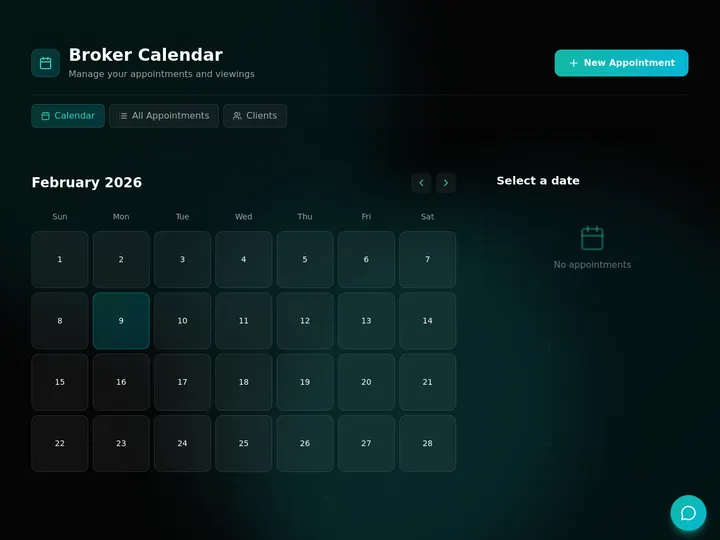
The broker calendar above is a live app, clone it and your follow-ups and appointments land on one schedule.
Step 5: Add internal automations and integrations
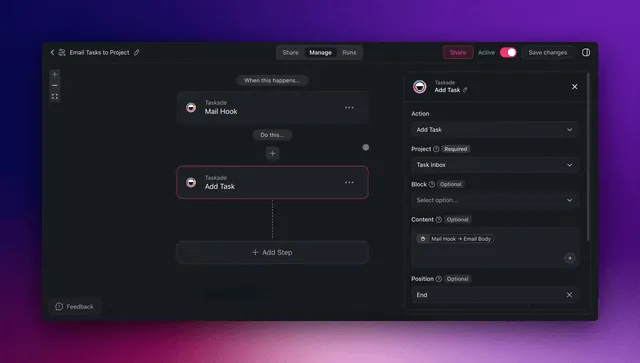
Automations keep the pipeline moving without manual upkeep. In Taskade Genesis you set up triggers and actions that work the deal data for you. Crucially, these are internal pipeline assistance, not outbound outreach. Taskade Genesis does not auto-dial, mass-text, or cold-call sellers. What it does instead:
- Follow-up reminders to you, when a deal's next follow-up date arrives, you get a reminder to reach out yourself.
- Deal-stage updates, when a card moves to Under Contract, the close target and a task get created automatically.
- Summaries, an AI agent reads the pipeline and summarizes which deals are stalled or which lead sources are converting.
- Task assignment, when a deal hits Appointment Set, a walkthrough checklist is assigned to the right person on your team.
All of this rides on 100+ bidirectional integrations, triggers pull events in from tools like your calendar and email, and actions push data back out, so a new lead from a web form lands on the board and an internal reminder fires on the follow-up date. The diagram shows the internal automation loop.
You stay in control of every outbound touch. The automation reminds you, it does not contact anyone for you. For the deeper automation pattern, see set it once and let it run.
The same internal automations draft your follow-up notes, update deal stages, and route tasks to the right teammate, all triggered by changes inside your own pipeline. Again, every outbound message to a seller is yours to send. The automations work the data, not the phone.
Step 6: Iterate and publish
Refine the app by describing changes, add a field, split a stage, change a color, and Taskade Genesis rebuilds it. Client and partner logins work on every plan; putting them on your own domain unlocks on Business and above. The same CRM you built can become a client portal with an invoice generator where you match each record to its login so buyers, lenders, or JV partners see only what is theirs.
The AI Layer: Agents That Read Your Pipeline
The AI layer in a Taskade Genesis investor CRM means agents read your connected deal data and surface what matters, no manual reporting. AI Agents v2 ship with built-in tools and persistent memory, and they run on 15+ frontier models from OpenAI, Anthropic, Google, and open-weight providers. Inside your CRM that means an agent can review the pipeline and tell you, in plain language, which deals are aging in a stage, which lead sources convert best, or which follow-ups are overdue.
This is intelligence on top of memory. The connected deal data is the memory, the agent is the intelligence, and the internal automations are the execution, the Workspace DNA loop. An agent never contacts a seller. It reads your data, drafts an internal summary, and flags the next deal you should work yourself. The deeper agent-and-automation pattern is in run your whole business in one app.
Because the data is connected, the dashboard effectively thinks for you, surfacing aging deals and stalled stages without a single manual report.
An agent can also help with the buy math itself. Point it at a deal and it can sanity-check your ARV against comps you paste in, sketch a repair estimate from the condition notes, and compute the spread, then summarize the result in plain language. You still make the call. The agent does the legwork so the number is in front of you faster. Think of it as a scorecard the agent fills in from the connected data.
   DEAL SCORECARD  ::  what the AI agent reads vs what you decide
   ----------------------------------------------------------------
   Signal (agent reads)        | Read-out          | You decide
   ----------------------------------------------------------------
   ARV vs pasted comps         | in / out of range | trust the comp?
   Repair est vs condition     | rough $ band      | get a bid?
   Spread = ARV - repair - off | $ and % margin    | make the offer?
   Days in current stage       | aging flag        | follow up now?
   Lead source -> closed rate  | best channels     | spend more here?
   ----------------------------------------------------------------
   The agent surfaces the numbers. Every buy and every outbound
   touch is still your call.
What It Costs to Run an Investor CRM
You can build and clone a full investor CRM free, then upgrade only when you want logins on your own domain. Taskade Genesis is one flat plan with no per-record or per-user metering, which is the core difference from per-seat agent CRMs and per-tier investor platforms.
| Plan (annual billing) | Price | Best for |
|---|---|---|
| Free | $0 | Building and running your pipeline solo |
| Pro ★ | $10/mo | Up to 10 users, the popular choice for a small team |
| Business | $25/mo | Partner or buyer portals on your own domain |
The math is simple. One Pro seat at $10/month is a fraction of a single tier of a dedicated investor platform, and you own the app rather than renting access. Logins work on every plan, and the Business plan is what puts that portal on your own domain; you match each JV partner, lender, or buyer to their own deals. Compared with REsimpli's $149-$599 range or a per-user agent CRM, the flat model is what makes ownership affordable for a solo investor or a small team.
How to Track Lead Source ROI Per Deal
You track lead source ROI by tagging every deal with where it came from, then comparing closed profit by source against what each channel costs you. The investor who knows their cost per closed deal by source stops guessing and starts spending where the deals actually are. This is the single most valuable report an investor CRM can produce, and it falls out of the data you are already capturing.
Three numbers do the work:
- Cost per lead. Channel spend divided by the leads it produced. Cheap leads are not always good leads.
- Cost per closed deal. Channel spend divided by deals that actually closed from it. This is the number that decides your budget.
- Stage conversion rate. What share of leads from a source make it from New Lead to Closed, so you can see where a channel's deals stall.
Because the lead source is a column in your Table and the pipeline stage lives on the same connected record, an AI agent can read across both and tell you, in plain language, which sources produce closings and which just produce noise. A couple of benchmarks help you read the output. Across all sources, the typical lead-to-close rate runs only a few percent, while referrals tend to convert far higher, so a CRM that proves a channel's real conversion rate is worth more than one that just stores contacts.
Speed is the other half of ROI. Industry data consistently shows that contacting a fresh lead within a few minutes makes it far more likely to qualify than waiting half an hour. Your CRM cannot make the call for you, and Taskade Genesis will never auto-dial or text a seller, but it can put the next follow-up on a Calendar and fire you an internal reminder the moment one is due. You stay fast without losing control of your own outreach.
When a Dedicated Investor Platform Still Makes Sense
A purpose-built platform like REsimpli or REI BlackBook still makes sense for high-volume operations that need skip-tracing, list management, and direct-mail tooling baked in. If you run thousands of touches a month and want those features turnkey, the depth is worth the per-tier price, and you should evaluate them on their own pricing. Taskade Genesis is the right call when you want a pipeline shaped exactly around how you work, an app you own on a flat plan, and the freedom to extend it into a portal, an academy, or a whole-business system without paying per seat forever.
Build Your Investor CRM Today
One prompt. One app. Your whole deal pipeline on one screen, property data and numbers in a Table, deals on a Board, follow-ups on a Calendar, and AI agents reading it all. Connected deal data remembers, agents think, and internal automations keep you on top of every follow-up, across 100+ integrations.
Ready to build? Start in Taskade Genesis and the investor CRM you describe is the app you ship, with AI agents and automations wired in. Or clone a live one and have your pipeline running today.
Read Next: Build More of Your Business
- AI CRM Builders →, the general guide to building any CRM with AI, the pattern this investor CRM is a vertical of.
- Run Your Whole Business in One App →, how one operator runs a CRM, dashboard, and portal as one connected app.
- CRM, Invoice Generator, Client Portal →, turn your CRM into a client-facing portal with invoicing on your own domain.
- Set It Once and Let It Run →, the automation pattern behind internal reminders and stage updates.
- Build an AI Real Estate App →, the general agent-facing real estate build, versus this property-first investor CRM.
▲ ■ ● Memory · Intelligence · Execution
The three-layer architecture behind every Taskade Genesis app, connected deal data remembers, agents think, internal automations run. Clone the DealFlow CRM to feel the loop close itself, or build your own on the same primitives.
Frequently Asked Questions
What is a real estate investor CRM?
A real estate investor CRM is a property-first system that tracks deals from new lead to closed. Each record holds property data, owner contact, ARV, repair estimate, offer numbers, lead source, and follow-up cadence. It differs from an agent CRM, which is people-first and organized around contacts and MLS listings. With Taskade Genesis you build one by describing your pipeline in plain language, with no code.
What is the best CRM for real estate investors in 2026?
The best CRM for real estate investors is the one shaped around your own deal pipeline rather than a generic contact list. Purpose-built tools like REsimpli and REI BlackBook are property-first but priced from $97 to $599 a month. Taskade Genesis lets you build a property-first investor CRM by describing it, on one flat plan from Free to $25 a month, in an app you own.
Can I build a real estate CRM without code?
Yes. With Taskade Genesis you describe your investor pipeline in plain language and it builds a working app with a Board pipeline, a Table of deal data, and a Calendar for follow-ups. You point it at your own deals and run it the same day. No developer, no setup wizard, and no per-seat fees.
What is the difference between an investor CRM and an agent CRM?
An investor CRM is property-first. The deal record is the property, and it tracks ARV, repair cost, offer, and lead source. An agent CRM is people-first, built around contacts, MLS listings, and showings, which is why tools like Follow Up Boss and Wise Agent are priced per user per month. Investors buy properties, so they need a pipeline organized around the deal.
How much does REsimpli cost compared to Taskade Genesis?
REsimpli is priced from about $149 to $599 a month depending on tier. Taskade Genesis is one flat plan, Free to $25 a month on annual billing, with no per-record or per-user metering. You build and clone a working investor CRM free, then upgrade only when you want client logins on your own domain on Business and above.
Does Taskade automatically call or text motivated sellers?
No. Taskade Genesis does not auto-dial, mass-text, cold-call, or send automated outreach to sellers. Automations are internal pipeline help only, follow-up reminders to you, deal-stage updates, summaries, and task assignment. You decide when and how to contact a lead, which keeps you in control of your own outreach practices.
What should a real estate investor CRM track for each deal?
Each deal record should track the property address and details, the owner or seller contact, the after-repair value (ARV), the repair estimate, your offer numbers, the lead source, the current pipeline stage, and the next follow-up date. Taskade Genesis stores all of this in a Table linked to a Board pipeline so nothing falls through the cracks.
What is the typical real estate investor deal pipeline?
The canonical investor pipeline runs New Lead, Contacted, Appointment Set, Offer Made, Under Contract, and Closed. Each stage is a column on a Board in Taskade Genesis, and a deal card moves left to right as it progresses. You see your whole book at a glance and know exactly which deals need a follow-up next.
Do I own the investor CRM I build in Taskade Genesis?
Yes. The app you build is yours, with your data inside it, on a flat plan with no per-seat metering. You can publish it with team logins on every plan, and put it on your own domain on Business and above. This is the operator-ownership model, you own the app instead of renting access to someone else's platform forever.
Is there a free REsimpli alternative for real estate investors?
Yes. Taskade Genesis has a free plan where you can build and clone a property-first investor CRM, run a full deal pipeline, and add follow-up reminders, with no credit card. Paid tiers start at $10 a month, and a branded portal on your own domain unlocks on Business at $25 a month, both billed annually and flat with no per-record fees.
How do you track lead source ROI in a real estate investor CRM?
Tag every deal with its lead source, then let the CRM tally deals and closed profit by source against what each channel costs. The three numbers that matter are cost per lead, cost per closed deal, and the conversion rate at each pipeline stage. In Taskade Genesis the lead source is a Table column, so an AI agent can read the pipeline and tell you which channels actually produce closings, no manual spreadsheet math.
How fast should you follow up with a new real estate lead?
Speed matters more than almost anything else. Industry data shows leads contacted within five minutes are far more likely to qualify than leads contacted after thirty. A Taskade Genesis investor CRM puts the next follow-up date on a Calendar and sends you an internal reminder when it is due, so you decide when to reach out and never let a hot lead go cold. The reminder goes to you, not to the seller.
Which project views are useful for a real estate investor CRM?
Taskade gives you multiple project views over the same connected deal data. The Board runs your acquisition pipeline, the Table holds ARV and repair math, the Calendar tracks follow-ups, the List works your daily tasks, the Gantt maps a rehab timeline, the Mind Map plans a portfolio, and the Org Chart maps your team. You switch views without rebuilding anything.