
TL;DR: The 10 best AI CRM software platforms in 2026 are Taskade Genesis, HubSpot, Salesforce, Pipedrive, Zoho CRM, Freshsales, Monday CRM, Close, Copper, and Folk. Most are pre-built systems you buy and adapt to. Taskade Genesis is the one you build your own CRM with — describe your pipeline in plain English and it ships a running system with AI agents inside, free to start, with Pro from $10/month (annual). The defining 2026 shift is agentic AI: Salesforce Agentforce hit $540M ARR. Clone a working CRM in 30 seconds →
Compare with: want to build a custom CRM that matches your exact sales motion instead of buying one? See the sibling build-side guide, build your own CRM with AI.
Run Your Whole CRM From One Workspace — Without Buying Three Tools
Most CRM articles hand you a list of software to buy. This one shows you how to run your CRM — track every deal, manage every client, and put an AI agent team on the busywork — from a single workspace you build yourself. With Taskade Genesis, you describe your sales process in plain English and get a working CRM with tool-equipped AI agents, 100+ bidirectional integrations, and multiple project views — no per-seat pricing, no 6-month rollout.
That is what happened for one IT program manager who built a production field-service dashboard on Genesis — four connected projects (customers, jobs, invoices, team) running 20+ live jobs:
"What I was able to accomplish in a few weeks would have taken me and a team of 40+ people 18 months or longer in the Fortune 500 space."
You do not need to be technical to do the same. Below, every CRM is compared honestly — then you can clone a running one and make it yours.
Clone a Working CRM Right Now
No screenshots, no signup wall. These are live, published Taskade Genesis apps — tap one to open it, click through the real pipeline and client logic, then clone a running copy into your own workspace in about 30 seconds. This is the proof every other CRM article skips:


👉 Open the sales pipeline → | Open the customer health dashboard →
The CRM Lifecycle in One Workspace
A CRM is really one continuous loop: a lead arrives, becomes a deal, closes into a client, and that client generates the next lead. Genesis runs the whole loop in one place — Memory (your contacts) feeds Intelligence (your AI agents), which triggers Execution (your automations), which creates new Memory:
This is Workspace DNA applied to sales: every closed deal makes the next one easier. The sections below rank the 10 best AI CRMs for 2026, then show you how to build and clone your own.
What Is the Best AI CRM Software in 2026?
The best AI CRM in 2026 depends on team size and budget: Salesforce with Agentforce ($25-550/user/month) dominates enterprise with 150,000+ customers and $41.5B revenue. HubSpot's Breeze AI (free-$150/seat/month) leads SMB growth with 279,000+ active customers. Zoho CRM ($14-52/user/month) offers the best value-to-AI ratio. And Taskade Genesis (free to start, then $10/month annual) takes a fundamentally different approach — building custom CRM systems from natural language prompts with AI agents that execute sales workflows autonomously.
The defining trend: CRM is moving from copilot AI to agentic AI. In 2024, CRM AI meant "suggest an email draft." In 2026, CRM AI means "qualify this lead, write the outreach, schedule the follow-up, and update the pipeline — autonomously." Salesforce's Agentforce, HubSpot's Breeze Agents, Zoho's Zia Agents, and Taskade's AI Agents all reflect this shift from human-prompted to agent-executed sales workflows.
Quick Comparison: AI CRM Pricing & Features
| CRM | Starting Price | AI Agent | Best For | Customers |
|---|---|---|---|---|
| 🥇 Taskade Genesis | Free / $10/mo (annual) | AI Agents (built-in tools) | Custom CRM from prompts | Growing |
| 🥈 HubSpot | Free | Breeze Agents | SMB with growth path | 279,000+ |
| 🥉 Salesforce | $25/user/mo | Agentforce ($540M ARR) | Enterprise | 150,000+ |
| 4. Pipedrive | $14/user/mo | AI Sales Assistant | Sales pipeline focus | 100,000+ |
| 5. Zoho CRM | Free (3 users) | Zia AI + Zia Agents | Value-conscious SMBs | 250,000+ |
| 6. Freshsales | Free (3 users) | Freddy AI | Built-in phone/email | 72,000+ |
| 7. Monday CRM | $12/seat/mo | AI Sales Agents | Visual CRM | 250,000+ (platform) |
| 8. Close | $9/user/mo | Call AI + email assistant | Inside sales teams | — |
| 9. Copper | $9/user/mo | Google Gemini integration | Google Workspace teams | — |
| 10. Folk | $20/user/mo | Magic Fields AI | Relationship-first CRM | — |
AI CRM Comparison Matrix: Build vs Buy, Agents, and Live Proof
Here is the deeper comparison most CRM articles skip — including the one column that separates platforms you can test before you commit from the ones that only show you screenshots. Only Taskade Genesis ships a live, cloneable app you can open and run inside this article:
| Tool | Prompt-to-app | Built-in AI agents | Agent teams | Bidirectional integrations | Live cloneable proof | Project views | Free tier | Starting price (annual) |
|---|---|---|---|---|---|---|---|---|
| Taskade Genesis | ✅ | ✅ built-in tools | ✅ | ✅ 100+ | ✅ clone above | 7 | ✅ | Free / $10/mo |
| HubSpot | ❌ | ✅ Breeze | Partial | ✅ | ❌ | — | ✅ | Free → $15/seat |
| Salesforce | ❌ | ✅ Agentforce | ✅ | ✅ | ❌ | — | ❌ | $25/user |
| Pipedrive | ❌ | Assistant only | ❌ | ✅ | ❌ | — | ❌ | $14/user |
| Zoho CRM | ❌ | ✅ Zia Agents | Partial | ✅ | ❌ | — | ✅ (3) | $14/user |
| Freshsales | ❌ | ✅ Freddy | ❌ | ✅ | ❌ | — | ✅ (3) | $9/user |
| Monday CRM | Partial | ✅ Sales Agents | ❌ | ✅ | ❌ | — | ✅ (2) | $12/seat |
| Close | ❌ | Call/email AI | ❌ | ✅ | ❌ | — | ❌ | $9/user |
| Copper | ❌ | Gemini | ❌ | ✅ | ❌ | — | ❌ | $9/user |
| Folk | ❌ | Magic Fields | ❌ | ✅ | ❌ | — | ❌ | $20/user |
The wedge: every CRM here can show you a demo video or a screenshot. Only Taskade Genesis lets you open a running CRM, click through it, and clone it before you sign up for anything. Proof over claim.
How to Choose: Build vs Buy
                 Do you need a CRM that matches YOUR exact process?
                                    │
              ┌─────────────────────┴─────────────────────┐
             YES                                          NO / not sure
              │                                            │
      Want AI agents that act,                    Need it free to start?
      not just suggest?                                    │
              │                              ┌─────────────┴────────────┐
      ┌───────┴────────┐                    YES                        NO
     YES              NO                     │                          │
      │                │                  HubSpot              Sales pipeline focus?
  TASKADE GENESIS   Monday CRM           (free tier)           ┌────────┴────────┐
  (build it,        (visual,                                  YES              NO
   agents inside)    drag-drop)                            Pipedrive      Enterprise scale?
      │                                                         │         ┌──────┴──────┐
   clone a working                                          (visual)    Salesforce   Zoho
   CRM in 30s →                                                         (Agentforce) (value)
🥇 1. Taskade Genesis — Build Custom CRM From Prompts
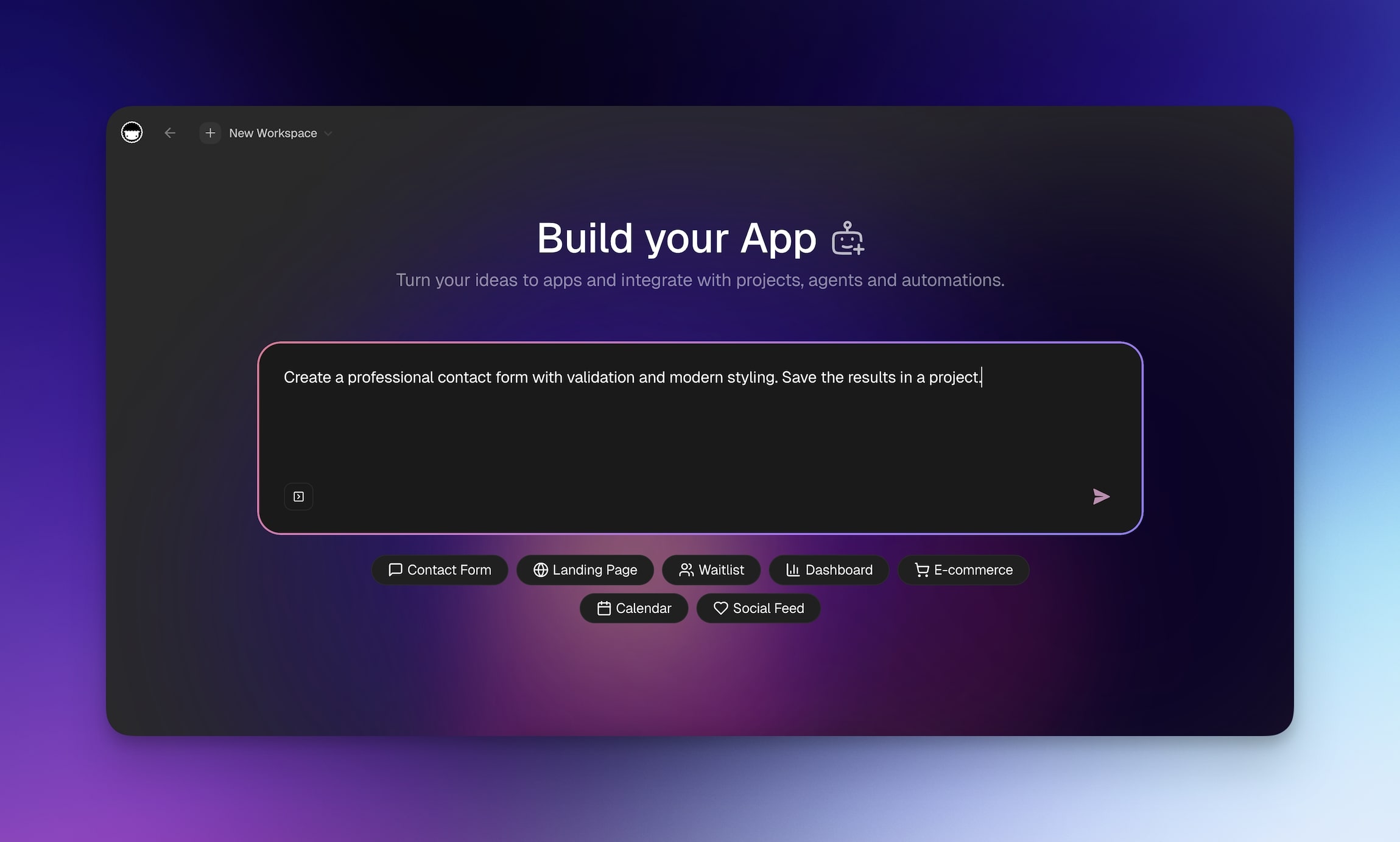
Taskade Genesis takes a fundamentally different approach to CRM. Instead of buying a pre-built system and adapting your sales process to fit its structure, you describe your ideal CRM in plain English and Genesis builds it — complete with pipelines, contact management, deal tracking, and AI agent automations that qualify leads and follow up autonomously.
This is vibe coding for customer management. Need a specific pipeline stage? Custom contact fields? An AI agent that qualifies inbound leads at 2 AM? Just describe it. Migrating from another CRM? Convert your existing data into Taskade-ready formats to get started faster.
What Taskade Genesis CRM Does
| Feature | Description |
|---|---|
| 🧬 Custom CRM Logic | Build your exact sales process — pipelines, stages, fields, automations |
| 🤖 AI Lead Assistant | Embed AI agents that qualify leads, answer questions, and triage inquiries |
| 📊 Pipeline Dashboards | Visualize deals, forecasts, and team performance across multiple project views |
| ⚡ Sales Automations | 100+ integrations — automatic follow-ups, Slack notifications, email triggers |
| 💾 Workspace Database | Contacts, deals, and company data sync across all workspace tools |
| 🔗 Workspace DNA | Memory (contacts) feeds Intelligence (agents), Intelligence triggers Execution (automations) |
Example Prompt
"Create a CRM for my marketing agency with lead stages
(New, Contacted, Qualified, Proposal, Negotiation, Won, Lost),
automatic follow-up reminders at 3 and 7 days, deal value tracking,
an AI agent that qualifies inbound leads from our contact form,
and a dashboard showing pipeline by stage with monthly revenue forecast."
Genesis will create a complete CRM tailored to agency sales — with the AI agent embedded and automations connected to 100+ services.
What this video shows: A look back at the live apps people built with Taskade Genesis in 2025. It shows an event portal, a maintenance tracker, a team capacity planner, and a broker calendar that syncs with Google Calendar. Read the step-by-step walkthrough.
Taskade Pricing
| Plan | Price | CRM Capabilities |
|---|---|---|
| 🟢 Free | $0 | Build CRM systems with core features |
| 🟣 Pro | $10/month (annual, 10 users) | Unlimited agents and automations, custom domains, background agents, 50K credits/mo |
| 🟠 Business | $25/month (annual) | Unlimited users, white-label, hourly knowledge sync, 150K credits/mo |
| 🏢 Enterprise | Custom | Dedicated support, SLA, security |
Why Taskade Genesis wins for growing teams: No per-seat pricing. A 10-person sales team costs $20/month on Taskade Pro ($10/month billed annually), compared to $140/month on Pipedrive, $250/month on Salesforce Starter, or $150/month on HubSpot Starter. That's 7-12x cost savings, with AI agents included.
Clone these CRM apps:
| Use Case | App | Clone |
|---|---|---|
| Full CRM dashboard | Neon CRM Dashboard | Clone → |
| Sales pipeline | Sales Pipeline Dashboard | Clone → |
| Client management | Client Portal Dashboard | Clone → |
| Sales outreach | Sales Agent Studio | Clone → |
👉 Build your CRM → | Browse 150,000+ apps →
🥈 2. HubSpot CRM — Best Free CRM With AI Growth Path
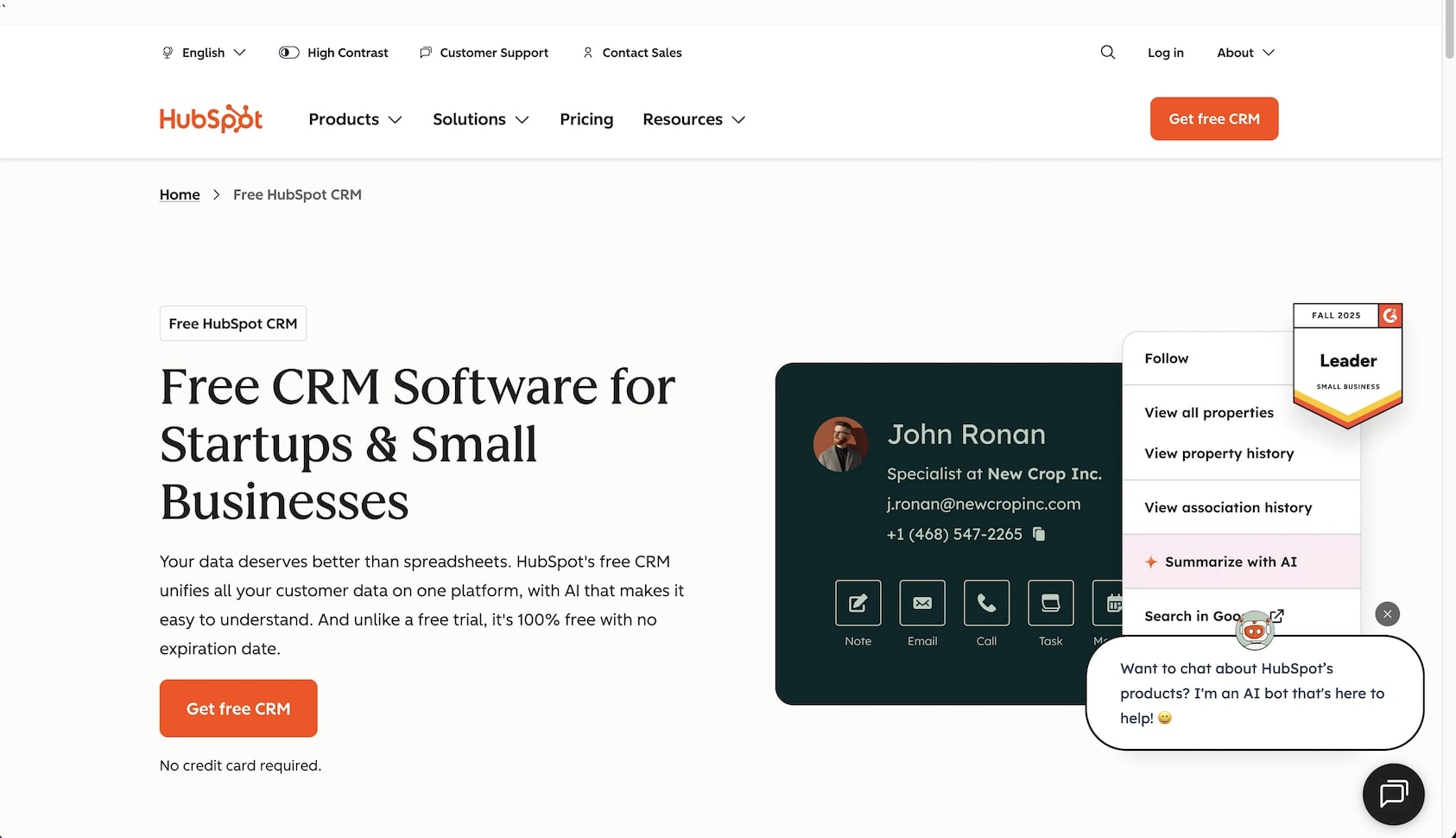
HubSpot offers the most widely adopted free CRM tier and has grown into a complete business platform serving 279,000+ active customers in 135+ countries. The free CRM is genuinely useful — unlimited users, contact management, deal pipelines, email tracking, and meeting scheduling — making it the default starting point for growing businesses.
Breeze AI Features (2025-2026)
HubSpot's AI strategy centers on Breeze, a three-layer AI system:
- Breeze Assistant: Drafts marketing emails, blog ideas, chat summaries, and reports across HubSpot
- Breeze Agents: Autonomous AI agents for specific tasks:
- Customer Agent — manages support chats without human intervention
- Prospecting Agent — researches leads and writes personalized outreach
- Social Media Agent — schedules posts and creates content
- Breeze Intelligence: Predictive insights, contact/company data enrichment, and buyer-intent analysis
HubSpot Sales Hub Pricing (2026)
| Plan | Price | Key Features |
|---|---|---|
| 🟢 Free | $0 | Core CRM, unlimited users, basic features |
| 🔵 Starter | $15/seat/month | Remove branding, simple automations |
| 🟣 Professional | $100/month (1 seat included) | Full automation, Breeze agents, sequences |
| 🟡 Enterprise | $150/month (1 seat included) | Advanced analytics, custom objects, SSO |
Note: Additional seats cost $100/month (Professional) or $150/month (Enterprise). HubSpot's Marketing Hub Professional jumps to $890/month for 3 seats. Breeze AI features require HubSpot Credits — free and view-only users cannot use them.
HubSpot's Growth Story
HubSpot has grown from a marketing automation startup to a full business platform: 279,000+ active customers (19% YoY growth), with paying customers exceeding 258,000 as of March 2025. The Breeze AI launch represents HubSpot's bet that SMBs want AI agents that don't require enterprise pricing or technical expertise to deploy. Early adoption signals are strong, with Prospecting Agents and Customer Agents seeing traction among mid-market teams.
The Catch
HubSpot's free CRM is a lead generation machine for HubSpot itself. The jump from free to Professional ($100/month + $100/seat) is steep, and Marketing Hub pricing ($890-3,600/month) puts full-featured HubSpot out of reach for many SMBs. AI features are credit-gated — free users and view-only seat users cannot use HubSpot Credits required for Prospecting Agents, AI workflow actions, and Data Studio syncs. For teams that want AI without credit-based billing, Taskade includes AI agents at every tier.
Best for: Growing businesses wanting a free CRM with room to scale into marketing automation.
🥉 3. Salesforce — Enterprise CRM With Agentforce AI
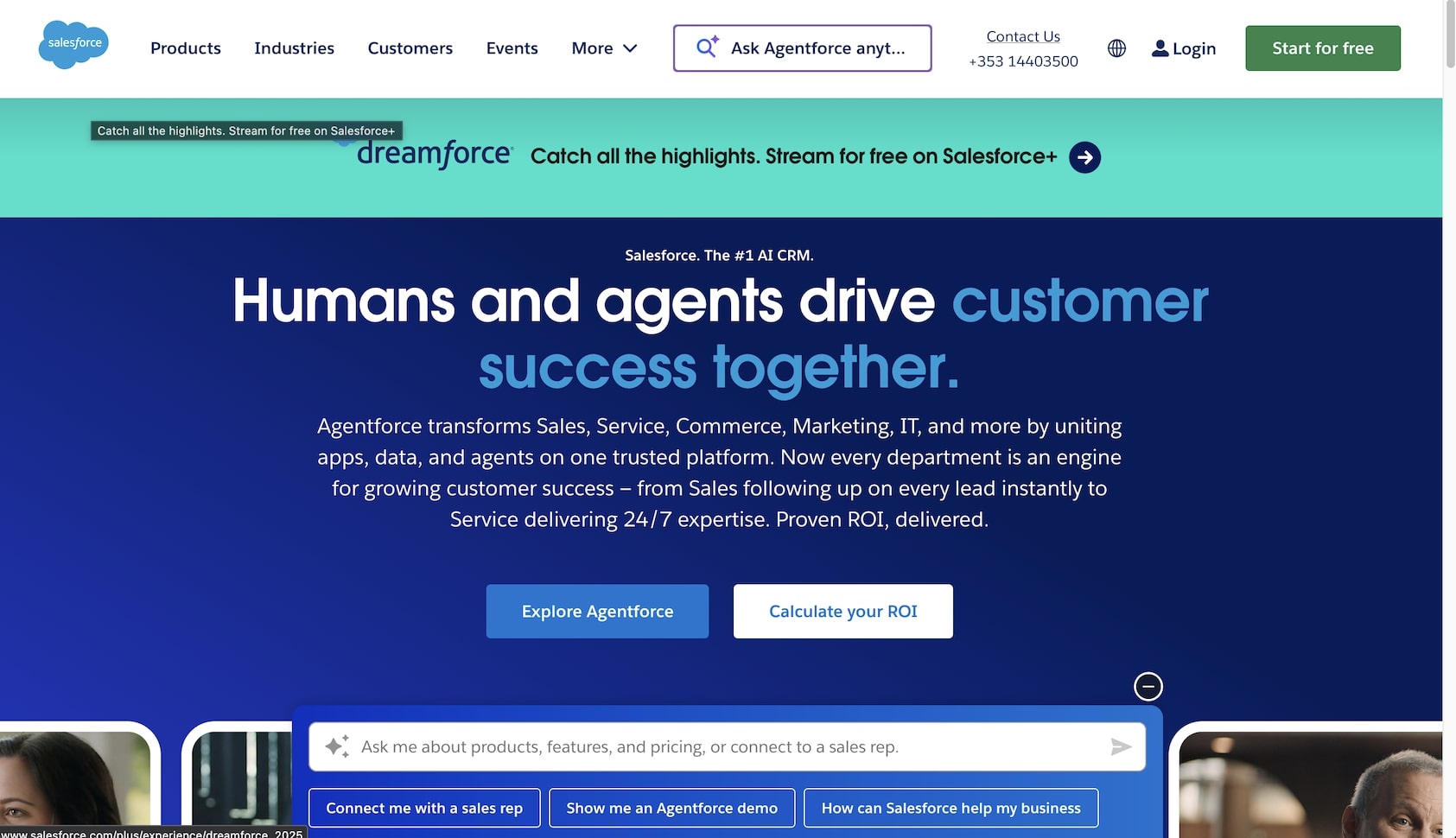
Salesforce is the enterprise CRM standard with 150,000+ business customers and ~$41.5B projected FY2026 revenue. The company's most significant 2025-2026 development is Agentforce — an autonomous AI agent platform that reached $540M ARR by Q3 FY2026, growing 330% year-over-year with 18,500 total deals closed.
Agentforce: What It Does
Agentforce deploys autonomous AI agents that handle multi-step sales tasks: qualify leads from inbound forms, write personalized outreach emails, generate call summaries, coach reps on deals, and update pipeline stages — without human prompting. Only ~8% of Salesforce's 150K+ customer base has adopted Agentforce so far, making it early-stage but fast-growing.
Salesforce Pricing (2026)
| Plan | Price | AI Access |
|---|---|---|
| 🔵 Starter | $25/user/month | Basic CRM |
| 🟣 Pro Suite | $100/user/month | Full CRM features |
| 🟡 Enterprise | $175/user/month | Advanced customization, Einstein AI |
| 🔴 Unlimited | $350/user/month | Full platform + Conversation Intelligence |
| ⚡ Agentforce 1 | $550/user/month | Unlimited AI, 1M Flex Credits, Data Cloud |
Agentforce add-on pricing:
- Flex Credits: $0.10 per action (sold in packages of 100,000 for $500)
- Per-user licenses: $125+/month via enterprise agreements
- Einstein AI add-ons: $50-75/user/month for Sales GPT features
Note: Salesforce raised Enterprise and Unlimited pricing by 6% in August 2025. The Agentforce 1 edition at $550/user/month represents an entirely new pricing tier — effectively making "AI agent access" the new premium feature, similar to how Notion gated AI behind its Business tier.
Agentforce Adoption Numbers
Agentforce's trajectory is the strongest signal that agentic CRM is real, not vaporware:
- $540M ARR by Q3 FY2026 (up from effectively zero in early 2025)
- 18,500 total deals closed (9,500 paid)
- Combined with Data 360: nearly $1.4B ARR (114% YoY growth)
- Only ~8% of Salesforce's 150K+ customer base has adopted — massive runway remaining
- Revenue split: enterprise license agreements (AELAs) + consumption (Flex Credits)
2025-2026 Acquisitions ($8B+)
Salesforce went on an acquisition spree to feed Agentforce:
- Informatica ($8B) — AI-powered cloud data management
- Convergence.ai — AI agent company
- Moonhub — AI recruiting
- Bluebirds — AI-powered lead intelligence
- Regrello — AI business process automation
- Waii — Natural language to SQL
The Catch
Salesforce is powerful but expensive and complex. A 10-person team on Enterprise costs $1,750/month before Agentforce add-ons. Implementation typically takes 3-6 months with dedicated administrators. For growing teams without enterprise budgets, Taskade Genesis builds custom CRM systems at $10/month (annual) for 10 users — with AI agents included, not sold as $0.10-per-action add-ons.
Best for: Enterprises needing maximum customization, Agentforce AI, and AppExchange ecosystem.
4. Pipedrive — Visual Sales Pipeline With AI Assistant
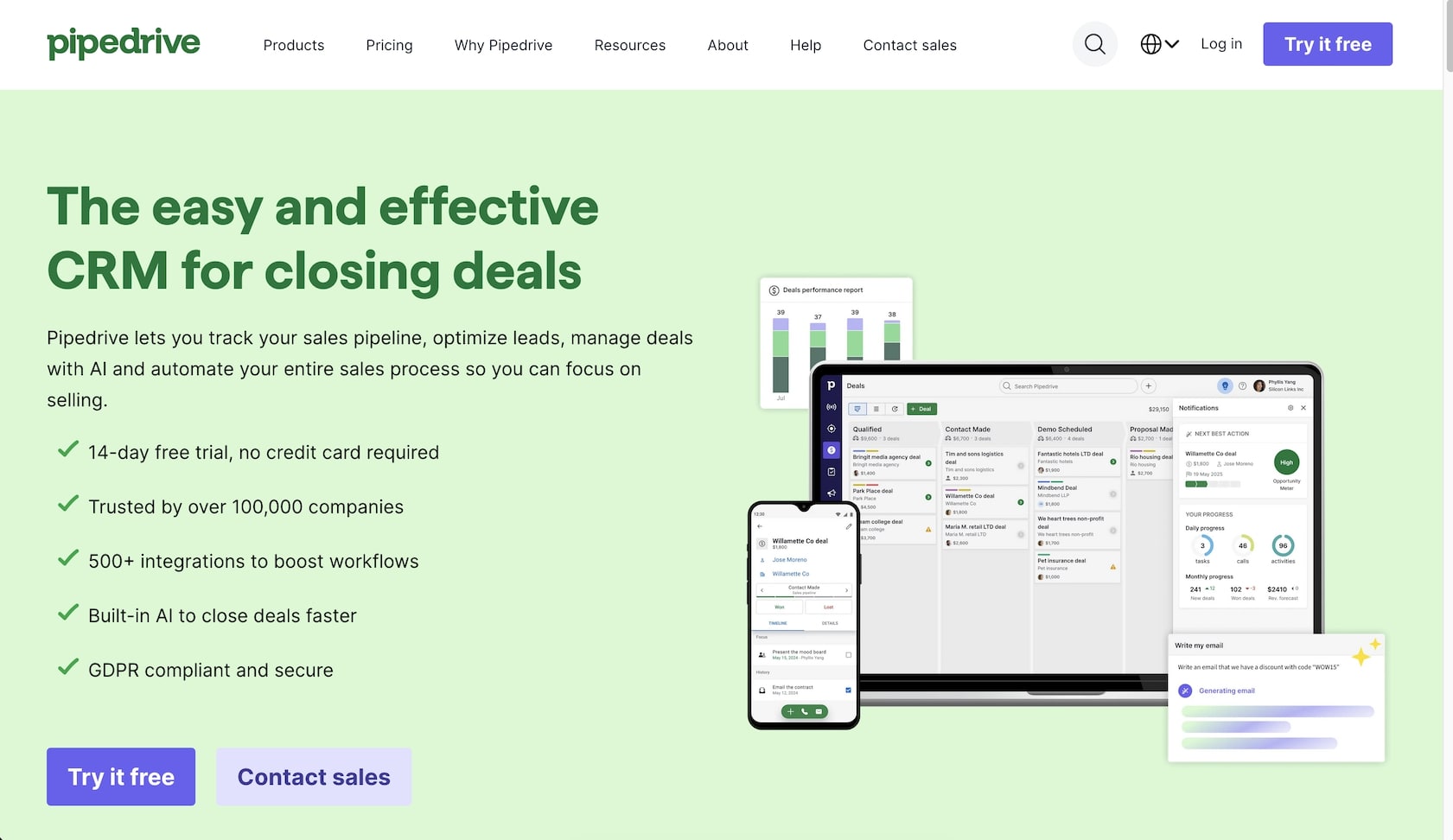
Pipedrive focuses purely on sales pipeline management, serving 100,000+ paying customers in 170+ countries. The visual pipeline interface is the most intuitive on this list — drag deals across stages, and the AI Sales Assistant suggests next steps, flags stalled deals, and prioritizes outreach.
AI Features
- AI Sales Assistant: Suggests next actions, summarizes notes, flags deal risks
- Insights AI: Generates reports from plain language descriptions ("Show me deals closing this month over $10K")
- Email AI: Drafts high-converting outreach emails
- Deal recommendations: AI-powered win probability and deal rotting alerts
- Lead scoring and routing: Automatic prioritization based on engagement
Pipedrive Pricing (2026)
| Plan | Price (Annual) | Key Features |
|---|---|---|
| 🔵 Essential | $14/user/month | Core pipeline, contact management |
| 🟣 Advanced | $39/user/month | Email integration, automations |
| 🟡 Professional | $59/user/month | AI assistant, reporting, revenue forecasting |
| 🔴 Enterprise | $99/user/month | Full features, security, dedicated support |
Pipedrive vs Salesforce vs HubSpot
For teams comparing the three most popular CRM platforms:
| Feature | Pipedrive | Salesforce | HubSpot |
|---|---|---|---|
| Best For | Sales pipeline focus | Enterprise customization | Marketing + sales growth |
| Starting Price | $14/user/mo | $25/user/mo | Free |
| AI Agents | No (assistant only) | Agentforce (autonomous) | Breeze Agents |
| Implementation | Hours | Months | Days-weeks |
| Learning Curve | Low | High | Medium |
| Marketing Tools | No | Via Marketing Cloud | Built-in (Hub model) |
| 10-User Cost | $140-990/mo | $250-5,500/mo | $0-1,500/mo |
The Catch
Pipedrive is sales-only. No marketing automation, no customer service, no app building. The AI assistant is helpful but not agentic — it suggests actions rather than executing them autonomously. At $14-99/user/month, a 10-person team costs $140-990/month for pipeline management alone. For teams wanting CRM + project management + AI agents in one tool, Taskade covers all three at $10/month.
Best for: Sales teams wanting the most visual, intuitive pipeline CRM.
5. Zoho CRM — Best Value AI CRM
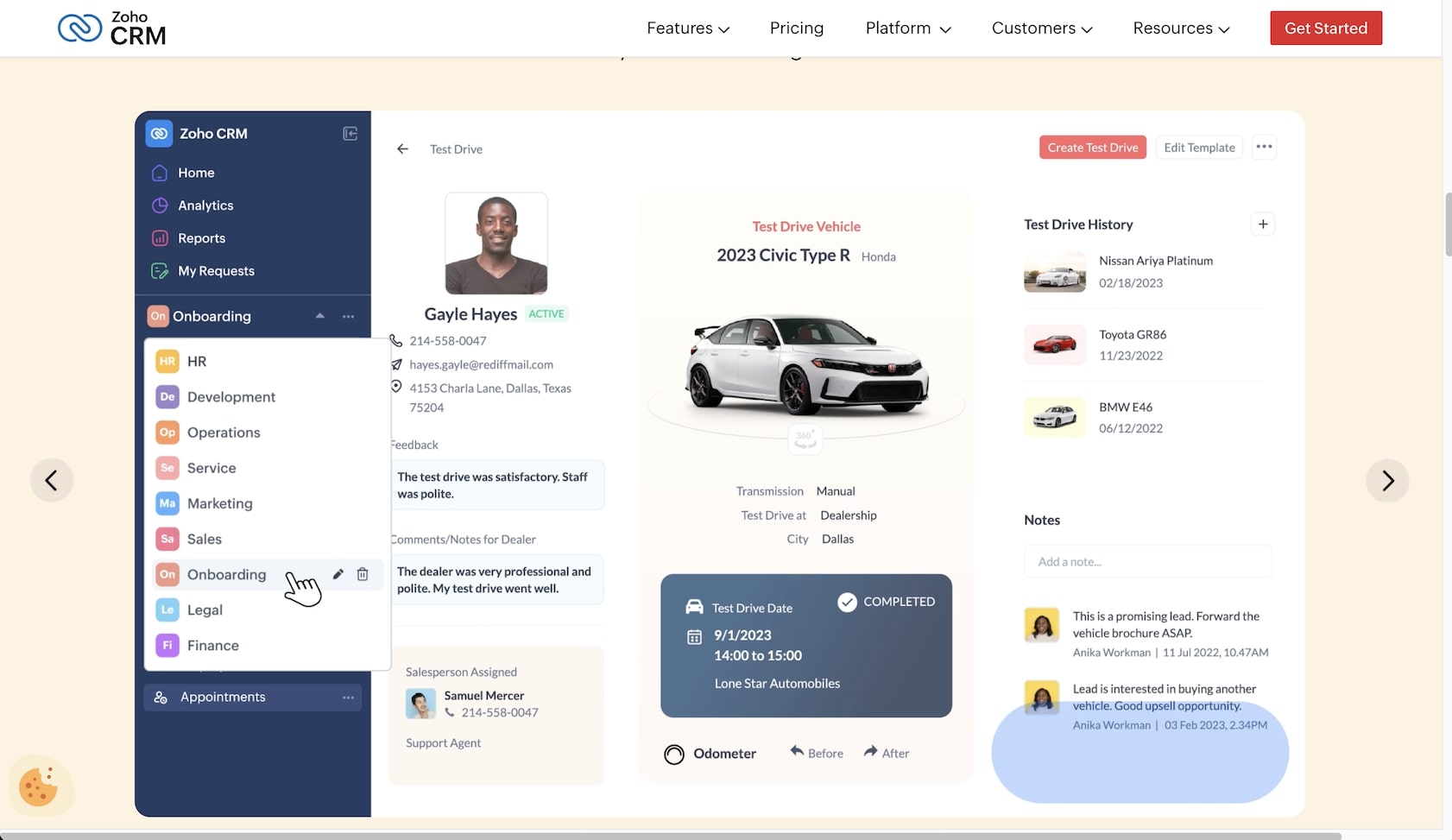
Zoho CRM serves 250,000+ businesses globally and offers the strongest feature-to-price ratio in the CRM market. Zia AI provides predictions, anomaly detection, workflow suggestions, and email sentiment analysis — with new Zia Agents (2025-2026) adding agentic AI capabilities for autonomous sales tasks.
Zia AI Features
- Lead and deal prediction: Score leads and forecast deal outcomes
- Anomaly detection: Alerts when metrics deviate from expected patterns
- Email sentiment analysis: Gauge customer emotions in communications
- Best-time-to-contact: AI recommends optimal outreach timing
- Data enrichment: Automatic contact and company data population
- Zia Agents (new): Agentic AI for autonomous sales workflow execution
Zoho CRM Pricing (2026)
| Plan | Price (Annual) | AI Access |
|---|---|---|
| 🟢 Free | $0 (3 users) | No Zia |
| 🔵 Standard | $14/user/month | Scoring, forecasting |
| 🟣 Professional | $23/user/month | Full features |
| 🟡 Enterprise | $40/user/month | Zia AI, advanced customization |
| 🔴 Ultimate | $52/user/month | Advanced BI, Zia Agents |
Zia Agents (New for 2026)
Zoho's Zia Agents represent the company's move into agentic AI — autonomous sales agents that execute multi-step workflows like lead qualification sequences, follow-up cadences, and pipeline hygiene tasks. Zia Agents are available on the Ultimate tier ($52/user/month), making Zoho one of the more affordable platforms for agentic CRM capabilities.
The Catch
Zia AI is only available from the Enterprise tier ($40/user/month), which undercuts Zoho's "value" positioning when AI is what you're after. Zia Agents require the Ultimate tier ($52/user/month). The broader Zoho ecosystem (55+ apps, 100M+ users) is an advantage if you use other Zoho products — but the individual apps can feel less polished than focused competitors. For AI at every tier without enterprise pricing, Taskade includes AI agents from the free plan.
Best for: SMBs wanting comprehensive CRM at competitive pricing within the Zoho ecosystem.
6. Freshsales — CRM With Built-in Communication
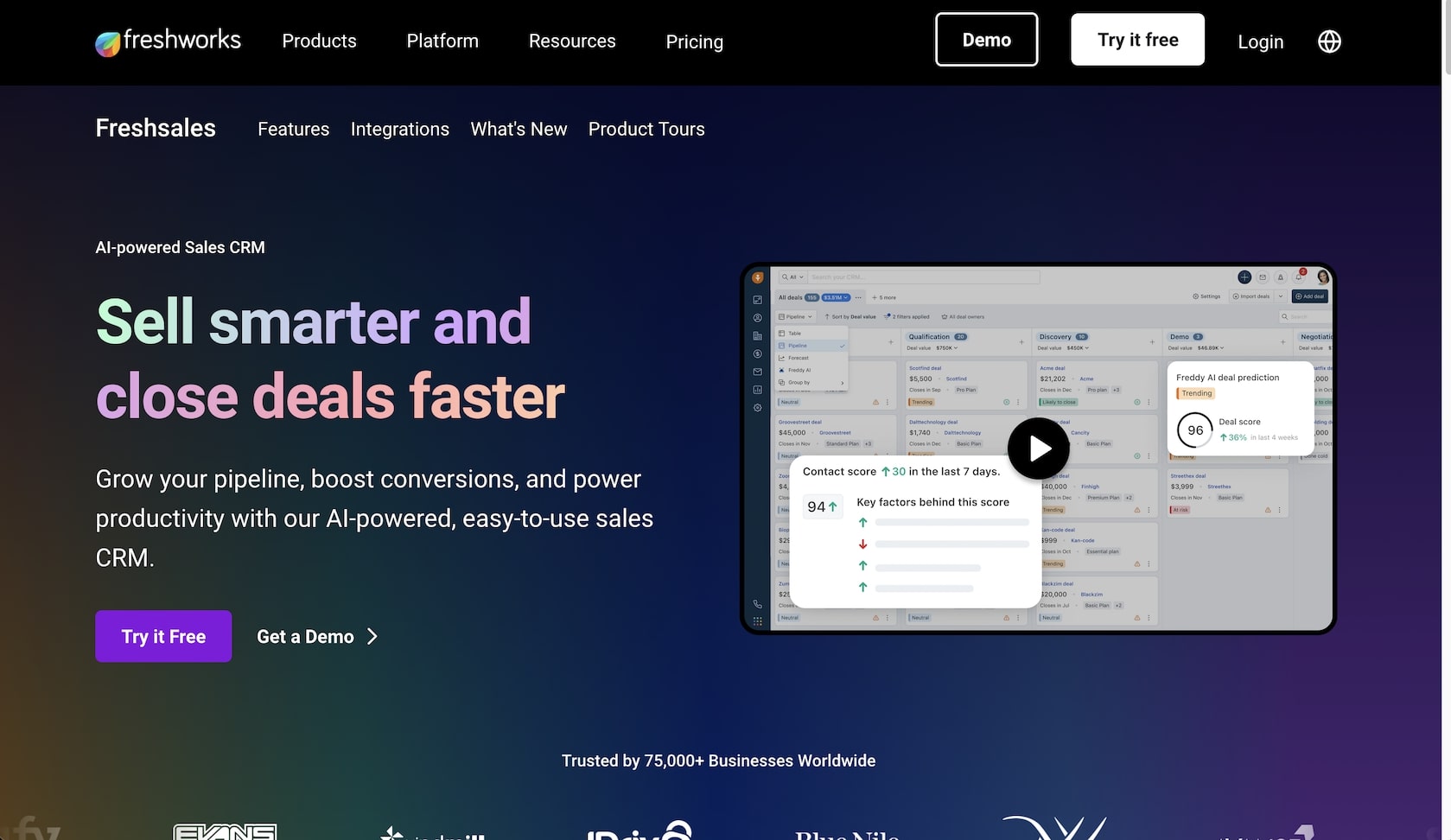
Freshsales from Freshworks combines CRM with built-in phone, email, and chat — reducing the need for separate sales engagement tools. Freddy AI provides lead scoring, deal insights, and conversation intelligence. Freshworks overall serves 72,000+ businesses with $838.8M in 2025 revenue (16% YoY growth).
Freshsales Pricing (2026)
| Plan | Price (Annual) | Key Features |
|---|---|---|
| 🟢 Free | $0 (3 users) | Basic CRM, limited features |
| 🔵 Growth | $9/user/month | Full CRM, email/phone/chat |
| 🟣 Pro | $39/user/month | Freddy AI insights, workflows |
| 🟡 Enterprise | $59/user/month | Advanced features, dedicated support |
Freddy Copilot add-on: $29/agent/month for customer support automation.
Freshworks overall reported $838.8M in 2025 revenue (16% YoY growth), with Q1 2026 guidance of ~$223.5M (above analyst estimates). The company serves 72,000+ businesses across 170 countries, competing primarily with HubSpot and Zoho for budget-conscious SMBs that want built-in communication tools alongside CRM.
The Catch
Freddy AI requires the Pro tier ($39/user/month) — the Growth plan offers CRM without meaningful AI. The $29/agent/month Copilot add-on adds up for teams needing support automation. Freshsales is strong for teams that want phone and email built into their CRM, but lacks the customization depth of Salesforce or the AI agent flexibility of Taskade.
Best for: Teams wanting built-in phone/email/chat communication tools integrated with CRM.
7. Monday CRM — Visual, Customizable CRM
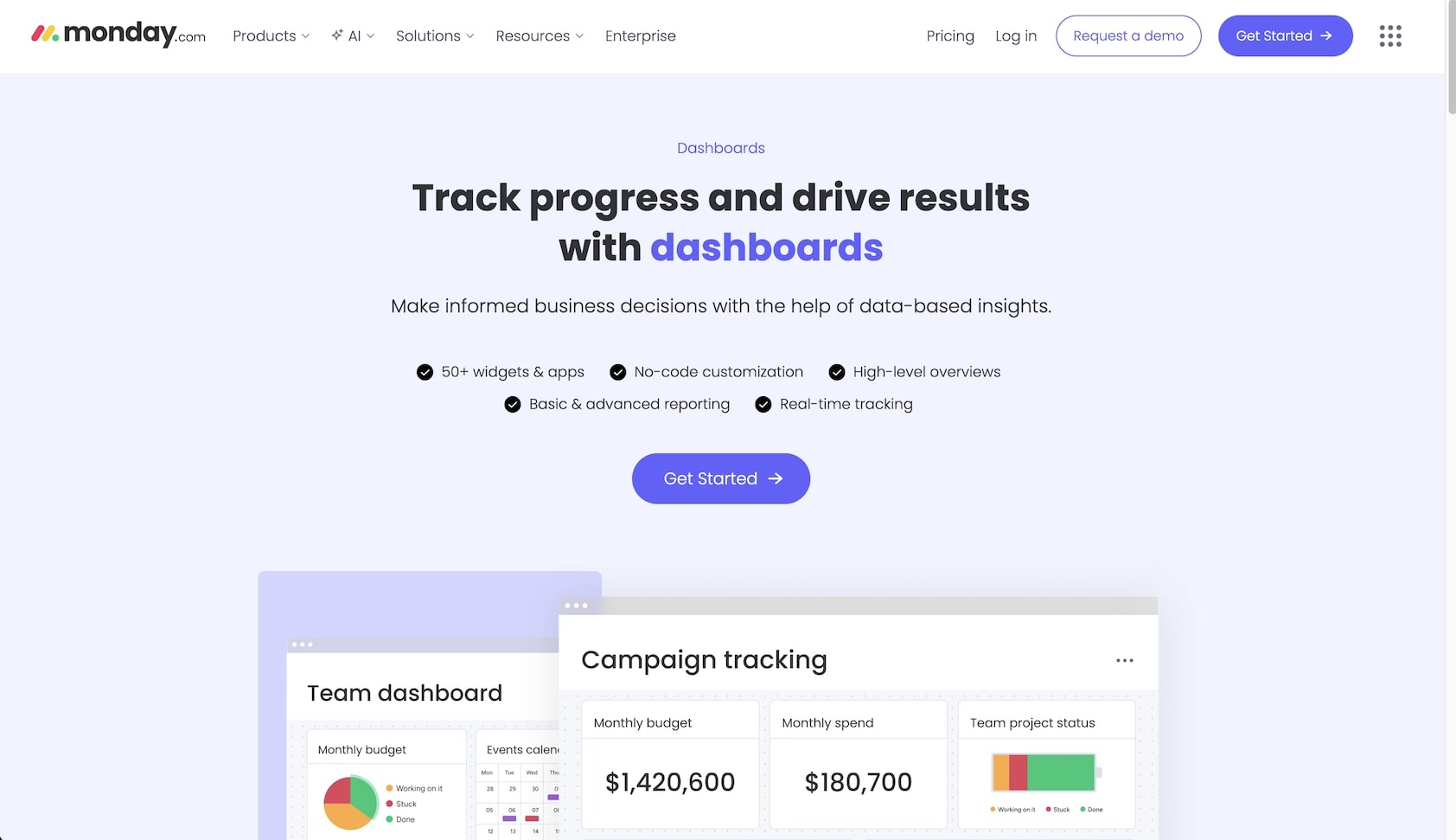
Monday CRM brings the visual, drag-and-drop interface of Monday.com (250,000+ customers) to customer management. The CRM product crossed $100M in ARR recently, making it the fastest-growing new CRM entrant. AI Sales Agents handle lead sourcing, qualification, and outreach, while AI columns autofill, label, and extract data across boards.
Monday CRM Pricing (2026, 3-seat minimum)
| Plan | Price (Annual) | Key Features |
|---|---|---|
| 🟢 Free | $0 (2 users) | Basic CRM |
| 🔵 Basic | $12/seat/month | Core CRM, pipelines |
| 🟣 Standard | $17/seat/month | AI features, automations, integrations |
| 🟡 Pro | $28/seat/month | Sales forecasting, advanced AI |
| 🔴 Enterprise | Custom | Advanced security, governance |
Note: Monday raised Service prices by 18% in February 2026. CRM pricing may follow. The 3-seat minimum applies to all paid plans, meaning solo users still pay for 3 seats.
The Catch
Monday CRM's 3-seat minimum means you're paying for at least 3 seats even as a solo user. AI features require the Standard tier ($17/seat). Monday excels for teams already using Monday.com for project management — but standalone CRM users may find the work OS overhead unnecessary. For a unified workspace with CRM + project management + AI agents, Taskade offers both without per-seat pricing.
Best for: Teams already using Monday.com who want integrated CRM with visual customization.
8. Close — Inside Sales CRM With Built-in Calling
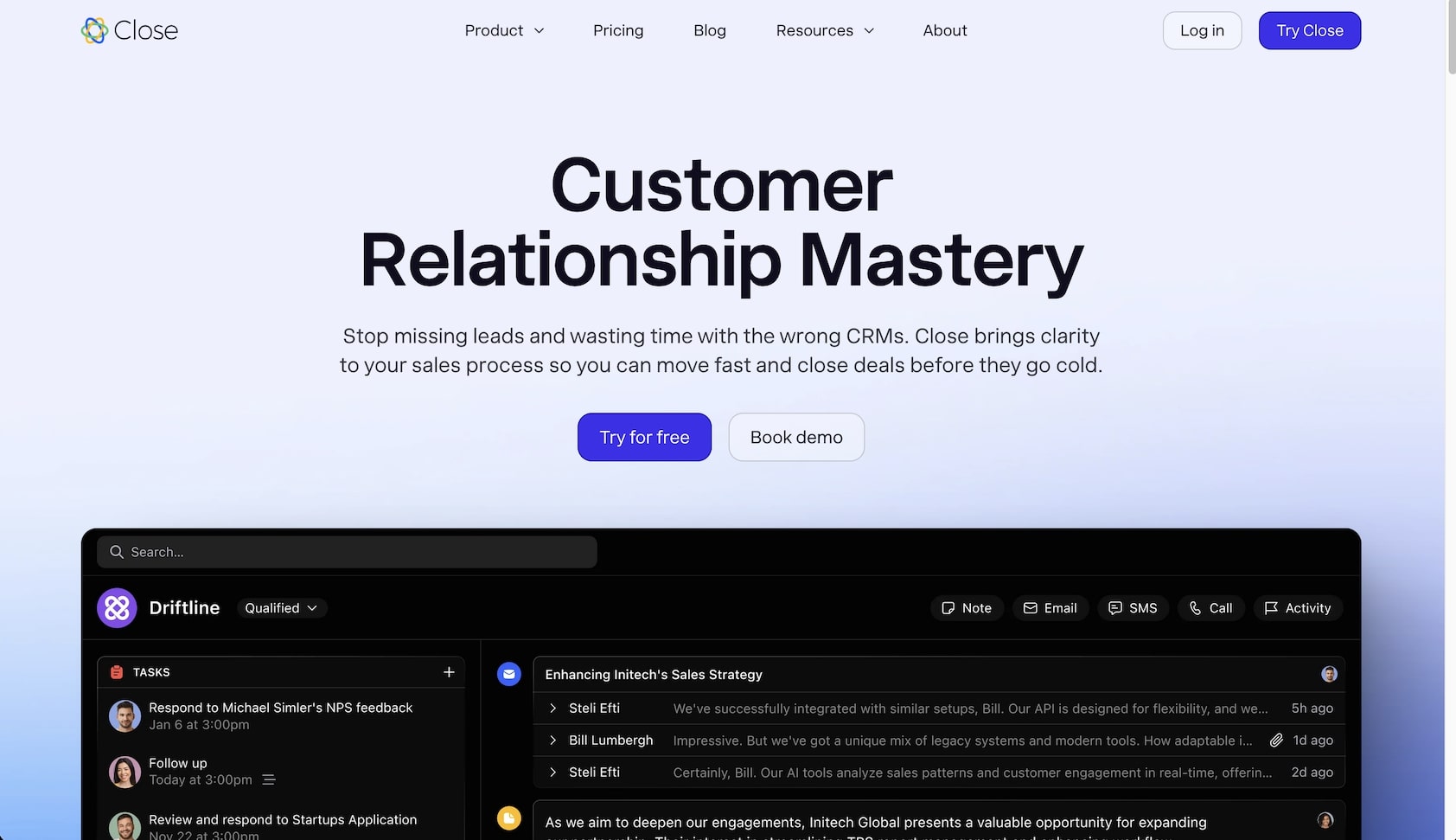
Close is built for high-volume inside sales teams with built-in calling, SMS, email sequences, and a power dialer. AI features transcribe calls (any language), summarize action items, analyze talk time, and score leads — making Close the preferred CRM for teams that spend most of their day on the phone.
Close Pricing (2026)
| Plan | Annual | Monthly | Key Features |
|---|---|---|---|
| 🔵 Solo | $9/user/month | $19/user/month | Basic CRM, 1 user |
| 🟣 Essentials | $35/user/month | $49/user/month | Multiple users, pipeline |
| 🟡 Growth | $99/user/month | $109/user/month | AI email assistant, workflows |
| 🔴 Scale | $139/user/month | $149/user/month | Power dialer, custom fields |
Call Assistant add-on: $50/month + $0.02/minute for sentiment analysis.
The Catch
Close is expensive for what it offers. A 10-person team on Growth costs $990/month — just for CRM with calling. No marketing automation, no customer service, no app building. For teams that need calling alongside broader workflow automation, pairing a VoIP service with Taskade's CRM + AI agents covers more ground at lower cost. If response time is the reason you are shopping for a dialer at all, a speed-to-lead CRM with text-back you own solves that problem without a per-seat calling plan.
Best for: Inside sales teams doing high-volume phone outreach.
9. Copper — Google Workspace Native CRM
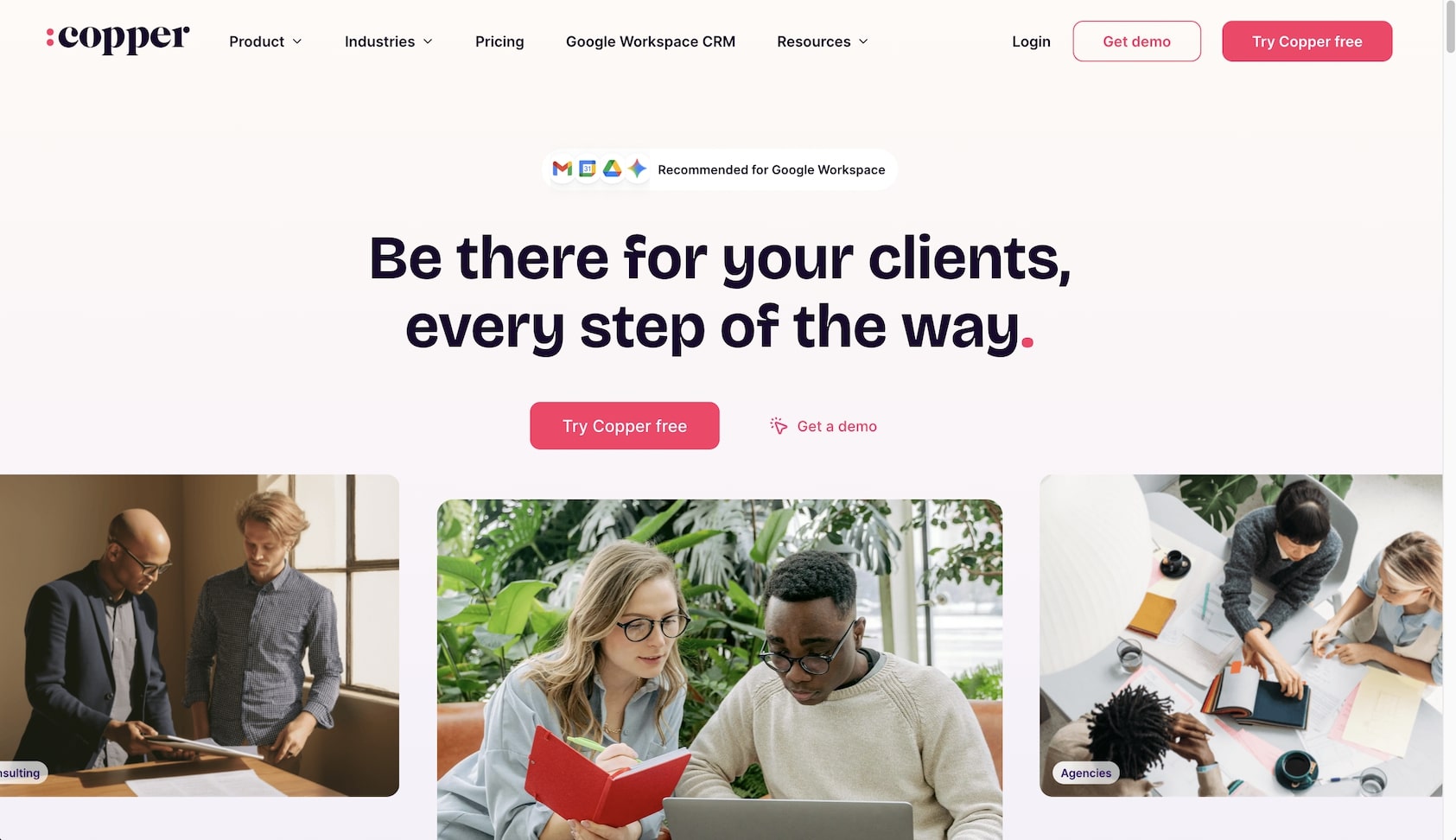
Copper lives inside Google Workspace — appearing in Gmail, Calendar, and Drive as a native sidebar. For teams that run their business through Google, Copper eliminates the "switch to CRM" step by surfacing contact history, deal information, and next actions directly in the inbox. Google Gemini AI integration adds conversational intelligence.
Copper Pricing (2026)
| Plan | Annual | Monthly | Key Features |
|---|---|---|---|
| 🔵 Starter | $9/user/month | $12/user/month | Basic CRM, Google integration |
| 🟣 Basic | $23/user/month | $29/user/month | Pipelines, email templates |
| 🟡 Professional | $59/user/month | $69/user/month | Workflow automation, reporting |
| 🔴 Business | $99/user/month | $134/user/month | Advanced features, integrations |
The Catch
Copper's Google-first approach is both its strength and limitation. If your team uses Microsoft 365 or doesn't live in Gmail, Copper adds no value. AI features are limited compared to Salesforce or HubSpot — Copper automates data capture but doesn't deploy autonomous agents. For Google Workspace teams wanting CRM + AI agents + project management, Taskade integrates with Google tools while adding AI capabilities Copper lacks.
Best for: Teams deeply invested in Google Workspace who want CRM in their inbox.
Cost Comparison: CRM for a 10-Person Sales Team
Here's what each CRM actually costs for a typical 10-person sales team with AI features:
| CRM | Plan (with AI) | Monthly Cost | AI Capabilities |
|---|---|---|---|
| Taskade Pro | Pro | $20 | Full AI agents, automations, app building |
| Freshsales | Pro ($39/user) | $390 | Freddy AI insights |
| Zoho CRM | Enterprise ($40/user) | $400 | Zia AI predictions |
| Pipedrive | Professional ($59/user) | $590 | AI assistant, reporting |
| Monday CRM | Pro ($28/seat) | $280 | AI columns, automations |
| HubSpot | Professional ($100 + $900) | $1,000 | Breeze AI + agents |
| Close | Growth ($99/user) | $990 | Call AI, email assistant |
| Salesforce | Enterprise ($175/user) | $1,750 | Einstein AI |
| Salesforce + Agentforce | Agentforce 1 ($550/user) | $5,500 | Full autonomous agents |
The cost difference is stark: Taskade Pro delivers AI agents and CRM capabilities for $20/month total ($10/month billed annually), while the nearest competitor with AI (Monday CRM Pro) costs 14x more at $280/month.
10. Folk — Relationship-First CRM
Folk takes a relationship-first approach to CRM — focusing on the people behind the deals rather than pipeline stages. Magic Fields (AI-powered data fields) auto-populate based on custom prompts, contact enrichment fills in missing data, and AI drafts personalized icebreakers and follow-ups.
Folk Pricing (2026)
| Plan | Price | Key Features |
|---|---|---|
| 🔵 Standard | $20/user/month | Core CRM, contact enrichment |
| 🟣 Premium | $40/user/month | Deals, dashboards, email sequences |
| 🟡 Custom | From $80/user/month | Advanced features, integrations |
The Catch
Folk is relatively new and lacks the ecosystem depth of HubSpot or Salesforce. No free tier means you're paying from day one, and the Premium plan ($40/user/month) is required for deal management and dashboards — features included by default in most competitors. For teams wanting relationship management with AI agents and broader workspace features, Taskade offers more at lower cost.
Best for: Teams that prioritize relationship quality over pipeline volume.
Why Traditional CRM Is Broken
Traditional CRM has a fundamental problem: it creates more work than it eliminates. Sales reps spend an estimated 28% of their time on CRM data entry rather than actually selling. The promise of "better customer relationships" often translates to "more admin overhead."
The Old Way:
- $50-300/user/month enterprise subscriptions
- 3-6 months of implementation and consultant fees
- Per-seat pricing that scales expensively (10 users = $500-5,500/month)
- Rigid workflows that don't match how your team actually sells
- AI features locked behind premium tiers as expensive add-ons
The New Way (AI-First CRM):
- Describe your sales process in plain English, get a working CRM
- AI agents handle data entry, lead qualification, and follow-ups autonomously
- CRM customized to your exact workflow — not the vendor's template
- Natural language queries about your pipeline ("Which deals are at risk this week?")
- Flat pricing that doesn't punish team growth

This is why Taskade Genesis resonates with growing teams: instead of adapting your sales process to fit Salesforce's complex configuration screens, you tell Genesis what you need and it builds a CRM that works the way you work — with AI agents that execute the repetitive parts.
CRM Market Landscape: Size and Growth
The global CRM market is one of the largest enterprise software categories, valued at approximately $113 billion in 2025 (Fortune Business Insights) and projected to reach $126 billion in 2026, growing at 14.6% CAGR to $163 billion by 2030. North America accounts for ~$35-39 billion of the total market.
Market Leaders by Revenue
| Company | 2025 Revenue | Customers | Market Position |
|---|---|---|---|
| Salesforce | ~$41.5B | 150,000+ | Enterprise CRM standard |
| HubSpot | ~$2.6B | 279,000+ | SMB/mid-market leader |
| Freshworks | $838.8M | 72,000+ | SMB challenger |
| Monday.com | ~$1.46B (platform) | 250,000+ | Visual work OS with CRM |
| Zoho CRM | Not disclosed (private) | 250,000+ | Best value positioning |
The AI agent sub-market within CRM is projected to grow from $7.6 billion in 2025 to $139 billion by 2033 — an 18x increase — as autonomous agents replace manual sales workflows.
The Agentic AI Shift in CRM
The biggest CRM story of 2025-2026 isn't a new feature — it's a new pricing model. Salesforce's introduction of Agentic Work Units and Flex Credits ($0.10 per agent action) signals a fundamental shift: CRM pricing is moving from per-seat to per-action, reflecting the reality that AI agents — not just human reps — now consume CRM resources.
What Agentic CRM Means
| Old CRM (2020-2024) | New CRM (2025-2026) |
|---|---|
| Human enters lead data | AI captures data from emails, forms, calls |
| Human writes follow-up emails | AI drafts and sends personalized outreach |
| Human scores leads by intuition | AI scores by engagement + behavioral signals |
| Human manages pipeline manually | AI updates stages, flags risks, predicts outcomes |
| Human qualifies inbound leads | AI agent qualifies, routes, and books meetings 24/7 |
| Per-seat pricing ($X/user/month) | Hybrid: per-seat + per-action (Flex Credits) |
Gartner predicts 40% of enterprise apps will embed task-specific AI agents by end of 2026, up from less than 5% in 2025. The autonomous AI agent market is projected to grow from $7.6B in 2025 to $139B by 2033 — an 18x increase.
Where Taskade Fits
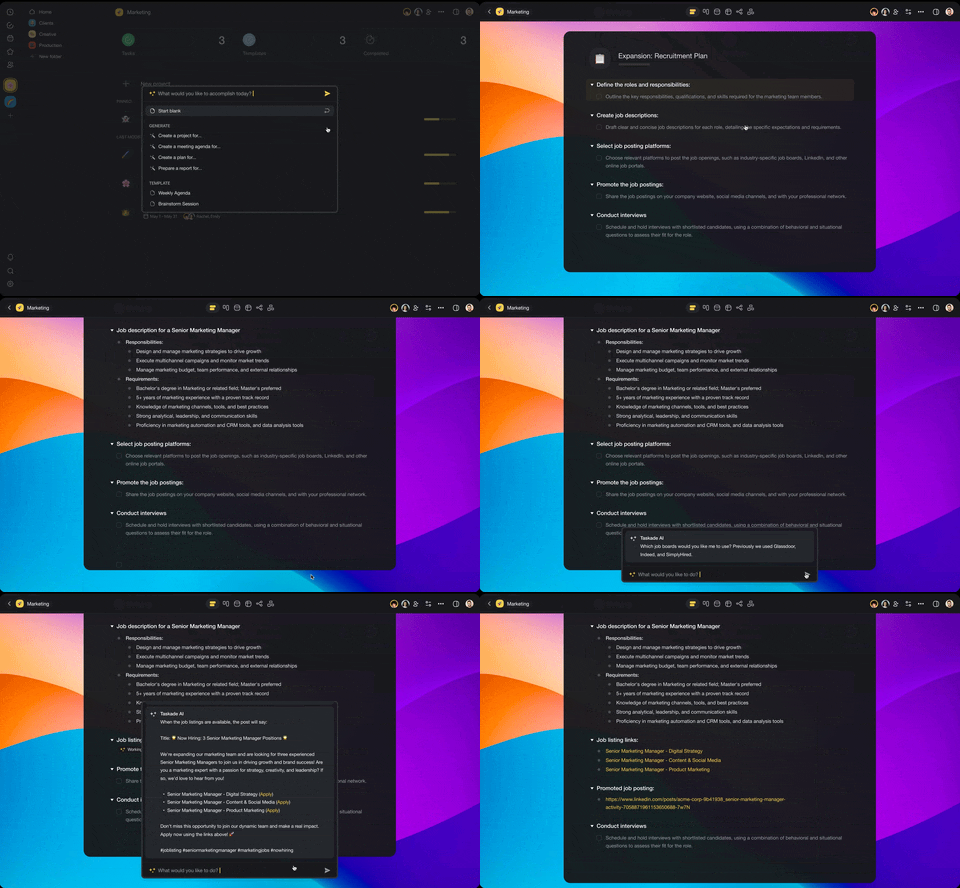
Taskade's AI agents were designed for this agentic future from day one. Unlike Salesforce's per-action billing or HubSpot's credit-gated AI, Taskade includes AI agents at every pricing tier — no usage fees, no credit purchases, no per-action charges. Agents with built-in tools, persistent memory, custom slash commands, and multi-agent collaboration handle lead qualification, follow-ups, and pipeline management within the same workspace where your team plans, collaborates, and builds.

Build an agent team for sales: describe three roles — a lead-qualifier that scores inbound forms, a follow-up writer that drafts outreach, and a CRM-updater that moves deals to the right stage — and Genesis wires them together. They hand work to each other inside the same workspace as your pipeline, powered by frontier models from top AI labs. EVE, Taskade's meta-agent, orchestrates the build so you describe the outcome and it assembles the team.
This is Workspace DNA: your contact data (Memory) feeds your AI agents (Intelligence), agents trigger automations (Execution), and automations create new data (Memory) — a self-reinforcing loop that gets smarter as your team works.
How to Choose the Right AI CRM
By Use Case
| If You Need... | Best Choice | Monthly Cost (10 Users) |
|---|---|---|
| Custom CRM from prompts | Taskade Genesis | $20 |
| Free CRM with growth path | HubSpot | $0 → $1,000+ |
| Enterprise AI agents | Salesforce Agentforce | $2,500-5,500 |
| Visual sales pipeline | Pipedrive | $140-990 |
| Best value with AI | Zoho CRM | $140-520 |
| Built-in phone/email | Freshsales or Close | $90-1,390 |
| Google Workspace CRM | Copper | $90-990 |
| Relationship-first | Folk | $200-400 |
Decision Questions
- Do you need pre-built or custom CRM? Pre-built (HubSpot, Salesforce, Pipedrive) vs. custom (Taskade Genesis, Monday CRM)
- What's your per-seat budget? Under $15/user → Taskade, Freshsales, Pipedrive, Zoho. Under $100/user → all options. Over $100/user → Salesforce, HubSpot Enterprise.
- Do you need autonomous AI agents? Yes → Salesforce Agentforce, Taskade AI Agents, HubSpot Breeze. Basic AI only → Pipedrive, Copper, Folk.
- Which integrations matter? Google → Copper. Salesforce ecosystem → Salesforce. 100+ platforms → Taskade.
- How complex is your sales process? Simple → Taskade, Pipedrive. Complex enterprise → Salesforce. Growth stage → HubSpot, Zoho.
How to Build a Working CRM in 15 Minutes (Copy This Prompt)
You can build a running CRM in Taskade Genesis in about 15 minutes — no code, no template hunting. Here is the exact path, with a prompt you can copy:
- Open the builder. Go to Taskade Genesis and start a new app.
- Paste your CRM prompt. Describe your sales process in plain English:
"Build me a CRM for a 10-person SaaS sales team with pipeline
stages Lead, Qualified, Demo, Negotiation, Closed Won, Closed Lost.
Track deal value, owner, and next action per deal. Add automatic
follow-up reminders at 3 and 7 days, an AI agent that qualifies
inbound leads from our contact form, and a dashboard showing
pipeline value by stage with a monthly revenue forecast."
- Let EVE build it. Taskade's meta-agent generates pipelines, contact fields, the qualifying agent, and a forecast dashboard — across multiple project views.
- Refine conversationally. Ask for changes in plain language ("add a lead-source field," "make the agent post new deals to Slack").
- Connect your tools. Wire in 100+ bidirectional integrations — Gmail, Slack, calendar, forms — so data flows in and out automatically.
- Ship or clone to start faster. Publish it, or clone the sales pipeline dashboard and customize from a working base instead of a blank page.
Outcome: a running CRM your team can use today — the same path the IT program manager above used to ship a production dashboard that replaced an estimated 40-person, 18-month build.
👉 Build your CRM now — describe it, and Genesis ships it →
The Bottom Line
CRM software has evolved from expensive, admin-heavy enterprise platforms to AI-powered systems that anyone can deploy and customize. The 2026 landscape is defined by agentic AI (autonomous agents that execute sales tasks), pricing model disruption (per-seat to per-action), and consolidation through acquisition (Salesforce alone spent $8B+ in 2025).
Our recommendation:
| Scenario | Verdict |
|---|---|
| 🏗️ Build custom CRM, no code | Taskade Genesis — $10/month (annual) for 10 users with AI agents |
| 💰 Free CRM to start | HubSpot — best free tier, scales to enterprise |
| 🏢 Enterprise with AI agents | Salesforce — Agentforce is real (18,500 deals) but expensive |
| 📊 Sales pipeline clarity | Pipedrive — most intuitive visual pipeline |
| 💎 Best value with AI | Zoho CRM — comprehensive at $14-52/user/month |
| 📞 High-volume calling | Close — built for inside sales teams |
| 📧 Google Workspace native | Copper — lives in Gmail |
The biggest shift? You no longer have to adapt your sales process to fit the software. AI-powered tools like Taskade Genesis adapt to you — building CRM systems that match your exact workflow, with AI agents that execute autonomously and automations that connect to 100+ platforms.
Ready to build your CRM?
👉 Create your CRM with Taskade Genesis →
👉 Explore AI agents for sales →
🐑 Stop paying per seat for CRM. Taskade Genesis builds custom CRM systems from prompts — with AI agents that qualify leads, automations that handle follow-ups, and multiple project views that visualize your pipeline. All for $10/month (annual, 10 users included). Workspace DNA in action.
💬 Frequently Asked Questions About AI CRM Software
What is an AI CRM?
An AI CRM uses artificial intelligence to automate customer relationship management — including data entry from emails and conversations, lead scoring based on engagement patterns, predictive deal analytics, conversation intelligence, and autonomous AI agents that qualify leads and execute follow-ups 24/7. The defining 2026 shift: CRM AI moved from copilot (suggest actions) to agentic (execute actions autonomously). Salesforce Agentforce, HubSpot Breeze Agents, and Taskade AI Agents all reflect this evolution.
How much does AI CRM cost?
AI CRM pricing in 2026 ranges from free to $550+/user/month. Free tiers: HubSpot (unlimited users, basic CRM), Zoho (3 users), Freshsales (3 users), Taskade (core features). Budget ($9-15/user/month): Taskade Pro, Copper Starter, Freshsales Growth, Zoho Standard. Mid-range ($20-100/user/month): HubSpot Starter, Pipedrive Professional, Monday Pro, Zoho Enterprise. Enterprise ($100-550/user/month): Salesforce Enterprise, HubSpot Enterprise, Salesforce Agentforce 1. AI agent features typically require higher tiers — except Taskade, which includes AI agents at every plan.
Can I build a custom CRM without coding?
Yes. Taskade Genesis lets you describe your ideal CRM in plain English and generates a fully functional system with custom pipelines, contact fields, deal tracking, AI agent automations, and multiple project views. Other no-code options: Monday CRM (visual drag-and-drop, $12+/seat), Notion databases (lightweight, $10+/user), Airtable (spreadsheet-style). Genesis is unique in combining CRM building with AI agents that actively qualify leads and execute follow-ups.
What is Salesforce Agentforce?
Salesforce Agentforce is an autonomous AI agent platform that reached $540M ARR by Q3 FY2026, growing 330% year-over-year. Agents handle lead qualification, outreach emails, call summaries, and deal coaching autonomously. Pricing: Flex Credits ($0.10 per action), per-user licenses ($125+/month), or Agentforce 1 edition ($550/user/month). Only ~8% of Salesforce's 150K+ customers have adopted it.
What is the best free AI CRM?
HubSpot offers the most feature-rich free CRM: unlimited users, contact management, deal pipelines, email tracking, and meeting scheduling. Zoho CRM and Freshsales provide free tiers for up to 3 users. Taskade offers CRM building on its free plan. However, meaningful AI features are gated behind paid tiers — HubSpot Breeze agents require credits, Zoho Zia requires Enterprise ($40/user), Freshsales Freddy requires Pro ($39/user). For AI included free, Taskade's free tier provides AI agent access.
Is per-seat CRM pricing going away?
Partially. Salesforce's Flex Credits ($0.10/action) and HubSpot's credit-based AI billing signal a shift toward usage-based pricing alongside per-seat models. The logic: when AI agents perform actions (qualifying leads, writing emails, updating pipelines), the cost should reflect agent usage, not just human headcount. Taskade avoids this entirely with flat per-workspace pricing — $10/month (annual) for 10 users, AI agents included, no per-action charges.
How does AI lead scoring work?
AI lead scoring analyzes engagement patterns (email opens, website visits, content downloads), company characteristics (size, industry, tech stack), behavioral signals (response times, meeting attendance), and historical closed-won deal data to predict conversion probability. Scores update in real time as new signals arrive. Available in Salesforce Einstein, HubSpot Breeze Intelligence, Zoho Zia (Enterprise+), Pipedrive AI Assistant (Professional+), and Taskade AI agents.
Can AI CRM integrate with my email?
Yes. All major CRMs integrate with Gmail and Outlook for email tracking, template sending, and activity logging. Copper offers the deepest Google integration (sidebar in Gmail). HubSpot and Salesforce offer strong two-way sync. Taskade connects to email providers through 100+ integrations, plus Slack, calendar tools, and marketing platforms.
Which AI CRM has the best value for small teams?
For small teams (5-10 people), Taskade Pro at $20/month ($10/month billed annually) for 10 users offers the strongest value: custom CRM building, AI agents, 100+ automation integrations, and multiple project views — without per-seat pricing. Compare: Pipedrive Essential = $140/month (10 users), Zoho Standard = $140/month, HubSpot Starter = $150/month. Taskade's workspace pricing means 7x savings over per-seat CRMs.
📚 Related Resources
AI Builder Comparisons:
- Build Your Own CRM With AI — the build-side sibling of this buy-side ranking
- 10 Best AI Dashboard Builders — Analytics and visualization
- 10 Best AI Booking Systems — Scheduling solutions
- Best AI Content Creation Tools — Writing, image, video, voice
- Best AI Productivity Tools for Teams — Complete comparison
Learn About AI:
- What is Vibe Coding? — Build apps by describing what you want
- What Are AI Agents? — The future of workflow automation
- Bolt Review 2026 — AI app builder comparison
- Webflow Review 2026 — Website builder comparison
Explore Taskade:
- AI App Builder → — Create CRM systems from prompts
- AI Agents → — Autonomous sales agents
- Workflow Automation → — 100+ integrations
- Community Templates → — Clone and customize
More Comparisons
CRM Alternatives:
- Taskade vs HubSpot — CRM comparison
- Taskade vs Salesforce — Enterprise CRM
- Taskade vs Monday.com — Work OS comparison
- Taskade vs Notion — Workspace comparison
- All Taskade Reviews — What users say