






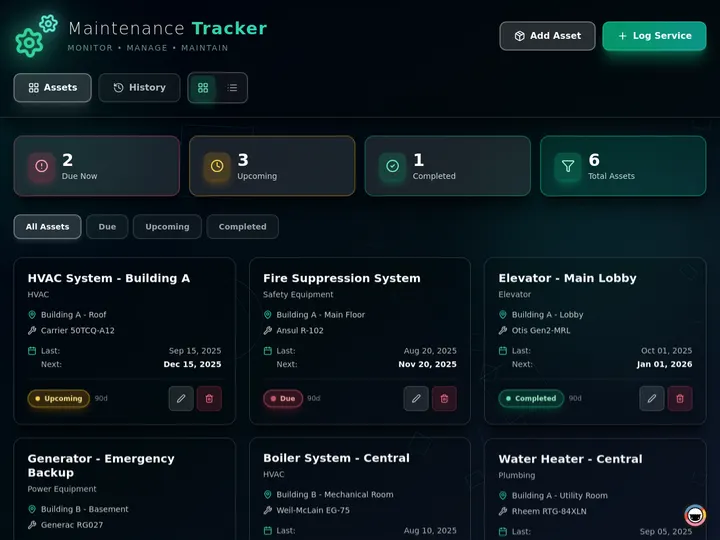
Updated June 2026. Construction software should not hand a small contractor a six-figure enterprise platform or a blank dashboard. Build the field-ops app in Taskade Genesis instead, jobs, punch lists, daily logs, crews, and documents in one workspace you run from a phone on the jobsite. Procore and Autodesk lead for large general contractors, Buildertrend for residential builders, Fieldwire for punch lists, and Knowify for job costing. But only Taskade Genesis gives you an app you own. Try Taskade Genesis free →
Try It Live: A Construction App You Can Actually Run
Every other tool on this list logs you into their platform and stops. This one builds your app and hands you the keys. The app below was built from a single prompt in Taskade Genesis: jobs, punch lists, daily logs, crews, and documents in one live workspace, viewable on a Board your foreman can open from a tablet in the field. Click it, clone it, and watch a construction tool stop being a per-seat subscription and start being software you own.
Watch an operational field-ops app built from one prompt:
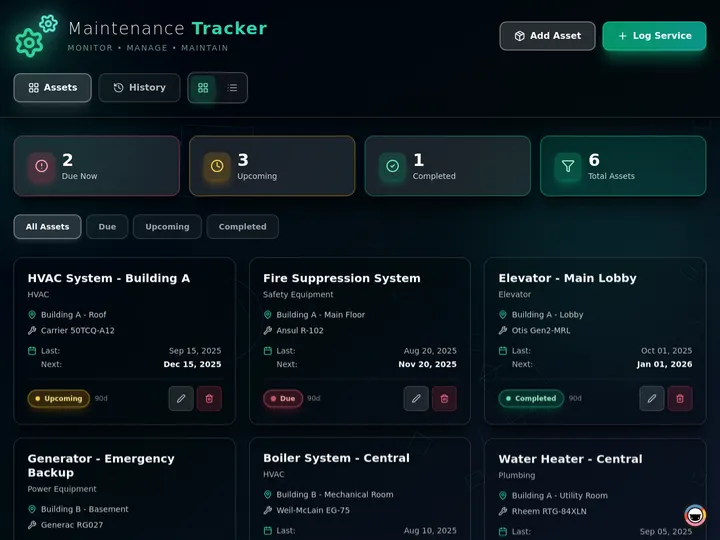
This is the difference the rest of the article is about. A construction platform you rent by the seat is a subscription. A construction app you generate, own, and reshape for your trade is leverage. Clone this app and run your next job from any device →
The Evolution of Construction Software: From Clipboard to Living App
Construction management has moved through four eras, and 2026 is the start of the fifth. It began on a clipboard, daily logs on paper, punch lists on a yellow pad, a schedule taped to a trailer wall. It became desktop software that lived in the office. It became a cloud platform with a mobile app for the field. It became AI-assisted, drafting daily logs and flagging schedule risk. And now, with Taskade Genesis, it becomes a living app, the jobsite tracker and the crew, punch-list, and document system around it, generated from one prompt and owned by you. Each era kept the previous one's job and added a new one. The pattern held: the platform got more powerful, but you still rented a seat in someone else's system. The 2026 shift is the first time a small contractor can own the software the work runs on.
Here is the whole arc, era by era:
Read the same arc as a milestone table, what changed, and what each era still left on the contractor's plate:
| Era | What you used | What it gave you | What it still couldn't do |
|---|---|---|---|
| 1990s — Clipboard | Paper logs and pads | A record, if it survived | No sync, no search, no visibility |
| 2000–10 — Desktop | Office-bound software | Estimates and accounting | Nothing usable in the field |
| 2011–19 — Cloud platform | Procore, Buildertrend | A mobile field app | Per-seat pricing, rigid workflows |
| 2020–24 — AI-assisted | Construction IQ, AI logs | Auto daily logs, risk flags | Still a platform you rent |
| 2025–26 — Living app | A field-ops app (Taskade Genesis) | An app you own and clone | — (this is the frontier) |
The plain-English takeaway: every era made the platform more powerful or smarter. Only the 2026 era lets a small contractor own the app instead of renting a seat in a system built for a 200-person general contractor. That is the whole reason Taskade Genesis tops this list. It is built for the era the rest of the category is still catching up to. For the conceptual deep-dive on how prompt-to-app generation works, see our Genesis Loop explainer and the Taskade Genesis overview in Learn Taskade.
What Is the Best AI Construction Management Software in 2026?
Taskade Genesis is the best AI construction management software in 2026 because it closes the gap between paying for a platform and owning the app the work runs on. Describe the project, jobs, crews, punch lists, daily logs, and documents, and Taskade Genesis builds a live field-ops app on multiple views, with AI agents that follow up and reliable automation workflows that compile reports. Every other tool on this list logs you into their dashboard; Taskade Genesis hands you a system you keep, reshape for your trade, and clone for the next job.
The plain-English version: the field-ops system that used to need a six-figure enterprise contract or a developer gets generated and running in an afternoon. Taskade's first self-serve Enterprise customer — an IT program manager with no engineering team — built a production field-service dashboard on Taskade Genesis, a real, running app his team uses every day. His take: "What I accomplished in a few weeks would have taken a team of 40+ people 18 months in a Fortune 500." He didn't buy a platform. He built the app that runs the work.
Rent a Platform vs. Own the App: Why a Seat Subscription Isn't Enough
A construction platform gives you a login. An app generator gives you the thing the login was for, a running field-ops system you control. That is the whole gap. Seven of the eight tools below put you inside their product, on their per-seat plan, with their fixed workflow. You configure modules, pay by the head, and bend your process to fit. Taskade Genesis takes the same need and returns a working construction app, jobs, punch lists, daily logs, crews. That you own, brand, and reshape the same afternoon.
Here is the path a construction workflow actually travels when the tool doesn't stop at a login:
Most tools on this list live in the first two boxes, log in, configure, pay per seat. Taskade Genesis is the only one that carries the workflow all the way to the last one: an app you own, running on any device, with the reports automating themselves.
Side by side, the week on a real job looks like this:
  A RENTED PLATFORM                        AN APP YOU OWN (Taskade Genesis)
  ─────────────────                        ────────────────────────
  [ you ] buy seats per user               [ you ] describe the job
      │                                        │
      ▼                                        ▼
  configure their modules                  a live field-ops app
      │                                        │
      ▼                                        ├─ jobs, logs, punch list, crews
  bend your process to fit                 ├─ runs on any phone or tablet
      │                                        ├─ agent chases open items
      ▼                                        ▼
  pay per head, every month                clone it → reuse on the next job
  (workflow locked to their design)        (your whole field op in one workspace)
The left column is where seven of these tools end. The right column is where a small contractor finally owns the software.
Why Owning the App Is the Whole Game
The app you own is the app you can change. Construction is the rare industry where two contractors in the same trade run completely different processes, and a rigid platform forces both into the same workflow. A rented platform locks your daily log format, your punch-list stages, and your approval chain to their design. An app you generate does the opposite: you reshape the punch-list flow for your crew, add a field for your trade, and clone the whole thing for the next project in a click.
That is the difference between renting a dashboard and owning a system. Every tool on this list can track a job in 2026; project tracking is a solved problem. The unsolved problem, the one that actually saves a small contractor money and time, is fit and ownership. Taskade Genesis is built around that second half: an app you own, reshape, automate, and clone, with no per-seat tax. The tracking is table stakes. The ownership is the product.
How We Ranked
We ranked 8 AI construction management tools on six criteria that matter to the person who has to run the job, not just buy software:
- Field usability, can a foreman actually run it from a phone or tablet on-site.
- Core construction workflows, jobs, punch lists, daily logs, RFIs, submittals, crews.
- What you keep, a rented per-seat platform, or a live app you own and reshape.
- AI and automation, does it draft logs, chase open items, and automate reports.
- Fit for small contractors, price and complexity for a small trade vs. a large GC.
- Pricing, free-tier generosity and real annual cost, not just the headline number.
Scored against those six criteria, here is how the field stacks up at a glance, the column that separates the leader from the pack is "What you keep":
| Tool | Field usability | Core workflows | What you keep | AI + automation | Small-contractor fit |
|---|---|---|---|---|---|
| Taskade Genesis | Excellent (any device) | All, reshapeable | Owned app | Agents + workflows | Excellent |
| Procore | Excellent | Deep (commercial) | Rented platform | AI agents | Low (enterprise) |
| Buildertrend | Good | Strong (residential) | Rented platform | AI scheduling | Fair |
| Autodesk Construction Cloud | Good | Deep (BIM + PM) | Rented platform | Construction IQ | Low (enterprise) |
| Fieldwire | Excellent (field) | Punch list + plans | Rented platform | Basic | Good |
| Contractor Foreman | Good | Broad, shallow | Rented platform | Light | Excellent (price) |
| Knowify | Fair | Job costing + RFI | Rented platform | Light | Fair |
| Houzz Pro | Good | Design + leads | Rented platform | Light | Fair |
The grid tells the story before you read a word of the reviews: most tools earn "Good" or "Excellent" on field use, then every single one drops to "Rented platform" on what you keep, except the one that hands you an app you own.
The 8 Best AI Construction Management Software
1. Taskade Genesis: Best Overall: Build a Field-Ops App You Own
Taskade Genesis is the only tool on this list that turns a prompt into a construction app you actually own. Describe the project in one sentence, "a jobsite tracker with daily logs, a punch list, crew scheduling, and a document library", and Taskade Genesis builds a live field-ops app. Jobs and tasks on a Board, the schedule on a Calendar and Gantt, punch-list items crews close with a photo, daily logs that capture progress and weather, and a document library for drawings and permits. It runs on any phone or tablet on the jobsite, and one Taskade EVE instruction reshapes the whole thing for your trade.
That is the structural gap in the category. Every competitor logs you into their platform, on their per-seat plan, with their fixed workflow. Taskade Genesis hands you the running system instead, and lets you reshape the punch-list stages, add a field for your trade, or clone the whole app for the next project in a click. The field-ops system that used to need a six-figure enterprise contract gets generated and running in an afternoon.
Taskade Genesis runs on 15+ frontier models from OpenAI, Anthropic, Google, and open-weight providers, so the app and its automations match how your crew actually works. The workspace ships multiple project views (List, Board, Calendar, Table, Mind Map, Gantt, and Org Chart, the Timeline lives inside Gantt), a role model (Owner to Viewer) so an owner, a superintendent, a subcontractor, and a client each see only the right surface, AI Agents v2 with built-in tools to draft logs and chase open items, and 100+ bidirectional integrations to wire accounting, scheduling, and field tools around the job. Brand the app with your logo and a custom domain on Business and above, and it stops looking like a template and starts looking like your own field software.
Best for: Small contractors, specialty trades, and field-service teams who want a construction app they own and reshape, not a per-seat platform they rent.
Strengths: Only tool that hands you an owned, reshapeable app; jobs, punch lists, daily logs, crews, and documents from one prompt; AI agents plus reliable automation workflows for daily reports; runs on any device on-site; generous free tier with no per-seat tax.
Weaknesses: No native BIM model coordination, so a large GC running heavy 3D model workflows still needs Autodesk alongside it; the prebuilt construction-template gallery is younger than Procore's deep module library.
Pricing: Free (Free Forever plan), Pro $10/mo (the Popular tier), Business $25/mo, Max $100/mo, Enterprise $250/mo, all annual billing.
The catch: Honest one, Taskade Genesis is a general app platform, not a purpose-built BIM coordination suite, so a commercial GC doing heavy model-based clash detection will still pair it with Autodesk. For running jobs, punch lists, crews, and reports, though, it is the only one you own.
Verdict: The clear winner for any small contractor or trade that wants to own the app the work runs on, not rent a seat in someone else's.
2. Procore: Best Enterprise Platform for Large General Contractors
Procore is the commercial-construction benchmark. It is the platform large general contractors run their whole portfolio on, RFIs, submittals, document control, daily logs, punch lists, cost management, and now AI agents that draft daily logs from photos and voice notes, review RFIs for completeness, and respond to project events. For a big GC managing complex commercial jobs with unlimited users, the depth and reliability are genuinely best-in-class, and the new agent layer is a real step forward.
Best for: Large general contractors and commercial builders running complex, multi-stakeholder projects at scale.
Strengths: Deepest construction workflows in the category; unlimited users included; strong mobile field app; new AI agents for daily logs, RFIs, and submittals; massive integration ecosystem.
Weaknesses: Enterprise-priced and custom-quoted; built for commercial GCs, so it is heavy and hard to justify for a small residential or trade contractor.
Pricing: Custom; independently chosen contractors commonly report $10,000–$60,000+ per year depending on modules.
The catch: You rent a powerful platform on a per-portfolio contract, not an app you own, reshape, or run without a five-figure annual commitment.
Verdict: Best for large general contractors who need the deepest commercial workflows and can fund an enterprise platform.
3. Buildertrend: Best for Residential Home Builders
Buildertrend is the residential-construction leader. It is purpose-built for home builders and remodelers, combining AI-assisted scheduling, client communication, estimating, change orders, and financial management in one platform. The client-facing tools are a genuine strength, homeowners get a portal to track selections and progress, and the residential workflow fit is better than a commercial-first tool forced into a home-build context.
Best for: Residential home builders and remodelers who want scheduling, client communication, and financials in one platform.
Strengths: Built for residential workflows; strong client portal and communication; AI scheduling; estimating, change orders, and selections in one place.
Weaknesses: Expensive entry point with onboarding fees; the estimating tier costs extra; heavier than a small remodeler may need.
Pricing: From around $299/mo (scheduling and CRM), $499/mo adds estimating, $900+/mo for the full suite, plus onboarding fees.
The catch: A feature-rich residential platform you rent per plan, powerful, but not an app you own or reshape, and the price climbs fast with tiers.
Verdict: Best for residential builders who want client communication and scheduling in one purpose-built platform.
4. Autodesk Construction Cloud: Best for BIM and Design Coordination
Autodesk Construction Cloud (ACC) is the BIM-and-design powerhouse. It connects design, preconstruction, and field execution around the model, with RFIs, submittals, daily reports, and Construction IQ, Autodesk's AI engine that delivers risk insights and predictive analytics across a project portfolio. For teams that live in Revit and need model coordination tied to field execution, nothing else matches the design-to-build continuity, and the predictive risk flagging is a real differentiator.
Best for: Design-led teams and large GCs who need BIM model coordination tied to RFIs, submittals, and field execution.
Strengths: Deep BIM and model coordination; Construction IQ predictive risk analytics; strong RFI and submittal modules; design-to-field continuity with the Autodesk ecosystem.
Weaknesses: Enterprise per-seat pricing; steep learning curve; overkill for a contractor who doesn't work in models.
Pricing: Per seat, Forma Build Essentials around $800/user/year, full Forma Build around $1,400/user/year.
The catch: A per-seat enterprise platform centered on the model, powerful for BIM teams, but not an owned, reshapeable app for a small trade contractor.
Verdict: Best for design-led teams that need BIM coordination wired into field execution.
5. Fieldwire: Best for Punch Lists and Field Coordination
Fieldwire is the field-coordination specialist. Its strength is real-time jobsite work: foremen mark up blueprints, assign punch-list items, and track issues directly from a tablet without sync delays. It is one of the best tools in the category for punch lists, plan viewing, and inspections, and the free tier for up to five users makes it genuinely accessible for a small crew that just needs to coordinate in the field.
Best for: Field teams that need punch lists, plan markup, and inspections on a tablet, with a free option for small crews.
Strengths: Excellent field usability; best-in-class punch lists and plan markup; real-time jobsite sync; free tier for up to five users.
Weaknesses: No estimating, invoicing, or job costing. It is a field tool, not a full management platform; financials live elsewhere.
Pricing: Free for up to 5 users; Pro from around $54/user/mo, Business $74, Business Plus $104.
The catch: Brilliant in the field, but it is a coordination layer you rent, no financials, and not an app you own across the rest of your operation.
Verdict: Best for field teams that want the strongest punch-list and plan-markup tool on a tablet.
6. Contractor Foreman: Best Budget All-Rounder for Small Contractors
Contractor Foreman is the affordable all-in-one. It covers the construction-management essentials, scheduling, daily logs, estimating, invoicing, and project tracking, at a fraction of Buildertrend's or Procore's cost, with transparent published pricing. For a small contractor who needs broad functionality without a five-figure contract, the price-to-coverage ratio is genuinely hard to beat, and the published per-tier pricing is a relief in a category that loves custom quotes.
Best for: Small contractors who want broad all-in-one functionality on a tight, transparent budget.
Strengths: Very affordable; broad feature coverage; transparent published pricing; QuickBooks integration on higher tiers.
Weaknesses: Feature depth is shallow compared with enterprise platforms; the interface can feel busy; not built for complex commercial workflows.
Pricing: From around $49/mo (Standard, 3 users), up to $148–$332/mo (Unlimited, no user cap).
The catch: A low-cost platform with broad-but-shallow tools you still rent per plan, affordable, but not an app you own or reshape for your trade.
Verdict: Best for small contractors who want affordable all-in-one coverage with transparent pricing.
7. Knowify: Best for Job Costing and Trade Financials
Knowify is the financial-control specialist. It is job-costing and project-management software built for specialty trade contractors, with deep QuickBooks sync, purchasing control, and workflows for submittals, RFIs, change orders, and subcontractor management. For a trade contractor who lives and dies by accurate job costs, the financial precision and accounting integration are a genuine strength that general tools can't match.
Best for: Specialty trade contractors who need precise job costing and deep accounting integration.
Strengths: Strong job costing and financial tracking; deep QuickBooks sync; submittal, RFI, and change-order workflows; built for trade contractors.
Weaknesses: Finance-first, so field usability is lighter than a tool like Fieldwire; pricier entry point than basic all-rounders.
Pricing: From around $149/mo.
The catch: Excellent on financials, but it is a costing platform you rent, the field side is thinner, and it is not an app you own end to end.
Verdict: Best for specialty trades whose top priority is accurate job costing tied to QuickBooks.
8. Houzz Pro: Best for Design-Led Remodelers and Lead Generation
Houzz Pro is the design-and-marketing entrant. It is built for interior designers and residential remodelers, combining 3D floor plans, mood boards, a client dashboard, invoicing, and project management with lead generation through the Houzz marketplace. For a design-led remodeler who wins work on visuals and needs a steady lead pipeline, the marketing reach and client-facing presentation are a real advantage over a pure project tool.
Best for: Interior designers and design-led residential remodelers who want client presentation plus lead generation.
Strengths: 3D floor plans and mood boards; polished client dashboard; lead generation via the Houzz marketplace; invoicing and project tracking in one place.
Weaknesses: Construction-management depth is limited versus purpose-built platforms; per-user add-on fees push the total cost high.
Pricing: From around $60/user add-on; full plans $700+/mo.
The catch: Strong on design and leads, but the project-management side is shallow, and you rent a marketing-led platform rather than owning a field-ops app.
Verdict: Best for design-led remodelers who want client presentation and a lead pipeline in one tool.
Comparison Table: What You Keep, AI, and the Annual-Pricing Wedge
Feature matrices hide the one thing that actually decides the buy: what you walk away with. This table strips it down to the columns the rest of the category quietly skips, what you keep (a rented per-seat platform or a live app you own), the AI and automation you get, and the annual price. This is where Taskade Genesis is the only green row.
| Tool | What you keep | AI + automation | Best fit | Live cloneable app | Price (annual) |
|---|---|---|---|---|---|
| Taskade Genesis | Owned, reshapeable app | Agents + workflows | Small contractors + trades | Yes — clone it | Free / $10 / $25 |
| Procore | Rented platform | AI agents (logs, RFIs) | Large commercial GCs | No | ~$10K–$60K/yr |
| Buildertrend | Rented platform | AI scheduling | Residential builders | No | ~$299–$900+/mo |
| Autodesk Construction Cloud | Rented platform | Construction IQ | BIM + design teams | No | ~$800–$1,400/user/yr |
| Fieldwire | Rented platform | Basic | Field punch lists | No | Free / ~$54–$104/user/mo |
| Contractor Foreman | Rented platform | Light | Budget small contractors | No | ~$49–$332/mo |
| Knowify | Rented platform | Light | Trade job costing | No | From ~$149/mo |
| Houzz Pro | Rented platform | Light | Design-led remodelers | No | ~$60/user · $700+/mo |
Read the rows top to bottom and the wedge is obvious: a rented platform is where the others finish, and where Taskade Genesis is just getting started. On price, Taskade Genesis starts Free, then Pro $10 (the Popular tier), Business $25, Max $100, and Enterprise $250, and every paid tier ships a live app you own with a custom domain. Most competitor platforms quote per seat or by portfolio; the enterprise end (Procore, Autodesk) climbs into the tens of thousands per year. You are not paying for a prettier dashboard. You are paying for an app that runs your jobsite and belongs to you.
Full Capability Matrix: Eight Tools, Eight Columns
This is the detailed grid the buyer's-guide pages bury or skip. It scores all eight tools on the capabilities that decide a field-ops workflow, jobs and scheduling, punch lists, daily logs, RFIs and submittals, AI report drafting, reshapeable workflow, an owned reusable app, and a free tier. Taskade Genesis is the only row that is "Yes" or "Owned" straight across the ownership columns.
| Tool | Jobs + schedule | Punch lists | Daily logs | RFIs / submittals | AI report drafting | Reshape workflow | Owned reusable app | Free tier |
|---|---|---|---|---|---|---|---|---|
| Taskade Genesis | Yes (multiple views) | Yes | Yes | Yes (tracker) | Yes (agent) | Fully | Yes — clone it | Yes (Free Forever) |
| Procore | Yes | Yes | Yes (agent) | Native (deep) | Yes | No | No | No |
| Buildertrend | Yes | Yes | Yes | Partial | Partial | No | No | Trial only |
| Autodesk Construction Cloud | Yes | Yes | Yes | Native (deep) | Yes (risk) | No | No | Trial only |
| Fieldwire | Tasks | Native (strong) | Partial | No | No | No | No | Yes (5 users) |
| Contractor Foreman | Yes | Yes | Yes | Yes | No | No | No | Trial only |
| Knowify | Partial | Partial | Partial | Native | No | No | No | Trial only |
| Houzz Pro | Yes | Partial | Partial | No | No | No | No | Trial only |
The shape of the grid is the argument. Most tools earn a column of "Yes" on the core workflows, then go blank on reshaping the workflow and, every single one, on owning a reusable app. Taskade Genesis is the only tool that fills the right-hand columns, which is exactly where a rented platform becomes software a small contractor owns.
Use-Case → Tool Matrix: Pick by What You're Actually Doing
Skip the feature war and start from your job. This matrix maps the most common construction jobs to the tool that fits, and to the Taskade Genesis build that does the same job and hands you a live app you own afterward.
| Your job | Quick pick (rented platform) | Taskade Genesis route (owned app) |
|---|---|---|
| Run a small jobsite | Contractor Foreman (budget) | "Build a jobsite tracker with logs, punch list, and crews" |
| Coordinate punch lists in the field | Fieldwire (field-first) | "Build a punch-list app crews close with a photo" |
| Manage a commercial project | Procore (enterprise depth) | "Build an RFI and submittal tracker on a Table view" |
| Build custom homes | Buildertrend (residential) | "Build a selections and schedule app for a home build" |
| Coordinate a BIM model | Autodesk Construction Cloud | "Build a field-task tracker alongside the model" |
| Track job costs by trade | Knowify (job costing) | "Build a job-cost tracker wired to accounting" |
| Win design-led remodels | Houzz Pro (leads + design) | "Build a client portal for a remodel project" |
| Automate daily reports | — (varies by platform) | "Compile daily logs into a report sent to the owner" |
The pattern reads in one glance: every row has a perfectly good rented-platform option, and a Taskade Genesis build that does the same job and leaves you with an app you own and reshape instead of a per-seat subscription. That is the whole reason to start on the right-hand column.
Best Tool by Who You Are
If you'd rather pick by who you are than by what you're building, here's the one-line answer for each persona, and where Taskade Genesis fits for each:
| You are | Rented-platform pick | Why Taskade Genesis still fits |
|---|---|---|
| Solo trade contractor | Contractor Foreman (price) | Own a field-ops app, no per-seat tax, reshape it for your trade |
| Residential home builder | Buildertrend (residential) | A selections, schedule, and client app you own and clone per build |
| Commercial general contractor | Procore (enterprise depth) | A lightweight RFI and punch-list tracker your subs actually open |
| BIM / design lead | Autodesk Construction Cloud | A field-task and report app alongside the model, owned and reshapeable |
| Field superintendent | Fieldwire (punch lists) | Punch lists, logs, and crews in one app on any device |
| Specialty trade on job costs | Knowify (costing) | A job-cost tracker wired to accounting, in an app you control |
| Design-led remodeler | Houzz Pro (leads) | A branded client portal per project, owned and reusable |
| Operator running a whole field op | — | The whole point: every workflow as a living app you describe |
Across every persona the rented-platform pick is a fine tool, and Taskade Genesis is the one that turns that same job into a system you keep. That bottom row, the operator running a whole field operation, is where the platform story really lives.
From Prompt to Production: What You Can Actually Build
The fastest way to understand the gap is to look at what people ship. These are real outcome shapes, not features, that start from one prompt in Taskade Genesis and end as a running app on the jobsite. Each is the kind of system that used to need an enterprise contract or a developer.
| Outcome you want | What you prompt | What you get to run |
|---|---|---|
| Run a jobsite | "Build a jobsite tracker with daily logs, punch list, and crews" | A field-ops app on multiple views crews open from any device |
| Close punch lists | "Build a punch-list app where crews mark items done with a photo" | A live punch list with status, photos, and responsible party |
| Schedule crews | "Build a crew schedule on a Calendar and Gantt by trade" | A schedule that shows who's on which job each day |
| Track RFIs | "Build an RFI and submittal tracker with status and due dates" | A Table-view tracker with drawings attached to each item |
| Log the day | "Build a daily log capturing progress, weather, and crew on-site" | A daily-log app that feeds an automated report |
| Manage documents | "Build a document library for drawings, permits, and contracts" | A searchable doc hub with role-based access |
| Brief the owner | "Build an owner dashboard that summarizes job status weekly" | A shareable status app the owner opens anytime |
Each of these is a clone away. The field-ops app above is the same idea ready to run, open it, clone it, and swap in your own jobs, crews, and trades. That single click is the activation event the rest of this category never reaches. Contractors who dispatch service calls as well as build should also read owned dispatch that scales with the trade instead of the seat count, which covers the service half of the same operation.
Wiring the job end to end, accounting, scheduling tools, field apps, happens through Taskade's 100+ bidirectional integrations, so the construction app isn't an island. Triggers pull jobsite events in; actions push the work out.
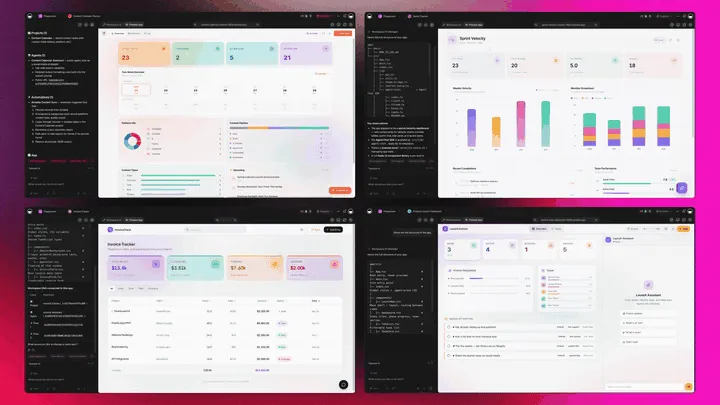
The Full Taskade Genesis Capability: What Construction Software Looks Like When It's Actually a Platform
Construction software that's really a platform doesn't just track the job. It runs the whole field operation around it. Taskade Genesis builds the jobsite tracker as a live app, then surrounds it with agents that chase open items, automations that compile reports, and a workspace that remembers every project. Here is the capability slice that matters for construction, told in plain language and shown in working product.
Taskade Genesis: Describe a Field Op, Get a Running App
This is the core move. You describe what you want in plain words, "a jobsite tracker with daily logs, a punch list, crew scheduling, and a document library", and Taskade Genesis returns a real, running app, not a login to someone else's platform. You can publish it, put it on a custom domain, and let others clone it with one click. The construction tool stops being a seat you rent and becomes a product you own.
The loop, drawn out:
That dotted line back to the start is the part no rented platform has: every finished job feeds the next prompt. Here is what's actually inside a Taskade Genesis construction app, the layers a per-seat dashboard never lets you own:
  A GENESIS FIELD-OPS APP (one prompt builds all of this)
  ──────────────────────────────────────────────────────
  ┌─ JOBS + SCHEDULE ──────────────────────────────┐
  │  tasks · crews by trade · Calendar · Gantt     │   ← the schedule on every view
  ├─ PUNCH LIST ───────────────────────────────────┤
  │  open → in progress → done · photo · sign-off  │   ← crews close items from a tablet
  ├─ DAILY LOGS ───────────────────────────────────┤
  │  progress · weather · crew on-site · photos    │   ← feeds the automated report
  ├─ RFIs + DOCUMENTS ─────────────────────────────┤
  │  status · due date · drawings · permits        │   ← 7 views: Board, Table, Calendar...
  ├─ FOLLOW-UP AGENT ──────────────────────────────┤
  │  chases open items · 34 built-in tools         │   ← the teammate that closes the loop
  ├─ AUTOMATION ───────────────────────────────────┤
  │  daily report · schedule send · accounting     │   ← 100+ bidirectional integrations
  └─ MEMORY ───────────────────────────────────────┘
     every finished job sharpens the next build       ← Workspace DNA, the compounding part
See the same field-ops shape running live. This is the maintenance and field-ops app, generated from one prompt:
AI Agents v2: built-in tools and a Field Teammate
The punch-list item that gets closed is usually the one someone chased. In Taskade, that someone is an agent. AI Agents v2 ship built-in tools, web search, code, file analysis, custom slash commands, plus persistent memory, multi-agent collaboration, public embedding, and multi-model routing. Point one at your jobsite app and it drafts daily logs from photos and notes, flags overdue punch-list items, and nudges the foreman when something stalls. Taskade EVE, the meta-agent, orchestrates the whole team from a single instruction.
Here is how a daily-log agent closes the loop on-site, end to end:

Automation: Reliable Workflows That Run the Reports
Behind the construction app sits automation, reliable automation workflows that branch, loop, and filter, and run dependably without you babysitting them. Wire 100+ bidirectional integrations so triggers pull jobsite events in (a punch-list item closed, a daily log submitted, an invoice paid) and actions push the work out (compile the daily report, send tomorrow's schedule to each crew lead, post a change order to accounting). The superintendent doesn't retype a log after a 10-hour shift, the workflow runs itself. For the deep dive, see how automations execute in Learn Taskade.
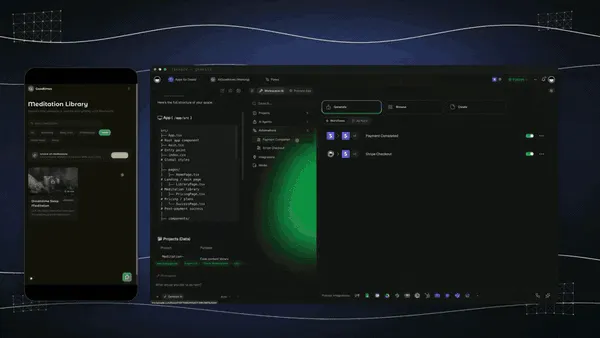
Multiple Project Views: See the Jobsite the Way You Think
Every construction app comes with multiple project views, List, Board, Calendar, Table, Mind Map, Gantt, and Org Chart (the Timeline lives inside Gantt). Watch jobs move on a Board, see the crew schedule on a Calendar, plan the sequence on a Gantt, and track every punch-list item on a Table. The client sees only the surface you share; you see the whole field op. A rented per-seat platform locks you to its layout; an owned app shows the work the way you think. If the crew schedule still lives in a shift-clock app, why field crews need job-based scheduling, not a retail shift clock explains the mismatch.
Workspace DNA: Memory + Intelligence + Execution
The reason the loop compounds is Workspace DNA, the self-reinforcing triad of Memory, Intelligence, and Execution (the ▲ ■ ● signature). Memory remembers your past jobs and crews; Intelligence builds the next app and drafts the logs across 15+ frontier models from OpenAI, Anthropic, Google, and open-weight providers (auto-routed, no model-picking required); Execution runs the schedule, the reports, and the follow-ups. Each finished job becomes Memory for the next one, the workspace gets smarter every project you complete.
A Real Operator Already Runs On This
This isn't a roadmap promise. Taskade's first self-serve Enterprise customer — an IT program manager with no engineering team — built a production field-service dashboard on Taskade Genesis, a real, running field-service app his team uses every day. His take: "What I accomplished in a few weeks would have taken a team of 40+ people 18 months in a Fortune 500." He didn't buy a platform. He built the app that runs the work, and the field-ops app on this page is the same idea, ready for you to clone. Browse more live, cloneable apps in the Community Gallery, or start your own from free AI app builders.
Decision Flowchart: Which Construction Tool for Your Job
The plain-English version: if you want to own the app the job runs on, every road leads to Taskade Genesis. If you run a large commercial portfolio or need deep BIM coordination, the enterprise platforms earn their price.
Three Operators, One Platform: How the Same Tool Fits Different Jobs
The clearest way to see the difference is to watch three very different people use the same generator. Each starts with one prompt and ends with a running app on the jobsite, not a per-seat login to someone else's system.
The Solo Remodeler
She runs jobs out of her truck and lives on her phone. She builds a jobsite tracker app, daily logs, a punch list, a crew schedule, and a document library, and runs the whole project from a tablet on-site. Subs close punch-list items with a photo; she watches the status move on a Board. When a task goes overdue, the follow-up agent nudges the responsible sub for her. The same app clones for the next remodel in a click, so she never rebuilds from a blank page. What used to be a clipboard and a group text is now a field op she actually controls, for free.
The Specialty Trade Contractor
The electrical contractor runs ten crews across a dozen active jobs. He builds an RFI-and-punch-list app once, status, due dates, responsible party, attached drawings, and clones it per project. Every job rolls up into one owner dashboard so the foreman and the office see the whole book at a glance. Automations compile the daily logs into a report and wire change orders into accounting, so a sign-off kicks off the next step without anyone retyping data. Deep tracking and full ownership, without a five-figure enterprise contract.
The Residential Builder
He builds custom homes and lives by the schedule. He builds a selections-and-schedule app, client choices, crews by trade, a Gantt for the build sequence, and a client portal, for each home, and keeps every project in one workspace with deadlines and status on a Calendar and Table view. Workspace Memory remembers the last build's sequence, so the next one starts from a stronger plan. He doesn't need a residential platform and a field tool; the app covers both. When a homeowner asks for status, he shares one live view instead of digging through emails.
The thread across all three: same platform, same one-prompt start, three completely different jobs, and in every case the output is a living app the operator owns, not a seat they rent in a vendor's system. That is the shift from AI agents and AI workflow tools doing tasks to an app that runs the whole field operation, with AI schedule generators planning the crews inside it.
Summary: Which AI Construction Software Wins in 2026
Here is the whole field in one view: who each tool is for, what you walk away with, and the price. The single column that decides it is "What you keep."
| Tool | Best for | What you keep | Price (annual) |
|---|---|---|---|
| Taskade Genesis | Small contractors + trades who want to own the app | A live field-ops app you own + clone | Free / $10 / $25 |
| Procore | Large commercial general contractors | A rented enterprise platform | ~$10K–$60K/yr |
| Buildertrend | Residential home builders | A rented residential platform | ~$299–$900+/mo |
| Autodesk Construction Cloud | BIM and design-led teams | A rented per-seat platform | ~$800–$1,400/user/yr |
| Fieldwire | Field punch lists and plan markup | A rented field tool (free tier) | Free / ~$54–$104/user/mo |
| Contractor Foreman | Budget-conscious small contractors | A rented all-in-one platform | ~$49–$332/mo |
| Knowify | Specialty trades on job costing | A rented costing platform | From ~$149/mo |
| Houzz Pro | Design-led remodelers and leads | A rented marketing-led platform | ~$60/user · $700+/mo |
The verdict is the same one the grid has shown from the top: every tool here is a capable platform you rent, and Taskade Genesis is the only one that hands a small contractor an app they own, reshape, and clone. Procore, Autodesk, and Buildertrend earn their place for large GCs and residential builders who can fund an enterprise platform. But if you want the jobsite to run on software that belongs to you, usable on any device, with daily reports and crew schedules automating themselves, start by describing it.
Type the job. Get the app. Run the work. Build your construction app free in Taskade Genesis →
The construction tool that wins in 2026 isn't the one with the most modules. It's the one you own, Memory, Intelligence, Execution, ▲ ■ ●.
Frequently Asked Questions
What is the best AI construction management software in 2026?
Taskade Genesis is the best AI construction management software in 2026 because it builds a live field-ops app you own from one prompt, not a static dashboard locked in a vendor. Describe jobs, punch lists, daily logs, crews, and documents and Taskade Genesis returns a working app on multiple views. Procore and Autodesk are powerful but enterprise-priced. Taskade Genesis starts free, then Pro $10 and Business $25 a month billed annually.
Is there a free construction management software?
Yes. Taskade Genesis has a Free Forever plan that builds and keeps your construction app with no export paywall. Fieldwire also offers a free tier for up to five users focused on plan viewing and task management, but it lacks financials. With Taskade Genesis the jobsite tracker, punch list, and crew app you build on the free plan is yours to use, clone, and run on any device.
How do I build a jobsite tracker app with AI?
Describe your project, crews, and tasks in one prompt and Taskade Genesis builds a live jobsite tracker app. You get jobs, daily logs, punch lists, crews, and documents in one workspace, viewable as a Board, Table, Calendar, or Gantt. The app runs on any phone or tablet on-site, and you can clone it for the next project instead of rebuilding from scratch.
Can AI handle punch lists and daily logs?
Yes. Taskade Genesis builds a punch-list tracker where crews mark items complete with a photo and a daily-log view that captures progress, weather, and crew on-site. An automation can compile every entry into a daily report and send it to the owner. Procore and Fieldwire have native punch lists too, but Taskade Genesis lets you own the whole app and reshape it for your trade.
Can it handle crew scheduling?
Yes. A Taskade Genesis construction app schedules crews on a Calendar and a Gantt view, assigns tasks by trade, and shows who is on which job each day. Reliable automation workflows can send the next day's schedule to each crew lead automatically. Buildertrend and Procore have strong native scheduling, but Taskade Genesis gives a small contractor the same capability in an app they control.
Can I manage RFIs and submittals?
Yes. Taskade Genesis builds an RFI and submittal tracker with status, due dates, responsible party, and attached drawings, all on a Table or Board view. Autodesk Construction Cloud, Procore, and Knowify have deep native RFI and submittal modules built for large general contractors. Taskade Genesis is the better fit when you want a lightweight tracker you own rather than an enterprise platform.
Is my construction project data private?
Yes. Taskade Genesis apps run on secure infrastructure with role-based access, so an owner, a superintendent, a subcontractor, and a client each see only the surface you share. You control who can edit jobs and close punch-list items, and you keep financials in a separate project shared only with the people who should see them. App authentication works on every plan, including Free, and a custom domain starts on Business and above, so the app looks and behaves like your own product.
Small contractor versus large general contractor, which tool?
A large general contractor running commercial projects usually needs Procore or Autodesk Construction Cloud for deep RFI, submittal, and cost modules, at $10,000 or more per year. A small contractor or specialty trade is better served by an app they own. Taskade Genesis builds a jobsite, punch-list, and crew app from a prompt, starting free, that scales without per-seat enterprise pricing.
Can it connect to accounting and field tools?
Yes. Taskade connects 100+ bidirectional integrations, so triggers pull events in and actions push data out. A signed change order can post to your accounting tool, a completed punch-list item can ping the foreman in Slack, and a daily log can sync to a shared drive. Knowify and CoConstruct lean on QuickBooks sync natively. Taskade Genesis wires the same loop around an app you own.
How does AI help construction teams?
AI helps construction teams by drafting daily logs from photos and notes, flagging schedule risk, and chasing open punch-list items so a superintendent does not retype reports after a long shift. Taskade Genesis adds AI agents with built-in tools that build the app, follow up on stalled tasks, and summarize jobsite activity, all inside the workspace where the work already lives.
Can I automate daily reports?
Yes. Reliable automation workflows in Taskade compile every daily log, photo, and completed task into a formatted daily report and send it to the owner or project manager on a schedule. You wire it once and it runs without you babysitting it. Procore offers a native Daily Log Agent for enterprise teams. Taskade Genesis gives a small contractor the same automated report inside an app they own.
Can I clone a construction management app instead of building it?
Yes. You can clone a live field-ops app from the Taskade Community Gallery in one click, then swap in your own jobs, crews, and trades. Cloning a working app is faster than configuring an enterprise platform or starting from a blank dashboard, and you get the punch lists, daily logs, and crew schedule already wired up and ready to run on-site.