Best AI Music Theory Tools 2026: 20 Tutors and Ear Trainers
20 AI music theory tools compared: chat tutors, ear trainers, chord tools and practice apps for every level. Free plans and prices checked in November 2026.
The best AI music theory tools in 2026 split into two jobs: tools that explain and tools that check. Chat tutors such as ChatGPT, Claude, and Gemini explain a concept in plain words, at any hour, at any level. Drill apps such as EarMaster, ToneGym, and musictheory.net check whether you actually learned it, by ear and on the staff. You need one of each, because research shows chat models still guess on multi-step music reasoning. Below are 20 tools in seven groups, with free plans and prices checked on November 7, 2026, and the ChatGPT prices and the Chordify free plan re-checked on November 12, 2026.
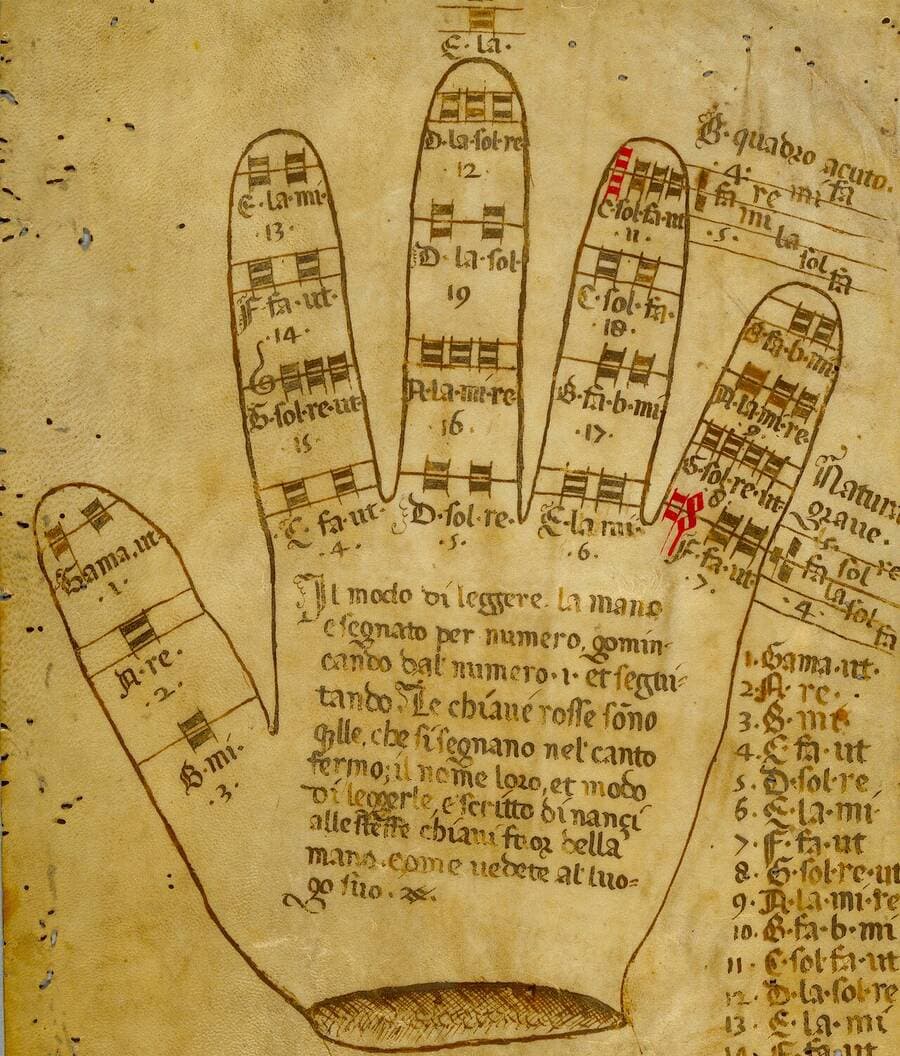
The need is old. Around the year 1030, an Italian monk named Guido of Arezzo had a problem every music teacher still has: students forget. His answer was the syllables ut, re, mi, fa, sol, la, and, in the generations after him, a diagram drawn on the palm of the hand. A singer pointed to a knuckle and sang the note it stood for. The hand was a tutor that went everywhere and never got tired.
Cover image: a Guidonian hand from a late 15th-century manuscript. Wikimedia Commons, public domain.
TL;DR: We compared 20 AI music theory tools by the job they do: chat tutors that explain (ChatGPT, Claude, Gemini), ear trainers that test (EarMaster, ToneGym), chord tools that suggest (Hookpad with Aria, ChordChord), and practice apps that listen (Yousician, Skoove). Free plans checked November 2026. Start with the music theory AI tutor agent.
Quick Answer: The Best AI Music Theory Tool for Each Goal
The best AI music theory tool depends on the skill you want to build. For understanding a concept, a free chat tutor is the fastest start. For proving you learned it, a drill site or ear trainer grades every answer. For writing songs, a chord tool puts theory on screen while you work. For playing, an app that listens corrects your notes and timing.
An AI music theory tool uses machine learning to explain, test, or apply the rules of harmony, rhythm, melody, and notation. In 2026 the term covers six kinds of products: chat tutors, theory courses with drills, ear trainers, chord and song-analysis tools, instrument apps that listen, and notation software. Only some of them use AI. The rest use fixed rules, and that is a feature, because fixed rules make a reliable checker.
Each group hands you something different at the end of a practice session:
WHAT YOU GET BACK                  EXAMPLE TOOLS                       DOES IT CHECK YOU?
────────────────────────────────   ─────────────────────────────────   ──────────────────
An explanation in plain words      ChatGPT, Claude, Gemini, Taskade    Only if you ask
A lesson plus graded drills        musictheory.net, Musicca            Yes, every answer
A score on what you heard          EarMaster, ToneGym, Perfect Ear     Yes, by ear
Chord ideas that fit a key         Hookpad + Aria, ChordChord          No, you judge
The chords of a real song          Chordify, Moises                    No, you play along
Feedback on what you played        Yousician, Simply Piano, Skoove     Yes, it listens
A score you can print and play     MuseScore Studio                    Playback only
Which groups actually use AI? On the pages we read on November 7, 2026, musictheory.net, Musicca, and MuseScore Studio make no AI claim. EarMaster describes an "intelligent questioning engine" that adapts exercises to your performance, and ToneGym says its games "adapt to your level," without calling either one AI. Hookpad's Aria, ChordChord, LANDR Composer, Moises, and the chat tutors describe themselves as AI. The rule-based tools stay on this list because a chat tutor needs something that checks it.
There is also a seventh shape, which is where Taskade fits: a tutor you build and keep, connected to your own lesson list and practice log, so the explanations follow a plan instead of starting from zero each time.
Can AI Actually Teach Music Theory? What the Research Says
AI chat tutors are good at explaining music theory and weak at multi-step music reasoning. On MusicTheoryBench, a college-level test of 372 multiple-choice questions, GPT-4 scored 58.2% on music knowledge and 25.6% on music reasoning with no examples, where random guessing scores 25%. Better prompts raised both scores, but reasoning stayed far below knowledge.
MusicTheoryBench comes from the ChatMusician paper (Yuan et al., arXiv 2402.16153, February 2024, published in ACL 2024 Findings). A professional college music teacher wrote the questions from college-level textbooks and exam papers, and a team of musicians reviewed them over several rounds. The benchmark holds 269 knowledge questions, 98 reasoning questions, and 5 questions kept aside as few-shot examples. Every question has four options, so a random guess lands at 25%.
Setup (GPT-4, 2024)
Music knowledge
Music reasoning
Random guess
25.0%
25.0%
Zero-shot
58.2%
25.6%
Zero-shot plus 5 worked examples
64.1%
38.0%
Role-play prompt
68.3%
36.6%
Role-play plus 5 worked examples (best reasoning)
68.8%
39.5%
Chain-of-thought
68.4%
36.7%
Chain-of-thought plus 5 worked examples
69.9%
34.9%
Source: Table 3, "ChatMusician: Understanding and Generating Music Intrinsically with LLM," arXiv 2402.16153, read November 7, 2026.
A second study points the same way, with a twist. In "Teaching LLMs Music Theory with In-Context Learning and Chain-of-Thought Prompting" (Pond and Fujinaga, arXiv 2503.22853, March 2025), the authors tested ChatGPT, Claude, and Gemini on questions from an official Royal Conservatory of Music Level 6 exam: intervals, chords, keys, cadences, and meter. They fed the music in four text formats (ABC, Humdrum, MEI, and MusicXML), with and without teaching prompts. Without context, the best result was ChatGPT with MEI at 52%. With context, the best was Claude with MEI at 75%.
Study
Models tested
Best result
What it teaches a learner
MusicTheoryBench (Feb 2024)
GPT-4, GPT-3.5, open models
39.5% on reasoning with role-play and examples
Explanations are strong, multi-step logic is weak
RCM Level 6 study (Mar 2025)
ChatGPT, Claude, Gemini
75% with teaching prompts (Claude, MEI)
The format of the notes and the prompt change the score
Two honest caveats. Both studies tested models from 2024 and early 2025, and newer models can score higher. We found no independent re-run of MusicTheoryBench on the consumer chat apps of late 2026, so we do not quote a 2026 score. The second caveat is on the tutor side: a chat app cannot hear you play in a text chat, and LANDR's own blog notes that chatbots "sometimes hallucinate and essentially make up false advice."
Citation capsule: In the 2024 MusicTheoryBench study, GPT-4 answered 58.2% of music knowledge questions correctly but only 25.6% of music reasoning questions, near the 25% random baseline. A 2025 study reached 75% on a conservatory exam only with careful teaching prompts. Chat tutors explain theory well. Check their answers in a drill app or by ear.
The practical rules that follow from the research:
Ask for note names, not only Roman numerals. "Dm7, G7, Cmaj7" is easy to check on a keyboard. "ii-V-I" alone is not.
Paste notes in one text format. ABC notation or a plain list such as "C E G B" works better than a description of a picture.
Ask the tutor to count half steps. A wrong count shows up at once.
Check each answer in a drill app or on an instrument. That is the job of the "check" tools in this list.
Is the Free Plan Actually Free?
Most music theory apps are free to download, but only a few give you full lessons at zero cost. musictheory.net, Musicca, MuseScore Studio, and Functional Ear Trainer are free. The chat tutors have useful free plans with usage limits. Most ear-training and instrument apps pair a small free tier with a subscription or in-app purchases.
Facts checked on 2026-11-07. Cells marked 2026-11-12 were re-checked on that date. App Store prices are US in-app purchase listings and change by country and offer.
1 AI agent, 3 Taskade Genesis apps, 10 automation runs a month. Free starts with 0 AI credits
A tutor plus your lesson plan and log
Pro $10/mo billed annually
The honest pattern: the fully free tools are the rule-based ones. The features that use AI (Hookpad's Aria, ChordChord's prompts, LANDR Composer, and the apps that listen to you play) sit behind a subscription or a paid trial. The chat tutors are the exception: their free plans are generous enough for daily theory questions, with usage caps.
How We Compared These Tools
We grouped 20 tools by the job they do and checked every free plan and price on the vendor's own page or App Store listing on November 7, 2026. We re-checked the ChatGPT prices and the Chordify free plan on November 12, 2026. We are a vendor too, so here is exactly how the list was built, and what we did not do.
Every free plan and price comes from the vendor's pricing page, FAQ, or US App Store listing, checked on November 7, 2026, except the ChatGPT prices and the Chordify free plan, re-checked on November 12, 2026. Where a page blocked us or published no limit, the table says so.
App Store prices are the US in-app purchase list. They change by country and by offer, and some vendors run seasonal discounts.
Tools are grouped by job. They are not ranked on one scale, because an ear trainer and a chat tutor do not compete.
We did not run one prompt through every tool or score a bake-off. The accuracy evidence comes from the two published studies above.
Taskade is last, in the "build your own tutor" group, because that is where it fits.
Every entry names at least one real strength.
Question
What counts as a yes
Where we looked
Does it explain, check, or both?
A written explanation, a graded answer, or both
Product page
What is free?
Lessons or drills you keep at $0
Pricing page, FAQ, App Store
Does it hear you?
Microphone or MIDI feedback
Product page
Does it use AI?
A vendor statement about AI or adaptive feedback
Product page
Can a teacher use it with a class?
A school or education plan
Product page
AI Chat Tutors
Chat tutors explain. They answer "why" questions at any level, rephrase until a concept clicks, and write practice quizzes on demand. They do not hear you, and they need a checker. For a narrower helper focused on assignments, see the music homework helper agent.
1. ChatGPT: Best Free Tutor for Everyday Theory Questions
ChatGPT is OpenAI's general assistant, and for most learners it is the first music theory tutor they try. Ask why a dominant seventh wants to resolve or how modes relate to the major scale, and you get a clear answer at your level.
Key features: text and voice chat; file and image uploads, so you can share a photo of a worksheet; quizzes and flashcards on request.
Free plan (checked Nov 7, 2026): the pricing page lists "Unlimited text chats," with "Limited messages with uploads," "Limited voice chats," and "Limited memory and context" on Free.
Pros:
Explains at any level, from first notes to advanced harmony
Voice chat turns it into a spoken quiz partner while your hands are on an instrument
Cons:
Multi-step harmony analysis can go wrong without a visible error (see the research section)
It cannot hear you play in a text chat
Pricing: the pricing page lists Go at $8 a month, Plus at $20 a month, and Pro from $100 a month in the US (checked 2026-11-12).
Bottom line: the easiest free place to ask a theory question, as long as you check the answer.
Claude is Anthropic's assistant. It tends to write long, well-ordered explanations, which suits a learner who wants a full lesson rather than a one-line answer. Its Artifacts feature can turn a request into a small interactive page, such as an interval quiz you can reuse.
Key features: long-form explanations and lesson plans; Artifacts for small interactive drills and reference sheets; memory across conversations; web search and file creation.
Free plan (checked Nov 7, 2026): $0 with "Limited usage every 5 hours and every week," "Create Artifacts," and "Memory across conversations." How fast you hit the limit depends on the model, chat length, and file size.
Pros:
Strong at structured, step-by-step lessons
Artifacts let you keep a drill page instead of a chat transcript
Scored the best result in the 2025 conservatory-exam study when given teaching prompts
Cons:
Usage caps on Free can cut a long session short
The same reasoning limits as every chat model apply
Pricing: Pro $17/month billed annually ($200 a year) or $20 billed monthly. Max from $100/month.
Bottom line: the best chat tutor for a learner who wants a full lesson and a reusable drill.
Gemini is Google's assistant, and its free plan is broad. For a music learner, two features stand out: Gems, which save a custom tutor persona you can return to, and Gemini Live, which turns a theory review into a spoken conversation.
Key features: Gems for a saved tutor with your instructions; Gemini Live for voice quizzes; Canvas for drafting worksheets; Deep Research for longer reading on a topic such as the history of tuning systems.
Free plan (checked Nov 7, 2026): $0 with a Google Account. The free plan lists Canvas, Gems, Gemini Live, Deep Research, and image generation, plus 15 GB of storage across Google services.
Pros:
A saved Gem keeps your tutor's rules between sessions
Spoken quizzes work well during practice
A low-cost first paid tier
Cons:
Free usage limits apply
The same multi-step reasoning limits as other chat models
Pricing: Google AI Plus $4.99/month, Google AI Pro $19.99/month, Google AI Ultra from $99.99/month (US).
Bottom line: the natural pick if you already live in Google's apps and want a saved tutor persona for free.
Free Theory Courses and Drills
These tools check you. They make no AI claim, and that is why they belong here: every answer is graded by fixed rules, so they are the most reliable way to test what a chat tutor taught you.
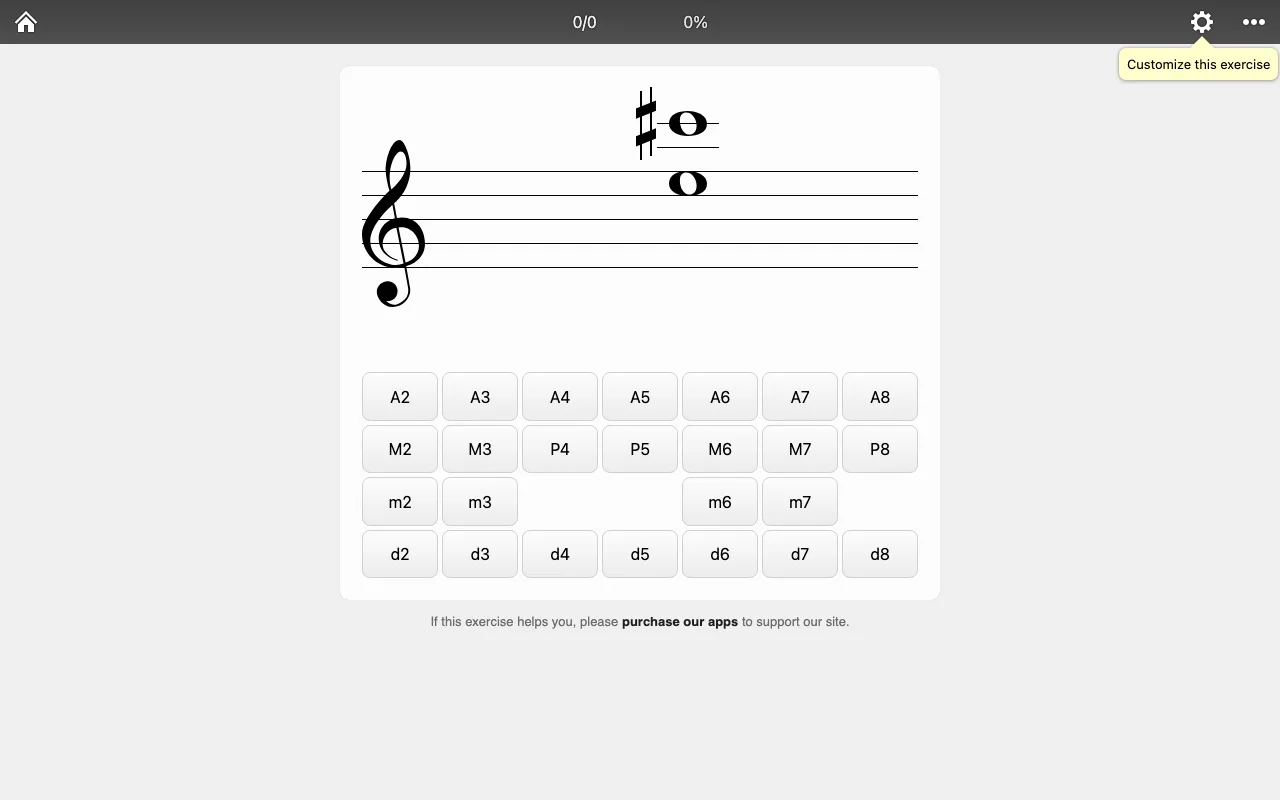
musictheory.net has taught theory on the web for years with short, illustrated lessons and configurable exercises. The interval, note, key-signature, and chord drills grade each answer and keep a running score.
The musictheory.net interval exercise, captured November 2026.
Key features: step-by-step lessons from the staff to chord progressions; customizable exercises for notes, intervals, keys, scales, and chords; ear-training exercises.
Free plan (checked Nov 7, 2026): the FAQ states that "all content on the site is available free of charge and without ads." The site is supported by its apps.
Pros:
Completely free, no account needed
Each exercise can be customized to the exact range you are working on
The cleanest free checker for any chat tutor answer
Cons:
No AI explanations, so a wrong answer gets a mark, not a lesson
The design is spare compared with game-style apps
Pricing: free on the web. The Tenuto app is $4.99 on the App Store (seller musictheory.net, LLC).
Bottom line: the free drill site to keep open beside any AI tutor.
Musicca combines lessons, exercises, and a large set of interactive tools. The circle of fifths, chord finder, interval finder, and staff paper make it a useful reference while you study with an AI tutor.
Key features: exercises for notes, rhythms, intervals, chords, scales, and key signatures; a chord player, metronome, tuner, note finder, scale finder, circle of fifths, and staff paper; a section for schools.
Free plan (checked Nov 7, 2026): the homepage promises "For free, forever." A free account lets you "access all content and remove ads."
Pros:
The widest free tool set in this list
A free account removes ads and unlocks all content
Teachers can use it with a class at no cost
Cons:
No adaptive learning path
No AI explanations
Pricing: free. No paid plan is published.
Bottom line: the best free reference shelf for checking keys, chords, and intervals as you learn.
Ear Trainers
Ear trainers check what you hear, which no chat tutor can do in text. Most adapt the difficulty to your results.
6. EarMaster: Best for Structured Ear Training and Sight-Singing
EarMaster is the most complete ear-training curriculum in this list, from first intervals to jazz chord progressions and singing. Its homepage describes "Smart Adaptive Learning," with an "intelligent questioning engine" that adapts exercises to your performance.
Key features: a Beginner's Course; general and jazz workshops on intervals, chords, and progressions; interval singing and a Vocal Trainer; customizable drills; a Cloud edition for classrooms and institutions.
Free plan (checked Nov 7, 2026): the download page lists "100% free exercises": the first 4 modules of the Beginner's Course, interval and chord identification in Customized Exercise mode, the "Call of the Notes" course, and two song lessons.
Pros:
The deepest curriculum in the group
Runs on Windows, macOS, iOS, and Android
A school edition for teachers
Cons:
The website does not publish the all-access subscription price
A lot of material for a casual learner
Pricing: on iOS, content unlocks in packs from $0.99 to $14.99. The desktop all-access subscription and licenses are not priced on the pages we read.
Bottom line: the ear trainer to choose if you want a full course, not just a game.
ToneGym turns ear training into short games and daily workouts. Its FAQ says each game has "multiple difficulty levels that adapt to your skill" and cites "a global community of 400,000+ musicians" (vendor claim).
Key features: ear-training games for intervals, chords, and pitch; daily workouts; statistics; interactive tools; a personalized practice plan on Pro.
Free plan (checked Nov 7, 2026): "Free to start, with a Pro plan for full access." Free includes the Music Theory 101 course.
Pros:
Short sessions that fit a busy day
Adaptive difficulty keeps the next question at the right level
Cons:
Most games sit behind Pro
No prices on the website itself
Pricing: the US App Store lists ToneGym Pro at $13.95/month or $74.99/year. The website also mentions a lifetime option without a price.
Bottom line: the most fun way to keep a daily ear-training streak.
Perfect Ear, from Crazy Ootka Software AB, is a mobile app for intervals, chords, scales, rhythm, singing, and sight reading. It sells content in small one-time packs instead of a subscription.
Key features: interval comparison and identification; chord recognition, inversions, and progressions; rhythm reading and tapping; scale identification; singing exercises; a custom exercise editor.
Free plan (checked Nov 7, 2026): free download on iOS and Android, with optional packs.
Pros:
One-time purchases instead of a subscription
Covers rhythm as well as pitch
Cons:
No AI explanations, so a missed answer gets a mark, not a reason
Mobile only, with no desktop version for practice at a computer
Pricing: US App Store packs from $0.99 (chords, scales, rhythm, intervals), the Full Exercise Pack at $4.99, and Perfect Ear Premium at $14.99.
Bottom line: the cheapest way to own a complete mobile ear trainer. Buy the packs for the skills you are drilling this month, and skip the rest until you need them.
Functional Ear Trainer teaches one idea well: hear each note in relation to the key. Instead of memorizing intervals in isolation, you learn how each scale degree feels against the tonic, which is how most musicians actually hear melodies.
Key features: a short cadence sets the key, then you name a single note by its place in that key; you start with a few notes and add more as you improve.
Free plan (checked Nov 7, 2026): the official site calls it "THE freeware ear training tool to improve your musical ear."
Pros:
Free, with a method that is easy to learn
Builds the skill that transcription and improvising rely on
Cons:
Narrow scope: no chords, rhythm, or notation
Several apps in the stores use the same name, so download from the official site
Pricing: free.
Bottom line: the best free drill for learning to hear a melody in a key.
Chord, Songwriting, and Song-Analysis Tools
These tools apply theory. They suggest chords, find them in recordings, or show the theory behind a song you love.
10. Hookpad with Aria: Best AI Chord and Melody Partner for Songwriters
Hookpad is Hooktheory's songwriting app, built around scale degrees and Roman numerals, so theory is on screen while you write. Its Aria add-on is the AI part: "Aria can write chords, melody, or both at the same time."
The Hooktheory homepage, captured November 2026.
Key features: a chord palette that shows which chords fit the key; melody and chord entry by scale degree; Aria for AI chord and melody suggestions; TheoryTab, a library of more than 80,000 song analyses (homepage, November 7, 2026).
Free plan (checked Nov 7, 2026): $0, "No credit card required." The free plan has one melody voice and does not include exports.
Pros:
The tightest link between songwriting and theory in this list
TheoryTab shows how real songs work, in the same notation
A lifetime option for Standard
Cons:
Aria is a separate add-on on top of Standard
Free is a taster, without exports
Pricing: Standard $7.99/month or $199 lifetime. Aria AI +$14.99/month (plus tax where applicable).
Bottom line: the best place to learn theory by writing songs, with AI as a co-writer.
11. Chordify: Best for Learning the Chords of Songs You Love
Chordify detects the chords in a song and shows them in sync with the music, for guitar, piano, and ukulele. Theory sticks better when it explains a song you already love.
Key features: automatic chord detection; chord diagrams that scroll with the recording; transpose and tempo controls on paid plans; PDF chord sheets and MIDI on paid plans.
Free plan (checked Nov 12, 2026): Chordify's "Is Chordify free?" page says you can play along with "2 songs per day" with no sign-up, and 4 songs a day with a free account. Premium removes the daily limit.
Pros:
Connects theory to music you actually listen to
Works on desktop and mobile
Cons:
Auto-detected chords can be wrong or simplified, so check by ear
Key and tempo changes sit behind a paid plan
Pricing: US App Store subscriptions from $8.00 to $9.00 a month and $42.00 to $54.00 a year.
Bottom line: the fastest way to find a song's chords, then ask a tutor why they work.
12. Moises: Best for Slowing Down, Isolating Parts, and Finding Chords
Moises uses AI to separate a recording into stems (vocals, drums, bass, and more), slow it down without changing the pitch, and detect chords. For theory practice, it lets you hear the bass line alone and work out the harmony yourself.
Key features: stem separation; speed and pitch change; a Chord Finder.
Free plan (checked Nov 7, 2026): "a free tier that provides a limited number of uploads each month, with access to a select set of features." Exact limits sit behind a login.
Pros:
Isolating the bass is the fastest way to hear chord roots
Useful for transcription practice at any level
Cons:
Exact free limits are not public
It is a practice tool, not a course
Pricing: US App Store: Premium $5.99/month or $39.99/year, Pro $29.99/month.
Bottom line: the best ear-training companion for learning from real recordings.
13. ChordChord: Best Browser Chord Progression Generator
ChordChord generates chord progressions in the browser from prompts or settings, with piano and guitar charts. It is a quick way to hear what a progression in a given mood or key sounds like.
Key features: AI progression generation; piano roll and chord charts; MIDI, WAV, stem, and PDF export; collaboration with invited editors.
Free plan (checked Nov 7, 2026): invited collaborators can "listen and make limited edits with a free account." The pricing page lists no standalone free plan.
Pros:
Fast way to hear many progressions in a key
Exports are "100 % royalty-free" for commercial use, per the pricing page
Cons:
The trial costs money
Generated progressions need your ear to pick the good ones
Pricing: "30 days of Pro for just $9.99," then $27/month. Pro includes 5,000 prompts per month.
Bottom line: a fast idea generator for progressions, best paired with a tutor that explains them.
14. LANDR Composer: Best Chord Generator Inside Your DAW
LANDR Composer is a plug-in that LANDR calls "a powerful AI chord progression generator for creating melodies, basslines, and arpeggios." It runs inside your digital audio workstation, so you can drag the MIDI straight into a track.
Key features: chord and progression generation; bass, melody, and arpeggio parts that stay in key; a piano roll for editing; over a hundred instrument presets; VST3, AU, and AAX formats on macOS and VST3 and AAX on Windows.
Free plan (checked Nov 7, 2026): the product page lists no free plan or trial.
Pros:
Works where producers already write music
Generates the bass and melody to match the chords
Cons:
Explains little of the theory behind its choices
The standalone price is not shown on the product page
Pricing: included with LANDR Studio, which starts at $8.25/month.
Bottom line: the pick for producers who want AI chord help inside the DAW.
Instrument Apps That Listen to You Play
These apps check your playing through the microphone or a MIDI keyboard. They teach theory on the way to playing songs. For a chat-based coach that plans practice around an instrument, see the instrument tutor agent, and for voice students, the AI singing coach.
15. Yousician: Best for Guitar, Bass, Ukulele, Piano, and Singing
Yousician covers five instruments in one app. In its own words, "Our award-winning technology listens to you play and gives instant feedback on your accuracy and timing."
Key features: listening feedback on notes and timing; lessons and songs for guitar, bass, ukulele, piano, and singing.
Free plan (checked Nov 7, 2026): free download, with a Premium+ trial "free for 7 days." The website does not describe the free tier's limits.
Pros:
The widest instrument coverage in this list
Instant feedback makes practice feel like a game
Cons:
Theory is a side effect of playing, not the main course
Free-tier limits are not published
Pricing: US App Store: One Instrument $19.99/month or $119.99/year, Premium Plus $29.99/month or from $159.99/year.
Bottom line: the best all-round app that hears you play.
16. Simply Piano: Best Beginner Piano Path With Instant Feedback
Simply Piano teaches piano from zero. The company says it "listens to the notes you play - on any piano or keyboard" and gives "immediate feedback."
Key features: a step-by-step beginner course; listening feedback with any acoustic or digital piano; real-time feedback in tailored lessons.
Free plan (checked Nov 7, 2026): free download. The website does not describe a free scope or trial length.
Pros:
Very gentle start for adult beginners
Works with any piano or keyboard
Cons:
Free scope and trial terms are not public on the site
Piano only, so guitarists and singers need another app
Several price points in the App Store, so compare offers before you buy
Pricing: US App Store: 12 months Premium from $95.99 to $149.99, 3 months Premium $74.99, Family Plan up to $179.99.
Bottom line: the gentlest first year at the piano for an adult beginner who wants feedback on every note.
17. flowkey: Best for Learning Piano Songs With Wait Mode
flowkey teaches piano through songs you choose. Its Wait Mode "Listens to your playing and waits for you to hit the right notes."
Key features: Wait Mode, which pauses the music until you play the right notes; a library of songs to learn; a free first try.
Free plan (checked Nov 7, 2026): "Try flowkey now for free, with no obligations." The site does not list what the free offer includes.
Pros:
Wait Mode removes the pressure of keeping tempo while you learn
Song-first learning keeps practice motivating
Cons:
Piano only
Plan lengths are not shown in the App Store listing
Pricing: the US App Store lists flowkey Classic from $19.99 and flowkey Premium from $24.99, without plan lengths.
Bottom line: the best piano app if you learn by watching and playing songs.
18. Skoove: Best Piano Lessons With Clear Published Prices
Skoove is a piano course app with lessons in theory and technique. It promises "real-time feedback as you play," and it is the only instrument app in this list with a full public price table.
Key features: step-by-step lessons; real-time feedback as you play; hundreds of songs; guidance for every skill level.
Free plan (checked Nov 7, 2026): "Skoove Basic will give you access to selected lessons from our courses for free." Premium has a 7-day free trial.
Pros:
Transparent pricing on its own site
A free tier with real lessons
Cons:
Piano only
The monthly plan is the most expensive way to pay
Pricing: Premium €29.99/month, €19.99/month on a 3-month plan (€59.99), or €12.49/month on a 12-month plan (€149.99).
Bottom line: the piano app for learners who want to know the price before they start.
Notation Software
19. MuseScore Studio: Best Free Notation for Writing Out What You Learn
MuseScore Studio is free, open-source notation software. Writing out what a tutor explained is one of the best ways to learn it, and MuseScore plays the score back so you hear what you wrote.
Key features: full staff notation; playback with MuseSounds; MusicXML import and export; a large community; version 4.7.6 at the time of writing.
Free plan (checked Nov 7, 2026): "Completely free, no limitations," and open source. MuseHub distributes the app.
Pros:
Free with no limits
MusicXML export lets you paste a score into a chat tutor for analysis
Playback turns notation into sound
Cons:
No AI features
A learning curve for complex scores
Pricing: free.
Bottom line: the free notebook for writing out every concept you learn. Tip: export MusicXML and paste it into a chat tutor, since the 2025 conservatory study tested MusicXML as one input format.
Build Your Own Tutor
20. Taskade: Best for a Tutor That Remembers Your Plan
Taskade is not an ear trainer, a chord generator, or notation software. It fits next to them. The music theory AI agent explains concepts and writes quizzes, and a workspace keeps the lesson list, practice log, and tutor together.
The Music Theory Tutor kit in the Taskade App Factory, captured November 2026.
Key features: custom AI agents trained on your own notes and PDFs through agent knowledge; scheduled automations; Taskade Genesis apps such as the free Music Theory Tutor kit, with lessons, drills, and progress tracking.
Free plan (facts checked on 2026-11-07): 1 AI agent with 1 knowledge item, 3 Taskade Genesis apps, and 10 automation runs a month. PDF and other non-image uploads need a paid plan. Agent chats use AI credits, and Free starts with 0. On Free, you earn free AI credits with referrals and invites, and you can upgrade any time. The kit includes automations, so cloning it needs a paid plan.
Pros:
One workspace for lessons, log, and tutor
A teacher can share a tutor agent with students
Cons:
It does not listen to you play or grade intervals by ear
Pair it with an ear trainer and a drill site
Pricing: Pro $10/month billed annually.
Bottom line: keep the theory plan and its tutor together.
A 12-Week Plan to Learn Music Theory With AI
You can learn the core of music theory in about 12 weeks with 20 minutes a day, if each session pairs an AI explanation with a drill that checks you. The 12 weeks are our suggested plan, not a research result. Fast learners can compress it, and anyone can repeat a two-week block when the drill scores are low.
Weeks
Topic
Explain with
Check with
1 to 2
Notes, staff, rhythm
Any chat tutor
musictheory.net, Musicca
3 to 4
Intervals
Chat tutor plus the interval chart below
EarMaster, Functional Ear Trainer
5 to 6
Major and minor scales, keys
Chat tutor plus the circle of fifths
Musicca key-signature drill
7 to 8
Triads and seventh chords
Chat tutor
ToneGym, Perfect Ear
9 to 10
Progressions and cadences
Hookpad TheoryTab, chat tutor
Hookpad, Chordify
11 to 12
Analyze three songs you love
Chat tutor with the chord list
Moises, your instrument
Each 20-minute session follows the same shape: explain, write, quiz, drill, log. Here is one session on the ii-V-I progression:
For the record, ii-V-I in F is Gm7, C7, Fmaj7, and in B flat it is Cm7, F7, B♭maj7. If your tutor gives anything else, that is your cue to count half steps.
The log is what turns a dozen good sessions into progress. A spreadsheet works, a paper notebook works, and so does the free practice routine tracker template. The Music Practice Log kit adds weekly goals and streaks, and like the tutor kit it includes automations, so cloning it needs a paid plan. If you already use a study planner for school, the same habits apply, and our guide to AI study planners compares the options.
Interval and Key Cheat Sheet
Counting half steps is the fastest way to check any AI tutor's answer about intervals, chords, or keys. One half step is the distance from one key on a piano to the very next key, black or white. If the tutor says C to E♭ is a major third, count: C up to E♭ passes C♯ and D, which is 3 half steps, so it is a minor third.
HALF STEPS   INTERVAL           FROM C
──────────   ────────────────   ──────
 0           Perfect unison     C
 1           Minor 2nd          D♭
 2           Major 2nd          D
 3           Minor 3rd          E♭
 4           Major 3rd          E
 5           Perfect 4th        F
 6           Tritone            F♯ / G♭
 7           Perfect 5th        G
 8           Minor 6th          A♭
 9           Major 6th          A
10           Minor 7th          B♭
11           Major 7th          B
12           Octave             C
The circle of fifths gives every major key and its relative minor. Each step to the right on the sharp row adds one sharp, and each step on the flat row adds one flat:
ACCIDENTALS   0    1    2    3    4    5    6
SHARP KEYS    C    G    D    A    E    B    F♯
minor         Am   Em   Bm   F♯m  C♯m  G♯m  D♯m
FLAT KEYS     C    F    B♭   E♭   A♭   D♭   G♭
minor         Am   Dm   Gm   Cm   Fm   B♭m  E♭m
Two more checks that catch common tutor errors. A major triad stacks 4 half steps then 3 (C, E, G). A minor triad stacks 3 then 4 (C, E♭, G). A dominant seventh adds a minor seventh, 10 half steps above the root (G, B, D, F).
Prompts That Get Accurate Answers From an AI Music Tutor
The best prompts for an AI music tutor ask for note names, half-step counts, and a confidence level, because those make errors visible. Copy these five into any chat tutor. Each one is written so you can check the answer without a teacher in the room.
1. Explain a progression, then quiz me.
Explain the ii-V-I progression in C major. Give the chord names, the notes in each chord, and the half steps between the roots. Then quiz me with five questions in other keys. Wait for my answers before you show yours.
2. Analyze a melody in text form.
Here is a melody in ABC notation: [paste]. Name the key, mark each interval in half steps, and list any note outside the key.
3. Plan ear training.
Build a 4-week ear-training plan for a beginner guitarist. 15 minutes a day. Use intervals, then triads, then seventh chords. For each day, name one drill I can do in a free ear-training app.
4. Analyze a song's chords.
Analyze these chords from a song: [paste chord list]. Give Roman numerals in the key you think it is in, and say how sure you are. If two keys are possible, name both and explain the difference.
5. Run a strict exam.
Act as a strict theory examiner. Give me 10 key-signature questions, one at a time, and keep score. Do not give hints unless I ask.
Prompts 1, 2, and 4 ask for half steps or a confidence level. That small change turns a fluent paragraph into something you can verify in ten seconds.
Lessons on video work the same way. Many learners study theory from YouTube, and you can turn a lesson video into notes, then paste the notes into the tutor as context. Our roundup of YouTube to notes tools covers other options.
AI Music Theory Tools for Teachers
Music teachers use AI mostly for preparation: lesson plans, practice sheets, quizzes, and answers to the same questions students ask every week. The drill tools in this list already have school editions: EarMaster Cloud for classrooms, Musicca's free school section, and musictheory.net's free exercises that a whole class can open in a browser.
For written tests beyond music, our guide to AI exam generators compares quiz and test tools. The rule from the research applies twice over for teachers: an answer key with one wrong chord teaches a whole class the wrong thing.
What We Left Out: AI Music Generators
AI music generators such as Suno and Udio create finished songs from text, but they do not teach theory, so they are not in this list. A generated song is still useful study material: load it into Chordify or Moises, find the chords, and ask a chat tutor to analyze the progression.
For younger learners, Chrome Music Lab is a free set of browser experiments for rhythm, melody, and harmony that needs no account. It is a playground rather than a course, and a good first step before any of the tools above.
What AI Music Theory Tools Cost
Dedicated music theory apps range from completely free to about $30 a month, and the free tools are mostly the rule-based ones. The price you pay depends on whether you want a free start, a one-time purchase, or the AI features that sit behind a subscription. The top chat-tutor plans cost more (Claude Max from $100 a month, Google AI Ultra from $99.99), but a theory learner does not need them. Facts checked on 2026-11-07.
Band
Tools
What you get
Free
musictheory.net, Musicca, Functional Ear Trainer, MuseScore Studio
Tenuto ($4.99), Perfect Ear packs ($0.99 to $14.99), EarMaster iOS packs, Hookpad Standard lifetime ($199)
Own it once
Paid trial or paid only
ChordChord ($9.99 trial), LANDR Composer (in LANDR Studio)
AI features from day one
A sensible free stack in 2026: one chat tutor on its free plan, musictheory.net or Musicca for drills, Functional Ear Trainer for the ear, and MuseScore Studio for writing it down. That covers explain, check, and write at $0.
Why We Built the Tutor Side Differently
Every tool in this list gives a single answer or a single drill. None of them remembers what you studied last week, what you got wrong, or what comes next. The chat tutor forgets the plan, the ear trainer does not know what the tutor taught, and the practice log lives somewhere else.
So Taskade put the tutor in a workspace. The agent reads your lesson list and practice log as its knowledge, so its explanations follow your plan. A scheduled automation can queue the next lessons every Monday. Your teacher or bandmate edits the same plan in real time.
Train an agent on your own lesson notes, and its answers follow your plan instead of a generic syllabus.
The ear trainer and the drill site still do the checking. Taskade holds the plan around them. A weekly automation fits the 10 runs a month on Free, and a tutor agent fits the 1-agent limit. Free allows 1 knowledge item per agent, so keep the lesson list and the log in one project, or move to Pro for more. Chats with the agent use AI credits, which Free earns through referrals and invites.
New to agents? Start with what AI agents are. To build it, you can create AI agents and automations by hand, or describe the whole practice app to the AI app builder and let it set up the tables, the agent, and the automation from one prompt. Browse more education apps in the Taskade App Factory.
AI Music Theory FAQ
What is the best AI for music theory in 2026?
It depends on the job. For explanations, ChatGPT, Claude, and Gemini all work well on free plans. For checking what you learned, musictheory.net and Musicca are free, and EarMaster is the most complete ear trainer. For songwriting, Hookpad with Aria suggests chords that fit your key. For a tutor that remembers your plan, try the Taskade music theory tutor agent.
Is ChatGPT good at music theory?
ChatGPT is good at explaining music theory concepts such as scales, intervals, and chord functions. It is less reliable at multi-step music reasoning. In the 2024 MusicTheoryBench study, GPT-4 scored 58.2 percent on music knowledge and 25.6 percent on music reasoning, close to the 25 percent random baseline. Ask for note names and half steps, and check answers in a drill app.
What is the best free app to learn music theory?
musictheory.net is free with no ads, and Musicca is free, with an optional free account that removes ads. Both have lessons and graded exercises. Functional Ear Trainer is free ear-training software, and MuseScore Studio is free, open-source notation software. Pair one of them with a free AI chat tutor for explanations.
Can AI train my ear?
Yes. Adaptive ear-training apps adjust the next question to your results. EarMaster describes an intelligent questioning engine that adapts exercises to your performance, and ToneGym says its games adapt to your level. A chat tutor cannot hear you in a text chat, so use a dedicated ear trainer for intervals and chords.
Can AI generate chord progressions for my songs?
Yes. Hookpad's Aria add-on writes chords, melody, or both, and ChordChord and LANDR Composer generate progressions you can export as MIDI. A chat tutor can also suggest progressions in a key. Play each suggestion before you keep it, because the best choice depends on your melody.
Can AI teach me to play an instrument?
Apps such as Yousician, Simply Piano, flowkey, and Skoove listen to you play and give feedback on notes and timing. They teach playing, and theory comes along the way. A chat tutor explains the why behind what you play, so the two work well together.
How do I learn music theory with AI step by step?
Pair one explain tool with one check tool. Spend about 20 minutes a day: ask an AI tutor to explain one concept, write it on the staff, drill it in an ear trainer, and log the result. Move from notes and rhythm to intervals, scales, chords, progressions, and then song analysis over about 12 weeks.
How do I get accurate answers from an AI music tutor?
Ask for note names and the number of half steps, not only Roman numerals. Paste notes in one text format, such as ABC notation or a plain note list. Ask the tutor to say how sure it is. Then check the answer on a keyboard or in a free drill site such as musictheory.net.
Can I build my own music theory tutor?
Yes. In Taskade you can create a custom AI agent, train it on your own lesson notes, and connect it to a lesson list and a practice log. Taskade Genesis can build the whole practice app from one prompt. You can also clone the free Music Theory Tutor kit from the Taskade App Factory on a paid plan, because the kit includes automations.
Is the Taskade music theory tutor free?
A free Taskade account includes 1 AI agent, 3 Taskade Genesis apps, and 10 automation runs a month, so you can set up one tutor agent at no cost. Chats with the agent use AI credits, and Free starts with 0 AI credits. On Free, you earn free AI credits with referrals and invites, and you can upgrade any time. Pro costs $10 a month billed annually.
Can music teachers use AI for lesson plans?
Yes. A chat tutor or the Taskade music lesson plan generator drafts lesson plans, practice sheets, and quizzes in minutes. Teachers can share a tutor agent with students, run a lesson library, and take inquiries from a music teacher website built with Taskade Genesis. Review every quiz answer before class.
Do AI music generators like Suno help you learn theory?
Not directly. AI music generators create finished songs, but they do not explain the theory inside them. You can still learn from a generated song: load it into Chordify or Moises, find the chords, and ask an AI tutor to analyze the progression.
The Verdict
For explanations, ChatGPT, Claude, and Gemini are all strong free starting points, and Claude scored best in the 2025 conservatory-exam study when given teaching prompts. For checking what you learned, musictheory.net and Musicca are free, and EarMaster is the most complete ear trainer. For songwriting, Hookpad with Aria leads. For playing, Yousician and Skoove listen and correct you.
Whatever you pick, keep the rule from the research: let AI explain, let a drill check, and let your ear decide. If you want the plan, the log, and the tutor in one place, build them with Taskade Genesis.
US App Store listings for Tenuto, Perfect Ear, EarMaster, ToneGym, Chordify, Moises, Yousician, Simply Piano, flowkey, and Skoove: checked November 7, 2026
▲ ■ ● Medieval singers found their notes on the joints of their hands. Today a tutor answers at 2 a.m., and a drill app checks every answer. Learn the rule, test it by ear, and keep the plan in one place. Memory feeds Intelligence, Intelligence triggers Execution. Build your practice plan →