AI Typography Tools 2026: 14 Font, Pairing and CSS Tools
14 AI typography tools sorted by what they make: font pairs, type scales and CSS, lettering images, or real font files. Free plans and font licenses checked.
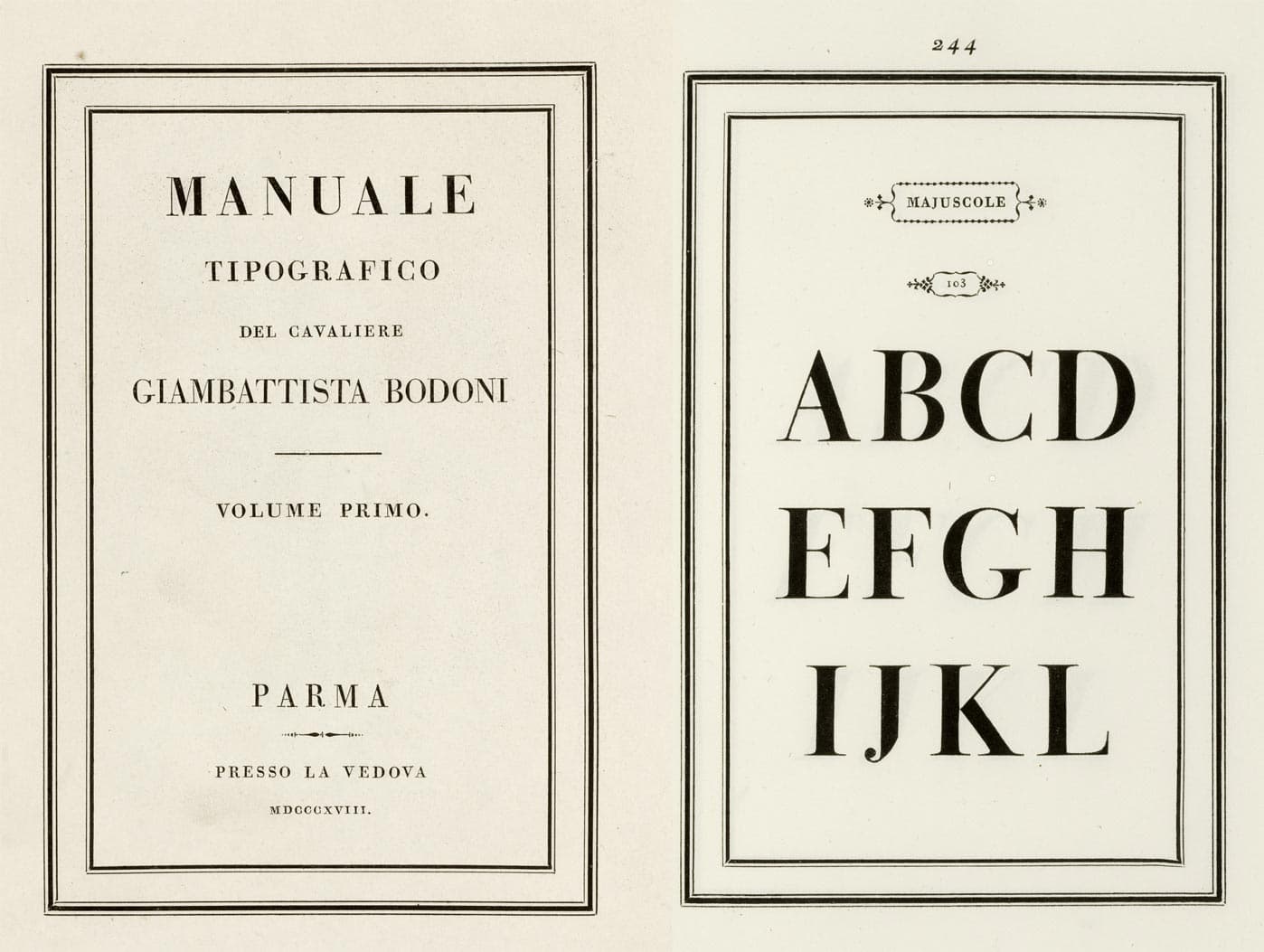
In 1818, five years after Giambattista Bodoni died, his widow published the Manuale Tipografico: two volumes of type specimens that showed every size and style the Parma press could cut. A printer who wanted a headline face and a text face that belonged together had one tool to decide with: a printed book of samples, read by eye.
Cover image: the title page and a capital-letter specimen from Bodoni's Manuale Tipografico, Parma, 1818. Wikimedia Commons, public domain.
The best AI typography tool depends on what you need at the end: a font pairing, a type scale with CSS for a website, lettering inside an image, or a real font file you can install. Fontjoy and Monotype lead free pairing. Typescale and Figma handle type scales. Ideogram and Recraft render the cleanest text in images. Calligraphr and Mixfont make installable fonts. If you want the whole type system for a site in one pass, a typography AI generator returns the pair, the scale and the line heights together. We checked every free plan and font license on the vendor's own site on November 7, 2026, and re-checked Ideogram's on November 12, 2026.
TL;DR: We sorted 14 AI typography tools by what they produce: font pairings (Fontjoy, Monotype, FontPair AI), type scales and CSS (Typescale, Figma, Taskade), lettering images (Ideogram, Recraft, Adobe Express, Kittl, Canva, Typogram), and real font files (Calligraphr, Mixfont). Free plans and licenses checked November 2026. Get a full type system with the AI typography generator.
Quick Answer: The Best AI Typography Tool for Each Job
The right AI typography tool is the one whose output matches your job: a pairing, a scale, an image, or a font file. Most roundups rank these tools on one list, which compares a font file maker against an image model. The routing table below sends each job to the tool that does it best, with the free plan checked on the vendor's own page on November 7, 2026, except Ideogram's, re-checked on November 12, 2026.
Prompt-to-font, 50 one-time starter credits on Free
What Is an AI Typography Tool?
An AI typography tool is software that picks, sizes, renders or draws type from a description or a few clicks. The label covers four different products. A pairing tool suggests fonts that work together. A scale tool turns those fonts into sizes, line heights and CSS. A lettering generator paints words into an image. A font file generator produces a TTF or OTF file you can install and type with. Each one returns a different thing, so each one answers a different question.
WHAT YOU GET BACK                 EXAMPLE TOOLS                       CAN YOU INSTALL IT?
───────────────────────────────   ─────────────────────────────────   ───────────────────
A font pairing (names + preview)  Fontjoy, Monotype, FontPair AI      You install the fonts
A type scale + CSS                Typescale, Utopia, Figma, Taskade   Paste the CSS
Lettering inside an image         Ideogram, Recraft, Kittl, Canva     No, it is a picture
A real font file (TTF / OTF)      Calligraphr, Mixfont                Yes
The difference matters the moment you ship. A pairing tool hands you two font names, and you still need the files and a license. A lettering image looks like type, but nobody can select it, search it, translate it or resize it without blur. A font file is the only output that behaves like Bodoni's metal type: you set any words you want in it, at any size.
Not every tool here uses a neural network, and we say so in each entry. Typescale and Utopia are calculators. Calligraphr traces a template you fill in by hand. They sit in this list because they do the step that the AI tools skip, and a type system built without that step breaks on the first phone it meets.
What a Type System Actually Is
A type system is a font pair, a size scale, line heights, weights and spacing rules applied to every text style on a site. A designer decides it once, writes it down, and every page after that inherits it. When AI tools disagree about "typography," they are usually solving one part of this system and leaving the rest to you.
Font pairing: contrast with one shared trait
A good pair contrasts in one way and agrees in another. The classic move is a serif for headings with a sans serif for body text, or the reverse, where both faces share a similar x-height or a similar geometric skeleton. Fontjoy's own homepage puts it well: good pairs "share an overarching theme yet have a pleasing contrast." Fontjoy's open-source code describes the method in plain terms. It turns each of 1,883 Google web fonts, counting every weight as its own font, into a vector from images of its letters, then rewards pairs that match in some dimensions and differ in others.
Type scale: one base size times one ratio
A type scale starts from a base size, usually 16 pixels for body text, and multiplies it by one ratio for each step up. The ratios carry musical names because early type designers borrowed them from intervals. A small ratio gives a calm, dense page. A large ratio gives drama and a strong hierarchy, at the cost of very large headings on a small screen.
Ratio
Name
H1 at a 16px base (5 steps up)
Good fit
1.125
Major Second
28.8px
Dashboards, dense apps
1.200
Minor Third
39.8px
Product sites, documentation
1.250
Major Third
48.8px
Blogs, marketing pages
1.333
Perfect Fourth
67.3px
Editorial, landing pages
1.500
Perfect Fifth
121.5px
Posters, single hero headlines
1.618
Golden Ratio
177.4px
Display type only
The values are arithmetic: 16 multiplied by the ratio five times. Here is the Major Third ladder that most marketing sites start from:
The gap between the two lines is the reason a single ratio rarely works on every screen. A Perfect Fourth H1 at 67 pixels looks confident on a laptop and takes three lines on a phone. Fluid sizes, covered in the CSS section below, solve this by using a smaller ratio on small screens and a larger one on large screens.
Line height and measure
Line height shrinks as size grows. Body text reads well at 1.5 times its size, while a 48-pixel heading looks loose at 1.5 and tight at about 1.1. Measure, the length of a line, matters as much as size: most typographers aim for roughly 45 to 75 characters per line of body text. If you already keep a design brief for your product, add a type section to it. Our guide to AI design tools shows a DESIGN.md type scale section you can copy, and it explains why a written brief beats a better prompt.
Is the Free Plan Actually Free?
Most AI typography tools have a free plan, but each one measures it in a different unit, and several free plans forbid commercial use. Some count credits a week, some count characters, some give one-time credits that never refill. The table below records each free plan in the vendor's own unit, checked on the vendor's own page on November 7, 2026. The Ideogram row was re-checked on November 12, 2026.
Tool
Free plan (vendor's own unit)
Best for
Entry paid price
Checked
Fontjoy
Free generator, no pricing page, no account
Quick free pairings
None listed
2026-11-07
Monotype Font Pairing Generator
Free on the web, full experience needs a Monotype Fonts subscription
Pairs with foundry fonts
Subscription price not on the page
2026-11-07
FontPair AI
No free tier listed on the site
Critique of a pairing
£48.99 one-time
2026-11-07
Typescale
Core scale tool free, Golden Ratio preset marked Pro
A scale with CSS
Pro price not shown
2026-11-07
Utopia
Free calculator, no account
Fluid clamp() scales
None
2026-11-07
Figma
Starter: 150 AI credits a day, up to 500 a month
Text styles in a design file
Professional Full seat $16/mo billed annually
2026-11-07
Taskade
3 Taskade Genesis apps, 1 AI agent, 10 automation runs per billing period. Free starts with 0 AI credits
Full type system and an app around it
Pro $10/mo billed annually
2026-11-07
Ideogram
Weekly credits with Google, Apple or Microsoft sign-in (the amount may vary, checked 2026-11-12), all images public
Readable text in images
Plus $20/mo, or $15/mo billed yearly
2026-11-12
Recraft
3 generations per style a day, 3 uploads a day, public, personal use only
Pro $12/mo billed annually ($144/yr), or $15 month to month
2026-11-07
Canva
$0, limited access to AI, 1 Brand Kit
Social and print layouts
Pro US$144/yr
2026-11-07
Typogram
Studio Basic: PNG and SVG export with 1,629 non-premium font families, 3 AI icons
Wordmarks and brand type
Studio Premium $6/mo ($72/yr)
2026-11-07
Calligraphr
75 characters per font, 2 variants per character, no ligatures
Handwriting fonts
Pro $10 for one month, or $6/mo for 6 months
2026-11-07
Mixfont
50 one-time starter credits, one job at a time
Prompt-to-font
Pro $20/mo
2026-11-07
Facts checked on 2026-11-07. The Ideogram row was re-checked on 2026-11-12.
The honest pattern: pairing tools and type scale calculators are the most generous free category. Fontjoy, Utopia and the core of Typescale cost nothing and need no account. Lettering and font-file tools gate commercial rights, volume or privacy instead. If you plan to sell what you make, the free plan is a trial, not a license.
Who Owns the Fonts and Lettering You Make?
The font license decides where you can use type, and free plans are where the restrictions usually sit. A pairing tool licenses nothing by itself: you inherit the license of each font it suggests. A lettering generator licenses the image under its own terms. A font file generator licenses the font. The table quotes each vendor's own words, checked on November 7, 2026, except the Ideogram row, re-checked on November 12, 2026.
Source
What the vendor says
Use it for a logo or a product?
Google Fonts
Official FAQ: open source, no cost, commercial use allowed, including in logos
Yes. Under the SIL OFL, you cannot sell the font files by themselves
Monotype pairings
"Try the full font pairing experience with a Monotype Fonts subscription"
Only with a license for each suggested font
Recraft
Free images "are owned by Recraft", public, "not licensed for commercial use"
Paid plan only. Paid plans grant "full ownership and commercial rights"
Kittl
Free plan: "For personal use only (no commercial rights)". Pro and Expert: up to 500,000 copies
Paid plan only
Mixfont
FAQ: fonts "can be used anywhere, for any purpose, including commercial work"
Yes, per the FAQ
Calligraphr
FAQ: "Any creation you make with Calligraphr is your sole property," and commercial use is allowed
Yes, per the FAQ. The TTF or OTF file keeps working after Pro ends
Canva
Uploaded fonts "should be licensed for embedding"
Follow Canva's content license
Ideogram
Pricing FAQ, checked 2026-11-12: "We do not claim ownership of your generated images, and you're free to use them for any purpose, including commercial use." Images are published by default, and only Plus and Pro can generate unpublished images
Yes, but free-plan images are public, so pay for private work
Typogram
Studio Basic exports PNG and SVG with non-premium fonts only
Check the license of the font you used
Three habits prevent most license trouble:
Save the terms page on the day you generate. Terms change, and a dated PDF of the page you agreed to is the best record you can keep.
Prefer open fonts for a logo. A Google Font under the SIL Open Font License can sit in a logo forever with no renewal. A subscription font can stop being yours when the subscription ends.
Convert lettering to outlines only after you know the source. An outlined wordmark is an image of text, which most licenses allow, but the font you started from still needs a license that covers that use.
How We Compared These Tools
We are a vendor too, so here is exactly how this comparison was built. Taskade sells one of the tools in this list, which is a reason to show the method rather than ask for trust.
Every free plan and price was checked on the vendor's own pricing page, FAQ or documentation on November 7, 2026. Ideogram's free plan, price and license and Mixfont's export format were re-checked on November 12, 2026. Where a page did not publish a number in its text, or published two numbers that disagree, the cell or a note says so instead of quoting a third-party figure.
The tool screenshots are headless captures of each public page from the same week.
Tools are grouped by what they produce, not ranked on one scale. A font file maker and a text-in-image model are not competitors, and scoring them together misleads.
We did not run one identical prompt through every tool. Several tools gate output behind credits or paid plans, and four of them do not take a prompt at all. We describe what each tool returns instead of scoring a bake-off.
Taskade sits in the type-scale group, entry 6 of 14, because that is where it honestly fits. It does not draw fonts and it does not render lettering.
Every entry names at least one real strength, including the tools that compete most directly with each other.
Each tool was checked against the same five questions, in the vendor's own words:
Question
What counts as a yes
Where we looked
What do you get back?
A pairing, a scale with CSS, an image, or a font file
Product page and docs
Can you keep free output?
A result you can save or export on $0
Pricing page
Can you export it?
CSS, SVG, PNG, TTF or OTF
Product page and FAQ
Can you use it commercially?
A written commercial right on that plan
Terms, FAQ or pricing page
What does the free unit buy?
A stated number of generations, credits or characters
Pricing page
Font Pairing and Discovery
These tools answer the first question of any type system: which two fonts belong together.
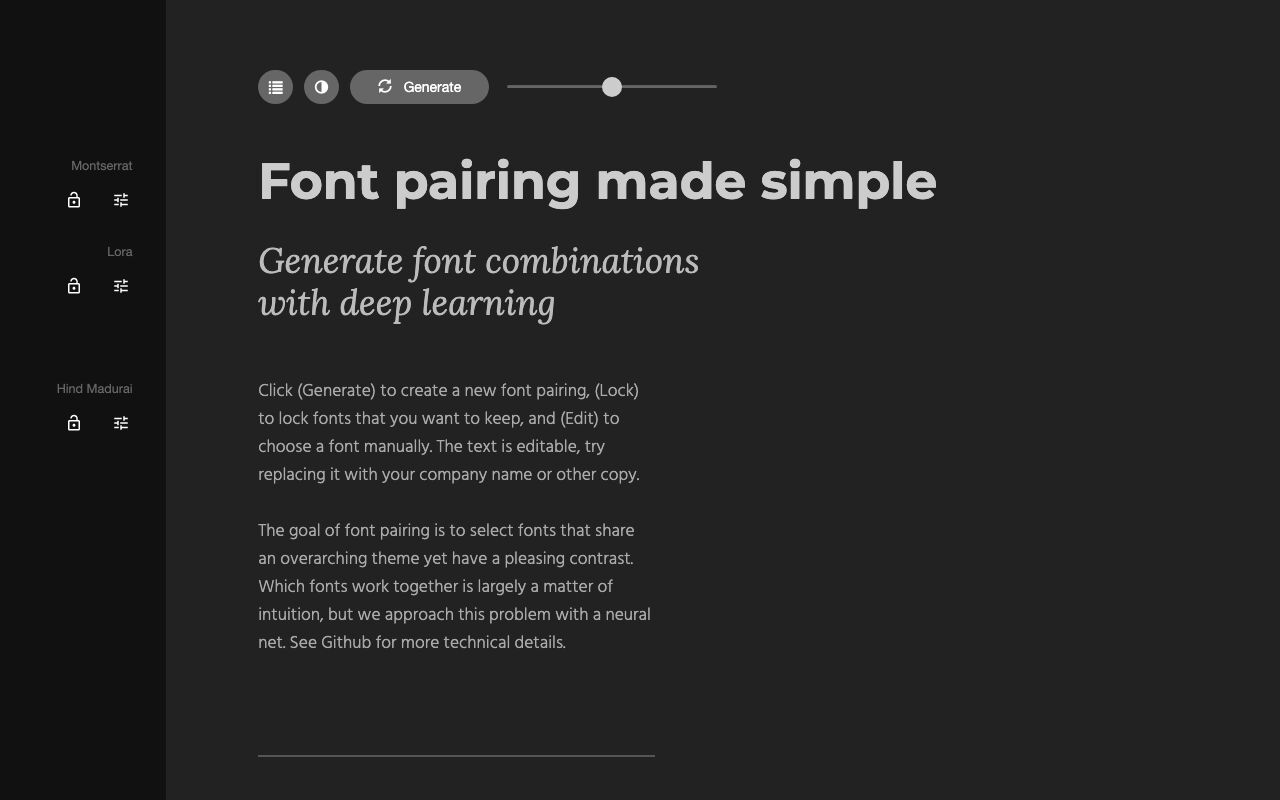
Fontjoy is the fastest way to see a font pairing. Its homepage promises to "generate font combinations with deep learning," and the open-source code behind it trains on 1,883 fonts from Google's web font library, so every suggestion is a font you can use for free.
Fontjoy homepage, captured November 2026.
Key features: a Generate button that proposes a heading, subheading and body font together; a Lock control to keep a font you like while the others change; an Edit control to pick a font by hand; editable sample text, so you can preview your own company name; a contrast slider.
Free plan (checked Nov 7, 2026): the whole tool is free. The site lists no pricing and asks for no account.
Pros:
One click per pairing, so you can review dozens in a minute
Every suggested font comes from Google's free library
Lock and regenerate is the right workflow for a pairing decision
Cons:
No type scale, no line heights and no CSS export
The model is several years old, and the page shows no new features
Pricing: free.
Bottom line: the best free starting point when you have no fonts in mind yet. Use it for ten minutes, keep three candidates, then test them at real sizes.
Monotype owns one of the largest type libraries in the world, with families such as Helvetica, Univers and Gill Sans. Its Font Pairing Generator describes itself as "powered by the Monotype AI font pairing generator engine," and it suggests pairs drawn from that library.
Key features: a Generate pairs button; a Swap Fonts control that flips which font leads; a More pairs option; a preview card for each pair. On November 7, 2026, the page suggested pairs such as Helvetica with Glypha, Proxima Nova with Candida, and Univers with Egyptienne F.
Free plan (checked Nov 7, 2026): the generator runs free on the web. The page says to "try the full font pairing experience with a Monotype Fonts subscription."
Pros:
Suggests foundry classics that many open libraries do not carry
Useful for brand work where the team already licenses Monotype fonts
Pairs come with a readable sample paragraph, not a single word
Cons:
Most suggested fonts need a paid license before you can ship them
The subscription price is not on the pairing page
Pricing: the generator is free. Fonts are licensed through a Monotype Fonts subscription.
Bottom line: the right pick when your brand already licenses commercial fonts, or when you want a classic foundry pair and can pay for it.
3. FontPair AI: Best for a Second Opinion on a Pairing
FontPair AI does not suggest a pair from nothing. It critiques the pair you already have. You upload TTF or OTF files, an image of type, or pick fonts from the Google Fonts library, and it returns a written analysis.
Key features: a 14-point font analysis covering classification, characteristics, readability and accessibility; pairing critique with "AI-powered scoring from 1-10 with detailed pros and cons"; a legibility check that compares look-alike characters such as I, l and 1; side-by-side comparison of up to 8 typefaces; CSS export.
Free plan (checked Nov 7, 2026): the site lists no free tier.
Pros:
Works with your own font files, not only a fixed library
The look-alike character check catches a real problem that pairing tools ignore
One payment, no subscription
Cons:
No free way to try it, based on the site
The site does not say it checks a formal accessibility standard, so treat the accessibility notes as advice, not an audit
Pricing: "a one-time purchase of £48.99," per the FAQ.
Bottom line: worth it for a designer who makes pairing decisions every week and wants a structured second opinion before a client review.
Type Scales and CSS for the Web
These tools turn a pairing into sizes, line heights and code a browser can use.
4. Typescale: Best for a Type Scale You Can Export as CSS
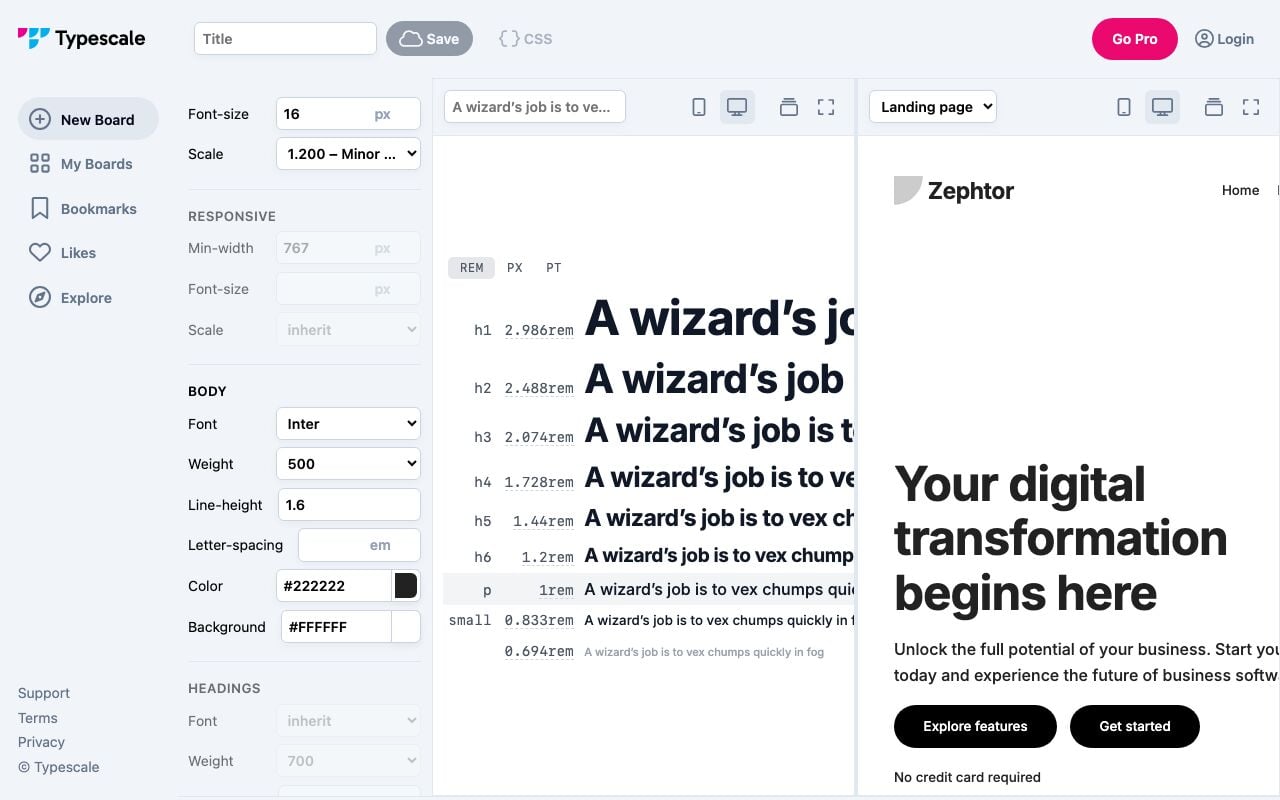
Typescale describes itself as a place to "create stunning typography, generate CSS, and find inspiration." It is a calculator, not an AI model, and it is in this list because it does the scale step that every AI pairing tool skips.
Typescale editor with a 16px base and a 1.2 ratio, captured November 2026.
Key features: scale presets from 1.067 to 1.618 plus a custom value; separate font, weight, line height and letter spacing for body and headings; a responsive section with its own minimum width, base size and ratio; values in rem, px or pt; a live landing-page preview at phone and desktop widths; a CSS button in the toolbar.
Free plan (checked Nov 7, 2026): the core editor is free. In the main ratio menu, only the 1.618 Golden Ratio preset carries a Pro label.
Pros:
The live preview shows your scale on a real page layout, not a list of numbers
Body and heading settings stay separate, which matches how CSS works
A responsive breakpoint is built in
Cons:
It does not suggest fonts, so you need a pairing tool first
The site shows a Go Pro button with no published price
Pricing: free core. Pro price not shown on the site.
Bottom line: the best free place to turn a pairing into numbers. If you want fluid sizes instead of breakpoints, the free Utopia calculator exports a clamp() scale as CSS, SCSS or PostCSS.
5. Figma: Best for Type Styles Inside a Design File
Figma is where most product teams already keep their designs, and its text styles become the type system that designers and developers share. Figma AI adds generation features across the product on a shared credit system.
Key features: text styles and variables that apply a scale across every frame; shared libraries, so one change updates every file; Dev Mode for developers to read sizes and line heights as code; Figma AI features on a credit allowance; Figma Make on the Full seat.
Free plan (checked Nov 7, 2026): Starter is free, with unlimited drafts and "150 AI credits/day, up to 500 AI credits/mo."
Pros:
The type system lives in the same file as the designs that use it
Text styles map cleanly to design tokens and CSS variables
The free Starter plan is enough for a personal project
Cons:
Figma does not choose a pairing or a ratio for you
Team libraries and the full product set need a paid seat
Pricing: Professional Full seat $16/mo billed annually, or $20 billed monthly, with 3,000 AI credits a month. Dev seat $12/mo and Collab seat $3/mo, billed annually.
Bottom line: the right home for a type system once a team designs together. Decide the pair and the scale elsewhere, then set them as Figma styles so nobody drifts.
6. Taskade: Best for a Full Website Type System in One Pass
Taskade's AI typography generator for websites works one stage wider than a calculator. You describe your brand and your audience, and it returns font pairs, a type scale, and line heights for every text style on your site, saved in a workspace next to the brief that produced them.
Key features: a full type system from one brand description; sibling tools for AI font pairing, a print type system and a typography pairing prompt; a typography recommendation agent that answers follow-up questions; Taskade Genesis apps that store each type system and send the CSS to your team.
Free plan (checked Nov 7, 2026): a free account includes 3 Taskade Genesis apps, 1 AI agent and 10 automation runs per billing period, with no credit card. Free starts with 0 AI credits. On Free, you earn free AI credits with referrals and invites, and you can upgrade any time.
Pros:
Pair, scale and line heights arrive together, so they agree with each other
The brief, the result and the reason for each choice stay in one place
An AI agent can apply the same rules to every new brand
Cons:
Taskade does not draw new fonts and does not render lettering images
It recommends existing fonts, so you still check each font's license
Pricing: Pro $10/month billed annually.
Bottom line: the best fit when you want a complete web type system and a record of why you chose it.
Lettering and Text Inside Images
These tools paint words into a picture. The result looks like type, but it is an image.
7. Ideogram: Best for Readable Text in Generated Images
Ideogram is the image model that typography roundups name first for legible words inside a picture. Its homepage promises "crystal-clear type" and "readable type in every layout," and its newest model, Ideogram 4.5, is marked New on the homepage.
Key features: prompt-to-image with accurate spelling in headlines, signs and posters; editable text layers in its workflows; style controls for illustration and typographic posters; a public community gallery to learn prompts from.
Free plan (checked Nov 7, 2026): "Free accounts get 30 credits each week if they sign in with Google, Apple or Microsoft." An email and password account gets no free credits. "On the free plan, everything you generate is public." On November 12, 2026, Ideogram's pricing FAQ said eligible free accounts get weekly credits, and "the amount may vary."
Pros:
The most reliable text rendering among the image models we compared
Free credits refill every week, not once
Strong at poster and headline layouts where type is the subject
Cons:
Free images are public, which rules out client work
The output is a picture, so you cannot edit the words like live text
Pricing: Plus $20/month, or $15/month billed yearly. Pro $60/month, or $42/month billed yearly. Team $30 per user a month, or $20 billed yearly, with a 2-user minimum.
Bottom line: the first stop for a poster, a thumbnail or a headline image with words that must read correctly.
Recraft generates editable vector graphics as well as raster images. Its homepage lists "design-ready typography" and "complex editable vector graphics," and its vector generator page says a free account includes full SVG export.
Key features: prompt-to-vector generation with clean paths; an AI vectorizer that converts an existing image to SVG; custom styles you can reuse across a set of assets; custom color palettes on paid plans; a choice of other image models on paid plans.
Free plan (checked Nov 7, 2026): "Personal use only." The pricing page lists 3 generations per style a day, 3 image uploads a day, and "All images are public." Free images "are owned by Recraft" and "are not licensed for commercial use."
Pros:
Vector output scales from a favicon to a billboard without blur
Reusable styles keep a set of lettering assets consistent
Paid plans grant full ownership and commercial rights
Cons:
Free output belongs to Recraft and cannot be used commercially
The free daily limit is small for serious lettering work
Pricing: Basic $10/month billed annually ($120) with 1,000 credits a month. Pro from $16/month billed annually ($192) with 2,000 credits. Teams from $18 per seat a month billed annually.
Bottom line: the right pick for a logo mark, an icon set or lettering that must stay sharp at every size, on a paid plan.
9. Adobe Express: Best for Text Effects on Social Graphics
Adobe Express is Adobe's quick-design app for social posts, flyers and short videos. Its generative features can fill text with a texture or a scene from a prompt, and its free plan includes a slice of the Adobe Fonts library.
Key features: generative text effects; templates for every social format; Adobe Fonts inside the editor; background removal and resizing; scheduling for social posts on paid plans.
Free plan (checked Nov 7, 2026): US$0, with "limited generative AI credits and assets" and free daily generations for images, text effects and templates. The plan card says "access to 4,000+ fonts from the Adobe Fonts collection." The comparison table on the same page says 5,000+.
Pros:
Text effects and templates on a free plan, no credit card
Real Adobe Fonts, not lookalikes, inside the editor
Fast for a designer who needs ten sizes of the same graphic
Cons:
The free generative allowance is not stated as a number
Not a type system tool: no scale, no CSS
Pricing: Premium US$9.99/month with 250 generative credits a month per user and the full Adobe Fonts collection of 30,000+ fonts.
Bottom line: the most useful free option for social graphics where the text itself needs to look like something.
Kittl is a design platform built around logos, merchandise, packaging and labels. Its templates and text tools aim at print-on-demand sellers who need lettering that looks hand-made.
Key features: text effects such as arcs, outlines and distress textures; thousands of premium templates from independent designers; AI image and design generation on daily and monthly tokens; mockups for shirts, mugs and packaging.
Free plan (checked Nov 7, 2026): "For personal use only (no commercial rights)." The FAQ lists high-resolution and vector exports among the paid-plan benefits.
Pros:
Templates and text effects aimed squarely at merch
A clear commercial license: up to 500,000 copies on Pro and Expert
Daily tokens reset every 24 hours on higher plans, 200 a day on Expert and 600 on Max
Cons:
The free plan cannot be used for anything you sell
High-resolution and vector export sit behind a paid plan
Pricing: Pro $12/month billed annually ($144/year) or $15 month to month. Expert $26/month billed annually ($312/year) or $35 month to month. Max $48/month billed annually ($576/year) or $65 month to month.
Bottom line: the best fit for a print-on-demand shop that needs lettering with personality and a license to sell it.
Canva is the default design tool for people who are not designers. Its templates carry pre-paired fonts, and its AI features generate designs, images and copy inside the same editor.
Key features: 1.6 million+ templates with type already set; font combinations in the text panel; Brand Kits that store brand fonts and colors; AI design and image generation; font upload on paid plans.
Free plan (checked Nov 7, 2026): US$0, with "limited access to Standard and Premium AI" and 1 Brand Kit with up to 3 colors. Font upload needs Canva Pro, Teams, Business, Education or Nonprofits, and uploaded fonts "should be licensed for embedding."
Pros:
The fastest path from a blank page to a finished layout
Template fonts are already paired by Canva's designers
Pro includes 10 times the AI allowance of the free plan
Cons:
No custom font upload on Free, so your brand font may be missing
Templates make it easy to look like everyone else
Pricing: Pro US$144/year for one person. Business US$250/year per person.
Bottom line: the right pick when the deadline matters more than the type system. Upload your brand fonts on Pro so every template uses them.
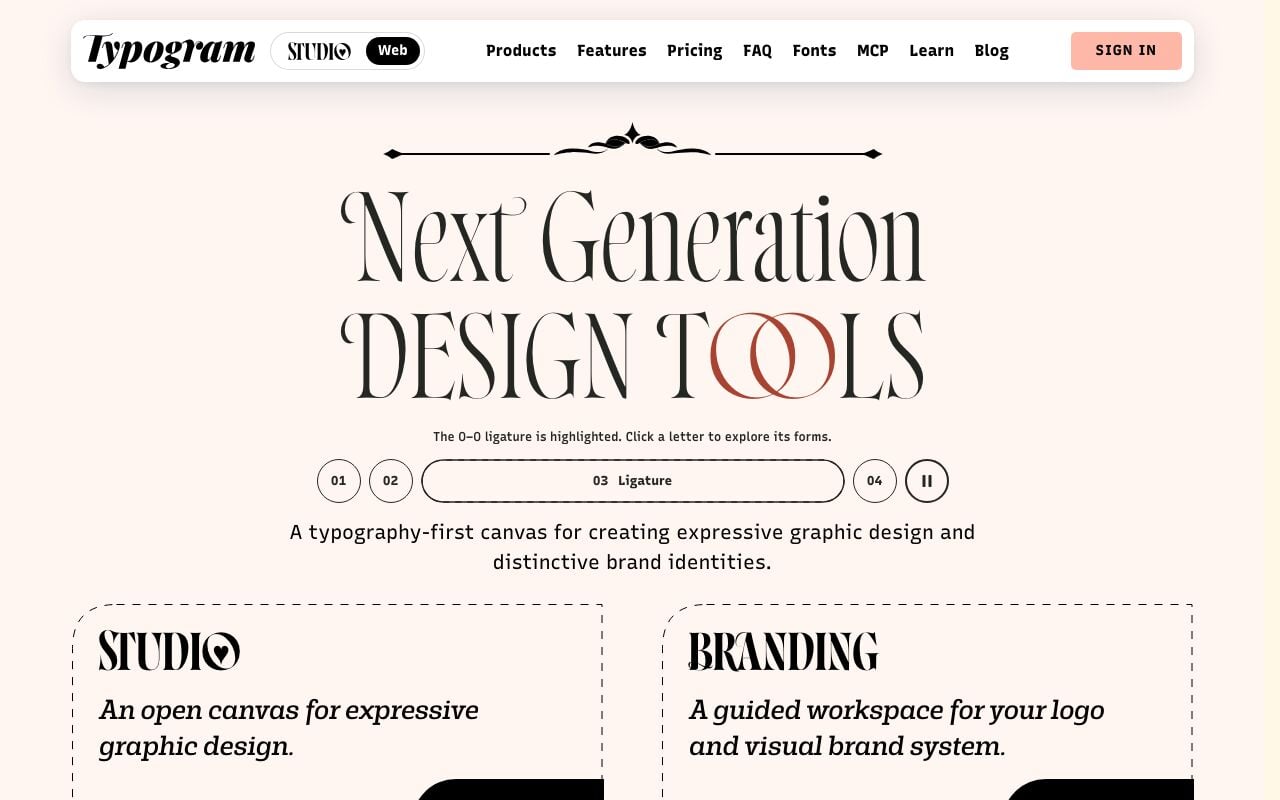
Typogram calls itself "a typography-first canvas for creating expressive graphic design and distinctive brand identities." It has two products: Studio, an open canvas for posters and wordmarks, and Branding, a guided workflow for a logo and a visual brand system.
Typogram homepage, captured November 2026.
Key features: expressive type controls, including alternates and ligatures; a large curated font library; AI vector icon generation; a guided branding flow that ends in logo assets.
Free plan (checked Nov 7, 2026): Studio Basic is free, with PNG and SVG export using 1,629 non-premium font families and 3 AI vector icons.
Pros:
Free SVG export, which most lettering tools keep behind a paywall
Type-first controls designed for wordmarks, not general layout
A one-time branding license instead of a subscription
Cons:
The full library of 5,178 font families needs Studio Premium
Not built for long-form layouts or web type systems
Pricing: Studio Premium $6/month or $72 billed annually. Branding $124.99 per brand, one-time.
Bottom line: the best free tool for a wordmark you can export as SVG and refine in a vector editor.
Real Font File Generators
These tools produce a font you can install and type with, the only output in this list that behaves like real type.
13. Calligraphr: Best for a Font From Your Handwriting
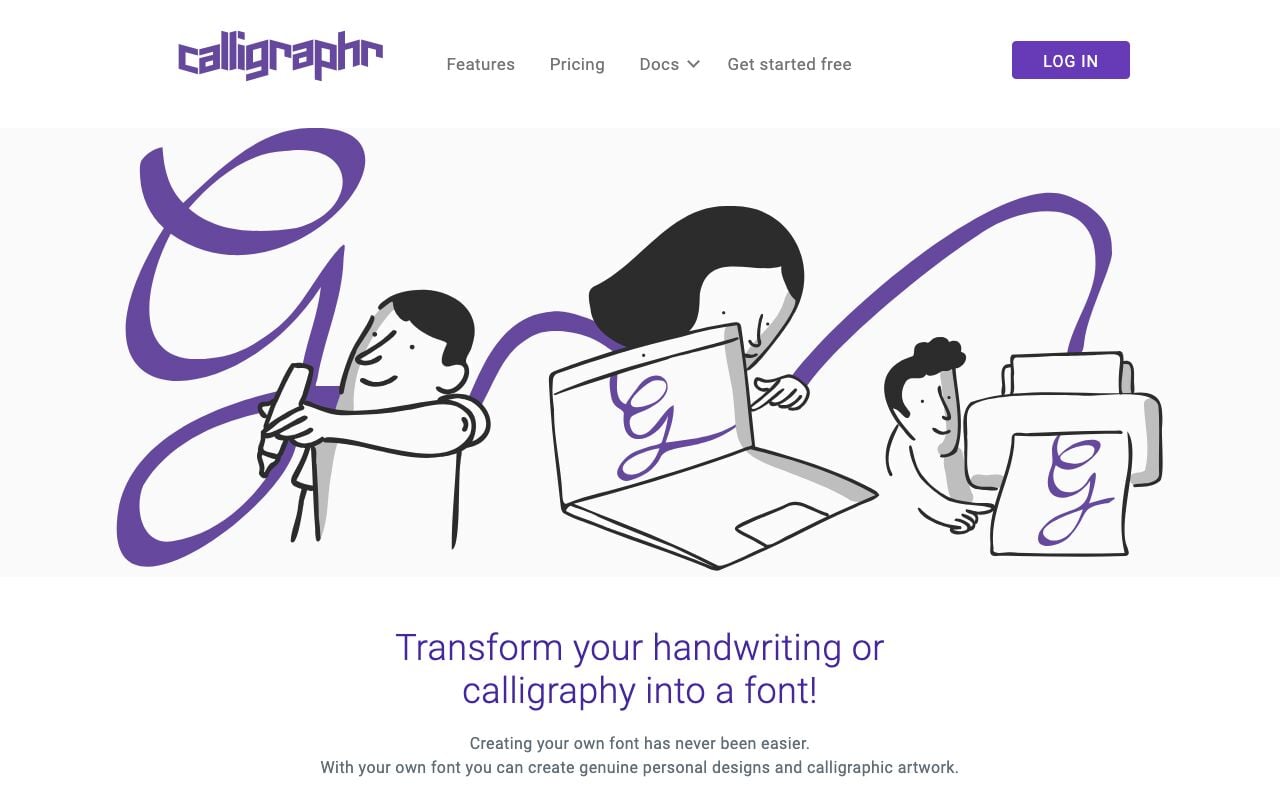
Calligraphr turns your handwriting or calligraphy into a font. You print a template, write each character in its box, scan or photograph the page, and the service builds a font file from it. It is template tracing, not generative AI, and it is the most dependable path to a personal font.
Calligraphr homepage, captured November 2026.
Key features: printable templates for any character set; several variants per character, so repeated letters look natural; ligatures on Pro; adjustable baseline and size per glyph; export as "a standard font file (ttf or otf)."
Free plan (checked Nov 7, 2026): free with registration, 75 characters per font, 2 variants per character, no ligatures.
Pros:
A real installable font, not an image
Fonts "fully function even when your upgrade period has expired"
A 100% money-back guarantee on the upgrade
Cons:
Manual work: you write every character by hand
75 characters cover a basic Latin alphabet, not accents or symbols
Pricing: Pro $10 for one month, or $6/month for a 6-month upgrade, with 600 characters and 15 variants per character.
Bottom line: the best way to make a font that is truly yours. Write slowly, use a fine black pen, and fill two variants of every common letter.
Mixfont generates a downloadable font from a written description. You describe the style, and it returns a font file rather than a picture of letters, which puts it in a small group of true prompt-to-font tools.
Key features: prompt-to-font generation; font file download on every plan; private fonts on paid plans; expanded glyph support on paid plans; concurrent jobs that grow with the plan.
Free plan (checked Nov 7, 2026): $0 with 50 starter credits. The FAQ says free starter credits "are intended for evaluation and do not reset monthly." One job runs at a time, with basic glyph support.
Pros:
A real font file from a prompt, not an image
The FAQ grants commercial use for "any font generated on Mixfont"
A clear credit model with no card needed to start
Cons:
The free plan is a one-time trial, not a monthly allowance
The homepage names TTF files only ("Download the TTFs directly"), with no OTF option listed (checked 2026-11-12)
Pricing: Pro $20/month with 1,000 credits a month. Max $200/month with 5,000 credits a month.
Bottom line: the most direct way to get an original display font from words. Test every glyph you need at body size before you commit a brand to it.
How to Turn a Type Scale Into CSS With AI
To turn a type scale into CSS with AI, ask for CSS custom properties with fluid clamp() sizes, not fixed pixel values. Fixed sizes need a media query for every breakpoint. A clamp() value grows smoothly between a minimum and a maximum as the screen widens, so one rule covers every screen. The CSS AI generator writes these rules from a plain description, and the steps below work in any AI tool.
Step 1: Pick the pair and the ratio
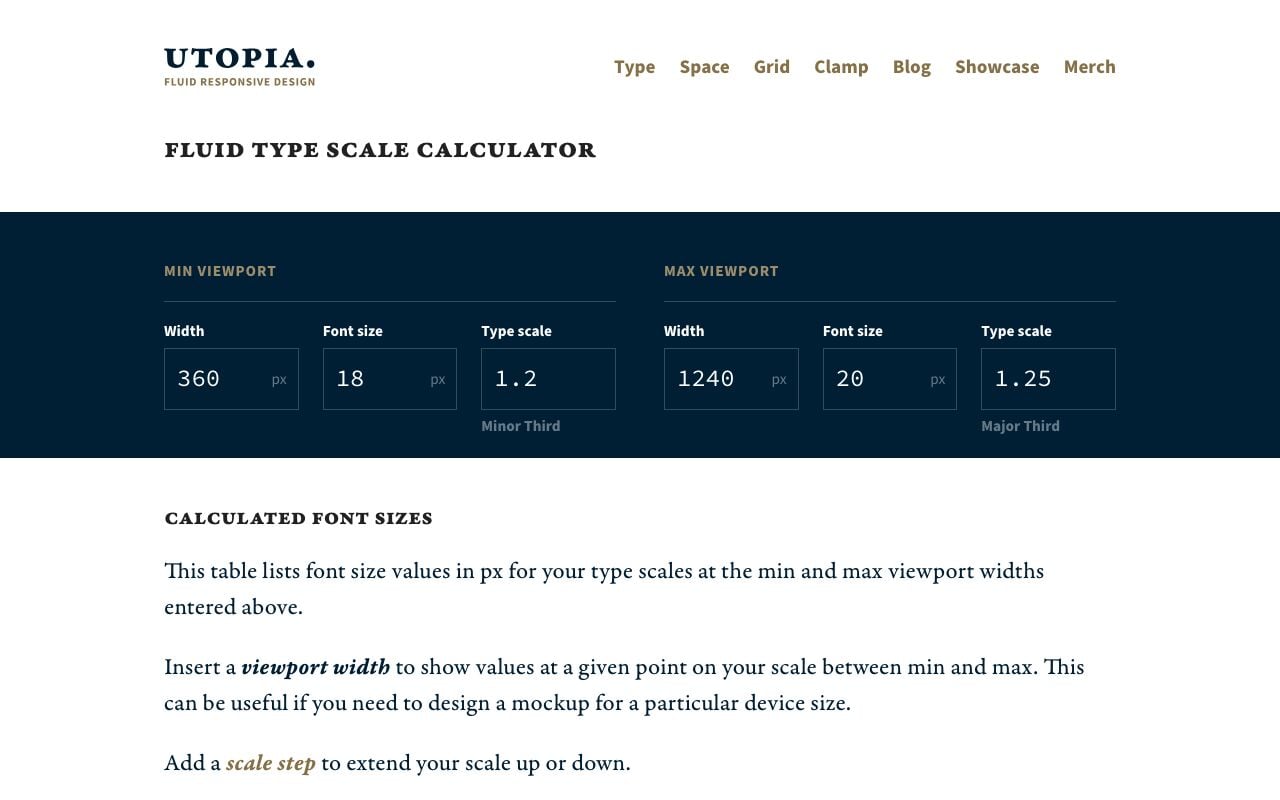
Choose two fonts and two ratios: a smaller one for phones and a larger one for desktops. A common choice is a 16-pixel base with a 1.2 ratio at 360 pixels wide, and an 18-pixel base with a 1.25 ratio at 1,240 pixels wide. Utopia defaults to the same viewports and ratios with an 18 and 20 pixel base, and this pairing of a smaller and a larger ratio keeps a phone headline readable while a desktop headline gets room to breathe.
Utopia's fluid type scale calculator, captured November 2026.
Step 2: Generate fluid sizes
Each step of the scale gets a minimum size, a maximum size, and a slope between them. The chart shows how far apart the two ends of the same scale sit:
Here is that scale as CSS. Every value is computed from the two ratios above, and both fonts are free on Google Fonts:
A prompt that produces this kind of output, in any AI tool:
Write CSS custom properties for a fluid type scale.
Fonts: Fraunces for headings, Inter for body.
Min viewport 360px: base 16px, ratio 1.2.
Max viewport 1240px: base 18px, ratio 1.25.
Steps: -1 to 5. Use clamp() with rem and vw.
Add line heights: 1.5 body, 1.1 to 1.2 headings.
The video below walks through the same clamp() approach in plain CSS:
Easy Responsive Typography (CSS-only) by Coding in Public
Step 3: Load the fonts fast
A web font is a file the browser must download before it can draw your text. Set font-display: swap on each font, or add &display=swap to a Google Fonts link, so the browser shows text in a fallback font at once and swaps in the web font when it arrives. Load only the weights you use: two weights of each family cover most sites.
Common mistakes, and the fix for each:
Mistake
What the reader sees
Fix
Fixed px sizes with no breakpoints
A huge H1 that wraps on a phone
Use clamp() steps from two ratios
No font-display setting
Blank text for a moment on slow networks
Add font-display swap
Four weights of each family
A slow first page load
Keep two weights per family
Line height 1.5 on headings
Loose, floating headlines
Use 1.1 to 1.2 above 30px
A fallback font with a very different width
Text jumps when the web font arrives
Pick a fallback with a similar width
The Web Typography Pipeline, Mapped to Tools
Every website type system passes through the same seven stages, and no single tool covers all of them. Mapping the stages makes the choice obvious: a pairing tool feeds the scale, the scale feeds the CSS, and the test decides whether you ship.
Stage
Free tool
Paid option
Output
1. Brief
A Taskade project
Your design team
Audience, mood, reading context
2. Pairing
Fontjoy
Monotype with a font license
Two or three font names
3. License
The Google Fonts FAQ
A foundry license
A record of where each font can be used
4. Scale
Typescale or Utopia
Figma Professional
Sizes and line heights per style
5. CSS
Utopia or the CSS AI generator
Figma Dev Mode
Custom properties with clamp()
6. Test
Browser developer tools
A device lab
Screenshots at phone and desktop width
7. Document
A Taskade project
A design system site
A page that explains every choice
One test rule saves most rework: if a heading wraps badly on a phone, go back to stage 4 and lower the phone ratio. Do not shrink a single heading by hand, because every hand fix breaks the scale for the next page.
Why We Built the Type System Side Differently
Every tool above solves one stage of typography, and the reasons for each choice usually live nowhere. Taskade keeps the whole type system in one workspace with the brand brief, so the pair, the scale, the CSS and the reason for each choice stay together, and an AI agent can apply the same rules to the next brand.
A one-line prompt returns the average pairing. Ask any tool for "a modern font pair" and you will see Montserrat with Lora, or Inter with something serif, because those are the most common answers on the web. A written brief gives the AI something it cannot average away: who reads the site, on what screen, in what mood, and which brand the type must not resemble. The same lesson shows up in interface design, where you attach a design brief instead of writing a better prompt.
So Taskade put the brief and the system in the same place. You can turn a brand brief into a font pair with the creative-to-font-pairing converter, test it at real sizes, and keep the result in a project your team edits together. Or you can build a small app around it. This is the exact prompt we would give Taskade Genesis:
Build a website typography studio: a Type Systems table with brand, mood, heading font, body font, base size, scale ratio and license; an AI agent that suggests three free font pairings for a brand brief, builds a type scale from H1 to caption, and writes CSS custom properties with clamp() sizes; and an automation that emails the CSS and a specimen link to the requester when a type system is marked Approved.
The app has three parts: data, one AI agent and one automation. That is the shape every Taskade Genesis app shares, and it is why the AI app builder suits small internal tools like this one. Give it a look that matches your brand with the guide to app styles, and publish it on your own domain from Pro and up with custom domains.
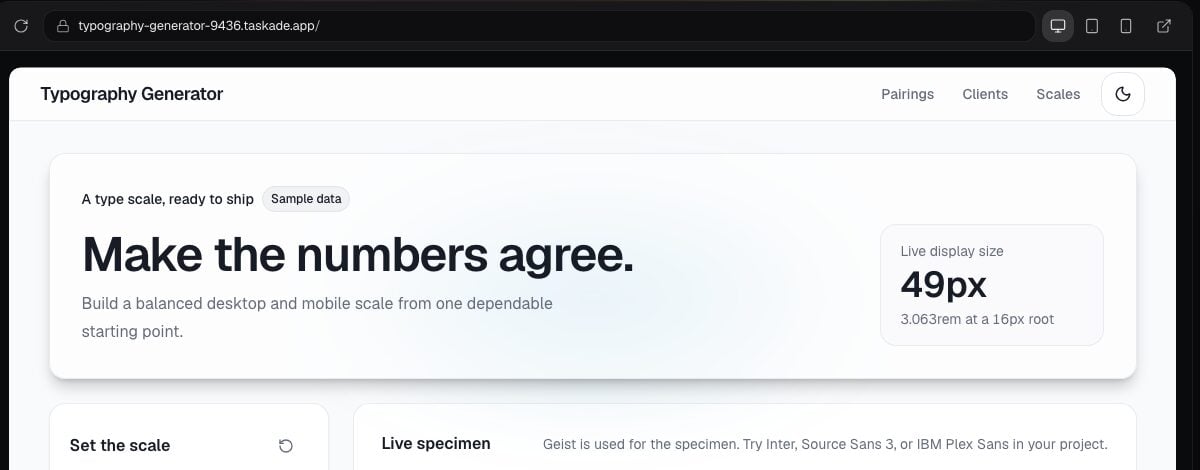
The Type Scale Generator with CSS kit in the Taskade App Factory, captured November 2026. It shows sample data.
You can also start from a kit in the Taskade App Factory. None of the kits below has a price, but each one holds automations, so cloning it needs a paid plan. On Free, build your own version from the prompt above. The build uses AI credits, and Free starts with none, so earn credits with referrals and invites first.
Use a dedicated tool when you need a new font drawn, lettering inside an image, or a foundry license. Taskade recommends and documents existing fonts. It does not make font files, and it does not paint text into pictures.
You need a new font drawn. Use Calligraphr for your own handwriting or Mixfont for a font from a prompt. A type designer is still the right call for a full brand family with many weights and languages.
You need words inside an image. Use Ideogram for a poster or a headline image, and Recraft for vector lettering you can scale.
You need licensed foundry fonts. Use Monotype or another foundry, and buy a license that covers web, app and logo use.
The Verdict
For a free font pairing, Fontjoy is the quickest start, and Monotype is the pick when your brand licenses commercial fonts. For a type scale, Typescale and Utopia turn a pair into numbers and CSS for free, and Figma keeps the result as shared text styles. For text inside images, Ideogram renders the most reliable words and Recraft gives you vectors. For a real font, Calligraphr captures your handwriting and Mixfont makes one from a prompt.
And before any of them, write the brief. The tools are fast enough now that the decision is the hard part, which is where a shared Taskade workspace and a full type system in one pass help. Build your type system in Taskade →
▲ ■ ● Bodoni's widow printed his specimen book by hand in 1818. Today a type system takes a minute, and the brief is what is left to do well. Memory feeds Intelligence, Intelligence triggers Execution.
AI Typography FAQ
What is the best AI typography tool in 2026?
It depends on the output you need. Fontjoy and Monotype lead font pairing. Typescale and Figma handle type scales, and Taskade's AI typography generator returns a font pair, a type scale and line heights for a website in one pass. Ideogram leads text inside images, and Calligraphr and Mixfont make installable font files.
What is the best free AI font pairing tool?
Fontjoy is the simplest free option. It generates a pairing with one click from a neural network trained on Google's web fonts, and it lets you lock one font while it changes the other. It lists no pricing. Monotype's Font Pairing Generator is also free on the web, but it suggests commercial foundry fonts, and Monotype says the full experience needs a Monotype Fonts subscription.
Can AI create a real font file?
Yes. Mixfont turns a text prompt into a downloadable font, and its free plan includes 50 one-time starter credits. Calligraphr turns your handwriting into a standard TTF or OTF font and is free for fonts of up to 75 characters. Most other AI typography tools output images or font suggestions, not font files.
Can I use AI-generated fonts and lettering commercially?
Often on paid plans only. Recraft says free-plan images are owned by Recraft and are not licensed for commercial use, and Kittl's free plan is for personal use only. Mixfont's FAQ says any font generated on Mixfont can be used for any purpose, including commercial work. Save the terms page on the day you generate anything you plan to sell.
Are Google Fonts free for commercial use?
Yes. Google's official FAQ says Google Fonts are open source, cost nothing, and can be used commercially, including in logos, print, websites and apps. Most use the SIL Open Font License, which lets you bundle a font with a product you sell but does not let you sell the font files by themselves.
What is a type scale?
A type scale is a set of font sizes made by multiplying one base size by one ratio. With a 16 pixel base and a 1.25 ratio, the steps are 16, 20, 25, 31.3, 39.1 and 48.8 pixels. A scale keeps headings and body text in proportion across every page of a site.
How do I turn a font pairing into CSS?
Ask for CSS custom properties with fluid clamp() sizes, so text grows smoothly between a phone and a desktop screen. Typescale and Utopia export a scale as CSS, and Taskade's CSS AI generator writes the rules from a plain description. Load web fonts with font-display swap so text shows while the font downloads.
Which AI image generator renders text best?
Ideogram is the tool most typography roundups name first for readable text in images, and its own homepage promises crystal-clear type. Its free plan gives weekly credits when you sign in with Google, Apple or Microsoft (Ideogram says the amount may vary), and everything made on the free plan is public. Recraft is the stronger pick when you need vector lettering.
What is an AI typography edit?
A typography edit is a photo or video with styled text laid over it, such as a quote card, a title card or a captioned short. Adobe Express, Canva and Kittl handle it best on stills, with text effects and templates. For video captions, keep one font pair and one size scale across every clip so the series reads as one brand.
How many fonts should a website use?
Two is the usual answer: one font for headings and one for body text. A third font works for code or captions when it has a clear job. Every extra font family adds file weight to the page and makes the brand harder to recognize.
Can Taskade generate typography for my website?
Yes. Taskade's AI typography generator for websites returns a font pair, a type scale, and line heights for every text style from a description of your brand. With Taskade Genesis you can also build a small app that stores each type system and sends the CSS to your team. Taskade recommends existing fonts and does not draw new ones.
What does Taskade's free plan include?
Taskade Free includes 3 Taskade Genesis apps, 1 AI agent, 2 workspace members and 10 automation runs per billing period, with no credit card. Free starts with 0 AI credits. On Free, you earn free AI credits with referrals and invites, and you can upgrade any time. Pro costs $10 a month billed annually.
Facts checked on 2026-11-07. See current plans on the pricing page.
Further Reading
AI Design Tools 2026: why a design brief beats a better prompt, with a DESIGN.md sample