







Email is fast and efficient. It is also overwhelming. The average professional receives over 120 emails per day, and most of them require no human judgment to process. In 2026, AI agents can handle email categorization, response drafting, action item extraction, and follow-up scheduling automatically. The question is not whether to automate email, but which platform does it best.
This guide compares Taskade, Zapier, and Make for email automation, walks you through building AI-powered email workflows step by step, and shows you advanced patterns that turn your inbox from a time sink into an execution engine.
TL;DR: Taskade combines AI agents with built-in tools, 100+ integrations, and native workflow automation to process emails autonomously. Unlike Zapier and Make, Taskade includes project management with multiple views and team collaboration in the base price. Auto-reply, categorize, and convert emails to tasks without middleware. Free plan available. Try Taskade free


Why Traditional Email Management Falls Short
Most email solutions, from Gmail filters to basic auto-responders, operate on keyword-matching rules. They can sort messages into folders but cannot understand intent, extract action items, or draft contextual responses. Here is what changes with AI-powered email automation.
| Approach | What It Does | What It Cannot Do |
|---|---|---|
| Gmail filters | Sort by sender, subject, keywords | Understand content semantics or draft responses |
| Canned responses | Send pre-written replies | Adapt to context or extract action items |
| Zapier + ChatGPT | Chain email to AI via middleware | Manage projects, collaborate with teams, or maintain agent memory |
| Make scenarios | Visual workflow automation | Include native AI agents or project management |
| Taskade AI Agents | Categorize, respond, extract tasks, create projects | (Full-featured: agents + automation + PM + collaboration) |
The difference between rule-based email sorting and AI-powered email automation is the difference between a filing cabinet and a smart assistant that reads, understands, and acts on your behalf.
Taskade vs Zapier vs Make for Email Automation
Before diving into setup guides, here is how the three platforms compare for email automation specifically.
| Feature | Taskade | Zapier | Make |
|---|---|---|---|
| AI agents (native) | Yes (built-in tools, persistent memory) | No (external ChatGPT connection) | No (external AI modules) |
| AI models | Frontier models from top AI labs | OpenAI only (via plugin) | External AI services |
| Automation triggers | Event-based + scheduled | Event-based + scheduled | Event-based + scheduled |
| Email integrations | Gmail native | Gmail, Outlook, 50+ email apps | Gmail, Outlook, 30+ email apps |
| Non-email integrations | 100+ native | 5,000+ (via middleware) | 1,500+ (via middleware) |
| Project management | Yes (multiple views: List, Board, Calendar, Table, Mind Map, Gantt, Org Chart) | No | No |
| Team collaboration | Real-time + AI agents | No | No |
| Access control | RBAC (Owner to Viewer) | Team plans only | Team plans only |
| Pricing | Free / $10-$25/mo | Free (100 tasks) / $20-$750/mo | Free (1K ops) / $9-$299/mo |
| Per-task pricing | No (flat rate) | Yes (tasks consumed per run) | Yes (operations consumed) |
Key differentiator: Zapier and Make are middleware platforms that connect apps. Taskade is a workspace platform where AI agents, automation, project management, and team collaboration all live together. You do not pay for middleware on top of your workspace.
Where Zapier Wins
Zapier's strength is breadth. With 5,000+ app connections, it can link almost any service to any other. If your email automation needs to connect to niche apps that Taskade does not support natively, Zapier fills the gap.
However, Zapier's per-task pricing means costs scale linearly with email volume. Processing 1,000 emails per month through a 3-step Zap consumes 3,000 tasks, which pushes you into higher pricing tiers quickly.
Where Make Wins
Make offers more complex branching and routing logic than Zapier, with a visual scenario builder that handles conditional flows well. Per-operation pricing is more granular, and scenarios can include error handling and retry logic.
Like Zapier, Make requires external AI service connections for intelligent email processing. There are no native AI agents, project management, or team collaboration.
Where Taskade Wins
Taskade wins when your email automation needs to connect to real work. Emails become tasks, tasks become projects, projects are managed across multiple views, and AI agents process everything with persistent memory and built-in tools. No middleware layer, no per-task pricing, no external AI service costs.
Step-by-Step Guide to Email Automation in Taskade
Every Taskade automation starts inside a workspace or folder. If you are new to Taskade, here is a quick orientation.
A workspace is your headquarters where projects live. Folders are organizational containers within workspaces. Together with projects, they form a three-tier hierarchy. Learn more in the workspace guide.
Setting Up Your First Email Automation
Navigate to the Automations tab at the top of your workspace.

Click Add automation and choose whether to start from scratch or use a template.
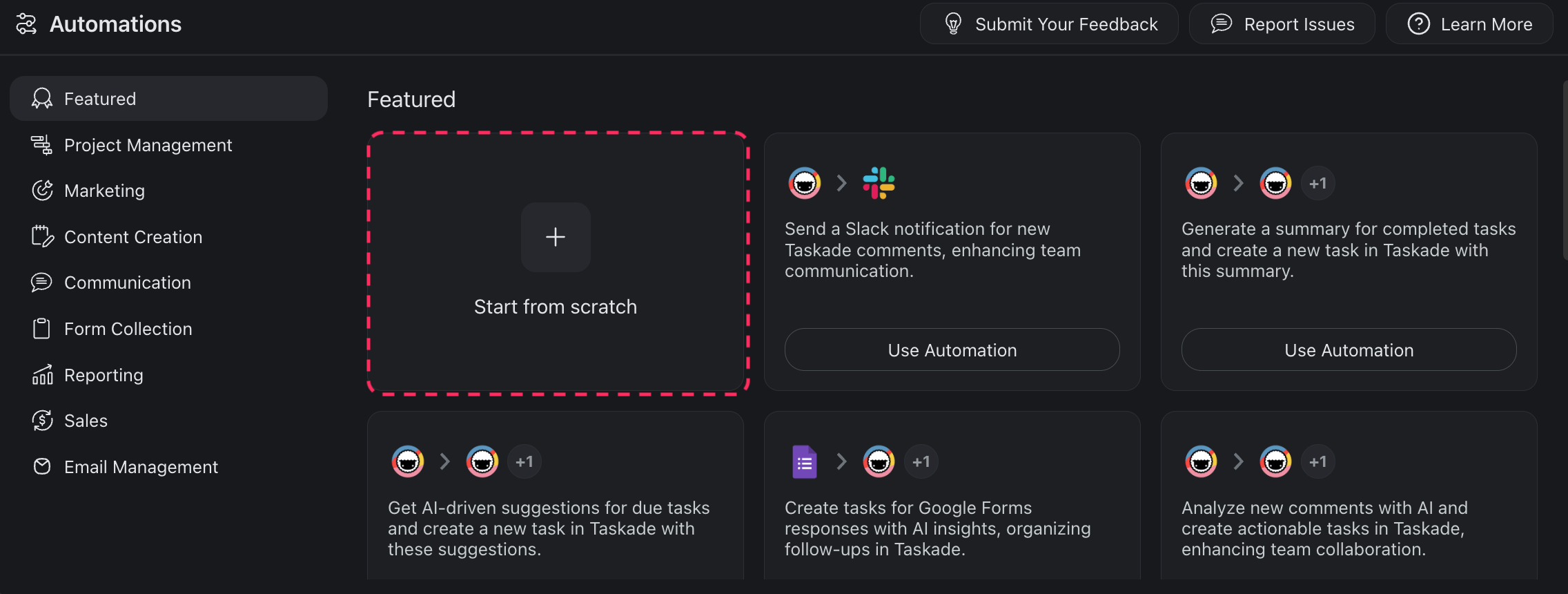
Every automation consists of triggers (what starts the flow) and actions (what happens next). They follow the "if this happens, then do that" logic.

To create a trigger, click Add Trigger and select an email event. Connect your Gmail account first.
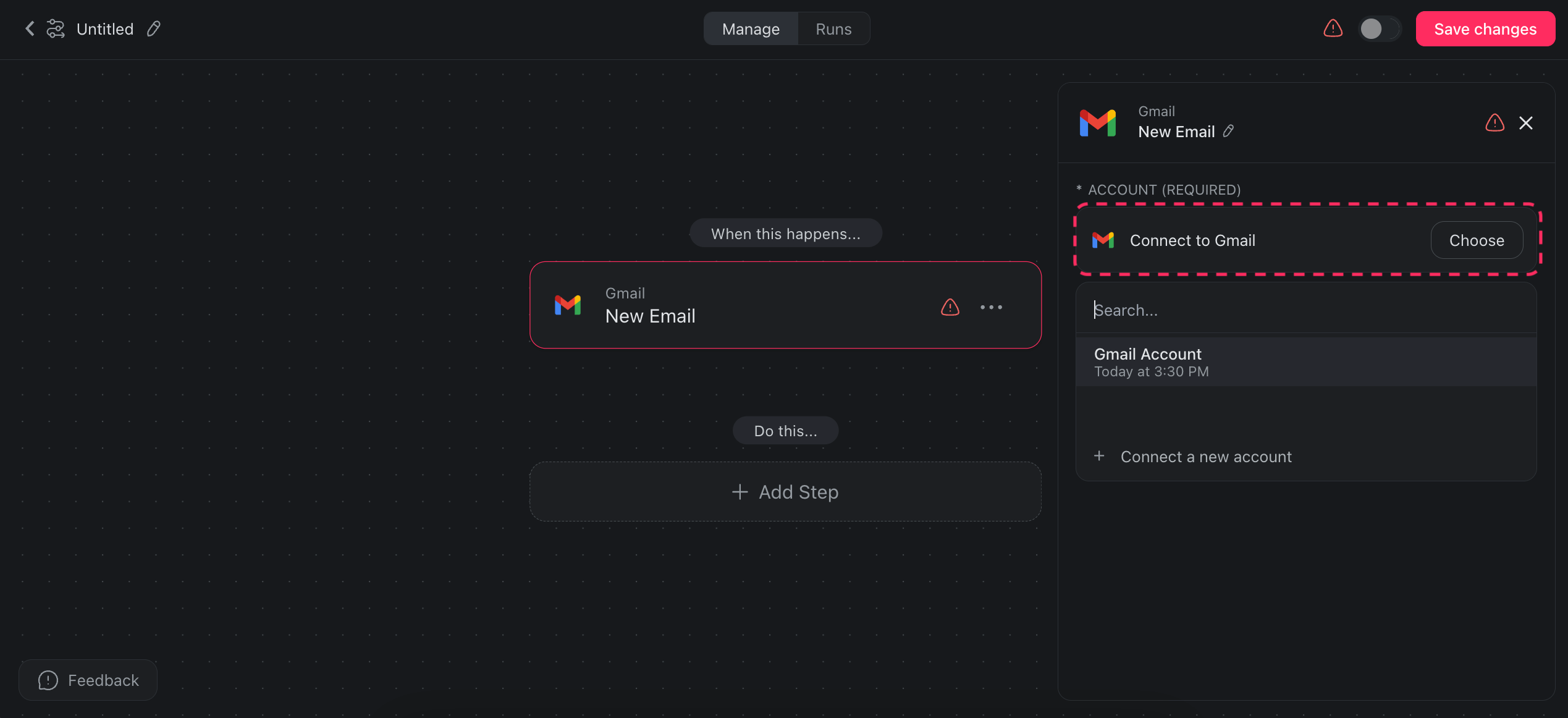
Add action steps to define what happens after the trigger fires.
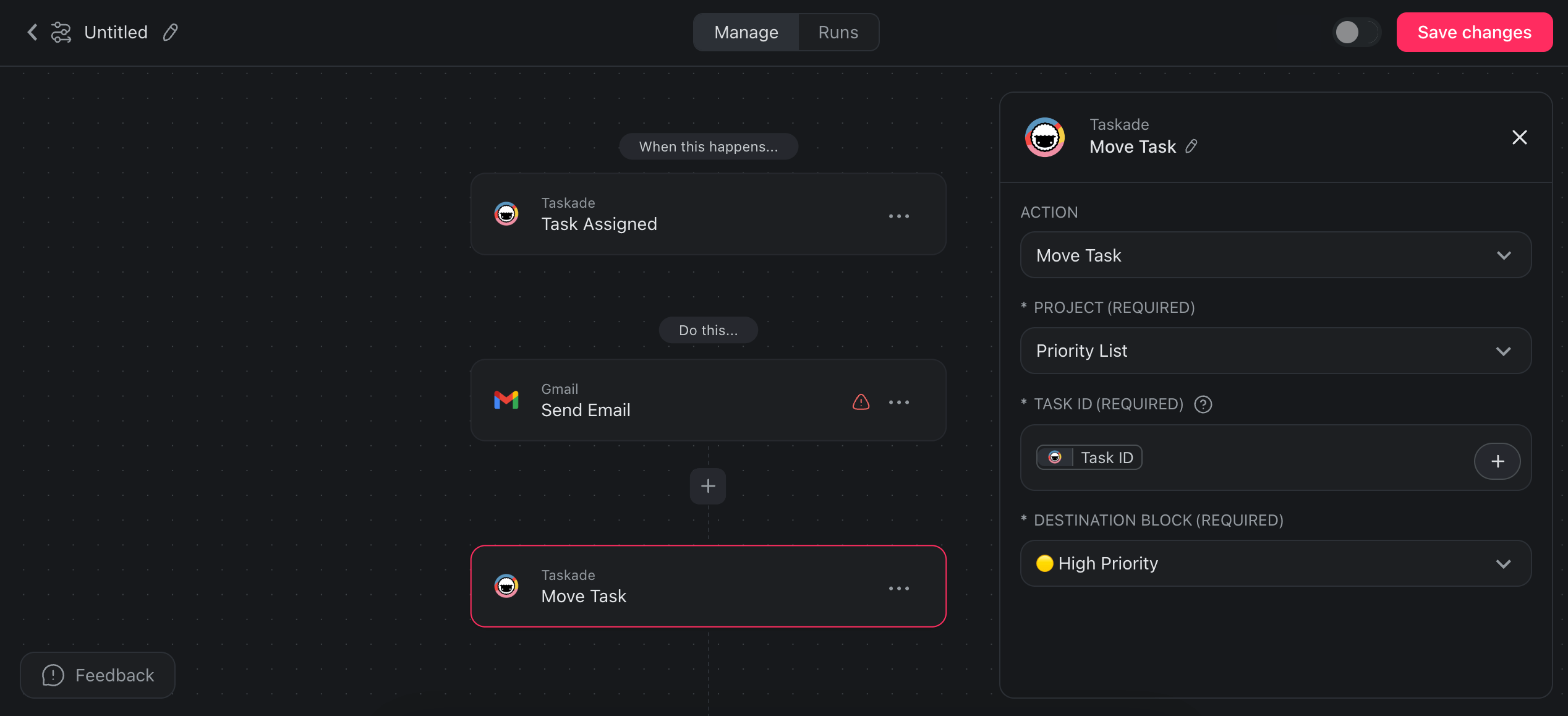
Here is an example flow:
| Step | Type | Action |
|---|---|---|
| 1 | Trigger | Task assigned inside a project |
| 2 | Action | Send email notification to team |
| 3 | Action | Move task to Priority List project |
Toggle the automation on and it runs continuously.

Email Automation Workflows
Auto-Reply to Emails with AI
Set up an automation that generates tailored, contextual replies to incoming emails automatically. No more canned responses or auto-responders that ignore the actual email content.
- Trigger: New email received in Gmail
- Action: AI agent analyzes email content and generates a personalized reply
- Action: Reply sent back to sender via Gmail
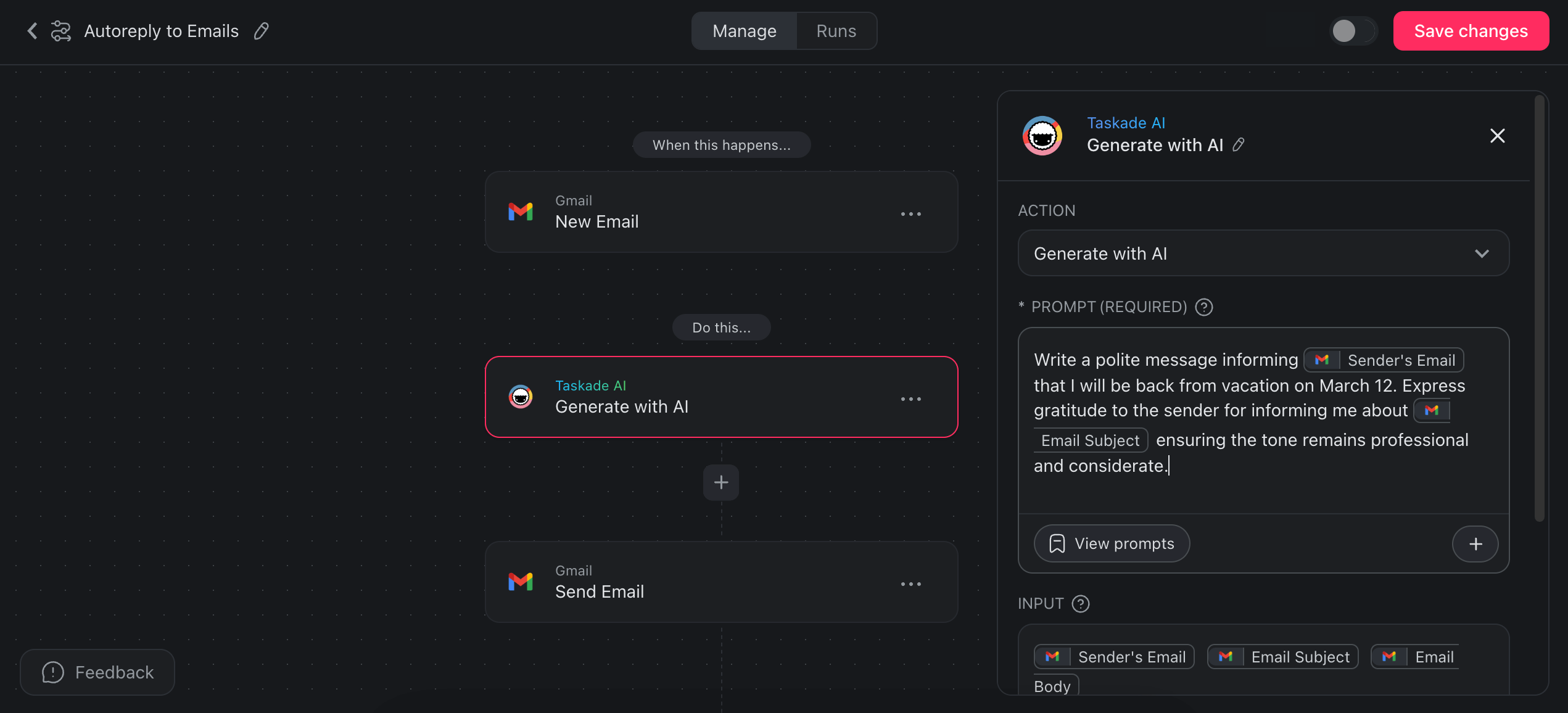
The AI agent adapts each response based on the sender, subject, and content. Train the agent on your communication style and company guidelines through its knowledge base for brand-consistent replies.
Summarize Emails into Project Tasks
Transform long email threads into concise summaries that feed directly into your projects.
- Trigger: New email received
- Action: AI agent extracts key points and summarizes the content
- Action: Summary added as a task to your Taskade project
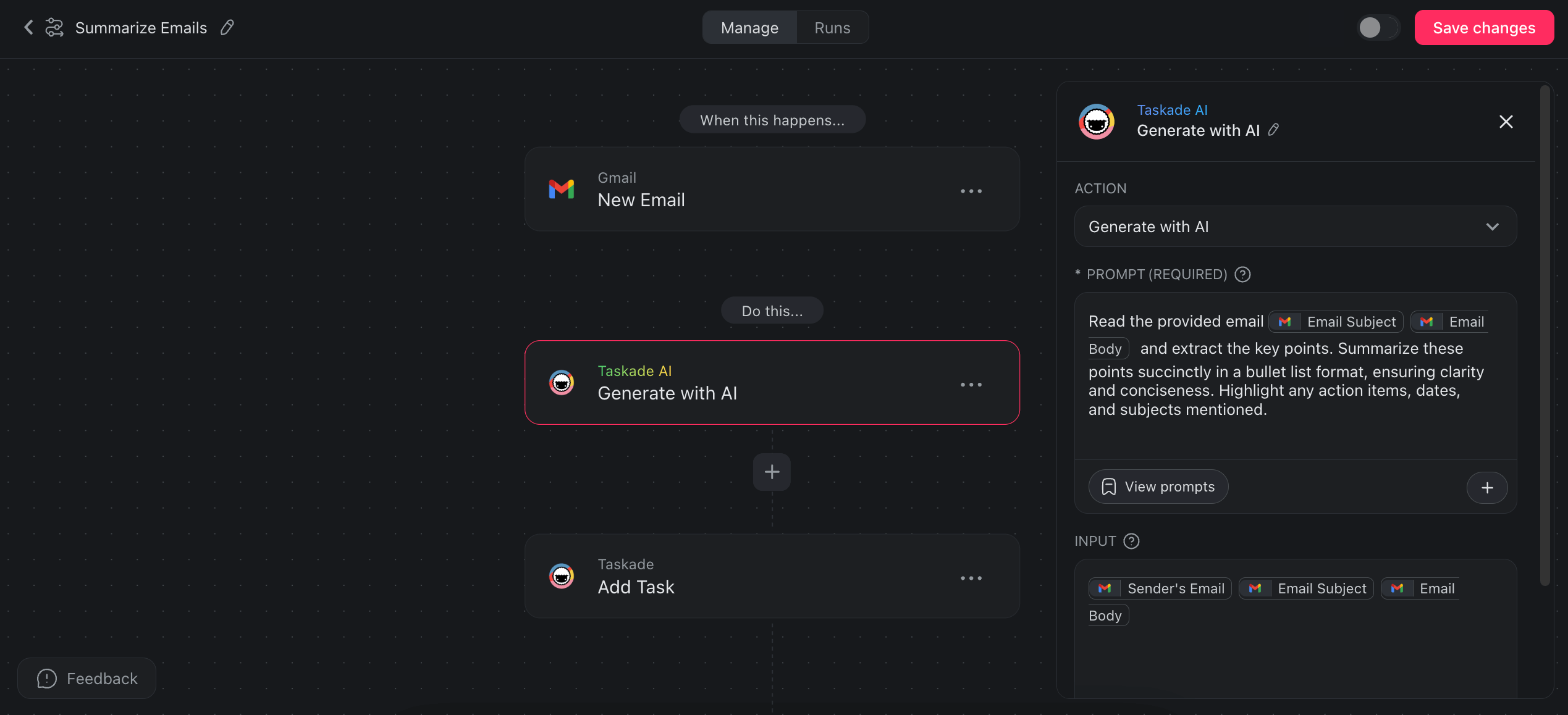
This workflow is particularly valuable for teams that receive daily newsletters, status updates, or client communications. Every important detail gets captured as an actionable task.
Convert Emails into Action Items
Go beyond summaries. Extract specific action items, deadlines, and assignments from email content.
- Trigger: New email received
- Action: AI agent analyzes content and identifies hidden tasks, deadlines, and responsibilities
- Action: Each action item created as a separate task in your project
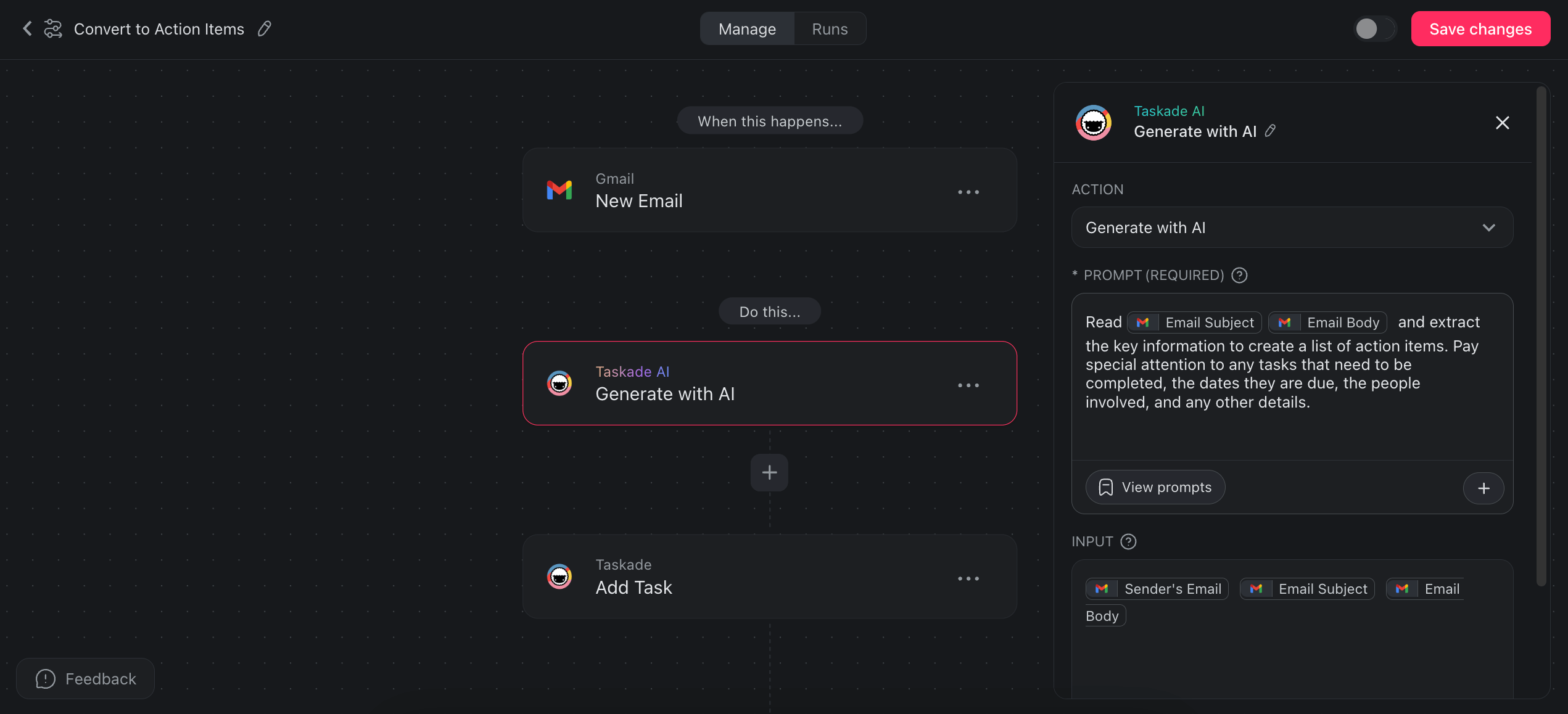
An email that says "Please review the proposal by Friday and send feedback to the design team" becomes two distinct tasks with deadlines and assignees.
Create Complete Projects from Emails
Emails often contain enough detail to become standalone projects. A client brief, a campaign plan, or a project request can be transformed into a fully structured project automatically.
- Trigger: New email received
- Action: AI agent extracts objectives, tasks, timelines, and stakeholders
- Action: Complete project created with task breakdown and structure
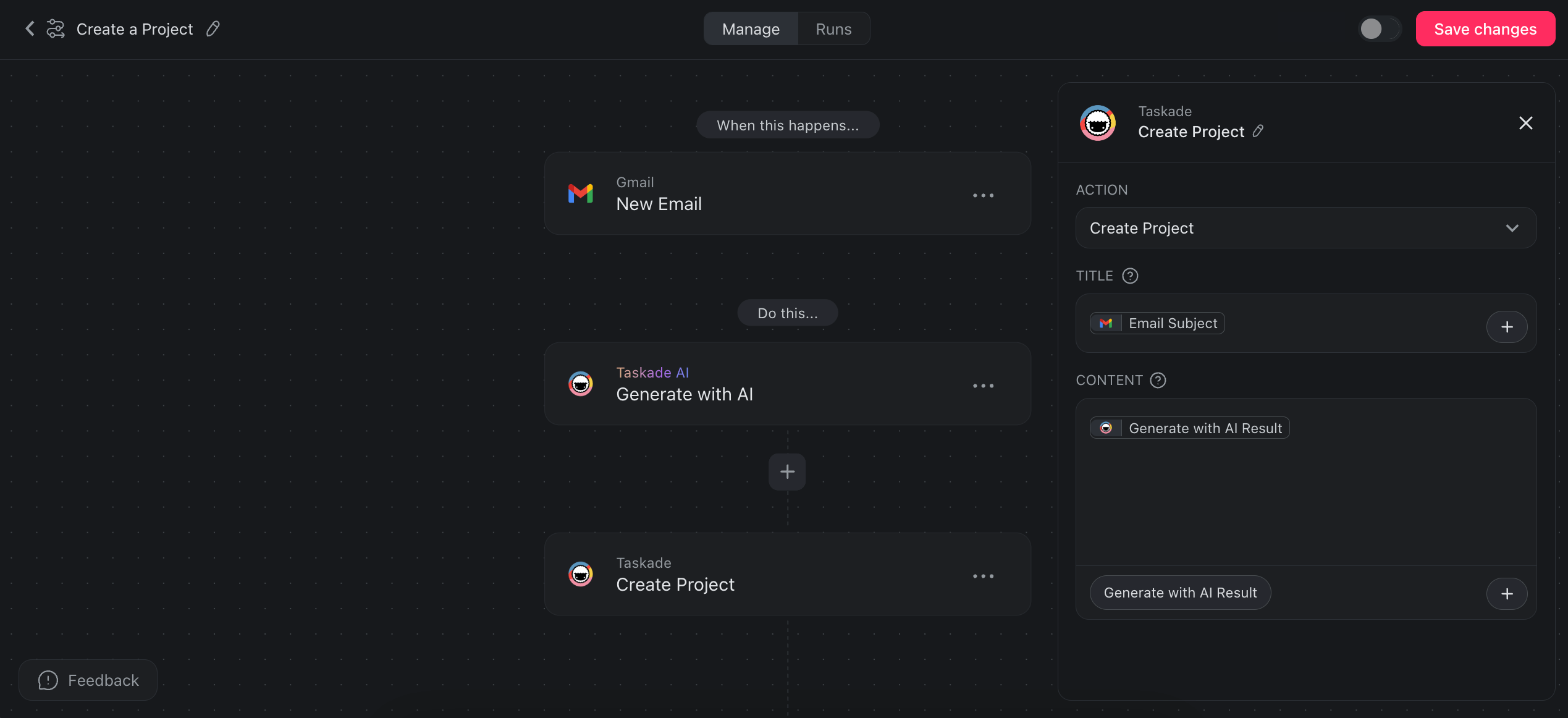
This is especially powerful for agencies, consultancies, and service businesses that receive project briefs via email regularly.
Advanced Email Automation Patterns
Custom AI Agent Email Processing
Custom AI agents bring domain expertise to your email automation. An agent trained on your product documentation can answer customer questions accurately. An agent trained on your sales playbook can qualify leads intelligently.
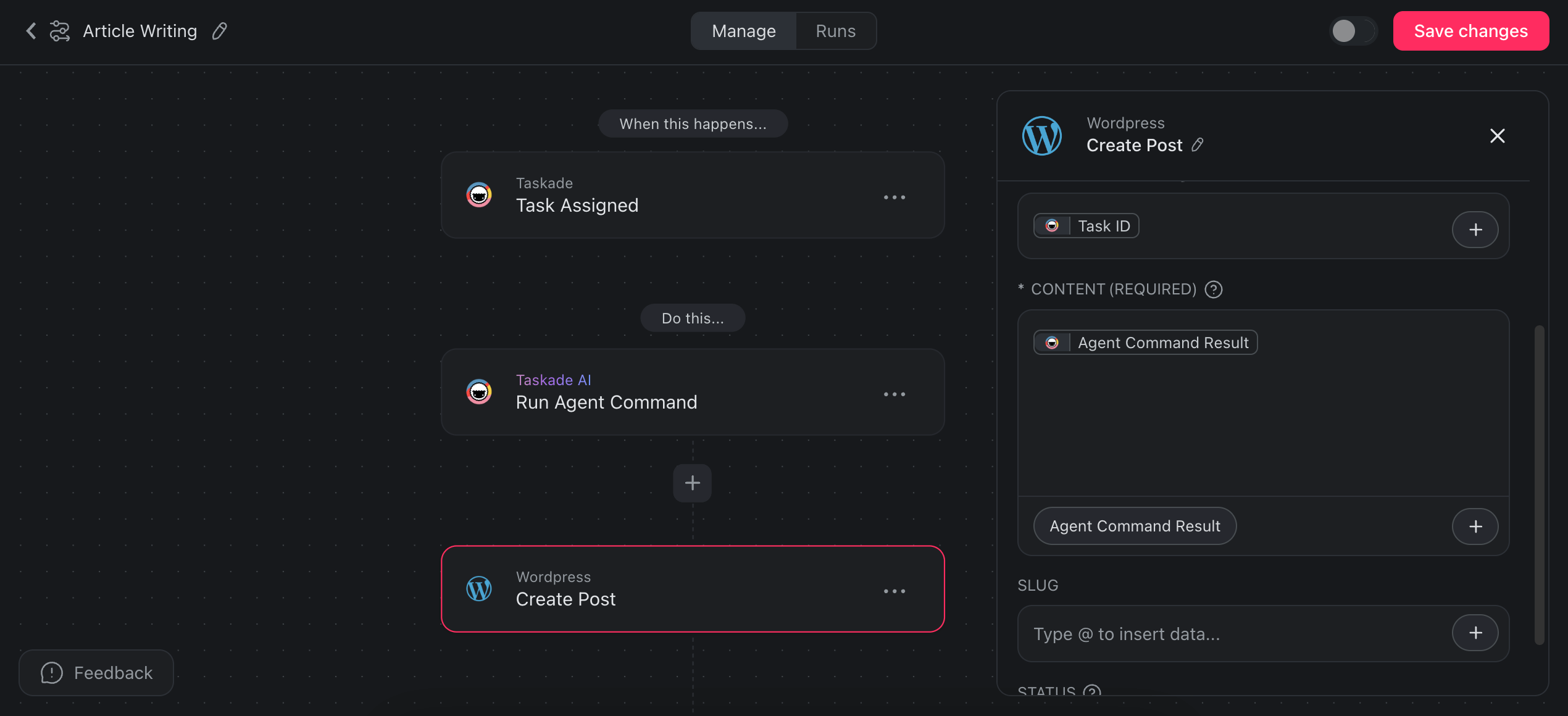
Here is a content generation workflow that starts with email:
- Trigger: Task assigned with article topic
- Action: Custom writing agent generates a draft based on brand voice guidelines
- Action: Draft published to WordPress
- Action: Confirmation email sent to editor
Lead Processing with Multi-Tool Integration
Build a complete lead pipeline triggered by form submissions:
- Trigger: New response from Google Forms or Typeform
- Action: AI agent analyzes submission and crafts personalized follow-up
- Action: Follow-up email sent via Gmail
- Action: Lead added as a task in your CRM project
- Action: Lead details logged in Google Sheets
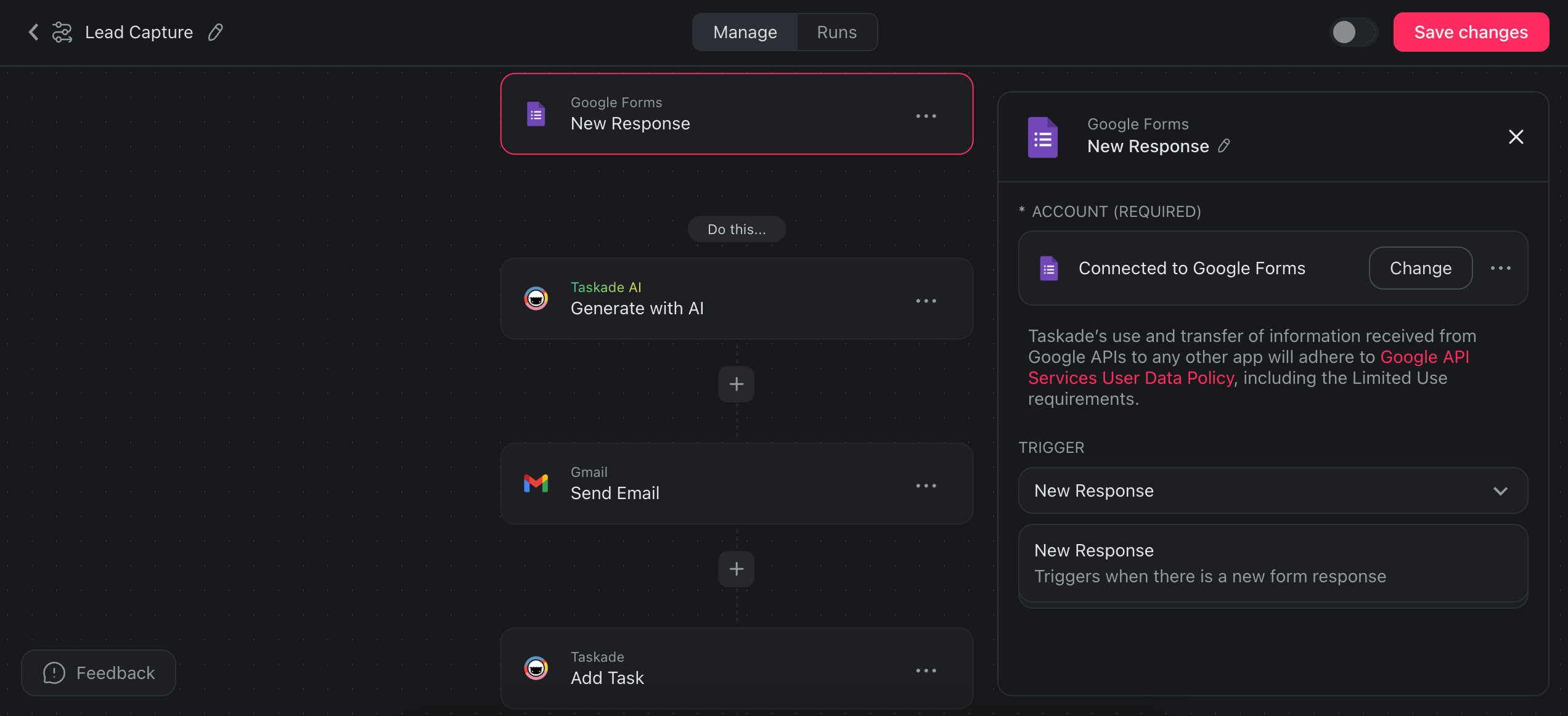
This workflow combines email, AI processing, project management, and spreadsheet tracking in a single automation flow, no middleware required.
Scheduled Email Automations
Run email workflows on a schedule rather than event triggers. Send weekly reminders, monthly reports, or daily digests automatically.
- Trigger: Schedule (hourly, daily, weekly, or monthly)
- Action: Send email reminder to team members
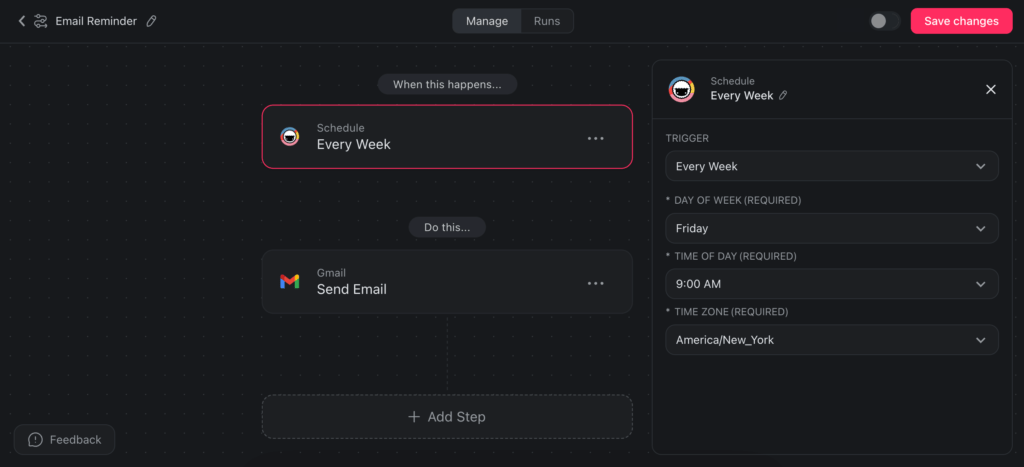
Learn more about scheduled automations.
Automated Onboarding via Email
Streamline new hire onboarding with email-triggered project creation:
- Trigger: Onboarding meeting scheduled via Calendly
- Action: New onboarding project created from project template with checklists and guides
- Action: Welcome email sent to new team member with project link
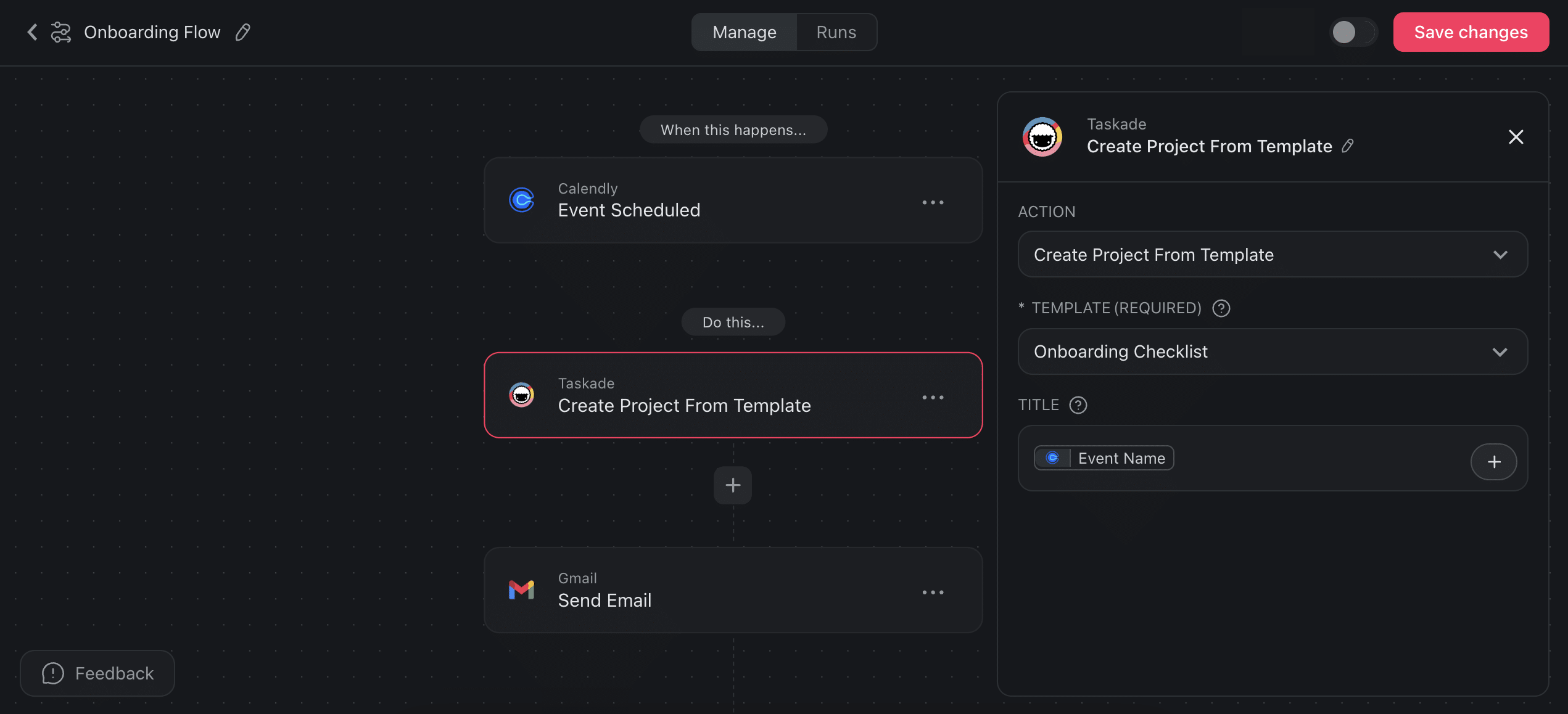
The new hire receives a structured project with everything they need to get started. They can work through tasks at their own pace while the team tracks progress across multiple project views.
Email Automation Cost Comparison
Understanding the total cost of email automation helps you choose the right platform for your volume.
| Scenario | Taskade | Zapier | Make |
|---|---|---|---|
| 500 emails/month, 3 steps each | Pro: $10/mo (flat) | Professional: $50/mo (1,500 tasks) | Core: $9/mo (15K ops) |
| 2,000 emails/month, 3 steps each | Pro: $10/mo (flat) | Professional: $50/mo (may exceed) | Core: $9/mo (may exceed) |
| 5,000 emails/month, 5 steps each | Business: $25/mo (flat) | Team: $400/mo (25K tasks) | Pro: $16/mo (may exceed) |
| AI agent processing included | Yes (frontier models) | No (extra ChatGPT API cost) | No (extra AI service cost) |
| Project management included | Yes (multiple views) | No | No |
| Team collaboration included | Yes | No | No |
Taskade's flat-rate pricing means your costs stay predictable regardless of email volume. Zapier and Make costs grow with every additional email processed.
Best Practices for Email Automation
Define Clear Agent Instructions
The quality of AI email processing depends on your agent's instructions. Be specific about how to categorize messages, what constitutes an action item, which emails require human review, and what tone to use in responses.
Browse the prompt template library for email-specific templates.
Start with Non-Critical Emails
Begin automation with routine emails like newsletters, status updates, and meeting confirmations. Once you trust the system, expand to client communications and higher-stakes messages.
Use Human-in-the-Loop for Sensitive Emails
Configure agents to flag and summarize sensitive emails rather than auto-responding. Create rules that route emails from key clients, legal matters, or confidential topics to human reviewers.
Monitor and Refine
Check your automation outputs weekly during the first month. Adjust agent instructions based on edge cases you discover. Upload corrected examples to the agent's knowledge base to improve future processing.
Connect Email to Your Full Workflow
The real power of email automation emerges when emails connect to the rest of your work. Emails become tasks, tasks become projects, and projects are managed with AI agents and workflow automation in a single workspace. This eliminates the context switching that makes email overwhelming in the first place.
Key Takeaways
AI-powered email automation in 2026 goes far beyond filters and auto-responders. The right platform turns your inbox into a managed workflow where every email is processed, categorized, and acted upon automatically.
- Taskade embeds AI agents natively with built-in tools and persistent memory for intelligent email processing
- Unlike Zapier and Make, Taskade includes project management (multiple views), team collaboration, and flat-rate pricing
- AI agents understand email content semantically, going beyond keyword-based filtering
- 100+ integrations connect email workflows to CRM, Slack, Google Sheets, and more without middleware
- Start with routine emails and expand to complex workflows as you refine agent instructions
- Flat-rate pricing makes Taskade more cost-effective than per-task middleware platforms at scale
Automate Your Inbox with Taskade AI Agents
Sign up for Taskade and build your first email automation
Explore More:
- Custom AI Agents — Build email processing agents with built-in tools
- Automation Getting Started — Set up trigger-based workflows
- Automation Actions — Browse email and integration connectors
- Automation Triggers — Event and schedule trigger options
- Scheduled Automations — Run workflows on intervals
- AI Automation Agents — Combine agents with automation
- Integrations Directory — 100+ connected platforms
- Prompt Template Library — Email-specific prompt templates
- Community Gallery — Clone email automation workflows
- Taskade Pricing — Free, Pro $10/mo, Business $25/mo

Frequently Asked Questions
How does Taskade automate email with AI agents?
Taskade AI agents connect to your Gmail inbox and automatically process incoming emails. Agents categorize messages, extract action items into tasks, draft contextual responses, and flag high-priority conversations. They run in the background on a schedule or trigger in real time, turning your inbox into an organized, automated workflow without manual sorting. Agents have built-in tools and persistent memory across runs.
Can AI agents draft email responses automatically?
Yes. Taskade AI agents can be trained on your communication style, company guidelines, and previous email threads to draft contextually appropriate responses. You can configure agents to auto-draft replies for common inquiries, summarize long threads, and create follow-up tasks, then review and send with one click rather than writing from scratch.
How does Taskade compare to Zapier for email automation?
Zapier connects email to other apps through middleware with per-task pricing. Taskade embeds AI agents natively within your workspace alongside project management with multiple views and team collaboration. Taskade agents have persistent memory and built-in tools, running within automation flows that connect to 100+ integrations. No middleware required. Pricing starts at free, with Pro from $10 per month billed annually.
How does Taskade compare to Make for email automation?
Make uses visual scenario builders for email workflows but requires external AI connections and per-operation pricing. Taskade combines native AI agents powered by frontier models with built-in automation, project management, and team collaboration. Agents can analyze, categorize, respond, and create tasks from emails without external AI service costs or middleware.
How do I set up email automation in Taskade?
Connect your Gmail account through Taskade integration settings. Create an AI agent with email-specific instructions defining how it should categorize messages, what action items to extract, and which emails warrant automated responses. Deploy the agent in an automation flow triggered by new emails. No coding required. The automation getting started guide at taskade.com/learn covers each step.
Can AI email automation handle sensitive or confidential emails?
AI email agents process emails within your workspace security boundaries. You can configure agents to skip emails matching certain criteria and only auto-process routine messages. For sensitive communications, agents can flag and summarize without auto-responding, keeping humans in the loop. Taskade provides role-based access control from Owner to Viewer for workspace security.
What email automation workflows can I build with Taskade?
Common workflows include auto-replying to incoming emails, summarizing long threads into project tasks, converting email action items into assigned tasks, creating complete projects from client emails, processing lead form submissions with personalized follow-ups, scheduling recurring email reminders, and routing support requests to specialized AI agents. All workflows connect to 100+ integrations.
Is Taskade email automation better than Gmail filters?
Gmail filters handle basic sorting by sender, subject, or keywords. Taskade AI agents understand email content semantically. They can categorize by intent rather than keywords, extract action items, draft contextual responses, create tasks, and connect to 100+ external tools. The difference is between rule-based sorting and intelligent, agentic processing.
How much does email automation cost with Taskade vs Zapier vs Make?
Taskade offers email automation starting with a free plan, with Pro from $10 per month billed annually, including AI agents, automation, project management, and 100+ integrations. Zapier pricing starts at $20 per month for 750 tasks. Make starts at $9 per month for 10,000 operations. Taskade is the only platform that includes AI agents, project management, and team collaboration in the base price.
Can I automate email across multiple accounts?
Yes. You can connect multiple Gmail accounts to Taskade and create separate automation flows for each. Each flow can use different AI agents with different instructions, ensuring business emails and personal emails are processed according to their own rules. Agents maintain separate knowledge bases and memory per workflow.