






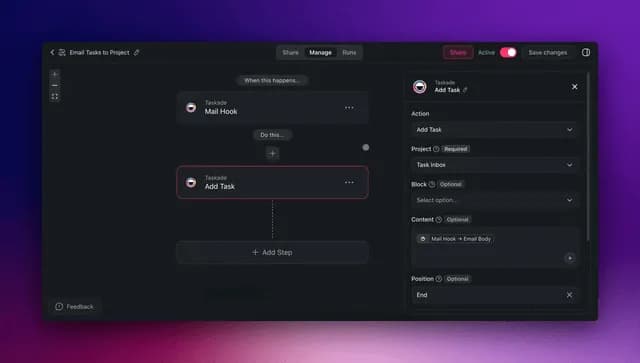
You can automate roughly 99% of your email with AI agents in 2026 — and the 1% you keep is the part that actually needs you: the sensitive reply, the relationship call, and the final send. Knowledge workers spend about 28% of the workweek on email, which is more than a full day every week spent reading, sorting, and typing the same kinds of replies. AI agents now read each message, infer intent, sort by what it actually wants from you, draft replies for your approval, route threads to the right place, and summarize long chains into a few lines. The fastest way to inbox zero is to stop building brittle filters and instead describe the inbox you want — then let it build itself.
TL;DR: Email eats about 28% of the workweek. In 2026, AI agents reach inbox zero by sorting messages by intent, drafting replies for your approval, routing threads, and summarizing chains. The fastest path is to describe the outcome and let Taskade Genesis build the agents, automations, and a live app. Clone the working email app below →
See it live — clone a working email triage app
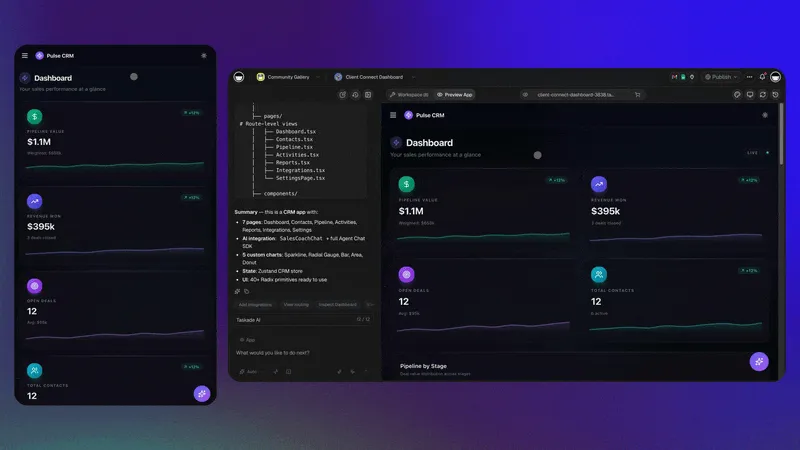
You do not have to imagine this. The app below was built from a single prompt and runs in your browser right now. Clone it in about 30 seconds and it lands in your own workspace, ready to connect to your mail.
That is the whole point of agentic email: the output is not a folder of filters, it is software that works on your inbox. You describe the email job, and you get a real app with a database, AI agents, and automations — no canvas to wire, no server to host. Browse more cloneable apps or start your own from a prompt.
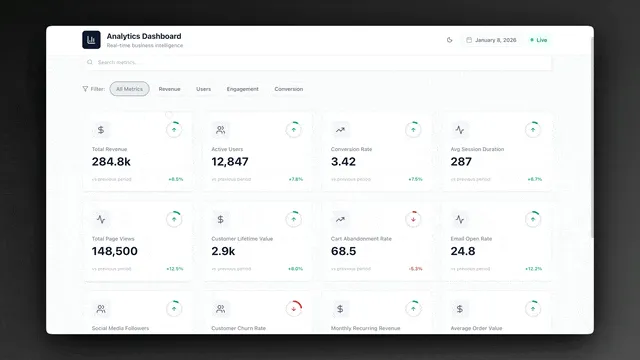
This guide is about personal and team email operations — your inbox, your team's shared mailbox, the daily triage-and-reply grind. If you are automating a public-facing support queue with ticketing and SLAs, that is a different build; read our AI customer support software guide for that. This one is for the inbox you open every morning.
What does it mean to automate email with AI agents?
Automating email with AI agents means handing each repeatable inbox job to software that reasons instead of software that just matches a sender. A classic email rule fires on a fixed condition — "from this address, move to that folder." An AI agent reads the actual message, infers what it wants from you, decides the next action, and adapts when a new kind of email arrives. That is the line between 2015 filters and 2026 automation: a filter sorts by address, an agent sorts by intent.
Here is the difference in one picture. Old email rules are a straight pipe. An AI email agent is a loop that reads, decides, and learns.
The practical upshot: you stop maintaining a tangle of filters that break the moment a sender changes their address, and you start directing a system that handles the messy middle on its own. A filter cannot tell an urgent client question from a routine receipt. An agent reads both, knows which one needs you now, and drafts the reply to the first one before you have finished your coffee. Learn the deeper mechanics in our AI content workflow guide and the automation hub.
Why automate email now? The numbers
The case for automating email in 2026 starts with one stat: knowledge workers spend about 28% of the workweek on email. On a 40-hour week, that is roughly 11 hours — more than a full workday — spent reading, sorting, and typing replies that mostly follow patterns. Automating triage, drafting, routing, and summarizing recovers most of that time, because the agent does the reading and the first draft while you only review and send.
That 28% is not evenly split across hard problems. The bulk of it is repeatable: deciding what to open first, writing the same five kinds of reply, forwarding the right thread to the right person, and skimming long chains to find the one ask buried at the bottom. Every one of those is a job an agent can do.
| What you automate | Typical manual time | With AI agents | What you reclaim |
|---|---|---|---|
| Morning triage (sort by intent) | 20-40 min/day | Done before you open it | A clean inbox, instantly |
| First-draft replies | 3-5 min each | Pre-written for approval | Review-and-send only |
| Summarize a 30-message thread | 5-10 min | 2-line summary | Minutes per thread |
| Route a message to the right owner | 1-2 min each | Auto-forwarded + tasked | Zero hand-offs |
| Unsubscribe + declutter | An ongoing tax | Continuous | A quieter inbox |
Treat that table as a starting menu, not a ceiling. Every inbox action you take more than a few times a day is a candidate. The teams getting the biggest wins automate the high-frequency, low-judgment work first — triage and first drafts — and keep their attention for the messages that actually need a person. See how that plays out on the automation hub.
The 6 email AI agents worth building
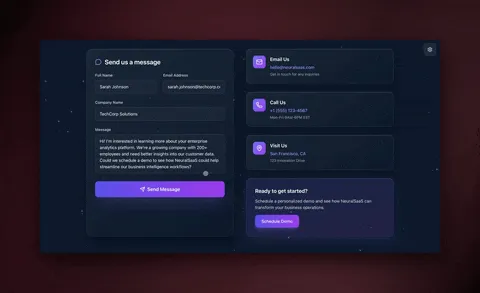
There are a handful of inbox jobs that eat most of your email time, and each maps cleanly to a single focused agent. The six below cover the bulk of the 28%. Each one is a small worker with a clear job — and in Taskade each ships with built-in tools (web search, file analysis, code execution, custom slash commands, and more).
| Agent | What it does | Best built when |
|---|---|---|
| Triage agent | Sorts incoming mail by intent — urgent, reply-needed, FYI, newsletter, receipt | You open a full inbox daily |
| Drafting agent | Writes a first-pass reply in your voice for approval | You retype the same kinds of reply |
| Routing agent | Forwards messages to the right person or project, creates a task | You manage a shared mailbox |
| Thread-summarizer | Condenses a long chain into the ask and the decision | Threads run 20+ messages |
| Unsubscribe agent | Clears newsletter and promo clutter, keeps the signal | Your inbox is noisy |
| Follow-up agent | Nudges stalled conversations that never got a reply | You drop balls on long threads |
A good rule: one agent, one job. A narrow agent is reliable, easy to test, and easy to trust. When you need something bigger — say, "read the thread, decide if it needs me, summarize it, and draft a reply" — you do not build one giant agent. You build a team and let them hand work to each other.
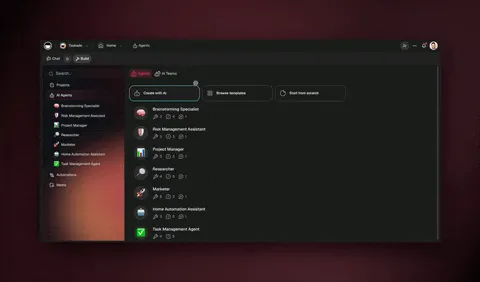
This triage → summarize → draft → approve → send loop is the single most reliable pattern in agentic email. It keeps quality high because a human stays on the one decision that matters — final approval — while agents do all the reading and typing around it. Taskade supports this multi-agent collaboration natively, and agents carry persistent memory, so they learn your tone and your common replies over time. Walk through building your first one in the agent playbook.
How the pieces connect: the inbox system map
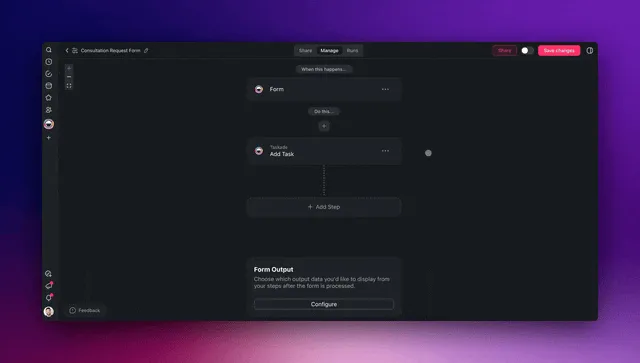
A real email automation system has four moving parts, and they form a loop — not a line. Memory (your projects, contacts, and past replies) feeds Intelligence (your agents), which drives Execution (your automations and mail integrations), which produces new data — every reply you approve, every label you confirm — that flows back into Memory. This is Taskade's Workspace DNA, and it is what turns disconnected inbox agents into a system that gets smarter every week.
Below is the end-to-end map of how a single new message travels through an automated inbox — from arrival to a sent reply and a synced task — with agents and integrations doing every step.
┌──────────────────────────────────────────────────────────────────┐
│                    AUTOMATED INBOX SYSTEM                          │
│            (one prompt → one living app in Taskade)               │
├──────────────────────────────────────────────────────────────────┤
│                                                                    │
│   INBOUND (triggers pull in)        OUTBOUND (actions push out)   │
│   ┌─────────────────┐               ┌──────────────────────┐     │
│   │  New email       │──┐         ┌─▶│  Reply sent          │     │
│   │  Calendar invite │  │         │  │  Thread labeled      │     │
│   │  Form reply      │  │         │  │  Task created        │     │
│   │  @mention        │  │         │  │  Owner forwarded     │     │
│   └─────────────────┘  │         │  └──────────────────────┘     │
│                        ▼         │                                │
│              ┌───────────────────────────────┐                   │
│              │   INTELLIGENCE (AI agents)     │                   │
│              │  ┌──────────┐  ┌────────────┐  │                   │
│              │  │ Triage   │─▶│ Classify   │  │                   │
│              │  │ by intent│  │ & prioritize│  │                   │
│              │  └──────────┘  └─────┬──────┘  │                   │
│              │  ┌──────────┐  ┌─────▼──────┐  │                   │
│              │  │ Draft    │◀─│ Decide next│  │                   │
│              │  │ reply    │  │ best action│  │                   │
│              │  └────┬─────┘  └────────────┘  │                   │
│              └───────┼────────────────────────┘                   │
│                      ▼                                             │
│              ┌──────────────────┐                                 │
│              │  MEMORY (Projects)│  ◀── approved replies flow back│
│              │  Views, history   │      system learns your voice  │
│              └──────────────────┘                                 │
│                                                                    │
└──────────────────────────────────────────────────────────────────┘
Notice there is no separate "inbox add-on," "scheduler," "summarizer extension," and "task app" bolted together with tape. It is one app. That single-system design is exactly why the work compounds — the reply you approve today becomes context the drafting agent uses tomorrow. Each of the 100+ bidirectional integrations works in both directions, so a message read from your inbox can come back as a sent reply, a label, and a task in your project board without anyone copying a thing.
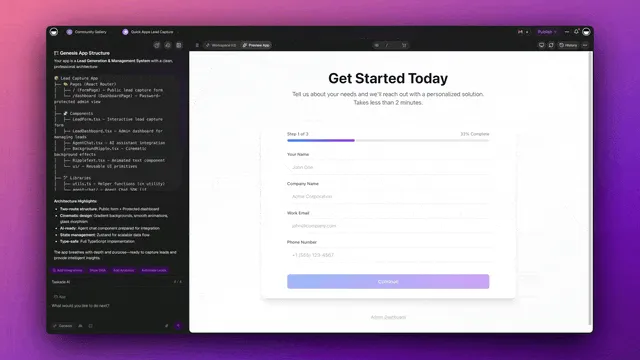
Taskade Genesis vs the AI email tools (Superhuman, Shortwave, Fyxer, Copilot, Gemini)
The honest landscape: the popular AI email tools of 2026 are faster inbox clients, and several are genuinely excellent at that job. Superhuman is the speed king — keyboard-first, AI triage that sorts by priority, and drafts in your voice. Fyxer has the lowest setup friction, connecting to Gmail or Outlook through a browser extension in under five minutes, and it folds in meeting notes. Shortwave is an AI-native Gmail client that bundles threads by topic and collapses low-priority mail. Microsoft Copilot in Outlook and Gemini in Gmail bring on-demand summarize-and-draft to the two biggest mail platforms on earth. If your goal is "make my one inbox faster," any of these will serve you well.
But notice what every one of them is: a layer on top of a single mailbox. They speed up the inbox you already open — they do not give you a place to store contacts and threads, a multi-agent team, or a way to turn email into tasks, automations, and a shareable app. When the email becomes work — a project, a follow-up sequence, a hand-off to a teammate — you leave the email tool and go somewhere else. Taskade Genesis is that somewhere else, built from one prompt.
| Superhuman | Shortwave | Fyxer | Copilot / Gemini | Taskade Genesis | |
|---|---|---|---|---|---|
| What it is | Fast email client | AI Gmail client | Inbox + meeting AI | Assistant in your mailbox | Living inbox app from a prompt |
| Triage by intent | Yes (priority split) | Yes (topic bundles) | Yes (auto-labels) | On-demand | Yes — agent reasons over intent |
| Drafts in your voice | Yes | Yes | Yes | Yes | Yes — agent + persistent memory |
| Multi-agent team | No | No | No | No | Yes — triage→summarize→draft→review |
| Stores contacts / threads | In your mailbox | In Gmail | In your mailbox | In your mailbox | In the app (Projects, multiple views) |
| Turn email into tasks/automations | No | Limited | Limited | No | Native — boards, calendar, workflows |
| Gets smarter over time | Static | Static | Static | Static | Yes — Workspace DNA loop |
| Clone / share the system | No | No | No | No | Yes — one-click cloneable app |
| Entry price (annual) | ~$30/user/mo | Paid tiers | ~$18/user/mo | Bundled in M365 / Workspace | Free, Pro $10/mo |
To be fair to each: Superhuman is the fastest pure inbox experience money can buy, and if raw keyboard speed on one mailbox is your whole problem, it is hard to beat. Fyxer has the gentlest onboarding and bundles meeting notes, which is a real time-saver. Copilot and Gemini are free-with-your-plan and live exactly where your mail already is — unbeatable for "summarize this thread" with zero setup. Where Taskade Genesis pulls ahead is the moment email stops being just email and becomes work your team runs on: a CRM-lite of contacts, a multi-agent review loop, automations that route and follow up, and a board where every message becomes a tracked task — all in one app you can clone and share.
The pattern repeats across every operations surface, not just email. The same "describe the outcome, get a living app" wedge is how teams automate the queues next to the inbox: see automate customer support for the public-facing ticket side, automate operations for the back-office work email kicks off, and automate sales for turning inbound replies into a pipeline. Email is usually the first domino — the others fall the same way.
How Taskade does it differently
Here is the honest landscape. n8n, Lindy, Zapier, Make, and the inbox add-ons all do a genuinely good job at one thing: connecting apps and moving messages. You wire a trigger to an action, map the fields, and email moves between tools. For pure data plumbing, these are excellent — and to be fair, Zapier's app catalog is unmatched (thousands of connectors, including every mail provider), Lindy ships a polished email-assistant experience out of the box, and n8n is wonderfully cost-efficient for high-volume technical flows. If your only goal is to move a message from A to B, any of them will serve you well.
But notice what they all hand you at the end: an automation. A flowchart. Wiring. You still need a separate place to store your contacts and replies, a separate AI tool to draft, and a separate app to track the tasks that come out of your inbox. You become the integration glue between four systems.
Taskade Genesis takes a different altitude. You do not wire nodes — you describe the inbox outcome, and it ships a living app: a database of your contacts and threads, AI agents that triage and draft, automations that route and label, and a shareable URL, all in one. That is the wedge.
| Node-wirers (n8n, Lindy, Zapier, Make) | Taskade Genesis | |
|---|---|---|
| You build by | Wiring triggers → actions on a canvas | Describing the outcome in plain English |
| You get | An automation (a flow) | A living app — data + agents + automations |
| AI agents | Add-on or bolt-on | Native, built-in tools, frontier models |
| Contacts & threads live | In another tool | In the app (Projects, multiple views) |
| Turn email into action | Build a separate task app | Built-in: tasks, boards, calendar |
| Gets smarter over time | No — static flow | Yes — Workspace DNA loop |
The mechanism behind that last row is Workspace DNA — the self-reinforcing loop where Memory feeds Intelligence, Intelligence drives Execution, and Execution creates new Memory.
A node-wirer cannot do this because a flowchart has no memory — every run starts cold, so it never learns how you actually reply. A Taskade Genesis inbox system remembers every thread, every contact, every approved draft, and each agent gets better because it is working inside that accumulating memory. Add multi-agent teams and the ability to clone any live app in seconds, and you have an inbox that grows rather than a pipeline you maintain. Explore the difference on the AI apps page and the agents hub.
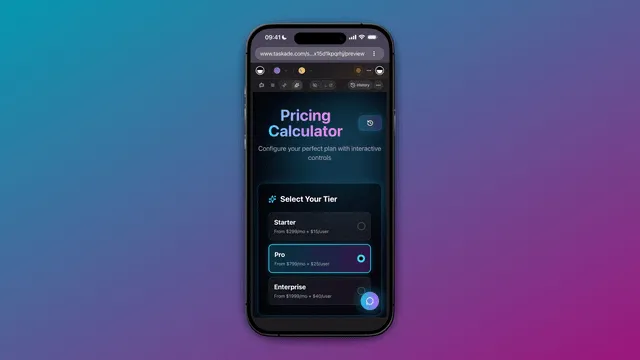
What Taskade Genesis can do for your inbox (the full platform)
An email tool gives you a faster inbox. Taskade Genesis gives you the whole operating system the inbox plugs into — and each capability maps directly onto a real email job. Here is the full platform, tied to this use case so you can see exactly what each piece does for your mail.
| Capability | What it is | What it does for your email |
|---|---|---|
| Workspace DNA loop | Memory → Intelligence → Execution → Memory, self-reinforcing | Every approved reply becomes context; your drafting agent gets more like you every week |
| built-in agent tools | Web search, file analysis, code execution, custom slash commands, persistent memory, and more | An agent can look up an order in a CSV, pull a doc, run a calc, and cite it in the reply |
| Multiple project views | List, Board, Calendar, Table, Mind Map, Gantt, Org Chart | Your inbox-derived tasks live on a board; follow-ups land on a calendar; contacts in a table |
| Multi-agent teams | Agents that hand work to each other | Triage → summarize → draft → review runs as a team, not one over-stuffed prompt |
| 100+ bidirectional integrations | Triggers pull events in, actions push data out | New mail in from Gmail/Outlook; replies, labels, and tasks pushed back out — both directions |
| Frontier models | Top AI labs, per agent | Use a fast model for triage, a sharp one for the delicate reply — picked per agent |
| Custom domains + Genesis publishing | Ship a live, branded app at your own URL | Hand your team a shared "inbox command center" they open like any web app |
| Role-based access | Owner → Viewer roles | An agent drafts, an Editor approves, a Checker suggests — nothing sends without sign-off |
Workspace DNA: why the inbox compounds
The reason a Taskade inbox gets better while a filter stays flat is the Workspace DNA loop. Memory is your Projects — contacts, past threads, every approved reply. Intelligence is your AI agents reading that memory to triage and draft. Execution is your automations and mail integrations sending, labeling, and tasking. And the output of Execution — each reply you approve — flows straight back into Memory. So tomorrow's draft is written by an agent that has read every reply you blessed yesterday. That is a loop a flowchart structurally cannot run.
Built-in tools, multiple views, frontier models — working on one message
The capabilities above are not a feature list to skim; they all converge on a single incoming message. A message arrives, and an agent with built-in tools reads it, searches the web to confirm a fact, opens an attached file to pull a number, and drafts a grounded reply. The follow-up lands on your Calendar view; the new contact lands in a Table view; the action item lands on a Board — three of the project views, no copy-paste. A fast model handles the triage pass and a sharper one writes the sensitive reply, chosen per agent from frontier models. And because the whole thing is a Genesis app, you can publish it on a custom domain and share it with your team behind role-based access. One message, the whole platform, zero glue.
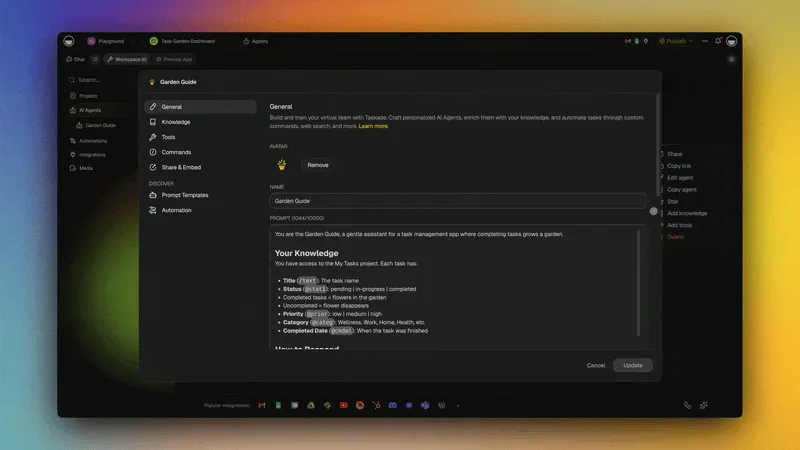
Where this is heading
The inbox is the first surface, not the last. Taskade's vision is that every team runs on a self-reinforcing Memory + Intelligence + Execution loop — one prompt becomes a living, self-improving app, and that app keeps learning from the work it does. For email, that means an inbox system that does not just clear today's mail but gets measurably better at your mail every week: sharper triage, drafts closer to your voice, follow-ups that fire before you think of them. The same loop then spreads outward — the contacts your inbox agent learns become the sales pipeline, the requests it routes become the operations queue, the questions it answers become the support knowledge base. One day soon, "automating your email" will just mean describing the outcome once and watching a living system carry it for years.
Build your first email automation in 4 steps
You can ship a working email automation in an afternoon — no engineer, no code. The pattern is always the same four moves, whether you are automating morning triage or draft replies.
Step 1 — Pick the highest-frequency inbox job. For almost everyone that is triage — the daily sort that decides what you open first. High frequency means the time savings show up the very next morning.
Step 2 — Describe the outcome to Taskade Genesis. Write what you want in plain English: "When a new email arrives, classify it by intent, summarize anything over ten messages, draft a reply for the reply-needed ones, and create a task for anything that needs follow-up." It builds the agent, the automation, and the app around it.
Step 3 — Connect your mail. Wire in Gmail or Outlook, your calendar, and your CRM through the 100+ bidirectional integrations. Triggers pull new messages in, actions push drafts, labels, and tasks back out — both directions, automatically synced.
Step 4 — Keep the human on the 1%. Add a final approval step for anything that sends. The agents do the 99% — reading, sorting, summarizing, drafting; you keep judgment and the final send.
Then repeat. Add the next agent, then the next. Because everything lives in one workspace, each new agent reinforces the last — your triage agent feeds your drafting agent, which feeds your follow-up agent, which feeds your task board. That compounding is the difference between a pile of filters and an inbox system. Step-by-step walkthroughs live in Learn Taskade and the agent playbook.
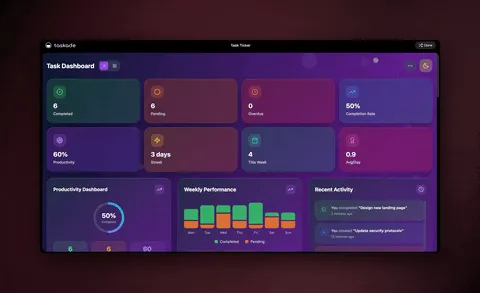
A decision tree: which agent handles each message?
The heart of inbox automation is one fast decision made on every incoming message: what does this email actually want from me? A human makes that call hundreds of times a day, mostly on autopilot. An agent can make the same call instantly and consistently — and route each message to the right next step. Here is the logic the triage agent runs:
                    NEW EMAIL ARRIVES
                          │
                          ▼
              ┌───────────────────────┐
              │  Does it need a reply? │
              └───────────┬───────────┘
                 yes      │      no
            ┌─────────────┴─────────────┐
            ▼                           ▼
   ┌─────────────────┐         ┌─────────────────┐
   │ Is it urgent or  │        │ Is it a receipt │
   │ time-sensitive?  │        │ or a newsletter?│
   └────────┬─────────┘        └────────┬────────┘
       yes  │  no                  yes  │  no
      ┌─────┴─────┐              ┌───────┴───────┐
      ▼           ▼              ▼               ▼
 ┌─────────┐ ┌──────────┐  ┌──────────┐   ┌──────────┐
 │ Draft + │ │ Draft +  │  │ Archive /│   │ Label FYI│
 │ flag now│ │ queue    │  │unsubscribe│  │ + summarize│
 └─────────┘ └──────────┘  └──────────┘   └──────────┘
      │           │              │               │
      └───────────┴──────┬───────┴───────────────┘
                         ▼
              ┌────────────────────┐
              │ Human reviews the   │
              │ drafts, hits send   │
              └────────────────────┘
This is exactly the kind of branching judgment a static filter cannot do — a filter has no idea whether a message is urgent, it only knows the sender. The agent reads the content, weighs urgency and intent, and picks the branch. You wake up to a sorted inbox with drafts already waiting in the reply-needed pile. Build this branching logic in Learn Taskade without writing a single rule by hand.
A worked example: from a full inbox to inbox zero by 9 a.m.
Let us make this concrete with the journey most people spend the most manual minutes on — the morning triage-and-reply grind. Today, opening a 60-message overnight inbox means 30 to 45 minutes of reading, deciding, and typing before you have done any real work. Here is what that same morning looks like when AI agents run it: a sorted inbox with drafts already waiting, end to end, with you only on the final send.
Picture an IT program manager who gets about 60 messages overnight across vendors, stakeholders, and automated alerts. Manually, that is the better part of an hour every morning. Automated, the agents sort and draft while they sleep, and the manager spends ten minutes reviewing and sending instead of an hour reading and typing.
Walk through what each agent does and why it matters:
| Stage | Agent / step | What happens | Time saved |
|---|---|---|---|
| Arrive | Mail trigger | Pulls each new message in the instant it lands | No inbox-checking |
| Triage | Triage agent | Sorts all 60 by intent into urgent, reply, FYI, noise | 20-30 min of sorting |
| Summarize | Summarizer agent | Condenses long threads to the ask and the decision | 5-10 min per long thread |
| Draft | Drafting agent | Writes first-pass replies in your voice | 3-5 min per reply |
| Approve | Human (the 1%) | Reads, tweaks if needed, hits send | Seconds — judgment kept |
| File | Workspace action | Turns follow-ups into tasks on your board | No copy-paste |
The magic is not any single step — it is that they run as one continuous flow inside one app. No skimming a folder, then pasting a thread into a summarizer, then opening a separate draft tool, then logging a task somewhere else. The inbox is read, sorted, summarized, and drafted before you sit down. And because it all lives in Taskade, the next agent in your stack — say, a follow-up agent — can pick up exactly where this one left off and nudge the threads that never got a reply.
Build this once and it runs every morning. Then point the same four-move pattern at your next inbox job — meeting-request scheduling, newsletter decluttering, weekly digest summaries — and your email system grows one agent at a time. The full step-by-step is in the agent playbook and the forms and triggers guide.
What "good" looks like: the numbers to watch
A working email automation should move four numbers in the right direction within the first two weeks. If they do not move, you automated the wrong job — almost always because you started somewhere other than triage. Here is the before-and-after most teams see when they put the triage → draft → approve loop on a busy inbox.
| Metric | Before automation | After (2 weeks) | Why it moves |
|---|---|---|---|
| Time in the inbox per day | ~2 hrs (28% of the week) | 25–40 min | Agent reads and drafts; you only review |
| Median time-to-first-reply | Hours | Minutes (draft waiting) | Drafts are pre-written before you sit down |
| Messages you read fully | 100% | The ~20% that need you | Triage filters FYI, receipts, and noise out |
| Dropped follow-ups | Several a week | Near zero | Follow-up agent nudges stalled threads |
These are directional, not promises — your mileage depends on volume and how repeatable your replies are. But the shape is consistent: the more pattern-heavy your inbox, the bigger the recovery. The single biggest lever is starting with triage, because it is the highest-frequency, lowest-judgment job and it compounds — a sorted inbox makes every other agent downstream more accurate. Track these in a Table or Board view right inside the same app the agents run in, so the system that does the work also shows you the proof.
The curve is steepest in the first week — that is triage doing the heavy lifting — then it flattens as the drafting and follow-up agents pick up the long tail. By week four most people are spending a half-hour a day on email instead of two, and that half-hour is the high-value part: the relationship reply, the judgment call, the final send. Everything below that line is the 99% the agents now carry.
What to automate first (and what to keep)
Automate the inbox work that is repeatable and low-judgment; keep the work that needs your taste, your relationships, and your name on it. The 99/1 split is not about letting AI run your inbox unsupervised — it is about pointing your attention at the few messages that actually need a person.
| Automate the 99% (give to agents) | Keep the 1% (stays human) |
|---|---|
| Sorting and prioritizing by intent | The sensitive or delicate reply |
| Summarizing long threads | Reading the room on a hard conversation |
| First-draft replies for approval | The final wording and the send |
| Routing messages to the right owner | High-stakes relationship calls |
| Unsubscribing and decluttering | Deciding what truly matters |
| Turning emails into tasks | Setting your own priorities |
A useful gut check: if you would be comfortable explaining the email to a sharp new assistant in two sentences, an agent can handle the first pass. If it needs your years of context and a personal touch, keep it. Start with one agent on triage, measure the minutes it gives back each morning, then add drafting. For the public-facing side of email — support queues, ticketing, customer replies at scale — read our AI customer support software guide; this one stays focused on your own and your team's inbox.
Keep your team in the loop with the right roles
Automation does not mean losing control of who can send on your behalf — it means setting the right guardrails. Taskade uses role-based access (Owner to Viewer) so you can let an agent draft while keeping send rights with the right people. A teammate can be an Editor who approves drafts before they go out; a contractor can be a Checker who suggests replies but cannot send anything.
That governance is what makes "automate 99%" safe for a shared mailbox. The agents do the volume — reading, sorting, drafting; the roles make sure nothing sends without the right human sign-off. Pair it with the multi-agent review loop, where a reviewer agent checks tone before a draft reaches you, and you get speed and accountability — the combination most teams thought they had to choose between.
Frequently asked questions
How do I start automating my email today?
Pick your most-repeated inbox job — almost always morning triage — then describe the outcome to Taskade Genesis in plain English. It builds the agent, the automation, and a live app — no code, no wiring. Knowledge workers spend about 28% of the week on email, so even automating triage and first drafts reclaims close to a full day. Start free and add one agent at a time.
What is the best AI for email automation in 2026?
The best fit is a platform that combines reasoning agents with reliable automations and a place to store your contacts and threads — not just an app-connector. Taskade Genesis does all three from one prompt, with built-in agent tools and frontier models from top AI labs. For a public support queue specifically, see our AI customer support software guide.
Will AI agents replace my email entirely?
No — they replace the repeatable 99% so you can own the 1% that needs judgment: the sensitive reply, the relationship, and the final send. The agent reads, sorts, summarizes, and drafts; you review and send. You move from doing the inbox work to directing your agent team.
How do AI email agents connect to Gmail and Outlook?
Through 100+ bidirectional integrations — triggers pull new messages and events in, actions push drafts, labels, and tasks back out. An agent can read a message, classify it, draft a reply, and create a task in one run, with both directions staying in sync automatically.
How much time can I save by automating my inbox?
Knowledge workers spend roughly 28% of the workweek — about 11 hours — on email. Automating triage, drafting, summarizing, and routing into one Taskade system reclaims most of that, typically a half to a full day per person each week, because the agent reads and drafts while you only review and send.
Can I try a real email app before building my own?
Yes. Clone the live email app embedded above in about 30 seconds and run it in your own workspace, or start from a prompt. The triage-and-drafting app is cloneable today, and you can point it at your own mailbox and brand voice immediately.
How does Taskade Genesis compare to Superhuman, Shortwave, and Fyxer?
Those tools — plus Microsoft Copilot and Gemini in Gmail — are faster inbox clients that sit on top of one mailbox, and each is genuinely good at speeding up reading and drafting. Taskade Genesis works at a different altitude: instead of a faster inbox it builds a living app from one prompt, with contacts and threads in multiple project views, a multi-agent team that triages and drafts, and automations that route and follow up. It starts free, versus roughly $18–$40 per user per month for the inbox clients.
Does the same approach work for sales, support, and operations email?
Yes — it is the same pattern aimed at different queues. The contacts your inbox agent learns become your sales pipeline, the requests it routes become your operations queue, and the questions it answers feed your customer support system. Email is usually the first domino; the rest fall the same way, all as living apps built from a prompt.
Ready to automate 99% of your email? Start free with Taskade Genesis — describe the inbox you want, and watch it build the agents, connect your mail, and ship a live app you can run tomorrow morning. Explore the automation hub, build your first AI agent team, or browse cloneable apps.
Once your inbox runs itself, point the same pattern at the queues next to it: automate customer support for the public-facing ticket side, automate operations for the back-office work email kicks off, and automate sales for turning inbound replies into a pipeline. Each one is the same describe-the-outcome move — and each one feeds the same Workspace DNA loop, so the whole business gets smarter together.
▲ ■ ● Memory, Intelligence, Execution — describe the inbox outcome, and Taskade Genesis remembers your contacts and your voice, reasons over every thread, and runs the triage, drafting, and routing for you. That is the difference between a folder of filters and an inbox that runs itself.