Here's a fun fact: the concept of autonomous project management isn't new. It’s been around since at least the 1980s. But even with the basic theory in place, we had to wait 40 years for the emergence of large language models (LLMs) to finally put project workflows on autopilot.
In this article, we explore how autonomous project management works and where you can use it. We'll also dig into potential applications, benefits, and limitations across different industries.
💡 Before you start... This guide focuses on autonomous project management — the system-level orchestration of entire projects. Looking for the fundamentals of how AI agents handle individual tasks? Start with our complete guide to Autonomous Task Management.
Here's everything you need to know. 👇

TL;DR: Autonomous project management is what happens when AI agents, not humans, drive the day-to-day: planning, task assignment, status updates, risk alerts, and retro analysis. Humans keep the judgment calls — priorities, stakeholder decisions, people moves. Taskade agents + automations turn a live Project into a self-running PMO. Companion reads: Workflow-First Playbook, AI Org Chart, Training AI Agents Like Employees, The 2026 Productivity Playbook.
▲ ■ ● Plan. Assign. Track. Adjust. Without a standup.
🔀 What Is Autonomous Project Management?
Autonomous Project Management is the integration of artificial intelligence and machine learning in managing projects. It typically involves using tools powered by large language models (LLMs) to automate routine project tasks like planning, scheduling, budgeting, and resource allocation.
In the late 18th century, we transitioned from manual production processes to machines. In the early 20th century, Ford pioneered assembly lines that reduced the time and cost of manufacturing.
With AI's expanding role in knowledge work — and by extension, project management — we are witnessing another major shift. But there is something fundamentally different this time around.
Unlike the previous productivity revolutions, this one comes with a subtle paradigm shift — our tools are no longer passive; they now have an agency and a say in the process. Instead of merely assisting, AI tool can make decisions, predict outcomes, and even adapt to changes in real-time
Now, you’re probably asking yourself: “Does that mean AI can replace project managers?"
The answer is (still) no, but the role is evolving. Project managers are becoming orchestrators of human-AI teams, focusing on strategy, stakeholder relationships, and creative problem-solving while AI handles the operational grind.
Autonomous PM isn't a single feature — it's a stack of interconnected capabilities:
┌─────────────────────────────────────────────────┐
│  LAYER 5: AUTONOMOUS COORDINATION               │
│  Agent teams self-organize and iterate           │
├─────────────────────────────────────────────────┤
│  LAYER 4: PROACTIVE INTELLIGENCE                 │
│  Risk detection, bottleneck alerts, forecasting  │
├─────────────────────────────────────────────────┤
│  LAYER 3: WORKFLOW AUTOMATION                    │
│  Triggers, sequences, 100+ integrations          │
├─────────────────────────────────────────────────┤
│  LAYER 2: AI-ASSISTED EXECUTION                  │
│  Content generation, analysis, recommendations   │
├─────────────────────────────────────────────────┤
│  LAYER 1: STRUCTURED DATA                        │
│  Projects, tasks, databases, dependencies        │
└─────────────────────────────────────────────────┘
Most PM tools stop at Layer 2 — they offer AI chat features but no real autonomy. Taskade Genesis operates across all five layers, creating project systems that are truly self-managing. Let's dig a little deeper.
🚦 Current Applications of AI in Project Management
Spotting AI in project management isn't always easy. Sometimes, it's obvious, like when it automates tasks. Other times, it's hidden, blending into workflows without drawing attention.
Let's dive into specific areas where AI makes a difference.
Here’s how it’s transforming various aspects of the field.
Task Automation
Let's start with the low-hanging fruit. Autonomous task management is probably the first thing that comes to mind when the topic of automating projects comes up, and for all good reasons.
Any predictions at this point are only a tad more helpful than tea-leaf reading, but estimates suggest that around 80% of project management tasks could be automated in the next 5 years.
Even if that figure is exaggerated, the impact is still massive. So what tasks are we saying adios to?
According to PwC, standard project monitoring, controlling and reporting, compliance checks, data updates, and preparing aggregated information are prime candidates for automation. (1) Even document-heavy steps like converting requirements docs and reports into actionable project tasks can be handled automatically.
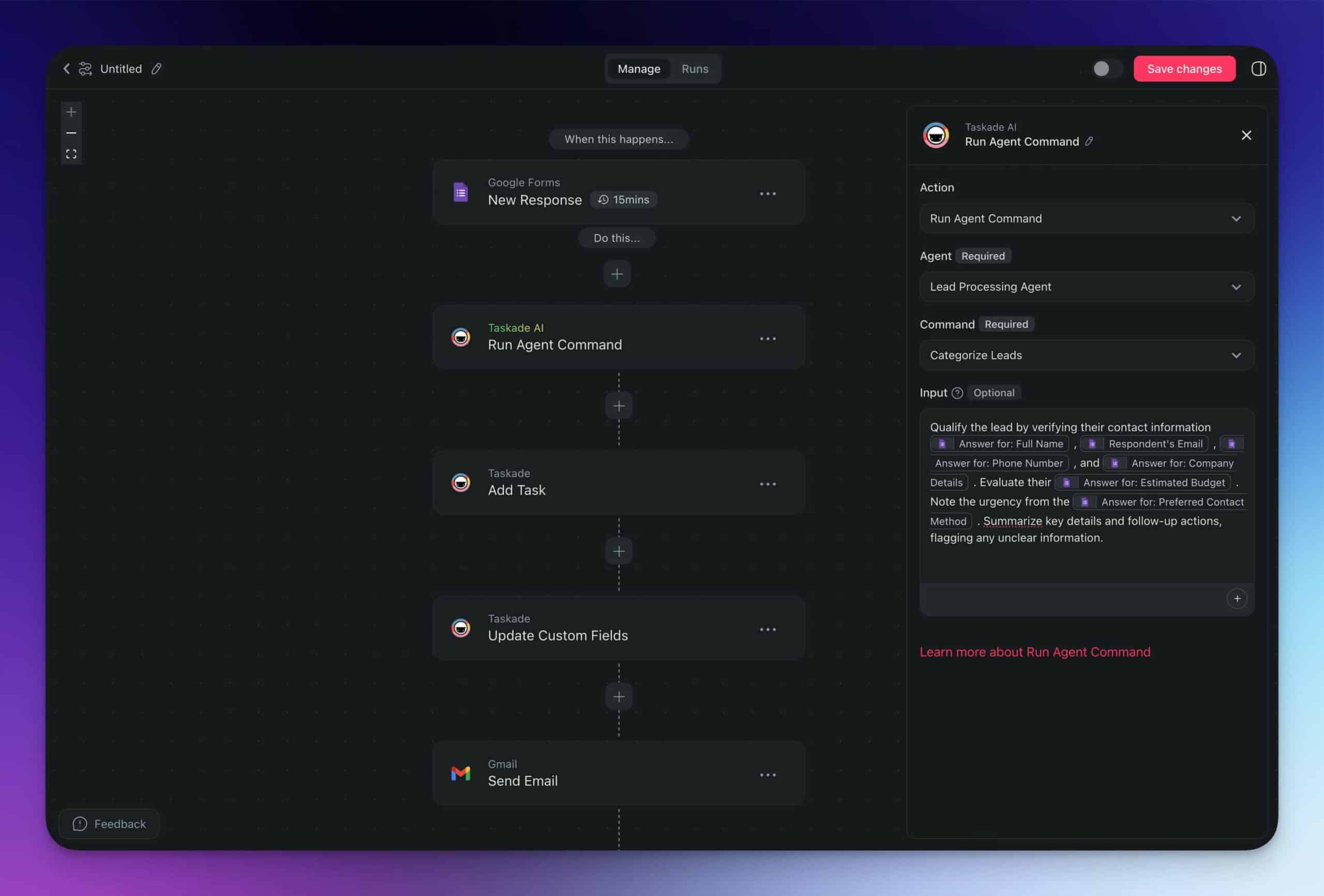
Taskade's Automation Generator allows you to instantly generate automation flows for any use case.
Risk Management
Almost half of project failures can be attributed to a lack of foresight in risk planning.
So, why is it so tricky?
Part of the challenge is that there's just so much that can go wrong. No two projects are the same, so project managers often rely on intuition and experience to figure out the best course of action.
This makes automation in project planning the only reasonable route.
AI is rather well-positioned in a way that it has both hindsight and foresight. It can analyze past data to identify patterns and extrapolate them to potential risks that may come up in new projects.
Team Collaboration
Peter Drucker once said: "You can’t control what you can’t measure.” Team collaboration seems to be that one, uncanny part of project management that perfectly fits this definition.
Unlike task automation or data analysis, the role of AI in facilitating human-human collaboration is less defined and more challenging to assess. It also has more than one dimension.
Project management AI tools can help teams manage garden-variety tasks like generating meeting agendas or transcribing notes. Both reduce the logistical load and free up time for strategic work.
But AI's potential doesn't stop there.
It can also enter into more direct interactions with team members (more on that in a bit), like facilitating brainstorming sessions or providing real-time feedback during project discussions.
⚡ Benefits of Autonomous Project Management
So, now that we've seen what AI can do, let's check out the perks of going autonomous.
Increased Efficiency And Productivity
Efficiency and productivity are rather vague without context, so let’s crunch some numbers.
According to Thomson Reuters' “Future of Professionals” report, AI can save us up to 12 hours per week by 2029. Currently, it's estimated to save four hours weekly, roughly 200 hours annually.(2)
For sectors like law, this could yield up to impressive $100,000 in billable hours.
We can extend these gains to almost any other field. In marketing, automation speeds up content research and content creation. In finance, it can automate data processing and compliance. In healthcare, it helps with administrative work like scheduling and managing patient data.
Reduced Human Errors
Why do 2 in 3 projects fail? Barring unforeseeable circumstances, human errors are a huge factor.
Studies reveal that human errors contribute to 70% to 100% of workplace incidents. Poor planning, miscommunication, and resource mismanagement consistently top the lists of common issues.
Project management automation can bring those numbers down in several ways.
By putting routine tasks on autopilot, it minimizes errors caused by monotony and fatigue. By analyzing historical projects, it helps predict potential risks and issues. Finally, by providing data-driven insights and real-time feedback, it helps make more informed decisions.
And speaking of decisions...
Enhanced Decision-Making
AI can help with the decision making process in two ways.
First, it provides data and actionable insights. And projects teams can't move confidently without reliable business intel. It also identifies trends and patterns which shed light on risks and opportunities.
The second dimension is arguably even more important. It involves agentic workflows where autonomous agents take over smaller-scale decisions. While this field is still in its infancy, it is already proving to be much more effective than ad-hoc use of large language models.
Agents can work in sync with task automations, creating a seamless, fully or semi-autonomous workflows that enhances efficiency and reduces the cognitive load on team members.
You can use Taskade's Team AI Chat feature to collaborate with your team and AI at the same time.
🧗♂️ Challenges and Limitations
Let’s put rose-colored glasses away for a moment. AI tools are an excellent addition to project management workflows. But they comes with certain challenges you should be aware of.
Technical Limitations
From a purely technical standpoint, AI tools have few significant failure points. Apart from usage limitations, probably the biggest flaw of any LLM is the tendency to hallucinate.
When AI hallucinates, it produces inaccurate or nonsensical outputs. While this may be beneficial in highly creative tasks, it has no place in a high-stakes project management setting.
Imagine an AI tool suggesting a deadline based on flawed assumptions, ordering unnecessary equipment due to a data error, or confusing project priorities and redirecting focus away from critical tasks.
While hallucinations can be controlled in most cases, you still need an adult in the room to keep the finger on the pulse. And that brings us to the next point — supervision.
Human Factors
No AI system is 100% error-proof, which means automating everything is not an option, at least for now.
Not that you should, though. Studies have shown that AI tools can improve performance by nearly 40% for highly skilled workers. In real-world tasks, AI increases throughput by 66%.(3)
But despite AI's promise, adoption isn't always smooth. About 70% of change initiatives don't succeed, often because people resist leaving their comfort zones and embracing the “new ways”.
You can throw a bunch of tools at your team to see what sticks. But if the learning curve is too steep or the gains are not worth the investment of time and effort, people will fall back on old habits.
Ethical Considerations
You can’t have a productive conversation about opportunities of AI without opening this can of worms.
First, let’s state the obvious. On a long-enough time-scale, we’ll all be replaced by machines. Once AGI (Artificial General Intelligence) comes around, machines will perform far beyond human capabilities.
But that’s the future. For now, we need to figure out a way to adapt.
In that regard, the role of AI should play a supportive role in your team. It should enhance human capabilities, streamline processes, and provide insights that drive better business decisions.
Decisions driven by AI must also remain transparent and fair to avoid any bias or unethical outcomes. This means your customers and vendors should understand how AI influences decisions affecting them.
Data Dependency
In the 1960s, IBM programmer George Fuechsel coined the term "Garbage In, Garbage Out" (GIGO) to describe how flawed input data leads to flawed output. This brilliantly illustrates how LLMs work.
AI systems rely heavily on the quality of input data to produce accurate outputs.
If the data is flawed, so too will be the results.
For instance, using outdated data can lead to incorrect timeline estimations. Assigning resources based on incomplete information might result in overloading some team members or underutilizing others.
Data quality also matters in direct user input. Does your team know prompt engineering best practices?Do they understand the strengths and limitations of the AI tools they’re using?
If the data and methods are flawed, so too will be the results.
🚀 The Future of Autonomous Project Management
AI-driven automation is slowly gaining ground in the project management world. But where is it going? What's the future of project management? Are we ready for full project management automation?
There are several emerging technologies that may give us a peek into the future. One of most directions is the emergence of agentic workflows which transform how we interact with artificial intelligence.
Many AI-driven project management tools today rely on prompting. This means that, in order to get a response, you need to explain your intent using natural language, which can sometimes be limiting.
In agentic workflows, autonomous AI agents act as “decision-making engines” for LLMs. Instead of relying on humans for output, they work in self-directed loops to execute tasks. It works like this:
The user — this could be the project manager or any other member of a project team — provides an agent with a clear objective, e.g.:"Conduct a competitor analysis in the renewable energy sector."
The agent outlines tasks that may include listing key competitors, scraping relevant data from their websites, and generating a comparative analysis. It then continuously prompts the LLM it is connected to in order to fetch and interpret. When a detour is needed, the agent dynamically adjust its strategy.
Agents can be customized with specific skills, tools, and knowledge, enabling them to handle complex project management tasks independently. They can also seamlessly integrate with existing tools so self-managing project teams can plug them into existing workflows without disrupting them.
Taskade's Custom AI Agents work alongside your team and streamline all kinds of project management tasks.
As AI systems get more advanced, we’re also likely to see a changing role of humans in the decision and feedback loops. Vamsi Krishna Dhakshinadhi, Chief Technology Officer at GrabAgile Inc., believes that AI integration with agile methodologies will become seamless by embedding AI in every PM phase.
According to Ricardo Viana Vargas, Ph.D. from Macrosolutions, by 2030, AI will improve project selection and monitoring, shifting project managers' focus to coaching and stakeholder management.
The timeline depends on how quickly companies and project teams adopt automated project management tools. And while AI can streamline project management, we must integrate it sustainably.
🧬 The Ultimate Autonomous System: Taskade Genesis
While individual AI agents and automations are powerful, Taskade Genesis takes autonomous project management to its logical conclusion — living software that builds complete project management systems from a single prompt.
Describe your project needs and Taskade creates interconnected AI agent teams trained on your knowledge, workflows, databases, and automations — all working together autonomously. This is vibe coding for project management: your intent becomes fully-functioning living software. Explore AI apps in our community.
How Genesis Builds PM Systems: A Walkthrough
1. Describe your project management needs:
"Build a project management system for a 10-person product team with sprint planning, daily standups, risk tracking, and weekly stakeholder reports."
2. Genesis creates your Workspace DNA:
| Pillar | What Genesis Builds |
|---|---|
| 🧠 Memory | Sprint board with tasks, assignees, and custom fields for effort/priority/risk. Backlog database. Team capacity tracker. |
| 🤖 Intelligence | Sprint Planner agent, Standup Facilitator agent, Risk Monitor agent, Report Generator agent |
| ⚡ Execution | Daily standup reminder (9am). Risk alert automation. Weekly report generation. Slack/email notifications. |
3. Your system is live and running:
The agents start working immediately — analyzing your existing projects, monitoring progress, and generating outputs. No configuration. No coding. Just describe and deploy.
The Autonomous PM Agent Team
Here's what a complete autonomous PM agent team looks like in Taskade:
Five specialist agents run the project end to end — the Risk Monitor and Quality Reviewer loop work back to the planner, while every report feeds Memory for the next cycle.
| Agent | Role | How It Works |
|---|---|---|
| Sprint Planner | Plans sprints based on backlog priority and team capacity | Analyzes backlog, estimates effort, suggests sprint scope, identifies dependencies |
| Standup Facilitator | Runs asynchronous daily standups | Prompts team members, collects updates, flags blockers, summarizes for stakeholders |
| Risk Monitor | Continuously scans for project risks | Monitors velocity, deadline proximity, dependency chains, and workload distribution |
| Report Generator | Creates automated status reports | Pulls data from all projects, generates formatted reports, distributes via automation |
| Quality Reviewer | Reviews deliverables before handoff | Checks outputs against requirements, flags gaps, suggests improvements |
These agents work in three execution modes — Simple (parallel), Manual (sequential), or Orchestrate (autonomous coordination). Learn more about how multi-agent teams collaborate.
Connecting to Your Existing Stack
Taskade integrates with 100+ tools to extend your autonomous PM system:
| Category | Integrations | What It Enables |
|---|---|---|
| Communication | Slack, Microsoft Teams, Email | Auto-notifications, standup collection, alert routing |
| Development | GitHub, GitLab, Bitbucket | PR tracking, deployment status, code review triggers |
| Documents | Google Drive, Notion, Confluence | Document syncing, knowledge base updates |
| Calendar | Google Calendar, Outlook | Meeting scheduling, deadline tracking, capacity planning |
| CRM | Salesforce, HubSpot | Customer feedback routing, deal-stage triggers |
🐑 Parting Words
Autonomous project management may still be in its early stages, but it's already showing promise in transforming how we handle projects, both in terms of human-human and human-AI collaboration.
As technology evolves, we're likely to see AI-powered project strategies become more integrated into various industries. Embracing them early will help you secure effective project outcomes in the future.
If you're looking for a powerful, no-code solution to harness the power of AI in project management without running into technical snafus, Taskade automations have you covered.
Sign up and supercharge your project management! 👈
🤖 Custom AI Agents: Build custom, autonomous AI agents with unique knowledge and skills for tailored project support everywhere you work.
⚡️ Powerful Automations: Manage your entire project management toolbox and put your workflow on autopilot with smart automations.
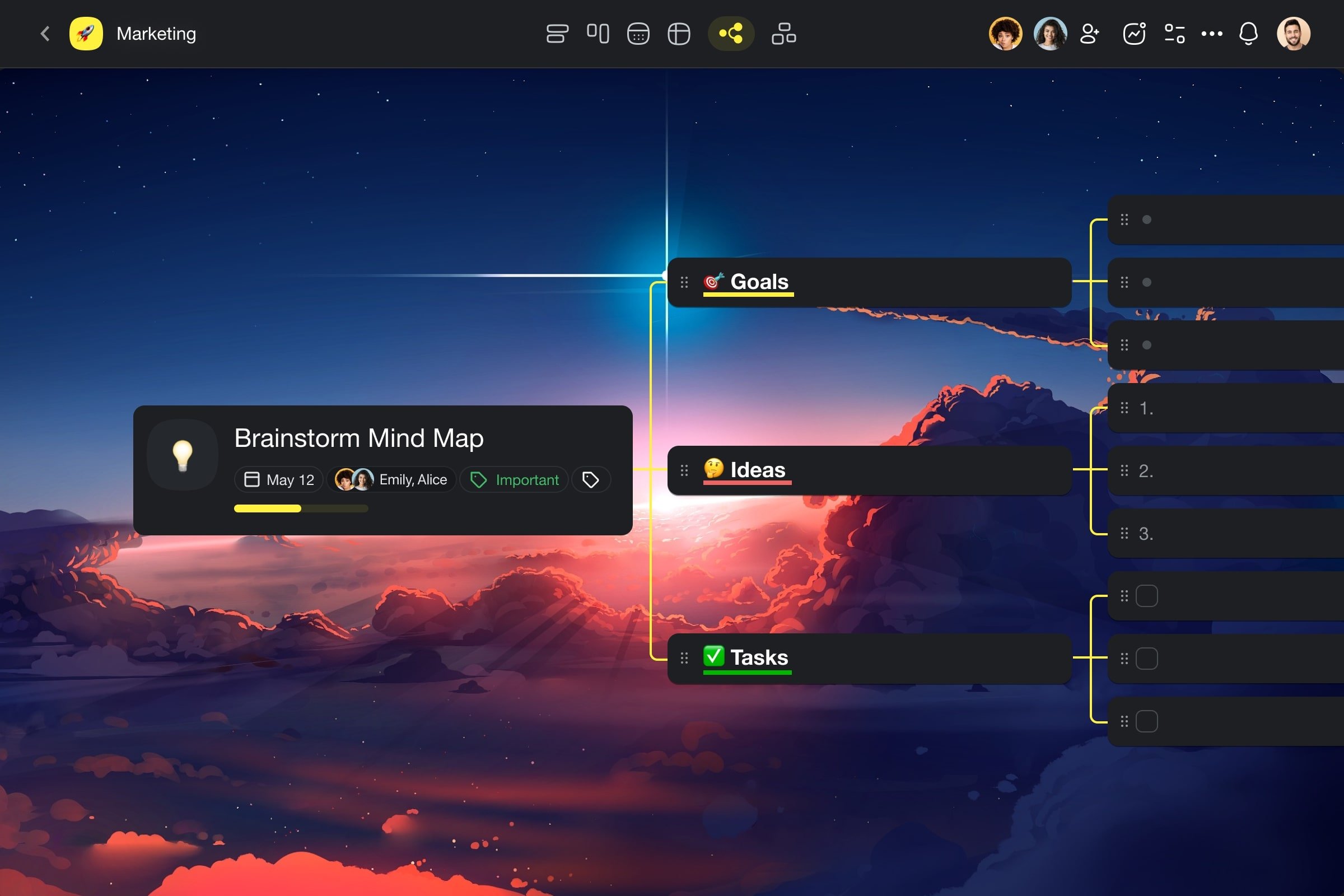
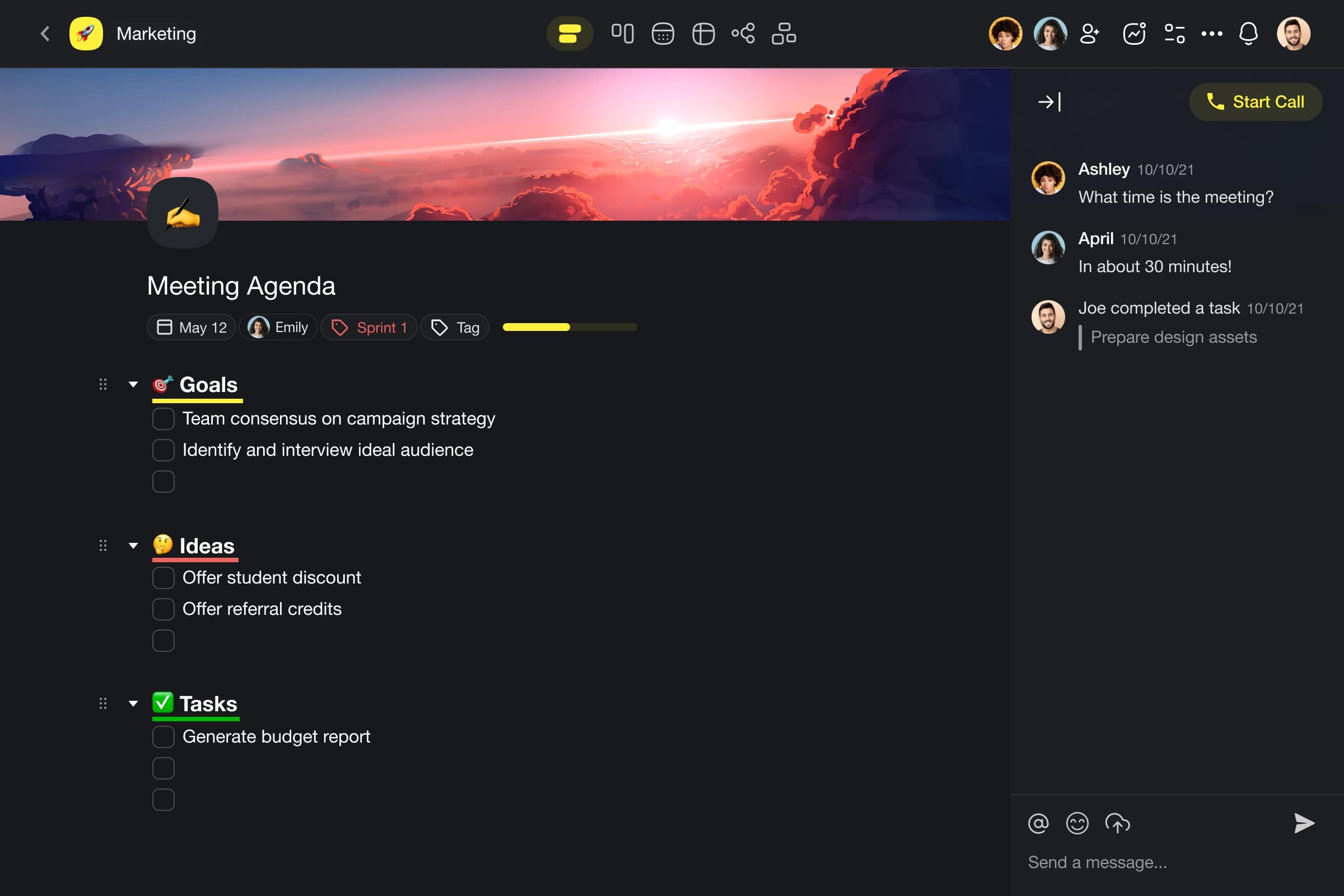
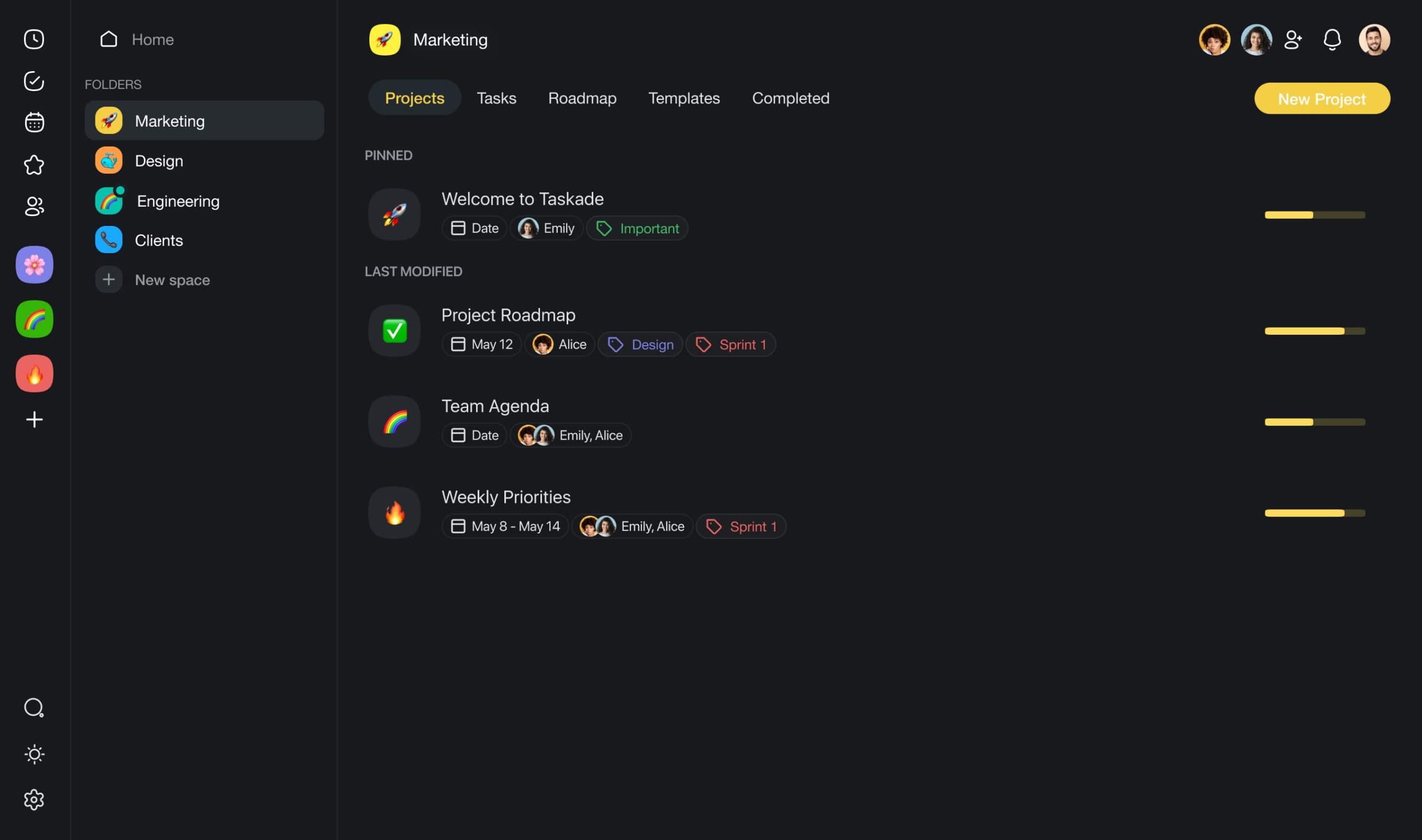
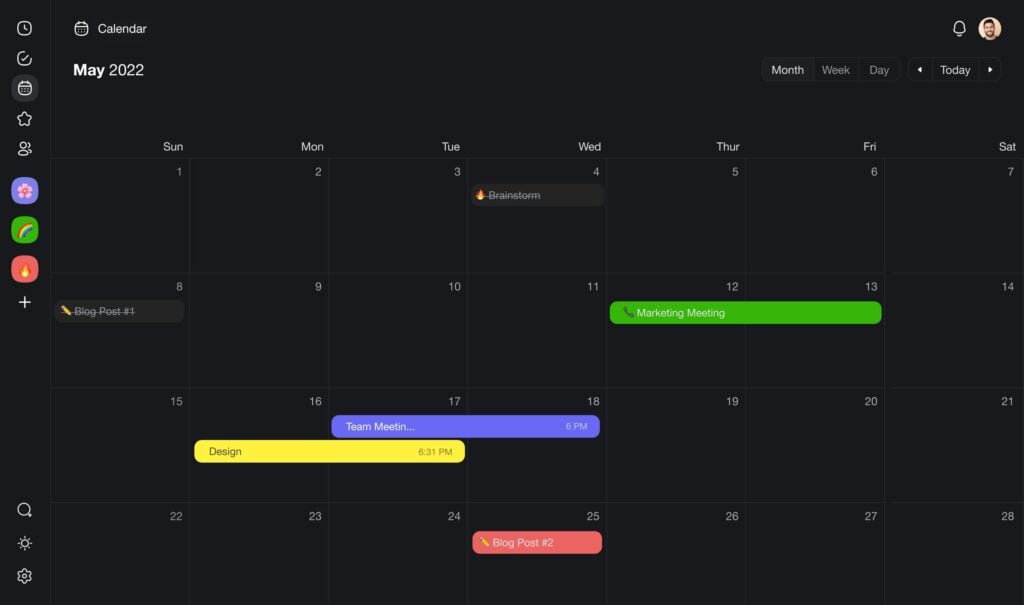
🦾 Human-AI Collaboration: Collaborate with your team and custom AI agents in perfect harmony, in the same space, at the same time.
👑 Everything in One Place: Manage all your projects, teams, and clients from within your workflows, anytime, anywhere.
Don't forget to explore Taskade's project management AI agents for tailored support! 🤖
Auto Research: Autonomous Project Management for AI Research
Andrej Karpathy's auto research project is one of the clearest demonstrations of autonomous project management applied to a high-stakes domain. The pattern mirrors what every effective PM system does: define an objective, set evaluation metrics, assign roles, and let the team execute.
In auto research, "every research organization is described by program.md — a set of markdown files that describe all the roles and how the whole thing connects." Each organization file specifies which experiments to run, how to evaluate results, and what strategies to pursue. Different organizations can take different approaches: "one can be risk-taking, one can be less" — just like different project teams optimize for speed versus reliability.
The meta-optimization layer is where autonomous PM gets truly powerful. Karpathy describes how "you can imagine having a better research organization. Maybe they do fewer stand-ups in the morning because they're useless." The system doesn't just execute the plan — it improves the plan itself. After letting auto research run overnight, Karpathy reported: "I thought it was fairly well tuned and then I let auto research go overnight and it came back with tunings that I didn't see."
This is exactly the autonomous PM loop: workspaces store project context (Memory), AI agents analyze and decide (Intelligence), and automations execute without manual intervention (Execution). Taskade's Workspace DNA mirrors this architecture — your projects become the program.md, your agents become the research team, and your automations become the execution pipeline. Explore what autonomous teams are building in the Community Gallery, or build your own AI-powered apps.
Build autonomous workflows with Taskade
The Skill Issue: Why Autonomous PM Fails (and How to Fix It)
When autonomous project management breaks down, the instinct is to blame the technology. Karpathy pushes back hard on this: "everything is skill issue. It's not that the capability is not there." Agent failures are almost always configuration failures — poorly written objectives, vague success criteria, or missing context — not capability gaps in the underlying AI.
The fix follows a clear hierarchy: better prompts lead to better workflows, which lead to better agent teams. The goal is to "remove yourself as the bottleneck" by investing upfront in workflow design. Once the system is properly configured, you "arrange it once and hit go" — the agents handle the rest.
This reframes the adoption challenge for autonomous PM. Teams that struggle aren't lacking tools — they're lacking workflow discipline. Taskade's Workspace DNA makes this concrete: Memory (your projects and knowledge bases) feeds Intelligence (AI agents that reason across your data), and Intelligence triggers Execution (automations that act without manual prompting). The teams seeing the biggest gains are the ones who treat workflow design as the primary skill, not an afterthought. Start building with Taskade Genesis AI apps.
The Autonomous PM Loop
The diagram below illustrates the full autonomous project management cycle — from objective definition through agent execution to meta-optimization. This is the same loop Karpathy's auto research uses, and it maps directly to Taskade's Workspace DNA architecture:
Traditional PM vs Autonomous PM (2026)
| Dimension | Traditional PM | Autonomous PM (2026) |
|---|---|---|
| Task assignment | Manual by PM | AI agent auto-delegation |
| Status updates | Meetings, standups | Real-time agent reporting |
| Risk detection | Human review | Continuous agent monitoring |
| Resource allocation | Spreadsheet-based | Dynamic agent scaling |
| Process improvement | Quarterly retros | Continuous meta-optimization |
| Best tool | Asana, Monday, Jira | Taskade (Workspace DNA) |
Taskade's Workspace DNA is the closest implementation of program.md available today: your projects are Memory, your agents are Intelligence, your automations are Execution. With built-in agent tools, 100+ integrations, and multiple project views (List, Board, Calendar, Table, Mind Map, Gantt, Org Chart), autonomous PM is not a future concept — it is a workflow you can deploy right now. Start building autonomous workflows →
💬 Frequently Asked Questions About Autonomous Project Management
What is autonomous project management?
Autonomous project management is the use of AI agents and automated workflows to handle project tasks — planning, scheduling, monitoring, reporting, and decision-making — with minimal human intervention. Unlike basic AI assistants, autonomous PM systems operate in continuous loops, learning from project data and taking action proactively.
Can AI fully replace a project manager?
No, and that's not the goal. AI excels at operational tasks — data processing, status tracking, report generation, and pattern detection. Human project managers focus on strategic leadership, stakeholder relationships, creative problem-solving, and ethical decision-making. The most effective approach is a hybrid model where AI handles the operational grind while humans drive strategy.
What is Workspace DNA in project management?
Workspace DNA is the architecture that powers autonomous project management in Taskade. It consists of three pillars: Memory (projects and databases that store project data), Intelligence (AI agents that analyze, plan, and decide), and Execution (automations that execute actions and connect to 100+ external tools). These pillars form a continuous loop that keeps projects moving autonomously.
How does Taskade Genesis build PM systems?
Taskade Genesis takes a natural-language description of your project management needs and creates a complete system — projects with custom fields, specialized AI agents, and automation workflows — all connected through Workspace DNA. Describe your team's workflow in one prompt and get a live, functioning PM system.
What integrations does Taskade support for PM workflows?
Taskade connects to 100+ external tools including Slack, Microsoft Teams, GitHub, GitLab, Google Drive, Google Calendar, Salesforce, HubSpot, email services, and many more. These integrations enable automations like "new Slack message → create task" or "PR merged → update project board."
Can autonomous PM systems work for agile teams?
Yes. Autonomous PM is particularly well-suited for agile methodologies. AI agents can facilitate sprint planning (analyzing backlog and team capacity), run asynchronous standups (collecting and summarizing updates), monitor sprint velocity, and generate retrospective insights. The continuous feedback loop of agile aligns naturally with the living loop of Workspace DNA.
How does autonomous PM handle scope creep?
AI agents can monitor task creation rates, compare planned vs. actual scope, and alert project managers when scope is expanding beyond initial parameters. Automated tracking makes scope changes visible in real-time, enabling faster intervention.
What is the difference between AI-assisted and autonomous project management?
AI-assisted PM requires you to prompt AI and manually apply its suggestions. Autonomous PM flips this: you set objectives, and multi-agent teams plan, prioritize, and execute tasks independently — creating, updating, and managing projects with minimal supervision.
How do I get started with autonomous project management?
Start gradually: (1) Use AI agents for individual tasks like meeting summaries and status reports, (2) Add automations for repetitive workflows like notifications and deadline reminders, (3) Scale to multi-agent teams with Taskade Genesis. You can build a complete PM system from a single prompt.
What is the ROI of autonomous project management?
Based on industry estimates, autonomous PM can save project managers 10-15 hours per week on operational tasks. For a team of 5 PMs, that's 2,500-3,900 hours annually — equivalent to adding 1-2 full-time team members. Beyond time savings, the reduction in human error and continuous risk monitoring drives additional value.
🔗 Resources
https://www.pwc.pl/en/articles/will-automation-replace-project-managers.html
https://www.nngroup.com/articles/ai-tools-productivity-gains/