






You can automate roughly 99% of customer success with AI agents in 2026 — and the 1% you keep is the part that actually drives retention: the strategic conversation, the save play, and the human relationship. AI agents now set a goal, plan the steps, execute across your CRM and product data, check the result, and adjust without asking you at every turn. This matters because keeping a customer costs about five times less than winning a new one, and lifting retention by just 5% can raise profit dramatically. The fastest way to get there is to stop wiring tools together and instead describe the customer success system you want — then let it build itself.
TL;DR: Customer success automation in 2026 is no longer manual checklists and spreadsheets — it is AI agents that score health, catch churn early, and nudge renewals on their own. Keeping a customer costs ~5x less than acquiring one. The fastest path is to describe the outcome and let Taskade Genesis build the agents, automations, and a live health app. Clone the working customer health app below →
This is not a guide to answering tickets faster. If you want the support side — inbound questions, deflection, and resolution — read our AI customer support software roundup and our automate customer support walkthrough. This guide is different. It covers the post-sale layer: onboarding, health, churn, QBRs, and renewals — the part of the business that protects revenue you already earned. By the end you will know exactly which CS agents to build first and how to wire them into one living workspace.
See it live — clone a working customer health app
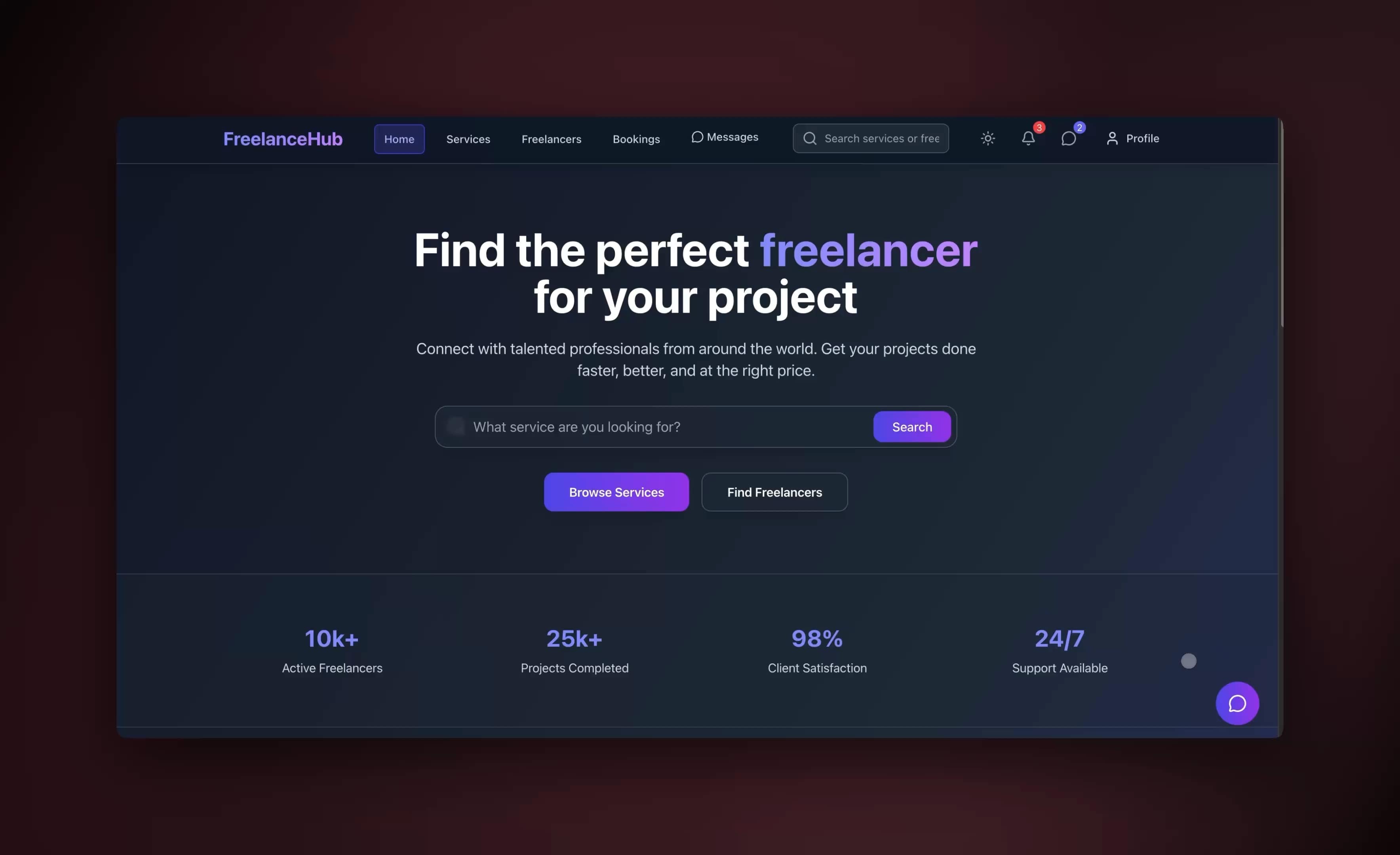
You do not have to imagine this. The app embedded above was built from a single prompt and runs in your browser right now. Clone it in about 30 seconds and it lands in your own workspace, ready to connect to your CRM and product data.
That is the whole point of agentic customer success: the output is not a flowchart, it is software that works. You describe the retention job, and you get a real app with a customer database, AI agents, and automations — no canvas to wire, no server to host. Browse more cloneable customer apps or start your own from a prompt.
What does it mean to automate customer success with AI agents?
Automating customer success with AI agents means handing each repeatable post-sale job to software that reasons instead of software that just follows a checklist. An agent sets a goal — "keep this account healthy through renewal" — plans the steps, executes across your CRM, product analytics, and email, evaluates the result, and adjusts. That is the line between an old CS playbook and 2026 automation: the old way fires a reminder on a date; an agent decides whether the account actually needs attention and what to do about it.
Here is the difference in one picture. A classic CS task list is a static set of reminders. An AI agent is a loop that watches, decides, and acts.
The shift is from doing CS tasks to directing a system that does them. Your job becomes setting the goals and showing up for the moments that need a person. Everything else — the watching, scoring, drafting, and nudging — runs underneath. You can build that system today on Taskade's AI agents and automations without writing a line of code.
Why is customer success the highest-leverage place to automate?
Customer success is the highest-leverage place to automate because retention math beats acquisition math by a wide margin. Acquiring a new customer costs roughly five times more than keeping an existing one, and increasing retention by just 5% can lift profit substantially. Existing customers are also far more likely to buy again and to try new products than first-time prospects. Every hour an AI agent saves in CS protects revenue you have already paid to earn — which is why automating the post-sale layer compounds faster than automating almost anything else.
Most CS teams lose that revenue not because the product fails, but because no one noticed an account going quiet in time. A human cannot watch a hundred accounts' login curves, ticket trends, and sentiment every day. An agent can. The table below shows where the leverage actually sits.
| Customer success job | Manual reality | With an AI agent | Why it matters |
|---|---|---|---|
| Onboarding | Copy-paste email sequences | Agent sequences and adapts by behavior | Faster time-to-value, lower early churn |
| Health scoring | Gut feel, stale spreadsheet | Agent scores daily from live signals | Risk surfaces before renewal, not after |
| Churn alerts | Noticed too late | Agent flags the moment usage drops | Save plays start while there is time |
| QBR prep | Hours of slide-building | Agent assembles the deck and data | CSM walks in prepared, not scrambling |
| Renewal nudges | Forgotten until the date | Agent nudges on the right cadence | Fewer surprise non-renewals |
The pattern is consistent: the work that drains a CSM's week is exactly the work an agent does well, and the work that drives retention — the human conversation — is exactly the work you keep. Read more on the Workspace DNA loop that makes this compounding possible.
What customer success AI agents should you build first?
Build five core agents, in this order: an onboarding agent, a health-scoring agent, a churn-risk alert agent, a QBR-prep agent, and a renewal-nudge agent. Together they cover the full post-sale lifecycle — from first login to signed renewal — and roughly 99% of the repeatable CS work in between. Each one ships with built-in tools and persistent memory, so it learns each account over time. Start with the onboarding or health agent, measure the hours saved, then layer in the rest.
Each state above is an agent's job. The onboarding agent owns the first stretch. The health-scoring agent owns the middle. The churn agent watches for the slide into "at risk." The renewal agent owns the date. And the moment an account turns red, a human steps in for the save. Here is what each agent does and which signals it reads.
| Agent | Primary job | Signals it reads | Human keeps |
|---|---|---|---|
| Onboarding | Sequence setup steps and check progress | Account creation, milestone completion | Kickoff call, custom scoping |
| Health scoring | Compute a composite health score daily | Logins, adoption, tickets, sentiment | Interpreting a borderline account |
| Churn-risk alert | Flag accounts crossing a risk threshold | Score drops, usage cliffs, NPS dips | The actual save conversation |
| QBR prep | Assemble the deck, metrics, and talking points | Usage trends, goals, open items | Delivering the QBR, reading the room |
| Renewal nudge | Nudge the CSM and customer on cadence | Renewal date, contract value, health | Negotiation, pricing, expansion ask |
This is the "build one, then the next" pattern. You are not boiling the ocean. You ship the onboarding agent this week, watch it work, and add the health agent next. Within a few weeks you have a connected CS system where each agent reinforces the last. Learn the building blocks in Learn Taskade — custom agents and agent tools.
How does a health-scoring agent actually work?
A health-scoring agent turns scattered account signals into one number a CSM can act on, recomputed on a schedule rather than once a quarter. It pulls logins and feature adoption from your product data, ticket volume and sentiment from your help desk, and contract and renewal data from your CRM — then weights them into a composite score from 0 to 100. When a score crosses a threshold, it triggers the churn agent. Because the score is live, risk surfaces weeks before renewal instead of in the renewal call.
Here is the flow, end to end, across the agent and your tools.
The agent does the watching and the math; the human does the judgment. Notice the score is written back to the CRM — that is the bidirectional half of 100+ integrations, where triggers pull events in and actions push data out. A composite health score is the single most actionable CS metric because it folds usage, support load, and sentiment into one early-warning signal. Below is a simple scoring rubric you can hand your agent as a starting point.
┌──────────────────────────────────────────────────────────────┐
│  COMPOSITE HEALTH SCORE  (0-100)                              │
├───────────────────────────┬──────────┬───────────────────────┤
│  Signal                    │  Weight  │  Read                 │
├───────────────────────────┼──────────┼───────────────────────┤
│  Product usage / logins    │   35%    │  trend over 30 days   │
│  Feature adoption depth    │   25%    │  core features used   │
│  Support load + sentiment  │   20%    │  ticket volume + tone │
│  Engagement (QBRs, replies)│   10%    │  responsiveness       │
│  Contract + payment status │   10%    │  on time, full seats  │
├───────────────────────────┴──────────┴───────────────────────┤
│  SCORE BANDS                                                  │
│   80-100  ●  Healthy    → renewal + expansion play           │
│   50-79   ◐  Watch      → proactive check-in                 │
│    0-49   ○  At risk     → escalate to a human, save play     │
└──────────────────────────────────────────────────────────────┘
You do not have to design this from scratch. Describe "a customer health dashboard that scores accounts and flags churn risk" in Taskade Genesis and it builds the database, the scoring agent, and the dashboard for you — the same kind of app embedded at the top of this guide. See automation triggers and actions for how the schedule and write-backs are wired.
How Taskade does it differently
Most automation platforms make you wire nodes. Taskade ships a living app from one prompt. That is the wedge. Tools like n8n, Lindy, Zapier, and Make are genuinely powerful at connecting APIs — n8n in particular gives engineers deep control over branching logic and self-hosting, and that is a real strength if you have an engineer who wants to own the pipes. But the output of those tools is a workflow you maintain, not a customer success system your team can open and use.
Taskade Genesis is built on Workspace DNA — three layers that reinforce each other instead of sitting in separate apps.
| Layer | What it is | In customer success |
|---|---|---|
| Memory | Projects and the customer database | Every account's history, contacts, notes, and score in one place |
| Intelligence | AI agents with built-in tools and memory | The onboarding, health, churn, and renewal agents |
| Execution | Automations that run on triggers | Daily scoring, alerts, QBR prep, and renewal nudges |
The loop is the point: Memory feeds Intelligence, Intelligence triggers Execution, and Execution writes new Memory. A churn agent reads an account's history (Memory), decides it is at risk (Intelligence), and fires an alert and a draft outreach (Execution) — which then logs back as a new note (Memory). A node-wiring tool has none of this; it has a graph that runs and forgets.
Three more things separate Taskade Genesis from a node canvas. First, multi-agent teams — a data agent, a scoring agent, and a drafting agent collaborate on one account, which is how you keep a human only on the final approval. Second, 100+ bidirectional integrations so the same data flows into and out of your CRM, billing, and help desk. Third, cloneable apps — every system you build can be shared as a live /share/apps link, like the one above, so the work spreads across your team and the community instead of living in one person's account. Compare the approaches yourself in our best automation tools and AI agent platforms guides.
Taskade Genesis vs the customer success platforms
The dedicated customer success platforms — Gainsight, ChurnZero, Vitally, Totango, and Catalyst — are an operations layer that sits on top of a stack you already own. You still bring your own CRM, your own sequencer, your own dashboards, and your own data warehouse, and you pay the platform to orchestrate plays across them. Taskade Genesis is a different shape: it builds the whole living app from one prompt — the customer database, the agents, the automations, and the health dashboard — so there is no stack to assemble underneath it. That is the wedge, and it shows up most clearly in time-to-value and price.
These platforms are excellent, and for a large enterprise CS org with a six-figure software budget and a dedicated CS-ops team, several of them are the right call. The honest comparison below names where each one genuinely wins.
| Platform | Time to live | What it actually is | Where it wins | Pricing shape |
|---|---|---|---|---|
| Taskade Genesis | An afternoon | A living app built from one prompt — database, agents, automations, dashboard in one workspace | Speed, no-code, multi-agent teams, cloneable apps, Workspace DNA loop | Free to start |
| Gainsight | Months | Enterprise CS operations + churn intelligence layer | Deepest enterprise integrations and analytics; the gold standard for large orgs | Enterprise, sales-gated |
| ChurnZero | 6–8 weeks | Mid-market CS platform with native AI agents | Purpose-built revenue-protection agents; strong mid-market depth | Annual, sales-gated |
| Vitally | 2–4 weeks | Mid-market CS platform with AI copilot + meeting recorder | Fastest of the dedicated platforms to deploy; clean account risk surfacing | Annual, sales-gated |
| Totango | Weeks | Structured CS automation via SuccessPlays | Best entry point for teams building their first playbooks | Free tier + paid |
| Catalyst | Weeks | Salesforce-native CS platform | Best if Salesforce is your system of record — feels native, not bolted on | Annual, sales-gated |
Read the rows honestly. If you are all-in on Salesforce, Catalyst will feel more native than anything else. If you are a 200-person enterprise with a CS-ops team and a budget, Gainsight's analytics depth is real. ChurnZero and Vitally are strong mid-market picks with genuine native AI agents. The trade you make for all of them is the same: weeks to months of implementation, a sales call to see a price, and a tool that sits on top of a stack you still have to own and maintain.
The choice is not "Genesis is better at everything." It is "which shape fits your team." A non-technical CS lead, a solo founder running retention, or an IT program manager who wants a working system this week — without a procurement cycle or an implementation consultant — is exactly who Genesis is built for. You can start from a prompt and have the same health app you see embedded above running in your workspace before lunch. For the inbound side of the relationship, the automate customer support companion compares the support-desk tools the same way.

What Taskade Genesis can do for customer success
Taskade Genesis is a full work platform, not a single-purpose churn tool — which is why one app can replace the four or five point tools a CS team usually stitches together. Below is the whole platform, mapped to the retention job at hand. Each capability already lives inside the customer health app embedded at the top of this guide.
| Capability | What it is | In your retention system |
|---|---|---|
| Workspace DNA loop | Memory feeds Intelligence, Intelligence triggers Execution, Execution writes Memory | Account history (Memory) → agents decide risk (Intelligence) → alerts + outreach fire (Execution) → logged back as a note (Memory) |
| built-in agent tools | Web search, file analysis, code execution, custom slash commands, persistent memory, and more | A health agent pulls usage, reads a contract PDF, computes a score, and drafts outreach in one run |
| Multiple project views | List, Board, Calendar, Table, Mind Map, Gantt, Org Chart | Table for the account database, Board for the renewal pipeline, Calendar for QBR cadence — same data, every angle |
| Multi-agent teams | Several agents collaborate on one job, with a human on the final approval | Data agent → scoring agent → drafting agent → CSM approves before it sends to a top account |
| 100+ bidirectional integrations | Triggers pull events in, actions push data out | Read a renewal date from the CRM, score the account, push the task and note back — in sync, both ways |
| Frontier models | Models from top AI labs | Route reasoning-heavy churn calls to a strong model, routine drafts to a fast one |
| Custom domains + app publishing | Ship a Genesis app on your own domain with OIDC/SSO | A customer-facing onboarding portal that lives at help.yourcompany.com |
| Role-based access | Owner through Viewer, granular control | Agents can draft, but only a CSM role can send outreach to a high-value account |
The reason this matters for customer success specifically is that retention data is relationship data — it has to live in one place, persist across quarters, and be readable from five angles by five different people. A point tool gives you a churn number. The Workspace DNA loop gives you a system that remembers every account, reasons about it, acts on it, and gets smarter with each cycle. Explore the building blocks on Taskade's AI agents and automations pages, or browse cloneable CS apps in the community.
How do you wire the full system end to end?
You wire the full system by connecting five agents to your customer data through bidirectional integrations, then letting automations run them on a schedule. The architecture is simple: your customer database in the middle, agents reading and writing to it, and integrations syncing it with your CRM, product analytics, billing, and help desk. There are no servers to manage and no pipeline to maintain — the catch-all build engine generates and hosts the app for you.
                    ┌─────────────────────────────────────┐
                    │        CUSTOMER DATABASE            │
                    │   (Memory — one record per account) │
                    └───────────────┬─────────────────────┘
                                    │ read / write
      ┌──────────────┬─────────────┼──────────────┬──────────────┐
      ▼              ▼             ▼              ▼              ▼
 ┌─────────┐   ┌──────────┐  ┌──────────┐   ┌─────────┐   ┌──────────┐
 │Onboard- │   │ Health   │  │ Churn    │   │  QBR    │   │ Renewal  │
 │ing agent│   │ scoring  │  │ alert    │   │  prep   │   │ nudge    │
 └────┬────┘   └────┬─────┘  └────┬─────┘   └────┬────┘   └────┬─────┘
      └────────────┴─────────────┴──────────────┴─────────────┘
                                    │
              ┌─────────────────────┼─────────────────────┐
              ▼                     ▼                     ▼
        ┌──────────┐         ┌────────────┐        ┌──────────┐
        │   CRM    │         │  Product   │        │ Help desk│
        │ (sync)   │         │ analytics  │        │ + email  │
        └──────────┘         └────────────┘        └──────────┘
        100+ bidirectional integrations — events in, actions out
To set this up, you do three things. You describe the system in plain English and let Genesis build the app and agents. You connect your tools through the integrations panel so triggers pull events in and actions push tasks and notes out. And you set the automations to run on a cadence — health scoring daily, renewal checks weekly, QBR prep monthly. The decision tree below shows how a single signal flows into the right action.
                  New signal on an account
                          │
              ┌───────────┴───────────┐
              ▼                       ▼
        Usage rising?            Usage dropping?
              │                       │
              ▼                       ▼
      Score: Healthy            Recompute health score
              │                       │
        ┌─────┴─────┐         ┌───────┴────────┐
        ▼           ▼         ▼                ▼
   Renewal near?  Adoption  Crosses          Still in
        │         gap?      risk band?        Watch band?
        ▼           ▼         │                │
   Renewal      Send tip   ┌──┴───┐        Proactive
   nudge        sequence   ▼      ▼        check-in
                        Escalate  Draft
                        to human  outreach
Every branch here is an automation rule plus an agent decision — reliable rules for the timing, agent reasoning for the judgment. That combination is what makes the system trustworthy on real accounts. Walk through the mechanics in Learn Taskade — automations and the Genesis app builder.
What does the human still do — and why it matters
The human owns the 1% that actually retains and expands customers: the strategic conversation, the save play, the executive relationship, and the final approval before anything sensitive sends. AI agents are excellent at watching, scoring, drafting, and nudging — but the moment an account turns red, retention is won or lost in a conversation, and that is a person's job. Studies of customer relationships consistently show that the perceived quality of the human touchpoint drives loyalty more than any feature. Automation buys your CSMs the time to be present for those moments.
This is why the reliable pattern is human-on-the-1%, not human-out-of-the-loop. The table below draws the line.
| Always automate (the 99%) | Always keep human (the 1%) |
|---|---|
| Onboarding email sequences | The kickoff and scoping call |
| Daily health scoring | Interpreting a borderline account |
| Churn-risk detection and alerts | The actual save conversation |
| QBR deck and data assembly | Delivering the QBR, reading the room |
| Renewal reminders and cadence | Negotiation, pricing, expansion ask |
| Report and metric generation | The executive relationship |
Get this split right and your team stops drowning in account admin and starts doing the work that grows revenue. The agents handle the volume; the humans handle the value. You can set permissions so the right people approve the right actions — Taskade ships role-based access from Owner through Viewer, so an agent can draft outreach but only a CSM can send it to a top account. See collaboration roles.
A 30-day rollout plan for non-technical CS leads
You can stand up a working customer success automation system in 30 days without an engineer, one agent per week. The plan below assumes you are an IT program manager or a solo CS lead — someone who ships real systems but writes no code. Each week you build one agent, connect it, and measure the hours it saves before moving on. By day 30 you have the full five-agent system running on live accounts.
| Week | Build this | Connect to | Outcome to measure |
|---|---|---|---|
| 1 | Onboarding agent | Email, product data | Time-to-value, setup completion |
| 2 | Health-scoring agent | Product analytics, CRM | Accounts scored daily |
| 3 | Churn-risk alert agent | Health score, CRM | At-risk accounts caught early |
| 4 | QBR prep + renewal nudge | CRM, calendar, email | Hours saved on prep, renewals on cadence |
Start at Taskade Genesis and describe your first agent in one sentence. Clone the customer health app above as your starting template so you are editing a working system instead of a blank page. Then connect one tool, watch the agent run, and add the next. The compounding is real: by the time the renewal agent ships, it reads the scores the health agent wrote, which read the adoption the onboarding agent drove. For the team layer, see multi-agent workflows and the community of cloneable CS apps.
How agentic customer success compares to the old stack
Agentic customer success replaces a stack of four or five point tools with one living system, which is both cheaper and more connected. A typical legacy CS stack runs a separate health-scoring platform, a sequencer, a reporting dashboard, and a task manager — each with its own login, its own data silo, and its own bill. One Genesis app folds all of that into a single workspace where the data never has to sync between vendors because it lives in one place. The xychart below sketches the relative effort to reach a working system.
The point is not that other approaches do not work — a well-staffed team can absolutely stitch tools together or build on a node canvas. The point is that for a non-technical CS lead, describing the outcome and getting a living app is the shortest path to a system that actually runs. Here is the head-to-head.
| Approach | Setup | Who maintains it | Data lives | Best for |
|---|---|---|---|---|
| Stitch SaaS point tools | Weeks | CS ops + each vendor | Many silos | Large teams with budget |
| Build on a node canvas | Days to weeks | An engineer | Wherever you wire it | Teams with dev resources |
| Hire CS-ops engineer | Months | The hire | Custom stack | Enterprises |
| Taskade Genesis | An afternoon | Nobody — it is hosted | One workspace | Non-technical CS leads |
Once you have built it, you can clone and share it across the team or the community as a live link — something a maintained workflow graph can never be. Explore the differences further in our Zapier alternatives and no-code app builder guides, and the automate customer support companion for the inbound side.
What results does automating customer success actually deliver?
Teams that move customer success onto AI agents in 2026 report churn reductions of up to 25% and automated onboarding lifting successful-onboarding rates by roughly 45% — the two numbers that matter most because they sit on opposite ends of the retention curve. Early churn detection saves accounts that would have slipped away unnoticed, and faster, more reliable onboarding means fewer customers stall before they reach value. Both compound: an account that onboards well is far less likely to churn, and an account caught early is far cheaper to save than to replace.
The mechanism behind the churn number is multi-signal scoring. Usage-only health models miss accounts that log in but never adopt, and they miss accounts whose support tickets turn quietly negative. A composite score that folds product usage, adoption depth, support sentiment, and billing signals into one number is materially more accurate than any single-signal model — which is exactly the rubric your health agent runs. The chart below sketches where the hours and the saved revenue come from across the five agents.
Three benchmarks to anchor an ROI case before you build:
| Lever | Without agents | With AI agents | Source of the gain |
|---|---|---|---|
| Cost to keep vs. win a customer | Baseline | ~5x cheaper to retain | Retention math beats acquisition math |
| Profit lift from +5% retention | Baseline | Substantial | Compounding repeat revenue |
| Churn reduction with AI management | Baseline | Up to ~25% | Earlier, multi-signal risk detection |
| Onboarding success rate | Baseline | ~45% higher | Adaptive, sequenced onboarding |
The honest read: these are directional ranges from the broader market, not a guarantee for your specific accounts. What is durable is the direction. Every account an agent catches before it goes quiet is revenue you keep at a fraction of the cost of winning it back — and the Workspace DNA loop means each cycle makes the next prediction sharper. The same compounding pattern shows up when you automate sales on the front end and automate operations across the back office.
Where this is heading
The direction is unmistakable: every team will eventually run on a self-reinforcing loop of Memory, Intelligence, and Execution, where one prompt becomes a living, self-improving app instead of a stack of disconnected tools. Customer success is the leading edge of that shift because retention is where the data is richest and the stakes are clearest. Today you describe a customer health system and Genesis builds it. Tomorrow that same app keeps tightening its own scoring as it learns which signals actually predicted churn for your accounts — Memory feeding Intelligence, Intelligence triggering Execution, Execution writing new Memory, on a loop that never resets. The CS team of 2027 will not log into five tools to manage retention. They will open one living app that already knows every account, has already acted on the obvious moves, and surfaces only the conversations a human needs to have. You can start building toward that today at Taskade Genesis.
Frequently asked questions
How do you automate customer success with AI agents in 2026?
You hand each repeatable post-sale job to an AI agent that sets a goal, plans the steps, executes across your tools, checks the result, and adjusts. Start with an onboarding agent, then health scoring, churn alerts, QBR prep, and renewal nudges. In Taskade Genesis you describe the outcome in plain English and it builds the agents, automations, and a live app.
Can you really automate 99 percent of customer success?
Yes — the repeatable 99% (onboarding, scoring, monitoring, triage, renewals, reporting) automates cleanly, while a human keeps the 1% that decides retention: the strategic conversation and the save play. See AI agents.
What customer success AI agents should I build first?
Build the onboarding or health-scoring agent first, then churn alerts, QBR prep, and renewals. Each ships with built-in tools and persistent memory. Start with one, measure the hours saved, then add the next.
How does AI customer success automation reduce churn?
A health-scoring agent watches usage, adoption, tickets, and sentiment, then flags an account before it cancels. Because retaining a customer costs about five times less than acquiring one, early intervention is the highest-leverage automation in the business. See automation triggers.
What is the difference between customer support and customer success automation?
Support is reactive and ends when a ticket closes — covered in AI customer support software and automate customer support. Success is proactive and post-sale: onboarding, health, renewal, and expansion across the whole relationship.
Do I need to know how to code to automate customer success?
No. Taskade Genesis is fully no-code. Describe the system in plain English and it builds the agents, workflows, database, and app — nothing to wire, host, or deploy.
How do customer success AI agents connect to my CRM and tools?
Through 100+ bidirectional integrations — triggers pull events in from your CRM, billing, and product analytics, and actions push tasks and notes back out. Each integration works both ways so data stays in sync.
Is AI customer success automation safe for the customer relationship?
Yes, when you keep a human on the 1%. Use a multi-agent team — data, scoring, and drafting agents collaborate, and a human approves before anything sends to a high-value account. Agents carry persistent memory of each account.
How much does it cost to automate customer success with Taskade Genesis?
Free to start. Annual-billing plans are Pro $10 (Popular), Business $25, Max $100, and Enterprise $250 per month. One platform replaces several point tools, and the retained revenue dwarfs the subscription. See pricing.
What customer success metrics should AI agents track?
Net revenue retention, gross churn, composite health score, time-to-value, and product adoption. An agent computes each on a schedule and alerts the right CSM when a number crosses a threshold. The composite health score is the most actionable. See the Workspace DNA loop.
How does Taskade Genesis compare to Gainsight, ChurnZero, and Vitally?
Those platforms are an operations layer that sits on top of a stack you already own and take weeks to months to implement behind a sales call. Taskade Genesis builds the whole living app — database, agents, automations, dashboard — from one prompt, live in an afternoon, free to start. The dedicated platforms win for large enterprise CS orgs with a budget; Genesis wins for the non-technical CS lead who wants a working system this week.
How long does it take to set up AI customer success automation?
An afternoon to a working health app with Taskade Genesis, then one agent per week over 30 days for the full five-agent system. Dedicated CS platforms typically run two to four weeks at the fast end and several months for enterprise rollouts. Clone the customer health app and connect one tool to start.
Start building your customer success system
The shortest path to automating 99% of customer success is to stop wiring tools and start describing outcomes. Clone the customer health app above, connect your CRM, and let the agents handle the watching, scoring, and nudging while your team handles the conversations that retain and grow accounts. Keeping a customer costs about five times less than winning one — and now the work of keeping them runs on its own.
Build your customer success system free → · Explore AI agents, automations, and the community of cloneable apps. For the rest of the revenue loop, see automate sales on the front end, automate customer support for the inbound side, and automate operations across the back office. For the tooling landscape, see best automation tools and AI agent platforms.
Built with Taskade Genesis — Memory feeds Intelligence, Intelligence triggers Execution, Execution writes new Memory. One prompt, one living app, your whole customer success team.
▲ ■ ● Taskade Genesis — where Memory, Intelligence, and Execution run your retention loop.