






A knowledge management system (or knowledge management platform) is how a person or a team captures what it knows, finds it fast and keeps it current. This guide defines the term, shows the types of knowledge and systems, and walks you through a build in three steps. Prices in this guide were checked on each vendor's pricing page on 2026-10-19.
TL;DR: A knowledge management system is one home for your docs plus a routine that keeps them true. Build it in 3 steps: pick the home, give every page an owner, and add an AI agent that answers from it. Taskade's Free plan covers 2 members and 1 agent. Pro is $10/mo billed annually. Compare the best knowledge base software
If you are comparing products, go to the best AI wiki and knowledge base tools list, which ranks 13 tools with prices. For a step-by-step team setup, read how to build a team knowledge base with AI. For one person, see the best AI second brain apps.
Quick answer
A knowledge management system (KMS) is the tool and the routine a team uses to capture, organize, find and update what it knows. Build one in three steps: move scattered docs into one home, give each page an owner and a review date, and add search plus an AI agent that answers from the pages with sources.
| Question | Short answer |
|---|---|
| What is it? | One home for knowledge, plus owners and review dates |
| What does it hold? | Explicit, tacit and implicit knowledge, written down |
| How long to build? | A first version in about a week for a small team |
| What does it cost? | Free for 10 users on Confluence or Slab. Taskade Pro $10/mo billed annually for up to 10 members |
| Where does AI help? | Answers with sources, summaries, drafts and review reminders |
What Is a Knowledge Management System?
A knowledge management system (KMS) is a tool plus a routine for capturing, organizing, finding and updating knowledge. The tool is the home, such as a wiki or a workspace. The routine is who writes pages, who owns them, and how often they get reviewed. A system without the routine turns into a pile of old pages.
In the research literature, Maryam Alavi and Dorothy Leidner defined knowledge management systems in MIS Quarterly (2001) as "a class of information systems applied to managing organizational knowledge." That definition still holds. What changed is the tool: shared drives gave way to wikis, and wikis now add AI agents that answer from the pages.
Knowledge management has three goals:
- Store it once. Every process, policy and answer lives in one place.
- Find it fast. Anyone can get an answer without asking the person who knows.
- Keep it true. Pages have owners and review dates, so people trust them.
The term "knowledge management" spread through management writing in the 1980s and 1990s. Peter Drucker had named the "knowledge worker" back in 1959. The tools changed from shared drives to wikis to AI workspaces, but the three goals stayed the same.
| Term | What it means | Example |
|---|---|---|
| Knowledge management | The practice: capture, share and maintain what a group knows | A rule that every new process gets a page |
| Knowledge base | The content: pages, articles and answers | A folder of 80 support articles |
| Knowledge management system | The content plus tool, owners, search and reviews | The wiki, its page owners and its monthly review |
What Are the Three Types of Knowledge?
A knowledge management system handles three types of knowledge: explicit, tacit and implicit. Explicit knowledge is already written down. Tacit knowledge lives in people's heads and is hard to put into words. Implicit knowledge is know-how that people can write down once someone asks. A good system turns the last two into the first.
The philosopher Michael Polanyi described tacit knowledge in The Tacit Dimension (1966) with one line: "we can know more than we can tell." That gap is why a knowledge base built only from existing files misses the most useful answers.
| Type | Where it lives | Example | How to capture it |
|---|---|---|---|
| Explicit | Docs, files, tickets | The refund policy | Move it into the one home |
| Implicit | A person's routine | The steps a support lead follows for a refund | Ask them to write a checklist |
| Tacit | Experience and judgment | When to bend the refund rule for a big client | Record a short talk, then write the rule of thumb |
Ikujiro Nonaka and Hirotaka Takeuchi modeled how tacit and explicit knowledge convert into each other in The Knowledge-Creating Company (1995). Their SECI model has four moves. The diagram shows them in order. In real teams the fourth move feeds the first again, so the loop never stops.
What Are the Types of Knowledge Management Systems?
The main types of knowledge management systems are a team wiki, a customer help center, developer docs, a document management system, a learning management system, a Q&A tool in chat, and a personal knowledge base. Each one serves a different reader. Most teams run two: an internal wiki and a public help center.
| Type | Main reader | What it holds | Example tools |
|---|---|---|---|
| Team wiki | Employees | SOPs, policies, onboarding | Confluence, Slab, Notion, Taskade |
| Customer help center | Customers | How-to articles, FAQs | Zendesk, Document360 |
| Developer docs | Developers | API guides, code samples | GitBook |
| Document management | Everyone | Files, contracts, records | SharePoint, Google Drive |
| Learning management (LMS) | Learners | Courses and quizzes | Moodle |
| Q&A tool in chat | Employees in Slack or Teams | Short verified answers | Guru, Tettra |
| Personal knowledge base | One person | Notes, highlights, research | Obsidian, Taskade |
Pick the type before you pick the tool. A help center that customers read needs public publishing and good search. A team wiki needs page owners and permissions. A personal system needs fast capture. For the personal side, the PARA method is a simple way to sort notes.
What Are the Benefits of a Knowledge Management System?
A knowledge management system pays off in five ways: faster onboarding, fewer repeat questions, consistent answers, knowledge that stays when people leave, and AI answers you can trust. The last benefit is new. An AI agent is only as good as the pages it reads, so a maintained system is what makes AI answers reliable.
| Benefit | What changes | Who feels it first |
|---|---|---|
| Faster onboarding | New hires answer their own questions from day one | Managers and new hires |
| Fewer repeat questions | The same question gets a link, not a meeting | Senior staff |
| Consistent answers | Everyone quotes the same current page | Support and sales |
| Knowledge stays | A process does not leave with the person | The whole team |
| Grounded AI answers | The agent cites a page instead of guessing | Anyone who asks the agent |
For the theory behind grounded AI answers, see the wiki entries on agent knowledge and retrieval-augmented generation.
Personal vs Team Knowledge Management
Personal knowledge management (PKM) organizes what one person learns, while team knowledge management organizes what a group needs to do its work. The methods overlap, but a team system adds shared ownership, access control and onboarding. The table compares the two, so you can pick the right setup before you pick a tool.
| Factor | Personal (PKM) | Team knowledge management |
|---|---|---|
| Main goal | Learn and reuse ideas | Answer questions and run processes |
| Typical content | Notes, highlights, research | SOPs, policies, onboarding, FAQs |
| Structure | PARA or Zettelkasten | Spaces or folders by team and topic |
| Who keeps it true | You | A named owner for each page |
| Access | Private | Role-based, from Owner to Viewer |
| Common tools | Obsidian, Taskade, Notion | Confluence, Notion, Slab, Taskade |
For the personal side, read the personal knowledge management guide. For the team side, a good starting idea is the single source of truth: one place where the current answer lives.
How to Build a Knowledge Management System in 3 Steps
You build a knowledge management system in three steps: pick one home for your docs, give that home a simple structure with an owner for each page, and add a way to find and review answers. Most small teams can finish the first version in a week. The steps below work in any tool.
+-------------------------------------------------------------+
|  STEP 1  ONE HOME            STEP 2  STRUCTURE              |
|  Pick the tool.              3 levels max:                  |
|  Move scattered docs in.     Team > Topic > Page            |
|  Archive the old drives.     One owner per page             |
|-------------------------------------------------------------|
|  STEP 3  FIND AND REVIEW                                    |
|  Search + an AI agent that answers from the pages           |
|  Review dates: product monthly, policies quarterly          |
|  Turn every repeat question into a page                     |
+-------------------------------------------------------------+
Step 1: Pick one home for your docs
Pick one tool and move your scattered docs into it: shared drives, chat threads, old wikis and personal notes. One home matters more than the perfect tool, because two homes mean two answers. Make sure the tool can export your pages in a common format such as Markdown or PDF, so your knowledge stays portable.
- List where knowledge lives today. Chat channels, shared drives, email threads, personal notes, and "ask the person who knows".
- List the top 20 questions people ask. Pull them from chat search and from new hires. These become your first pages.
- Choose the home. Use the knowledge base software table below.
- Import the main sources. For example, Taskade imports from Notion, and you can export and print projects at any time.
- Archive the old copies. Leave a note in each old place that points to the new home.
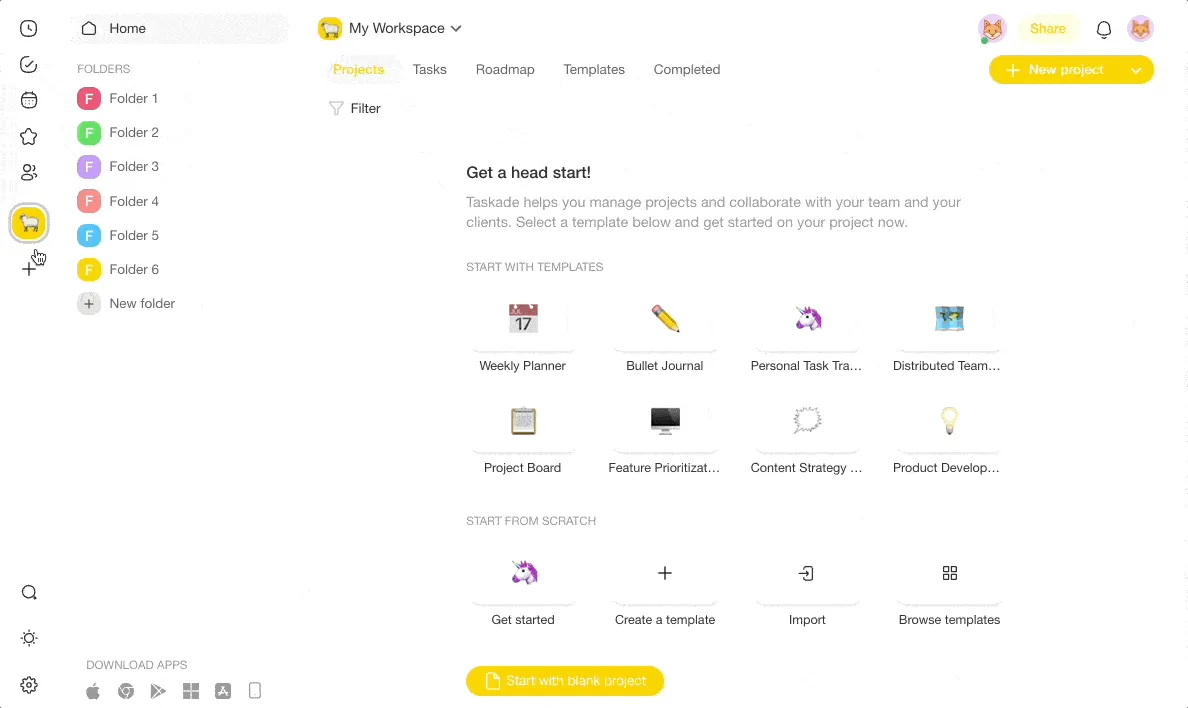
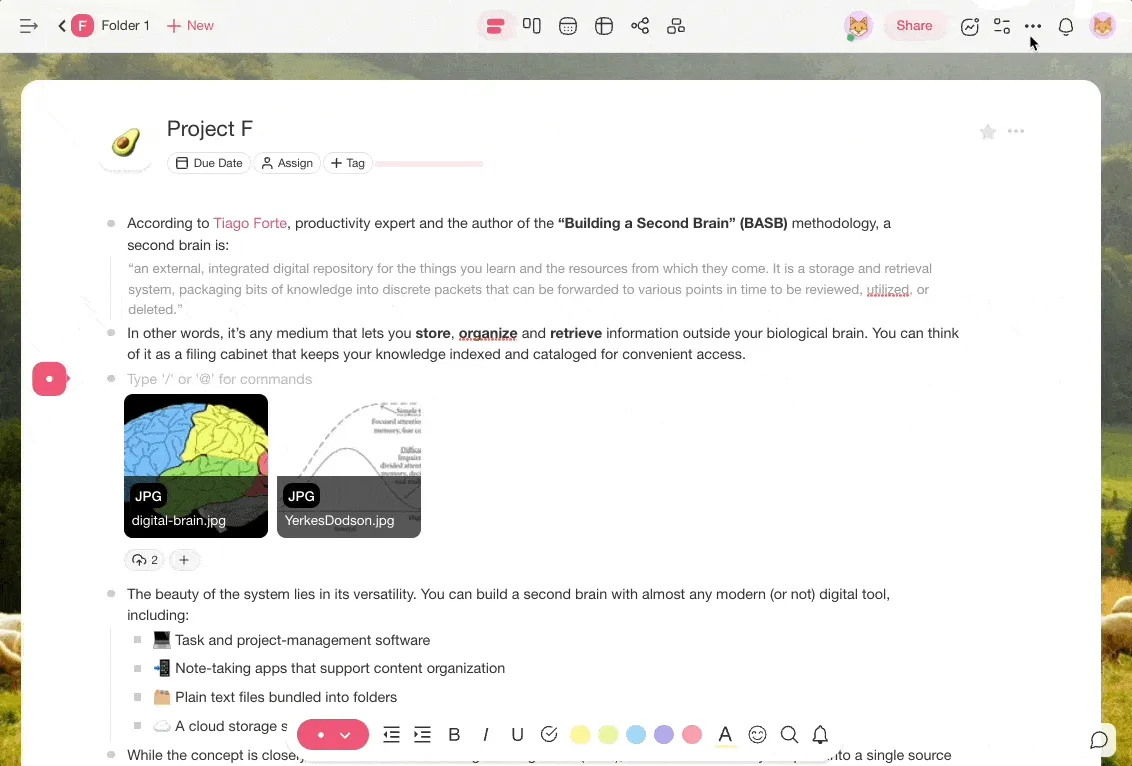
In Taskade, notes and docs live in Projects, which sit in Folders inside a Workspace (create a project, team folders, workspaces).
Step 2: Give it a simple structure
Keep the structure to three levels at most: team or area, then topic, then page. Deep folder trees hide pages. Give each page one owner, a short title that matches the question people ask, and a review date. Link related pages to each other instead of copying text between them.
| Level | Example | Rule |
|---|---|---|
| 1. Team or area | Support, Sales, HR | One folder each |
| 2. Topic | Refunds, Onboarding, Benefits | Only if it holds 3+ pages |
| 3. Page | "How to issue a refund" | Title it like the question |
- Name pages after questions. "How to issue a refund" beats "Refund policy v3".
- Add an owner and a review date at the top of each page.
- Set who can edit. Give editors to page owners and view access to everyone else, with role-based access from Owner to Viewer.
- Link related pages. In Taskade, type
@and a project name to link pages together (link projects with @mentions). Use #tags for cross-cutting topics. - Write processes as checklists. See how to write a standard operating procedure.
Step 3: Add a way to find answers and keep pages current
The last step makes the system useful every day: fast answers and a review routine. Add search and an AI agent that answers questions from your pages with links to its sources. Then set review dates, so pages stay current. Turn every question that comes up twice into a page.
- Add an AI agent. In Taskade, add your wiki projects to a custom agent's Knowledge tab (agent knowledge). The agent answers from them and shows its sources.
- Share the agent. Keep it inside the workspace, or publish it for customers (build a chatbot with a knowledge base).
- Set review reminders. A scheduled automation can post a weekly task that lists the pages due for review.
- Use version history. Restore an older version of a page when an edit goes wrong (version history).
- Launch it in one meeting. Show the team where the home is, how to ask the agent, and how to request a new page.
| Content type | Review cadence | Why |
|---|---|---|
| Product docs | Monthly | Features change often |
| Policies and HR | Quarterly | Rules change by season and law |
| Processes (SOPs) | After each change | The process is the page |
| Company handbook | Yearly | Values change rarely |
What Features Does a Knowledge Management System Need?
A knowledge management system needs eight features: search across every page, AI answers with sources, page owners, review dates, permissions, version history, import and export, and a way to publish. Test each one during a free trial with your own top 20 questions. A tool that fails the search test fails the system.
| Feature | Why it matters | How to test it in a trial |
|---|---|---|
| Search across every page | People search before they browse | Search 5 real questions, count the hits on the first screen |
| AI answers with sources | You can check the answer | Ask the agent 5 questions, click every source link |
| Page owners and review dates | Pages stay current | Add an owner and a date to 3 pages |
| Permissions | Drafts and private pages stay private | Invite a viewer and try to edit as them |
| Version history | Bad edits are undone in seconds | Edit a page, then restore the old version |
| Import and export | You are never locked in | Import one old doc, export one page to Markdown |
| Integrations | Answers reach chat and email | Connect one chat tool or one automation |
| Publishing | Customers or partners can read it | Publish one page on a link |
How Do You Measure a Knowledge Management System?
You measure a knowledge management system by whether people get answers without asking a person. Track five signals each month: repeat questions in chat, searches with no result, pages past their review date, pages with no owner, and how long a new hire takes to answer common questions alone. All five should go down over time.
| Signal | How to read it | What to do when it rises |
|---|---|---|
| Repeat questions in chat | Count questions answered with a link vs. from memory | Write a page for each repeat |
| Searches with no result | The questions your system cannot answer yet | Add the top 3 missing pages each month |
| Pages past review date | The share of stale pages | Send owners a review task |
| Pages with no owner | Pages that will go stale next | Assign an owner or archive the page |
| New hire time to answer | How fast a new person becomes independent | Add the questions they asked to onboarding |
Keep the five numbers in one small table in your workspace and update it on the first Monday of each month. A falling trend matters more than any single number.
Knowledge Base Software by Job
The right knowledge base software depends on the job: a team wiki, a help center, developer docs, a self-hosted wiki or a personal system. The table below gives two good picks for each job and their entry prices, from each vendor's pricing page on 2026-10-19. For full reviews of 13 tools, see the best knowledge base software list.
| Job | Good picks | Free plan | Entry price (checked 2026-10-19) |
|---|---|---|---|
| Team wiki | Confluence, Slab | Both free for up to 10 users | Confluence Standard $7.15/user/mo monthly for 10 users. Slab Startup $6.67/user/mo yearly |
| Team wiki with AI agents | Taskade, Notion | Taskade 2 members, Notion 1 person | Taskade Pro $10/mo yearly for up to 10. Notion full AI on Business, $20/member/mo yearly |
| Customer help center | Zendesk, Document360 | No | Zendesk Suite Team $55/agent/mo yearly. Document360: no public price |
| Developer docs | GitBook | Yes, 1 user | Essential $65/site/mo yearly + $12/user |
| Self-hosted wiki | BookStack, Outline | Both free to self-host | Outline Cloud $10/mo for 1 to 10 members |
| Personal system | Obsidian, Taskade | Both free | Obsidian Sync $4/user/mo yearly |
WHICH KNOWLEDGE BASE SOFTWARE?
Who reads it?
 |-- customers ............ help center (Zendesk, Document360)
 |-- developers ........... developer docs (GitBook)
 |-- your team
 |    |-- must self-host .. BookStack or Outline
 |    |-- free, no AI ..... Confluence or Slab (10 users)
 |    `-- AI agents + automations .. Taskade
 `-- only you ............. personal system (Obsidian, Taskade)
For a personal system, the best AI second brain apps compares eleven options. For the wider AI category, see AI knowledge management tools.
How to Run a Knowledge Management System in Taskade Genesis
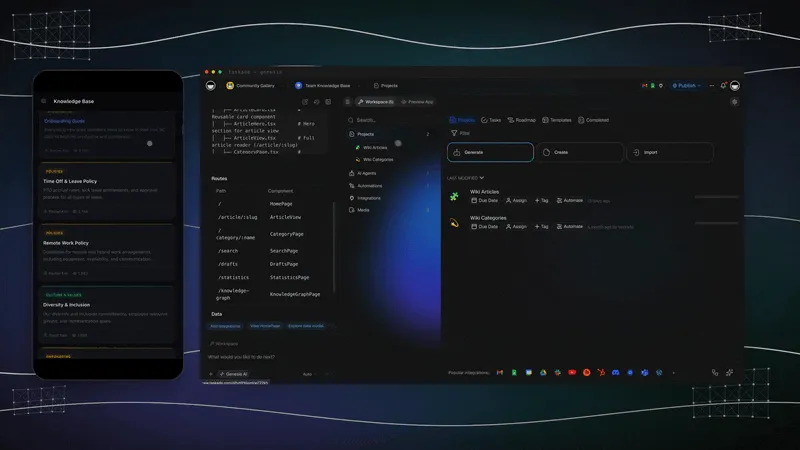
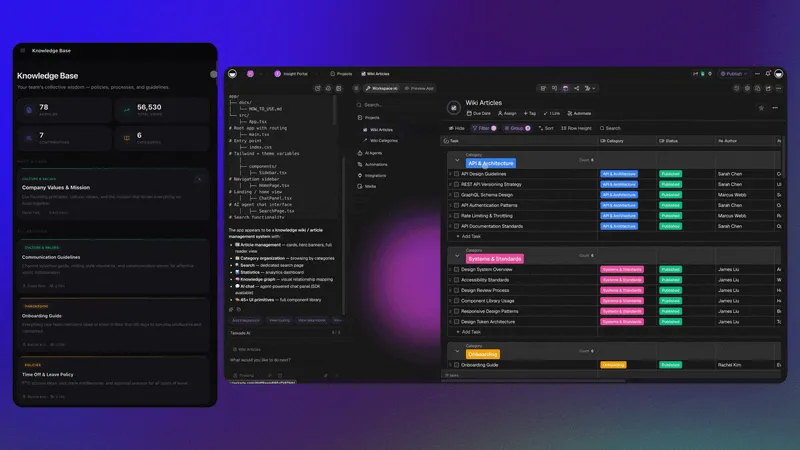
Taskade Genesis turns a knowledge management system into one live app. You describe the wiki in a prompt, and Taskade EVE builds the pages, the database and an AI agent that answers from them. Automations keep the pages current. To start from a working app, clone the Team Wiki Portal kit and replace the sample pages.
What you get, in plain terms:
- One prompt builds a live app. A wiki portal, an onboarding hub or an SOP library comes with its own database, on a shareable link. Describe yours.
- AI agents that know your docs. Give an AI agent your pages as knowledge and tools such as web search. It answers inside the app or on its own.
- Automations that keep it current. Automations connect 100+ integrations: triggers pull events in, actions push data out. A weekly trigger can post review tasks.
- Workspace DNA. Projects are the memory, agents are the intelligence, and automations are the execution. Each part feeds the next (how Taskade Genesis works).
- Kits, links and domains. Clone ready-made app kits from the Community Gallery, share a link, and add a custom domain on Pro and up.
- Edits in chat. Ask Taskade EVE to add a page type, a field or a search filter, and it edits the app.
| Part of the system | In Taskade | Help article |
|---|---|---|
| Pages | Projects in folders, as lists, boards or docs | Create a project |
| Links | @ mentions between projects |
Link projects |
| Answers | A custom AI agent with your projects as knowledge | Agent knowledge |
| Self-updating hub | A kit with a knowledge hub, an RSS automation and an agent | AI Agent Knowledge Kit |
| Reviews | A scheduled automation that posts review tasks | Automations |
| Access | Role-based, from Owner to Viewer | Plan matrix |
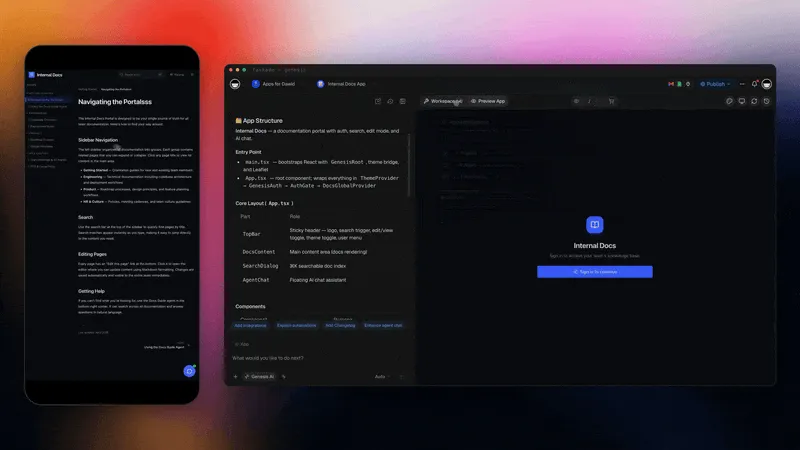
The memory graph shows how pages, agents and apps connect inside one workspace. See knowledge DNA for the idea behind it.

Taskade's Free plan has unlimited projects, 2 members, 3 Taskade Genesis apps and 1 AI agent. It starts with no AI credits: you earn credits through referrals and invites, or buy a credit pack. Pro is $10 a month billed yearly, covers up to 10 members and adds 50,000 AI credits a month. A custom domain for a published app is on Pro and up. See plans and prices, or browse knowledge base templates.
Worked Example: A Team Wiki in One Week
A small team can build a working knowledge management system in five working days. The plan below is an illustrative example for a 12-person agency, not a customer story. It uses the three steps above, and it ends with a launch meeting and a first review date. Swap in your own folders and questions.
DAY 1  Audit     List where docs live. Pull the top 20 questions from chat.
DAY 2  Home      Clone the wiki kit. Create folders: Clients, Delivery, HR.
DAY 3  Pages     Write the 20 answers as pages. One owner per page.
DAY 4  Agent     Add the folders to an agent's knowledge. Ask it the 20 questions.
DAY 5  Launch    15-minute demo. Set a weekly review automation.
WEEK 5 Review    Read the five signals. Write pages for the gaps.
| Day | Output | Done when |
|---|---|---|
| 1 | A list of sources and 20 questions | Every source has a row |
| 2 | One home with three folders | Old drives point to the new home |
| 3 | 20 pages with owners and review dates | Each question has a page |
| 4 | An agent that answers from the pages | It cites a page for all 20 questions |
| 5 | A launched system with a review routine | The first review task exists |
Limitations: When Taskade Is Not the Right Fit
Taskade is not the right fit for every knowledge management system. A support team that needs tickets, chat and a help center in one desk fits Zendesk. Developer docs that sync with a Git repository fit GitBook. Docs that must stay on your own servers fit BookStack or Outline. A plain free wiki for 10 people fits Confluence or Slab.
| If you need | Pick | Why |
|---|---|---|
| A help center tied to tickets | Zendesk | Articles, tickets and chat in one desk |
| Docs synced with Git | GitBook | Engineers edit docs next to code |
| Self-hosting | BookStack or Outline | Free self-hosted editions |
| A free wiki for 10 people, no AI | Confluence or Slab | Both are free for up to 10 users |
| Courses with quizzes and grades | An LMS such as Moodle | Built for courses, not pages |
5 Common Knowledge Management Mistakes
Most knowledge management systems fail for the same five reasons: two homes for the same content, pages with no owner, deep folder trees, no review dates, and answers that stay in chat. Each one has a simple fix. Check your system against the table once a quarter.
| Mistake | What happens | Fix |
|---|---|---|
| Two homes for docs | People find two answers and trust neither | Pick one home and archive the other |
| No page owners | Pages go stale when the author leaves | Name one owner per page |
| Deep folders | Pages get lost five levels down | Three levels at most |
| No review dates | Old pages look as current as new ones | Add a review date to each page |
| Answers stay in chat | The same question gets asked every week | Turn each repeat question into a page |
For more on spreading knowledge across a remote team, read knowledge sharing for remote teams.
Frequently Asked Questions
What is a knowledge management system?
A knowledge management system is the place and the routine a person or team uses to capture what it knows, find it fast and keep it current. The place is a tool such as a wiki or a workspace. The routine is who writes, who reviews and how often. Both parts matter.
What are the three types of knowledge?
The three types are explicit, implicit and tacit knowledge. Explicit knowledge is already written down, such as a policy. Implicit knowledge is a routine a person can write down when asked, such as the steps for a refund. Tacit knowledge is judgment from experience, which you capture as a rule of thumb.
What are the types of knowledge management systems?
The common types are a team wiki for internal docs, a help center for customers, developer docs for APIs and code, a Q&A tool that answers repeat questions in chat, and a personal knowledge base or second brain for one person. Many teams use one internal wiki and one public help center.
What are examples of knowledge management systems?
Confluence, Slab and Notion are team wiki examples. Zendesk and Document360 run customer help centers. GitBook runs developer docs. Guru and Tettra answer questions in chat. Obsidian is a personal example. Taskade combines a team wiki with AI agents and automations in one workspace.
How do I build a knowledge management system?
Build it in three steps. Pick one home for your docs and move the scattered pages into it. Give it a simple structure with an owner for each page. Then add an AI agent that answers from the docs and a review routine that keeps pages current. Start small and grow it from real questions.
What is the best knowledge management software?
It depends on the reader. Notion, Confluence and Slab suit internal team wikis, Zendesk suits a help center with tickets, GitBook suits developer docs, and Taskade suits teams that want the wiki, AI agents and automations together. Our list of the best knowledge base software compares 13 options with prices.
What is the difference between a knowledge base and a knowledge management system?
A knowledge base is the content: the pages, articles and answers. A knowledge management system is the content plus the process around it: how knowledge gets captured, who owns each page, how people find answers and how pages stay current. You can buy a knowledge base. You build a system.
Can AI run a knowledge management system?
AI can run parts of it. An AI agent can answer questions from your docs with sources, summarize long files and draft new pages. A scheduled automation can remind page owners to review their pages. People still decide what is true and approve changes, so AI supports the system rather than replacing it.
How much does a knowledge management system cost?
A small team can start for free: Confluence and Slab are free for up to 10 users, and BookStack is free to self-host. Taskade Pro is $10 a month billed yearly for up to 10 members. Notion Plus is $10 per member a month billed yearly, and full Notion AI is on Business at $20 (checked 2026-10-19).
Can I host a knowledge base on my own domain with Taskade?
Yes, on Pro and up. Pro is $10 a month billed yearly and connects up to 10 custom domains for published Taskade Genesis apps, such as a team wiki portal or a help center, and Business and up connect unlimited custom domains. Free apps publish on a Taskade link. Client logins for a published app work on every plan, Free included.
How do I keep a knowledge base up to date?
Give every page an owner, add a review date to each page, and run a short review on a schedule: monthly for product docs, quarterly for policies. Turn repeat questions into pages. Archive pages nobody opens. In Taskade, a scheduled automation can post a weekly list of pages that are due for review.
Related Reading
- Best Knowledge Base Software: 13 AI wiki and knowledge base tools with prices
- How to Build a Team Knowledge Base With AI: a step-by-step team setup
- Best AI Second Brain Apps: personal knowledge tools compared
- AI Knowledge Management Tools: the wider AI category
- How to Write a Standard Operating Procedure: turn processes into pages
- Building a Second Brain: the personal method in depth
The Bottom Line
A knowledge management system is one home, a simple structure and a routine. Pick the tool that fits your reader, give every page an owner and a review date, and let an AI agent answer the questions people ask every week. Start small, grow it from real questions, and track the five signals each month.
▲ ■ ● Memory, Intelligence, Execution: your pages hold the memory, your agents answer from it, and your automations keep it current.