






TL;DR: Webflow powers 524,000+ websites with CSS-level design control, a powerful CMS, and new AI code generation — but a controversial 44% CMS price hike and platform stability issues have split the community. For teams that need apps (not just websites), Taskade Genesis creates living systems with AI agents and automations from prompts. Try Genesis free →
What is Webflow?
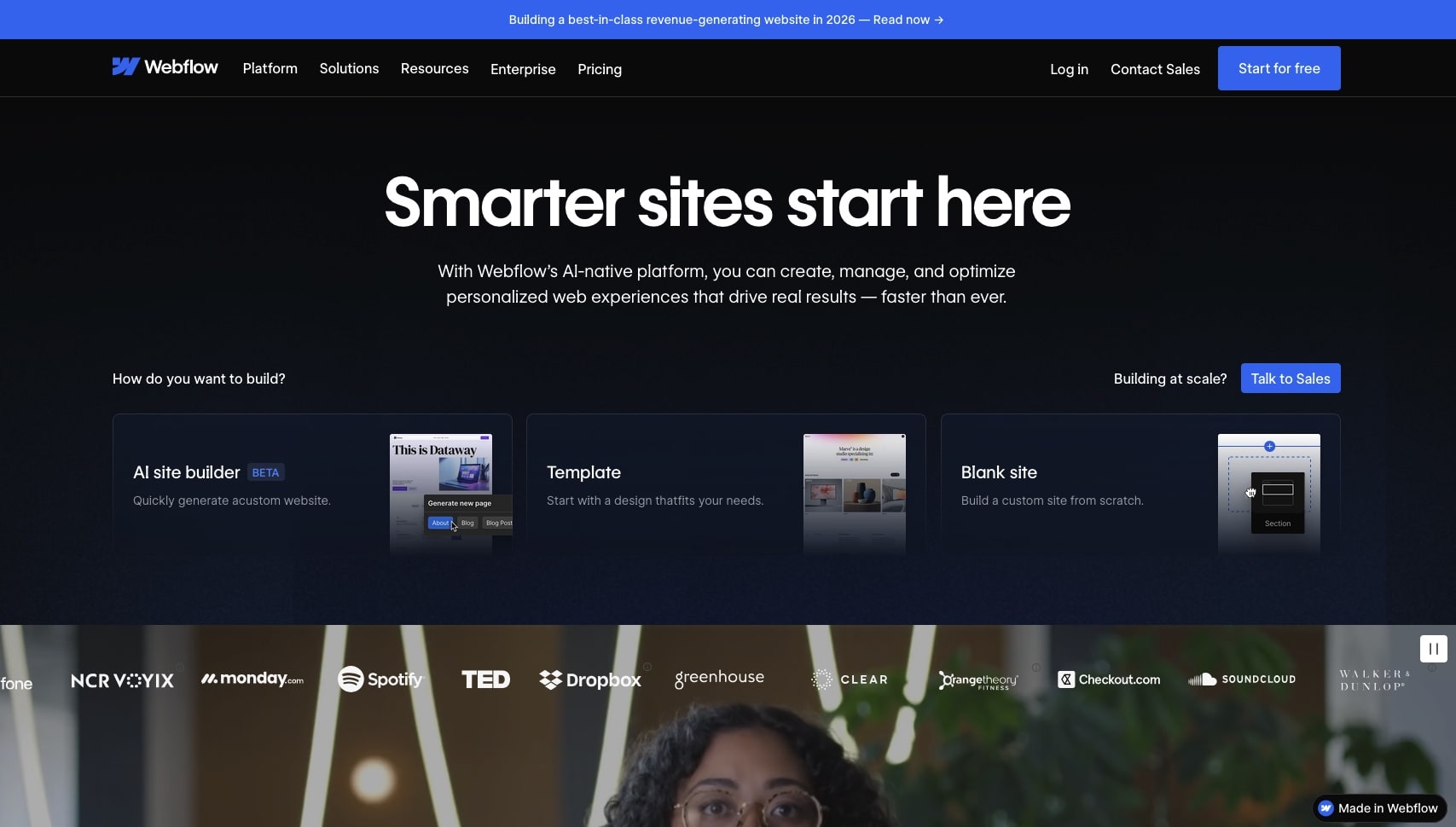
Webflow is the leading visual website builder for professional designers and agencies, powering over 524,000 websites across 190 countries with a user base of 3.5 million designers and teams. Founded in 2013 and valued at $4 billion after raising $336M across six funding rounds, Webflow occupies a unique position between drag-and-drop builders (too limiting) and custom development (too slow).
The core proposition: Webflow gives you CSS-level control — flexbox, grid, custom properties, complex animations — through a visual interface that generates clean, semantic HTML/CSS. Developers respect Webflow's code output, and designers get to build production-ready sites without writing a line of code.
In 2025-2026, Webflow made significant moves: AI-powered code generation (React components from prompts), a Claude Connector (Anthropic integration for site management), and a Cloudflare infrastructure migration for faster global delivery. But these advances were overshadowed by a controversial ~44% price hike on CMS plans and community frustration over platform stability.

Webflow Pricing (2026)
Webflow's pricing structure has become layered and complex. You need a site plan (per site) plus a workspace plan (per seat), plus optional add-ons:
Site Plans (Per Site, Billed Annually)
| Plan | Price | Pages | CMS Items | Bandwidth | Best For |
|---|---|---|---|---|---|
| Basic | $18/month | 150 | — | 50 GB | Simple sites without CMS |
| CMS | $29/month | 150 | 10,000 | 200 GB | Blog and content-driven sites |
| Business | $49/month | 300 | 10,000 | 400 GB | High-traffic marketing sites |
| Enterprise | Custom | Custom | Custom | Custom | SLA, advanced security, dedicated support |
E-Commerce Site Plans
| Plan | Price | Products | Transaction Fee |
|---|---|---|---|
| Standard | $42/month | 500 | 2% |
| Plus | $84/month | 5,000 | 0% |
Workspace Plans (Per Seat)
| Plan | Price | Projects | Use Case |
|---|---|---|---|
| Core | $19/seat/month | Up to 10 | Freelancers and small teams |
| Agency | $35/seat/month | Unlimited unhosted | Agencies with multiple client sites |
Add-Ons
| Add-On | Price | What It Does |
|---|---|---|
| Localization Essential | $9/mo per locale | Machine translation, up to 3 locales |
| Localization Advanced | Custom | Up to 10 locales, asset localization, localized URLs |
| Analyze | $9/month | Cookieless analytics with AI referral tracking |
The Pricing Controversy
In late 2024, Webflow implemented a ~44% price increase on CMS plans, drawing sharp criticism from freelancers and agencies:
- The "guest" editor feature was removed from CMS plans unless purchasing an additional ~$28/month workspace plan
- Layered pricing (site + workspace + seat + add-ons) makes total cost opaque
- A freelancer managing 10 client CMS sites now pays $290/month in site plans alone — before workspace costs
Real-world cost example (agency with 10 CMS client sites):
| Cost Item | Monthly |
|---|---|
| 10 × CMS site plans | $290 |
| Agency workspace (2 seats) | $70 |
| Localization (3 sites × 2 locales) | $54 |
| Analyze (5 sites) | $45 |
| Total | $459/month |
For comparison, Taskade Genesis creates unlimited web apps with built-in AI agents, automations, and databases for $10/month (Pro plan, 10 users included).
What Webflow Does Well
1. Unmatched Design Freedom
Webflow gives you CSS-level control through a visual interface — and this is its core competitive advantage. Flexbox, grid, custom properties, media queries, and pseudo-elements are all accessible through panels and properties. If you can design it in Figma, you can build it pixel-perfect in Webflow.
This isn't drag-and-drop in the Wix sense. Webflow's Designer is a visual CSS editor, and it generates clean, semantic code that developers can work with. The gap between design mockup and production site effectively disappears.
2. Production-Quality Code Output
Unlike most visual builders, Webflow generates semantic HTML and clean CSS that passes validation and works well with screen readers. The code is lightweight, well-structured, and doesn't include bloated framework dependencies. Developers who review Webflow-generated code consistently praise its quality.
3. Powerful Headless CMS
Webflow's CMS handles complex content structures: multi-reference fields, filtered collections, dynamic pages, conditional visibility, and nested content types. For content-heavy sites (blogs, directories, portfolios, documentation), the CMS is significantly more capable than competitors like Squarespace or Wix.
The next-gen CMS announced at Webflow Conf 2025 promises even more flexibility with improved scaling and dynamic data handling.
4. Interactions and Animations
Webflow's interactions panel lets you create complex scroll-triggered animations, parallax effects, hover states, and micro-interactions without JavaScript. The GSAP integration (announced 2025) adds timeline-based animation control across breakpoints with accessibility settings — putting Webflow's animation capabilities on par with custom code.
5. AI Features (2025-2026)
Webflow's AI investment accelerated significantly:
| Feature | What It Does |
|---|---|
| 🤖 AI Site Builder | Generate up to 5 pages with structure, styles, and animations from natural language prompts |
| 💻 AI Code Gen | Generate production-ready React components from text descriptions, imported as reusable Code Components |
| 🔍 AI SEO/AEO | Sitewide audits with AI-generated suggestions for traditional search and AI engine optimization |
| 📊 AI CMS Audits | Bulk CMS updates, content audits, and design system consistency checks (launched Feb 2026) |
| 🧠 Claude Connector | Anthropic Claude integration for page design, CMS management, and site audits |
| 📈 AI Traffic Analytics | Insights into AI-referred traffic in Webflow Analyze |
6. Enterprise-Grade Hosting
Webflow's migration to Cloudflare infrastructure (330 cities, 125 countries) provides a genuinely fast global CDN with automatic SSL, DDoS protection, and edge caching. Enterprise plans include SLA guarantees and advanced security features.
Where Webflow Falls Short
1. Websites, Not Applications
This is Webflow's fundamental limitation. Webflow builds websites — pages of content that people view. It does not build applications with:
- User data and databases (beyond CMS content)
- Business logic and workflows
- Authentication and user permissions
- Real-time collaboration
- AI agents that execute work autonomously
For client portals, dashboards, CRM systems, booking platforms, or any tool that manages data and triggers actions, you need an app builder.
2. Platform Stability Issues
The Webflow community has raised serious concerns about platform reliability. A major outage on July 29, 2025 left users unable to access the Designer for hours while the status page showed "Operational." Community members report:
- Frequent Designer crashes and lost unsaved work
- Slow canvas interactions even on high-end machines
- Publishing failures requiring multiple attempts
- CMS editor timeouts on larger collections
An open letter from the community called out these issues, with hundreds of users sharing similar experiences.
3. Controversial Pricing
The ~44% CMS plan price increase caught the community off guard. Freelancers and small agencies feel priced out of the platform they helped build. The layered pricing structure (site plans + workspace plans + per-seat fees + add-ons) makes total cost difficult to predict.
4. Steep Learning Curve
Webflow's power comes from CSS-level control — but that means you need to understand CSS. Flexbox, grid, box model, specificity, and responsive design are prerequisites, not optional. Webflow estimates 20-40 hours to become proficient, and the learning curve is significantly steeper than Wix, Squarespace, or Framer.
5. Limited E-Commerce
Webflow's e-commerce features lag behind dedicated platforms. Product management is cumbersome for large catalogs (500 items on Standard, 5,000 on Plus), discount logic is basic, customer accounts require a separate Memberships add-on, and integrations with shipping/fulfillment services are limited compared to Shopify.
6. No Built-in AI Agents
Webflow AI helps generate content and code, but it doesn't include autonomous AI agents that execute work, handle customer interactions, or automate business processes. For intelligent systems that think and act on your data, you need a platform like Taskade Genesis with embedded agents.
Webflow AI Deep Dive: What Can AI Actually Do in 2026?
Webflow's AI capabilities evolved significantly through 2025-2026, moving from basic content generation to a multi-feature AI toolkit. Here's an honest assessment of each capability.
AI Site Builder
The flagship AI feature generates multi-page websites (up to 5 pages) from natural language descriptions. You describe your business and goals, and Webflow generates pages with appropriate structure, typography, color schemes, and layout patterns.
What works: The generated sites are visually cohesive, responsive, and use Webflow's native components — meaning you can customize everything after generation. The AI understands different site types (portfolio, SaaS, agency, restaurant) and generates appropriate section patterns.
What doesn't: Generated sites still look template-ish. Complex layouts, custom interactions, and unique brand expressions need manual refinement. The AI builder is a strong starting point, not a finished product. For comparison, vibe coding in Taskade Genesis generates fully functional applications — not just page layouts — with databases, AI agents, and automations included.
AI Code Generation
Perhaps Webflow's most significant technical advancement: generate production-ready React components from text descriptions and import them as reusable Code Components on the Webflow canvas. This bridges the gap between Webflow's visual builder and custom code.
What works: Generated components integrate cleanly with Webflow's CMS and binding system. Developers can create custom interactive elements (data visualizations, calculators, configurators) without leaving Webflow.
What doesn't: You need React knowledge to debug and customize generated components. Complex state management, API integrations, and backend logic still require a developer. The components are frontend-only — no server-side logic.
Claude Connector
The Anthropic Claude integration allows Claude to design pages, manage CMS content, and run audits directly within Webflow. This is a conversational interface layered on top of Webflow's existing capabilities.
What works: Bulk CMS operations become conversational ("update all blog post meta descriptions to include the year 2026"). Design suggestions are contextually aware of your existing style system.
What doesn't: The connector is limited to Webflow-native operations. It can't add backend logic, create user authentication, or build application features. It's a productivity tool for Webflow's existing capabilities, not an expansion of what Webflow can do.
AI SEO/AEO (Answer Engine Optimization)
Webflow's AI SEO tools provide sitewide audits and actionable suggestions for both traditional search engines and AI engines (Perplexity, ChatGPT Search, Google AI Overviews). The Analyze add-on ($9/month) tracks AI-referred traffic separately from organic search.
What works: Automated meta tag suggestions, heading structure analysis, and content recommendations are genuinely useful for SEO-conscious teams. AI referral tracking is forward-thinking.
What doesn't: SEO recommendations are generic (improve alt text, shorten URLs, add meta descriptions). For deep SEO strategy, you still need tools like Ahrefs, Semrush, or a dedicated SEO specialist.
The AI Verdict
Webflow's AI makes website building faster, not fundamentally different. It accelerates existing workflows (design, content, SEO) but doesn't expand Webflow's capability boundary from websites to applications. If you need AI that acts on your data — agents that handle customer inquiries, automations that trigger workflows, intelligence that learns from your business — you need an AI app platform, not a website builder with AI features.
Real-World Scenarios: Making the Right Choice
Scenario 1: SaaS Startup Marketing Site
Need: Professional marketing site with pricing page, feature showcase, blog, and product documentation. Team of 3 marketers.
Webflow approach:
- Design custom marketing pages with CSS-level precision
- CMS for blog (200+ articles), documentation (50+ pages), changelog
- Interactions for scroll-triggered feature animations
- Cost: $49/mo Business + $57/mo (3× Core workspace) = $106/month
- Timeline: 2-4 weeks for initial build
- Result: Beautiful, fast, SEO-optimized marketing site
Best tool: Webflow — this is exactly what it's built for.
Scenario 2: Agency Client Dashboard
Need: Dashboard showing campaign metrics, KPIs, and automated weekly reports. Agency managing 20 clients.
Webflow approach:
- Can build a static dashboard layout
- Cannot connect to live data from Google Analytics, Facebook Ads, or HubSpot
- Would need external tools (Zapier, custom API) for any data integration
- Cost: $49/mo Business + workspace + custom development = $300+/month
- Timeline: 4-8 weeks with custom development
Taskade Genesis approach:
- Build live dashboard with 100+ integrations in 10 minutes
- AI agents analyze campaign data and generate insights
- Automated weekly reports via Slack or email
- Cost: $10/month (Pro, 10 users included)
- Timeline: 15 minutes
Best tool: Taskade Genesis — Webflow can't build live data dashboards.
Scenario 3: E-Commerce Store
Need: Online store with 500+ products, payment processing, inventory management, and customer accounts.
Webflow approach:
- E-commerce Standard plan ($42/mo) handles 500 products
- Clean design with full customization
- Limited discount logic and fulfillment integrations
- Customer accounts require Memberships add-on
- Cost: $42/mo + workspace + Memberships = $70+/month
Best tool: Shopify — purpose-built for e-commerce with stronger inventory, shipping, and payment features. Webflow e-commerce works but requires more effort for the same result.
Scenario 4: Internal Business Tools
Need: Client portal, booking system, CRM, feedback manager. Non-technical team of 15.
Webflow approach: Not viable. Webflow builds websites, not applications with user data, authentication, business logic, and workflows.
Taskade Genesis approach:
- Build all 4 tools from prompts in under 2 hours
- AI agents handle client inquiries and booking confirmations
- Automations connect tools to Slack, email, calendar
- Cost: $10/month (Pro, 10 users included)
- Timeline: 2 hours total
Best tool: Taskade Genesis — for applications with data and logic, not content pages.
Webflow vs Competitors: 2026 Comparison
Quick Comparison Table
| Feature | Webflow | Framer | Wix | Squarespace | Taskade Genesis |
|---|---|---|---|---|---|
| Starting Price | $18/mo + workspace | $10/mo | $17/mo | $16/mo | Free / $10/mo |
| Best For | Custom marketing sites | Landing pages, startups | Small business, beginners | Portfolios, creatives | Business applications |
| Design Control | CSS-level (professional) | Component-based (fast) | Drag-and-drop (easy) | Template-based (rigid) | Prompt-based (instant) |
| CMS Power | Advanced (10K items) | Basic | Good | Good | Workspace databases |
| AI Features | Code gen, CMS audits, SEO | AI-assisted design | AI text/image, builder | AI text/image | AI agents, automations |
| Learning Curve | Steep (CSS required) | Moderate | Easy | Easy | None (natural language) |
| E-Commerce | Basic ($42+/mo) | None | Strong | Strong | Via integrations |
| Backend/Logic | None | None | Limited (Velo) | None | Built-in (Workspace DNA) |
| Collaboration | Designer + Editor roles | Basic | Basic | Basic | Real-time with chat/video |
Webflow vs Framer
Framer is Webflow's fastest-growing competitor, eating into the startup and landing page market with lower prices ($10/mo Mini plan) and a faster design workflow. Framer excels at motion design and rapid prototyping, with a more intuitive learning curve.
Choose Webflow over Framer when: You need deep CMS capabilities, complex multi-page sites, or enterprise-grade hosting. Webflow scales better for content-heavy marketing sites with 100+ pages.
Choose Framer over Webflow when: You're building landing pages, startup websites, or design-forward single-page experiences. Framer is faster, cheaper, and better for animation-heavy designs.
Webflow vs Wix
Wix targets a fundamentally different audience. Where Webflow gives you CSS-level control for professionals, Wix provides drag-and-drop simplicity for beginners. Wix's AI builder generates complete sites from descriptions, but the design output and code quality are significantly below Webflow's standards.
Choose Webflow over Wix when: Design quality matters, you need custom interactions, or your CMS requirements are complex.
Choose Wix over Webflow when: You're a small business owner who needs a functional site quickly without learning CSS.
Webflow vs Taskade Genesis: Websites vs Applications
This isn't a direct competition — Webflow and Taskade Genesis solve fundamentally different problems.
| Dimension | Webflow | Taskade Genesis |
|---|---|---|
| What It Builds | Marketing websites (content you display) | Business applications (data you manage) |
| Output | Static/CMS websites with clean HTML/CSS | Live apps with databases, AI agents, automations |
| Data Model | CMS for content (blog posts, portfolios) | Workspace databases with custom fields, multiple views |
| AI Capabilities | Content generation, code gen, SEO audits | Autonomous AI agents that execute work 24/7 |
| Automations | Limited (via Zapier/Make) | Built-in with 100+ integrations |
| Collaboration | Designer handoff, comment-only links | Real-time with chat, video, and RBAC |
| Learning Curve | 20-40 hours (CSS knowledge required) | Minutes (natural language prompts) |
| Pricing (team of 10) | $49/mo site + $190/mo workspace = $239/mo | $10/month (Pro, 10 users included) |
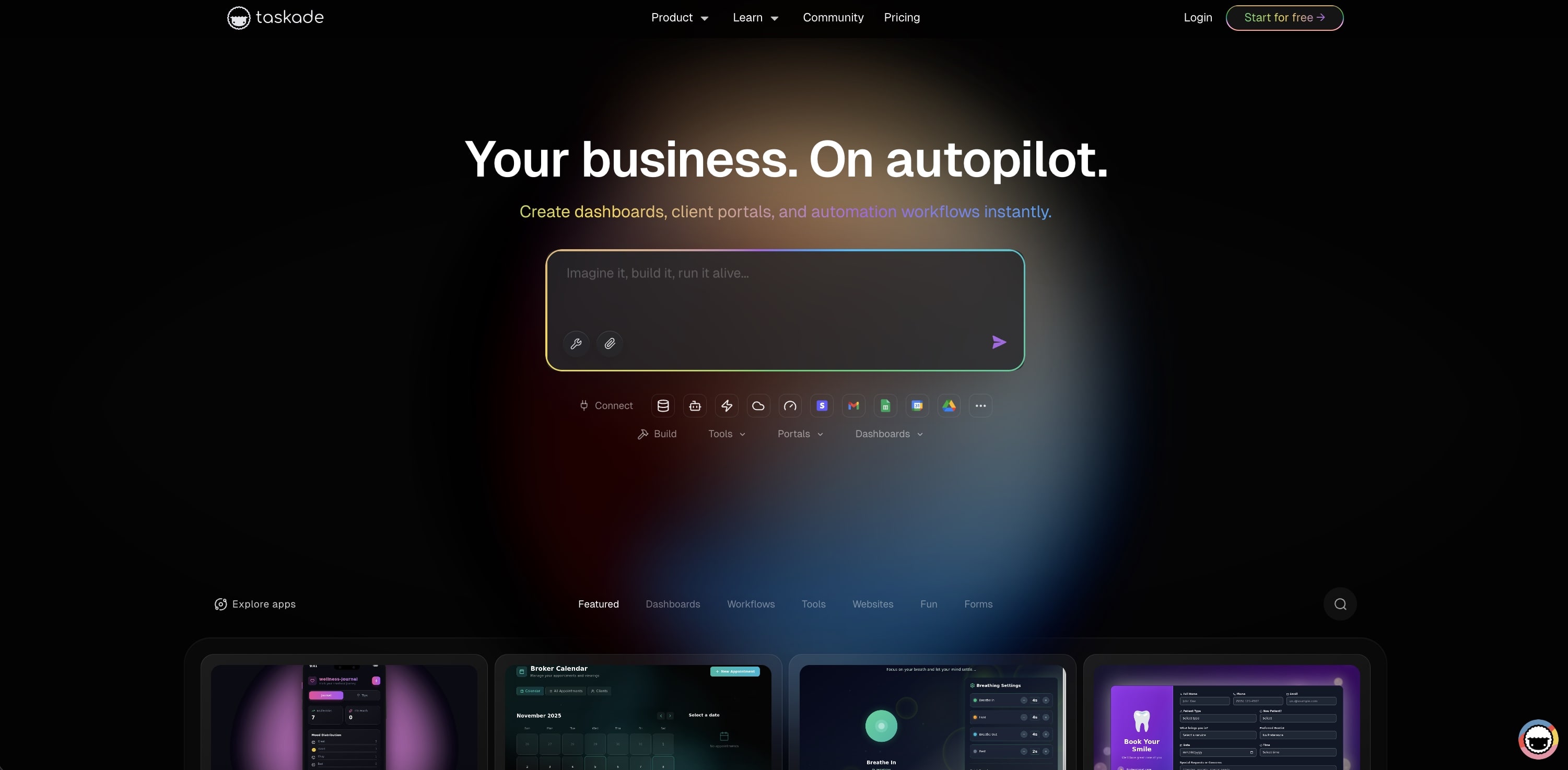
What this video shows: A look back at the live apps people built with Taskade Genesis in 2025. It shows an event portal, a maintenance tracker, a team capacity planner, and a broker calendar that syncs with Google Calendar. Read the step-by-step walkthrough.
The Content vs Data Question
The key distinction: Does your project store content or data?
Content (use Webflow):
- Blog posts and articles
- Portfolio pieces and case studies
- Team member profiles
- Marketing copy and landing pages
- Product catalogs for browsing
Data (use Taskade Genesis):
- Customer information and CRM records
- Project statuses and task assignments
- Form submissions that trigger workflows
- Support tickets with AI-powered routing
- Dashboards with live analytics
Webflow excels at presenting content beautifully. Taskade Genesis excels at managing data and automating workflows powered by Workspace DNA — where Memory (projects) feeds Intelligence (agents), Intelligence triggers Execution (automations), and Execution creates Memory.
Example: A Consulting Firm's Tech Stack
Many businesses use both:
| Need | Tool | Why |
|---|---|---|
| Marketing website | Webflow | Beautiful design, SEO-optimized content, CMS for blog |
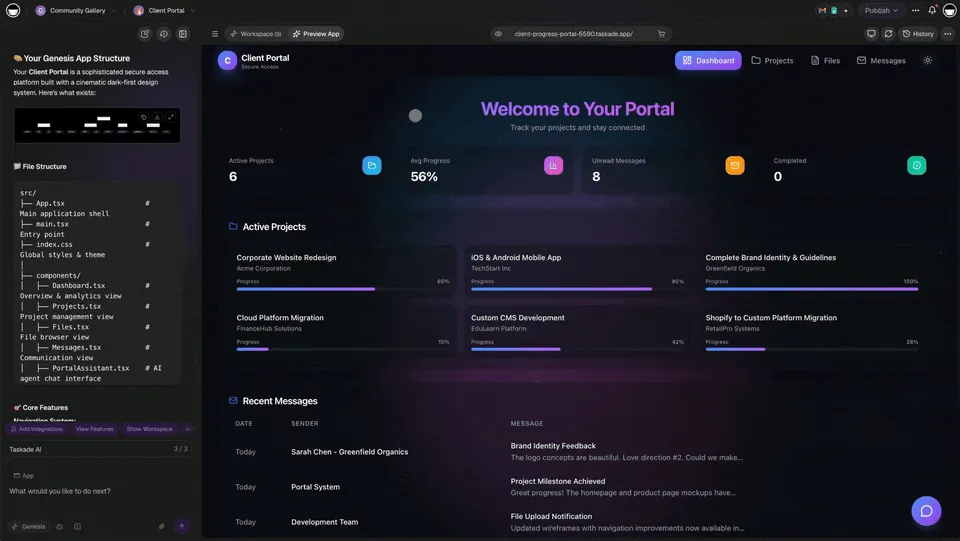
| Client portal | Taskade Genesis | Secure login, project tracking, document sharing |
| Internal dashboard | Taskade Genesis | Live metrics from 100+ integrations |
| Support desk | Taskade Genesis | AI-powered ticket routing with agent automation |
| Booking system | Taskade Genesis | Calendar integration, payment processing, reminders |
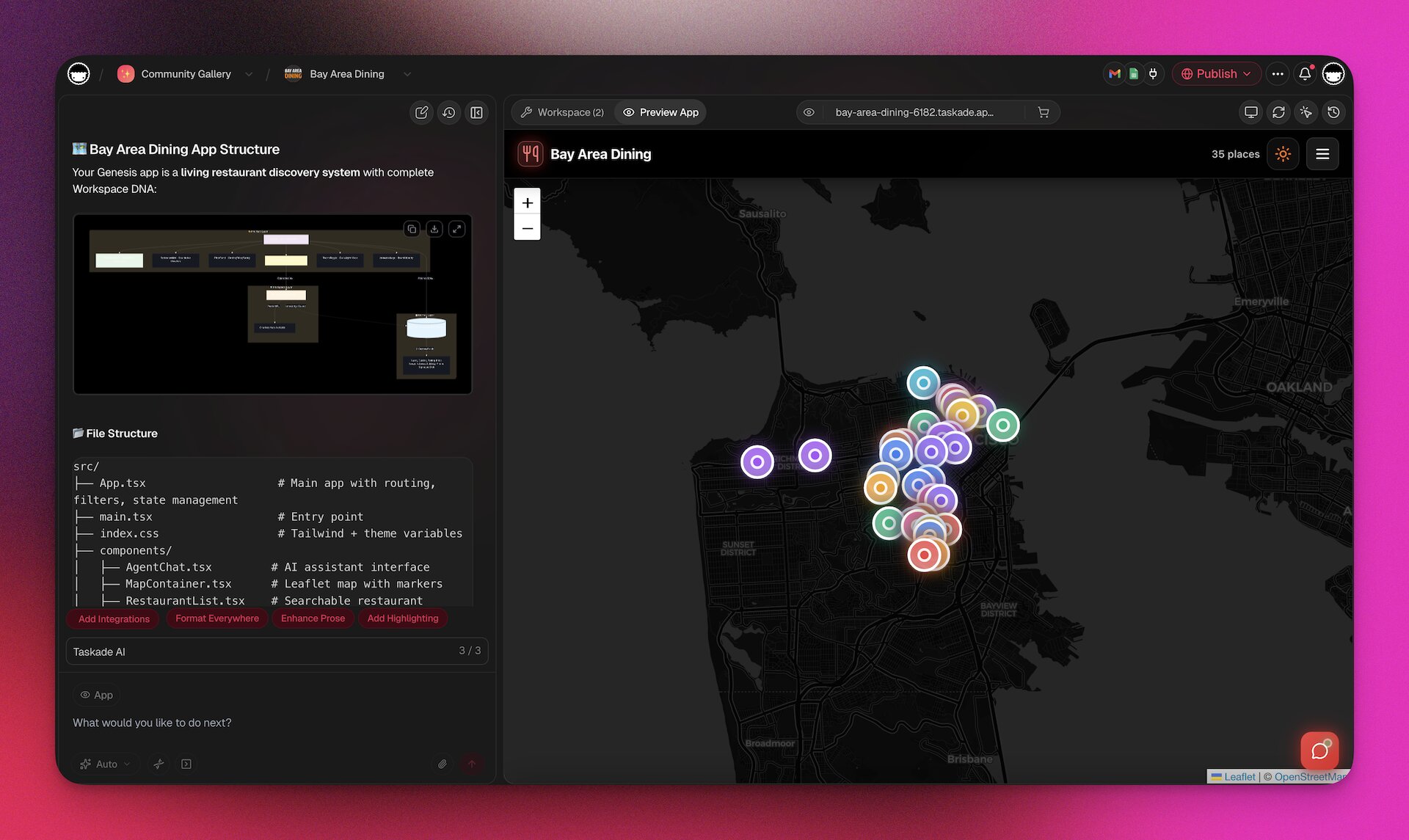
Webflow handles the front door — beautiful marketing that converts visitors. Taskade Genesis handles what happens after — the applications that serve customers and run operations.
Webflow Performance, SEO, and Technical Considerations
Page Speed and Core Web Vitals
Webflow sites generally perform well on Google's Core Web Vitals — particularly after the Cloudflare infrastructure migration. The platform generates lightweight HTML/CSS without heavy JavaScript frameworks, which gives it a natural speed advantage over React-based builders.
Typical Webflow performance:
- LCP (Largest Contentful Paint): 1.5-2.5 seconds (good with optimized images)
- CLS (Cumulative Layout Shift): 0.01-0.05 (excellent, CSS-based layouts are stable)
- INP (Interaction to Next Paint): 50-150ms (good for content sites)
Performance tips:
- Use Webflow's built-in image optimization (WebP, responsive srcset)
- Minimize custom code embeds (each adds render-blocking potential)
- Use Webflow's native interactions over custom JavaScript
- Leverage the Cloudflare CDN for global delivery
SEO Capabilities
Webflow's SEO is strong out of the box:
| SEO Feature | Status | Notes |
|---|---|---|
| Custom meta tags | ✅ Built-in | Title, description, OG tags per page |
| Auto sitemap | ✅ Built-in | XML sitemap generation with localized hreflang |
| Schema markup | ⚠️ Manual | Requires custom code embed (not visual) |
| 301 redirects | ✅ Built-in | Visual redirect manager |
| Canonical URLs | ✅ Built-in | Automatic or custom |
| Alt text | ✅ Built-in | Per-image with CMS binding |
| Page speed | ✅ Good | Lightweight output, Cloudflare CDN |
| AI SEO audits | ✅ New (2025) | Sitewide suggestions via AI |
The main SEO limitation: structured data (JSON-LD schema) requires custom code embeds rather than visual configuration. For automated schema generation like Taskade's SEO system (Article, FAQ, HowTo, BreadcrumbList auto-generated per page), you'd need third-party tools.
Localization
Webflow's localization (added 2024-2025) supports multi-language sites with:
- Field-level CMS localization — translate specific CMS fields per locale
- One-click machine translation — AI-powered initial translations
- Auto-generated hreflang sitemaps — proper SEO for multi-language
- Style customization per locale — supports non-Latin scripts with custom typography
- Essential ($9/mo per locale, up to 3) or Advanced (up to 10 locales)
For a site in 5 languages, localization adds $45/month to your costs.
Accessibility
Webflow generates semantic HTML that works well with screen readers. The platform provides:
- ARIA attribute support (manual via custom attributes)
- Keyboard navigation (built-in for native components)
- Color contrast checking (via third-party integrations)
- Alt text management (per-image and CMS-bound)
However, Webflow doesn't enforce accessibility standards — it's on you to ensure proper heading hierarchy, sufficient color contrast, and meaningful alt text. Complex interactions may create accessibility barriers if not carefully implemented.
Who Should Use Webflow in 2026?
Webflow Is Ideal For
- Agencies building custom marketing sites — Design precision and code quality justify the cost
- Designers who think in CSS — Flexbox, grid, and custom properties through visual panels
- Content-heavy sites — CMS with 10K items, multi-reference fields, dynamic templates
- Enterprise marketing teams — SLA, advanced security, Cloudflare CDN, localization
- Sites needing complex animations — GSAP integration, scroll-triggered interactions
Choose Alternatives When
| If You Need... | Use This Instead | Why |
|---|---|---|
| Quick landing pages on a budget | Framer ($10/mo) | Faster, cheaper, better for startups |
| Simple business site, no CSS skills | Wix or Squarespace | Easier drag-and-drop |
| Business applications with AI agents | Taskade Genesis ($10/mo) | Apps, not websites — with agents and automations |
| Dashboards and analytics | Taskade Genesis | Live data, workspace-native |
| CRM or booking system | Taskade Genesis | Database + logic + AI built in |
| E-commerce store | Shopify | Purpose-built for online retail |
Webflow for Different Team Types
For Agencies
Webflow is the dominant tool for web design agencies, and the Agency workspace plan ($35/seat/month) supports this with unlimited unhosted projects, client billing transfer, and staging permissions.
The agency workflow:
- Design in Webflow Designer with full CSS control
- Build CMS collections for client content
- Configure interactions and animations
- Transfer the site plan to the client's billing
- Provide client with Editor access for content updates
Agency pain points in 2026:
- The pricing restructure hit agencies hardest — managing 10-20 client sites at $29-49/month each adds up quickly
- Guest editing removal from base CMS plans forces clients to purchase workspace seats
- Platform stability issues mean lost billable hours when the Designer crashes
- Client training on the Editor interface takes time (it's not as intuitive as WordPress)
Cost for a 5-person agency with 15 client CMS sites:
- 15 × CMS site plans: $435/month
- 5 × Agency workspace seats: $175/month
- Localization (5 sites × 2 locales): $90/month
- Total: $700/month ($8,400/year)

For Freelance Designers
Freelancers have been the most vocal critics of Webflow's 2025-2026 changes. The removal of guest editing from CMS plans, the layered pricing structure, and the perception that Webflow is prioritizing enterprise customers over the community that built it have driven many to explore alternatives.
Freelancer cost reality:
- Core workspace: $19/month (minimum)
- Per-client CMS site: $29/month each
- 5 client sites: $19 + (5 × $29) = $164/month
- Compare to: Framer ($10/mo unlimited sites on personal plan)
For freelancers building landing pages and simple marketing sites, Framer now offers better value. Webflow remains worth the premium for CMS-heavy sites with complex content structures.
For Marketing Teams
Marketing teams benefit from Webflow's CMS and Editor interface for content publishing, but the learning curve for initial setup is a bottleneck. The typical flow:
- Developer/Designer builds the site in Webflow Designer (2-4 weeks)
- Marketers use the Editor interface for content updates (blog posts, landing pages)
- AI tools assist with SEO audits and content optimization
What works: The CMS-to-Editor handoff is clean when set up properly. Marketers can create blog posts, update landing pages, and manage collections without touching the Designer.
What doesn't: Any structural change (new page layouts, new section types, component modifications) requires Designer access and CSS knowledge. Marketing teams are dependent on the original builder for anything beyond content updates.
For Enterprise
Webflow Enterprise offers SLA guarantees, advanced security features, dedicated support, and the Cloudflare infrastructure migration. For large organizations with compliance requirements and high-traffic sites, Enterprise pricing (custom) provides the reliability and support that standard plans lack.
Enterprise advantages:
- 99.99% uptime SLA
- Advanced security (WAF, DDoS protection via Cloudflare)
- Dedicated customer success manager
- Custom training and onboarding
- Priority support with guaranteed response times
Enterprise limitations:
- Still a website builder — enterprise applications need separate tools
- No built-in authentication or user management beyond Memberships
- Custom integrations require developer resources
- Reporting and analytics limited compared to dedicated platforms
Migrating to or from Webflow
Moving to Webflow
If you're migrating from WordPress, Squarespace, or another platform:
- Export content from your existing CMS (CSV for CMS collections)
- Rebuild design in Webflow Designer (no direct import from other builders)
- Import CMS data via Webflow's CSV import tool
- Set up 301 redirects for all existing URLs
- Transfer DNS to Webflow hosting (or use Cloudflare proxy)
Estimated timeline: 2-6 weeks depending on site complexity.
Common gotcha: Webflow doesn't import designs from other platforms. Every page must be rebuilt in the Webflow Designer. For sites with 50+ unique page layouts, this can be a significant investment.
Moving Away from Webflow
If you're migrating away from Webflow:
- Export code — Webflow allows HTML/CSS export on paid plans
- Export CMS data — CSV export for all collections
- Note: Webflow interactions and CMS logic don't export. Complex sites may need significant rebuild work on the destination platform.
Key consideration: Webflow's custom classes and interaction system are proprietary. Exported code is clean HTML/CSS but loses the interactive editing capability. You're essentially getting a static snapshot.
Webflow Timeline: Key Milestones
| Year | Milestone |
|---|---|
| 2013 | Webflow founded by Vlad Magdalin, Sergie Magdalin, and Bryant Chou |
| 2019 | $72M Series A funding, 1M+ users |
| 2021 | $140M Series B, rapid growth during remote work era |
| 2022 | $120M Series C at $4B valuation, estimated $135M ARR |
| 2023 | CMS improvements, Logic (beta), estimated $200M ARR |
| 2024 | AI Site Builder launched, controversial ~44% CMS pricing restructure |
| 2025 | Webflow Conf 2025: AI Code Gen, Claude Connector, GSAP integration, Cloudflare migration, Bolt Cloud launch, major July outage |
| 2026 | AI CMS Audits, continued Cloudflare migration, next-gen CMS, 524K+ live sites |
The Verdict
Webflow earned its reputation. For visual website design with code-level precision, nothing in the no-code space matches its power and flexibility. The 3.5 million designers using the platform, the 524,000+ live websites, and the consistent praise for code quality confirm that Webflow delivers on its core promise.
But 2025-2026 has been rocky. The ~44% CMS price increase alienated freelancers and small agencies. Platform stability issues have eroded trust. And as competitors like Framer chip away at the lower end of the market while AI builders like Taskade Genesis expand what's possible without code, Webflow needs to justify its premium positioning.
Our recommendation:
| Scenario | Verdict |
|---|---|
| 🎨 Custom marketing site with CMS | Webflow is still the best choice — invest in the learning curve |
| 📄 Simple landing page | Framer offers better value at lower cost |
| 🏢 Enterprise with compliance needs | Webflow Enterprise with Cloudflare infrastructure |
| 🤖 Apps with AI agents and automations | Taskade Genesis — Webflow can't do this |
| 💰 Budget-conscious teams | Taskade Genesis at $10/mo vs Webflow at $239+/mo for a team |
The bottom line: Webflow builds beautiful websites. Taskade Genesis builds intelligent applications. Choose based on what you're building — and consider using both.

Ready to build?
👉 Try Taskade Genesis for apps →
🐑 Building more than a website? Taskade Genesis creates living applications with embedded AI agents, 100+ automation integrations, and workspace-native databases — all from a natural language prompt.
- 🤖 AI Agents: Digital teammates that execute work 24/7 on your data
- ⚡ Automations: 100+ integrations with Stripe, HubSpot, Slack, and more
- 📊 Multiple Project Views: List, Board, Calendar, Table, Mind Map, Gantt, Org Chart
- 🔒 Role-based access: Owner to Viewer
💬 Frequently Asked Questions About Webflow
What is Webflow and what is it used for?
Webflow is a visual website builder that gives designers CSS-level control without writing code, powering 524,000+ websites across 190 countries. It generates clean, semantic HTML/CSS and includes a headless CMS, hosting on Cloudflare infrastructure, and (as of 2025-2026) AI-powered code generation and site building. Webflow is the standard tool for agencies and professional designers building marketing sites, portfolios, and content-driven experiences.
How much does Webflow cost in 2026?
Webflow site plans range from $18/month (Basic) to $49/month (Business) billed annually, with Enterprise on custom pricing. You also need workspace plans ($19-35/seat/month), and optional add-ons like Localization ($9/mo per locale) and Analyze ($9/mo). The total cost for a team can exceed $200-400/month when combining site plans, workspace seats, and add-ons. For comparison, Taskade Genesis creates unlimited apps at $10/month for 10 users.
What AI features does Webflow have?
Webflow's AI toolkit (2025-2026) includes: AI Site Builder (generate multi-page sites from prompts), AI Code Generation (React components from text), AI CMS Audits (bulk content updates and SEO checks), AI SEO/AEO tools (optimization suggestions for search and AI engines), and a Claude Connector (Anthropic integration for site management). AI features are included with paid site plans.
Can Webflow build applications?
No. Webflow builds websites — pages of content that people view. It does not build applications with user databases, business logic, authentication, workflows, or AI agents that execute work autonomously. For client portals, dashboards, CRM systems, booking platforms, or any tool managing data and triggering actions, you need an app builder.
Is Webflow good for beginners?
No. Webflow has a steep learning curve that assumes understanding of CSS concepts (flexbox, grid, margins, padding, specificity, responsive design). It is built for designers and developers. For beginners, Wix and Squarespace offer much simpler drag-and-drop interfaces. For AI-powered apps without any design skills, Taskade Genesis accepts natural language prompts.
How does Webflow compare to Framer?
Framer ($10/mo starting) is faster for landing pages with better animations and lower pricing. Webflow ($18/mo starting) offers deeper CMS capabilities, more design precision, and scales better for content-heavy enterprise sites. Framer is the better choice for startups and landing pages; Webflow wins for complex multi-page marketing sites with structured CMS content.
What happened with Webflow's pricing changes?
In late 2024, Webflow implemented a ~44% price increase on CMS plans, splitting costs across site plans, workspace plans, per-seat fees, and add-ons. The "guest" editing feature was removed from CMS plans unless purchasing additional workspace seats. Freelancers and small agencies have been particularly impacted, with many exploring alternatives like Framer.
Are there Webflow stability issues?
Yes. The Webflow community has raised concerns about platform reliability, including a major outage on July 29, 2025, frequent Designer crashes, slow canvas interactions, and publishing failures. An open letter from the community documented these issues extensively. Webflow's migration to Cloudflare infrastructure aims to improve reliability.
Can I use Webflow and Taskade Genesis together?
Yes, and many teams do. Use Webflow for the marketing website (beautiful design, SEO-optimized content, CMS for blog posts) and Taskade Genesis for everything that needs data and logic: client portals, internal dashboards, support desks with AI agents, and automated workflows. Webflow handles the front door; Genesis handles the back office.
📚 Related Resources
AI App Builder Reviews:
- Bolt Review — AI code generator comparison
- Notion Review — Workspace productivity comparison
- Best AI App Builders — Complete comparison guide
- Best AI Website Generators — Build sites without code
Building with AI:
- What is Vibe Coding? — Build apps by describing what you want
- Best AI Dashboard Builders — Analytics and visualization
- Best AI CRM Software — Customer management tools
- Best AI Booking Systems — Scheduling and reservations
Explore Taskade:
- AI App Builder → — One prompt, one live app
- AI Agent Platform → — Digital teammates that work 24/7
- Workflow Automation → — 100+ integrations
- Community Apps → — Clone and customize
- Vibe Coding → — Natural language app creation
More Comparisons
AI App Builders:
- Taskade vs Webflow — Full feature comparison
- Taskade vs V0 — Full Review
- Taskade vs Lovable — Full Review
- Taskade vs Bolt — Full Review
- Taskade vs Cursor — Full Review
Workspace Tools:
- Taskade vs Notion — Full Review
- Taskade vs Replit — Full Review
- Taskade vs Windsurf — Full Review
- All Taskade Reviews — What users say