







TL;DR: Notion has 100 million users and $600M ARR — but its May 2025 AI paywall locks meaningful AI behind the Business tier ($20/user/month). Custom Agents (Feb 2026) show ambition, but will require paid Notion Credits after the beta ends May 2026. For teams wanting AI agents and app building included from day one, Taskade offers Workspace DNA at $10/month billed annually for 10 users. Try it free →
What is Notion?
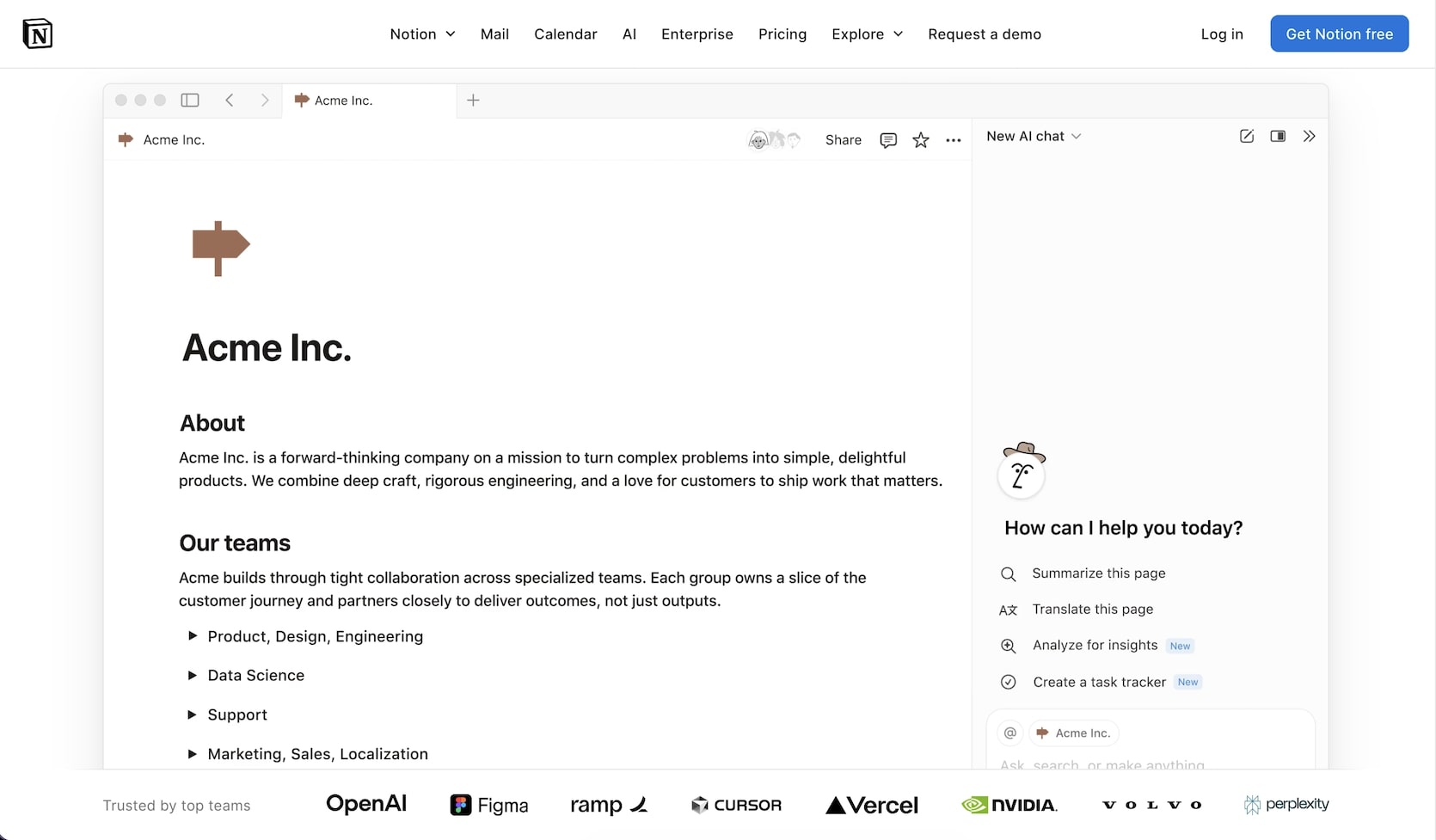
Notion is the connected workspace that redefined how teams organize docs, databases, and wikis — growing from a startup darling to a 100-million-user platform used by over 50% of Fortune 500 companies. Founded in 2016 and valued at $11-12 billion (December 2025 tender offer), Notion reached $600M in annual recurring revenue by late 2025, growing approximately 50% year-over-year.
Notion's core value proposition: replace multiple tools (Google Docs, Confluence, Trello, Airtable) with one flexible workspace where everything is a page or database. The block-based editor lets teams build anything from simple meeting notes to complex project management systems — all without leaving the app.
In 2025-2026, Notion made aggressive AI moves: Custom Agents that automate workflows autonomously, Notion Mail (a full email client built into the workspace), and Notion Calendar enhancements. But the company also made a controversial pricing decision — bundling AI exclusively into Business and Enterprise plans, leaving Free and Plus users with just 20 lifetime AI responses.
Notion Pricing (2026)
Current Plans (Billed Annually)
| Plan | Price | AI Access | Key Features |
|---|---|---|---|
| 🟢 Free | $0 | 20 lifetime responses | Unlimited pages (solo), basic forms, Notion Calendar |
| 🔵 Plus | $10/user/month | 20 lifetime responses | Unlimited collaborative blocks, 5 GB uploads, Sites, Forms, 30-day history |
| 🟣 Business | $20/user/month | Unlimited AI + Custom Agents | SAML SSO, domain verification, private teamspaces, granular DB permissions |
| 🏢 Enterprise | Custom | Unlimited AI + Custom Agents | SCIM provisioning, audit logs, advanced security, workspace consolidation |
The AI Paywall Controversy
In May 2025, Notion discontinued the standalone $8/user/month AI add-on and restructured AI access:
- Free and Plus users: 20 lifetime AI responses total (not monthly — lifetime)
- Business users: Unlimited AI included in the $20/user/month price
- Custom Agents: Free beta through May 3, 2026, then usage-based "Notion Credits" on Business/Enterprise
This means a team of 10 on the Plus plan ($100/month) gets the same 20 AI responses as a free solo user. To use AI meaningfully, teams must upgrade to Business ($200/month for 10 users) — effectively a 100% price increase for teams that previously used Plus + AI add-on.
Cost Comparison (Team of 10)
| Platform | Monthly Cost | AI Included | What You Get |
|---|---|---|---|
| Notion Plus | $100/month | 20 total responses | Docs, databases, basic collaboration |
| Notion Business | $200/month | Unlimited AI | Full AI, Custom Agents (beta), SSO |
| Taskade Pro | $10/month (billed annually) | Generous AI credit allowance (frontier models) | AI agents, 100+ automations, Taskade Genesis apps, multiple views |
| ClickUp Business | $120/month | ClickUp Brain included | Tasks, docs, dashboards, automations |
What Notion Does Well
1. Flexible Databases
Notion's databases are its strongest feature and the primary reason teams adopt the platform. Tables, boards, calendars, galleries, lists, and timelines — all views of the same underlying data. Relations and rollups let you build sophisticated systems: a CRM that connects contacts to companies to deals, a product roadmap that links features to sprints to bug reports.
The formula system is powerful (if complex), and filtered/sorted views let different team members see the same data differently. Recent additions like database automations — trigger actions when properties change — bring lightweight workflow execution directly into databases. For knowledge management and lightweight project tracking, Notion's databases are hard to beat, though they struggle with performance beyond 5,000 records (more on that in the limitations section below).
2. Beautiful Documentation
Notion pages look good. The block-based editor handles headings, callouts, toggles, tables, code blocks, embeds, and media with clean typography and consistent spacing. Templates help teams get started fast, and the nested page structure supports everything from personal notes to company-wide wikis with hundreds of pages.
The publishing story has improved too. Notion Sites lets you publish any Notion page as a public website with custom domains, SEO settings, and analytics — turning internal docs into public knowledge bases, portfolios, or landing pages without a separate tool.
3. Team Wikis and Knowledge Management
For internal documentation, Notion is the industry standard. Nested page hierarchies, full-text search, team permissions, and sidebar navigation make it easy to organize company knowledge. With 100 million users, the ecosystem of templates, tutorials, and consultants is the largest of any productivity tool.
4. Notion Custom Agents (New — February 2026)
Notion's Custom Agents represent the company's biggest strategic bet. These are autonomous AI teammates that automate end-to-end workflows 24/7 — without manual prompting:
- Task Triage: Automatically categorize and prioritize incoming requests
- Internal Q&A: Answer team questions by searching across your workspace
- Daily Standups: Generate status reports from project databases
- Inbox Management: Triage Notion Mail with AI labeling and routing
- Slack Integration: Monitor channels and surface relevant information
Early results are promising: Notion reports 21,000+ custom agents created by early testers, with 2,800 agents running internally at Notion. Remote's IT team reportedly saved 20 hours/week with >95% triage accuracy.
The catch: Custom Agents are free during beta (through May 3, 2026). After that, they'll require usage-based Notion Credits — pricing TBD. And Custom Agents are only available on Business ($20/user/month) and Enterprise plans.
5. Notion Mail (New — April 2025)
Notion Mail turns your inbox into a customizable Notion database. AI auto-labels messages, custom views filter conversations, and scheduling integrates with Notion Calendar. It's an ambitious move to make Notion the operating system for work communication.
6. Platform Breadth and Security
Through strategic acquisitions — Automate.io (workflow automation), Cron (calendar), Flowdash (visual workflows), Skiff (encrypted email) — Notion has assembled a surprisingly complete productivity suite: docs + databases + email + calendar + forms + sites + AI agents.
On the security front, Notion is SOC 2 Type II certified, GDPR compliant, and offers data residency options (US and EU). Enterprise plans include advanced security features: data loss prevention policies, content export controls, and session management. The platform also received ISO 27001 certification, which matters for regulated industries evaluating Notion for sensitive documentation.
However, Notion's AI features introduce data processing considerations. Notion AI processes content through third-party LLM providers (though Notion states training data is not used to improve models). Teams in healthcare, finance, or government should review Notion's AI data processing documentation before enabling AI features on sensitive workspaces.
Notion AI: The Complete Breakdown
What Notion AI Can Do
Notion's AI capabilities have expanded significantly, but access depends entirely on your plan tier:
| AI Feature | Free/Plus | Business/Enterprise |
|---|---|---|
| AI writing assist (drafts, edits, summarizes) | 20 lifetime responses | ✅ Unlimited |
| AI Q&A (search workspace with natural language) | ❌ | ✅ Unlimited |
| AI Meeting Notes (summarize and extract action items) | ❌ | ✅ Unlimited |
| Enterprise Search (search across connected tools) | ❌ | ✅ Unlimited |
| Research Mode (search web + workspace together) | ❌ | ✅ Unlimited |
| Custom Agents (autonomous workflow automation) | ❌ | ✅ Beta (free until May 2026) |
Custom Agents: A Closer Look
Notion's Custom Agents represent the company's biggest product bet since the original Notion 2.0 launch. Here's what they can and can't do:
What Custom Agents do well:
- Workspace-aware: Agents search across all your Notion pages, databases, and connected tools
- Trigger-based: Run on schedules or events — no manual prompting required
- Slack integration: Monitor channels and surface information automatically
- Template variety: Pre-built agent templates for IT triage, daily standups, FAQ bots
- Scale numbers: 21,000+ agents created by early testers, with Notion running 2,800 internally
Where Custom Agents fall short (compared to Taskade AI Agents):
- Model lock-in: Notion uses its own model — you can't choose between frontier models from top AI labs like Taskade's multi-model selection
- No public embedding: Can't embed agents on external websites or client portals
- No custom tools: Limited to Notion's built-in capabilities — can't add custom API integrations to individual agents
- No multi-agent collaboration: Agents work independently, not in coordinated teams
- Business-tier only: $20/user/month minimum — plus upcoming Notion Credits for usage
- Beta uncertainty: Free until May 2026, then consumption-based pricing (rates TBD)

The AI Cost Math
For a team of 10 evaluating AI-powered productivity:
| Tool | Monthly Cost | AI Capabilities |
|---|---|---|
| Notion Plus (no AI) | $100 | 20 lifetime responses per user (useless) |
| Notion Business (AI) | $200 | Unlimited AI + Custom Agents (beta) |
| Taskade Pro | $10 (billed annually) | Unlimited AI agents, frontier models, 100+ automations, Taskade Genesis apps |
| ClickUp Business | $120 | ClickUp Brain (all features) |
| Monday Pro | $190 | Monday AI (all features) |
The math is stark: Notion Business costs 20x more than Taskade Pro for a team of 10, while Taskade includes AI agents, app building, real-time video, and 100+ automation integrations.
Where Notion Falls Short
1. Database Performance at Scale
This is Notion's most persistent limitation. Databases with more than 5,000 records experience 3-5 second page loads, slow filtering and sorting, and sluggish editing. Enterprise teams with 10,000+ record databases regularly report performance degradation that makes Notion impractical as a primary database.
For comparison, dedicated database tools like Airtable handle 50,000+ records smoothly, and Taskade's workspace databases use SQLite indexing for fast queries at scale.
2. The AI Paywall
The May 2025 pricing change is Notion's most controversial decision. Plus subscribers ($10/user/month) who previously had access to AI with the $8 add-on now get only 20 lifetime AI responses — the same as free users. This felt like a bait-and-switch to many users who chose Notion specifically for its AI capabilities.
The message is clear: AI is a Business-tier feature ($20/user/month), period. For teams that want AI included at every tier, Taskade includes AI agents with all plans — no paywall, no add-on.
3. No Built-in Video or Voice Collaboration
Notion remains stubbornly async-first. There's no native video calls, no real-time voice chat, and no screen sharing. Teams still need Slack, Zoom, or Teams alongside Notion for synchronous collaboration. Taskade includes real-time video, chat, and screen sharing natively — no extra tools required.
4. Can't Build Applications
Notion stores and organizes information. It doesn't create customer-facing applications. You can't:
- Build a client portal from a prompt
- Create a booking system
- Generate a dashboard with live metrics
- Publish a customer-facing app with custom domains
- Embed AI agents in a public-facing interface
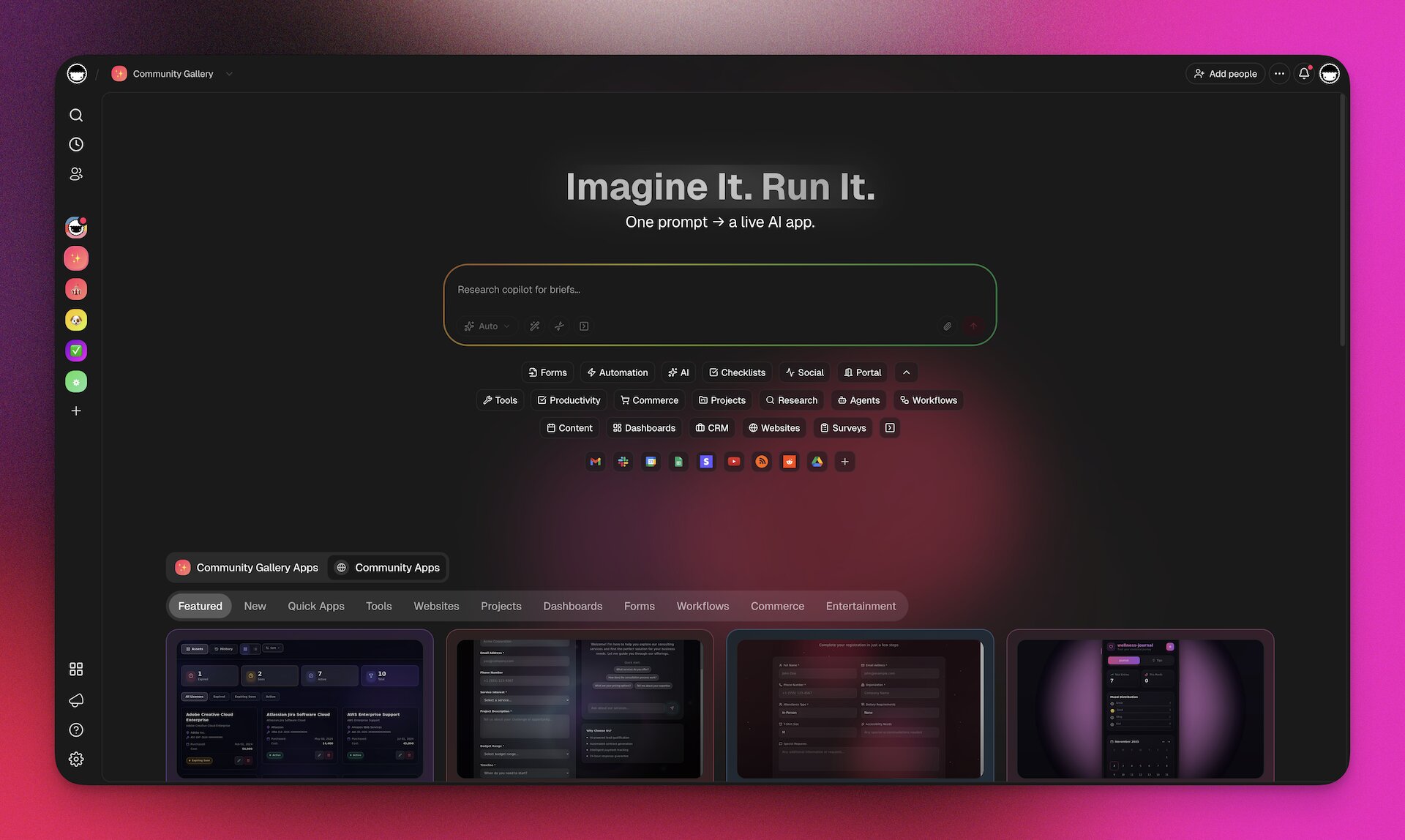
Taskade Genesis does all of this through vibe coding — describe what you need, get a working app with database, agents, and automations in minutes.
5. Incomplete Offline Mode
Notion launched offline mode in August 2025, but the community widely considers it incomplete. Users report syncing issues, missing content, and inconsistent behavior. For teams that work in low-connectivity environments, this remains a significant limitation.
6. Platform Stability Concerns
Multiple outages in late 2025 affected database views, search, and page duplication. Users report frequent Designer crashes and lost unsaved work. While Notion's 100M user scale makes some downtime inevitable, the frequency of reported issues has eroded trust in the platform's reliability.
7. Features Ship "80% Complete"
A recurring community complaint: new features (Notion Mail, offline mode, forms) frequently ship with rough edges, missing quality-of-life features, and limited customization options. The pace of feature releases is impressive, but the polish often lags behind.
Notion's API and Integration Ecosystem
Notion's public API (launched 2021) is a genuine strength that extends the platform beyond its native UI. With RESTful endpoints for pages, databases, blocks, users, and comments, developers can build custom integrations, sync data bidirectionally, and automate workflows that Notion's UI can't handle alone.
What the API Enables
- Database syncing: Pull CRM data from Salesforce into a Notion database, or push Notion task updates to Jira
- Custom dashboards: Build external reporting interfaces that read from Notion databases
- Automated content pipelines: Publish blog posts from Notion databases to WordPress, Ghost, or static site generators
- Zapier/Make integration: 200+ pre-built integrations through third-party automation platforms
- Internal tools: Build custom admin panels, approval workflows, or client portals powered by Notion data
API Limitations
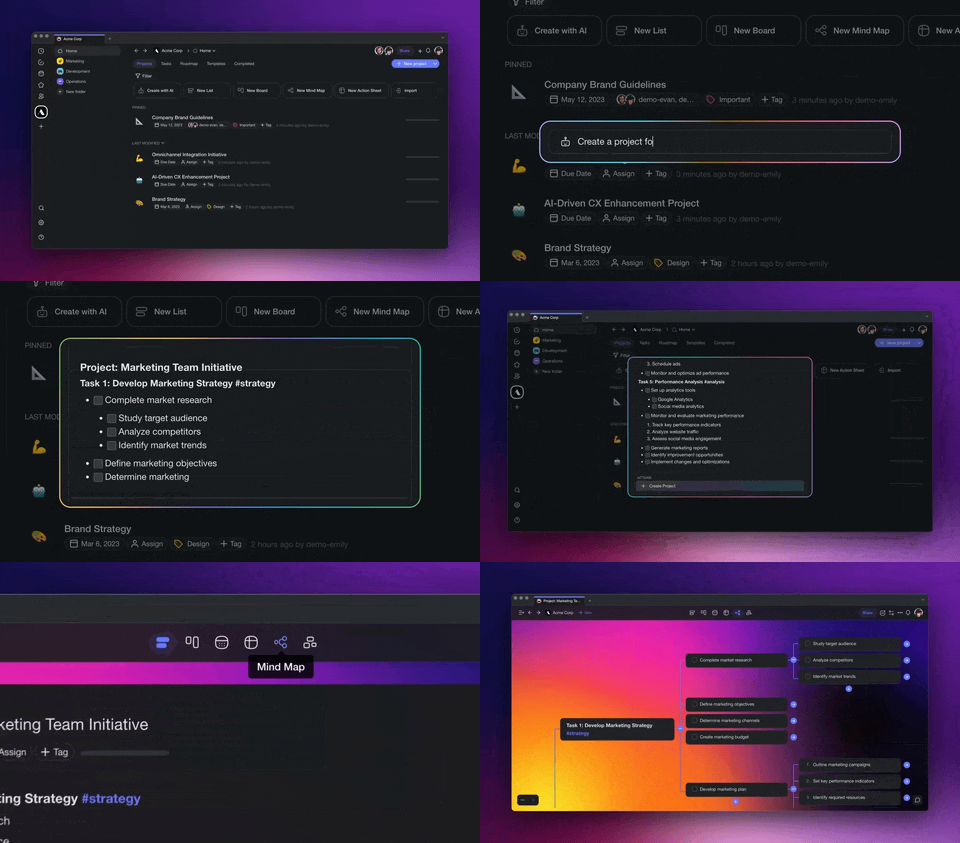
The API has notable gaps: no real-time webhooks (polling only), rate limits of 3 requests per second, incomplete block-type support (some embed types aren't accessible via API), and no bulk operations for large datasets. For teams that need event-driven automation, Taskade's 100+ native integrations with durable execution provide more reliable workflow automation without API polling.
The Connected Apps Marketplace
Notion's Connections marketplace offers 100+ pre-built integrations with tools like Slack, GitHub, Figma, Google Drive, and Jira. These connections are generally surface-level — syncing notifications or embedding previews — rather than deep bidirectional integrations. For complex automation workflows involving branching, looping, and conditional logic across multiple tools, dedicated automation platforms or Taskade's automation engine offer more depth.
Notion vs Taskade: The Complete Comparison
| Feature | Notion | Taskade |
|---|---|---|
| Users | 100M+ | Growing (focused on AI-first teams) |
| Databases | Excellent (slows >5K records) | Good with multiple project views, SQLite-indexed |
| AI Agents | Custom Agents (Business+ only, beta) | Built-in AI agents at every tier |
| AI Models | Notion's proprietary model | Frontier models from top AI labs |
| App Building | No | Taskade Genesis builds apps from prompts |
| Video/Chat | No native | Built-in real-time video, chat, screen share |
| Mind Maps | No native | Native mind mapping |
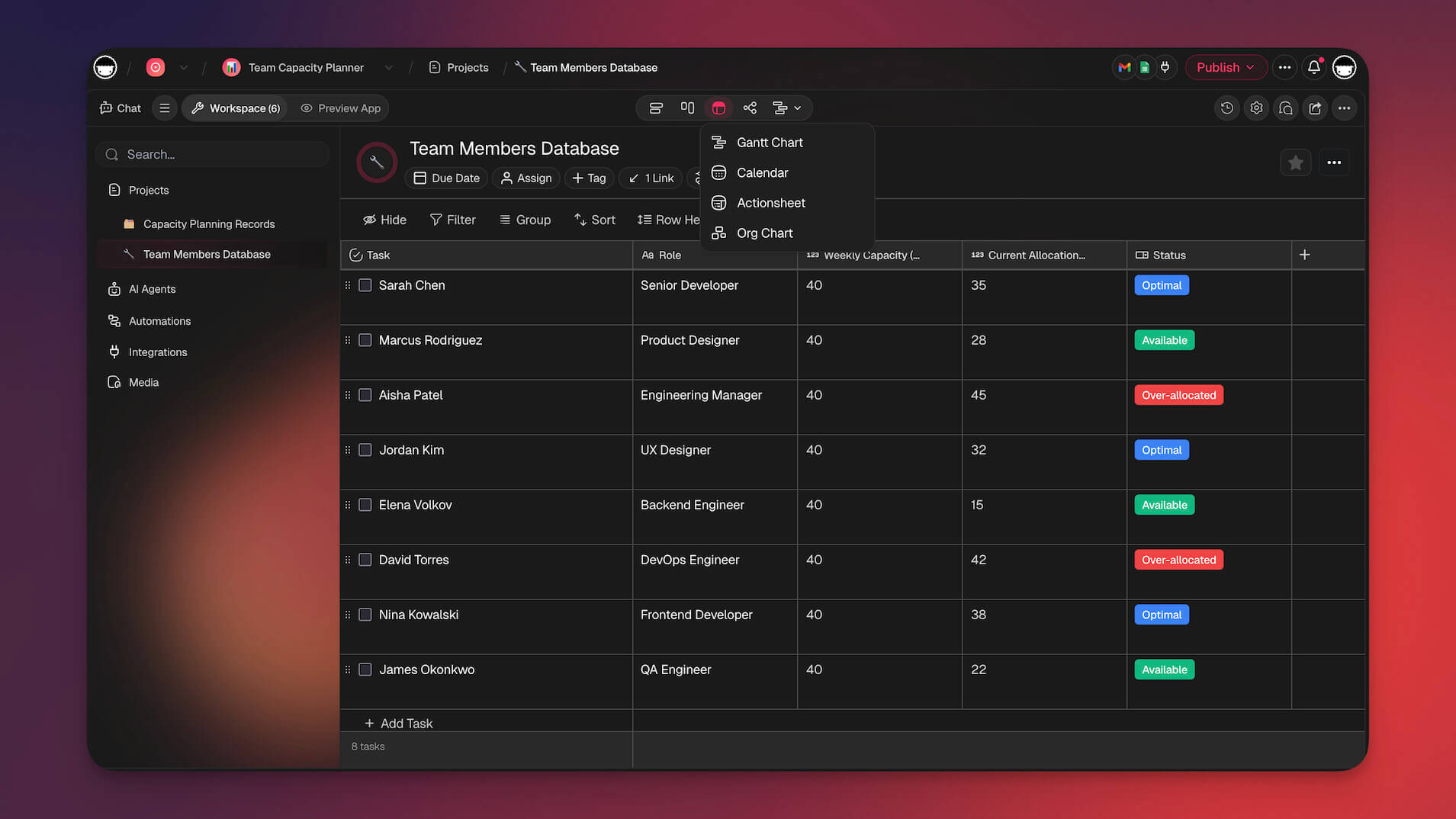
| Project Views | 6 (table, board, calendar, list, gallery, timeline) | Multiple (List, Board, Calendar, Table, Mind Map, Gantt, Org Chart) |
| Automations | Basic (Custom Agents beta) | 100+ integrations, durable execution |
| RBAC | Basic (member, guest, admin-ish) | Role-based: Owner to Viewer |
| Pricing (10 users, AI) | $200/month (Business) | $10/month billed annually (Pro, 10 users included) |
| Offline | Partial (unreliable) | Full offline support |
| Notion Mail (built-in) | Via integrations | |
| Calendar | Notion Calendar (built-in) | Via integrations |
The Core Difference
Notion is a repository — it stores your team's information beautifully. Pages, databases, wikis, and now email form a comprehensive information layer.
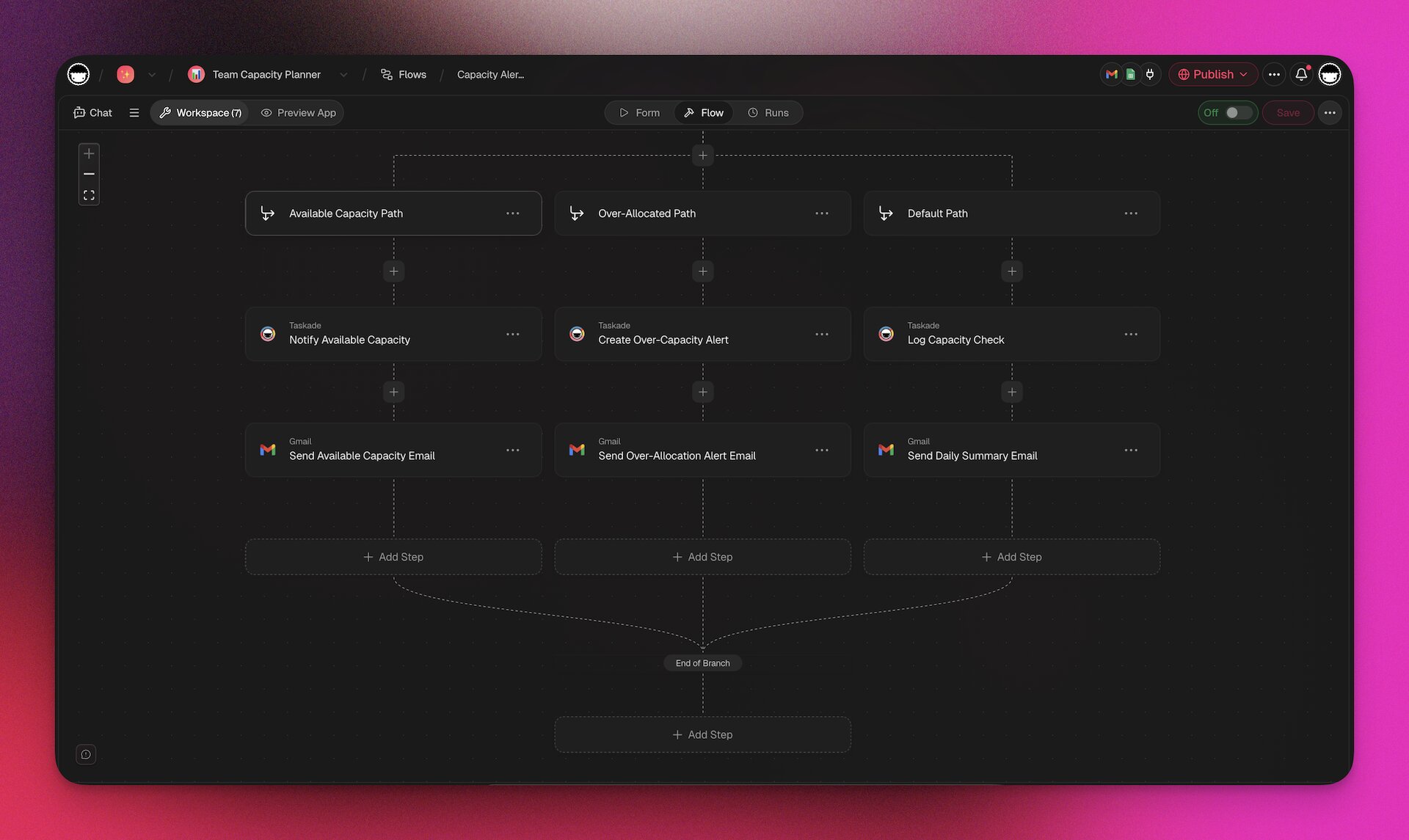
Taskade is a living system — it stores information, but also acts on it. AI agents execute workflows autonomously. Taskade Genesis builds applications from prompts. Automations move work forward without manual intervention. This is Workspace DNA: Memory (projects) feeds Intelligence (agents), Intelligence triggers Execution (automations), Execution creates Memory.

What this video shows: A look back at the live apps people built with Taskade Genesis in 2025. It shows an event portal, a maintenance tracker, a team capacity planner, and a broker calendar that syncs with Google Calendar. Read the step-by-step walkthrough.
Custom Agents vs Taskade AI Agents
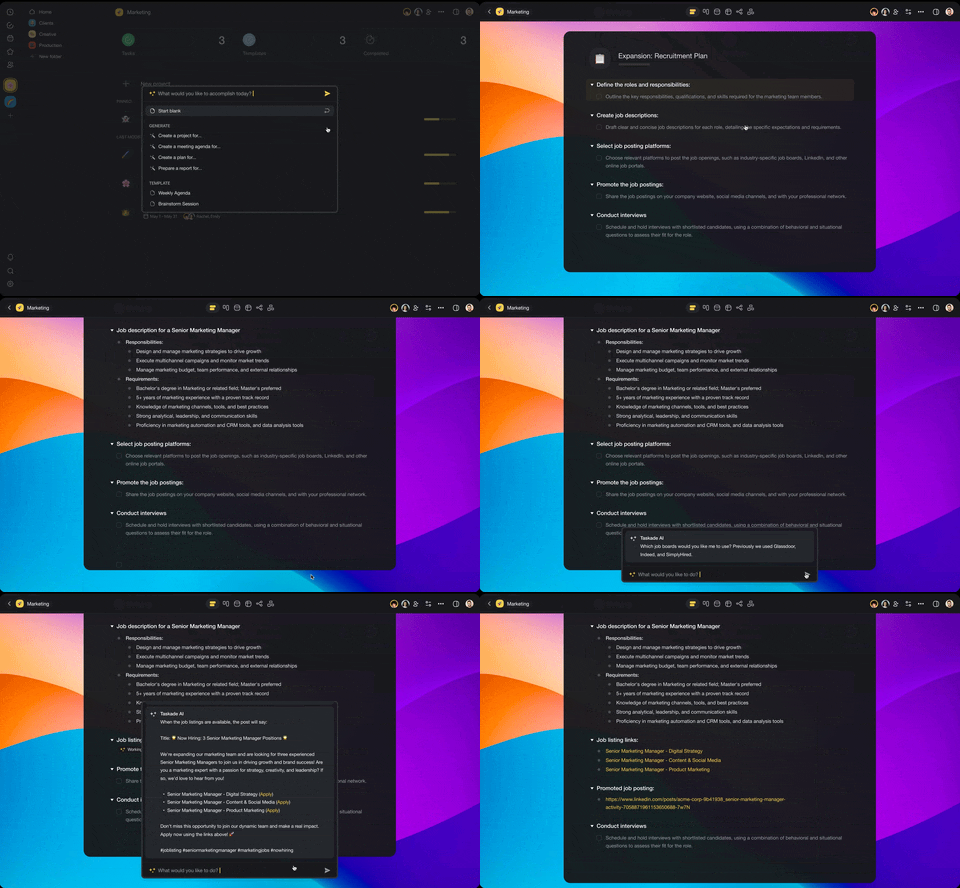
Notion's Custom Agents (February 2026) are a significant step toward Taskade's agent-first approach. Here's how they compare:
| Capability | Notion Custom Agents | Taskade AI Agents |
|---|---|---|
| Availability | Business+ only (beta until May 2026) | All plans |
| AI Models | Notion's model (no choice) | Frontier models (choose per agent) |
| Custom Tools | Limited (workspace search, Slack, Mail) | built-in tools, custom slash commands |
| Public Embedding | No | Embed agents on any website |
| Persistent Memory | Via workspace context | Full persistent memory across sessions |
| Multi-Agent | Single agents per workflow | Multi-agent collaboration |
| Pricing After Beta | Usage-based Notion Credits (TBD) | Included in plan |
| App Integration | Slack, Figma, Mail | 100+ integrations via automations |
When Notion Wins
- Large-team documentation: 100+ person wikis with complex page hierarchies
- Database-driven knowledge management: Product roadmaps, CRM-lite systems, content calendars
- Platform breadth: Docs + databases + email + calendar in one tool
- Community and ecosystem: Largest template library, most consultants, most tutorials
When Taskade Wins
- AI-first workflows: Agents that execute work, not just answer questions
- App building: Taskade Genesis creates customer-facing applications from prompts
- Real-time collaboration: Video, chat, screen sharing — not just async
- Cost-effective AI: 10 users for $10/month billed annually vs $200/month for Notion Business
- Visual thinking: Mind maps, org charts, and multiple project views
- Automation depth: 100+ integrations with durable execution
Notion vs ClickUp vs Monday.com
For teams evaluating project management tools, here's how the major players compare:
| Feature | Notion | ClickUp | Monday.com | Taskade |
|---|---|---|---|---|
| Best For | Docs + databases | Task management | Visual PM | AI-first workspace |
| Starting Price | $10/user/mo | $7/user/mo | $12/seat/mo | $10/month billed annually (10 users) |
| AI | Business only ($20/user) | Brain (included) | AI add-on | Included all plans |
| Databases | Excellent | Good | Good | Good with multiple views |
| Task Management | Basic | Excellent | Excellent | Good |
| Docs/Wiki | Excellent | Good | Basic | Good |
| Gantt Charts | Timeline view | Full Gantt | Timeline | Full Gantt |
| Time Tracking | No native | Built-in | Built-in | No native |
| AI Agents | Custom Agents (beta) | No | No | Built-in |
| App Building | No | No | No | Taskade Genesis |
| Video/Chat | No | No | No | Built-in |
Choose Notion if documentation and knowledge management are your primary needs.
Choose ClickUp if task management, time tracking, and structured project execution matter most.
Choose Monday.com if your team values visual dashboards and simple project boards.
Choose Taskade if you want AI agents that execute work, apps from prompts, and real-time collaboration at the lowest price point.
Notion for Different Team Types
For Startups (5-20 People)
Notion is the default choice for early-stage startups, and for good reason. The free tier supports solo use, and Plus ($10/user/month) handles small team collaboration. The flexible database system lets you build a CRM, product roadmap, and company wiki in one tool — replacing 3-4 separate subscriptions.
Startup cost analysis:
- 10 users on Plus: $100/month (no meaningful AI)
- 10 users on Business: $200/month (full AI + Custom Agents)
- Compare: Taskade Pro at $10/month billed annually for 10 users (AI included, plus app building)
The startup trap: Many startups start on Plus and accumulate years of content, then face the $200/month upgrade cost when they need AI. Switching costs are real — migrating a 500-page Notion workspace to another tool takes weeks. This lock-in effect is one of Notion's strongest competitive moats, and a key reason to evaluate AI capabilities upfront before committing to any workspace platform.
For Enterprise (500+ People)
Notion's enterprise push is evident: SAML SSO, SCIM provisioning, audit logs, domain verification, and workspace consolidation cater to large organizations. Over 50% of Fortune 500 companies use Notion, and the platform handles company-wide wikis with thousands of pages. Recent additions like Advanced Security (data loss prevention, content export controls) and workspace analytics strengthen the enterprise story.
Enterprise strengths:
- Centralized knowledge base for large distributed teams
- Custom integrations via Notion API (200+ third-party connectors)
- SSO (SAML 2.0) and SCIM user provisioning at scale
- Custom Agents for automating repetitive workflows (HR onboarding, IT triage, operations)
- Workspace consolidation for multi-department deployments
- Audit logs and compliance reporting
Enterprise limitations:
- Database performance degrades at scale (5,000+ records — a hard ceiling for data-heavy teams)
- No native project management for complex multi-track programs
- No built-in time tracking, resource allocation, or capacity planning
- Custom Agents pricing (Notion Credits) creates unpredictable budget exposure at scale
- No customer-facing application capabilities — can't build client portals, dashboards, or external tools
- Limited granular permissions compared to dedicated platforms (no RBAC like Taskade)
Enterprise cost reality: A 100-person team on Business tier costs $24,000/year ($20/user/month × 100 × 12). The same team on Taskade Business costs $300/year ($25/month × 12, billed annually, unlimited seats) with AI agents, app building, and 100+ automations included — a 99% savings.
For Content Teams
Notion excels as a content planning and management hub. Editorial calendars as databases, writer assignments via relations, and status tracking via kanban boards create a lightweight CMS. Notion Sites (launched 2025) even lets teams publish simple websites directly from Notion pages.
However, for teams creating content at scale with AI assistance, the AI paywall is a barrier. A 5-person content team needs Business ($100/month) for meaningful AI — or can use Taskade ($10/month billed annually) with AI content generation tools included.
For Product Teams
Product teams use Notion for roadmaps, specs, and user research repositories. The database + doc hybrid is ideal for linking PRDs to user stories to sprint items. But when product teams need to build prototypes, internal tools, or customer-facing features, Notion hits its ceiling.
Notion for product management:
- Product roadmap databases with timeline views
- PRD templates with embedded databases
- User research repositories with tagging
- Sprint planning with kanban boards
What Notion can't do for product teams:
- Build working prototypes from descriptions
- Create internal tools with business logic
- Generate dashboards with live data
- Deploy customer-facing applications
For the building part, Taskade Genesis fills the gap — turning product specs into working applications through vibe coding.

Real-World Migration Considerations
Moving to Notion
If you're consolidating from multiple tools (Google Docs + Trello + Confluence + Airtable):
- Plan your structure — Design workspace hierarchy before importing. Notion's flexibility is also its trap — without a clear structure, workspaces become messy quickly.
- Import content — Notion supports imports from Evernote, Confluence, Word, HTML, CSV, and Markdown. Large imports (1,000+ pages) can take hours and may require cleanup.
- Rebuild workflows — Notion's automations are basic. If you relied on Trello Butler or Asana Rules, expect to lose some automation capabilities.
- Budget for onboarding — Notion's learning curve is real. Budget ~2 weeks for team onboarding, longer for power users building complex database systems.
Moving Away from Notion
If you're outgrowing Notion or frustrated with the AI paywall:
- Export options — Notion exports to Markdown, CSV, and HTML. But nested pages, database relations, rollups, and formulas don't export cleanly.
- Data migration — For databases, CSV export works but loses view configurations, filters, and sorts. Each database needs manual recreation in the target platform.
- Content migration — Page hierarchies export as nested Markdown folders. Images embed as links to Notion's CDN (may break over time).
- Template loss — Custom templates, button automations, and database templates don't export.
The switching cost reality: A team with 500+ pages and 10+ databases should budget 2-4 weeks for migration and onboarding on the new platform. This is why choosing the right tool upfront matters — and why Taskade's approach of including AI at every tier reduces the risk of needing to switch later.
Who Should Use Notion in 2026?
Notion Is Ideal For
- Large teams (50+ people) that need a company wiki and knowledge base
- Documentation-heavy organizations where shared docs are the primary collaboration mode
- Teams that want email + calendar + docs in one platform (Notion Mail + Calendar)
- Power users who enjoy building complex database systems with formulas and rollups
- Companies already invested in Notion with years of accumulated content
Choose Alternatives When
| If You Need... | Use This Instead | Why |
|---|---|---|
| AI agents at every price tier | Taskade ($10/mo billed annually) | Notion AI requires Business ($20/user/mo) |
| Apps from prompts | Taskade Genesis | Notion can't build applications |
| Real-time video collaboration | Taskade | Notion has no native video/chat |
| Mind mapping | Taskade | Notion has no native mind maps |
| Deep project management | ClickUp or Asana | Notion's task management is basic |
| Visual dashboards | Monday.com | Notion dashboards are limited |
| E-commerce automation | Shopify + Taskade | Notion has no e-commerce features |
Notion's Strategic Direction and IPO Outlook
The All-in-One Bet
Notion's acquisition strategy reveals its ambition: become the operating system for work. Each acquisition targets a gap:
| Acquisition | Year | What It Added |
|---|---|---|
| Automate.io | 2021 | Workflow automation (100+ connectors) |
| Cron | 2022 | Calendar (became Notion Calendar) |
| Flowdash | 2022 | Visual workflow builder |
| Skiff | 2024 | Encrypted email (became Notion Mail) |
The pattern: buy specialized tools and integrate them into Notion's unified workspace. The risk: each integration ships with rough edges, and competitors who focus on single domains (Asana for PM, Slack for chat, Gmail for email) often deliver deeper functionality.
Revenue Growth and IPO
Notion's financial trajectory is remarkable:
| Period | ARR | Growth |
|---|---|---|
| 2021 | ~$31M | — |
| 2022 | ~$67M | ~116% |
| 2023 | ~$200M | ~199% |
| Sept 2025 | $500M | ~150% |
| Dec 2025 | $600M | ~50% YoY |
The company grew 19x in revenue in 4 years while its valuation moved only ~10-20% (from $10B to $11-12B) — effectively "growing into" its 2021 ZIRP-era valuation. With $600M+ ARR and ~50% year-over-year growth, Notion is positioned for a late 2026 IPO at a potentially higher valuation.
The AI Revenue Lever
Notion's AI paywall is a deliberate revenue strategy. By making AI exclusive to Business/Enterprise, Notion forces teams to upgrade from Plus ($10/user/month) to Business ($20/user/month) — doubling per-user revenue. Custom Agents' upcoming Notion Credits system adds a consumption-based revenue layer on top of per-seat pricing.
This is smart for revenue but risky for retention. Users on Plus who feel locked out of AI may explore alternatives with AI included — like Taskade where AI agents come with every plan.
What to Watch
- Custom Agents pricing (May 2026): How Notion Credits are priced will determine if Custom Agents become a mainstream feature or an enterprise-only perk
- IPO timing and valuation: A successful IPO validates the all-in-one workspace category
- Notion Mail adoption: If Mail gains traction, Notion becomes genuinely "all-in-one" — threatening Google Workspace and Microsoft 365
- Performance improvements: Whether Notion can solve the database performance bottleneck that limits enterprise adoption
Notion Timeline: Key Milestones
| Year | Milestone |
|---|---|
| 2016 | Notion founded (second version, after 2013 pivot) |
| 2018 | Notion 2.0 launches, product-led growth begins |
| 2019 | $72M Series A, crosses 1M+ users |
| 2021 | $275M Series D at $10B valuation, acquires Automate.io |
| 2022 | Acquires Cron (calendar) and Flowdash (workflows), $10B tender offer |
| 2023 | Notion AI launches (writing assistant), estimated $200M ARR |
| 2024 | Acquires Skiff (encrypted email/storage), AI add-on at $8/user/month |
| 2025 | Notion Mail, AI paywall controversy, Custom Agents beta, $500M ARR (Sept), 100M users |
| 2026 | Custom Agents GA, Notion 3.3, $600M+ ARR, IPO expected late 2026 |
The Verdict
Notion earned its place as the default workspace for startups and knowledge workers. The flexibility is real, the community is enormous, and the platform breadth (docs + databases + email + calendar + sites + AI) is impressive for a single tool.
But Notion faces three existential challenges in 2026:
The AI paywall alienates its core users. Plus subscribers — the backbone of Notion's community — now get the same 20 lifetime AI responses as free users. The message is clear: pay $20/user/month or AI isn't for you.
Custom Agents are unproven at scale. The beta numbers are promising (21,000+ agents created), but usage-based Notion Credits after May 2026 introduce cost uncertainty. Teams can't budget for consumption-based AI pricing.
Competitors have caught up. Taskade offers AI agents at every tier for a fraction of the cost. ClickUp includes Brain with all plans. Monday.com continues to dominate visual project management. Notion's "all-in-one" pitch is less differentiated than it was in 2020.
Our recommendation:
| Scenario | Verdict |
|---|---|
| 📚 Company wiki for 50+ people | Notion is still the best choice |
| 🤖 AI-first workflows on a budget | Taskade — $10/mo billed annually for 10 users vs $200/mo for Notion Business |
| 📱 Apps from prompts | Taskade Genesis — Notion can't do this |
| 📊 Project management with Gantt | ClickUp — stronger task management |
| 💬 Real-time collaboration with video | Taskade — Notion has no native video |
| 📧 Docs + email + calendar in one | Notion — Mail + Calendar integration is genuine value |
The bottom line: Notion is an excellent documentation platform that's betting its future on AI. Whether Custom Agents justify the Business-tier paywall will determine if Notion's next chapter is growth or stagnation.
For teams evaluating today: if you need beautiful docs and a company wiki, Notion remains the gold standard. If you need AI agents that execute work, apps built from prompts, and real-time collaboration at 1/10th the cost — Taskade's Workspace DNA (Memory feeds Intelligence, Intelligence triggers Execution, Execution creates Memory) offers a fundamentally different approach.

Ready to try the AI-first alternative?
🐑 Looking for more than a wiki? Taskade combines docs, tasks, and AI agents in one workspace — with Taskade Genesis app building, 100+ automation integrations, real-time video collaboration, and multiple project views. AI included at every tier, no paywall.
💬 Frequently Asked Questions About Notion
Is Notion good for team productivity in 2026?
Notion is a strong documentation and database tool used by 100 million people worldwide. For knowledge management and team wikis, it's the industry standard. However, meaningful AI features now require the Business plan ($20/user/month), there's no native video or voice collaboration, and the platform can't build customer-facing applications. For teams that need AI agents, real-time collaboration, and app building, alternatives like Taskade offer more at a lower price point.
How much does Notion cost in 2026?
Notion pricing (annual billing): Free ($0, solo use with 20 lifetime AI responses), Plus ($10/user/month, unlimited blocks but only 20 lifetime AI responses), Business ($20/user/month, unlimited AI + Custom Agents beta), Enterprise (custom). The standalone AI add-on was discontinued in May 2025. To use AI meaningfully, teams must be on Business tier — effectively doubling the cost for teams previously on Plus + AI.
What are Notion Custom Agents?
Custom Agents (launched February 2026) are autonomous AI teammates that automate workflows without manual prompting. They can triage tasks, answer internal questions, generate daily standups, manage Notion Mail, and integrate with Slack and Figma. Currently free during beta (through May 3, 2026), they'll require usage-based Notion Credits afterward. Available on Business and Enterprise plans only.
Is Notion AI free?
No. Since May 2025, Notion AI is bundled into Business ($20/user/month) and Enterprise plans only. Free and Plus users receive just 20 lifetime AI responses total — not monthly, lifetime. There's no way to purchase AI access separately. For AI included at every tier, Taskade bundles AI agents into all plans, with paid plans starting at $10/month billed annually for 10 users.
How does Notion compare to ClickUp?
ClickUp ($7/user/month starting) offers stronger task management with native Gantt charts, time tracking, dashboards, and ClickUp Brain AI included in all plans. Notion ($10/user/month starting) has better documentation, more flexible databases, and a larger community. ClickUp wins for structured project execution; Notion wins for knowledge management and wikis. Taskade offers both plus AI agents and app building.
Does Notion work offline?
Partially. Notion launched offline mode in August 2025, but the community considers it incomplete. Users report syncing issues, missing content, and inconsistent behavior. For teams requiring reliable offline access, consider tools with full offline support like Obsidian (notes) or Taskade (workspace).
Will Notion go public?
Notion is widely expected to IPO in late 2026. With $600M+ ARR, approximately 50% year-over-year growth, an $11-12 billion valuation, and 4+ years without new primary funding, the company has grown into its 2021 valuation. An IPO would be a significant milestone for the productivity software category.
Can Notion replace project management tools?
Partially. Notion handles lightweight project tracking (kanban boards, simple timelines, task databases) well. But it lacks native Gantt charts, resource allocation, time tracking, advanced reporting, and workload management that dedicated tools like ClickUp, Asana, or Monday.com provide. For teams with complex project management needs, Notion works best as a knowledge layer alongside a dedicated PM tool.
Is Notion worth $20/user/month for the Business plan?
It depends on how much you use AI. If your team relies heavily on AI for writing, summaries, and Custom Agents, the Business plan ($20/user/month) bundles these at a reasonable price compared to the old Plus + AI add-on ($18/user/month). If you rarely use AI, the Plus plan ($10/user/month) is more cost-effective. For teams that want AI included without a premium, Taskade Pro bundles a generous monthly AI credit allowance for $10/month total billed annually (10 users included).
📚 Related Resources
Productivity Tool Reviews:
- Best AI Productivity Tools for Teams — Complete comparison
- Best Time Blocking Apps — Optimize your schedule
- AI Mind Mapping Tools — Visual brainstorming with AI
- AI Brainstorming Tools — Creative ideation for teams
- Building a Second Brain — Knowledge management guide
AI and Automation:
- What is Vibe Coding? — Build apps by describing what you want
- Best AI Dashboard Builders — Analytics and visualization
- Best AI CRM Software — Customer management
- Best AI Content Creation Tools — Writing and media tools
Explore Taskade:
- AI App Builder → — Build apps Notion can't
- AI Agents → — Beyond writing assistance
- Workflow Automation → — 100+ integrations
- Community Apps → — Clone and customize
More Comparisons
Workspace Tools:
- Taskade vs Notion — Full feature comparison
- Taskade vs ClickUp — Project management
- Taskade vs Monday.com — Work OS comparison
- Taskade vs Obsidian — Note-taking
AI App Builders: