







TL;DR: Windsurf is an agentic AI code editor (now owned by Cognition AI after a ~$250M acquisition) with Cascade — an AI that understands your entire codebase. It's powerful for developers. Taskade Genesis serves a different audience: anyone who wants apps without writing code.
Reading this to evaluate Windsurf? See our ranking of the 8 best Windsurf alternatives — Taskade Genesis, Cursor, Bolt, and more, ranked by feature and price. Or jump straight to Taskade Genesis vs Cursor for a head-to-head.
What is Windsurf?
Windsurf is an AI-powered IDE originally built by Codeium and now owned by Cognition AI following a ~$250 million acquisition in December 2025. Its standout feature is Cascade — an agentic AI that can understand your codebase, suggest multi-file edits, run terminal commands, and work alongside you as a coding partner.
Think of it as VS Code rebuilt around the assumption that AI should be deeply integrated, not bolted on. Windsurf was designed from scratch for the AI era.
The Cognition acquisition was the biggest AI dev tools M&A deal to date. At the time of acquisition, Windsurf had $82M ARR with enterprise revenue doubling quarter-over-quarter, 350+ enterprise customers, and a team of 210 employees. Google secured a separate licensing deal for Windsurf technology as part of the transaction, and OpenAI was also involved in the bidding process. Cognition (makers of Devin, the autonomous coding agent) plans to merge Windsurf IDE capabilities with Devin for fully autonomous development workflows.
As of February 2026, Windsurf ranks #1 in the LogRocket AI Dev Tool Power Rankings, ahead of both Cursor and GitHub Copilot.
What Changed in 2026
A lot has happened since Windsurf first launched. Here is the timeline of major events:
| Date | Event | Impact |
|---|---|---|
| Dec 2025 | Cognition acquires Windsurf for ~$250M | Biggest AI dev tools M&A deal |
| Dec 2025 | $82M ARR disclosed at acquisition | Enterprise revenue doubling QoQ |
| Jan 2026 | Devin integration begins | Autonomous agent + IDE merge |
| Feb 2026 | #1 LogRocket AI Dev Tool ranking | Ahead of Cursor and GitHub Copilot |
| Feb 2026 | Wave 13 parallel agents | Multiple AI agents working concurrently |
The acquisition by Cognition fundamentally changed Windsurf's trajectory. Previously an independent AI code editor competing on features alone, Windsurf is now part of a platform aiming to deliver fully autonomous software development — combining Cascade's IDE-level intelligence with Devin's ability to work independently on entire tasks.
The AI Code Editor Landscape (2026)
Windsurf vs Cursor vs Cline vs Genesis (Quick Comparison)
| Feature | Windsurf | Cursor | Cline | Taskade Genesis |
|---|---|---|---|---|
| Pricing | Free / $15 Pro | $20 / $60 Pro+ | Free (open-source) | Free / $10 Pro |
| AI Engine | Cascade (agentic) | Tab + Agent mode | Configurable (any model) | Frontier models |
| Multi-file edits | Yes (Cascade) | Yes (Composer) | Yes | Yes (full-app generation) |
| Requires coding | Yes | Yes | Yes | No |
| Deploys for you | No | No | No | Yes |
| Built-in database | No | No | No | Yes |
| AI agents included | No | No | No | Yes (built-in tools) |
| Automations | No | No | No | Yes (100+ integrations) |
| Best for | Solo devs | Power devs | Budget devs | Teams + non-coders |
The fundamental gap: IDE tools help you write code faster. Taskade Genesis helps you skip code entirely and ship a live app with agents and automations built in.
Windsurf Pricing (2026)
| Plan | Price | What You Get |
|---|---|---|
| Free | $0 | 25 prompt credits/mo, unlimited tab completions |
| Pro | $15/month | 500 credits/mo, SOC 2 compliance |
| Teams | $30/user/month | Admin controls, shared settings |
| Enterprise | $60/user/month | Custom deployment, dedicated support |
We Tested It: Building a Dashboard in Windsurf vs Taskade Genesis
We built the same team analytics dashboard on both platforms to give you a real comparison, not just feature lists.
Windsurf (Cascade + manual deployment):
- Cascade generated the React component structure across 8 files in ~4 minutes (impressive)
- We spent 45 minutes connecting Supabase for the database, configuring auth, and wiring API routes
- Deployment to Vercel took another 20 minutes (env variables, build config, domain setup)
- Total time to live dashboard: ~70 minutes. Result: clean code, full control, but 65 of those minutes were infrastructure, not building
Taskade Genesis (one prompt):
- Described "team analytics dashboard with project status, deadline tracking, and performance charts" → live app in 8 minutes
- Database (Table view), AI agent for performance insights, Slack automation for weekly summaries — all included from the prompt
- Custom domain pointed and live in 3 more minutes
- Total time to live dashboard: ~11 minutes. Result: working system with intelligence baked in, but less low-level CSS control
The takeaway: Windsurf wins on code control and custom UI. Genesis wins on time-to-value and built-in intelligence. For the 80% of business apps that follow standard patterns, the 59-minute gap matters more than the CSS flexibility.
What Windsurf Does Well
1. Cascade Agentic AI
Cascade is genuinely impressive. It doesn't just autocomplete — it understands your project structure, can make changes across multiple files, and executes commands autonomously. It feels like pair programming with an AI.
"Cascade is wild. I described a refactor that touched 12 files and it just... did it. Correctly. No copy-paste errors, no missed references. This is the first time AI editing feels truly agentic."
— r/programming
2. Deep Codebase Understanding
Windsurf indexes your entire project. When you ask questions or request changes, the AI understands context from across your codebase — not just the file you're looking at.
3. Multi-File Editing
Need to refactor a function used in 12 places? Cascade can update all of them in one operation. This is a massive time saver for large codebases.
4. Terminal Integration
Cascade can run terminal commands on your behalf — installing packages, running builds, executing tests. You describe what you want; it figures out the commands.
5. Familiar Interface
Built on VS Code foundations, so your muscle memory, extensions, and keybindings largely transfer.
Where Windsurf Falls Short
1. Developers Only
Windsurf is a professional development tool. If you can't code, Windsurf's power is inaccessible to you.
2. Still Writing Code
Even with Cascade's help, you're producing code that requires:
- Deployment infrastructure
- Database setup
- Authentication systems
- Ongoing maintenance
The AI accelerates coding — it doesn't eliminate the software lifecycle.
3. No Instant Deployment
Windsurf creates code in your editor. Getting that code to users still requires deployment pipelines, hosting, and infrastructure management.
4. Solo Experience
Windsurf is primarily a single-developer tool. Real-time collaboration with non-technical team members isn't the focus.
5. Learning Curve
While more approachable than pure coding, you still need to understand software development concepts to use Windsurf effectively.
Not a developer? Windsurf requires coding skills. Taskade Genesis is the opposite — describe your app in plain English, get a live system in 10 minutes with embedded AI agents (built-in tools, custom tool schemas, persistent memory), durable automations (branching, looping, 100+ integrations including Shopify and Slack), and multiple project views as your database. Custom domains, password protection, version history, analytics dashboard — all included. 150,000+ apps built. Free to start: earn credits or buy a credit pack. Start building →
The Honest Catch
Beyond the standard limitations above, there are some less-discussed concerns worth noting in 2026:
1. Post-Acquisition Uncertainty
Cognition's acquisition of Windsurf raises legitimate questions about product direction. Will Windsurf remain a standalone IDE, or will it gradually merge into Devin? Will pricing change? Will the free tier survive? These questions don't have clear answers yet, and developers building workflows around Windsurf should factor in this uncertainty.
2. Free Tier Privacy Concerns
SOC 2 compliance is only available on the Pro plan ($15/month) and above. If you are on the free tier, your code is processed without the same security guarantees. Do not paste proprietary or sensitive code into the free tier. This is a real concern for developers experimenting with Windsurf before committing to a paid plan.
3. The Acquisition Split Was Complex
The deal involved multiple parties: Cognition acquired the product and team, Google secured a separate licensing deal for the underlying technology, and OpenAI was involved in the bidding. This multi-party arrangement could create complications — technology licensing agreements, competing roadmaps, and unclear IP boundaries. Developers should watch how this plays out before deep platform investment.
4. Credit-Based Usage Limits
The free tier now offers only 25 prompt credits per month (though tab completions remain unlimited). Even the Pro tier caps at 500 credits. Power users who rely heavily on Cascade for agentic workflows may find themselves hitting limits, especially compared to competitors that offer more generous usage.
Agentic Code Editor vs Living Platform: Understanding the Fundamental Gap
Both Windsurf and Taskade Genesis use "agentic AI," but they serve fundamentally different purposes. Understanding this distinction is critical for choosing the right tool. For terminal-based alternatives to both, see our Claude Code alternatives roundup.
What "Agentic AI" Means in Each Context
Windsurf's Cascade (Agentic Coding Assistant):
- Purpose: Help developers write code faster
- Agent capabilities: Understand codebase, suggest multi-file edits, run terminal commands
- Output: Code files that you deploy and maintain
- User: Professional developers who know how to code
- Value: 30-40% faster coding for experienced developers
Taskade Genesis Agents (Agentic Business Workers):
- Purpose: Execute business workflows autonomously
- Agent capabilities: Process data, make decisions, handle interactions, trigger actions
- Output: Working applications with autonomous intelligent behavior
- User: Anyone who can describe what they need
- Value: 100x faster outcomes (minutes vs weeks)
The Core Difference: Cascade helps you build software. Genesis agents are the software.
Agentic Code Editors (Windsurf with Cascade)
Windsurf represents the cutting edge of developer productivity tools. Cascade is genuinely impressive — it's not just autocomplete, it's an AI partner that understands your entire project.
What Windsurf's Cascade Does Exceptionally Well:
1. Multi-File Refactoring
- Scenario: You rename a function used in 15 different files
- Without Cascade: Manually find and replace across files (30-60 minutes, error-prone)
- With Cascade: "Rename getUserData to fetchUserProfile across the codebase" (2 minutes)
- Value: Massive time savings on tedious refactoring work
2. Terminal Command Execution
- Scenario: You need to install packages, run builds, execute tests
- Without Cascade: Remember exact commands, syntax, flags (10-20 minutes research + execution)
- With Cascade: "Install dependencies for authentication" → Cascade runs npm install with correct packages
- Value: Removes mental overhead of command syntax
3. Contextual Code Suggestions
- Scenario: Adding a new API endpoint that follows your existing patterns
- Without Cascade: Study existing endpoints, replicate patterns manually (20-30 minutes)
- With Cascade: AI understands your patterns and suggests consistent implementation (5 minutes)
- Value: Consistency and speed across large codebases
4. Debugging Assistance
- Scenario: Error in production, need to trace through complex code paths
- Without Cascade: Manual debugging, console logs, stack trace analysis (1-4 hours)
- With Cascade: AI helps identify potential issues by understanding code flow (30 minutes)
- Value: Faster problem identification in complex systems
What You Still Need to Do After Cascade Helps You Code:
Even with Cascade's assistance, the software development lifecycle continues:
Infrastructure Setup (6-12 hours):
- Choose database provider (PostgreSQL, MongoDB, Supabase, Firebase)
- Design database schemas and relationships
- Set up authentication system (Auth0, Clerk, custom)
- Configure file storage (AWS S3, Cloudinary)
- Set up email service (SendGrid, Resend, Postmark)
- Configure environment variables across environments
Deployment Pipeline (4-8 hours):
- Choose hosting platform (Vercel, Netlify, AWS, Railway)
- Configure build settings and deployment automation
- Set up CI/CD pipelines
- Configure monitoring and error tracking (Sentry, LogRocket)
- Set up custom domains, SSL certificates
- Configure CDN and caching strategies
AI Integration (8-16 hours):
- Obtain API keys for AI services
- Design prompts for your specific use case
- Implement streaming responses and error handling
- Add token management and cost controls
- Build rate limiting and abuse prevention
- Test AI responses for quality and consistency
Automation Workflows (6-12 hours):
- Build custom webhooks for external integrations
- Code email notification triggers and templates
- Implement scheduled background jobs
- Connect to third-party APIs (Slack, Stripe, etc.)
- Handle error cases and retry logic
- Build admin interfaces for workflow management
Testing & Quality Assurance (8-16 hours):
- Write unit tests, integration tests
- Test edge cases and error scenarios
- Performance testing and optimization
- Security audit and vulnerability scanning
- Browser/device compatibility testing
- User acceptance testing
Ongoing Maintenance (4-8 hours/month):
- Dependency updates and security patches
- Database migrations and schema updates
- Monitoring and debugging production issues
- Performance optimization
- Scaling infrastructure as usage grows
- Support and bug fixes
Total Real Cost with Windsurf:
First Month:
- Windsurf subscription: $15
- Developer time (40-70 hours @ $100-200/hour): $4,000-14,000
- Infrastructure setup and first month: $80-300
- Total: $4,095-14,315
Ongoing Monthly:
- Windsurf: $15
- Infrastructure: $80-300
- Maintenance (6-10 hours @ $100-200/hour): $600-2,000
- Total: $695-2,315/month
Annual Cost for One App Built with Windsurf:
- Year 1: $12,535-40,095
- Ongoing years: $8,340-27,780/year
Living System Orchestrators (Taskade Genesis)
Taskade Genesis takes a radically different approach. Instead of helping you code, it orchestrates proven systems that don't require code.
Understanding Taskade Workspace DNA:
When you build an app with Windsurf, you start from zero. Empty files, no infrastructure, no intelligence.
When you build an app with Taskade Genesis, you orchestrate Taskade Workspace DNA — battle-tested infrastructure refined by thousands of teams over 3+ years:
1. Memory (Projects Database)
What it is: Your workspace projects become the app's structured database backend
How it works:
- Automatically generates database schema from your app description
- Creates custom fields (text, numbers, dates, dropdowns, file attachments)
- Provides multiple view types (list, board, calendar, table, action, mindmap, org chart, workflow)
- Real-time synchronization across all team members
- Relationship tracking between data entities
- Automatic versioning and change history
Developer benefit: Skip 8-16 hours of database architecture work
Business value: Non-developers can design database schemas with natural language
Example:
- Windsurf approach: Code Postgres schema, set up Prisma ORM, write migrations (8 hours)
- Genesis approach: "Create client database with contact info, deal stages, revenue tracking" (instant)
2. Intelligence (AI Agents)
What it is: Workspace-aware AI agents trained on YOUR data, not generic knowledge
How it works:
- Agents index your workspace content (projects, documents, files)
- Understand your business context, terminology, patterns
- Make decisions based on your historical data
- Learn continuously from every interaction
- Work autonomously 24/7 without supervision
- Collaborate with team members in real-time
Developer benefit: Skip 12-20 hours of AI integration work per app
Business value: AI that understands your specific business, not generic responses
Example:
- Windsurf approach: Integrate OpenAI API, engineer prompts, manage tokens, handle errors (12 hours)
- Genesis approach: AI Agent trained on your support history analyzes tickets automatically (instant)
3. Execution (Automations)
What it is: 100+ pre-built integrations with visual workflow builder
How it works:
- Trigger workflows from app events (form submit, task complete, status change)
- Visual builder for multi-step automation sequences
- Pre-built integrations: Slack, Gmail, Google Sheets, Salesforce, HubSpot, Stripe, etc.
- Conditional logic, loops, data transformation
- AI-powered steps (Ask Agent, Analyze Data, Generate Content)
- Results flow back into Memory, creating feedback loop
Developer benefit: Skip 10-15 hours per workflow of webhook coding
Business value: Business users configure workflows without developers
Example:
- Windsurf approach: Code Slack webhook, email trigger, database update logic (10 hours)
- Genesis approach: Visual workflow (New deal → Notify Slack → Send email → Update CRM) (5 minutes)
4. Continuous Learning Loop
What it is: Memory → Intelligence → Execution → Results → Memory (feedback cycle)
How it works:
- Every action generates results
- Results captured and stored in Memory
- Intelligence learns from outcomes
- Execution adjusts based on effectiveness
- System improves automatically over time
Developer benefit: Apps that improve without code updates
Business value: Living systems that get smarter with usage
Example:
- Windsurf approach: Manually analyze metrics, update code, redeploy (ongoing work)
- Genesis approach: System learns which emails convert, adjusts AI suggestions automatically (zero work)
Real-World Comparison: Building a Customer Support Portal
Prompt: "Create a customer support portal where clients can submit tickets, track status, and get AI-powered responses"
Windsurf Approach (Agentic Code Editor):
Hour 1-6: Cascade helps you code Next.js app with ticket form, status dashboard
Hour 7-12: You set up Supabase database with tickets, users, responses tables
Hour 13-18: You integrate authentication (Clerk or Auth0), configure user permissions
Hour 19-26: You integrate OpenAI API for AI responses, engineer prompts, handle streaming
Hour 27-32: You code email notifications (SendGrid), build template system
Hour 33-38: You add file upload (AWS S3), ticket attachments, image handling
Hour 39-44: You deploy to Vercel, configure environment variables, set up monitoring
Hour 45-50: You debug production issues, optimize performance, fix edge cases
Total time: 50 hours of developer work (Cascade helped make it faster than 80+ hours without AI)
Monthly cost: $15 Windsurf + $25 Supabase + $30 Auth + $30 SendGrid + $40 OpenAI + $20 Vercel + $20 S3 = $180/month
Developer cost: $5,000-10,000 (initial build) + $600-1,200/month (maintenance)
Taskade Genesis Approach (Living Platform):
Minute 1: "Create a customer support portal where clients can submit tickets, track status, and get AI-powered responses"
Minute 2-6: Genesis orchestrates Taskade Workspace DNA:
- Memory: Support tickets database with status tracking, priority, client info, attachments
- Intelligence: AI Support Assistant trained on your knowledge base, analyzes tickets, suggests responses
- Execution: Automation (New ticket → AI analyzes urgency → Notify team on Slack → Assign based on priority)
- Interface: Professional support portal with ticket submission, status dashboard, client view
Minute 7-10: You customize branding, add company knowledge base, configure notification rules
Total time: 10 minutes
Monthly cost: $10/month (Taskade Pro, billed annually — unlimited apps)
Developer cost: Zero
Savings: $5,000-10,000 initial + $170/month infrastructure + $600-1,200/month maintenance = $14,240-26,440 first year
Why Taskade Workspace DNA Is Architecturally Different
Windsurf accelerates code generation. Taskade Genesis orchestrates proven systems.
| Aspect | Windsurf (Code Editor) | Taskade Genesis (Living Platform) |
|---|---|---|
| Starting Point | Empty files, zero infrastructure | Battle-tested systems (3+ years) |
| Database | You design schema from scratch | Projects used by thousands of teams |
| AI Integration | You code OpenAI integration | Agents refined by real-world usage |
| Automations | You code webhooks manually | 100+ integrations tested at scale |
| Deployment | You configure hosting | Instant, managed by Taskade |
| Maintenance | You handle updates, patches | Taskade handles infrastructure |
| Learning Curve | Must know how to code | Describe what you need |
| Output | Code that might work | Systems that provably work |
💡 Windsurf's Cascade makes you code faster. Taskade Workspace DNA makes you skip coding entirely for 80% of business apps.
Windsurf vs Taskade Genesis
| Feature | Windsurf | Taskade Genesis |
|---|---|---|
| For | Developers | Everyone |
| Output | Code files | Live applications |
| AI Model | Cascade (agentic coding) | Multi-agent orchestration |
| Backend | You build it | Workspace is the backend |
| Deployment | You manage | Instant with link sharing |
| Collaboration | Code-focused | Real-time with chat & video |
| Automations | Write in code | 100+ integrations built in |
| Best For | Professional development | Business apps without developers |
Different Users, Different Needs
Windsurf is for developers who want AI leverage. Cascade makes experienced developers significantly faster. If you're building a complex application with custom requirements, Windsurf is excellent.
Genesis is for everyone else. If you need a business application — a portal, dashboard, form, or tracker — and you don't have (or want to wait for) developers, Genesis creates it from a prompt.
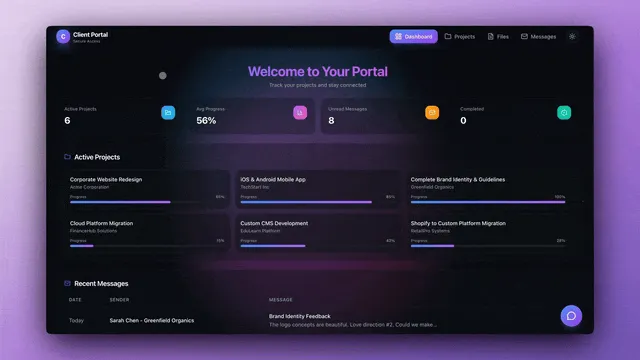
These tools aren't competing. They serve different people solving different problems.
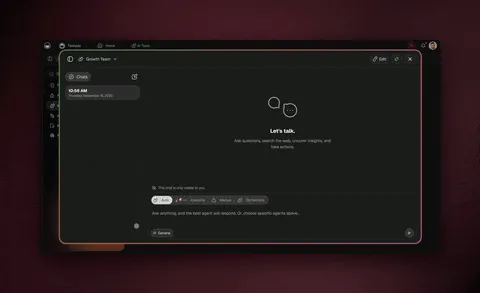
Agentic AI: Two Fundamentally Different Approaches
Both Windsurf and Taskade Genesis prominently feature "agentic AI," but understanding what "agentic" means in each context reveals why these tools serve completely different needs.
What Makes AI "Agentic"?
Agentic AI = AI that can:
- Understand context beyond a single prompt
- Plan multi-step actions to achieve goals
- Execute autonomously without constant human intervention
- Learn and adapt from outcomes
Both Windsurf's Cascade and Taskade Genesis AI Agents meet this definition — but they apply agency to completely different domains.
Windsurf's Cascade: Agentic Coding Assistant
Agency Applied To: Helping you write code faster
What Cascade's Agency Means:
1. Codebase-Wide Context
- Cascade indexes your entire project (all files, dependencies, structure)
- Understands relationships between files, functions, types
- Suggests changes that are consistent with your existing patterns
- Example: You ask to add a new API endpoint, Cascade suggests code matching your existing endpoint structure
2. Multi-Step Code Operations
- Plans and executes multi-file refactoring operations
- Can update function signatures across 10+ files automatically
- Handles dependencies and cascading changes
- Example: Renaming a widely-used utility function → Cascade updates all usage sites
3. Terminal Command Execution
- Understands what terminal commands are needed
- Runs npm install, build commands, test suites autonomously
- Executes multi-step command sequences
- Example: "Set up authentication" → Cascade installs packages, generates config, runs migrations
4. Learning From Your Codebase
- Adapts suggestions based on your coding patterns
- Learns your preferred libraries, naming conventions, architecture
- Becomes more accurate the longer you use it on a project
- Example: After seeing you use React hooks patterns, suggests similar patterns for new components
Who This Serves: Professional developers who know how to code but want AI to handle tedious parts
What It Doesn't Do: Eliminate the need to understand code, deploy applications, manage infrastructure
Taskade Genesis AI Agents: Agentic Business Workers
Agency Applied To: Executing business work autonomously
What Genesis Agent Agency Means:
1. Workspace-Wide Context
- Agents index your workspace (projects, documents, files, team knowledge)
- Understand your business domain, terminology, patterns
- Make decisions based on YOUR historical data, not generic training
- Example: Support agent knows your product features, pricing, common issues from your actual support history
2. Multi-Step Business Workflows
- Plans and executes complex business processes
- Can analyze data → make decision → trigger multiple actions → capture results
- Handles branching logic and conditional workflows
- Example: Lead qualification (analyze company size + industry + behavior → score + assign rep + send email + create tasks)
3. Autonomous Execution
- Runs 24/7 without human supervision
- Processes requests, makes decisions, takes actions
- Integrates with 100+ external tools
- Example: Customer submits feedback → AI analyzes sentiment → Low score triggers Slack alert + creates follow-up task + emails manager
4. Continuous Learning From Outcomes
- Results flow back into workspace Memory
- Agents learn which actions produce best outcomes
- System improves automatically based on real-world usage
- Example: Email campaign agent learns which subject lines convert, improves suggestions over time
Who This Serves: Anyone who needs work done, whether technical or not
What It Doesn't Require: Coding knowledge, deployment skills, infrastructure management
Side-by-Side: Agentic Coding vs Agentic Working
| Dimension | Windsurf Cascade | Taskade Genesis Agents |
|---|---|---|
| Agency Focus | Writing code faster | Executing business work |
| Understands | Your codebase structure | Your business context |
| Plans & Executes | Multi-file code changes | Multi-step business workflows |
| Autonomous In | Code editing, terminal commands | Data processing, customer interactions |
| Learns From | Your coding patterns | Your business outcomes |
| Requires User To | Know how to code | Describe what you need |
| Output | Code files | Completed business tasks |
| Works 24/7 Without You? | No (helps when you code) | Yes (processes work autonomously) |
| End Result | You wrote code faster | Work gets done without you coding |
Practical Difference: Building a Lead Management System
With Windsurf's Agentic Coding:
You: "Create a lead management system with scoring and automatic assignment"
Cascade (agentic coding assistant):
- Suggests code structure for lead database schema
- Helps you code scoring algorithm across multiple files
- Runs terminal commands to install dependencies
- Suggests consistent patterns for API endpoints
You still need to:
- Design the scoring logic (what factors matter?)
- Code database queries and updates
- Build assignment automation logic
- Set up email notifications
- Deploy and host the system
- Maintain ongoing
Result: Code for a lead management system (20-30 hours with Cascade helping)
With Taskade Genesis Agentic Workers:
You: "Create a lead management system with scoring and automatic assignment"
Genesis AI Agents (agentic business workers):
- Leads database automatically created (Memory)
- Lead Scorer AI agent analyzes company size, industry, behavior → scores automatically (Intelligence)
- Automation assigns to right sales rep based on score + territory (Execution)
- Welcome email sent, tasks created for rep, Salesforce updated (Execution)
- Results captured, system learns which leads convert (Memory feedback loop)
System works autonomously:
- New lead arrives (form, API, Zapier integration)
- AI agent scores lead (analyzing YOUR historical conversion data)
- Automation routes to rep (based on YOUR assignment rules)
- Rep gets notification (Slack, email, task created)
- CRM updates (Salesforce, HubSpot, whatever you use)
Result: Working lead management system that processes leads 24/7 without you (10 minutes to set up)
The Fundamental Question: What Do You Need Agency For?
Choose Windsurf's Cascade Agency if:
- You need agency in code writing (multi-file refactoring, terminal commands)
- You're a developer who wants AI to make coding faster
- You enjoy coding but want tedious parts automated
- Code ownership and customization are important
Choose Taskade Genesis Agent Agency if:
- You need agency in business execution (processing requests, making decisions, taking actions)
- You want work done autonomously, not help writing code
- You need 24/7 automation without supervision
- Business outcomes matter more than code ownership
💡 Both are "agentic AI." One helps you write software. The other IS the software.
Who Should Use Windsurf? Strategic Decision Framework
The honest answer depends on one question: are you writing and maintaining code, or do you just need a working app? This tree routes you to the right tool in a single step.
Choose Windsurf When...
1. You're a Developer Building Complex Custom Applications
Windsurf's Cascade excels when you need full control over complex code:
- Scenario: Building a SaaS platform with proprietary algorithms, custom UI/UX
- Why Windsurf: Need to write and optimize custom code that defines your competitive advantage
- Value: 30-40% faster coding with Cascade's multi-file editing and codebase awareness
- Example: Senior developer building real-time collaboration features for project management SaaS
- Trade-off: Still requires 40-80 hours for full app + deployment + infrastructure
2. You're Maintaining Large Existing Codebases
Cascade's codebase understanding is particularly valuable for legacy code:
- Scenario: Adding features to 2-year-old React application with 300+ components
- Why Windsurf: AI understands existing patterns, suggests consistent changes across files
- Value: Refactoring that would take days takes hours with Cascade assistance
- Example: Updating authentication system across entire application, touching 40+ files
- Best practice: Cascade prevents inconsistencies when modifying established codebases
3. You're Learning to Code or Improving Developer Skills
Educational value for developers who want to see best practices:
- Scenario: Junior developer learning React, senior dev exploring new framework
- Why Windsurf: Study how AI structures code, learn modern patterns, improve faster
- Value: Accelerated learning by seeing AI-suggested implementations
- Example: Junior dev learns proper error handling, state management, testing patterns
- Career benefit: Exposure to professional-grade code patterns
4. You Need Mobile or Desktop Native Applications
Some platforms require native code that web builders can't provide:
- Scenario: Building iOS app with SwiftUI, Android app with Kotlin, Electron desktop app
- Why Windsurf: No-code tools don't support native mobile/desktop development
- Value: Cascade helps navigate platform-specific APIs and patterns
- Example: Building React Native mobile app that requires native modules
- Requirement: App store deployment requires native code
5. Your Product Requires Custom Algorithms or Proprietary Logic
When your code IS your competitive advantage:
- Scenario: Machine learning models, complex data processing, custom encryption, trading algorithms
- Why Windsurf: Writing algorithms that define unique value proposition
- Value: Cascade helps optimize complex code, refactor algorithms
- Example: Building recommendation engine with proprietary similarity algorithms
- Strategic importance: Custom code creates moat that competitors can't replicate
Choose Taskade Genesis When...
1. You're Non-Technical and Need Operational Tools
Business users who can't code but need working applications:
- Scenario: Marketing manager needs campaign tracker, operations lead needs inventory system
- Why Genesis: Build with natural language, zero coding knowledge required
- Value: Self-service — build apps in minutes without developer dependencies
- Example: HR manager builds employee onboarding portal with document collection + task automation
- Empowerment: Non-technical teams become app builders
2. You Have Limited Developer Resources
Engineering teams should focus on core product, not internal tools:
- Scenario: 2-person engineering team building SaaS product, no bandwidth for internal apps
- Why Genesis: Non-technical team members build operational tools without consuming dev time
- Value: Engineers stay 100% focused on revenue-generating product features
- Example: Product manager builds customer feedback system so engineers don't have to (saves 30 hours)
- Resource allocation: $150,000/year engineer stays focused on $1M product feature, not $0 internal tool
3. You Need Apps with AI Intelligence + Automation Built-In
Business workflows requiring autonomous intelligent behavior:
- Scenario: Support inbox that auto-triages, CRM that auto-scores leads, feedback system that auto-analyzes sentiment
- Why Genesis: AI agents trained on YOUR data + 100+ automation integrations included
- Value: Intelligent workflows without coding AI integration or webhooks
- Example: Customer support system where AI agent automatically analyzes urgency, routes tickets, suggests responses
- Avoided complexity: Skip 20-40 hours of AI API integration + prompt engineering per app
4. You're Building 5-10+ Internal Business Applications
Most companies need many operational tools:
- Scenario: Need client portal, project tracker, feedback system, booking platform, inventory manager, etc.
- Why Genesis: $10/month (Taskade Pro, billed annually) unlimited apps vs $150-300/month per coded app
- Value: Build 10 apps for price of hosting 1 custom-coded app
- Example: Operations team builds 8 different tools in one afternoon (client portal, inventory tracker, booking system, feedback collector, team directory, document library, meeting scheduler, expense tracker)
- Cost savings: $15,000-30,000/year in infrastructure + $80,000-200,000/year in developer time
5. You're Validating Product Ideas Before Engineering Investment
Test demand before allocating scarce developer resources:
- Scenario: Product team wants to test if customers want a new feature or service
- Why Genesis: Build functional prototype in 10 minutes, get real user feedback in days
- Value: Validate demand before committing to 2-week engineering sprint
- Example: Build client dashboard prototype, test with 10 customers, get feedback within 48 hours
- Risk reduction: Discover feature has low demand before wasting 80 hours of dev time + $15,000
6. You Want Workspace-Integrated Apps
If your team already uses Taskade for work:
- Scenario: Daily work happens in Taskade (projects, meetings, documents)
- Why Genesis: Apps built on workspace data (Taskade Workspace DNA)
- Value: Seamless integration with existing workflows, AI agents understand workspace context
- Example: Turn project tracker into client portal, meeting notes into searchable knowledge base
- Network effect: More you use Taskade, smarter your Genesis apps become
The Hybrid Approach: Smart Teams Use Both
Windsurf for (20% of applications):
- Core product features that customers pay for
- Complex custom logic requiring developer expertise
- Mobile/desktop native applications
- Performance-critical code needing optimization
Taskade Genesis for (80% of applications):
- All internal operational tools
- Client portals and customer dashboards
- Feedback collection and analysis systems
- Booking and scheduling platforms
- Workflow automation across tools
- Rapid prototypes for idea validation
Example: SaaS Company with 5-Person Team:
Engineers (2) use Windsurf for:
- Core analytics platform (customer-facing product)
- Real-time data visualization engine
- Custom reporting algorithms
- API infrastructure
- Cost: $30/year Windsurf ($15/month × 2)
Business team (3) use Genesis for:
- Internal project management system (PM builds in 10 min)
- Customer support portal (Support lead builds in 15 min)
- Sales pipeline tracker (Sales manager builds in 12 min)
- Employee onboarding system (HR builds in 20 min)
- Customer feedback collector (Product manager builds in 8 min)
- Marketing campaign tracker (Marketing lead builds in 10 min)
- Cost: $120/year ($10/month billed annually, unlimited apps)
Result:
- Engineers 100% focused on core product ($300,000/year engineering time spent on revenue-generating work)
- Business teams self-sufficient for operational tools ($0 engineering time wasted on internal apps)
- Avoided cost: $50,000-100,000/year hiring additional engineer for internal tool development
- Total annual cost: $150 (vs $120,000+ traditional approach)
The Verdict: Agentic Coding vs Agentic Working
Windsurf is one of the best AI-powered code editors available. Cascade's agentic approach — understanding entire codebases, making multi-file changes, running terminal commands autonomously — represents genuine innovation in developer productivity tools.
What Makes Windsurf Exceptional
For Professional Developers: Windsurf delivers measurable productivity gains that justify the subscription:
- 30-40% faster coding through intelligent multi-line completion
- Codebase-aware refactoring that maintains consistency across files
- Terminal integration that eliminates command syntax friction
- Multi-file editing that would take hours manually, takes minutes with Cascade
Technical Innovation: Cascade's ability to understand project context and plan multi-step operations is genuinely impressive engineering. This isn't just autocomplete — it's an AI partner that thinks about your entire codebase.
Developer Experience: Building on VS Code rather than creating a proprietary editor was the right call. Developers get AI superpowers without abandoning their workflows, extensions, and muscle memory.
What Windsurf Doesn't Change
Who Can Build Software: Windsurf makes developers more productive. It doesn't democratize software development. If you can't code, Windsurf can't help you. This is a developer acceleration tool, not an accessibility tool.
The Full Development Lifecycle: Even with Cascade speeding up coding:
- You still design architecture and data models
- You still set up deployment pipelines and infrastructure
- You still integrate third-party services and APIs
- You still maintain, debug, and optimize over time
- You still need DevOps knowledge to run production systems
The Cost Equation: Faster coding is valuable, but you're still paying for:
- Developer salaries ($80,000-150,000/year)
- Infrastructure ($80-500/month per app)
- Ongoing maintenance (6-12 hours/month per app)
- Total: $100,000-200,000/year for a single developer building apps
Where Taskade Genesis Takes a Different Bet
Taskade Genesis asks a fundamentally different question: What if most business applications didn't need custom code at all?
The Insight: 80% of business software falls into well-established categories:
- CRMs, project trackers, booking systems, client portals, feedback collectors
- Inventory managers, employee onboarding, knowledge bases, dashboards
- Support ticketing, lead management, campaign tracking, team directories
These patterns have been solved thousands of times. Building them from scratch wastes developer time and company money.
The Taskade Workspace DNA Approach:
Instead of generating code that might work, Taskade Genesis orchestrates proven systems that provably work:
- Memory (Projects): Structured databases with custom fields (string, number, datetime, select, password), unique constraints, required fields, default values — accessed through multiple views (List, Board, Calendar, Table, Mind Map, Gantt, Org Chart). Real-time sync via Operational Transform for conflict-free multi-user editing.
- Intelligence (AI Agents): frontier models from top AI labs — selectable per agent. built-in tools (web search, code execution, file operations, data analysis). Custom tool schemas for business-specific actions. Slash commands for reusable workflows. Persistent chat history across sessions. Multi-agent collaboration via Agent Teams.
- Execution (Automations): reliable automation workflows with branching, looping, and filtering. 100+ integrations (Slack, Gmail, HubSpot, Shopify, Stripe, Linear, GitHub). 50+ pre-built workflow templates. Project triggers, form triggers, external webhooks. Unlimited executions on paid plans.
- Continuous Learning: Agents train on files (PDF, DOCX, XLSX, CSV), projects, web links, and YouTube — with automated retraining via scheduled automations.
When you code a CRM with Windsurf:
- Start from zero → design schema → code features → deploy → maintain
- Timeline: 60-80 hours
- Result: Custom code that might work
When you build a CRM with Taskade Genesis:
- One prompt → custom fields, deal pipeline (Board view), revenue tracking (Table view), contact timeline (Calendar view), AI sales coach agent trained on your deal history, automation that Slacks the team when a deal moves to "Closed Won"
- Timeline: 10-15 minutes
- Result: System with living intelligence — agents that remember every interaction, automations that trigger across 100+ services, analytics dashboard built in
Strategic Recommendations by Role
For Solo Developers / Freelancers:
- Use Windsurf: For client projects requiring custom code that you'll bill for
- Use Genesis: For your own business operations (invoicing, time tracking, client management)
- Why both: Bill clients for development work, but don't waste your own time on your own tools
- ROI: Charge $5,000-10,000 for custom development, spend $0 on your own operations
For Startups (Pre-Product-Market Fit):
- Use Genesis primarily: Validate ideas rapidly before engineering investment
- Use Windsurf selectively: Only when validated demand requires custom code
- Why both: Don't waste 40 hours building features nobody wants
- Risk reduction: Test 10 ideas in time it takes to code 1
For Startups (Post-PMF, Growing):
- Use Windsurf: For core product that paying customers use
- Use Genesis: For all internal operations (saves 200-400 dev hours/year)
- Why both: Engineers build competitive advantages, not internal tools
- Leverage: $150,000 engineer focused on $10M product opportunity, not $0 internal tracker
For Established Companies:
- Use Windsurf: For all product engineering and customer-facing features
- Use Genesis: For operational apps managed by business teams
- Why both: Maximize developer productivity on product, enable team self-service on operations
- Scale: Support 100-person company with 2 engineers (not 5)
For Non-Technical Founders / Business Owners:
- Use Genesis exclusively: You can't hire developers, Genesis makes you self-sufficient
- Don't use Windsurf: Coding tool won't help if you can't code
- Why Genesis: Build client portals, booking systems, CRMs yourself in minutes
- Business impact: Launch services requiring "custom software" without technical co-founder
For Agencies / Consultancies:
- Use Windsurf: For premium custom development work (high billable hours)
- Use Genesis: For rapid delivery of operational apps (high client satisfaction)
- Why both: Charge $10,000-50,000 for custom builds, deliver $2,000 apps in an afternoon
- Business model: Premium prices for unique code, volume delivery for common patterns
The Honest Comparison Matrix
| Evaluation Criteria | Windsurf | Taskade Genesis | Winner |
|---|---|---|---|
| Best AI code editor? | Yes ✅ | N/A (not a code editor) | Windsurf |
| Makes developers faster? | Yes (30-40% faster) ✅ | N/A | Windsurf |
| Non-developers can build apps? | No ❌ | Yes ✅ | Genesis |
| Time to working app | 20-80 hours | 5-15 minutes | Genesis ✅ |
| Includes database + AI + automation? | No (you code it) | Yes ✅ | Genesis ✅ |
| Deployment included? | No (you configure) | Yes ✅ | Genesis ✅ |
| Maintenance required? | Yes (ongoing) | No (managed) | Genesis ✅ |
| Cost for 10 apps (annual) | ~$18,000+ | $120 | Genesis ✅ |
| Full code control? | Yes ✅ | No | Windsurf ✅ |
| Custom algorithms possible? | Yes ✅ | No | Windsurf ✅ |
| Native mobile apps? | Yes ✅ | No (web only) | Windsurf ✅ |
| Learning curve | Must know coding | Natural language | Genesis ✅ |
| Target user | Developers | Everyone | Depends |
Final Recommendation
Use Windsurf if you are or have:
- Professional developer building custom applications
- Engineering team working on core product
- Need for full code-level control and optimization
- Mobile/desktop native app requirements
- Custom algorithms or proprietary logic
- Large existing codebase requiring consistent refactoring
Use Taskade Genesis if you need:
- Working apps without coding knowledge
- Rapid deployment (minutes vs weeks)
- AI agents working autonomously on your data
- Multiple internal business applications
- Predictable costs ($10/month billed annually vs $200-2,000/month per app)
- Zero DevOps maintenance burden (self-healing deploys with auto health checks)
- 150,000+ community-built apps available to clone and customize
Use Both Strategically if you want:
- Maximum resource efficiency
- Engineers focused on competitive advantages
- Business teams self-sufficient on operational tools
- 20% custom code for unique features
- 80% orchestrated systems for common patterns
💡 Windsurf and Taskade Genesis aren't competitors — they solve different problems. Windsurf makes developers more productive at coding. Taskade Genesis makes development unnecessary for most business applications.
The Future: Two Parallel Paths
The future of application development is bifurcating:
Path 1 — Agentic Code Editors (Windsurf, Cursor, etc.):
- AI becomes better at understanding and writing code
- Developers become 2-3x more productive
- Complex custom applications still require developers
- Target: The 20% of apps that need unique, proprietary code
Path 2 — Agentic Living Platforms (Taskade Genesis, etc.):
- AI orchestrates proven systems without code generation
- Anyone can build apps with natural language
- Systems learn and improve from real-world usage
- Target: The 80% of apps following established patterns
Both paths lead to valuable outcomes. The key is choosing the right path for your specific need.
Code generators vs code editors vs living platforms:
- Code generators (Bolt, V0, Lovable) → Generate code files to deploy
- Code editors (Windsurf, Cursor) → Help you write code faster
- Living platforms (Taskade Genesis) → Orchestrate proven systems without code
The strategic question: Do you need custom code, or do you need working software?
If custom code is your competitive advantage → Use Windsurf
If working software is your goal → Use Taskade Genesis
If you need both → Use both strategically
🐑 Before you go... Looking for a development platform that complements your coding workflow? Taskade Genesis handles the 80% of apps that don't require custom code, freeing developers to focus on what matters.
- 💬 AI Chat: Plan features, design architecture, and collaborate with AI-powered assistance that helps both technical and non-technical teams communicate effectively—no IDE required for stakeholders.
- 🤖 AI Agents: Unlike Windsurf's coding assistance, Taskade AI Agents build complete business apps from natural language—no deployment, no infrastructure, no maintenance. Let developers focus on Windsurf for core product while teams use vibe coding for operational tools.
- ✏️ AI Assistant: Generate technical specs, API documentation, user stories, and project requirements with intelligent templates that bridge the gap between code and business needs.
- 🔄 Workflow Generator: Build automations that connect your Windsurf-built applications with business systems—powered by 100+ integrations that extend beyond what code alone provides.
Sign up today and experience the complementary stack—where living software handles standard patterns while developers code unique features.
Windsurf Not the Right Fit? 3 Alternatives to Consider
If Windsurf doesn't match your workflow, these three tools cover the most common alternatives — one for non-coders, one for IDE power users, and one for full-stack generation.
Taskade Genesis — Best for Non-Coders and Workflow Automation
Taskade Genesis builds deployed apps from a prompt — no code, no terminal, no Cascade required. Where Windsurf helps developers write code faster, Genesis eliminates coding entirely for the 80% of business apps that follow standard patterns. The output is a living system: multiple database views, AI agents with custom tools and persistent memory, durable automations with branching/looping/100+ integrations, custom domains (6 TLDs including .app and .dev), password protection, analytics dashboard, version history with rollback, and MCP integration so developers can access Genesis workspace data from Cursor or Claude Code. 150,000+ apps built, frontier models selectable per agent. Free to start (earn or buy credits), Pro $10/mo billed annually (10 users). Try Genesis free →
Cursor — Best for Pro Developers Who Want More Features
Cursor is the closest competitor to Windsurf — a VS Code fork with deep AI integration, Background Agents, BugBot, and Subagents/Skills. At $20/mo (vs Windsurf's $15/mo), Cursor has broader features but a higher price. $29.3B valuation and $2B+ ARR. Full Cursor review → | Cursor alternatives →
Bolt.new — Best for Full-Stack Generation in the Browser
Bolt.new runs a full Node.js environment in the browser via WebContainers, generating frontend + backend + config in one go. Faster for prototypes than an IDE workflow, but credits burn fast and no built-in database. $20/mo Pro. Bolt.new alternatives →
For the full 8-tool ranking, see best Windsurf alternatives 2026.
🔗 Resources
- Windsurf Official Website
- Windsurf Documentation
- Windsurf Pricing
- Windsurf vs Cursor Comparison
- Cascade AI Features
- Windsurf IDE Download
- Windsurf Community Forum
- Cognition AI (Windsurf Parent Company)
- Devin — Autonomous Coding Agent
💬 Frequently Asked Questions About Windsurf
What is Windsurf and how does it work?
Windsurf is an agentic AI code editor now owned by Cognition AI (acquired from Codeium in December 2025 for ~$250M). Its core feature is Cascade — an AI system that understands your entire codebase, suggests multi-file edits, runs terminal commands, and acts as a coding partner. Unlike traditional code editors with AI bolted on, Windsurf was designed from scratch for the AI era with agentic AI capabilities at its core. As of February 2026, Windsurf ranks #1 in the LogRocket AI Dev Tool Power Rankings. For non-developers seeking similar productivity without coding, Taskade Genesis provides app creation through natural language instead of code editing.
Who created Windsurf and when was it launched?
Windsurf was originally created by Codeium, the company behind the popular AI code completion tool. In December 2025, Cognition AI (makers of autonomous coding agent Devin) acquired Windsurf for approximately $250 million — the biggest AI dev tools M&A deal to date. The Windsurf team of 210 employees brought expertise from both AI research and developer tools, creating Cascade — the agentic AI that makes Windsurf unique. Like other AI development tools, Windsurf emerged from the wave of LLM-powered coding assistants but focused on deeper codebase understanding. Under Cognition ownership, Windsurf is integrating Devin autonomous agent capabilities for fully autonomous development workflows.
How much does Windsurf cost?
Windsurf offers four pricing tiers: Free ($0 with 25 prompt credits per month), Pro ($15/month with 500 credits and SOC 2 compliance), Teams ($30/user/month with admin controls), and Enterprise ($60/user/month with custom deployment). At $15/month, Windsurf Pro is cheaper than Cursor's $20/month Pro plan. For comparison, Taskade Pro starts at $10/month (billed annually) for unlimited app creation without code — a different use case at a similar price point.
Is Windsurf better than Cursor?
Both are excellent agentic AI code editors with similar capabilities—codebase understanding, multi-file editing, chat-based refactoring. Windsurf has Cascade as its standout feature; Cursor has slightly more polish and community adoption. Most developers choose based on subtle UX preferences or specific features they prioritize. The real question is whether you need an AI code editor at all—for non-developers, no-code platforms eliminate the coding requirement entirely.
What is Cascade in Windsurf?
Cascade is Windsurf's agentic AI that can understand your project structure, make changes across multiple files autonomously, execute terminal commands, run tests, and debug issues. Think of it as pair programming with an AI that has read your entire codebase. Cascade represents the evolution from autocomplete (basic AI) to agentic assistants (AI that takes autonomous actions). While impressive for developers, Cascade still produces code that requires deployment and maintenance.
Can Windsurf write entire applications for me?
Windsurf can accelerate coding significantly by understanding context and generating multi-file changes, but it's still a code editor—you're writing applications with AI assistance, not having complete apps automatically generated. Windsurf makes developers more productive; it doesn't eliminate the need for coding expertise. For automatic app creation without code, AI app builders like Bolt or Taskade Genesis generate working applications from prompts.
Does Windsurf work with my programming language?
Yes, Windsurf supports all major programming languages through standard language servers: JavaScript, TypeScript, Python, Go, Rust, Java, C++, Ruby, PHP, and more. Cascade's AI understanding works across languages, providing context-aware suggestions regardless of your stack. The editor is built on solid foundations that work with the broader development ecosystem, including Git integration and debugging tools.
How is Windsurf different from GitHub Copilot?
While both use AI for code assistance, Windsurf provides deeper integration with agentic capabilities through Cascade. Copilot excels at autocomplete; Windsurf excels at understanding your entire project and making complex multi-file changes autonomously. Copilot is a plugin for existing editors; Windsurf is an entire IDE rebuilt around AI. Both make developers more productive; neither eliminates the need for coding skills.
Can non-technical teams use Windsurf?
No, Windsurf is a professional development tool for people who already know how to code. The AI assistance makes coding faster but doesn't remove the requirement for programming knowledge. Non-technical teams would still face the same barriers: understanding code structure, debugging issues, deploying applications, managing infrastructure. For non-technical users, no-code platforms like Taskade Genesis eliminate coding entirely through natural language app creation.
What are Windsurf's main limitations?
Windsurf's limitations stem from being a code editor: (1) You must know how to code to use it effectively, (2) Generated code still requires deployment, hosting, and maintenance infrastructure, (3) It's primarily for solo developers rather than team collaboration, (4) The AI can make mistakes that developers must debug, (5) Complex architecture decisions still require human expertise. For teams seeking instant apps without code, living platforms bypass these limitations entirely.
What happened when Cognition acquired Windsurf?
In December 2025, Cognition AI (makers of autonomous coding agent Devin) acquired Windsurf for approximately $250 million — the biggest AI dev tools M&A deal at the time. The deal was complex: Google secured a separate licensing deal for Windsurf's underlying technology, and OpenAI was also involved in the bidding process. Cognition acquired the product, the team of 210 employees, and $82M ARR with enterprise revenue doubling quarter-over-quarter. The acquisition aims to merge Windsurf's IDE-level intelligence with Devin's fully autonomous coding capabilities, creating an end-to-end AI development platform.
How does Windsurf compare to Cursor in 2026?
As of February 2026, Windsurf ranked #1 in the LogRocket AI Dev Tool Power Rankings, ahead of both Cursor and GitHub Copilot. Key differences: Windsurf Pro costs $15/month versus Cursor Pro at $20/month. Windsurf offers deeper context awareness through Cascade, while Cursor has a broader feature set including Background Agents and BugBot. On the business side, Cursor has a significantly higher valuation ($29.3B) and ARR ($2B+) compared to Windsurf's $82M ARR at acquisition. Both are excellent choices — the main differentiator is whether you prefer Cascade's deep codebase understanding or Cursor's wider feature surface.
Is Windsurf still called Codeium?
No. The product was originally called Codeium, then rebranded to Windsurf as the company shifted focus from code completion to a full agentic IDE. In December 2025, Cognition AI acquired Windsurf. The Windsurf brand continues under Cognition ownership, with the team working to integrate Devin autonomous agent capabilities into the IDE. You may still see references to "Codeium" in older documentation and URLs (the website is still hosted at codeium.com), but the product name is Windsurf.
Try Both
- Windsurf: Great for developers → windsurf.com
- Genesis: Great for everyone else → Try Genesis Free
More Comparisons
AI App Builders:
- Taskade vs Windsurf — Full feature comparison
- Taskade vs Cursor — Full Review
- Taskade vs V0 — Full Review
- Taskade vs Lovable — Full Review
- Taskade vs Bolt — Full Review
- Taskade vs Replit — Full Review
Workspace Tools:
- Taskade vs Notion — Full Review
- Taskade vs Webflow — Full Review
- All Taskade Reviews — What users say
Explore Taskade Genesis
- AI App Builder — One prompt, one app
- Vibe Coding — Natural language app creation
- AI Agent Platform — Beyond code assistance
- Workflow Automation — Business process automation
- Community Apps — Clone and customize