







TL;DR: Bolt by StackBlitz ($25/mo Pro, $135M raised, 5M+ users) generates React apps in-browser via WebContainers. Bolt V2 adds Bolt Cloud with built-in databases, hosting, and analytics. Taskade Genesis takes a fundamentally different approach: living apps with embedded AI agents, automations, and workspace-native data — no code generation or deployment needed, starting free. Try Genesis →
Comparing Bolt alternatives? See our ranking of the 9 best Bolt.new alternatives (14.7% CVR guide) or read the Taskade Genesis vs Bolt.new comparison for a head-to-head breakdown.
What is Bolt?
Bolt is StackBlitz's AI-powered app generator that reached $40M ARR by March 2025 and has powered over 1 million websites in partnership with Netlify. Built on WebContainer technology — a full Node.js runtime that runs entirely in your browser — Bolt generates React/Vite applications from natural language prompts with real-time preview, code editing, and (as of Bolt V2) built-in cloud deployment.
StackBlitz raised $105.5M in Series B funding (January 2025) at a ~$700M valuation, with Claude AI as the default model powering code generation. Bolt V2 added Bolt Cloud with built-in databases, authentication, file storage, edge functions, analytics, and hosting — significantly reducing the "deployment gap" that earlier versions required users to bridge themselves.
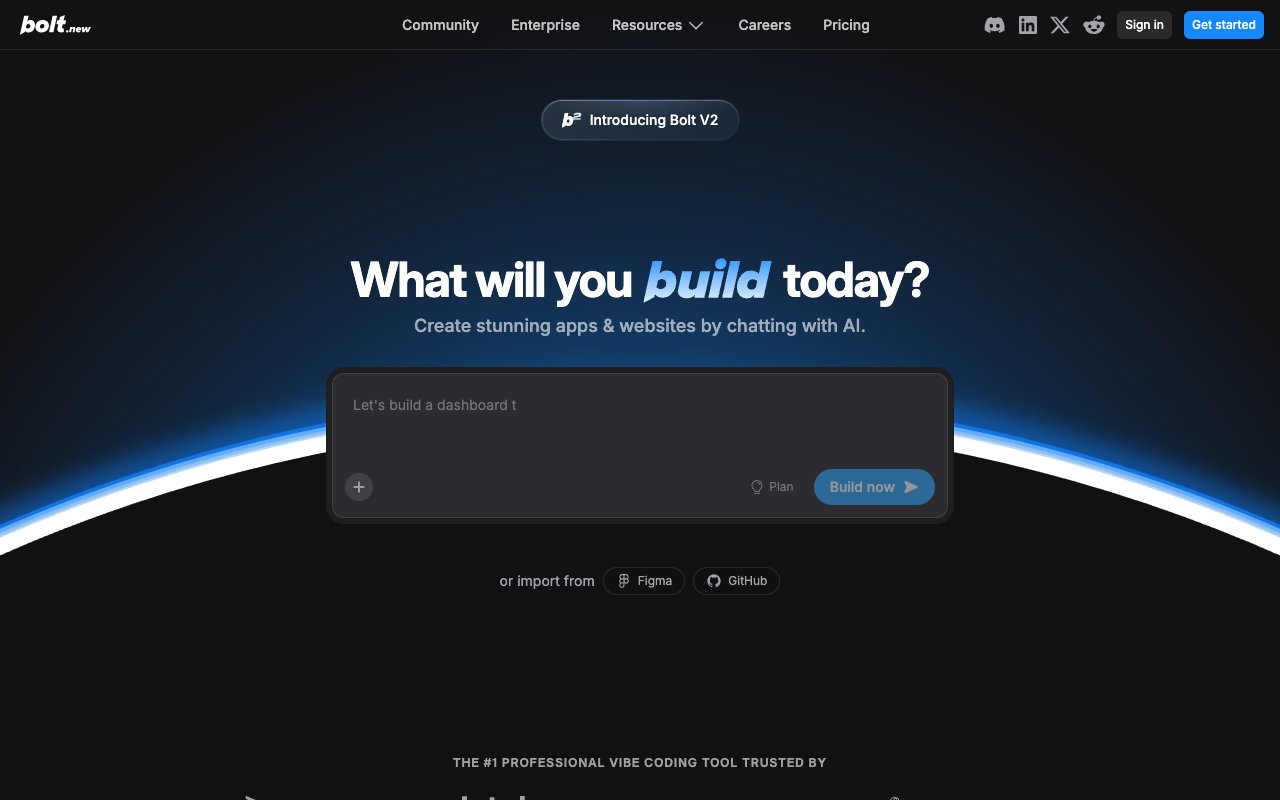

Bolt Pricing (2026)
| Plan | Price | Tokens/Month | Key Features |
|---|---|---|---|
| Free | $0 | 1M (300K daily cap) | Public + private projects, unlimited databases, Bolt branding |
| Pro | $25/month | 10M+ | Token rollover (1 extra month), custom domains, no branding, SEO tools |
| Pro+ | $50-200/month | Scaled allotments | Higher token volumes for power users |
| Teams | $30/member/month | Same as Pro+ | Centralized billing, team admin controls, private NPM registries |
| Enterprise | Custom | Custom | SSO, audit logs, dedicated account manager, data governance |
Bolt uses a token system — complex apps consume more tokens. Since July 2025, unused tokens roll over for one additional month. Bolt V2 (2025) added Bolt Cloud with built-in databases, hosting, authentication, analytics, and file storage — addressing the "deployment gap" that previously required external services.
What Bolt Does Well
1. Incredible Speed
Bolt is fast. WebContainers mean no waiting for cloud environments. Generation happens in real-time in your browser. January 2026 benchmarks show a 40% improvement in build performance over 2024.
"Bolt is insanely fast. I'm talking seconds from prompt to working app preview. StackBlitz's WebContainer tech is magic - everything runs client-side so there's zero latency."
— r/webdev
2. Full Development Environment + Bolt Cloud
You get a complete IDE — file system, terminal, package manager, preview. All in the browser. Bolt V2 adds Bolt Cloud with built-in databases, authentication, file storage, edge functions, analytics, and hosting — transforming Bolt from a code generator into a more complete development platform.
3. Real-Time Preview
See your app update as Bolt writes code. The feedback loop is instant. Claude AI (Sonnet 4.5 by default) powers generation, with the option to switch between Haiku, Sonnet, and Opus models based on complexity needs.
4. Portable Code + Mobile Development
Generated code is standard React/Vite. Download it, host it anywhere, modify it however you want. The Expo integration also enables native mobile app development for iOS and Android from a single prompt.
5. No Setup Required
Open Bolt, describe your app, start building. No installations, no configuration, no environment issues.
Where Bolt Falls Short
1. Fragility at Scale
The most common user complaint: making small changes (layout tweaks, format adjustments) can break other parts of the app. Projects exceeding 15-20 components experience degraded context retention, and debugging cycles burn through tokens rapidly — one user spent 20M+ tokens fixing a single authentication issue.
2. Token Consumption Traps
Complex applications eat tokens fast. At $25/month for 10M tokens, a complex business app can consume 80,000-150,000 tokens per generation — before iteration cycles. Users report hitting limits mid-project and spending $50-200/month on Pro+ tiers. Token rollover (added July 2025) helps but doesn't solve the fundamental issue.
3. Bolt Cloud Is New (and Unproven)
Bolt V2's built-in databases, auth, and hosting address the historical "deployment gap" — but the infrastructure is new (2025). For production workloads with compliance requirements, teams may still need to export to established cloud providers. Edge functions and analytics are functional but basic compared to dedicated platforms.
4. Limited Collaboration
The Teams plan ($30/member/month) added centralized billing and admin controls, but real-time multi-user editing isn't Bolt's core strength. For team-based development, tools with built-in collaboration (like Taskade's real-time workspace) or GitHub-based workflows offer stronger team dynamics.
5. Code Quality Varies
AI-generated code is a starting point. Bolt's debugging mode catches syntax errors but misreads deeper architectural problems, leading to trial-and-error token consumption. For production applications, expect to refactor, optimize, and add error handling.
Not a developer? Bolt generates React code that requires technical skills to customize and deploy. Taskade Genesis takes the opposite approach — describe your app in plain English, get a deployed system in 10 minutes with AI agents (built-in tools, custom tool schemas, frontier models), durable automations (branching/looping, 100+ integrations), and a structured database with multiple project views. Custom domains, analytics, version history. 150,000+ apps built. Free tier available (earn or buy credits). Start building →
What Bolt Misses: Living Systems Powered by Taskade Workspace DNA
Bolt is an excellent code generator. But code generation is only the first step toward working software. Here's the fundamental gap between generating code and orchestrating living systems.
The Deployment Gap: What Happens After Code Generation
Note: Bolt V2 (2025) introduced Bolt Cloud with built-in databases, authentication, hosting, analytics, and file storage — partially addressing the deployment gap described below. For simple apps, Bolt Cloud significantly reduces setup time. For complex business applications with enterprise requirements, the gap still exists.
When Bolt finishes generating your application code, you're holding a collection of React/Vite files. For production-grade business applications, here's the reality of what may still come next:
Infrastructure Setup (4-8 hours):
- Choose and configure a database (Supabase, Firebase, PostgreSQL, MongoDB)
- Set up authentication providers (Auth0, Clerk, or custom)
- Configure file storage (AWS S3, Cloudinary, or similar)
- Set up environment variables across dev/staging/production
- Configure CORS, security headers, rate limiting
Deployment Configuration (2-4 hours):
- Choose hosting platform (Vercel, Netlify, AWS, Railway)
- Configure build settings and environment variables
- Set up custom domains and SSL certificates
- Configure CDN and caching strategies
- Set up monitoring and error tracking (Sentry, LogRocket)
AI Integration (6-12 hours):
- Obtain API keys for AI services (OpenAI, Anthropic, etc.)
- Design and test prompts for your specific use case (see prompt templates for examples)
- Implement token management and cost controls
- Build streaming responses and error handling
- Add rate limiting and abuse prevention
Automation & Workflows (4-8 hours):
- Connect to Zapier, Make, or build custom webhooks
- Configure email services (SendGrid, Resend, Postmark)
- Set up scheduled jobs and background tasks
- Implement notification systems (Slack, Discord, email)
- Build analytics and tracking integrations
Total Time Investment: 16-32 hours of technical work after Bolt generates code
Total Monthly Cost: $25 Bolt + $50-300 infrastructure + $40-200 AI API usage = $110-520/month
Technical Skills Required: React, Node.js, databases, DevOps, API integration
Code Generators (Bolt.new): The Traditional Approach
What Bolt gives you: React/Vite code files in a browser IDE
What you still need to do after generation:
- Set up database infrastructure (Supabase, Firebase, PostgreSQL)
- Deploy to hosting (Vercel, Netlify, configure environment variables)
- Integrate AI capabilities (OpenAI API keys, prompt engineering, token management)
- Add automation workflows (Zapier, Make, webhook configuration)
- Configure authentication, file storage, email services
- Maintain dependencies, security patches, hosting uptime
Time to production: 16-32 hours after code generation
Monthly cost: $110-520/month (Bolt + infrastructure + AI APIs)
Result: Code files you need to deploy, host, and maintain
Maintenance: Ongoing security patches, dependency updates, hosting management
Living System Orchestrators (Taskade Genesis): The Workspace DNA Approach
What Taskade Genesis gives you: Fully deployed intelligent system with four connected layers powered by Taskade Workspace DNA
Understanding Taskade Workspace DNA:
Taskade Genesis doesn't generate code — it orchestrates proven systems that have been battle-tested for 3+ years. Every Genesis app is powered by the Tree of Life architecture, a continuous cycle of three interconnected systems:

1. Memory (Projects & Databases)
Your workspace projects become the app's living memory — structured databases that accumulate meaning over time. When you build a CRM with Taskade Genesis, it doesn't create an empty database. It generates a database project with:
- Pre-configured custom fields (contact info, deal stages, revenue tracking)
- Multiple view types (List, Board, Calendar, Table, Mind Map, Gantt, Org Chart)
- Real-time synchronization with your app interface
- Relationship tracking between data points
- Automatic versioning and change history
2. Intelligence (AI Agents)
AI agents aren't generic chatbots — they're workspace-aware digital teammates that read YOUR data and learn from YOUR business. A Taskade Genesis CRM includes agents that:
- Analyze your actual sales data, not generic examples
- Understand your industry, terminology, and sales process
- Make decisions based on your historical patterns
- Continuously learn from every interaction
- Collaborate with your team in real-time
3. Execution (Automations)
Automations serve as your app's nervous system, connecting intelligence to action. A single deal closure can trigger:
- Update revenue tracking in your projects database (Memory)
- AI agent analyzes win factors and updates strategy (Intelligence)
- Slack notification to sales team (Action)
- Invoice generation and email to client (Action)
- Calendar event for kickoff meeting (Action)
- Results flow back into Memory, improving future decisions (Feedback Loop)
The Continuous Learning Loop:
Memory → Intelligence → Execution → Results → Memory (enhanced)
Every action generates results that flow back into your workspace memory. The system learns, evolves, and gets smarter with every interaction.
Time to production: 2-15 minutes, fully deployed with shareable link
Monthly cost: Free to start, $10/month Pro (unlimited apps, 10 users, unlimited agents, up to 10 custom domains) billed annually, $25/month Business (unlimited custom domains) — no infrastructure bills, no AI API costs
Result: Living system that thinks, learns, and acts autonomously — with frontier models, agent tools, custom tool schemas, and MCP integration
Maintenance: Zero — Taskade handles hosting, updates, scaling, and security. Self-healing deploys with auto health checks.
Example: Building a Client Feedback Portal
Let's compare building the same application with both approaches:
| What You Need | Bolt (Code Generator) | Taskade Genesis (Living System) |
|---|---|---|
| Generated Code | React feedback form ✅ | Complete portal ✅ |
| Database Setup | Configure Supabase (4-8 hours) | Projects database (instant) |
| Custom Fields | Code schema manually (2-4 hours) | Auto-generated fields (instant) |
| AI Sentiment Analysis | Integrate OpenAI API (6-12 hours) | AI Feedback Analyzer agent (instant) |
| Email Notifications | Code SendGrid integration (3-6 hours) | Email automation workflows (instant) |
| Team Dashboard | Code multiple views (4-8 hours) | Multiple view types built-in (instant) |
| Priority Scoring | Build algorithm (4-6 hours) | AI prioritization (instant) |
| Slack Integration | Code webhooks (2-3 hours) | Slack automation (instant) |
| Deployment | Configure Vercel (2-4 hours) | One-click publish (instant) |
| SSL & Domain | Configure DNS (1-2 hours) | Included (instant) |
| Total Time | 28-53 hours | 5-10 minutes |
| Total Cost (First Year) | $1,320-6,240 | $120 |
| Ongoing Maintenance | 4-8 hours/month | Zero |
The Real Cost Difference:
- Bolt + Infrastructure: $1,320-6,240 first year + 48-96 hours maintenance
- Taskade Genesis: $120 first year on Pro at $10/month billed annually + zero maintenance
Real-World Use Case: Building a Customer CRM
Prompt: "Create a CRM for tracking sales leads with deal pipeline, contact management, and email automation"
Bolt Approach (Code Generation):
Hour 1-2: Bolt generates React components for contact list, deal pipeline, email compose
Hour 3-8: You set up Supabase database with tables for contacts, companies, deals, activities
Hour 9-14: You integrate Auth0 for user authentication and permissions
Hour 15-22: You add SendGrid for email automation and template management
Hour 23-28: You integrate OpenAI API for email drafting assistance
Hour 29-34: You deploy to Vercel and configure environment variables
Hour 35-40: You add Stripe for payment tracking and invoice generation
Hour 41-48: You debug CORS issues, fix authentication edge cases, optimize queries
Result after 48 hours: A working CRM with basic functionality
Monthly costs: $25 Bolt + $25 Supabase + $30 Auth0 + $50 SendGrid + $80 OpenAI + $20 Vercel = $225/month
Taskade Genesis Approach (Living System Orchestration):
Minute 1: "Create a CRM for tracking sales leads with deal pipeline, contact management, and email automation"
Minute 2-5: Taskade Genesis orchestrates:
- Memory: Projects database with Contacts, Companies, Deals, Activities tables + multiple view types
- Intelligence: Sales Coach AI agent trained on CRM best practices + Email Drafter agent
- Execution: Automation workflows (new lead → assign rep → send welcome email → create tasks)
- Interface: Professional CRM interface with deal pipeline, contact management, email composer
Minute 6-10: You customize fields, add your company branding, configure automation triggers
Result after 10 minutes: A complete CRM with AI agents and automation
Monthly costs: $10/month billed annually — unlimited apps
The Difference in One Year:
- Bolt approach: $2,700 in costs + 48 hours initial build + 48 hours maintenance = $7,500+ total value
- Taskade Genesis: $120 in costs + 10 minutes build + zero maintenance = $120 total
💡 Bolt is excellent at generating code. Taskade Genesis is excellent at generating living software that thinks, learns, and acts.
Why Taskade Workspace DNA Is Unfair Competitive Advantage
Code generators like Bolt can be replicated. Better models, faster generation, more templates — these are incremental improvements.
Taskade Workspace DNA cannot be replicated because it's built on three years of battle-tested infrastructure:
- Projects (Memory): 3+ years of real-world usage, refined for team collaboration
- AI Agents (Intelligence): Not generic LLM wrappers, but workspace-aware digital teammates
- Automations (Execution): 100+ pre-built integrations tested by thousands of teams
- Continuous Learning Loop: Systems that improve from every interaction
When Bolt generates a CRM, it creates code for a CRM.
When Taskade Genesis generates a CRM, it orchestrates a living CRM that already understands how CRMs work, already integrates with your tools, and already knows how to learn from your data.
Code generators give you files to deploy.
Taskade Genesis gives you intelligent systems that evolve.
Bolt vs Taskade Genesis: The Complete Comparison
| Feature | Bolt (Code Generator) | Taskade Genesis (Living System) | Taskade Workspace DNA Advantage |
|---|---|---|---|
| What You Get | React/Vite code files | Fully deployed intelligent system | Memory + Intelligence + Execution + Interface |
| Backend/Database | Bring your own (4-8 hours setup) | Projects database (instant) | 3+ years battle-tested infrastructure |
| AI Intelligence | External API integration required | Workspace-aware AI agents built-in | Agents read YOUR data, not generic knowledge |
| Automation | Manual integration (Zapier/Make) | 100+ integrations included | Automations power apps directly |
| Deployment | Export and host yourself (2-4 hours) | One-click publish with shareable link | Zero DevOps required |
| Collaboration | Single developer focus | Real-time team collaboration | Chat, video, comments built-in |
| Pricing | $25/mo + Bolt Cloud (infra varies) | $10/mo billed annually, unlimited apps | Predictable vs variable costs |
| Time to Production | 16-48 hours (code + deploy + integrate) | 2-15 minutes (fully deployed) | 96x faster to working app |
| Maintenance | Ongoing (dependencies, hosting, security) | Zero (Taskade handles everything) | Focus on business, not DevOps |
| Learning Curve | Requires React, databases, DevOps knowledge | Natural language prompts | No technical skills required |
| Best For | Developers wanting code acceleration | Teams wanting working apps | Business outcomes vs code files |
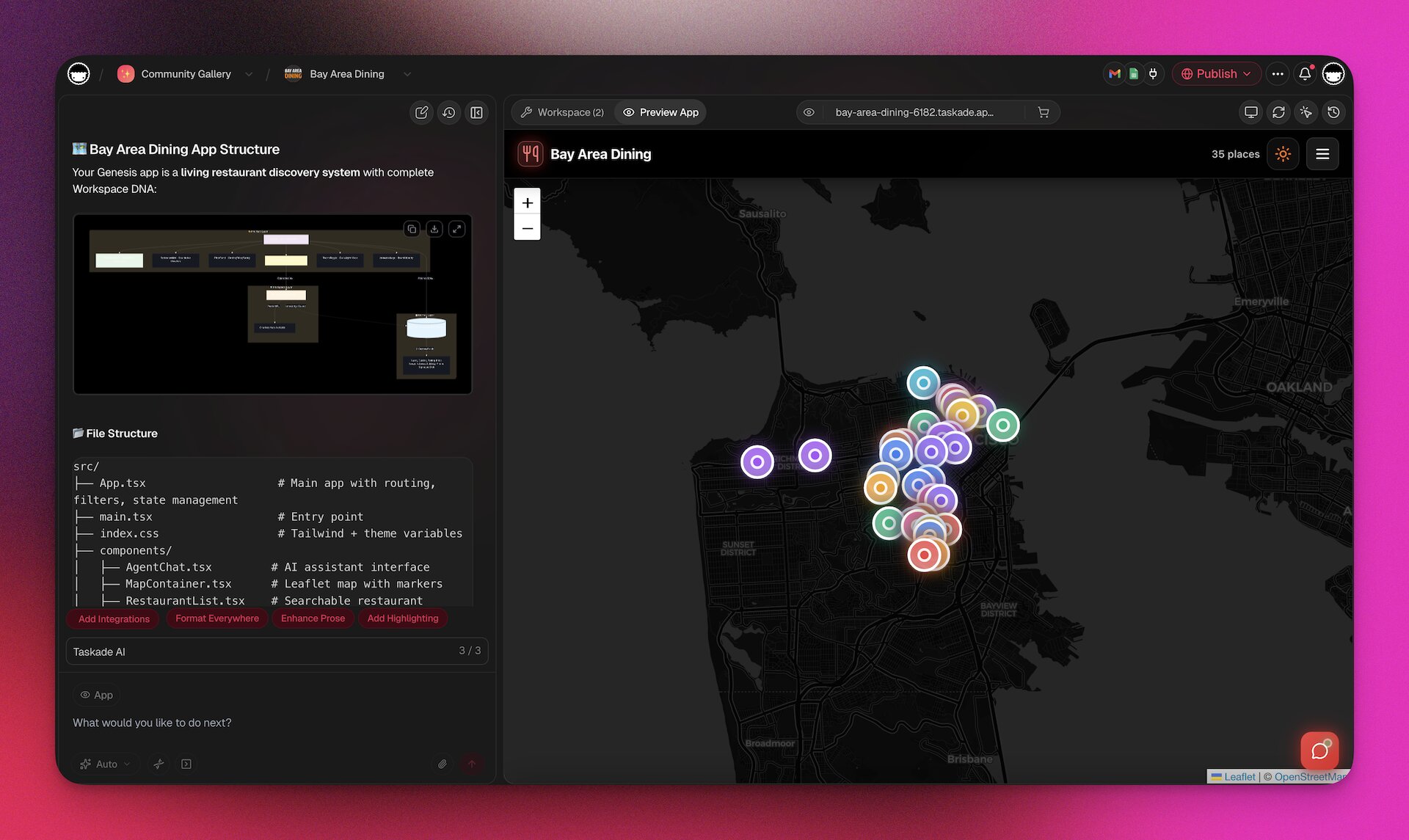
The Token Trap: Why Bolt Can Cost $1,000+ Per App
Bolt's pricing seems straightforward: $25/month for Pro (10M tokens). But that's just the subscription. Here's the hidden cost structure that catches teams off guard:
Token Consumption Reality:
- Simple landing page: ~2,000 tokens ($2-5 in equivalent API costs)
- Basic CRUD app: ~15,000 tokens ($15-30)
- Complex business app (CRM, booking system): ~80,000-150,000 tokens ($80-300)
- Enterprise application: ~200,000+ tokens ($400-1,000+)
But that's just initial generation. Real projects require iteration cycles:
Example: Building a Complete Booking System
Generation 1 (15,000 tokens): Basic booking form
Generation 2 (12,000 tokens): Add calendar integration
Generation 3 (10,000 tokens): Fix date picker bug
Generation 4 (18,000 tokens): Add payment processing
Generation 5 (14,000 tokens): Create admin dashboard
Generation 6 (8,000 tokens): Fix mobile responsive issues
Generation 7 (12,000 tokens): Add email confirmations
Generation 8 (9,000 tokens): Fix timezone handling
Total tokens consumed: ~98,000 tokens
Equivalent cost: $200-400 in generation (if paying per token)
Bolt Pro reality: Limited tokens included, may require months of subscriptions or higher tier
But wait — infrastructure costs stack up:
- Database (Supabase Pro): $25/month
- Authentication (Auth0): $30/month
- Email service (SendGrid): $20/month
- Hosting (Vercel Pro): $20/month
- Payment processing (Stripe): 2.9% + $0.30 per transaction
- Monitoring & Error Tracking (Sentry): $26/month
- File Storage (AWS S3): $15/month
- Background Jobs (Railway): $20/month
Real first-year cost for Bolt-built booking system:
- Bolt subscription: $240/year
- Infrastructure: $2,112/year ($176/month)
- AI API integrations (for chatbot, email assistance): $480-960/year
- Developer time for integration & maintenance: 80-120 hours
- Total: $2,832-3,312 first year (not counting developer time)
Same booking system with Taskade Genesis:
- Taskade Genesis unlimited apps: $120/year (Pro, $10/month billed annually)
- Infrastructure: $0 (included in workspace)
- AI agents: $0 (included)
- Automations: $0 (included)
- Developer time required: ~15 minutes
- Total: $120 first year
Savings: $2,712-3,192 per app (96% cost reduction)
Building 5 apps for your business:
- Bolt ecosystem: $14,160-16,560/year + 400-600 hours dev time
- Taskade Genesis: $120/year + 75 minutes setup time
- Savings: $14,040-16,440/year + 400-600 hours
💡 The "token trap": Bolt's $25/month looks affordable until you factor in token overages, iterations, and scaling. Bolt V2's Cloud reduces infrastructure costs, but complex apps still burn through token allotments quickly. Taskade Genesis includes everything for $10/month billed annually — unlimited apps.
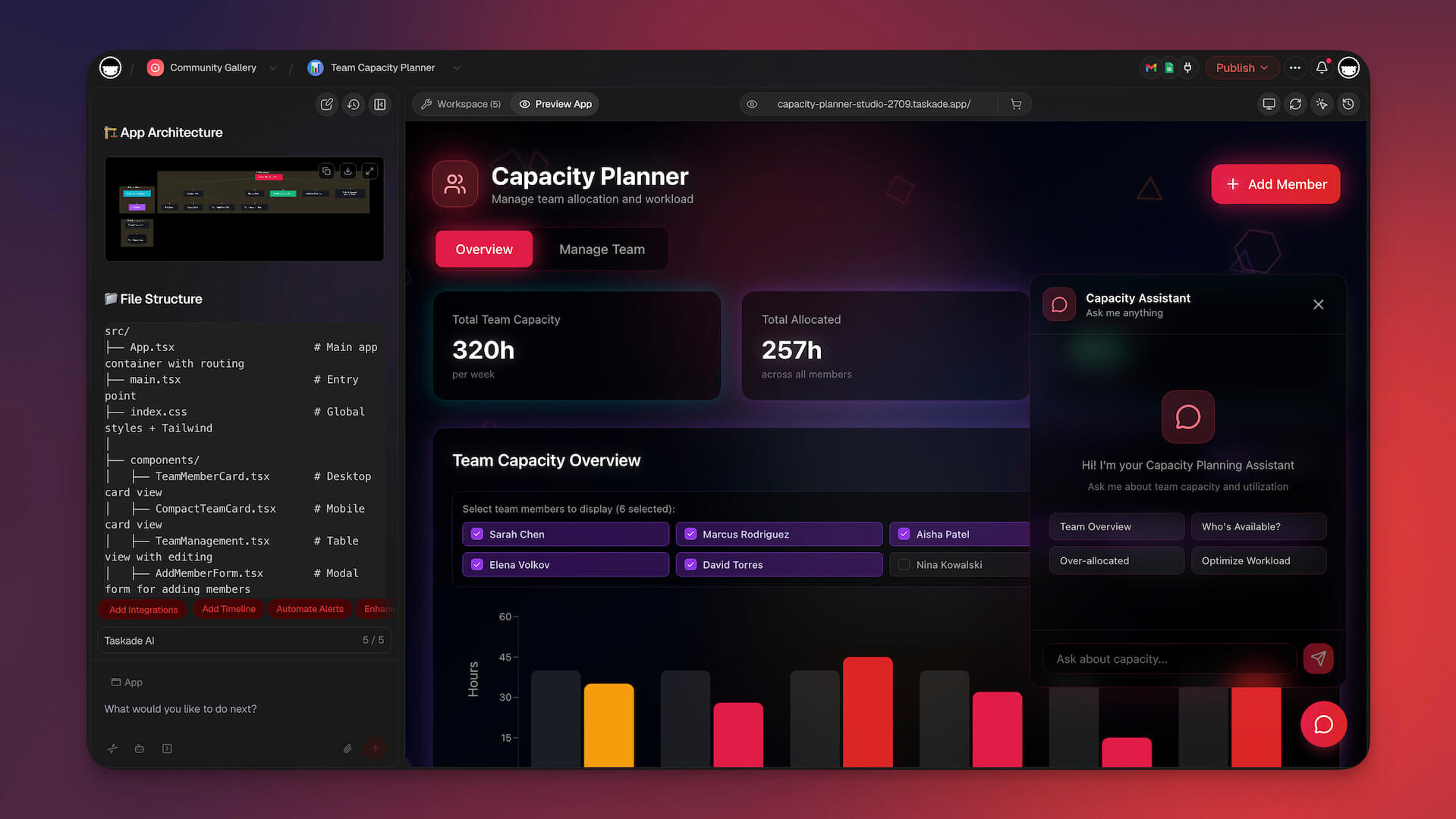
Two Different Philosophies
Bolt is a code accelerator. It makes developers faster by generating code that they understand, modify, and deploy. If you're a React developer who thinks in components and wants AI to speed up your coding workflow, Bolt is excellent.
Taskade Genesis is a living system orchestrator. It creates applications for people who have problems to solve, not code to write. If you're a business owner who needs a working CRM by Tuesday, Genesis delivers outcomes directly.
The fundamental difference:
Bolt optimizes for developer velocity.
Taskade Genesis optimizes for business outcomes.
If you think in React and Vite, Bolt is excellent. If you think in "I need a client portal by Tuesday," Taskade Genesis is more direct.
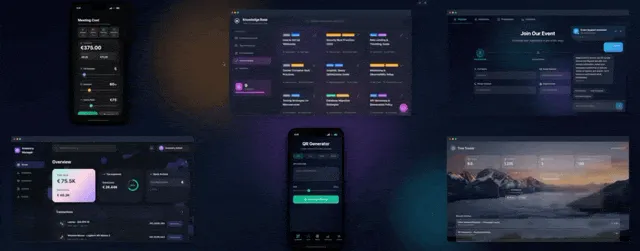
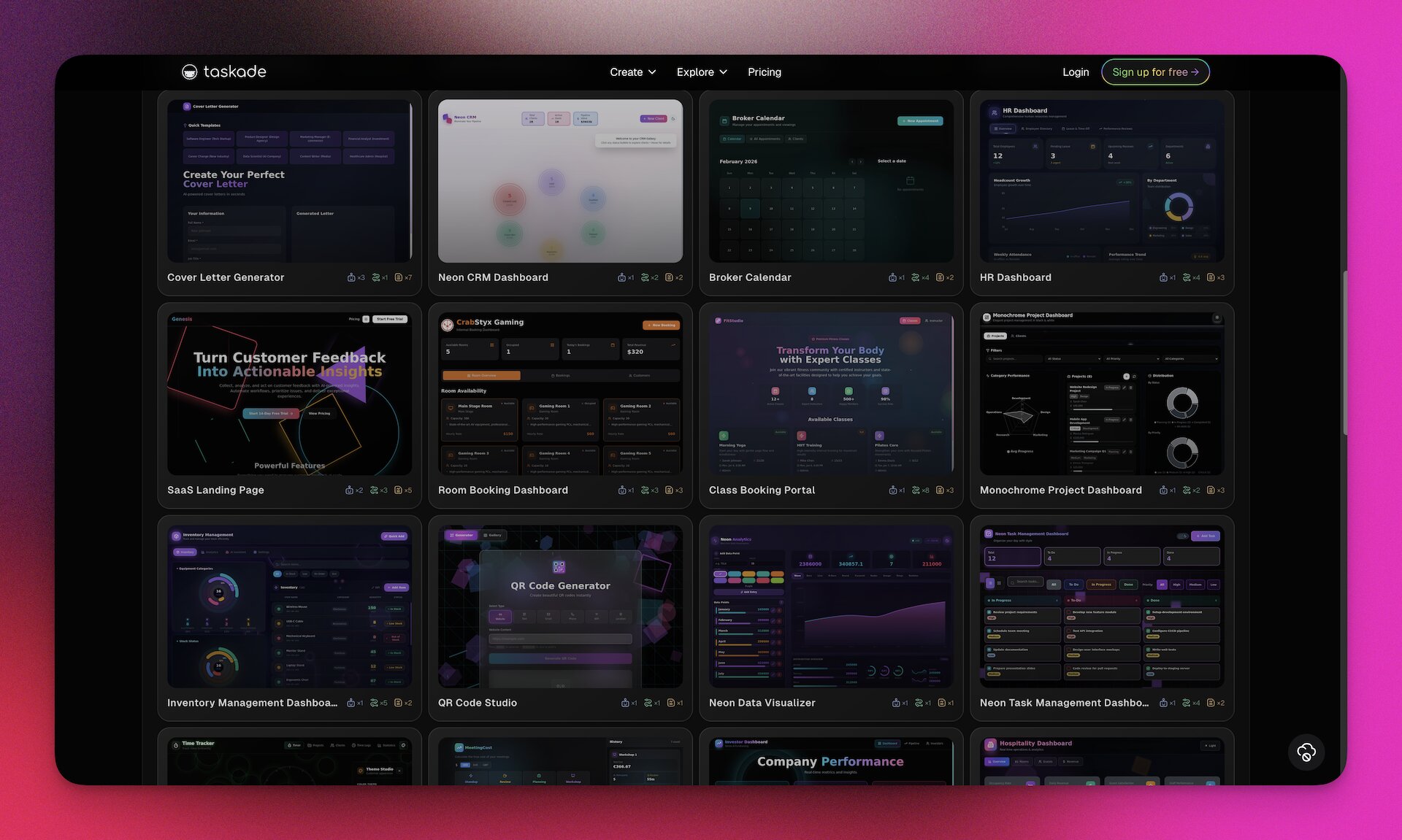

The Speed Question: Code Generation vs Business Outcomes
Bolt is famous for speed. And it is genuinely fast — watching Bolt generate a full React application in real-time is impressive. But we need to ask: speed to what exactly?
Measuring Speed: Different Finish Lines
When evaluating speed, the finish line matters. Are we measuring speed to code, or speed to working software that solves business problems?
Bolt's Finish Line: Generated Code
- Minutes 1-5: Bolt generates React components, routes, state management
- Speed metric: 50-200 lines of code per minute
- What you have: Complete codebase ready to download
- What you don't have: Database, hosting, authentication, AI integration, automation
This is where Bolt excels — generating clean, modern code incredibly fast. For a developer, this is valuable. You're not writing boilerplate; you're reviewing and customizing AI-generated code.
Taskade Genesis's Finish Line: Working Business Application
- Minutes 1-2: Taskade Genesis orchestrates all four layers (Memory + Intelligence + Execution + Interface)
- Minutes 3-5: You customize branding, fields, workflows
- What you have: Fully deployed app with shareable link, database, AI agents, automations
- What you don't need: Any additional infrastructure setup
Real-World Speed Comparison: Building a Customer Support Portal
| Milestone | Bolt Timeline | Taskade Genesis Timeline |
|---|---|---|
| Code Generated | 5 minutes ✅ | 2 minutes ✅ |
| Database Configured | +6 hours (Supabase setup) | Instant (included) ✅ |
| Authentication Added | +4 hours (Auth0 integration) | Instant (workspace auth) ✅ |
| AI Chatbot Integrated | +8 hours (OpenAI API, prompts) | Instant (AI agent) ✅ |
| Email Notifications | +4 hours (SendGrid integration) | Instant (automation) ✅ |
| Deployed & Shareable | +3 hours (Vercel, DNS, SSL) | Instant (one-click publish) ✅ |
| Team Can Access | +1 hour (user management) | Instant (workspace members) ✅ |
| Total Time to Working App | 26 hours | 5 minutes |
The Speed Paradox: Bolt generates code faster than you could write it. But Taskade Genesis delivers working apps 312x faster than Bolt delivers working apps.
Speed for Developers vs Speed for Business
If you're a developer building a portfolio project:
- Bolt's speed advantage: You want to see and modify the code
- Learning value: Understanding how AI structures applications
- Customization: Full control over every component
- Winner: Bolt (code generation speed matters)
If you're a business owner launching an internal tool:
- Taskade Genesis's speed advantage: Working app in minutes, not days
- Business value: Solve the problem today, not next week
- Opportunity cost: Every day without the app costs money
- Winner: Taskade Genesis (outcome delivery speed matters)
The Hidden Time Cost: Post-Generation Work
Bolt's speed is deceptive because the clock doesn't stop when code generation finishes:
Week 1 After Bolt Generation:
- Research and choose database provider (4-6 hours)
- Set up database schemas and relationships (6-8 hours)
- Configure authentication and user management (6-10 hours)
- Deploy to hosting platform and configure environment (4-6 hours)
- Debug deployment issues and environment variables (3-5 hours)
- Total: 23-35 hours
Week 2 After Bolt Generation:
- Integrate AI capabilities for intelligent features (8-12 hours)
- Add automation workflows and webhooks (6-10 hours)
- Configure email services and templates (4-6 hours)
- Set up monitoring, logging, error tracking (3-5 hours)
- Security audit and vulnerability patching (4-6 hours)
- Total: 25-39 hours
Weeks 3-4 After Bolt Generation:
- User testing and bug fixes (10-15 hours)
- Performance optimization and caching (6-8 hours)
- Mobile responsiveness fixes (4-6 hours)
- Documentation and handoff (3-5 hours)
- Total: 23-34 hours
Grand Total: 71-108 hours from Bolt's "5-minute generation" to working business app
Taskade Genesis Timeline for Same App:
- Minute 1-5: Prompt and generate
- Minute 6-15: Customize and test
- Total: 15 minutes from prompt to deployed app
- Post-deployment work: Zero (infrastructure managed by Taskade)
💡 Speed isn't about how fast code appears. It's about how fast you solve the business problem.
When to Use Bolt vs Taskade Genesis: Strategic Decision Framework
Choosing between Bolt and Taskade Genesis isn't about which tool is "better" — it's about matching the right tool to your specific situation, skills, and goals.
Choose Bolt When You Need Code
1. You're a React Developer Building Portfolio Projects
Bolt shines when you want to understand and own the code:
- Use case: Building a personal blog, portfolio site, or side project
- Why Bolt: You want to see how modern React apps are structured
- Learning value: Study AI-generated patterns and best practices
- Ownership: Download code, host anywhere, modify freely
- Trade-off: You'll spend time on deployment and infrastructure
2. You Need Highly Customized Frontend Logic
Some projects have unique frontend requirements that need custom code:
- Use case: Interactive data visualizations, custom animations, complex UI state
- Why Bolt: Generates React components you can modify at a granular level
- Control: Full access to component structure, styling, event handlers
- Example: A custom chart library that visualizes real-time financial data
- Trade-off: You're responsible for backend, database, deployment
3. You're Learning Web Development
Bolt can be an educational tool for developers:
- Use case: Understanding modern React patterns, Vite setup, component architecture
- Why Bolt: See how AI structures applications, learn from generated code
- Experimentation: Try different prompts, compare approaches
- Safe environment: Browser-based, no need to install Node.js locally
- Trade-off: Still need to learn deployment, databases, backend separately
4. You're Building a Proof of Concept for Investors
Sometimes you need a visual prototype quickly:
- Use case: Demonstrating UI/UX concept for funding pitch
- Why Bolt: Fast frontend generation for demo purposes
- Presentation: Show interactive prototype in investor meetings
- Timeline: Generate working prototype in hours, not weeks
- Trade-off: Backend and data persistence come later if funded
Choose Taskade Genesis When You Need Working Apps
1. You're Running a Business and Need Internal Tools
Most businesses need operational apps, not code:
- Use case: Client portal, booking system, feedback management, CRM
- Why Genesis: Working app in minutes with database, AI, automation included
- Speed to value: Solve business problem today, not in 3 weeks
- Example: HR needs applicant tracking system — Genesis deploys it in 10 minutes
- Cost: $10/month billed annually, unlimited apps vs $110-520/month Bolt + infrastructure
2. Your Team is Non-Technical
Not everyone on the team writes code:
- Use case: Marketing team needs campaign tracker, sales needs lead manager
- Why Genesis: Natural language prompts, no coding knowledge required
- Collaboration: Built-in chat, video, comments — team works together
- Maintenance: Zero DevOps knowledge needed, Taskade handles everything
- Empowerment: Marketing manager can build and modify their own tools
3. You Want AI Agents Working Autonomously
Some workflows need intelligence, not just data storage:
- Use case: Customer support inbox with AI triage, lead qualification system
- Why Genesis: AI agents trained on YOUR data, making decisions 24/7
- Intelligence: Agent reads support tickets, assigns priority, routes to right team
- Example: Lead scores itself based on company size, industry, behavior
- Advantage: Workspace DNA — agents understand your business context
What this video shows: An AI agent trained on files, projects, and web sources, an app edited by clicking its elements, and an app that places records on a map. Read the step-by-step walkthrough.
4. You Need Automation Workflows Built-In
Business apps need to trigger actions:
- Use case: Form submission → AI analysis → Slack alert → Calendar event → Email
- Why Genesis: 100+ integrations included, visual automation builder
- Power: Trigger workflows from app actions without coding webhooks
- Example: New booking → Payment processed → Calendar invite → SMS reminder
- Saved time: 10-20 hours of Zapier/Make configuration work
5. Data Already Lives in Your Workspace
If you're already using Taskade:
- Use case: Turn existing projects into custom apps
- Why Genesis: Apps built on your workspace data (Taskade Workspace DNA)
- Intelligence: AI agents already understand your workspace context
- Integration: Seamless connection between apps and daily workflows
- Example: Project tracker becomes client dashboard, meeting notes become knowledge base
Side-by-Side Decision Matrix
| Your Situation | Recommended Tool | Why |
|---|---|---|
| "I'm a React developer learning AI coding" | Bolt | Learn from generated code, experiment freely |
| "I need a client portal by Friday" | Taskade Genesis | Working app in minutes vs weeks |
| "I want to customize every component" | Bolt | Full code access and modification |
| "My team doesn't code" | Taskade Genesis | Natural language, zero DevOps |
| "Building portfolio projects" | Bolt | Downloadable code, host anywhere |
| "Need AI agents to work autonomously" | Taskade Genesis | Workspace-aware intelligence built-in |
| "Rapid prototyping for investor demo" | Bolt | Fast frontend generation |
| "Need database + AI + automation + UI" | Taskade Genesis | All included, fully integrated |
| "Want to own and modify the codebase" | Bolt | Full code ownership |
| "Building 5-10 internal business apps" | Taskade Genesis | $10/mo billed annually, unlimited vs $1,000s/mo |
The Hybrid Approach: Using Both
Some teams use both tools strategically:
Bolt for: Frontend experiments, learning, custom UI components
Taskade Genesis for: Business operations, internal tools, team collaboration
Example workflow:
- Use Bolt to experiment with UI patterns for a custom dashboard
- Use Taskade Genesis to build the actual business application with database and AI
- Use Bolt to generate one-off landing pages for marketing campaigns
- Use Taskade Genesis to build the CRM that tracks leads from those landing pages
💡 Bolt generates code for developers. Taskade Genesis generates outcomes for businesses.
The Verdict: Code Generators vs Living System Orchestrators
Bolt represents a significant technical achievement. Running a complete Node.js development environment in the browser — with real-time AI-powered code generation — is genuinely impressive engineering. StackBlitz's WebContainer technology is a real competitive advantage in the developer tools space.
What Bolt Does Exceptionally Well
For React Developers: Bolt accelerates developer workflows significantly. Instead of writing boilerplate, you review and customize AI-generated code. The speed at which Bolt produces clean, modern React components is remarkable.
WebContainer Technology: Being able to run npm install, preview apps, and debug — all in the browser without local setup — removes significant friction from development workflows.
Code Ownership: You get standard React/Vite code that you can download, modify, and host anywhere. No vendor lock-in, no proprietary formats.
What Bolt Doesn't Solve
The Infrastructure Gap: Code generation is step one. Production applications need databases, authentication, hosting, monitoring, backups, security patches, and ongoing maintenance.
The Integration Tax: Every external service (AI APIs, payment processing, email, analytics) requires research, integration work, API key management, and ongoing cost management.
The DevOps Requirement: You still need developer knowledge to deploy, monitor, scale, and maintain the generated application. Bolt makes developers faster; it doesn't eliminate the need for developers.
Where Taskade Genesis Takes a Different Approach
Taskade Genesis solves a fundamentally different problem. Instead of generating code that developers must deploy, it orchestrates proven systems that deliver business outcomes directly.
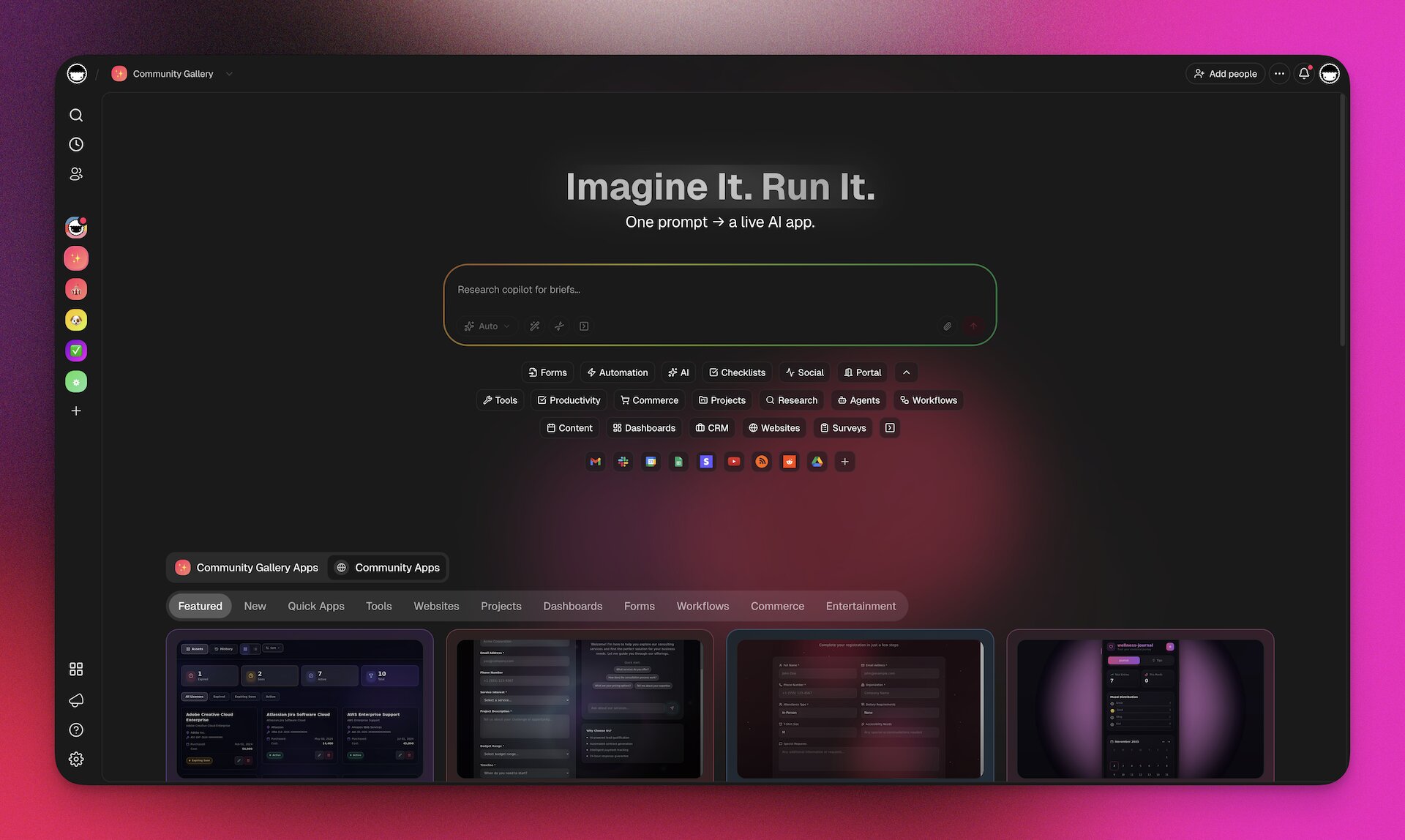
The Taskade Workspace DNA Difference:
When you build an app with Bolt, you're starting from zero. Empty database schemas, no AI integration, no automation workflows — just React components.
When you build an app with Taskade Genesis, you're leveraging Taskade Workspace DNA — battle-tested infrastructure that's powered thousands of teams for 3+ years:
- Memory (Projects): Database layer refined by millions of real-world operations
- Intelligence (AI Agents): Workspace-aware AI that understands YOUR data, not generic examples
- Execution (Automations): 100+ integrations tested by thousands of teams
- Continuous Learning: Every interaction improves the system
Code generators can be replicated — better models, faster generation, cleaner output. These are incremental improvements.
Taskade Workspace DNA cannot be replicated — it's the accumulated intelligence of proven systems working together in a continuous learning loop.
The Business Value Equation
For business leaders making build vs buy decisions:
Bolt Value Proposition:
- Pay $25/month for AI code generation
- Hire or contract developers to deploy and maintain ($5,000-15,000/month)
- Pay for infrastructure ($90-500/month per app)
- Wait 2-8 weeks for production-ready application
- Total first-year cost per app: $62,320-182,240
Taskade Genesis Value Proposition:
- Pay $10/month billed annually for unlimited apps
- No developers required for deployment
- Infrastructure included
- Working app in 2-15 minutes
- Total first-year cost (unlimited apps): $120
ROI Analysis for 5 Internal Business Apps:
- Bolt ecosystem: $311,600-911,200 (developers + infrastructure)
- Taskade Genesis: $120
- Savings: $311,480-911,080 (99.9% cost reduction)
The Strategic Choice
Choose Bolt if:
- You're a developer who values code ownership and customization
- Learning and experimentation are primary goals
- You have DevOps resources and infrastructure budget
- Frontend-only applications meet your needs
- Development process is more important than deployment speed
Choose Taskade Genesis if:
- Business outcomes matter more than code ownership
- Your team is non-technical or includes non-developers
- You need AI agents working autonomously on your data
- Time to value is measured in minutes, not weeks
- Cost predictability matters ($10/month billed annually vs $200-1,000+/month)
- You're building multiple internal tools
- Maintenance overhead is a concern
The Future: Code Generation vs System Orchestration
The future of AI-powered application building is bifurcating into two paths:
Path 1 — Code Generators (Bolt, V0, Lovable):
Generate increasingly sophisticated code for developers to deploy. Better models, cleaner code, more frameworks supported. Target audience: Developers who want to own code.
Path 2 — Living System Orchestrators (Taskade Genesis):
Orchestrate proven infrastructure layers into intelligent systems that think, learn, and act. No code generation — direct outcomes. Target audience: Teams who want to solve business problems.
Both paths are valid. Both will improve. But they serve fundamentally different needs.
Bolt makes developers more productive.
Taskade Genesis makes businesses more capable.
💡 Final Recommendation: Use Bolt if you think in React components. Use Taskade Genesis if you think in business outcomes. The "better" tool is the one that matches your mental model and desired output.
Real-World Business Scenarios: Making the Right Choice
Let's examine specific business scenarios to help you make the right decision for your situation.
Scenario 1: Startup Building Customer-Facing Product
Situation: Early-stage startup building a SaaS product for paying customers. Need to move fast, limited budget, technical founder.
Bolt Approach:
- Week 1-2: Generate frontend with Bolt, set up Supabase database, integrate Stripe
- Week 3-4: Deploy to Vercel, add authentication, configure email
- Week 5-6: Debug production issues, optimize performance
- Cost: $25 Bolt + $75 infrastructure + 120 hours founder time
- Outcome: Custom codebase you control and can scale
Taskade Genesis Approach:
- Day 1: Generate app with database, payments, email in Taskade Genesis
- Day 2-3: Customize branding, test user flows
- Day 4-5: Soft launch with first users
- Cost: $10/month Genesis billed annually + 8 hours founder time
- Outcome: Working product, faster time-to-revenue, less technical debt
Recommendation: Bolt if you need custom code that will heavily evolve and scale to millions of users. Taskade Genesis if you need to validate product-market fit quickly and minimize burn rate.
Scenario 2: Marketing Agency Needs Client Reporting Dashboard
Situation: Marketing agency managing 20+ clients, needs dashboard showing campaign performance, ROI, client communication. Team is non-technical.
Bolt Approach:
- Hire developer ($5,000-10,000) to build custom dashboard using Bolt-generated code
- Integrate Google Analytics, Facebook Ads, client CRM data
- Deploy and maintain infrastructure
- Timeline: 4-6 weeks
- Cost: $5,000-10,000 one-time + $150/month hosting + developer for changes
Taskade Genesis Approach:
- Marketing manager creates dashboard in 15 minutes with natural language prompt
- AI agent analyzes campaign data, generates insights
- Automations pull data from Google Analytics, Facebook Ads daily
- Timeline: 15 minutes
- Cost: $10/month billed annually (already have Taskade workspace)
Recommendation: Taskade Genesis — non-technical team, needs working tool immediately, tight budget.
Scenario 3: Enterprise Developer Building Internal Tool
Situation: Developer at Fortune 500 company building internal employee directory and org chart tool. Strict compliance requirements, needs code audit, must run on company servers.
Bolt Approach:
- Generate React code with Bolt
- Audit code for security compliance
- Deploy to company's private cloud (AWS/Azure)
- Integrate with Active Directory
- Full control over data location and security
- Timeline: 3-4 weeks
- Cost: Internal developer time (already budgeted)
Taskade Genesis Approach:
- Cannot deploy to private company servers (Taskade-hosted)
- Faster to build but doesn't meet compliance requirements
- Not viable for this use case
Recommendation: Bolt — compliance and data sovereignty requirements make cloud-hosted solution non-viable.
Scenario 4: Small Business Building 5-10 Internal Operational Tools
Situation: 30-person company needs booking system, client portal, feedback manager, inventory tracker, employee onboarding portal. Small IT team focused on core product.
Bolt Approach:
- Build 5-10 separate applications with Bolt
- Set up infrastructure for each (database, auth, hosting)
- Maintain 5-10 different codebases
- Cost: $25 Bolt + ($150 × 10 apps) = $1,520/month + 200+ hours initial build
- Maintenance: 40-60 hours/month across all apps
Taskade Genesis Approach:
- Build all 10 apps in 2-3 hours total
- Shared infrastructure (workspace)
- Unified AI agents understand all business data
- Automations connect apps together
- Cost: $10/month billed annually, unlimited apps
- Maintenance: Zero (Taskade handles infrastructure)
Recommendation: Taskade Genesis — dramatic cost savings, zero maintenance, unified workspace for all operational tools.
Scenario 5: Developer Building Portfolio to Get Hired
Situation: Junior developer wants to build 3-5 impressive projects for portfolio to land first developer job. Needs to demonstrate React skills to employers.
Bolt Approach:
- Generate React apps with Bolt as starting point
- Customize code to show your skills
- Deploy to personal domain
- Employers can review your code on GitHub
- Learning value: High (study AI-generated patterns)
- Hiring signal: "I can work with modern React patterns"
Taskade Genesis Approach:
- Build working apps quickly
- No code to show employers
- Demonstrates business thinking but not coding ability
- Hiring signal: "I can use tools" (not what dev employers want)
Recommendation: Bolt — if goal is demonstrating coding skills to get hired as developer, you need a codebase to show.
Scenario 6: Consultant Building Client Deliverables
Situation: Business consultant building tools for clients (feedback systems, project trackers, client portals). Clients don't have technical teams.
Bolt Approach:
- Generate code for each client project
- Deploy to client's infrastructure (or set up new)
- Bill for deployment and maintenance
- Client is dependent on you for updates
- Business model: High ongoing revenue from maintenance
- Client experience: Waiting weeks for changes
Taskade Genesis Approach:
- Build apps for clients in minutes
- Client can modify and extend apps themselves
- Train client team to customize with natural language
- Less ongoing maintenance revenue but higher client satisfaction
- Business model: More clients, less maintenance overhead
- Client experience: Empowerment and self-service
Recommendation: Bolt if your business model depends on ongoing development revenue. Taskade Genesis if you want to scale client count without scaling support team.
Decision Framework Summary
| Your Priority | Choose Bolt | Choose Taskade Genesis |
|---|---|---|
| Code Ownership | ✅ Full control | ❌ Taskade-hosted |
| Speed to Working App | ❌ Days/weeks | ✅ Minutes |
| Learning to Code | ✅ Study generated code | ❌ No code access |
| Non-Technical Team | ❌ Requires developers | ✅ Natural language |
| Cost Predictability | ❌ $110-520/mo per app | ✅ $10/mo billed annually, unlimited |
| Zero Maintenance | ❌ Ongoing DevOps | ✅ Fully managed |
| AI Agents on Your Data | ❌ Manual integration | ✅ Built-in |
| Custom Code Requirements | ✅ Modify anything | ❌ Limited customization |
| Compliance/Data Sovereignty | ✅ Self-host anywhere | ❌ Taskade-hosted only |
| Building 5+ Apps | ❌ 5× the cost | ✅ Same $10/mo price, billed annually |
🐑 Before you go... Looking for an AI app builder that eliminates the deployment gap? Taskade Genesis delivers instant apps without the code generation, hosting, and infrastructure overhead that Bolt requires.
- 💬 AI Chat: Brainstorm app ideas, refine features, and collaborate with AI-powered assistance that helps you articulate requirements—no technical knowledge of React or Vite needed.
- 🤖 AI Agents: Unlike Bolt's browser-based code generation, Taskade AI Agents build live apps on your workspace—no WebContainers, no deployment steps, no hosting bills. Apps run immediately through vibe coding without touching a terminal.
- ✏️ AI Assistant: Generate app specs, feature lists, user flows, and project roadmaps with intelligent templates whether you're building with Bolt or Genesis.
- 🔄 Workflow Generator: Build automations that connect your apps to existing business tools—powered by 100+ integrations without writing API code or managing webhooks.
Sign up today and experience instant app delivery—where living software runs on your workspace without deployment pipelines.
Bolt Not the Right Fit? 5 Alternatives to Consider
Taskade Genesis — Best for Non-Coders and Living Apps
Taskade Genesis builds deployed, intelligent apps from a prompt — the architectural opposite of a code generator. Where Bolt generates React files you assemble, Genesis outputs a living system: structured database with multiple views and custom fields, AI agents with built-in tools and persistent memory (selectable across frontier models from top AI labs), reliable automation workflows with branching/looping/100+ integrations, custom domains (6 TLDs), password protection, built-in analytics, and version history with rollback. No per-token billing — unlimited apps on every paid plan. 150,000+ apps built. Free tier (3 apps, 1 agent; earn or buy credits), Pro $10/mo billed annually (10 users). Try Genesis free → | Genesis vs Bolt comparison →
Lovable — Best for Supabase-Native Full-Stack
Lovable generates full-stack TypeScript apps with native Supabase wiring — auth, database, and storage come connected by default. You own the code. $20/mo Pro. Better backend scaffolding than Bolt, but same deployment requirement. Lovable review →
v0 by Vercel — Best for React UI Components
v0 generates beautiful shadcn/ui components — cleaner output than Bolt for frontend-only work. Best if you already own your backend and just need UI scaffolding. $20/mo Premium. v0 review →
Cursor — Best for Working in Existing Codebases
Cursor is the #1 AI IDE for developers who want AI assistance inside their existing repos. Not a generator — a code editor with deep AI integration. $20/mo Pro. Cursor review →
Replit — Best for Build + Host in One
Replit bundles code generation, editing, and hosting in a single workspace. Agent 3 can work autonomously for 200 minutes. $25/mo Core. Replit review →
For the full ranking, see best Bolt.new alternatives 2026.
🔗 Resources
- Bolt Official Website
- StackBlitz Documentation
- Bolt Pricing
- WebContainers Technology
- StackBlitz GitHub
- Bolt Community Forum
- StackBlitz Blog
- Bolt vs Competitors
💬 Frequently Asked Questions About Bolt
What is Bolt and how does it work?
Bolt is StackBlitz's AI-powered app generator that runs entirely in your browser using WebContainer technology—a full Node.js development environment that executes in the browser without backend servers. You describe an app, Bolt generates React/Vite code in real-time, and you see live previews as it builds. Unlike traditional code editors, Bolt requires zero local setup. However, like other AI app builders, generated code still requires deployment, hosting, and ongoing maintenance.
Who created Bolt and when was it launched?
Bolt was created by StackBlitz, the company behind the browser-based IDE technology. Building on their WebContainers innovation (Node.js in the browser), StackBlitz saw an opportunity to combine fast in-browser development with AI code generation. The result is Bolt—the fastest AI app builder because everything runs client-side without round-trips to cloud servers. Like other Y Combinator-backed startups, StackBlitz focused on developer experience and speed.
How much does Bolt cost?
Bolt offers four pricing tiers: Free ($0 with 1M tokens/month), Pro ($25/month with 10M+ tokens and token rollover), Teams ($30/member/month with admin controls), and Enterprise (custom). Bolt V2 introduced Bolt Cloud with built-in hosting, databases, and analytics — reducing the external infrastructure costs that plagued earlier versions. For comparison, Taskade Genesis offers unlimited app creation at $10/month billed annually ($120/year) with AI agents, automations, and hosting included.
Is Bolt better than Lovable or V0?
Each has strengths: Bolt is the fastest (WebContainers in browser), Lovable generates more complete full-stack code with backend scaffolding, and V0 specializes in UI components. All three generate code that you must deploy and maintain. The "better" choice depends on whether you prioritize speed (Bolt), backend (Lovable), or UI design (V0). For instant apps without deployment, Taskade Genesis eliminates code generation entirely.
What technology stack does Bolt generate?
Bolt generates modern web applications using React for UI, Vite for build tooling, and TypeScript for type safety. The output is clean, production-ready code that follows current best practices. Apps run in WebContainers (Node.js in the browser) during development, then you export the code to deploy on traditional hosting. While the stack is modern, "production-ready code" still means you need hosting, databases, authentication, and DevOps knowledge.
Can I use Bolt without coding knowledge?
Bolt markets itself as accessible through natural language prompts, and the in-browser preview is genuinely impressive for non-developers. However, deploying and customizing the generated code requires technical skills: understanding npm packages, configuring build tools, setting up hosting (Vercel/Netlify), adding databases, debugging when things break. For truly non-technical users, no-code platforms like Taskade Genesis eliminate all infrastructure complexity.
What happens after Bolt generates my code?
After generation, you get React/Vite files running in your browser via WebContainers. Bolt V2 added Bolt Cloud with built-in hosting, databases, and analytics — reducing but not eliminating external costs. For apps requiring custom backends, complex auth flows, or enterprise infrastructure, you may still need external services. The infrastructure gap has narrowed significantly since V2, but production-grade business apps often exceed what Bolt Cloud provides out of the box.
How does Bolt's WebContainer technology work?
WebContainers run a complete Node.js environment in your browser—no backend servers required. This means Bolt can install npm packages, run build tools, execute code, and preview apps entirely client-side. It's genuinely impressive technology that makes Bolt incredibly fast. However, WebContainers are for development—production apps still need traditional hosting infrastructure. The speed advantage is during generation, not after deployment.
Can I edit and customize Bolt's generated code?
Yes, Bolt gives you full access to the generated React/TypeScript source code. You can edit inline in the browser or download and modify locally. This flexibility is valuable for developers who want AI-generated starting points with customization ability. The trade-off: you now own code that requires technical expertise to maintain, debug, and evolve—just like hand-coded applications.
Does Bolt include backend or database functionality?
No, Bolt focuses on frontend generation (React/Vite apps). For backend logic, databases, authentication, or API integrations, you'll need to add those yourself or connect external services like Supabase, Firebase, or custom APIs. This is a common limitation of code generators—they excel at UI but leave backend infrastructure as an exercise for the developer. Full-stack platforms include backend by default.
How does Bolt compare to hiring developers?
Bolt can generate basic application structure faster than developers for simple CRUD apps or prototypes. However, for complex business logic, custom features, security hardening, performance optimization, and long-term maintenance, experienced developers provide value AI can't match. Smart teams use strategic allocation: Bolt for rapid prototyping, developers for core product, and Genesis for internal operations that don't need custom code.
Try Both
Different tools for different needs. Test both and see which matches your workflow:
- Bolt: Code generation for developers → bolt.new
- Taskade Genesis: Living systems for business outcomes → Try Genesis Free
More Comparisons
AI App Builders:
- Taskade vs Bolt — Full feature comparison
- Taskade vs Lovable — Full Review
- Taskade vs V0 — Full Review
- Taskade vs Cursor — Full Review
- Taskade vs Replit — Full Review
- Taskade vs Windsurf — Full Review
Workspace Tools:
- Taskade vs Notion — Full Review
- Taskade vs Webflow — Full Review
- All Taskade Reviews — What users say
Explore Taskade Genesis
- AI App Builder — One prompt, one app
- Vibe Coding — Natural language app creation
- AI Agent Platform — Digital teammates that work 24/7
- Workflow Automation — Business process automation
- Community Apps — Clone and customize