






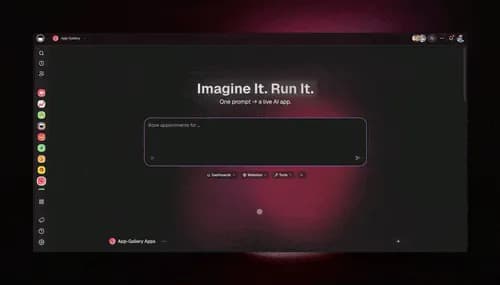
TL;DR: The best no-code internal tools builder for a team without engineers ships the app, its data, AI agents and automations together. Taskade Genesis builds all four from one prompt. Free includes 3 apps, and Pro is $10/mo billed annually. Retool, Appsmith and ToolJet are low-code and suit developer-led teams. (Try it free)
Internal tools have a math problem. Many builders charge per builder and per viewer (Retool, Appsmith), cap app users by plan (Softr, ToolJet), or expect a developer who writes JavaScript and SQL. Operations teams ration access to control the cost, and that defeats the purpose of the dashboard: to put data in front of the people who decide.
Taskade Genesis starts from a different place. The dashboard is a Workspace DNA app. Memory (Projects) holds the data. Intelligence (AI agents) reads the data and surfaces insight. Execution (Automations) acts on the data through 100+ bidirectional integrations. The interface is a Taskade Genesis app that you publish to a live URL, with a custom domain on Pro and up. Pricing is flat per workspace.
This post compares eight internal tools builders on their current free tiers, embeds 6 live dashboards you can open, and shows how to run an internal tools factory from one workspace.
No-code internal tools builder: the short answer
A no-code internal tools builder lets an ops, finance or support team build its own dashboards, trackers and request portals without code. For a team with no engineers, Taskade Genesis builds the app with its database from one prompt and adds AI agents and automations in the same workspace. If a developer owns the tool, Retool, Appsmith or ToolJet fit better.
The free tiers and entry prices below come from each vendor's own pricing page, read on 2026-10-20. Prices change, so confirm them on the vendor page before you buy.
| Builder | Build style | Free tier (2026-10-20) | Lowest paid plan | Best for |
|---|---|---|---|---|
| Taskade Genesis | No-code. One prompt builds the app, its data, agents and automations | 3 apps, 1 AI agent, 2 members. Starts with no AI credits | Pro: $10/mo billed annually, up to 10 seats | Teams without engineers who want the app and the work it runs in one place |
| Retool | Low-code, with an AI app builder and JavaScript for advanced logic | Up to 5 users, unlimited web and mobile apps, 500 workflow runs a month | Team: $10 per builder + $5 per internal user a month, billed annually | Developer-led tools on your own databases and APIs |
| Appsmith | Open-source low-code | Up to 5 users on cloud, plus the free self-hosted Community edition | Business: $15 per user a month | Engineers who want open source and Git workflows |
| Budibase | Open-source low-code | Self-hosted only: unlimited users and apps | Cloud Pro: $19 a month | Teams that must self-host or run on-premise |
| ToolJet | Open-source low-code with an AI app builder | 2 builders, 50 end users, 10 apps | Basic: $23 per builder a month | Teams that want an open-source, Retool-style builder |
| Softr | No-code with an AI Co-Builder | Unlimited apps, up to 3 builders, 5 app users, 5K records | Basic: $19 a month | Client portals and business apps with logins |
| Glide | No-code, data-first apps | 2 team members, 10 projects, no published apps | Basic: $25 a month, 2 published apps | Teams that start from spreadsheet data |
| Google AppSheet | No-code inside Google Workspace | Free while you prototype, up to 10 test users | Starter: $5 per user a month | Google Workspace teams |
Three facts decide most shortlists. First, who builds: the ops person (no-code) or a developer (low-code). Second, how viewers are billed: per internal user (Retool, Appsmith), by an app-user allowance (Softr, ToolJet), or by workspace plan (Taskade Genesis). Third, what runs after you publish: a screen over data, or a screen plus AI agents and automations that act on the data.
How to pick an internal tools builder in one minute
For the step-by-step build of one tool, see how to build an internal tool without code. For the wider build-or-buy decision, see build vs buy software.
🧩 No-Code vs Low-Code Internal Tools Builders
A no-code internal tools builder and a low-code internal tools builder differ in who does the building. No-code puts the tool in the hands of the person who runs the process. Low-code gives a developer a visual editor plus code for the hard parts. Full-code means an engineering team writes and hosts the app.
| Approach | Who builds | How you build | Examples | Trade-off |
|---|---|---|---|---|
| No-code | The ops person who runs the process | Visual blocks or a plain-language prompt | Taskade Genesis, Softr, Glide, AppSheet | Fast to start, less control over custom logic |
| Low-code | A developer or a technical analyst | A visual editor plus JavaScript and SQL | Retool, Appsmith, ToolJet, Budibase | Deep control over databases and APIs, needs code skills |
| Full-code | An engineering team | A codebase on a framework | Refine, Reflex, a custom React app | Full control, and you own hosting and upkeep |
AI blurred the line in 2026. Retool and ToolJet now build a first app from a prompt, and Appsmith lets you prompt widgets in natural language. The difference that remains is the output and who maintains it. A low-code app still lives in a developer's editor. A Taskade Genesis app lives in the workspace where the team already keeps its projects, agents and automations, and anyone on the team can change it in chat.
💰 Internal Tools Builder Pricing Comparison (Checked 2026-10-20)
Internal tools builder pricing splits into three models: per builder plus per viewer, a flat plan with an app-user allowance, and a flat workspace plan. Each row below comes from the vendor's own pricing page.
| Tool | Free plan | Lowest paid | Higher tier | How viewers are billed |
|---|---|---|---|---|
| Taskade Genesis | 3 apps, 1 agent, 2 members | Pro $10/mo billed annually (up to 10 seats) | Business $25/mo billed annually | By workspace plan. App visitors do not take a workspace seat |
| Retool | Up to 5 users | Team $10/builder + $5/internal user (annual), $12 + $7 monthly | Business $50/builder + $15/internal user (annual), $65 + $18 monthly | Per internal user |
| ToolJet | 2 builders, 50 end users, 10 apps | Basic $23/builder | Pro $79/builder, Team $199/builder (100 end users) | End-user allowance per plan |
| Appsmith | Up to 5 users (cloud) | Business $15/user/mo | Enterprise $2,500/mo for 100 users | Per user |
| Budibase | Self-hosted only | Cloud Pro $19/mo | Business $299/mo (3 creators) | $5 per end user/mo add-on, $50 per creator/mo (yearly) |
| Softr | 5 app users, 5K records | Basic $19/mo | Pro $99/mo, Business $329/mo | App-user allowance per plan, extra users on Pro and up |
| Glide | 2 team members, no published apps | Basic $25/mo | Plus $50/mo, Pro $125/mo | Team-member allowance per plan |
| AppSheet | Prototype with 10 test users | Starter $5/user/mo | Core $10, Enterprise Plus $20 per user/mo | Per user |
A 20-person ops team on Retool Business with 5 builders and 15 internal users pays $250 (builders) + $225 (internal users) = $475/month on annual billing. The same team on Taskade Genesis Pro pays $10/month billed annually: 10 seats cover the 5 builders, and the 15 viewers use the published app.
The cost gap is real. The capability gap matters more, because the cheapest tool is the one people actually use.
📋 Internal Tools Builder Feature Comparison
Most internal tools builders now ship a database, automations and some AI. The table below uses each vendor's own feature names, read on 2026-10-20. If your shortlist also includes packaged field-service SaaS and portal tools, the wider field is covered in ops dashboard builders ranked for operators.
| Builder | How you build | Built-in data | Automations and AI | Hosting |
|---|---|---|---|---|
| Taskade Genesis | One prompt, then edits in chat with Taskade EVE | Projects with multiple views | Automations with 100+ integrations, AI agents with knowledge and tools | Cloud, custom domain on Pro and up |
| Retool | AI app builder plus a visual editor with JavaScript | Retool Database (PostgreSQL) | Workflows, AI agents | Cloud, self-hosted or air-gapped |
| ToolJet | AI app builder plus a visual editor | ToolJet Database (PostgreSQL) | Workflow automation, agent builder | Cloud or self-hosted |
| Appsmith | Drag-and-drop widgets, JavaScript or prompts | Connects to your databases and APIs | Workflows on Business | Cloud or self-hosted |
| Budibase | Visual builder | Budibase DB and data tables | Automations, agents | Self-hosted or Budibase Cloud |
| Softr | AI Co-Builder plus visual blocks | Softr Databases | Workflows and agents | Cloud |
| Glide | Visual builder on your data | Glide data | Workflows, AI features in apps | Cloud |
Bottom-row math. A 10-builder, 50-viewer team for 12 months: Retool Business = (10 × $50 + 50 × $15) × 12 = $15,000/yr on annual billing. Taskade Genesis Pro = $10 × 12 = $120/yr for 10 seats, and the 50 viewers use the published apps.
The differences sit in two places: who can build, and how viewers are billed. Taskade Genesis prices by workspace plan, and its AI agents run inside the published app and read the same projects the app writes to. That turns a spreadsheet, an internal request form or a reporting board into an app the whole team can open.
🧮 The Hidden Tax: Per-Builder + Per-Viewer Math (12-Month TCO)
Pricing-page hero numbers do not show the bill that reaches Finance. Here is the 12-month platform fee for the same 5-builder, 50-viewer ops team, computed from each vendor's list prices on 2026-10-20.
12-MONTH PLATFORM FEE: 5 BUILDERS, 50 VIEWERS
────────────────────────────────────────────────────────────────────
Retool Business        ████████████████████████████████  $12,000/yr
                       (5 × $50 + 50 × $15) × 12, annual billingAppsmith Business      ██████████████████████████  $9,900/yr
55 users × $15/mo × 12
ToolJet Pro            █████████████  $4,740/yr
5 builders × $79/mo × 12 (50 end users included)
Retool Team            ██████████  $3,600/yr
(5 × $10 + 50 × $5) × 12, annual billing
Taskade Genesis Pro    ▌  $120/yr
$10/mo billed annually (up to 10 seats)
────────────────────────────────────────────────────────────────────
DELTA: Retool Business vs Taskade Genesis Pro
$12,000 − $120 = $11,880/yr → 100× the cost
DELTA: Retool Team vs Taskade Genesis Pro
$3,600 − $120 = $3,480/yr → 30× the cost
────────────────────────────────────────────────────────────────────
Even the lowest listed per-user option, Retool Team, costs 30× more than Taskade Genesis Pro at the 5-builder, 50-viewer scale. (Retool pricing, Appsmith pricing, ToolJet pricing, read 2026-10-20.)
This is the platform fee only. A Taskade Genesis app also ships with AI agents, 100+ bidirectional integrations and client sign-in, which works on every plan, Free included.
🎬 The Six Live Internal Tool Dashboards: Embedded Right Here
Each iframe is a real Taskade Genesis dashboard. Click inside to try it, then clone the kit into your workspace.
1️⃣ Analytics Dashboard: operational metrics with AI interpretation
▲ ■ ● This is live. KPI Definitions + Data Snapshots projects, Data Analyst agent that interprets trends, threshold-alert automation to Slack.
What's inside: a KPI Definitions project (each KPI has a baseline, target, owner, formula), a Data Snapshots project (daily/weekly snapshots from your data sources), a Data Analyst agent that explains "why did MRR drop 8% week-over-week," and threshold-alert automations that fire to Slack when KPIs cross levels.
This is the Looker/Mode replacement for ops teams, at $10/mo flat, with the AI Analyst agent included.
2️⃣ Investor Dashboard: fundraising metrics + investor CRM
▲ ■ ● This is live. Investor pipeline + KPI snapshots + auto-update drafter.
What's inside: an Investor Pipeline (Cold → Intro → 1st Mtg → DD → Term Sheet → Close), a KPI snapshot project, an Update Drafter agent that drafts monthly investor updates from KPI changes, and a Calendly auto-confirm automation for investor meetings.
This is a Visible.vc and Pry replacement for a founder who wants the investor CRM and the update drafter in one app.
3️⃣ Inventory Management Dashboard: operational SKU tracking
▲ ■ ● This is live. SKU project, supplier project, low-stock alert automation.
What's inside: a SKU project (each SKU with stock level, reorder threshold, supplier, lead time), a Suppliers project, an Inventory Analyst agent that surfaces stockout risk, and Slack-alert automations on low stock.
4️⃣ Maintenance Tracker Dashboard: facilities + equipment ops
▲ ■ ● This is live. Asset registry + maintenance schedule + ticket queue.
What's inside: an Assets project (with location, model, last-service-date), a Schedule project (with recurring maintenance), a Ticket queue (with priority + assigned tech), and a Maintenance Coordinator agent that auto-assigns tickets to the closest tech.
5️⃣ License Manager Dashboard: software/SaaS license tracking
▲ ■ ● This is live. License inventory + renewal alerts + cost analytics, from the License Manager Dashboard kit: 3 projects, 1 AI agent and 2 automations.
What's inside: a Licenses project (each license with vendor, owner, renewal date, cost, seats), a Renewals project, a License Analyst agent that surfaces over-provisioned tools, and renewal-reminder automations to Slack 30 days before expiry. Cloning the kit needs a paid plan, because the kit includes automations.
This is the IT-ops dashboard every CTO wants, and it publishes to a custom domain on Pro and up.
6️⃣ HR Dashboard: headcount, hiring, retention
▲ ■ ● This is live. Headcount projection + open-role tracker + tenure analytics.
What's inside: a Roles project (open + filled), a People project (with role, manager, start date), an HR Analyst agent that flags retention risk based on tenure + role-engagement signals, and weekly HR-digest automation.

🗂️ More Free Cloneable Dashboards You Can Steal Today
Six embeds is the demo. The library is the moat. Below is an extended set of live dashboards already built, published, and waiting in the Community Gallery. Clone any of them into your workspace, then edit it live without a redeploy.
| Dashboard | What it does | Replaces | Clone link |
|---|---|---|---|
| Analytics Dashboard | Operational KPIs + AI Data Analyst agent | Looker / Mode (ops surface) | Clone → |
| Investor Dashboard | KPI snapshots + investor pipeline + auto-update drafter | Visible.vc + Pry | Clone → |
| Inventory Management | SKU tracking + supplier project + low-stock Slack alerts | Cin7 / SkuVault | Clone → |
| Maintenance Tracker | Asset registry + recurring schedule + ticket queue | UpKeep / Limble | Clone → |
| License Manager | License inventory + 30-day renewal alerts + cost analytics | Vendr / Cledara | Clone → |
| HR Dashboard | Headcount + open roles + retention risk agent | BambooHR analytics | Clone → |
| Finance Tracker | Revenue + expenses + AI spend pattern surfacing | QuickBooks dashboards | Clone → |
| Neon CRM | Lead pipeline + sales-coach agent + pipeline automation | Salesforce starter | Clone → |
| Team Capacity | Workload planning + utilization tracker | Float / Resource Guru | Clone → |
| Support Rating | CSAT + ticket throughput + escalation automation | Zendesk Insights | Clone → |
| Room Booking | Resource reservation + Google Calendar sync | Skedda / Robin | Clone → |
| Hospitality Insight | Occupancy + revenue + guest intelligence | Cloudbeds analytics | Clone → |
Twelve dashboards. Twelve internal tools. No per-viewer line item on any of them. Any one of them can be re-themed for your domain with one prompt in the running app: "Rename Account → Practice and Touchpoint → Visit, then re-wire the at-risk agent to look at last visit + procedure type."
For more cloneable dashboards in this category, see 10 AI Ops Dashboards for Lean Teams and the live Community Gallery.

🧬 The Dashboard DNA Architecture
A Taskade Genesis dashboard is not a UI bound to a remote database. It is a closed loop of three Workspace DNA primitives: a Project (Memory) holds the data, an Agent (Intelligence) reasons over it, and an Automation (Execution) writes results back into the Project. The loop closes, and every cycle enriches the next.
Low-code builders such as Retool, ToolJet and Appsmith start from a screen that you wire to a database or an API, and many teams point them at an existing Postgres or REST endpoint. Taskade Genesis starts from the workspace. The Project is the database. The Agent reads the same Project the dashboard shows. The Automation writes back into that Project. Thus a Taskade Genesis dashboard can explain itself, refresh itself, and grow new fields as the use case matures, without a developer round-trip.
For the deeper substrate explanation, see Workspace DNA: Context Engineering Blueprint.
🏭 Run an Internal Tools Factory From One Workspace
An internal tools factory is a repeatable loop that turns each team request into a working tool: intake, build, review, publish, run. In Taskade, one workspace runs the whole loop. A form collects the request, Taskade Genesis builds the app, AI agents and automations run it, and with manual publishing on, a person approves every release. For the full concept, see what an AI software factory is.
Software factories in engineering teams end at a merged pull request. An internal tools factory for an ops team ends at a live app with its data. The steps:
- Collect requests. Publish a request form with AI Forms or a form with conditional logic. Each entry lands as a record in a "Tool requests" project.
- Triage with an agent. An AI agent reads each request, asks for missing details and tags it as a new tool or a change to an existing one.
- Build in chat. For a change to a live app, set the app to publish manually first, so the edit waits for review. Paste the request into Taskade EVE. Taskade Genesis builds the app with its projects, agents and automations, or edits the existing app.
- Approve and publish. The person who asked tests the draft. A named owner publishes it. A new app stays a draft until that step.
- Run and learn. Automations send alerts and update records, and agents answer questions about the data. Each request, decision and result stays in the workspace, so the next build starts with more context.
The results that automations write back become new records in the requests project, so the loop starts again with more context. If a draft needs changes, the request goes back to Taskade EVE before anyone publishes it.
| Factory stage | What runs it in Taskade | Plan note |
|---|---|---|
| Intake | AI Forms, or an automation trigger from 100+ integrations | Automation webhooks need Pro and up |
| Queue | A project that holds every request as a record | Every plan |
| Build | Taskade Genesis, with Taskade EVE in chat | Free includes 3 apps |
| Review and publish | A person tests the draft and publishes | Every plan. Custom domain on Pro and up |
| Run | AI agents and automations | On Free, your own automations get 10 runs a month |
| Reuse | Clone a kit from /apps as the next starting point | Kits with automations need a paid plan |
With each app set to publish manually, Taskade never runs this loop on autopilot. A person approves each release, and that gate keeps an internal tools factory safe for a team without engineers. For the economics of building your own tools, see build vs buy software.
🚦 Why "Free Builder" Matters in 2026
Per-builder licensing is a common reason internal-tools projects stall in committee. The Build vs Buy debate becomes Build for Engineering Only vs Buy a Different Tool. Here are four reasons the free-builder, free-viewer model is the new bar.
Reason 1: Per-builder licensing slows internal-tools experimentation
Each tool priced per builder turns "let's try this hypothesis" into "let's open a procurement ticket." A dashboard that an ops manager can prototype in 30 minutes now needs a budget line, a security review, and a seat reconciliation. Many experiments stop in this gap. Taskade Genesis Pro at $10/mo billed annually for up to 10 seats puts that budget below the threshold of a hallway approval. Ten ops people can each build three versions of an idea before a procurement form reaches the inbox.
Reason 2: AI agents that run inside the published app
Most internal tools builders added AI as a builder copilot first: it writes a SQL query, a JavaScript expression or a first screen from a prompt. Retool, ToolJet and Budibase now also offer agent features. Taskade Genesis puts a runtime agent in the app the team uses every day: the Data Analyst that explains the KPI dip, the CS Analyst that explains the at-risk flag, the License Analyst that surfaces over-provisioning. The agent reads the same projects the app shows. The end user reads insight, not raw rows.
Reason 3: Bidirectional integrations, not only data pulls
Many dashboards are a window onto data that lives elsewhere, and the writes happen in the source system. Taskade Genesis treats integrations as bidirectional: triggers pull external events in (a Stripe webhook fires and a record arrives in Memory), and actions push data out (a threshold is crossed and a Slack alert posts, a Salesforce record updates, a Gmail email goes out). The 100+ integrations cover communication, email and CRM, payments, development, productivity, content, data, storage, calendar and e-commerce, with no glue code. See the automation reference for the full library.
Reason 4: The "ship it" gap
Many internal-tools prototypes never ship past the demo, because deployment, security review and safe access for non-engineers all take time. Taskade Genesis shortens the gap. Every published app gets a live URL that you can share or embed, client sign-in works on every plan, and a custom domain with automatic SSL is available on Pro and up. The dashboard you build at 11am can be in your ops Slack at 11:05am.

🧬 Why Workspace DNA Beats a Per-Builder Tool
Three things the diagram shows:
- The dashboard interprets itself. The embedded Data Analyst agent reads the snapshots and explains the trend in natural language, with no LookML or DAX.
- Bidirectional integrations are first-class. A Stripe webhook fires, writes to Memory, triggers the Threshold Reasoner and posts a Slack alert. No middleware.
- The end-user experience is shaped like the dashboard. A custom domain with SSL on Pro and up, role-based access from Owner to Viewer for the workspace, and client sign-in for app users on every plan.
For more on the substrate, see Workspace DNA: Context Engineering Blueprint.
🎯 The Per-Seat-Pricing Wedge
Per-seat pricing on internal tools is a tax on access. Here is the pattern:
Ops team finds a manual process worth automating.
   │
   ▼
Builds a Retool dashboard.  ← $50/builder/mo (Business, annual)
   │
   ▼
Wants to give 20 people view access. ← $300/mo additional
   │
   ▼
Finance pushes back: $350/mo for one tool?
   │
   ▼
Team rations access. Only 5 people get viewer seats.
   │
   ▼
The other 15 still email the ops team for the data.
   │
   ▼
The dashboard fails its purpose.
Taskade Genesis breaks the loop. Taskade prices by workspace plan, not by app viewer. The Analytics Dashboard, the Maintenance Tracker and the License Manager Dashboard above can all be shared across a 100-person org on Pro at $10/month billed annually.
The viewer-cost cliff makes the wedge concrete. The table shows viewer fees only, at list prices on 2026-10-20, before any builder seats.
| Viewers | Retool Team ($5/internal user) | Retool Business ($15/internal user) | Appsmith Business ($15/user) | Taskade Genesis Pro |
|---|---|---|---|---|
| 1 | $5/mo | $15/mo | $15/mo | $10/mo |
| 10 | $50/mo | $150/mo | $150/mo | $10/mo |
| 50 | $250/mo | $750/mo | $750/mo | $10/mo |
| 100 | $500/mo | $1,500/mo | $1,500/mo | $10/mo |
| 500 | $2,500/mo | $7,500/mo | $7,500/mo | $10/mo |
Retool prices are annual billing. Appsmith Enterprise lists $2,500/mo for 100 users, so large Appsmith teams move to that plan.
Per-viewer pricing is a tax on rollout. Each dashboard that ten more people read pushes the bill up at a per-user vendor. At 100 viewers on Retool Business, the gap is 150× ($1,500 vs $10). At 500 viewers, it is 750×.
On Refine.dev as a "Retool alternative": Refine outputs a codebase you still need to host, run, monitor, and pay for separately. Taskade Genesis outputs a live app URL with sign-in and role-based access. Different category.
🛠️ The Build Process: Prompt to Live Dashboard in Minutes
The clarifying step matters. Taskade EVE asks about the parts of the prompt that are ambiguous (which signals? what threshold?) and then builds. The result matches what you meant, not what the model guessed. That is the whole case for why a prompt should return an ops system, not a chart.
For more on how agents plan and check their own work, see Metacognitive AI: How Agents Learn to Think About Thinking.
🔄 Dashboard Lifecycle: From Prompt to Live to Iterating
A static comparison table does not capture the most important property of a Taskade Genesis dashboard: it stays alive. Many internal-tools prototypes get built once, ship to a small audience, and drift as the data model changes and the original builder leaves the team. Taskade Genesis dashboards are workspace-native. Memory, Intelligence, and Execution all live in the same workspace, so you add a column, refine an agent, or wire a new automation in the running dashboard without a redeploy.
The state machine shows a step that most low-code flows keep and Taskade Genesis drops: the separate redeploy. Edits to the Project (add a field), the Agent (refine the prompt or add a tool) and the Automation (add a trigger) apply in the live app. The clone flow copies Memory, Intelligence and Execution as a unit, so a teammate gets the full working system, not a static template.
For the deeper dive on how Taskade EVE turns a vague prompt into a working schema, see Vibe Coding.
⚖️ When Another Internal Tools Builder Is the Better Choice
Taskade Genesis is not the right internal tools builder for every team. The other builders in this comparison have real strengths, and an honest shortlist names them.
| If your team needs | A strong pick | Why |
|---|---|---|
| A developer-owned admin panel over your production SQL database | Retool or Appsmith | Deep query editors, JavaScript everywhere, Git workflows |
| Self-hosting or an on-premise install | Budibase, Appsmith or ToolJet | Open-source editions you run on your own servers |
| A client portal on top of existing Airtable or Google Sheets data | Softr | Two-way sync with many data sources, granular permissions |
| An app built straight from a Google Sheet inside Google Workspace | AppSheet or Glide | Apps built on spreadsheet data |
| An app, its data, AI agents and automations, built by a non-engineer | Taskade Genesis | One prompt builds all four in one workspace |
Two limits of Taskade Genesis to know before you build:
- Sign-in confirms identity, and it does not hide records on its own. Client sign-in works on every plan, Free included. It confirms who the visitor is. You match records to each login, then you test it with a second account. See App Users and Taskade Genesis Auth.
- Plan gates apply. Free starts with no AI credits, so a build needs free AI credits from referrals or invites, or a paid plan. Custom domains need Pro and up (up to 10 on Pro, unlimited on Business and up), and buying a domain needs a paid plan. See custom domains and pricing.
For head-to-head pages, see Taskade vs Retool, Taskade vs Softr and Taskade vs Glide.
🏆 Long-Tail Wedges Where Taskade Genesis Wins
| Long-tail keyword | Taskade Genesis advantage |
|---|---|
| "no code internal tools builder" | One prompt builds the app with its database, agents and automations, and you edit it in chat |
| "free internal tool builder" | Free includes 3 apps, 1 AI agent and 2 members, and client sign-in works on Free |
| "Retool alternative without per-builder pricing" | Retool Business is $50/builder + $15/internal user (annual). Taskade Genesis Pro is $10/mo billed annually |
| "build internal tools without code" | Describe the tool, or clone an internal tool kit from /apps and change it |
| "internal tool with embedded AI agent" | Agents run inside the published app and read the same projects it shows |
| "clone a working ops dashboard template" | Internal tool kits in the Community Gallery clone with their projects, agents and automations |
| "Airtable Interface alternative without per-seat pricing" | Taskade prices by workspace plan, not by app viewer |
| "internal dashboard cost" | 5 builders and 50 viewers: $12,000/yr on Retool Business, $120/yr on Taskade Genesis Pro |
| "AI dashboard builder that explains the trend" | An embedded Data Analyst agent explains each KPI movement |
| "internal portal with custom domain" | Client sign-in on every plan, custom domain on Pro and up |
🤔 FAQ
What is the best no-code internal tools builder in 2026?
For a team without engineers, Taskade Genesis is a strong pick because one prompt builds the app with its database, and the same workspace adds AI agents and automations with 100+ integrations. Softr suits client portals with logins, and Glide and AppSheet suit apps that start from spreadsheet data. If a developer owns the tool, Retool, Appsmith and ToolJet are low-code builders with deeper control over databases and APIs.
Is there a free internal tool builder?
Yes. Every builder in this comparison has a free tier, but the limits differ. Taskade Genesis Free includes 3 apps, 1 AI agent and 2 members, and starts with no AI credits. Retool Free allows up to 5 users. ToolJet Free allows 2 builders and 50 end users. Softr Free allows 5 app users. Budibase is free when you self-host it. Glide Free does not publish apps.
How much does Retool cost compared with Taskade Genesis?
Retool Team costs 10 dollars per builder plus 5 dollars per internal user a month, and Retool Business costs 50 dollars per builder plus 15 dollars per internal user a month, both billed annually. A team with 5 builders and 15 internal users on Business pays 475 dollars a month. Taskade Genesis Pro costs 10 dollars a month billed annually for up to 10 seats.
What is the difference between a no-code and a low-code internal tools builder?
A no-code builder lets the person who runs the process build the tool with visual blocks or a plain-language prompt. A low-code builder gives a developer a visual editor plus JavaScript and SQL for custom logic. No-code is faster to start. Low-code gives more control over databases and APIs, and needs someone who can write code.
Can I build internal tools without code?
Yes. With Taskade Genesis you describe the tool in a prompt, for example a license tracker with renewal alerts, and Taskade EVE builds the app, its projects, an AI agent and the automations. You then edit it in chat. You can also clone a ready-made internal tool kit from the Taskade app gallery and change it.
Does Taskade Genesis put AI agents inside internal dashboards?
Yes. A Taskade Genesis dashboard can include AI agents that read the project data behind the app, explain trends and flag records that need attention. For example, the License Manager Dashboard kit ships with 3 projects, 1 AI agent and 2 automations. The agents use their knowledge and tools, and automations act on what they find.
How do I run an internal tools factory from one workspace?
Collect requests with a form or an automation trigger and store them in a project. Ask Taskade EVE to build or change the app for each request. A person tests the draft and publishes it, and a new app stays a draft until then. AI agents and automations then run the published tool, and the results flow back into your projects.
Can people outside my workspace sign in to an internal tool?
Yes. Client sign-in for Taskade Genesis apps works on every plan, Free included. Sign-in confirms who the visitor is. It does not hide other records by itself, so you match records to the login and test it with a second account. A custom domain needs Pro or above, with up to 10 on Pro and unlimited on Business and up.
Can I clone a ready-made internal tool instead of building one?
Yes. The Taskade app gallery lists internal tool kits such as the License Manager Dashboard, the Maintenance Tracker Dashboard and the Team Capacity Planner. Cloning a kit that includes automations needs a paid plan. On Free, the automations you build yourself get 10 runs a month.
What integrations do Taskade Genesis dashboards include?
Taskade automations connect to 100+ bidirectional integrations. Triggers pull events in, for example a Stripe payment, a Slack message, a new Google Sheets row or a form entry. Actions push data out, for example a Slack alert, a Gmail email, a Salesforce update or a new GitHub issue.
What is Workspace DNA?
Workspace DNA is the loop behind every Taskade Genesis app. Projects are memory and hold the data. AI agents are intelligence and reason over that data. Automations are execution and act on it, then write the results back into projects. Each run gives the next run more context.
🚀 Try the No-Code Internal Tools Builder Free
Stop reading. Start cloning.
| Dashboard | Direct clone | What it replaces |
|---|---|---|
| Analytics Dashboard | Analytics Dashboard | Looker/Mode (for ops) |
| Investor Dashboard | Investor Dashboard | Visible.vc + Pry |
| Inventory Management | Inventory Management Dashboard | Cin7/SkuVault |
| Maintenance Tracker | Maintenance Tracker kit | UpKeep/Limble |
| License Manager | License Manager kit | Vendr/Cledara |
| HR Dashboard | HR Dashboard | BambooHR analytics |
Or build your own from a fresh prompt at taskade.com/create on the Free plan.
Browse /templates, /agents, /automate and /generate for more, and see the AI app builder page. Browse the Community Gallery for live cloneable Taskade Genesis apps.
Read the rest of the cluster:
- What Is an AI Software Factory?, the loop behind an internal tools factory
- How to Build an Internal Tool Without Code, the step-by-step build of one tool
- Build vs Buy Software, when to build your own tools
- Free AI App Builders, the wider free-tier landscape
- I Built 7 AI Apps in 1 Day, the build-day that started this cluster
- Taskade Genesis vs Bolt vs Lovable vs v0 (2026), code-generator showdown
- GTM Engineering System, sales-team flavor
- AI Sales Pipeline Template, drill-down on Sales Pipeline
- Founder Operating System, founder-OS flavor
- Best Vibe Coding Tools 2026, broader code-generator landscape
- End of App Store: Living Software, why deployed living systems beat installed apps
For step-by-step setup, see /learn/agents/custom-agents · /learn/automation/automations-execution · /learn/projects/permissions · /learn/genesis/faq.
The $475/mo Retool stack was the bug. The $10/mo Workspace DNA is the answer. ▲ ■ ● Try it free